Skip to content

Softonic English

Just another Softonic Sites site

Quickly find any clip: master the new advanced search filters

If you’ve ever had to deal with large projects in Premiere Pro, you already know how easy it is to lose track of your materials when you need them the most. Fortunately, we won’t have to get dizzy with searches anymore thanks to features like Visual Search. With the new advanced search filters, finding and sorting clips and other assets within a project has become a much more agile and intuitive task. Through artificial intelligence, we will be able to quickly locate everything in an instant. New search features in Premiere: this is how Media Intelligence works […]

If you’ve ever had to deal with large projects in Premiere Pro, you already know how easy it is to lose track of your materials when you need them the most. Fortunately, we won’t have to get dizzy searching anymore thanks to features like Visual Search.

Thanks to the new advanced search filters, finding and sorting clips and other resources within a project has become a much more agile and intuitive task. Through artificial intelligence, we will be able to quickly locate everything in an instant.

Adobe Premiere Pro
Adobe Premiere Pro DOWNLOAD

New search features in Premiere: this is how Media Intelligence and Visual Search work

  • Create a project from scratch or open an existing one to get started. Import the materials you will use.
  • Premiere will analyze the contents in the background. In the meantime, you can continue using the program as usual. If you want to see how the progress is going, click on Window and then Progress. You will also have an icon in the top right corner to access this information directly.
  • When it’s finished, click on the magnifying glass icon to access the Search panel.
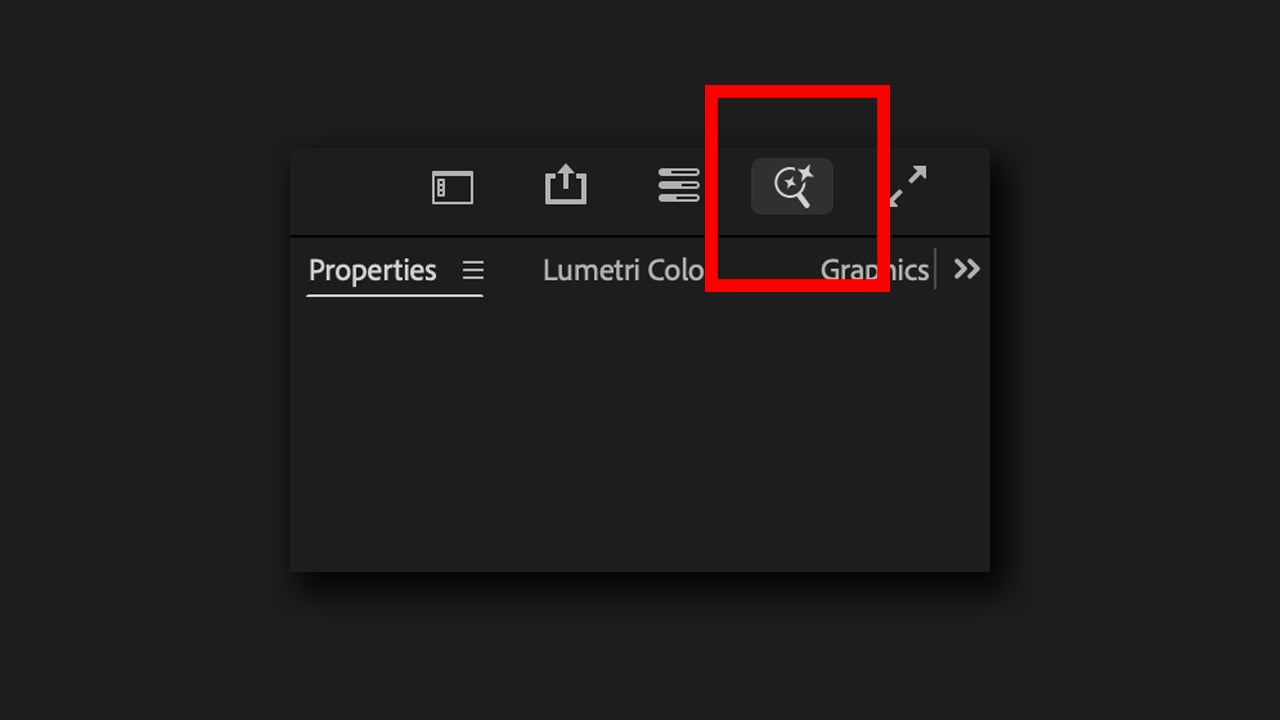
  • Describe what you are looking for. Visual search will work better the more specific you are in your descriptions. However, keep in mind that Premiere analyzes a more “reduced” version of your materials, so it won’t be very good at picking up small details.

You also have an advanced filter available within the Search panel to further refine your searches. As Adobe itself explains, these searches apply metadata-based filters. Very useful for finding specific clips within a large-scale project. To use them, do the following:

  • Open the Search panel again and type what you want to search for.
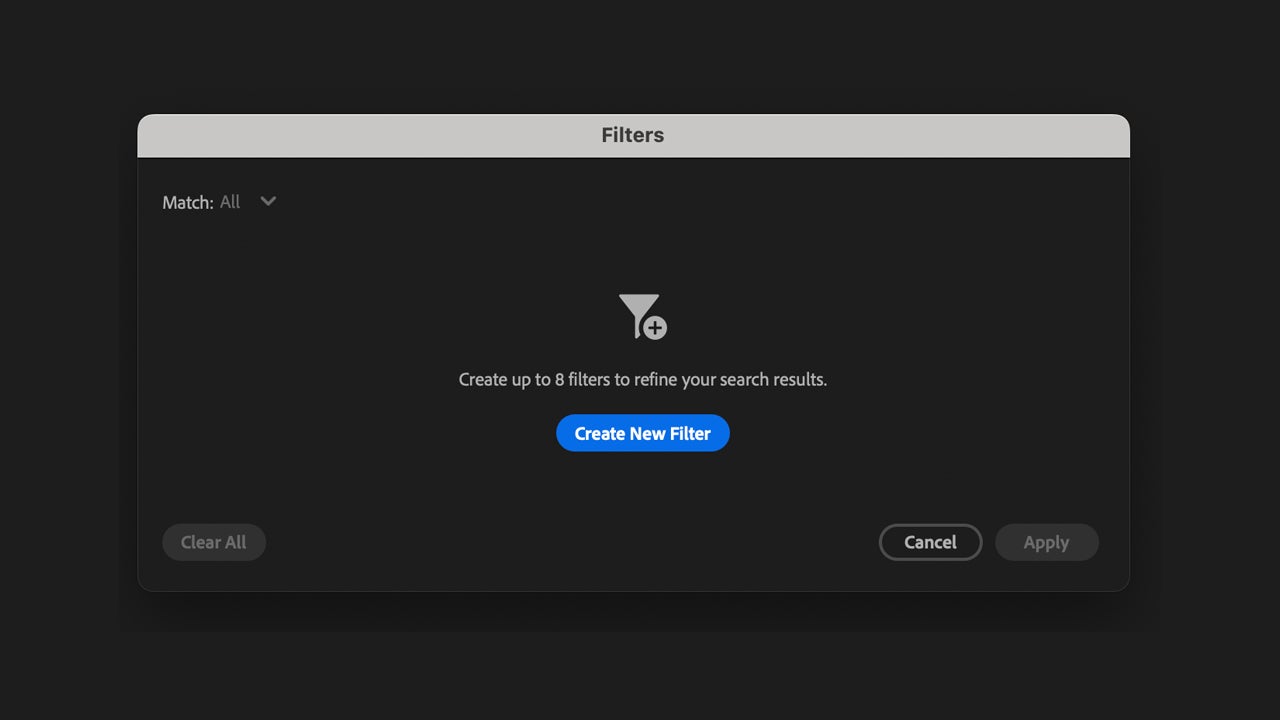
  • Select the filter button to open new options. There, select Create New Filter. You can filter by time, frame rate, etc.
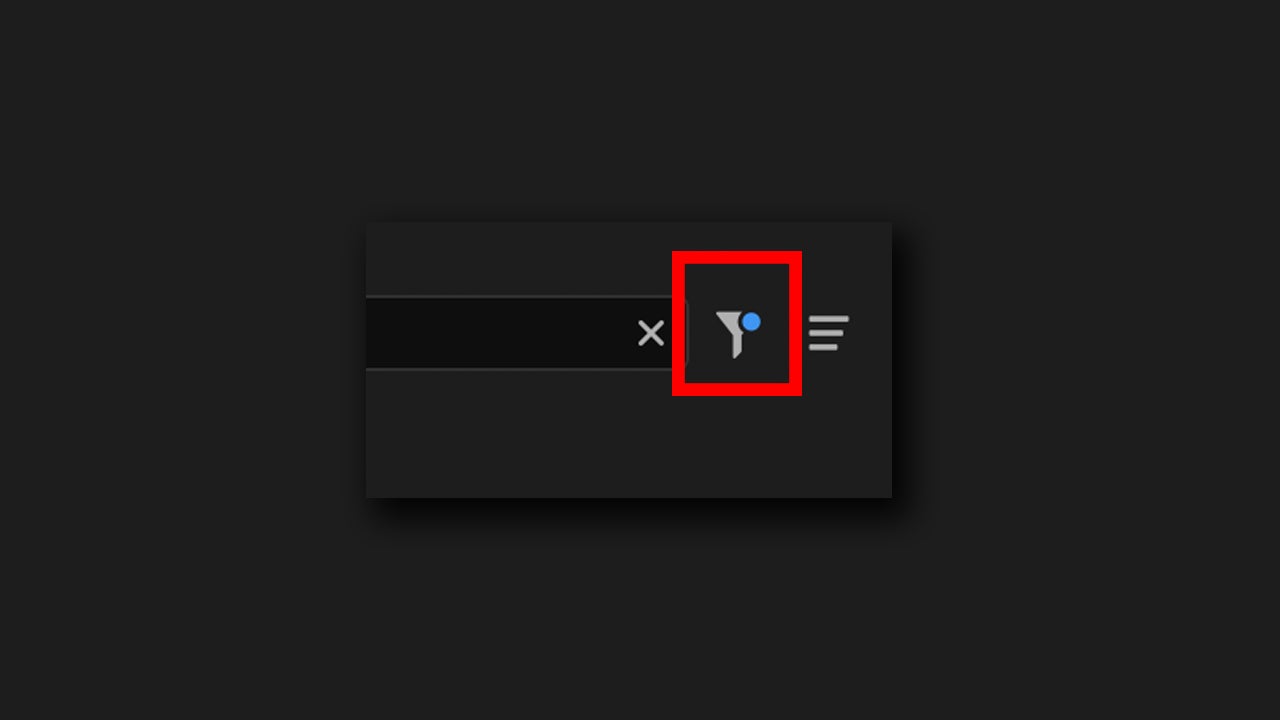
  • To finish, click on Apply and wait for your search results to update with the changes.
As you can see, the searches within Premiere Pro make the work of any current video editor even easier. However, there are a couple of aspects that you should keep in mind when conducting your searches:

  • For now, you will not be able to search for specific texts that appear in the clips.
  • The visual search does not identify or tag people. This means you will not be able to search for a specific person; you can only describe them physically to do so.
  • Adobe does not train its AI models with your files. All analyses and searches are performed locally from your PC.

Text-based editing and generative extension: other uses of AI within Premiere Pro

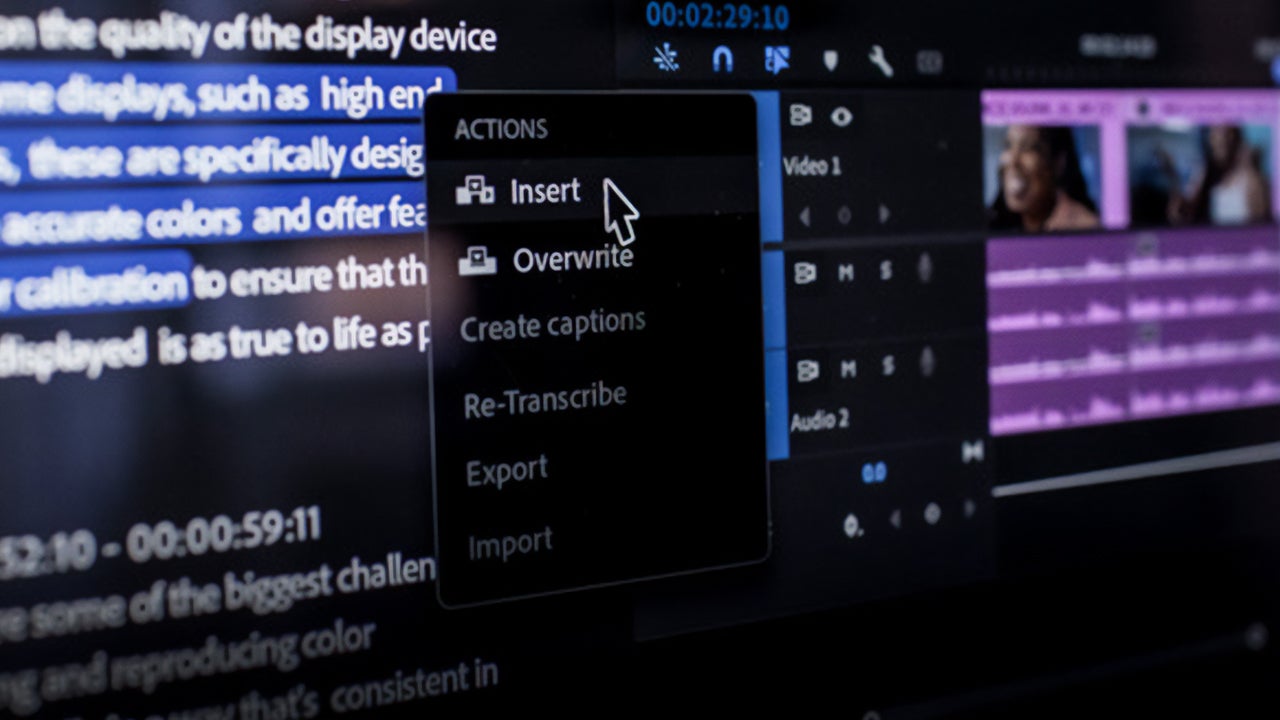
In addition to smart searches, Premiere Pro also includes other features that utilize AI, such as text-based editing and generative extension.

Text-based editing is a way to edit video as easy as it sounds. You can copy and paste text to move clips, remove dialogues, and make basic edits to get started. In the case of the generative extension, Premiere Pro allows us to add several extra frames at the beginning or end of any clip.
How do I use the new features of Premiere Pro?

This may be your case (or it may have been): you are editing a great video and you have clips of all kinds, whether they are close-ups, wide shots, photos, etc. You may have already organized them into folders, but Visual Search will help you go even faster.

  • Before you start, you will first need to import all the material into Premiere Pro. Let the program analyze them in the background.
  • If you want to search for a specific type of shot, click on the magnifying glass to open the Search panel. Describe what you want to search for and wait for the program to provide the results.
  • If the result doesn’t convince you, we can always refine the search. Create a new, more specific filter by clicking on the Filter symbol and then Create New Filter. When you’re done, select Apply to make it work.

You will no longer have to spend unnecessary time exploring among your materials aimlessly. In just a few minutes, you will have any file located and ready to drag to the timeline and start editing.

Adobe Premiere Pro
Adobe Premiere Pro DOWNLOAD

Author: María López

{ "de-DE": "Künstler aus Berufung und Technikliebhaber. Seit ich denken kann, habe ich gerne an allen möglichen Gadgets herumgebastelt.", "en-US": "Artist by vocation and technology lover. I have liked to tinker with all kinds of gadgets for as long as I can remember.", "es-ES": "Artista de vocación y amante de la tecnología. Me ha gustado cacharrear con todo tipo de gadgets desde que tengo uso de razón.", "fr-FR": "Artiste de vocation et amateur de technologie. J'aime bricoler avec toutes sortes de gadgets depuis que j'ai l'usage de la raison.", "it-IT": "", "ja-JP": "", "nl-NL": "", "pl-PL": "", "pt-BR": "", "social": { "email": "", "facebook": "", "twitter": "", "linkedin": "" } } View all posts by María López

Author María LópezPosted on July 21, 2025July 29, 2025Categories News

Post navigation

Previous Previous post: Passwords, the weak point of your online security
Next Next post: No one remembers her, but 10 years ago, Netflix's first original movie changed the history of cinema forever

Recent Posts

  • KPop Demon Hunters was going to be "dark, adult, and very violent," but then they saw the opportunity to make money
  • Pedro Pascal says that many things will happen between him and Robert Downey Jr. in Avengers: Doomsday
  • Sony is facing a class action lawsuit due to Donald Trump
  • KPop Demon Hunters was going to be "dark, adult, and very violent," but then they saw the opportunity to make money
  • PlayStation will not release its most beloved games on PC from now on

Archives

  • May 2026
  • April 2026
  • March 2026
  • February 2026
  • January 2026
  • December 2025
  • November 2025
  • October 2025
  • September 2025
  • August 2025
  • July 2025
  • June 2025
  • May 2025
  • April 2025
  • March 2025
  • February 2025
  • January 2025
  • December 2024
  • November 2024
  • October 2024
  • September 2024
  • August 2024
  • July 2024
  • June 2024
  • May 2024
  • April 2024
  • March 2024
  • February 2024
  • January 2024
  • December 2023
  • November 2023
  • October 2023
  • September 2023
  • August 2023
  • July 2023
  • June 2023
  • May 2023
  • April 2023
  • March 2023
  • February 2023
  • January 2023
  • December 2022
  • November 2022
  • October 2022
  • September 2022
  • August 2022
  • July 2022
  • June 2022
  • May 2022
  • April 2022
  • March 2022
  • February 2022
  • January 2022
  • December 2021
  • November 2021
  • October 2021
  • September 2021
  • August 2021
  • July 2021
  • June 2021
  • May 2021
  • April 2021
  • March 2021
  • February 2021
  • January 2021
  • December 2020
  • November 2020
  • October 2020
  • September 2020
  • August 2020
  • July 2020
  • June 2020
  • May 2020
  • April 2020
  • March 2020
  • February 2020
  • January 2020
  • December 2019
  • November 2019
  • October 2019
  • September 2019
  • August 2019
  • July 2019
  • June 2019
  • May 2019
  • April 2019
  • March 2019
  • February 2019
  • January 2019
  • December 2018
  • November 2018
  • October 2018
  • September 2018
  • August 2018
  • July 2018
  • June 2018
  • May 2018
  • April 2018
  • March 2018
  • February 2018
  • January 2018
  • December 2017
  • November 2017
  • October 2017
  • September 2017
  • August 2017
  • July 2017
  • June 2017
  • May 2017
  • April 2017
  • March 2017
  • February 2017
  • January 2017
  • December 2016
  • November 2016
  • October 2016
  • September 2016
  • August 2016
  • July 2016
  • June 2016
  • May 2016
  • April 2016
  • March 2016
  • February 2016
  • January 2016
  • December 2015
  • November 2015
  • October 2015
  • September 2015
  • August 2015
  • July 2015
  • June 2015
  • May 2015
  • April 2015
  • March 2015
  • February 2015
  • January 2015
  • December 2014
  • November 2014
  • October 2014
  • September 2014
  • August 2014
  • July 2014
  • June 2014
  • May 2014
  • April 2014
  • March 2014
  • February 2014
  • January 2014
  • December 2013
  • November 2013
  • October 2013
  • September 2013
  • August 2013
  • July 2013
  • June 2013
  • May 2013
  • April 2013
  • March 2013
  • February 2013
  • January 2013
  • December 2012
  • November 2012
  • October 2012
  • September 2012
  • August 2012
  • July 2012
  • June 2012
  • May 2012
  • April 2012
  • March 2012
  • February 2012
  • January 2012
  • December 2011
  • November 2011
  • October 2011
  • September 2011
  • August 2011
  • July 2011
  • June 2011
  • May 2011
  • April 2011
  • March 2011
  • February 2011
  • January 2011
  • December 2010
  • November 2010
  • October 2010
  • September 2010
  • August 2010
  • July 2010
  • June 2010
  • May 2010
  • April 2010
  • March 2010
  • February 2010
  • January 2010
  • December 2009
  • November 2009
  • October 2009
  • September 2009
  • August 2009
  • July 2009
  • June 2009
  • May 2009
  • April 2009
  • March 2009
  • February 2009
  • January 2009
  • December 2008
  • November 2008
  • October 2008
  • September 2008
  • August 2008
  • July 2008
  • June 2008
  • May 2008
  • April 2008
  • March 2008
  • February 2008
  • January 2008
  • December 2007
  • November 2007
  • October 2007
  • September 2007
  • August 2007
  • July 2007
  • June 2007
  • May 2007
  • April 2007
  • March 2007
  • February 2007
  • January 2007
  • December 2006
  • November 2006
  • September 2006
  • August 2006
  • June 2006
  • May 2006
  • July 2001
  • January 2001
  • November 2000
  • September 2000
  • August 2000
  • July 2000
  • April 2000
  • March 2000

Categories

  • Affiliate post
  • Expert Review
  • Gaming
  • Guides
  • How to
  • Legacy how To
  • News
  • Noticias
  • Software>Security
  • Sponsored
  • Trucos y Consejos
  • Uncategorized
  • Windows software

Meta

  • Log in
  • Entries feed
  • Comments feed
  • WordPress.org
Softonic English Proudly powered by WordPress