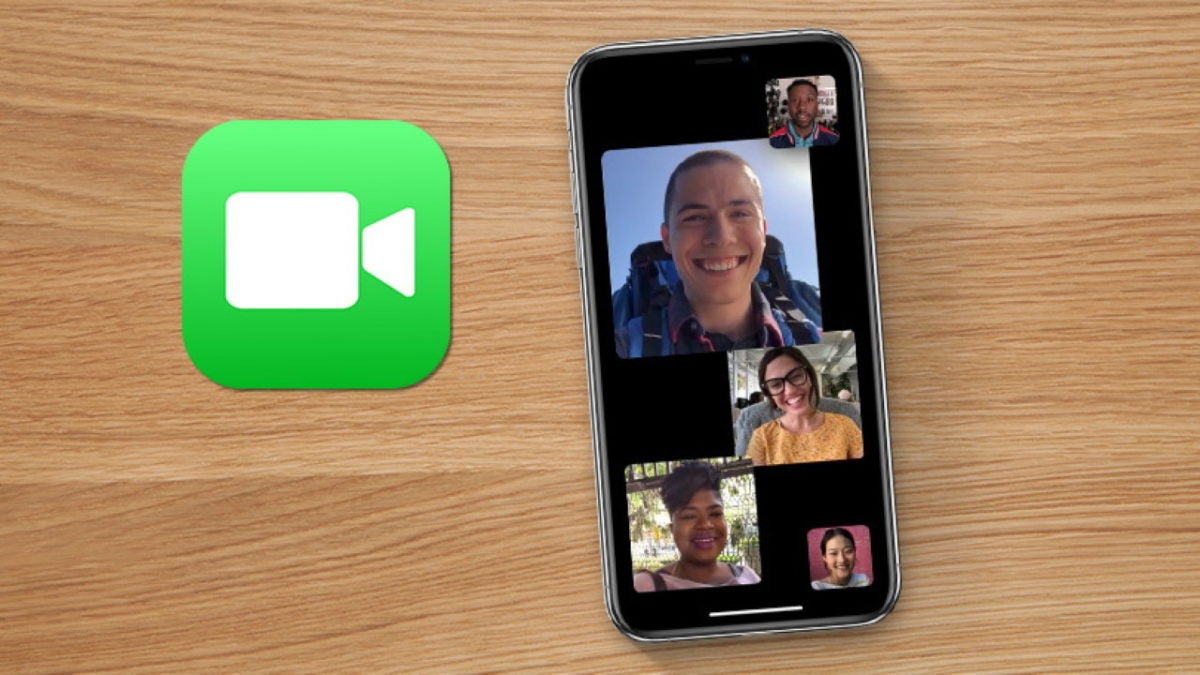
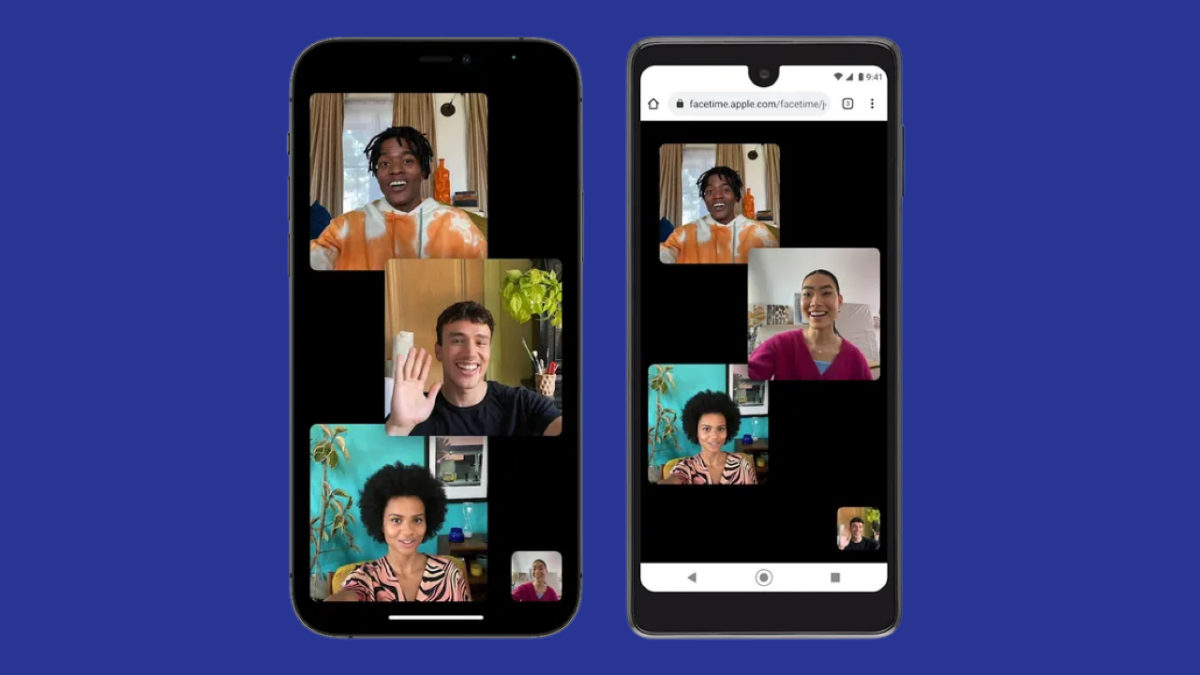
Last week, we mentioned how FaceTime will become available for Android and PC users on the web. Well, it also appears from the WWDC 2021 that more features are coming to the iPhone version. If you read through them carefully, you’ll notice how it’s doing its best to beat competitor apps like Zoom.
One of the top new options is sending scheduled meeting links to others. While this option may have been available for iPhone, you can now send them to Android and PC members too. It means you can share links on Whatsapp and other platforms even if they don’t have iOS. The attendees will also receive a calendar notification if enabled.
Following hot on the success of Teleplay is SharePlay. You’ll be able to watch videos and listen to music with other members in the meeting, which you can do for business or entertainment purposes. Some of the partners who are buying into this partnership include Hulu, Disney+, and Twitch. You should also expect some Apple products to participate.
Finally, Spatial Audio will give you the sense that you’re sitting in the same room as the other attendees. There are also wide spectrum and voice isolation features, where the former boosts ambient sounds and the other blocks them.
As you can see, there are plenty of tools coming to FaceTime, and we don’t even have the full list yet. We can’t wait to see what else is on the table.
Yesterday was a significant day for Apple as it held the 2021 Worldwide Developers Conference. The keynote address went well, with plenty of new features and apps presented for the coming year. Of these, one of the most notable news included FaceTime becoming available for Android and Windows via web browsers.
Previously only available for Mac and iPhone, Apple is looking to present FaceTime in a similar way as Zoom. You can share a video conference link with others so that they can attend your meeting online. It’ll also let you schedule calls so that they can prepare in advance and arrive on time with calendar appointments.
No launch date is available as yet, but Apple seems to indicate that it may appear during the same period as the iOS 15 release. Of course, the new web version isn’t the only FaceTime news, as the FT iOS app will also receive plenty of new features. We can expect some of these to integrate with the new web modular design so that you can easily connect to meetings from Android or Windows members.
One new feature called SharePlay will follow in Teleplay’s footsteps. You’ll be able to watch movies and listen to music with friends. For all intents and purposes, it looks like Apple wants FaceTime to become the new place you chill and hang out in your free time.
Ready to make a good impression long-distance? Here’s how to get the job with a video interview.
As we move into the future, both interviews and jobs are becoming more remote. And thank goodness; although face to face interaction will remain better than technology for some time to come, stay-at-home positions allow everyone to save time and energy.
However, the changing times require a change in tactics, and unwary job seekers will be at a disadvantage.
Take care, don’t be caught unaware! FaceTime interviews require everything a normal interview would, and then some. To help you score that first career, take these rules to heart.
How to prepare for a FaceTime job interview
Your knowledge
Always, always, always know about the interview. Research the company. List the job expectations. Prepare questions, understand your own qualifications, and do the research. You might be surprised how many interviewees forget this part!
If you’re unsure how to start, the company’s website usually contains everything you need to know. However, when given the name of your interviewer, consider looking them up on Indeed.com, if only to make sure you can match a face with the name.
So, why is this so important? Many of the concepts we’re about to discuss are variable: you should always wear “appropriate” clothes, but that description could mean a full suit, costume, or casual wear depending on the situation. To make the right decision, you need more information. Build a good foundation to stand on!
Your setup
Don’t wait until the call! You should have a location prepared for the most casual job interview. Go through the list:
1. Think about comfort
Generally, interviewees present themselves best while at ease, so have a good place to sit, a table, and an “appropriate” chair. Formal interviewers may not appreciate you reclining in a beanbag couch, others might find it acceptable or even humorous. Again: knowledge comes in handy.
Next, find a place to set your device. Even if you can hold a phone the entire time, you’ll give a much better interview without the constant distraction of maintaining steady hands. Besides, that little corner video showing yourself already distracts us enough.
A nice place may sometimes be worth the hassle!
2. Consider privacy
What noises can you hear outside the room? Are there other people with you? How can you find some privacy? This principle goes two ways: you don’t want others interrupting your conversation, and housemates often don’t like being watched. And we assure you, anyone in the background of a video will be watched:
(Side note: you may be wondering why he doesn’t get up from his chair. He probably decided to wear informal pants or none at all. Keep that in mind…)
The design, layout, and decorations inside a room admittedly convey your personality. Still, it’s far better to show your personality with interaction rather than a poster! We suggest keeping the room minimalist and professional in most situations: remove anything that would distract from you, the main attraction.
However, you may wish to lay out a few subtle items to convey a theme. Writers may wish to place books within view, or engineers may choose to sit in front of their past design projects. Just make sure your surroundings don’t become more interesting than you, unless you plan to make them a topic of conversation.
We’re going to address a common misconception now: wear pants. Hopefully, you saw the potential consequences in the BBC video above.
Moving on.
Once again, information will help you determine what to do; factor in the job expectations, the specific company, and your interviewer. Once that’s finished, begin selecting an outfit.
At the very least, gents should consider wearing a tie and a button-up, collared shirt. Add a coat if the job feels especially professional, and don’t worry about being “overdressed.” Many would argue there’s no such thing.
Besides, doesn’t it feel great to dress well? We sure think so!
Quite a snazzy outfit.
Blue three-piece suit, a classic.
The interview
Take a moment to really look at an interview from the interviewer’s point of view. What would you want?
Surprisingly, one of the answers is, “Not a robot.” Another answer may be, “Good conversation.” While qualifications certainly matter, almost everyone wants to enjoy themselves and interviewers are no exception. For this very reason, comm majors have been increasing in value: skills lose their flavor when they aren’t paired with the ability to communicate.
If you need help, check out these tips:
1. Remember how we mentioned questions? Bring them in now! Ask your questions and let the interviewer talk for a while. This may give you time to calm down, help you think of more questions, or simply provide answers you were missing before.
2. Remember how we mentioned knowing yourself? Don’t ever forget that you are interesting. If you programmed a flash game, self-published a novel, ran a marathon, or even planned a birthday party, you have something to talk about. Those experiences show fortitude, self-determination, and problem-solving ability.
Good luck
With knowledge ready, a good place to sit, the right clothes, and an understanding of the interviewer’s perspective, you have a much better chance of landing the job1
Still, things happen. If/when they do, remember: many interviewers appreciate the ability to take mishaps in stride. Stick with it, prepare rather than worrying, and you’ll eventually land a job!
A recently discovered bug has stopped FaceTime from working on devices running iOS 6. An expired device certificate has rendered Apple’s video chat service unusable for some. Apple has responded with a fix, which is to update to iOS 7 if your device supports it.
While most users have updated to iOS 7, there are some users who may not want the dramatic changes introduced in the new operating system. Those with devices capable of running iOS 7, must update to fix FaceTime.
If you have a device that doesn’t support iOS 7, you’ll need to update to iOS 6.1.6 to fix the FaceTime bug. The update was released in February so if you haven’t updated, now’s the time.
Apple hasn’t provided a way for iOS 6 users with iOS 7 compatible devices to update to 6.1.6 to avoid the new OS.
It’s odd that Apple doesn’t just issue new device certificates to fix the issue and allow users to continue using iOS 6. While 87% of iOS devices are already using iOS 7, 11% of users are still running iOS 6. Users may have legitimate reasons for staying on iOS 6 but for now, Apple is not providing a solution.
Apple has released a small update for iOS 7, version 7.0.4. It includes bug fixes and improvements, and should correct the problem some users had with FaceTime calls failing.
iOS 7.0.4 is on 17 MB, but you’ll need at least 765 MB of space to perform the update. You also need to be connected to a WiFi network. A small security issue with App and in-App purchases has also been fixed in this update. Previously, a signed-in user was able to complete a purchase without providing their password. Apple says this has been fixed by adding ‘additional enforcement of purchase authorization.’
The update is for iPhone 4 and later, iPod touch (5th generation) and later, iPad 2 and later. You can apply it by going to Settings, then tapping General and Software Update. It will then be downloaded and applied automatically once you’ve aggreed to the terms of service.
It’s no surprise that Apple is constantly facing legal battles from different companies claiming prior-art for infringed patents. Last year, Apple was sued by a patent-holding company called VirnetX for infringing on its video call patent. Apple fought hard but in the end, VirnetX won, leading to a $368 million settlement.
The nightmares didn’t stop with the patent loss wasn’t the end of Apple’s nightmare. Since April of this year, the company has received over half a million calls complaining about poor FaceTime service. The problem lies with the patent which VirnetX holds for initiating direct communications between two parties. Apple was forced to transition to using relay servers, which act as a middle man, to connect FaceTime users. This caused quality issues with the FaceTime service and hence the complaints.
Of course, Apple can pay royalties to VirnetX to use its patents but Apple doesn’t want to admit that they infringed on the patent or that the patent is technologically significant in providing a good video chat service.
Are you experiencing quality issues with FaceTime? Let us know in the comments.
Imagine if FaceTime for Mac could make calls to not just iPhonesbutalso Android, Windows, and Blackberry devices too. That’s exactly what LINE for Mac does in a slick FaceTime-style interface that’s sure to prove popular with Mac users that have friends and family using different mobile devices. LINE for Mac allows you to make free calls and send free messages to iPhone, Android, Windows and Blackberry phones as well as other Macs and PCs.
Apple’s new FaceTime for Mac beta was one of the more popular announcements from yesterday’s event. The only significant drawback with FaceTime for Mac is that it uses Address Book, your Mac’s built-in contacts utility. This is OK if you also use Address Book. If, like me, you’ve studiously ignored it because you only ever use Gmail, however, then it’s time to remedy that state of affairs.
It’s really very easy to sync your Google Contacts with your Mac.
First, open Address Book.
Now open Preferences by hitting (⌘ ,)or selecting FaceTime and then Preferences from the menu bar.
The Apple fan phenomenon feeds a lot on rumors. The latest one to hit the front pages of all Mac-related blogs worldwide is that Apple is planning to add support for FaceTime to its native IM client, iChat. Even harder to believe, they say Apple is also working on a FaceTime application… for Windows.
The news was first spread by Mac4ever, a French blog that’s earned a reputation for predicting lots of new Apple products like the Magic Mouse and the iPad. The idea is simply great; I’ve tried FaceTime on the iPhone 4 and it works like a charm, so it would be awesome to be able to enjoy this new way of communication with even more people when it spreads on to more platforms.
On the downside, the hypothetical desktop FaceTime client has a big competitor: Skype. The current king of desktop-based videochat is not going to let go of its crown so easily, so I guess Apple still has a lot of work to do here. As with any other Mac-related rumor, these stories should be taken with precaution.










 Imagine if