Google Messages is updated to prevent you from receiving SMS scams

Google is launching new updates for its Messages app, focused on improving protection against spam and scams. Additionally, the app will include an optional feature to blur any image that may contain nudity or other sensitive content before the user views them. According to a post on Google’s blog, users of the beta version of Google Messages will benefit from an enhanced anti-scam system that more accurately detects fraudulent messages, especially those that include fake job offers or claim that a delivery is pending […]

Google is launching new updates for its Messages app, focused on improving protection against spam and scams. Additionally, the app will include an optional feature to blur any images that may contain nudity or other sensitive content before the user views them.

As detailed by Google in a blog post, users of the beta version of Google Messages will benefit from an enhanced anti-scam system that more accurately detects fraudulent messages, especially those that include fake job offers or claim that a package delivery is pending, aiming to obtain personal data. An improvement of a system that Google implemented long ago in its app and that moves suspicious messages to a spam folder or warns you upon receiving them, thanks to its on-device machine learning technology.

Regarding protection against sensitive content, the company explains that it will work through a local scan on the device, which ensures that Google does not access the images or break the end-to-end encryption of RCS messages. For users under 18, this warning will be activated automatically. The feature will be available in the coming months for devices with Android 9 or higher versions, as long as they have more than 2 GB of RAM.
Another feature in development is the ability to automatically hide messages from unknown international numbers, along with the implementation of warnings when a potentially dangerous link is received. These new features will be rolled out progressively.

Finally, Google plans to introduce a “contact verification” feature in 2024, which will allow users to confirm a contact’s identity using a public key.


Google Messages DOWNLOAD

The Google Messages app will launch a useful feature for RCS messages

Google could be working on improving the image sending experience through its app Google Messages, according to a detailed analysis by Android Authority. The latest version of the APK suggests a significant change in image compression using the RCS protocol (Rich Communication Services).

Google Messages DOWNLOAD

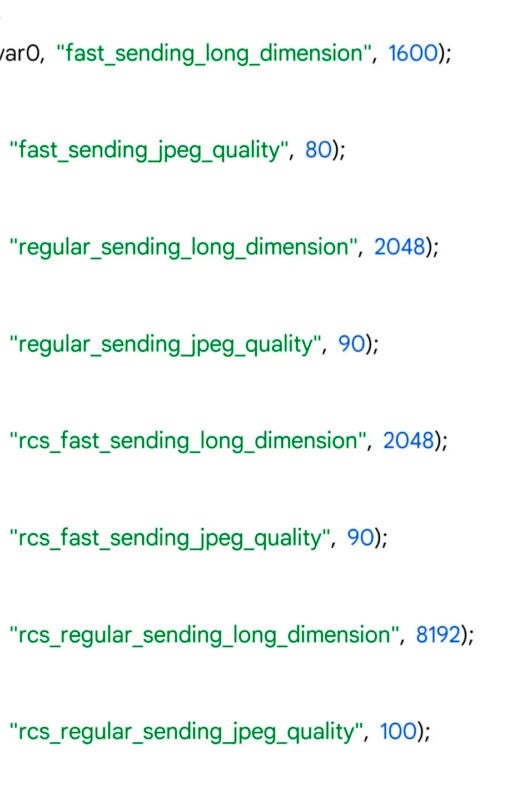
The analysis reveals that Google could allow the submission of images up to 8,192 pixels wide and high with a JPEG quality of 100 pixels. However, if the “Send photos faster” option is activated, the images will be compressed to 2,408 pixels and the JPEG quality will be reduced to 90. Currently, this option compresses images to 1,600 pixels, which greatly alters the details. It is currently unknown when these changes would take place.

This compression limitation is not directly associated with the RCS protocol. Other messaging applications like Samsung Messages also use this protocol without imposing similar restrictions. The responsibility for this limitation lies solely with Google. If the company goes ahead with the change, a visible difference in the quality of images sent through their messaging app could be noticed.

The exact reason for this limitation is not known, but now Google seems willing to change it. The recent decision by Apple to integrate RCS support into its Messages app with iOS 18 may have influenced this measure by Google. In addition, a major update from GSMA for RCS could reduce the messaging gap between Android and iPhone, benefiting users of both operating systems when sending high-quality images.

Google Messages DOWNLOAD

Google Messages already allows you to do something very useful, for which Twitter charges you

Google has released a series of updates and new features for Android, highlighting the ability to edit messages in the Google Messages app, an increasingly common feature in messaging and social media apps (except for Twitter). Now, users can modify their messages up to 15 minutes after sending them.

Google Messages DOWNLOAD

This long-awaited feature is activated by holding down the sent message and selecting the pencil icon that appears at the top of the screen. The update, which started rolling out this week, will be available for all devices with Android 8 or higher.

In addition to this new feature in the Messages app, Google has improved the instant hotspot. Soon, users will be able to connect an Android tablet or Chromebook to their phone’s hotspot with a single tap and without the need for a password. This update will also allow switching between connected devices during Google Meet calls by simply tapping the Cast icon. These improvements will be available starting from June 10th for devices with Android 11 or higher.

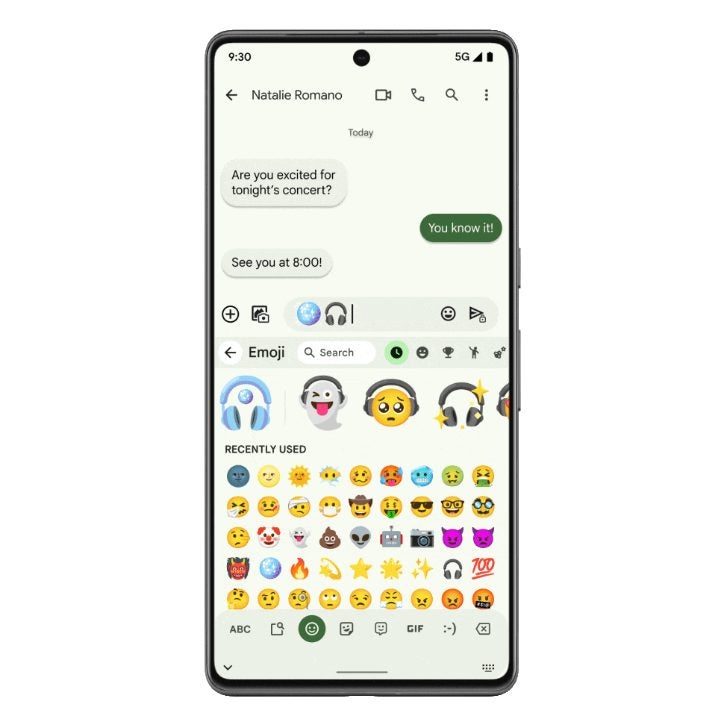
In addition, the Google Home Favorites widget, which allows you to control smart home devices, is available in public preview and can be added to the Android phone’s home screen. Finally, Emoji Kitchen will receive new sticker combinations on June 10th, expanding the available options through Gboard.

Google Messages DOWNLOAD

The new features of Google Messages will leave you speechless (or rather the opposite).

Google is implementing improvements in the audio features of its messaging app: Google Messages. Among the improvements, animated emoji backgrounds are included to reflect moods in audios and a redesign of the audio recording interface. According to 9to5Google, beta users will be the first to try them.

Google Messages DOWNLOAD

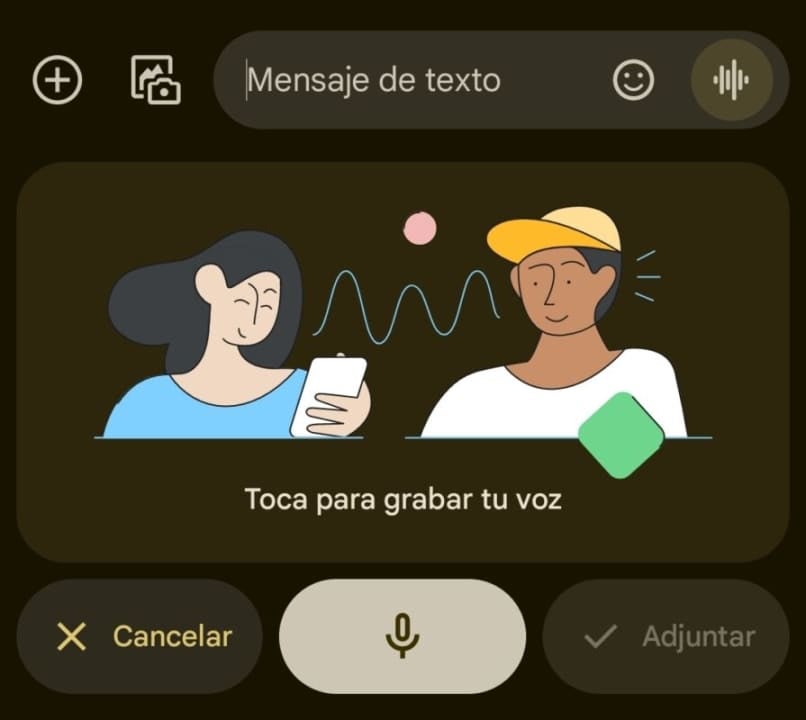
The voice recording interface now features a noise cancellation function, improving the quality of recordings on Android devices. Accessing this new interface is as easy as tapping the wave button in the bottom right corner of the conversation. With this redesign, you will still be able to send audio by holding down the button, with an option to lock the action and allow you to comfortably record your voice.

The new interface allows you to view the waveform of the audio while recording, and includes controls to restart, stop or attach the recording, as well as a useful on/off switch in noisy environments. In addition, the Voice Moods have been added: animated emoji backgrounds that display nine different moods in audio messages.

If you want to enjoy these features as soon as possible, join the beta program of Google Messages and make sure you have the app updated. It is important to remember that these updates may take some time to reach all users. The new recorder design will be available for SMS and MMS users, while Voice Moods will be limited to RCS conversations.

Google Messages DOWNLOAD

This leaked Google Messages feature could be a WhatsApp killer

WhatsApp is the dominant messaging app on the market, but we have seen in recent weeks how it isn’t afraid to borrow features from other less popular apps. Examples of this include the various group messaging updates we’ve seen in recent weeks such as boosting the number of participants to offer group sizes comparable to those offered by Telegram. A messaging app that is constantly overlooked, however, is Google Messages, but this leaked upcoming feature will certainly grab the attention of those at WhatsApp HQ.

Messages Download Now

Voice notes are an excellent form of communication that have grew in popularity in recent years. They allow users short on time to send long and informative messages while on the go and without having to think about typing. Their one shortfall, however, is that they are not searchable like text messages, you can’t type in a word or phrase you remember from a message and then jump straight to it. This new Google Messages update, however, looks set to fix that single weak point.

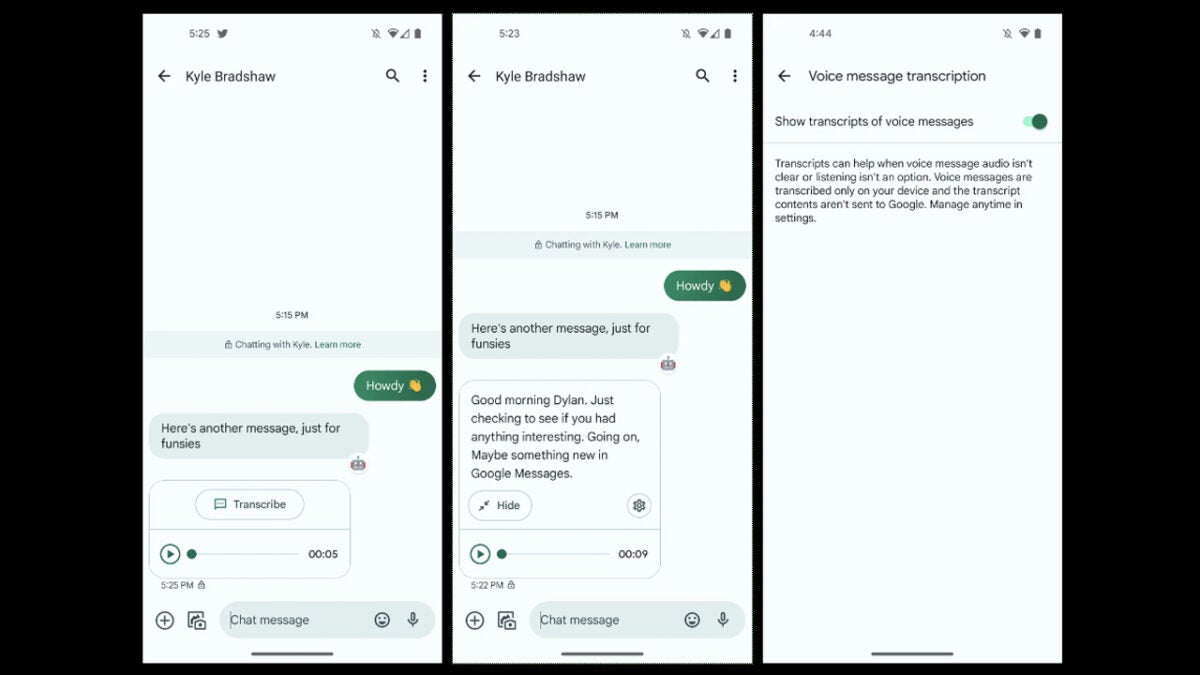
Google is working on a voice note transcription feature update for Messages. Thanks to a report from 9to5Google, we know that there are currently two iterations of the feature. One automatically transcribes incoming voice notes meaning you will receive both the audio file and a text message, which has been transcribed from it. The other iteration includes a transcribe button, which you can tap whenever you want to read the text of a voice note or save it for posterity and to make it easier to search for later on.

Impressively, according to 9to5Google’s testing of the leaked footage, the transcriptions are mostly accurate and can even correctly place punctuation depending on the tone of the speaker as well as any pauses in speech. The report, however, states that the function isn’t as fast as using the voice typing feature on Google Assistant.

It is great to see innovation happening in some of the less popular messaging apps on the market. As Google Messages is the stock messaging app that rolls out with Android device there is a good chance this improved feature will help to build a more dedicated user base for the often-forgotten app. Another probability, however, is that it won’t be long before we are also reporting on WhatsApp testing out a similar feature.

In other recent news, did you know that WhatsApp is working on a new Communities feature?

Images via: 9to5Google

Google Messages Beta teases Gmail features and expanded functionality

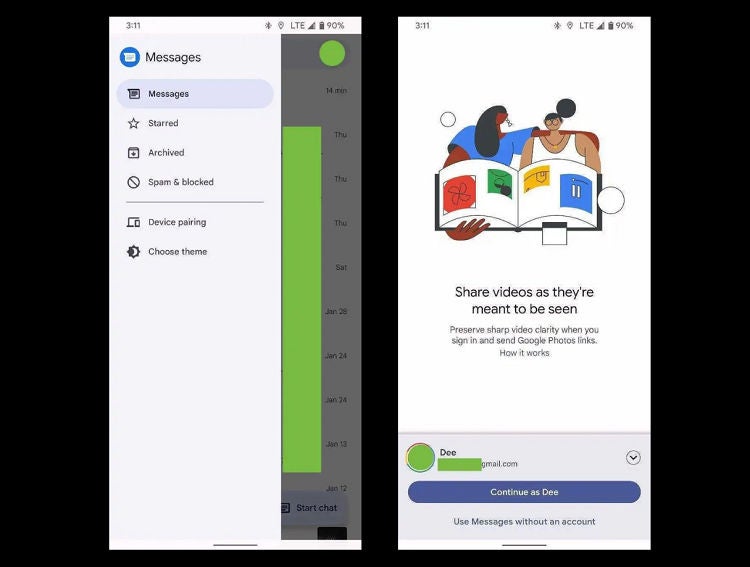
The beta release of Google Messages seems to tease a more synchronized future for Google’s resident messenger. Previous versions have been cluttered with menu options under the formerly-standard ‘three dot’ layout. The latest beta does away with these in favor of the more modern and streamlined hamburger menu. While the options within the menu have remained the same, the fresh layout breathes new life into Google Messages and brings it more in line with the rest of the Google productivity suite. 

Beta’s aren’t always anything to go by in terms of what the final release of a product will be, so it’s far too early to count our better-organized and streamlined chicken eggs. However, it is safe to assume many of the features that bring the beta closer to what Google already offers with its other products will make it into the final build. 

The beta also features better integration with Google Photos, letting users send high-quality media directly from the Messages app. Previously, users were only able to send lower-quality media via MMS functionality. While this new integration is an exciting development for Google Messages, the productivity giant is already behind, with apps like WhatsApp able to send high-quality media for years. For devout Google fans and texting aficionados, though, this is big news. 

In other developments, Google has also announced the redesign of the Google Chrome browser logo. Chrome hasn’t experienced a refresh in over eight years, so it’s high time for a redesign to remain competitive and fresh-faced amidst the recent spike in Microsoft Edge users on Windows 11. 

Both the final build of Google Messages and the redesign of the Chrome logo are expected to be widely available soon. In the meantime, why not check out our articles about the Google productivity and functionality suite and all its wonders?