Beware, some phishing emails are making it past Microsoft Defender

Phishing attacks are so common these days that we are becoming more accustomed to the crazy ways scammers are trying to trick potential victims into clicking their scam links and downloading their infected files. However, one fact that remains true throughout it all is that it is you who are you are your own last and best form of defense, a fact that is backed u by today’s news that Microsoft Defender allows almost a fifth of all phishing emails through its security scanners. Here is what you need to know.

Microsoft Defender Download Now

Cybersecurity firm Avanan has published a report based on a study it did of Microsoft and Check Point security software. The study looked at just under three million emails that were scanned by the different security packages and found that Microsoft Defender missed 18.8% of all phishing emails. The results were based on sample sizes of between 500 and 20,000 users located in the United States.

Interestingly, the Avanan report claims that the number of phishing emails breaking through Microsoft Defender’s security scanners has almost doubled over the last two years, jumping from 10.8% in 2020. However, despite this news, the Avanan report does not single out Microsoft Defender as being a bad product or being any worse than any other security product out there. What the report points out is that it is the scammers and hackers who have been upping their game rather than the security apps letting their guard down:

“It’s important to note that this does not mean that Microsoft’s security got worse. It means that the hackers got better, faster, and learned more methods to obfuscate and bypass the default security.”

This backs up the point we opened this article with and which we reiterate every time we cover a story like this: you are the most important part of your cybersecurity defense shield. You need to take responsibility for what gets onto your devices and be vigilant against potential threats. If you are unsure about how to do that, check out our anti-phishing infographic to bring yourself up to speed.

Microsoft warns against crypto-focused trojanized coin miners

It has been all over the news recently that the cryptocurrency market including Bitcoin, has been losing a lot of value recently. Despite this current reality, Microsoft has put out a warning that scammers are still using cryptojackers to try and hijack user devices in a bid to put them to work mining cryptocurrencies without you knowing about it. Let’s take a look at all you need to know about this threat.

Microsoft Defender Download Now

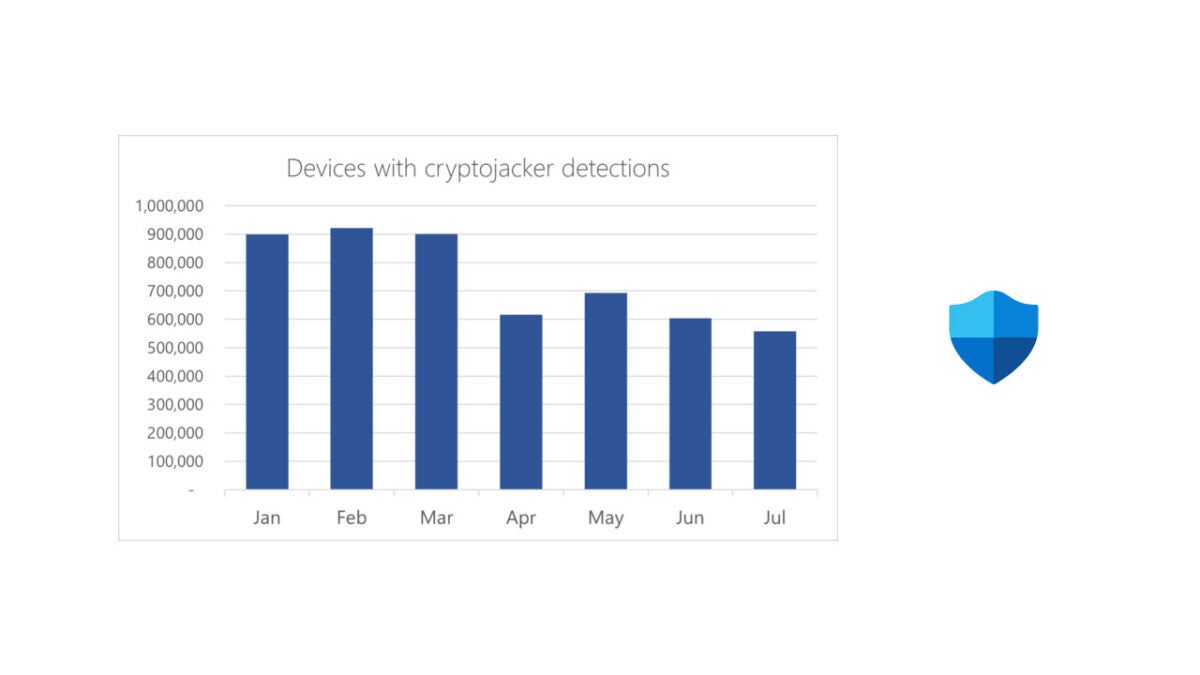
The Microsoft 365 Defender Research Team have access to data on a lot of devices running Windows 10 and 11. According to a recent blog post published to highlight their findings, they detect cryptojacker software on hundreds of thousands of devices every month. Furthermore, the team says that the cryptojackers are becoming increasingly sophisticated, harder to detect, and more difficult to remove.

The cryptojackers work by stealthily infecting user devices and then secretly using the processing units on the devices to mine cryptocurrencies. The more devices they can infect the higher the bounty they can collect. Although this type of malware won’t seek to target personal information or steal from the victims, it will heavily reduce the capabilities of the victim’s machines as most of the device’s resources will be used to mine cryptocurrencies, which will then be sent to a third-party crypto-wallet.

It is interesting to note that cyber-criminals are not only still using cryptojackers but are actively developing and improving them. Despite the massive drop in value across the whole industry, but that they are continuing to develop them for improved effectiveness and performance.

The good news is that most antivirus programs will be able to detect cryptojackers so if you are careful and take your cybersecurity seriously, just like we always say you should, then you should be OK.

In other related news, Microsoft Defender has recently been rated a secure option for enterprise and business users.

Microsoft Defender is officially a top-rated antivirus option and now offers enhanced mobile network protection for iOS and Android users

Microsoft’s new security suite, Microsoft Defender has been impressing users and reviewers alike since it launched. It is free for all Microsoft 365 subscribers and offers a boost in security performance over Windows Defender, which comes as the standard cybersecurity suite for Windows 10 and Windows 11 users. It now looks like the free security offering has some official plaudits too as it has scored highly in one of the industry’s recognized anti-virus comparisons. Let’s take a look.

Microsoft Defender Download Now

AV-TEST is an independent IT-Security Institute that puts prominent cybersecurity programs through their paces. In a recent Advanced Threat Protection Test Against Ransomware, Microsoft Defender scored in the top bracket for the protection offered for both personal and business and enterprise users. This means that the free offering from Microsoft is up there with premium options like Kaspersky, Avast, Symantec, and AVG.

AV-TEST describes the Threat Protection Test like this:

“All the products have to successfully defend against ransomware in 10 real-life scenarios under Windows 10. The test involves threats such as files containing hidden malware in archives, PowerPoint files with scripts or HTML files with malicious content.”

In the personal user test, Microsoft Defender was able to detect the threat at the initial point of access with just one threat making it to the Execution stage before it was detected and stopped. In the business and enterprise user test, the threat never made it past the initial point of access.

In other Microsoft Defender news, Microsoft has recently announced that the program is getting advanced End Point protection that will help it combat network attacks on Android and iOS devices. In the blog post, announcing the update, Microsoft said it will provide:

  1. Protection against rogue Wi-Fi-related threats and rogue hardware like pineapple devices
  2. Notifications when a Wi-Fi-related threat is detected
  3. An in-app guided experience to connect to secure networks
  4. Remediation options to change networks when a network is determined as unsecure or suspicious
  5. A medium priority alert when a suspicious network is detected, and an informational alert when an open network is detected.

This new feature is mostly an enterprise-level upgrade as it helps protect networks from being exploited via their weakest point. If you like the sound of Microsoft Defender keeping you and your network safe, you should read our guide, which will help you set up Microsoft Defender for maximum protection.

Microsoft Defender for Windows, macOS, Android and iOs

Microsoft Defender for Individuals is a new cross-device security solution by Microsoft. The solution requires an active Microsoft 365 Personal and Family subscription.

Microsoft Defender DOWNLOAD

The security solution brings security protections to different device types and operating systems, such as Android and Windows.

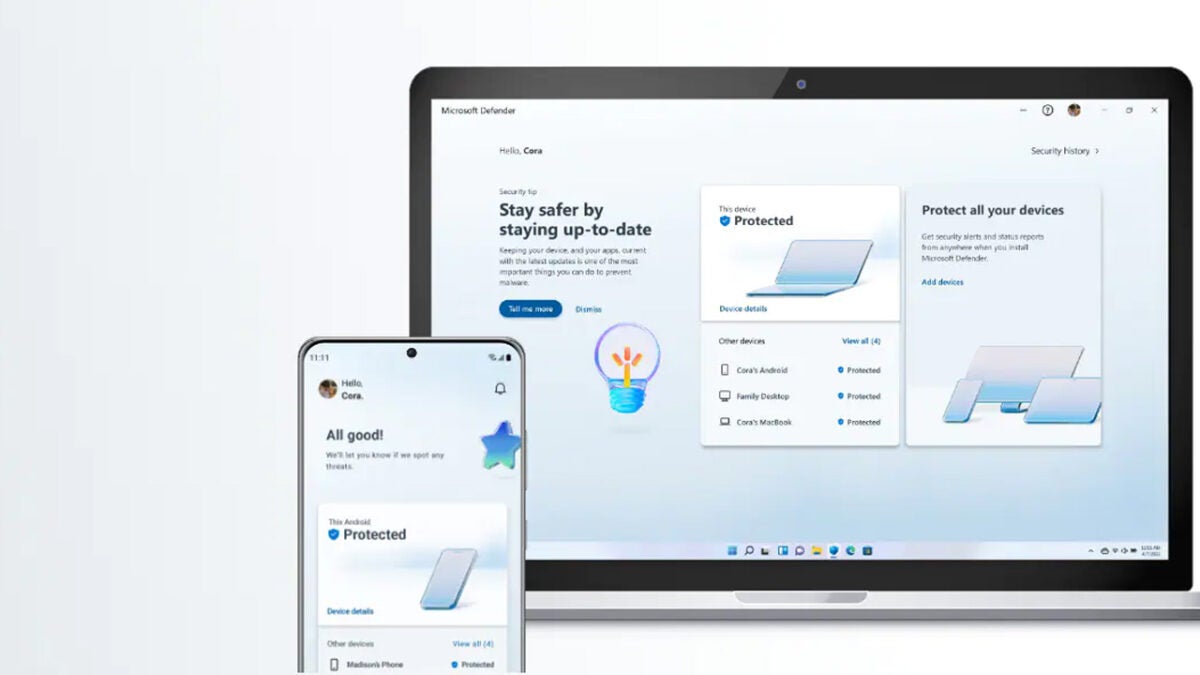
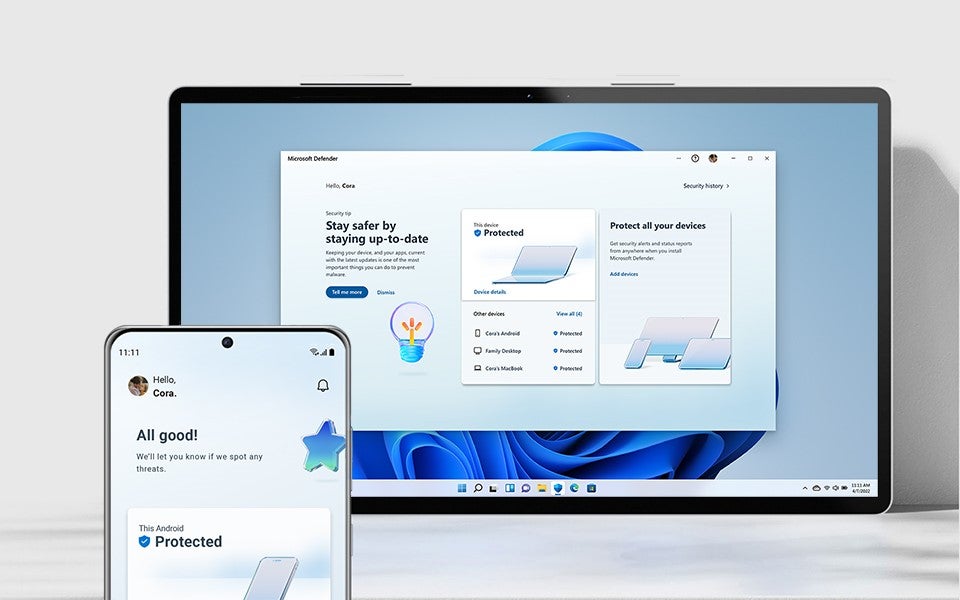
A centralized dashboard provides a view of the security of all connected devices. Security notifications inform users about threats and other issues.

Individuals and families may use different devices, for example, a Windows family computer at home, Apple iOS tablets at school, and Android smartphones. Different security solutions, which are not connected, may run on these devices.

Centralized Security Dashboard

Microsoft Defender for Individuals fills the gap according to Microsoft. Users get the security status of all connected devices when they access the central dashboard. It is important to realize that only connected devices

Parents control security on their own devices, family devices and devices of their children from that dashboard. The security solution displays the protection status of all connected devices. Notifications inform users about devices that need attention.

Customers may install Microsoft Defender on all devices to manage the security of all family devices. The standalone version of Microsoft Defender includes security protections. It protects against malware on devices that it is installed on by default, but there is one notable exception.

Microsoft highlights the following three core areas — protect, control, defend — on the Microsoft Defender for Individuals website:

Use one app for online security — Get one centralized view to manage and monitor your security status across your computers and phones

Safeguard your data and devices — Protect your family and yourself from malicious online threats with help from antivirus and anti-phishing protection you can count on.

Stay ahead of hackers and scammers — Get real-time alerts with recommended actions plus information about how to stay safer online.

Third-party antivirus support

Existing security solutions on Windows and iOS devices aren’t be replaced by Microsoft’s security solution. Third-party security solutions remain installed and enabled.

Windows users may install third-party security software to replace the default solution Microsoft Defender. Programs like Avast One Essential, Norton 360 Premium, or Trend Micro Titanium Internet Security, remain the active protection on the device.

Microsoft integrates information that these solutions provide in the dashboard.

Reporting is a key feature of Microsoft Defender for Individuals, but it is not the only feature that is available in the first official release. The security solution supports security notifications, which inform users about issues that need attention.

A notification warns users about new threats found on a managed device. It is important to realize that access to devices may be necessary to deal with reported threats.

Security tips and expert advice is another feature of Microsoft 365 for Individuals. The feature is available on Windows and Mac OS devices only at the time.

Microsoft Corporate Vice President, Security, Compliance, Identity, and Management Vasu Jakkal revealed that Microsoft plans to add more protections to Microsoft Defender for Individuals in the future.

This is just the start. As we look forward, we will continue to bring more protections together under a single dashboard, including features like identity theft protection and secure online connection

Microsoft Defender for Individuals downloads

Microsoft’s new security app supports the operating systems Windows, macOS, Apple iOS, and Android.

Here is the list of official download links:

All versions require an active Microsoft 365 Personal or Family subscription. While it is possible to install the programs and apps without one, it is required to use a Microsoft Account.

Installation of the application on a device and the linking to a Microsoft 365 account integrates the device automatically.

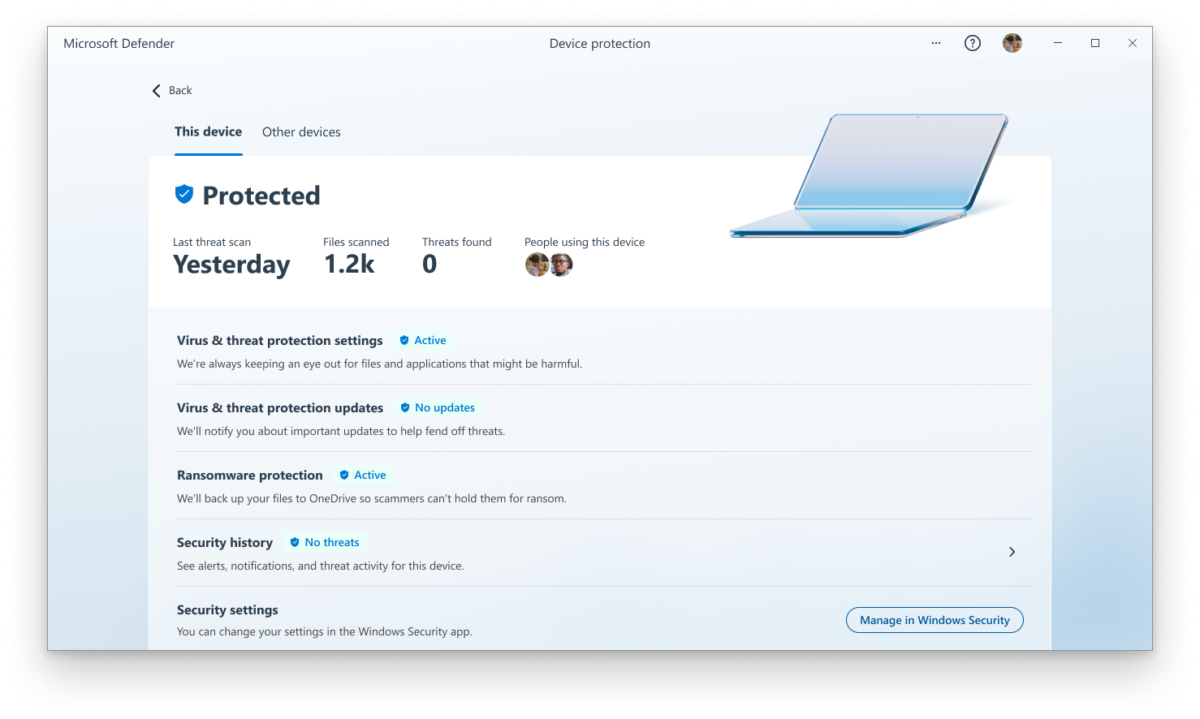
Microsoft Defender runs scans malware scans on devices to protect them against threats.

Closing Words

Microsoft Defender for Individuals provides malware protection on devices that it is installed on, but its greatest strength is the centralization of security reports in the management dashboard.

The solution is not available for Linux at the time of writing, but support for Windows, macOS, Android and iOS should protect the devices of most families..

All things considered, it may improve the manageability of security on devices for individuals and families.
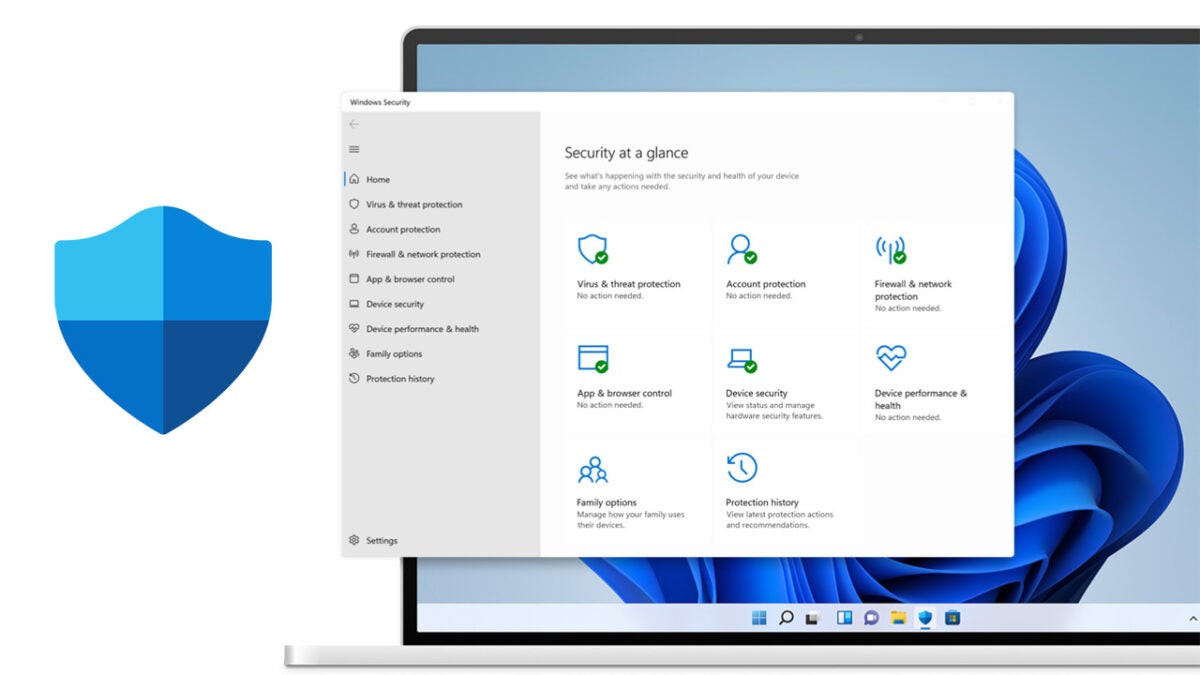

Introducing Microsoft Defender as comprehensive online protection for 365 subscribers

Microsoft has made another impressive leap where personal safety in an online world is concerned. Yesterday, the company released a brand new security utility called Microsoft Defender, not to be confused with their Windows Defender security utility. The new app is designed to protect you and your family across your ecosystem of personal devices. 

Microsoft Defender DOWNLOAD

‘Everyone deserves to feel safe online. Securing your personal data and devices is more challenging than ever. Increasing malicious threats, more time online, and many connected personal devices can leave us feeling vulnerable. It’s time for online security that provides simplified and secure protection to meet you where you are.’

However, you’ll need a subscription to Microsoft 365 in order to access the power of Microsoft Defender. 

If you already are subscribed to either Microsoft 365 Family or Personal, Microsoft Defender definitely seems like an asset you shouldn’t pass over. In its product description on its official website, Microsoft says that the new Defender utility can assist you in simplifying your approach to online security by giving you a central hub from which to monitor all of your family’s devices. 

If you aren’t a fan of Microsoft devices, you don’t have to feel left out. Microsoft Defender transcends the borders of compatibility between different device providers and works on iOS, macOS, PCs, and Android mobile devices such as phones and tablets.

The utility gives you a comprehensive overview of the safety of all your associated devices, letting you keep each one updated and, therefore, up-to-date on vital protection. Microsoft Defender comes with dedicated trusted malware protection. It will provide real-time notifications and security alerts for all associated devices. ‘Microsoft Defender is simplified security that meets you where you are.’

Microsoft also recommends that non-365 subscribers sign up for access to the company’s comprehensive suite of premium apps and features to take advantage of the following benefits:

  • Unbridled access to Microsoft Office apps (Word, Excel, PowerPoint, and Outlook)
  • Offline access to Microsoft apps and features
  • 1 TB of space on OneDrive for each person covered by the 365 subscription
  • Access to premium safety features

In other Microsoft news, the tech giant has officially declared time of death on its infamously slow and outperformed Internet Explorer. There’s no better time to discover the power of Microsoft’s answer to Google Chrome; Microsoft Edge.

Internet Explorer dead READ MORE