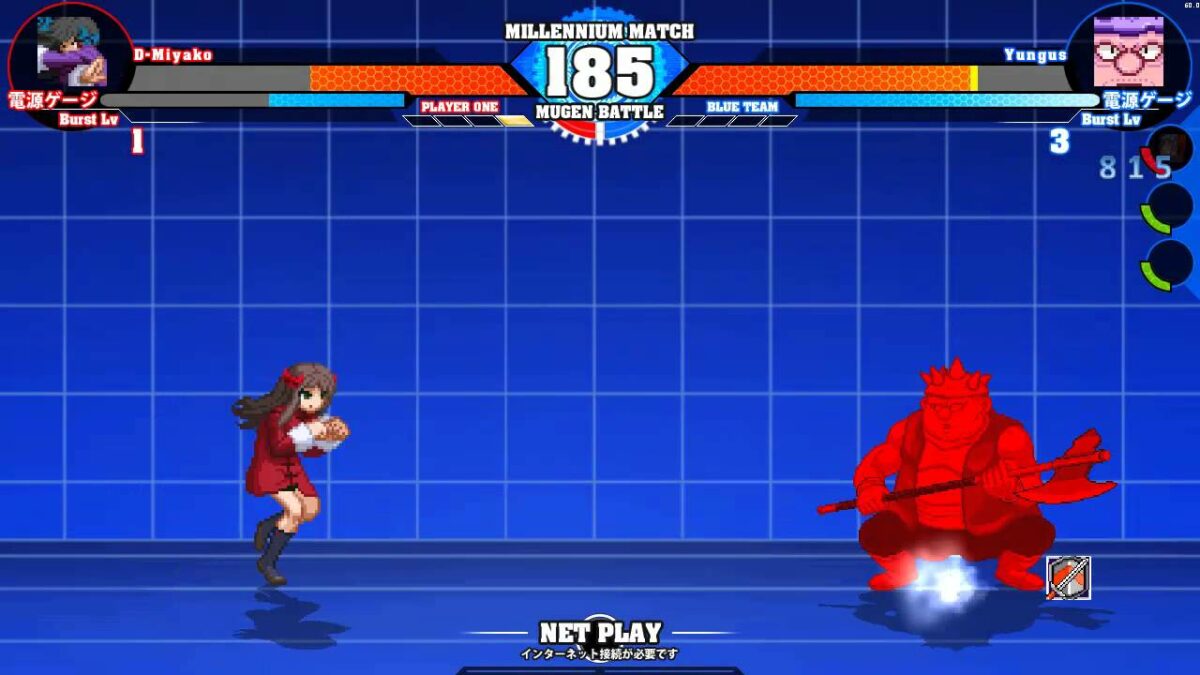
MUGEN (stylized as M.U.G.E.N) is a free game engine that is decades old but still going strong because people or groups of fans can use it to design their own games. The name MUGEN is derived from Japanese, meaning infinite or unlimited, and that describes the incredible variety of games people have created using it. It started as a shooting game developed by a company called Elecbyte, changed course, and became a fighting game. Years of work by fans have since produced an amazing array of games on MUGEN.
People have for instance pitted well-known superheroes like Goku, Superman, Donkey Kong, and Zangief against each other to see who will win a very entertaining fight. The application is free as are the third-party tools you can download and use to create your own characters and get them to play games of your invention. You can even get your characters to make specific moves by using specific buttons to control them.
Getting started
So you like games and you’re interested in the retro phenomenon that is MUGEN and decided to see what it’s all about. What do you do next? Here’s a guide to how you set it up and get started.
Get a screen pack

MUGEN screen packs are freely available on the internet. Find one, download it, and unzip it if needed. Put all the files in a new folder in your directory.
Get characters

Download a ZIP or RAR file of MUGEN characters, extract the files you want from the hundreds of characters available into a characters folder, and put it in your directory.
Assign stages and complete game

A MUGEN stage has two files;?one has the extension .def and the other the extension .sff. Move both files to a stages folder in your MUGEN directory. Save the select.def file.rnrnStart making up your games and playing. And if you get stuck or need advice anywhere along the way there is a huge, thriving community out there to help you. There are also videos, tutorials, characters to download, and lots more.
Language and system requirements
MUGEN is a free 2D fighting game engine. A large and enthusiastic community has created thousands of fighters, original and drawn from fiction. It’s written in C, and it originally used the Allegro library. To run MUGEN, you need a fast processor and 4 GB of RAM, a video card with 512 MB of RAM, and a sound card.
Downloading and installing MUGEN
MUGEN is special because its community of fans has used it to produce a lot of original content. Because of this, there are many versions of MUGEN. None of them look the same because they have been created by many different people and groups. All versions can be downloaded from many different sites on the internet, or you can just examine them and decide which one you want to download. You can install it on Windows PCs, Macs, Linux, Android smartphones, PS4, Xbox, Nintendo Switch, and PS5.
Read the Readme file
Before installing the software, have a good look at the Readme file as this will explain installation clearly. You can access the MUGEN catalog on the official site if you want to learn more about updates to the software or download them. Even if you have no experience or knowledge of development, you’ll be able to use MUGEN easily. There are many tutorials and online forums where you can find and download content and use it to create your own games.
Customizing MUGEN
People who have created content by using the MUGEN game engine are called authors. Anyone can use the platform to create characters, skins, and games. You can import characters from other engines and tweak them as well. A very enthusiastic and large community of fans has also used the engine to produce lots of original content, which is available to everyone. There are many versions of MUGEN, and none look the same because of customization.
Why should you get MUGEN?
If you’re a games fan, you’ve probably heard of MUGEN. Although it was created way back in 1999, it’s still very much alive and kicking and has millions of enthusiastic fans around the world who continue to develop exciting new games and characters for it every day. Doing that is not for everyone.
It takes time and effort to make up a new game and the characters and stages that go with it. If that’s your inclination, great. If it’s not, you can still access all the characters, games, and stages other individuals and teams have created. They are freely available to everyone and even better, completely free.
 Ever play a videogame and think you could have done it better? If so, then get hold of