Everyone on Tumblr knows just how many different themes there are to choose from. You can customize your account on the popular microblogging website with virtually hundreds of different options. Apart from a few select days where Tumblr made site-wide color alterations to recognize special events however, user dashboards have always been a relatively uninteresting (and somewhat ironic) shade of Facebook blue.
No more however, at least for Firefox and Chrome users. Now, thanks to the helpful add-on Stylish, you can customize your dashboard as you see fit.
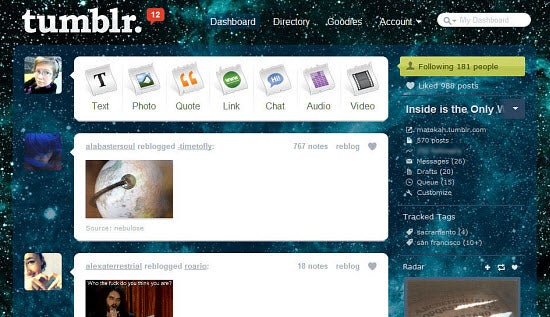
There are lots of different dashboard designs to choose from. My personal favorite place to look is UserStyles, a site dedicated to assisting web surfers in styling the web any way they choose, and making it their own unique browsing experience. As you may have guessed, the site has a page dedicated specifically to designs for Tumblr dashboards.
Installation is a snap. All you need to do is have the required browser and install the corresponding Stylish add-on. Just browse the available design options on UserStyles after that and click the “install” button on the upper left of the screen when you find one you like. In a few seconds, your dashboard will be transformed.
A word to the wise, however: Stylish only currently works with Firefox and Chrome browsers. Also be aware that, while incredibly cool looking, some of the darker designs make it impossible to see text input if you actually have something to post or reblog. If you’re on Tumblr primarily for browsing though, you should be fine. The uninstall process is also very simple if you decide later you’d rather revert back to Tumblr’s default dashboard colors.
Now that your dashboard’s been all prettied up, you should also consider backing up your Tumblr posts. For a site that’s notorious for its “We’ll be back shortly” downtime messages, you can never be too safe!
 If you love using a certain application or program but wish you could just tweak the interface in a few minor (and even some major) ways, then usually there’s not much you can do beyond the options presented in the program preferences. However, while tinkering with the look of Google Reader the other day, I came across a superb Firefox plugin called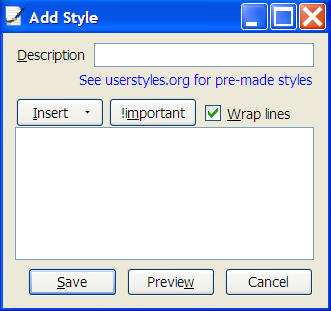
 Taking a screenshot is not just a question of having the right window opened in front of you and then pressing the Prntscrn key. They say a picture is worth a thousand words, so you should choose the screen capturing tool you’re going to use very carefully.
 Kitty Spangles Solitaire is a suite of 40 different variations of solitaire, among which you”ll find Klondike, Freecell or Spider. The game is set in a stylish, shiny interface which you can customize with one of the multitude of themes made available. All games can be played with up to 7 other players and all user statistics will be saved every time you play.