The “pro” in the title of the new Vegas Pro 18 video production software package really means two things. The first is that if you’re a professional video editor, the software has a mind-blowing array of tools that you’ll be able to use in order to get your clips looking exactly the way you want. The second is that if you’re an amateur, the software’s suite of tools – many of which are powered by AI – will have your videos looking professional-grade in no time. In either case, Vegas Pro has long stood as one of the top non-linear editing tools out there, and with the release of the 18th version, it’s gotten even stronger.
Vegas Pro 18 now collaborates with proDAD Mercalli V5 Suite to give you the best video editing and production experience. This real-time video stabilization and image optimization will save you up time and energy: no need for a thorough video analysis prior to stabilizing, your footage will be stabilized live on your timeline. This additional software with a value of $299 comes for free when buying the Vegas Pro 18. An offer not to be missed!

2 in 1 solution to be a great video maker: Vegas Pro 18 video + proDAD Mercalli V5 Suite
Get the offer!Fantastically Fast
Vegas Pro 17 was already super speedy, especially considering the large amounts of data NLE programs need to process. The new version ramps the speed factor up a bit more, thanks to the inclusion of more AI than ever before, along with smart, top-of-the-line hardware acceleration algorithms. The software has been retooled to make the most of your GPU and to also alert you when the drivers for your graphics card need updating.
These changes enable you to create, edit, and undo your edits nearly instantaneously – no more waiting for long stretches for effects to render or changes to take hold.
Creative Control
The newest release of Vegas Pro also includes some creative control features that truly makes the software stand out from the pack.
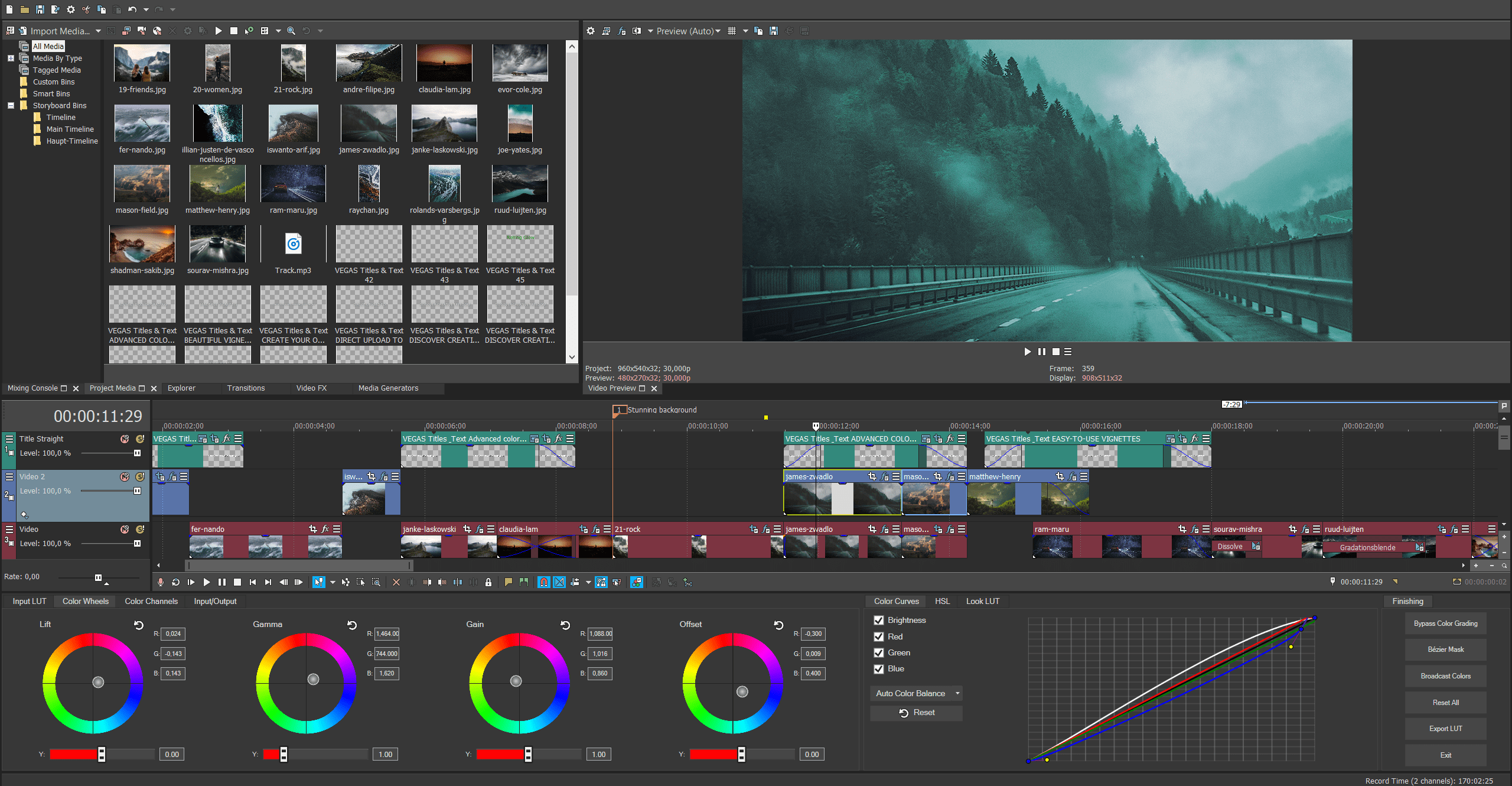
A new Style Transfer feature lets you turn your video into a masterpiece with a range of filters that mimic the world’s greatest artists and paintings. The Colorization feature analyzes your black and white work and lets you add a touch of color or deeply saturate the screen with full color. And speaking of color, this version of Vegas Pro includes enhanced color-grading abilities including tools to get skin tone perfect (and blemish-free), and an algorithm-powered option for adjusting the look of your work based on actual camera exposures.
The software also comes with the industry-leading Action VFX and Boris FX Continuum suite of effects that allow you to add particle flows, special effects like explosions and fire, and much more with one-click ease.
And lest you think the Vegas team forgot about sound, you’ll be happy to know that the new release features the integration of Sound Forge Pro 14, a powerful sound editor that lets you automatically remove background noise, enhance sound components you want to bring to the forefront and much, much more.
Quick Clean Up
In addition to creatively enhancing video, Vegas Pro 18 can also clean up clips that need a bit of help. A new Flicker Filter turns flickering fluorescent lights into steady beams with a click, a Video Noise Reduction feature gets rid of the grain that often afflicts clips shot in low light, and a Black Bar Fill Filter will take a portion of the video and use it to fill in the black bars that show up when clips are shot vertically instead of horizontally on a mobile device.
Easy Flow
One of the nice things about the Vegas brand is that the engineers behind it not only focus on better, faster features, but they also continue to improve their software’s interface. Vegas Pro 18 is no exception, so you’ll find an easy way to search for or bookmark your favorite plug-ins; quickly access the motion tracking feature; and organize your footage and clips into a cohesive library with collections of related assets and a tagging function that lets you easily find files.
Great Deal
As we said at the beginning, Vegas Pro 18 now comes with top-notch image stabilization software proDAD Mercalli V5 Suite. An offer not to be missed! If you’re serious about reaching a professional level in your video production pursuits, we would recommend this software at any price, but with this deal, it’s almost too appealing to pass up.
2 in 1 solution to be a great video maker: Vegas Pro 18 video + proDAD Mercalli V5 Suite
Get the offer!