Autocomplete could come to Microsoft 365 thanks to Copilot

The text autocomplete, one of the features that has been introduced the most in the daily life of smartphone users, could also reach Microsoft’s productivity services. The reason is that the company, which continues to work on improving the functionalities of Copilot, wants to implement a autocomplete system for different commands, which can later be used in the various 365 services where Copilot is also integrated.

Microsoft 365 Download

Autocomplete commands in 365

As Microsoft explains in a recent post, Artificial Intelligence is a major challenge for the company, and developing functionalities around it has been the biggest challenge in recent years. Therefore, the autocomplete feature could soon come to Copilot to streamline its use in the services it offers through its 365 subscription for work-related applications.

Microsoft is aware that one of the main difficulties when using Copilot as a tool is finding the right formula for a command that provides the user with the expected result. Therefore, with the autocomplete feature, the company intends to make this task easier for users, allowing them to perform more accurate and effective work.

Copilot at the forefront of Microsoft’s strategy

Microsoft Copilot is the Artificial Intelligence developed by Microsoft to act as a tool full of synergies through the different services that the company offers to users. These services in which Copilot offers support are mainly focused on the productivity area of the brand, being a fundamental piece of various 365 services, such as Microsoft Teams, Outlook, Excel, Word, and other services outside of 365, such as the Edge browser. Microsoft’s browser was also the first testing ground for Copilot, adopting the interaction style popularized by ChatGPT.

It is evident the interest that Microsoft has in making Copilot a flagship tool in terms of public image, and for that reason, many of the improvements that Microsoft has worked on in recent months have been mainly focused on the development of functionalities and synergies of Copilot with the different services, programs, and applications that Windows has in its system.

Microsoft 365 Download

OneDrive documents can now be opened directly from the Files app on a Chromebook

If you are users of any Chromebook, which operate under the ChromeOS operating system, the news we are going to talk about in this post will surely interest you. Quite some time ago, Google announced that they were working on a new feature for the mentioned operating system, with which its users could open documents from applications such as Word, Excel or PowerPoint directly from the files of the Chromebook itself. Well, after a long wait, it seems that this is already being implemented.

Microsoft 365 Download

That is to say, Chromebook users can now open OneDrive documents directly from the Files app on their ChromeOS device. Obviously, not only will you be able to open these documents, but you can also edit them from your device. Google has shared this news through a post on the support website, where they explain how this new addition works.

If you use a Chromebook, now you can open OneDrive documents directly from your device

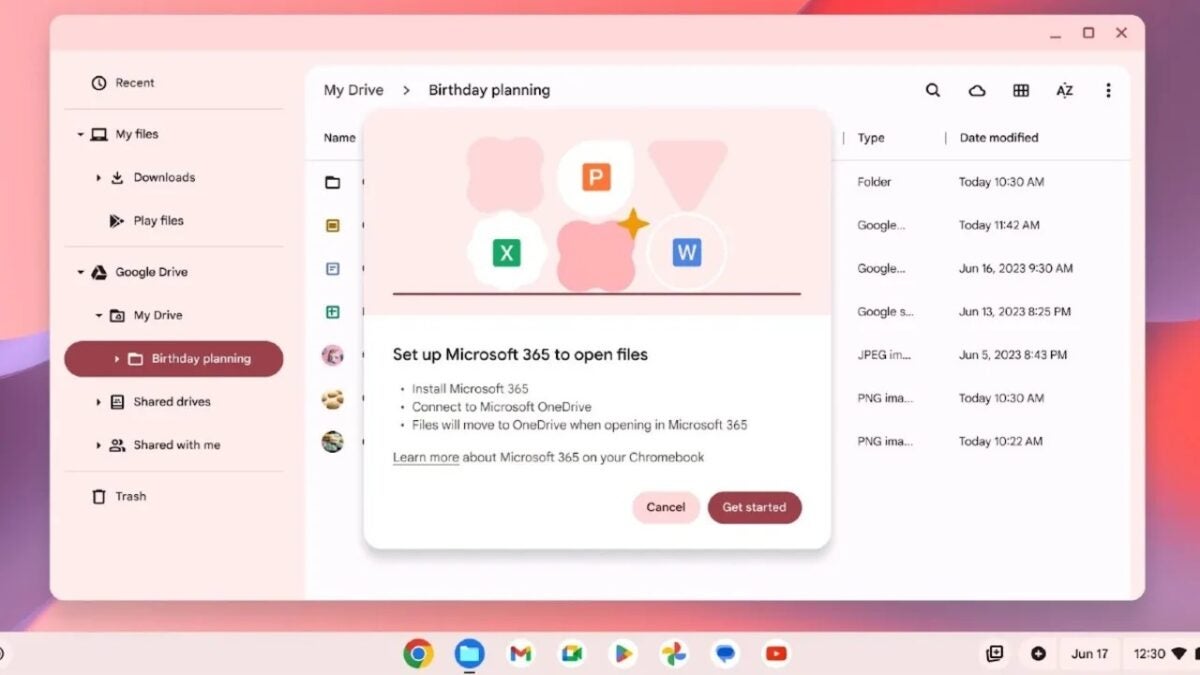
“When you get access, you can simply open an Office file and then choose to open it in the Microsoft 365 app when prompted. From there, you will be guided through a unique setup experience to install the app and connect Microsoft OneDrive to the Chromebook Files app. That’s it! We will remember your preference and you will have quick and easy access to your files,” they indicate in the aforementioned post.

“You can try it today (if you haven’t already): just search and enable the “#upload-office-to-cloud” option. We will continue with the rollout over the next few weeks,” they add in the aforementioned blog post. With this, it is clear that if you are a Chromebook user and still cannot enjoy this functionality, you should not worry too much, as you will likely be able to do it in a few weeks, at most.

Microsoft 365 Download

Before the arrival of this feature, when opening an Office document on a Chromebook, it would open it from the Chrome browser. Well, now it allows you to choose the app to open the file, including Google Docs and Microsoft 365. If you choose the latter, you will have to complete some settings in order to be able to edit an Office document from the ChromeOS device itself.

Amazon will pay over 1 billion dollars to Microsoft to license its cloud tools

It is quite evident that Microsoft and Amazon are competitors in the technology sector. In fact, Microsoft stated at one point that Jeff Bezos’ company is one of its top competitors in the gaming industry, something that needs to be taken with caution and looked at in very specific sectors, such as cloud gaming. Now, regarding something related to the cloud, there is recent news to discuss, as reported by Business Insider, about a significant deal between the two companies.

Microsoft 365 DOWNLOAD

Delving into the details, the report suggests that Microsoft will have Amazon as its next customer for its cloud-based productivity tools, Microsoft 365. This agreement would benefit a total of 1 million employees, including Amazon’s executives, who currently use a local version of Microsoft Office products.

Amazon is very close to becoming an enterprise customer of Microsoft

While the media is still awaiting more details about this potential large-scale agreement, several aspects have already come to light, including the cost of this corporate operation. It seems that this deal will exceed $1 billion, an amount Amazon will have to pay to Microsoft over the next 5 years, at least as indicated in the report. Additionally, it’s mentioned that Bezos’ company could start configuring the new system in November.

This news is quite intriguing, considering there were reports that Amazon was hesitant to use Microsoft’s cloud-based tools due to the rivalry between Azure and AWS. Now, it appears that both companies are on the verge of reaching an agreement worth over $1 billion for Amazon to become a client of Microsoft in the realm of enterprise management.

Microsoft 365 DOWNLOAD

As mentioned, there isn’t much more information to share about the agreement for now. However, it seems to be a matter of time before more details are revealed, confirming this significant deal between two tech giants.

Microsoft insiders can now add Planner boards to Microsoft Loops

Insiders are some of the most enthusiastic computer users, at least among those who dedicate themselves to testing updates for Windows or other Microsoft programs. Specifically, Microsoft 365 insiders tend to have the opportunity to test a myriad of innovations related to the company’s major office classics, such as Word or Excel, among others. Occasionally, however, they have the chance to try out some new features in lesser-known applications, such as Microsoft Planner and Microsoft Loop.

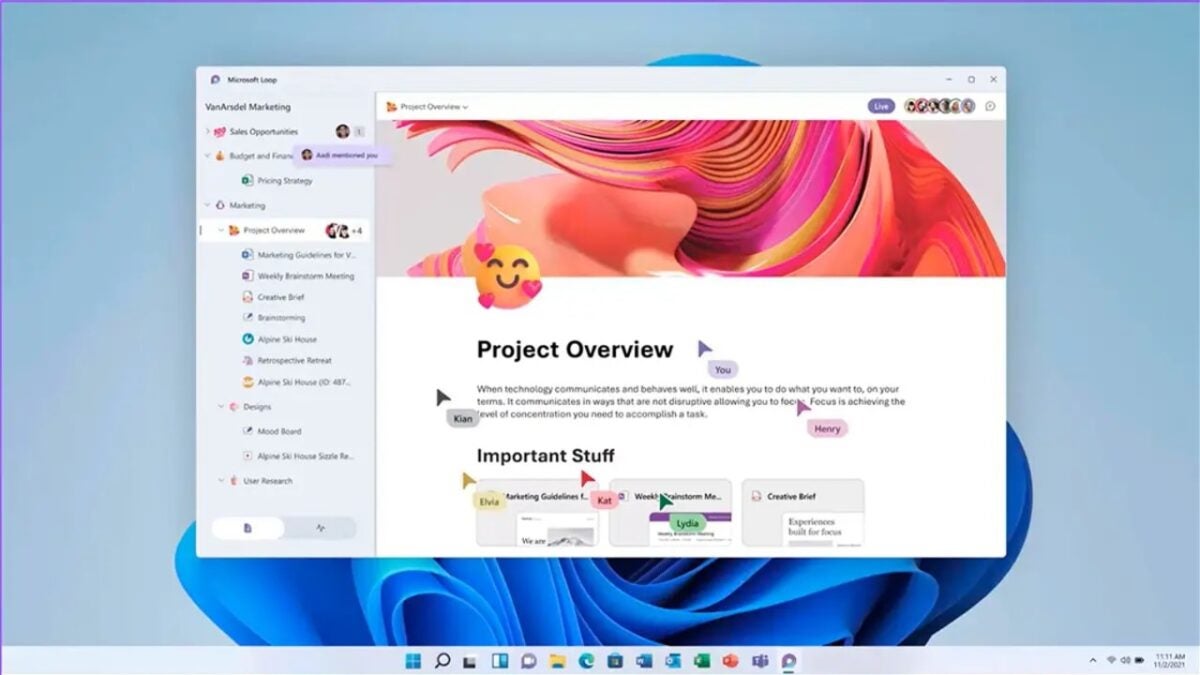
The first one emerged in 2016 and is essentially a planning manager for organizations and businesses, while Loop, which is less than a year old and also geared towards the business world, allows employees to create workspaces and import documents into them. Both are relatively recent and not very well-known, but that doesn’t mean they are forgotten applications. Microsoft is looking to provide them attention and manage a better integration between the two. Thus, Microsoft has outlined in its development blog a series of updates that involve both applications, including the fact that Microsoft Loop workspaces can now include support for Microsoft Planner.

A quite useful novelty

This way, the process is quite straightforward: Planner users can create or open an existing plan on the web and copy its link. With this link, it’s only necessary to open the Microsoft Loop website and open (or create) a workspace. Once this is done, the copied link can be pasted into the workspace. With this step completed, any changes made to Planner from Loop will also reflect in the original Planner, and in general, all changes made will function as usual, allowing for easy sharing with other users and even moving tasks between different containers.

This is part of Microsoft’s comprehensive strategy, which not only involves strengthening all its applications through Copilot but also aims to achieve seamless interaction between them.