How To Do Homework in Sims 4 in 3 Easy Steps

Whether you play Sims 4 on Windows or Mac, the last thing you want as a parent is your child missing homework. You’ll want them to progress with school, so it’s essential that you instruct them to do homework on a daily basis. We’ll quickly show you how so that you can simulate the adulting experience.

How To Do Homework in Sims 4

While none of us enjoyed completing homework in school, you can at least have fun torturing your children in Sims 4. Of course, we don’t mean physical torture but making them mentally suffer as we did as teens. We do understand if you’re a Hermione Granger that loved it; we’ll forgive you.

Step 1: Access the child’s inventory

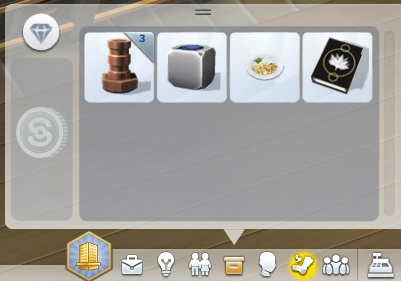
First up, you’ll need to access the child sim’s inventory. Don’t worry; it’s not an invasion of privacy. You’re merely performing your duties as a parent to ensure that they complete their homework.
Step 2: Find the homework

Now that you’re scratching around in their bags, you can ignore all the other paraphernalia. Look for a school book that has the label ‘HOMEWORK’ appear when you hover over it. This item is the one that activates the task for your child to start the assignments.

Step 3: Select ‘Do Homework’

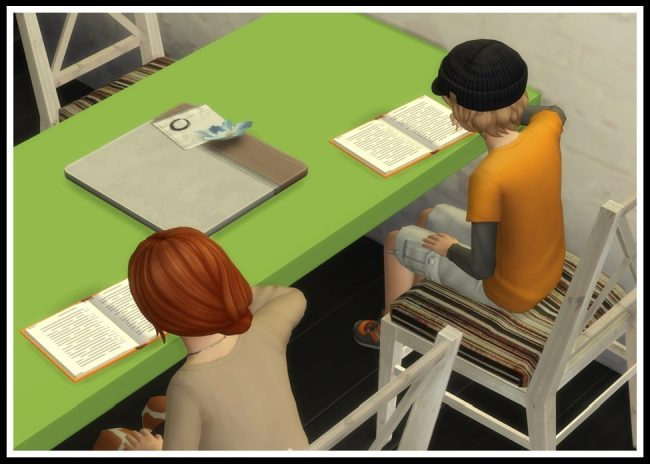
With the book highlighted, you can click on it and select ‘Do Homework’ for your child to get started. The task will appear in the list, and he/she will move to the closest table or surface to begin the lessons. A progress bar will also appear to show how well it’s proceeding.

If the homework is taking too long, you can lend a helping hand. With the parent selected, click on the child and select ‘Help with Homework.’
Adulting can be fun!

Even in a simulated world, being a responsible parent is essential. It doesn’t matter whether or not you have children in real life; you can experience the joys and tribulations of getting them to do homework in Sims 4.

The Sims 4 makes controversial changes in new game patch

The latest update for The Sims is irritating some fans.

The Sims 4

The Sims series reigns king of its genre and if you haven’t heard or played any of the games, you might just be living under a rock.

Developed by Maxis and published under Electronic Arts, The Sims 4 is a  life simulation video game that like its predecessors, is popular all over the world.

The Sims 4 Download Now
7

You begin by creating your own unique characters called ‘Sims’ in the create a sim page where you use the customization features to change their appearance, give them aspirations and a personality and more. The spaces where the Sims homes will be are called lots, and after choosing a lot, you can choose to move into a home that already exists on the lot, or you can create an entirely new home from scratch in the build mode.

If you’re a big fan of The Sims and want a little more than what came with the base game, you can also purchase Expansion Packs, which give you a new world that your Sims can live in.

The most recent Expansion, Island Living, takes place on an Island Called Sulani and for the first time, you’re able to play as a mermaid.

In the City Living Expansion pack, apartments were introduced and you could edit and customize those as well. You can make each Sim like a real person by giving them families, pets, and careers where they can earn Simoleons to further add to their livelihood.

What’s new for The Sims

On July 12, the Sims developers hosted their Maxis Monthly live stream and announced some new features that were coming to the game. The new features included a brand new loading screen, a new main menu, an updated look to the famous Plumbob, updated cover art for the Expansion Packs, Game Packs, and Stuff Packs, a new mode in Create a Sim called the “Create a Sim Story,” and a lot of new items like clothing and hairstyles were added.

Although the fanbase for the Sims games is collectively excited whenever there’s another update, this time, it seems as though everyone the general consensus was that all of this effort could have been used elsewhere, for things that players had actually asked for.

The main loading screen, which was grey and white before is now a bright blue, and the plumbob’s green palette was made a little brighter and looks more like a shiny gem. Some players said that the color combo was giving them headaches.

As of this morning, the Global Community Manager for the game announced that the developers had heard players’ concerns and were changing the color to something that didn’t clash as much.

Next, the main menu. The new menu sports the same blue as the loading screen, and all of the pack icons not only changed style, but color. The issue here is that a lot of players liked that each icon was the same color as the corresponding pack that it came from, but now they were all the same color and less easily identifiable.

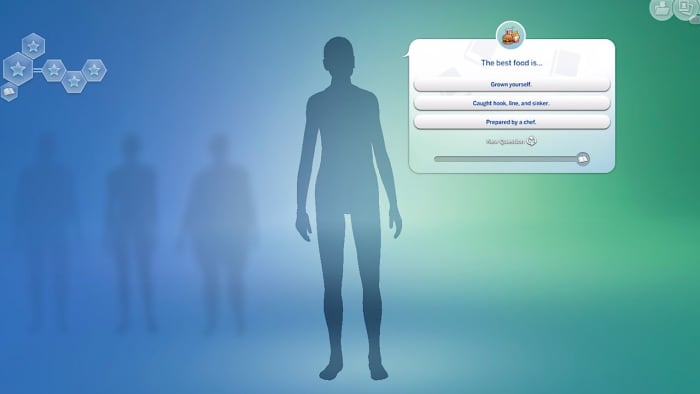
Lastly, the create a sim story is a mode that is much different from what players are used to. Instead of choosing every aspect of the Sim’s appearance and personality yourself, you’re shown a few multiple-choice questions and at the end, a brand new Sim is created, aspirations included, from your answers. There are also short explanations under each aspiration that go in-depth into what the choice will mean for your Sim.

Even with these new additions to the game, we can’t help but be a bit disappointed. Sure, the create a sim story is kind of cool, but with all the hype, we were expecting a little bit more and at least an update on the level of a new Expansion Pack.

What do you think of the new patch? Let us know!