Top 5 apps to help you relax

Stressed? Let these apps take the edge off.

Life can be hectic, and we all need ways to unwind. Kick your feet up, grab a snack, and check out our top 5 picks for mobile meditation apps that will help you stop, breathe & think, and relax after a long day and go to sleep feeling happier and calmer. These are the best apps to help you exert more control over your mental health.

Top 5 apps to help you relax

Calm

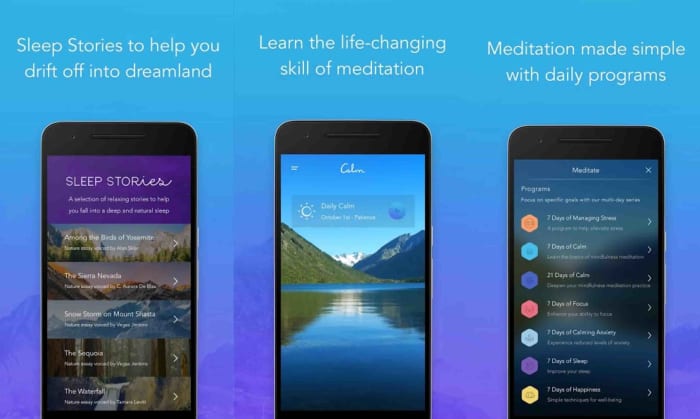
Calm asks you how you’d best like to let off steam, and starts with a soothing voice talking you through simple things you can do to relieve stress, like sitting up straight, breathing exercises, and meditation sessions. There are also a number of well-being tracks that you can choose from, like a recording of Bob Ross as he’s painting, nature sounds, and the impressive Sleep Stories series that include bedtime stories that promote stress relief, lower stress levels, and bring on deep sleep. You start with a 7-day free trial, and then you pay $59.99 per year for basic access. Available on iPhones, iPads and Android smartphones.

8

Headspace

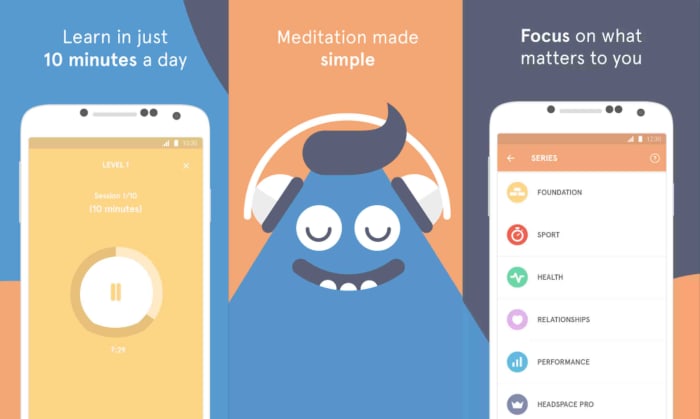
The main focus of Headspace is meditation. When you sign up, it starts by first getting to know you by asking a few questions about your experience with meditation. You’ll then choose the time of day you like to meditate the most and the app will set a reminder to begin sessions lead by different people that vary in length. Available for iOS and Android.

Headspace Download now
10

My Oasis

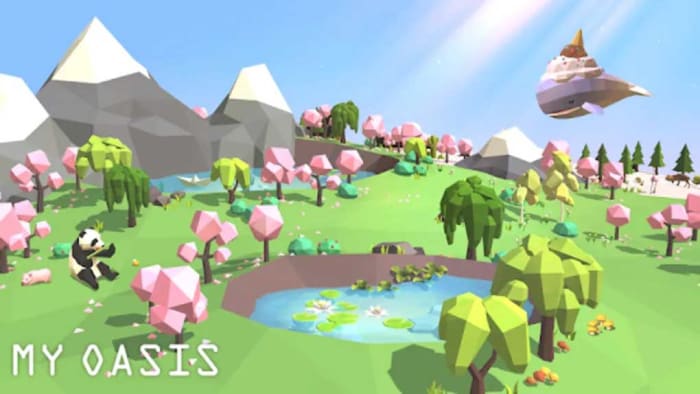
My Oasis lets you create your own floating sanctuary in the sky and inhabit it with animals and plants. Collect hearts by tapping anywhere on the screen and use those to get more animals, plants, aircraft, and decorations. My Oasis has a dreamy aesthetic that makes you feel like nothing could ever go wrong. Available for iOS and Android.

My Oasis Download now
7

Terrarium

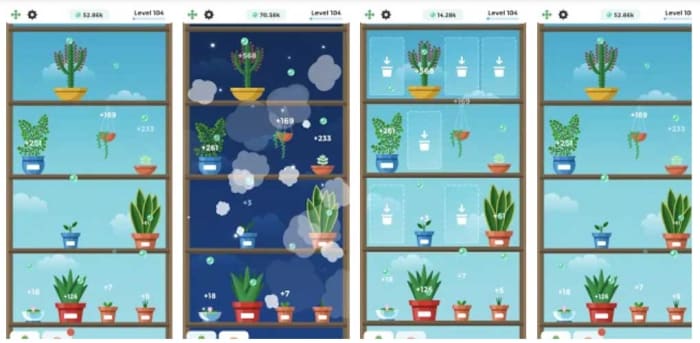
Terrarium is an app where you can maintain your own greenhouse. You collect oxygen bubbles that are released by your plants, allowing you to level up and select different types of plants. The more you level up, the more oxygen bubbles you have, and not only can you get more plants, but also fertilizer and bug repellant. Double and triple the amount of bubbles you can get by watching short in-game advertisements. Available for iOS and Android.

Terrarium Download now
8

SelfCare

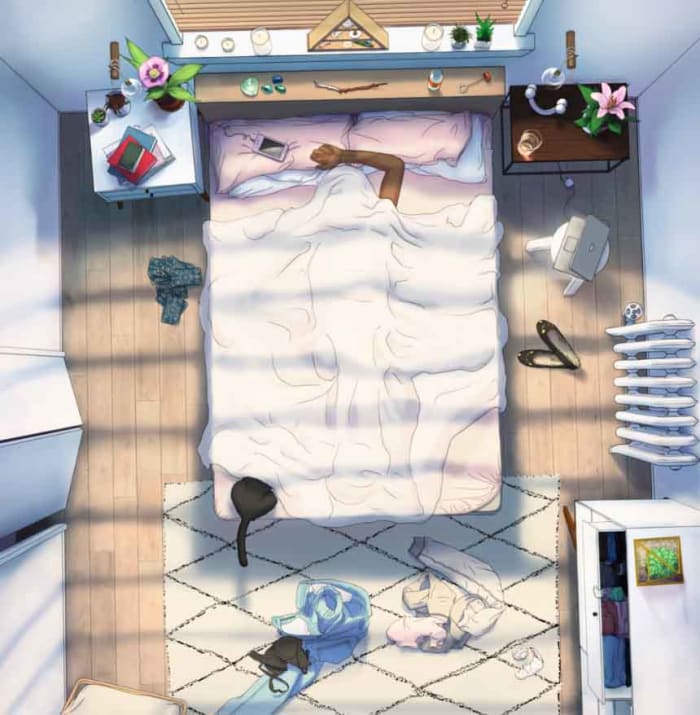
Selfcare uses everyday tasks like watering plants, reading, and putting away laundry to declutter your character’s space and organize your mind. You’ll tap different objects around the room, which take you to mini-games or display self-help phrases. This mindfulness app is available on Apple iOS devices.

SelfCare Download now
8

Now, take a deep breath, clear your mind, and enjoy a calmer day.

Top 3 apps to make friends

Need to expand your crew? Here’s how.

friends

Making new friends as an adult is hard. Like, really hard. You tried to keep in contact with your friends from high school but you’ve drifted apart. Maybe you were offered that great new job in California, but now that you’ve settled in, you’re tired of Netflix on your own every night. You want to make new friends but only know about dating apps like Tinder. You don’t want to swipe right, you’re simply looking to meet new people, boost your social circle, find people with similar interests, and maybe, just maybe, get yourself a new best friend.

If the above sounds like you, you’re in luck. Today we’re bringing you the best apps to help you meet people. Let’s go beyond your regular social media accounts and start looking at some specialized social networks built especially you find platonic friends. These are the best friendship apps.

Top 3 apps to make friends

Meetup

Meetup is one of the most popular apps for social networking. More geared toward meeting in groups, it asks you what some of your favorite activities are. Toggle the distance meter, and you’ll see a bunch of different groups meeting to enjoy some of the things that you like to do. This social app is great for finding like-minded people. If you love horror movies, for example, you’ll likely be able to find a group of 30 potential friends meeting to see the newest slasher flick at the theater downtown. You can download Meetup for Android and iOS devices.

Meetup screenshot

Some groups require you to answer questions to be approved to prevent spam, but once you’re in, you can RSVP to an event. A lot of events have a limited amount of space based on where it’s being held, so introduce yourself and get in on the fun.

Meetup Download now
8

Hey! VINA

Hey Vina

This one is for the ladies! After you sign up, take a profile quiz and you’ll know the color of your aura, your friendship language (quality time, anyone?), and the planet you’re most like – everyone’s results show up on their profile so you can see if you’re kindred spirits. A cool feature of this app is that you can see how many people want to meet you, but you have to match to see who they are unless you purchase a subscription: one week for $5.99, three months for $29.99, or $47.99 for six months.

Swipe left to pass and right if you want to grab a cup of coffee or hit up a sweat session at your local gym. If you match, say hey, and boom – friends!

Hey! VINA DOWNLOAD FREE!
7

Bumble BFF

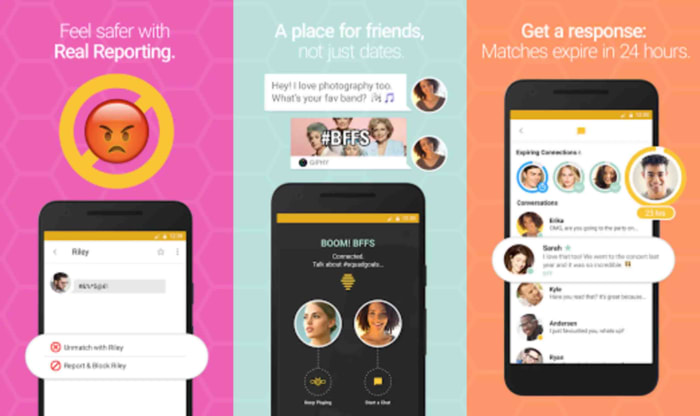
Bumble was originally just for dating, but it opened up another two sections last year – Bumble Bizz, a section for business and networking, and Bumble BFF for meeting people in real life. You can belong to all three sections if you want – just switch between modes and we think it’s pretty awesome that all your messages are in the same place. Easy peasy. And don’t let the name fool you, it’s for ladies and gents both.

Bumble BFF

A special feature of Bumble BFF is that you can become verified to show other people that you are who you say you are. Just upload a selfie, add your phone number, and once it’s approved you’ll have a blue checkmark on your profile next to your name – kind of like Twitter. Similar to Hey! Vina, just swipe left and right to let people know that you wanna hang out. Simple enough, but there’s a catch.

Once you match with someone, if you swiped right last, you have 24 hours to introduce yourself or your match will expire. If you were speed-swiping and accidentally swiped left on a promising buddy, don’t worry – you can give your phone a little shake and it will reverse one swipe. Let’s say that your phone dies and you missed out on someone that you really vibed with. If you need a second chance, you can purchase unlimited rematches: one week for $8.99, one month for $24.99 and other options.

Bumble BFF Download now
8

There’s no time like the present. Get out there and have some fun!

Top 5 apps to read comics and manga

These services can help you read your favorite comics and manga at a low cost!

Comics books

If you don’t feel like running out to your nearest bookstore to browse the comic book aisles, webcomic apps are the next best thing. For some, they’re even better than a physical book.

With both free and paid comics, you can view them immediately and save them for later. You also don’t have to worry about the pages getting worn out.

What are the best apps for comics, you ask? Let’s find out!

Top 5 apps to read comics and manga

1. Tapas

Tapas screenshot

You can find heart-wrenching romance, and the scariest horror comics imaginable on Tapas. Read and share comics that you love and explore the top charts to see what’s popular. The comics feed is a constant stream of new content that is updated daily. Subscribe to the ones that you like to save to your favorites or you might miss them.

There are in-app purchases in the form of “ink,” which you use to buy more episodes of a comic. If you spend ink on a comic, it turns into money to support comic creators. Ink ranges from $1.99 for 1,600 units to $50 for 60,000. You can also earn ink by watching in-app ads, or downloading other related gaming apps and playing to a certain level.

2. Webtoon

Webtoon screenshot

Webtoon, or Line Webtoon, is a Korean app that uploads daily comics that have millions of subscribers per comic in a ton of different languages. The app calls itself the largest digital comics publisher in the world. By looking at the exhaustive collection of genres and comics per genre, we’re inclined to believe that.

Featured webtoons are updated weekly, and by purchasing coins, you’re able to access the ‘fast pass’ function and read them early. Post comments and get recommendations from other readers, and check out the staff picks of the week for new additions to your subscription list.

8

3. WebComics

WebComics screenshot

To stand out from the rest, WebComics offers all of their comics completely free for the first three days. After that, you can purchase coins to keep reading.

There are a lot of ways to earn more coins instead of purchasing them: checking in daily, inviting friends, watching ads, favoriting comics, and just reading on the app gives you 10 coins every four minutes. WebComics is heavy on the manga style, but there’s something on the app for everyone.

WebComics Download now ►
9

4. comiXology

comixology screenshot

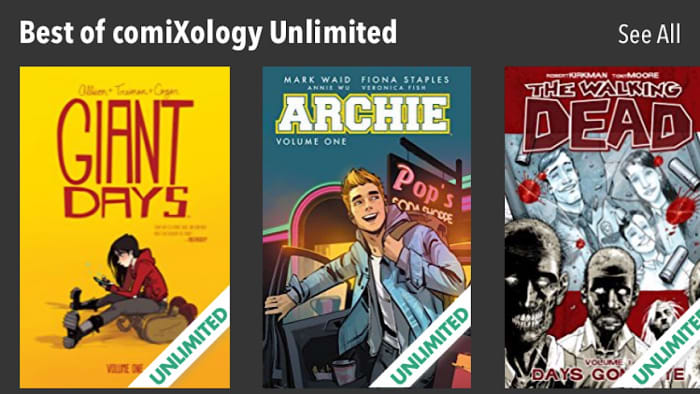
One thing that’s different about comiXology is that you can read comics on any device or on the web. The service is less manga and more comic books and graphic novels – you’ll find Marvel and DC here.

You can sign up with a comiXology account or through Amazon. If you buy compatible comics on Amazon you can view them on the comiXology app. The app does have a section for free comics, but in order to read others, you’ll have to purchase them on Amazon. You have a free month of unlimited membership which allows you to read all of comiXology’s catalog. After 30 days, the membership is only $5.99 a month.

comiXology Download free ►
7

5. VIZ Manga

viz manga screenshot

Viz Manga has every single title that has been released under the Viz name. Anything you can think of, you can find. Classic Pokémon volumes have all been uploaded and newer manga, like the insanely popular Food Wars! is up to date. Preview the manga or purchase it at market value, and it’s saved to your library forever. If you’re a fan on Shonen Jump, unlock the digital vault with a membership and read more than 10,000 chapters for only $1.99 a month.

Wrapping up

We’re pretty sure that if you’ve got all of these apps in your arsenal, you’re set on comics, graphic novels, and manga for life. Time to get reading!

How to play Animal Crossing: Pocket Camp

Animal Crossing: Pocket Camp is a piece of prime real estate on your phone!

Animal Crossing

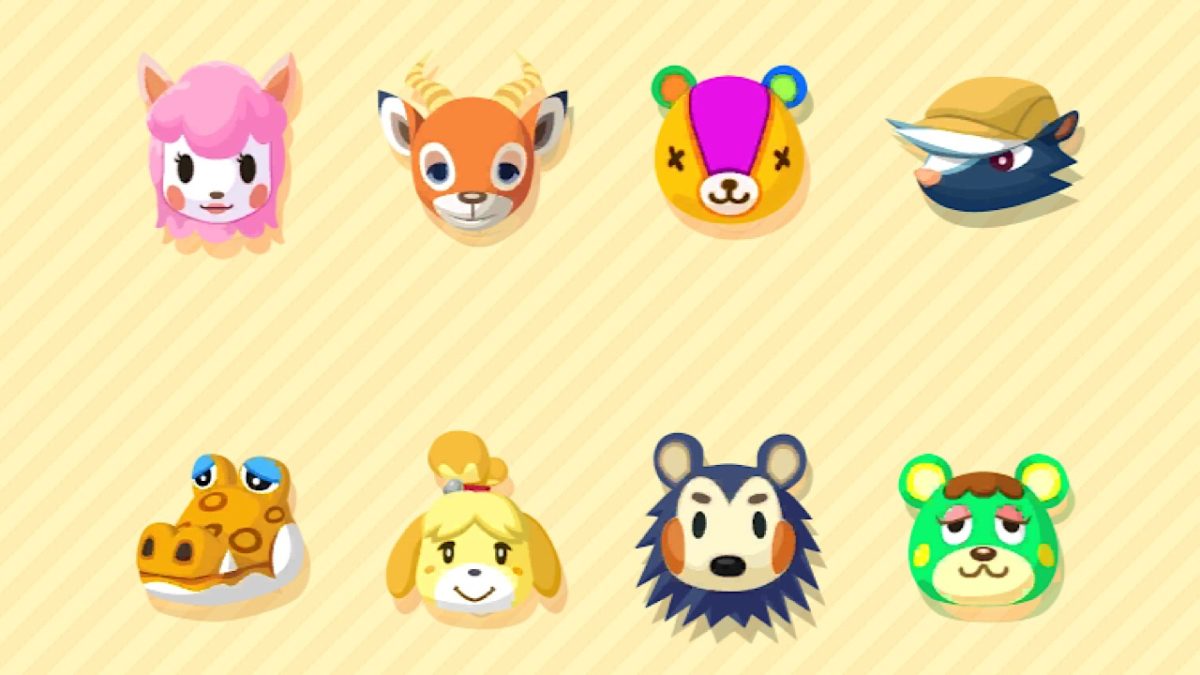
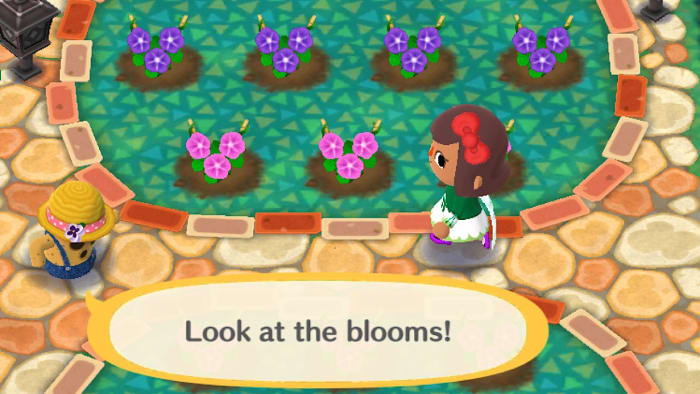
The Animal Crossing series is a super popular collection of games for Nintendo consoles. You play as a human in a world of animal friends who all live their lives decorating, playing, fishing, planting, and helping each other become what we believe could be the cutest characters in a game ever.

The art style is adorable and the games are a lot of fun, and with news of the release of the next game in the series, Animal Crossing: New Horizons coming next year many people who haven’t played are wanting to try, especially since seeing the preview at E3.

If you’re in that category and aren’t sure you want to splurge on the game for your Nintendo Wii yet, we suggest trying the free-to-play lighter version for your mobile device, Animal Crossing: Pocket Camp!

Animal Crossing: Pocket Camp DOWNLOAD FREE ►
7

How to play Animal Crossing: Pocket Camp

Animal Crossing

Getting started

Once you’ve downloaded the app, start by creating your character. You can change your appearance at any time. Options are basic: gender, hairstyle and color, a few different skin tones, and eye color.

Next, are the controls. To move your character, just tap the area on the screen that you want to go to, or drag your finger and they will follow. The first character that you will officially meet is Isabelle. Yes, that Isabelle from Super Smash Bros.

She believes that you’re the new camp manager and, at this point, you’ll choose your nickname, which other players will be able to see. Then, you can choose the style of your campsite – natural, cute, sporty, or cool. Even with a specific theme, you can still use all of the items available for each of the campsite styles. Isabelle then asks you to travel to Breezy Hollow and look around for other animals that might need help.

Animal Crossing

The main goals of the game are to decorate your campsite, make friends, and travel in your camper to give them things that you’ve collected that they need.

Animal Crossing

Crafting and collecting

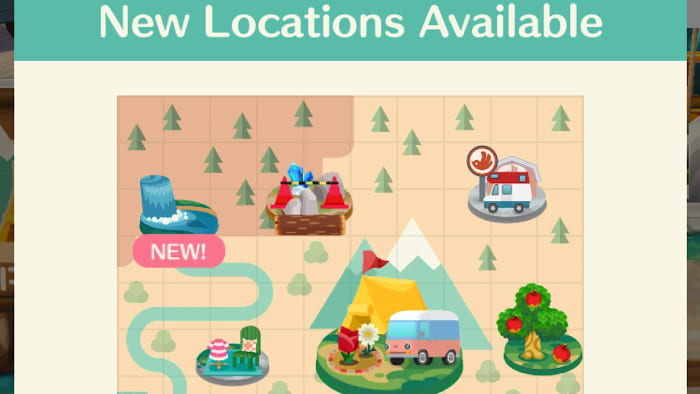
As you move around the map, you can collect items like fruit, crafting materials, insects, and other supplies by tapping on them.

Sometimes items are just lying around, and other times you’ll have to gather them by picking them, fishing, or shaking trees. Once you’ve gathered an item, you’ll have to wait (usually a few hours) for them to replenish.

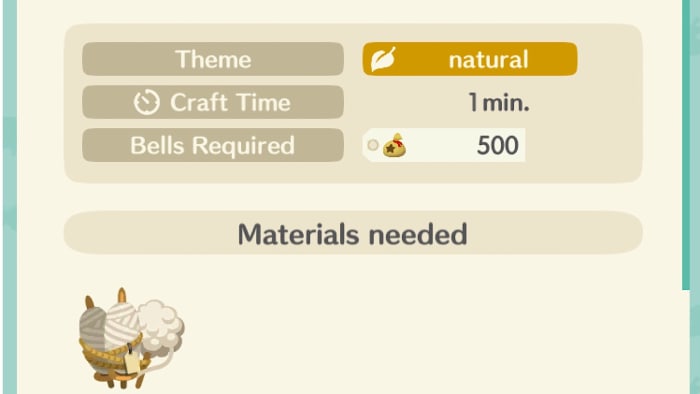
Crafting materials like cotton and steel can be used to make furniture to decorate your campsite. For furniture, take your materials to Cyrus and Reese’s workshop (Re-Tail on the Road) and they make pieces for you. They’ll let you know when your order is ready.

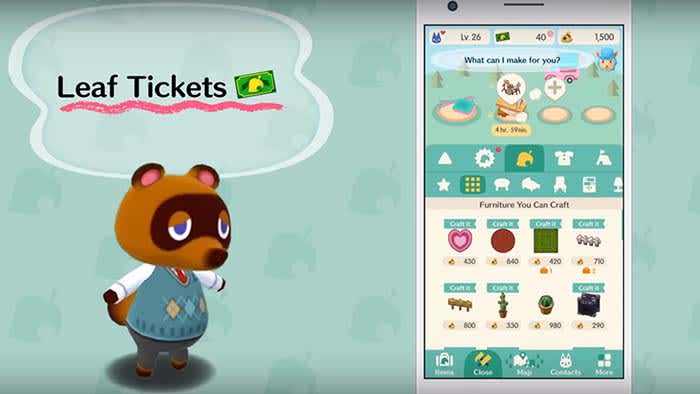
To check out what’s available to craft, look at the craft catalog in the menu bar at the bottom of the screen. Along with the materials that you gather, you’ll also need to spend a few Bells for the labor. If you don’t want to wait, you can speed up the crafting process with Leaf Tickets.

Decorating, trading, and making friends!

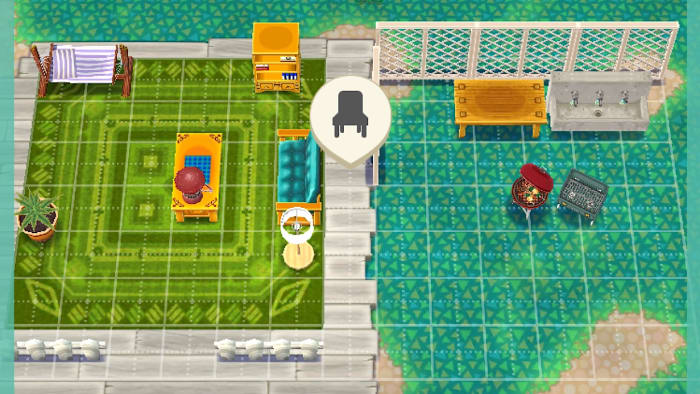
To decorate, tap on the grid icon. There, you can place new furniture and move everything around that you already have. If you want to switch out furniture, tap ‘put away’ and then select the items that you want to send to storage.

Animal Crossing

As you trade items and help characters, you’ll level up your friendship with them and get Bells and other gifts in return. You can also level up by inviting characters to your campsite.

Do this by tapping on the ‘contacts’ tab, which will list all of the friends you’ve made. Then just tap invite, and a cute video will play of you two just hangin’ out. From this point on, that character will be able to visit you freely. You can also plant flowers in your garden and harvest them to sell for Bells.

Wrapping up

Occasionally, the game will need to download data to your device. They make the loading time worth the wait by throwing in an adorable game where you can tap to make your camper jump to collect Bells as it travels along a scenic route. Find those collected Bells in your mailbox.

Every day when you log in to the game there’s a chance for you to get more Bells and other fun items as well. Remember to check your mailbox and collect items there from time to time. It can hold 2,000 items, and once you reach capacity, things will begin to disappear.

All in all, Pocket Camp is a great light version of the full console game. It works over data and on Wi-Fi, but it does have loading screens every time your character travels to a new area on the map. Fortunately, loading screens are not very long, lasting around 3-5 seconds and they show helpful gameplay tips.

We recommend downloading Animal Crossing: Pocket Camp as it’s a fun and really cute way to pass the time. It is available for iOS and Android.

Paralives: the new indie life simulation game that could overtake Sims series

Fans of The Sims are thrilled about this new spin on the game genre.

Say it isn’t so!

The Sims has always been at the top of the charts when it comes to the life simulation genre of video games. Since 2000, whenever you wanted a break from your real life, you’d just fire up the old PC and create a world all your own where you’re completely in charge.

As video game technology becomes more advanced, some players are wondering if they’ll ever see new tweaks to The Sims – it’s a beloved series, but many have asked if there was going to be anything introduced that would shake things up a bit. Judging by the newest patch that didn’t go over so well, it seemed like we might be waiting for something that wouldn’t come. Paralives could just be that breath of fresh air.

The Sims 4 Download Now
7

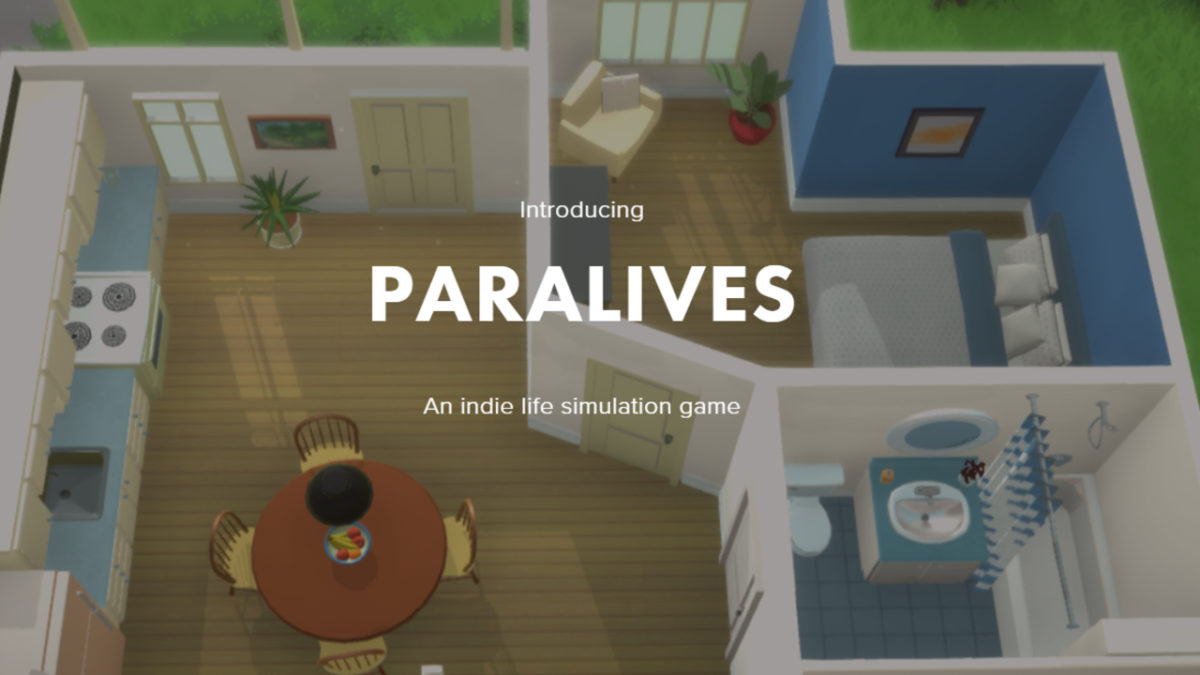
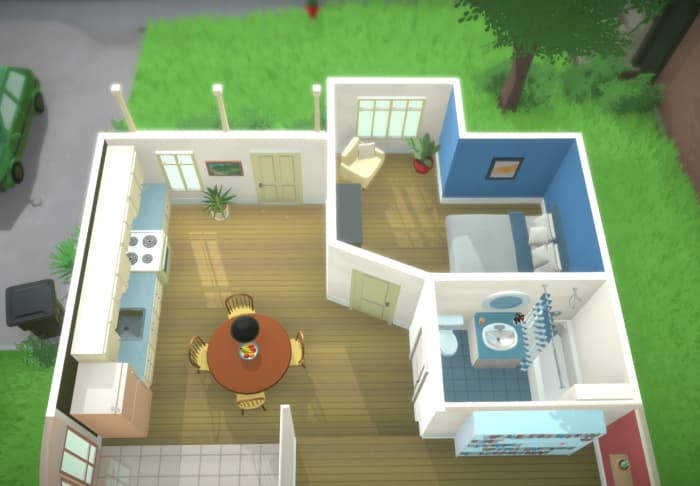
Paralives is an upcoming “doll house” indie life simulation game that will be available on PC and Mac. News spread quietly at first with a few tweets popping up here and there, but in the last week, The Sims YouTube community caught wind of it and the excitement spread over social media like wildfire. There aren’t many games in the life sim genre, so when something promising a fresh spin on everything we know is introduced, the community welcomes it with open arms.

The game is in early development, but there’s already a website up, as well as a Patreon account and a few official Twitter accounts steadily feeding us bits and pieces of what we can expect. So far, here are a few of the awesome features that we’ll see in the game, directly from the developer:

  • Available on Steam for PC and Mac
  • Supports custom content through the Steam Workshop
  • A one time fee for the entire game (whereas The Sims series charges for new expansion packs, stuff packs, and game packs)
  • Gridless building (yes – you read that correctly. GRIDLESS!)
  • Will be optimized to run on high and low end computers
  • Will be open world, and your character can visit parks, shops, and other locations
  • Includes animals like cats, dogs, and horses
  • Includes transportation like cars, bikes, and boats
  • Completely customizable buildings and furniture

On the Paralives YouTube channel, you can see small clips of gameplay including how the building and resizing functions will work.

As mentioned earlier, this game has a Patreon page where you can donate and help out the developer, Alex Massé. Massé is a software engineer based in France, who has worked on projects such as PewDiePie’s Tuber Simulator game, Unity’s Project Tiny, and others.

At the moment, this is the only information we have about anyone working on Paralives, and the Patreon account will allow the developer to continue working on it full time. If you’d like to donate to the creation of this awesome game, check out the Patreon here.

What do you think about Paralives so far? What would you like to see as part of the game when it is released? Let us know!

The Sims 4 makes controversial changes in new game patch

The latest update for The Sims is irritating some fans.

The Sims 4

The Sims series reigns king of its genre and if you haven’t heard or played any of the games, you might just be living under a rock.

Developed by Maxis and published under Electronic Arts, The Sims 4 is a  life simulation video game that like its predecessors, is popular all over the world.

The Sims 4 Download Now
7

You begin by creating your own unique characters called ‘Sims’ in the create a sim page where you use the customization features to change their appearance, give them aspirations and a personality and more. The spaces where the Sims homes will be are called lots, and after choosing a lot, you can choose to move into a home that already exists on the lot, or you can create an entirely new home from scratch in the build mode.

If you’re a big fan of The Sims and want a little more than what came with the base game, you can also purchase Expansion Packs, which give you a new world that your Sims can live in.

The most recent Expansion, Island Living, takes place on an Island Called Sulani and for the first time, you’re able to play as a mermaid.

In the City Living Expansion pack, apartments were introduced and you could edit and customize those as well. You can make each Sim like a real person by giving them families, pets, and careers where they can earn Simoleons to further add to their livelihood.

What’s new for The Sims

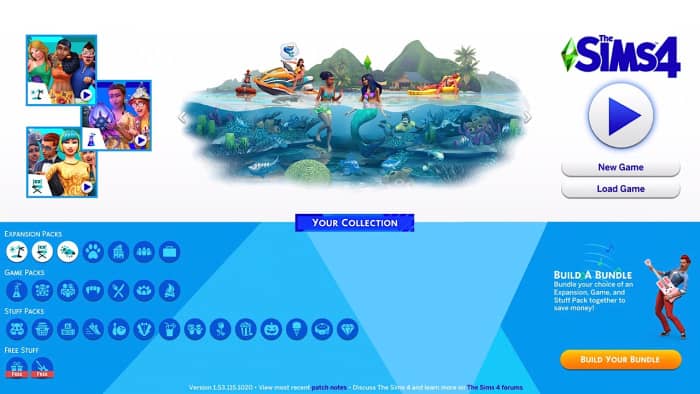
On July 12, the Sims developers hosted their Maxis Monthly live stream and announced some new features that were coming to the game. The new features included a brand new loading screen, a new main menu, an updated look to the famous Plumbob, updated cover art for the Expansion Packs, Game Packs, and Stuff Packs, a new mode in Create a Sim called the “Create a Sim Story,” and a lot of new items like clothing and hairstyles were added.

Although the fanbase for the Sims games is collectively excited whenever there’s another update, this time, it seems as though everyone the general consensus was that all of this effort could have been used elsewhere, for things that players had actually asked for.

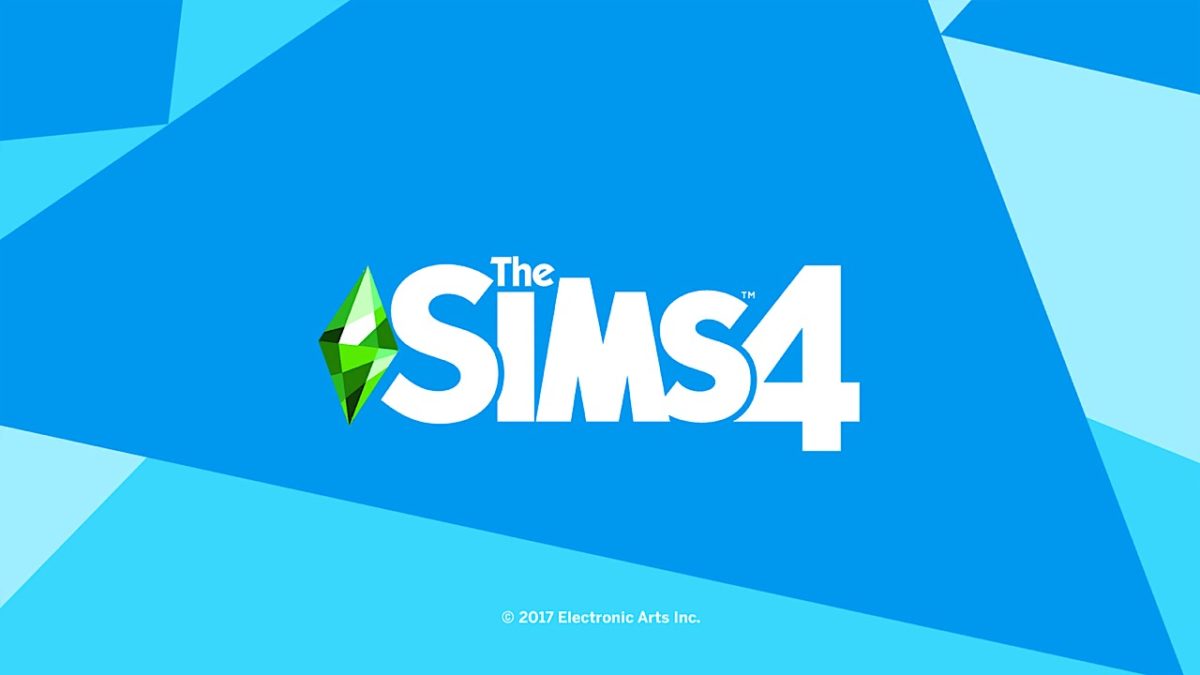
The main loading screen, which was grey and white before is now a bright blue, and the plumbob’s green palette was made a little brighter and looks more like a shiny gem. Some players said that the color combo was giving them headaches.

As of this morning, the Global Community Manager for the game announced that the developers had heard players’ concerns and were changing the color to something that didn’t clash as much.

Next, the main menu. The new menu sports the same blue as the loading screen, and all of the pack icons not only changed style, but color. The issue here is that a lot of players liked that each icon was the same color as the corresponding pack that it came from, but now they were all the same color and less easily identifiable.

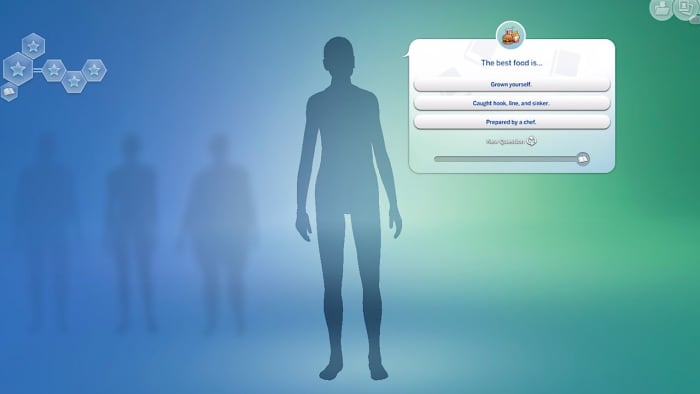
Lastly, the create a sim story is a mode that is much different from what players are used to. Instead of choosing every aspect of the Sim’s appearance and personality yourself, you’re shown a few multiple-choice questions and at the end, a brand new Sim is created, aspirations included, from your answers. There are also short explanations under each aspiration that go in-depth into what the choice will mean for your Sim.

Even with these new additions to the game, we can’t help but be a bit disappointed. Sure, the create a sim story is kind of cool, but with all the hype, we were expecting a little bit more and at least an update on the level of a new Expansion Pack.

What do you think of the new patch? Let us know!


8 killer facts about The Shining

Discover what you never knew about this horror masterpiece.

“The Shining” is a classic in the horror movie genre and one of the most well-known films in the entire world. Adapted from the novel by Stephen King, “The Shining” tells the story of up and coming writer Jack Torrance (Jack Nicholson) who takes a job as the caretaker of the isolated Overlook Hotel in the Rocky Mountains. Once he, his wife Wendy (Shelley Duvall), and son Danny (Danny Lloyd) move to the hotel, Danny’s unique gift to see into the past is discovered and soon after, creepy things begin to happen to the family. Check out some interesting facts that you might not know about this 1980 horror masterpiece.

8 killer facts about The Shining

1. Danny was cast based on how he spoke

The Shining screenshot

According to Stanley Kubrick’s biography written by Vincent LoBrutto, the film’s casting department searched for young actors in Chicago, Cincinnati, and Denver. The reason for this was because they wanted to find a child whose speech patterns were a mix of Shelley Duvall’s and Jack Nicolson.

2. “Here’s Johnny!” was almost cut

Jack’s famous line delivered when he’s trying to get to Wendy, who’s locked herself in a bathroom, was almost cut from the film. Kubrick didn’t know that the phrase was Johnny Carson’s introduction on “The Tonight Show” and didn’t understand why it was so significant.

3. The film was supposed to be much longer

On many occasions, Kubrick had to cut out scenes because Warner Bros. complained that it was too long. The European version of the film is 25 minutes shorter than other theatrical releases. Warner Bros. also said that the film was far too ambiguous, and Kubrick said that it was “not well received”.

4. It received Razzie nominations for “Worst Actress” and “Worst Director”

Wendy and Danny The Shining

Early reaction to the film was generally negative. Many critics claimed that the film was disappointing, confusing, and lackluster, and it was one of the few Kubrick films that did not receive any Oscar nominations. Shelley Duvall was nominated for a Razzie for “Worst Actress” and Kubrick for “Worst Director,” so the public had trouble understanding the vision.

5. Stephen King hated Kubrick’s adaptation

Stephen King was not a fan of many aspects of the film adaptation of his book. He said that it was the only one that he can remember hating, and that “spending three hours watching an ant farm would be more emotionally uplifting.” He also disagreed with a lot of the casting; of Shelley Duvall’s portrayal he said, “She’s basically just there to scream and be stupid, and that’s not the woman that I wrote about.”

6. Outtakes from the film were later used in “Blade Runner”

Ridley Scott revealed that at the end of the “Blade Runner,” the panorama shots were actually pieces taken from the beginning of “The Shining,” which he received permission from Stanley Kubrick to use. “I know you shot the hell out of ‘The Shining,’ can I use some of the stuff?” he asked.

7. Kubrick’s secretary witnessed the moment that he selected “The Shining” for adaptation

After the failure of “Barry Lyndon,” Kubrick searched for something that would be more palatable for the average audience. His secretary said that he was brought stacks of horror novels to read, and would hear him throwing them across the room to land in the reject pile after reading only the first few pages. She said that after not hearing books hitting the wall after a few days, she went to check on him and saw him deep into “The Shining. ”

8. Shelley Duvall said the filming process was unbearable

Jack, Wendy and Kubrick

The stress of dealing with Stanley Kubrick, his style of directing, and the working conditions proved to be too much for Shelley Duvall. One scene would take weeks to film, and Kubrick would force actors to work sometimes 13 hour days, repeating the same scene. “Going through day after day of excruciating work. Almost unbearable,” she said, “And in my character, I had to cry for 12 hours a day, all day long, nine months straight, five or six days a week.”

Spooky hotels, an overly eccentric director, and a writer who hates the film that came from his book – we’ll leave it up to you to decide what’s scarier, watching the movie, or filming it.

Harry Potter: Wizards Unite guide (2019)

Grab your wand and play the hottest game on the planet!

Harry Potter Wizards Unite

The moment that Potterheads have been waiting for has finally arrived! Wizards Unite is here!

Harry Potter: Wizards Unite DOWNLOAD FREE ►
10

On June 21, the augmented reality mobile app created by Niantic and WB Games was officially launched in select countries, although for the UK and U.S., the app appeared in the iOS app store and Google Play one day early. Those familiar with Niantic will recognize the developer as the one that brought the world Pokémon GO in July of 2016. Pokémon GO swept the world in a craze not many of us had seen before, with servers collapsing until the weight of all of the people trying to access it.

Luckily Niantic was ready this time around, and we were able to open the app with no failure to load messages on June 20. Immediately we’re thrown into the story, with a video of headlines from the Daily Prophet, the newspaper for witches and wizards, catching us up on the events that have transpired in the wizarding world since the Battle of Hogwarts.

Harry Potter, Hermione Granger, and Ron Weasley are hailed as the “Hogwarts Heroes” and all accept positions in the Ministry of Magic, the government of the wizarding world. All was well until the “London Five” went missing, and the Ministry closes the investigation after being unable to find them. The video ends informing us of the start of the Calamity, and all we know is that because of it, the wizarding world is at risk of exposure.

A note before we begin: there is a LOT of information to ingest right at the start of play. Don’t worry, even the biggest Potter fans feel a little overwhelmed. Polish that wand, and read on!

We officially begin the game and a Ministry of Magic employee, Constance Pickering, tells us that we are part of the Statute of Secrecy task force. Magical people, artifacts, and memories have been stolen and scattered all over the world. It is our job to help return them to where they belong and contain the Calamity before the Muggles (non-magical people) are made aware.

We are then introduced to an older Harry Potter, who shows us our Magical Me, who marks where we are on the map. As you walk, bike, or ride in a car to different locations, the Magical Me will move as well (tap on them and they’ll say hello!).
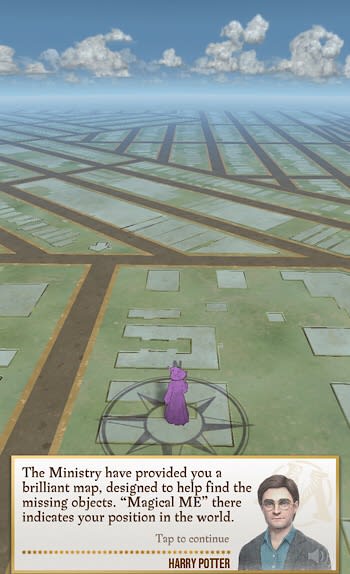
Harry briefs us on the important stuff – like traces. Traces are markers left all over your map that show the location of a magical item, called a Foundable, that needs to be returned.

Confoundables

After clicking on a Trace, we’re shown a Confoundable (chaotic magic that has stolen the Foundable) and where it sits on the threat level meter, or how likely this Foundable is to expose the magical world. Trace the spell, quickly and accurately, and the Foundable is returned.
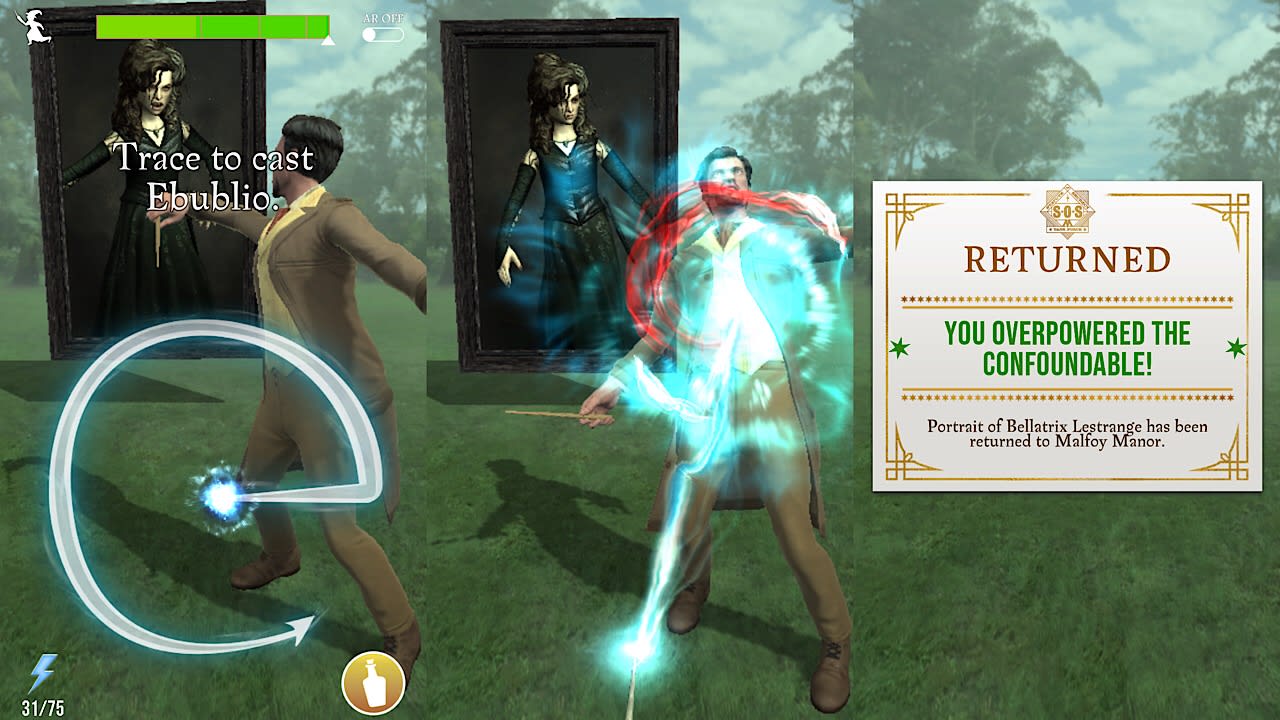
The release of the Foundable and your ability to trace the spell accurately earns your character XP, with extra points for being able to do it on the first try. The more XP you get, the faster you level up. Collect Foundables and put them in your Registry, made up of 10 different categories, which keeps track of everything that you have collected and what you have left to find. Some Foundables are lost in fragments and you’ll see them a few times in Traces until you have them all. Sometimes, the Confoundable magic is too strong and they get away with the Foundable. This is avoidable (most times) with potions.

Potions
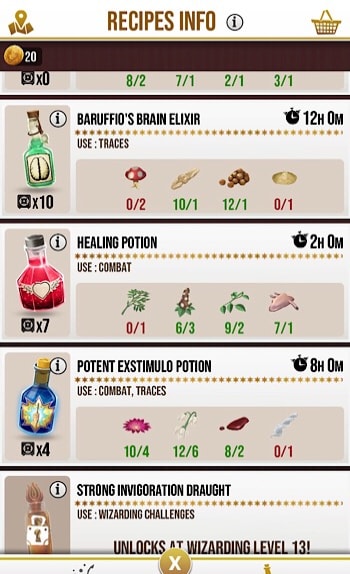
How does one get potions, you ask? You brew them with ingredients, which you find everywhere, on the map, at Inns and Greenhouses, in your Daily Rewards and winnings from Challenges and returning Foundables. Potions are nice to have when you first start (and you’re given a few), but once you get to level 10, they’re a must-have. At that point, Confoundables become more difficult to overpower, and it’s very hard to make it through a Challenge without them. Each potion lasts for a few casts in battle. Here are the potions currently available:

  • Exstimulo Potion: Improves spellcasting in Traces and Wizarding Challenges (three spell casts)
  • Strong Exstimulo Potion: Same as the Exstimulo, but lasts for four spell casts)
  • Invigoration Draught: Grants 1 Focus for casting Strategic Spells in Challenges (three casts)
  • Dawdle Draught: Reduces the likelihood of a Confoundable getting away from you (three spell casts)
  • Baruffio’s Brain Elixir: Receive double the XP from challenges, Traces, and Portkeys (lasts for 30 minutes)
  • Healing Potion: This, along with the Exstimulo Potions, are your best friends. Healing Potions restore 35% of your stamina
  • Potent Exstimulo Potions: Tremendously improves your spellcasting and last for five spell casts! (Unlocks at level 10)
  • Strong Invigoration Draught: Same as the regular Invigoration Draught, but grants 3 Focus (Unlocks at level 13)
  • Wit-Sharpening Potion: Increases spell efficacy against Elite Foes in Wizarding Challenges by 50% (three spell casts)

In the description of each potion, you’ll see the ingredients needed, how long it takes to brew, and how many uses per brew. Queue up four potions at a time and finish brewing immediately by using gold or speed up the process by 15% by solving the missing sequence of gestures that make up the Master Notes.
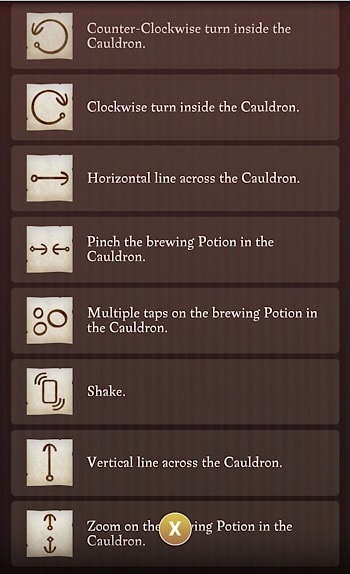
Stir left or right, tap the potion, shake your mobile device and more. Once you get to level nine, you can unlock a special cauldron that you can rent with coins for three hours, eight hours or a full day that will brew potions faster. Tip: Keep an eye on your ingredients in your Vault. It really sucks when you go to pick up an ingredient you’ve been looking for only to find that your Ingredients Vault is full!


Inns and Greenhouses

If you’re looking for more ingredients for potions or want to feed your Magical Me after a long day of returning Foundables, you have a few options. At a Greenhouse, you can choose from three floating gardening pots and get random ingredients and maybe a spell energy or two, and also plant ingredients to be used later. Once you visit a Greenhouse, you can’t come back to get more for five minutes.

Constance Pickering says that Inns are for special meals, drinks, and snacks that are kindly prepared for travelers. Choose a covered dish and get a meal and spell energy. There are currently five different types of Inns that players have reported, each a different color and giving a varying amount of spell energy. Spell energy is incredibly important, and you cannot play without any.

Harry Potter: Wizards Unite DOWNLOAD FREE ►
10

Fortresses

Ready to battle some dark wizards? Fortresses are where you can do it! Similar to Greenhouses, Fortresses are located in front of real businesses or landmarks. In a Fortress, you can either battle solo or group together with your friends to defeat the evil inside. Fortresses are made up of different chambers that increase in difficulty, and to enter the first chamber you’ll need to pick a runestone.

Each runestone represents a specific Registry category and level of difficulty. Once chosen, you enter the lobby and wait and if there are other players standing in front of that location, you can assist each other in a battle. For the 30 seconds that you’re waiting, you can use one Focus each to cast Strategic Spells. These spells can strengthen teammates or weaken enemies. Then the battle begins.

Battles

The goal of these battles is to defeat all of the villains in each Fortress chamber before the timer runs out. Battles are like getting Foundables – cast by tracing a spell, but in battles, you cause damage to the villain’s health and they do the same to you.

Along with tracing the spell, you’ll also trace an arrow to quickly use a defensive spell when the enemy attacks. These are were your potions come into play. Before you cast a spell, tap on the potion bottle if you need a quick boost to your health or to strengthen your spellcasting. If you beat all of the enemies before time runs out, you win! The chamber is cleared and you earn some goodies. You’ll have to replenish your spell energy and potions before you attempt to clear the next chamber.

Professions
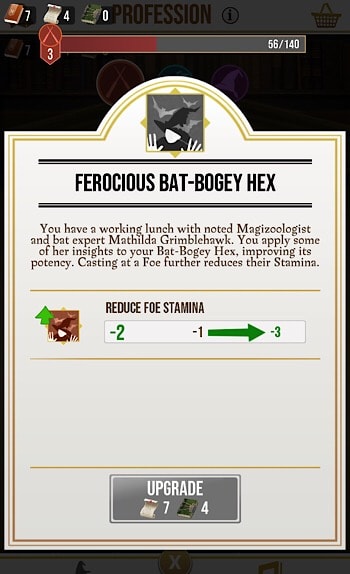
Once you reach level six, you are able to choose a profession! Harry Potter introduces the Auror profession, Hagrid introduces the Magizoologist profession, and Profession McGonagall tells you what’s required of you as a Professor.

After opening Trace Treasure Trunks you get scrolls, and Wizarding Challenges give you Spell Books. Use those items to level up in the profession that you choose. For example, the Auror profession allows players to learn more about spellcasting, earning updates to increase Stamina and damage done when landing Critical Casts during challenges.

Gold and Spell Energy

Each player gets 75 spell energy to use to cast spells, with each spell using one spell energy. These do not replenish over time, which is a real bummer. You can get more spell energy from Inns, Greenhouses, and as rewards in Wizarding Challenges, but if you want to play consistently without having to walk all day long you’ll have to spend real money on gold.
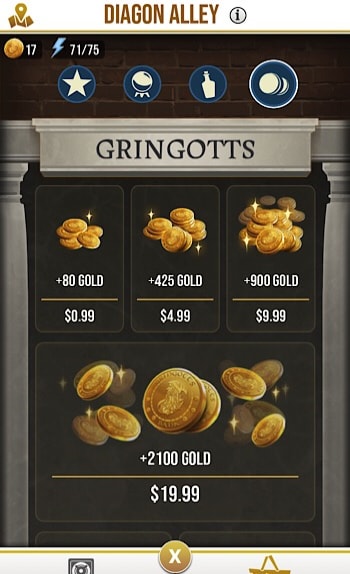
In your suitcase, tap on the shopping basket in the top right corner and you’ll be taken to Diagon Alley. Wiseacres has spell energy, keys, and more tools for fighting Dark Magic, Slug & Jiggers has all of your Potions needs, Gringotts is where you can buy gold, and the Featured page has bundles of everything included expansions for your Vault so you can hold more items (don’t forget your complimentary gift at the bottom – free spell energy!). To buy everything – and we mean everything in this game, you’ll need gold.

The Good, the Bad, and the Expensive

Wizards Unite is a fantastic game. For many fans, this is the one thing that was missing in a world where it seemed like everything had been covered. You have the Harry Potter books, movies, video games, and later the “Fantastic Beasts” series, a stage play, theme parks in California and Florida, museums, more merchandise than any one person could ever own, and more. This game is truly immersive and with the use of Portkeys, the player can experience what it’s like to visit actual locations in the wizarding world with the assistance of augmented reality, like Hagrid’s Hut.  As amazing as this app is, there is one glaring downside: the monetization overkill by way of spell energy and gold.

In order to get rarer Foundables, you lure them with Dark Detectors that you’ll purchase with gold. To use the golden cauldron – gold.  Expanding inventory slots – gold. Keys, potions, spell energy, vault extensions, runestones – gold, gold, and more gold. Purchasing gold starts at $.99 for 80 gold, and 12,000 gold for $99.99. Yes, you can spend one hundred real dollars in Wizards Unite for more gold. Crazy, we know. Unfortunately, there’s no way around it for even casual players. Pokémon GO! was hugely successful without needing to monetize every single little thing (in the beginning, it wasn’t monetized at all), and a lot of people are criticizing Warner Bros., who seem to have always had a tendency to make people pay too much.
With that said, this game is still a whole lot of fun. There’s a lot to do, and there are still some areas marked ‘coming soon’ that are waiting to be explored. We truly believe that Wizards Unite could be around for a long time, but how long exactly, is up to Warner Bros.

Harry Potter: Wizards Unite DOWNLOAD FREE ►

10

Wattpad lets you publish and read original stories

Share your story with the world and maybe even have it made into a movie with Wattpad!
Wattpad

Every top selling author has to start somewhere, and Wattpad is home to some of the most creative and immersive stories around. Read chapter after chapter of a ton of different story genres, or have your work published for the world to enjoy.

Wattpad DOWNLOAD FREE
8

Wattpad started as a hub for fanfiction, but in the last 10 years has gained increasing popularity due to some of the most popular pieces being adapted into films, like “The Kissing Booth” on Netflix, and the feature film “After.” That’s right, both of those films originated as stories on Wattpad. Ready to get started? Here’s how to work your way around Wattpad.

Reading

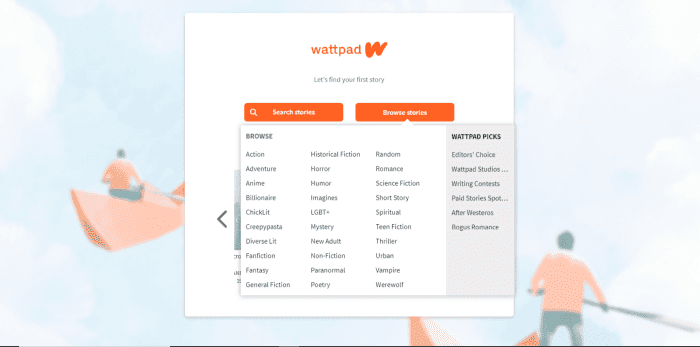
Once you create an account, you can search for a specific story or by genre. After you’ve selected a genre, you’ll see all the stories that fit, but you’ll also be able to narrow your search by selecting more tags.

Wattpad browse

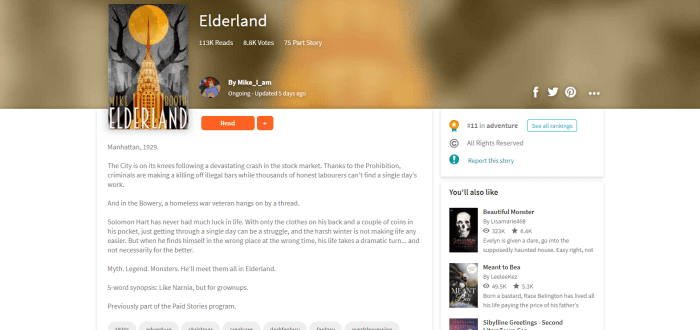
If something looks interesting, you can preview it before reading. On the story’s main page, you can see more information like the author, if it is free or paid, how many times the story has been read and favorited, how many chapters it has, and if the story has been ranked by other readers.

Wattpad preview

If you’d like to check it out, click read and begin. Free stories jump right into the text, and a lot of authors choose to add photos to help fuel your imagination. If you’re enjoying the chapter, feel free to add a comment at the bottom, where other readers and the author can respond.

Wattpad preview story page

To save the story for reading later, click the plus symbol and add it to your private library or to a list that you can share with others.

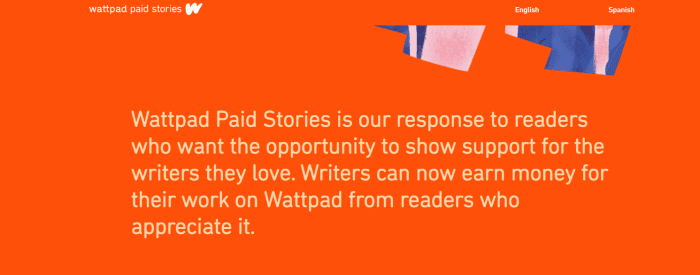
Paid stories are different. Once you click on a paid story, the author will most likely have left an introduction introducing you to Wattpad Paid Stories. Essentially, this is a new feature that Wattpad is testing where stories are selected by Wattpad that will require you to purchase coins in the coin shop to access the rest of the story after you’ve finished the preview chapters. These coins are converted into money that is used to pay writers for their content. At the moment, coin bundles are only able to be purchased through Wattpad’s mobile app and range from nine coins at $0.99 to 230 coins at $7.99.

Wattpad paid stories

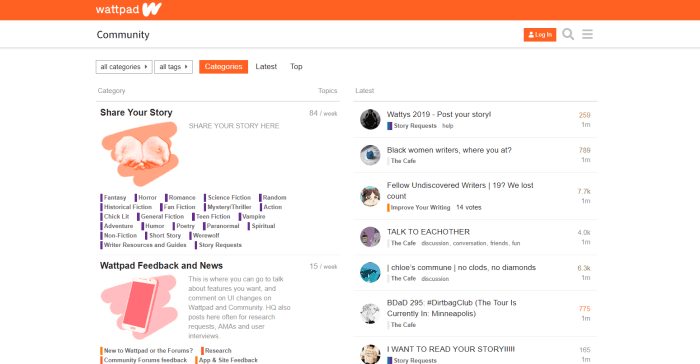
Another cool part of Wattpad is the forum. In the forum, you can chat with other readers about your favorite stories, or if you’re a writer you can get tips on what will make your next chapter a hit.

Wattpad forum page

Writing

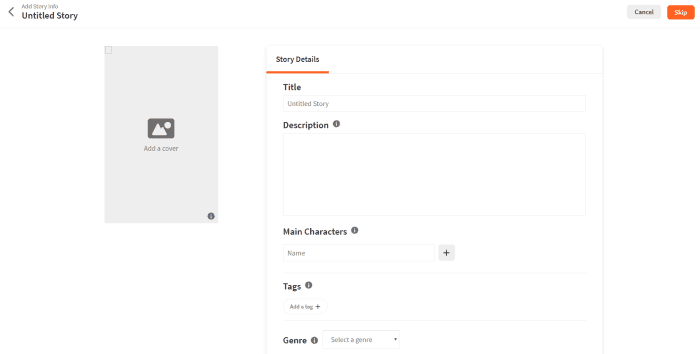
Writing a story on Wattpad is super simple. Click on the ‘write’ tab and then ‘create a new story.’ The first page you’ll create is the title page, where you’ll name your story and add everything that’s necessary to give readers an idea of what it’s about. Upload cover art, add a description, tags, the genre, and more.

Make sure you look over the ‘copyright’ tab – you might want to lock in your story so others can’t edit, change, or repost it somewhere else. Wattpad has a page specifically for outlining what the copyright options do and don’t protect.

Wattpad create story

Once the title page is out of the way, get to writing! You can save each chapter as you go along, and once you’re ready to push the story out of the nest, click ‘publish’ and your story is officially on Wattpad for others to read. You can always go back and edit your story if you would like, so take a deep breath and leap!

Premium

If those ads are really getting on your nerves, upgrade to Wattpad Premium. Not only will the ads go away, but you’ll get a new theme to read stories on, and it’s available on both the desktop website and on mobile. Purchase monthly for $5.99 or pay $59.99 for a year.

With Wattpad, the sky is the limit, and depending on the story – maybe not. There are so many exciting stories to read and write, and thousands of Wattpad users all over the world to connect and share with. Wattpad could be your daily guilty pleasure or it could lead to that big break that you’ve been dreaming about. What are you waiting for?

Goodreads is the best app to find and recommend great books

Find great books and recommendations with Goodreads!

Reading

Gather around, literature lovers! It’s time to learn about a great app to help you find new books to add to your collection. If you don’t already know about Goodreads, you’re in for a treat. With Goodreads, you can find new books and catalog them as you finish them. Add friends by email or social media account so you can see what everyone else is reading too!

Goodreads Download free ►
8

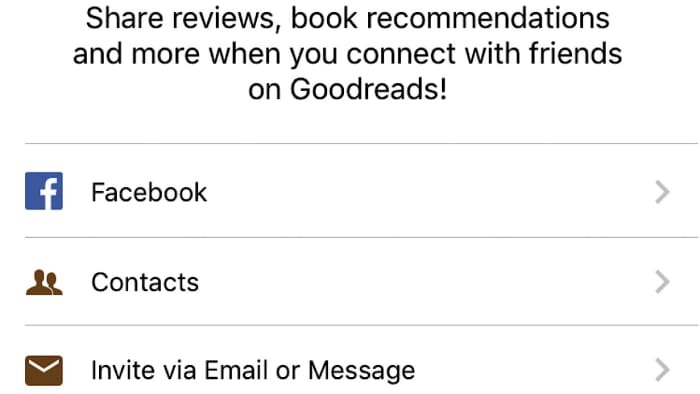
After you sign up, you’re prompted to find other friends who have the app. You can sign into your Facebook account, see who signed up from your phone contacts, or invite people that don’t have Goodreads yet by email or text.

Goodreads social media

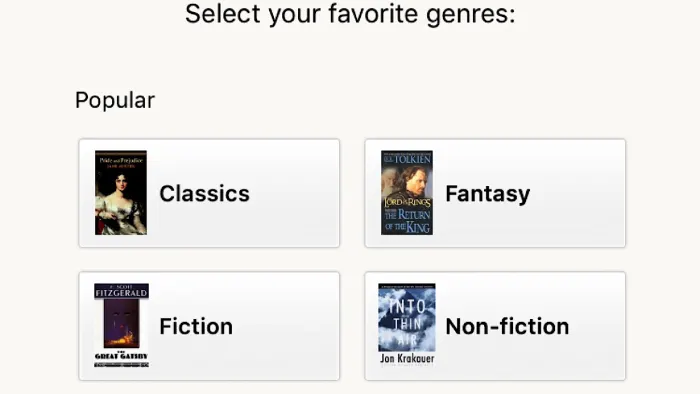
Next, select your favorite genres. By doing so, the app will have a ballpark idea of what you like and it will add recommendations accordingly. Every single genre you can think of is included.

Do you love the Lord of the Rings and Harry Potter series? Add fantasy. Is Fifty Shades of Grey your thing? Romance is what you’re looking for. How about Manga? That’s here to choose from, too. It’s alphabetized, which is convenient if you’re looking for something specific. You can choose as many as you want.

Goodreads genres

Based on what you chose, you’ll be shown books which fall into those categories. If you’ve read any of them, rate them on a scale of one to five stars to narrow down your recommendations. If you don’t want to do this or don’t recognize any of the books, don’t worry, you can skip this step. Recommendations only really start to appear after you’ve rated 20, but you’ll have plenty of chances to rate more as you use the app.

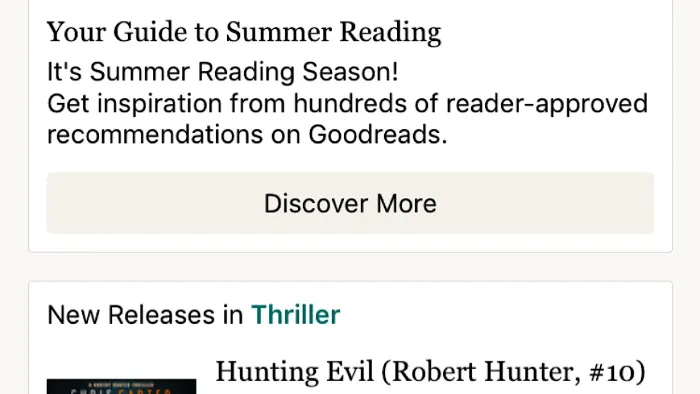
Once all of that is out of the way, Goodreads takes you through a tutorial of how to use the app. On the home page, you’ll see new releases in the genres that you selected earlier, options to set reading goals, and opportunities to join reading challenges. At the top of the page, you can search for something specific by typing the title of the book, the author, or the ISBN number.

Goodreads main page

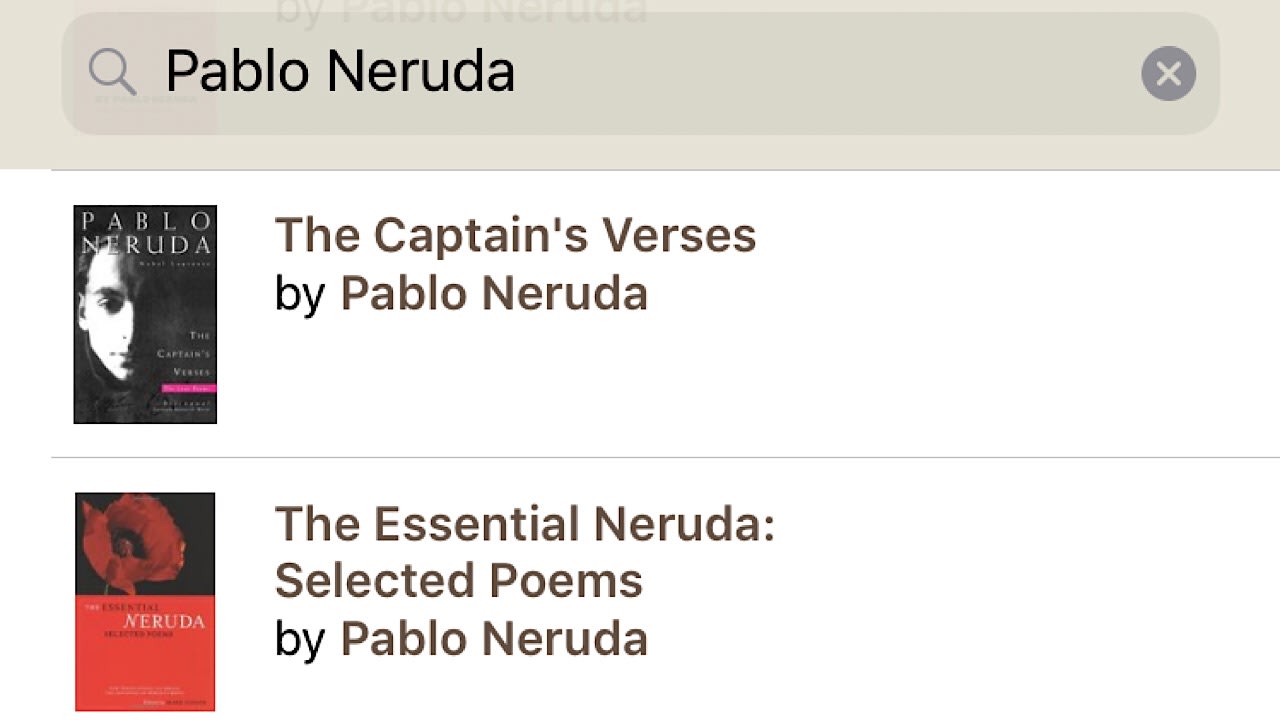
Let’s say you really love the poetry of Pablo Neruda and want to see if you’ve missed any of his collections. Type in his name and a few published works will appear. Cut down on results by selecting ‘author’, and you’ll see everything in Goodreads’ catalog by Neruda.

Goodreads search bar

After making a selection, you be taken to the book’s main page and you can see a ton of information like a short description, an author biography, and ratings and reviews from other users who have read the book.

Goodreads book profile

Goodreads book profile 2

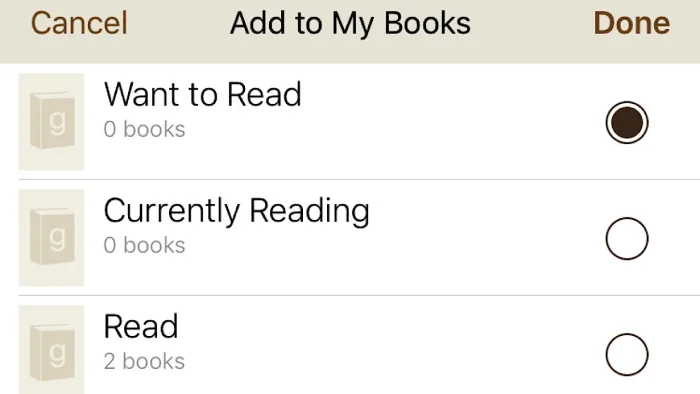
You can save this book to your shelves to refer back to later, or just to keep track of all of the books that you read. There are three shelves that you can choose from in the beginning, ‘want to read’, ‘currently reading’, and ‘read’.

Goodreads shelves

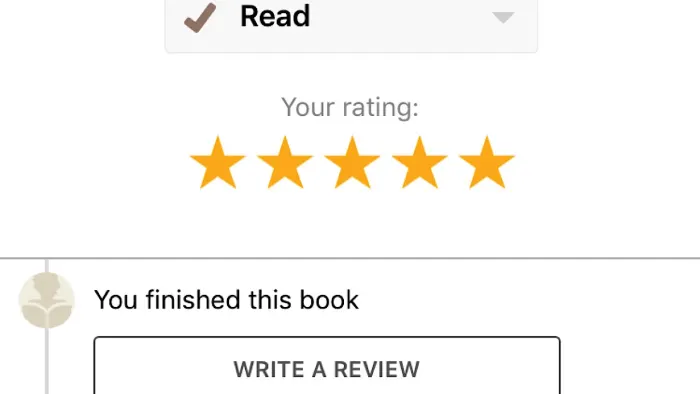
If you have not yet read it, tap ‘want to read’, ‘done’, and you’re all set for the next time you’re at the library or a book store. Once you’ve finished the book, tap on the ‘my books’ tab at the bottom of the screen and then your ‘want to read’ shelf. Move the book to the ‘read’ shelf, and then rate it. You can also write a review of your own, and if you loved the book, you can see other books like it at the bottom of the page.

Goodreads book rating

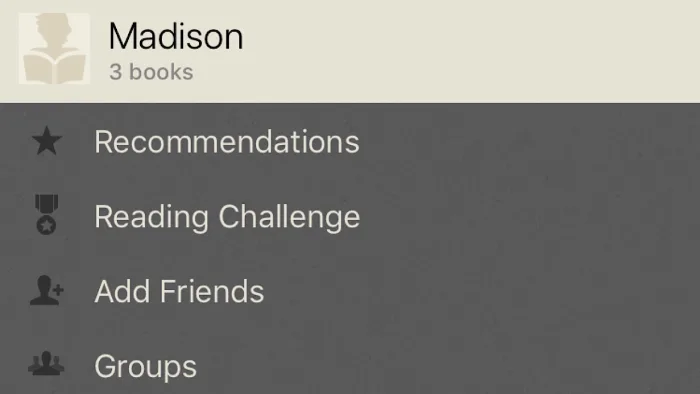
In the ‘more’ tab, you can find your profile and edit your privacy settings so that your shelves can only be viewed by you or people that you’ve accepted as friends. Keep track of reading challenges, groups that you’ve joined, send messages to friends and view their shelves, and view the books voted best of the previous year by other Goodreads users.

Goodreads user profile

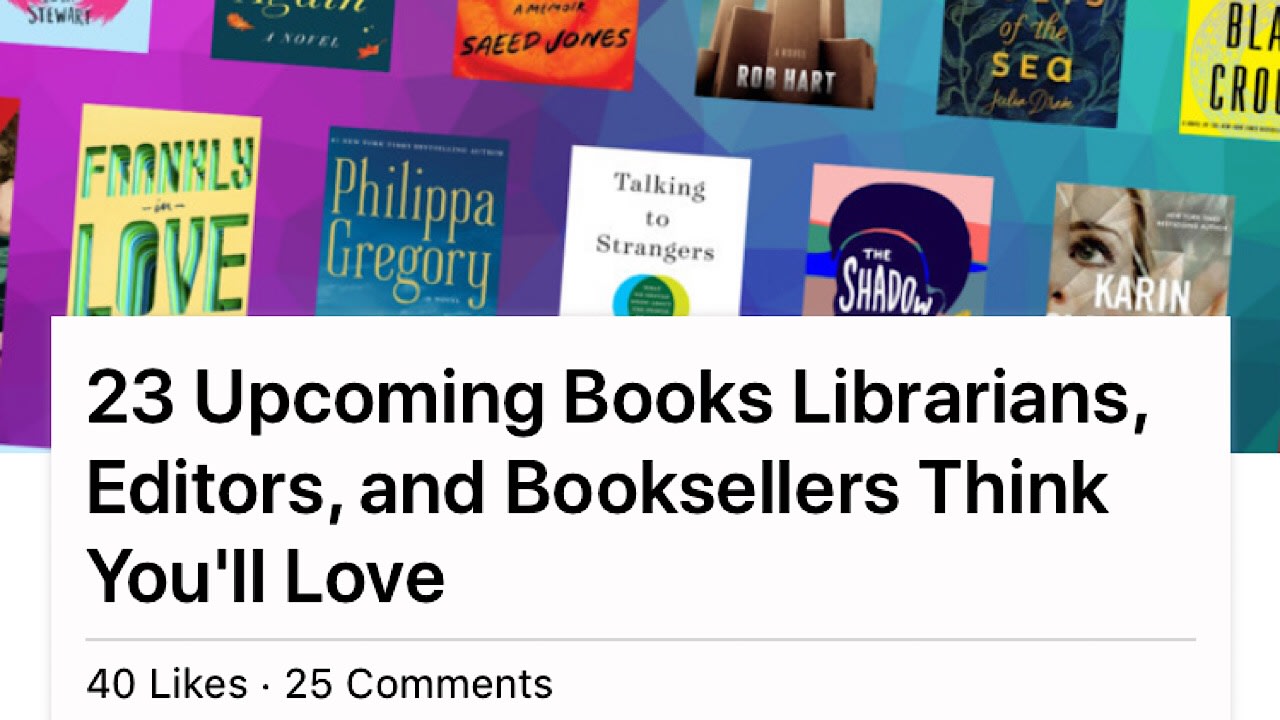
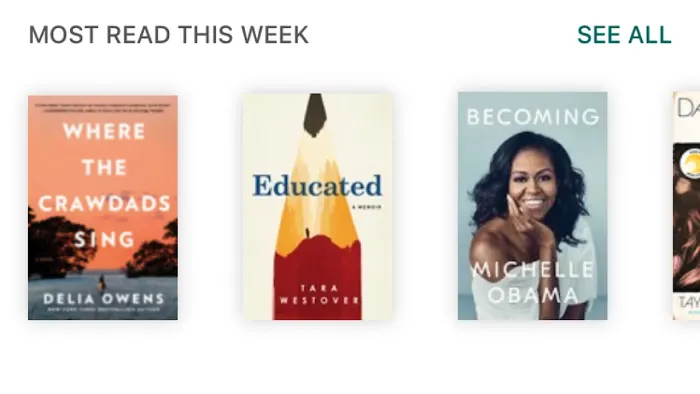
If you’re looking for recommendations, tap on the ‘search’ tab. You can explore by genre, look at featured lists, popular books that people are reading, and new releases. Remember to add books that you think you’ll like to your shelves!

Goodreads search page

Goodreads most read

Goodreads is truly a reader’s best friend. Whether you’re into biographies or comic books, the app has everything you need to find new and amazing books to dive into and to keep track of your library no matter the size. Goodreads is available on iOS, Android, and PC.

What’s your book of the summer for this year? Let us know!