Summer is finally here, and with it, the long-awaited chance to unwind. Maybe you’ve been planning a trip for months, or maybe you’re just ready to unplug from work, social media, and your everyday routine. Honestly, it feels good to put the phone down, shut the laptop, and just live in the moment. But while you’re taking a break, your digital life keeps running in the background—whether you’re aware of it or not. So, here’s the real question: doesn’t your digital self deserve a peaceful vacation, too?

Even if you’re lying on the beach soaking up the sun, your phone, tablet, or laptop could be connecting to sketchy public Wi-Fi networks, receiving suspicious emails, or exposed to threats you never saw coming. Now, this isn’t about being paranoid or letting security worries ruin your time off—but just like you wouldn’t leave home without packing your suitcase, it’s smart to take a few minutes to lock down your digital safety before you fully disconnect.
Luckily, tools like Avast Free Antivirus make it easy to protect your digital well-being so you can enjoy your vacation stress-free. In this article, we’ll walk you through why digital security matters when you’re off the clock, the most common threats you might face, and practical tips to help you steer clear of digital drama while you relax. Ready to start your digital getaway on the right foot?
Why Digital Security Should Be on Your Pre-Trip Checklist
Before heading out on a trip, you probably double-check if you’ve packed your charger, passport, and house keys. But what about your digital security? It’s often the last thing we think about—right when we should be paying more attention. On vacation, we tend to let our guard down and use unfamiliar networks and devices, which opens the door to cyber threats.
Most of us rely on public Wi-Fi in hotels, cafés, or airports while traveling. Sure, it’s convenient—but it’s also a hotspot for cybercriminals looking to prey on unsuspecting travelers. We’re not just talking about people snooping on your photos or messages—this can include stolen passwords, unauthorized access to your accounts, or even identity theft.
Recent studies show that nearly 60% of European travelers connect to open Wi-Fi networks while on vacation, and more than half admit they take no extra security precautions. A small oversight can lead to big consequences—like losing digital memories or having your bank account hacked.
The solution isn’t to panic—it’s to stay informed. Digital security while traveling isn’t about fear; it’s about common sense. Just like you wear sunscreen to avoid getting burned, a little digital hygiene goes a long way toward ensuring your time off stays relaxing.
The Most Common Digital Threats Travelers Face
Cybercriminals don’t take vacations—and when you’re in vacation mode, your digital guard may be down. Here are the most common risks your digital life faces when you try to disconnect (or at least pretend to):
Public Wi-Fi: A Traveler’s Worst Best Friend
The moment you arrive at a hotel or café, what’s the first thing you ask for? The Wi-Fi password. But public networks are a playground for hackers. They can intercept the data you send and receive—messages, passwords, even banking info. Worse yet, some cybercriminals set up fake Wi-Fi hotspots that look legitimate just to trick you into connecting.
Lost or Stolen Devices: It’s Not Just the Hardware
With all the coming and going, it’s easy to leave your phone on a café table or lose your tablet by the pool. But the real risk isn’t the device itself—it’s everything stored inside: personal photos, login credentials, even sensitive work files. A single moment of carelessness could expose your entire digital identity.
Suspicious Emails and Messages
When we’re on vacation, we tend to skim notifications or open messages without thinking. Hackers count on this. They send phishing scams disguised as travel deals, urgent bank alerts, or fake giveaways. All it takes is one tap on a sketchy link, and you’re in trouble—sometimes without even knowing it.
Logging in from Shared or Public Devices
Sometimes you need to check your email or bank account from a hotel business center or public computer. But you never know what malware might be lurking on those machines. One quick login could hand over access to your accounts to someone you’ve never met.
These are just a few examples of how easy it is to put your digital well-being at risk while you’re on vacation. Fortunately, with a bit of planning and a few smart habits, you can avoid most of these issues altogether.
7 Easy Tips for Staying Digitally Safe on Vacation
So now that you know the risks, let’s talk about what you can do—without overcomplicating things—to protect yourself and enjoy a worry-free break. You don’t need to be a tech expert to stay safe. Just follow these simple tips:
1. Prep Your Devices Before You Go
Update your operating system and apps. Most updates include security patches that fix known vulnerabilities. While you’re at it, delete any apps you no longer use to reduce your exposure.
2. Lock Your Screen and Use Strong Passwords
Set up a screen lock using a PIN, pattern, or even better—biometric authentication like a fingerprint or face ID. Avoid obvious passwords and enable two-factor authentication (2FA) on your most important accounts.
3. Back Up Your Data
Before heading out, back up your photos, contacts, and important files to the cloud or an external drive. That way, if your device goes missing, your data isn’t lost with it.
4. Be Smart About Public Wi-Fi
Whenever possible, use your mobile data instead of open Wi-Fi. If you must connect to a public network, avoid logging into sensitive accounts and never enter personal or financial info. Bonus tip: turn off automatic Wi-Fi connections.
5. Watch Out for Phishing Scams
Don’t let your guard down. Be skeptical of unexpected messages, “too good to be true” deals, or emails asking for urgent action. If something feels off, don’t click or download anything.
6. Log Out and Avoid Shared Devices
If you use a public or shared computer, always log out of every service you access and use incognito mode if possible. Never save passwords or enter personal details on someone else’s device.
7. Use a Trusted Antivirus
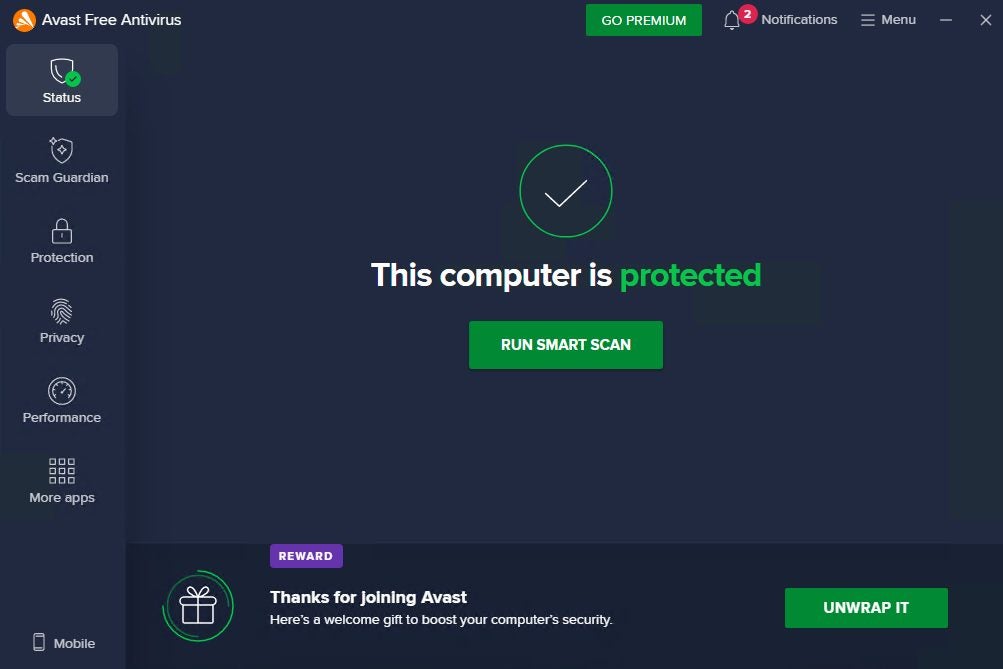
Peace of mind is priceless. Install a reliable antivirus like Avast Free Antivirus to automatically scan for threats, monitor Wi-Fi safety, and alert you to suspicious activity—so you can relax while it handles the heavy lifting.
Avast Free Antivirus: Your Travel Companion for Digital Peace of Mind
You might think antivirus software only blocks viruses—but today’s cybersecurity tools do much more. While you’re enjoying some downtime, Avast Free Antivirus works in the background to support your digital life safe and help reduce exposure to cyber risk. Here’s what makes it the perfect travel companion:
- Wi-Fi Network Scanning: Avast checks the security of any network before you connect, warning you about risky or fake hotspots—common in hotels, cafés, and public spaces.
- Real-Time Threat Protection: It scans files, apps, and downloads on the fly, blocking malware, viruses, and other threats before they do damage.
- Phishing Attack Defense: Avast flags suspicious emails and messages designed to steal your data or passwords, keeping you a step ahead of scammers.
- Automatic Updates: You’ll always have the latest protection—no manual setup required.
And the best part? It runs quietly in the background without slowing down your device. Just install it, and it takes care of the rest—so you can focus on enjoying your vacation.
Ready to relax with greater peace of mind? Download Avast Free Antivirus on all your devices and take your digital security with you, wherever summer leads you.
