Skip to content

Softonic English

Just another Softonic Sites site

What is Fantastic Frontiers? The new trend that Adobe Firefly helps you create effortlessly

Fantasy has always been a recurring theme for artists. In recent years, generative AI has encouraged many to unleash their imagination and create dreamlike and impossible images. Within that context, Adobe has identified a new artistic movement that we could call Fantastic Frontiers. Here we will delve into what defines this style, why it is attracting so much attention, and how we can reproduce it ourselves through Adobe Firefly. Our goal is not to generate images aimlessly, but to learn […]

Fantasy has always been a recurring theme for artists. In recent years, generative AI has encouraged many to unleash their imagination and create dreamlike and impossible images. Within that context, Adobe has identified a new artistic movement that we could call Fantastic Frontiers.

Here we will delve into what defines this style, why it is attracting so much attention, and how we can reproduce it ourselves through Adobe Firefly. Our goal is not to generate images aimlessly, but to learn to use AI as another creative tool.

Adobe Firefly
Adobe Firefly DOWNLOAD

What is Fantastic Frontiers?

While its name is quite definitive in itself, Fantastic Frontiers could be defined as a visual approach that explores imaginary places with no clear physical boundaries. It is characterized by a fusion of fantasy, science fiction, and magical realism, with complicated and detail-rich compositions.

This type of “vision” is currently found in many advertising campaigns, book covers, social media, and a long etcetera. According to Adobe, this trend responds to a need to tell stories that capture the observer’s attention.

There is another significant reason that has made surrealism so prominent: the easy access to AI tools like Adobe Firefly. Now, anyone can create and explore ideas that would have previously required countless hours of work.
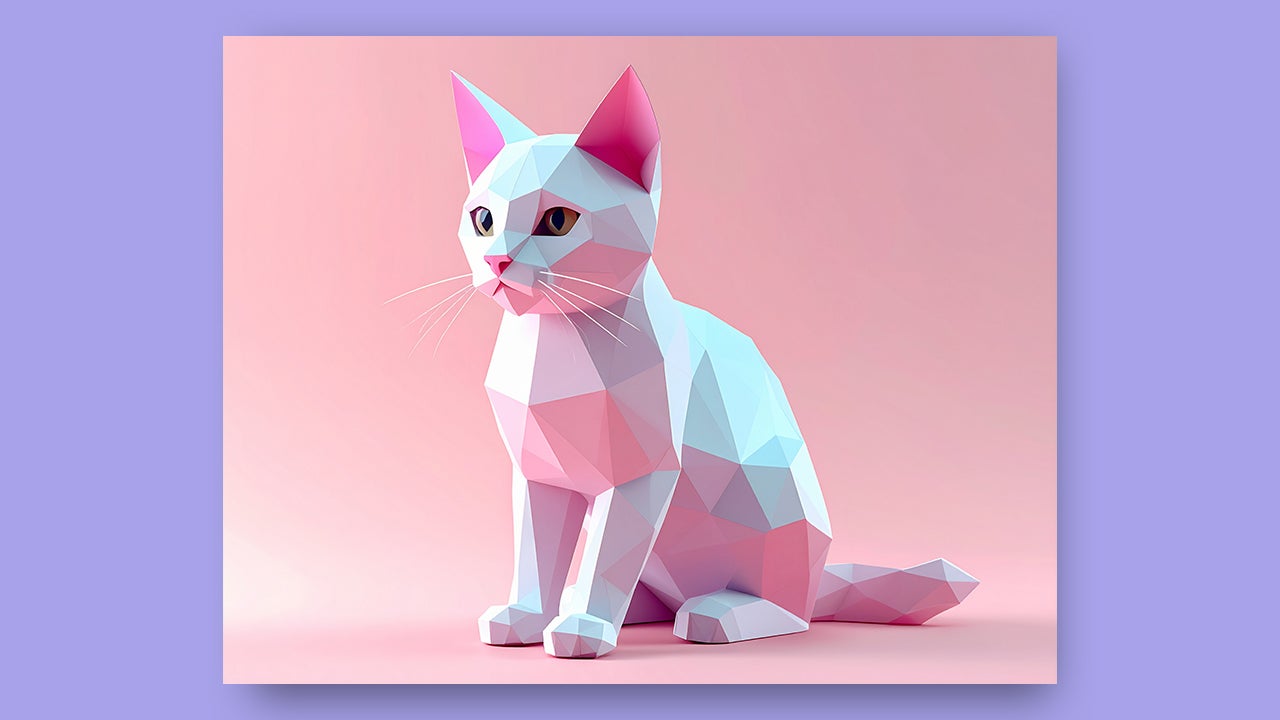
How you can use Adobe Firefly to create fantastic images

Adobe Firefly will serve as support for generating images with a fantastical aesthetic for multiple reasons. One of them is that with it you can experiment with the most advanced generative models currently available, such as Gemini 3, GPT Image, Runway, and more.

You can use Firefly as a standalone web application, without the need to download additional programs. Additionally, one of the great advantages of Firefly models is that they are commercially safe. They have been trained with images from Adobe Stock and royalty-free content, so you can use them in any commercial project without worry.

To start creating, we will first access Adobe Firefly from our browser. If you don’t have an account, you can create one in just a few minutes and completely free. As soon as you enter, you will have a text box where you can write your prompt to generate any type of image.

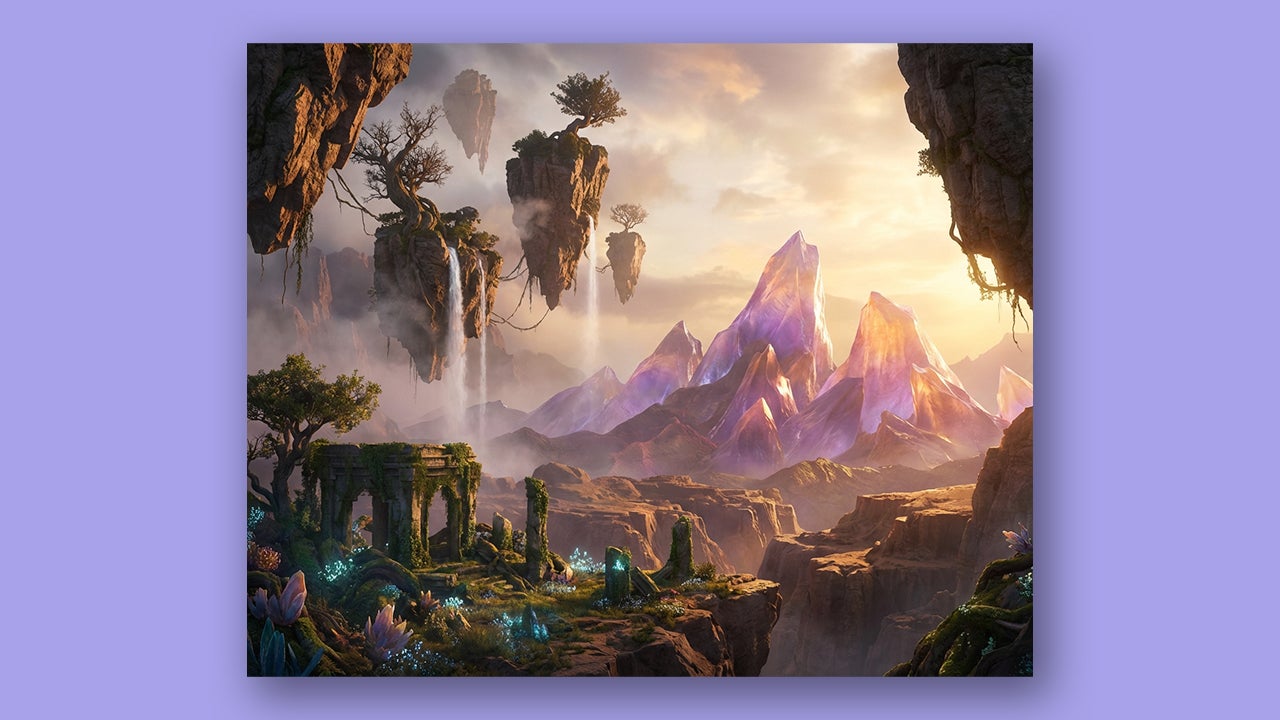
When writing a prompt, you can follow different types of frameworks depending on what you want to generate. In the case of a surrealist scenario, we can try the following:
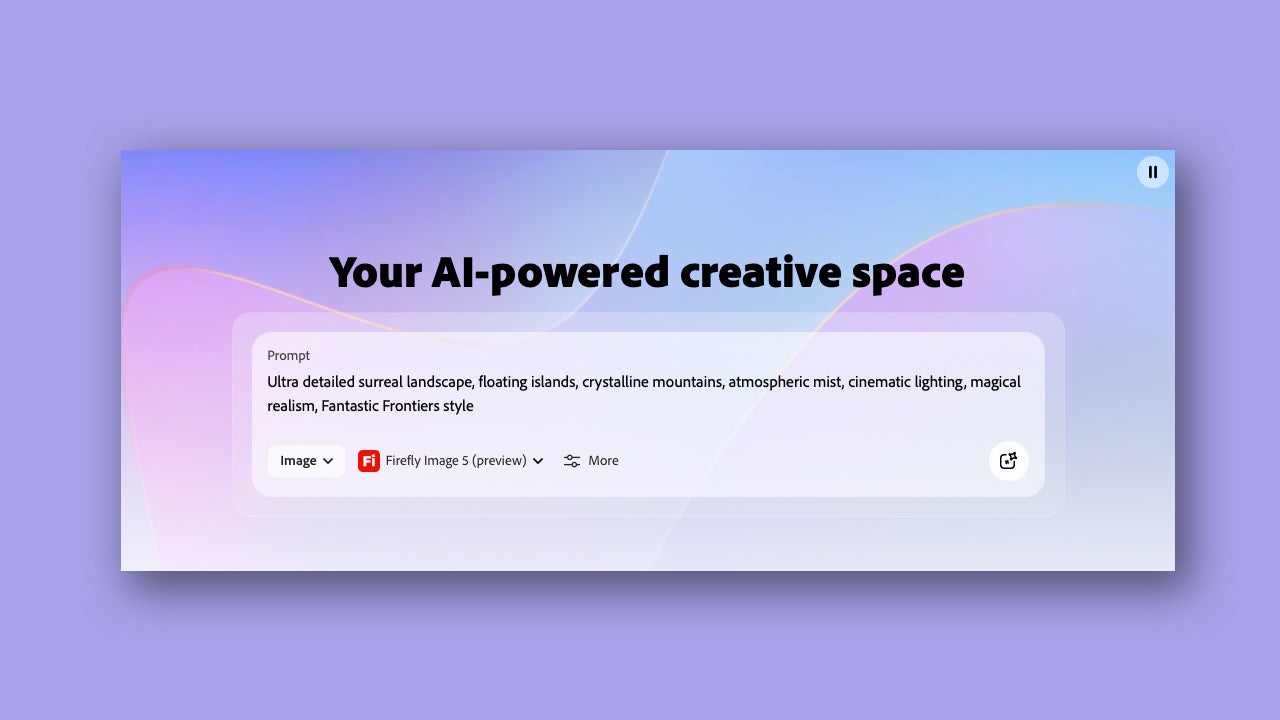
  • “Ultra detailed surreal landscape, floating islands, crystalline mountains, atmospheric mist, cinematic lighting, magical realism, Fantastic Frontiers style”.
If we wanted to create a fantastic scenario with a character inside it, we could also write the following:

  • “Retrato de un explorador futurista en un desierto alienígena resplandeciente, detalles intrincados del vestuario, luz volumétrica suave, composición onírica, estilo Frontera Fantástica”.
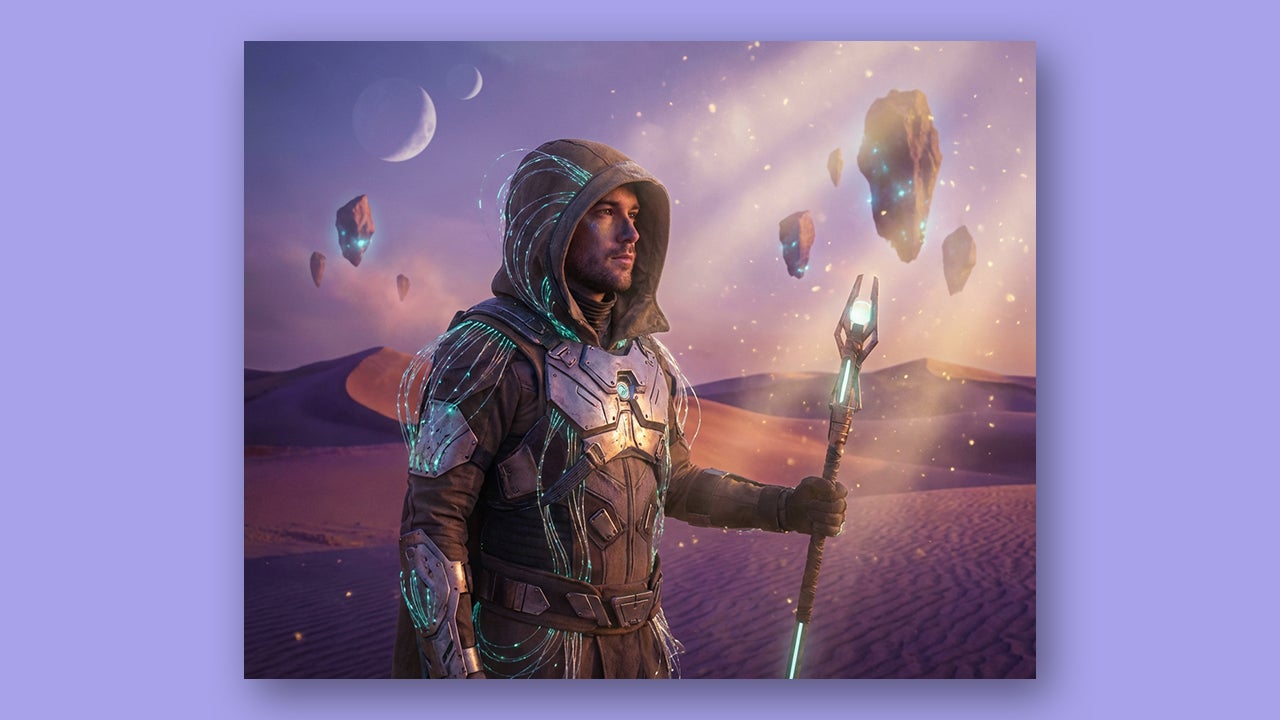
These are just examples of basic structures. Adapt them to your specific needs and tastes. Remember that, next to Image, you will find a tab where you can change the model to generate images.

Afterwards, we will try to adjust the atmosphere and lighting with different prompts in the editing section. Finally, you can always take your image to other programs like Photoshop or Adobe Express to finalize the details.

Tips for Getting the Best Results in Adobe Firefly

Adobe Firefly can be one of your best allies if you know how to use it well. To do this, we need to use clear descriptive adjectives. These can include details such as lights, things or places that should appear, colors, etc. The more specific you are, the better.

It is also helpful that you add quotes in your prompts. AI understands phrases written in this style better: “Blue bird flying” under a “tree with purple leaves”. Writing what you want to avoid will help you refine the generations.

Another option that will be very useful to you is to regulate the intensity of the pictorial style. By writing “stylize=50/50“, for example, you will reduce its effect by half. You can even give Firefly more freedom and let yourself be surprised with “raw style= true“.

Regarding the creation of fantasy images, we advise you to maintain a balance between real and unreal elements. This will give a sense of “plausibility” in your compositions. Keeping consistent color palettes will also help create more beautiful images, in general.

However, the most important thing about all this is that you try and fail for yourself. Experiment with different words, concepts, and ideas, even if they don’t make sense. It’s likely that the first attempts won’t turn out as well as you want, but that’s exactly where the key to improvement lies.

Unleash your imagination

Any creative knows that it is not necessary to have the best tools to create art. In fact, it is the lack of resources that enhances your ingenuity and your ability to create. Tools like Adobe Firefly help us give an extra boost and explore the limits of our imagination, to see how far we can go. Follow the tips we have given you to start experimenting with Firefly and then create your own rules.

Adobe Firefly
Adobe Firefly DOWNLOAD

Author: María López

{ "de-DE": "Künstler aus Berufung und Technikliebhaber. Seit ich denken kann, habe ich gerne an allen möglichen Gadgets herumgebastelt.", "en-US": "Artist by vocation and technology lover. I have liked to tinker with all kinds of gadgets for as long as I can remember.", "es-ES": "Artista de vocación y amante de la tecnología. Me ha gustado cacharrear con todo tipo de gadgets desde que tengo uso de razón.", "fr-FR": "Artiste de vocation et amateur de technologie. J'aime bricoler avec toutes sortes de gadgets depuis que j'ai l'usage de la raison.", "it-IT": "", "ja-JP": "", "nl-NL": "", "pl-PL": "", "pt-BR": "", "social": { "email": "", "facebook": "", "twitter": "", "linkedin": "" } } View all posts by María López

Author María LópezPosted on December 18, 2025December 18, 2025Categories News

Post navigation

Previous Previous post: ChatGPT launches its App Store: how it works and what we can do with it
Next Next post: Con 26 años a sus espaldas, esta franquicia de juegos de estrategia y RPG anuncia la fecha de lanzamiento de su nueva entrega

Recent Posts

  • Nintendo Switch 2 hits $499: PS5, Xbox and Steam Deck prices are up too
  • Fortnite reveals Pirate Shop Access odds after backlash: 1 in 137,500
  • Stellar Blade Complete Edition is out on Switch 2: Digital Foundry says it’s better than expected
  • GTA 6 on PS5 could unlock early in New Zealand: play up to 13 hours ahead
  • Clockwork Revolution now targets 2027: the BioShock comparison is real

Archives

  • November 2026
  • October 2026
  • September 2026
  • August 2026
  • July 2026
  • June 2026
  • May 2026
  • April 2026
  • March 2026
  • February 2026
  • January 2026
  • December 2025
  • November 2025
  • October 2025
  • September 2025
  • August 2025
  • July 2025
  • June 2025
  • May 2025
  • April 2025
  • March 2025
  • February 2025
  • January 2025
  • December 2024
  • November 2024
  • October 2024
  • September 2024
  • August 2024
  • July 2024
  • June 2024
  • May 2024
  • April 2024
  • March 2024
  • February 2024
  • January 2024
  • December 2023
  • November 2023
  • October 2023
  • September 2023
  • August 2023
  • July 2023
  • June 2023
  • May 2023
  • April 2023
  • March 2023
  • February 2023
  • January 2023
  • December 2022
  • November 2022
  • October 2022
  • September 2022
  • August 2022
  • July 2022
  • June 2022
  • May 2022
  • April 2022
  • March 2022
  • February 2022
  • January 2022
  • December 2021
  • November 2021
  • October 2021
  • September 2021
  • August 2021
  • July 2021
  • June 2021
  • May 2021
  • April 2021
  • March 2021
  • February 2021
  • January 2021
  • December 2020
  • November 2020
  • October 2020
  • September 2020
  • August 2020
  • July 2020
  • June 2020
  • May 2020
  • April 2020
  • March 2020
  • February 2020
  • January 2020
  • December 2019
  • November 2019
  • October 2019
  • September 2019
  • August 2019
  • July 2019
  • June 2019
  • May 2019
  • April 2019
  • March 2019
  • February 2019
  • January 2019
  • December 2018
  • November 2018
  • October 2018
  • September 2018
  • August 2018
  • July 2018
  • June 2018
  • May 2018
  • April 2018
  • March 2018
  • February 2018
  • January 2018
  • December 2017
  • November 2017
  • October 2017
  • September 2017
  • August 2017
  • July 2017
  • June 2017
  • May 2017
  • April 2017
  • March 2017
  • February 2017
  • January 2017
  • December 2016
  • November 2016
  • October 2016
  • September 2016
  • August 2016
  • July 2016
  • June 2016
  • May 2016
  • April 2016
  • March 2016
  • February 2016
  • January 2016
  • December 2015
  • November 2015
  • October 2015
  • September 2015
  • August 2015
  • July 2015
  • June 2015
  • May 2015
  • April 2015
  • March 2015
  • February 2015
  • January 2015
  • December 2014
  • November 2014
  • October 2014
  • September 2014
  • August 2014
  • July 2014
  • June 2014
  • May 2014
  • April 2014
  • March 2014
  • February 2014
  • January 2014
  • December 2013
  • November 2013
  • October 2013
  • September 2013
  • August 2013
  • July 2013
  • June 2013
  • May 2013
  • April 2013
  • March 2013
  • February 2013
  • January 2013
  • December 2012
  • November 2012
  • October 2012
  • September 2012
  • August 2012
  • July 2012
  • June 2012
  • May 2012
  • April 2012
  • March 2012
  • February 2012
  • January 2012
  • December 2011
  • November 2011
  • October 2011
  • September 2011
  • August 2011
  • July 2011
  • June 2011
  • May 2011
  • April 2011
  • March 2011
  • February 2011
  • January 2011
  • December 2010
  • November 2010
  • October 2010
  • September 2010
  • August 2010
  • July 2010
  • June 2010
  • May 2010
  • April 2010
  • March 2010
  • February 2010
  • January 2010
  • December 2009
  • November 2009
  • October 2009
  • September 2009
  • August 2009
  • July 2009
  • June 2009
  • May 2009
  • April 2009
  • March 2009
  • February 2009
  • January 2009
  • December 2008
  • November 2008
  • October 2008
  • September 2008
  • August 2008
  • July 2008
  • June 2008
  • May 2008
  • April 2008
  • March 2008
  • February 2008
  • January 2008
  • December 2007
  • November 2007
  • October 2007
  • September 2007
  • August 2007
  • July 2007
  • June 2007
  • May 2007
  • April 2007
  • March 2007
  • February 2007
  • January 2007
  • December 2006
  • November 2006
  • September 2006
  • August 2006
  • June 2006
  • May 2006
  • July 2001
  • January 2001
  • November 2000
  • September 2000
  • August 2000
  • July 2000
  • April 2000
  • March 2000

Categories

  • Affiliate post
  • Expert Review
  • Gaming
  • Guides
  • How to
  • Legacy how To
  • News
  • Noticias
  • Software>Security
  • Sponsored
  • Trucos y Consejos
  • Uncategorized
  • Windows software

Meta

  • Log in
  • Entries feed
  • Comments feed
  • WordPress.org
Softonic English Proudly powered by WordPress