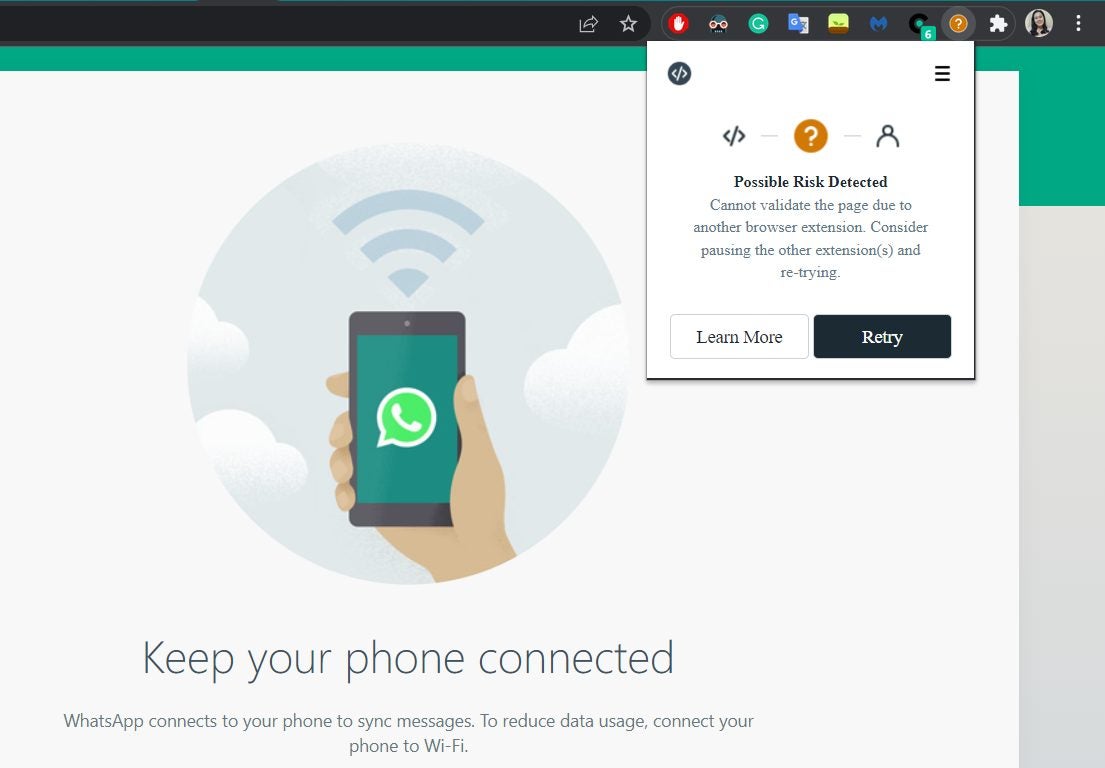
Improving WhatsApp Web’s security measures, WhatsApp has released a browser extension called “Code Verify,” which automatically alerts users if the web app’s code has been tampered with in any way. This extra layer of security ensures that WhatsApp’s end-to-end encryption hasn’t been compromised.
While WhatsApp is improving its two-step verification settings for desktop and mobile as part of its upcoming features this year, its web browser version seems to lag behind the other supported platforms for a while now. Thus, the launch of this extension is a huge step in keeping WhatsApp Web just as safe.
Code Verify is an open-source browser extension available on Google Chrome, Mozilla Firefox, and Microsoft Edge. It automatically runs whenever you open WhatsApp Web and notifies you of whether it’s authentic or is at risk. What’s great about this extension is that it doesn’t log any data whatsoever and also doesn’t share any information to WhatsApp and Meta, the app’s parent company.
Code Verify works by checking the resources on the entire webpage and compares them to WhatsApp’s code. Since this is on a much larger scale, WhatsApp has partnered with Cloudflare. With the help of Cloudflare’s third-party verification, users are provided with real-time code verification and auto-updates every time WhatsApp Web’s code does.
There are four statuses on the extension icon. “Network Timed Out” and “Possible Risk Detected” come with an orange circle and a question mark, requiring you to either reset your connection or manage your extensions. “Validation Failure” turns the icon red with an exclamation mark, denoting that it’s a non-authentic code. Meanwhile, “Validated” displays as a green checkmark icon and means that you’re secure.
Code Verify only confirms the code and won’t actually read or access your messages. For easy viewing, keep it pinned to your browser toolbar. If you happen to use WhatsApp Web often, it’s best to install this as soon as possible so that your end-to-end encryption is safe on your browser.
