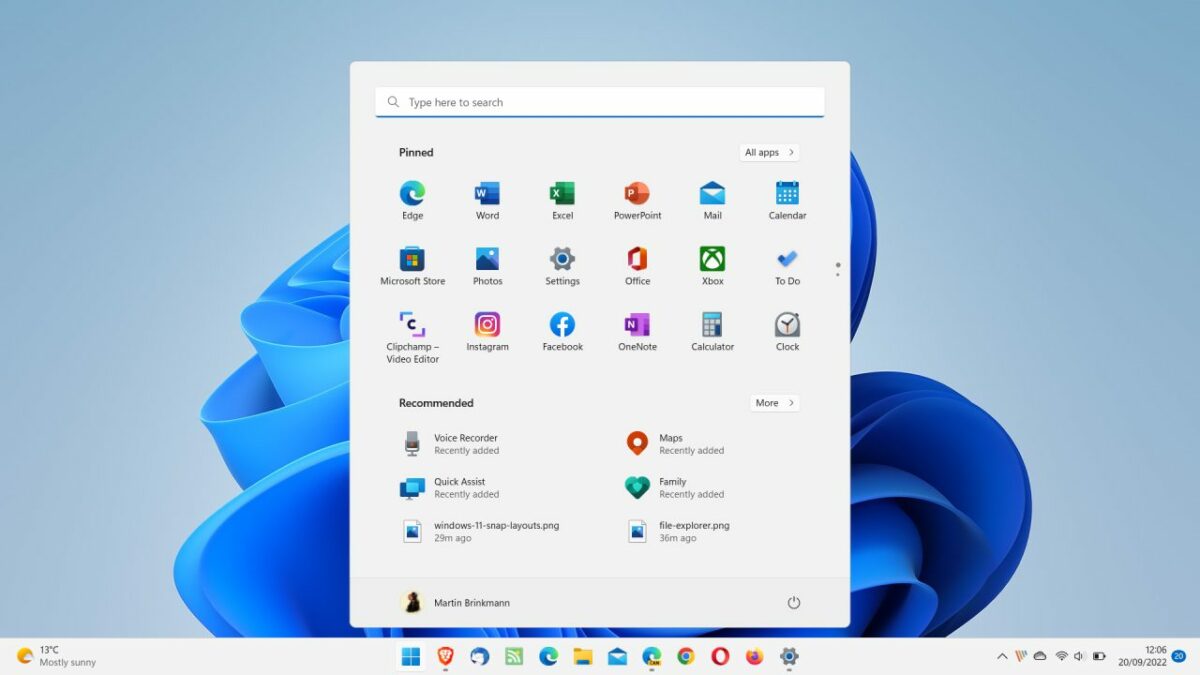
Microsoft published the first feature update for its Windows 11 operating system today. Called Windows 11 version 2022, it delivers new features and introduces a number of useful usability improvements.
Windows 11 users who hoped the company would reintroduce features of Windows 10 may be disappointed though, as core functionality is still missing a year after the operating system’s first release.
How to install the Windows 11 version 22H2 feature update
Microsoft releases feature updates in waves. First, to systems that its machine learning algorithms believe will experience the least amount of issues. Then, after a while, to other machines.
This means, that the update may not be offered to a specific machine on the day of release, or even weeks or months afterwards.
The best way of checking whether the feature update is available is via Windows Update.
- Go to Start > Settings > Windows Update.
- Activate the “check for updates” button.
- If Windows 11 is returned as an update, activate the download button to start the installation process.
The second option that is available from the get-go is to download the Windows 11 Installation Assistant. Once updated by Microsoft, it will install the update on systems running Windows 11.
Top Windows 11 version 22H2 features
Windows 11 version 22H2 includes several changes and improvements. The following paragraphs list the major new features of the new operating system version.
Start Menu Layouts and Folders
The Windows 11 Start Menu supports layouts now that give users more flexibility. Besides the default layout, there are two additional layouts now.
The first layout, called more pins, increases the number of pinned rows in the Start Menu, the second layout, called more recommendations, the number of recommended items.
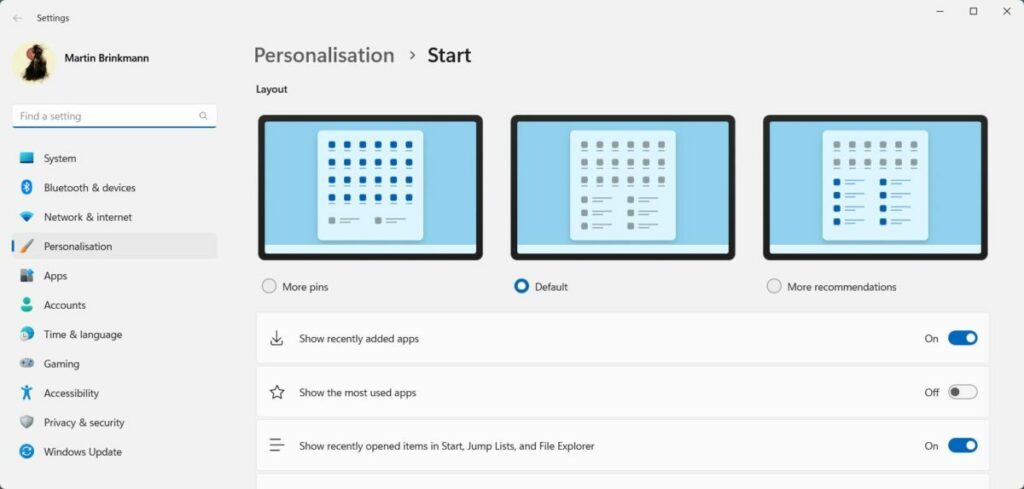
Here is how you configure these new layouts:
1) Right-click on the Pinned or Recommended title in the Start Menu to open the Start Menu settings.
2) Select one of the two new layouts from the listing. The change takes effect immediately.
The second improvement restores folders in the Start Menu. Folders hold multiple pinned items, which makes them ideal for users who want to pin lots of programs to the Start Menu or prefer to sort programs using folders.
A folder is created by dragging one pinned item onto another. Windows 11 creates a folder, which may hold up any number of items. Windows users may rename folders to improve identification.
Task Manager
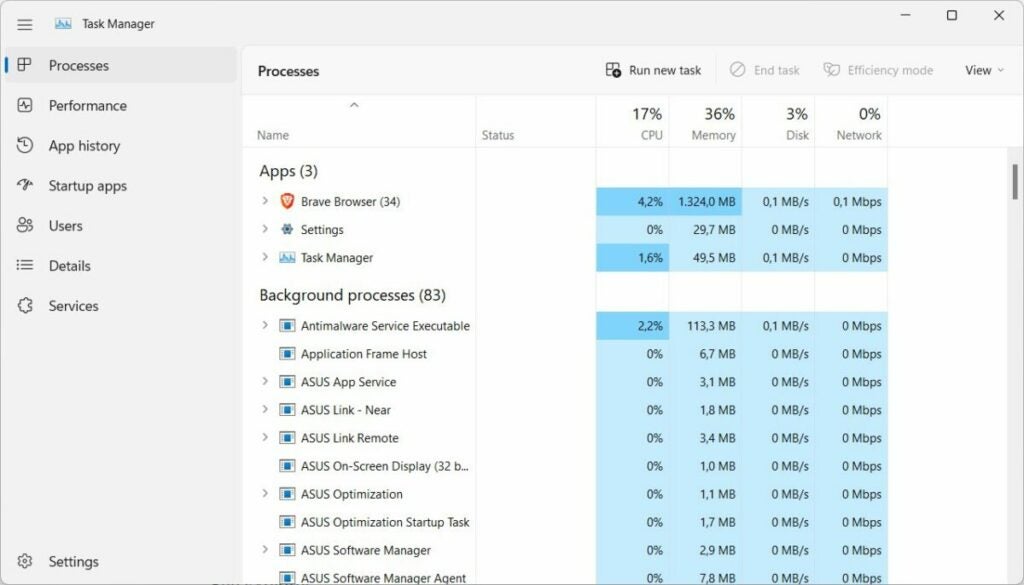
The basic Task Manager, Task Manager light called by many, is no longer available. The full version of the Task Manager opens when it is launched.
The tab bar is now on the left side of the Task Manager window, and no longer at the top. The classic menu bar is gone and most options are now available in other locations in the Task Manager.
The Task Manager supports the operating system’s dark mode now, and accent colors may add more color to the data displayed in the Task Manager.
File Explorer
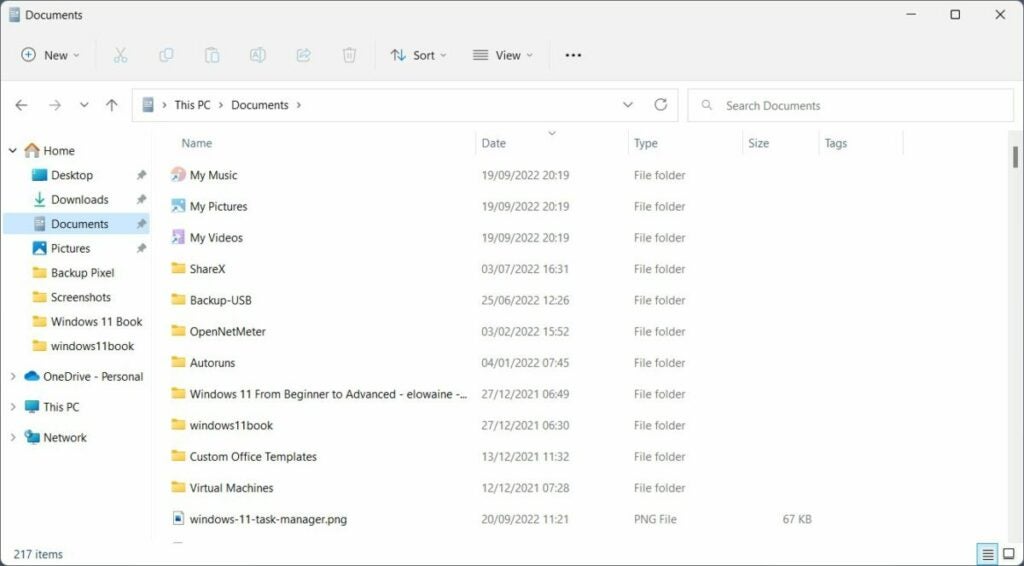
File Explorer lacks major changes, with tabs making up the first spot of features not included in the first feature update for Windows 11.
Windows 11 users may notice some changes though:
- Home is the new main entry in the File Explorer sidebar.
- There is a new Favorites section under Home and the option to launch OneDrive when File Explorer opens.
- Folders with media show previews once again.
- Holding down the Shift-key before right-clicking on items opens the full context menu right away.
- The new Clipboard shortcut Ctrl-Shift-C copies the path of the selected file or folder to the Clipboard.
Snap Assist improvements
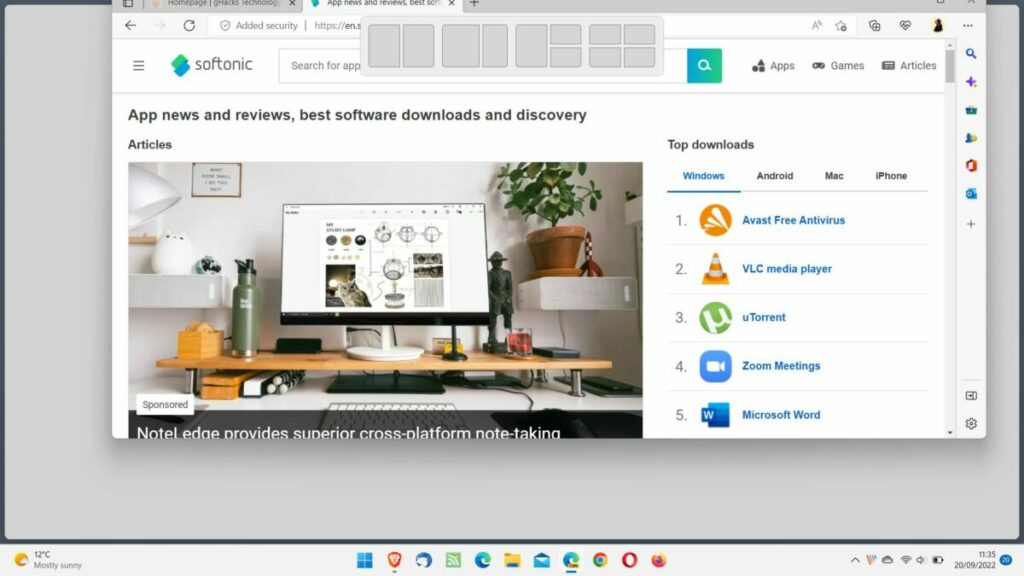
Snap Assist is one of the best Windows 11 features that barely anyone noticed. It takes the snap window option from Windows 7 and adds more window layout options to it.
In the release version of Windows 11, users had to move the mouse cursor over the maximize window icon to invoke it or use the keyboard shortcut Windows-Z.
Now, with Windows 11 version 22h2 come several improvements. Moving windows around on the screen displays a small bar at the top that displays the available layout options; this unlocks Snap Assist on touch-based devices.
Additionally, keyboard users may now keep their hands on the keyboard all the time when using the feature, as Microsoft added numbers to each layout.
Other changes in Windows 11 version 2022
Windows 11 includes several other changes of importance. Here is a list of the most important improvements:
- The online video editor Clipchamp is installed as a native app.
- Family is a new family management app by Microsoft.
- Chat applications on the taskbar may display a mute icon to quickly mute audio.
- New “share this window” option.
- Gamers benefit from optimizations for windowed games and system-wide Variable Refresh Rate support.
- Focus Assist accessibility improved by adding the feature to Quick Settings.
- Bluetooth handling improved in Quick Assist as well by adding discover and connect options.
- New “sign-in options” setting in the Start Menu’s power dialog.
- Task View, which may be invoked using Windows-Tab, displays Snap Groups (grouped windows).
- Suggested Actions is another new feature. It displays options to call a number or create an event when selecting phone numbers, date or time.
- Installed Apps in the Settings includes two new layouts to display installed programs. The Programs and Features control panel applet is no longer available.
- The Accounts page may list Microsoft 365 subscription information.
- Smart App Control is a new security feature, but it is only available on new Windows PCs or reset PCs.
- Windows 11 supports system-wide live captions. Use the keyboard shortcut Windows-Ctrl-L to launch the feature.
Closing Words
Windows 11 version 22H2 is a usability update that improves several core features of the release version. While that may disappoint some users, others may like that there are not any disruptive changes.
In summary, Windows 11 version 2022 is not going to convince Windows 10 users, who dislike Windows 11, to upgrade, but it is an improvement for Windows 11 users who already use the operating system.
It is important to realize that new features will become available as smaller feature drops in the future. File Explorer tabs, for example, may launch next month already.
