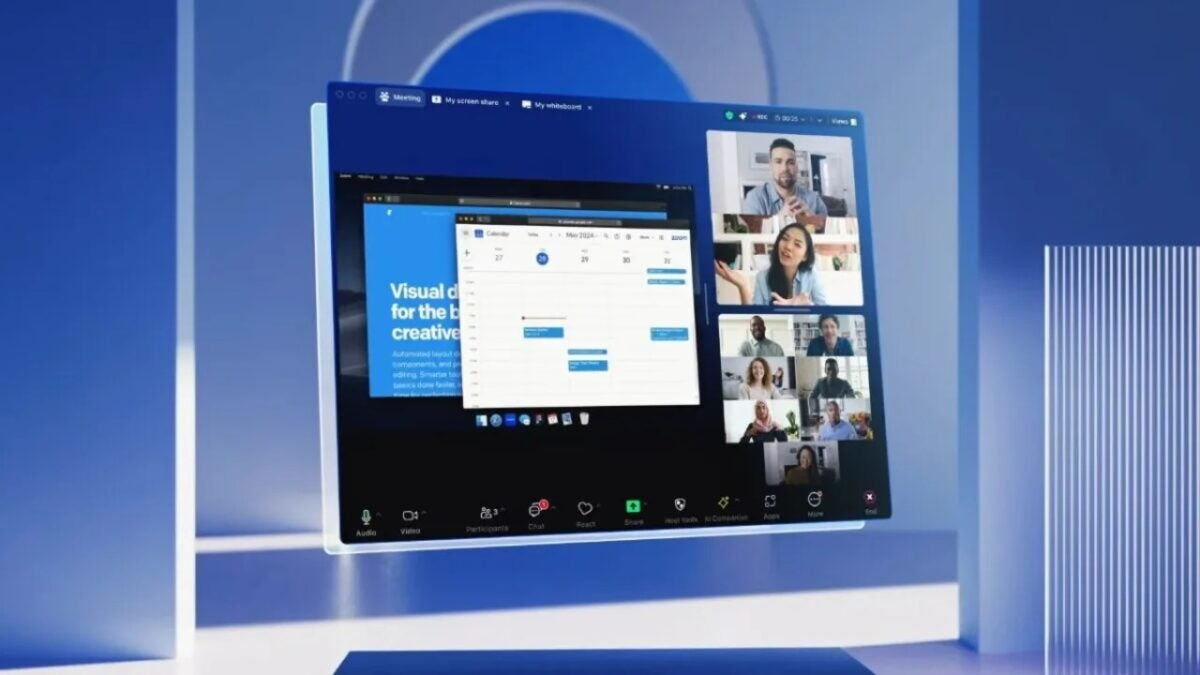
If you use Zoom for video calls at work, get ready for things to change. The technology company is using artificial intelligence (AI) to address popular complaints and optimize their video call experience in the first major revision of their flagship product in over 10 years.
.png)
On Monday, just a few weeks after Zoom announced Zoom Workplace, the AI-powered collaboration platform became available to all users. The redesign updates almost every aspect of the application.
To begin with, the application has a different look. Users can choose from four color themes, in addition to the basic gray background that is currently behind the video screens. The call host can add different meeting backgrounds that contribute to a more immersive experience.
How Generative AI is Changing the Zoom Video Call Application
Zoom Workplace includes a new view with multiple speakers that places the participants speaking on a “stage”. The other participants are positioned below in a traditional gallery view, as seen below. This approach aims to encourage better discussion among participants.
Similar to how users currently use the “Screen Share” function to view the same screen together, users will have a document collaboration option to import third-party documents and co-edit text during meetings. Users will also be able to customize the toolbar at the bottom of the screen to keep only their preferred functions.
Zoom has also added new features to help users better interact with other participants in the call. The new portrait lighting feature uses AI to illuminate the user’s face in low light conditions while darkening the background to achieve a portrait effect.
On the other hand, the custom audio isolation feature suppresses background noise and helps users’ voices sound clear in noisy meetings in a noisy environment, such as a busy office or café. Finally, dynamic reactions allow users to display enhanced emoji expressions that are larger and more prominent than in the past.
Zoom has also implemented new collaboration features, such as the new Meetings tab, where users can find all the information they need for their meeting, including resources like PDF files, videos, and much more, as seen in the following screenshot.
After the meeting, the meeting event center gathers everything that was shared in the meeting, including meeting resources, AI-powered meeting summaries, recordings, and ongoing meeting chats.
The continuous meeting chat automatically shares a meeting summary in the team chat after the meeting, including assets, summaries, and much more. The Team Chat tab, located next to the Meetings tab, helps users access all chat-related resources such as assets, live links, whiteboards, etc., according to the press release.
The team chat will also include new generative AI capabilities within Zoom AI Companion, such as a thread summary to quickly catch up on messages, completing sentences to write new messages, and quick scheduling to prompt the user to schedule a meeting when it comes up in the chat.
How to access Zoom Workplace
To access Zoom Workplace, the company says that account owners and users can update their Zoom application to version 6.0.0 or download the update from the company’s website.
Zoom says that Zoom AI Companion is included at no additional cost “for customers with paid services assigned to their Zoom user accounts”, which presumably means that if you are using Zoom for free, you can forget about the AI.
