
Get tyrannical with torrents

BitTyrantThere are so many torrent clients out there claiming to give you better speeds that you have to take all the hype with a pinch of salt. However, when one comes along that claims to be 70% quicker than the rest, you have to take note. That’s what the developers of BitTyrant say, promising a more equal distribution between your upload speed and your download speed.

BitTyrant is actually based on Azeureus 2.5 but differs in the way it handles traffic. The key lies in the way it selects peers to ‘unchoke’. BitTyrant ranks all peers by their received/sent ratios, preferentially unchoking those peers with high ratios. The client is called BitTyrant because in this way, it ‘tyranically’ uses all available bandwidth and transfer capacity to complete torrents.

In a nutshell, BitTyrant genuinely rewards you the more you upload whereas other clients that claim to do so, don’t often deliver.

Chat face-to-face online

Don’t get me wrong, I’m not completely against the use of SMS messaging, email, Facebook, MySpace and the like, but I much prefer good old fashioned face-to-face encounters when I talk with my buddies. The webcam is often seen as something of an arcane device these days, yet with a fast Internet connection and a decent bit of software it can help you relive the times when people actually spoke to each other.

Camfrog boasts high-quality videoTwo of my favourite video conferencing apps are Camfrog and ooVoo and both offer you the ability to set up face-to-face chats without any hassle. Camfrog is great because it offers pixel-perfect visuals, and clear, crisp sounds so you almost feel like you’re in the same room as the other person. One of the things I love most about it is that you can resize the chat windows, making it great for talking with people who have a different video resolution.

Chat with up to five others on ooVooooVoo is good for chatting with lots of people at once, and you can have up to six people involved in a video conversation at the same time (beware though because this can drain bandwidth somewhat). It’s also one of the few programs of its ilk that lets you send video messages via email to a friend or a group of friends. Although the picture quality isn’t quite as good as Camfrog, it more than makes up for it in terms of features such as text messaging, file sharing and blog linking.

Top alternative email clients

What does your mailbox look like?Mozilla could soon decide on letting Thunderbird spread its wings and become a fully autonomous project at Mozilla. The general feeling is that Mozilla is too much focused on Firefox, and other projects like SeaMonkey or Thunderbird are not getting enough freedom to prosper on their own.

Thunderbird is a solid alternative to good ol’ Microsoft Outlook but it’s never really had much success, probably due to the rough competition it’s getting from webmail clients. I personally prefer checking my mail directly from Internet, but for those of you who are looking for a desktop mail client, and aren’t convinced by Mozilla’s Thunderbird, here are some alternatives you can set up on your PC:

  • IncrediMail Xe – Probably best for those of you that are really into customizing, IncrediMail Xe lets you add emoticons, create multimedia signatures, add sounds, 3D effects and even create e-cards.
  • Pegasus Mail – A sober yet efficient email client, Pegasus Mail doesn’t have the sexiest of interfaces, but it offers advanced features like Mailmerge, html mail generation or rule-based filtering.
  • The Bat! – This email client was the top alternative to Outlook before Thunderbird came around and to this day still remains one of the best. With its hotkeys, efficient anti-spam and advanced folder organization, this is the perfect email client for busy, productive types.
  • Becky Internet Mail – Create templates, filters and all sorts of mailing lists. Becky supports most protocols and works efficiently. Like Pegasus Mail, it doesn’t have a very attractive interface but it gets the job done really well.
  • PocoMail – With its Focus Box to quickly access your folders and AutoText snippets, PocoMail is a dynamic email client. Just like Thunderbird, you can also read your RSS feeds and Newsgroups straight from the program.

Chorewars, a domestic RPG

Play ChorewarsIroning, dusting or washing up are certainly not the most exciting activities for this summer. What if you try to make them look more attractive and rewarding? In this sense, a role playing game can be the perfect excuse to encourage children (and who knows, maybe your partner too) to take an active part in getting household chores done.
This is the main idea behind Chorewars, an online RPG that enables you to create a character and join adventures as thrilling as preparing dinner or doing the dishes. You can get the whole family involved in the same party and decide the necessary skills (strength, dexterity, charisma, wisdom, etc.) and the reward (in experience points) for each adventure. The possibility to then turn those XP points into real life prizes is up to you.

In all, it seems like an original idea that can teach your kids the importance of sharing tasks and can also help you organize chores in the most equal, fun way.

Top M.U.G.E.N tips and tricks

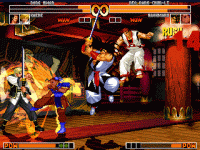
Kick some butt with MUGENEver play a videogame and think you could have done it better? If so, then get hold of M.U.G.E.N. The popular development platform allows you to port classic games and rebuild them or create your own adventures from scratch. Many people are put off by the engine’s complexity and the fact you need a decent knowledge of DOS programming to achieve good results. However, there are plenty of useful sites about M.U.G.E.N that can help you.
Whether you want to simulate Sonic or resurrect Ryu, this handy character creation tutorial will show you the ropes, walking you through the process of ripping sprites from original games before importing them into M.U.G.E.N to play around with. Sykotik’s guide goes into a little more detail, explaining the ins and outs of making colour palettes for your characters and making a state in the CNS file.

Once your characters are ready for action, you’ll need a backdrop to set them against. Samus’s MUGEN page is a great source for downloading backgrounds and includes a raft of famous stages from the likes of Street Fighter, Final Fight and Mortal Kombat. Another important thing to take care of when building M.U.G.E.N games is something called background parallax. You’ll need to master this in order to ensure that characters don’t slide along the ground in 2D scrolling games. There’s some good info on this here. Finally, to present your game in a stylish way have a look at this font creation tutorial to get your type looking tip-top.

Top ringtone creators for mobiles

Coding Workshop Ringtone ConvertorRingtone creators have gone somewhat out of fashion with polyphonic tones all the rage now. However, if you’ve got an older phone or just fancy yourself as a bit of a Mozart on the ringtone creation software, here’s the lowdown on Softonic’s most popular software.


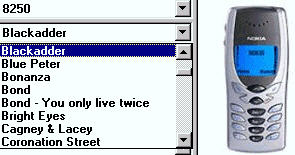
Leader of the pack is Coding Workshop Ringtone Convertor which distinguishes itself by not requiring any cables or SMS messaging to transfer the tone to your mobile. It has around 250 tunes to choose from with the appropriate key combination for each one. Just tap the key combinations into your phone and the tone is yours.

Next is Mp3 to Ringtone Gold which can convert Mp3s into ringtone format (mmf,.amr,.mp3,.wav and .mid). It also features an Mp3 resizer which can reduce Mp3’s especially for your mobile.

Finally, there’s Joy Ringtone Convertor which graphically displays the sound waves of your Mp3s and then allows you to cut and splice them as with an ordinary audio editor. You can then batch convert your cuts to all major mobile ringtone formats.

Games Convention: the European game event

Leipzig Games ConventionE3 is probably the most famous game convention, but not the only one. There are many other game-related events along the year, held on both sides of the Atlantic. A good example is the upcoming Leipzig Games Convention, which will take place from August 23rd to 26th.

The 2007 Games Convention will have more than 400 exhibitors from 26 different countries, all packed in the Leipzig Exhibition Center. However, this may be the last year in this location, as the increasing growth of this event begins to cause problems. In fact, this year’s edition expects about 200,000 visitors, which is a much larger attendance than the one achieved by E3.

The trick is that the Leipzig Games Convention has a business area for games companies, developers and other professionals, but also public areas open to everyone. Just as an example, this year’s Convention will include family activities, an open-air summer festival and even camping facilities. So, if you don’t have anything else planned for those days, you might want to drop by!

Sharing desktops with TeamViewer

A while back I enthused about the desktop sharing software Crossloop because of it’s ease of use and great customer service. Recently however, I tried a decent alternative – TeamViewer – and it certainly gives Crossloop a run for its money.

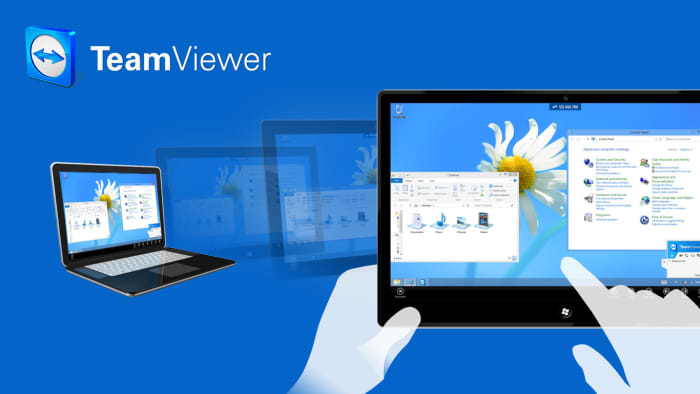
Like Crossloop, TeamViewer allows you to access another person’s desktop and manage their files. This is great if you’re trying to provide troubleshooting assistance to someone who’s not on the same network or even in the same country as you. Unlike Crossloop, TeamViewer is split into two modes – Remote Desktop Mode and Presentation Mode.

In the first one, you are able to access and manage the files on the remote PC. It also allows you to send and receive files which is really useful if you need to send drivers to someone in order to solve an issue. Presentation Mode is purely just for presentations, which is useful if you’re working on a group Powerpoint project.

What both programs have in common is that they are free and very simple to use. TeamViewer assigns both the client and host username and password and, if they match, you are connected instantly. It can even circumvent Firewalls because if TeamViewer detects one at the host’s end, it runs the connection through it’s own servers.

Top karaoke software downloads

Step up to the mic on your PCOne of the funniest things I’ve read this week is the tale of Belgium’s prime minister-to-be who sang the wrong national anthem at a press event in the country. It made me think that maybe he should spend more time practicing the words in his local karaoke bar, or, perhaps more appropriately, to download some karaoke apps for his PC. So here you are, Mr Leterme, get hold of these and maybe you’ll avoid becoming a laughing stock before you even take office.

KaraFun – Complete solution for playing and creating your karaoke at home

Easy Karaoke Player – Plays and records karaoke tunes for you to enjoy at all times

Power Video Karaoke – Host your own karaoke nights with this audio and video solution

DART Karaoke Studio – Become a karaoke king or queen with this introductory application

VanBasco Karaoke Player – MIDI Karaoke Player with full-screen lyrics display

Buy items on eBay from your Mac

GarageBuyGarageBuy is a desktop solution to search for and purchase items on eBay. The application allows you to create advanced searches, preview items, bid and even update item prices without ever having to open your browser. You can choose the eBay site you prefer using and enter your eBay user to perform all the actions available on the website.