 I used to be a young ornithologist which I hope I’ve spelt correctly. I got a badge and a bird book and used to attend meetings every Friday afternoon at my school. I was quite young but I can still point out a buzzard from a kite. In those days people didn’t have mobile phones – I’m serious, so we never had any nasty scares of ringtones and flashing cameras frightening our feathered friends away. However, there’s a new piece of software that means you can own a mobile phone and bird watch at the same time.
Month: October 2007
The perfect organizer for all students
 Organization is an important element in student life, but it’s hard to keep organized when you’re more interested in partying than in homework. qOrganizer attempts to put you back on the right track by providing you with this great set of tools. You’ll be able to manage classes, track exam marks and jot down notes, besides never missing an important assignment again.
iActu USA – US news headlines in a widget
 Hungry for news from the biggest American newspapers? iActu USA can show you headlines for major national news sites like the New York Times or The Wall Street Journal in a sexy little widget. Whether it’s main stories, or special sections like sports or cooking, iActu USA will display all the latest news in clear lists. If you buy the full version you’ll also be able to print and zoom in on stories.
The best Star Wars downloads
 Ever since actor David Prowse signed a get-well card for me when I was a wee child, I’ve followed his career carefully. OK, so in the end there wasn’t much to follow, although he did appear as Darth Vader in a series of movies called Star Wars, which I quite enjoyed. In fact, I enjoyed them so much I decorated my bedroom in Star Wars wallpaper, where I used to play with my Star Wars figures before snuggling under my Star Wars bedspread to dream about Star Wars.
Now that I’m all grown up I’ve lost all my figurines and my girlfriend won’t let me sleep beneath a wookie. However, I do have a PC and an Internet connection, which means I actually have access to all manner of modern-day Star Wars goodies. Here are some of my favourite downloads:
- Star Wars Galaxies: An Empire Divided – Immersive online sci-fi role player
- Star Wars ScreenTheme – Pay homage to the Force on your desktop
- Lego Star Wars II – Two of the coolest things from the 80s in one great game
- Star Wars 3D Screensaver – Turn your screen into a teleportation gateway
- Phantom Menance Guide – Find out more about Episode I using your PDA
How to rip your DVD soundtracks to an iPod
 Sometimes the movie soundtracks to your favourite films are just not the same. Often the music has been changed slightly or the soundtrack doesn’t include your favourite quotes and clips from the film. If this is the case then the best thing to do is extract the DVD audio itself from the disc and convert it to work on an external listening device such as an iPod.
Daniusoft DVD Audio Ripper is designed with this task specifically in mind. It enables you to locate and extract audio tracks on your DVD and then edit them until you’ve got a truly personalised soundtrack. Once the program has analysed your DVD, it will highlight the soundtracks that you’ll need to rip. You have several useful options over the quality of the ripped source – you can set the audio bit rate from 32 Kbps to 256 Kbps and configure the sample rate. If your DVD soundtrack is separated into multiple chapters, you can merge several into one and also trim segments of audio using a basic editing tool. At the end of the process, you can choose whether to output in MP3 format or into something that will play on an iPod.
One other useful feature worth mentioning is that if you’re extracting audio from several DVD’s (such as a trilogy) Daniusoft Audio Ripper will equalize the sound so that there are no annoying variations. Give it a whirl and make your film soundtracks the way you want to hear them.
Top 10 XP optimisation tools
 If XP has been giving you problems in terms of slow performance and sluggish graphics, then you may need to run an optimiser. System optimisers take a look at your system and tweak it where needed so that your operating system is once again working at it’s optimum level. This usually involves deleting wasteful files, reorganising fragmented archives, flushing out your RAM and generally tightening-up your system. Here’s my top ten:
MindSoft Utilities XP – All-in-one optimiser, repair and protection tool
WinXp Manager – Optimises and gives a full breakdown of your hardware stats
FreeRam XP – Optimises your RAM usage if your suffering from slow graphics
Systerac XP Tools – 18 components to tweak your system
XPepius – Includes many tweaks and security enhancements
XP Tools Pro – Very fast optimiser that also frees-up hard drive space
TuneXP – Easy-to-use optimiser with drop down menus
XP Smoker – Optimises XP’s registry in a few clicks
DTweak – Lots of nice graphics and a useful defrag tool
Magic Tweak – Modify hundreds of Windows settings
Adobe to transform Flash with Hydra
 Adobe Flash Player is now one of the most ubiquitous applications on the net powering everything from YouTube to ultra slick gaming apps. It’s about to experience a significant transformation however according to Adobe developer John Nack who says that Flash is going to be bolstered by an entirely new graphics programming language called ‘Hydra’. The language has been specifically created by Adobe for Flash and according to Nack, will allow Flash to run an unlimited number of imaging effects.
This opens up many exciting new possibilities for Flash according to Nack:
Hydra is tuned to run ridiculously fast on modern graphics cards (GPUs), and it’ll be tuned for multi-core CPUs as well. The same Hydra technology is being used to power the fast filters in After Effects CS3. Therefore an AE plug-in developer could effectively also develop runtime effects for Flash, while a Flash developer could leverage her work inside AE.
For those who can’t wait to experiment with the new language, you can download a preview from Adobe Labs. However, according to some developers who’ve already given it a test-run, it’s still prone to several bugs. Manuel’s Coding Blog points out that many image-type functions are not working properly and most annoyingly, it hogs your system resources whilst rendering, even when minimised. Nevertheless, this sneak peek of Flash Player 10 featuring Hydra from the MAX Chicago conference indicates that there are some exciting times ahead for Flash:
[youtube]ympeCv8lLmw[/youtube]
How to create and remember strong passwords
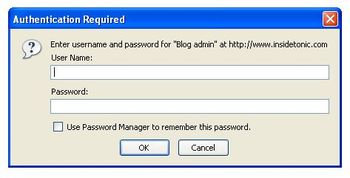 Coming up with good passwords is not always that easy. Email, online banking, social networking sites, photo sharing communities, blog editors… they all ask for passwords and it’s hard to create the perfect one –easy to remember, hard to guess- every time.
I’ve had that problem too and I’ve been doing some research on easy ways to create stronger passwords. And guess what: I found some great tips that I’m willing to share with you, so that you can create the best passwords ever. Here we go:
- Don’t use the same password for everything. This is almost compulsory. Just think about the risk you would run if somebody finds out that only password and breaks into your email inbox –or even worse, your bank account.
- Avoid obvious words, such as your own name, your pet’s name or even correlative character sequences like abcd or 1234. These are the ones that password crackers try first. Don’t make things so easy for them.
- How to create a safe, yet easy-to-remember password? Use a pattern. The best way to do it is using a base password plus a combination of letters that refer to the web you’re creating the password for. Let’s say my base password is “amm” and I want to sign up to Softonic; then I could use things like “ammsoic” (base password plus the first and last two characters), “ammsfoo” (base password plus first two consonants and vowels) and so on. You can add numbers and special characters –if possible- to make it even stronger: “ammsfoo#13“.
- If you think this method is too complicated for you, grab hold of a password manager and let it do the hard work for you. Their usual working method involves saving all your login names and password in an encrypted database and asking for a unique, master password in order to view them.
- Finally, in case you happen to forget any of all those newly created passwords, don’t worry: there are password revelators such as Revelation, which can help you to recover them by unveiling the text string lying under a row of asterisks.
Beat the rush hour with some useful apps
 Google has finally released Google Transit, their public transport mapping system. The service now integrates into Google Maps and will provide itineraries and maps for your daily transit trip. Enter where you start from, where you want to go, the time you want to leave at or the time you want to arrive at and Google Transit will display directions and a carefully prepared route on Google Maps. For now, the service is still only available for a few states in the U.S like California, Texas or Florida, and also for Japan but apparently Google is hard at work to extend it to other parts of the U.S and Europe.
To make use of Google Transit immediately you can install the Minimap Sidebar Extension for Firefox. This plugin opens up Google Maps in your browser’s sidebar. Owners of handheld devices can also go for Google Maps for Mobile, available for Palm, phones and Pocket PC. Mac users will have to go to the Google Transit or Google Maps sites to make use of the transit tool. Or, if they live in California they can install two really cool widgets on their Dahsboards. SigAlert Traffic Maps shows the flow of traffic in nine different areas of Northern and Southern California and Phoenix, including speed of traffic and accidents. Bay Area nine to fivers can set up the BART Widget, a cool looking trip planner for the San Francisco Bay Area, complete with a map of the whole commuter rail system. You can also set bookmarks for different points of your trip.
Use your phone to detect speed cameras
 Speed cameras have certainly gone some way to improving road safety and reducing the number of deaths on the road. However, in countries such as Britain, some people feel that the installation of speed cameras has gone too far and now drivers are receiving too many fines. One way to get round this is to use a speed camera detector. However, if you can’t afford one or they are not legal in your country, then did you know you can turn your phone into a speed trap detector?
FoxyTag is a free, legal and collaborative system to alert drivers to speed radars. It works because users post virtual tags close to radars in order to warn other drivers. These users will then be alerted by their phone when they are within 15 seconds of a radar with a red dot locating the radar also appearing on your screen. By confirming the presence of radars, you also create trust links with other users and thus get more reliable information. In other words, the more you participate, the more the information you get is reliable.
Some may question the ethics of FoxyTag although the developers claim that it simply ‘allows the driver to concentrate on the road instead of having his or her eyes fixed on the speedometer’. They also make the point that drivers often brake suddenly when they see a radar and FoxyTag reduces this risk by giving drivers more warning. Obviously, the downside at the moment is that there aren’t many users using it so the map of known radars is rather small.