 MacLampsX allows you to fully decorate your Mac’s desktop to seriously get into the Christmas mood. Add any sort of Christmas lights, whether colored bulbs, holly, peppers or more. You can adjust the opacity and the speed of the flash. MacLampsX is easy to set up and uses up very little CPU.
Month: December 2007
Keep all your notes under control
 If you’re a note junkie who likes to have everything jotted down, this program is definitely for you. With MemPad you can take notes and write lists of any kind and save them in handy categorized structures to keep all your information perfectly organized. The note database can be encrypted and protected from further editing, and the program saves notes automatically.
Find the treasure using GPS
 Remember those old treasure hunts you went on as a kid? You know, the ones where you had to follow clues hidden under rocks to find some sweets. Well, now you can use your phone with GPS to play a more grown-up version of the game. SmartGPX invites you to take part in an international game, where the object is to find marker points using your GPS receiver.
So I’ve got a thousand digital photos. What now?
 It wouldn’t be too daring to say that everyone has a digital photo camera at home which, in turn, means that most of us have an impressive photo collection. We no longer need to care about film rolls being wasted or pictures not coming up well, so we simply keep on clicking and capturing anything we see through our lens.
So, after reading the good advice provided by our colleagues on insideTonic’s sister blog OnSoftware, we’ve gathered a few ideas about what to do with your photos, along with the necessary software tools to accomplish them. Hope you find them useful!
Copying to your PC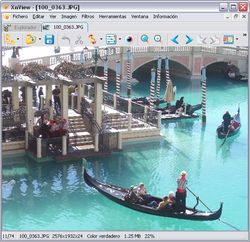
The first obvious step is transferring all those images from the camera to the PC. Many photo applications like XnView or Picasa include an importing tool to perform this task – even Windows its own importing wizard to help you with this process. But you can also use specific apps such as Cam2PC.
Viewing
Now that the photos have been saved on your PC, it’s time to see them! There are hundreds of photo viewers available, from the traditional ACDsee to the great Picasa, including also the versatile IrfanView and, more recently, Pictomio, a new and original concept of photo viewer. Which is the best one? Just take a look at our Viewers category and choose the one that fits your needs.
Continue reading “So I’ve got a thousand digital photos. What now?”
Get creative with your favourite movies
 Ever wished you could capture movies and turn them into still images? Well, don’t worry because now you can thanks to Avidemux, a freeware program designed for cutting, filtering and encoding video. It supports all the major movie formats, including AVI, DVD-compatible MPEG files, MP4 and ASF.
Using the software you can take scenes from a film and export clips as JPEG files. You might wonder what the benefit of doing this is, but I’ve devised a series of creative ways to use the program that are perfect for passing time on rainy winter nights:
- Design your own T-shirts – Why not print out some stills of your favourite movie scenes and immortalise them on a T-shirt or sweatshirt?
- Personalised Top Trumps – Impress your family this Christmas by making a customised set of Top Trump cards using shots of famous movie characters.
- Build a home-made film projector – Chop up a series of consecutive frames from a film then paste them around the inside of a spinning drum to create your own zoetrope for playing films.
- Create a film website – Cut images using Avidemux then use them online to dissect a film and comment on the different scenes.
- Make a cool movie poster – Decorate your bedroom with a cool poster taken from a film. If you really want to make your mates jealous then why not rasterbate it?
Control your phone from your PC
 Let’s face it, the Windows Mobile operating system isn’t as intuitive as it could be. If you’re getting fed up of everything taking ages to do on your WM device then check out My Mobiler, which allows you to control your mobile using your keyboard and mouse, drag and drop files, and copy stuff directly from the Windows clipboard. Download for Smartphone or click here for the Pocket PC version.
Join this free online ski competition
 With the skiing season just around the corner, you should start training now! and you’ll be able to practice in different ski resorts in France, Italy, Switzerland and Austria. Once you’re ready, register for free and take part in exciting online ski races against people from all over the world. Only the fastest will reach the highest position in the worldwide ranking!
Free your widgets with Amnesty Widget Browser
 Amnesty Widget Browser makes all your widgets accessible from the menu bar and allows you to open them individually without launching Dashboard. You can set the transparency level, resize and rotate them and create workspaces for different groups of widgets.
Top 5 essential updaters
 One of the biggest problems I find with software is that it gets outdated very quickly. The best programs come bundled with automatic updaters that automatically update the program when I new version is released by the developers. The worst are those that have no automatic notifiers, no link to an update page, and once you’ve found it, require you to uninstall an application and then reinstall it again. Here are 5 essential tools that will make your life a lot easier when it comes to keeping your software in synch with the latest releases.
- iTunes Library Updater – Constantly synchronises your music with the iTunes database
- UpdateStar – Updates all the software installed on your PC where supported
- TrueUpdate – Create automatic software patches for your programs
- FTPUpdateSearcher – Scans specified FTP sites for software updates
- ActiSetup – Create your own installers with automatic updaters
In defence of Joost
 My friend and colleague Nick just published a post comparing the merits of internet TV programs Miro (formerly known as ‘Democracy Player’) and Joost. While he has laid out a convincing argument for why he believes Miro to be the better option, I must say that I completely disagree with him.
Here’s why:
(1) The open-source question. It is well known that Joost is proprietary software, whose source code is not available to the public. Miro, meanwhile, has its source code available under the GPL license, meaning that anyone can tinker with it and create new builds. Being open-source appeals to supporters of the open-source community (including myself), developers and the more astute user. It does not, however imply superiority of quality 100% of the time. The code is important but it’s not the most important thing. No, that’s the content.
(2) The numbers question. Miro has ‘2,600’ channels included in its guide. Joost has about 400. OK, so Miro has more channels. But actually, Joost and Miro consider channels to be very different things. Joost uses the term ‘channel’ like a cable provider would: each channel has various episodes of various programs which will appeal to the same viewer. Miro uses the term ‘channel’ to refer to specific programs. So in reality, the amount of content offered by Joost is not so far from that offered by Miro.
(3) The content question. Joost offers a wide range of content from commercial and non-commercial sources. So you can watch Ministry of Sound TV or the Nelly Furtado Channel, National Geographic or Comedy Central. Miro pretty much exclusively offers free, non-commercial content. Some of it is really fun to watch and will appeal to fans of technology news, podcasts and the like. But some of it (like HD screencasts of The GIMP or Ubuntu) have really very limited appeal. What Joost has recognised is that TV is a mass medium. Lofty ideals like being open-source don’t matter to the majority of viewers. They should, of course, but they don’t. Many viewers are happy to use proprietary software if they get to watch ‘Yoga 4 Dudes‘.