Today’s downloads for Windows, Mac and Mobile

Simplify Media logoMac: Sharing your music with others is a great way to get into new music and also reveal what awesome/terrible taste you have. Simplify Media (now updated to version 2.5) is designed to help you do this with the minimum of fuss over WiFi allowing you to share music via iTunes. In effect, it means that you can enjoy and share songs with your friends wherever they are as long as you’re connected to the web.

Download TVU PlayerWindows: If you’re tired of local TV, try tuning in to some foreign channels instead! With TVU Player 2.4.7.2 you can watch satellite and cable TV over the Internet on your own computer, without any special hardware. Content is very varied – from soap operas to important sport competitions worldwide – and includes channels from many different countries.

ConvertbotiPhone: Convertbot aims to make the process of working with different scales of measurement much easier. The app handles all manner of conversions including currency, area, volume, speed, and temperature. There are 21 different categories of units available, and you can select or deselect those that you’d like to appear in the interface using the settings menu.

Time Donkey: time traveling for tacos


Blurst are great at coming up with wacky game concepts, and browser game Time Donkey is no exception. You play a donkey, trapped in a time loop, and you have to collect tacos and solve time based puzzles to get back home. It’s a 3D platform game, with fairly simple controls although movement is a bit floaty, and getting the concept of time travel might take a moment. Every time you reset time, you start with a “new” donkey, but the previous donkey will also exist and do exactly what you did with them before. So, for example you can put one donkey on a switch, then travel back and put another donkey on the thing the switch triggers, Eventually you’ll have lots of donkeys all doing things in the same 30 seconds! It’s an odd concept, but it’s called Time Donkey – what would you expect?

Windows 7 Enterprise RTM available for download

Windows 7 RC download links expired last August 20th, but if you missed the chance to try it out, don’t worry! Here’s a new opportunity to take a look at Microsoft’s promising new operating system: Windows 7 Enterprise.

This version of Windows 7 is especially aimed at companies and IT professionals who want to test their hardware and software with the new OS and become more familiar with all its new features and improvements before the final version comes out. But hey, that doesn’t mean you can’t download it as well, even if you’re just a normal plain user. In fact this version doesn’t require you to be a member of TechNet or MSDN. All you need is a Windows Live ID and a bit of patience to download the 2.23 GB ISO file. And you’d better hurry up because according to Microsoft, the trial will be offered for a limited time and in limited quantity.

Windows 7 Enterprise RTM available for download

Windows 7 Enterprise is available in both the 32 and 64-bit versions, and comes in five languages (English, French, German, Japanese, and Spanish). Make your choice, fill in a short form and the website will immediately run a Java-based download manager that will deliver the ISO to your desktop. A little trick: make sure you pick an IT-related occupation in the form, otherwise the download won’t start (silly, but true).

Note that this version of Windows 7 Enterprise is an RTM (“Ready To Manufacturing”), which means it’s pretty much identical to the final version that will be released in October. The trial version needs to be activated within 10 days after download, and runs for 90 days – long enough for a thorough test. And for those of you who can’t afford a spare PC for testing, take a look at our tutorial to test new operating systems in VirtualBox. This is how I tried Windows 7 Enterprise myself this morning, and it worked perfectly fine.

Is Twitter destroying blogging?

Twitter logoWhile browsing through the comments on OnSoftware, I discovered the blog of one commenter who had written a post called Twitter is killing my blog and it got me thinking. One of the main reasons for his preference for Twitter was that it’s an “easy avenue to be connected” that he felt “a sense of participation” and that he got instant feedback when asking for opinions.
Some of this rings very true. I’ve also noticed a drop-off in blogging from blogs I follow whose writers have concentrated more on using Twitter. Communications consultant Mark Evans claims he also noticed the same thing a while back.

I think there’s several reasons for this:

  • Tweeting is quick and easy. Using a Twitter client involves far less fuss than a blogging interface such as WordPress or Blogger. Perhaps most importantly, issuing a tweet cuts far less into your working day than putting together a well thought-out blog post.
  • Twitter provides a greater sense of being connected. Because it’s so easy to update, regular tweeters tend to do so much more frequently than they blog fostering a greater sense of inter-communication. Searching by keywords also instantly puts you in touch with people with shared interests.
  • There’s no waffle in tweeting. It’s easy to wax lyrical in a blog post but you simply can’t afford to do that in a 140 character tweet. People have to get to the point immediately (even if it’s only to say, “I just went to the bathroom”).
  • It’s ideal for short attention spans. We’re bombarded with so much information everyday that attention spans are inevitable getting shorter. The brevity of tweets means that Twitter is the perfect outlet to tap into this.

Maybe then it should be no surprise if more bloggers are moving towards Tweeting. However, what I’d prefer to see is more bloggers using Twitter to promote things they’ve written on their blog or complement their blogging in some way. Tweeting can never allow the degree of expressiveness, discussion and analysis that blogging does and it would be a shame to see the better bloggers out there ditch their blogs in the name of quick tweet.

Opera 10 review

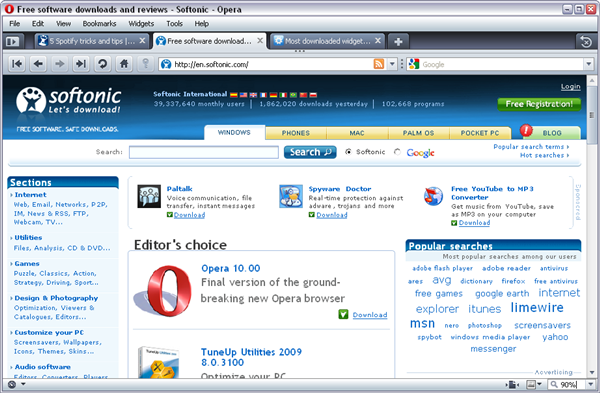
Opera has somehow remained behind the scenes in the so-called battle of the web browsers… until today. With the release of its brand new version 10, Opera has now the chance to jump on stage as it proves an excellent alternative to other more widely-used browsers.

If you’ve downloaded the previous beta and RC releases, you won’t notice many differences in this final version. The interface and functionality remain pretty much the same, at least at first sight.

Full review: Opera 10

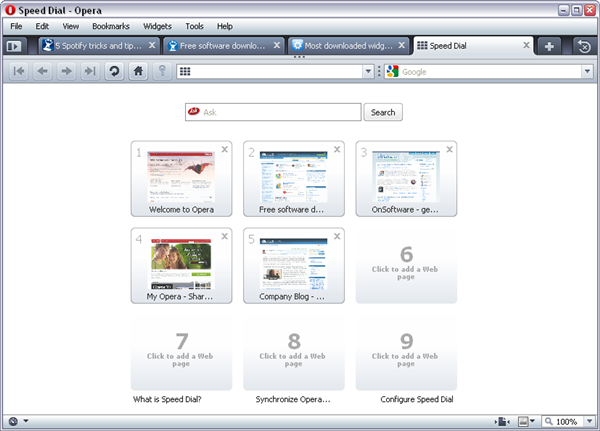
However, Opera 10 does include nice improvements compared with older versions. The first feature you’ll probably notice is Speed Dial, a special page Opera 10 displays every time you open a new tab. This page is automatically generated with thumbnails that link to the websites you visit most frequently, but can also freely customized with other sites. So don’t worry about a sensitive web page showing up: you can easily remove it from Speed Dial.

Full review: Opera 10

Another outstanding characteristic in Opera 10 is Opera Turbo, a cutting-edge technology that compresses web pages for improved loading times. According to Opera developers, it enables the browser to render pages up to 8 times faster. Opera Turbo is designed to work with slower Internet connections, so don’t expect it to be any use if you’re enjoying a high-speed broadband service. Continue reading “Opera 10 review”

5 Spotify tricks and tips

Spotify is the talk of the town these days, either because some people love it or because some others complain about increasing ads. In any case, Spotify has some handy features you may not know about yet, which let you search for music in a more refined way and therefore find better results. Check this list of Spotify tricks and tips and try them yourself if you like:

1. The soundtrack of your sweet 16
Feeling nostalgic? Find those good old songs that used to play in pubs and clubs when you were just a teenager. It’s as easy as using the ‘year’ tag.

Spotify tricks and tips

2. They don’t make good rock ‘n roll anymore
I agree. So if you’re sick of reggaeton, pseudo-disco and other musical atrocities, use the ‘genre’ tag to find those classic hits that still give you the goosebumps. There are more than 100 genres to try out!

Spotify tricks and tips

3. I want to have all the versions of my favorite song
If you want to listen to all the versions they’ve made of your favorite song, there’s a Spotify tag for that! Simply type in ‘title:’ followed by the song title and you’re done. Continue reading “5 Spotify tricks and tips”