Opera, the Norwegian software company known for the web browser of the same name, announced a few days ago that it will add to its browser Opera One experimental support for 150 variants of local large language models (LLM) from about 50 model families.
Local LLMs allow users to access AI models directly from their computer without the processing ever leaving their device. This means that latency is lower because the data used is not sent over the Internet. Since they do not require an internet connection, this also means that they cannot be used to train other language models.
The new feature is part of the AI Feature Dropsde Opera program and is accessible as part of the Opera browser developer channel, as explained by the company in a press release. Interested users will need to update to the latest version of Opera Developer to access local LLMs.
“The introduction of local LLMs in this way allows Opera to start exploring ways to create experiences and knowledge in the emerging field of local AI,” said Krystian Kolondra, Executive Vice President of Browsers and Gaming at Opera.
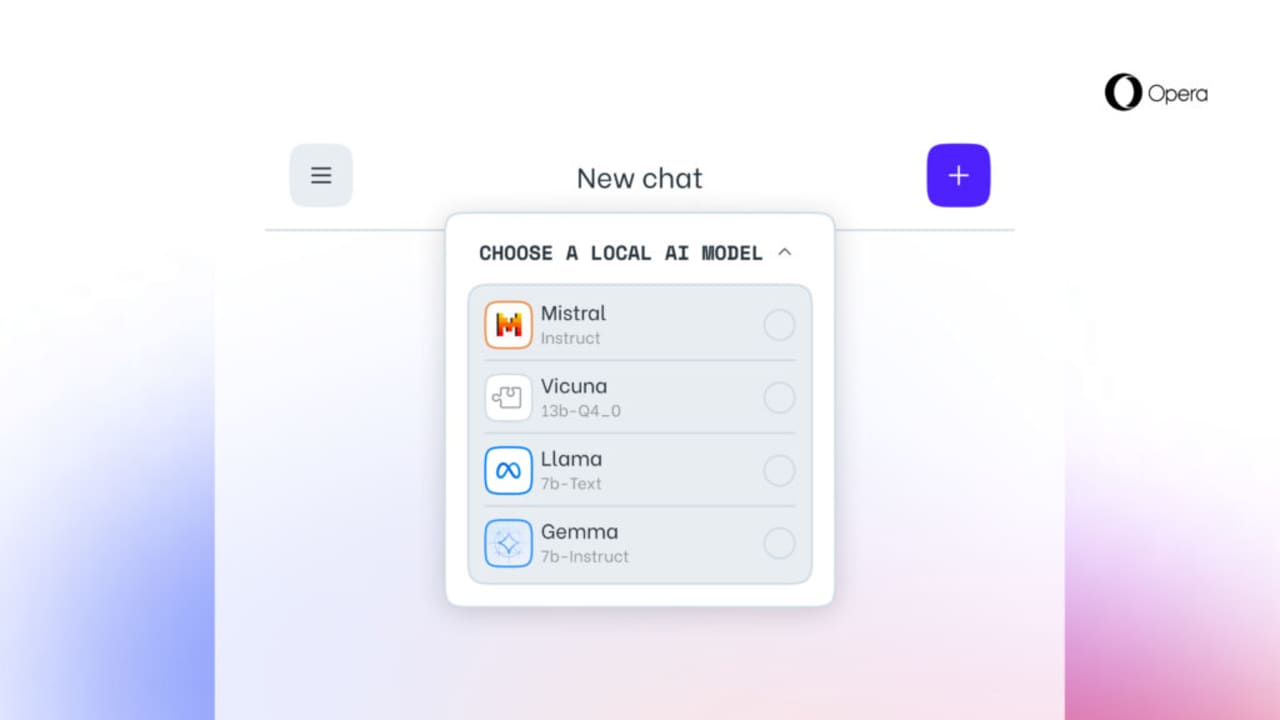
Among the local models compatible with Opera One are Llama by Meta, Gemma by Google, Mixtral by Mistral AI, and Vicuna. Most of the local LLMs require between 2 and 10 gigabytes of local storage space per variant and replace Aria, the native AI of the Opera browser.
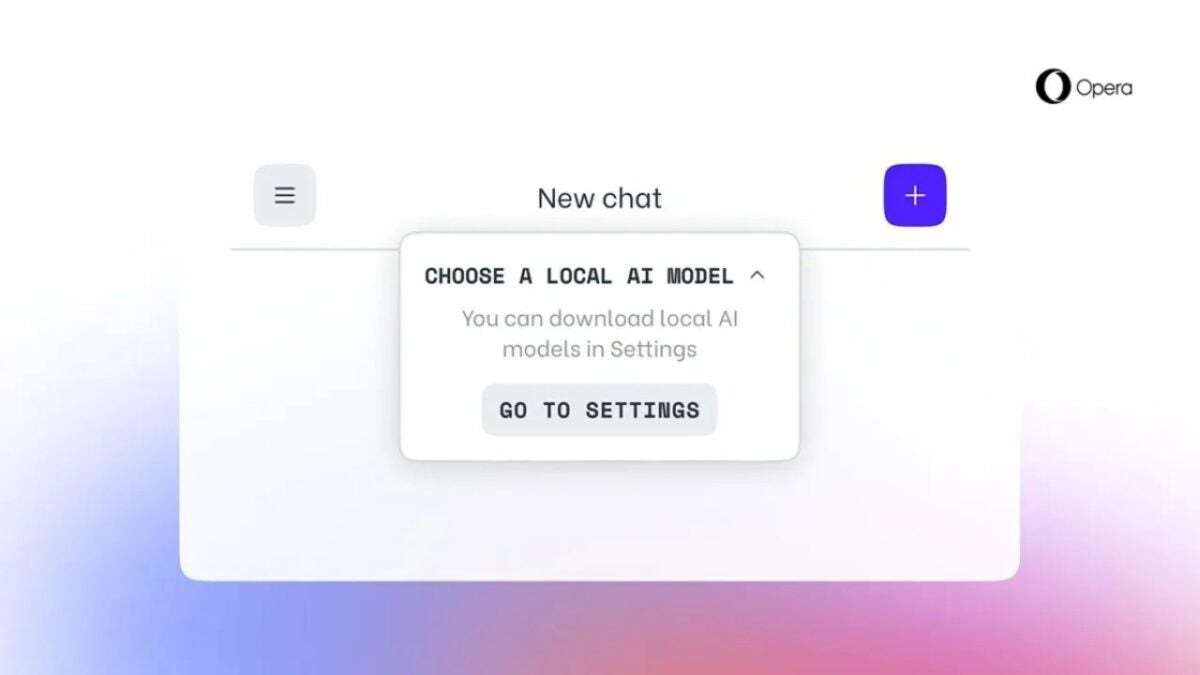
To download and activate one of the new variants, users will have to open the Aria chat, choose “local mode” from a dropdown menu, and select a model to download from the settings. From there, it will be possible to download and then activate several models.
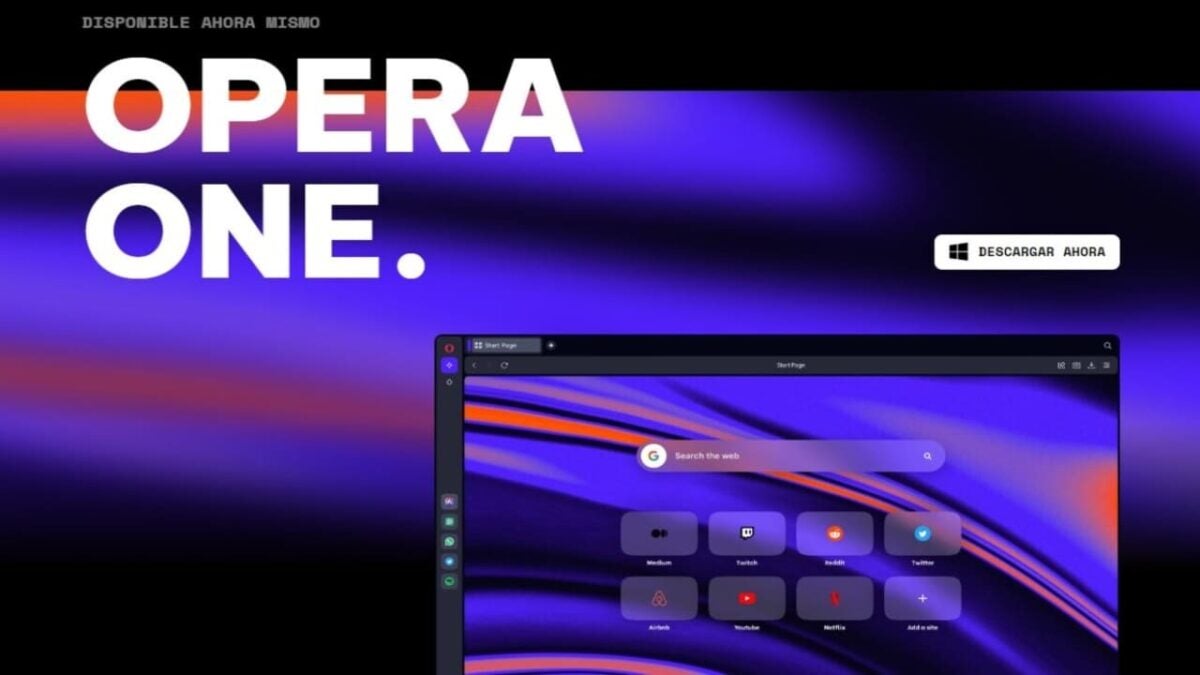
Opera One, the latest incarnation of the Opera browser, has completed testing and is ready for download. What would have been Opera’s 100th version now marks the beginning of a new evolutionary cycle for the flagship product of the Norwegian browser company.
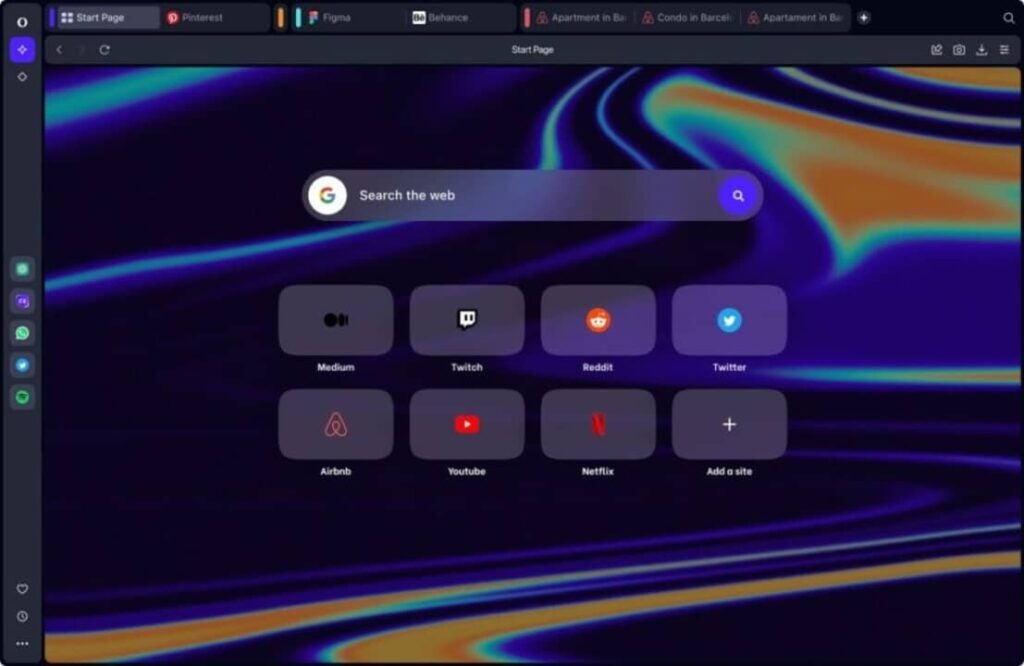
Redesigned from the ground up to usher in a new era of AI-based browsing, Opera One is the first browser to include integrated artificial intelligence, Aria.
Aria can be accessed through a new command line interface as well as from the browser’s sidebar. It provides free access to a cutting-edge GPT-based solution along with up-to-date web information.
Since earlier this year, Opera has been taking bold steps in the generative AI space, aiming to provide users with a reimagined browsing experience that enhances productivity and creativity through various ways of interacting with the browser’s AI.
The first Opera browser with native AI
Aria, the new AI in Opera’s browser, is a key component of Opera One and the first feature of Opera to bear its own name. With Aria, Opera One users have free access to a leading generative AI service.
The service is the result of Opera’s collaboration with OpenAI, but with expanded capabilities. Built upon Opera’s own AI engine, Composer, Aria connects to OpenAI’s GPT and is enhanced with additional features such as live web results integration.
Aria is an expert in both web and browser knowledge, empowering users to collaborate with AI while searching for information, generating text or code, and obtaining product-related answers to their queries.
Regarding customer support, Aria has full access to Opera’s support documentation database and utilizes the company’s up-to-date product knowledge to respond to user inquiries.
You can download Opera One now
Generative AI has arrived to stay, and Opera One provides an intuitive entry point into this space, enabling users to start enhancing their lives immediately by harnessing its controlled potential.
Find out which browser is better in our in-depth comparison of Brave vs Opera: speed, performance, CPU and RAM usage, and battery life on different devices
Finding an effective browser can be difficult. Amongst the popular option out there are Brave and Opera.
Most people require web browsers with top-notch power efficiency, faster page load times, and can guarantee top performance with few extensions.
In this article, we’ll discuss Opera vs Brave, to help you decide which is the most suitable for your browsing habit.
If none of these options feel right to you, we’ll also introduce you to Tempest and other great browsers. Read on to improve your web search experience.
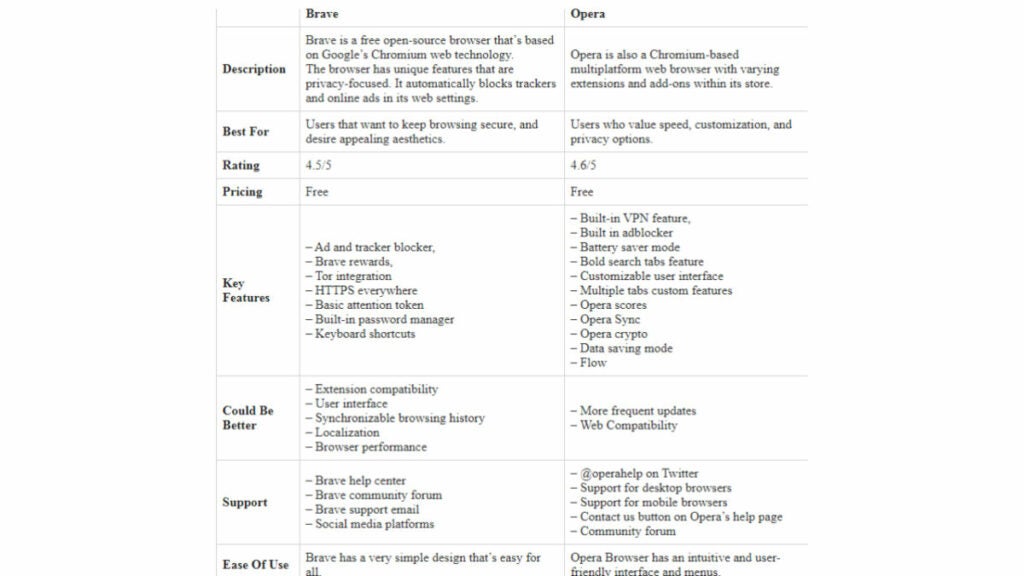
Let us do a quick summary that answers the question “which is better Brave or Opera mini? ” We’ll discuss the difference between the two browsers:
Both browsers are free to use. However, they have differences in terms of performance, features, and other metrics.
Speed and Performance of Both Web Browsers
Brave Browser
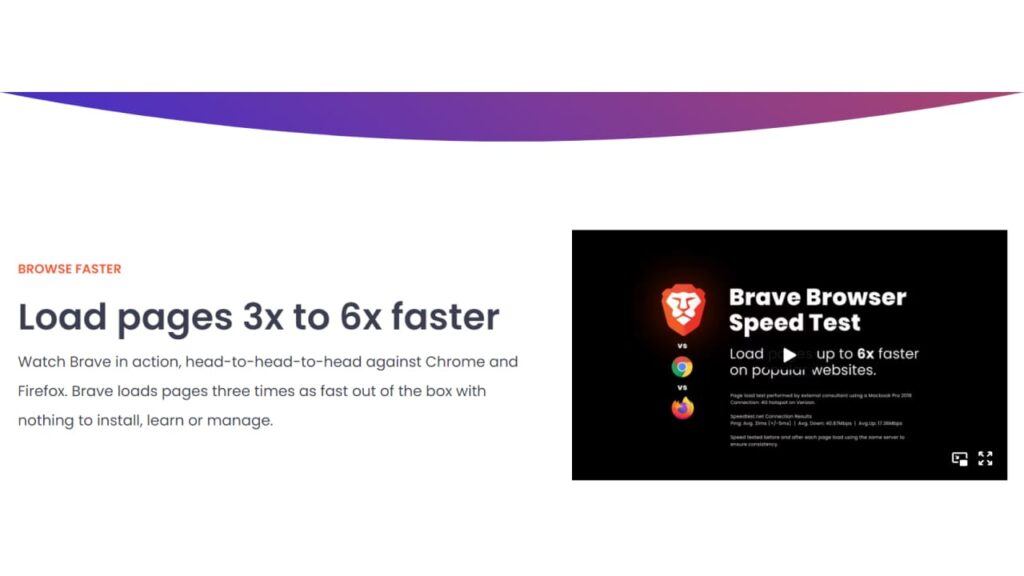
Brave is known for quick page load and top-notch performance. And according to Brave technologies, it is an average of 3x faster than most browsers.
Since its core framework is based on the Chromium browser engine, the app is highly responsive and fast, especially in terms of page loading times.
It features a built-in ad-blocker that significantly speeds up web browsing by eliminating data required to load and process a page.
Its resource optimization, such as “automatically stop videos from playing when they’re not in use” also help reduces CPU and RAM usage, guaranteeing it a high-performance rate.
The browser features effective data caching, compression, and saved bandwidth techniques that give Brave Browser a good performance even with slow network connections.
Opera Browser
Opera is known for its efficient use of system resources and fast loading times. Its features are designed for speed and performance, making it an ideal browser for users with a preference for those factors.
Opera’s built-in VPN helps to reduce latency and improve performance, especially when accessing pages that are geographically data-capped by network providers.
Its turbo mode also compresses images and videos on a page, resulting in quicker loading times in areas with slow connections.
The platform features a speed dial that lets users visit sites they regularly visit faster through the quick access tabs on the homepage. Opera also blocks ads and pop ups better than most chromium-based browsers, thereby ensuring that you can load your favorite websites faster.
Its efficient tab management feature helps users navigate between tabs efficiently in a way that reduces memory usage and improves the overall performance of Opera.
How to Improve Speed and Performance in Opera Browser
For optimum speed and performance in Opera, it’s best to do the following:
Update Opera: Ensure you regularly update your Opera browser to the latest version to enjoy performance improvements. Doing so ensures you benefit from modifications made to previous versions.
Clear browsing data. Regularly clear your browsing information, including history, cookies, and cache as not doing so increases the size of the app. Clearing browsing data will improve Opera’s performance.
Uninstall unnecessary extensions. Extensions are an additional layer of features for your browser to load. Thus, they’ll reduce your load speed. Disable those you don’t need so as to make your browser faster.
Enable Opera Turbo. This feature compresses data on web pages, reducing the volume of data transferred to the browser and helping to increase its speed.
Disable hardware acceleration. Hardware acceleration uses your device’s GPU to increase the browser’s speed. However, it often leads to complications later, thereby, reducing your phone’s performance and ultimately reducing speed.
Once you notice reduced performance after activating hardware acceleration for a while, disable it by going to Settings > Advanced > System. Then uncheck the box beside “Use hardware acceleration when available.”
Reduce your tabs. Tabs are extra interfaces on the web browser where you can open additional web pages. Try limiting the number of tabs open at a time.
Verdict: According to Hongkiat, Brave is just as fast as Opera, and even a bit faster in loading an entire web page.
Security and Privacy
Brave vs Opera guarantees security and privacy in a range of ways. Let’s discuss each:
Brave Browser
Brave is designed to protect users’ privacy by blocking trackers, restricting the data websites can collect, and offering numerous security features like HTTPS Everywhere, encrypted DNS, and ad-blocking.
Security
Brave has a host of security features that protect users from phishing and malware breaches. One way it does this is via Google’s Safe Browsing API that’s designed to block access to suspected malicious sites and block crypto-jacking scripts.
In addition to this, Brave supports 2FA, which prevents unauthorized access to a Brave account. This is alien to other browsers.
Privacy
Brave is highly focused on protecting users’ privacy. It does that by blocking third-party tracking tools through its Brave shields section.
An example is one advertiser used in collecting users’ browser history and habits. Brave prevents fingerprinting, a technique that identifies users based on their browser’s configuration.
Lastly, Brave lets users switch their accounts to private browsing mode–a feature that doesn’t save website cooking or history. Users that want to surf the website anonymously can use Tor integration features in the Brave browser.
Based on a series of studies by AV-Comparative, Opera has a 94% detection rate for phishing sites. This shows that Opera takes privacy and security seriously. Noteworthy features in Opera that have earned it accolades for its privacy and security are:
Opera flow: It ensures data synchronized between desktop and mobile devices remains safe through its encrypted secure connection.
Ad blocker. Open features a built-in ad blocker that prevents intrusive ads from accessing your web pages. This feature offers reduces the probability of malware ads infecting your device.
VPN. Opera browser has a free, built-in VPN that provides your device with an additional layer of privacy and security by masking your IP address and encrypting traffic to and from your device. Its free VPN is easily accessible within the browser, and you can switch it on and off with just a single click. This is one of the offerings that make Opera stand out in the browser market. You can access this through its settings page.
Fraud and Malware Protection. Opera has won numerous awards for being a secure browser, as it’s effective in preventing fraud and malware attacks. It easily detects and blocks shady websites and automated scams online.
Crypto Wallet. It features a built-in cryptocurrency wallet that eases the process of storing and securely managing digital assets within your browser.
Verdict: With privacy features like Tor software, and DuckDuckGo, Brave matches the prowess of Opera Browser here. However, the tested effectiveness of Opera in preventing online fraud, and malware attacks make us give it this round.
Brave vs Opera Performance on Different Devices and Unique features
The performance of Brave and Opera differs based on the device. As such, we’ll carry out a Brave vs Opera comparison to know how each will perform on your computer or mobile device.
Brave Browser
Let’s start our comparison by first discussing Brave’s performance on mobile–both iOS and Android.
Brave Performance on Desktop Devices
Brave web browser is known for its excellent performance on desktops. Here, we’ll discuss how it performs on MacOS, Windows, and Linux.
Linux
Brave is effective on the Linux desktop version. It works well on all Linux distributions, including CentOS, Fedora, Debian, and Ubuntu. It’s very fast here and supports the latest technologies.
Windows
Brave offers impressive performance on Windows devices. It works well on all windows versions from Windows 7. The browser uses less CPU and memory here compared to other browsers like Firefox and Google Chrome.
MacOS
Brave is designed for optimum effectiveness on macOS, and it works well with all versions. It supports native features like integration with Apple Keychain, and Touch Bar. The software works on all versions of mac- even the latest mac m1 and mac m2.
Brave Performance on Mobile Devices
Brave is available on both iOS and Android devices, and its performance on these platforms varies based on many factors. Let’s discuss:
Android
Brave works well on the Android mobile version. It offers faster speed than other browsers, which occurs by protection against search engine ads and trackers that reduce page load time.
Its interface on Android is intuitive and easy to use, making it a good option for those needing a user-friendly and fast browser. Its privacy features, such as a third-party cookie blocker, guarantee improved online privacy.
iOS
Brave’s performance here is excellent. However, it has some limitations here due to Apple’s policies. For example, Brave iOS can’t block ads in the same way as in android.
Opera Browser
As with Brave browser, Opera also works distinctively differently on Mobile and desktop devices. Let’s delve right into this:
Opera Performance on Desktop Devices
Opera is a popular web browser that’s available on computer devices running on macOS, Windows, and Linux. Its performance varies per operating system being used. Here’s how Opera stands per desktop OS:
Linux
Opera works effectively on all Linux distributions. Its built-in VPN works optimally on Linux, and it aids in protecting user privacy and security. Also, it has an array of extensions, which you can use to customize your browser’s functionality.
Lastly, Opera has an easy-to-use and intuitive interface, making it a perfect browser for those looking for a perfect combination of ease and functionality.
Windows
Opera’s low resource usage on Windows makes it very desirable. A stand-out feature here is its batter-saver mode that helps guarantee battery longevity. Also, it offers customization options like the ability to rearrange the toolbar and create shortcuts.
MacOS
Opera integrates perfectly well with multiple Apple native features like Touch Bar, safari, etc. As with Windows, users can also create keyboard shortcuts and rearrange the toolbar here.
Opera Performance on Mobile Devices
Let’s explore how Opera performs on Android and iOS devices:
Android
One of the key features of Opera in Android is its built-in ad-blocker, which is absent in iOS.
Opera in android also offers free VPN for protecting users’ privacy and security while surfing the internet. Generally, Opera works effectively here and offers more customization and flexibility.
iOS
Opera in iOS has multiple restrictions, due to Apple’s multiple laws. For example, a built-in VPN is not available for iOS devices, as users need an Opera VPN app to access this feature.
Also, User Interface customization options are more limited here as users can only set a custom home page and manage their bookmarks.
Verdict: Brave and Opera differ in terms of performance on numerous platforms. According to RigorousThemes, Opera performs better on MacOS, and Windows while Brave works best on Linux, Android, and iOS. However, performance also varies per device specification.
Is Brave better than Opera Gx?
According to Slant, Brave is better than Opera Gx. The platform rated Brave as the 6th best browser and Opera GX as 29th. Other browsers make pop up blocking difficult, but Brave lets you do that easily through the settings page.
Although Opera offers similar, it doesn’t guarantee as much user functionality as Brave.
Battery Life
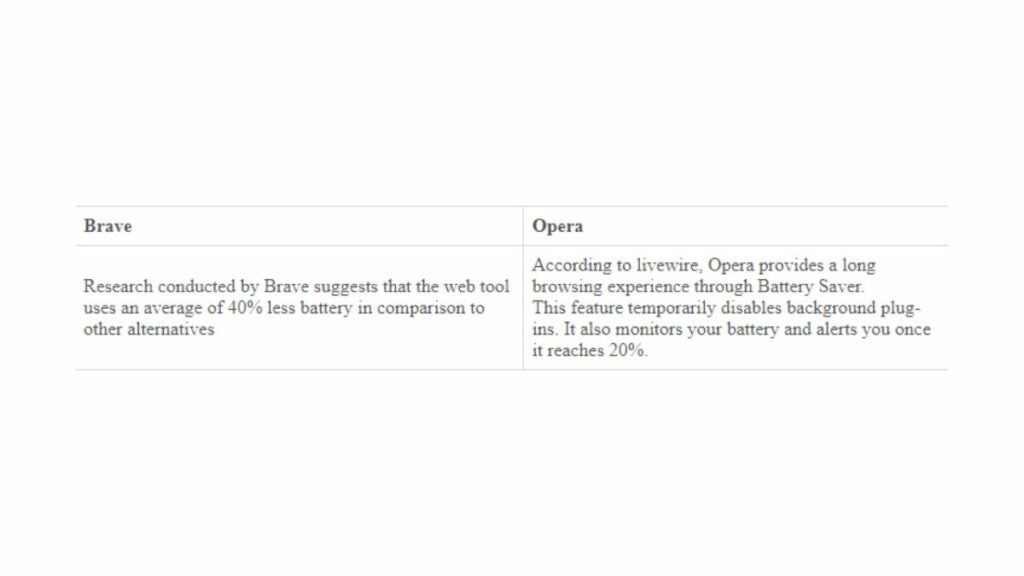
Here’s a summary of the effect on the battery of these two web browsing tools:
Verdict. A report by RigorousThemes suggests that Brave consumes slightly less RAM compared to Opera. As such, Brave is more power efficient and consumes less battery than Opera.
Brave vs Opera-Which Works with Google Chrome Extensions?
Both Opera and Brave are chromium-based, meaning, they use the same technology as chrome. This makes both compatible with Google Chrome extensions.
As such, you can easily install your Chrome extensions on Brave and opera.
Is There a Better Alternative?
While Brave and Opera are among the most popular web browsers, they’re not the only browsers available. A variety of alternative browsers offer unique features and benefits that are worth considering. Here are four such alternatives to Brave and Opera.
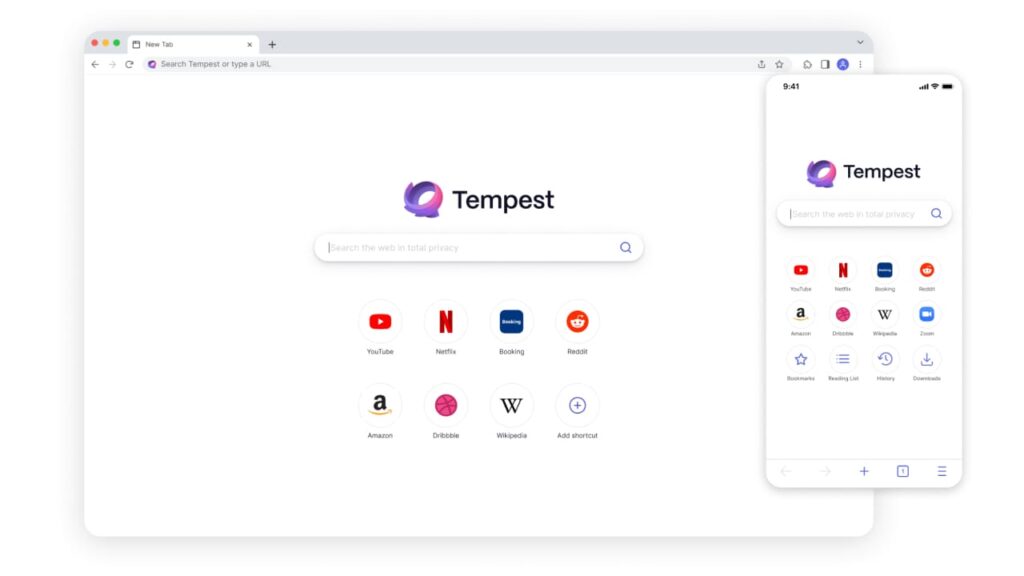
Tempest
High-performance browser designed to prioritize privacy and security.
Blocks ads, trackers, and malware by default, ensuring a safer browsing experience.
Unique blacklist feature for users to block specific websites from tracking them, providing full control over their online activity.
Customizable and user-friendly interface with well-crafted themes to enhance experience and personalization features.
Provides a fast and responsive browsing experienc.
Available on all major platforms, including Windows, macOS, and Linux.
Features a privacy-focused search engine, giving users an additional layer of security while searching.
A great browser option for those highly concerned about their privacy and security, while looking for fast browsing capabilities and customization options.
A powerful, highly customizable browser designed for advanced users, particularly power users.
Features a flexible interface that allows users to adjust and tailor their browsing experience to their needs.
Advanced tab management system that includes features like tab stacking and grouping, making browsing more organized and efficient.
Built-in tools for taking notes, screenshots, and monitoring the weather.
Provides robust privacy and security features, such as ad-blocking and fingerprinting protection, making it safer to browse online.
Available on all major platforms, including Windows, macOS, and Linux.
Developer team constantly adds new features and improvements based on user feedback.
Ideal for users who value customization, efficiency, and advanced features when browsing the internet.
Mozilla Firefox
Free and open-source web browser, developed by Mozilla with the support of a dedicated community.
High-level customization features, with a vast range of add-ons, and themes to improve user experience.
Built-in security features such as phishing protection and malware detection to keep users safe.
Enhanced privacy controls with strict cookie policies and tracking protection, keeping users’ data confidential.
Emphasis on user control and ownership, giving the user the power to decide what information to share while browsing the internet.
Regular updates ensuring maximum security, privacy, and reliability.
Designed to operate efficiently on all devices and operating systems.
A web browser that provides comprehensive protection against online threats while offering unparalleled customization and user control.
Tor
A free, open-source browser for anonymous internet usage.
Uses advanced cryptography to conceal the user’s online activity and identity by routing it through multiple relays.
Shields users from surveillance and censorship attempts by hiding their IP address and encrypting their internet traffic.
Offers access to the dark web; a hidden part of the internet not indexed by traditional search engines.
Enables users to bypass geo-restrictions and access content that may be blocked in certain regions.
Built around the Firefox browser for ease of use and familiarity.
Provides a fast and responsive browsing experience, taking advantage of the latest web technologies.
Regularly updated to maintain maximum security and privacy.
Ideal for users who want to browse the web in complete anonymity while staying safe and secure from online threats.
While Brave and Opera are exceptional browsers that offer unique features, they’re not the only options available. With the availability of alternatives such as Tempest, Vivaldi, Firefox, and Tor, users have a greater range of choice and various features to meet their browsing needs.
The vital aspect is to experiment with these browsers and find one that is suitable for your needs while unlocking the best qualities of browsing the internet.
In Summary
Brave loads pages much faster than Opera browser, although its Start Page load slower. However, Opera offers more privacy protection through its in-built VPN tools. Both have ad-blockers and are optimized for good battery life.
As such the question of which is better between Brave vs Opera depends on user preference. Brave is better for users that want privacy, security and speed above anything else. Opera on the other hand is better for those users that want a more feature-rich browser.
Despite the fact that last week Google launched Bard in 180 countries, thus ending the testing phase, Spain is not included. But that’s not a problem.
Last week was Google I/O 2023, Google‘s annual conference for developers where the company presents many of its upcoming products and services. Among the new products announced at its Keynote were the highly anticipated Pixel Fold, which can be pre-ordered in some regions for $1,800; AI integrations in Google Workspace; and new features for Google Search that make use of AI.
In addition, another big announcement made at Google I/O 2023 was that Bard, the AI with which Google wants to compete against the popular ChatGPT, leaves behind its testing phase and launches in more than 180 countries. The big “but” of this good news is that neither Spain nor other European countries are on this list (the GDPR may have a lot to do with this). Even so, it is quite easy to bypass this limitation and use Google Bard in Spain.
To do this, you have two options: on the one hand, you can use a VPN such as NordVPN, which will allow you to use your device in Spain as if you were in another country (bypassing regional limitations and blocks). On the other hand, you can use the Opera browser, which includes a VPN as standard.
Whatever your choice (if you use Opera, you must configure the VPN connection), you will have to go to the Bard website and sign in with your Google account. After registering via the “Sign In” button, you will receive an email with instructions on how to use the AI. After reading and accepting the terms of use, click on “Try Bard” to start using Google’s artificial intelligence.
If you have already tried ChatGPT, the operation of Bard is practically the same, so you will have no problems using it. Will it be released soon in Spain?
Some of the links added in the article are part of affiliate campaigns and may represent benefits for Softonic.
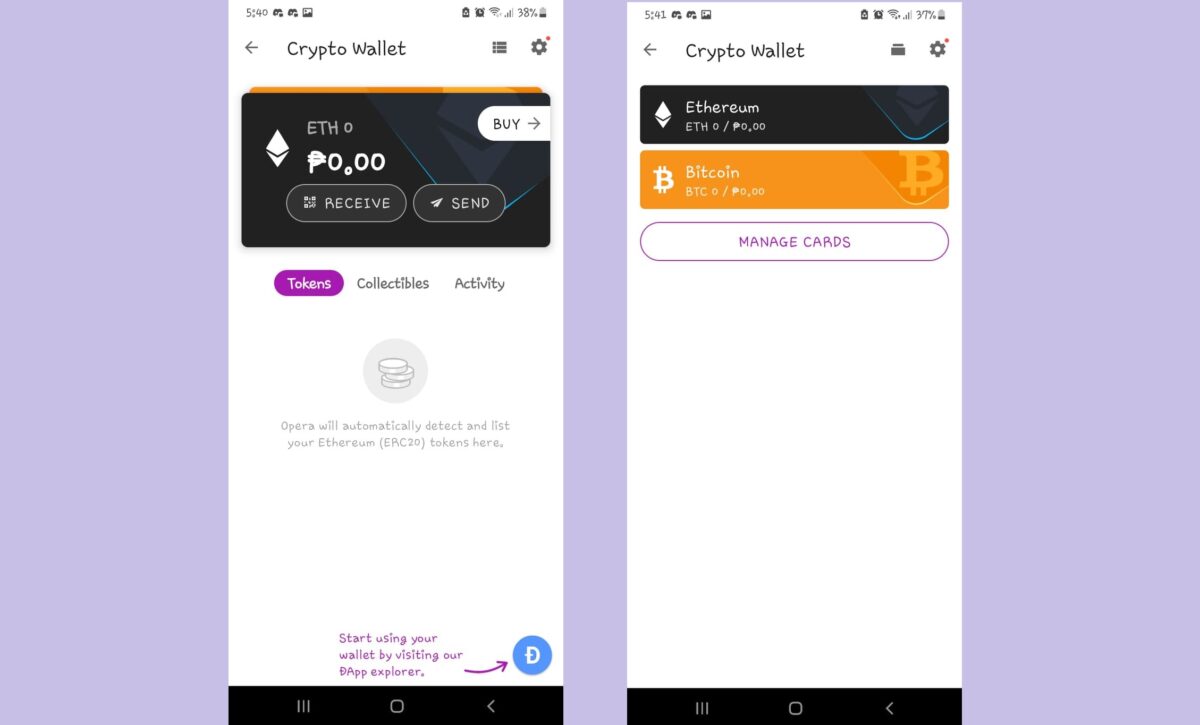
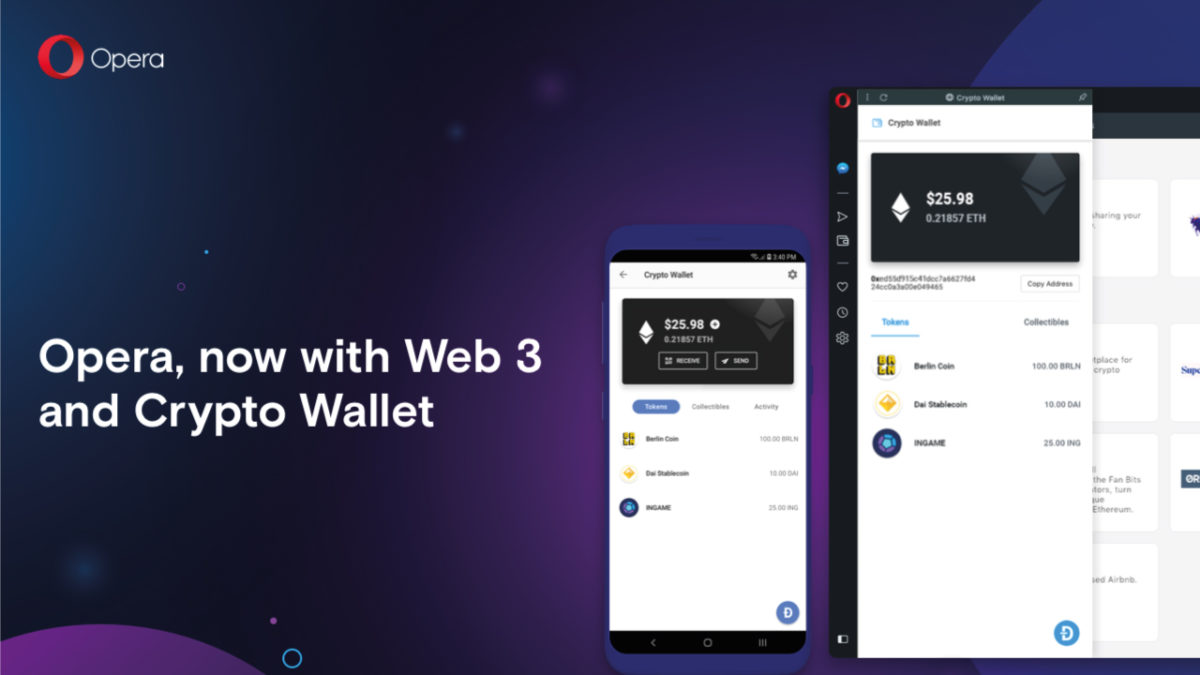
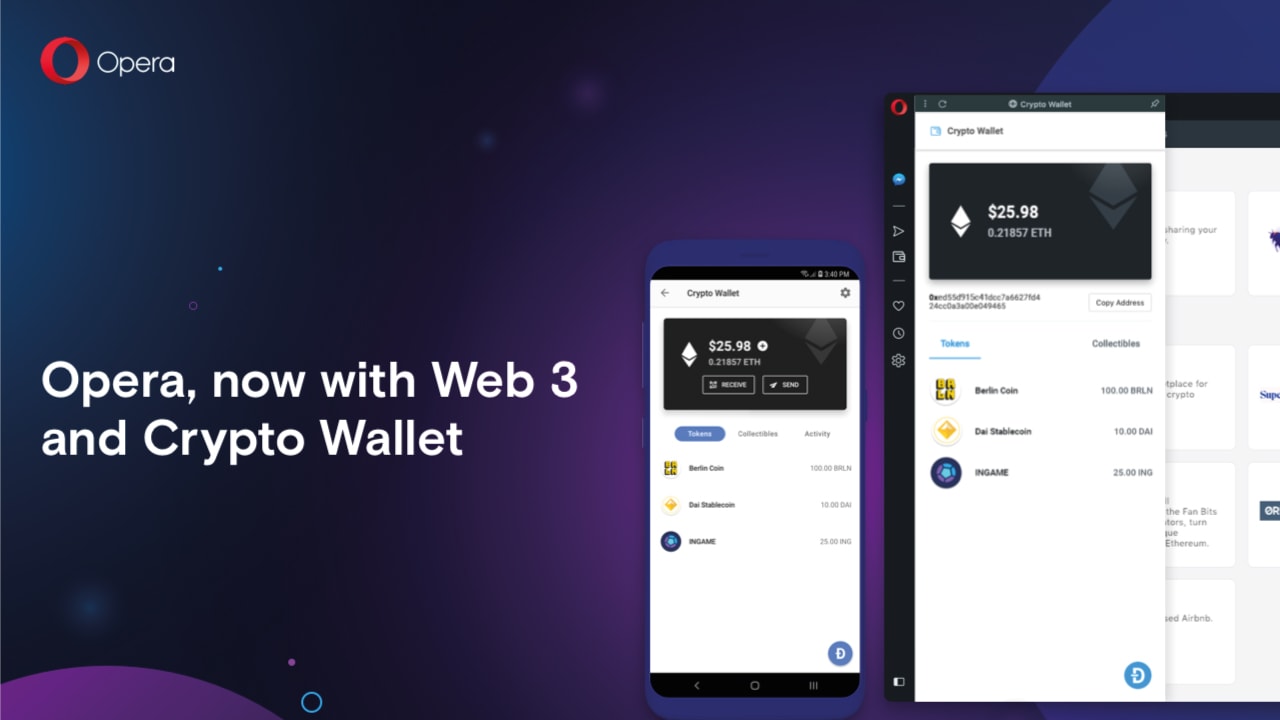
Opera has recently announced an Ethereum Layer 2 Wallet forits Opera for Android app, allowing for direct transactions with the popular cryptocurrency. This makes it the very first mobile browser to have such a feature, and you can access this by installing the app’s beta version.
Opera has already been making strides in the cryptocurrency tech industry these past few years—with the introduction of its built-in crypto wallet back in 2018 and the beta launch of its Web3-powered Crypto Browser Project back in January 2022. Thus, this new feature takes things one step further for the future of the app.
To support Ethereum Layer 2, Opera has integrated with DeversiFi on this endeavor—which is a hybrid Ethereum exchange platform. The integration is also powered by StarkWare, so users can expect cheap and instant transactions from Opera for Android. Additionally, it improves efficiency for Opera users who want to send Ethereum (ETH) to each other via Peer-to-Peer (P2P) transactions.
The Ethereum Layer 2 Wallet is currently only available in Opera for Android’s beta version, which can either be downloaded from the official website or Google Play Store. To start using it, install the beta, go to the browser’s settings, open the Crypto Wallet feature, and activate the L2 card found there. You can deposit fiat money directly via Moonpay or deposit ETH from your Layer 1 wallet. Then, you can swap and transfer tokens directly into the wallet.
The Crypto Browser Project will also be integrating Layer 2 solutions sometime in the near future. This will no doubt expand Opera’s capabilities and show its drive to innovate and follow the trends. Another cool new feature worth checking out is the browser supporting the emoji-only URLs of Yat and allowing you to instantly open Yat pages.
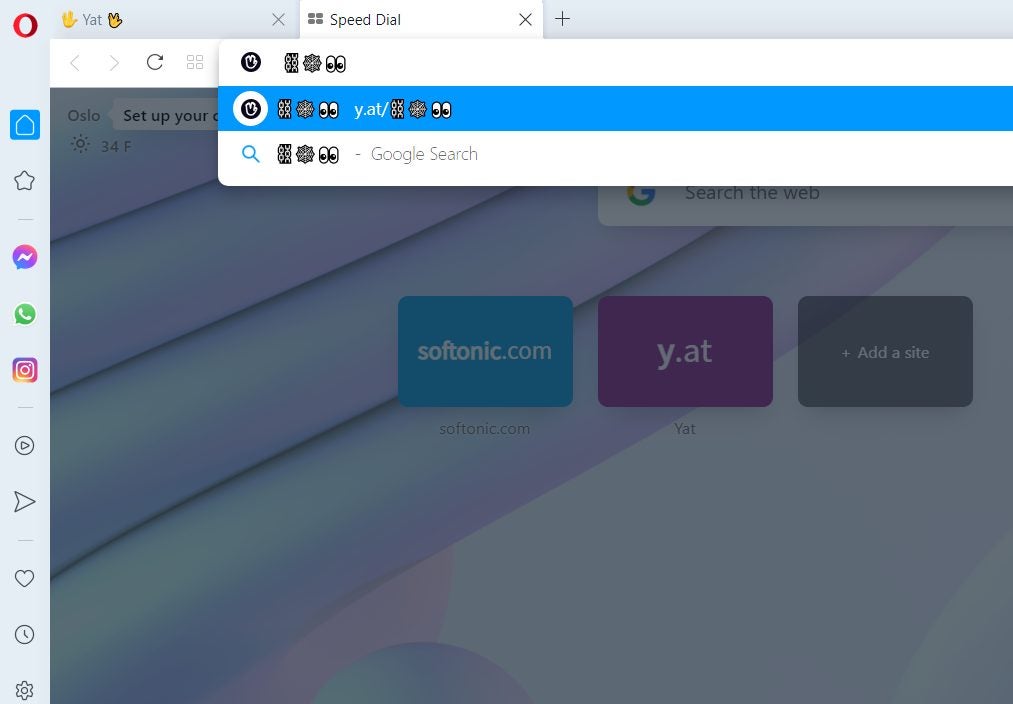
Opera, one of the most popular web browsers, has now integrated the emoji-based web addresses of Yat into its system. This new feature allows you to type in strings of emoji on the address bar and get redirected to a webpage, as well as register your own unique emoji combo as your personal domain on the internet.
A Yat is an all-in-one emoji username that acts as your universal online identity, website URL, payment address, and the like. It promotes both user-friendliness in typing in website links and self-expression, so this partnership with Opera opens up more ways for Yat users and creators to reach out to the world.
The way Yats work is that you can buy them like domain names and create a string of up to five commonly-used emojis to act as your personal URL, among other things. This makes it so that creators and celebrities like Lil’ Wayne can promote their websites while still retaining creativity on the links’ appearance.
Typically, you need to type in “y.at/” before the emojis to make them work but Opera foregoes that entirely. Now, you can immediately insert the emoji combinations on Opera’s URL bar and it will open up the corresponding Yat page. Emojis embedded on web pages link to the Yat page automatically, too. There’s even a little pop-up on the URL bar you can use to easily select emoji characters.
Opera rolled out this feature on all of its browsers on Windows, Mac, Android, and iOS—including its Crypto Browser Project. This makes it the very first browser to support emoji-based web addresses. Not only does this add to the various cool features Opera has, but it’s also another good reason as to why you should consider switching to Opera.
To celebrate the launch of Opera GX, the world’s first gaming browser, we have teamed up with Opera to give away the top-of-the-line Razer Blade 15 laptop. Join the contest!
To celebrate the launch of Opera GX, the world’s first gaming browser, we have teamed up with Opera to give away a top-of-the-line Razer Blade laptop.
Further down we’ll explain how you can get a chance to win, but first, here’s some essential intel on how Opera GX can transform your gaming experience.
Opera already provides its more than 350 million users with plenty of benefits such as secure browsing through its integrated VPN and rapid page loading thanks to its built-in ad blocker. But Opera GX takes things to another level with a suite of customizable options that will maximize your computer’s performance and enhance your gaming and browsing pleasure:
GX Control: Lets you limit your browser’s CPU and RAM usage
Twitch integration: You can follow your favorite streamers and get notified when they go live
Video pop out: Watch video on top of other tabs and applications
Gaming design: Advanced customization and gaming hardware support
GX Corner: Latest gaming news and deals
SFX: Gaming-inspired sound effects in your browser
Games eat up a lot of computing power, and running a browser in parallel to playing a game often leads to game stuttering and lag, especially if you’re streaming as well. So, GX Control solves this problem by enabling you to choose how much of your CPU and RAM is allocated to your browser. Read more about what the Opera GX browser has to offer.
Why Opera browser is the right choice for you, both desktop and mobile. New free, unlimited VPN, crypto wallet and much more. Download Opera for free.
The browser wars have been going on for years, bringing you better features, designs, and faster performance. But whether you’re a die-hard Chrome fan or a Firefox devotee, it’s time you had a rethink. Opera’s latest browser has a ton of new features designed for the internet of the future – an internet that puts your experience, privacy, and enjoyment at its core.
While most browsers have been improving through incremental upgrades, Opera has rethought the entire browser experience, setting a new standard. Why should you care? For the first time ever, you have all the tools to control your digital life in-browser, putting the world at your fingertips like never before.
You use your internet browser every day, so why settle for second best? Upgrading to Opera’s latest browser could be your best decision yet – let’s explore why.
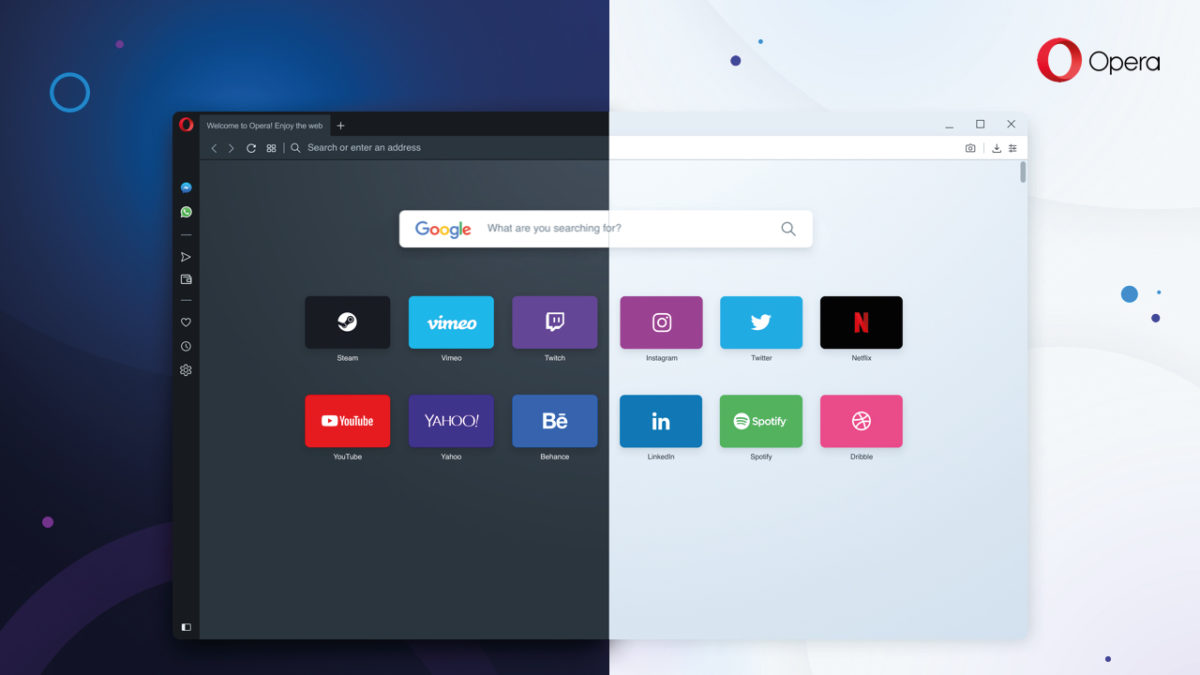
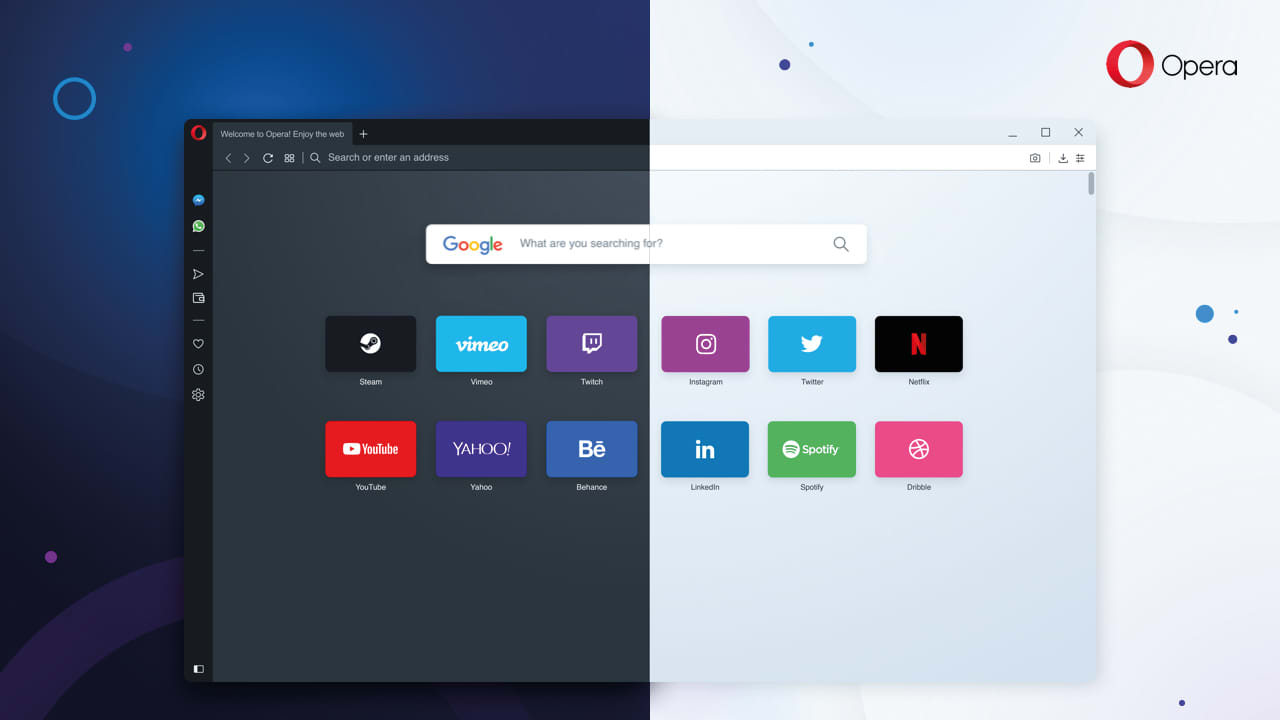
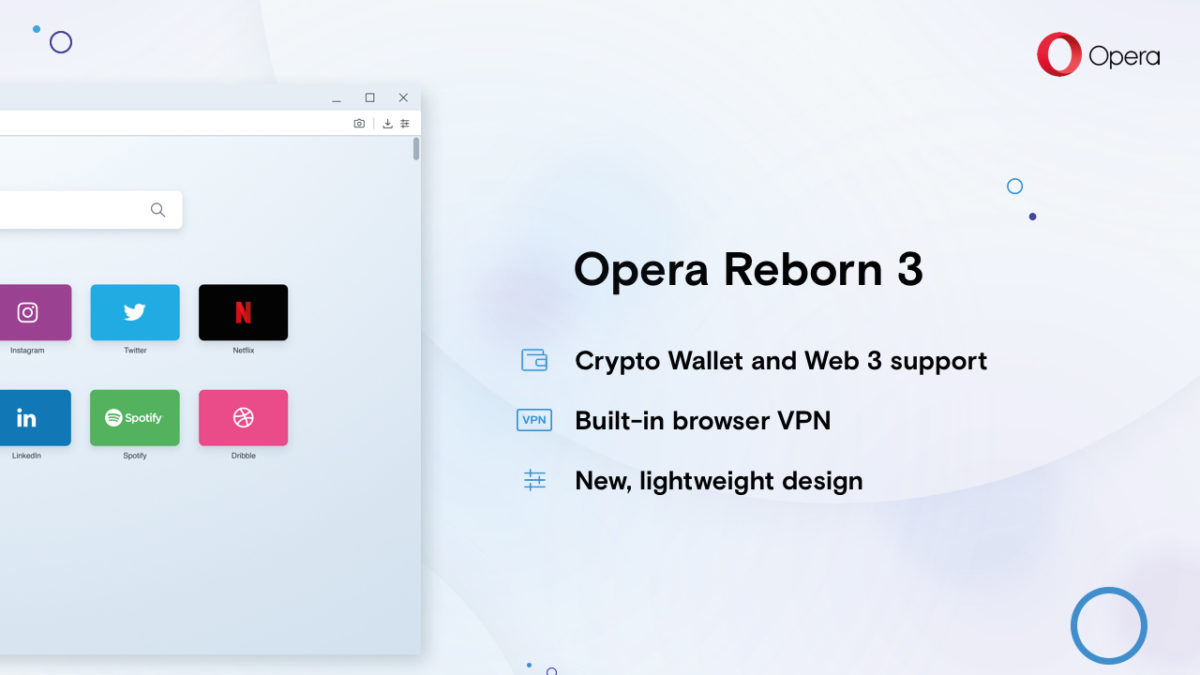
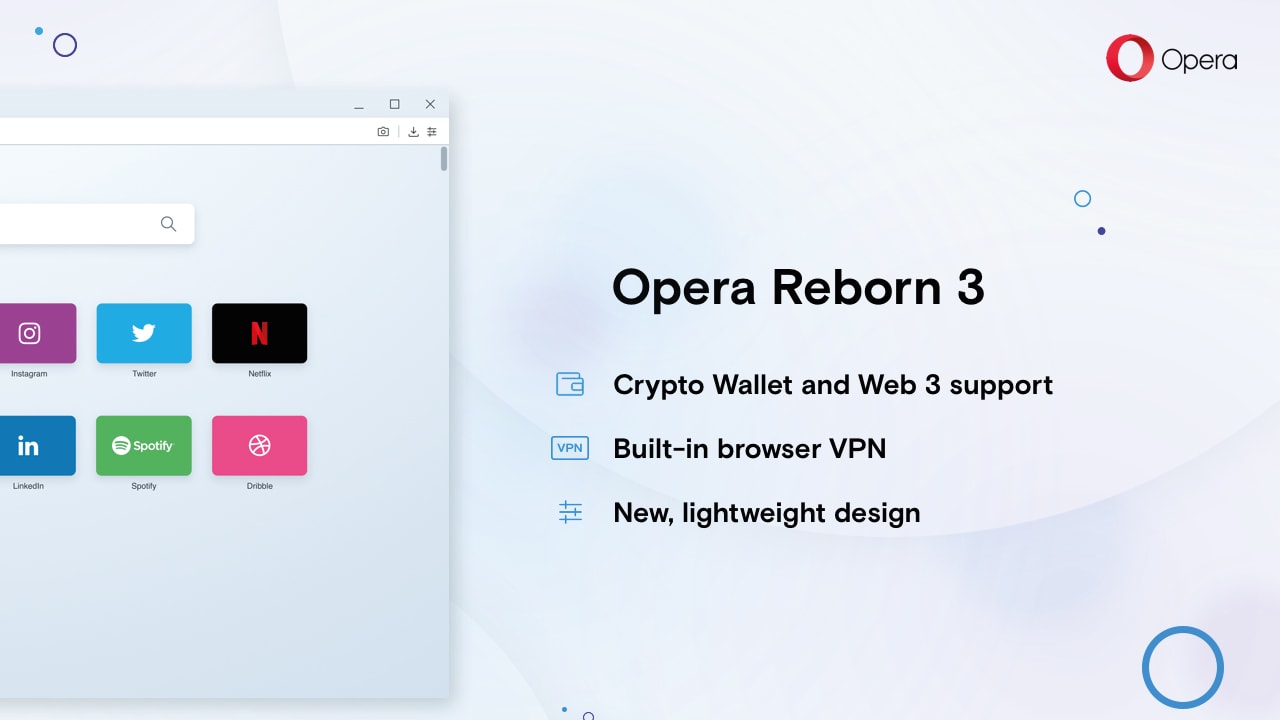
Explore the Web of the future with Opera Reborn 3Free Download
Install the browser and join our mailing list to get all the juicy tips!
1. Opera is the first browser ever to support Web 3.0
Web 3.0 is an emerging technological trend that shifts control of the internet from centralized bodies – like governments, ISPs, and large corporations – to the public.
Powered by blockchain technology, a kind of decentralized, digital ledger, Web 3.0 describes a free and democratic internet that gives power to the people using it. So no more spying, censorship, or exploitation of users by elite groups or organizations.
Web 3.0 networks are run entirely by the people connected to them, and Opera is the first browser ever to let you browse and transact on these new networks. You will therefore enjoy all the benefits of Web 3.0 – such as decentralized applications, digital asset management, and more – before anyone else.
2. Enjoy a FREE and unlimited VPN
A VPN (Virtual Private Network) both protects you online and ensures you can access every website on the internet – even if they’re blocked in your country. It works by routing all your incoming and outgoing internet traffic through its servers, thereby masking your location and encrypting any data you share.
Most VPNs cost money, cap your usage, and require you to install an extension that’s potentially unsafe. Opera, however, integrates a powerful, unlimited VPN in-browser for FREE. Better yet, there are no usage limits, and you can toggle it on and off by clicking a button in the URL bar – no extra installations or extensions required.
Explore the Web of the future with Opera Reborn 3Free Download
Install the browser and join our mailing list to get all the juicy tips!
3. Block ads and other unwanted content
Ads are a frustrating distraction, drawing you away from the content you love. With large gaudy images, spammy headlines, and a creepy knowledge of your interests, it can feel like having a pushy sales team inside your machine. But with Opera’s built-in ad-blocker, you can kick them out for good.
Some websites, however, rely on ad revenue to survive. They will often put content behind paywalls that require you to view ads before accessing the content. Luckily, Opera lets you whitelist certain websites to allow ads through, giving you full control over the content you want or don’t want to see.
4. Safely store your digital value with Crypto Wallet
Remember Web 3.0? Another benefit of blockchain networks is the ability to create digital value. Since digital assets are flexible, borderless, and efficient, they can help fix many of the problems of our existing economies as well as bring financial services to millions of the unbanked around the world.
Opera’s integrated Crypto Wallet lets you join the Web 3.0 economy. You can store, send, and transact digital value in-browser, secured by private keys stored on your smartphone. So whether you’re storing cryptocurrency, trading digital assets like Bitcoin, or using your favorite Ethereum dApp, you can do everything without leaving your browser.
5. Enjoy a redesign that emphasizes digital freedom
The internet is evolving faster than ever, but you don’t have to let others decide your experience for you. With Opera, you can personalize the web. Don’t like ads? Turn on ad-blocker. Can’t access censored content? Use the VPN. Want to explore Web 3.0? Explore blockchain networks and sign transactions through the integrated Crypto Wallet.
Opera’s redesign puts everything you need for a personal, tailored web experience. From the integrated snapshot tool to the battery saver, from the light and dark browser themes to the Messenger and Whatsapp integration – Opera is one of the most sophisticated and user-centric browsers available today. Download Opera now and enjoy a web made just for you.
Explore the Web of the future with Opera Reborn 3Free Download
Install the browser and join our mailing list to get all the juicy tips!
Softonic is proud to partner with Opera. When you download from us, we may earn a commission.
Switch to Opera’s latest browser. Free, unlimited VPN, ad-blocking minimalist interface for distraction-free browsing, and Web 3.0. Learn How to import your bookmarks into Opera.
People dislike change. Why? Because usually it takes effort – and let’s face it, we can all be a bit lazy at times. But our reluctance to try something new often means missing out.
Take internet browsers, for instance. I could list ten different reasons why you should switch to Opera’s latest browser. I might mention the free, unlimited VPN, the ad-blocking minimalist interface for distraction-free browsing, or the Web 3.0 support that includes a secure crypto wallet.
But if the switch to Opera isn’t easy, you’ll probably just stick to what you know. Thankfully, Opera knows this well. Instead of just making one of the best browsers ever, they’ve also made it easier than ever to switch – starting with bookmarks.
Explore the Web of the future with Opera Reborn 3Free Download
Install the browser and join our mailing list to get all the juicy tips!
Why import your bookmarks to a new browser?
I’ll be honest with you. I don’t use bookmarks as often as I should. I’m one of those simple folk who always types in the web address. And when I forget a URL, I waste time googling the site until I find it again. It’s frustrating, time-consuming, and makes research harder than it needs to be.
However, lots of people do use bookmarks. And they absolutely rave about them. Not only are they handy links to your favorite websites, but they’re an invaluable tool for organizing your digital life. They also help personalize the web – a guidebook to everything you love online, accessible with a single click.
In a way, bookmarks are a bit like fast travel points in Skyrim or Red Dead Redemption – places of interest you can access instantly without retreading the same old paths. So when you change browsers, it’s important you take your bookmarks with you. Or, like me, you’ll be wasting your life googling websites you’ve already visited.
How to import your bookmarks into Opera (desktop)
Importing your bookmarks into Opera is super easy. Simply follow the steps below:
Download and install Opera (if you haven’t done so already)
On the top menu, click Opera → Import bookmarks and settings…
Choose which browser you’d like to import from, or import directly from an HTML file.
Select what you’d like to import (you might also want to download cookies and your browsing history).
Click Import.
Once done, you should see another popup window with a big tick showing the import was successful. You can also show the bookmarks bar in Opera for fast access to your favorite websites.
How to import your bookmarks into Opera (mobile)
Once you’ve imported your bookmarks into Opera on desktop, you can then synchronize with Opera’s mobile app. This is the only way to get your bookmarks into Opera for mobile, but thankfully, it’s really easy.
Download and install Opera for desktop.
Import bookmarks as described above.
On the top menu, click Opera → Synchronise…
Sign into Opera (if you’re not already signed in).
You will now be able to see all the bookmarks, open tabs, browsing history, and settings on all of your devices, including your mobile app.
Synchronization only works if you’re signed in to Opera on all your devices, so make sure you stay logged in. You won’t lose data by not logging in, but you won’t have access to everything across all your devices. They need to be logged into Opera servers to enable the synchronization to work.
So there you go – a really simple way to have one of the best browsers on the market without giving up on the ease and convenience of your existing bookmarks. Some changes are easier to make than others, right?
Explore the Web of the future with Opera Reborn 3Free Download
Install the browser and join our mailing list to get all the juicy tips!
Softonic is proud to partner with Opera. When you download from us, we may earn a commission.
Opera browser includes everything you need already built-in, including a battery saver, snapshot tool, ad-blocker, and better yet, a FREE and unlimited VPN. Download and install Opera browser for free.
Opera’s latest browser pulls out all the stops to give you the best web experience. All those fiddly extensions you have to download on other browsers? No longer necessary. Opera includes everything you need already built-in, including a battery saver, snapshot tool, ad-blocker, and better yet, a FREE and unlimited VPN.
Explore the Web of the future with Opera Reborn 3Free Download
Install the browser and join our mailing list to get all the juicy tips!
What is a VPN?
VPN stands for Virtual Private Network. Instead of exchanging information directly with the internet, all your traffic goes through the VPN servers first, preserving your anonymity and protecting your data.
This means you can mask your computer’s IP address so websites don’t know your location. The VPN also encrypts your data, so anyone spying on your connection can’t view sensitive information, such as bank details and credit card numbers.
Why do you need a VPN?
VPNs are like the skeleton keys of the internet. They bypass censorship and other restrictions to ensure you get full access to the world wide web. They also prevent governments, agencies, criminals, or your ISP (Internet Service Provider) from spying on you, and potentially, using that data to persecute, extort, or steal from you.
A VPN protects you on public wifi, for example. Cybercriminals often exploit these unsecured connections to infiltrate bank accounts or steal sensitive data. A VPN, however, encrypts your connection, so even if someone hacks into the public wifi spot, they won’t make sense of your data. VPNs are therefore extremely powerful tools to keep you safe online.
Why use Opera’s VPN?
Most free VPN providers cap your data usage, limit bandwidth, or require you to log in and activate the VPN every time you want to use it. This leads to a slow, frustrating experience, forcing you to upgrade for a hefty price for the best service. And even then, many of these VPNs require you to install an extension that is potentially unsafe.
Opera’s VPN replaces your IP address with a virtual one, hides your location, and protects you on public wifi networks. Better yet, it’s completely FREE, has no bandwidth or usage limits, and never stores (or even views) your data. It’s therefore one of the easiest, most hassle-free ways to enjoy the internet – and as it’s fully integrated within the browser, once activated you won’t even know it’s there.
Explore the Web of the future with Opera Reborn 3Free Download
Install the browser and join our mailing list to get all the juicy tips!
How to switch on Opera’s VPN (desktop)
If you’re looking for a safe, fast, and censorship-free internet, download Opera and turn on the integrated VPN. It takes just a few minutes, and full instructions are below:
Download Opera.
Install and start Opera.
On the top menu, click Opera → Preferences…
Go to Advanced → Features
Toggle VPN on
Now, instead of communicating with third-party websites directly, everything goes through the VPN servers first to cover your tracks. This might slow your internet speed a bit, but you probably won’t notice, and it’s a small price to pay for the additional security and privacy.
Once enabled, you can toggle the VPN off and on by clicking the VPN button in the URL bar. You can also choose which location to present to the internet, but Opera is smart enough to choose the best one for the page you’re trying to access. Feel free to toggle the VPN off and on as you like.
How to switch on Opera’s VPN (mobile)
At the moment, you only get the integrated VPN on Opera’s mobile app for Android. To enable the VPN, download and install Opera for Android, click settings (the three vertical dots in the top right) and toggle the VPN on. Once enabled, you can toggle the VPN on or off from the URL bar in the same was the desktop version.
Opera has done an excellent job of pulling together the features you need for the best web experience. The integrated VPN is super useful, and being free and without usage limits, puts it at the top of our most recommended VPNs ever – the fact it’s preinstalled on one of the best browsers, too, is just the icing on the cake.
Explore the Web of the future with Opera Reborn 3Free Download
Install the browser and join our mailing list to get all the juicy tips!
Softonic is proud to partner with Opera. When you download from us, we may earn a commission.