Google are taking over the world! We’re entrusting our data with a faceless corporation!
Some people worry about that, anyway, though I’m not one of them. I think Google offer a great range of free services that greatly enhance my online life – even if sometimes I feel left out as a European.
Today Google announced on their blog a great new service that should help make people much more comfortable with using Google – Google Dashboard. This can also be found through your Google account settings. What it gives you is a single page summarizing all the Google products you use, and what is kept on them.
So, I can see how many conversations I have stored in my Gmail, how many albums in Picasa, what’s in my Google Docs and so on. It covers over 20 products, including the aforementioned, Calendar, Web History, Orkut, YouTube, Talk, Reader, Alerts, Latitude and more. From here you can control all of that data too.
Perhaps the data that’s most eye opening is your search history – searching while signed in is associated with your account, and it’s all there! There’s even a calendar that shows your levels of search activity. It’s fascinating, in a narcissistic way, but even better you are put in control of it all. If you want to delete it, that’s easy. You can delete bits, or everything and “pause” history collection.
I think this Google Dashboard really makes you feel in control of your online life, and I would love to see sites like Facebook and MySpace follow suit. Cynics and conspiracy theorists probably won’t be convinced, but it certainly takes some of the wind out of their sails.
*Apparently there are some issues with data collection for Google Apps for Domains.
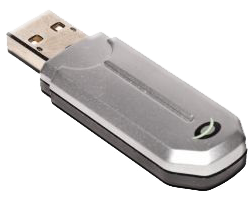 USB sticks, memory keys, pendrives. It doesn’t really matter what you call them, memory sticks are useful creatures. It’s precisely this usefulness, though, that leads to their major weakness: most people use them all the time without a second thought. They swap them between colleagues, lend them to friends and stick them into unfamiliar computers. Is it any wonder they are a major security risk?!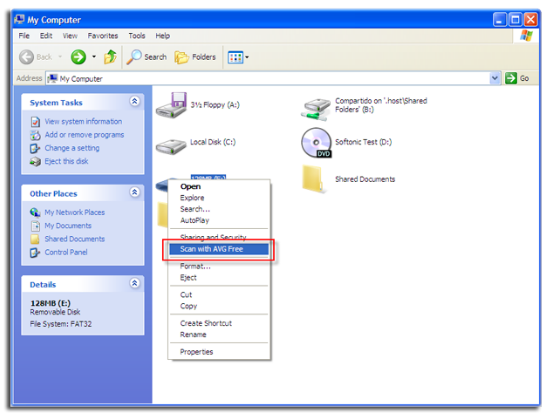

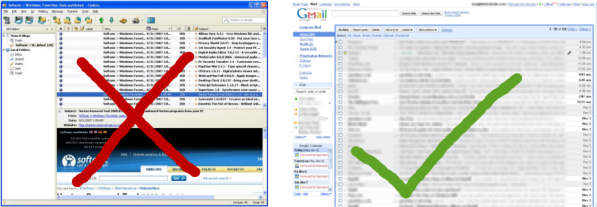
 One of the frustrating things about having multiple Gmail accounts is managing them all at the same time. Until recently, I’d been using the
 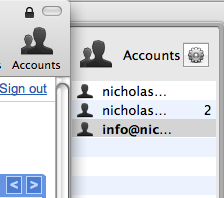 You can add as many accounts as you want using the Accounts button. When new mail arrives, a Mailplane icon in your Menu bar will indicate how many are waiting to be read and each account features a number next to it indicating the amount of mail in that particular inbox. I like the fact that by clicking on the Menu bar icon, a drop down menu shows you the subject heading of unread mail in each inbox. The big advantage I’ve found though is that managing multiple inboxes with Mailplane is so much easier than doing it in your browser.

 Tom and Elena have already explained how to stream