Here are my ten choices for the decade. As well as these, the most important technological developments for me have been the spread of wireless, and mobile internet devices in general. 10 years ago the internet was something stuck to a desk coming out of a big glowing cathode ray tube – today it’s on the sofa, in the street, or anywhere elso you like. I’m kind of surprised desktop PCs still exist – why people sit up at a desk to surf the web when they can do it lying in bed on a laptop or mobile device is beyond me!
Anyway, in no particular order, here are the best and most important apps of the 21st century so far!
 MySpace: It might be all Facebook and Twitter now, but in the middle of the decade MySpace was the first genuine social media phenomenon. Offering a degree of user control that was unwise, MySpace could be a garish and noisy place to be, but it was fun.
For many people, their MySpace profile was the first web page they could really call their own. Unlike boring Facebook, you can change just about anything you want about its appearance – whether that be cool minimalism like mine (ahem) or over the top video and animation filled pages that could hang your computer! MySpace has always been about showing yourself off, but has perfectly adequate privacy settings too.
 Google Analytics: I’m still surprised at the depth of information it’s possible to get about visitors to your website, and that, amazingly Google give it away for free. Stick a piece of code into each page of your site, and you’ll get incredibly detailed statistics about your visitors. If you thought statistics were boring, you’d be amazed at how interesting they can get in Analytics – it’s a dangerous mix of numbers and nosiness!
 Firefox: Obvious choice, I know. To be honest, day to day browsing experience is pretty similar for me regardless of the browser, but what makes Mozilla’s baby different for me are the add-ons. From Echofon, my day to day Twitter client, to DownThemAll!, Firebug and Juice, you can really mold Firefox to your specifications. If you’re new to add-ons, check out my post from the summer.

iTunes: Hardly controversial, but iTunes really made music management on your computer easier and prettier than it had ever been before. I wish it was more flexible about formats, and I wish they’d kill iTunes DJ – Apple cleverly stopped calling it Genius (the stupidest name for a feature of the decade) – but every time I think I’ve found a good alternative, I always go back to iTunes in the end.
 MSN Messenger/Windows Live Messenger: Not a fashionable choice, but, released in 1999 when Hotmail was basically the free web based mail, Messenger built on that by integrating your Hotmail contacts automatically, meaning with no effort people could chat to each other ‘live’. It wasn’t the first instant messenger, and I’m sure there are better ones, but MSN Messenger is one of the few apps I’ve been using right through the decade.
 VLC Player: A no-brainer. VLC, for free, lets you play pretty much any media file on your computer without complaints. It’s small, light on resources and fast. If you don’t have it, download it now. It’s not a great manager by any means, but it should be everyone’s default video player. The fact I can listen to loss-less audio FLAC files in VLC too is just a bonus.
 LimeWire: I had to include a filesharing application – the noughties wouldn’t have been the same with out them. I always preferred LimeWire’s interface to the others. It was the easiest application for filesharing I’d seen, and unlike many of its peers, LimeWire actually tried to move with the times. The latest version allows you to easily share files privately between two people – making it a much more personal and controllable experience.
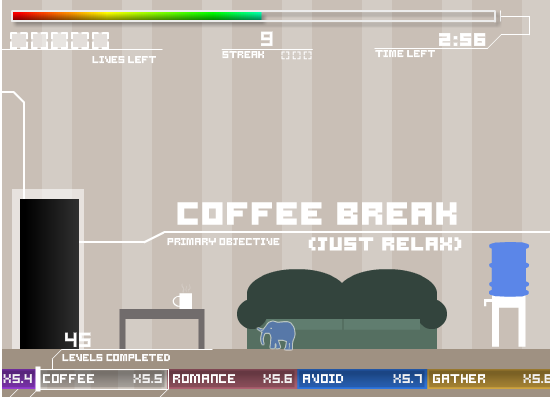
 Gravity Bone: I wanted to include a free indie game, as the indie community has really flourished over the past few years, and its ‘less is more’ approach has provided some surprising gaming experiences. To pick one is unfair, but I will anyway. Gravity Bone is short, based on old technology, and completely linear. It’s one of the best video games I’ve ever played- and proof that you don’t need to be controversial (hello Modern Warfare 2) to tell a great story.
 OpenOffice: It has some quirks, but as a showcase for what open source projects can achieve OpenOffice is great. This gave us, for the first time, a free viable alternative to Microsoft Office. If you’re thinking of updating your Microsoft Office, why not give OpenOffice a go first? It’s free, so you really won’t lose anything by trying.
 Google Wave: Only kidding! My hope for the next decade is that someone will work out why Google Wave is amazing, ’cause as of now, most of us have no idea. I’ve watched introductory videos and read a ton of articles… I’ve even tried using it! But to no avail, and the curious thing is that a while ago people were clamoring for invites, now I can’t get rid of any! So, if you’d like to join the “huh?” party, get in touch and you can have an invitation.
















 While Windows users are busy getting their teeth stuck into lots of new Chrome Extensions, Mac users as usual have to wait although we’ve kind of come to expect this second-class citizen treatment from Google.