Google Chrome para Android ya te permite escuchar cualquier página web

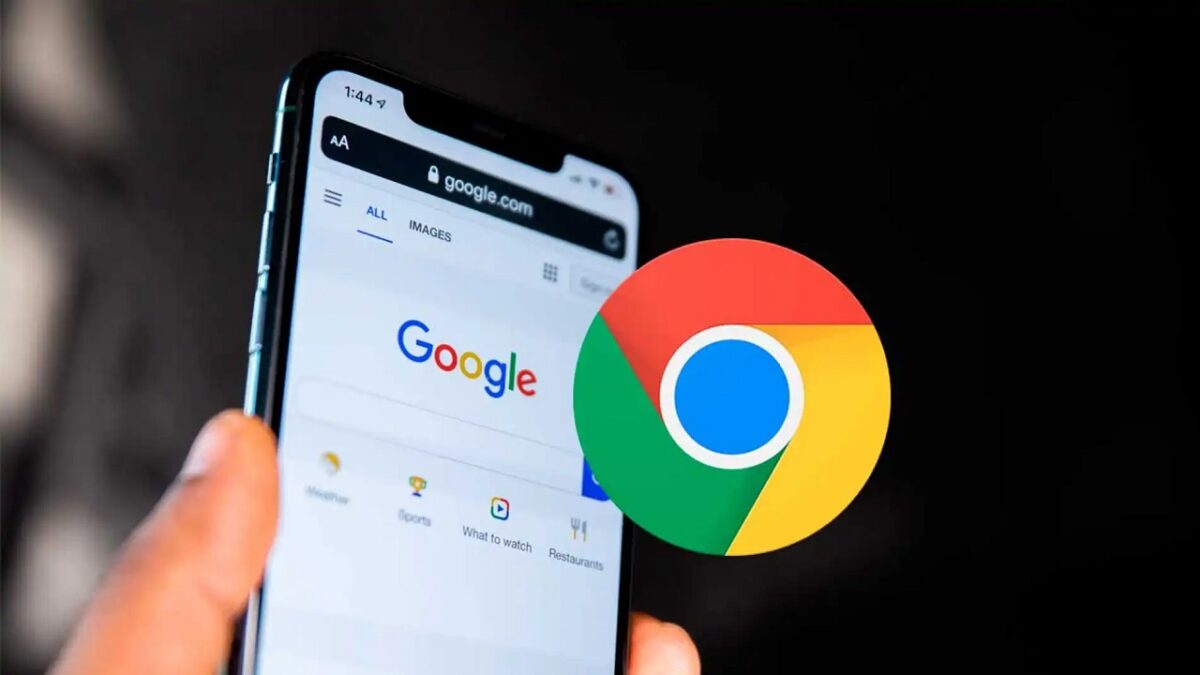
Google ha mejorado la accesibilidad de Chrome para Android con una actualización que permite escuchar páginas web en segundo plano mientras haces otras cosas. La función “Escuchar esta página”, que ya se había anunciado como parte de las novedades de septiembre para Android, ahora se integra de forma más cómoda para los usuarios.

Según recoge 9to5Google, con la versión 130 de Chrome para Android los usuarios pueden disfrutar de la función de reproducción en segundo plano sin necesidad de mantener el navegador abierto o en primer plano. Antes de esta actualización, si cerrabas la app o bloqueabas la pantalla, el audio se detenía. Esta limitación ha quedado atrás, y ahora el navegador sigue leyendo las páginas web en voz alta aunque la pantalla esté apagada o estés usando otra app.

Al cambiar de app, Chrome muestra el artículo en el panel de notificaciones como un reproductor multimedia, que incluye controles para reproducir o pausar el audio, y opciones para adelantar o retroceder 10 segundos. También se destaca el titular y la página web que estás escuchando, todo ello de manera accesible y organizada.
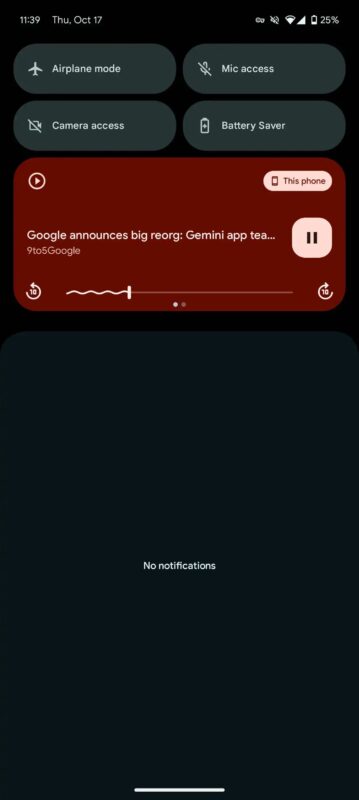
Para los que quieran ajustar aún más la experiencia, pueden personalizar la velocidad de reproducción o cambiar la voz desde el reproductor dentro de Chrome. Además, es posible configurar Chrome para que resalte el texto mientras lo va leyendo, ayudando así a seguir el contenido visualmente. Esta función de texto a voz convierte cualquier artículo o página web en un audio fácil de escuchar, lo que mejora la accesibilidad y comodidad de uso.

Acceder a la función es muy sencillo. Puedes activarla rápidamente desde el menú de tres puntos en Chrome, e incluso añadir un acceso directo en la barra de herramientas para mayor facilidad, personalizando la interfaz a tu gusto.

Google Chrome DESCARGAR

Did Google reverse its policy against third-party cookies? What happened?

Google has confirmed that its long-awaited removal of third-party tracking cookies in its Chrome browser has been thwarted. The company was trying to reach an agreement with regulators to balance its interests with those of the marketing industry, but its attempts have been in vain. This comes shortly after Apple criticized Chrome for “constantly monitoring” users, further aggravating the situation for Google.

Google Chrome DOWNLOAD

On July 22nd, Google announced a new approach to cookies that increases user choice. Instead of eliminating third-party cookies, the company will introduce a new experience in Chrome that will allow users to make informed decisions about their privacy while browsing the web. Although the details are not clear, it seems that users will be able to choose between continuing to use tracking cookies, Google’s FLoC API, and a semi-private browsing option, and they will be able to change their choice at any time. However, this new approach has not yet been agreed upon with regulators.

The Competition and Markets Authority (CMA) of the United Kingdom has responded that it will carefully consider this new approach by Google, which will affect 3 billion Chrome users, many of whom are unlikely to change their settings and could benefit more from a browser that already offers the ability to delete third-party cookies by default, such as Mozilla Firefox or Safari by Apple.

Apple has taken the opportunity to promote Safari, highlighting that Chrome constantly spies on its users, in an ad that recreates scenes from Hitchcock’s movie The Birds. Meanwhile, the Electronic Frontier Foundation (EFF) warns that Google’s Privacy Sandbox program, which aims to replace tracking cookies, allows advertisers to continue targeting ads based on users’ behavior on the Internet.

The Privacy Sandbox has not gained traction since its inception, and its latest version, which groups users into similar cohorts, does not prevent fingerprinting, according to Apple. Google concludes its announcement by hoping to collaborate with the web ecosystem to move towards a more private Internet, although its promise to eliminate tracking cookies has not been fulfilled for four years.

Google Chrome DOWNLOAD

We already know the whole truth about Google Chrome’s Incognito mode

It seems that Google Chrome’s Incognito mode is not so incognito after all. Google has decided to do some spring cleaning and will delete “billions of data records” it collected from users who thought they were browsing without leaving a trace. This decision is part of a settlement (reported by WIRED) reached in a class-action lawsuit dating back to 2020, and puts an end to years of questionable practices by the tech giant.

Google Chrome DOWNLOAD

According to the agreement, Google must update the welcome page of Incognito mode to tell you, without beating around the bush, that Google and third-party websites can still collect your data, regardless of whether you are in Incognito mode or not, or if you use a different browser.

In addition, there is good news for those who care about their privacy: Google will delete some of the data it had collected, including “private browsing data” that is “more than nine months old” from the date Google signed the terms sheet of the agreement last December, as well as private browsing data collected throughout December 2023.

The spokesperson for Google, Jose Castaneda, stated that the company “is pleased to remove old technical data that was never associated with an individual and was never used for any form of personalization“. In addition, he also pointed out that Google will have to pay “zero” dollars as part of the agreement, after previously facing a fine of 5 billion dollars.

However, even though we have finally discovered the truth about Chrome’s Incognito mode, some documents that discuss how Google collected that data are still under lock and key, so we don’t know exactly how thorough the cleanup was.

In addition to updating the welcome page, Google will continue to block third-party cookies in Incognito mode for five more years, it will have to partially hide IP addresses to prevent re-identification of anonymized user data, and remove certain information from headers that can currently be used to identify users with Incognito mode enabled.

Google Chrome DOWNLOAD

Google changes Safe Browsing for Chrome and includes real-time protection

Google has since discovered that a typical malicious website is only active for less than 10 minutes, on average.

Google has been offering what it calls Safe Browsing to users of its web browser Chrome for some time now. Today, the company has announced a change in the standard version of Safe Browsing that should offer even better protection against malicious websites.

Google Chrome DOWNLOAD

In a blog post, Google has stated that prior to today, the standard version of Safe Browsing stored a list of malicious websites on your PC or mobile device.

That list was updated every 30 or 60 minutes. However, Google has since discovered that a typical malicious website is only active for less than 10 minutes, on average.

Changes in Google to improve security for everyone

The change introduced today for Chrome users means that the Safe Browsing list can now be accessed from Google servers, so updates to this list are done in real time.

Google claims that this should reduce phishing attacks from these sites by up to 25% more compared to the old method.

The company added that with this change, “encryption and other privacy-enhancing techniques will be used to ensure that no one, including Google, knows which website you are visiting”.

Google Chrome DOWNLOAD

This new standard Safe Browsing update is now available on Chrome desktop and iOS version, and Android device owners should receive this update by the end of March.

Recently, Apple, Google, Microsoft, and Mozilla formed an unusual multi-company team to help create Speedometer 3.0, the latest version of the popular web browser benchmarking tool.

Apple confirms that PWAs will not work in Europe. The reason is the DMA

The law does not allow Safari to offer features if they are not available in other browsers.

In the first beta of iOS 17.4, Progressive Web Apps (PWAs) did not work properly, and in the second one, a message warned that they would open directly in Safari. Now, Apple has officially announced its stance on PWAs in the European Union: they will no longer work. The reason behind this measure lies in the need to comply with the Digital Markets Act (DMA) of the EU.

iOS 17 Download

The law does not allow Safari to offer features if they are not available in other browsers

The company has explained that the changes imposed by the DMA involve having to support alternative browsing engines, which entails very significant security risks and a more considerable engineering effort to try —as much as possible— to implement a new solution and minimize the risks. PWAs, which run directly from the iPhone’s home screen and are built on WebKit and its security architecture, are designed to align with the privacy and security model of native applications on iOS. Running on Apple’s browsing engine allows for storage isolation and the implementation of system prompts to access privacy features individually.

It is very important to note that, without this isolation, web applications could read data from other web applications and gain access to the camera, microphone, and location without our consent. Controlling third-party code, in this case from a browsing engine —an engine that runs, in turn, third-party code from the web— is really difficult. So much so, that Apple has chosen not to support PWAs in third-party browsers.

But what about Safari? The DMA forces Apple to prevent Safari from offering better features than other competing browsers. Thus, due to the technical difficulty of enabling the long list of third-party browsers to offer PWAs, Apple has been forced to remove it from Safari.

The company argues that this decision will only affect a “small number of users” and regrets the impact it will have on PWA developers and iPhone users in the EU. However, it claims that it is a necessary measure to comply with DMA regulations and protect the security and privacy of users.

iOS 17 Download

While the EU is backtracking and the DMA will not affect iMessage and while some users on social media are already joking that Europe should “Not allow” the DMA to be applied to us and be able to recover PWAs, just like we can reject cookies, it is clear that regulating certain aspects within companies has unexpected consequences.

Do you get stuck writing while browsing? The new AI feature of Google Chrome comes to the rescue

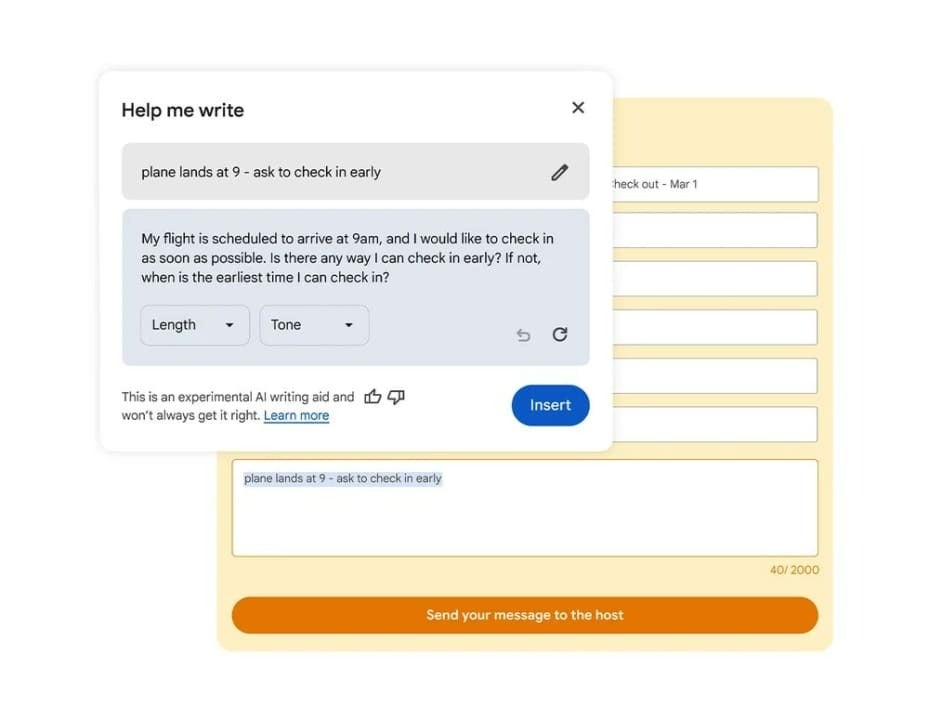
Google has launched in its Chrome browser “Help me write”, an experimental generative AI feature powered by Gemini that will help users write or improve their texts based on the content of web pages. The new writing assistant is now available for English-speaking Chrome users in the United States who have downloaded the latest version of the browser.

Google Chrome DOWNLOAD

According to Adriana Porter Fieltro, Director of Engineering at Google, as explained in a post, “Help Me Write” provides writing suggestions for short content, such as filling out surveys and digital reviews, requesting information about products, or writing descriptions for items sold online.

Google claims that the tool can “understand the context of the web page you are on” to include relevant information in its suggestions, for example, highlighting the main features mentioned on the product page you are leaving a review on.

The “Help me write” feature has undergone some visual changes since it was first announced for Gmail during the Google I/O event last May, now appearing as a floating window in the application alongside the text fields of the web page that are being filled in with separate options to adjust the length and tone.

US users will have to activate Chrome’s experimental AI to use the feature, which can be found by clicking on Settings within the three-dot dropdown menu in the Chrome desktop and then navigating to the experimental AI page. From there, you must click on “Try experimental AI features”, select “Help me write” and then “relaunch”.

Google Chrome DOWNLOAD

After activating the writing assistant feature, users can browse a web page in Chrome and right-click on an open text field to use it.

Google manages to solve one of its biggest headaches to date

Google has released several security updates to fix the first zero-day vulnerability in Chrome exploited since the beginning of the year: “Google is aware of the existence of an exploit for CVE-2024-0519“, the company said in a security advisory published this Tuesday.

Google Chrome DOWNLOAD

Zero-day vulnerabilities are security flaws in a computer program that hackers can exploit to attack users before the developer realizes it and fixes it. These types of flaws/bugs, which are a nightmare for software companies, are usually detected shortly after the program’s release, although sometimes they persist for years and years without being discovered.

Google has fixed this zero-day vulnerability for users of the Stable Desktop channel, and patched versions have already been distributed worldwide to Windows users (120.0.6099.224/225), Mac users (120.0.6099.234), and Linux users (120.0.6099.224) just one week after it was reported to Google.

The update is now available for manual download, although users can also choose to let Google Chrome update automatically if this option is enabled in the browser settings (the installation of updates takes place when the browser is closed, so you will need to restart it if you want to apply this security patch).

Although Google is aware of the zero-day exploits CVE-2024-0519 used in the attacks, the company has not yet shared more details about these incidents. “Access to error details and links may be restricted until the majority of users have updated with a solution,” Google said. “We will also maintain restrictions if the flaw exists in a third-party library that other projects depend on in a similar way, but has not yet been fixed.”

Google Chrome DOWNLOAD

Google continues its crusade against third-party cookies: this is how the new measures will affect you

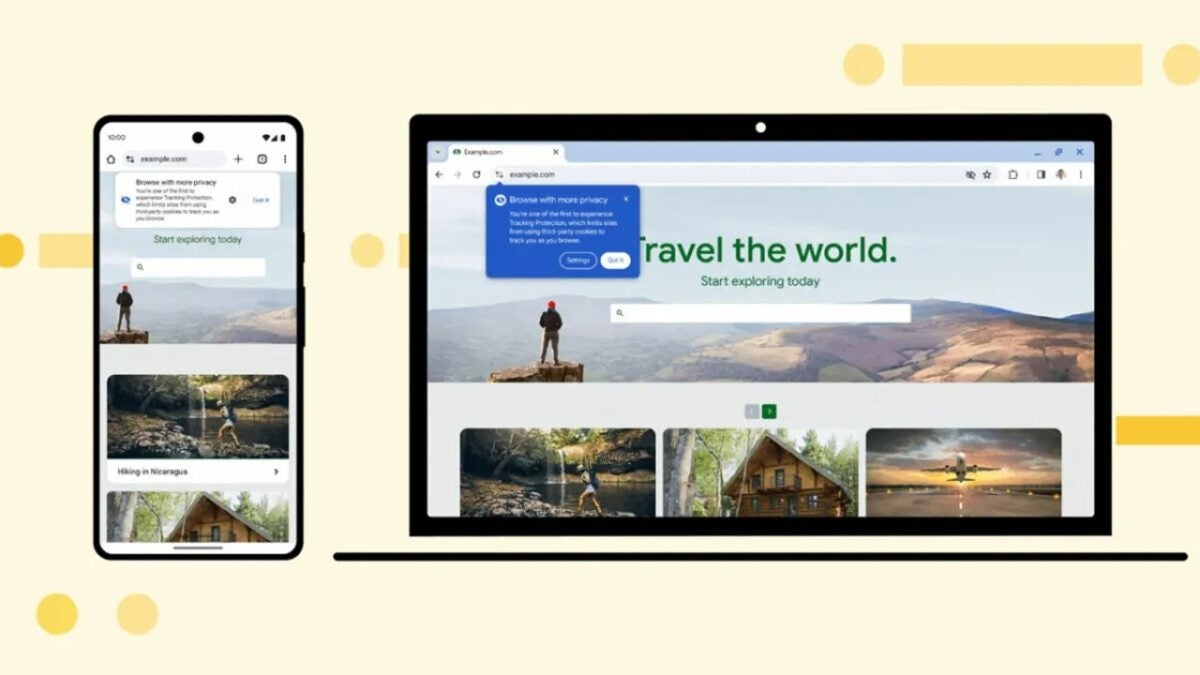
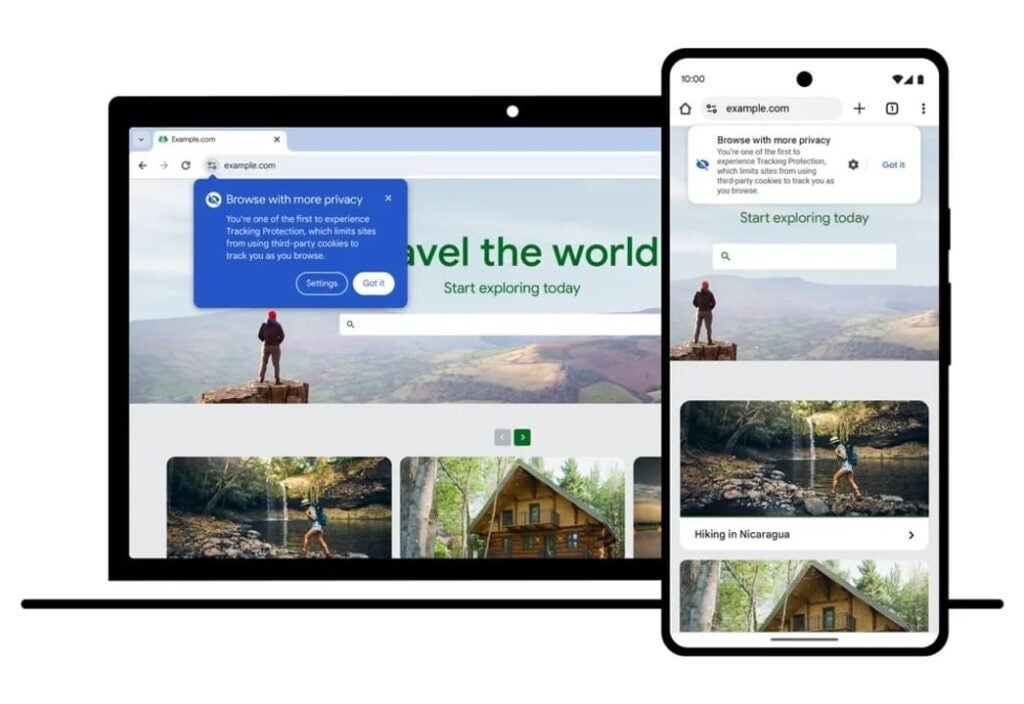
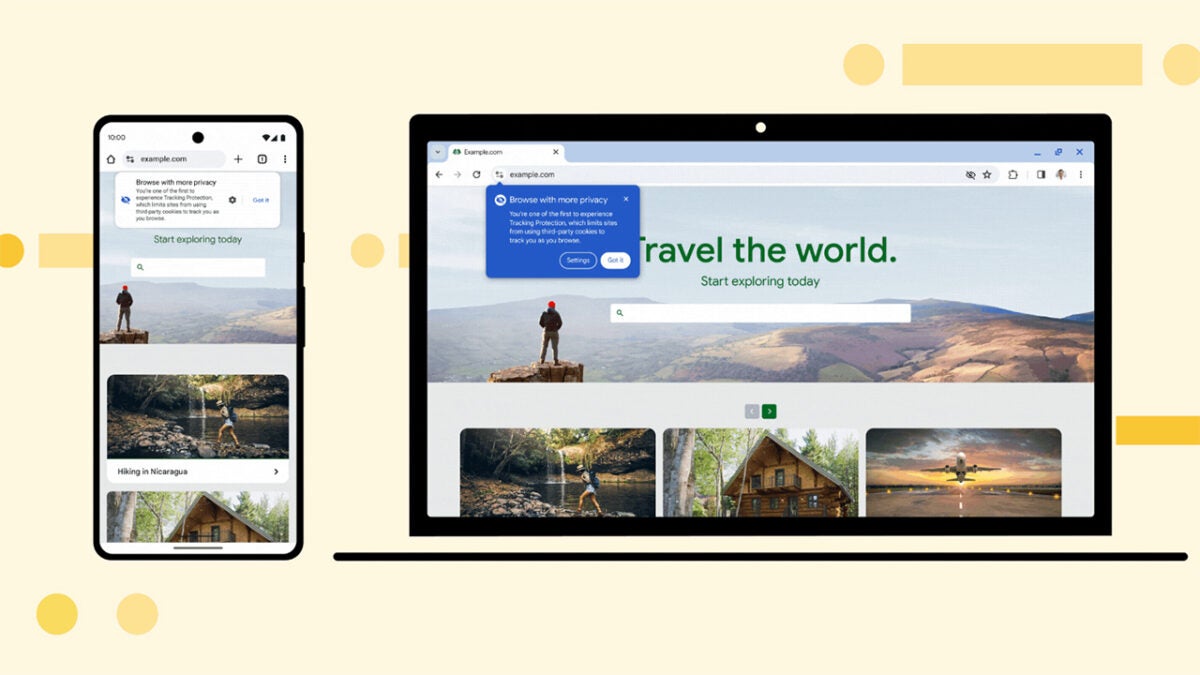
This week, Google moves to the next phase of its gradual elimination program for web tracking cookies. The company will implement a new “Tracking Protection” option that will allow Chrome users to restrict the data they share when visiting a website.

Google Chrome DOWNLOAD

Through Tracking Protection, third-party data tracking will be automatically limited, while giving users more options to control what data they provide through cookie information.

“On January 4th, we will start testing Tracking Protection, a new feature that limits cross-site tracking by default by restricting websites’ access to third-party cookies,” says Google in a blog post.

“We will make it available to 1% of Chrome users worldwide, a key milestone in our Privacy Sandbox initiative to gradually eliminate third-party cookies for everyone in the second half of 2024, provided that the UK Competition and Markets Authority resolves any remaining competition issues.”

The objective of the new measure is to learn more about how to optimize the user experience without tracking, and at the same time, give users more options to limit the use of their personal data, if they wish.

When Tracking Protection is enabled, some web pages may not load correctly, so users will also have the option to temporarily re-enable third-party cookies for that specific website.

The elimination of cookies is one more step towards reviewing web data practices and changing the way web pages work in this regard, which will ultimately completely change the advertising landscape and the way user behaviors are measured.

Google Chrome DOWNLOAD

If your Chrome theme bores you, wait until you see what Google will let you do thanks to AI

As we’ve been observing for the past year, artificial intelligences represent a significant technological revolution, driven by major companies in the sector like Meta, Microsoft, or Google, which have rolled out numerous AI tools in recent months. Now, this tech giant is gearing up to introduce a new feature that will generate personalized themes on Chrome using AI.

Google Chrome DOWNLOAD

Google Chrome themes have been an iconic part of the browser since its launch over a decade ago. Over time, the company has continued to add more options. One of these additions was a sidebar for custom themes added earlier this year, which is now slated for a major update.

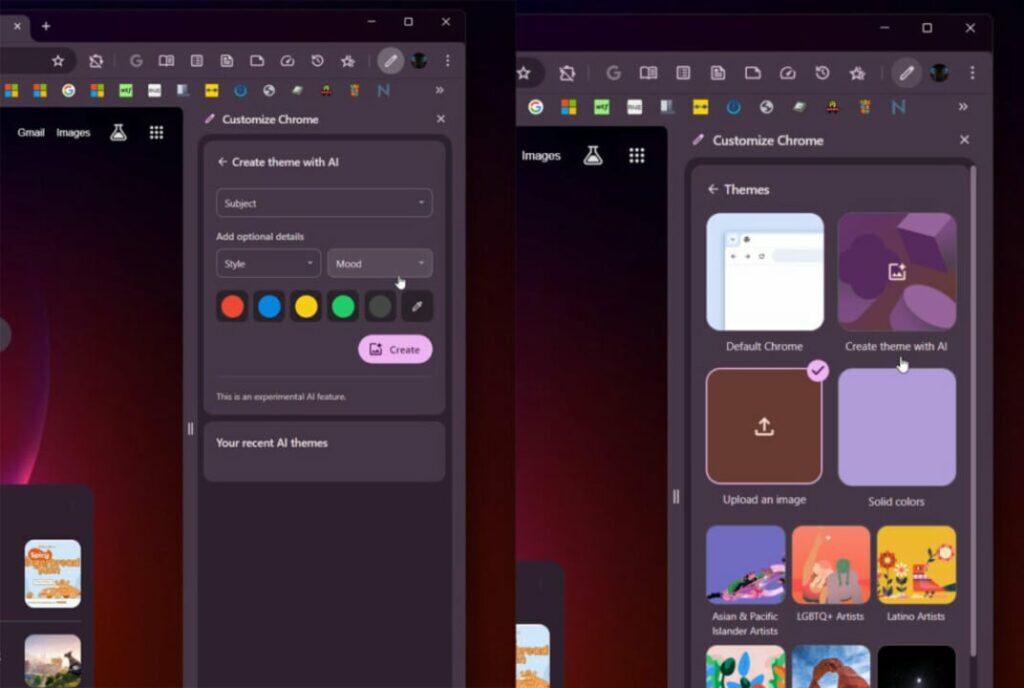
As discovered by Twitter user Leopeva64 in the current Canary versions of Google Chrome, Google seems to be developing a new generative AI for browser themes. This AI would allow users to create a completely personalized theme harnessing generative AI to obtain unique backgrounds and details.

The new tool, named “Create theme with AI,” works rather simply. To begin, users must select a theme from the sidebar, which includes options of all kinds, such as landscapes, buildings, food, nature, and many others. Once users have chosen the general theme, they can personalize it by selecting the artistic style, as well as the “mood,” and a few color options.

However, at the moment, the feature isn’t active, so there’s no way to know what the wallpapers generated by this artificial intelligence will look like. The function isn’t active by default in Chrome Canary and isn’t easily accessible. Nonetheless, considering Google’s significant interest in AI, it’s likely to be launched in the coming months.

Google Chrome DOWNLOAD

Google will make life easier for ad blockers

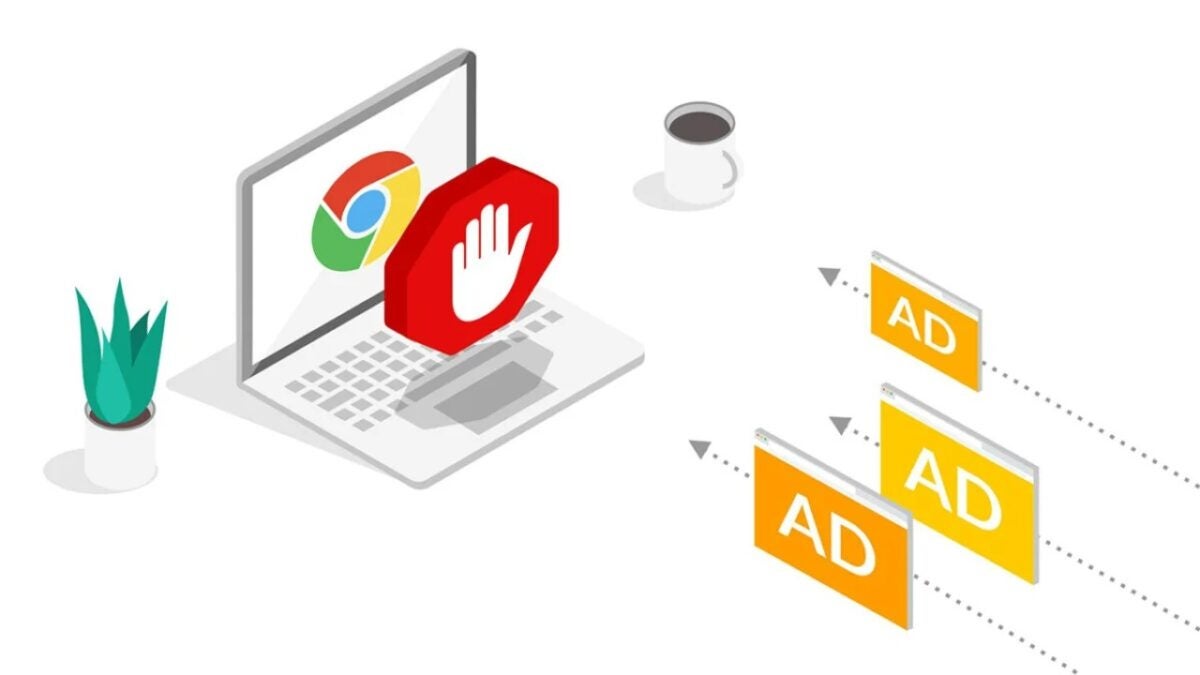
Google hasn’t been fond of ad blockers, but now they’ve decided to extend an olive branch to smooth things over. Some time ago, the company announced the latest version of its Chrome extension specification, Manifest V3. However, due to the numerous criticisms regarding its significant impact on ad blockers, the company put it on hold.

Google Chrome DOWNLOAD

Manifests provide browsers with various information about extensions, including their permissions and compatible versions, enabling them to enforce changes on developers. In the case of Manifest V3 for Google, extension developers wouldn’t, for instance, be able to add a feature that allows loading code from a remote server.

Among the many added changes in Google’s new Manifest, there’s an “improvement in compatibility with content filtering” for the Declarative Net Request API used by ad-blocking extensions. Initially, the company proposed restricting the API’s functionality due to security concerns, potentially impacting the effectiveness of Chromium-based browsers (including Microsoft Edge).

After strong opposition from developers and privacy advocates, Google has ultimately decided to proceed with the transition to Manifest V3, though making numerous changes that, theoretically, won’t harm developers.

While this new Manifest V3 has been well-received by Andrey Meshkov, the CTO of AdGuard, who stated that it “offers nearly the same filtering quality demonstrated with Manifest V2,” Alexei Miagkov, a senior technologist at the Electronic Frontier Foundation, has told The Verge that the new version of Manifest continues to unnecessarily limit developers.

“These are useful changes, but they are tweaks to a system limited by design,” Miagkov said. “The big problem remains the same: if extensions cannot innovate, users lose and trackers win… Now, we all depend on Google continuing to evolve the API to keep up with advertisers and trackers.”

With this move by Google, extensions using Manifest V2 will automatically deactivate starting in 2024, and users also won’t be able to download extensions with that version from the Chrome Web Store.

Google Chrome DOWNLOAD