Call of Duty: Modern Warfare 3 Reveal Trailer

With BulletStorm, Brink and Homefront, FPS fans have had lots to chew on lately, but by November you’ll be bored, right? Autumn will yet again see Activision’s Modern Warfare up against EA’s Battlefield. Now you can see the first footage from MW3 in the Call of Duty: Modern Warfare 3 Reveal Trailer.

Having seen footage from Battlefield 3, it’s pretty obvious Modern Warfare 3 will be a totally different type of game – the two series have been heading in different directions since the beginning, and that trend looks set to continue.

Battlefield 3 looks like a frighteningly realistic recreation of what urban warfare is really like in the 21st Century, while Modern Warfare 3 is clearly going the Jerry Bruckheimer route of bigger and badder explosions, and total Hollywood action. I’m sure both will be impressive in their own ways!

Download the trailer here!

Download a free DiRT 3 Fan kit

Tomorrow sees the launch of Codemaster’s excellent rally game DiRT 3,. If you want to decorate your phone, PC or even your website with images from the game, this fan kit is ideal for you.


Codemasters has put together a pack of wallpapers, icons, banners and more in a zip file of 26 files.  The game looks great from what we’ve seen. It seems Codemasters has listened to fans and has re-focussed DiRT 3’s action on point-to-point rallying, while adding a cool new Gymkana event to mix things up. Check out our preview, and download the fan kit here.


5 brain training games to get you thinking

Can playing games to increase your intelligence? In fact, there are quite a few ‘brain training‘ games for PCs. The primary goal with all of them is to exercise your mind’s logic, memory and overall thought.

OK, there’s no actual scientific proof that any of them actually enhance your mental capabilities. Good thing they’re all fun! Either way, these games will definitely feel like you’re giving your mind a good work-out.

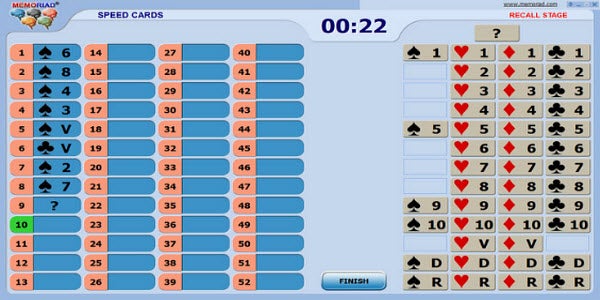
Memoriad Simulator: Related to the Memoriad international tournament that tests mental calculation, memory and photographic reading, this set of desktop games is amazingly thorough. It comes with eight games to test your mental skills. A word to the wise though. Memoriad Simulator doesn’t allow you to change the complexity level so beginners should try not to get overwhelmed by the sheer amount of memorization required from the get-go. A little practice goes a long way with this game pack.
gBrainy: As simplistic as the interface of this pack of games outwardly appears, it’s certain to keep your mind engaged. gBrainy tests logic, memorization and vocabulary skills. Questions are both written and visual to suit all types of learning styles. When paused, gBrainy also compiles a detailed list of statistics on your weak and strong points. While the interface is pretty plain, the breadth of questions more than makes up for it.

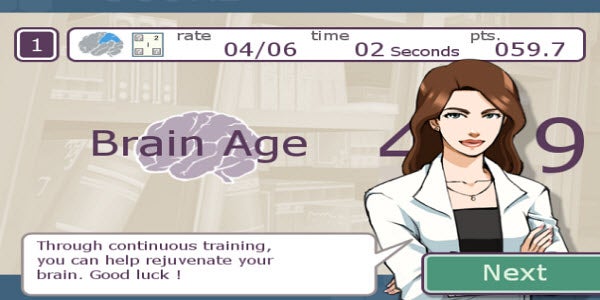
Brain Exercise with Dr. Kawashima: If the name of this brain game sounds familiar, don’t be surprised.  Brain Exercise with Dr. Kawashima is a PC demo version of the popular Nintendo DS game. This demo may be shorter than the original game, but it gives you a taste of what playing the full game is like. Brain Exercise with Dr. Kawashima tests your memory capabilities in order to calculate your brain’s true age. It may not be scientifically accurate, but it sure is fun!
Brain Workshop: Get ready to test your visual and auditory memory all at once with this basic but challenging recall tool. Not only do you have to memorize what order each square is presented to you in, you also need to remember what alphabetical letter is said at the same time. It’s harder than you think!

Sudoku: In the past few years this numerical logic game has gotten increasingly popular, so much so that there isn’t just one program to recommend but an entire page of them. Sudoku requires you to put the numbers 1 through 9 in order throughout an entire multi-squared box. It seems simple at first – until you try it and realize there are any number of combinations that could trip you up. This game will certainly keep your brain occupied and challenged for hours.

Do you know any other brain training games or apps?

[Via: OnSoftware Spain]

How to: extract icons from EXE and DLL files

Here at Softonic we use logos a lot, for many different purposes: program listings, images for blog posts, or even the central image in our homepage. The logo is usually the best way to represent a program in all those cases – which means I get to work with them almost on a daily basis.

Obtaining a program logo can be quite easy. Sometimes the developers offer high-resolution PNG versions on their website, which work great everywhere. For popular programs, it’s easy to find logos in Google Images. But most of the time you have to use the program’s icon, and this is where an icon extractor comes in handy.

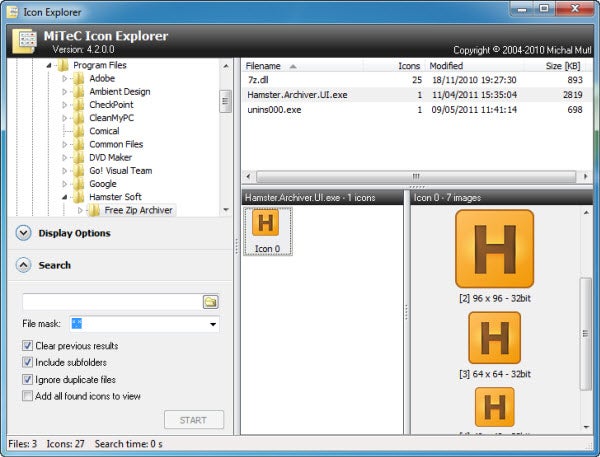
The app I use to extract icons from programs is Icon Explorer. It’s quick, easy to use and doesn’t require installation. All you need is browse the built-in file manager to find the executable file or system library you want to extract the icon from, and click on the icon displayed on the interface’s central area. Icon Explorer will show all the available sizes and resolutions on the panel to the right.

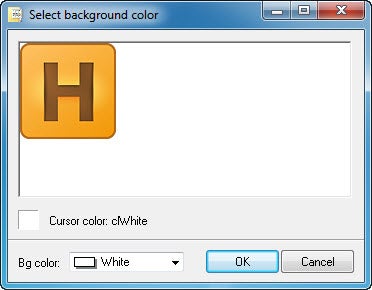
To download any of those icons, simply right click on the appropriate size and select the target format: ICO or BMP. In the case of BMP you can also select the background color. Of course, saving a program’s icon in BMP means you can work on it later on using any other graphic editor.

Icon Explorer is simple, easy to use and does what it says on the tin. If you ever need to extract icons from executable files or DLL libraries, this is the tool you need.

Free Browser Game: Lots of Tanks

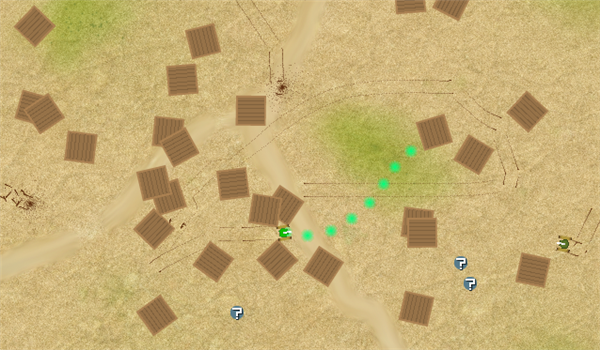
Lots of Tanks is a really simple, yet deceptively addictive arcade game. Essentially, you control a tank which you can rotate, move and fire. In Arcade mode, you will face waves of increasing numbers of enemy tanks to destroy. There are also survival, time attack and death match modes. Two players can play from the same keyboard, in any of these modes.

Each game has scattered boxes that act as cover, and lots of power-ups with a wide range of weaponry to try out, including the time honored annoying power up that just makes your life more difficult!

Clear out your diary and play Lots of Tanks over at Kongregate. You have been warned.

What’s new in Pro Evolution 2012 and FIFA 12

Pro Evolution vs FIFA

As the football season draws to a close in Europe, that other season that plays out every year between just two teams is kicking off.  That’s right, the first drips and drabs of information about Pro Evolution Soccer 2012 and FIFA 12 have already begun to filter through.

Pro Evolution Soccer 2012

The first to open the scoring this year (as with the last) was Konami, releasing an official preview video (below) of Pro Evolution Soccer 2012. Not a lot is given away in the game footage but the great Shingo “Seabass” Takatsuka, executive producer of Pro Evo did explain a lot about the philosophy of the new version.

[youtube]http://www.youtube.com/watch?v=Dc1-lh-O1NE[/youtube]

He mentions that a lot of work has gone into attacking as a team and defensive balance. On the attacking side, he highlights improvements to the movement of players off the ball. Teammates will make more intelligent runs and use space more realistically while not on the ball. For instance, they will overlap when you’re running down the wing, and move in closer to the target man when a ball is played to him.

Defensive improvements in Pro Evolution 2012 will include tighter man-marking, more direct control over holding an attacker up, and closer one-on-ones, making gameplay feel a lot more physical.

Continue reading “What’s new in Pro Evolution 2012 and FIFA 12”

Improve your Windows taskbar with free apps

The Windows taskbar is that thin button bar at the bottom of your screen, which you normally use to minimize and switch applications,  and bring any of them to the front. It’s probably one of the Windows features you use most often, but unfortunately it’s also quite limited. You can’t rearrange buttons, customize the calendar, or extend the taskbar to a second monitor… unless you install the appropriate utilities to overcome these limitations.

Arrange and organize buttons

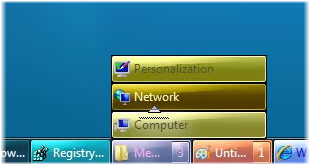
Every time you open a folder or run a program, the taskbar displays a button for it. These buttons are automatically organized according to the order in which you launched those folders and apps, but sometimes that’s not the optimal way to arrange them. If you’d like to freely rearrange buttons on the taskbar, you can use Taskbar Shuffle or TaskBowFree, which also lets you colorize buttons and organize them in groups.

Customize calendar and clock

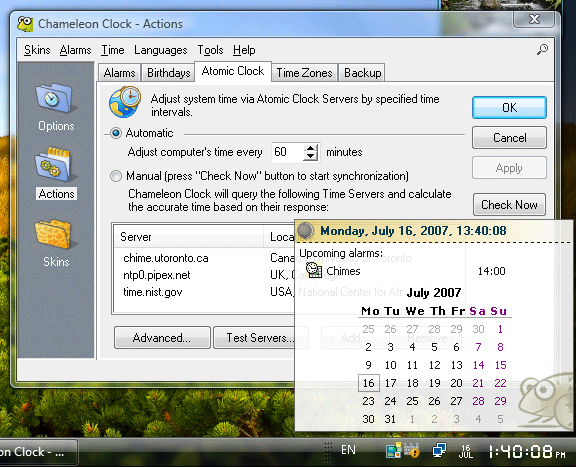
The taskbar calendar and clock are quite basic – they only display the current month and time. If you want to expand their capabilities, use Chameleon Clock. This program adds alarms, birthday reminders and skins to customize the system clock’s appearance.

Continue reading “Improve your Windows taskbar with free apps”

10 things not to do on Facebook

Facebook’s mission is to “give people the power to share and make the world more open and connected.” This all sounds very worthy and far out, but on the flipside the social network can also be a tool for causing a nuisance and generally upsetting the cosmic order of things.

There are plenty of ways to become a menace on Facebook if you’re that way inclined. Here’s a guide to what to avoid doing on the network (or, alternatively, to do them if you’re feeling bored and destructive).

1. Quit with the tags!

Facebook allows you to tag (label) people who appear in your photos, regardless of whether they want to be identified in it or not. But it’s not recommended to tag your friends at random.

Don't tag too much

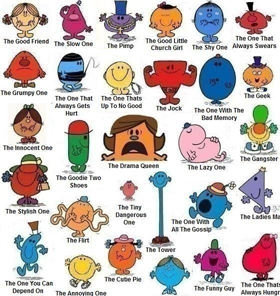
The person who uploaded this picture to Facebook has tagged his friends as characters from the Mr Men books. This is a big no-no and is in effect spamming people’s message boards with a silly picture that they probably don’t want to be associated with.

Worse still are those programs that tag your friends as random objects, such as Friends Tagger. If someone tagged me in one of these I would immediately sever all ties with them.

2. Can you keep a secret?

Bad wall post

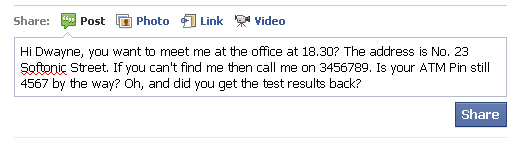
The Facebook wall is a fun way to keep up with your friends, but it’s easy to forget that it’s not confidential. Common sense states that you should send a private message for anything with confidential information, phone numbers, passwords or gossip.

Continue reading “10 things not to do on Facebook”

Viddy: Create and share short videos

Image sharing apps are really popular, with Instagram probably at the top of the pile with it’s mix of cool effects and easy sharing.

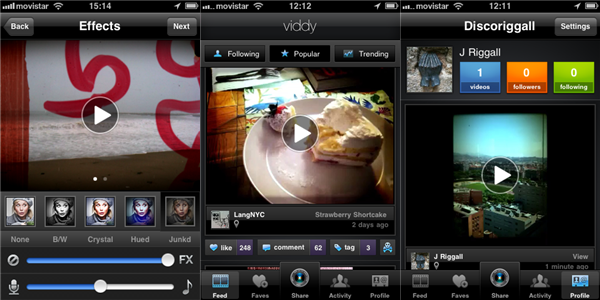
Viddy basically does this, but with video clips. You can shoot 15 seconds of video, or choose a 15 second video clip from any iPhone video, and share it via Facebook, Twitter or YouTube in seconds.

Once you’ve chosen your video, you can add effects like vintage, black and white or even ‘3D’. They may be a bit gimmicky, and the optional music isn’t really worth using, but the end results can be quite pleasing.

Check out our full review of Viddy here, and share your videos with us!

The complete L.A. Noire fan kit

One year ago we were desperately waiting for Red Dead Redemption to come out. Two years before that, the countdown was for GTA IV. Now in 2011, Rockstar has done it it again: we’re drooling over their new title, L.A. Noire, scheduled for release this week – Tuesday in the US, Friday in Europe. And just like we did with their previous hits, we’ve compiled a complete L.A. Noire fan kit to help you get in the mood for this awesome adventure set in post-war Los Angeles.
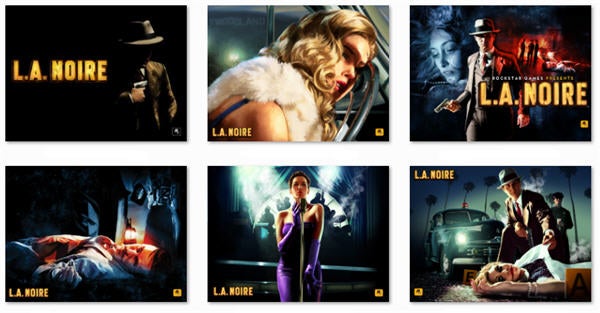
An inspiring wallpaper is a good start for any fan. Check out the L.A. Noire Wallpaper Pack we’ve prepared for you in Softonic, and choose the one that suits you best. If you have a dual screen computer, remember you can use DisplayFusion to have a different wallpaper on each monitor.

All these wallpapers have a 1600×1200 resolution, so if you need a different one or want to download them for your mobile device (PSP, iPad, iPhone, Blackberry) be sure to visit the game’s official website. This site also offers a varied collection of buddy icons and avatars with characters from L.A. Noire, which you can use in your favorite IM client or social network.

For those who prefer actual gameplay images, don’t miss the L.A. Noire official launch trailer, made entirely from in-game footage and which shows off the impressive character facial animation techniques used in this title. Previously released videos about other topics such as performance, game features and story progression are available on the game’s official site.

Finally, L.A. Noire’s website also includes some extra elements to get you even more immersed in the game’s universe: first, a collection of detective fiction short stories, many of which use characters and cases from the game and give them a new spin; and second, an interactive crime map set up by Rockstar and Los Angeles Times, where you can check out all the details about real criminal cases that shattered Los Angeles society in 1947.