Remember the controversy surrounding the iPhone 6? The new Nexus is even more worthless

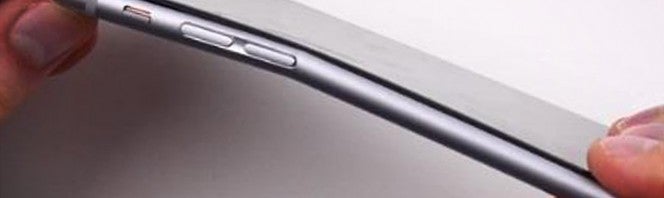
We all have our pastimes. YouTuber JerryRigEverything’s pastime is trying to break all newly-released cellphones as they arrive on the market. This video shows an example how fast Google’s new Nexus 6P can be broken… much faster than the ill-fated iPhone 6.

As it says on Metro, the site where I found the video, it looks like we may have Bendgate 2.0 on our hands.

“I’m not kidding when I say that even my sister could break this Nexus 6P,” the YouTuber says at one point in the video.

(Can’t play the video? Click here to watch it on Youtube).

Nexus 9 review

Tablets are made for media. Whether it’s reading, listening to music, or watching videos; people use tablets differently from smartphones. The Nexus 9 is Google’s showcase of Android 5.0 Lollipop installed in a premium device that should be future proof for at least a few years.

But if you don’t own a tablet, is the Nexus 9 the tablet you should buy? It depends on how it’s going to be used. If it’s a family device, then parents will want to get one for multi-user accounts for their kids and screen pinning, which locks a single app to the screen. For students, it’s great for school. Paired with a Bluetooth keyboard and note-taking apps, you can replace your notebooks.
Buy the Nexus 9

Tablet-sharing families

Watch lots of streaming video

New Android tablet users

Students for productivity

Don’t buy the Nexus 9

Existing Android tablet owners

iPad owners expecting the same experience

Expecting a laptop replacement

Build and design

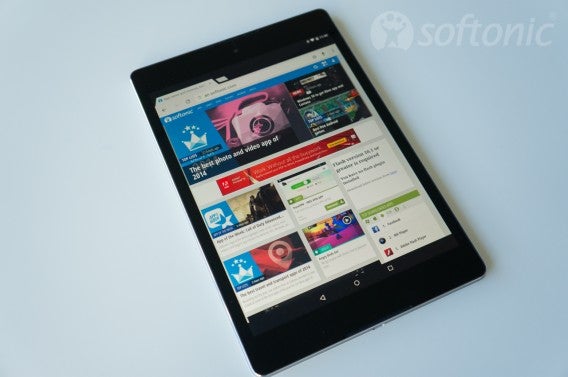
Changing from a widescreen to portrait screen doesn’t change the usability of the tablet. It would have been nice to have the dimensions a little smaller considering there’s a lot of bezel space at the top and bottom. The camera sits at the top and the speaker grills sit at the edges, but there are no OS buttons, it could have been a little shorter while keeping the screen size.

The power and volume buttons sit at the top right side when looking at it in portrait. The original Nexus 9 had shallow buttons, sticking out slightly from the metal frame. The newer revised Nexus 9 has more pronounced power and volume buttons. It’s lightweight and easy to hold in one hand. The headphone jack is located at the top and there’s a micro-USB port at the bottom.
Nexus 9

Screen resolution is 2048 X 1536 on a 8.9″ screen, which means it’s very crisp and reading text is easy. It also means that lower resolution photos will look really pixelated. The screen is great, the colors look good. Honestly, even though there have been reports of LCD backlight bleed, it’s not something I noticed in day to day use. You’re not going to notice any problems with color balance unless you’re using full brightness.

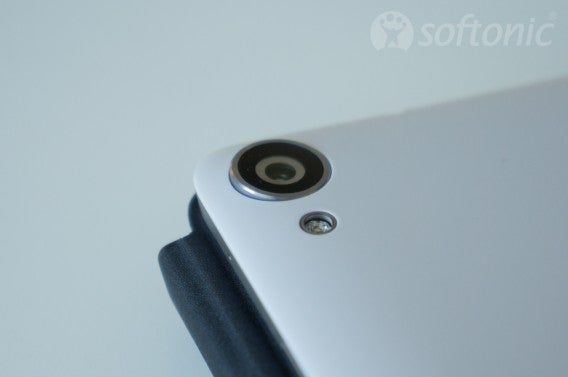
The camera sits on the back and is mediocre. The Google Camera app takes average pictures, but there are alternative apps you can try. Almost any phone camera will take better pictures, but you might be able to edit photos with another app and at least have them presentable.
Nexus 9

If you showed someone an iPad and Nexus 9, at first glance they would probably confuse the two until you saw the iPad’s home button. While not having a “premium” all metal shell, it’s built with a premium look and finish. Even though the back is plastic, it doesn’t feel cheap.

Audio/Video

I watch a lot of YouTube, Netflix, and listen to Google Play Music. In every case, the speakers play loudly and produced sound without any distortion. There’s a decent amount of bass, but don’t expect huge impact or detailed treble.
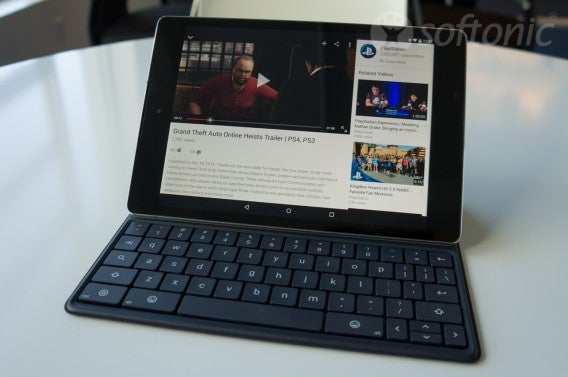
Nexus 9

The screen is large so that full screen videos are easily viewed. The larger size also makes web browsing and photo viewing very simple. When viewing websites in Chrome, most of them will load the desktop version so you’re not stuck with non-optimized mobile versions.

Apps

The only problem with apps is that some still aren’t updated to fit the portrait layout of the tablet. Android apps are designed to scale, but since the Nexus 7 was designed with a widescreen display, apps still use that aspect ratio. It’s also unfortunate that many apps are still blown up phone versions rather than tablet-specific releases. Apps like Instagram and Facebook really show this issue. A lot of messaging apps are designed for phones as opposed to tablets so you might not want to install those.
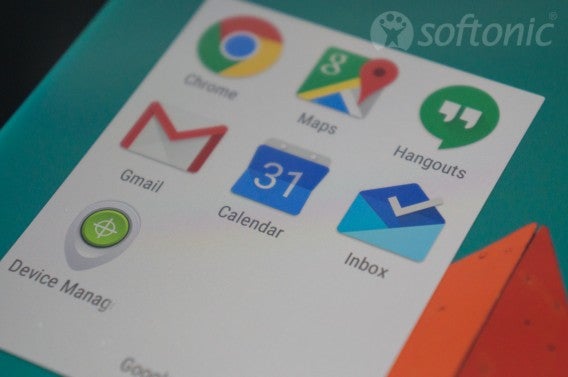
Nexus 9

But even with some apps lacking optimization, there are plenty of apps that work with the portrait display with no problems. When you go to the Google Play Store, there is a section for tablet-specific apps.  If you enjoy playing Android games, these apps are optimized very quickly and the majority work perfectly on the 4:3 screen.

Android Lollipop

Nexus 9 is the first Android device to have a 64-bit processor. While this doesn’t sound impressive, that means the tablet will be able to run faster once apps are updated to support it. It also means that the tablet won’t be useless within a year and Android updates will lengthen the life of it. If you’re worried about your data, the Nexus 9 is encrypted by default.
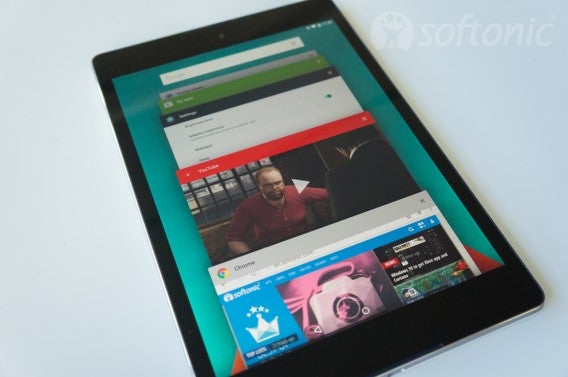
Nexus 9

One nice feature is that you can double-tap the screen to wake it instead of using the power button. However, this feature only worked about 85% of the time for me. Adding additional users can protect your kids by limiting what they can do on the tablet. Parents can have the primary account and create separate accounts for their kids. These other accounts can be blocked from making unwanted purchases or accessing specific apps. Parents can also “pin” apps to the main screen which can’t be locked so kids can access other apps.

For students, you can use the tablet as an easy replacement for a notebook. While the on-screen keyboard isn’t fast enough to take notes (unless you’re a master with Swype), pairing it with a Bluetooth keyboard can replace taking your laptop to class every day. You can use Evernote or Google Docs for notes or install your favorite productivity app (if it supports offline use).
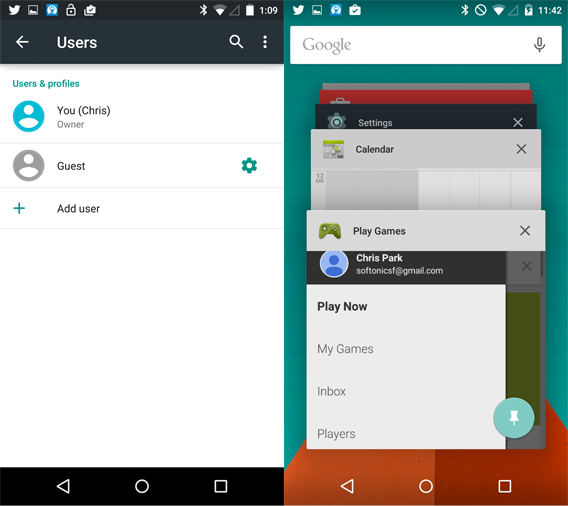
Android lollipop

Since the Nexus 9 is a Google device, you’ll get updates much faster than waiting for third party Android tablets. Android 5.0.1 is already fixing bugs across all Nexus devices.

Great for beginners

If you don’t have a tablet, the Nexus 9 is a great place to start. If you’re coming from an iPad, then switching to the Nexus 9 is easy since it feels like a scaled down iPad with it’s square aspect ratio. The strongest reason to get the Nexus 9 is that it comes with a pure Android experience and will receive updates faster than other devices.

While there are a lot of different Android tablets, if you want a premium tablet that’s designed by Google, then the Nexus 9 is the one you should buy.

Related Articles

Best free Android apps

Best free Android games

The best health and fitness apps of 2014
Android L and Nexus 6 appear in new Android ads

New Android ads emerged this morning showing off our first glimpse at the upcoming Nexus 6 phone and more of Android L. The ads feature a new tagline, “Be together, not the same,” and show a bunch of Android characters dancing.

The ads don’t show much about Android or the Nexus 6 but it does show that Google is targeting a younger audience with its upbeat and colorful ads. The ads come one day before the rumored announcement of the Nexus 6 and Android L (Lollipop).


One ad shows a a tiny Android character whipping out a Nexus 6 that’s many times his size. The phone should match the power and size of the iPhone 6 Plus.

Check out the rest of the ads below.

Source: Droid Life

Related Stories

Rumor: Android 5.0 L (Lollipop) coming out November 1st

Microsoft launches instant video messaging app Skype Qik

Snapchat not responsible for leaked photos but it could have done more

WhatsApp, Twitter… what their icons really want to say to you

Follow me on Twitter: @lewisleong

Android 4.4.3 rolling out to Nexus and Google Play Edition devices

The latest Android update began rolling out to T-Mobile Nexus devices yesterday and now Google Play Edition devices are getting the update too. Android 4.4.3 may sound like a update but it actually brings a ton of bug fixes and some new features.

The biggest visual difference is the redesigned dialer. It now matches the rest of the operating system, stopping the use of black and replacing it with white, green, and blue. Beyond the visual overhaul, some buttons have moved around but nothing you’re likely to notice.

As for bug fixes, Android 4.4.3 speeds up the camera, fixes data dropout issues, and reduces the number of random reboots.

Android 4.4.3 is rolling out to T-Mobile Nexus devices and Google Play Edition devices. This means HTC One and Samsung Galaxy S4 owners will see an update very soon.

Android Police also found evidence that the update will be coming to the HTC One M8 soon. Droid Life is reporting that T-Mobile versions of the Moto X, G, and E are receiving the update too.

Source: Softpedia | Android Police

Follow Lewis on Twitter @lewisleong

RELATED STORIES

10 must have apps for the Nexus 5

Google’s Nexus 5 is a beast to be tamed with the right applications. Here, we introduce ten must-have apps to install on your new Nexus 5.

Trigger for AndroidTrigger: Automatically control apps depending on your surroundings

The Nexus 5 is a phone loaded with all kinds of sensors. With Trigger, you can set your phone to run applications, turn off Wi-Fi, scan an NFC tag, or close programs when the battery is low, depending on where you are or what you’re doing.

Superbeam for AndroidSuperBeam: send files at the speed of light

The easiest way to share files is through a direct Wi-Fi connection. With Superbeam, pair two phones using NFC or QR codes and the files will be transferred from one mobile to the other at super high speeds.

uTorrent for AndroiduTorrent: download everything directly to your Nexus

Downloading from your PC seems silly when you have a phone like the Nexus 5. Instead of using your PC, use the uTorrent app to download files directly to your Nexus 5.

Airdroid for AndroidAirDroid: management and backups from your browser

AirDroid is a the perfect safety net for your Nexus 5. It not only lets you manage your phone from a browser, but is also the perfect tool for making and restoring backups.

DashClock Widget for AndroidDashClock Widget: notifications when you most need them

Imagine being able to see how much battery is left on your Nexus 5, the number of unread messages you have, or the time, directly from the lock screen. With DashClock, it’s all possible, making us wonder why such an app doesn’t come stocked on Android?

Viber for AndroidViber: now you can make video calls

If you’re a fan of message apps, Viber is one that’s great for making free voice and video calls. It’s perfect for the Nexus 5, since LTE 4G connections are standard on the phone.

Camera Zoom FX for AndroidCamera Zoom FX: a camera app for professionals

Cameras on Nexus devices have never been known for their quality, and unfortunately, the Nexus 5 is no exception. The default photo app provided by Android doesn’t help either. The solution? Camera Zoom FX, a powerful camera with multiple shooting modes and various options for photo processing.

Nova Launcher for AndroidNova Launcher: the definitive app launcher

If you’re not happy with the launcher that comes with Android KitKat 4.4, try Nova Launcher. It’s got a larger screen, more space for icons, and the ability to customize freely.

MX Player for AndroidMX Player: HD quality videos on the go

Its likely that what’ll happen with your Nexus 5 is similar to what’s happened with the Nexus 7 tablet: it makes you want to watch videos. MX Player is a multimedia player that hits all the right notes. Another equally good option?VLC for Android.

Power Toggles for AndroidPower Toggles: turn on and off with a single touch

The best way to save battery life? Disable sensors and antennas when you don’t need them. The Android menu makes this a little easier to do, but the fastest way is by using Power Toggles.

What apps are your must-haves for the Nexus 5?

Android 4.4.2 brings Nexus 5 camera improvements

Android 4.4.2 is being rolled out to Nexus 4, Nexus 5, Nexus 7 and Nexus 10 devices, with the main change being improvements to the camera apps. According to the update notes, there are four main improvements to the camera app.

  • Pictures can be taken faster, without blurring
  • The camera will focus faster and better
  • Pictures will have better white balance and colors
  • Improved exposure
  • Various small bug fixes and overall system performance improvements
  • Once installed, you’ll immediately notice how much faster the camera app is, although it’s harder to see improvements in the images.

    It’s unusual for an OS update to be rolled out only a week after the last one, but it’s good news for Nexus owners that Google has rushed out fixes to the camera app. Android 4.4 ‘KitKat’ is the biggest update to the mobile OS for some time, and as with iOS 7, big changes can mean more bugs to iron out.

    Note: Some of these changes came in Android 4.4.1, but the majority of Android users did not receive that update, and instead will get 4.4.2 directly.

    RELATED STORIES

    Android 4.4 KitKat update rolling out to Wi-Fi Nexus tablets

    The Nexus 5 isn’t the only device to feature Android 4.4 KitKat any more. Today, Google began rolling out Android 4.4 KitKat to Wi-Fi only Nexus tablets. This applies to both the 2012 and 2013 models of the Nexus 7 tablet.

    Owners of Nexus tablets with cellular data will have to wait a bit longer before they get their update to KitKat. Google states the updates are coming but are taking a little while longer.

    Devices in Google’s Nexus program always get Android updates first but non-Nexus devices will have to wait. Phone maker HTC promises an update to Android 4.4 KitKat to all capable devices within 90 days. Samsung has not committed to a release date as of yet. Phone manufacturers often have to work closely with carriers in order to push out updates to their phones, taking more time.

    Follow Softonic on Facebook and Twitter for the latest Android news.

    Source: @Android (Twitter)

    RELATED STORIES

    Android 4.4 KitKat available on Nexus 5, other devices “in the coming weeks”

    Finally, after all the rumors, speculation, and supposed release dates, we have an official release window for Android 4.4, codenamed KitKat. Google is launching KitKat with the new Nexus 5 phone but the update will be available to the Nexus 4, 7, 10, Samsung Galaxy S4 and HTC One Google Play Editions “in the coming weeks.”

    The update is a minor upgrade to Android Jelly Bean, but it’s still worth installing if only to stay up to date. Among the improvements you’ll see with Android KitKat:

    1. Improvements for Android 4.0 (Ice Cream Sandwich) and 4.1 to 4.3 (Jelly Bean) – Wider support for different devices and lower system requirements mean there’s a good chance you’ll get KitKat on your older phone. One of the goals for Google this time is to prepare their OS to work with older phones, even with those with 512MB of RAM. Looks like KitKat update might hit some older devices, so fingers crossed!
    2. Slight redesign – KitKat will boast transparent notification and control bars and white icons. Developers will be able to use fullscreen view for their apps and we’ll see new camera, file, and phone icons
    3. Hardware optimization – Android will work better, with lower battery consumption
    4. SMS integrated with Hangouts – This will make communication easier, especially if your friends are using Google services as well.
    5. Updates for up to 17 Google apps – The list includes Google Play Services, Gmail, Drive, Calendar, Earth, Translate, Chrome, Hangouts, Goggles, Play Magazines, Keep, Wallet, Blogger, Google+, Analytics, Fiber and Snapseed.

    Android 4.4 focuses much more on updating Google’s core Android applications to provide a unified experience for all Android users. This means Android’s infamous “fragmentation” will be eliminated by focusing on updates using Google Play Services.

    From now on, Google Play Services will take care of updating Android automatically and behind the scenes. This little “app” currently runs on 98.7% of Android devices, has full administrator permissions, updates itself automatically without Google Play and, basically, runs and updates Android. If your device receives the Android KitKat update, don’t forget to back up your data!

    RELATED STORIES

    [Source: Google Official Blog]

    Android 4.2.2 rolling out to Nexus devices, fixes Bluetooth audio issues

    Right on the heels of Apple’s emergency iOS update, Google is beginning to push out Android 4.2.2 to its Nexus devices. Other devices will get the update later.

    The 4.2.2 update brings fixes for A2DP Bluetooth audio where sound would skip or cut out suddenly. The update seems to be only rolling out to Nexus tablets at the moment, though it would be safe to assume that the update will hit Nexus phones soon and other handsets afterward.

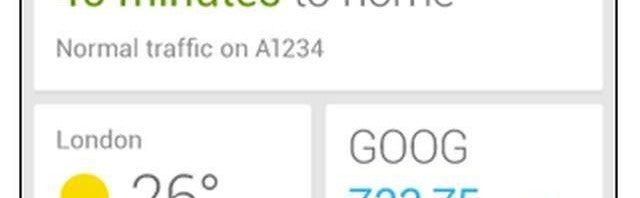
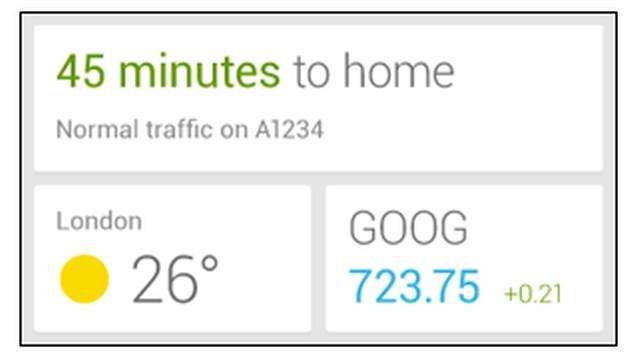
    In addition to fixing Bluetooth issues, Google is also working on a Google Now widget for faster access from the home and lock screens. Users can add the widget and customize it to display the most important information up front. Those who don’t like to use widgets can still access Google Now with a swipe up from the home key on Nexus devices. The widget has yet to be released but was leaked earlier by a Google support document, which has now been pulled.

    google now widget

    Other minor additions include time left to download in the Google Play store, long pressing Wi-Fi and Bluetooth to toggle in the Quick Settings, and a more secure Android Debug Bridge for developers.

    The last Android update, 4.2.1, was released in November 2012, which also helped to squash some bugs. There’s no word about when the next version of Android, codenamed Key Lime Pie, will be released.

    Source: Android Police

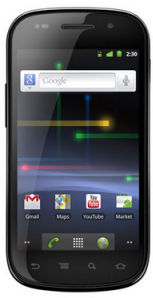
    Google’s Nexus S to be released with Android 2.3

    One of the most universally cited frustrations of Android users is the slow pace at which mobile service carriers release updates. Unlike the iPhone, it is generally up to cell phone providers to determine when their customers receive Android updates. Without much incentive to provide updates immediately, many cell phone users who have Android phones are consequently left waiting indefinitely.

    This will change when Google’s Nexus S is released next week in the U.S. and shortly thereafter in the United Kingdom. The predecessor to the Nexus One, the Nexus S is manufactured by Samsung Electronics. A service contract can be purchased in the U.S. starting on December 16 through T-Mobile.

    The Nexus S will come with all the advanced features you would expect from a smartphone of its caliber. Its biggest draw though is probably that it comes pre-installed with the latest Android release: Gingerbread (2.3).

    Since Google is also Android’s primary developer, the company promises to release Android updates to the Nexus S more quickly than other phones will likely receive it. This is just one part of what the company is calling the “pure Google experience” new Nexus S owners will be able to take advantage of. This additionally means that the third-party software that burdens other Android phones will not be a problem for users of the Nexus S.

    For smartphone users who want the latest Android technology as quickly as it’s available, then, the Nexus S seems like a good bet.