DmC Devil May Cry: Definitive Edition review

The original Devil May Cry was one of the hardest games I ever played. It required precision control to string together huge combinations against swarms of enemies. But it was also the last Devil May Cry I played. Sequels were released every couple years, but I didn’t find a reason to go back.

DmC Devil May Cry: Definitive Edition is Ninja Theory’s reimagination of the Devil May Cry universe, telling the story of Dante and Vergil, the two Sons of Sparda. While not part of official canon, DmC provides a compelling plot between Dante, who lost his past, and Vergil, who holds his own secrets.

DmC Devil May Cry: Definitive Edition is a re-release of the 2013 game running at 1080p and 60 fps for PlayStation 4 and Xbox One.

An average story with an expected twist

The overall plot of DmC Devil May Cry: Definitive Edition is about Dante learning about his past with the help of Vergil and Kat, a member of The Order (who are directed by Virgil), attempting to kill the Demon King Mundus in Limbo City.
DmC Devil May Cry Definitive Edition

The story plays out through missions that add to Dante’s backstory. DmC’s story is surprisingly interesting even if the dialogue is kind of stupid. But with stupid dialogue comes some of the best voice acting I’ve heard in a long time. You can actually feel emotion in the voices and the lip-sync convinces me these people actually speak English.

Be Sadistic and feel good about it

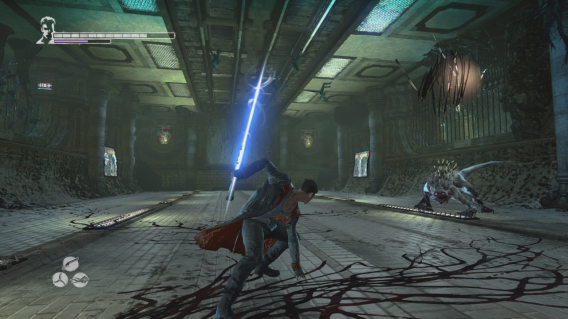
Dante is first equipped with Ebony and Ivory, his twin pistols, and Rebellion, his Demon sword. New weapons earned are tagged as Angel or Demon weapons. Angel weapons are faster with a bigger range and Demon weapons are slower, heavier weapons for close fights. Both Angel and Demon weapons are used with the shoulder buttons.
DMC Devil May Cry Definitive Edition

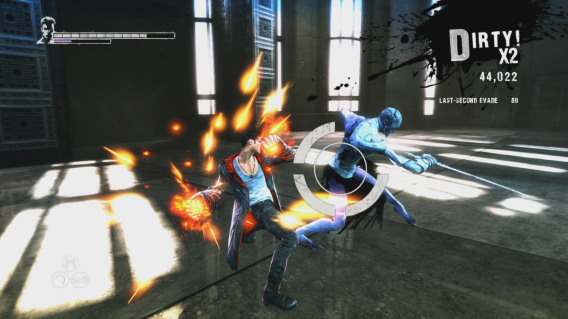
The first Angel weapon Dante gets is Osiris, a scythe, and his first Demon weapon is Arbiter, a giant axe. Later in the game, you get access to Eryx, a Demon powered pair of gauntlets and Aquila, a pair of disc blade projectiles. Dante also gets access to Revenant, a shotgun, and Kablooey, a grenade launcher you manually detonate.

You switch weapons with the directional pad so you never pause and open a menu. A problem is that once you get a new weapon, there is little reason to use an old one unless you’re trying to get bigger combos.

Each weapon has an upgrade tree. Buying new skills opens up potential for longer combos or charged attacks. Dante’s guns can also be upgraded, but I forgot about using them once melee weapons were upgraded. When you get Dante’s Devil Trigger power, it’s gives more attack power, but it’s more useful for regenerating health during hard battles.

If there’s one requirement to be successful, you have to have the controller buttons memorized. Button combinations require absolute muscle memory.

There are also platforming tools that use Angel and Demon powers. Angel mode pulls Dante toward platforms or can pull himself toward enemies and Demon mode pulls enemies or platforms out of the levels. These pull tools are used in combat to continue combos or to grab flying enemies.

DmC Devil May Cry: Definitive Edition is focused on combat, but the platforming can be a little confusing. Some levels are straightforward start-to-finish, but others require timing or careful jumps that DMC has trouble explaining.
DMC Devil May Cry Definitive Edition

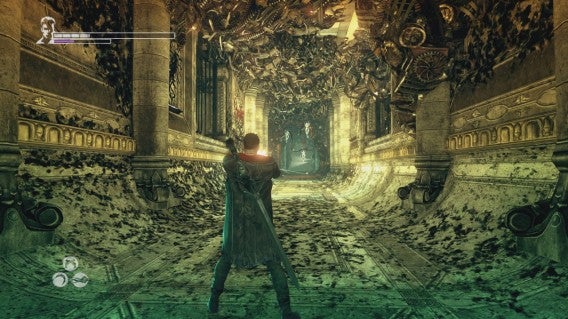
One big problem with DmC is the camera. It works well when moving between fights but the camera gets stuck in the worst positions during fights, blocking sight of other enemies or the edge of platforms.

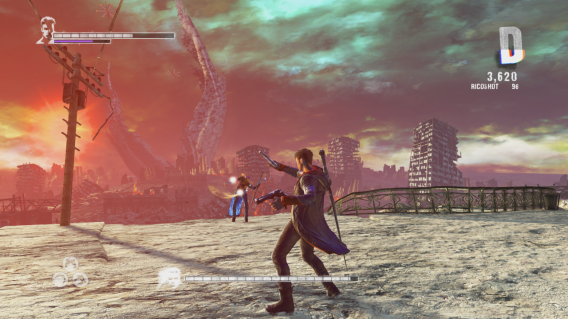
Your goal is to chain combinations against groups of enemies. The bigger a combo gets, the higher your ranking will be. At the beginning of DmC Devil May Cry: Definitive Edition, you’ll be lucky to get C rankings because you’re stuck with a sword, two guns, and a limited combo system. By the time you get halfway, you’ll have Osiris and Arbiter and stronger enemies who require strategy and skill to defeat.

Once you finish the campaign for DmC Devil May Cry: Definitive Edition, you can replay it on a harder difficulty level while keeping all your existing upgrades. Higher difficulties “remix” enemies and depending on the difficulty level, Dante can die in one hit.

There’s also a survival mode called Bloody Palace. You earn time by quickly killing all the enemies and chaining together long combos. It’s great for training and a quick pick-up-and-play mode.

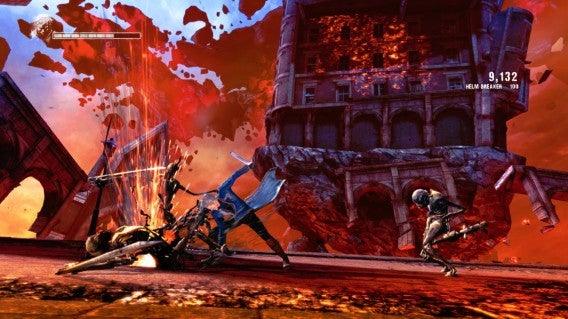
DmC Devil May Cry: Definitive Edition includes Vergil’s Downfall DLC. This shorter campaign explains what happens after the main story ends. Since you play as Vergil, you use his Yamato katana and summoned swords as projectiles.
DMC Devil May Cry Definitive Edition

Vergil plays much different from the agile movements of Dante. Vergil is able to pull enemies towards him like Dante, but his moves are limited. You can still create long combos, but the switch takes a level or two to adjust. Vergil’s Downfall is a nice bookend to the Definitive Edition.

Characters look good, environments look weird

As an enhanced port of a PlayStation 3, Windows, and Xbox 360 game, DmC Devil May Cry: Definitive Edition has an uneven level of detail.

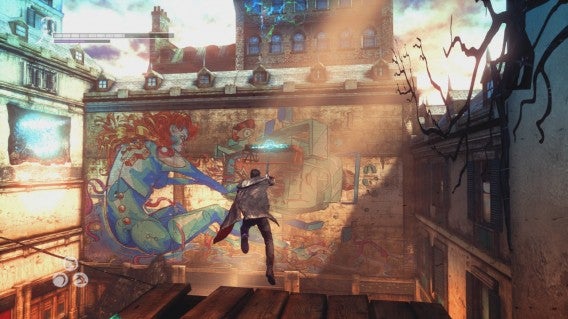
Dante, Virgil, Kat, and enemies have a high level of detail. Secondary characters like Mundus are mixed. Lighting effects look unoptimized in certain levels. There’s a definite issue with lighting because it looked like a pixelated shadow over the faces of characters.

The levels look good, but get close to a wall and you’ll see low resolution textures. Brick looks like paper and floors looks like paint. Most of the time you’ll be moving or fighting so it’s not a huge distraction. Basically if you stop to look, you will get disappointed. It’s more obvious when you’re in the real world and not Limbo. Limbo is able to hide textures by not surrounding you in tight areas.
DMC Devil May Cry Definitive Edition

DmC Devil May Cry probably looked really good on last generation consoles, but the uneven graphics on PlayStation 4 was a little disappointing.

Get it if you missed it

Ninja Theory successfully reimagined the Devil May Cry universe. The combat system stays true to the original and the precise control to switch between weapons and extend combinations is perfect.

An added bonus is that DmC’s story is compelling enough to make you want to continue playing. The first playthrough can take a couple afternoon sessions and Virgil’s Downfall DLC can be finished in one session.
DMC Devil May Cry Definitive Edition

But try playing DmC Devil May Cry: Definitive Edition on a harder difficulty or in Turbo Mode, adding a 20% speed boost, and it feels like a different game. There’s a lot of replayability in DmC Devil May Cry: Definitive Edition. If you missed the original release two years ago, it’s a recommended purchase. You may have forgotten how unforgiving the series can be, but this will remind you very quickly.

Review code provided by publisher

Related Articles

The best of GDC Play 2015

Knights of Pen and Paper 2 let me play a Hipster Dwarf Paladin

5 Ways to Breathe New Life into Dying Light

Follow me on Twitter: @chrislikesrobot
Best apps for the Apple Watch (so far)

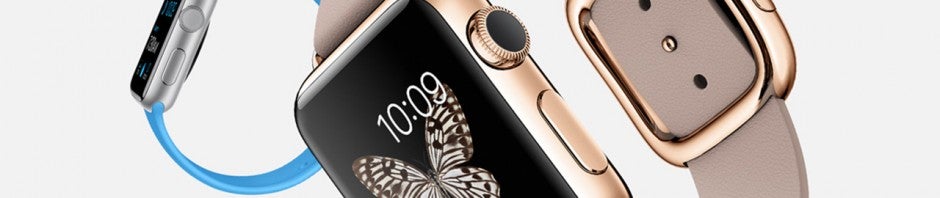
The Apple Watch is officially arrives April 24th, but you can pre-order the watch now. It might be a bit of a wait though as shipping times for the watch have slipped into the summer. The watch starts at $350 for the lowest price Sport model and over $10,000 for the absurd, limited Watch Edition.

Although Apple worked hard selling the design and materials for the Apple Watch, the device would be useless without apps. We already saw some of the first-party apps created by Apple during its event in September.

Here’s are the most important apps launching with the Apple Watch. Check out CNET for its excellent and complete list of apps.

Messages

Apple Watch Messages

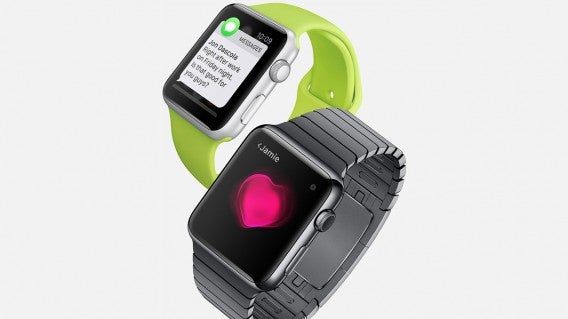
Arguably the most important app for most people is Messages. With Messages, you can read and reply to your text messages from your Apple Watch. Apple makes it easy for you to respond with canned responses or with voice-to-text. You can choose to send an audio message instead.

Apple Pay

Apple Watch Apple Pay

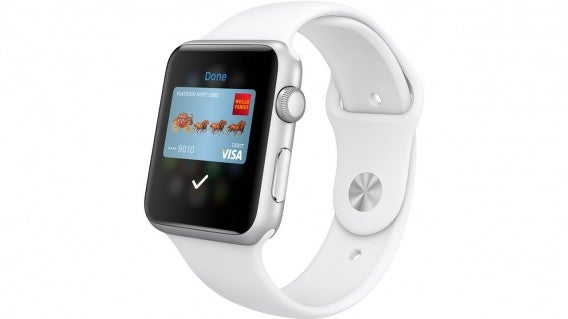
Although Google Wallet came out before Apple Pay, it never really took off. With Apple Pay, many more retailers are joining the phone payment revolution. The iPhone 6 and 6 Plus make it easy to pay with Apple Pay, but the Apple Watch will make it even easier. Simply tap your watch to the pay terminal and your transaction will go through. No need to take your phone out of your pocket.

Maps

Apple Watch Maps

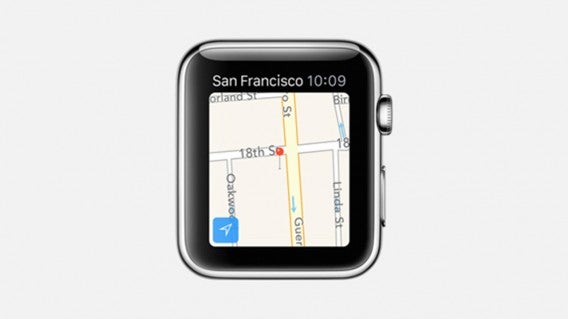
One of the killer features of any smartwatch are maps on your wrist. Apple’s own Maps may not be as good as Google Maps but it’ll work for most users. Get turn by turn directions on your wrist, which are especially handy while exploring a new city.

Passbook

Apple Watch Passbook

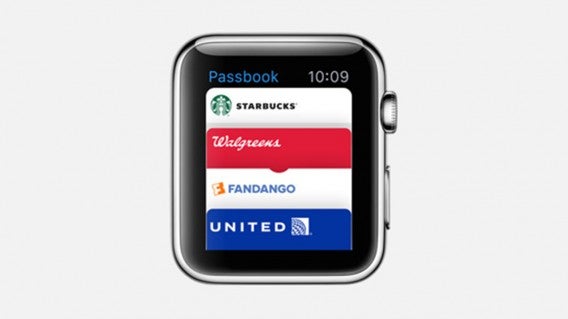
If you’re a frequent flyer, Passbook will be invaluable. Passbook stores your boarding passes, loyalty cards and other tickets. You’ll never have to remember to print out a ticket or boarding pass. All of the info will be stored on your wrist for easy access.

Siri

Apple Watch Siri

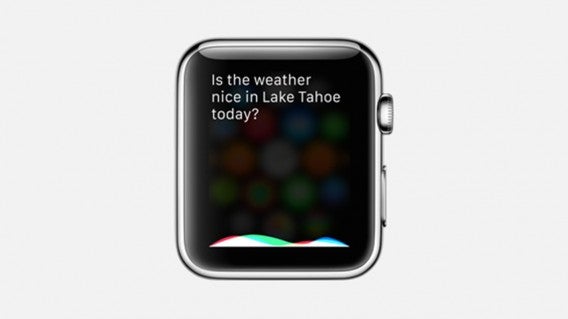
Apple’s virtual voice assistant will follow you on your Apple Watch, waiting for your commands. Anything Siri can do on your phone, you can now do via your Apple Watch. Weather information, restaurant search, and snarky humor are all available on your wrist now.

Instagram

Apple Watch Instagram

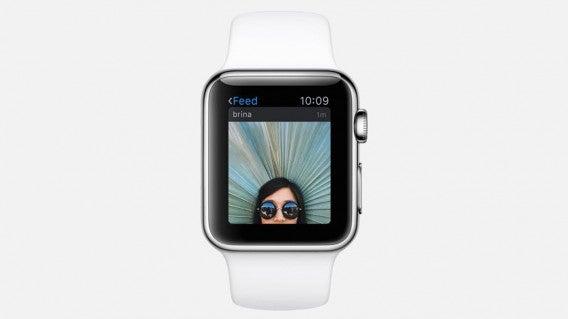
Instagram for Apple Watch is actually pretty full featured. You can browse your Instagram feed and like photos right on your wrist. However, I don’t think looking at postage stamp sized photos on your wrist is best way to view Instagram photos. Still, this app is great if you’re too lazy to take out your phone or just want to waste a few seconds on Instagram.

Twitter

Apple Watch Twitter

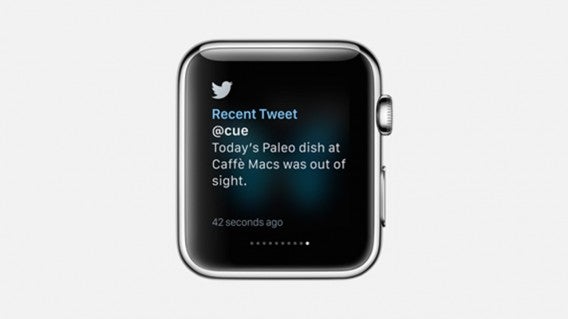
Check your Twitter feed, see what’s trending, post a tweet, and reply to tweets all from your wrist. Twitter works well in this format, letting you quickly scroll through your feed with the crown on the Apple Watch. The interface looks spartan but it works well.

WeChat

Apple Watch WeChat

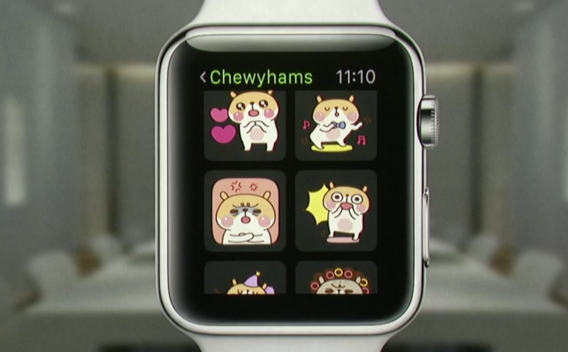
Popular messaging WeChat is coming to the Apple Watch. Beyond showing your messages, WeChat lets you reply using voice and stickers. Tapping on the sticker icon will pull up a menu of available sticker packs, one of WeChat’s most popular features. I suspect other messaging apps like Facebook Messenger and LINE will adopt this feature as well.

Nike+

Apple Watch Nike+

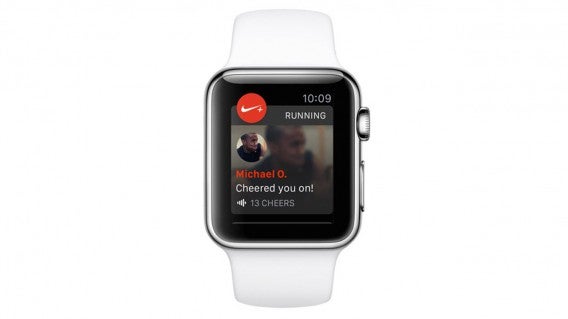
Nike has always provided great support for Apple products and that’s no different with Nike+ for Apple Watch. Track your runs and get motivated via the app’s notifications. Although Apple has its own Workout app, Nike+ is great for those who have invested time into the Nike ecosystem.

Workout (Apple)

Apple Watch Workout

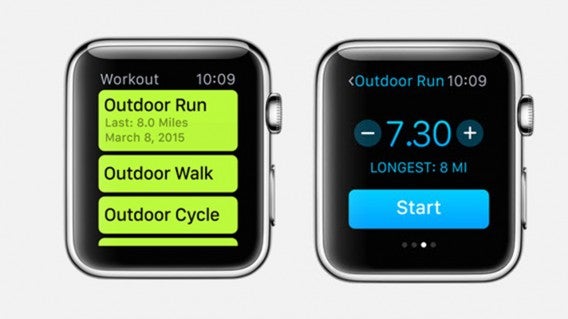
If you haven’t tried any fitness apps, Apple’s own Workout app is a great place to start. Workout integrates with Apple’s Health app, a hub where you can view all of your fitness data. Workout lets you track your workout, heart rate and much more.

Todoist

Apple Watch Todoist

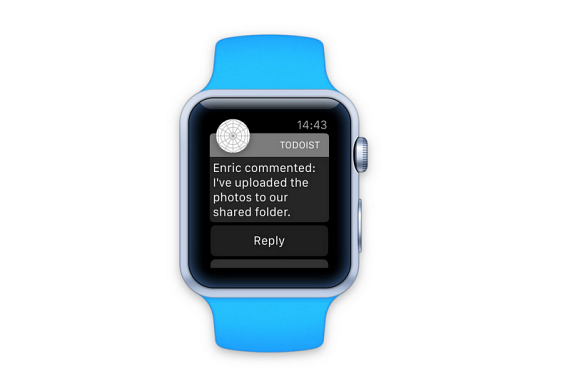
Todoist for Apple Watch is great if you have a terrible memory. Get all of your to-dos and reminders right on your wrist so you never forget to pick up milk from the store again. Todoist will let you check off your to-dos and assign due dates and times for your tasks and reminders.

ESPN

Apple Watch ESPN

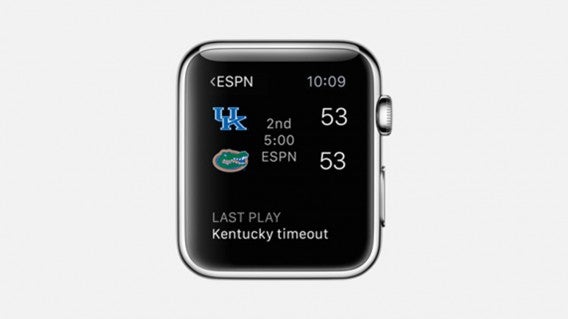
Sports fans who want to stay on top of their team’s scores will want to download ESPN for Apple Watch.

NYTimes

Apple Watch NYT

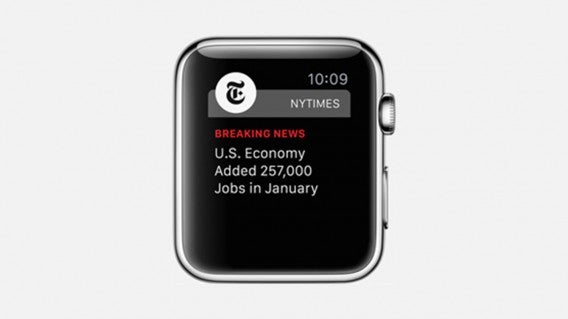
Stay on top of breaking news with NYTimes for Apple Watch. Get news alerts delivered to your wrist so you don’t miss an important story.

Shazam

Apple Watch Shazam

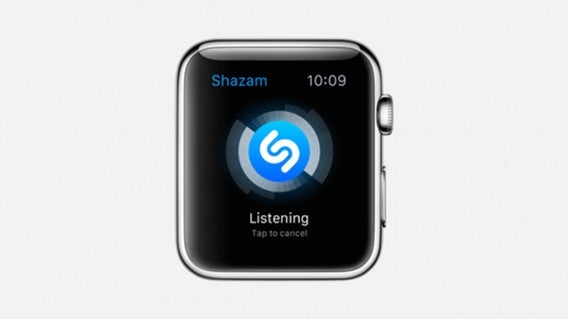
Shazam is a great app to help you identify what’s playing without fumbling to get our your phone and missing the song. Tap on the icon to let Shazam start listening. Once it identifies the song, the app will give you info about the artist and even lyrics for you to sing along.

BMW i3 Remote

Apple Watch BMW

If you own a BMW i3 electric car, you can control it from your watch. Check your car’s battery power and control your door locks all from your wrist. Hyundai also has an app called Hyundai BlueLink that’s coming to the Apple Watch that will do similar things for its vehicles.

Uber

uber

Hail a cab from your wrist using Uber. The app will tap you on the wrist when your ride gets close so you don’t miss it. Uber for Apple Watch will also let you select what type of Uber car you want.

Honeywell

Apple Watch Honeywell

The internet of things is a reality and Honeywell is ready with an Apple Watch app. Monitor and access your lights, thermostat, and more with just a few taps on your wrist.

Alarm.com

Alarm.com Apple Watch

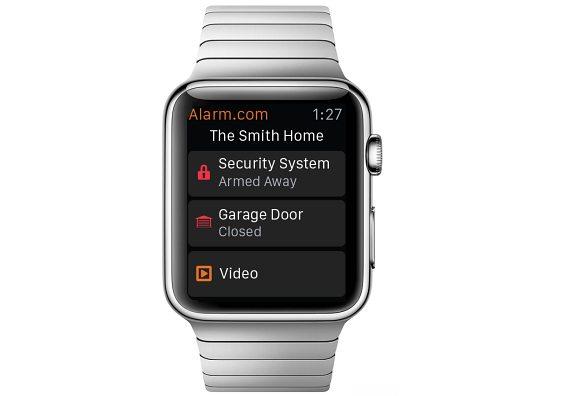
Apple showed off the Alarm.com Apple Watch app, showing how someone can let their kid into the house after being locked out. The app will provide a dashboard view of your home’s status. See which locks are triggered and if your security system is armed. You’ll never have to wonder if you remembered to turn on the alarm before leaving.

W Hotels (SPG app)

Apple Watch W Hotel

Never have a hotel keycard demagnetize in your wallet or purse again. SPG is partnering with Apple to let you access your hotel room using your Apple Watch.

Related Stories

Here are the coolest things Apple Watch can do

Best Android Wear smartwatch apps

Best Android Wear watch faces

Follow me on Twitter: @lewisleong

Android 5.1 released, now for the waiting game

While Android users were either watching or ignoring today’s Apple Watch reveal, Google quietly released Android 5.1. Even though Google is jumping from Android 5.0.2 to Android 5.1, it’s not a huge jump in features but more for “stability and performance.” There are some features that people will like though.
hd voice android 5.1

Multiple SIM support

Some Android phones have two SIM slots. This lets frequent travelers use a domestic and international SIM without having to manually remove and install a new SIM. Android 5.1 natively supports multiple SIM cards on these devices.

Device Protection

If your device is lost or stolen, it will remain locked until you sign in with your Google account. Even if someone factory resets the device, it will still require a sign in before unlocking your phone.

The feature will be available on phones and tablets shipped with Android 5.1 and the Nexus 6 and Nexus 9. If you have an older device, you can use Android Device Manager.

High Definition voice calling

This is limited to few devices and Google was quick to highlight the Nexus 6 on T-Mobile or Verizon (who still doesn’t have the phone). Ideally call quality is better.

Miscellaneous fixes

Quick Settings gets an update to let you join Wi-Fi networks and control Bluetooth paired devices from the menu.

Google highlighted the biggest features, but more people will be looking for information about the system improvements. Hopefully there’s better optimization for the battery and speed of the OS overall.

We’ll let you know how it works once the update hits our devices. While you wait, watch this new Android Wear commercial released right before Apple’s event.

Source: Official Android Blog

Related Stories

Best free Android apps

Best free Android games

Best Android Wear watch faces

Follow me on Twitter: @chrislikesrobot
4 funny things I experienced when I chatted online with strangers

One of my New Year resolutions was to meet new people. I took my smartphone, installed half a dozen apps, and dove into the world of mobile chat rooms. Let me tell you some of the funniest conversations I’ve had in my quest to beat loneliness.

There’s a time in life when you feel the need to expand your social circle. When that happens, you resort to all kind of tools. Apps are one of them, and probably the cheapest. You can meet new people from the couch, opening new chats like you’d change TV channels. It can be just as fun as real life encounters. So, I decided to give it a try.

In the last two weeks I entered virtual venues filled with complete strangers, making myself available to never ending streams of faces. I engaged in one on one conversations with people from all over the World and listened to music I never heard before, streamed by improvised DJs. I turned into a drawing of a weird creature. I even had the chance to exchange words with a robotic cat.

It was strange at the beginning, even messy at times. Some apps allow video and voice chat, others change your appearance, and some conceal your identity to generate both suspense and a feeling of privacy. It wasn’t always a cakewalk, but I quickly got accustomed to the rules of each app. When the noise and bustle became excessive, I just lowered the volume: in online chats, you are in control.

I sung in a virtual karaoke room – and enjoyed myself in the process

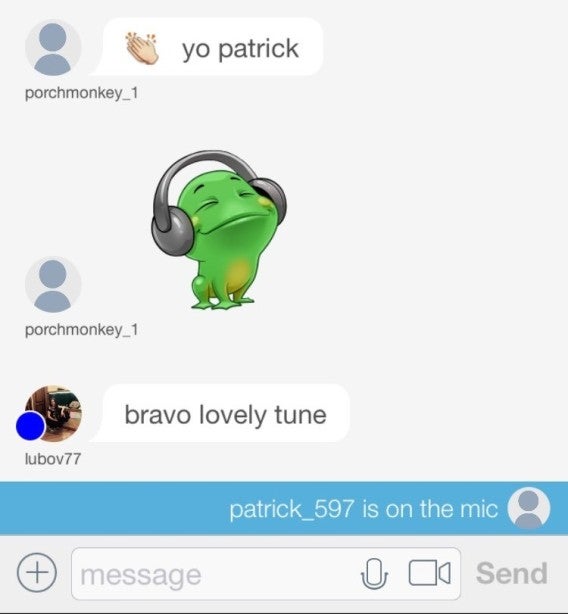
Paltalk is all about fun. It’s a place where thousands of people can participate with text, video, and audio from PCs and phones. There are more than 5.000 rooms on any topic you’d imagine, but music is what defined most of the good experiences I had, with many rooms featuring live songs that served as background to the conversations. Sometimes people seem to dance – virtually – whenever a good tune kicks in.

I have a nice baritone voice but, shy as I am, I seldom sing in public. Now, among all its categories, Paltalk has one named “Karaoke – Singing” (it’s under “Music”). Intrigued, I entered several chat rooms, and listened intently to various performances. What galvanized my enjoyment was the immediacy of it all. You press a button and you are the star. It’s that simple.

I waited for my turn. My heart beating fast, I pressed the mic button and delivered my own rendition of In the Air Tonight. Raised thumbs appeared on the screen. Small as it was, it was an audience. And singing for it was great fun.

I chatted with a robotic cat that sends memes

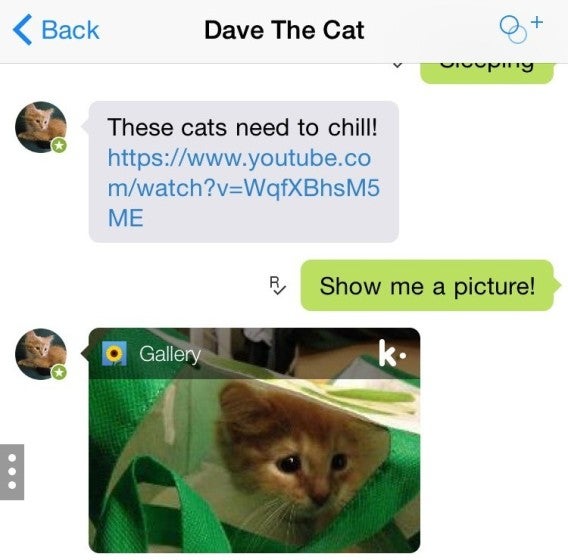
One interesting feature of Kik are its chat robots. They are always up for a silly conversation, which is great to alleviate boredom when you are struggling to find the right hashtag. The standard Kik bot, for instance, receives more than 50,000 messages per week, which it replies to with Siri-esque efficiency and wit.

My favorite is Dave the Cat. I know. Cats. Internet. Perfect match, right? Kik knows it. And Dave is exactly what I need on a bleak Monday morning. It laughs, purrs, and meows at my lines in a very convincing manner, with the sort of delays you’d expect from a human actor. More importantly, Dave is adept at sending unsolicited pictures and videos of… cats.

The fact that a virtual cat was one of most entertaining moments of my mobile socializing experiment says something about the nature of online conversations. But rather than pondering on this, I prefer to ask Dave for more kitty portraits.

I won a trivia contest thanks to a silly question

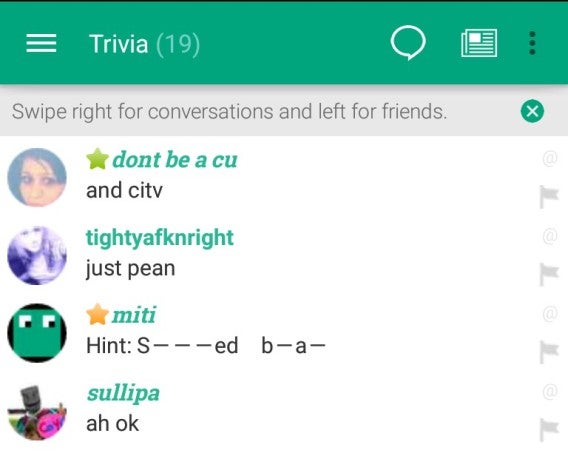
Online trivia is so addictive. Back in the days of dial-up Internet and IR, I’d spend entire nights trying to guess the answers before anybody else. Ten years later, I found the same thrill in Chatimity, a community where people join topic-based conversations. When I saw its Trivia channel, I looked no further.

In a matter of minutes I was hooked again. “How many wings does a flea have?” People tapped numbers frantically. “Zero”, I calmly replied. Then I failed at one about a song from the 60s, before a string of replies to history and science questions brought my score up. Suddenly, the match was over. I had won.

Online trivia is a different kind of conversation, one that revolves around knowledge and speed. Even if you choose not to participate, there’s still a lot of room for fun, and you can learn a lot just by reading the answers.

I turned into a cute little creature and met a fellow alien

Identity is a tricky thing. There’s so much to explain, show, or hide. Wouldn’t it be liberating to turn into something completely different, like… a tiny imaginary creature? That’s precisely what Monsterio lets you do: after asking for your gender, it generates a funny alter-ego.

I pressed the button and Monsterio immediately found a match. The unnamed critter stared at me. I only knew it was a she. I felt embarrassed: what did I look like, I asked. Her description of my impish features made me smirk. I felt compelled to reciprocate. She laughed out loud. To “Remember Her” I gave her a name, which added her to my contacts.

It was fun, but also tender. We were two humans trapped in the body of hand-drawn aliens, freed from the bounds of name, age, and place. No “a/s/l”, no pictures, just a sense of freedom and privacy.

Anything can happen in online chat rooms -like in Vegas

The experiment was a success, albeit in an unexpected way. While none of those conversations ultimately produced a new friendship, they filled many hours with funny moments —I’ll never forget my performance in Paltalk, for instance. When I opened the apps for the first time I didn’t know what would happen, but I was certain it would be exciting and safe. And these apps didn’t disappoint.

What’s the funniest moment you’ve experienced in mobile chats?

The best of GDC Play 2015

GDC Play is where small independent developers show off their games. Some titles are running early alpha builds while others are completed games hoping to gain some hype. The best thing about GDC Play is meeting the developers of these games.

GDC Play is where small independent developers show off their games. Some titles are running early alpha builds while others are completed games hoping to gain some hype. The best thing about GDC Play is meeting the developers of these games.

It’s possible to find the next big game that no one’s heard about. These developers are willing to take chances, try weird things, and make games that they find compelling.

It’s apparent that many developers are working with multiplatform tools like Unity to bring games to as many platforms as possible. Developers were quick to highlight their games would be coming to PlayStation 4,Xbox One, and mobile. A platform agnostic approach means more people can play.

At GDC Play, there were a few games that stuck out to me as possible games that could be the next big release.

the kings bird

The King’s Bird by Serenity Forge

The inspiration for The King’s Bird came from Dustforce! and Journey. The, pre-alpha level demo showed off the game’s basic controls, but I got hooked trying to navigate obstacles. One of the goals is to collect birds that follow you through the level and eventually let you fly as long as you maintain momentum. It’s still early, but there’s a lot of potential.

What I liked: The art style is excellent. The level design works perfectly with the gameplay.

What I didn’t like: There’s a jump boost that’s currently mapped to the R3 button that you press then use to move, which doesn’t work well.

Armed and Gelatinous Gunner

Armed and Gelatinous by Three Flip Studios

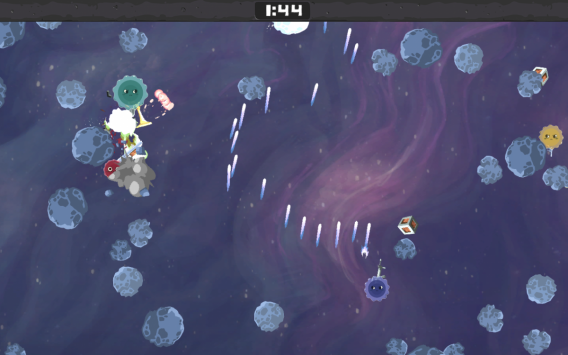
Armed and Gelatinous is a party game featuring local four player co-op created during a 48 hour game developer jam. You and your friends play as four sticky orbs attacking each other. You collect different weapon crates floating around to attack your friends. The more weapons collected, the bigger you get. But if you’re killed, you explode and your weapons can be collected by others. Each match has a timer creating a lot of tension in the last few seconds.

What I liked: Perfect for pick-up-and-play. Controls are simple. Overall design is simple, but effective.

What I didn’t like: Needs more variety in weapons.

Default player


brightcove.createExperiences();

MEKAZOO by Good Mood Creators

MEKAZOO is a 2D platformer in a 3D world where you use different Mekanimals (mechanized animals) to traverse the environment. You can switch between two different Mekanimals on the fly. I used an armadillo that could speed boost and a frog that used its tongue to grab distant objects. There is also a wallaby, panda, and pelican that you will unlock. MEKAZOO is perfect for platformer fans.

What I liked: Art and level design is amazing. It’s bright, but easy to understand where to go. Gameplay is solid.

What I didn’t like: It’s a little difficult to understand which Mekanimal to use at times.

Sequenced by apelab

The demo I saw at GDC used the Oculus Rift or an iPad. It’s an episodic choose your own adventure experience where you listen to conversations and follow characters. Sequenced will have branching storylines depending on who you follow. While it’s more natural with the Oculus, panning an iPad around to see environments was interesting, but awkward since you need to be standing. Sequenced is expected to release its first episode in November 2015.

What I liked: Sequenced is immersive, especially with the Oculus. It has the potential to create new forms of game experiences.

What I didn’t like: Game is awkward with iPad giving a “windowed” feeling rather than immersion.

cloud chasers

Cloud Chasers by Blindflug Studios

Cloud Chasers is about immigration. You are on a journey across five deserts trying to survive while collecting water from clouds. There’s a persistent water meter that drains as you move or attempt tasks. Blindflug Studios had a small demo showing off cloud collecting and walking through the desert. The developers were attending GDC to try to find someone who could help the Cloud Chasers narrative. Even from the short demo, Cloud Chasers looked impressive and has potential . There’s still a long way to go with an expected release in fall 2015.

What I liked: Interesting gameplay. Even the early build looks immersive.

What I didn’t like: I wanted to see more, but the build was very early and only showed a couple main gameplay elements.

I enjoy the GDC Play area the most because you can see really creative games. Developers are showing off builds that are early or even proof of concepts, but they’re excited to explain what they’re doing. Among the titles I saw in the area, these were the ones I was excited about and will keep an eye on.

Related Stories

Knights of Pen and Paper 2 let me play a Hipster Dwarf Paladin

Five Nights at Freddy’s 3 video review

Sick Bricks: bridging toys and casual gaming

Follow me on Twitter: @chrislikesrobot
Five Apps to Try This Weekend – March 6th 2015

Default player


brightcove.createExperiences();

Despite a hectic week at the Mobile World Congress, we are back again to recommend five apps for you to try this weekend.

This week we have three games for you to try out. All you mobile gamers out there should be giving the new Zeptolab (of Cut the Rope fame) game, King of Thieves (Android, iOS), a try. This cute puzzle platformer will test your brain and your reactions as you try to collect all of its lovely loot.

PC players have a bit more choices this week, with both the classic space real-time strategy game Homeworld Remastered Collection, and the terrifying Five Nights at Freddy’s 3.

We also have a look at Flirtie (Android, iOS), a new rival to Tinder that offers a slightly more bespoke selection of suitors. And finally we wrap up with AVG Zen, the Android security app that will protect all of your family’s devices.

Be sure to subscribe, and check back next week for five more apps.

Related Stories

Five Apps to Try This Weekend – February 27th 2015

Five Apps to Try This Weekend – February 20th 2015

Five Apps to Try This Weekend – February 13th 2015

Follow me on Twitter: @DoFuss

Office 2016 for Mac feels like the Windows version and that’s a good thing

It’s been five long years since Microsoft released a new version of Office for Mac. Office 2011 was a big jump from the previous Office for Mac but still couldn’t match the speed and usability of its Windows cousin. That changes with Office for Mac 2016.

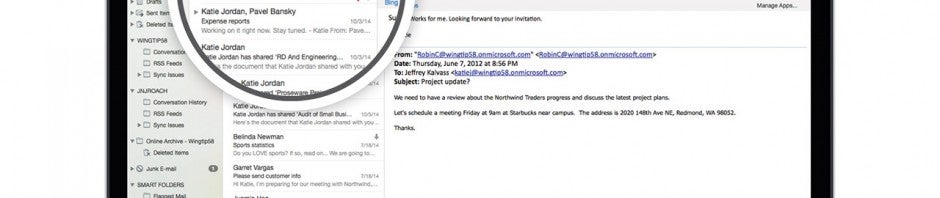
Office for Mac desperately needed an update and the 2016 preview mostly provides that. One of the biggest issues I had with Office for Mac 2011 was its speed. This 2016 preview hasn’t improved performance yet but Microsoft is working on it.

Office-2016-for-Mac-6

Another area where the Mac version lagged behind the Windows variant is its interface. The Mac version worked well but I always found the Windows version less cluttered and more intuitive. Microsoft went back and incorporated the best parts of both Office 2011 for Mac and Office 2013 for Windows. For Mac users with Retina Displays, Office 2016 will finally support high resolution displays.

In Word for Mac 2016, the ribbon interface is toned down and simplified. It’s not quite as minimalist as Apple’s Pages app but still looks great. Word, PowerPoint, and Excel all share the same “start” page where you can choose a template or start with a blank document, which feels very similar to Office 2013.

Office-2016-for-Mac-cloud-integration

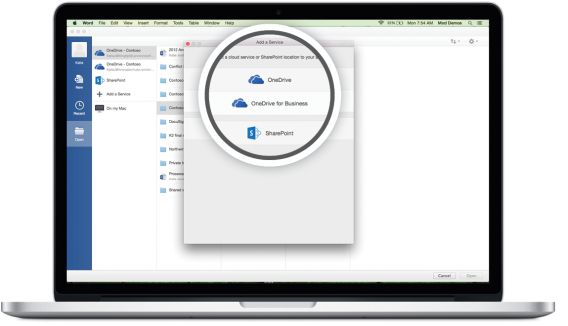
Perhaps the biggest update to Office for Mac 2016 is the integration of OneDrive. Microsoft knows it needs killer cloud integration to compete with Google Docs and Apple’s iCloud for iWork. This means OneDrive, Sharepoint and Office 365 are integrated into the save feature, letting you save your work to the cloud to access anywhere. This helps make Office even more platform agnostic, allowing you to use Office on any of the major desktop and mobile operating systems.

Another minor detail addressed with Office 2016 for Mac is the ability to use Windows keyboard shortcuts. Jumping between the Windows and Mac versions of Office always resulted in some confusion as you’ll have to retrain your brain to adapt to using the Command key instead of Ctrl. Now both Mac and Windows shortcuts will work in Office 2016.

Office-2016-for-Mac-formula-builder

You can download the preview of Office 2016 for Mac now to try it out yourself. Microsoft promises frequent updates for the preview and will allow the preview to work for 60 days after its official launch sometime this summer. There’s no word on pricing yet but Office 365 subscribers will get Office 2016 for Mac for free.

Source: Office Blogs

Related Stories

Best free tax software

Windows more secure than OSX? Not so fast.

App of the Week: Pushbullet

Follow me on Twitter: @lewisleong

Watch our video review of the terrifying Five Nights at Freddy’s 3

Five Nights at Freddy’s 3 is the latest in the series of spooky horror games, available now on PC. The action takes place 30 years after the events of the first two games, which were set in Freddy Fazbear’s Pizza. Now, some unwise folk have scraped together artifacts from the horrific pizzeria, to create a theme park: Fazbear’s Fright: The Horror Attraction.

Your job, as the night security guard, is to make sure nothing bad happens after dark…

Watch our brave Alex Beech try to do just that:

Default player


brightcove.createExperiences();

Download Five Nights at Freddy’s 3

Related Articles

Surviving Slender Man Origins 2

Surviving The Hunting Part 1 and Part 2

Surviving Five Nights At Freddy’s

Follow me on Twitter: @jonathanriggall

Knights of Pen and Paper 2 let me play a Hipster Dwarf Paladin

I’ve never played pen-and-paper games like Dungeons & Dragons. The closest thing I played are tic-tac-toe and MASH. But playing Knights of Pen and Paper 2 (Knights 2) made me want to give classic pen-and-paper games a try.

People who grew up playing these tabletop games are undoubtedly the target audience for Knights 2 but it doesn’t make filthy casuals like me feel left out. If you’ve ever played a role playing game (RPG), you’ll be able to pick up Knights 2 without a problem.

KOPAP table

Before I begin talking about the game, I want to note the gorgeous pixel art in Knights 2. Everything is rendered in retro 16-bit, which plays into the ’80s nostalgia in the game. “We wanted a high school pen-and-paper feel for the game,” said Florian Schwarzer, Senior Mobile Producer at Paradox Interactive.

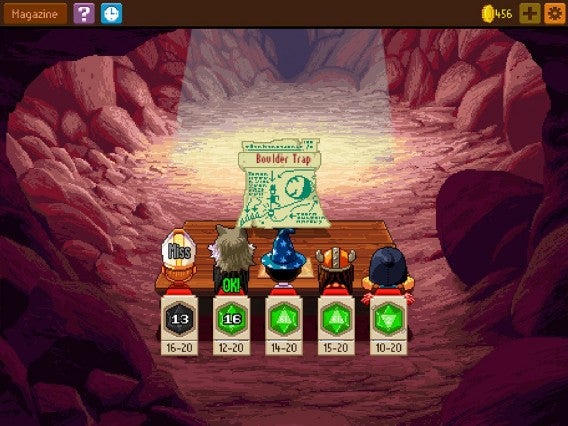
Pen-and-paper games seem intimidating but Knights 2 welcomes players with beautiful art and hilarious writing, poking fun at high school and pen-and-paper tropes. You and a group of friends are gathered around a table to play a pen-and-paper RPG. You play as the dungeon master, dictating the difficulty, and also control five players to complete quests.

The game is super meta, taking place around a table the entire game. You’ll be battling enemies while your group is seated at the table. You never leave the table, even when exploring new parts of the world.

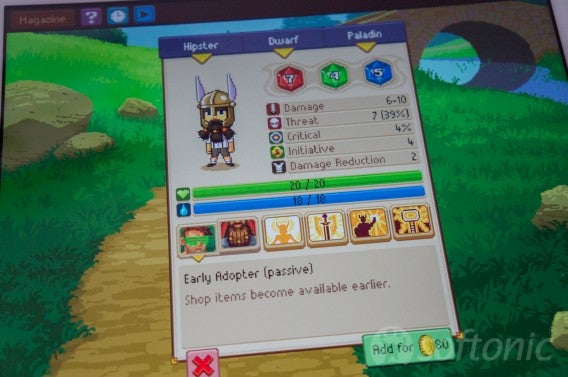
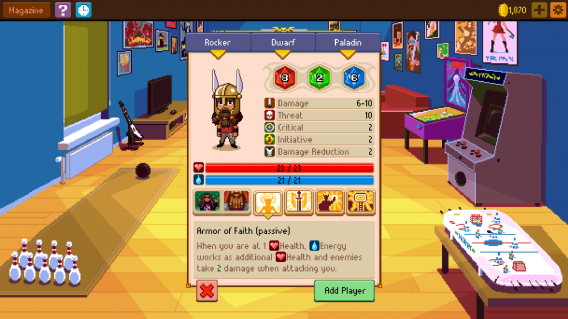
Start the game by creating your own characters and defining their skills by upgrading different attributes. You also create characters using a formula of high school stereotypes and RPG races and classes. I played as a Hipster Dwarf Paladin, which looks as ridiculous as it sounds.

KOPP

Although Knights 2 is welcoming to newcomers, you’ll still want to brush up on character classes to have a good strategy. The game rewards players who balance their team and level up in logical ways. If you don’t, you can still progress but may need to grind a bunch of side quests before you’re powerful enough to progress in the story.

You need to strategize not only with how your players are set up, but how to battle enemies. For example, enemies in the back row can’t be reached unless you have a ranged class with or a character with the ability to draw enemies forward. “Our games are not pushovers,” said Schwarzer, but the difficulty is what makes this genre fun.

For a mobile game, there’s so much to do. I only got through one battle in my 45 minute demo. That’s also because I spent way too long creating my characters.

KOPAP character creator

While Knights 2 is a sequel, players don’t have to have played the first game. Paradox Interactive made sure to fix problems players had with the first game, like the difficult-to-navigate item interface and an entirely new crafting system.

Knights 2 will be a paid game for mobile and PC, but the mobile version will also have micro-transactions. Schwarzer emphasized that micro-transactions aren’t necessary and the mobile game will be as balanced as the more expensive and micro-transaction free PC version.

You can get your hands on Knights of Pen and Paper 2 on May 14th for PC, Android and iOS. Pricing hasn’t been announced but it shouldn’t be too far off from the price of the first game.

Related Stories

Best mobile games safe for kids

Badland platformer gets reimagined for next gen consoles, coming spring 2015

Sick Bricks: bridging toys and casual gaming

Follow me on Twitter: @lewisleong

Diary of a fat man – Mango

Last week I set out to begin a new lifestyle of healthy diet and exercise with the aid of apps. My first choice for dietary aid is Mango – Calories Counter & Diet Tracker. My selection method for this first app was rigorous, by which I mean it was the first diet app I saw in the Lifestyle section of the App Store.

Day one with Mango was a bit of an eye opener, as it asked me for my vital statistics. The whole process was nice and straightforward thanks to the clean and colorful interface: age 35, height 194 cm (6’4”)… nothing new there. Right, weight – I have some scales somewhere. 125 kg (275 lb)! When did that happen? Just four years ago I was 90 kg (198 lb). I suppose trading a life as a kindergarten teacher for a desk job was going to take its toll, but that is nearly a whole other person that I’m carrying around.

125 kg?

The upshot of my horror was that Mango decided I should be able to consume nearly 3500 calories a day to maintain my weight. This baffled me, as I am certain I currently eat less than this, but who am I to argue? However, as my aim is to slim down, so I set a target weight of 85kg (it’s good to dream) and Mango decided that it would take me 50 weeks of eating 2964 calories a day to reach my goal. That’s a lot by the way, 2500 is the average for a man – but I figured it would at least be easy to stick to.

Despite my doubts about how successful this “diet” would be, my first impression of Mango was strong. Five tabs at the base of the screen gave me access to my profile, exercise input, consumption, tracking of my day so far, and a calendar of my time with the app.

Most of my time was to be spent on the food entry pages, as it turns out I consume a lot when you include coffee. It felt constant, but somehow I never seemed to cross the magic 2964 calorie limit.

Select your food.

Or so I think, because my biggest issue with Mango is that it demands you know the weight of everything. This isn’t just a problem when eating out. Just take my lunch time routine, I tend to make a large stew (or similar) on Sunday which I portion and freeze for the rest of the week. Even if I measured everything I added to the pot, I would still be left approximating the individual ingredients in any given meal – a painstaking and inaccurate task.

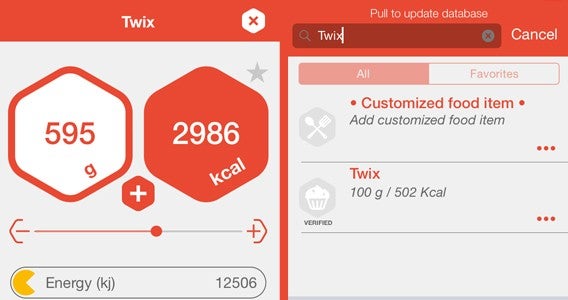
It was an issue that persisted for the whole week. Every item I added food or drink, the measurement started at 100g, leaving me to dial it to (or guess) the right measurement. All of this is done through use of a slider, but it feels infuriatingly fiddly. For example I take sugar in my coffee, no real idea how much but let’s say 6g, so I have to dial it back 100g (imagine 100g of sugar in your coffee) to five then use a button to fine-tune it up a gram. It is all just a little too… scientific. It needs natural measures (cups or spoons) or at least a default its measure that could be considered a standard portion.

Input exercise

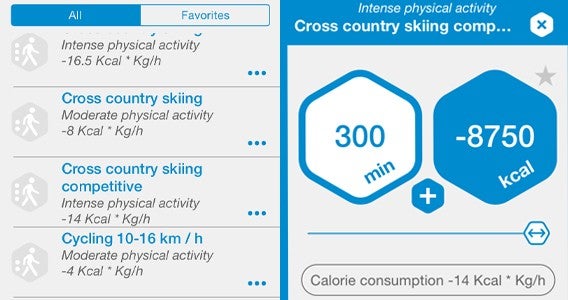
Exercise is tracked in a similar fashion, but somehow feels more rounded. Each choice has estimates for the calories burned for each minute of an exercise. For instance, Mango predicts that a nice 3 km/hour walk will use 2.5 cal/min, while competitive cross country skiing burns a whopping 14 cal/min. Unfortunately, Mango doesn’t seem to adjust to your body size, and I am pretty sure my 125 kg frame running burns more than it did when it was 90 kg.

All of my data was tracked on a single main page in a mesh of stylish hexagons alongside a nice illustration of a character that filled with red as I used my day’s calories. This screen also gives  access to a nutritional breakdown of day’s food but never offers any advice to improve diet – meaning if I wanted to I could just eat 600g of Twix a day.

Track your calories.

I spent a week adhering to Mango calorific limits and was expecting to see some effect as I stepped back on to the scales – especially as the first week of dieting is usually the most impactful. Not this time, however, as my scales told me that, if anything, I had gained a little weight.

So it seems that, even with careful monitoring of my eating habits and my regular use of the Daily Yoga app, I have become no healthier this week… hopefully my next two weeks with MyPlate will prove more successful.

Related Stories

Diary of a fat man – weight loss and fitness apps

The best health and fitness app of 2014

Comparison: Health & fitness apps for your smartphone

Follow me on Twitter: @DoFuss