The best in tech: what you missed this weekend – May 18th

Yep, it’s Monday again (how did that happen?) If you are one of those people who doesn’t check your phone as soon as you get up in the morning, or don’t live your life through Twitter/Facebook/other news app/social network of choice, you might have missed some crucial news in the world of tech.

Well not to worry, help is at hand, as this weekly round up brings you some of the most interesting reads in tech from the weekend that should help brighten up your day.

Verizon and Facebook agree: content is king again

Following the news last week that Verizon had bought AOL and with it sites such as The Huffington Post and Engadget, there was much speculation about whether the company’s interest lies in content or merely in AOL’s advertising platform. This article from Business Insider argues that the move from Verizon signifies that the company is interesting in providing content, specifically through mobile devices. This is equally true through Facebook, where content sharing is a big business. To monetize this, the company has created Instant Articles, where Facebook can sell ads alongside content published by major media companies directly within the app.

Inside Zappos CEO Tony Hsieh’s radical management experiment that prompted 14% of employees to quit

The CEO of Amazon-owned shopping app Zappos recently embarked on a radical new plan to completely change the structure of the company. What did this involve? All layers of management being replaced with a system of equally-privileged employees working together on sets of tasks. Yep, you heard right, no more managers. It has not been smooth sailing, as one in seven employees didn’t want to take part, while some have left on severance packages due to the initiative, but with the company announcing profits in February of $97 million, an increase of 78% from 2014, they are obviously doing something right.

The internet is running out of room – but we can save it

From pictures of Kim Kardashian to photos of Taylor Swift wearing a t-shirt, there is much talk of “events” these days breaking the internet. But we may actually be facing a real problem that could break the internet: running out of space. Don’t panic, while there are concerns about the ever-increasing amount of data being shared, it seems like it’s just a matter of making some changes in engineering.

The all-male panel is horribly outdated and lame

The lack of women in tech has been a long documented problem, but one that has been slow to be addressed, especially when it comes to panel discussions at conferences. In response to this, a Tumblr has been created featuring various photos, posters and announcements from events where there were all male line-ups. Each one features a superimposed image of David Hasselhoff. The huge amount of content already collected for the site makes it depressing reading.

Candy Crush Saga is Coming to Windows 10

Now for something lighter: it’s good news for fans of both Candy Crush and Windows: Microsoft will pre-install the popular match-three game for those who upgrade to Windows 10. You will also be able to sync it with the mobile game, regardless of whether you have a Windows Phone, an iPhone, or an Android device. And Candy Crush will be followed by other games from the developer King.

United Airlines offers rewards for spotting bugs in the system

While many companies have offered jobs to hackers that have found flaws in their systems, companies still have something of a love-hate relationship with these tech experts. United Airlines is looking to change this approach and take advantage of these hackers’ expertise by offering loyalty air-miles to people who find security flaws.

There’s a wild new way to buy stuff on Amazon

If you need another – easier – way to fuel your Amazon shopping addiction, you can now order (or reorder) products via voice through the company’s digital assistant Echo. Users with a Prime membership, simply need to ask Alexa to reorder an item, which will be added to their shopping list. If they haven’t already ordered it, then Echo will search for it and offer a choice of products.

Related Articles

The best in tech: what you missed this weekend – May 11th

The best in tech: what you missed this weekend – May 4th

The best in tech: what you missed this weekend

Follow me on Twitter: @karenmccandless

My (almost) year with Android Wear

Google unveiled Android Wear at Google I/O 2014 and released the LG G Watch and Samsung Gear Live. Moto 360 released later that summer and was the first round Android Wear smartwatch.

It’s been almost a year since Android Wear’s release and Google has updated the operating system to optimize battery life, fix bugs, and add more functions. The Android Wear 5.1 update will bring Wi-Fi connectivity, custom emoji, and gesture controls to all Android Wear devices, if the feature is supported.

I used Android Wear daily since Google I/O 2014. I’ve taken it on trips to Barcelona, Seoul, Austin, and Toronto. I lived through inconsistent battery life, gotten close to bricking ZenWatch after an Android Wear app update, and forgot that I’m even wearing it.

After almost a year with the Android Wear, is it worth it?

Generation 1 to 1.5

asus zenwatchI used LG’s G Watch before upgrading to the Asus ZenWatch. There are small differences between the two but the biggest difference is that the ZenWatch is more responsive. This could be because of G Watch’s age and Asus optimized ZenWatch for a smoother experience. The ZenWatch is the perfect upgrade from G Watch if you like a square display.

When I first got Android Wear, I would use the “always on” screen option. This impacted the battery life on both G Watch and ZenWatch and I would be in the low 40% in the evening. After turning always-on off, I end the day averaging around 60%. But everyone will have a different experience. If you’re constantly using Android Wear or like to customize watch faces, you’ll see it drain faster.

Android Wear smartwatches are getting better with each new device. Combined with Google’s Android Wear operating system updates, the platform is more stable, but you may want to wait for a true second generation watch.

Daily use

Android Wear’s core function is push notifications, regardless of what manufacturers advertise.

I use my watch to manage seven email accounts, two Twitter accounts, and read Facebook notifications on my personal profile and Facebook Pages Manager. I also use it to read my Hangouts, SMS, and KakaoTalk messages. You can’t act on many notifications, but reading previews lets me dismiss about 80% of the notifications.

Android Wear is great at at receiving vibrating alerts when notifications arrive. At the same time, I have Pushbullet set up to send me notifications for my emails, @mentions on Twitter, Facebook messages, and SMS on my computer. So if I’m at my computer, I’ll get a similar notification to one I get on Android Wear. You could use PushBullet instead of Android Wear if you wanted.

gmail mailchimp android wear

I also own a Nexus 7 and Nexus 9 tablet. Both are media devices for YouTube, Netflix, reading, or playing games. One feature that Android Wear should have is the ability to assign notifications to a specific device since I don’t need notifications on my tablets.

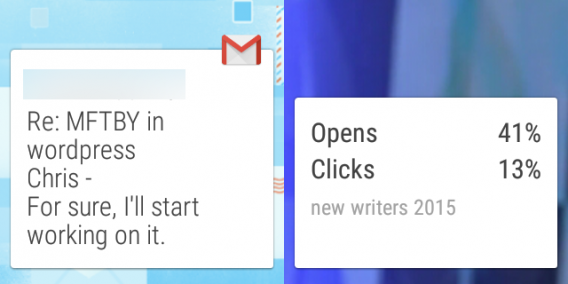
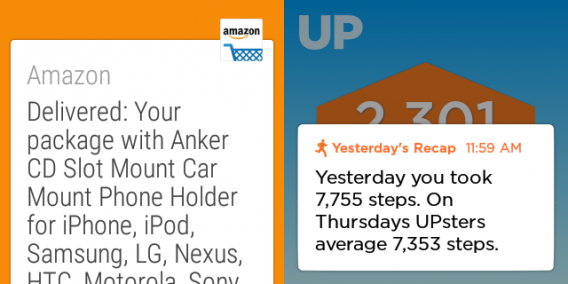
Some apps I use have Android Wear compatibility like MailChimp, which shows a small preview of my recent campaign. It’s a persistent card until I dismiss it. Other apps can also show cards. Amazon delivery notifications display on Android Wear, but they’re not always useful because the notification can arrive hours after the actual delivery.

amazon up asus zenwatch

So for my daily use, it’s a nice way to preview notifications from different apps. It saves a few seconds here and there.

Extended use

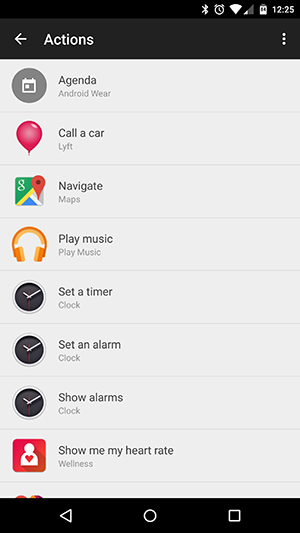
android wear actionsAndroid Wear also offers other actions. Google Keep can take voice notes, use Google Search to search the internet with your voice, and set reminders.

Uber will notify me when a car is arriving. It’s kind of useful, but I’m usually holding my phone and watching the map to see the car’s location. I tried calling a Lyft in Austin during SXSW 2015 directly through ZenWatch, but it failed to find me a car. I don’t consider that the fault of the app, but Austin’s overloaded network.

I use voice replies to texts when I’m driving and it always works well. I also use voice to play music when I’m driving. I only use Google Play Music so I don’t know how well it works with another app like Spotify. Voice commands like “Play Alkaline Trio” or “Play Yellow Monsters” work no problem, but it doesn’t recognize every artist.

When I get phone calls, Android Wear notifies me. My phone is always on vibrate so when I walk, I miss phone calls a lot which is solved with the device. My watch will display the contact and gives options to swipe to answer or reject the call. It’s great to casually glance at your wrist and ignore a call.

One of Android Wear’s options is to mute the phone when the watch is connected. This mutes sound and vibration for notifications on your phone. Turn it on, it’s wonderful.

I love Google Maps on Android Wear

Google Maps’ integration with Android Wear is my favorite feature and the one I use the least. There is one weird quirk though. When I’m driving and use Maps for navigation I still get directions on my ZenWatch. Android Wear should recognize that I’m driving and not display directions on the smartwatch.

But when I’m using navigation for walking directions, Maps on Android Wear vibrates when you get close to a turn. I still look at the watch to know what direction to turn, but it gives me a sense of security that I’m walking the right way.

Maps was really helpful in Barcelona (thanks to pickpockets) when I was walking to the Metro and didn’t have to pull out my phone after midnight. It was even more helpful in Seoul, to find clubs that were down alleys and in the basement of buildings, though Google Maps isn’t as fleshed out as other apps like Naver Maps.

Maps support is one of the best integrations between the phone and smartwatch and I love it when I use it.

Convenient, but you still don’t need one

For all the things I love about Android Wear, it’s not a necessary accessory. It does make things a lot more convenient, but doesn’t drastically change how you interact with apps or your phone. Android Wear creates shortcuts to actions that you normally perform on your phone. While a lot of apps have Android Wear functions, most display information from the phone app.

A lot of people ask what I think of Android Wear when they see me wearing it and my response is: it’s convenient, but you don’t need it.

Related Articles

What are Connected Cars?

Best Android Wear watch faces

Which Windows 10 version should I get?

Follow me on Twitter: @chrislikesrobot

Five Apps to Try This Weekend: featuring Phind and GoatZ

We are back again to provide you with five app to enrich your weekend as recommended by our Softonic experts.

Not all of this week’s choices area going to be good for the weekend. Our first app, Snap Me Up (And), in an alarm clock that demands you take a selfie before it will stop ringing. Maybe test it out on Monday

There two very different games in this week’s mix. Axiom Verge (Win|Mac) is a game inspired by the 8-bit platform classics of the 80s, perfectly replicating their look and feel with a little modern polish to streamline the whole experience. The other end of this scale is an expansion to a parody game GoatZ (Win|Mac|iOS|And) – this DLC for Goat Simulator continues the wonky fun of the original but adds zombies.

We also look at Microsoft Hyperlapse (Win|WP|And), a video app that lets you stabilize your videos. It’s fun stuff, as it matches frames to create hyperlapse footage that makes sure even your shakiest home movies look stylish.

Last up is the augmented reality app Phind (iOS). This lets you take photos of buildings and landmarks around you, then uses the image and GPS to tell you what you are looking at. Tie in a few extra services and the functionality gets even more impressive, offering you information about the building, the area, and even letting you book a car using Uber (iOS|And).

That’s it for this week, be sure to subscribe to stay up to date with all the best apps.

Related Stories

Five Apps to Try this Weekend – May 8th 2015

Five Apps to Try this Weekend – May 1st 2015

App of the Week: Phind

Follow me on Twitter: @DoFuss

What are Connected Cars?

There’s a lot of buzz about connected cars, but what does it mean? In this three part series, I’ll take you through what it means for cars you can buy today, and later in the near and medium future, making sure to cut through the hype along the way.

Connected to what?

The concept of connected cars is a little fuzzy, but essentially it means cars that communicate with the outside world and other cars, for various reasons. They connect to your phone or mobile device, to the internet, or use sensors to be aware of their surroundings and connect with other vehicles or services. We’re pretty used to GPS and in-car displays now, but the technology of connected cars is still in its infancy.

Connected cars today

Right now, connected cars are not exactly a revolution, but they are showing signs of what will come in the future.

Spanish car company SEAT has a system called Easy Connect, which will arrive this summer. At the moment it works with Android devices (they have partnered with Samsung). Italian manufacturer Fiat also has Uconnect. Both offer a similar range of connected features and are good examples of what is available now. Google’s own Android Auto, pictured above, is also available with many manufacturers, allowing you to connect your device smoothly to your car. Check out the Android Auto promotional video below:

No more smartphone distraction

Connecting your device, your car will adapt its display for various smartphone features. This has the advantage of stopping you being distracted by your device’s display, and keeps your eyes on the dashboard and road.

So, you can make and receive calls, control your music, and receive social network and email updates and so on. SEAT’s system will read emails etc out loud to you, again, as a safety feature. You can also use your device’s internet connection to get news stories and headlines.

The general idea here is to keep you connected to the outside world while you’re driving, without distracting you from driving itself.

Better driving and maintenance

Using GPS data, todays cars will take data from journeys you make and help you be more efficient. Especially with the trips you make regularly, connected cars will act almost like an Apple Watch. You’ll get advice on how to make your journey more efficient, cheaper and better for the environment If you have a habit of high-revving, for example, the car will suggest you change up a gear to save fuel.

Today’s connected cars will also tell you when they need maintenance, and in some examples send reports to your service provider so they know ahead of time when your car needs attention from a mechanic.

In the case of accidents, systems like BMW ConnectedDrive send important information, like location and important damage data direct to emergency services. This will become standard on all new cars very soon.

At the top end of the car market, we are already seeing cars that are aware of their road position. They maintain safe distance between cars and can brake, faster than humans are able to, to avoid accidents. This technology is proven, but its cost means it will take some time to spread down to more affordable cars.

Controlling your car from your mobile device

You can use apps to control your car from a distance. Set climate control, find out where it’s parked and even configure your car for different personal profiles. SEAT, again, will allow you to set up a variety of profiles, so whoever gets in the car finds everything just as they like it.

You can, of course, lock and unlock your vehicle with these car connected apps. Though there’s very credible debate over whether this makes your life easier or not!

You are still in control… for now

Despite all the news we read about driverless cars, these are some way off yet, and we will cover why in a later article. The connected car of today is not a radical proposal. Having social media, emails and so on read out to you, or visible on your car dashboard are simply help to keep your eyes on (or at least nearer) the road. But advice on how you can drive more efficiently is great, and an excellent use of in car data.

Related articles

See how Apple CarPlay works in this video

Google I/O 2014: Android Auto coming later this year

Best Android Wear watch faces

Follow me on Twitter @jonathanriggall

App of the Week: Phind

Softonic’s App of the Week highlights some of the coolest, most unique, and popular apps that have been released for Android, iOS, Windows, and Mac. This week we are looking at Phind, the app that tells you exactly what you are looking at… providing you are looking at is a building.

Blending the words “photo” and “find,” the name itself is a pretty accurate description of what the app does. Take a photo of a building or landmark and Phind will use the image and location data to, well, find it.

This may not seem too useful, but add a few other apps to the mix and Phind becomes a more powerful tool. Integrating Wikepedia and you will instantly be delivered the history of the building and area. Tie-in TripAdvisor and you can find restaurants and other activities in the area. You can even connect Uber to instantly book a car.

Expecting it to know every building in the world may be a bit of a stretch, but if you are in a city center with distinctive markers Phind proves incredibly useful. That being said, don’t rely on it too much unless you know you have a good internet connection.

Phind is a great use of augmented reality, especially if you are already using compatible apps.

Related Stories

App of the Week: Periscope

App of the Week: Project CARS

Phind Review

Follow me on Twitter: @DoFuss

Diary of a fat man: MyFitnessPal (the training wheels are off)

I’ve commented before in this diary that any barrier to entry is bad. My nerves and patience are already a little frayed through limiting my food intake (yes, I get h-angry). Thus, struggling to track this situation is the last thing I want.

I soon found myself struggling with MyFitnessPal – not that it’s actually hard, but it’s trickier than my previous diet app Noom. In terms of basic functionality there is little to pick between them (tracking food intake, exercise and the like) but the whole package is more complex – for both good and bad reasons.

Starting up

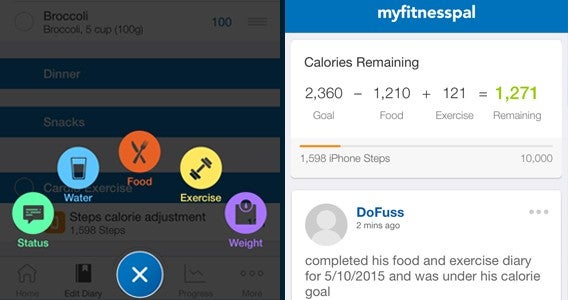
From my first moments with MyFitnessPal, the basic task of entering my daily food and exercise felt like a chore. Coming from Noom’s colorful and tactile interface it just felt like an effort.

It’s like the difference between an elementary school (Noom) and a high school text (MyFitnessPal) on the same topic. One teaches you the basics and prepares you for the subject, while the second is more complicated but ultimately helps expand your knowledge to fully understand.

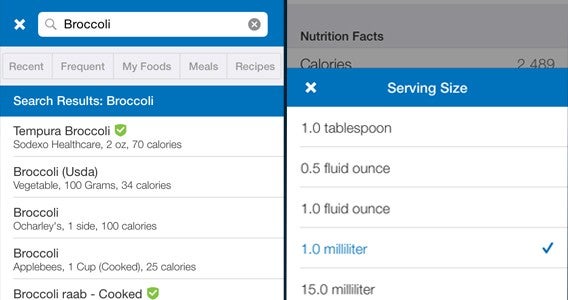
Entering my first meal, it felt like I had a lot to do. Each thing had to be searched for and entered manually. And, if a search term is found in MyFitnessPal’s directory, then it was not uncommon to be overwhelmed by suggestions. So, searching for Broccoli could result in Dr. Praeger’s Broccoli Pancakes, handy if that is actually what you are looking for but mostly unneeded.

First meal

To make this more awkward the measures on offer seemed inconsistent. Grams were regularly missing from the available choices (I’m European, I don’t do ounces) while an undetermined “portion” was frequently offered. Fortunately, once entered, it was back to business as usual with regularly searched foods surfacing the moment you start to enter your meal.

8fit results are incredible by the way!

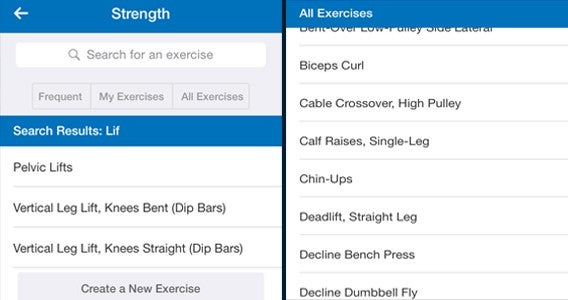
Exercise follows a similar problem, but runs into another wrinkle… weight training is divided up into separate exercises. This meant that a one hour training can take up to ten minutes to track as you enter each set of squats and curls individually. This was a real annoyance, but it did track weights lifted and improvement over time – short term pain for long term gain.

Weight training

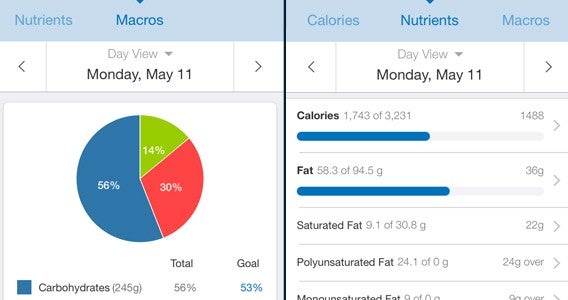
It is the little extras like this that make MyFitnessPal worth the effort. From tracking every single nutritional value of your food (sodium content, fat, etc.) to providing the option to track how much water you drink, the whole package offers a deeper look at your habits.

To reuse the education analogy, it feels like graduating. At the moment I am still learning, getting into good habits regarding regularity and volume. But eventually I want to go to high school, and that is when MyFitnessPal will step in. With its graphs and in-depth tracking of pretty much every part of lifestyle, it would allow me to eat less and also to also eat well – eliminating excesses of salt, fat, and sugar in a way that Noom doesn’t.

When it is time...

I am not ready for MyFitnessPal. Yet. But, much like getting back to rowing, it is now one of my goals for down the line when I am ready to start tracking everything in more detail and have the capacity to explore the numerous other apps it can connect with.

Related Stories

Diary of a fat man – Part 2 of the Noom chronicles

Diary of a fat man – Noom Coach (no more excuses)

Diary of a fat man – Mango

Follow me on Twitter: @DoFuss

Indie Spotlight: In Verbis Virtus

It’s not often that the description of a single element of a game is enough to make me want to play it. But, on hearing that In Verbis Virtus is a first person game where you have to solve puzzles using magic you actually have to say aloud, I knew I had to give it a try.

This caught my interest for two reasons. First and foremost is that I am a big kid, and actually having to say a spell in order to cast it made me feel about seven years old. The connection I imagined this creating with the action felt like it would draw me into the game world, especially as I would have memorize the different fanciful words to command the mystic powers.

Moving beyond this, the practicalities of implementing voice controls fascinated me. There have been a number of games over the years that have used voice, but most were far from successful. Even games that limited their oral interactions to specific moments and commands – like yes and no – seemed to struggle to accurately hear me.

It was due to these past experiences that I tempered my childish joy and began with a little skepticism. With movement controlled using the mouse or game-pad, the majority of the action came as second nature. So, as initially I had no powers, I began by exploring In Verbis Virtus’s environments.

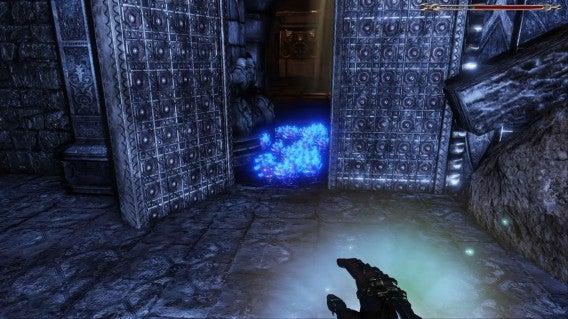
Escaping a parched desert to take shelter in an ancient tomb, In Verbis Virtus managed to quickly establish the solitary and other worldly nature of the game. Descending in to the catacombs of an ancient civilization, filled with magic runes and glowing crystals to illuminate my path, I felt like an explorer.

Escaping the heat

Soon after this I got my first taste of magic, and this revealed how the game was going to handle its spells. Rather than simply yelling into my microphone, it was necessary to hold the right trigger to cast. Once my hand came up I could speak and (impressively often) the game would accurately determine which spell I had used.

This control system made it feel almost like a first-person shooter, with the right trigger acting like an aim button before my words shot magic into the world. But, while it is an elegant solution to the problems with voice recognition, it made the whole thing feel a little contrived.

Little blue...

It didn’t take long to move beyond this, however, and soon I was plunging into the depths to discover that In Verbis Vertus is about far more than just casting spells. While the first person problem solving may evoke thoughts of Portal and The Talos Principle (with a little additional combat), the reality adds an unexpected element of adventure gaming.

You must read all of the runes and texts you find in the world, because often the information they contain is needed to divine the path forward. These puzzles are not too obscure, but they do demand a satisfying level of thought to solve.

Hostile world

An early example of this crossover between the texts and the environmental problem solving highlighted an issue I had with In Verbis Virtus. Often charging things with magic or waiting for an event to trigger takes too long. When a puzzle has you looking away from a statue and then back towards it (not to give too much away), fast reinforcement of your action is necessary. Without this, it is easy to think you were wrong, causing you to search for an alternate solution. Thus you can eliminate the right answer accidentally and find yourself stuck looking for a different answer that doesn’t exist.

Despite this minor complaint, venturing deeper into In Verbis Vertus’s dark caverns and mystical world is something I am deeply looking forward to. For more information check out my full review.

Related Stories

Greenlight Spotlight: Will Fight for Food

Greenlight Spotlight: Tormentum – Dark Sorrow

Crypt of the NecroDancer review

Follow me on Twitter: @DoFuss

Best Android Wear watch faces

If you own an Android Wear smartwatch, you may be disappointed with selection of watch faces included with your device. However, you can install more watch faces on your Android phone and sync them to your watch using the Android Wear app.

Some watch faces may add functionality. While some simply display the time and weather, others can display battery life for both your watch and phone or can function as a calculator.

Android Wear is great for notifications, it’s still primarily a watch so check out this list of different faces. Keep in mind that watch faces are designed for either square or circular displays so not all of them will work on your specific watch.

Watch Face – Minimal & Elegant

watch face minimal and elegant

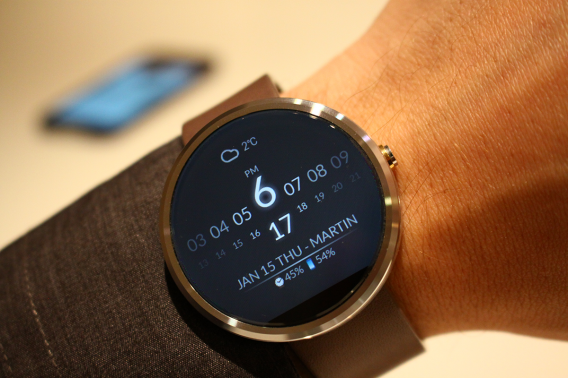
Minimal & Elegant is my current Android Wear watch face. It displays the time with a simple hour and minute interface. There are also options to display the weather, phone battery, and watch battery. But what I like best about the watch face is that it’s simple and doesn’t use a lot of battery throughout the day. I can use it from about 6:30 AM and still have more than 50% by 10 PM. Actual battery life will vary, but this is the best life I’ve gotten out of a watch face.

Watch Face – Minimal & Elegant is compatible both round and square watches.

Specialized Bikes Watch Face

specialized bikes watch face

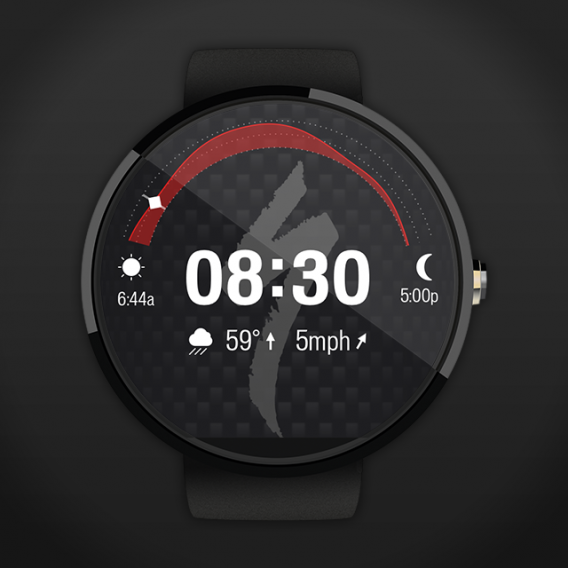
Specialized Bikes is designed for bicyclists who need to know the current weather conditions. The watch face displays times for sunrise and sunset along with the weather. Specialized Bikes is simple and the amount of information displayed on a small screen is impressive. There aren’t many customization options and the background is kind of ugly but it does the job if you need weather information first and foremost.

Specialized Bikes Watch Face is compatible both round and square watches.

Pujie Black – Wear Watch Face

pujie black android wear

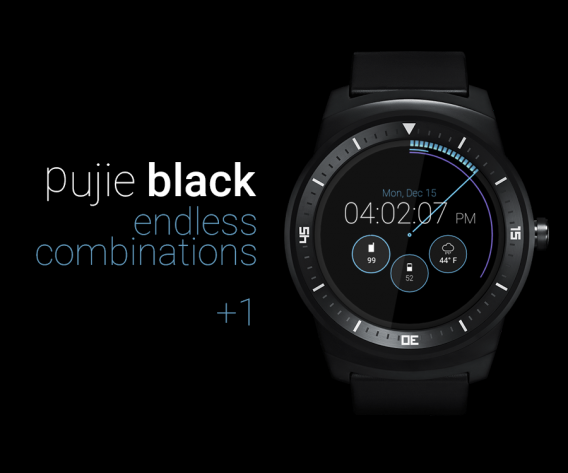
Pujie Black offers a lot of customization options. It contains analog and digital faces, watch and phone battery indicators, and different display options for the time. There are also battery saving options like disabling animations and how cards display. It does take a lot of time to get Pujie Black exactly how you want, but you can save your customizations as presets. The app is regularly updated and more options are available with each update.

Pujie Black – Wear Watch Face is compatible with both round and square watches.

Street Art watch face

street art watch face

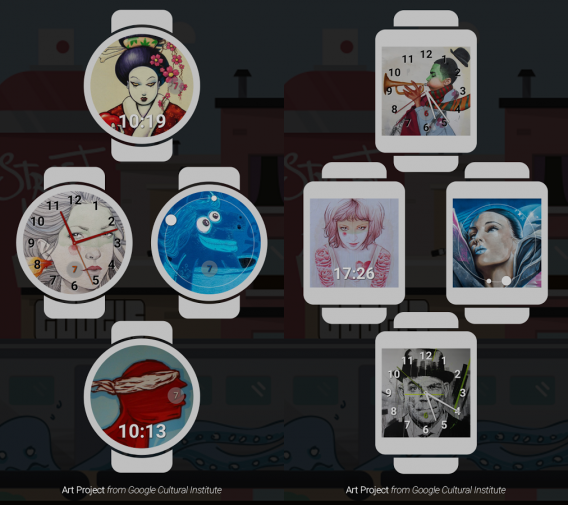
Described as a “collection of beautiful street art watch faces from Google Art Project,” Street Art is a fun collection of watch faces that offer a more creative way to look at the time. There is a big lack of options that other watch faces offer, but if you want an interesting background this set of faces is perfect.

Street Art watch face is compatible with both round and square watches.

InstaWeather for Android Wear

instaweather android wear

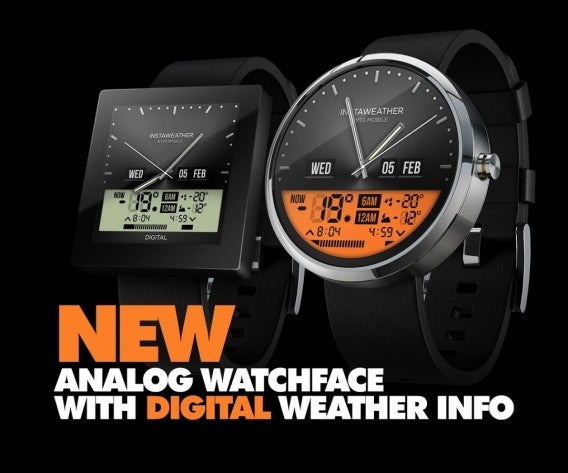
If you love the weather and all the scientific measurements that it brings, then InstaWeather is perfect. The app is free with in-app purchases so its best features are paid. Depending on the amount of information you want, InstaWeather has simple or advanced weather information like a radar that sits in the background of your watch. Even though InstaWeather may offer too much information for some users, its digital and analog faces are beautiful.

InstaWeather for Android Wear is compatible with the Sony SmartWatch 3, Motorola Moto 360, Samsung Gear Live, LG G Watch, LG G Watch R, and Asus ZenWatch.

Scuba Diver Watch Face

scuba diver android wear

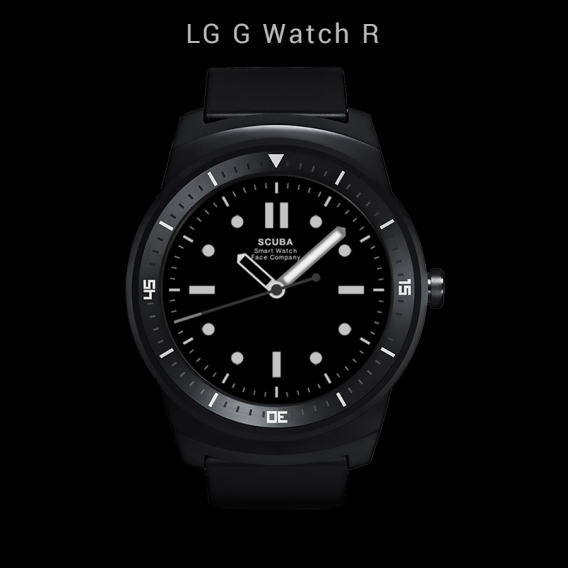
Scuba Diver’s main attraction is its “low light readability.” While marketed as a way to turn your Android Wear into a “sporty dive watch,” there currently isn’t an Android Wear smartwatch that’s designed for diving. But its focus on readability is something that many other watch faces ignore. If you’re looking for a more traditional watch face design, Scuba Diver Watch Face is perfect.

Scuba Diver Watch Face is compatible for both round and square watches.

Little TV – App & Watch Face

little tv android wear

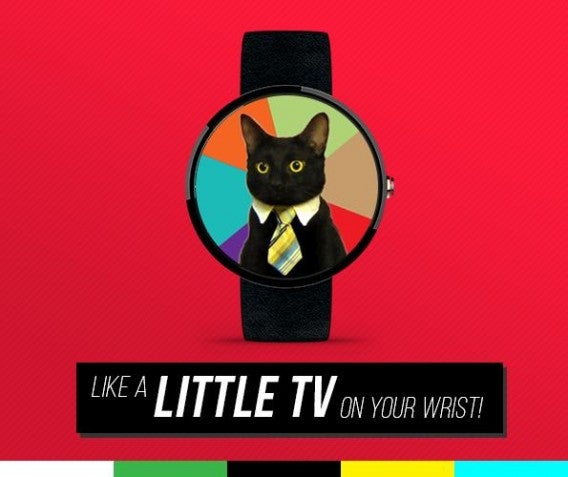
Instead of offering any useful features, Little TV is completely useless but amazing at the same time. Its only purpose is to display a random GIF every time you check your watch. The GIFs it displays are from Giphy and you can select different channels for the types of GIFs you want to appear. If you like a GIF, then you can select it as your permanent background in the settings. Little TV is fun, but not really useful in the long term.

Little TV – App & Watch Face is compatible with round and square watches.

AllNumbers HD Watch Face

allnumbers hd watch face

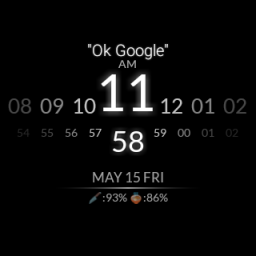
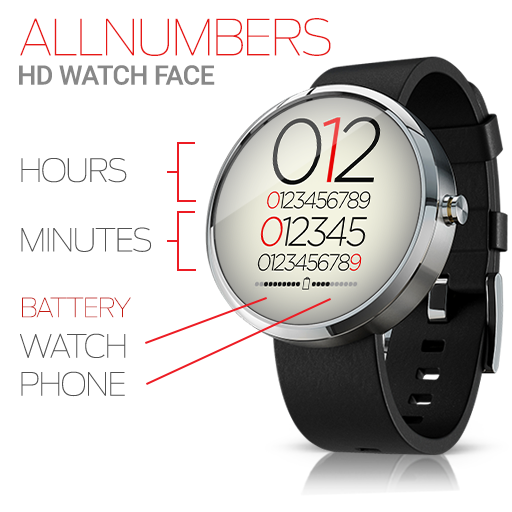
AllNumbers takes simplicity to a new level. Rather than offering a lot of flourishes, it displays all your information with numbers. Each segment of time is displayed and highlighted. AllNumbers also displays both the phone and watch battery so you know how much life is left on both devices.

AllNumbers HD Watch Face is compatible with round and square watches.

500px – Discover great photos

500px android wear

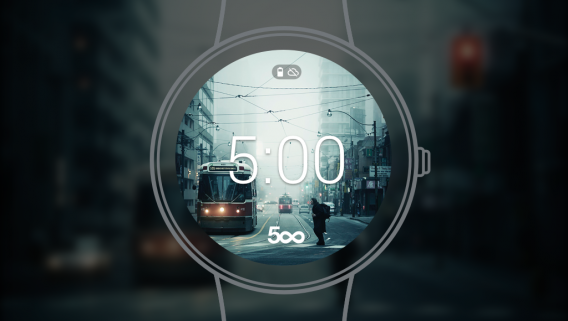
Android Wear’s stock watch faces focus on simply telling time with different themes, but if you’re looking for something more creative you can try 500px. There’s no function other than switching the background with one of the photos from 500px. Android Wear is built into the 500px app so you sync backgrounds to the watch. 500px is great if the only thing you want  is a different background.

500px – Discover great photos is compatible with round and square watches.

Behance Watch Faces

behance android wear

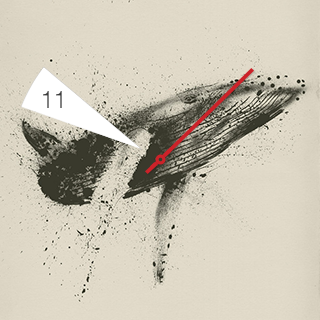
Like 500px, Behance Watch Faces uses artwork sourced from its community to create watch faces. The difference is that these watch faces are designed around the artwork and each face features different ways to tell the time. The indicators for time are arranged so that they don’t cover the artwork. The biggest disappointment with Behance is the lack of watch faces to choose from. If you like an artists’ work, you can view in on your phone.

Behance Watch Faces is compatible with round and square watches.

PAC-MAN Watch Face

pac-man android wear

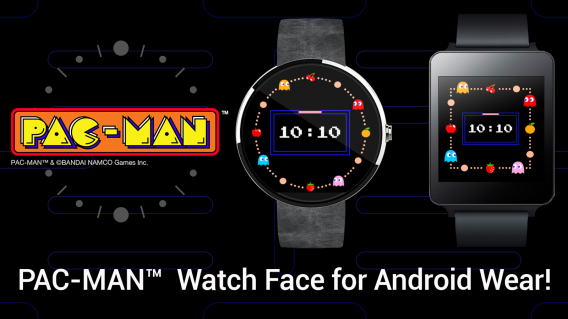
If you love PAC-MAN, have Android Wear, and are willing to pay $0.99, then you can have a PAC-MAN watch face. However, all it does is replace your existing watch face. You can watch PAC-MAN runs around the dial eating power-pellets and ghosts.

PAC-MAN Watch Face is compatible with round and square watches.

Despicable Watch Face

despicable watch face android wear

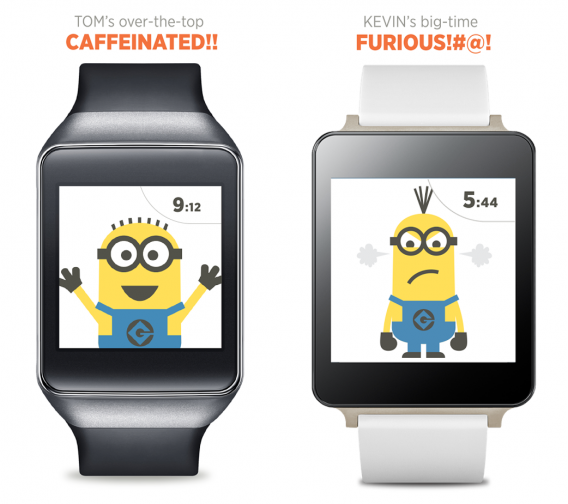
Fans of Despicable Me and Gru’s Minions will like this watch face. Different Minions are displayed throughout the day and show different moods depending on the time. It’s a fun little distraction for your Android Wear but will cost fans $0.99.

Despicable Watch Face is compatible with round and square watches.

9to5 Working Hours Watch Face

9to5 android wear

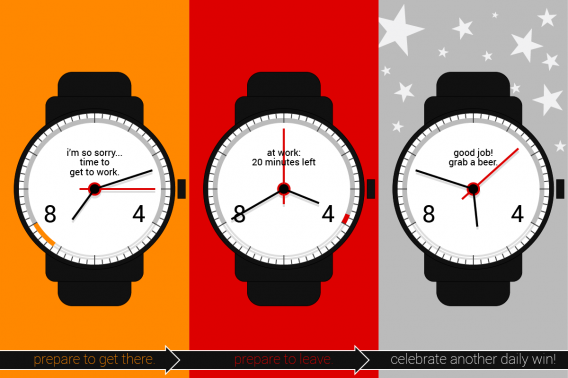
The simplicity of 9to5 Working Hours is that it shows a countdown to when workday is over. Even though it’s called 9to5 Working Hours, you can set any range of time you want. 9to5 Working Hours includes both analog and digital faces. The app also includes the option to show the date and watch battery information. 9to5 Hours may depress some people as seeing a long red bar can get discouraging. But it’s great if all you want is to quickly glance at how much time is left until happy hour.

9to5 Working Hours Watch Face is compatible with round and square watches.

Plants vs. Zombies Watch Face

plants vs zombies watch face

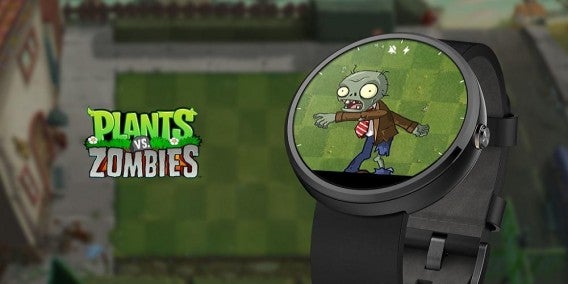
If you really like Plants vs. Zombies, you can display it on your Android Wear. The watch face is very simple. Using an analog watch interface, the zombie will use its arms to point at the current time. It’s more of a watch skin than watch face. There aren’t any other options like phone or watch battery, but it’s a free download.

Plants vs. Zombies Watch Face is compatible with round and square watches.

You can find more watches in Google Play’s dedicated section for promoted watch faces, but a quick search on Google Play will give you a lot more options. As the Android Wear platform matures, expect to see more watch faces and Android Wear apps.

Related Articles

Best Android Wear smartwatch apps

Best free Android games

Best free Android music players

Follow me on Twitter: @chrislikesrobot

Best free Android apps

Got a new Android phone or tablet? Then you may wonder which apps are worth installing. It really depends on how you want to use it. Are you big on messaging? Or do you love streaming music and movies?

There are a lot of apps to sort through so to make it easier, here’s a list of the best free Android apps. The best thing about this app list is that all of them are compatible with any screen size and don’t require the latest devices, unless it’s a game that features high quality graphics.

We’ll be updating this post regularly with new apps so be sure to come back to see what’s new.

Google apps

If you buy an Android phone, you’re going to have a lot of stock Android apps installed. While you may think that Google is forcing you to use their apps but you can actually disable most of the apps. But these included apps are actually great and you may want to keep them around.

Gmail

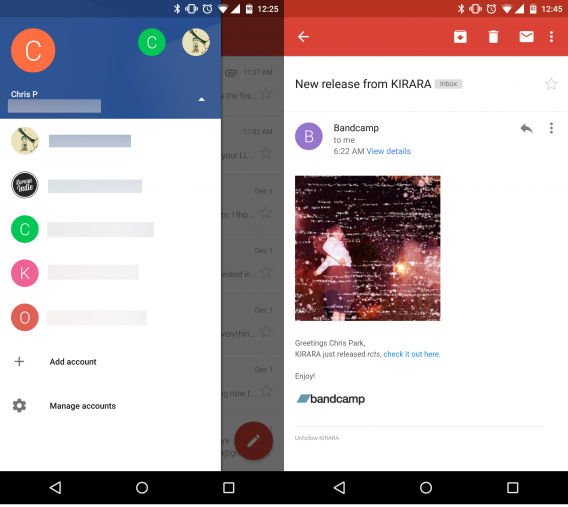
If you use Android, then you need a Google account. You sign into different accounts with your Gmail email. Now that Gmail also supports POP3 and IMAP accounts and not just Gmail, it is your all-in-one email client. The best thing is that the same functions that were supported in Gmail are now available for all other accounts like swipe to delete and starring emails. Gmail also replaces the Google Email app, which was definitely showing its age.
gmail

Inbox

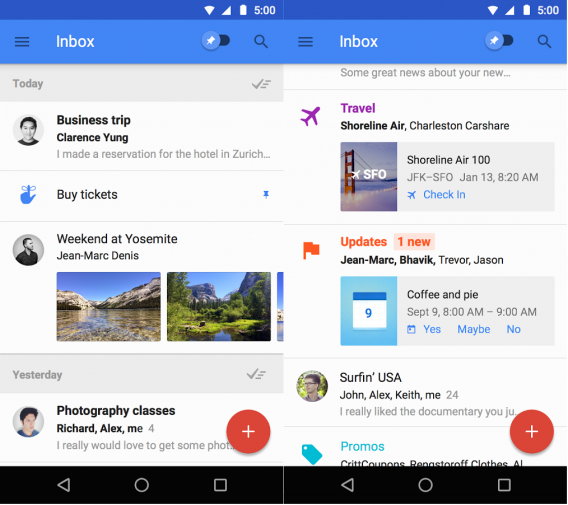
Inbox changes how you interacted with your email. Inbox streamlines your email by automatically sorting them under different categories. This makes browsing emails much faster. When you’re done, you can archive them all at once. You can also create reminders and prioritize important emails by pinning them. While it’s weird at first, Inbox proves to be a great replacement for the Gmail app. It currently only supports personal accounts but Google is bringing the app to Google Apps users too.
inbox

Chrome

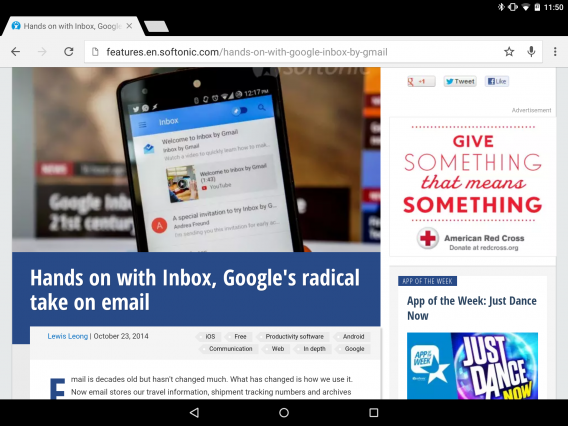
If you use Chrome on your desktop, then having Chrome on Android is perfect. By signing into your account, you can sync bookmarks and different Chrome tabs on other devices. This means you can quickly pick up reading that article on your phone that you were reading on your desktop. You can also enable to option to reduce data usage which saves data when your’re not using Wi-Fi.
chrome

Google Calendar

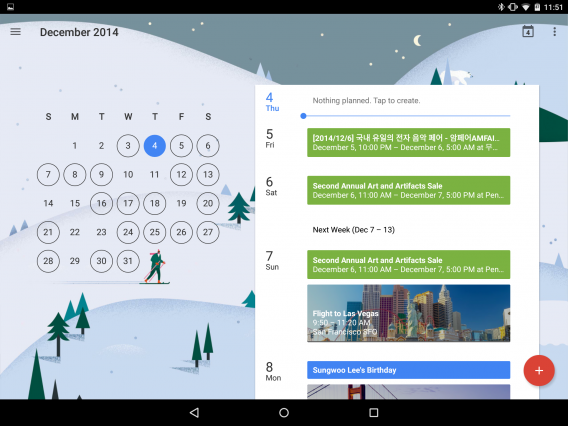
There are more visually attractive calendar apps, but there are few that are as seamlessly integrated with Gmail. The updates that Google has put in Gmail and Calendar and how they communicate with each other is great. If you have a plane ticket, Gmail will automatically add it to your Calendar. The only weakness is that the layout of Calendar is better formatted for tablets for a general view while the schedule view is better for phones.
google calendar

Google Authenticator

Having strong passwords is very important. Using two-factor authentication is an added level of security for your various online accounts. Authenticator supports more than your Google accounts and can be used to verify other important accounts if the service supports it.
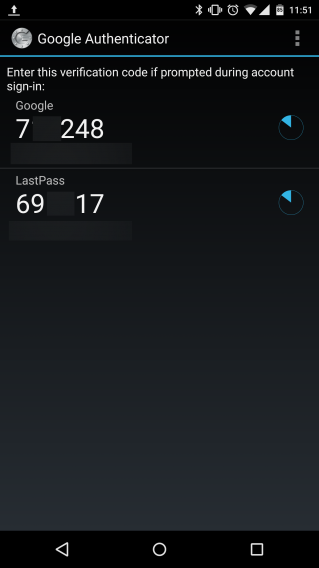
Google Authenticator

Google Drive

Even though Google Drive only gives you 15 GB of storage (upgradable via subscription), it’s more than enough for someone who just uses email or shares small files with friends. If you enable Auto-backup on your Android device, your photos are stored in Google’s shared storage space automatically. This means that if you lose your device, photos you took are still available. Drive is also supported by the different Google Doc apps like Docs (word processor), Sheets (spreadsheets), and more which are available within the browser version of Drive. Android has separate apps for Docs, Sheets, and Slides so you can edit on the go.
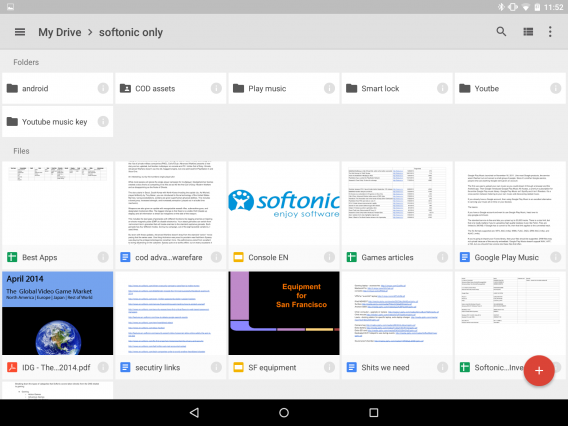
Google Drive

Hangouts

Previously known as Google talk,  Hangouts is now the default messaging app on Android and is used to chat with your contacts. You can also enable SMS integration to unify all your messages in one place. Hangouts is a simple, but very useful app that supports photo uploads as well as animated GIFs.
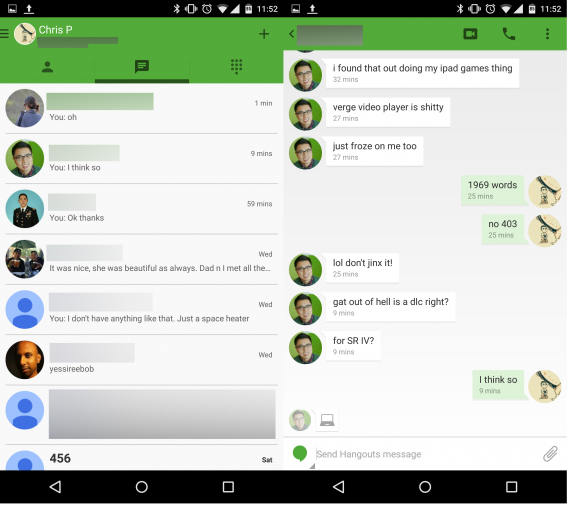
hangouts

Messenger

Google previously bundled SMS/MMS messaging and its own chat service, Google Hangouts, into one app. A lot of people didn’t like both services combined so Google brought back the option to use a SMS/MMS-only app. Messenger is a simple text messaging app that can also send audio messages and video to your contacts. Messenger is simple, and that’s what people like about it.
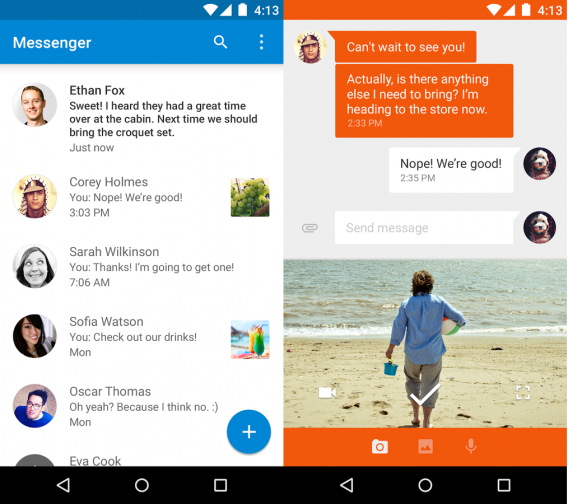
messenger

Google Play Music

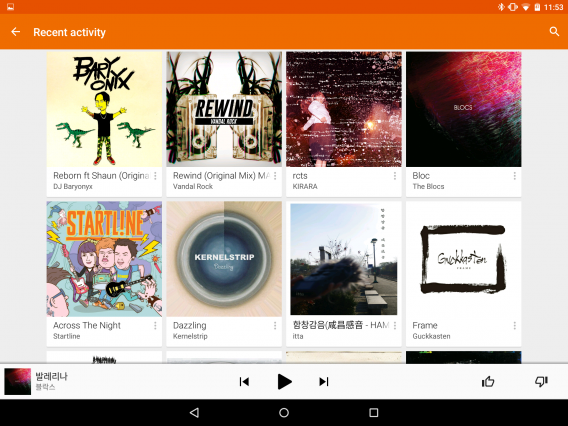
Android doesn’t rely on a desktop app to sync music. Instead it uses Google Play Music for streaming. With support to upload 50,000 songs or use YouTube Music Key (which includes a subscription to Google Play Music’s entire library) to stream or download for offline playback, Play Music is a simple music app that focuses on being simple while offering a lot of options. If you upload your music to Google Play Music, you can listen on the web or up to ten different devices.
google play music

Google Maps

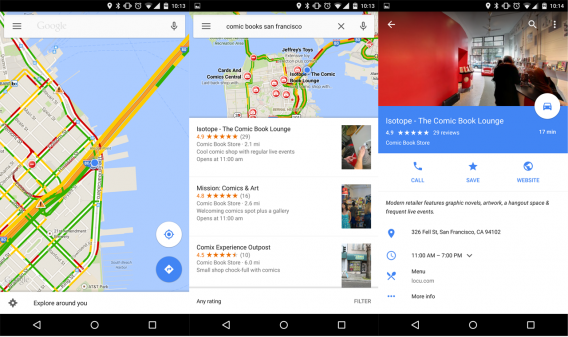
If you’re looking for directions, Google Maps is still one of the best travel apps. With navigation “for driving, biking,and walking,” Google Maps presents an easy to understand interface and easy to read maps. Maps is even better because you can search for places within the app and then tap on a business and get information about it like hours and a phone number. There are apps that are better for a specific travel tasks, but Google Maps is one of the easiest to use, especially if you’re traveling.
google maps

Android Device Manager

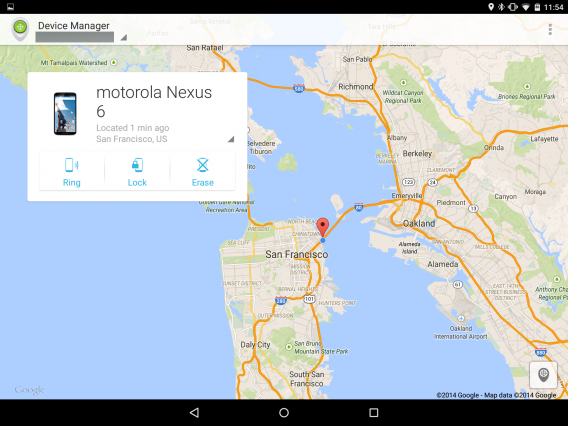
If you ever lose your device, you’ll be able to locate it with Android Device Manager. Supported on the web and a mobile app, Device Manager contains all the devices registered on Google. So if you’re missing your Android tablet, you’ll be able to locate it if it’s connected to a Wi-Fi or cellular connection. The service lets you ring the device, lock the device, or erase the device so that whoever has it won’t be able to access your personal data.
Android Device Manager

Chromecast

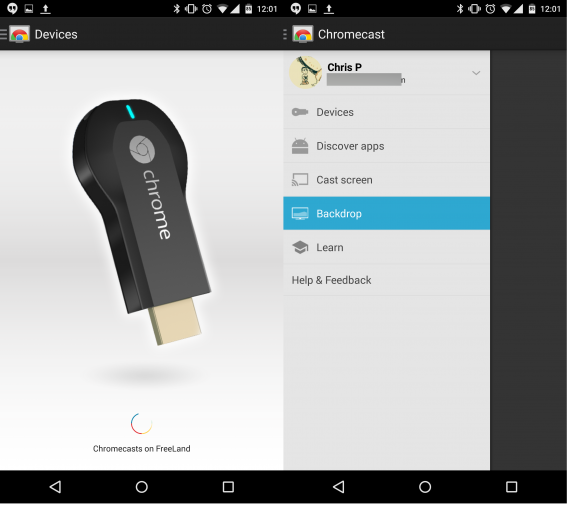
The Chromecast app is only a utility to connect the device to your Wi-Fi network. It can also give access to photos so you’re not stuck looking at the default Google images, but once you set up your Chromecast you will have support for a good number of apps that you can now watch on your TV.
chromecast

Google Wallet

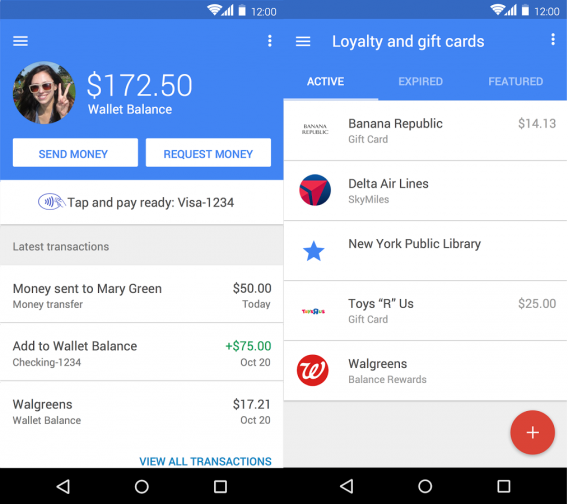
Google Wallet is a strange app. It’s a NFC payment system using, can send money through email, keep loyalty and gift card information, and track orders. This confusion makes Wallet a little difficult to use but with more stores accepting NFC payments, Wallet is going to get more users. Major carriers will now install the app on new Android devices and Google plans to streamline the app, making it easier to use.
wallet

Best free apps

Firefox

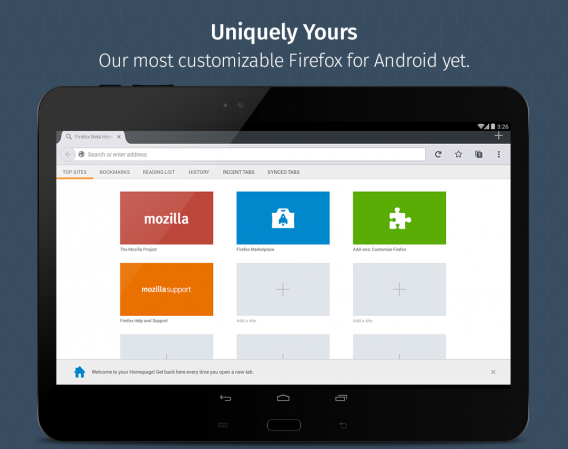
If you’ve moved on from Chrome, Firefox is an excellent alternative. With its Sync function, you can access your important bookmarks,information, and settings across all devices. Firefox is also built for speed and security. Firefox includes tools to control how much information you share to keep your info private.
firefox

Waze

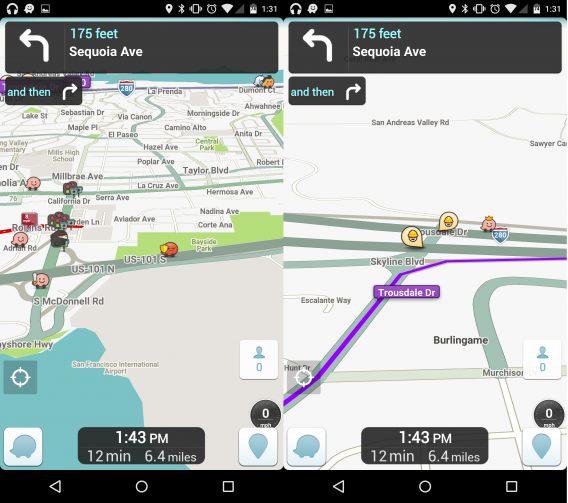
Waze is one of the best GPS and navigation apps. The app uses crowd-sourced information to alert you about traffic conditions, accidents, and police. It can also suggest alternate routes and provide excellent directions to avoid traffic delays. There’s a social aspect of the app that unlocks new avatars based on how much you drive or how much information you post. In some cases, it even surpasses Google Maps’ directions.
waze

Amazon

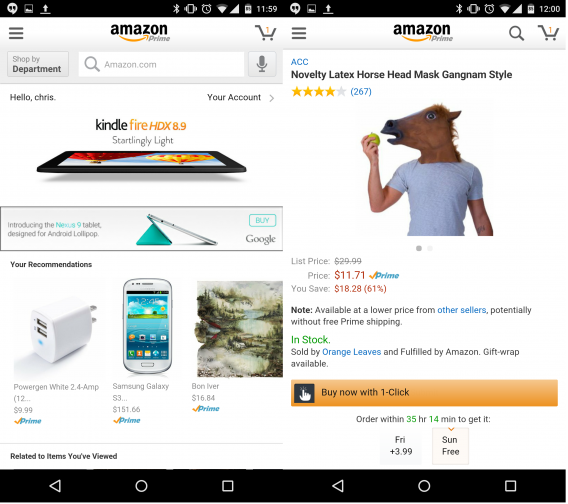
Chances are, you’ve bought something from Amazon. The app is a gateway to Amazon’s store where you can quickly purchase stuff. The smartphone app lets you access Amazon Instant Video too, but the feature is missing on the tablet version of the app. You can even download Android apps from inside the Amazon app if you find a better deal on an app you’ve been watching.
amazon

Netflix

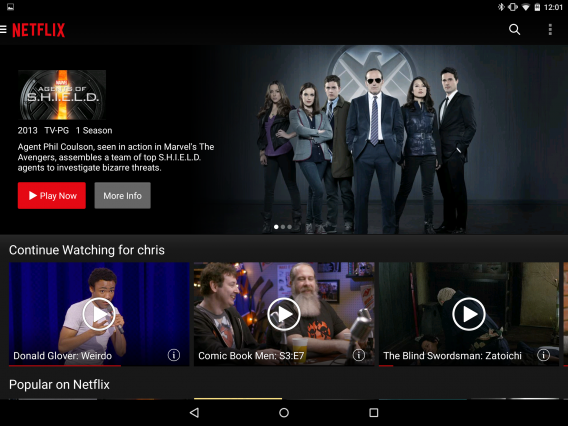
Even though it’s a battle between Netflix and Hulu, the fact that Netflix doesn’t have ads makes it one of the best video binge services available. Even more, Netflix is available on any streaming device so you can stop and pick up from where you left off anywhere. The app is easy to use (though finding something to watch can be a challenge) and adapts to any screen video is being played.
netflix

YouTube Kids

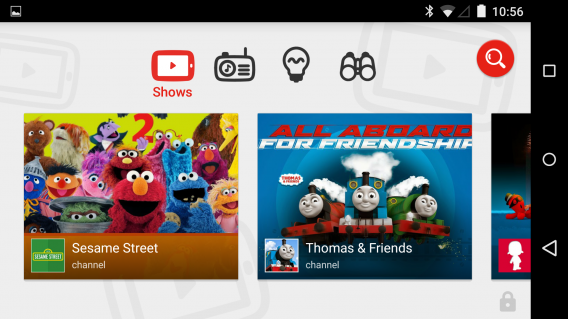
YouTube can be dangerous for kids. There are a lot of inappropriate videos that aren’t hidden from younger viewers. YouTube Kids is a family-friendly app that only includes age-appropriate content for kids. Full of educational and interesting channels, kids can learn through the many different videos approved for the app. If parents think a video is inappropriate, they can flag it in the app and YouTube can take measures to remove it. YouTube Kids is something parents have been asking for a while.
youtube kids

Bandcamp

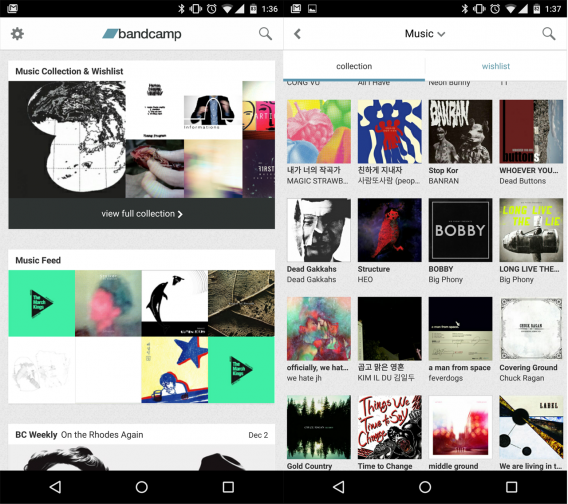
It wouldn’t be surprising if you haven’t heard of Bandcamp before. It’s a music service that allows musicians to sell digital music and merchandise directly to fans. One of the best features of Bandcamp is that artists decide prices and offer downloads in a variety of audio formats like MP3 320 kpbs to FLAC, AAC, Ogg Vorbis, and ALAC. Basically lossless fans will like using Bandcamp. The app lets you stream any releases in your collection and you’ll find a lot of excellent musicians on the site.
bandcamp

SoundCloud

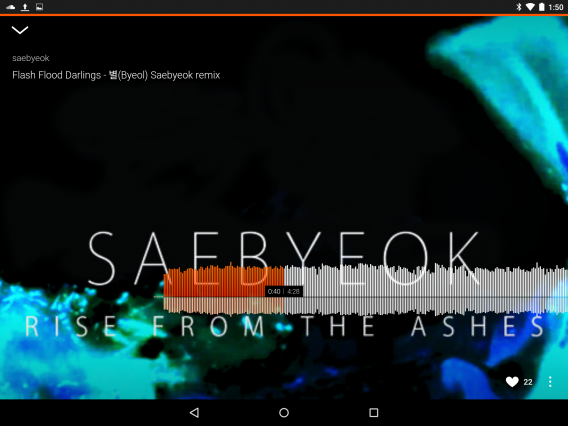
There are a lot of ways to discover new music and SoundCloud is one of the best. You can follow different artists and listen to works in progress. You can also record and upload your own music to SoundCloud through the app. Many musicians upload demos of their music or even share free music to download. SoundCloud offers a more direct connection between artists and fans.
soundcloud

Spotify

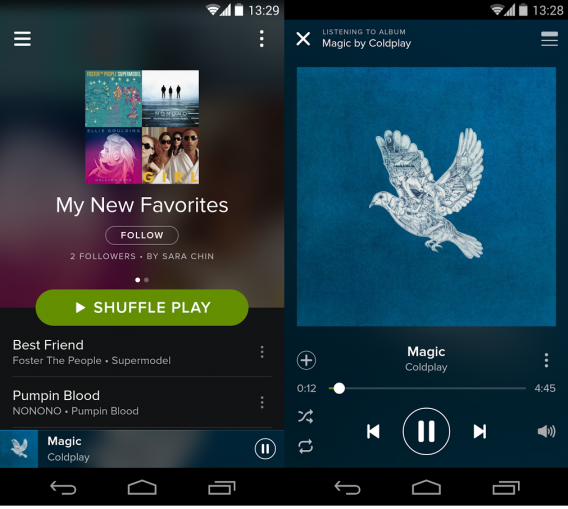
For a subscription service, Spotify is among the top. Offering a huge library of music and a free or paid option, if you want to explore all kinds of music then this is the way to do it. The premium subscription offers some great extras like no ads and saving music for offline playback, but even though Spotify has millions of tracks, you should give the free ad-supported subscription a try first and see if everything you want is available.
spotify

Feedly

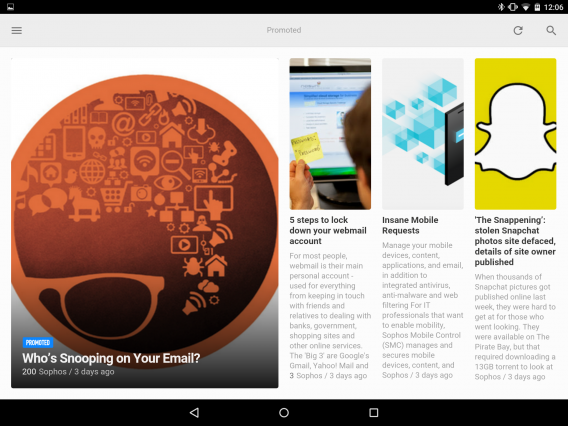
If read a lot of different websites but don’t want to directly visit each one every day, Feedly can make life much easier. It’s a RSS app that can aggregate websites, YouTube, and RSS feeds into one location. It updates when you open the app so you’ll always have the latest content. You can also share through Facebook, Twitter, and Evernote so other people can see what you share. It’s easy to use and since it can still pull updates from sites without an actual RSS feed.
feedly

Pocket

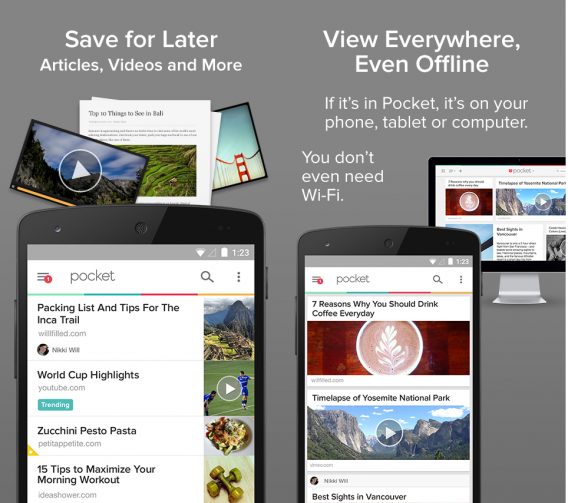
While Feedly is great for getting the newest articles from your favorite websites, it requires a data connection to work. Pocket lets you save articles, videos, photos, and videos from the web and other apps to view offline. It’s a great tool to keep your favorite content available really quickly.
pocket

Comics by Comixology

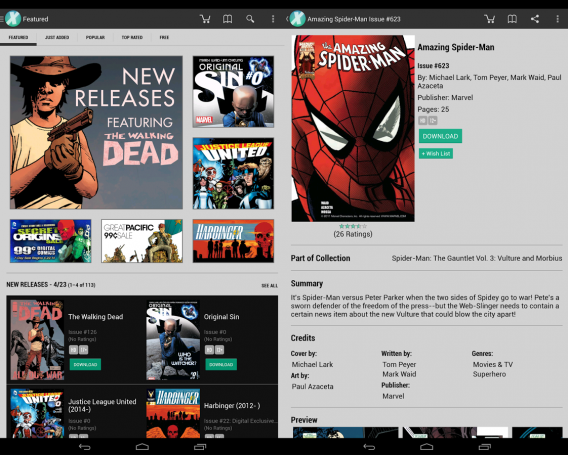
Even though Comixology is owned by Amazon, the digital comic store operates independently. Comixology’s library is huge, with titles from Marvel, DC, Image, Viz, and many independent publishers. Once you buy a comic, you can download it to a device or download a DRM-free version to your computer. If you want to keep up with your favorite comic books, Comixology is the best comic app available.
comixology

Perfect Viewer

Do you read a lot of comic books, but don’t want multiple apps installed? Perfect Reader is a free and powerful comic and manga reader. The app supports JPEG, PNG, GIF, BMP, WebP and archive formats CBZ/ZIP, CBR/RAR, 7Z/CB7, and LZH. Perfect Viewer can also read PDF but requires a downloadable plugin. The app’s huge amount of options lets you customize your reading experience almost any way you want. Just copy your comics into a designated folder, sync in Perfect Viewer, and read away.
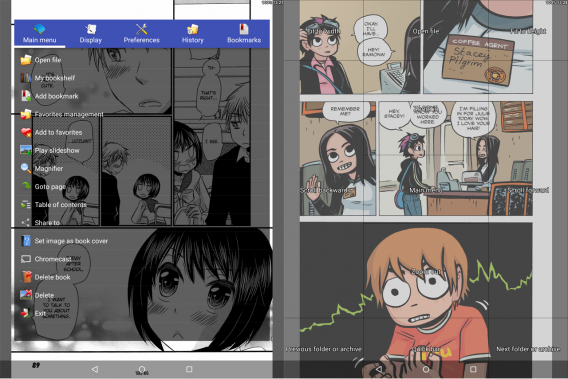
perfect viewer

Evernote

If you need to have your content synced everywhere, then Evernote is the best app to use. You can save notes, photos, and websites and have them available with any connected app. It’s great for collaboration with people and can replace a physical notebook. The possibilities are really up to you.
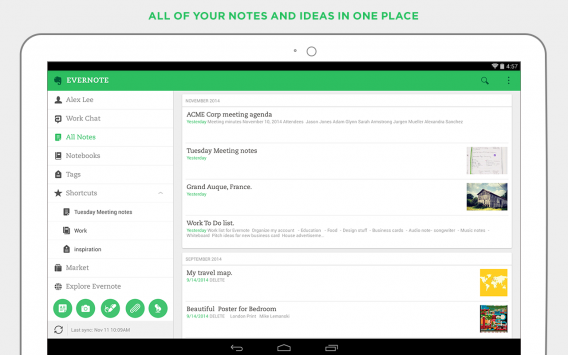
evernote

Pushbullet

One of the biggest annoyances is getting files from one device to another. You can upload it to online storage or email it to yourself, but Pushbullet makes it easier by directly pushing content from device to device. It supports links, photos, files, and notes from Android devices and browsers with the plugin installed. You can also set up notifications on your computer so you don’t miss phone calls or texts.
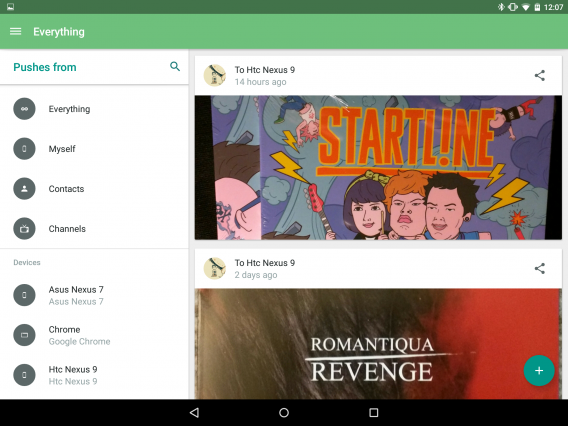
pushbullet

Duolingo

If you are interested in learning Spanish, French, German, Portuguese, Italian, Dutch, Irish, Danish, or Swedish, Duolingo has you covered. Instead of teaching standard lessons, the app makes learning into a game. You lose hearts when you answer wrong and earn achievements when progressing. If you want to try a new language, give Duolingo a try.
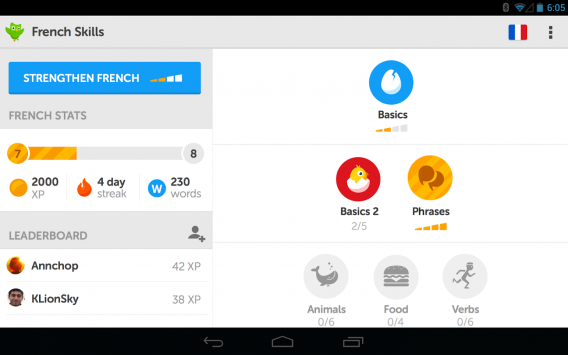
duolingo

Hardware Info

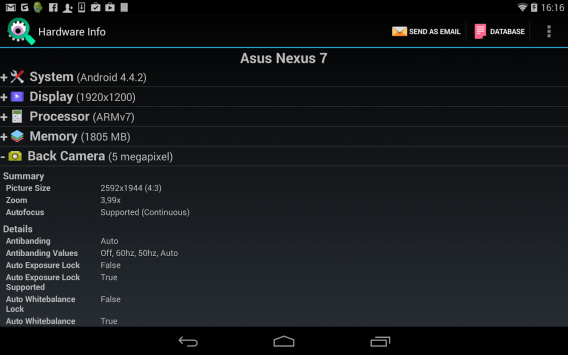
There are times when you need to know specific information about your device. Rather than search online for specs, Hardware Info scans your device and displays a huge amount of information. Any hardware information that you may need about your device will be available in the app.
hardware info

Speedtest.net

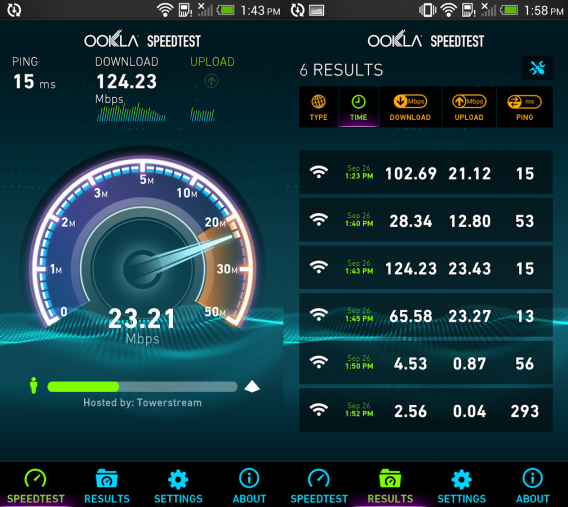
Speedtest.net tests download and upload speeds on your device, either over cellular data or using Wi-Fi. The app is a great way to check if you have good service when out of the house or checking the speed of your wireless network.
speedtest

My Data Manager

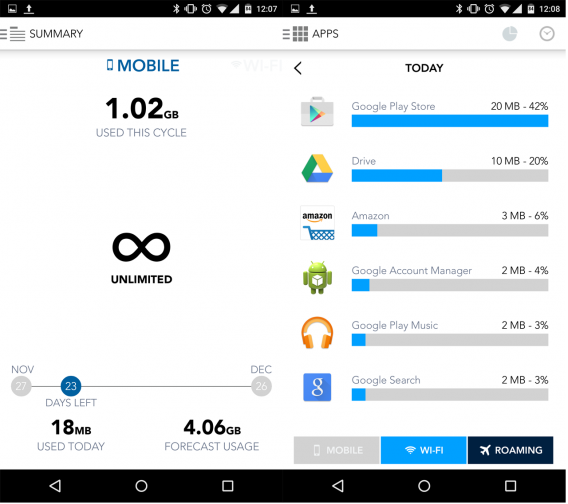
When you have a limited data plan, it’s important to know how much data you’re using on a daily basis. Streaming anything can eat data and you may not even notice how high it gets. Android does have a built-in data monitor, but it might not be as accurate as you need. My Data Manager monitor your data use and has options for family plans, monthly plans, and roaming. You set up your billing cycle in My Data Manager and you know exactly how much data you have left to use. It can also show which apps are using the most data which is important if apps are using a lot of background data.
my data manager

IFTTT

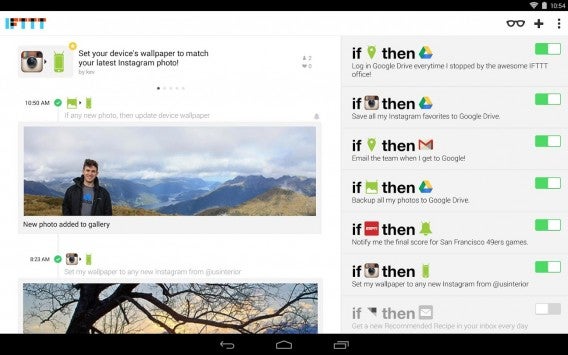
IFTTT means “If This Then that.” The app creates connection from that statement to perform different actions. That simple statement can be used for simple tasks like backing up photos or files or creating chains of actions by using the different commands. You are also able to browse different channels to get even more Recipes.
ifttt

ES File Explorer

It’s always helpful to have a file explorer on your device. It makes manually moving files from folders without a computer much easier. But ES File Explorer has another feature that is great. It recognizes USB drives plugged into the micro-USB port. If you own a small USB drive and connect it to your Android device, you can access and transfer files. Some Android devices don’t support SD cards, you’re stuck with limited storage. But you can manage unimportant files directly and even export them to an external USB stick with the app.
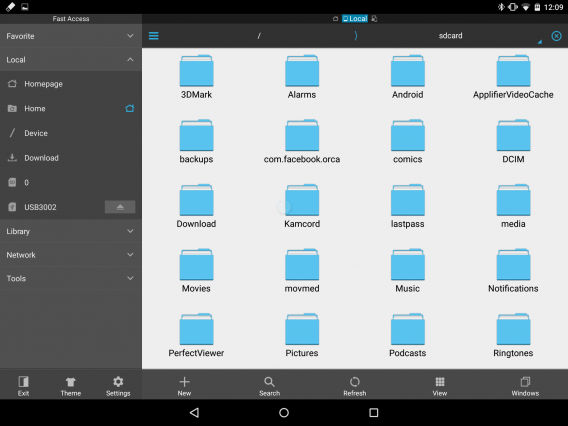
es file explorer

Wunderlist

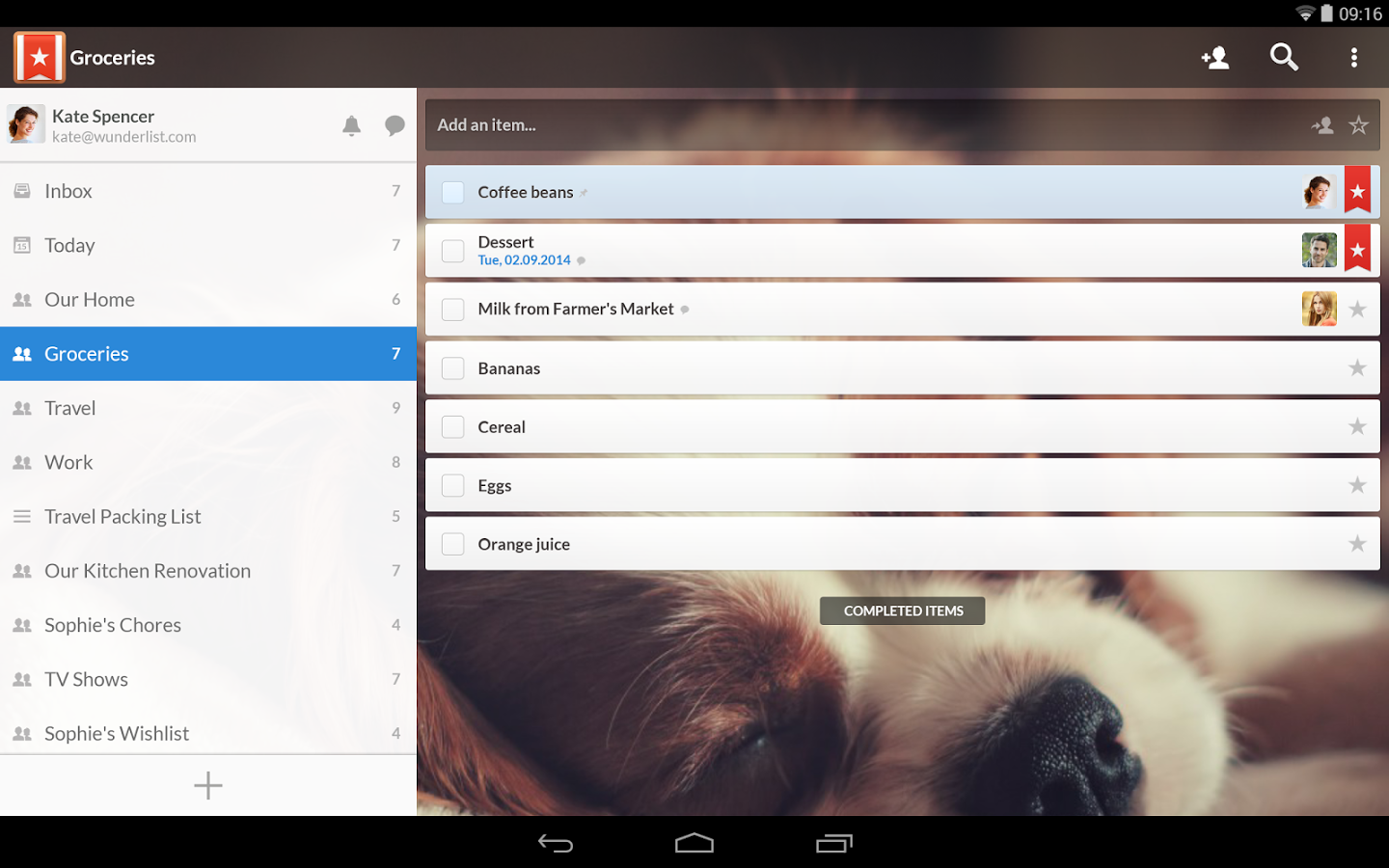
When you needed to make lists, you used to have to write them down. Wunderlist brings the notepad to your Android device. It can also be used as a planning tool by adding different steps or a family vacation planner; the possibilities are up to you. You can also share lists with other people to collaborate on projects or have chats with other people about tasks. The app is free, but Wunderlist Pro offers unlimited access to assigning tasks and file uploads.
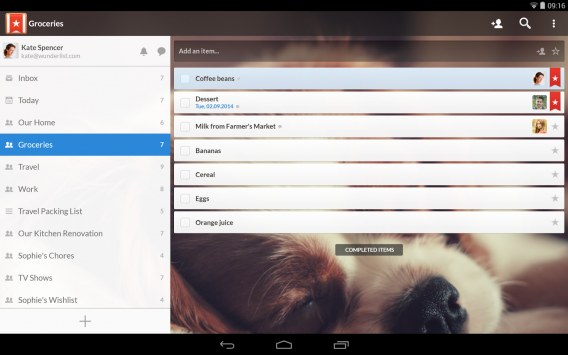
wunderlist

Facebook Messenger

Messenger used to be an annoying chat alternative connected to Facebook. Now Facebook Messenger is taking itself seriously by adding more functions like third party app support and voice and video calls. Facebook is your largest contact address book and the ability to talk or call with anyone can be useful, especially if they live internationally.
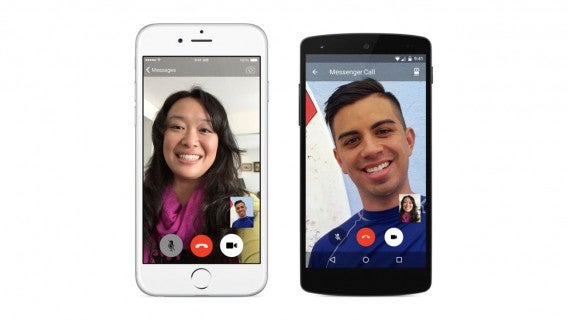
Facebook Messenger video calling

Skype

There are a lot of different chat apps, but when it comes to video messaging Skype is still on top. The multiplatform app is perfect to connect with friends all over the world. You can also use Skype for voice calls or chat. Skype can call cell or home phones for a low cost, something other chat apps can’t do. Using Skype to keep in touch with family is easy because it’s an easy to understand app.
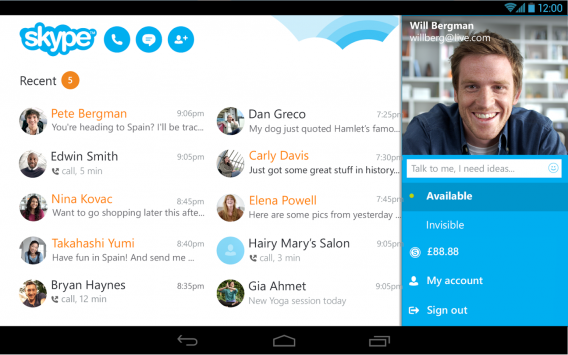
skype androidSnapchat

Snapchat started the big disappearing message craze. You take a photo, add a caption, and then send it to a friend. They’ll see it and in seconds, the message disappears. Snapchat expanded the app to include more social features like Discover, Snapcash, My Story. It gives Snapchat more use than simply just sending destructible messages to each other.

WhatsApp

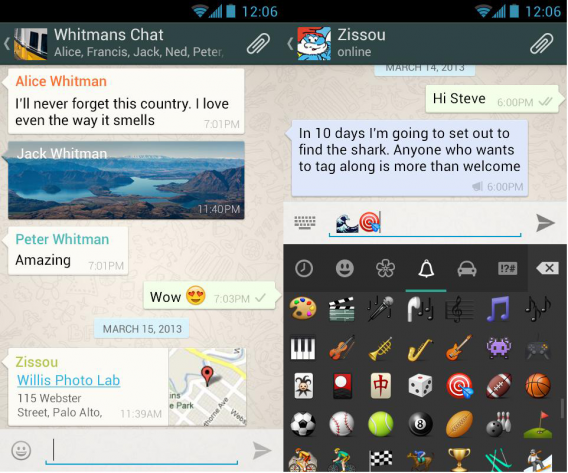
WhatsApp is huge overseas but isn’t as popular in the United States. It’s a great alternative to standard text messaging because it isn’t expensive like carrier texting plans. WhatsApp also has voice calling and video recording so it can replace many communication features of your Android device. The only problem is getting your friends to use it too.
whatsapp

Instagram

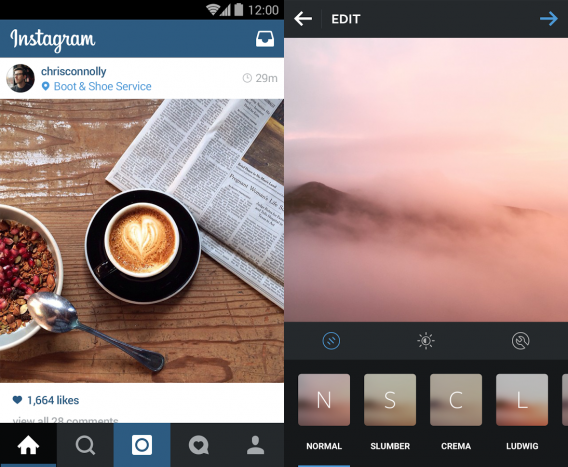
If you own a smartphone, you probably already have Instagram. The photo app is still one of the most popular apps on any platform and lets you take photos and videos and add different filters to give each one its own flair. Even though Instagram doesn’t update that often, the included filters are still some of the best available. The app includes finetuned editing tools so you won’t need another app to enhance your photos.
instagram

Photo Grid

When you have a lot of photos and want to make collages, it’s impossible with the Photos app. Photo Grid can combine multiple photos into different templates. There are also editing options like swapping photos and filters. Its photo editor can resize full size images to fit Instagram’s square size requirement so you don’t cut off your photos.
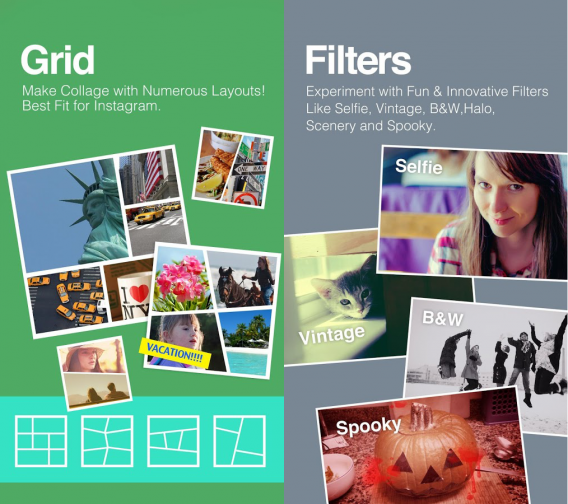
photo grid

Related Articles

Best free Android music players

Best free Android games

Best free office suite

Follow me on Twitter: @chrislikesrobot

Best free Android games

One of the best things about having a smartphone or tablet is that you have thousands of games available to you. When considering productivity or social apps, there are “must have” apps everyone should download but with games, that list is much more varied.

Deciding on which games to download depends on what type of games you enjoy. Like casual puzzle games? Then Candy Crush Saga is for you? Like strategy games? Then Clash of Clans is a no-brainer. Want to manage your own town? Download The Simpsons: Tapped Out. There are so many choices for games that you’ll find a mixture of great and crappy games that you have to go through in the app store.

Top lists for free and trending games in Google Play are a great place to start, but that doesn’t mean they’re any good. To make it easier, I went through a bunch of free games that I think everyone will enjoy.

One thing to note is that when researching games, many of them require an active data connection. If you lose Wi-Fi or cell data and you can’t even play.

Jetpack Joyride

jetpack joyride android

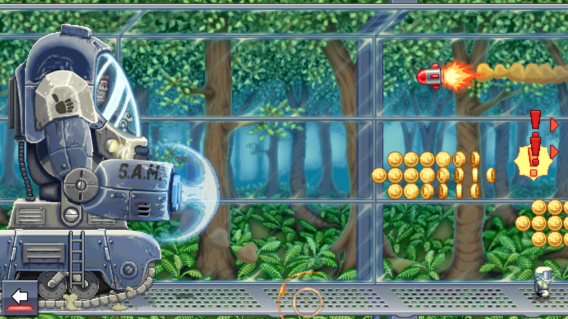
The endless runner genre started with Canabalt, where you play as a man running across the roof tops of a crumbling city. While the style of Canabalt has been copied thousands of times, Jetpack Joyride does something a little different. It adds a jetpack, obstacles like missiles, and electric gates. But also includes missions, upgrades, and daily challenges. Even though the game has in-app purchases, the level progression is simple and straightforward without any “pay to win” mechanics that you find in other games.

DomiNations

DomiNations

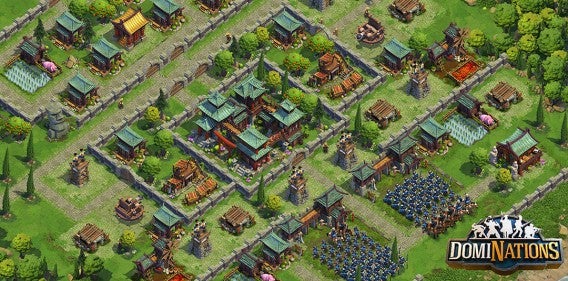
If you’ve been wanting a great real-time strategy game, then look no further than DomiNations. Big Huge Games previously worked on Rise of Nations and have successfully brought the core gameplay mechanics of RTS PC games to mobile. You create and advance your nation over different ages like the Bronze Age to the Space Age. There are familiar mechanics like resource gathering, research, and army building, and you can play the single player campaign or attack other players online.
Do Not Crash

do not crash android

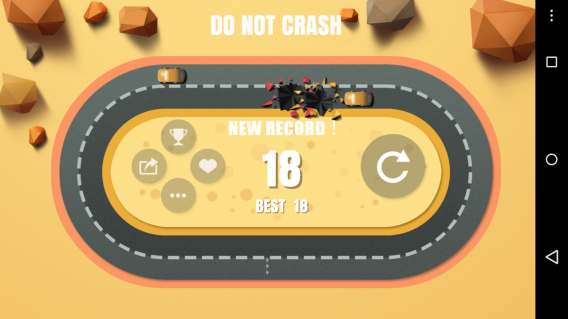
Gameplay in Do Not Crash is self explanatory. You’re on an oval track with cars driving in the opposite direction. Your goal is to pass cars without crashing. The challenge starts when cars split off from the group and you have to rapidly switch lanes. It’s another quick game that you can play when you have a few minutes to kill.

Ace Fishing: Wild Catch

ace fishing wild catch

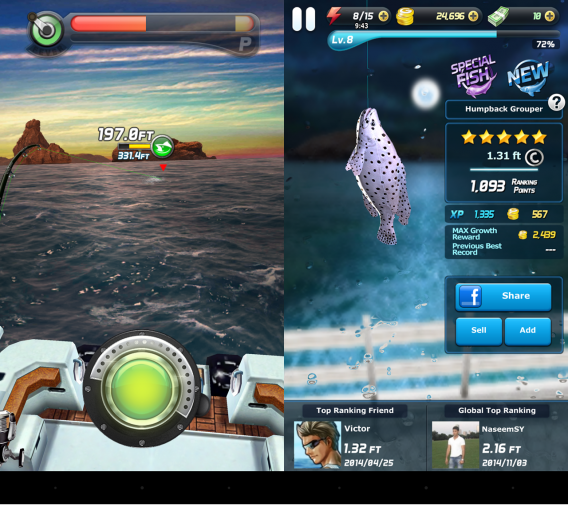
While there are sports games on Android, you wouldn’t think that fishing would translate well. Somehow Com2US made a fishing game that doesn’t force you into waiting and gives you an easy-to-understand tutorial to get started. All quests revolve around fishing so you’re not forced into playing mini-games. Even though supplies cost money, you’ll make more than enough to get through the game without paying with real money.

Peggle Blast

peggle blast android

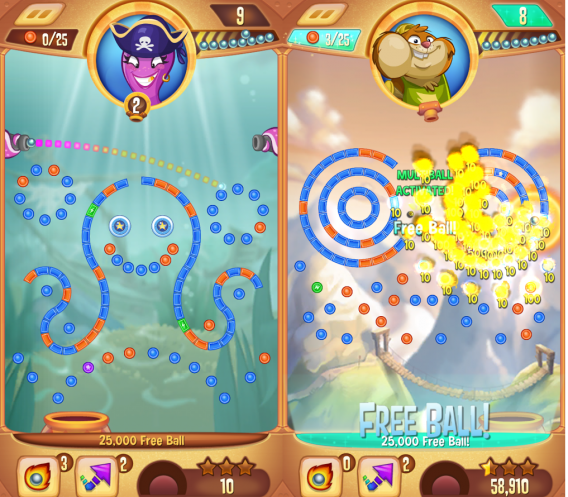
Instead of offering an Android port of Peggle, Electronic Arts and PopCap decided to add microtransactions into this mobile version. While free to play, you’ll have to wait after you exhaust your lives or pay real money to buy credits. Power-ups also cost money and the forced social aspect of the game gets really annoying. Its saving grace is that the gameplay is classic Peggle and feels natural even with new types of power-ups and level design.

Does Not Commute

does not commute

Puzzle games come in a lot of forms. Does Not Commute is a puzzle game where you try and stop cars from crashing into each other. You have to guide cars to their destinations while avoiding other cars. But the difficulty is that you are creating each path for each car. Mediocre is amazing at physics-based games and this is another example of its ability to create fun physics puzzle games.

MUJO

mujo
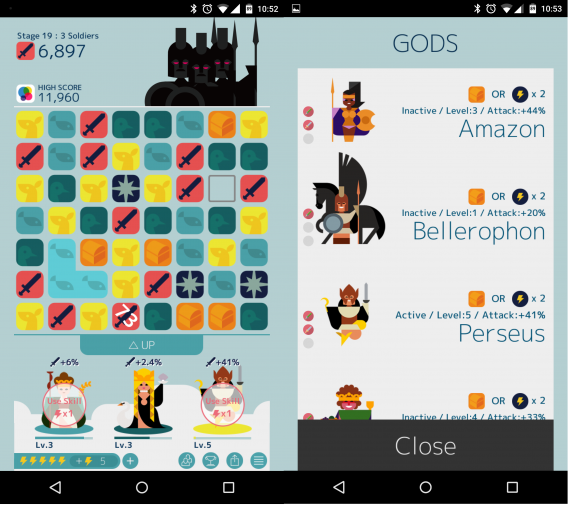
There are tons of match three puzzle games, but MUJO brings something unique.. MUJO has you fighting monsters from Greek mythology. With the help of various Greek gods, you match three or more tiles to attack your enemies or to gain experience for your gods who have different powers. You can combine tiles together to create stronger attacks to defeat monsters, some of whom have regenerating health. It’s a simple game to learn but as you progress through levels, its difficulty and need for strategy become apparent.

TwoDots

twodots

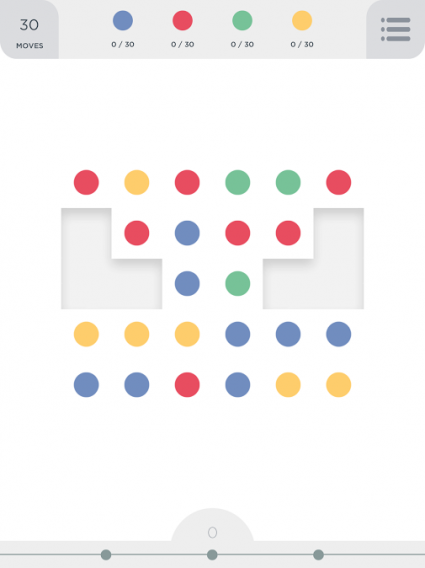
TwoDots is the sequel to Dots and adds challenges and puzzles. With a sequential level system, you have to collect a specific number of colored dots or sink anchors to progress. Depending on the level, there may be obstacles that you have to work around and that’s one of the fun parts of the game. Even though TwoDots is free to play, you never really feel the necessity to pay for anything unless you just can’t wait for your lives to replenish.

Hungry Shark Evolution

hungry shark evolution

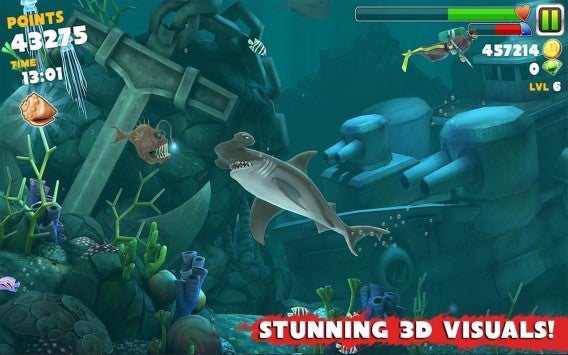
Hungry Shark Evolution has been around for a while. You play as a variety of shark species that are unlocked at certain levels. Build and upgrade your skills and eat everything in the ocean. The main challenge is that you have to eat to live because your health is constantly draining. This keeps the gameplay challenging. One issue is that the video ads in Hungry Shark are insanely annoying and can’t be skipped. If you can overlook that, then it’s a solid and fun game.

Into the Dead

into the dead

Zombie games plague the Play Store, but most of them are some type of shooter. Into the Dead is different because it’s a first person endless running game where you have to dodge zombies. You can unlock different guns and even a dog to help you survive. It may seem really simple, but the change in perspective makes the action more intense.

Bitcoin Billionaire

bitcoin billionaire

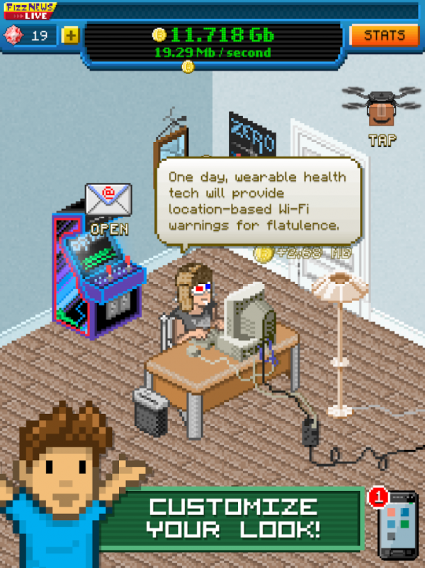
I downloaded Bitcoin Billionaire because it looked like a Kairosoft game. The 8-bit style is always fun to look at and Bitcoin Billionaire has great retro graphics. When it comes to gameplay, basically all you’re doing is tapping the screen over and over. Sometimes you’re holding the screen, but the purpose of Bitcoin Billionire is to mine for virtual bitcoins. There’s no overall plot or story, but somehow it’s addictive.
The Simpsons: Tapped Out

the simpsons tapped out

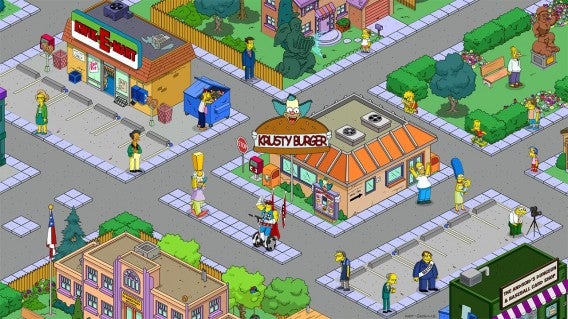
Who doesn’t want to design their own virtual Springfield? Tapped Out is yet another city builder but uses all the properties that are found in the beloved Simpsons cartoon. Be aware that there’s a lot of in-app purchases pushed in your face as things can take hours to get constructed . But if you’re a fan of The Simpsons, then this game is one to try because the initial cost is free.

Candy Crush Saga

candy crush saga

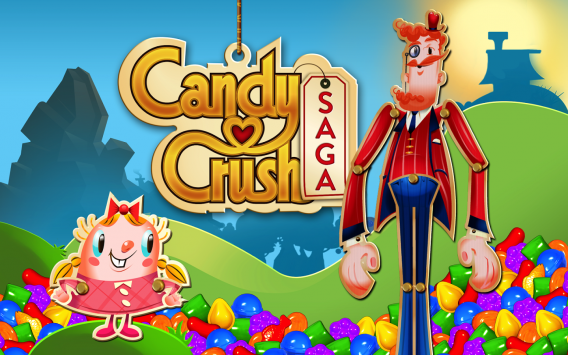
If you played Bejeweled or any type of match-three game, then you know what Candy Crush Saga is. It’s highly addictive with its social integration and puzzles. It’s a very popular game because it’s a casual puzzle game not requiring a lot of your time for one session. Even if you don’t want to admit it, you’ve probably played the game once and hated yourself for buying more credits to keep playing.
Plants vs Zombies 2

plants vs zombies 2

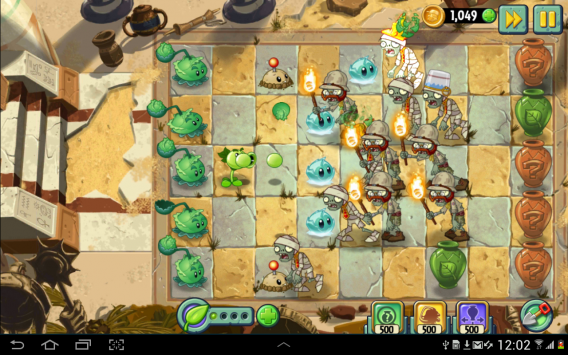
When PopCap transitioned PvZ 2 into a free-to-play game, there was a lot of worry it would be pay-to-win. Fortunately the core gameplay is still there and in-app purchases boost your skills rather than reinforce them to beat levels. If you enjoyed PvZ, then you should obviously download the sequel.

Checkpoint Champion

checkpoint champion

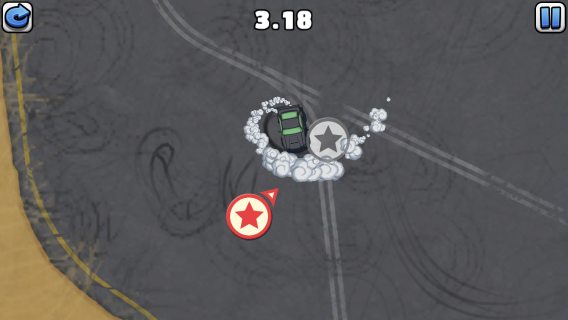
Checkpoint Champion is a top-down racer. Unlike other racing games, you have a very small time limit to get from one checkpoint to the next. There is an insanely high learning curve to the game so you will fail many times. The simplistic controls make the game easy to play, but the time is your enemy. Try out Checkpoint Champion if you want a challenge.

Trials Frontier

trials frontier

Fans of RedLynx’s motorcycle racing game will be happy that the series is on Android. Taking the same inspiration as its console sibling, you have to traverse levels on a motorcycle by manipulating your speed and weight. There’s really only one perfect way to complete each level and you’ll work to find it. Trials Frontier offers in-app purchases, but they’re not required unless you plan on marathoning through the game.

World of Tanks Blitz

world of tanks blitz

If you enjoy challenging online multiplayer, World of Tanks Blitz is the game for you. Jump into seven versus seven matches and fight with over 100 different tanks. Even though the game is about open combat, you’ll need constant communication and teamwork. World of Tanks Blitz is free to play so expect to pay for premium tanks.

Hearthstone Heroes of Warcraft

Hearthstone Heroes of Warcraft

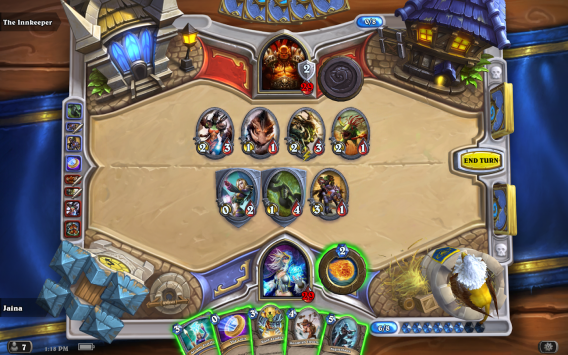
Warcraft is one of the classic real time strategy series and morphed into World of Warcraft, one of the biggest MMORPGs. Then Blizzard surprised everyone by turning it into a collectible card game. Hearthstone Heroes of Warcraft is a strategy card game where you battle with characters and abilities from the Warcraft universe. You collect or purchase cards to build strong card decks to challenge other players over the internet. One great feature is that Hearthstone Heroes of Warcraft is linked to your Battle.net account so you can switch from playing on Android to your computer with all your cards.

Disco Zoo

disco zoo

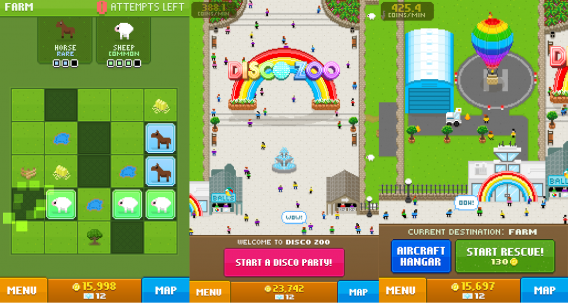
Disco Zoo is a weird game. You capture animals by solving simple puzzles and then build habitats for them in your zoo to earn money. If you want to earn a lot of money quickly, you can have a disco party where every person and animal in your zoo dances and drop coins. Animals level up by collecting multiples of the same species. You can buy new vehicles using the money you earned that unlock new regions to find more animals. At first glance it seems kind of dumb, but you’ll quickly get addicted to finding new animals and earning money for your zoo.

Smash Hit

smash hit

There’s only one goal in Smash Hit: break glass. But the challenge of Smash Hit is to break glass and not run out of balls to throw. When moving through different levels, you can earn power ups like one that give you extra balls per throw. With games like Sprinkle and Granny Smith, physics are Mediorcre Games’ strength. The game presents a very simple premise, but excellent and addictive gameplay.

Related Articles

Best free Android apps

Best Android Wear watch faces

Best free Android music players

Follow me on Twitter: @chrislikesrobot