Spotify Wrapped presents your 2021 playlist in different ways

Whether you’ve had a rough or pleasant 2021, Spotify Wrapped is here once again to highlight your top musical choices of the year. This time, we see a few updates to how it works, and you can now access it on a variety of channels. It’s an excellent way to enter the holiday season as you contemplate what you’ve done and what you’ll do in 2022.

Let’s take a look at how it works and how you can access Spotify Wrapped.

What is Spotify Wrapped 2021?

Initially released in 2016, Spotify Wrapped presents to you all your favorite songs and bands you listened to throughout the year. You have a personalized playlist, which you can share with friends, family, and followers to showcase what 2021 has been like for you. It’s an incredible way to wrap up the year into tunes.

Spotify Wrapped

How Spotify Wrapped works

For Spotify to deliver a personal playlist of 2021 songs and bands, it requires you to be a member of the music network. It uses data that is collected throughout the year, collating and placing them into a stunning playlist for you to listen through. You may get goosebumps as songs remind you of the good and bad times.

How to access Spotify Wrapped 2021

To access your Spotify Wrapped 2021 playlist, head into your mobile app and sign in to your account. If it’s available, you’ll see a banner that states “Your 2021 Wrapped” that you can tap on. If you don’t see it, you can search for Wrapped 2021 in the search bar, but it may reveal playlists for other people.

Once you find it, tap on the banner. It will take you to the Story mode, where you can view your playlist stats. Under the playlist, you’ll find a menu with all the available features listed for your Android or iOS phone.

Spotify Wrapped

Top Spotify Wrapped features

Are you still wondering if Spotify Wrapped 2021 is worth all the hype? Here are some of the features you’ll find in the update.

Experience your personal playlist in different ways

Spotify didn’t merely put some songs together from the data it received. The team behind the event put some extra work in to make sure you celebrate the year you’ve had. Here are the ways you can enjoy your Spotify Wrapped 2021 playlist:

  • 2021: The Movie: this feature connects your tops songs of the year with movie scenes
  • Audio Aura: experts took two of your top moods and display them like an aura accompanied by your music playlist
  • Playing Cards: Spotify creates an interactive game that collates statements about your year based on data, and you and your friends will need to guess which ones are true
  • 2021 Wrapped Blend: Thanks to the new Blend feature Spotify introduced earlier this year, you can blend your playlist with your friends to see how it comes together

Share with your followers

What’s the point in having a personalized Spotify Wrapped 2021 playlist if you can’t share it? As with previous years, you can tap on a button to send your cards to Facebook, Snapchat, Twitter, and Instagram. For an added bonus, you can now share it on TikTok too.

The 2021 Wrapped hub

The Wrapped hub is the central location for several playlists, including your own. It consists of curated content, so you’re assured of only seeing the best tracks and compilations. Here’s what you’ll find:

  • Your Top Songs 2021: Head down memory lane and see which songs you listened to the most
  • Your Top Artists Revealed for 2021: See which artists you enjoyed the most and hear some of their best tracks
  • Top Artists & Tracks 2021: Listen to which bands and songs streamed the most on Spotify worldwide
  • Best New Podcasts of 2021: Check out which podcasts were listened to the most
  • Best Episodes of 2021: See which podcasts episodes were the most popular
  • The Best of 2021: The ultimate collection of everything for the year

The creative experience

Spotify Wrapped 2021 doesn’t only focus on listeners but also on the creators of the content. From artists to podcasters, they can all see how fans interacted with songs and episodes and how many times they were featured. You can also see special videos of creators thanking you for your support if they are in your playlist.

Spotify Wrapped

Spotify guides

If you’re new to the music platform, you’ll probably only get your wrapped playlist in 2022. Should you want to learn how to use Spotify, here are some helpful guides:

How was your year in music?

We’re all excited to get our Spotify Wrapped 2021 playlist. We hope you had a good year and that your music reflects it. It’s a fantastic feature to end the year, while it prepares our minds for the next one. Did you enjoy your playlist? Feel free to share it with us so we can hear it too!

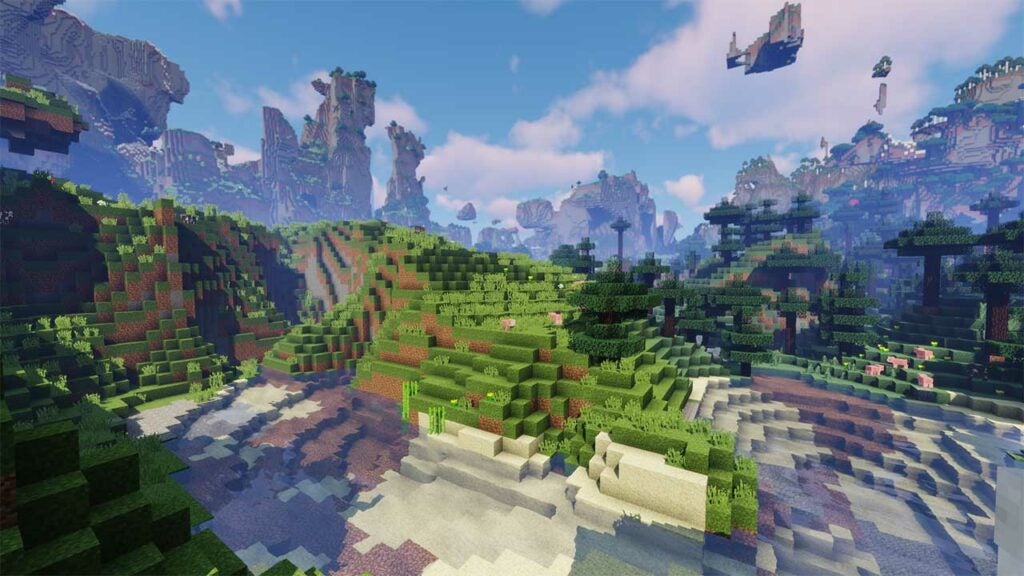
The Best Minecraft seeds

In the wonderful world of Minecraft, the game generates new biomes and lands for each game so that you never have the same experience. However, there is a way to play the same map if you want to start over with something called Minecraft seeds. When you place a string of numbers in the seed generator, you receive a pre-built world with specific block and item allocations.

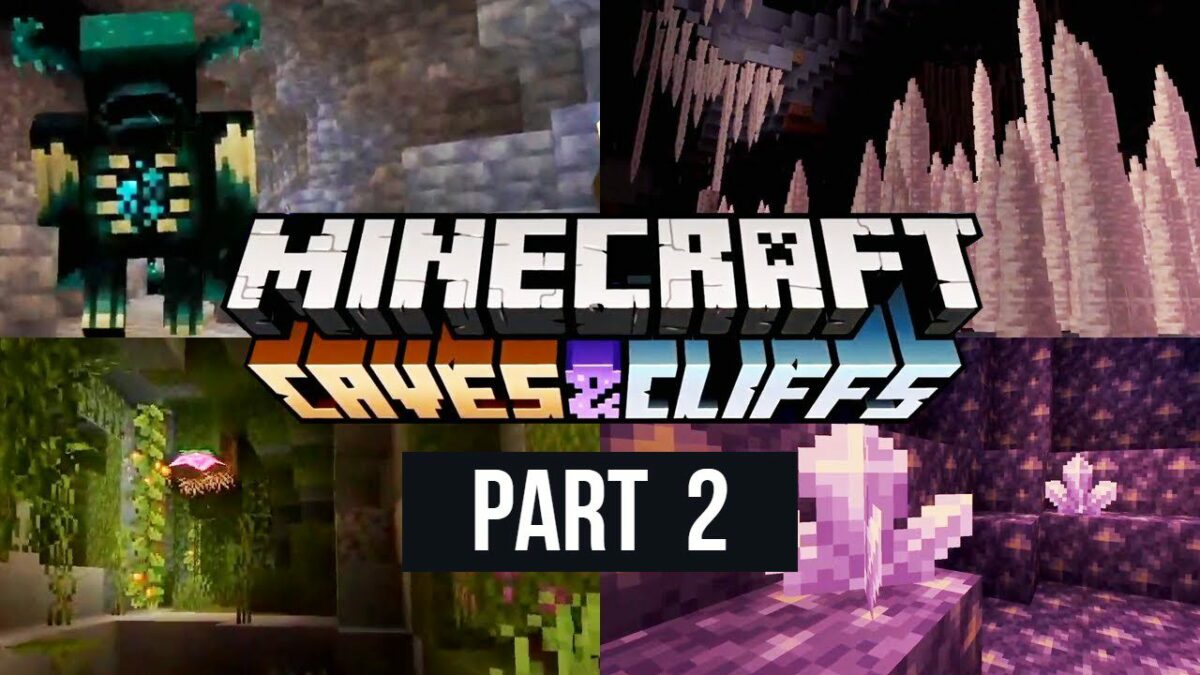
With Minecraft 1.18 Caves & Cliffs Part II now available, the Java and Bedrock editions now have similar layouts when using seeds. Also, there are specific seed worlds that relate to the new update that you may not yet know about.

In this guide, we’ll show you the best Minecraft seeds we discovered, breaking them up into various elements.

How to set up and use Minecraft seeds

Before we reveal some of the top seeds in Minecraft, you’ll need to know how to set them up. As a word of warning, you should know that seeds only usually work in the game version it was created for. You might see the same biomes and items in newer editions, but they may not function properly.

To use a Minecraft seed, you need to create a new game. In the advanced options, you’ll see an entry point for inserting a string of numbers. You can use any of the seeds mentioned below before starting the new world.

The Best Minecraft seeds

Minecraft seeds for 1.18

Now that we have the new Caves & Cliffs Part II update available, there are so many biomes you can enjoy. Some of the older Minecraft seeds may not have the new items, so try these two out for an extraordinary experience.

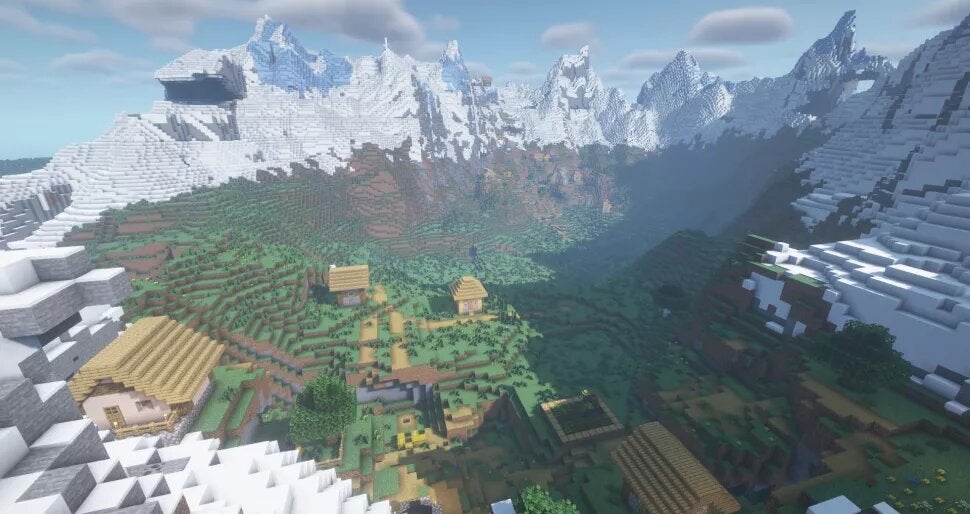
Mountain valley village

SEED: 460628901

Have you ever wanted to live in a village surrounded by mountains? This Minecraft seed shows off the snowy peaks biome, while you’ll see some stunning vistas around you and gorgeous greenery. The Bedrock version may not have the village, but we’re sure that’s something you can fix.

The Best Minecraft seeds

Village underneath a face cliff

SEED: -1984628749

If you’d like a mountainous face staring at you all the time, then try this Minecraft seed. You’ll find two locations for the village: in the valley and on the top. However, there’s so much water around, you’ll need to make a plan to travel between the two locations.

The Best Minecraft seeds

Coastal Towns

SEED: 7783854906403730143

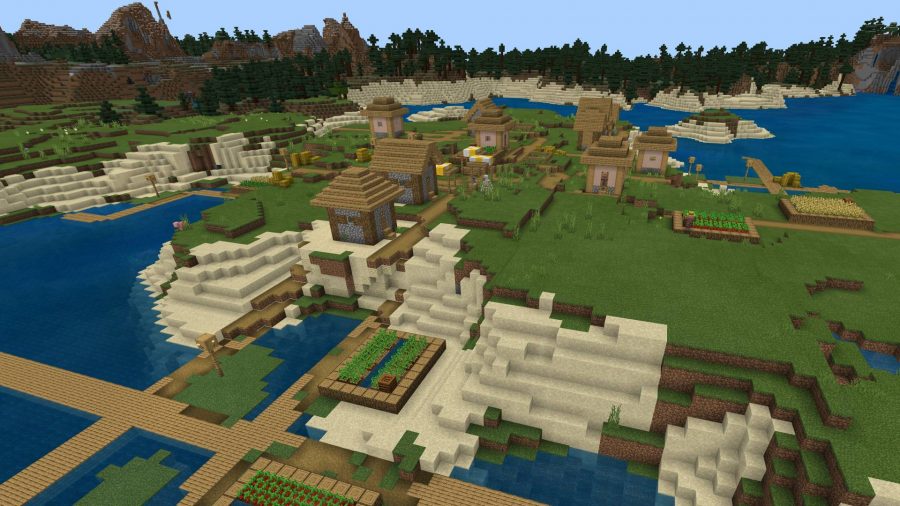
In this Minecraft seed, you’ll spawn on a rocky cliff overlooking the ocean with a village around you. If you look across the water, you’ll see another village built into the side of a cliff. You can choose which side you want to stay on while making the water between them your ocean-diving playground.

The Best Minecraft seeds

Best Minecraft seeds for survival

If you enjoy a minimalistic approach, these Minecraft seeds are perfect for you. You’ll start with almost nothing from which you can build your empire.

Survival island for the minimalist

SEED: 3366408241916580461 (1.17)

If you really want to test your steel and grit, try this tiny island. There are almost no resources, and you’ll need to swim to see what you can locate. The fun is trying to expand the island and make it look monumental when you’re done, but good luck finding the blocks to do so.

The Best Minecraft seeds

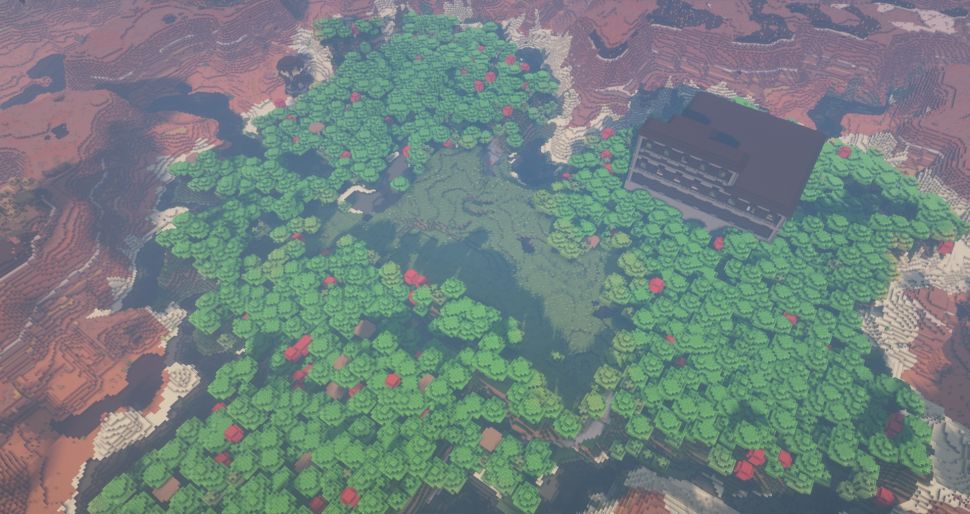
Heartwood Mansion

SEED: 110918009997 (1.17)

Deep in the center of some canyons, you’ll find a dense forest you’ll need to survive in until you can enter the foreboding mansion. You can expect to find some Illagers and other mobs inside to face you in combat, so make sure you harvest as many resources as possible before you take them on.

The Best Minecraft seeds

Double shipwreck for the castaway

SEED: 7777777777988733304 (1.16)

There’s a small island that has a shipwreck just off the beach, leaving you stranded to find your own way off. If you look across the sea, you’ll notice another island with a ship nearby. On which one will you make your stand for survival?

The Best Minecraft seeds

Top Minecraft seeds for villages

We know it can be lonely living on your own, so it helps to spawn where there are already villages. Here are some of the best Minecraft seeds with buildings and friendly mobs.

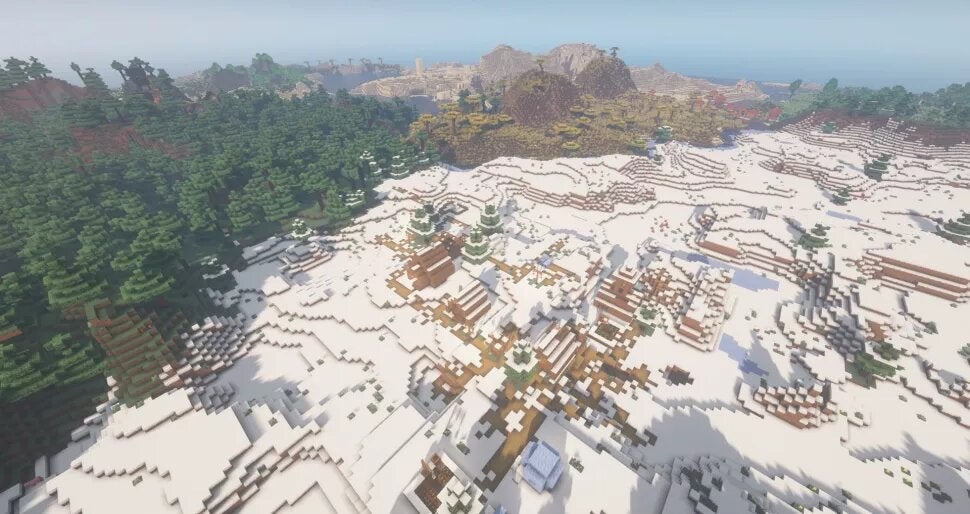
Four villages

SEED: -4379469131957062683 (1.17)

In a snowy landscape, you may find what you seek. With this seed, you’ll have the choice of four villages, namely, Taiga, Savannah, Tundra, and Desert. Of course, you can set up a home in the middle and establish a trading route, if you’re so inclined. 

The Best Minecraft seeds

Welcome to the Township

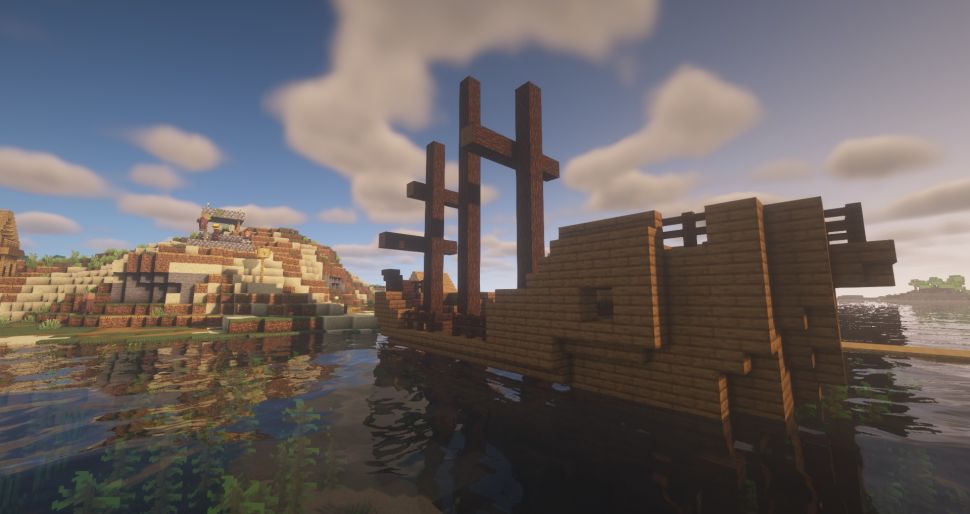
SEED: 2083747154327962073 (1.16)

Here’s another Minecraft see that holds a shipwreck, but you can fix it up to make it your home. There’s also a village nearby of people willing to help you. It may not look good if you use the seed in 1.17, but you can start in 1.16 and then load it up into 1.17 after that.

The Best Minecraft seeds

Island of villages

SEED: 5329177101860618450 (1.16)

If you love zombie games like Resident Evil, you’ll enjoy this seed. It’s set on two remote islands with walkways between them. So what’s the catch? One of them is inhabited with zombies, so you’ll need to gear up before heading out to clear the buildings.

The Best Minecraft seeds

Biome Minecraft seeds

We don’t blame you if you want to spawn in a specific location. Fortunately, we found some of the best Minecraft seeds with stunning designs at the starting points.

Island of ice-olation

SEED: -452616212506859587 (1.17)

Do you fancy living in an ice castle? Well, this Minecraft seed has several spiking icebergs around two small islands. You’ll be able to grow trees and mine for resources, but you may need to venture beyond the ice spires to find other items. Perhaps you’d like to build a snowman, while you’re at it?

The Best Minecraft seeds

Giant donut mushroom island

SEED: -6316420307748711466 (1.17)

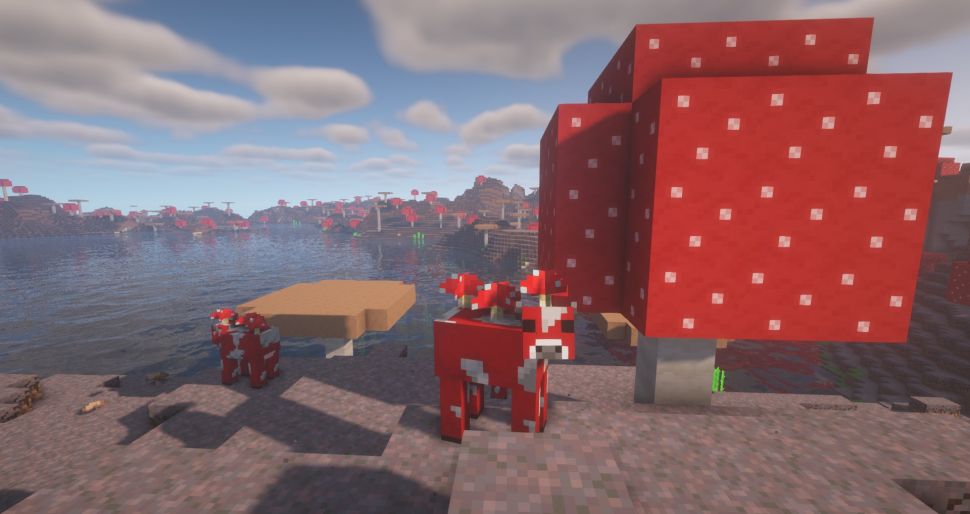
The spawning point for this seed brings you onto a circular island with a massive lake in the center. There are even ruins down there. The highlight is all the mushroom trees, while you’ll also see Mooshroom cows. Fungal milk, anyone?

The Best Minecraft seeds

Biome Cluster

SEED: -2268290183235354767 (1.17)

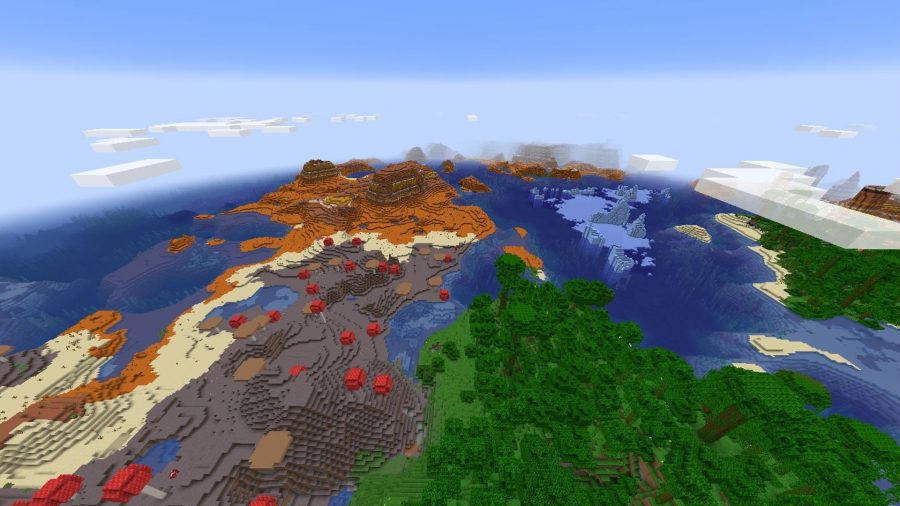
Why settle for one biome when you can have a cluster of them? You’ll begin in the jungle, but you’ll find mushroom fields, the desert, and a frozen ocean nearby. There are plenty of resources in this one, so you can go wild taking blocks from different areas for your home.

The Best Minecraft seeds

Novelty and random Minecraft seeds

For our final section of the best Minecraft seeds, we’re showing some novelty seeds that look quite interesting. It adds an element of excitement to them, even if you only spend a few moments in them.

Minecraft title screen

SEED: 2151901553968352745 (1.7.3 Beta)

You may be surprised to hear this, but several gamers have been hunting for the world showcased on the Minecraft home screen. Even more surprising is that someone actually found it. 

The Best Minecraft seeds

Arctic Island

SEED: 1669737730 (1.17)

Here’s another island surrounded by icy landscapes, but you’ll have a massive island to build on. Make sure you plant trees and vegetables to ensure your survival, as there are no villages nearby to help you.

The Best Minecraft seeds

Obsidian Farm

SEED: -8880302588844065321 (1.9)

We all know how hard it can be to find a good supply of obsidian, especially when you need to make it yourself with lava and water. Well, this world has a farm set up for making it quickly, while there’s also a Nether Portal for quick access to the dark side.

The Best Minecraft seeds

Underwater Temple

SEED: -5181140359215069925 (1.8.8)

If you’d like to be Indiana Jones raiding an underwater temple, this is the Minecraft seed for you. While it can be fun living so deep in the ocean, you’ll need to contend with some enemies to make it safe.

The Best Minecraft seeds

Other Minecraft guides

If this is your first time and you’re learning how to play Minecraft, we’re sure some of these guides will help you:

Find a new home with Minecraft seeds

While it can be fun playing on the random-generated worlds, Minecraft seeds help you to locate specific locations with lands and items you may enjoy. We hope our list has inspired you to use one of these seeds for your new home.

What to expect from Minecraft 1.18 update Caves & Cliffs Part II

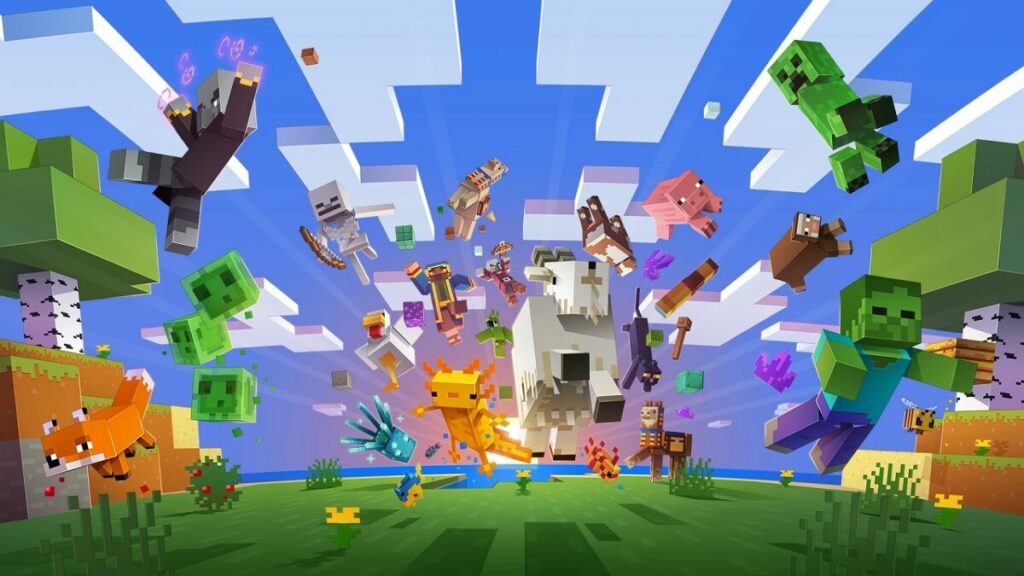
Well, we’ve been waiting for the launch of Minecraft 1.18 update Caves & Cliffs Part II ever since we had a taste of Caves & Cliffs Part I. This version focuses on brand new mountain biomes and cave items. You’ll also see the mobs added before in their natural habitats.

If you’ve decided to play the game again and wondering what’s new, here’s what you can expect from the Minecraft 1.18 update and how to update it so you can enjoy the experience.

When did Minecraft 1.18 launch?

Minecraft 1.18 was released on November 30, 2021. While Mojang did their best to ensure everyone received the new update on all platforms simultaneously, the various stores only made them available at specific times. Also, you may have to wait until it’s available in your location, specifically for PlayStation and Xbox.

We suggest you save a backup of any Minecraft worlds you created. All the old features will be replaced with new textures and terrains, and you’ll want to keep a copy somewhere in case the transformation fails.

Minecraft 1.18 update Caves & Cliffs Part II

How to update to Minecraft 1.18 on PC, console, and mobile

If you’re ready to get started with the Minecraft update, you’ll need to use the appropriate method for your platform. Fortunately, the steps are easy, and in some cases, you may already have version 1.18 on your device. 

PC

Updating Minecraft to 1.18 on your PC depends on how you installed it. If you have a Minecraft Launcher, you should receive it automatically, or there’ll be a notification for you to update to the new version. If you have the Xbox app, head to the ‘My Collection’ section and then ‘Manage Installs’. You’ll see a button that says ‘Update Now’ if it’s available. You can follow the same method in the Microsoft Store ‘Library’ section.

PlayStation

PlayStation 5 also updates automatically, but PlayStation 4 only updates when you try to play the game or you’ve done so recently. To check if you have Minecraft 1.18 available, head to the game in your Library, hit the Options button, and select ‘Check for Update’. You can also look in your Downloads section if it’s already been installed.

Xbox

Xbox players can follow a similar process to PlayStation gamers. Head to the Apps & Games portion, go to Downloads, and see if the Minecraft 1.18 update is available. You can also check the game in the Xbox Store and update from there.

Nintendo Switch

For the Nintendo Switch, the process is slightly different. Find the game in your Library and tap the + button. After you open Options, you’ll see a Software Update section that has Via the Internet as a selection. If the device hasn’t applied Minecraft 1.18 already, you should see it there.

Mobile devices (Android and iOS)

If you want to update your mobile Minecraft game to 1.18, it depends on where you got the application. If from the official App stores, you can check there for any updates. The same applies to any other store or unofficial sources you may have downloaded it from, as they usually have their own update sections. 

Minecraft 1.18 update Caves & Cliffs Part II

Minecraft update 1.18: improved and new caves

If you have the update ready, you may be wondering what’s new that you should look out for. Here are the latest items and biomes added with Minecraft 1.18.

Lush caves

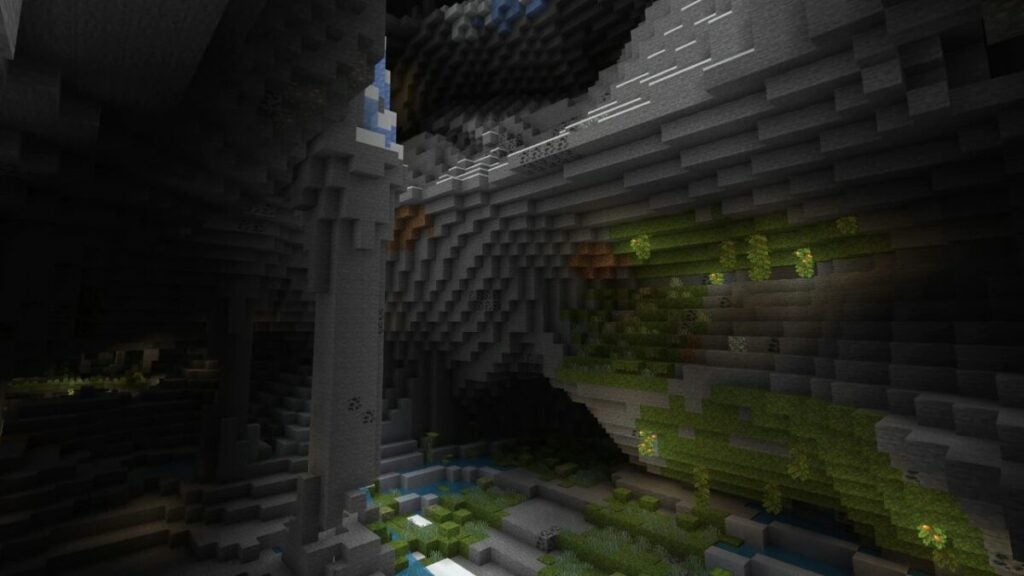
This new cave biome gives new life to the underground, with new plants and mobs for you to discover. When you see Azalea leaves in the overworld, you’re bound to find lush caves below them. It’s also the prime location for axolotls, grow berries and cave vines. 

Dripstone cave

How does a cave filled with stalagmites and stalactites sound? Well, this is the premise of the dripstone biome. There are also dripstone blocks you can mine as well as using pointed objects like vines. Just be careful that you don’t fall into a pit filled with stalagmites, as it will mean your death!
Other caves worth noting

While the above two cave biomes are exciting, there are three types called noise caves you’ll also encounter:

  • Spaghetti cave: Thin and long areas that sometimes hold aquifers
  • Noodle cave: A smaller version of the spaghetti cave
  • Cheese cave: Massive areas with loads of ore and aquifers

Mountains

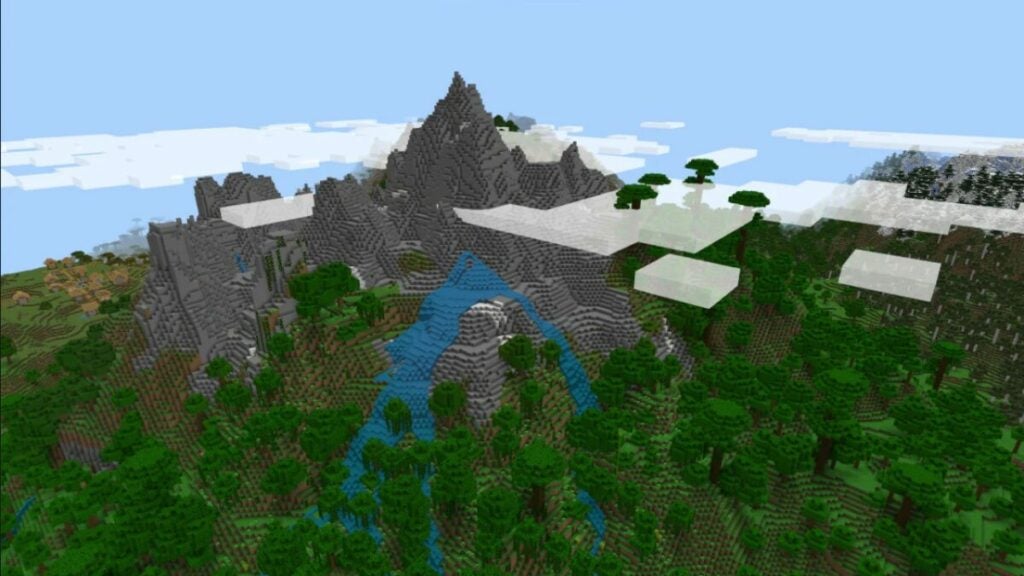
If you prefer living on top of the mountains instead of inside them, you’ll love the new mountainous biomes. There are six in total with the Minecraft 1.18 Caves and Cliffs Part II update:

  • Mountain Meadow: These low mountain areas have various flowers, and you can also find sweet berries here.
  • Mountain Grove: As one of the initial snow-covered mountain areas, you’ll find spruce trees and rabbits in this location.
  • Snowy Slopes: These are taller than most mountains, and you’ll discover goats, ice, and snow.
  • Lofty Peaks: If you have surrounding warm biomes and high mountains, you’ll see these gorgeous peaks covered in snow. 
  • Snow Capped Peaks: Should the surrounding area be too cold, then lofty peaks are replaced with this biome. It contains packed ice and snow blocks.
  • Stony Peaks: Similar to lofty peaks and snow capped peaks, this biome contains gravel and stone instead of ice and snow. 
Minecraft 1.18 update Caves & Cliffs Part II

New items and blocks in Minecraft 1.18 update

While most of the new items and blocks appeared in the first Caves & Cliffs update, there are a few new items that found their way into Minecraft 1.18. 

Ore veins

You’ll not find snake-like formations of iron and copper in Minecraft, which yield more resources than before. If you’re mining above Y=0, you’ll discover copper, while below that level is reserved for iron. 

Music

If you enjoyed Lena Raine’s tracks in the previous Minecraft versions, you’ll be happy to know that five new songs have been added for 1.18. If you head dungeons and strongholds, you may find a disc called ‘otherside’.

How does Minecraft 1.18 affect world seeds?

There are basically two official versions of Minecraft: Java and Bedrock editions. Usually, entering the same world seeds in both of them didn’t yield the same results. One significant benefit of update 1.18 is that worlds are now nearly identical if you use the same seeds, but only if both versions have the new update applied.

What to expect for Minecraft 1.19 update in 2022

While Mojang did everything possible to include everything that was promised for Minecraft 1.18, there are some items that are delayed. Specifically, you’ll need to wait for the Deep Dark biome and the Warden that dwells in it. These will be included in Minecraft 1.19 when it launches in 2022.

Called The Wild update, Wardens will respond to movement and vibrations since they’re blind. Even if you have a torch or other light source, the area you’re in will grow dimmer when one is near you. You’ll also notice how the horns rattle and glow, which is your cue to flee or fight.

Minecraft 1.18 update Caves & Cliffs Part II

Let’s head to the mountains!

Well, there you have it. The Minecraft 1.18 update Caves & Cliffs Part II is officially available, and you can journey through the new biomes to your heart’s content. If you’ve shared your adventures online or on YouTube, please feel free to let us know.

Disney Plus: What’s Coming in December 2021

December has finally arrived. Disney+ welcomes the most magical month of the year with the best family entertainment to celebrate Christmas and the holiday season. New series, movies, documentaries and surprising releases await all of the streaming service’s subscribers. If you don’t want to miss anything, keep reading, because here you’ll find all the new releases that are coming to Disney Plus this December.

You’re still not a subscriber? Don’t worry. Take advantage of this exclusive Disney Plus deal and get 20% off its annual subscription price. That’s 2 months for free! With Christmas coming, you can also buy a subscription as a gift and share some Disney magic with your loved ones. They’ll love it!

Disney+ SUBSCRIBE YA
9

The Book of Boba Fett

Remember the secret ending from The Mandalorian’s second season? On December 29, Disney Plus premieres The Book of Boba Fett, the new and exclusive series set in the Star Wars universe. In it we’ll join the charismatic bounty hunter Boba Fett and the mercenary Fennec Shand on a dangerous mission that will take them to the hot sands of Tattooine. There, they will have to fight to take back the territory that was once ruled by Jabba the Hutt and his crime syndicate. Action, adventure and lots of Star Wars magic await you in this fantastic blockbuster.

The Book of Boba Fett

Welcome to Earth

Join Will Smith on an adventure around the world in pursuit of the most amazing wonders of the planet in Welcome to Earth. This award-winning series from National Geographic will be available to all Disney Plus subscribers from December 8. Mixing dream landscapes, breathtaking pictures and surprising facts about nature, Welcome to Earth invites you to travel around the world without leaving your living room. Are you ready to discover the wonders of the planet?

Welcome to Earth

The Last Duel

On December 15, Disney+ welcomes The Last Duel, the latest film by the Oscar-winning director Ridley Scott. The movie, based on the true story of Marguerite de Carrouges (Jodie Comer), takes place in 14th Century France. After being brutally raped by Jacques Le Gris (Adam Driver), Marguerite’s husband, Jean de Carrouges (Matt Damon), will have to defend his wife’s honour in a trial by combat. However, there’s more than his life at stake since following medieval rules, if Carrouges dies Marguerite will be executed as punishment.

The Last Duel

Ron’s Gone Wrong

Enjoy a dose of lighthearted family fun with Ron’s Gone Wrong, a charming animated movie that will reach Disney Plus on December 15. We’ll meet Barney, a socially awkward 11-year-old with no friends; and Ron, his charming but slightly damaged B-Bot. Have a great time with your little ones watching Ron’s hilarious malfunctions and learn throughout their adventures the true meaning of friendship.

Ron's Gone Wrong

The Wonder Years

On December 22, don’t miss the premiere of The Wonder Years, a reboot of the classic tv series from the late 80s. Prepare yourself for a nostalgic journey through time to 1960s Alabama and see life through the eyes of Dean, a 12-year-old full of imagination and dreams. Through its 8 episodes, enjoy the fun, drama and sweet family moments that await you with the Williams.

The Wonder Years

The Rescue

On December 31, just in time to celebrate the New Year, Disney+ expands its catalogue with the enthralling documentary The Rescue. Join a group of expert cave divers in a daring rescue of twelve boys and their coach from deep inside a flooded cave in Thailand. This National Geographic production not only won the People’s Choice Award at the 2021 Toronto Film Festival, but shows one of the most extraordinary rescues in modern times. There’s never-before-seen material and exclusive interviews with the heroes. Don’t miss it!

The Rescue

Enjoy Christmas with Disney+

December is a month full of new releases, movies and documentaries that will wrap these special holidays with Disney magic. Still not subscribed to the platform? Don’t miss this chance to get two months of Disney Plus for free on all of its annual subscriptions. Merry Christmas and Happy Holidays!

Disney+ SUBSCRIBE YA
9

How to make money in Farming Simulator 22

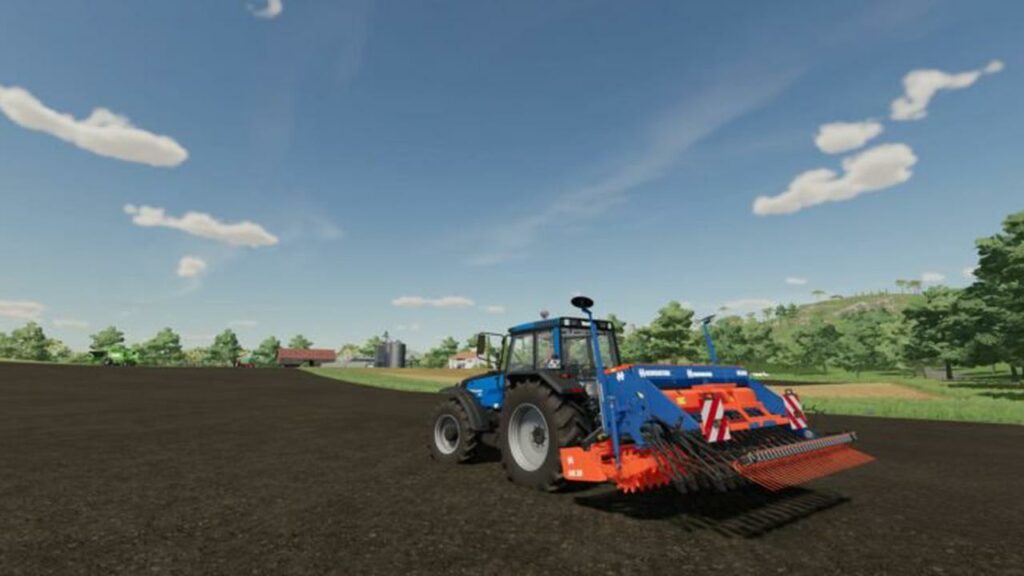
Farming Simulator 22 is hardly out, and it’s already smashing large numbers on Steam. There’s a mix of the old and the new in the game, with many newcomers learning how to play the farming simulation game

With so many avenues of revenue available, we decided to show you how to make money in Farming Simulator 22. You’ll also see some tips on saving money so you can reduce expenses for better profit margins.

Top Farming Simulator 22 strategies for increasing profits

No matter which difficulty you choose, at some point you’ll need to work out how to manage your money properly to make a decent profit on Farming Simulator 22. Here are a few tricks we learned along the way for increasing your funds towards a better bankroll.

Improving the crop yield

One of the latest features to enter the Farming Simulator universe is crop health. When you walk into a field, you’ll notice a percentage in the stats section. It refers to how healthy the crops are, and you’ll receive more money if you keep this number high.

Here are a few steps you can take to ensure healthy crops:

  • Plow the land every now and again
  • Fertilize the soil after sowing
  • Remove weeds in the early stages of crop growth
  • Apply lime to the soil after every third harvest
  • Use mulchers and rollers after harvesting press the stubble into the soil
  • Plant oilseed radish and then cultivate without harvesting

Crop markets and demand calendar

The market prices for crops have been around for several games, but there’s a new mechanic for it in Farming Simulator 22 that will help you make more money. With the addition of seasons, some crops are more valuable at specific times of the year. As you feed the demand, you’ll notice how the prices drop.

It’s best to keep an eye on which crops are needed more at that time. You can rotate them as needed, but make sure to store any items that have low prices for a future date. When winter arrives, you may see the demand skyrocket, which is the ideal time to sell.

Accepting contracts

You can also work on land that you don’t own via contracts. The larger fields give you more profit, but you’ll spend more time working on them. You need to calculate which will be the best revenue over a given time, and also include costs of hiring workers to assist and possibly leasing equipment.

Sometimes, it’s easier to simply fertilize or cultivate land yourself. Other times, you may want to have workers harvest while you collect the crops in a trailer. When it comes to harvesting, you can continue doing so even when the game says you’ve completed the task, as you may be able to sell what’s left.

How to make money in Farming Simulator 22

Applying animal husbandry

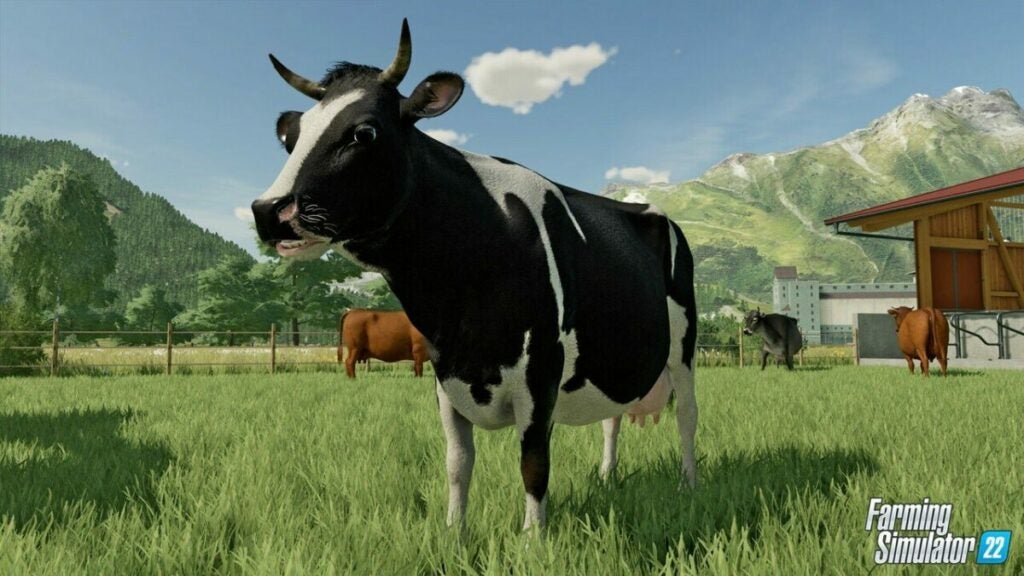
Farm animals present a long-term investment that may help when money is tight. You’ll need space on your land, time, and some initial capital outlay to get started. You’ll also need to feed them and keep the areas clean. 

In the end, they’ll provide you with products you can sell, such as milk, wool, and eggs. It won’t be long before you see a decent return on your investment.

How to make money in Farming Simulator 22

Forestry services

When you have some money rolling in on Farming Simulator 22 and time to burn, you should invest in forestry machinery. If you own land with loads of trees, you can cut them down and make a profit from them. However, you’ll need to plant new ones to replace them so you can repeat the process in the future.

Bees and greenhouses

What were once mods in Farming Simulator 19 are now primary items in FS22 that will yield some valuable products. Beehives produce honey, while greenhouses let you grow vegetables and fruit. You only need to water the greenhouse items, and you should see the produce appear shortly. It doesn’t make as much money as harvesting, but it serves as an extra income to boost your account.

Refined products

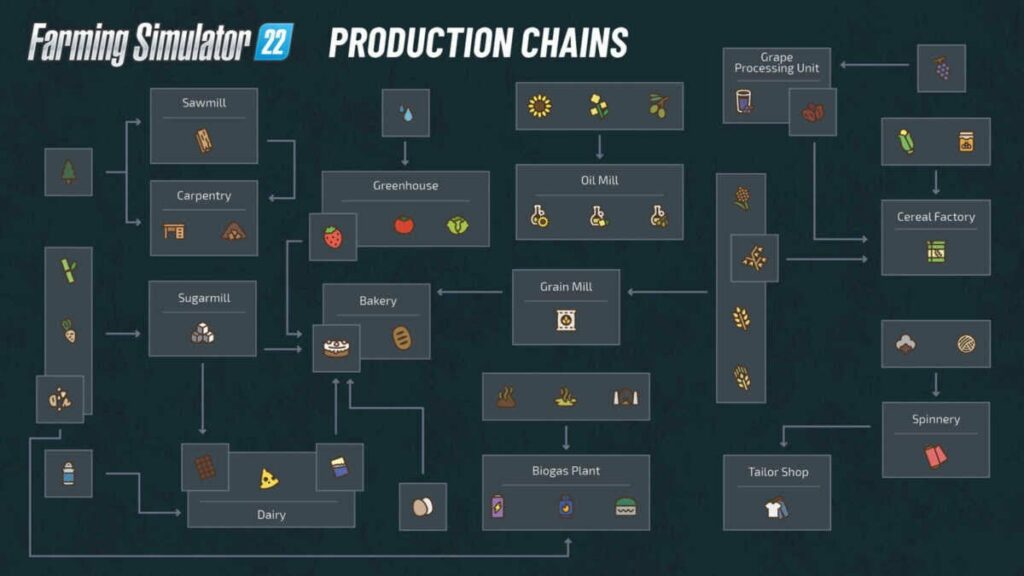
Another new concept to help you make money in Farming Simulator 22 is the production chain. Goods that you produce on your farms can now be used as ingredients for refined products. For instance, you can take corn and wheat to a grain mill for cereal. It takes some serious planning of which crops to grow to maintain the yield for several months.

How to make money in Farming Simulator 22

Tips for saving money in Farming Simulator 22

While the above strategies will help you make money, it doesn’t help if you have expenses that cut funds down. If you really want to make a profit, you’ll need to learn how to save money in Farming Simulator 22.

Take advantage of starter equipment

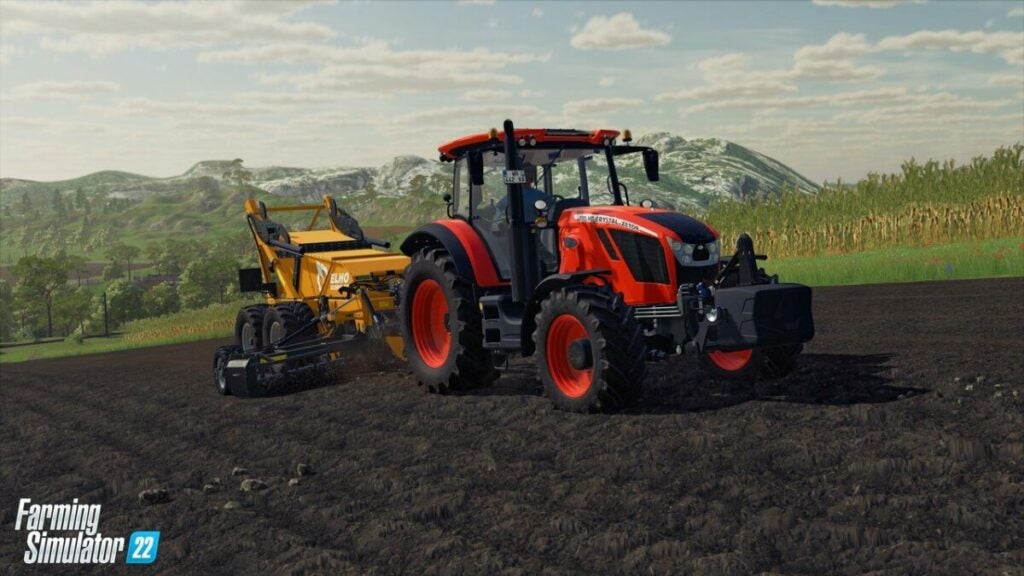
Although the easy mode, New Farmer, graces you with enough funds to buy new and improved vehicles, we recommend you keep the starting machinery. Those funds may go quickly, especially when setting up your farms. Wait until you have a steady income before you upgrade. Those small tractors are perfectly fine for the portions of land you’ll begin with.

Lease vehicles and equipment you hardly use

When you work on contracts and you don’t have the equipment for the job, it’s best to lease instead of spending cash. Your machines will be busy on your farms, and you don’t need to buy new ones just for contracts. Also, consider leasing small tools you’ll hardly use instead of buying them, as they will most likely just lie around until you need them again.

How to make money in Farming Simulator 22

Look at the “Used” section

There’s a new section that may save you some money in Farming Simulator 22 called “Used”. The prices for vehicles and equipment are lower, but you may need to spend some funds repairing them or getting them into shape. You’ll need to balance it out to see if it’s worth it in the long run.

Repair regularly

When vehicles break down, they will cost a lot to repair. It may seem tedious to take them for regular repairs, but it will be less of a burden on your bank account if you do so. As soon as the wear and tear reach a specific level, make a mental note to take it in.

Make use of workers

It may seem counter-intuitive to hire workers to make money, but as you know, time is money. The more time you spend on one task, the less you’re making. Spread out the workload between you and some AI workers, but ensure that you’re still earning a profit. They can assist with contracts while you work on your farms or vice versa. Or, you can harvest harm a farm while a worker does the rest.

Disable AI purchases

When a machine or tool runs out of resources, your workers will automatically ride to a designated area to replace them. It costs you money for something you can quickly do yourself. Disable this option in the settings so you are notified when something needs to be refilled.

Fertilize wisely

Shops provide liquid and solid fertilizers you can buy for your fields. However, you have options to avoid paying for it at all. You can use the manure from your animals if there’s enough, as one example. When you eventually have plenty of farms, it may not cover all of them, but it will save you on costs.

Find free water

There are water pumps you can place on your farm to conveniently refill your tanker for your animals. The only downside is that you’ll pay every time you use it. If you see a lake or small pond nearby, you can grab some water for free. Your livestock and crops won’t mind.

How to make money in Farming Simulator 22

Are you ready to make money in Farming Simulator 22?

As you can see, it’s easy to make and save money in Farming Simulator 22. It will take up lots of your time to get everything set up, but you should start seeing a nice profit after a few weeks. Now, head on out to your farms and start growing those crops!

GOM Mix Max: All The Video Editing Power For Less

If you’ve ever tried to edit a simple video, you’ll know that most video editing software is hideously expensive and hellishly difficult to use. If it’s your dream to create amazing online tutorial videos, digital classes, ads, or digital content, you no longer need to worry about a limited budget or lack of skills! With GOM Mix Max, you can get all the punch of a professional video editor without breaking the bank.

GOM & Company, the creative minds behind GOM Mix Pro, has 23 years of experience in IT and the development of top-quality media software and applications. Now, with the release of GOM Mix Max, GOM & Company has made it possible for almost anyone to create incredible videos quickly and easily. It has all the must-have features from GOM Mix Pro but comes in at a significantly better price.

As one of the TOP 10 Video Editing Software for 2022, it’s just what an enterprising video editor needs to get started!

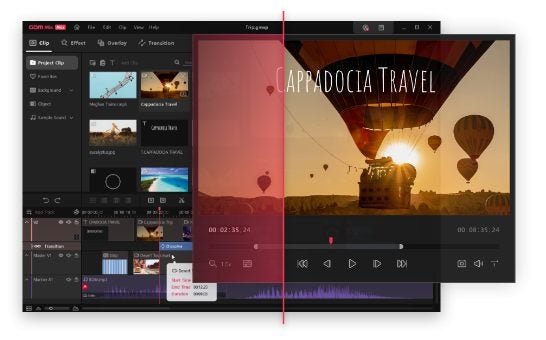
Outstanding UI (User Interface) and UX (User Experience) Design

One of the most remarkable features of GOM Mix Max is the outstanding design of the user interface. The stylish new design was designed to be human-centered and user-friendly to give video editors the best possible experience.

To make the software even easier to use, users can:

  • Change the location of the preview and menu areas.
  • Set comfortable hotkeys.
  • Add effects and overlays to Favorites to make them easier to find.

Additionally, the new home screen makes it easy to check the updated features, while the in-product Tutorial Guide means you can look for answers or help without even leaving the software!

Built-in Video Editing Features

GOM Mix Max video editor comes with several excellent built-in features similar to those you can find in GOM Mix Pro. These include:

  • Highly customizable templates. You can adjust and customize the template in detail, finely adjusting effect timing and appearance.
  • Additional timeline functions. While the video editing software includes the traditional cut and paste, GOM Mix Max also allows you to insert elements into the middle or back of the video.
  • Unlimited multi-track. There are various clip layouts, and you can use multiple tracks to simultaneously edit several sources or add an unlimited number of tracks.

With these built-in video editing features, users can make top-quality videos quickly and easily.

New And Exciting Features in GOM Mix Max

Enhance your video editing

Aside from the features mentioned above, GOM Mix Max also includes new and exciting features to enhance your video editing.

First, there’s the Chroma Key feature. Using this tool, you can replace a solid color in the background (such as a green screen) with a different image or video. That allows video editors to create more complex and complete videos.

PIP (Picture in Picture) is a feature that displays the screen inside the screen and is usually supported by display devices. As a frequently used and valuable feature, it has been added to the GOM Mix Max. PIP displays a small screen inside the screen. You can position the screen in any corner position you want, also it is possible to adjust its size.

Encoding Improvements and Optimizations

To go with its enhanced features, GOM Mix Max also boasts reduced encoding time and fast performance. GOM Mix Max can encode videos three times faster than GOM Mix Pro, and the resulting video is typically three times lighter. The video editing software also works faster in an environment with an Intel Core i5 or higher.

Not only is the video editing software robust and affordable, but it’s also easy to use and perfect for online content creators. You can enjoy the additional benefit of having your videos encoded in sizes that are optimized for YouTube!

Finally, you can take advantage of over 130 different effects, overlays, and transitions, including:

  • Filters.
  • Templates.
  • Sound Sources.

With these resources, you can create professional videos without struggling with complex video editing software.

GOM Mix Max Launch Giveaway

Not only is GOM Mix Max already an affordable video editor, but you can get great prizes if you sign up now. To celebrate the launch of GOM Mix Max, GOM & Company is giving away great rewards! Here’s how to claim yours:

  • Step 1: Sign up for GOMLab
  • Step 2: Download GOM Mix Max and get a 2-month free trial and a 60% discount!
  • Step 3: Get the chance to win up to 100$ Amazon Gift Card!
  • Step 4: Review on Trustpilot to receive a GOM Cam 6-month free coupon

Conclusion

GOM Mix Max has many of the great must-have features included with GOM Mix Pro but at a better price. Its stylish interface was designed to be extremely user-friendly, allowing you to set hotkeys, customize the menu and preview areas, and use advanced editing techniques without expert knowledge. Jam-packed with features, GOM Mix Max allows editors with budget restrictions to create top-quality videos. 

GOM Mix Max

Video