
As the summer break draws to an end, it’s time to prepare for the new school year ahead, a new university semester, or getting back to the office after a well-deserved holiday. With increased dependence on the internet for research, online courses, communication, and work, it has become highly important to ensure that your browsing experience is completely safe and secure Avast Secure Browser ensures browsing with confidence, providing advanced security features needed to keep personal information safe across the board.
In this article, we’ll be taking a look at the primary features of the Avast Secure Browser, the way it ensures that your online experiences are safe during this transitional time of the year.
Why You Need a Secure Browser Now More Than Ever
When returning to a more academic and professional setting, the risks from online browsing grow. Be it for research, sensitive access, or even interactions with possible friends or co-workers, the browser stands out as a critical gateway to most of your digital life. Here are some reasons why a secure browser is essential:
- Increased Cyber Threats: As more and more people are online for education and work, cybercriminals are upping their game to exploit vulnerabilities with respect to phishing scams, malware attacks, and data breaches.
- Sensitive Information at Risk: In most cases, students, faculty, and professionals deal with sensitive data; personal data, academic records, or even work information, all of which are subject to possible unauthorized access unless protected.
- Public and Shared Networks: A large number of people will be accessing the Internet from public or shared networks, for example, university Wi-Fi or office networks, which in general are not usually very secure or safe.
- Online Privacy Concerns: The threat to online privacy from the increasing personal data being shared online is a modern concern. It’s worth finding a secure browser that can block trackers and forbid unauthorized access to the information.
Key Browser Weaknesses and How to Address Them

The Dangers of Using Outdated Browsers
Using an outdated browser may not seem like trouble, especially when it can still access your favorite websites without any apparent hitch. However, an outdated browser may carry weighty security risks that can compromise personal information and online safety.
Security Loopholes
All browsers at some have had security flaws or bugs, which when detected, developers release updates to address. An outdated web browser deprives you of those critical security patches and opens loopholes that cybercriminals could exploit and gain unauthorized access to your system.
Lack of Updates
Timely updates not only correct security holes but also bring general improvement in the functionality and the performance of the browser. Without such updates, your browser may become terribly slow, inefficient, and hence this can mess up the correct rendering of the websites and by extension their functionality.
Increased Risk of Malware and Phishing:
An outdated browser offers an easy target and is highly susceptible to malware and phishing. Malware can find its way into a computer system through dated browsers visiting hostile sites, downloads, or adverts. This can result in data theft or other malicious activities. Without the security features of the latest browser, attackers could mislead you into giving out sensitive information by presenting fake websites that look the same as the original websites.
Compromised Privacy
Modern browsers have a host of features that boost users’ privacy, from blocking tracking cookies to offering secure browsing modes. When lacking these features, outdated browsers become quite easy to track from most third-party websites.
It is very important to have an updated browser for surfing safely from these threats. Have a look once in a while and check if you have its latest version installed. Updating the browser ensures the security of your online activities, protects your personal information, and tends to give a bit more performance for browsing with comfort and ease.
Protecting Your Browser from Risky Extensions
Browser extensions are quite useful while browsing, they come with added functionality and customization. However,not all extensions are developed with good intentions; some even carry major threats to the user’s security. Here is how such malicious or badly taken-care-of extensions may adversely compromise your security:
- Malicious Extensions: Some of the extensions are intentionally harmful. They can hijack your browser to lead you to phishing websites, spam you with unwanted advertisements, and even engage in stealing your personal information. They normally present themselves with some useful features but also install malicious code that is hidden to spring up when least expected.
- Poorly Maintained Extensions: There are times when even legitimate extensions tend to become security risks simply because they get outdated. Developers may leave their project unmaintained which leads to the exploitation of vulnerabilities. These vulnerabilities could allow cybercriminals to inject unwanted content onto your system, or acquire sensitive information without you noticing it.
- Unauthorized Access: Add-ons usually request a list of permissions which, once in the hands of a malicious party, could be misused to illegally access your browsing history together with logins and even contents on the websites that you visit. This is risky as it could potentially result in identity theft and other security issues.
- Data Leaks: While some extensions may gather data for legitimate purposes, such as to add better functionality, very badly secured or malicious extensions could leak this information to third parties. In this way, your personal information can be sold or used for evil purposes.
- Unwanted Changes: Allowing that rogue extension could make changes to your browser settings including the default search engine, homepage, or new tab page. These changes could ruin your browsing experience and might be difficult for you to put back to the way it was.
How to Stay Safe
- Choose Trusted Extensions: Only install extensions downloaded from trusted and reputable sources, including the official browser web stores. Check their ratings and comments and read more about the developer if you aren’t too trusting.
- Review Permissions: Take time to review the permissions an app asks for. It’s a red flag if that app asks for far more permissions than it needs to do the job intended.
- Regularly Review Extensions: Monitor the extensions that you have installed from time to time. An extension that’s not in use or looks suspicious should be removed.
- Keep Extensions Updated: As stated before, ensure your add-ons automatically get updated; this can prevent vulnerabilities cropping up.
- Use a Secure Browser: Use a secure browser, such as Avast Secure Browser, with in-built advanced security features like its Web Shield and anti-phishing technology, it adds an extra security layer that enables you to browse the web safely.
By observing the kind of extensions you install and keeping them updated, many of the risks to your browser’s security from extensions are reduced.
Identify and Avoid Phishing
Phishing is a very common cyber attack where the attacker imitates a real organization to deceive someone into giving sensitive information, such as login credentials or financial information. This is typically through emails and malicious links that request sensitive data from the victim. Here’s a quick overview on some common tactics used:
Common Phishing Tactics
- Email Phishing: Attackers can send false emails that look sent from banks or online services, usually containing links to phishing fake websites.
- Example: An email from your “bank” that tells you to update your account information by way of a link in the email.
- Spear Phishing: A highly targeted attempt towards a specific individual or organization. It includes information about personal preferences and other details to make it more convincing.
- Example: An email written or addressed personally to you, quoting your actual job and seeking sensitive information.
- Smishing (SMS Phishing): Phishing with text messages, trying to coax you into clicking on a link or calling a number.
- Example: A message from your mobile operator saying you have to verify your account details with a link included.
- Vishing (Voice Phishing): Phishing done over the phone; the caller essentially tries to make you believe they are from tech support, your bank, or some other trusted party, to get your information.
- Example: A call from “tech support” saying your computer has a virus and requesting remote access
How to Stay Safe
- Check the Source: Verify the email address and contact on the given numbers. Generally, no reputed organization asks for personal details via email, SMS, or phone.
- Watch Out for Red Flags: Be wary of urgency, links you don’t know, and attachments. Check for grammar and spelling inconsistencies.
- Use Avast Secure Browser: Avast Secure Browser has integrated security developed to detect and warn you of phishing attacks.
- Educate Yourself: Stay informed about phishing tactics and how to identify them.
Always keep on the lookout for and phishing scams, the best way to evade them is to remain vigilant.
What Avast Secure Browser Can Do To Help
Avast Secure Browser is designed to provide a better, safer, more private, and fasterbrowsing experience. This is how it will keep you safe as you transition back to your academic or professional life:
1. Built-in Defenses for Advanced Security
Avast Secure Browser comes equipped with robust security features that protect you from a wide range of online threats:
- Anti-Phishing Technology: With this feature, your system is safe from phishing attacks since it scans and blocks malicious sites trying to acquire your personal information. With the ongoing evolution of these attacks, such a feature becomes important, especially with sensitive information for school or work.
- Web Shield: Avast Secure Browser gives the benefit of a real-time Web Shield to detect and block malware. It will help you to avoid the accidental downloading of a malicious file or accessing dangerous sites. This is most valuable when surfing sites that are unfamiliar for research or work purposes.
- Automatic HTTPS Encryption: The browser automatically upgrades you to a secure connection via HTTPS when possible, from which your data is encrypted and remains safe, even on the websites that do not provide HTTPS outright.
2. Privacy-Focused Browsing
Privacy is a top priority for Avast Secure Browser. Here’s how it helps youstay private online:
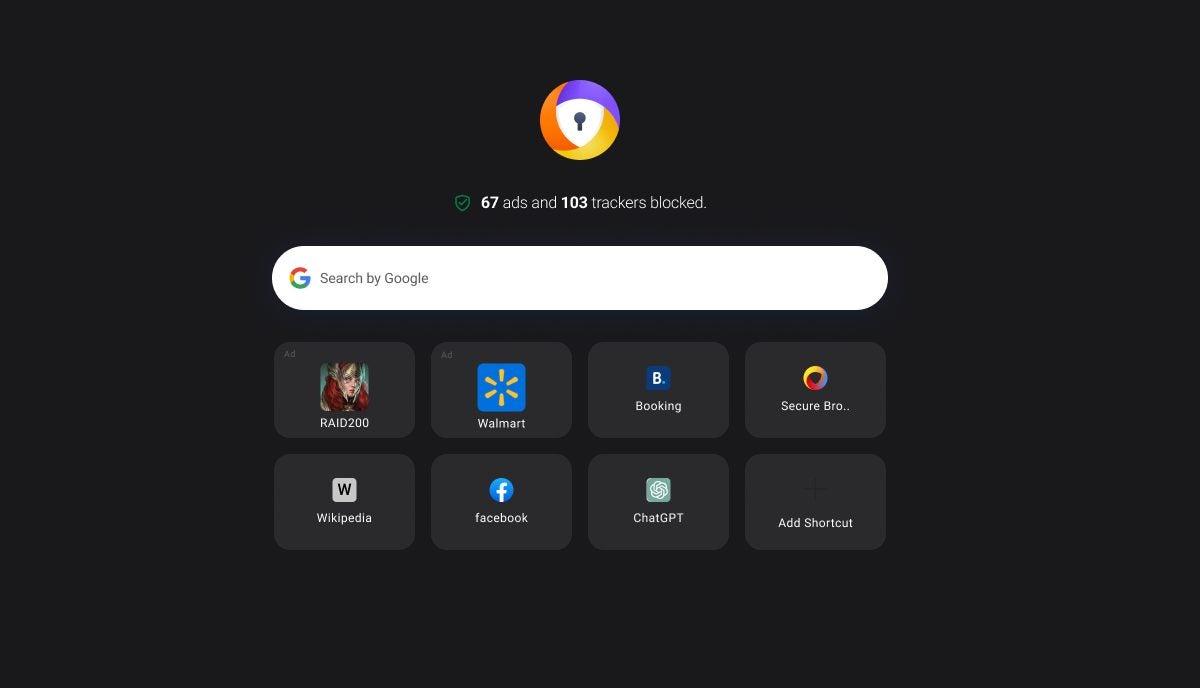
- Ad and Tracker Blocking: This feature blocks ads and online trackers that follow you around online, thereby making your online business truly private. This not only safeguards your privacy but also works towards speeding up your browsing, because there’s less data to load on your browser.
- Tracker Blocking and Anti-Fingerprinting: Avast Secure Browser’s secure mode provides an extra layer of privacy by impediment of scripts and other elements present on websites, from tracking your surfing practices. The anti-fingerprinting feature helps prevent websites identifying you via your browser’s unique fingerprint and the Tracker Blocking protects from different issues.
- Bank Mode: : Avast Secure Browser contains a wrapper called Bank Mode for conducting sensitive financial transactions. It essentially isolates the browser session, thereby limiting unauthorized interception by hackers of any user information.
3. User-Friendly Experience with Fast and Seamless Performance
Avast Secure Browser is not only secure but also optimized for performance, making it an ideal choice for students, educators, and professionals:
- Optimized for Speed: Designed to load sites as fast as possible, even on less-than-reliable networks, so you get the information you need quickly.
- Intuitive Interface: The user-friendly interface is customizable and provides easy navigation regardless of whether one is a tech-savvy professional or a student just starting.
- Cross-Platform Availability: Avast Secure Browser is available on multiple platforms, including Windows, macOS, Android, and iOS, allowing you to stay protected across all your devices.
4. Built-In Tools for a Productive Workflow
To help you stay productive, Avast Secure Browser includes several tools designed to streamline your online activities:
- Video Downloader: Download videos to watch offline later. It is convenient for students interested in saving educational posts or businesspersons looking to refer to training content.
- Password Manager: Avast Secure Browser integrates seamlessly with top password managers. This will help you juggle work and personal accounts efficiently.
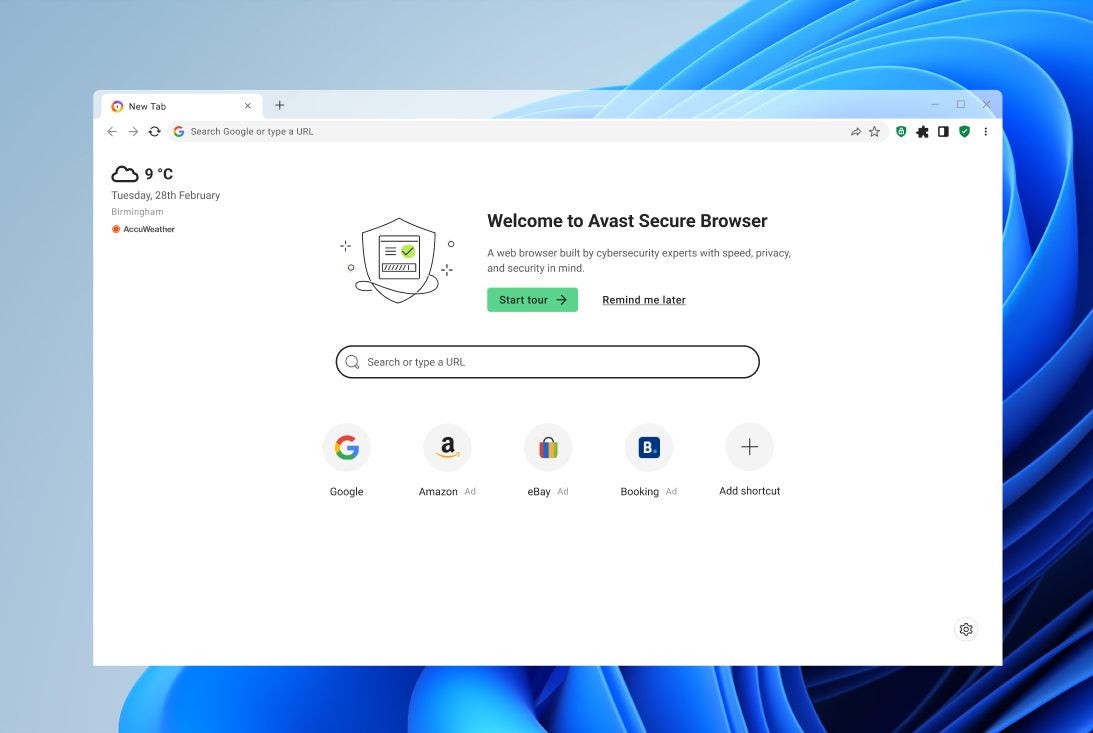
- Customizable Start Page: Place links to your most visited websites or saved bookmarks and access the news source you prefer on your start page so that everything you want is accessible with just one click. You can also customize the UI, choose between light and dark modes, and choose your preferred background image.
Protect Your Online World
Ensuring your browser’s security is crucial. By understanding common vulnerabilities like outdated browsers, insecure extensions, and phishing scams, you can take steps ahead of time to ensure your personal information is secure. While nothing can guarantee your security online, as mistakes happen, staying vigilant and using tools such as Avast Secure Browser can significantly decrease your risk of becoming a cyber victim. Don’t wait—download Avast Secure Browser today and take the first step towards a safer and more secure digital life as you embark on your next academic or professional journey.
