
It has always been said that time is money, but nowadays, this saying has acquired even greater importance. We have many tools that help us improve our productivity and be more efficient. One of them, Adobe Acrobat, wants to become your ally in managing documents.
If you have ever felt that preparing invoices, signing files, and searching for information is tedious, don’t worry; you are not alone. Thanks to Adobe Acrobat Pro, you can automate all of this and streamline your tasks. Together with Adobe Acrobat Services, we have the perfect combination available to any professional.

What is Adobe Acrobat Services?
Adobe Acrobat Services is a set of online services offered by Adobe that allows you to work with PDF documents from the cloud. These services offer a wide range of functionalities that facilitate the creation, editing, signing, and handling of PDF documents, all without the need to install anything on your PC.
It is a perfect complement for professionals and companies that handle a large amount of documentation. Adobe Acrobat Services integrates well with other Adobe programs and offers options to manage PDFs at a higher level.
Below we will see how it can be combined with Acrobat to generate invoices automatically.
How to design an invoice and not die trying
In the business field, creating and managing documents such as invoices is essential. Adobe Acrobat is considered a powerful and indispensable tool for designers, accountants, and business managers looking to optimize these tasks.
We will see how we can use it together with Adobe Acrobat Services and thus, create invoices with the Document Generation API:
- Access the API: As you can imagine, first you need to have an Adobe account and access to Adobe Acrobat Services. Sign up to get API access and obtain the necessary API keys to authenticate yourself.
- Adobe’s tool for creating documents (such as invoices) needs to receive information in a specific format called JSON. For example, if you have billing data saved in your management program, this data must be in JSON format. Use the following structure that we provide below:
{
    “customerName”: “John Doe”,
    “customerEmail”: “john-doe@example.com”,
    “order”: [
        {
            “productId”: 26,
            “productTitle”: “Bandages”,
            “price”: 15.82
        },
        {
            “productId”: 54,
            “productTitle”: “Masks”,
            “price”: 25
        },
        {
            “productId”: 76,
            “productTitle”: “Gloves”,
            “price”: 7.59
        }
    ]
}- The document generation API needs two things: an invoice template made in Microsoft Word and a JSON file. You can use a free add-on to help organize how and where the information will be placed in the template you already have prepared. To do this, you must first install it and then open the tab in Microsoft Word.
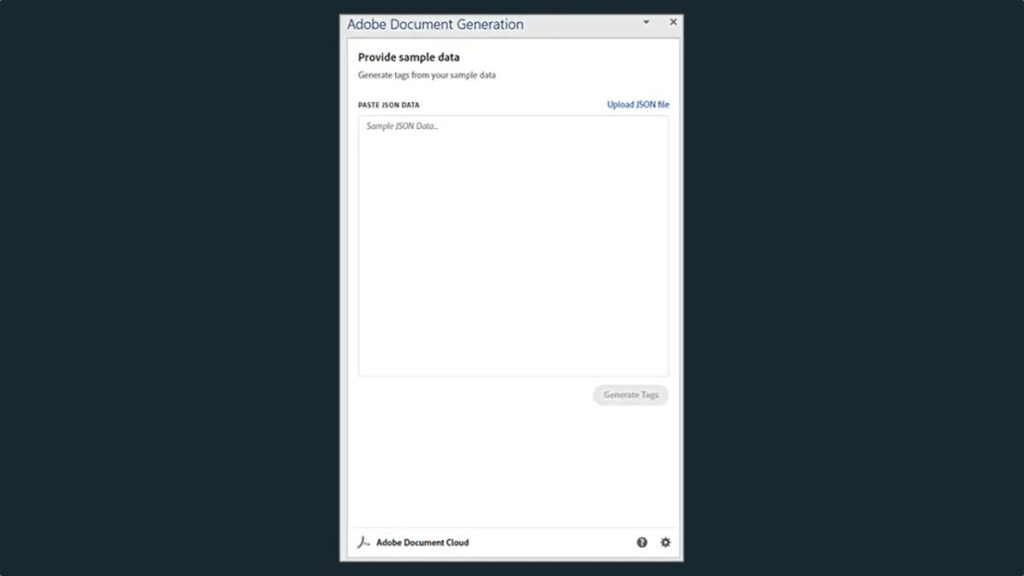
- Once you have pasted the JSON file, click on Generate tags. In your template, place the cursor where you want the changing data to appear, such as the client’s name or the date. Then, in the Adobe plugin window, select the corresponding tag for the data you want to insert and click on Insert text.
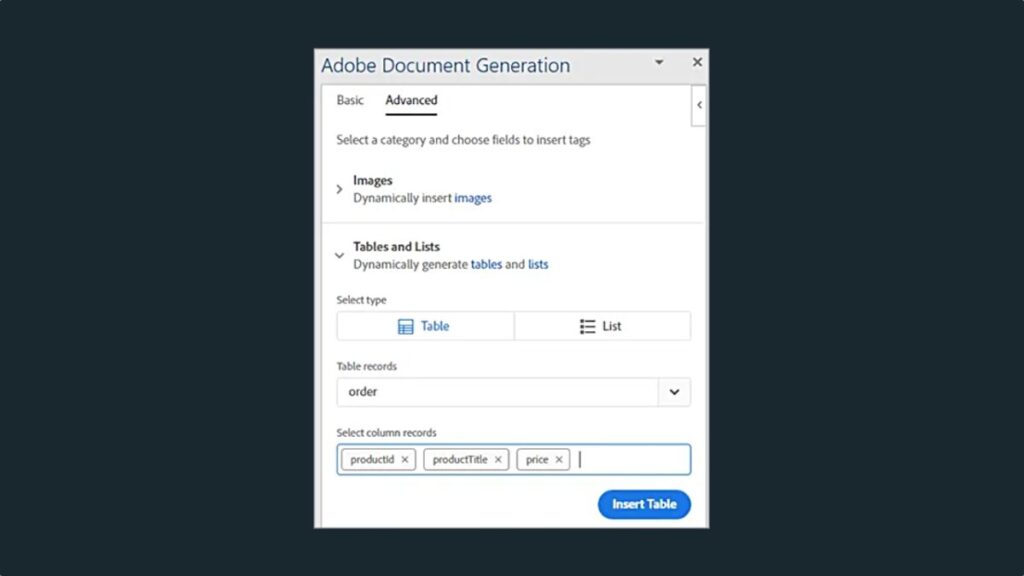
- We will add the details that vary from one invoice to another. In the plugin, search and click on the Advanced option and then on Tables and lists to see how you can create a table that updates according to the customer’s order.
- Then, you will come across a menu where you can select Order. Then, in another menu, choose the specific columns you need in the table. This will help you organize the information in the invoice better.
- The document generation API can also perform complex operations such as adding elements within an array. In Advanced, select Numeric Calculations, and in Aggregation, select where you want to apply the calculation. Click on Insert Calculation to place the tag wherever necessary within your document.
Generate the invoice with the document generation API
To combine your Microsoft Word documents with the information you have in JSON format, you can use a special tool from Adobe, the Adobe PDF Services SDK for Node.js. This is a set of tools that will help you create applications in Node.js, a programming language. This way, you can create an application that automatically generates invoices using the information you provide. Use the following code to combine the PDF:
async function compileDocFile(json, inputFile, outputPdf) {
    try {
        // configurations
        const credentials =  adobe.Credentials
            .serviceAccountCredentialsBuilder()
            .fromFile(“./src/pdftools-api-credentials.json”)
            .build();
        // Capture the credential from app and show create the context
        const executionContext = adobe.ExecutionContext.create(credentials);
        // create the operation
        const documentMerge = adobe.DocumentMerge,
            documentMergeOptions = documentMerge.options,
            options = new documentMergeOptions.DocumentMergeOptions(json, documentMergeOptions.OutputFormat.PDF);
        const operation = documentMerge.Operation.createNew(options);
        // Pass the content as input (stream)
        const input = adobe.FileRef.createFromLocalFile(inputFile);
        operation.setInput(input);
        // Async create the PDF
        let result = await operation.execute(executionContext);
        await result.saveAsFile(outputPdf);
    } catch (err) {
        console.log(‘Exception encountered while executing operation’, err);
    }
}
This code combines the JSON file and your template into a single PDF document. Here, both the document generation API and the PDF services API use the same credentials. Now, use the following code inside the Express router to handle the document request.
// Create one report and send it back
try {
    console.log(\`[INFO] generating the report...\`);
    const fileContent = fs.readFileSync(\`./public/documents/raw/\${vendor}\`,
    ‘utf-8’);
    const parsedObject = JSON.parse(fileContent);
    await pdf.compileDocFile(parsedObject,
    \`./public/documents/template/Adobe-Invoice-Sample.docx\`,
    \`./public/documents/processed/output.pdf\`);
    await pdf.applyPassword(“p@55w0rd”, ‘./public/documents/processed/output.pdf’,
    ‘./public/documents/processed/output-secured.pdf’);
    console.log(\`[INFO] sending the report...\`);
    res.status(200).render(“preview”, { page: ‘invoice’, filename: ‘output.pdf’ });
} catch(error) {
    console.log(\`[ERROR] \${JSON.stringify(error)}\`);
    res.status(500).render(“crash”, { error: error });
}
When executed, we will have our invoice generated based on the data we had previously entered with the JSON file.
How can I sign a PDF?
Signing documents is easier than ever thanks to programs like Adobe Acrobat. If you need to add your signature to a PDF, whether it’s for a contract or to authorize a document, here’s how to do it quickly and easily:
- Open the PDF document you want to sign.
- Click on the Sign icon that you will find on the toolbar. You can also go to Tools and then Fill & Sign.
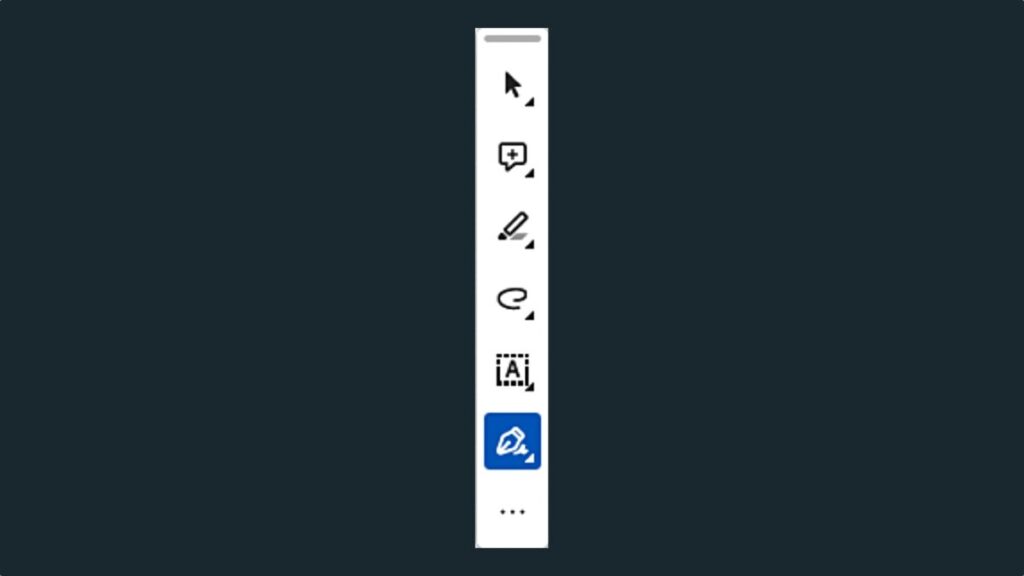
- After clicking on Fill and Sign, hover over the fields where you need to place your signature. Adobe Acrobat automatically detects them so you only have to fill in what is necessary. Finally, click on the Sign icon. Here you can choose to add your signature or leave the initials of your name.
- If you haven’t registered your signature in Adobe Acrobat, you can do it next. From the Signature panel, you can do several things: write your name, draw your signature, select an image, and place it as your signature, and finally, save it for future occasions. Apply and place your signature wherever you want within the document.
Search and find the necessary information in your documents
Keeping control is key: if you want to verify that everything is correct and that your documents have everything they need, you can always use the built-in search function in Adobe Acrobat.
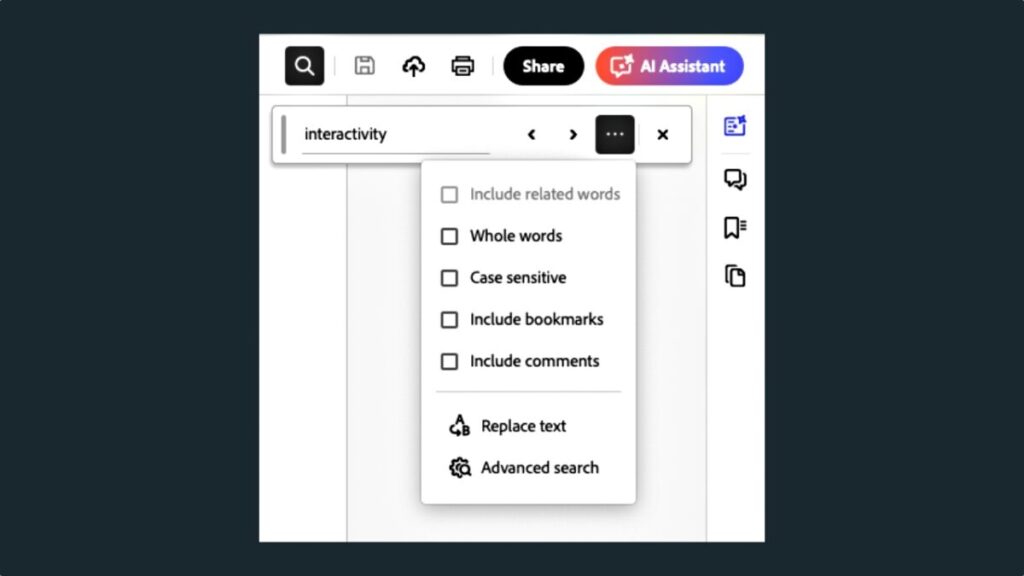
- You can perform a simple search through the search window (Find Text or Tools), located in the upper right corner. Acrobat can find what you want in the text and even in digital signatures.
- You can also perform a more advanced search. To do this, go to Find Texts or Tools and click on the three consecutive dots. Click on Advance Search and a new window will appear.
Some of the links included in the article are part of affiliate campaigns and may represent benefits for Softonic.
