The Best Windows Games of 2022

Some of the best PC games have been released in the past ten years, putting PC gaming on par with the most recent consoles. Gaming on a PC may even be superior to gaming on a console due to the technological advantages that the greatest graphics card and CPU can offer.

Some of these advances include higher frame rates, resolutions, features like ray-tracing and HDR, the best gaming display that can provide incredible immersive experiences, and more. Whether you have a high-end PC gaming setup or are looking for games to play on your laptop, we’ve put together a list of the best PC games of 2022 you can find right now.

Elden Ring

Elden Ring is the topic of everyone’s conversation these days and with good cause. You can be sure that FromSoftware’s newest punishment simulator won’t pull any punches with a story created by Game of Thrones author George R.R. Martin and all the well-known Souls-like touchstones expanded into an open universe.

FromSoftware is developing a patch to address a number of performance problems with the PC version of the game. Despite these issues, it is unquestionably one of the best games the business has ever produced.

Since Demons’ Souls was released, we have been staunch fans of the studio’s work. Therefore, we don’t give that kind of praise lightly. You must, however, earn it, just like in the Souls-like genre, which FromSoftware unquestionably does with Elden Ring. 

Best Windows Games of 2022

God of War Ragnarok

God of War is a game series that has been running since 2005. The most recent installment, Ragnarok, has given the game new vitality despite the fact that it has had several throughout the years. This may be as a result of the new location—you aren’t anymore traveling through a horrible version of Greece—or the inclusion of Kratos’ travel partner.

As you and his kid ascend a mountain to disperse his wife’s ashes, you’ll be plunged into a Norse-inspired mythical realm while playing as Kratos, the demigod who almost destroyed the entirety of the Greek pantheon in the prior games. Naturally, you’ll have to fight your way through a variety of animals and deities along the way.

Best Windows Games of 2022

Hitman 3

Hitman 3, the final game in the rebooted trilogy, completes the franchise and perfectly captures what makes these games unique. Although the gameplay isn’t entirely new, it does include six new places and wraps up the story that began in Hitman in 2016.

You may go to many places worldwide with the maps in Hitman 3, including England, China, Dubai, and more. If you’ve never experienced Hitman’s gameplay, you’re in for a treat. In this hitman game, you assume the character of Agent 47, whose job it is to surreptitiously and stealthily go over vast spaces, such as an English manor, in pursuit of and killing targets.

Given that you can play the same map repeatedly to find new routes or alternate plot lines to eliminate your targets, this edition, like the previous ones, offers the kind of replay value you don’t often see in other games.

Best Windows Games of 2022

Death Stranding Director’s Cut

You would be in for a treat if the mention of Death Stranding brought Norman Reedus to your notice. However, the fact that this game has well-known actors like Mads Mikkelsen and Léa Seydoux associated with it is not the only reason it is attracting so much interest. 

To transport vital goods, you heroically cross the post-apocalyptic United States as porter Sam Bridges while avoiding terrorists, robbers, and strange invisible beings known as Beached Things. 

The wonderful plot, which may be similar to the present epidemic, the enjoyable quests, the excellent gameplay, and the stunning music and visuals of this award-winning action game make it a delight for all the senses as well. 

Best Windows Games of 2022

Forza Horizon 5

Microsoft’s racing franchise gets better with each new iteration, and in many ways, this spin-off has topped the main Forza Motorsport series as the best PC racing game right now. They’re unquestionably more entertaining, bringing a splash of arcade excitement to the stunningly rendered vehicles and race circuits we’ve come to expect from Forza. 

Without a doubt, Forza Horizon 5 is among the greatest PC games available right now. After visiting America, France, Italy, and Australia in the previous three games in the franchise, this one takes the racing to the United Kingdom. 

Now, you can speed through quaint towns, beach resorts, and the capital of Edinburgh over miles of backroads and dirt roads. It’s really exciting, hectic, and quick. It might have been released in November 2021, but it’s still one of the best PC games for 2022.

Best Windows Games of 2022

Marvel’s Spider-Man Remastered

Finally available on PC, Marvel’s Spider-Man Remastered hits hard (pun intended). The action and web-slinging transitions are flawless, and the improvements to resolution and framerate reflect how carefully this remastered port was made. 

Ray-tracing, NVIDIA DLSS, NVIDIA DLAA, and monitor configurations like ultrawide 21:9, panoramic 32:9, and NVIDIA Surround multi-monitor are just a few of the additional capabilities available in this PC edition. The DualSense controller for the PlayStation 5 and the mouse and keyboard are also fully supported.

Best Windows Games of 2022

Silt

In Silt, a strange underwater puzzle-adventure game, a lone deep diver investigates the dark depths of the ocean in an effort to uncover its mysteries. The imaginative game Silt, developed by Spiral Circus Games and published by Fireshine Games, effectively captures the emotions of wonder and horror.

Its darkly atmospheric gameplay has been improved because it is a single-player game. If you’re looking for a platformer puzzler with a more methodical story delivery and controls that keep everything feeling fresh until the very end, this game is worth buying.

Silt distinguishes itself from most other games in its genre because of its gorgeous yet depressing black-and-white graphics. The contrast between the bright and dark areas softly but successfully sets the tone, masterfully depicting the inherent terror and danger of exploring the deep ocean while coming across terrifying creatures.

Best Windows Games of 2022

What’s next for games

We anticipate nothing less than a continuation of the trend of PC gaming being one or two steps ahead in the coming year. The enormous wheezing towers continue to advance in terms of technology and gaming performance, even in the early years of a new console generation. 

It’s the most diverse method to play video games when you consider the broader number of genres that are available, such as complicated strategy and MMO, the immensely lively indie industry, and how PC tends to avoid the “exclusivity” of console wars. Any of the aforementioned games ought to be able to grab your interest and hold it for a long period.

Know the Calories Behind Christmas Dishes

There are many different Christmas dishes, but do we know if they are healthy? Or how many calories do they have? Most of the time, the answer to that question is “no,” but we’re here to change that. Back in the day, finding out how many calories were in a dish meant going through a giant book, finding each ingredient

Fast forward a few years and skip the few books that started logging certain meals so that you didn’t have to calculate each ingredient, and viola! The invention of calorie-counting apps has made it much easier to track what you eat and how it affects your weight loss or maintenance.  To help you along the way, here are the top calorie-counting apps to help you stay in control of your calorie intake this festive season.

Livestrong

One of the most popular apps for supporting weight reduction and increasing general health is the Livestrong calorie counter. The straightforward program assists in recording workout information, monitoring food intake, and calculating calories. 

Livestrong provides calorie calculators to help you lose weight and achieve your fitness objectives. With this program, it’s simple to manage your diet, obtain nutritional information, and eat the foods that will keep you in shape. It includes several meal plans, a weekly shopping list, delectable recipes, and dining alternatives.

Additionally, you can receive suggestions based on your preferred diet, assisting you in achieving your calorie target for weight reduction. The fact that it can monitor calcium, sugar, and cholesterol levels based on what you eat is the finest part. 

Know the Calories Behind Christmas Dishes

MyNetDiary

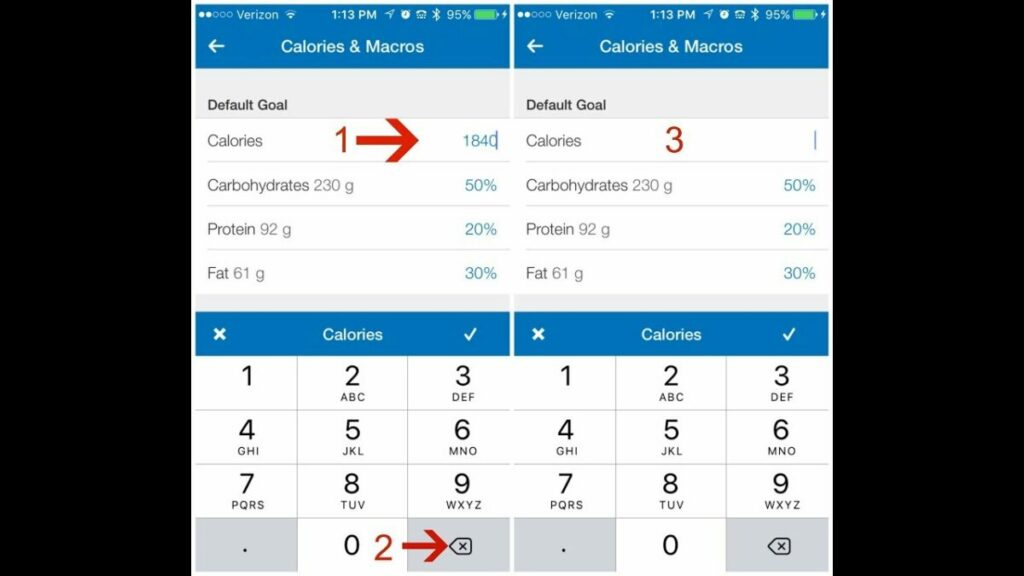
At MyNetDiary, you may get help with nutrition, weight reduction, and a nutritious diet to start living a healthy life. MyNetDiary urges you to accomplish your objectives, swiftly log your meals, and use healthy recipe ideas. 

It is jam-packed with features that let you create goals by selecting your preferred target date, your preferred pace of weight reduction, and the types of calories you want to consume, such as proteins, carbohydrates, and fat. You may obtain guidance on achieving your goals and track your progress. 

You can influence how much weight you lose by seeing your predicted weight reduction. MyNetDiary provides vegetarian, low-carb, keto, and vegan diet alternatives. MyNetDiary provides a method that has been clinically proven to help people lose weight and adopt a healthier lifestyle.

Know the Calories Behind Christmas Dishes

MyFitnessPal

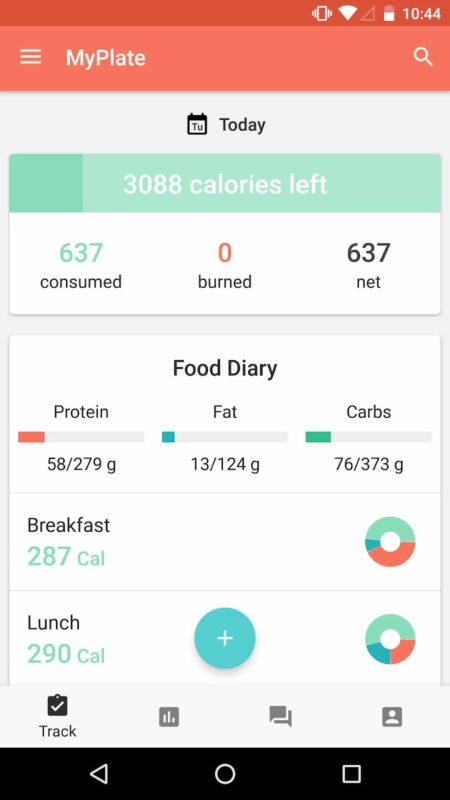
MyFitnessPal continually breaks down inputs. To assist you in achieving your objectives, it also has features like logging activities and calorie tracking. MyFitnessPal has several features, including providing details on the critical nutrients in the food you consume, measuring calories by scanning barcodes, and serving sizes for particular meals. 

The app provides information on BMI, weight loss, and muscle building. MyFitnessPal has the tools you need, such as simple recording, storing meals, scanning barcodes, and tracking your calorie and water intake, to help you start living a healthy lifestyle. 

You may learn about your eating habits and obtain suggestions from the community on improving them by using the convenient meal diary. MyFitnessPal interacts with other programs like FitBit and Samsung Health for healthier living.

Know the Calories Behind Christmas Dishes

Cronometer

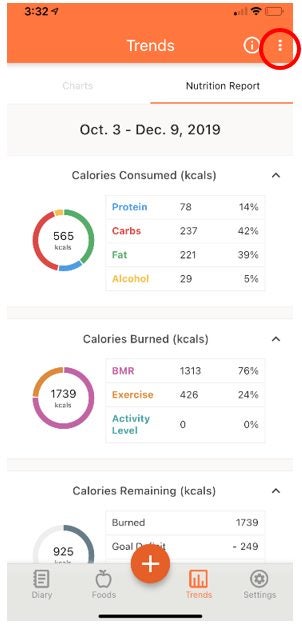
With the Cronometer app, you may manage calories and keep track of your health information, biometrics, and exercise habits. Beyond counting calories, Cronometer provides a wealth of features that can assist in determining the nutritional content of food consumed. It is also feasible to sync the program with additional hardware and software for deeper insights.
You can take advantage of account security and privacy regulations and utilize the food log to get precise dietary information. The purpose is to assist you in creating healthy habits, tracking your development, and achieving your objectives by hitting dietary targets. 

It includes features like food tracking, biometrics, activity information, and receiving personalized recipes to achieve a health objective. It monitors 82 macro- and micronutrients, offers personalized diet settings to fulfill unique goals, and offers valuable charts and data so you may monitor your results from diet assistance or intermittent fasting programs. 

Know the Calories Behind Christmas Dishes

Lose It!

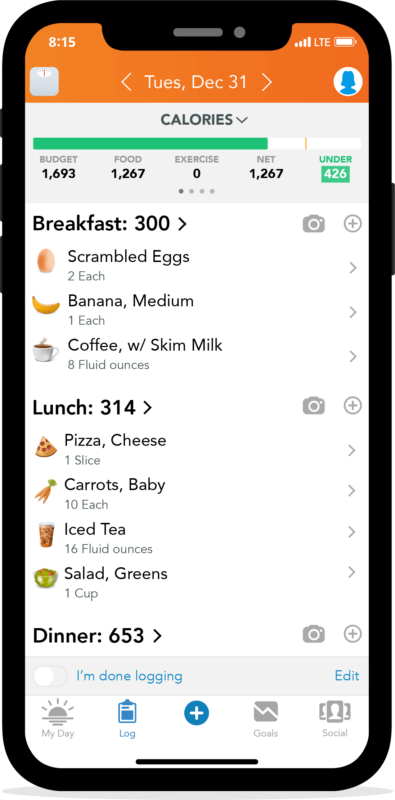
The elements of Lose It! include goal-setting, meal tracking, and healthier outcomes. Other features of Lose It! include water monitoring, behavior reporting, device integration, macro tracking (carbs, protein), a smart camera, and a scanner. 

You may easily reach a healthy weight by establishing objectives, monitoring your calorie intake, and learning more about your diet with the help of Lose It! The app focuses on the tried-and-true method that, by coming up with the finest answers and adjusting to significant changes, will help you lose weight and live a healthy life. 

Lose It! offers quick answers for weight reduction and motivates you to think creatively while urging you to maintain a balanced approach to the process.

Know the Calories Behind Christmas Dishes

Nutritionix

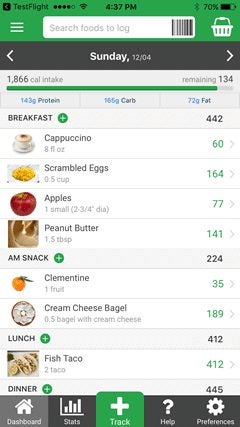
You may pursue your goals and stay healthy with Nutritionix’s assistance. The app has a clever search feature that makes it simple to look up your meal history, nearby eateries, groceries, and common foods. 

You may freely talk and type using Natural Language Processing, and you can forecast outcomes based on your data. It includes user-friendly databases of foods and restaurants with grocery store brands. 

Additionally, you may develop your own recipes and keep a running journal of them. The ability to share your recipes with others to aid them in achieving their goals is by far the finest feature.

Know the Calories Behind Christmas Dishes

Let the Christmas calorie counting gegin

There are several calorie-counting applications for iOS and Android smartphones in the app stores. You can now track your calorie intake and easily record your food items. Some applications also provide activity trackers, recipes, and the ability to communicate your progress with friends and family.

To assist you in achieving your nutritional objectives, several apps concentrate on specific diets, such as keto, vegan, paleo, and low carb. Some can combine data automatically to make understanding, establishing, and achieving your goals easier. 

It’s essential to consider your tastes and unique needs before selecting an app. Use a free service or an app with extra subscription services.

Top 10 Expected New WhatsApp Features in 2022

WhatsApp, the most popular and frequently used instant messaging network on the planet, is continually evolving. The messaging platform always adds new features and improves user experiences to give its users fresh and straightforward ways to interact and communicate with others. It’s already doubled the file sharing limit to 2GB and included a new Community function.

WhatsApp DOWNLOAD

Whatsapp has revealed numerous new capabilities for the instant messaging network similar to these. Some of these capabilities are already available to WhatsApp beta program participants. This post will look at the new WhatsApp features forecasted in 2022.

Instagram Reels

WhatsApp plans to have access to the Instagram Reels area. Users can view Instagram Reels from the messaging app. This might be part of WhatsApp’s ambition to integrate with Facebook’s other applications. Instagram Reels, a short video function, was added to the photo-sharing app last year after the government outlawed TikTok.

10 Expected New WhatsApp Features in 2022

WhatsApp Communities

Whatsapp now allows users to form groups in which they may exchange messages, photographs, videos, and other content with a group of people. Users can create many unique groups and bring them together under a community, which they could govern when the instant messaging network launches its Communities feature. Admins can use this capability to create Groups inside Groups. End-to-end encryption will also be used for the Sub-Groups.

WhatsApp future update lets admins create communities READ MORE

It will be similar to how several Discord channels are organized under a single community. Admins will have additional capabilities in the Communities feature, such as sending announcement messages to whole groups or specific groups. The Community feature, like usual, is safeguarded by end-to-end encryption technology.

10 Expected New WhatsApp Features in 2022

Group size limit

WhatsApp expands the group size restriction to 512 participants from the existing 256. It’s now one step closer to rival Telegram due to this. The team is also working on a new group chat feature that would allow group directors to remove messages submitted by other group members without requiring their approval.

Admins will have better control over group conversations thanks to this functionality. Users will notice a notification stating, ‘This was removed by an admin’ when an admin deletes a message in the group chat.

10 Expected New WhatsApp Features in 2022

Reactions and Emojis

WhatsApp is testing an Emoji reply feature that allows users to utilize Emojis to respond to chat messages. Emoji responses are limited to only six emojis. Users may utilize the message reaction by tapping and holding a message, then dragging their finger to the correct emoji. Users may view who replied to incoming and outgoing messages. WhatsApp claims it will add additional emoji replies over time.

10 Expected New WhatsApp Features in 2022

Companion Mode

WhatsApp will introduce “Companion Mode,” a multi-device feature that allows users to attach a secondary mobile device, such as a tablet, to their WhatsApp account. Users may only attach their current WhatsApp account to a PC right now. The WhatsApp account will be accessible from numerous devices.

If a user chooses Companion mode and tries to link a registered WhatsApp account to a new device, all local data would be wiped, including conversations and media. You will move to the new WhatsApp account.

10 Expected New WhatsApp Features in 2022

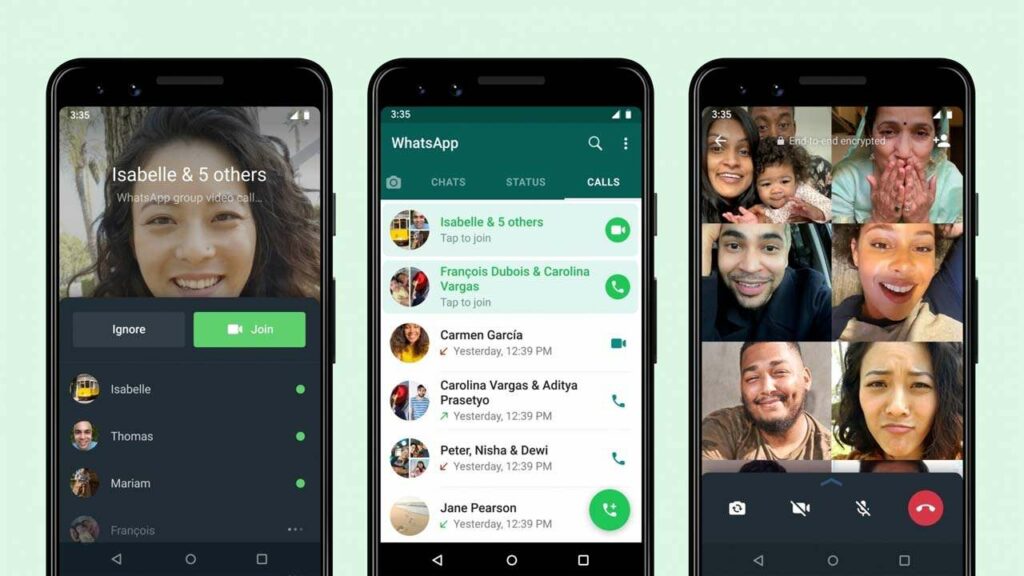
WhatsApp Voice calls

WhatsApp is set to release a new group voice call interface shortly. During a group call, the platform adds voice waveforms for all participants. The waveforms of the voice are comparable to those of voice notes. According to reports, the new interface will have a rounded gray rectangular backdrop with the contact’s name, phone, profile picture on top, and the call length.

WhatsApp will increase the group voice call capacity to 32 participants. A group call can now accommodate just 8 persons. This moves the instant messaging platform closer to chat applications like Telegram, which allows you to add an unlimited number of individuals to a group audio chat.

10 Expected New WhatsApp Features in 2022

Chat filters

WhatsApp first provided chat filters to business account users a few months ago, and now, according to WABetainfo, the firm is working on introducing the functionality to normal user accounts. It will be possible to filter conversations by unread chats, contacts, non-contacts, and groups once the functionality is available.

Users can now only locate chats by pressing the Search button in the three-dot menu and looking for individual messages. By filtering chat messages by groups and criteria, the chat filter option will make it even easier to discover the appropriate message.

10 Expected New WhatsApp Features in 2022

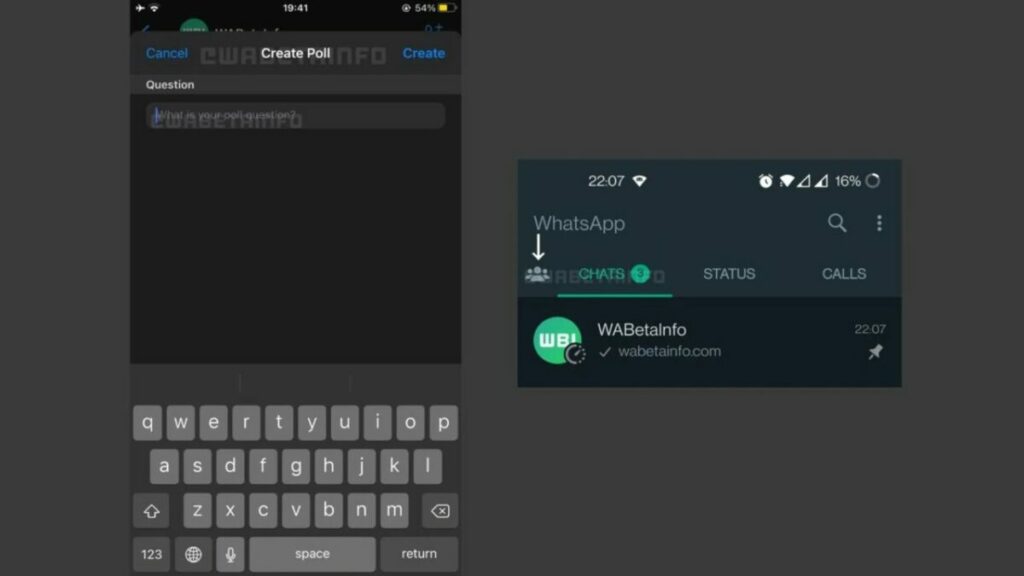
WhatsApp Polls

In a future version, users can create polls on WhatsApp. Users may construct group polls and add up to twelve alternatives. WhatsApp appears to be extensively testing the Group Poll function, but we are unsure if it will materialize yet. 

10 Expected New WhatsApp Features in 2022

Deleting Sent Messages

WhatsApp allows you to erase transmitted messages within the time restriction of 1 hour, 8 minutes, and 16 seconds. WhatsApp aims to extend the time restriction to up to two days and 12 hours. According to previous rumors,

WhatsApp was planned to raise the message deletion restriction to up to a week, but it has changed its mind and opted for a more sensible two-and-a-half-day limit. We don’t know when the corporation will formally implement the new time restriction for removing chat communications.

10 Expected New WhatsApp Features in 2022

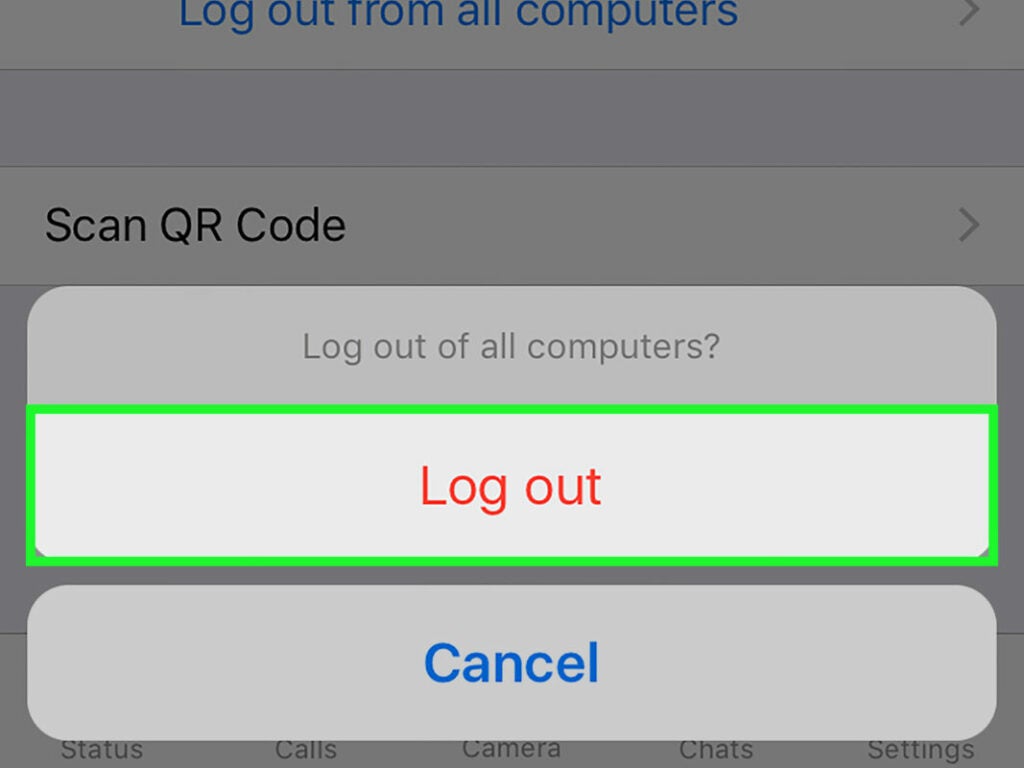
Logout

The ‘Delete Account’ option will be replaced by a logout button that will offer multi-device functionality in the future. Users may log out of WhatsApp accounts, just as they can from Facebook and other social networking apps.

The feature was recently discovered in a new WhatsApp beta version and is anticipated to be rolled out to both the iOS and Android app versions soon. The WhatsApp logout function should allow users to access their accounts from many devices simultaneously.

10 Expected New WhatsApp Features in 2022

10 Gmail add-ons to enhance email productivity

Gmail is used by billions of people every day. Many workflows rely on email, but Gmail can’t handle everything you need to be efficient and productive. Around 30% of workers’ time is spent reading, sending, or replying to emails. However, not all of your email time is productive. 

Gmail DOWNLOAD

A significant chunk of it is spent clearing our inboxes and determining what to prioritize. This is where Gmail extensions and add-ons come in handy. Several plugins, extensions, and add-ons might help you operate more efficiently on Gmail. So, to help you improve your email productivity, we’ve compiled a list of the top Gmail add-ons and extensions.

Simple Gmail Notes

The Simple Gmail Notes extension does exactly what it says in its name. It allows you to add notes to particular emails. It’s a completely ad-free Gmail add-on. There is also a mobile app for the plugin.

Features:

  • Add notes to email threads from your inbox.
  • Notes are saved to your Google Drive account.
  • Use multiple Gmail accounts in the same browser.
  • Sync notes between devices and browsers.
  • Works with Firefox, Chrome, and Microsoft Edge.
  • Notes show alongside your emails during printing.
10 Gmail add-ons to enhance email productivity

RightInbox

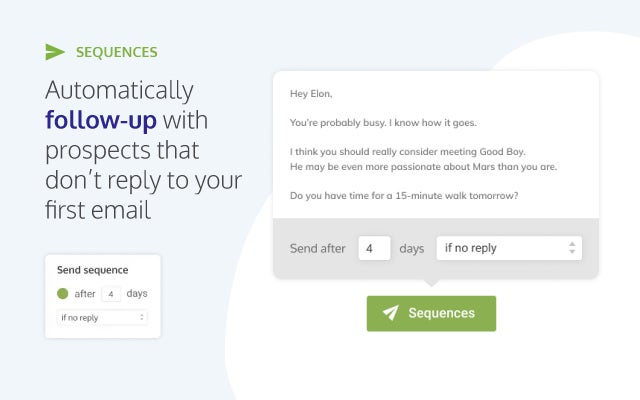
RightInbox is a Gmail add-on used by over 250,000 professionals and is rated one of the finest. RightInbox can schedule and track emails. You may also use reminders to ensure you don’t forget to respond to or send an email. It is rated one of the top Gmail add-ons and extensions for sales, recruitment, and marketing professionals.

Features:

  • Set reminders to ensure you never lose sight of important emails.
  • Track your emails to see who is opening them and who isn’t.
  • Send identical emails to numerous individuals using email templates.
  • Send the same emails at predetermined intervals with the repeating email function.
  • Add GIFs in seconds.
  • Easily integrate your emails with the most common CRMs.
10 Gmail add-ons to enhance email productivity

Checker Plus

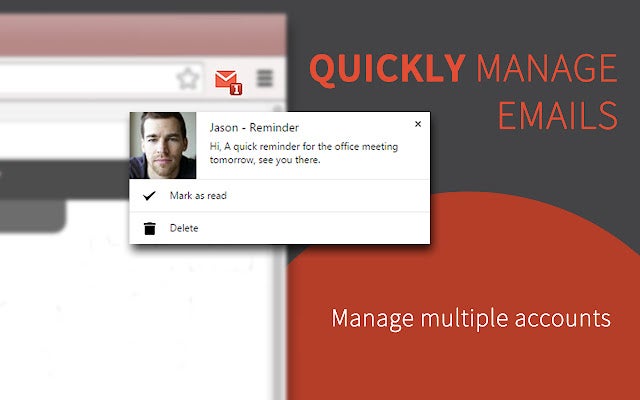
Checker Plus for Gmail will alert you when new emails arrive. It is the quickest and most convenient method of managing several email accounts. You may get notifications, read and listen to emails, and delete emails without opening Gmail with the free Gmail add-ons.

Features: 

  • See who is emailing you, similar to Gmail chat notifications.
  • It can read out emails to visually challenged people.
  • Monitor any custom or Gmail labels.
  • Runs even when Chrome is closed.
  • Pop-up notifications for new email arrivals.
  • View, archive, mark as read, or delete emails from one tab.
10 Gmail add-ons to enhance email productivity

Boomerang for Gmail

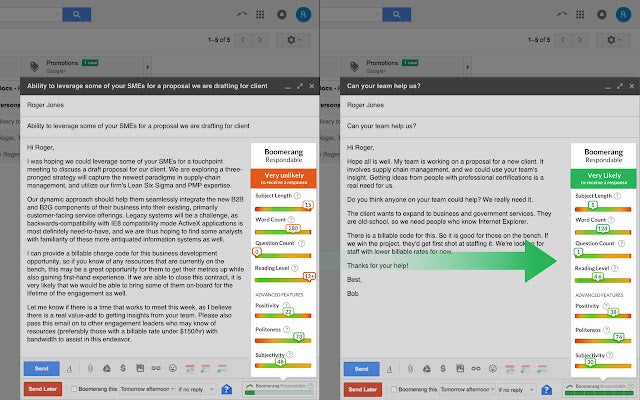
Boomerang’s AI assists you in writing better emails and increasing your email productivity. You can send or reply to messages at a later time by scheduling them. The extension does not require you to be online to send the email.

Features:

  • Schedule emails to be sent in the future without having to be online.
  • Defer emails by moving them from your inbox to a folder or label.
  • Notifications for emails that haven’t been responded to.
  • AI-powered assistant ‘Respondable’ estimates the chances of a response and explains the results.
  • Respondable also helps you write messages to increase response rates.
Boomerang DOWNLOAD
10 Gmail add-ons to enhance email productivity

Smartsheet

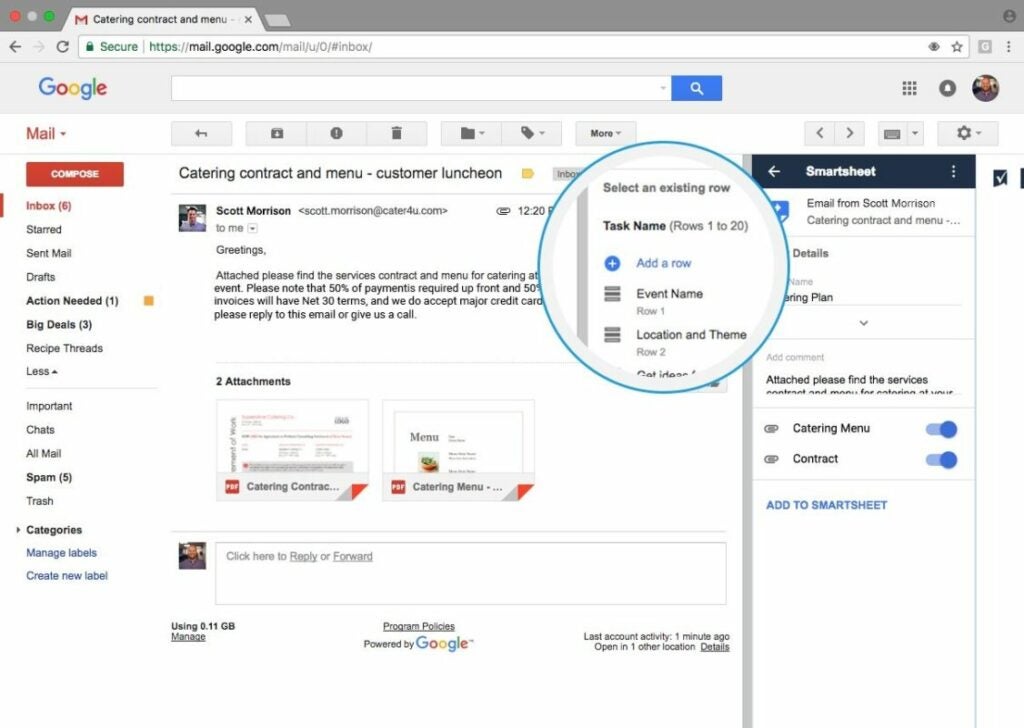
Smartsheet is a widely used tool in enterprises. It’s great for folks who use Smartsheet in their office daily. You may use this plugin to add emails and attachments to Smartsheet rows without leaving Gmail. You may also use this extension to keep track of crucial emails and ensure that relevant information is available to stakeholders.

Features:

  • Add emails as remarks to specific rows in sheets. 
  • Organize email attachments in Smartsheet by adding them to a designated row.
  • Create new rows in Smartsheet directly from Gmail to add emails and attachments.
  • Integrate Google Contacts from Gmail into Smartsheet to organically share projects.
10 Gmail add-ons to enhance email productivity

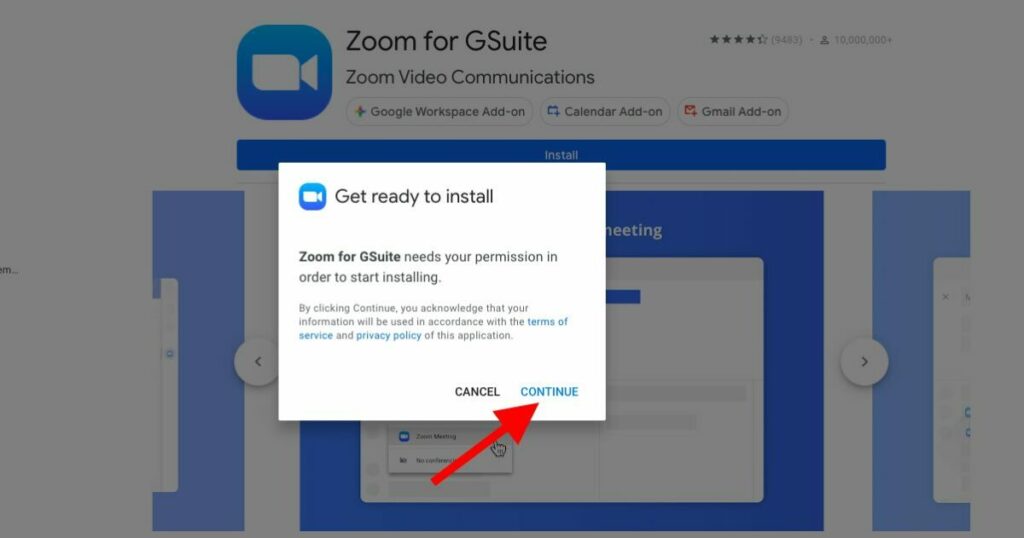
Zoom for Gmail

You can initiate Zoom meetings right from Gmail using Zoom for Gmail. Zoom for Gmail allows you to enjoy faultless video, clear audio, and quick content sharing. If you want to take Zoom calls right from the Gmail interface, this is one of the greatest Gmail add-ons.

Features: 

  • From within Gmail, conduct high-quality video conferencing.
  • Easily share information and documents.
  • Check your video call schedule within Gmail.
10 Gmail add-ons to enhance email productivity

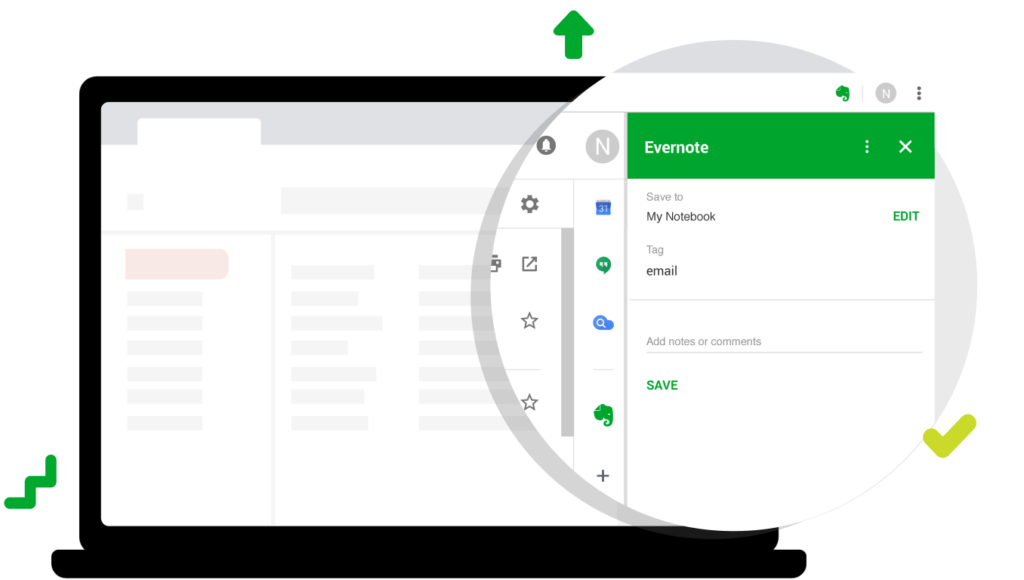
Evernote for Gmail

By working in a distraction-free environment using Evernote, you can combat inbox overload and improve your Gmail productivity. Evernote, one of the greatest Gmail add-ons, allows you to move what is important from your inbox to a workspace where you can curate material, add context, and remain focused.

Features:

  • Organize emails according to importance.
  • Write better emails without any extra effort.
  • Easy search function.
10 Gmail add-ons to enhance email productivity

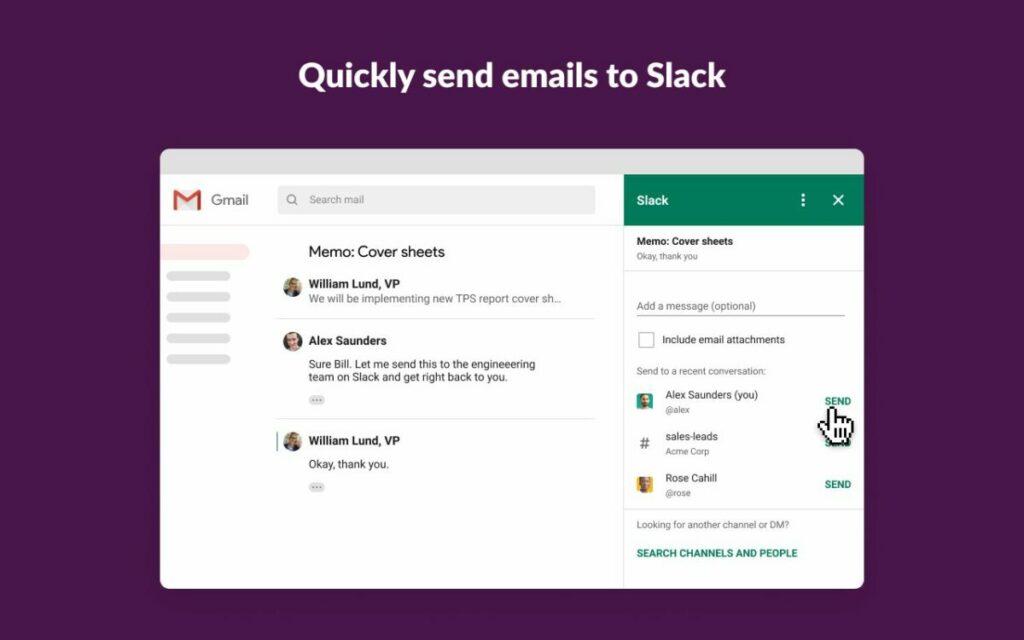
Slack for Gmail

This add-on is only for Slack users who rely on Slack and email for their day-to-day job. By introducing an email into a Slack channel or direct message, you may quickly advance conversations. You will also be able to attach files and add messages to the email.

Features:

  • From your Gmail inbox, you may send messages directly to Slack.
10 Gmail add-ons to enhance email productivity

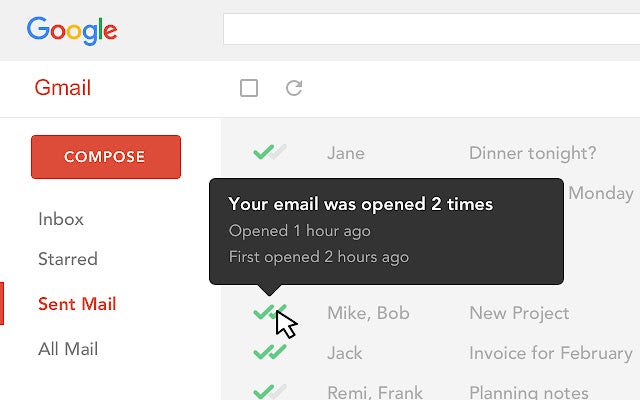
MailTrack for Gmail

Gmail users may use MailTrack to trace their emails. MailTrack is one of the most popular Gmail add-ons, with over 1.5 million active users. It’s a free Gmail add-on that adds sensible checkmarks to your emails to get Gmail read receipts in your inbox.

Features:

  • See which emails have been viewed.
  • Trace whether or not the receiver of your email opened it.
  • Keep track of how many times a recipient clicked on the email and how many times they opened it.
  • Use Mailtrack lists to establish and administer mailing lists.
10 Gmail add-ons to enhance email productivity

DocuSign eSignature

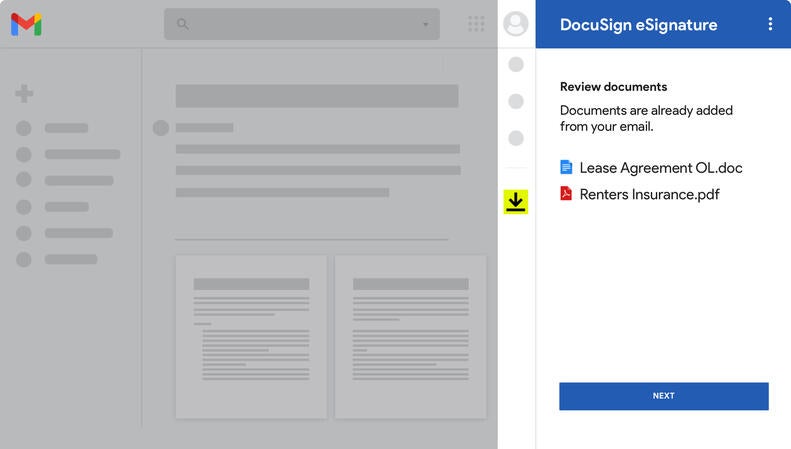
You can transform your browser into a powerful signing tool using DocuSign e-signature. From your Chrome browser, you can check the status of your envelopes, make reminders, sign paperwork, and start collecting signatures.

Features:

  • Submit signable documents quickly without printing and scanning.
  • Keep track of the status of your documents.
  • Sign electronically at any time and from practically anywhere.
  • Sign an unlimited number of papers with a single click.
  • Safe and secure extension with legally binding and unique signatures.
  • Completely encrypted on their servers.
10 Gmail add-ons to enhance email productivity

10 essential add-ons for Google Sheets

Google Sheets is one of the greatest online spreadsheet apps. It has advanced beyond the creation of simple tables and functions. Users may use Google Sheets to organize, modify, and analyze data. However, you may reach a point where you need more tools added to it.

Google Sheets for Chrome DOWNLOAD

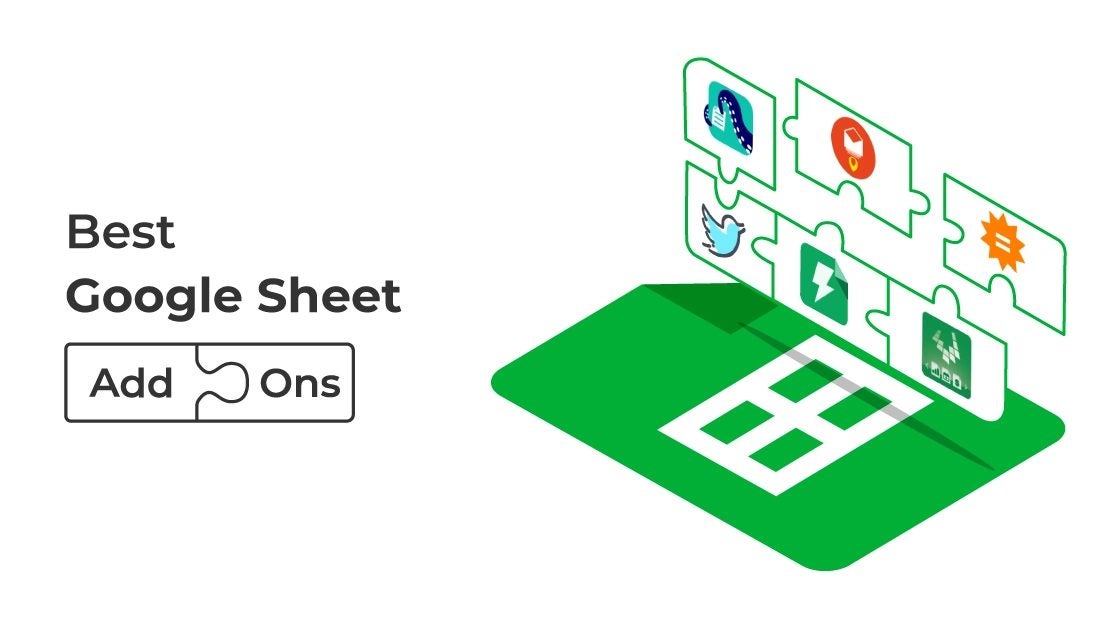
Google Sheets add-ons are extensions that give your Google Sheets greater functionality. This article will go through our top selections for the finest Google Sheets add-ons.

Coupler.io

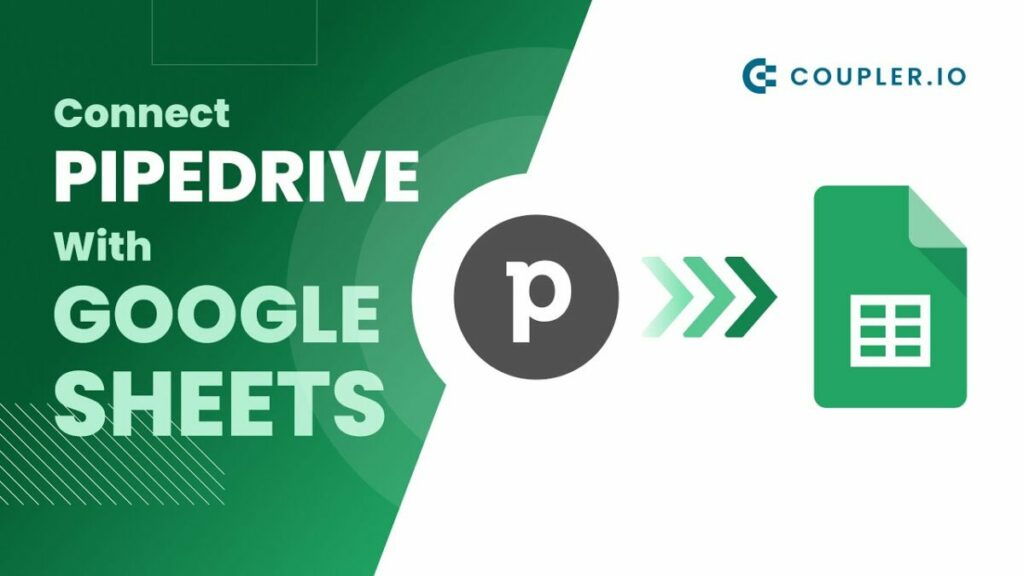
Coupler.io has a Google Sheets integration that allows you to auto-import data from your chosen program into a spreadsheet. It synchronizes your in-app data with Google Sheets, bringing fresh data into a working page on a schedule without coding knowledge. 

Managing data from each app may get difficult and unproductive when you track many projects, review your workers’ work hours, and run an e-commerce site. With the Coupler.io add-on, you won’t have to move between these applications all the time to check the newest stats. You can program automation to scrape data at predetermined times. 

10 essential add-ons for Google Sheets

Lucidchart Diagrams

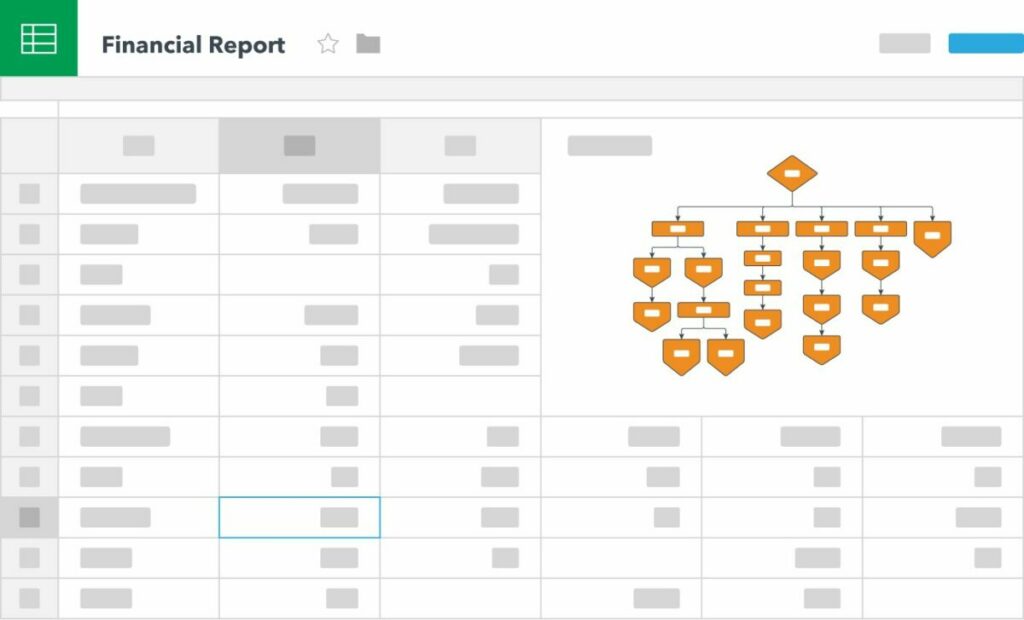
When working on huge projects, splitting the process down into individual jobs is necessary. Lucidchart simplifies a product launch timetable or other comparable undertakings into simple diagrams. If you currently use Lucidchart, the company’s Google Sheets add-on will automatically import all of your existing charts into the spreadsheet. 

You may see the product launch timetable, marketing campaign, or entire production flow. This add-on eliminates the inconvenience of switching between Google Sheets and Lucidecharts.

10 essential add-ons for Google Sheets

AppSheet

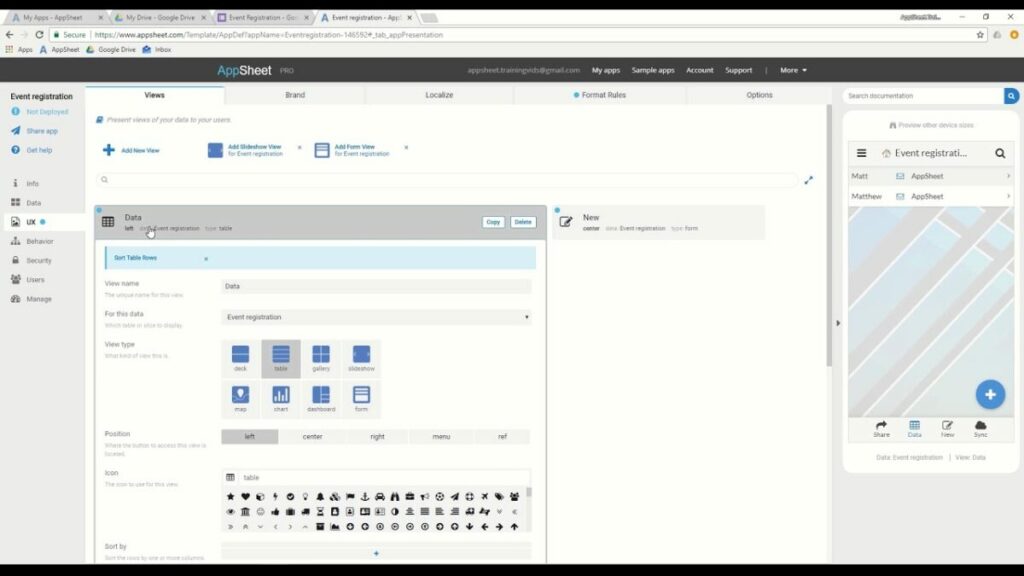
AppSheet allows you to make a mobile app from your Google Sheets data. Users can link their data via Google Sheets and create a fully functioning mobile app in minutes with this no-code app creation platform.

You may tailor your app to match your brand. It’s the best way to get an internal app out to team members or workers. 

10 essential add-ons for Google Sheets

Autocrat

Autocrat is an excellent Google Sheets add-on for reports. Perhaps you’re working on a spreadsheet with employee names and ratings in each field for this year, and you’d like to produce a personalized document for each employee.

It takes a long time to create each document in Google Docs manually. The Autocrat add-on for Google Sheets will take the requested information from the spreadsheet and turn it into a customized PDF or Google Doc.

10 essential add-ons for Google Sheets

Retool

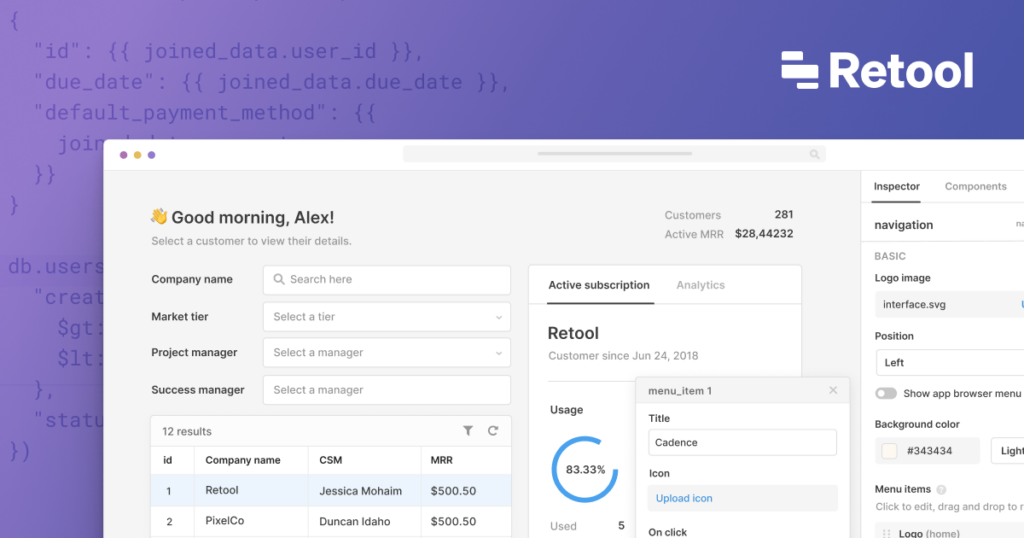
Retool allows creating dashboards, admin panels, and utilities simply by using Google Sheets data. It also allows you to build user interfaces on top of spreadsheet data easily. You may import data from a Google spreadsheet and perform API queries for each row.

You may also use Google Sheets to fill in a blank template model with data from your database. Retool can clone individual sheets and add data to existing sheets.

10 essential add-ons for Google Sheets

Text2Data

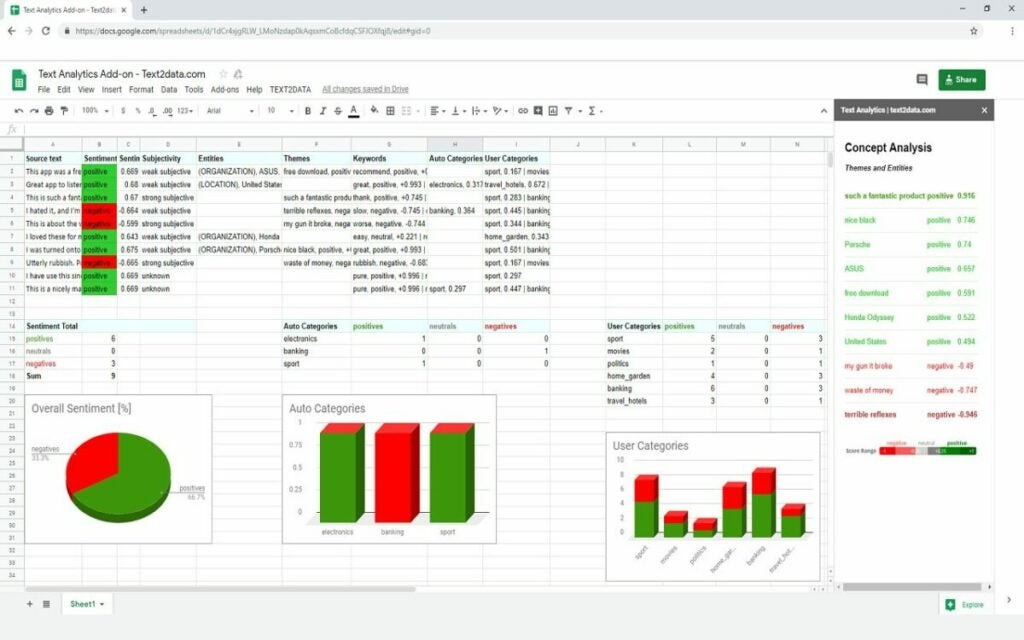
Text2data is a text analytics service that uses Artificial Intelligence (AI) to assist businesses in analyzing various social media platforms. Employees can use Natural Language Processing (NLP) and machine learning techniques to analyze sentiments and build bespoke reports for keywords or entities.

It does not require any programming experience and can be used to monitor social media accounts in real-time.

10 essential add-ons for Google Sheets

Stacker

Stacker turns your data into a functional app by using your data and organization to design applications that will help your company expand without any coding knowledge. You may also choose an appropriate layout before sorting and displaying your data the way you want. Creating forms for new entries, pages for altering current documents, and buttons to automate common actions using Stacker. 

You may also share your data with different groups of people by inviting them to join your Stacker app. Furthermore, you may provide your customers and external partners with branded site access to their data with bespoke features.

10 essential add-ons for Google Sheets

YAMM (Yet Another Mail Merge)

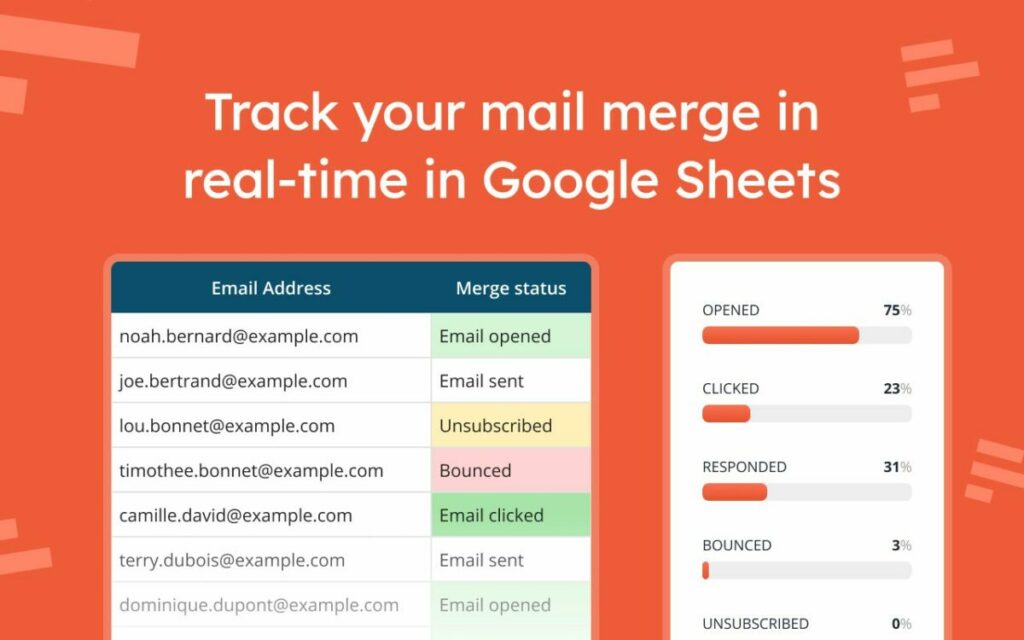
When your product, brand, or marketing relies on effective email campaigns, you’ll need a solution to deliver tailored emails to every contact on your list while also tracking whether recipients open, respond, or unsubscribe from your emails. 

10 essential add-ons for Google Sheets

Siteoly

Siteoly is a powerful no-code website builder for Google Sheets that allows you to construct data-driven websites without writing code. It devotes more attention to design than other online form builders, providing you with numerous styles and templates to display your data. You can access over 100 alternative website versions with one Google Sheet. 

It saves time for both your developer and your designer. Siteoly is suitable for a startup entrepreneur with minimal expertise in any area that needs to get started.

10 essential add-ons for Google Sheets

Awesome Table

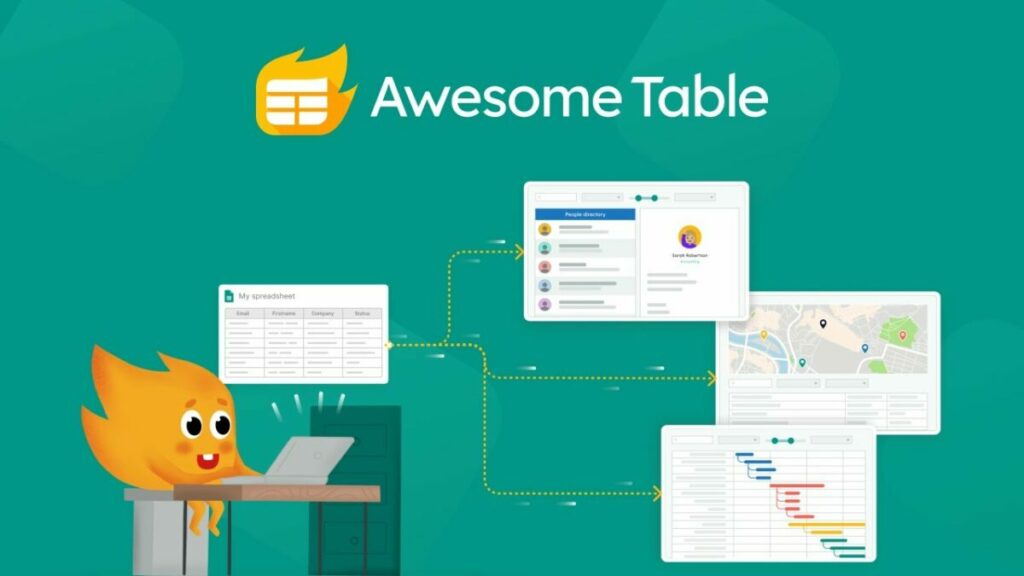
Awesome Table is a Google Sheets add-on that allows you to turn your spreadsheet data into bright, complex web formats and visualizations. It also allows you to present your data as maps, charts, directories, and classic tables on Google websites and other web platforms, even if you have no coding skills. 

You can construct visualization by selecting the Google spreadsheet or data source you wish to present. To further personalize the design of your app, you may use JavaScript, HTML, or CSS. Once the graphic is complete, you may embed it on your website or intranet.

10 essential add-ons for Google Sheets

Enhance your Google Sheets experience

Depending on their roles, different add-ons give different features and tools. So choose the one that suits your demands and utilize Google Sheets add-ons to boost productivity. Thanks to easy sharing and developer support, Google Sheets may be the ideal tool for marketing, analytics, and collaboration.