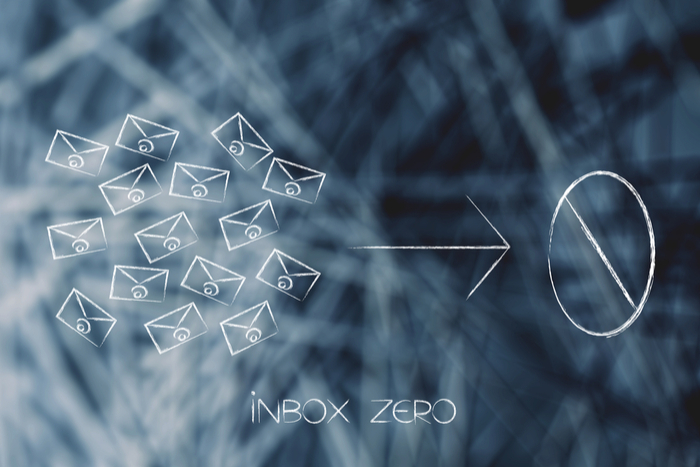
Is Inbox Zero a goal worth striving for?

Overwhelmed by your emails? Here’s why Inbox Zero might be worth your time.

inbox zero

Question: how many emails are in your inbox as we speak?

If the number is deep in the thousands or tens of thousands, you’re not alone.

And, as you’re likely well aware, email has become the bane of our collective, modern existence. Even the type-As among us lose hours sorting through an endless heap of newsletters, urgent requests, and passive-aggressive ccs.

But is Inbox Zero the answer to our inbox woes?

The concept has been around for long enough that most people have heard of the term. However, we’re not so sure it’s the best way to boost productivity. In fact, many workers see the term as a battle against unread emails. And that’s not quite the point.

Here’s a little more about Inbox Zero, as well as some tips for getting your personal mailbox closer to your ideal number.

What is Inbox Zero?

Inbox Zero, defined
email

A concept that’s been floating around for at least a decade, the term refers to the method of responding to and discarding or filing all emails. It’s an ongoing effort, but the idea is, once you’ve done the initial setup and clean out, your inbox is forever easy to maintain.

The idea is, a cluttered inbox has the same impact on your productivity as a crowded desk or a messy office. As such—emails need to be addressed like action items—delete what’s not important, delegate, respond, complete a task, or defer action to a colleague.

Anyway, the idea was coined by Merlin Mann—the blogger behind 43 Folders. And the concept was more about spending less time on email in general, not obsessively dealing with each message. According to Mann, people took the term literally and ran with it.

If you want to lose an hour to something other than email, here’s Mann’s famous 2007 TED Talk.

The goal should be managing inbox anxiety

A study from back in 2012 found that around 70% of work emails were dealt with within six seconds of their arrival. Granted, the digital landscape has changed a bit since then—but email overload remains a problem today.

Now, some of us can ignore email, no problem. The Atlantic wrote about this a few years back.

There are the people who don’t mind the little number of unread messages growing by the day. Others can’t stand the sight, immediately feeling antsy as notifications pass through.

That said, both types cited in the article likely deal with some inbox-related stress. See, on one end, you have avoidant behavior. At the other, you’re looking at email addiction.

Simple ways to reduce stress

Uninstall any desktop or mobile push notifications

You don’t need to see every incoming message, you’ll just as easily be able to open the app or access your email from your desktop, but there’s no looming dread that comes with seeing an email when you’re working on something else or trying to relax. Trust us, your mental health will thank you.

Stop checking your email so much

checking email

The average worker spends up to 6.3 hours a day dealing with email, which honestly, is insane. Instead, try dividing your email checking into three or four shorter sessions.

Develop a system that works for you

Inbox Zero serves two main purposes. First, you’ll need to make an immediate decision on every email that passes through the inbox.

This means, each time you log in, you need to respond, delete, forward, or file each missive. The idea is noble, but, it’s difficult to apply this rule to every situation.

The second part of the philosophy is, when you make decisions about each email, you’ll manage that seemingly endless flow of messages.

Now, that second part is most important. Cleaning house will allow you to feel like you have some digital breathing room. However, how you get there doesn’t matter quite so much.

Look, Inbox Zero isn’t the point. Rather, the goal should focus on becoming more effective in managing both your time and your email.
Unsubscribe

Between the newsletters you don’t need, irrelevant industry publications, and sales alerts there’s a lot of junk mail clogging the system. Be selective about who gets your email and unsubscribe like crazy.

Try Unroll.me to consolidate the email subscriptions and newsletters you like. They’ll send you one daily digest allowing you to scan promotions and updates fast.

If you follow a lot of blogs or news sites, though, you may want to use an RSS reader instead.

If making a quick decision about every email isn’t possible, reschedule them. Snooze emails in Gmail, or use the Boomerang app. Both options allow your email to reappear later, getting them out of the way in the short-term so you can focus on other things.

Delete the irrelevant stuff

Emails that are old or contain information you have elsewhere can get tossed. You can set your inbox to dispose of these items after a certain point, if you’d like.

And, before you protest with a “what if I delete something important?” we’ll just say this: anything super urgent will come with a phone call or a follow-up email. It’s fine.
Develop a filing system

Email is great for the reason that, when organized properly, you have a searchable database of all of your interactions.

With so many communications coming in and out of our inboxes and elsewhere, an organized inbox functions as this amazing tool. Email doubles as a record-keeping system that comes in handy any time you need to recall some tiny detail.

Some people benefit from setting up filters and folders in their email program that allow you to quickly identify what items are important. That said, don’t make it too complicated. More labels than you can remember is a recipe for trouble.

In sum

In the end, if you think Inbox Zero works for you, give it a go. While the system isn’t perfect, it’s been successful enough to catch on with a wide audience—and has significant staying power.

But keep track of how long you’re spending trying to clear the inbox. If you’re still losing hours, it’s time to fix the system. That said, a combination of unsubscribing, filing, and marking important items can help you keep numbers low and that home base feeling clean.

These are the best apps and online tools to stay focused and be more productive

Be more efficient and effective with these awesome time-saving apps.

Staying focused in a constant struggle. We all deal with a million emails and sound privacy is at an all-time low.

It’s no wonder many of us feel that our days can spiral out of control. When that happens, we often trick ourselves working on low-priority tasks or worse, wasting time watching YouTube videos and shopping online.

So, how do you regain control and start getting more done? It’s not an easy question to answer. But, below, we’ll look at some productivity tips you can pick, choose, and adjust to your liking.

How to focus

Set the scene for quality work

focus

Our workplaces dictate our ability to produce quality work. When you try to get things done in a noisy, cluttered location, the results can be, well, frustrating.

A few ways you can set the tone for success:

Identify where you lose the most time

We all have our go-to sources of distractions.

Be it reading a certain blog or cruising social media, or scrolling through your phone’s newsfeed, you need to identify the sources that keep you from accomplishing tasks.

Start by trying to change one of your worst time management habits. Allow yourself to check social media during lunchtime—maybe that’s your boundary. Implementing a small change toward better self-control will likely help you make more changes.

If this is harder than anticipated, add a distraction-blocking app. Self-Control, Anti-Social, and Freedom are all great options.

Self-Control Download Free ►
8
7

Organize your workstation

Too much stuff in the way can be a really big distraction. Staying focused at work means both mind and physical space need some clarity—a little breathing room if you will.

Throw away the old coffee cups and wrappers and just stick to what you need. Think—computer, a good pen, your favorite notepad. Everything else should be put into drawers or filed accordingly.

The second part of this is organizing your computer space, as well. Set up shortcuts for all programs you use on a regular basis.

Clean up your inbox

email

Chance are, you spend a lot of time inside your inbox. While inbox zero is a noble goal, it’s not always possible—or worth chasing. Still, it’s a good idea to apply labels and folders so items are easy to find and out of the way.

Set boundaries

This is a tough one for a lot of people. Clients, bosses, and friends and family can pile extra to-dos on you that hinder your productivity.

It’s important to get better at communicating when you are busy—and say no to things that are bound to stress you out.

If you’re a procrastinator

Procrastination is the worst. Some of us are chronic procrastinators, forever struggling with deadlines, while others need a little more in the way of accountability.

To combat your worst habit, here are some suggestions that will help you get ahead of all those looming to-dos.

Find someone to keep you accountable

procrastination

An accountability partner can be a real gift to the chronic procrastinator. This could be a colleague, friend, or manager, but this person’s role is to check in to make sure you’re hitting the milestones needed to complete your project.

Some procrastinators find that implementing a system of rewards or punishments can motivate them to stick to deadlines.

If you’re self-employed, accountability partners can come in the form of other freelancers, or through an app like Forest, which works like a modern Pomodoro approach.

Forest Download Free
10

With Forest, there’s a group mode—both parties avoid looking at their phone to grow a digital forest. If one. Party slips up, both lose their progress.

To-do lists

To-do lists are one of the most basic elements of managing tasks. As old as time, these low-tech lists hold you accountable and can help you remember everything on your list.

To-do list tips

Make your to-do list entries short, realistic, and specific. A list that never ends is just going to stress you out.

So, make lists that include a doable amount of tasks for the day—things like “email new client about an upcoming project” or “edit presentation content” work better than vague items like “finish project.”

At the end of each day, write down 5-10 items for the next day. This will help you start the new day with a clear sense of what to do.

Some people like keeping lists on paper and enjoy the satisfaction of crossing off each item when they complete a task. Others like organizing their thoughts digitally.

Apps that keep track of everything for you

Todoist Download Free
10

Wunderlist Download Free
9

Evernote Download Free
6

Habitica Download Free
8

Stop multi-tasking

Here’s the thing. All of us like to say we’re great at multitasking. In fact, we’ve probably listed this quality on many a job application.

Almost no one is actually good at multitasking. Each time we shift between tasks, our brains need a bit of time to adjust to the new task. As such, you’re losing time when you work all over the place.

Because today’s culture expects us to change focus—answering emails and texts to reading and solving problems, it’s hard to get high-quality work done.

So if you’re working on an article or a report, do that one task and see it through, from start to finish. Set little goals for yourself to avoid temptation. Eat lunch after you’ve completed your report, check email when you’ve edited your article, and so on.

Beyond that, here are a few things you can implement for better time management.

How to manage your time

Schedule times for email

working

Unfortunately, most of us don’t feel that we have the luxury to check email once a day. Our recommendation is scheduling 2-3 times that you answer everything in the inbox.

Check in at the beginning of the day, again around lunchtime, and finally one last time before you wrap things up. It sounds simple, but every time you check in to respond to one email at a time, you’re losing time.

Try using the Pomodoro Technique

Alright, this might be some of the most basic advice you’ll get for being productive, but there’s a reason Pomodoro persists. Pomodoro was developed in the 1980s as a way to break work into short intervals separated by short breaks. The method works like this:

  • Select a task
  • Set a timer for 25 minutes
  • Work on only the task you’ve selected
  • When the timer goes off take a short break—just a few minutes to stretch or grab a coffee
  • Every four cycles, take a slightly longer break. About 15-30 minutes.

Pretty simple, right?

The idea is you’ll tackle goals in sprints and recharge with multiple short breaks. You can, of course, make the intervals longer or shorter depending on your need.

The original method relied on an egg timer, but there are several apps out there that can help you set up “pomodoros,” too.

Some suggestions:

Pomodoro Timer Pro Download Free
9

Track where you are spending your time
time check

We mentioned above that you should identify bad habits. We’ll double down here and mention that you should figure out how exactly you’re using your time. This will help you identify your most productive times and where you’re losing hours.

Download an app called Rescue Time, it’s a tool that helps you understand your daily habits so you can become more productive.

RescueTime Download Free
7

Final thoughts

Whether you’re working in an office or from home, the day is bound to throw its share of distractions at you no matter how well you plan.

The good news is, you can take charge of your productivity by identifying problem areas and incorporating the tools you need to tackle them.

And practice makes perfect. Like anything else, productivity is a muscle you need to work out to see results. Learn more about your habits—and optimize accordingly.

5 best white noise apps for drowning out distractions

Need to concentrate or relax? Try these apps to clear your head.

The benefits of white noise are well-documented.

From bloggers that swear by pink noise for energized productivity to bonafide studies confirming that yes, sound waves are, in fact, a powerful tool for boosting mental output.

Research has shown white noise can improve both memory and concentration.

According to the Harvard Business Review, lack of sound privacy is the most significant drain on employee morale. HBR reports that workers lose a whopping 86 minutes a day, on average, to sound-based distractions.

White noise in the office allows you to drown out the sounds of coworkers smacking their lips, tapping their keyboards, and conversations you’re probably not supposed to hear.

To help you stay sane, we’ve put together a few of our favorite noise-canceling apps. But first, an explanation of what we’re going for.

What is white noise, and what’s with those other colors?

You’ve probably heard the term white noise. It’s that ambient sound that aims to mimic the gentle whirring of a fan, waves crashing on the beach, or in some cases, the humming of your vacuum. The name “white noise” comes from an analogy to white light, in that it contains the full spectrum of sound.

White noise has been shown to help kids with ADHD focus and stands to help frustrated adults trapped in open-floor-plan hell.

But white noise isn’t the only color on the noise spectrum. Brown noise, for example, is designed more for human ears than white—it’s a warmer, deeper ambient noise.

Brown boasts a lower rumble than white noise, but many people find it soothing—like a steady rainfall or blowing wind.

Pink noise also accounts for human hearing. Its goal is to provide more of a balance between high and low frequencies—and is thought to boost memory and sleep.

rain

5 best white noise apps for drowning out distractions

1. Noisli

Noisli comes loaded with 16 different sound loops, that you can mix together and change the volume however, you like. Mix rain noises with the gentle crackling of a campfire and save your faves.

The sound-generating platform works on both your web browser and mobile devices—and it’s especially useful for folks using two monitors, as the colored background is there to set the mood—whether it’s relaxation or productivity is up to you.

Research has shown that certain colors can influence your productivity. Red can help you bang out some projects, while blue calms you down and boosts creativity.

Noisli’s noise options are presented clearly—choose from nature sounds, thunderstorms, coffee shop chatter, wave, campfire, and more. The sound is decent, and the customizations make for tracks that don’t quite so easily reveal that your sounds are playing on loop.

What’s more is, Noisli was designed for the distracted worker. The app also comes with a distraction-free text editor, which allows you to write content on top of your favorite color background.

10

2. A Soft Murmur

A Soft Murmur is an app that focuses on washing away distractions with ambient noise. The app comes with times and mixes—so you can apply the old Pomodoro method as you get things done.

A Soft Murmur looks a lot like Noisli at a glance. Customize your sounds by choosing from a selection of soothing tracks—crickets, coffee shop, fire, wind, rain, and that singing bowl you’ll find at a yoga studio.

It’s a decent collection of elements and white noise, A Soft Murmur is available for free in the App and Google Play stores, or you can just open it up in your browser. Give it a shot here:

A Soft Murmur Download Free ►

9

3. Binaural

Binaural App

Binaural beats are emerging as a form of sound therapy. If you’re unfamiliar with the term, binaural beats are a sound wave therapy that plays sound in the right and left ears at two slightly different frequencies.

You’ll perceive the combination of sounds as one uniform tone, which moves between the two ears, creating an unusual sense of movement.

Research has shown that binaural beats can help you tap into different energy. Whether that’s being more productive or creating a sense of calm.

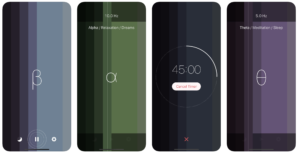
This brings us to the Binaural app. One of the better designs, this app allows you to simply choose a frequency, and the app takes care of the rest.

Different frequencies correspond with different goals — 10.0 Hz, for example, promotes dreams and relaxation, while 5.0 Hz promotes meditation and sleep.

You can also add rain sounds to your beats, softening them for more noise-canceling benefits.

Weirdly, the App Store page mentions that you shouldn’t use binaural when you’re driving or operating heavy machinery. There are conflicting data out there, as to whether or not the sound waves come with any adverse effects.

The dual frequencies are thought to put listeners into a trance, so perhaps the worry is that you’ll fall asleep.

Binaural (β) Download Free ►
8

4. Simply Noise

Simply Noise is a free online noise generator that lets you pick a color for a specific type of “auditory zen.” Choose from white, pink or brown, depending on your preferences.

The website mentions that white best suits drowning out those pesky small talkers within earshot of your desk—but brown and pink will do the trick, too.

5. Cofftivitycofftivity free web-based playlist

Blame it on the ubiquity of the Starbucks or the rise of the laptop—and later, remote work. In any case, there’s a sizable group out there that depends on the gentle murmur of coffee shop conversation punctuated by the sounds of steaming milk and pulling espresso shots to get things done.

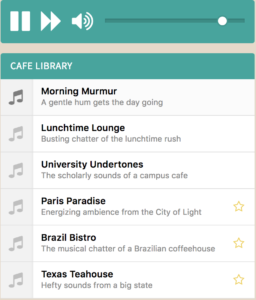
Cofftivity brings the coffee shop to your phone or desktop and comes with your choice of six coffee shop sounds, including Morning Murmurs, University Undertones, and Lunchtime Lounge.

Coffitivity Download free ►
7

Final Thoughts

Whether you prefer to tap into your creative side via binaural sounds or by turning the workplace into your own personal coffee shop, there’s no denying the productivity power within these sound waves.

In the end, you might just settle on a Spotify list. But for anyone struggling to focus, white noise and its warm-hued counterparts stand to give you an escape from the sounds that keep us down.

6 best fitness apps to help you break a sweat

Ready to get fit? Try these awesome apps.

yoga

As we say goodbye to summer, many of us are staring down the coming winter months with dread. See, it’s hard to avoid the temptation of food delivery, Netflix, and oversized sweaters when it’s cold and dark.

But, wouldn’t it be nice to stay in shape year round? There are literally countless apps that promise to help you stay in shape, sans boutique fitness classes or gym memberships.

That said, many of these tools just plain suck.

Below, we’ve rounded up a few of our top picks for straightforward instruction whether you’re into strength training, yoga, or a sweaty cardio sesh.

Peloton Digital

Peloton Digital Classes

Okay, you’ll need a stationary bike for this one, but it beats shelling out for Soul Cycle by a long shot.

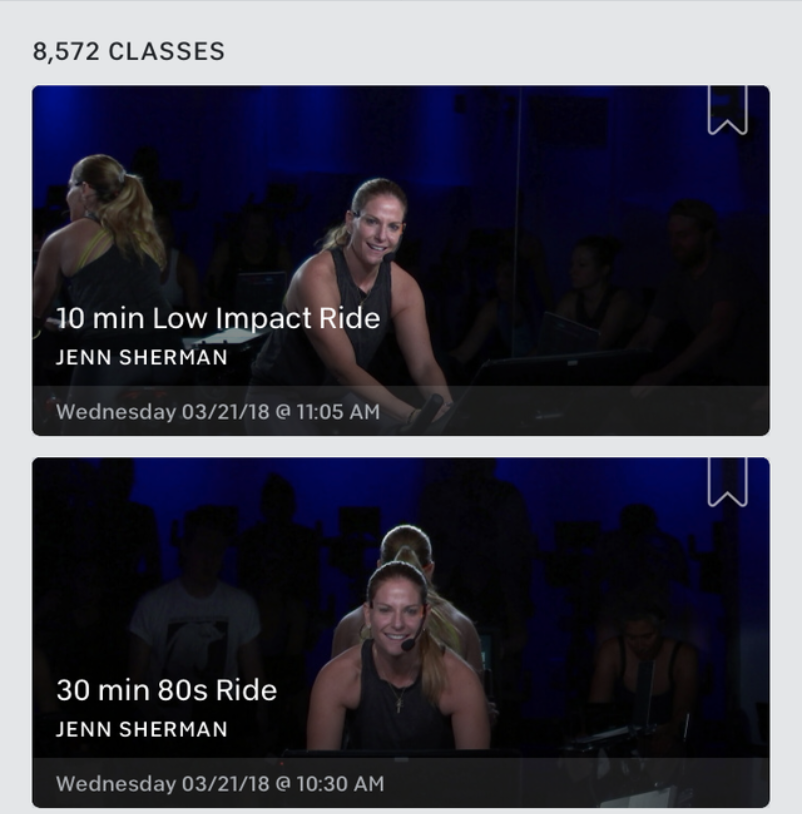
With the Peloton app, you’ll gain access to 10,000+ workouts led by top fitness instructors. And, the app provides more than spin classes. Bootcamp workouts and guided running sessions round out the app.

Peloton is a free app, with in-app purchases available. We like this app, as it takes into account all parts of a well-rounded training plan, bringing together yoga and recovery with high-impact cardio.

Peloton Digital DOWNLOAD FREE ►
8

30-Day Squat Challenge

30-day squat calendar

Who doesn’t love a good challenge?

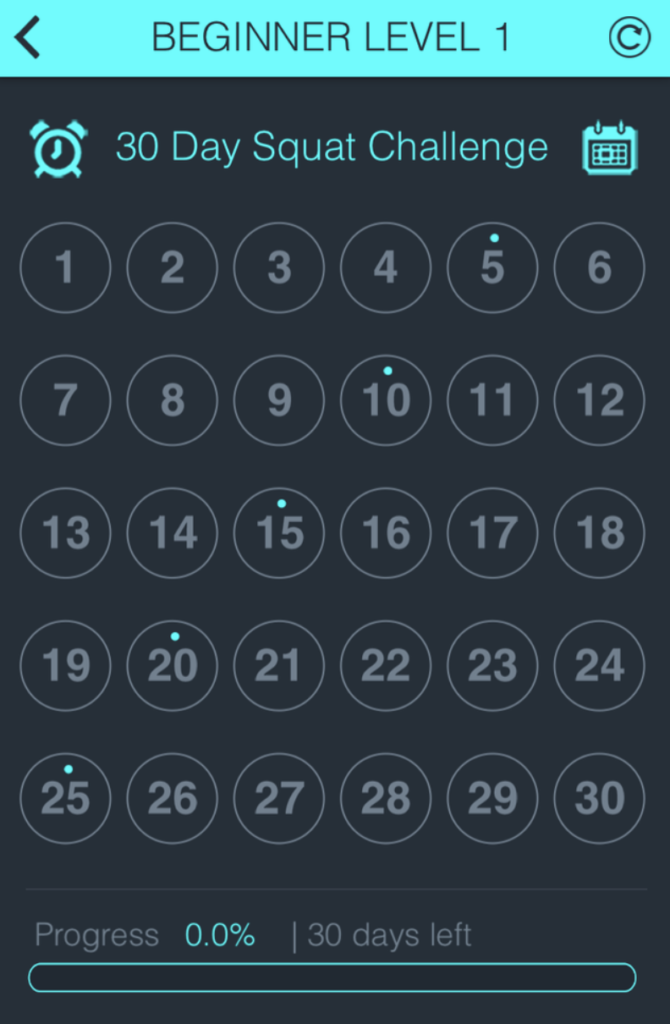
The 30-day Squat Challenge is about as basic as it gets, but you’ll start slow and squat your way up to filling out the built-in calendar.

The app provides guided videos for different types of squats, aimed at helping you get the butt and legs of your dreams (or, ideally, your partner’s dreams). The benefit of adding a squat challenge to your routine is,it’s fast, straightforward, and bound to help you build strength in 30-day increments.

30 Day - Squat Challenge Download Free ►
7

ACTIVEx

ActiveX Mobile Workout

ACTIVEx actually started its journey as a basic workplace fitness program.

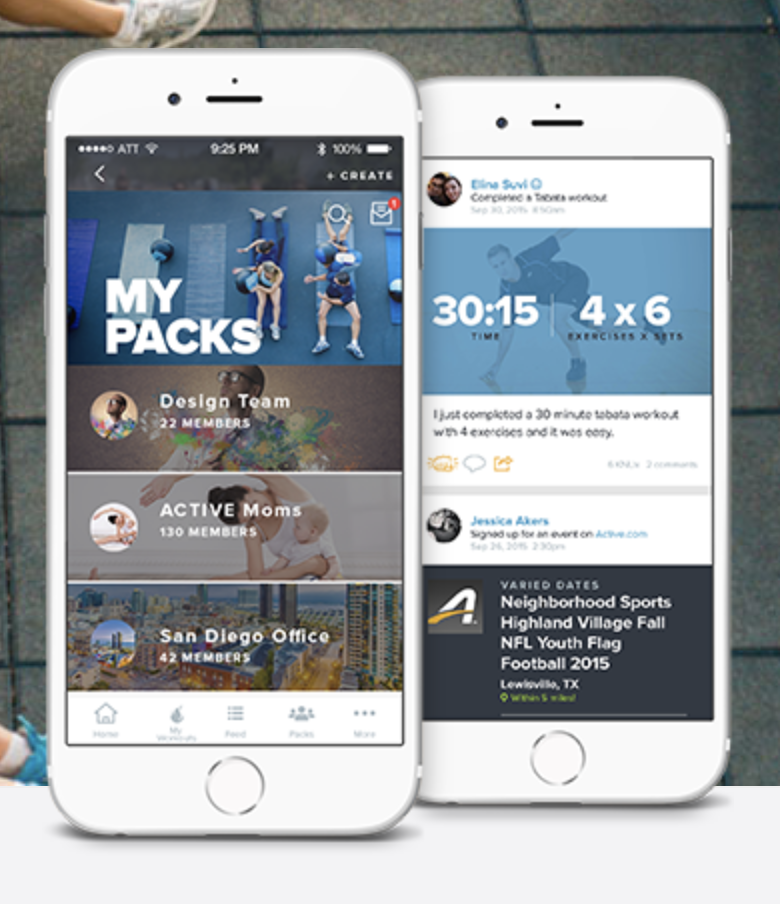
Today, anybody can download the tool and you’ll get a variety of personalized or group-based workouts, find “packs” to train with, and the ability to download training plans for 5 or 10ks.

Oh, and there’s a social aspect, too—so you can shame or celebrate with friends and family using the app.

8

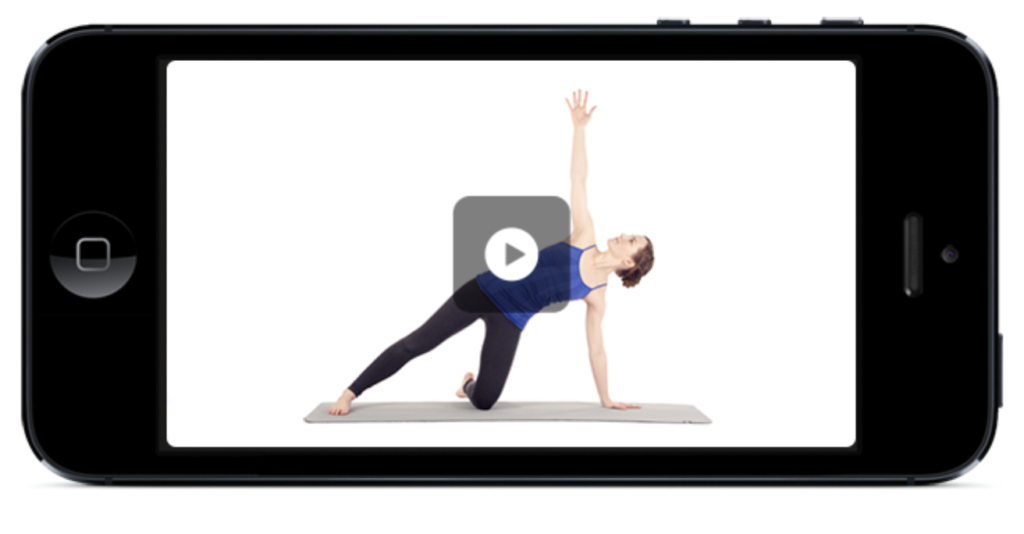
Yoga Studio

Yoga Studio on iPhone

Yoga Studio is an app that’s been around for a long time. But, don’t let the lackluster name fool you, this is one of the best yoga apps in the App Store.

And it’s just $3.99 for a one-time download.

With over 7,000 positive reviews in the App Store, Yoga Studio offers a broad range of instructional videos that work just as well for the headstand master as the person still perfecting their child’s pose.

You’ll have the option to take a beginner, intermediate, or advanced class—and within those skillsets, can determine whether you’d like to take a 15-minute session or something longer.

Poses range in difficulty and are presented by a calm-voiced instructor that explains each move with clarity.

While yoga apps aren’t going to replace an instructor who can help you with alignment and safety precautions, Yoga Studio is perfect for the yogi who doesn’t have time to make it to their usual practice.

Yoga Studio DOWNLOAD Now ►
7

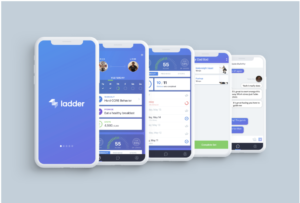
Ladder

Ladder Digital Personal Training

If self-motivation is your problem, try signing up for a personal training service instead. Ladder takes the trainer out of the gym, bringing expertise to your fingertips.

For $49.99 a month, your trainer will build workouts for you that work for your schedule, skills, and fitness level.

When you sign up, you’ll answer some questions and the app matches you with a certified trainer.

You also have the ability to text your trainer through the app for guidance on specific moves. While the app costs more than say, a one-time download, it’s a lot cheaper than a traditional trainer.

Ladder: Your Personal Trainer Download Free ►
7

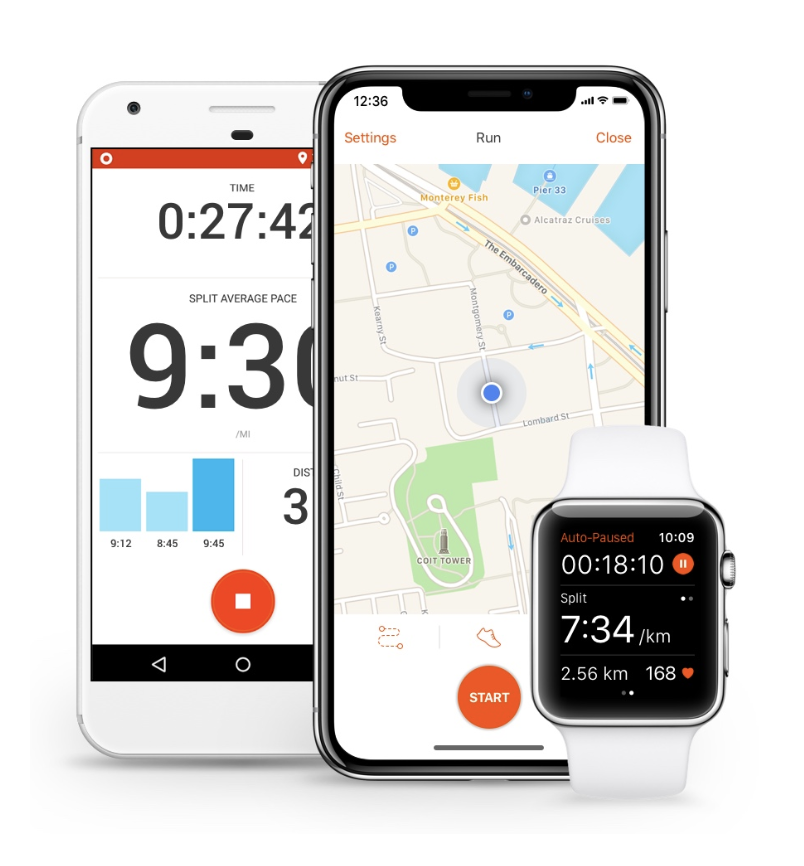
Strava

Strava Social Running Cycling App

Strava is an app beloved by runners and cyclists alike—so you know its good. The reason for the following? It’s big on community.

Something of a social network for athletes, you can record activities within your Strava feed — this pool of routes and workouts allows you to uncover new places to work out, as well as share and celebrate milestones.

The app operates on a freemium model and you can choose from a selection of packs—training, safety, or analysis which each address different goals.

The training plan is likely best for someone looking for a guided workout with the added benefits of being part of a community. There, you’ll be able to set goals and elect training plans, as well as keep track of your performance data.

Strava Running and Cycling Download Free ►
7

8 best sources for remote work opportunities

Want to work from home? Here are your best bets.

remote work

According to a recent Intuit survey, roughly 40% of people will be self-employed by the year 2020. You’ve likely seen the evidence yourself in the form of bustling coffee shops and the growing popularity of the coworking space.

It’s easy to get caught up in the allure of the remote work economy. You’ll get to sleep in, travel the world, strike a better work-life balance, and so on. But if you’re thinking about breaking free from your corporate shackles, there are better places to find paying jobs.

Upwork and Fivver might seem like the best places to start, but freelancers can find themselves doing pro-level work for low, low rates.

Here are some better sources for remote opportunities that will (eventually) allow you that independent, global nomad life you’ve always wanted.

8 best sources for remote work opportunities

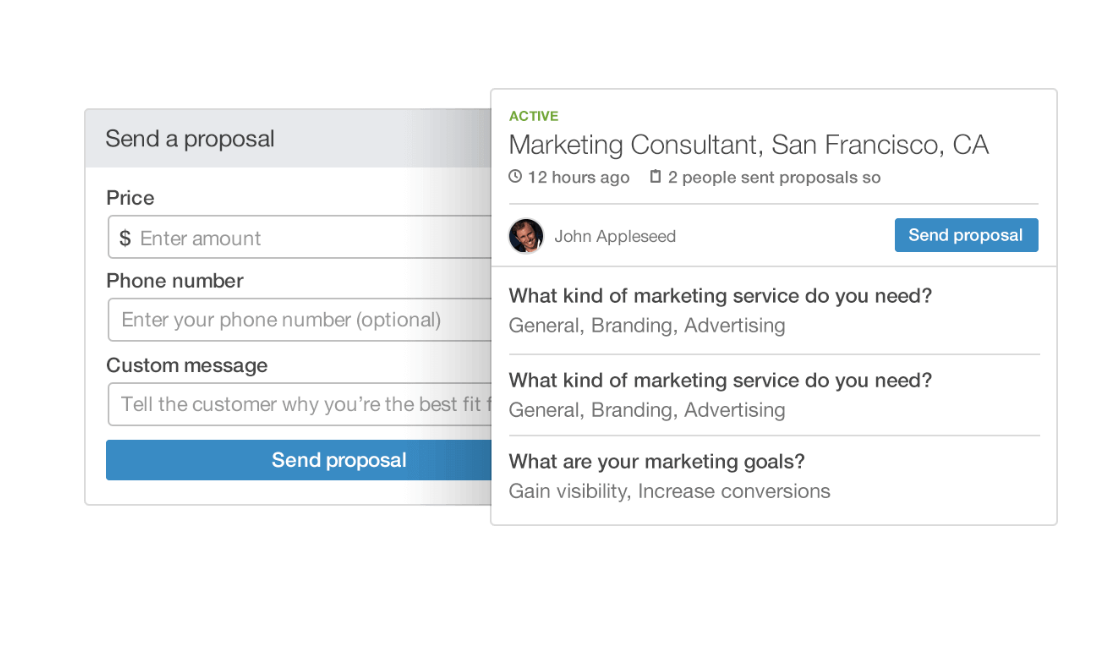
LinkedIn Profinder

Profinder Proposal

LinkedIn Profinder is the professional network’s answer to the freelance job board. While you can find remote jobs through the platform’s traditional job board, it’s hard to filter out say in-house writing jobs versus remote ones.

Profinder connects freelancers with leads based on keyword searches, connections and companies followed.

It’s worth noting that LinkedIn needs to approve your profile before you get started, though. You’ll need some experience under your belt, a few endorsements, and a professional headshot.

Still, it’s LinkedIn. You’ll need to pay to generate new business. You’ll get to bid on 10 proposals for free, and if that’s not enough, you’ll need to upgrade to their $47.99 a month plan.

Think of it as a means of biting the bullet and paying for marketing.

Problogger

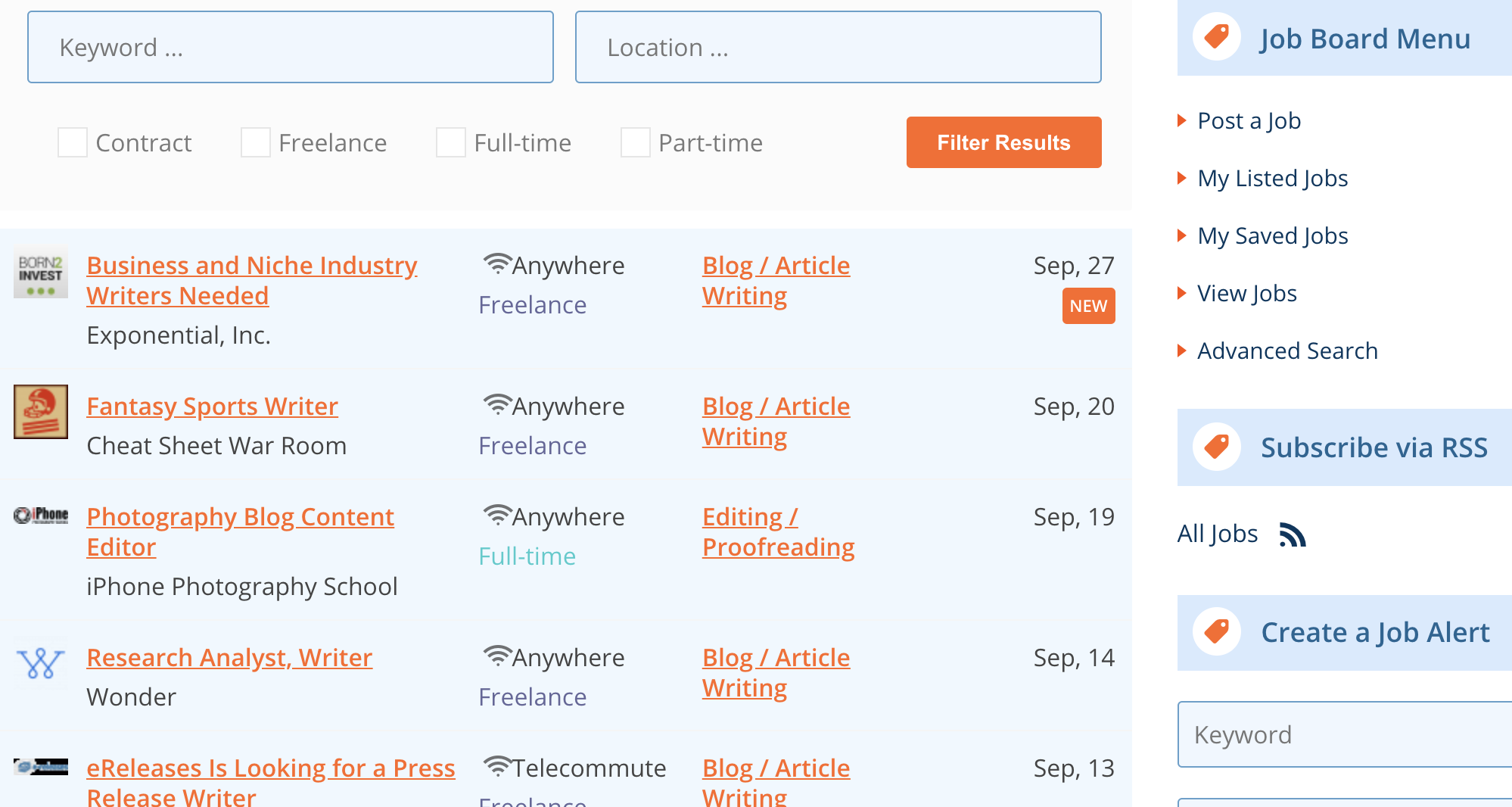
Problogger Jobs

Problogger is a job board for anyone who writes for a living. Clients post on the board—updated daily—to find people to produce blog content. Assignments and gigs range from monthly blog posts to long-term arrangements. And while not every entry is a high paying opportunity, there are more than enough gems in the mix.

Toptal

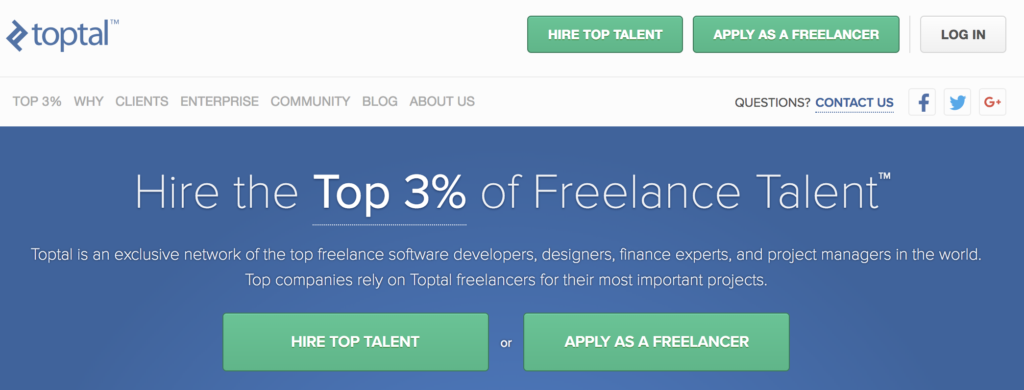
Toptal Home Page

Toptal is a freelance network that aims to take the top three percent of engineers, developers, designers, and writers from over 100 countries.

Newbies will have a harder time making it in this cream of the crop pool, but there are some benefits to the company’s rigorous screening process.

Once accepted, you’ll join a community of elite freelancers—which will give you access to working with top companies like JP Morgan, Airbnb, and more—meaning, you’ll score clients that can pay top dollar.

What’s more, Toptal lets you set your rates—so there’s none of this disheartening bidding and back-and-forth you’ll find on free-for-alls like Upwork.

Craigslist

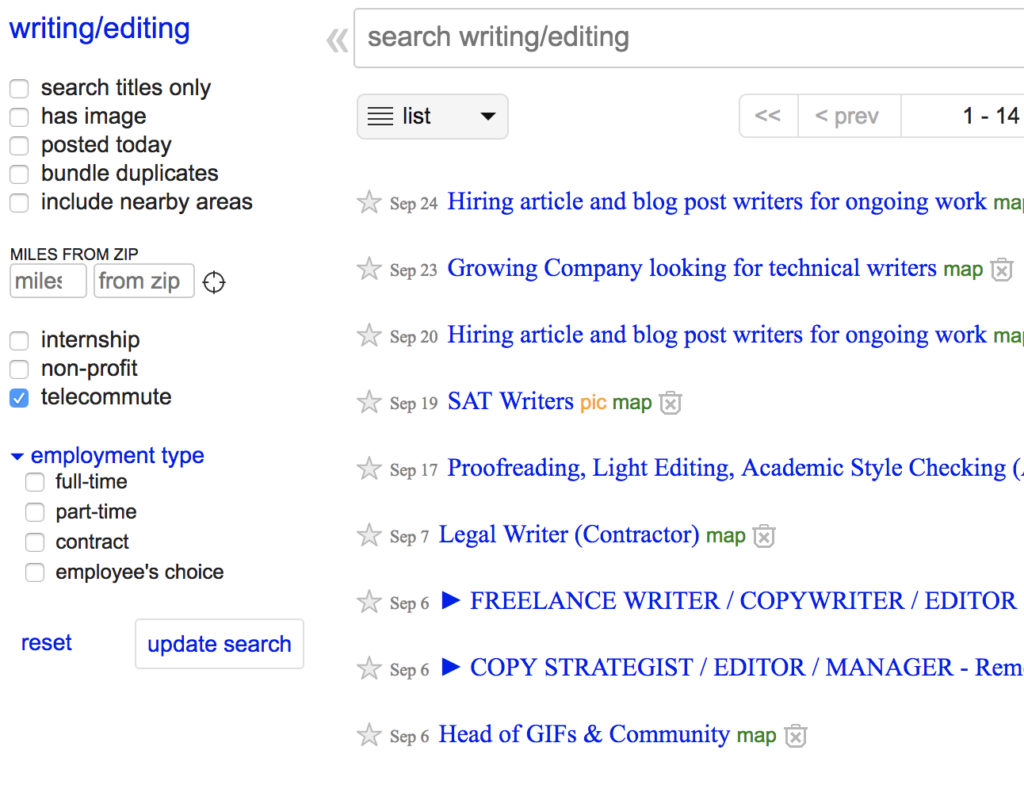
Craigslist Remote work

Yes, Craigslist is rife with scammers and shady opportunities. But you can also find some decent clients by doing a little digging.

We don’t recommend using Craigslist as your primary method for seeking out new opportunities, but plenty of smaller companies seek out talent through the site who may prove to be loyal clients for the long haul.

We recommend scanning jobs by the city — hitting all of the major metropolitan areas in the U.S. and looking in the “writing gigs” and “writing/editing jobs” respectively.

Same goes for design, development and so on.

Of course, you’ll want to protect yourself. Avoid jobs that seem too good to be true—if the post talks about how much money you could make, versus what the job entails, it’s probably a scam.

And, of course, never provide any financial information or personal information before you schedule a call or do some research.

Proonto

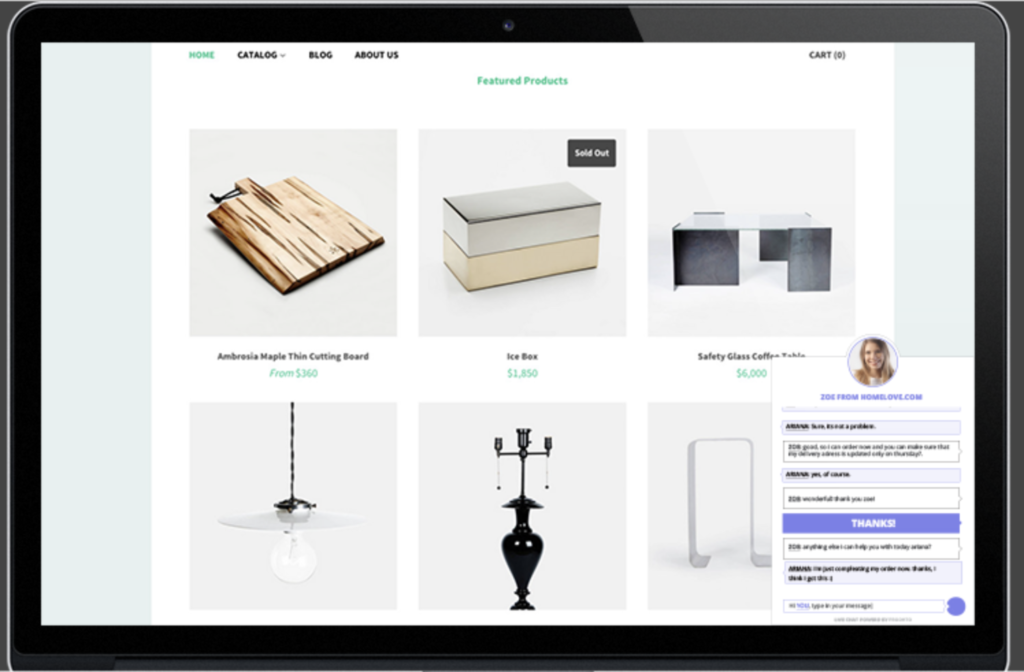
Proonto Remote Sales and Marketing Opportunities

We’ve included Proonto because it’s a little different than most of the other freelancer sites out there. Remote work generally falls into a few different categories— web design, writing, editing, graphic design, programming, and web development.

Proonto is a resource for people looking for customer service work. According to their AngelList profile, the platform brings together e-commerce businesses and sales and customer service reps.

Prospective reps can search by industry and find a remote job that fits their schedule and skill set.

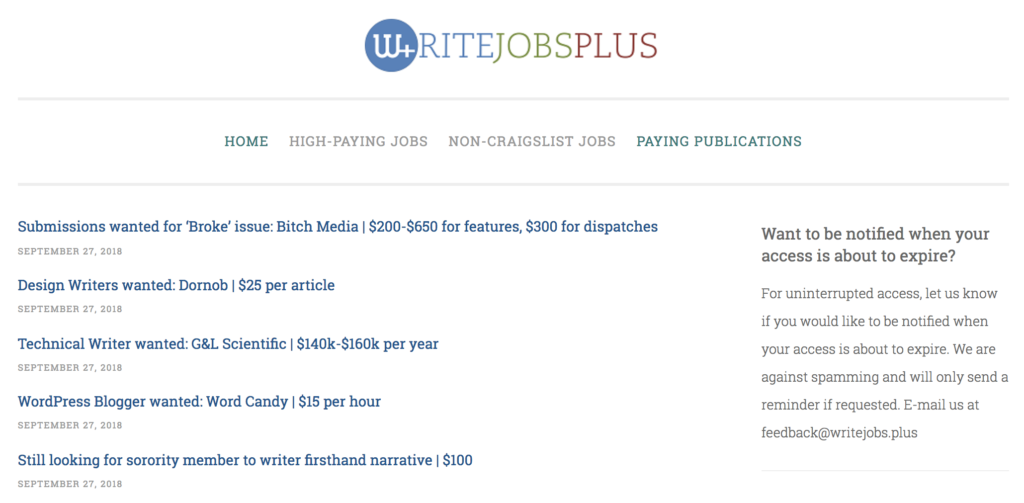
WriteJobs+

WriteJobs+ Board

WriteJobs+ is an aggregate job board for freelance writers. It’s not the prettiest site out there—and you’ll need to pay $5 a month for access to their Blogger-powered list.

The benefit of this platform is the site combs through the internet in search of the best writing jobs—weeding through Craigslist scams and leaving out the “no pay” gigs that promise connections and portfolio examples.

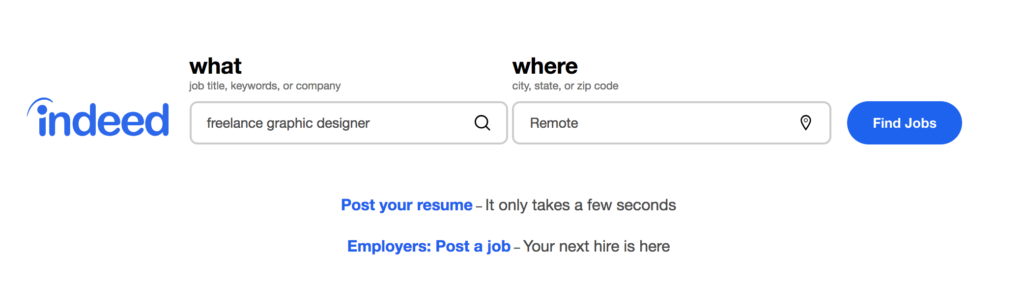
Indeed

Indeed Remote Work Options

Indeed, of course, is a familiar name in the job board biz. They’re also a really decent resource for steady, remote work. Developers, advertising pros, bloggers, and designers alike can find long-term opportunities through the platform by selecting “remote” in the “where” section of the site. Easy as can be.

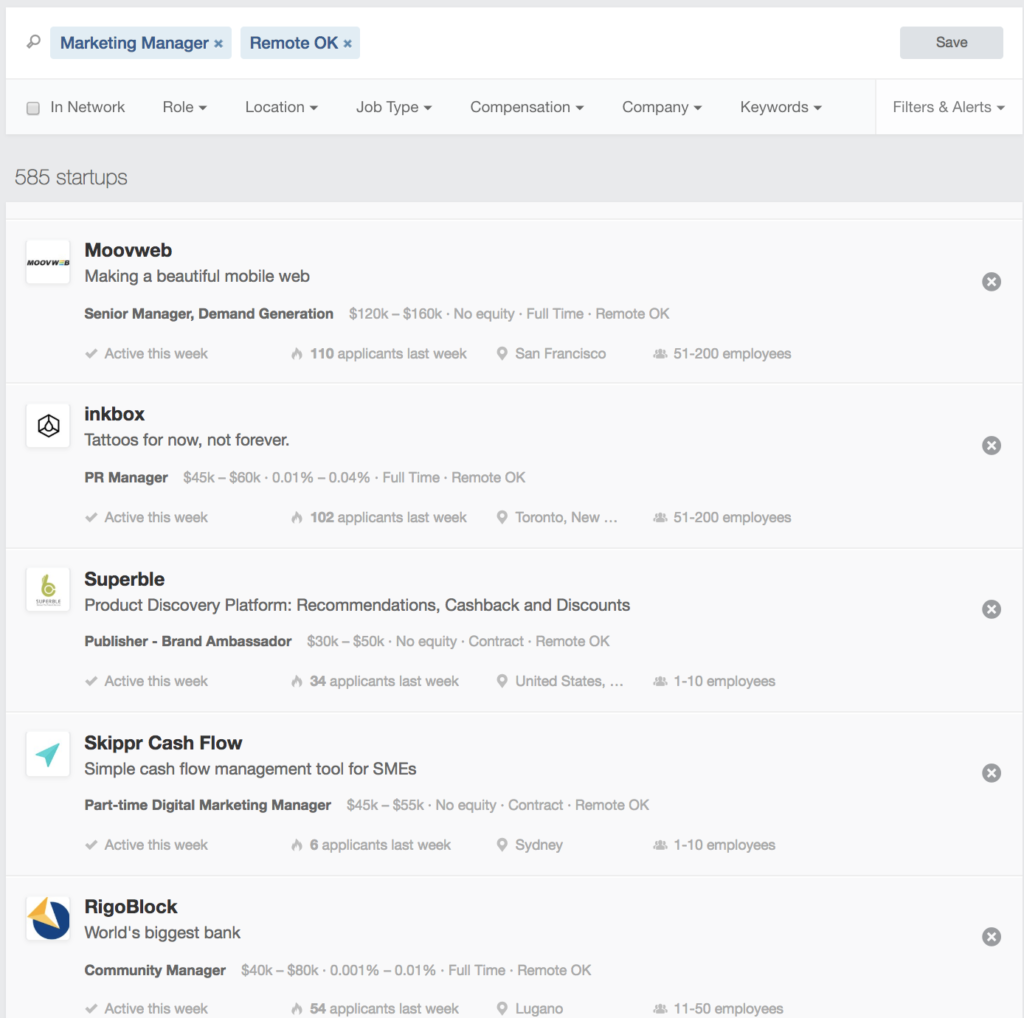
AngelList

Angellist Job Board

AngelList is an interesting beast. The site is typically used as a way for startups to seek out angel investors for their venture. But it’s also a decent source for remote opportunities that span web development, marketing, sales, and more.

The startup platform presents an opportunity to work with up-and-coming companies—which may appeal to remote workers. That said, founders don’t have a huge team of admins and HR reps to help them with the hiring process, so communication may be a bit tricky.

We recommend filtering by companies that have already received seed funding. Companies awaiting their first round might not have the funds to pay freelancers right off the bat—and sometimes switch gears, leaving remote pros in the lurch.

Wherever you look, prospecting is a daily slog

Between the social media channels and dedicated job boards, there’s no shortage of places to look for that next big paycheck.

But it’s important to know that, once you make the switch to remote work, the prospecting never ends. Scour the boards and do some in-person networking, too. The point is to keep your funnel loaded up, so the well never runs dry.

How to overcome notification overload

Phone blowing up? Here’s how to push those notifications aside.

notifications

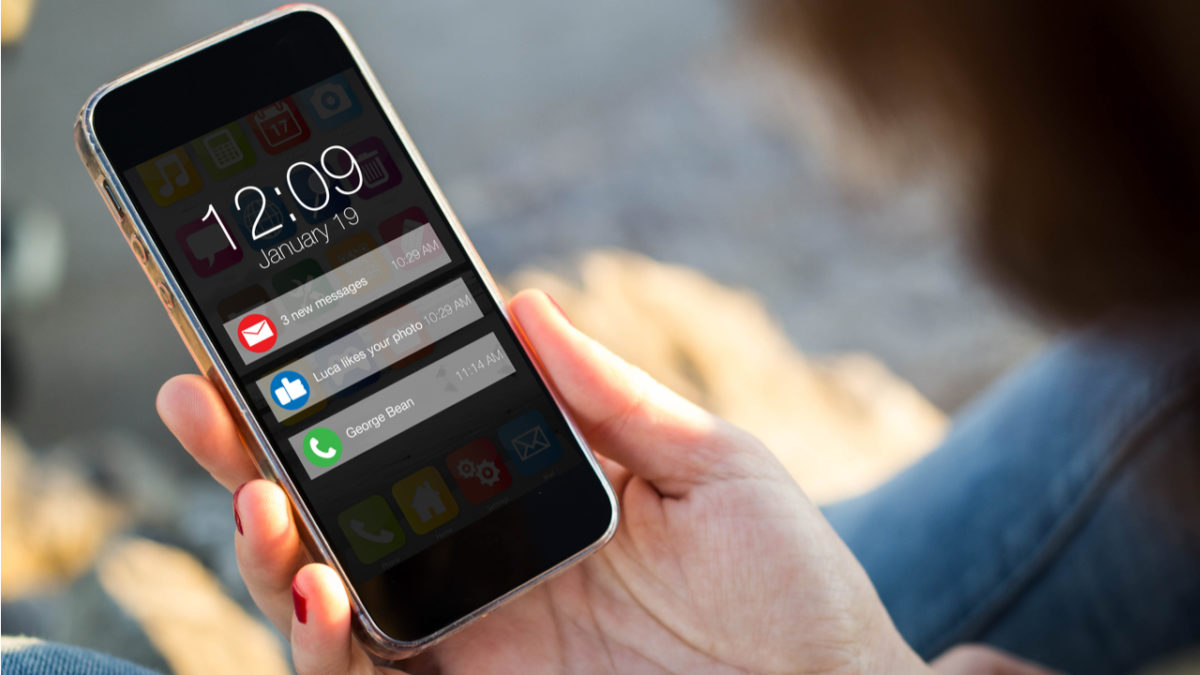
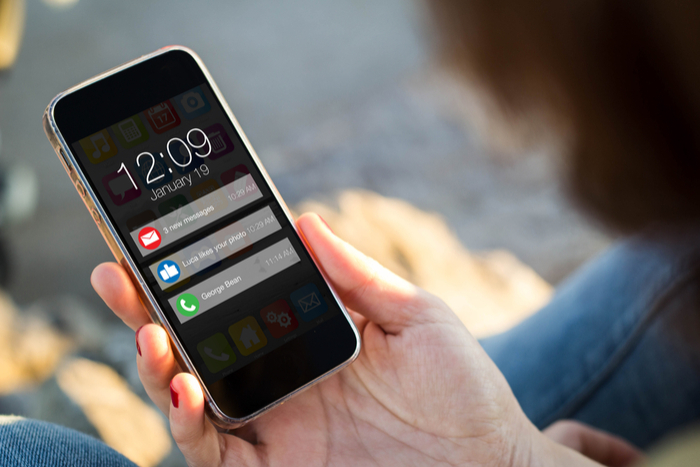
Studies have shown that receiving text messages and mobile notifications trigger the release of dopamine. In lay terms, this means that notifications make us feel good when we receive them—and we may have negative feelings when we don’t.

If that sounds like the symptoms of addiction, you’re not wrong. Notifications have an addictive quality and may put our decision-making skills at risk, too.

Additionally, too many alerts can cause anxiety. Think of work emails blinking on your screen during a date. Or incessant Slack alerts, Facebook messages, and news updates.

In short, notifications are driving us mad. Here’s a look at what they do and what we can do to reclaim at least some of our sanity.

How to overcome notification overload

Negative effects

Smartphone notifications can trigger the release of the stress hormone, cortisol. Cortisol increases your heart rate, makes your palms sweaty, and tenses up your muscles. Cortisol might even harm brain chemistry and cause stem cells to malfunction.

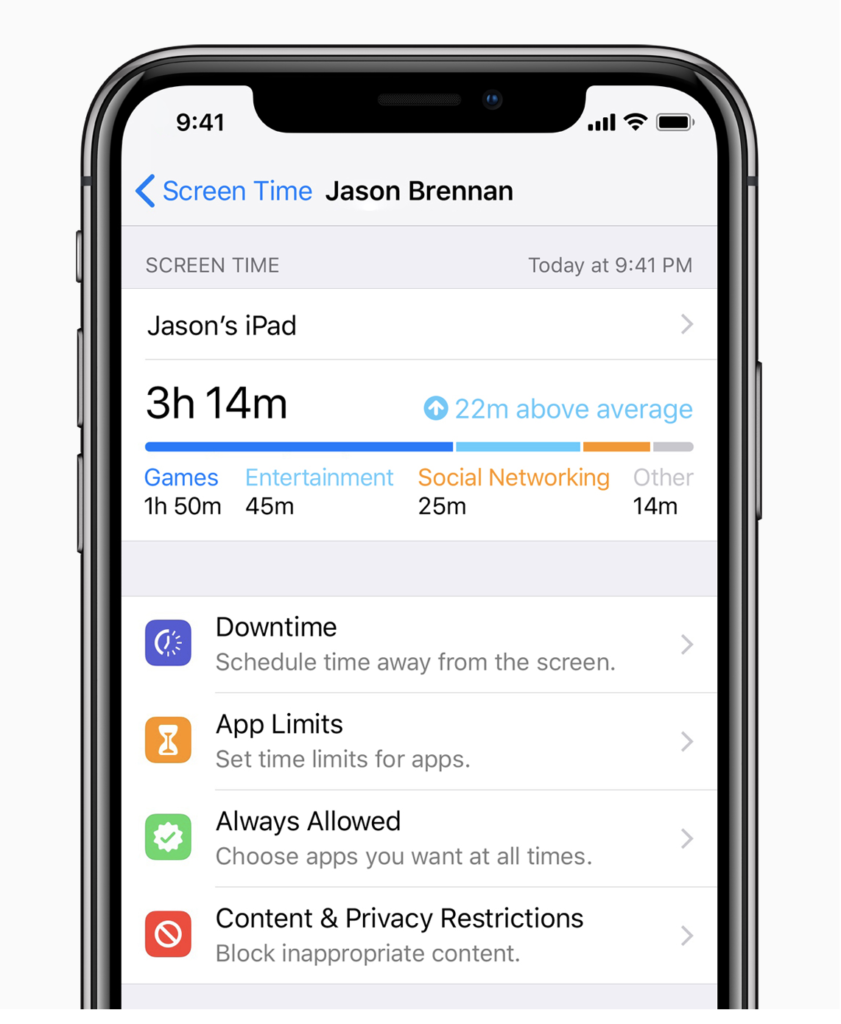
And, if you don’t believe notifications are wreaking havoc on our collective well-being, it’s worth pointing out that both Apple and Android have developed features like the do-not-disturb mode and time monitoring features.

Apple’s iOS 12 now comes with enhancements to DND mode—including a bedtime mode that dims the display. They also hide notifications on the lock screen until morning rolls around. Here’s an account from someone who states that the Apple Watch amplified their notification anxiety.

So, how do we maintain a healthy relationship with technology, when cutting it out altogether isn’t realistic?

Turn it all off

Turn off notifications for specific apps or for everything.

Yeah, yeah it sounds impossible, sure. But do you need to see each item pass through your home screen?

The thing is, no one will be contacting you via Twitter or email if there’s a real emergency. So, disable the push notifications and breathe a bit easier.

Here’s a short video that shows how to disable notifications on your iPhone:

Set aside times for checking apps

Notifications are so new that there’s no set window of time that you have to respond.

While some work environments require users to be connected at all times, switching to manual check-ins at specific times can help you mitigate some of that anxiety you’re dealing with.

Figure out a schedule that works for you. Check in in the morning—and respond to anything that qualifies as urgent. Check in again later in the afternoon to respond to any midday requests, and be done with it.

Alternatively, if you feel like you’re truly addicted, you could monitor your habits using a tool like Rescue Time or StayFocusd.

RescueTime Chrome productivity meter Download Free ►
7

Do Not Disturb

Apple DND Mode

Both Google and Apple have do not disturb settings built into their devices. This allows you to keep your phone from making the little noises and vibrations that are oh-so addictive.

Consider apps to consolidate notifications

Notifications, of course, aren’t always bad. Sometimes, it’s just a matter of getting everything in one place or changing the presentation to suit your needs.

If you’re using a few different instant messaging systems—think Slack, WhatsApp, Skype, Facebook Messenger—it pays to look for a tool that can make this all seem more manageable. Here are some options:

Pushbullet

Pushbullet is an app that spreads your notifications across your phone, computers, and other devices. Which, we admit, sounds terrible at first, but the real benefit is you’ll be able to tackle your collection of alerts faster—and dismiss them accordingly.

This might not work for everyone, but it stands to help you cut back on the amount of time you spend checking your phone.

Pushbullet Download Free ►
7

IFTTT

If This Then That, or IFTTT, is another fave for cross-device alerts. Use the tool to set up custom alerts. It takes a bit of time to get set up, but basically, you can use the tool to override your existing notifications systems and come up with something that works better for you.

Franz

Franz is an app that allows you to add all of your messaging accounts to its interface. Add Gmail, Facebook, Telegram, and others to the account, and respond to everything from one place.

Another benefit of Franz is, you can add multiple accounts per platform, so if you’re managing multiple accounts for business, you don’t have to log in and out to respond.

All-in-One Messenger

All-in-One Messenger is kind of like Franz, but this option lives inside the browser, no download required.

Again, you can add all of your accounts—even duplicates—and opt into desktop notifications and reply as they come in. You can mute all or some of these channels, too, if you need some peace and quiet.

Wrapping it all up

While all of this feels a little depressing, we can’t help but feel hopeful that we’re starting to prioritize how to use technology in a more mindful manner.

Between the do-not-disturbs and the myriad focusing apps on the market, it’s clear that we’re starting to rethink our relationships with notifications.

So, give it a try—consolidate your apps, experiment with a few “dark” periods and find what works. In any case, you can plug back in at any time.

Are brain training apps BS?

Here’s what research says about those apps that are supposed to make you smarter.

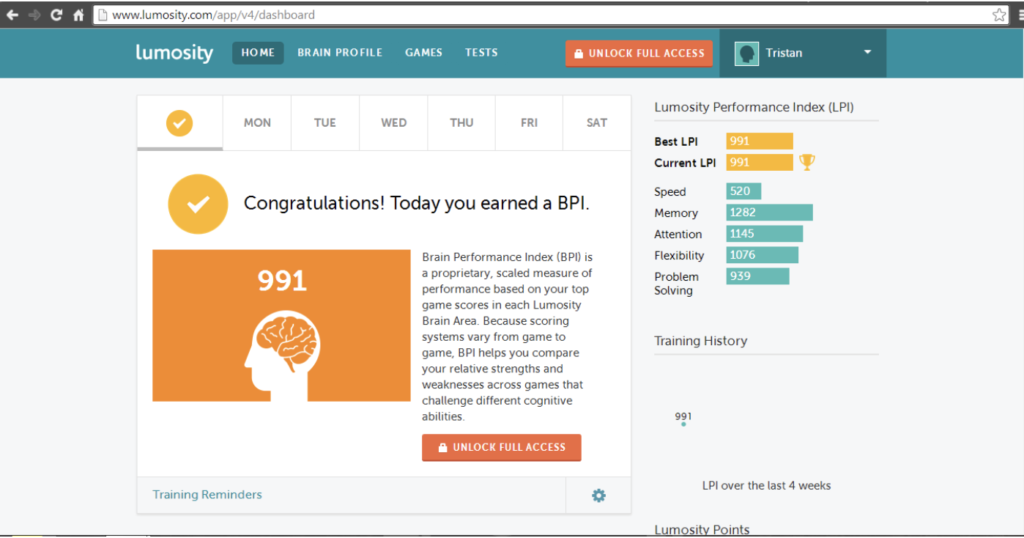
We’ve all seen a million TV commercials by companies like Lumosity that try to sell us on the idea that paying for online games is a worthwhile investment, akin to getting a personal trainer for your brain.

But those brain fitness claims were too good to be true. In 2016, Lumos Labs, creator of Lumosity, was ordered to pay a hefty fine to the FTC for false advertising. And a recent study published in the Journal of Neuroscience found that brain-training programs had no real effect on cognitive performance.

Which brings us to the question—are all of these apps and games a load of BS? Is the idea of brain training a scam?

A closer look at brain training apps

What are the claims?

Lumosity App

The most common benefits you’ll see with brain training apps like Lumosity, BrainHQ, Elevate, and other is that they aim to boost your working memory, ability to make decisions, and process information.

The thing is, neuroscience has the ability to observe and test these claims. So, if there are benefits associated with these apps, they should be easy to observe, right?

Unfortunately, several studies have found that there’s no concrete evidence that brain training has any meaningful effect on brain activity or cognitive function.

This 2017 study of 128 young adults tracked brain activity over 10 weeks and found no tangible benefits associated with a particular app—in this case, it was Lumosity.

Then the question is, can you improve your IQ?

Anecdotally, most of us feel like our brains work better when we do certain things. And, most of us can recognize that a day spent on the couch watching the Housewives makes our brains feel like mush.

So, logically, it makes sense that wed be able to sort of hack into better mental performance, right?

While it seems that specific games marketed toward boosting performance aren’t all that, it’s not to say that our brain capacity is a fixed thing.

Learning a new skill—like a language or an instrument can challenge your mind. Reading, of course, expands your mind, too.

The problem with brain training is that those exercises only serve as a way to make you better at the exercises themselves, not necessarily smarter across the board.

But what about puzzles?

It’s not entirely clear whether puzzles like sudoku and crosswords can keep you sharp. They do help you with your recall, but like the brain training apps, the skills tend to be limited to solving the puzzles, with little translation to cognition in a broader sense.

That said, there have been some studies linking games to improvements. A 2014 study found that daily crosswords delayed memory decline by 2.5 years in elderly patients.  And another found that playing Tetris might have an impact on brain efficiency.

Block Puzzle Tetris Download Free
6

Don’t discount your diet…

Want to get smarter? Ditch the processed foods. You are what you eat, and eating a high-sugar diet affects your ability to learn and process information. Changes in blood sugar can dull your brain, reducing your ability to think or be productive.

Shop the perimeters of the supermarket and ditch the cereal aisle in favor of meats, fresh produce, and whole grains.

Additionally, it pays to look toward the sea for your next meal. Load up on tuna, salmon, and others at least a few times a week. While it’s not entirely clear why fish boosts mental performance, it is thought to boost immune health and reduce inflammation thanks to those hefty doses of omega 3s and 6s.

…or the power of exercise

Research has shown that regular physical activity is one way to boost your brain power. So, instead of blocking off time to master the ins and out of your Lumosity challenge, hit the gym or go for a run.

Exercise doesn’t need to be strenuous, either. Make time for three workout sessions a week, for about a half an hour a pop.

What’s the bottom line?

Is brain training a waste of time? Unfortunately, the answer isn’t exactly cut and dry.

Brain training games aren’t useless if your idea of relaxing is kicking back with your favorite crossword puzzle to wind down. But, forcing yourself to complete a number of challenges each day isn’t going to give you any pronounced IQ boost.

Instead, the focus should be on taking care of yourself—through you guessed it, getting enough sleep, eating well, and moving around. Additionally, it pays to challenge your brain.

Try taking a class or starting a new hobby, whether it’s finally learning French or taking a boxing class, grasping new concepts is the best way to grow.

How your diet can affect your productivity

Looking to boost your productivity? Your food could be the key.

Productivity isn’t just about calendars and to-do lists. There’s a lot that comes into play. How well did we sleep, how are things going at home, or with that new relationship?

And then there’s what we eat.

You’ve probably heard the old saying; you are what you eat. But, it’s worth repeating.

Research from scientists at Brigham Young University found that employees with unhealthy diets are 66% more likely to report lost productivity than their health-conscious counterparts.

And while that statistic is what’s behind employers’ sudden push toward wellness programs and health initiatives, it’s worth examining how your eating habits are getting in the way of your to-dos.

How your diet can affect your productivity

Simple carbs may be the culprit

eating lunch

Ever notice how making the wrong choice at lunch can lead to a midday slump?

The reason for this is certain foods like pasta, bread, sugary snacks release their glucose right away. So, up front, you’ll get a burst of energy, followed by a hard crash.

Bottom line—opt for a big plate of noodles at lunch and you’ll regret it with heavy eyelids later in the day.

Don’t skip meals

When we get busy, sometimes we forget to eat. And, in all honesty, it doesn’t seem like a huge deal to skip breakfast in favor of more sleep. Working through lunch can give you a head start on preparing for your presentation. Why eat when there’s better stuff to do?

The fact is, we need that “fuel” to make it through the day. Our brains consume about 20% of our body’s total energy. As such, skipping meals can wreak havoc on your productivity, placing you further behind than you’d be if you took a few minutes to eat lunch.

Instead, make sure you eat a healthy breakfast. Whole grains, fruit, vegetables, and lean protein are your best bets. It doesn’t take much to eat a hardboiled egg or Greek yogurt on the way out the door, right?

Try eating smaller meals, more often

Your brain needs glucose and fat to keep going. Glucose provides a quick boost, as mentioned, while fat provides a sustained source of energy. We break down fat at a much slower rate, bringing more sustained energy to the table.

Snacking throughout the day can keep us feeling sharp. So, consider bringing fruit, hummus, and carrots, an avocado, or some whole grain crackers to the office. This way, you won’t be tempted by things like cookies or chips that don’t do us any favors.

Oh, and don’t forget to drink water

While water doesn’t exactly qualify as food, staying hydrated has a huge impact on our work performance. As the day wears on, our water levels begin to decrease, which can impact our brain function. Aim for eight glasses of water a day for best results.

If it’s hard for you to make room for good old H20, invest in a big water bottle and make sure you fill it up each day. Or, download the Daily Water — Drink Reminder App for some extra motivation.

Daily Water - Drink Reminder Download Free
7

Diets impact sleep, too

Our bodies operate on something called circadian rhythms, which tell us when we’re tired and dictate the times we feel most alert.

Now, not everyone is on the same circadian cycle–as evidenced by that test that determines whether you’re a lark or an owl or whatever. But, consistency is vital.

It’s smart to keep track of which times are most productive for you and plan your tasks and meals around your schedule.

But, back to sleep.

Plenty of things can mess with your circadian rhythms, but one of the main things is nutrition. What you eat and when you eat impacts how well we sleep. Follow your internal clock when planning your meals, so you’re not awake or wiped out at the wrong times.

In terms of eating for better sleep, there’s a reason that “they” say you’re supposed to eat your most substantial meal in the morning. Overeating in the evening signals to the brain that it’s time to get things done. Additionally, fatty foods are better for earlier in the day, keeping you going through the morning. Healthy fats like salmon, avocado, and nuts

In the evening, switch gears. Foods like poultry and eggs contain tryptophan, which will help you fall asleep. Calcium and magnesium help the body process sleep hormones, promoting better sleep, and whole grains and white rice help tryptophan take effect.

So–for dinner, try eating something like chicken with rice and kale–tasty, healthy, and perfect for winding down at the end of the day.

How to get ahead of bad diet decisions

For one, planning is the best defense against reaching for a cheeseburger in desperation. Don’t decide what to eat when you’re starving. Choose where to go for lunch after you’ve had a snack.

If you have time, make sure you stock up on healthy snacks and easy meal ingredients ahead of the work week. So, stock up on yogurts (no-sugar-added!), almonds, protein bars, and smoothie ingredients.

Make a point of eating produce every day. This 2015 study found that eating fruits and vegetables is linked to “greater flourishing” in daily life. Meaning, people who eat produce felt more curious and engaged with their daily activities.

Eating healthy no doubt has an impact on how we feel and how we look, but also how we work. So, if that means you need to fill your desk drawer with protein bars, apples, and berries, so be it.

5 best time tracking apps — and why you need them

Track your time and be more productive with these great apps!

timer

Whether you need to keep tabs on clients or get a better sense of how you’re actually using your time, time tracking apps provide a much-needed reality check to workers of all stripes.

Ambitious folks know the importance of managing time–but some of us lack that innate ability to know where our time actually goes. Tracking apps, when used properly, provide insights into how we’re using our time and where we can improve.

But, it’s worth noting that not all time trackers are created equal.

Some come with robust solutions for managing teams remotely. Others focus on keeping managers happy—at the risk of violating the privacy of those who use them. Here are a few of our favorite apps that function as your own personal time clock, no looming boss required.

Best Time Tracking Apps

Toggl (web, iOS, Android)

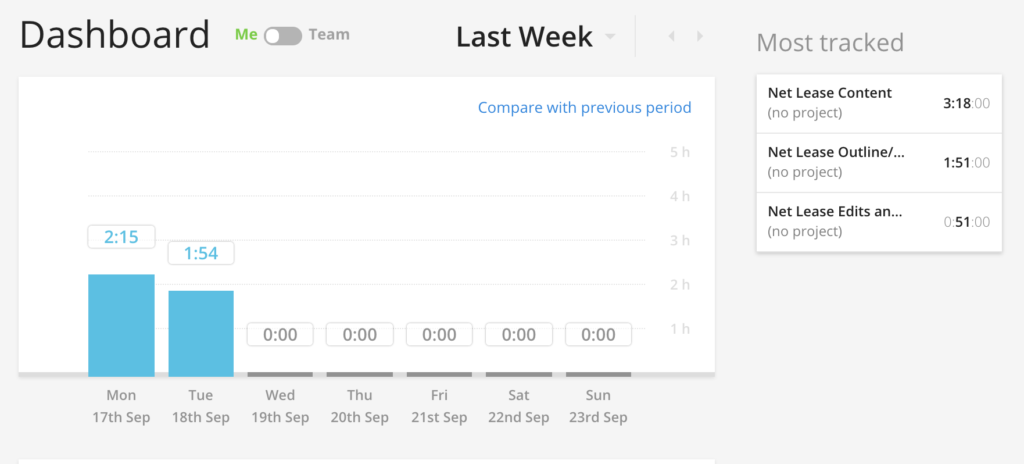
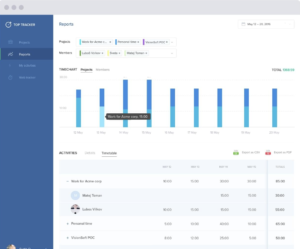
Toggl Reporting

A popular time-tracking app that supports individuals and teams alike, you can assign different people different hourly rates—if you manage contractors. If you’re an individual, all you’ll need to do is enter the name of your project and start tracking.

The tagging feature comes in handy, especially if you’re dealing with different projects and various sub-tasks. If you’re the forgetful type, you can also add time manually, after the fact.

The basic plan is free and brings enough functionality to the table for individuals, but those working in teams may want to upgrade to the $5 a month Pro Plan or the $49 a month Business plan.

Harvest (web, iOS, Android)

Harvest App Interface

Harvest is a great time tracking option for freelancers, as you can easily track multiple projects at a time, regardless of differences in rates and tasks.

Track billable and non-billable hours to get a sense of what’s sucking up most of your time—and analyze data, submit a timesheet, and send reminders.

We like that Harvest comes with a range of tools designed to track time and submit all of the associated documentation. This tool takes the cake for bringing the most functionality to a digital time clock.

Harvest does come with a relatively hefty price tag—but it integrates with a whole list of productivity tools like Trello, Basecamp, and Zendesk. It’s also a fee-free alternative to PayPal, so if you’re sending invoices, it might be worth the monthly fees.

7

TopTracker (web, desktop)

Top Tracker App

TopTracker is one of the better time trackers on the market. This option was built with the freelancers in mind. The app was built by Toptal—the exclusive freelancing website and aims to help you log how you track your time. It’s not built for the people hiring freelancers, and the makers of the app explicitly state that the tool is made for helping users keep track of how much time they’re spending on a project—which should inform how much they’re charging.

It’s completely free—no limitations—and gives the user complete control over the tracking process.

This tool comes with a lot of features, too. You’ll be able to blur screenshots, track based on activity level, and take advantage of timed screenshots.

Clockify (web, iOS, Android)

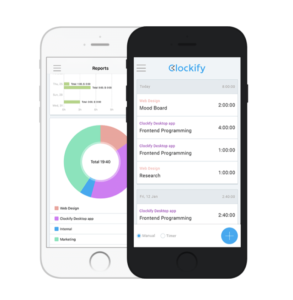
Clockify Screenshot

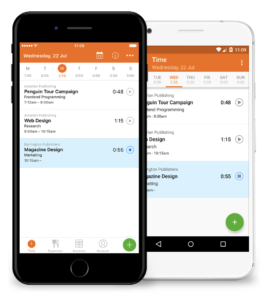
One of the simplest digital time tracking apps out there—and that’s a good thing. The platform uses a digital stopwatch, making it easy for users to stop and start each task as it begins and ends.

Clockify also allows you to track billable time—so you can easily bill a client. We liked that the platform allows you to use this as a way to stay on task and gauge how much time you’ll need for tasks moving forward,

If you manage employees, you can use this to see where your staff spends the most time—and while this might feel invasive, it could be an effective way to see which customers demand the most attention.

Everhour (web)

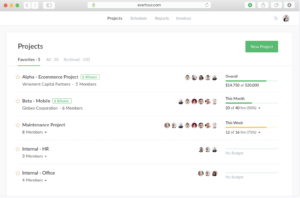
Everhour Project Overview

Everhour allows you to track time you can bill on an hourly basis. This platform isn’t the most robust solution, but it’s affordable and delightfully basic. Sometimes all we need is a way to make sure we’re staying on task.

It’s not a direct competitor to something like Harvest, but it serves as a way to help you see how long tasks take you to perform—and as such, quote clients more accurately from the outset of a new project.

Final Thoughts

Like any tracking implement, time trackers stand to illuminate those blind spots that are costing you money and time.

They also stand to help you understand how you work and which times are most productive. The more you know, right?

Social shopping: flop or future?

Have you made a purchase on social media? Take a look inside the battle for your dollar.

shopping app

Social networks are, of course, becoming online marketplaces for all kinds of retailers. A marketing gold mine, stores from ASOS to Sephora have massive social presences–and generate tons of traffic from their profiles.

And it’s not surprising, Facebook, Twitter, and especially Instagram are teeming with eyeballs and potential consumers ready to shop. That said, social marketing isn’t exactly a huge revenue stream for brands.

Yet.

So, what’s the holdup?  Well, for starters, people aren’t quite used to it. And, there may be some underlying concerns.

Here’s a look at the state of social shopping–or “s-commerce” and where it’s headed.

Social shopping: flop or future?

Shoppable posts haven’t been around that long

Where social media started as a way to keep in touch with friends and acquaintances from your past, it’s become an increasingly larger part of our consumerism.

As it stands, 70% of posts have some kind of branding attached anyway, and four out of five Instagram users follow at least one business on the platform.

In a survey of 5,500 consumers in the U.S., UK, Australia, France, and Germany, 74% of respondents stated that there was a connection between watching a video on social media and making a purchase.

And it kind of makes sense. While we can lament the state of advertising and the blurring lines between commerce and our personal lives, Instagram has always been about inspiration.

How does shopping on Instagram work?

Social shopping Instagram

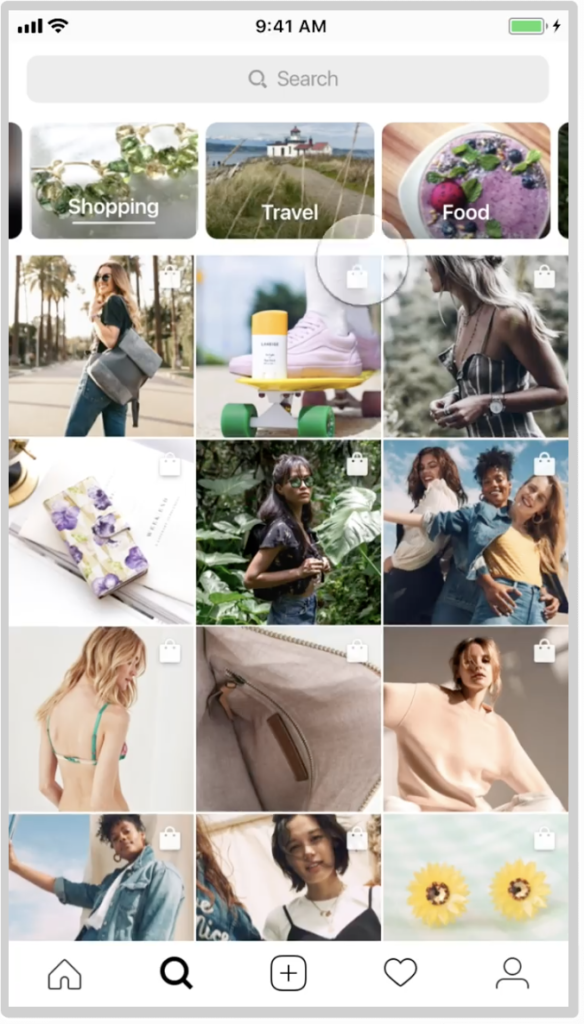
The existing shopping feature is super easy for users. See something you like and click on the image.

Images that are “shoppable” contain links and include a shopping bag icon that will show up In the top right corner of your account profile.

When you click, the message, “tap to view product” will appear. You’ll then have the ability to select your size, color, etc.

It’s actually pretty cool if you’re already an Instagram user. Still, the uptake isn’t as fast as you might imagine.

Instagram Download Free
9

So, why are people afraid to buy though social?

It’s interesting that so many studies and surveys have found that people rely heavily on social media to make purchasing decisions. It’s a way to gather information about a product or service—you can see how clothing looks on real people or read reviews about a company. So, with the central role in commerce, why are people not shopping yet?

The answer may be security.

According to a report from Sumo Heavy Industries, social media plays a huge role in product research, but many users still feel reluctant to make the actual purchase through social platforms.

There’s some concern that the transaction security isn’t quite as strong as an e-commerce platform, and consumers worry about their privacy. It seems that businesses will need to reassure consumers that their transactions are valid and secure.

The average shopper will likely need some education before changing their digital habits.

When will S-Commerce pick up traction?

Well, it’s got a lot to do with Gen Z. The primarily adolescent generation depends heavily on mobile and uses social media as a way to research purchases.

While last year, an eMarketer study found that 34% of shoppers had never bought anything on social media, retailers are hedging their bets on s-commerce.

What’s more, retailers have only made about 2% of their revenue through social media. Which… isn’t great.

The key to building trust may lie with the big brands. Limited-run events may attract an initial audience and warm skeptics to the next wave in shopping. We used to be scared of buying books on Amazon, after all.

Retailers like Nike are a prime example of how to do social selling right. The company participated in Facebook Messenger’s AR beta and sold out of the Kyrie 4 shoes in just 23 minutes. Sephora did something similar during the beta run, but haven’t released any numbers as of yet.

On the horizon

As we write this, we’re staring down a new phase in so-called “s” commerce. Instagram is working on a new standalone app made exclusively for shopping.

The proposed app will allow users to browse goods from the merchants they follow on Instagram, but pull those items into one central location. This way, they can shop more like they would from a traditional online store.

Facebook is looking to follow suit, too. There’s talk that the social giant may start rolling out more tools for merchant sellers building brands on social media—which may pose a threat to e-commerce platforms like Marketo and Shopify.

And then there’s Snapchat, which has announced some interesting shopping experiences themselves. The app has joined forces with Amazon to let users buy products on Amazon based on what they point their camera at.

The shopping tool is currently available to a small selection of users but may be a new source of revenue for the company, which has been experiencing some challenges since going public last year.