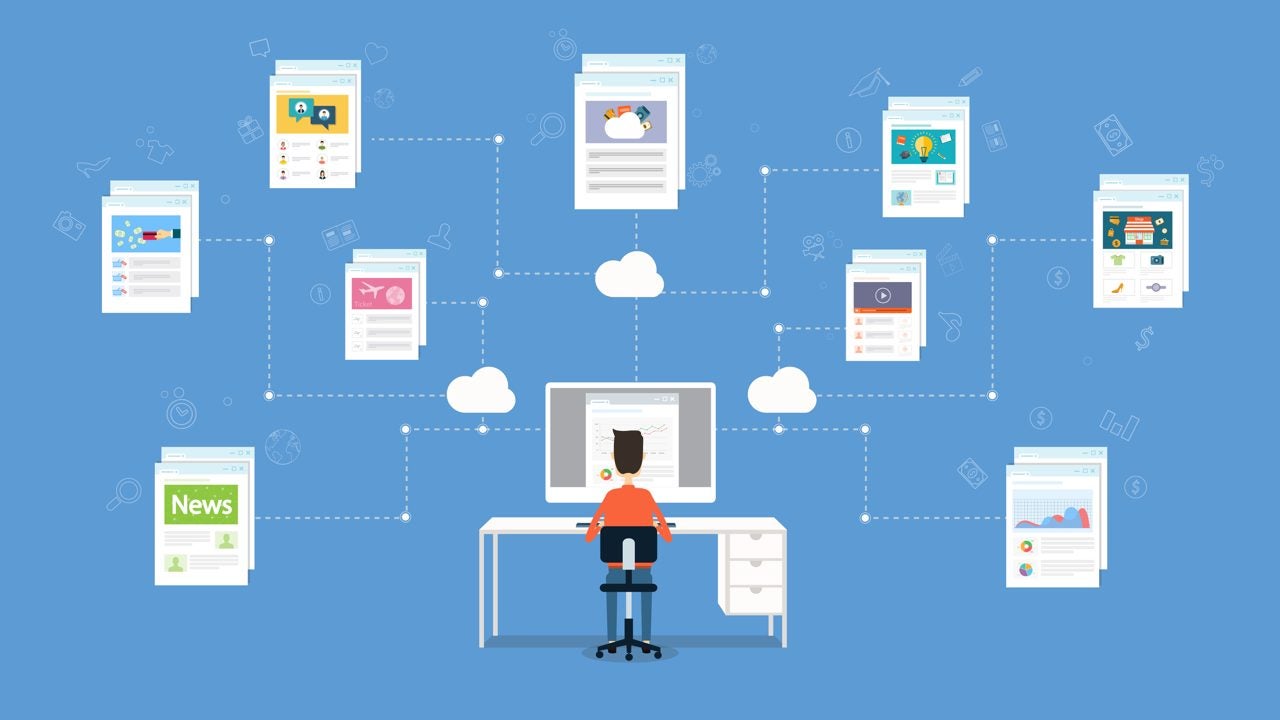
How can you make your automated emails a success?

You need to have a strategy before tackling the tactic. This strategic approach is essential, especially in the field of email marketing, where “email journeys” automate repeatable actions that allow for generating income almost effortlessly. An email journey is not just a set of emails sent automatically; … Continue reading “”

You need to have a strategy before addressing the tactic. This strategic approach is essential, especially in the field of email marketing, where “email journeys” automate repeatable actions that allow for generating income almost effortlessly. An email journey is not just a set of automatically sent emails; it is a well-designed process that is triggered by specific customer actions.

Travel with your email!

Up to 50% or more of the email revenue of some retailers comes from these automations and journeys, a clear indicator of the need to invest in these processes. The distinction between journeys and automations is crucial for the effective design of triggers and the optimization of communication strategies.

It is important to reflect on the importance of regularly reviewing and optimizing these automations to adapt to market changes and maintain their effectiveness. This process of continuous improvement is also applicable to pet adoption, where the dynamics at home should be regularly evaluated.

The conclusion is undeniable: one should not wait for a trip or an email strategy to be perfect before launching. In both cases, the approach should be the same: create a solid foundation and allow for innovation and optimization over time. With this in mind, each new “trip” can be an opportunity to learn and grow.

Utopia: Chat privately with your peers

Try out the beta version of Utopia, the latest P2P technology to chat with your peers with full privacy and much more. Download it now.

If the recent Netflix documentary “The Great Hack” proves anything, it’s that your online life is most definitely being tracked. Every purchase, every “like,” every ad you click on, and every survey you complete are all being compiled to create a profile of you that can at best be used to deliver relevant ads and content to you and at worst, can trick you into taking actions based on false information. As part of a growing movement to help you keep your online life safe from prying eyes, comes a new platform called Utopia.

Dedicated to restoring a sense of privacy and anonymity to surfing and communicating online, Utopia offers an all-in-one encrypted decentralized platform, providing an anonymous browser called Idyll, a secure instant messenger, secure email called uMail, and even its own cryptocurrency known as Crypton (CRP).

Napster-era tech brought into the new millennium

The Utopia platform handles its operations through a peer-to-peer network (P2P), which means that the entire system is spread out amongst all of the users’ computers, in the same way that music-sharing program Napster once worked in the late ’90s. Login credentials are further stored on your own computer, rather than in a centralized system. This lack of a unified database makes surveillance practically impossible, as there is no main server to hack or monitor.

Tab-based simplicity

Utopia platformAfter installing the software, all activities on the Utopia network are handled through a simple tab-based dashboard. The main screen opens to uMail, which operates as a fairly traditional web-based email client. All messages sent through uMail are automatically encrypted and are not stored on a central server so the possibility of having your email communications hacked or seized is virtually non-existent.

Chat rooms

Utopia platformAnother tab opens the channel manager, which allows you to join a series of pre-existing discussion groups like the chat rooms that used to dominate the internet in its early days, or you can start your own channel. Clicking on the name of a channel participant in the left column allows you to start a secure private chat. Images, voice messages, and other attachments in any format without size limits can be securely passed back and forth, forwarded via uMail or instant messaging, or downloaded to your computer.

Utopia platformA new Tor

The Idyll browser will allow users to access sites created on the Utopia network. “Utopia Network includes a safe alternative to traditional Domain Name System (DNS) called Utopia Name System (UNS),” says the company. “This is a decentralized registry of names that are impossible to expropriate, freeze, intercept, or corrupt by any 3rd-party. Once registered it is your property for a lifetime.”

All that and coin too

Utopia platformFinally, Utopia plans to offer Crypton, its own cryptocurrency with a very smart approach to liquidity support and minimization of volatility. While the goal is that users will be able to further anonymize their online activities by making purchases using Crypton, the use of a reward system also keeps users online, which means the P2P network has maximum computing power. Users of the Utopia platform earn Crypton simply for using the software – and additional Crypton can be mined using bots which enlists users’ computers into the blockchain computational process.

Utopia platformSummary

Utopia is setting out to provide a revolutionary approach in how people can securely communicate, access information, and make financial transactions that takes things much further than simple VPNs, private browsing tabs or regular cryptocurrencies. If you’re concerned about freedom of speech and the way in which your every movement is tracked online, it would certainly be worth taking it for a spin.

The Utopia platform will be in beta test until October 3 and is already available for Windows, MacOS and Linux.

New Dropbox file sharing feature is absolutely massive

Dropbox Transfer could allow you to easily transfer files up to 100GB in size

First and foremost, Dropbox is a cloud storage company. You sign up to a plan, upload your files, and then you can access them anywhere and on any device with an internet connection. This in itself is extremely useful and puts Dropbox as a competitor with the likes of Google Drive and Microsoft One Drive.

The Cloud is more than a one trick pony though, and Dropbox is now looking to offer its users another extremely useful feature for both personal and enterprise use. You’ll get no prizes, however, for guessing what Dropbox’s newly announced Dropbox Transfer feature is all about.

Dropbox Transfer could allow you to easily transfer files up to 100GB in size

Dropbox Transfer complete

It wasn’t long ago that we told you about Mozilla’s new Firefox Send feature. Firefox Send offers a quick, easy, and free way to send files up to 1GB in size or 2.5GB in size, if you sign up. Dropbox is now moving into this space too but is offering something a little different to the offering from Mozilla. According to the Dropbox blog post announcing Dropbox Transfer, users will be able to send up to 100GB of files at once using the new feature.

Dropbox Download now
7

Dropbox is looking at the limits placed on users by their email clients. Usually, you can only send files up to 25MB in size via email, which isn’t much in today’s digital-first world. Most smartphone cameras these days capture images that are bigger than 25MB and you can forget about emailing somebody a copy of that video you recorded on your last holiday.

As Dropbox is trying to solve an email related problem, the company is looking to make the process as simple as possible and in this way the new Transfer service is a little similar to Firefox Send.

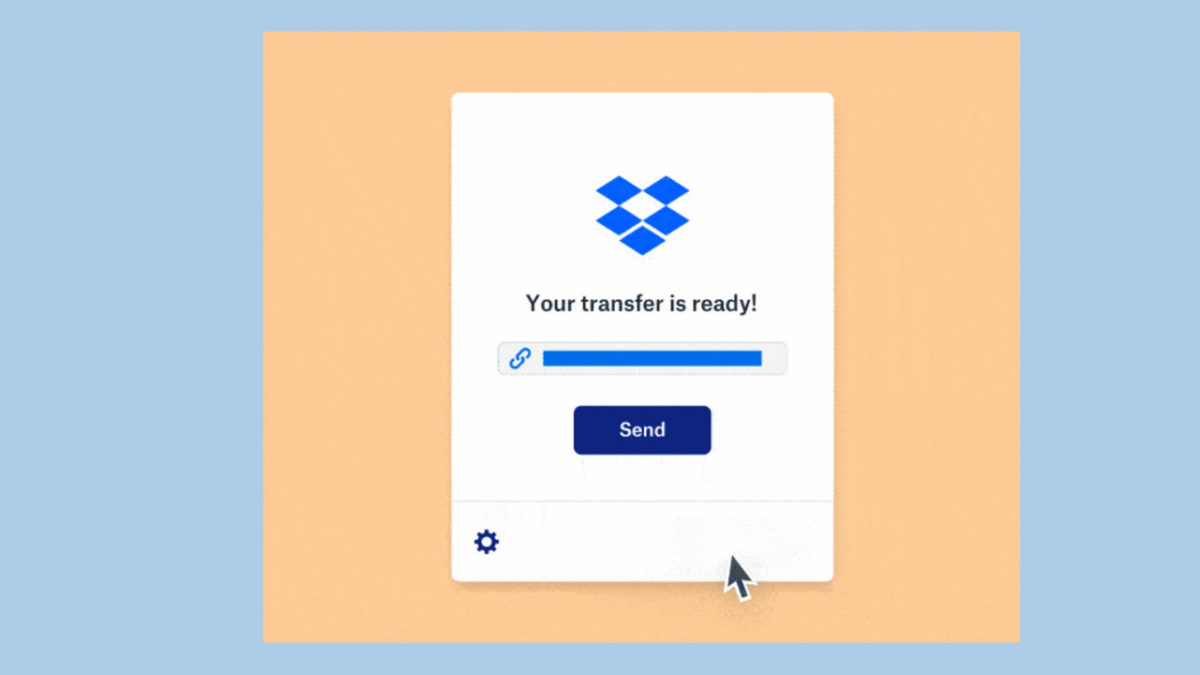
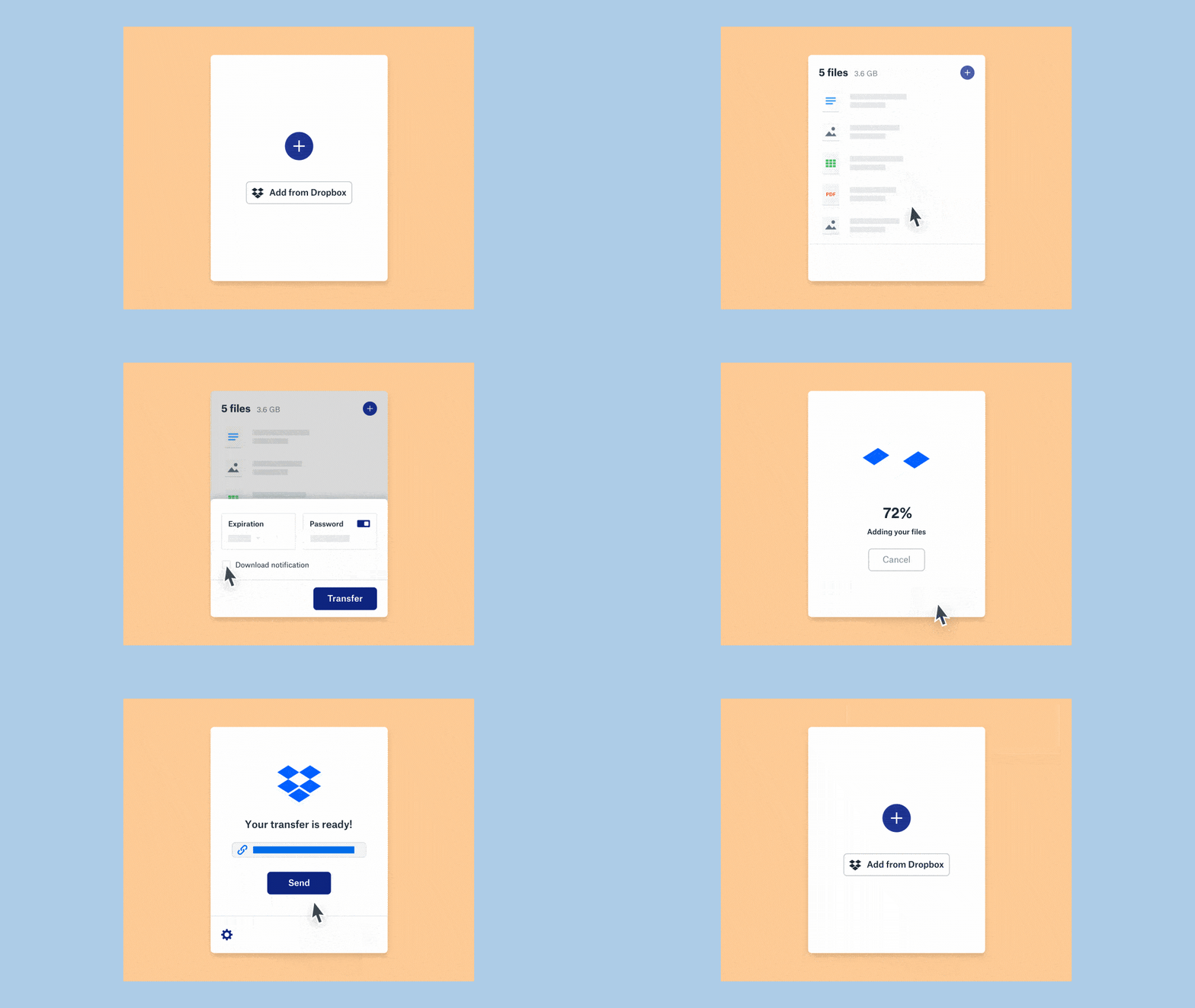
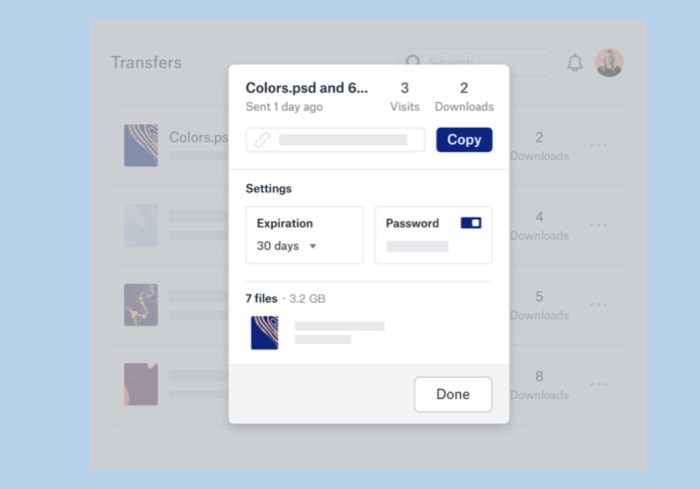
As well as being able to transfer files already uploaded to Dropbox, users will be able to simply drag and drop their files onto the Dropbox Transfer uploader. Once they’ve done this their files will upload and they’ll receive a link, which they’re then free to share. Transfer will also offer the ability to send the file in an automatically generated email.

Dropbox Transfer download notifications

Like with Firefox Send, Dropbox Transfer also gives users the ability to add a password to their link, in case it falls into the wrong hands, and set an expiration date when the link will stop working.

There doesn’t seem to be download limit feature like users of Firefox Send will have access to but a cool Dropbox Transfer feature is the ability to change the expiration date and download password even after the link has been shared. Users will also get download notifications and will be able to see how many times their files have been downloaded.

Dropbox Transfer is currently in the beta testing stage of development, so it isn’t rolling out to all Dropbox users just yet. Once it does though, it’ll offer unique transferring capabilities to them. If you or your business are looking for a way to transfer large files, this could be something worth keeping an eye on.

Google takes another step towards all systems dark

Google is working on a dark mode for its Gmail for Android app.

Gmail dark mode logo

Dark modes in your apps have been big news recently and we’re going to hear more and more about them as we creep towards the launch date of the next big Android update, Android Q. Google is working to implement a system-wide dark mode on Android Q, which means it is going to have put dark modes in all of its apps before Q comes out later this year.

We’ve recently seen Chrome go dark, Google Calendar and Keep, and even the Google search app itself has got the dark mode treatment. It is now the turn of another of Google’s biggest apps to turn to its darker side as Gmail users have been reporting that the dark mode option has started appearing on their version of the app.

Google is working on a dark mode for its Gmail for Android app

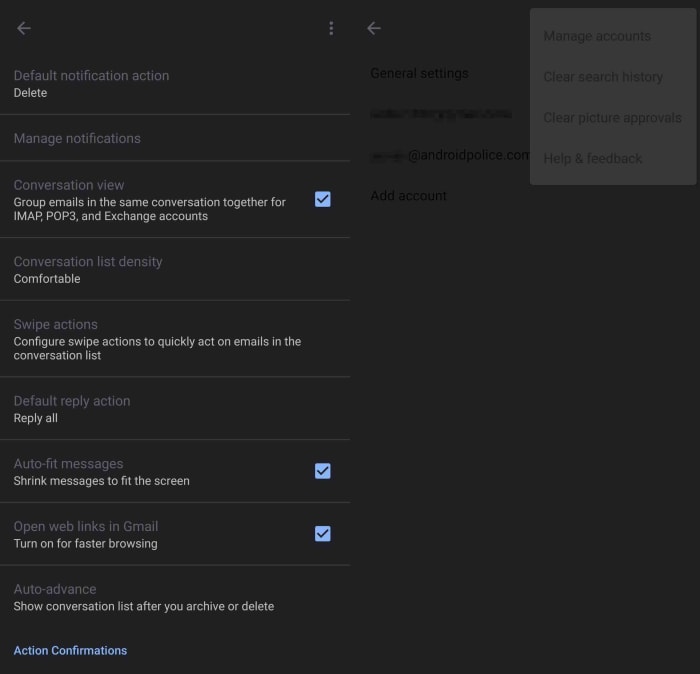
According to some users who’ve downloaded the latest Gmail APK, a basic dark mode has started to appear. The feature isn’t complete yet and only works in certain screens like the settings menu. In some screens, the options are barely visible as Google hasn’t even changed the text color yet, meaning the dark text hardly stands out at all against the dark background.

screenshots of Gmail dark mode

The screenshots above, published via Android Police,  show just how basic Gmail’s new dark mode currently is. There is clearly still a lot of work ahead for the search giant before one of its most popular apps gets a fully functional dark mode. This means it is highly likely that we won’t see an official release of the Gmail dark mode until later this year when Google releases, the as yet unnamed, Android Q.

As is always the case with this type of leak there is no official word from Google on this one. The screenshots are there though, so we know that the Mountain View-based company is working on the feature. It is just a matter of time then and we simply need to be patient.

What is Gmail’s dynamic email feature?

Google’s Gmail dynamic emails explained. What are dynamic emails?

Gmail on laptop and mobile

Gmail is one of Google’s flagship products. It is used by over 1.5 billion people around the world and for years has been regarded as the best free webmail client available.

According to a recent G suite blog post, a rather huge step in Gmail’s evolution is coming on July 2. Dynamic emails promise to have a huge effect on the emails we receive. We’ve already covered Google’s plans for dynamic emails but with their general release now just a matter of days away, we thought it’d be a good idea to go through it all again.

Google’s Gmail dynamic emails explained

At the end of February, we told you about Google’s plans to add AMP (Accelerated Mobiles Pages) to Gmail. Basically, AMP is a new way of loading web pages specifically designed for mobile. The move is designed to make emails more fluid and able to update themselves over time, rather than remaining static. You can receive one of Google’s AMP emails and then when you check it again a week or two later, the information it contains could have changed.

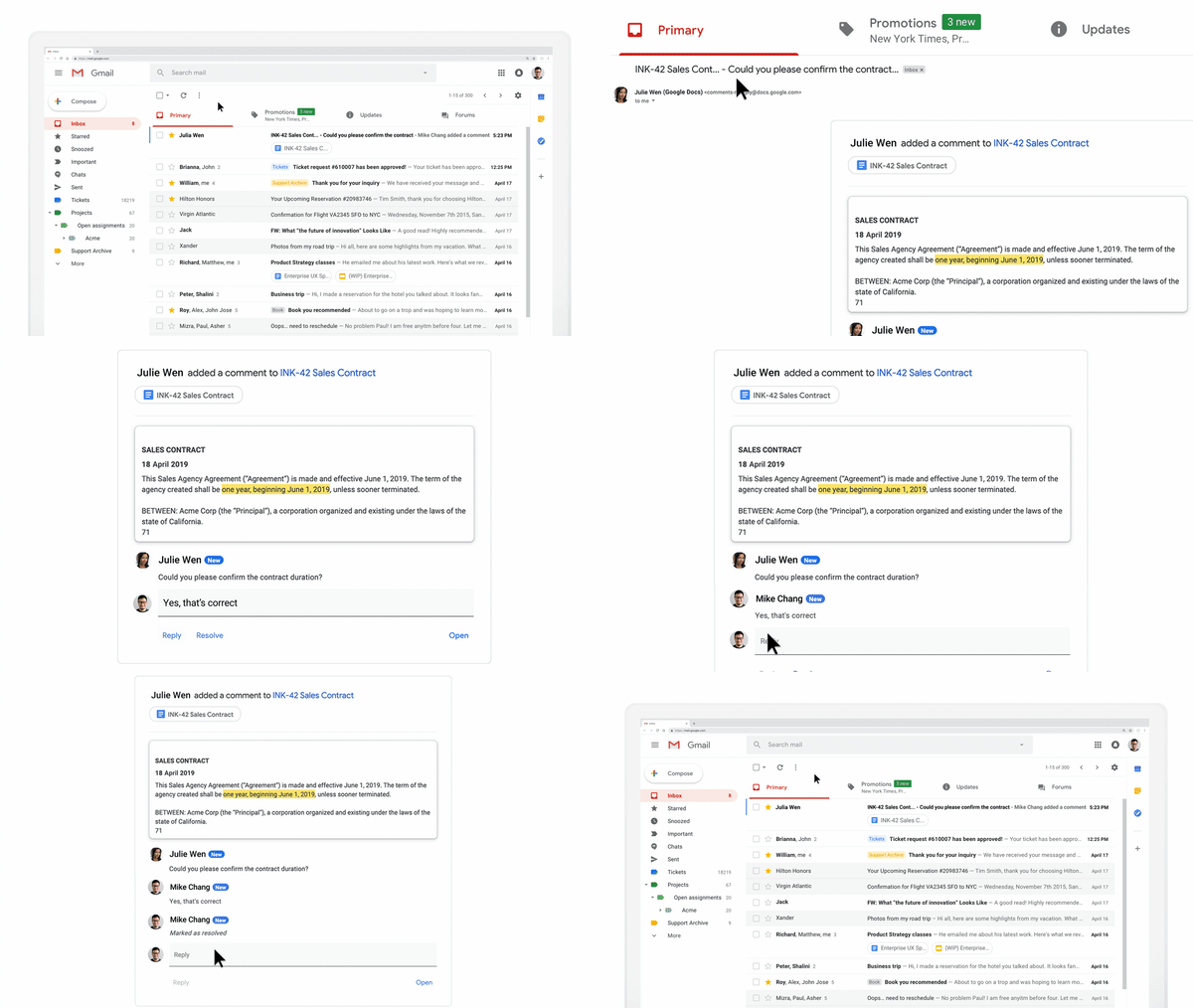
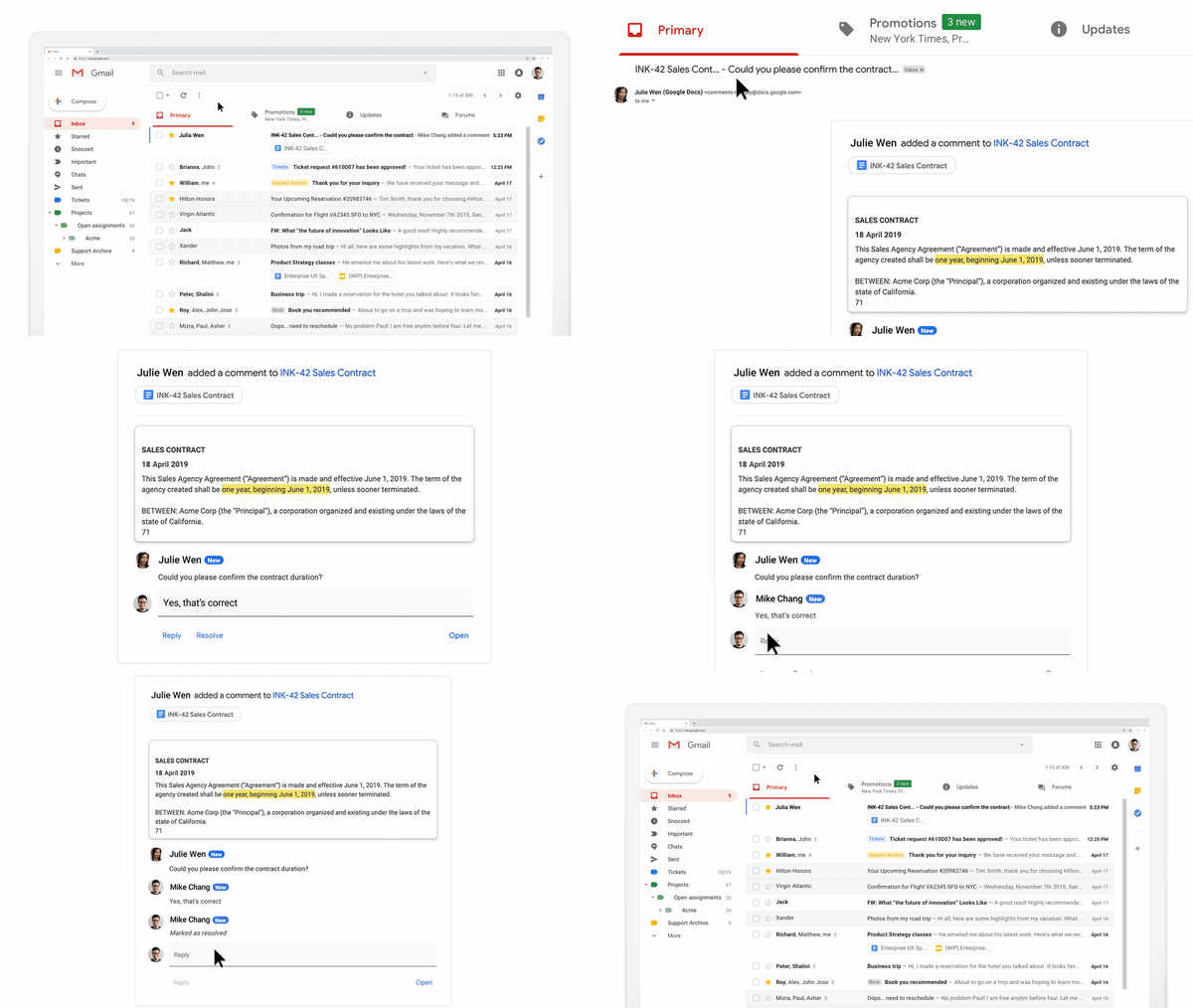
Then at the end of March, we gave you a bit more information about what these special types of auto-updating and even interactive emails could contain. Dynamic emails, as Google calls them can include shopping carts, surveys and forms, and many other types of interactive widgets. One of the particularly cool widgets Google was keen to point out was the Google Docs teamwork integration widget. Dynamic emails make it possible for you to comment on Docs you’re working on with others, which is a huge improvement on simply receiving an email every time you’re mentioned in a comment.

Image via: GSuite Updates

As is usually the case when internet giants make big changes, the main difference you’ll notice with dynamic emails is that you’ll be able to get a lot more done without having to leave Gmail itself. Google says, “With dynamic email, you can easily take action directly from within the message itself, like RSVP to an event, fill out a questionnaire, browse a catalog or respond to a comment.”

Google has promised to perform security and privacy vetting on all companies who want clearance for AMP support so that they can send dynamic emails. In fact, the company has already granted clearance to a number of companies including booking.com. Doodle, OYO Rooms, and Pinterest.

The fact that Google has already signed up a number of partners means that come July 2, when the feature will be enabled automatically for all users, you’ll likely receive a few dynamic emails from one of the pre-approved partners. Don’t expect too many though, as the vetting process needs to rigorous to allay privacy fears, so could take some time.

Visiting or moving to the US? Trump wants to see your social media data before he’ll let you in

All Visa applicants to the U.S. will have to hand over all of their social media and email details from the last five years.

We’ve written a lot in the past about China’s scary use of modern technology. In particular, we’ve been frightened by the authoritarian social credit score it gives all Chinese citizens and the limits it places on those with low scores. It is easy to think, because China is so far away, that it isn’t really something we should worry about at home. But what makes China’s actions so scary is that they could easily be taken up in other countries by other governments. First, they came for the Chinese…

Well, now it seems that these draconian types of laws have just taken a huge step closer to home as the U.S. State Department has just made a rather chilling announcement.

All Visa applicants to the US will have to hand over all of their social media and email details from the last five years

Trump want5s to see your facebook

Anybody planning to visit or migrate to the U.S. on any kind of visa now has to give the State Department all of their social media usernames, previous email addresses, and phone numbers from the previous five years. According to the Associated Press, the move was first proposed in March 2018, but has only just taken effect after the new forms, including the new “social media identifiers” requests, were approved.

The new move marks a huge expansion of the Trump administration’s screening procedures for anybody coming to the U.S. Until this recent move, these types of requests were only made to people who’d been flagged as needing extra attention. These flags could come from a number of reasons including traveling to areas controlled by terrorist organizations. The AP reports that around 65,000 applicants fell into this category each year, but that now almost 15 million visa applicants, mostly for non-immigrant visas, will be required to hand over their social media details.

The new visa forms will list the most prominent social networks, but applicants will also be prompted to include the details for any other networks that aren’t explicitly mentioned. As yet, there are no details on how the State Department will ensure details of all accounts have been included in applications but speaking to The Hill, a State Department spokesperson warned of “serious immigration consequences” for those caught not complying. These consequences could potentially include visa withdrawal and refused entry.

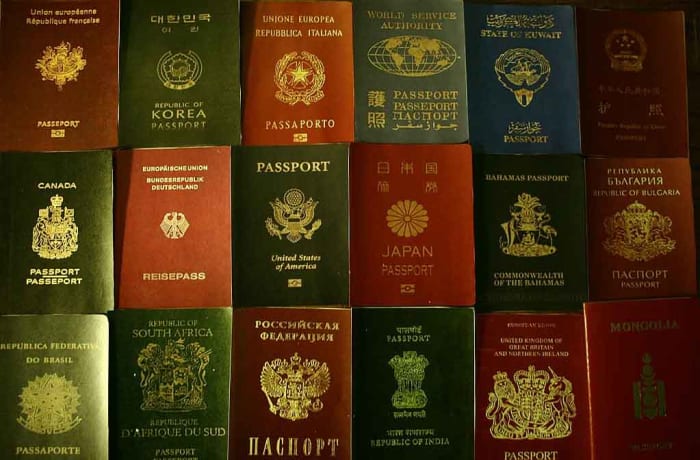
many passports different nationalities
You now have to show much more than your passport, if you want to enter the US

As well as the scary implications that come from the U.S. government doing its best China impression, there is also the huge potential risk that comes from compiling such huge amounts of personal data in one place. We’ve seen time and time again, huge data breaches that have put user privacy and security at risk and as ZDNet points out, U.S. Customs doesn’t exactly have a  flawless record when it comes to data protection. A report in December showed that border agents hadn’t been deleting the data they’d collected from personal electronic device searches.

We’re not just walking down a scary path with this one, it also seems like a disaster waiting to happen at any moment.

How to use Gmail’s new email scheduling tool

This is how to schedule an email on Gmail.

Gmail background

On April 1 Google announced that it was finally adding a “Schedule email” feature to Gmail. The feature has been rolling out since, but as there are over 1.5 billion Gmail users around the world, it is taking a while for everybody to get the update. Don’t worry though, it is coming and if you haven’t got it yet, you’ll have it soon enough.

Gmail’s new Schedule email feature will work on both personal and enterprise Gmail accounts and allows users to schedule emails up to a whopping 49 years in advance. Yep, if you think you’ll have the same email address in the year 2068, you can schedule an email to yourself to see how things are going in the future.

Gmail Access now
8

How to schedule emails on Gmail on the web

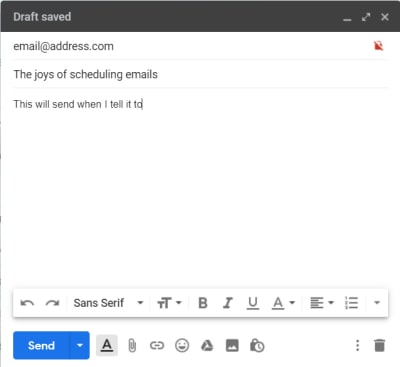
The new scheduling feature for Gmail is simple. So simple that it should kill off all those third-party apps and extensions that popped up over the years trying to fill the scheduling void that Google had left in Gmail. They’re simply not needed anymore. All you need to do to schedule an email using Gmail is:

Step 1

Writing an email on Gmail

Write out your email as you normally would.

Step 2

The new Gmail Send button with the schedule arrow

Then, when you’re ready to schedule it, click the small arrow icon next to the Send button.

Step 3

The new Schedule send menu for Gmail

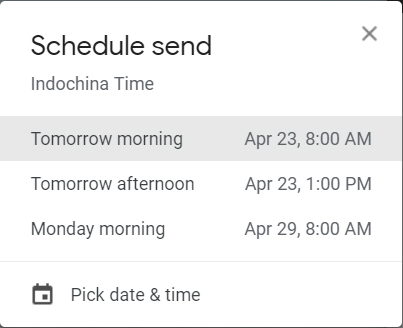
Clicking Schedule send will bring up the menu that lets you decide when you want the email to arrive in the recipient’s inbox.
Step 4

Send scheduled for on Gmail

Once you’ve decided on the time and date, click Schedule send and rather than seeing the usual “Email sent” you will see the “Send scheduled for…” message including the time and date you’ve selected.
This is how to schedule an email on Gmail using the app on your phone

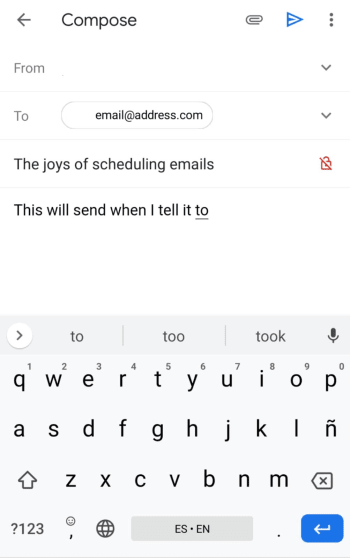
Step 1

write an email gmail mobile

Write out your email as you normally would.

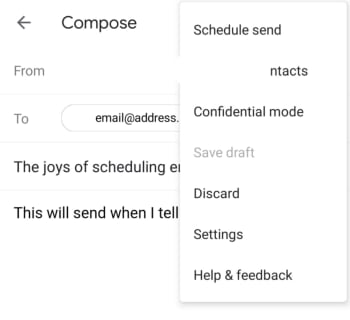
Step 2

gmail schedule send mobile

Hit the three vertical dots icon next to the Send button and select Schedule send.

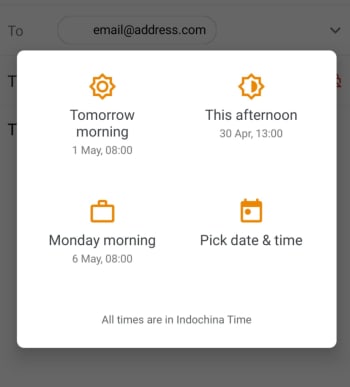
Step 3

gmail schedule email mobile

This will bring up the menu that lets you decide when you want the email to arrive in the recipient’s inbox.

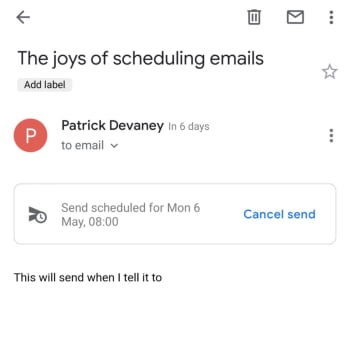
Step 4

schedule an email using gmail on mobile

Once you’ve decided on the time and date, click Schedule send and rather than seeing the usual “Email sent” you will see the “Send scheduled for…” message including the time and date you’ve selected.

The new feature is also good if you’re the type of user who constantly notices mistakes once you’ve sent the email. Scheduling an email will save it as a draft, so if you always schedule your emails to send an hour after you’ve written them, you’ll be able to check everything a little later on before Google pings it off to the recipient.

To check an email that has been scheduled all you need to do is click Scheduled in the side menu and then select the email you want to check. You can then edit the email to change out any mistakes or delete it and cancel the send altogether. At this stage, you can also change the time and date the email is scheduled to send.

This Chrome extension makes Gmail easier to use

Simplify has been designed by one of Gmail’s former lead designers and cuts down all the clutter.

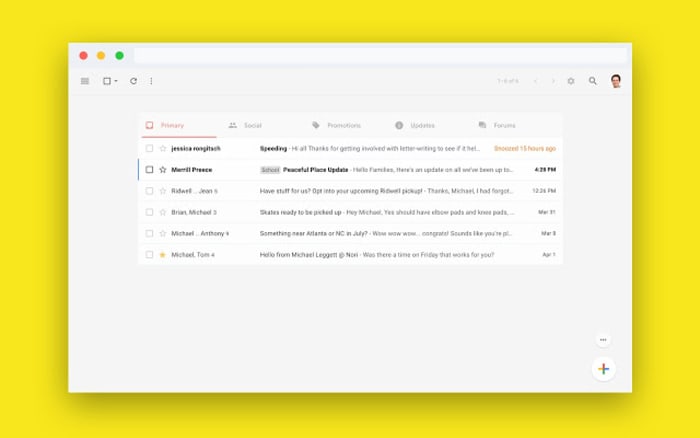
Simplify Chrome extension for Gmail

Gmail has a whopping 1.5 billion users worldwide, so Google has obviously done something right. If you ask any of those 1.5 billion users, however, we’re sure each of them would have their own little gripes as Gmail also has its fair share of problems. One of the major gripes would be that Gmail is too complicated.

There is good news though, for anybody out there who thinks Gmail has too much going on. If you only ever press a tiny fraction of the buttons you can see when you open Gmail, and don’t even know what half of the Gmail features are for, you might want to simplify Gmail, which you can now do thanks to a nifty little extension for Google Chrome.

Gmail Access now
8

Simplify has been designed by one of Gmail’s former lead designers and cuts down all the clutter

Between the years of 2005 and 2018, Michael Leggett was at the forefront of the tech world, working as a designer for both Facebook and Google. One of his major projects was working as a lead designer on Gmail. He’s since left the two titans of tech to work on a project that aims to reverse climate change, but he also has a pet project. In his spare time, Leggett has been working on an extension for Google Chrome that simplifies the Gmail interface on desktop.

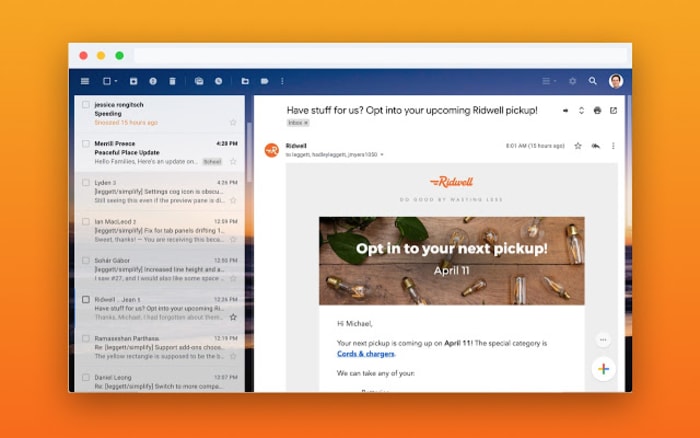
Rather imaginatively, Leggett has decided to call his extension Simplify, presumably because that is what it does. It takes the Gmail interface and makes it much simpler by moving around a few key features and making it easier to hide others that aren’t used much at all. The search bar has been moved up to the top-left of the screen, rather than going right across the top and all the sidebar options have been moved into drop-down and pull-up type menus. Another cool change is that Simplify moves the primary functions bar to the top of the screen rather the top of the inbox.

A screenshot of the new Simplify extension for Chrome
The sidebars can be removed altogether to offer a much cleaner interface

Another big deal about Simplify, considering it is an extension that works with your email inbox, is that doesn’t collect any data and won’t serve up ads. The Simplify page on the Chrome web store says, “Simplify is mostly some CSS plus a little Javascript to apply the CSS. There are no trackers. No data is sent or shared.” If you’re ever downloading anything that will have access to your online accounts, you need to make sure you’re not handing over too many permissions. That Simplify clearly states it won’t collect any of your data is reassuring.

A look at a simpler Gmail interface
Simplify states that it has no trackers and will not harvest any user data

All in all, Simplify is a solid extension for anybody who feels a little overwhelmed any time they open their Gmail inbox. If you miss the recently dropped Inbox, you should give it a try. You can add Simplify to your Chrome browser by clicking here.

Email Debt Forgiveness Day helps you respond to forgotten emails

Face the music, release your guilt. April 30 is Email Debt Forgiveness Day.

email

Yet another email from your great aunt Shirley about the daily activities of her four cats has been sitting in your inbox for three weeks and you haven’t figured out how to respond yet. Or, you’ve missed a friend’s birthday party because they sent you an invite and you read it, but totally forgot. We understand, and it’s happened to the best of us.

Luckily for you, April 30 is Email Debt Forgiveness Day and it’s truly a cause for celebration. On the official website for the new holiday, you can find the instructions on how to join the party:

“If there’s an email response you’ve wanted to send but been too anxious to send, you can send it on April 30th, without any apologies or explanations for all the time that has lapsed. It doesn’t matter how long it’s been. Just include a link to this explainer, the one you’re reading right now, so that your recipient knows what’s going on. Together, we can make our inboxes less stressful.”

How does Email Debt Forgiveness Day work?

On April 30th:

  1.  Dig out the email you’ve been avoiding
  2. Write a reply, ignoring the amount of time that has lapsed
  3. Add a link to the official page, you can even use their email template
  4. Send and enjoy your anxiety-free day

7

This is the moment we have all been waiting for – the holiday that we can all get behind, no matter our background. By including a template and an explanation of the day, all the stressful work has been done for you. There are even links to your calendar so you can set the event to repeat every year.

Weeks, months, or entire years, there’s no telling how far back our unanswered email graveyard will go. Now, there’s one less thing we have to worry about. Thanks, Email Debt Forgiveness Day!

Google is introducing interactive emails for Gmail

AMP will introduce shopping carts, surveys and forms, interactive widgets, and more to the emails in your Gmail inbox.

Last February,  Google first announced its plan to add AMP to Gmail. AMP, which stands for Accelerated Mobile Pages enables developers who follow Google’s guidelines to have their content accessed more quickly, allowing a chance to display better and more dynamic content. Now, more than a year after the first announcement, Google is finally releasing a beta of AMP for Gmail to its G Suite audience.

AMP will introduce shopping carts, surveys and forms, interactive widgets, and more to the emails in your inbox

Gmail interactive emails amp

What Google is calling dynamic email will have a major impact on the messages you receive in your Gmail inbox. In theory, that means you won’t have to leave Gmail to handle your business. As well as adding interactive elements, email content in dynamic emails will be able to update itself so that emails never become old.

8

According to the Google Keyword blog, which announced that AMPed up emails were finally landing on Gmail, “Your emails can stay up to date so you’re always seeing the freshest information, like the latest comment threads and recommended jobs. With dynamic email, you can easily take action directly from within the message itself, like RSVP to an event, fill out a questionnaire, browse a catalog or respond to a comment.”

Via: Google Keyword

The simplest example Google gave is of comments in Google Docs. Rather than receiving a notification every time somebody mentions you in a comment, the email will include an up to date thread where you’ll be able to comment yourself. This is much better than a simple link to the comment inside Google Docs.

As well as introducing its own Google made widgets, Google was also pushing the third-party widgets that are already doing the rounds. These include widgets from the likes of Pinterest, booking.com, Doodle, and more.

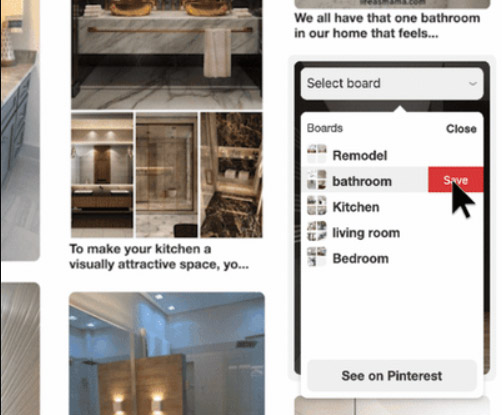
Pinterest integration with AMP for Gmail
You can now save images to your Pinterest boards from inside an email.

Response to the introduction of AMP into Gmail is mixed. Where as it can’t be denied that the added functionality will help users in some situations, people are highlighting the heavy cost for the privilege.

As well as facilitating quick responses and adding web page like features to your inbox, AMP could limit your personal privacy and give advertisers and vendors a new place to bombard you with whatever they’re trying to sell. Many users on Reddit have already started repeating the old adage, “If it is free, then you are the product.” Another issue for Gmail’s new interactive emails could be complexity. Are emails supposed to be so complicated?

For now, the feature is available to users on desktop only, but Google was keen to point out that it will be coming to mobile soon.

What are your thoughts on interactive emails?