Facebook owner Meta is on a firing spree, joining other tech giants

The social media tech company Meta, which brings us platforms like Facebook, Instagram, and WhatsApp, made a shocking announcement on Wednesday. Current Meta CEO Mark Zuckerberg sent a message to all employees to inform them that the company will be laying off approximately 13% of its workforce.

Facebook DOWNLOAD

This layoff will affect 11 000 employees and marks one of the biggest tech layoffs in 2022. The layoffs will affect the entire family of Meta apps, including Facebook, Instagram, WhatsApp, and Reality Labs. 

Mark Zuckerberg explained that he understood this is a difficult situation for all involved and also took accountability for the decision. He continued to explain that the company had made large investments into eCommerce at the start of the pandemic, along with other innovations. This was because he believed the pandemic would cause a rise in eCommerce, which it did, but unfortunately, that trend was not sustained as eCommerce numbers have returned to pre-pandemic levels.

Meta firing employees

Apart from this, there are also other factors that have placed financial strain on the company. These include the macroeconomic downturn and ads signal loss. All of these contributing factors have dug deep into the company’s revenue leading to the necessity for cost-cutting measures and layoffs.

Along with the layoffs, Meta also explained what other cost-cutting measures they’ll be implementing. These include scaling back budgets, reducing perks, and shrinking the company’s real estate footprint. They’re also implementing a hiring freeze for the first quarter of 2023, with a few minor exceptions. Mark Zuckerberg will be overviewing the entire staffing process to determine when it’ll be the right time to start hiring.

Will laid-off Meta employees receive severance packages?

This is the first time in 18 years that the company has had to lay off employees, and the company is trying to manage the situation to the best of its abilities. Along with the announcement, CEO Mark Zuckerberg also announced that they will be giving severance packages to all employees affected by these layoffs. For US employees, the package will consist of the following:

  • Employees will receive 16 weeks of severance pay, along with two weeks extra for each year the employee has been with the company.
  • Any remaining paid time off will also be paid out to employees.
  • Employees and their families will still receive six months of health insurance.
  • Employees will also receive career support services from an external company to assist in finding new jobs.
  • There will also be immigration support for any employees currently on visas.

Outside of the US, employees will receive similar severance packages but in accordance with local employment laws. The details of these packages will only be released once the local laws have been checked.

Since the announcement, many employees have had their access to most Meta systems removed. However, access to emails has been kept to give employees a chance to communicate their farewells.

Meta firing employees

Other tech companies that are feeling the strain

Meta isn’t the only tech company that’s feeling the strain. Just last week, Twitter cut about 50% of its workforce following Elon Musk’s takeover. These layoffs were much more chaotic than the ones at Meta. Many employees only discovered that they’d been laid off after losing access to Slack and emails. After the layoffs, Elon Musk even asked a few employees back.

Google was the first tech giant that started to fear a major recession and announced at the beginning of the year that they’d be limiting new hires. In July, things came to a head when the company announced a hiring freeze. The company even announced that it’s completely stopping its streaming service Google Stadia after just three years on the market. Other tech companies followed the hiring freeze. 

Snap Inc, the parent company of Snapchat, is facing similar layoffs. In August of this year, they announced they’ll be cutting back their workforce by 20%. They’ve also halted work on new projects, such as their gaming platform.

Lyft announced in September that they wouldn’t be taking on any new employees in 2022 amidst the economic instability. Lyft will also be cutting its workforce by 13%. Stripe faced similar hardships and announced the layoffs of 14% of its workforce.

In October, Apple announced that they’ll be freezing their hiring process and might only resume hiring employees from September 2023. Amazon has also announced that they won’t be hiring any new staff and might just fill critical positions if someone leaves for a better opportunity. They did not give an estimate of how long the hiring freeze will last. 

It seems like the boom experienced by tech companies during the pandemic has worn off, and now these companies are paying for it. Inflation rates that haven’t been seen in decades, rapidly rising interest rates, and high competition on ad campaigns are making it difficult for these companies to sustain their sudden growth spurt.

The ongoing economic turmoil has had a major impact on tech companies. At the moment the future of these businesses is uncertain and we’ll have to wait for more information to see what the future holds.

Top 5 first steps with Football Manager 2023

The latest football management simulation game, Football Manager 2023, has just been released, set to rival FIFA 23. The game is already making waves amongst fans of the franchise for its vast improvements over its predecessors. With new features, new consoles, and licensing to some of the biggest names and titles – now is the time to start being a manager.

Football Manager 2023 DOWNLOAD

Join us as we discover the top five first steps with Football Manager 2023 to create a successful squad that leads you to league victory.

Is Football Manager 2023 easy?

Football Manager 2023 cannot be described as an easy game, especially for newcomers. It has a steep learning curve and so many options and features that it can become overwhelming. However, it doesn’t have to be. 

When playing FM 2023, there’s no rush or time limit to make decisions. This means you can take time and familiarize yourself with the dashboard and the different features. If you first start a new game, there will also be a few emails in your in-game inbox that include explanations of different sections and tabs, as well as handy tutorials. 

Take the time to review the tutorials and other available resources, and combine that knowledge with the tips below. You’ll soon be managing your squad and rivaling managers like Carlo Ancelotti and Jose Mourinho.

Create a good manager

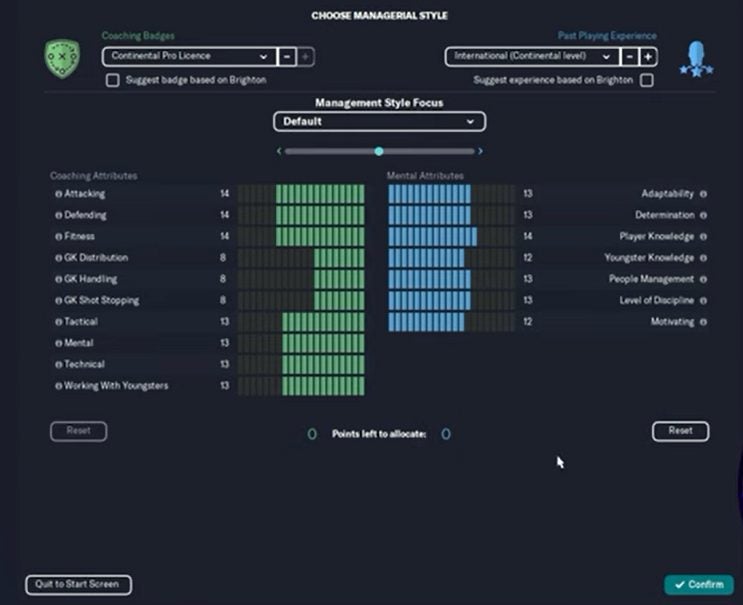
You’ll first have to create your manager upon starting a new game. You can use many cosmetic customizations to change the look of your character; however, this does not affect how well your manager will perform. The last stage of creating your character is defining your managerial style. 

This section is important as it defines your character’s strengths and weaknesses. There are many sections you can focus on, and if you’re unsure of what to pick, use the tick boxes at the top of the screen to automatically distribute your skills according to the team you’re managing. 

first steps with Football Manager 2023

Learn more about your Football Manager 2023 club

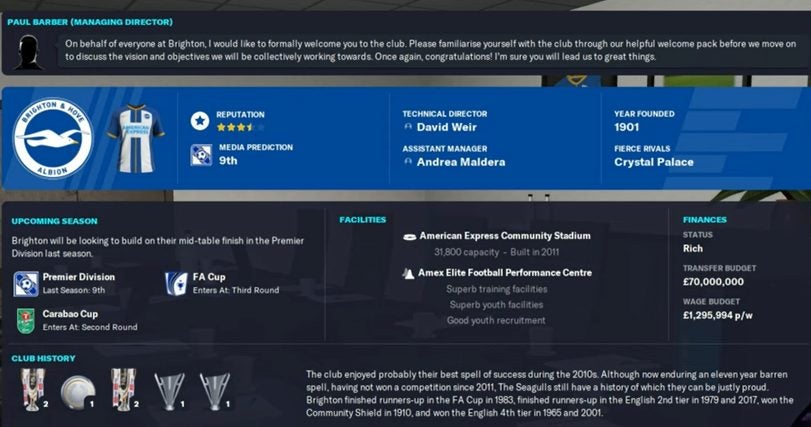
A good manager needs to know everything there is about his club. The next screen you’ll see as you enter the game will give you valuable information about your club. Some key factors to look at are your transfer budget, your rivals, and even your facilities. Being aware of these is essential as you might want to improve your facilities. 

The following window will give you an overview of your squad with the top 11 shown on the field in their current tactics, giving you a good idea of what type of tactics the current team is set up for and if you want to work on changing it. You’ll also see all your other players on the right side of the screen, including any with loan obligations.

first steps with Football Manager 2023

Assess your squad

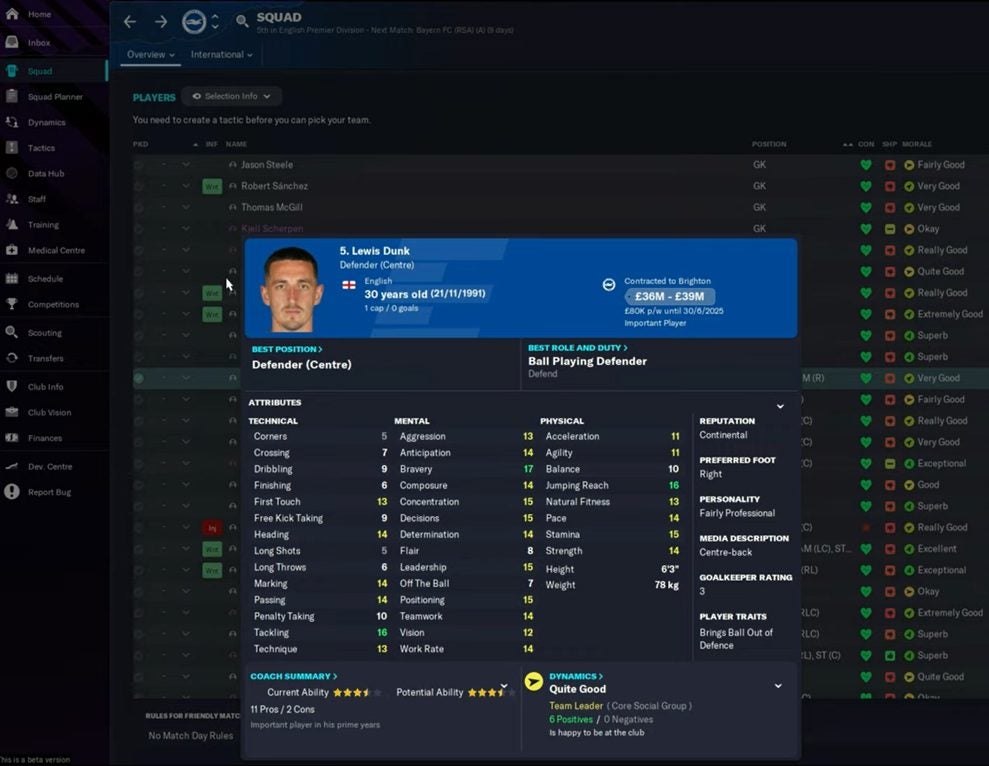
Next, you want to have a detailed look at your squad. The main squad screen will show you a list of all the players in your team and other information such as their condition, morale, and more. You can see more of their stats and details by clicking on a player. Hovering over the little icon to the left of the player’s name, you’ll get a little information popup without having to be directed to a new window. It’s important to know what players you have in your squad and which positions you may be lacking.

first steps with Football Manager 2023

Choose your tactic

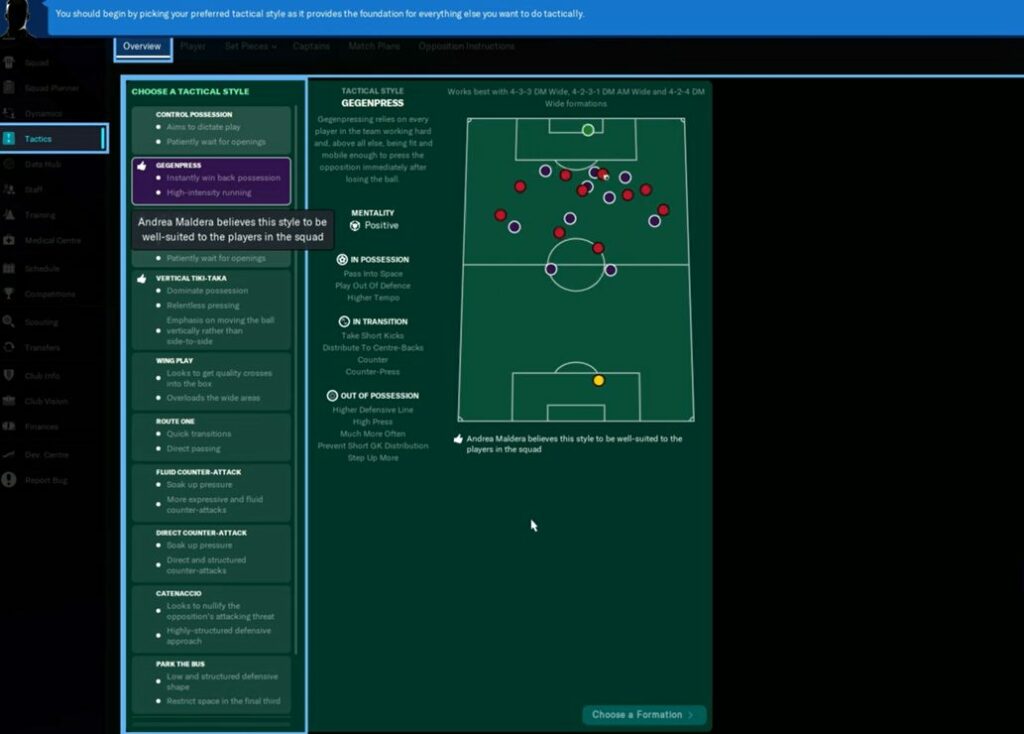
Choosing the right tactic for your team is extremely important. Before starting, go to the tactics tab and set the tactic best suited to your managing style and your team. All tactics currently suited to your team will show a thumbs up, making it much easier to choose a good tactic based on the skills and abilities of your players. You can also make other adjustments to your chosen tactic, but if you’re feeling overwhelmed by this, you can use the presets as they’re very well-balanced.

first steps with Football Manager 2023

Sign new players

You’ll also want to sign new players. After setting a tactic, you’ll get a chance to see what your squad will look like. You can set it to show the top 11 players for your chosen tactic. From here, you can see if you may need to get better players in certain positions – leading you to look at signing new members to your squad. Use the scouting tab to find new players. 

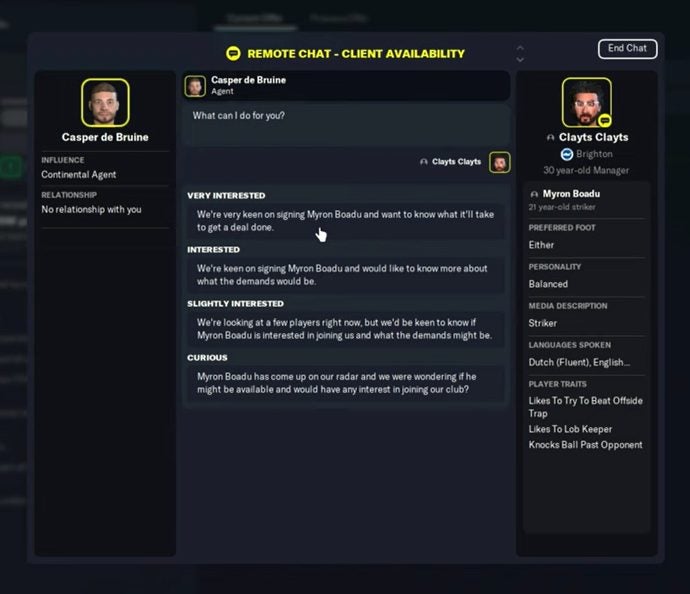
Enter a new search and input your requirements. Make sure that the ‘Interested in’ box is checked, and change the transfer option to ‘Doubtful’ to see only players willing to discuss a transfer. Before reaching out with an offer, talk to the agent first, as they’ll be able to give you valuable information, such as how much they would cost and if they’d be interested in transferring. This will help a lot when you negotiate with the player and start making offers.

first steps with Football Manager 2023

Manage your own Football Manager 2023 club and beat the other leagues

Dive into the world of managing your favorite football teams with Football Manager 2023. Use our above tips to get you on the right track to build the best possible squad and collect those league trophies.

If you prefer FIFA 23, be sure to look at the main signals to check when you want a FIFA 23 ultimate team card. You might also want to head to Roblox to check out the new FIFA experience on the platform.

If you’re new to the football game, be sure to check out our top tips for FIFA 23.

Cities: Skylines multiple new DLCs coming next week

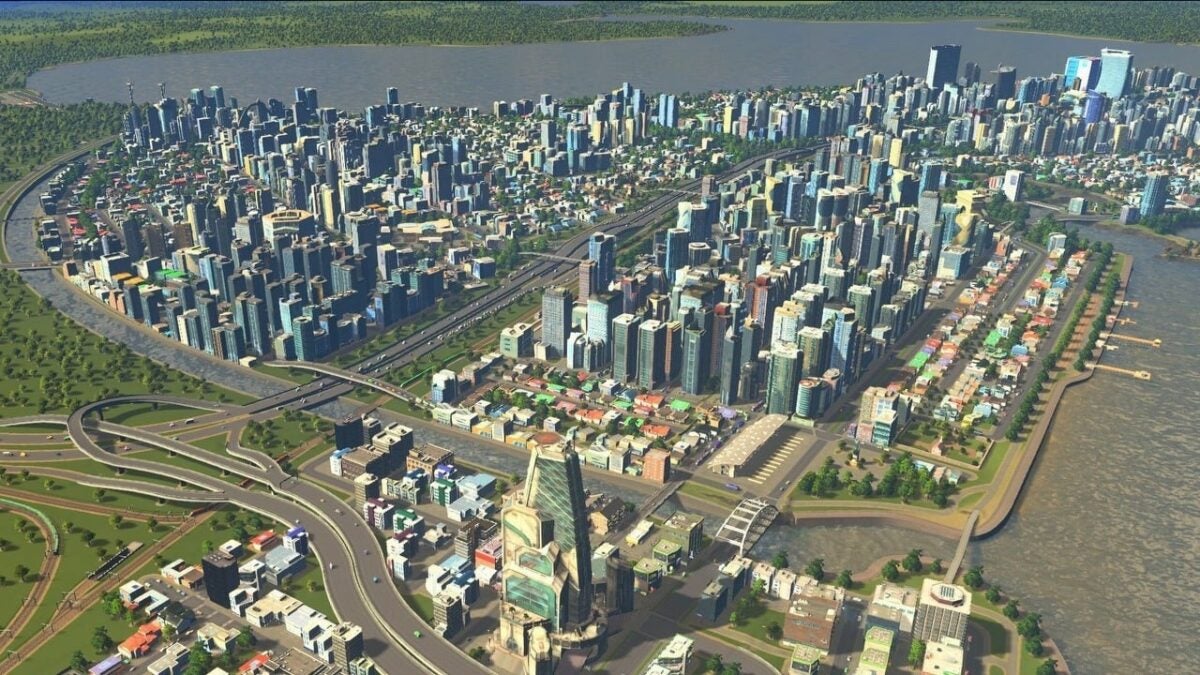
The city-building game Cities: Skylines is sending players on a trip around the world with a bunch of new DLCs being released next week. These DLC will give players a bunch of new content before the release of the next mini-expansion, Financial Districts, later this year.

Cities: Skyline DOWNLOAD

Next week on Tuesday, November 15th, we’ll see the release of the first five DLCs. These will consist of two content creator packs, two radio stations, and a free update. This will give players more than enough new content to keep them enjoying the game until the next expansion.

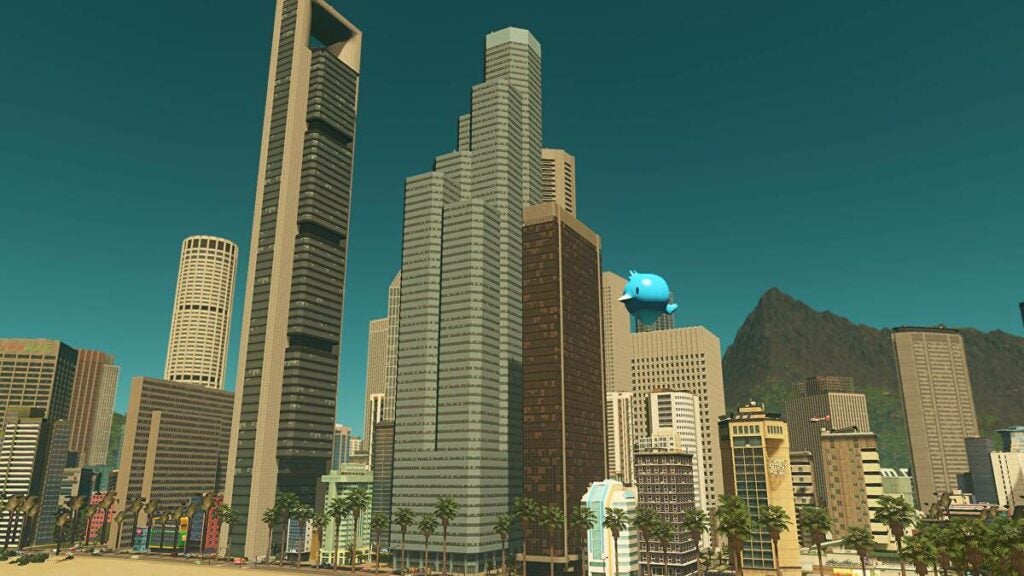
The content creator packs will retail for $5.99. The first DLC, Heart of Korea Content Creator Pack, includes 60 new assets, including service building and unique structures inspired by the country of Korea. The second one is Skyscrapers Content Creator Pack, which includes 15 skyscrapers inspired by iconic buildings worldwide.

If you decide to go with a content pack, consider the radio station twinned for each content pack. The radio station packs are valued at $3.99. The first pairing well with Heart of Korea is a K-Pop radio station DLC. Alongside the release of the Skyscrapers, the content pack is 80’s Downtown Beats Radio Station DLC.

Cities Skylines multiple new DLCs coming next week 2

The free update will add new content to the base game and any other expansion you may have, such as After Dark, Snowfall and Plazas and Promenades. The update will include new capacity vehicle types, road types and more.

This DLC is being released just before the new Financial Districts expansion scheduled for release on December 13th. The mini-expansion includes a new investment feature and more than 100 assets to the game. It will also be released alongside the African Vibes Radio Station DLC, a teaser for even more DLC releases scheduled for next year.

We look forward to seeing exactly what these DLCs being released next week hold and look forward to the expansion later this year.

God of War: Ragnarok – 9 Best fighting tactics to survive

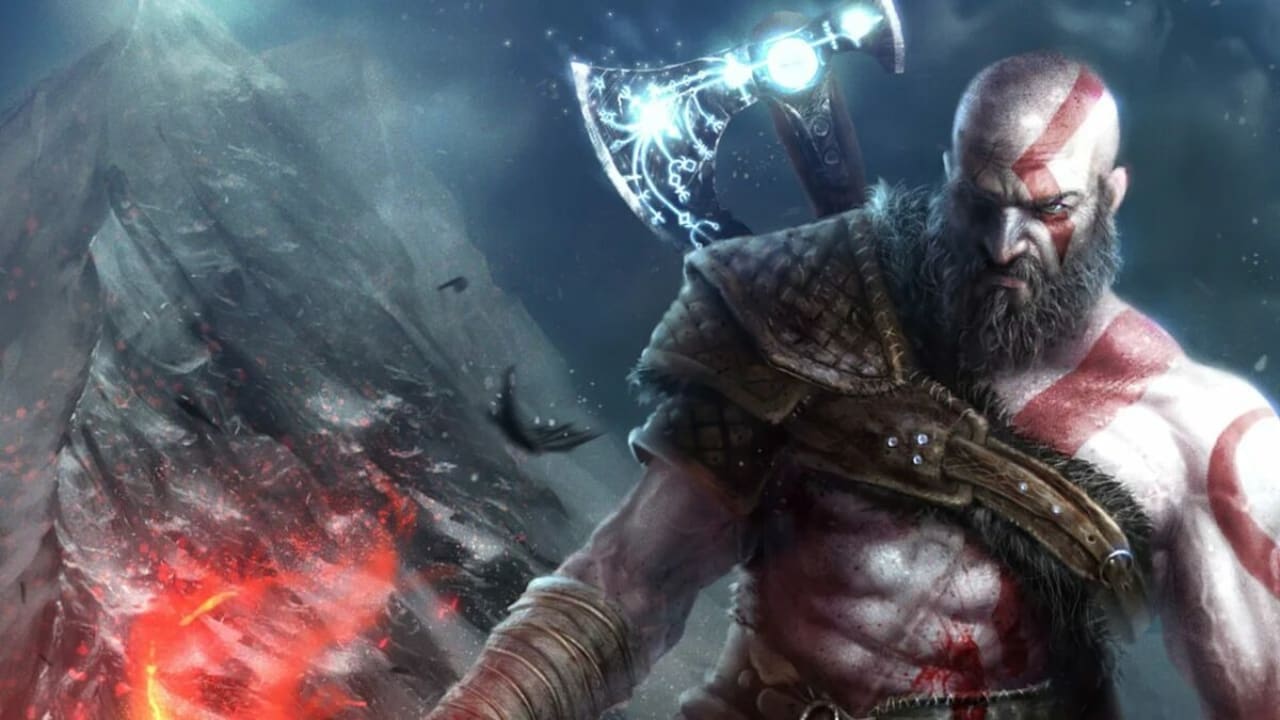
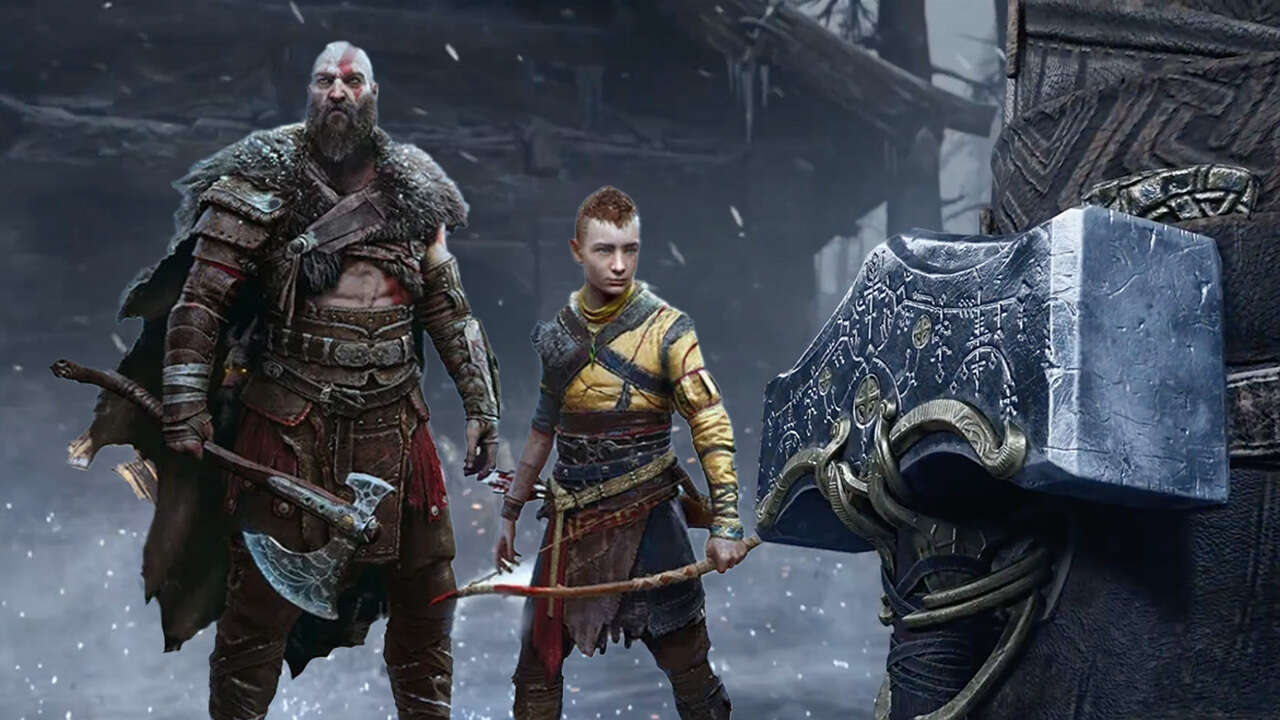
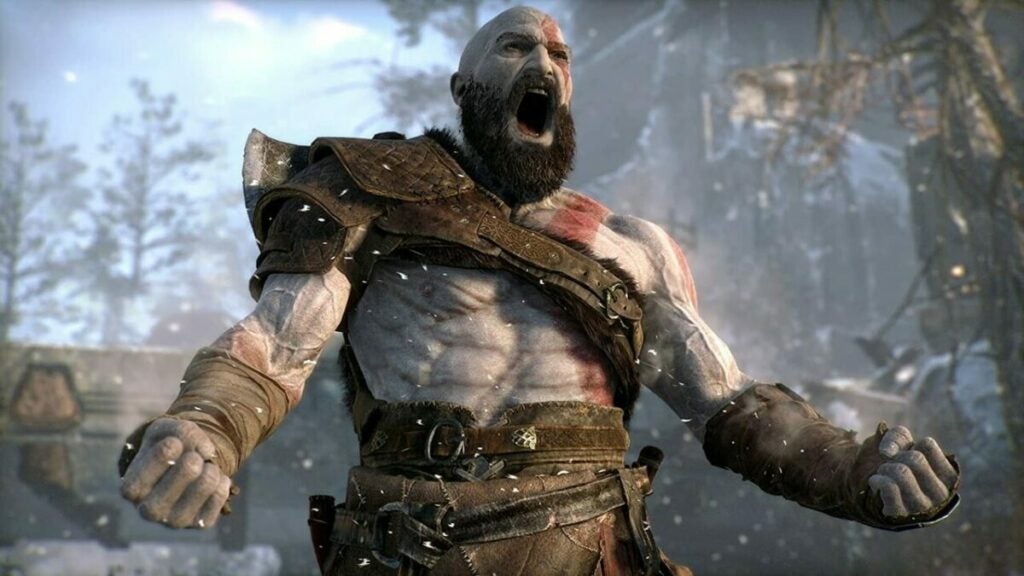
If you’ve been waiting for the release of God of War: Ragnarok like we have, there’s no doubt you’ve already started preparing for the game any way you can. The combat system has been improved, and with many more enemy types occurring in the game, fighting is a critical skill. Knowing the best fighting tactics is a great place to start.

God of War Ragnarök DOWNLOAD

In this article, we’ll look at some of the God of War’s best fighting tactics to survive Ragnarok.

How long does God of War: Ragnarok take to beat?

Reviewers who’ve been lucky enough to test-play God of War: Ragnarok say that if you simply follow the story’s narrative and focus on the main quest, the game will keep you busy for about 35 hours.

However, there are many different side quests that can quickly distract from the main storyline, meaning that the best estimate is that the game will take approximately 40 hours to complete. Also, you’ll spend plenty of time enjoying the view with the outstanding graphics in God of War: Ragnarok.

Is God of War ending with Ragnarok?

God of War: Ragnarok is the finale of the Norse era of the series. So far, no other games have been confirmed. Still, Cory Barlog, the Creative Director at Santa Monica Studio who’s been involved in both installments of God of War, has said that the series could possibly tackle either Egyptian or Mayan mythology.

God of War: Ragnarok vs real Norse mythology READ MORE

9 Best fighting tactics in God of War: Ragnarok

Although the combat system has improved, some of the basics remain the same. Players should still focus on gaining experience and improving their skills. When improving your skills, make sure that the skills you choose fit in with your game-playing style. For example, if you’re good at parrying, you might want to focus on the quick reflexes skill.

Now let’s have a look at some of the best fighting strategies to beat God of War: Ragnarok.

Don’t underestimate parrying

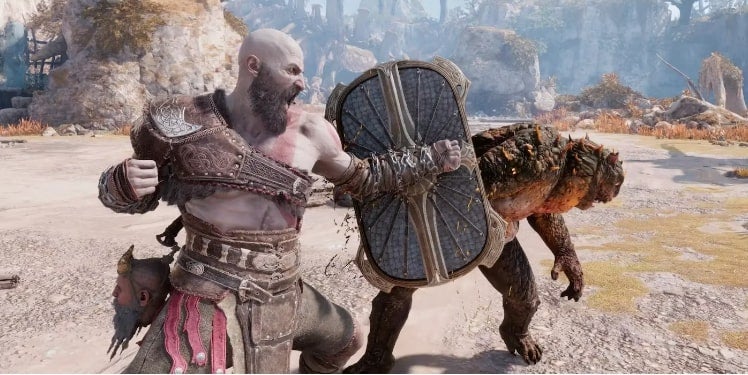
Parrying plays an important part in many of the fights, especially the more difficult ones, throughout God of War: Ragnarok. As such, it’s a worthwhile investment to learn how to perfectly time your parry. You want to raise your shield just as the attack is about to land. When timing this perfectly, it will make the enemy stagger back, cause damage and give you time to launch a counterattack. 

Tip: If the parry isn’t for you, you can still beat the game. Just make sure to invest in the right protective skills when blocking to limit the damage taken. In this situation, you’ll want to focus your shield skill on a more tank-like destiny. Learning how to parry just makes certain fights a little easier, and if you choose to follow this shield destiny, it can become quite useful.

God of War: Ragnarok armor upgrade READ MORE
God of War Ragnarok fighting tactics main

Use roll-on rails when necessary

A dodge roll can be very useful if you’re not good at the parry, if you’re being attacked from behind, or if your enemy is using an attack that can’t be blocked. You can use it repeatedly to dodge attacks from powerful enemies while biding your time to launch your own attack.

Use dodges strategically

Sometimes you might not want to get too far away from the enemy, and in this case, a regular dodge may be better. You can even combine the dodge with your shield up to limit the amount of damage, and you’re still close enough to the enemy to return with a combo or runic attack.

God of War Ragnarok fighting tactics main

Use your environment

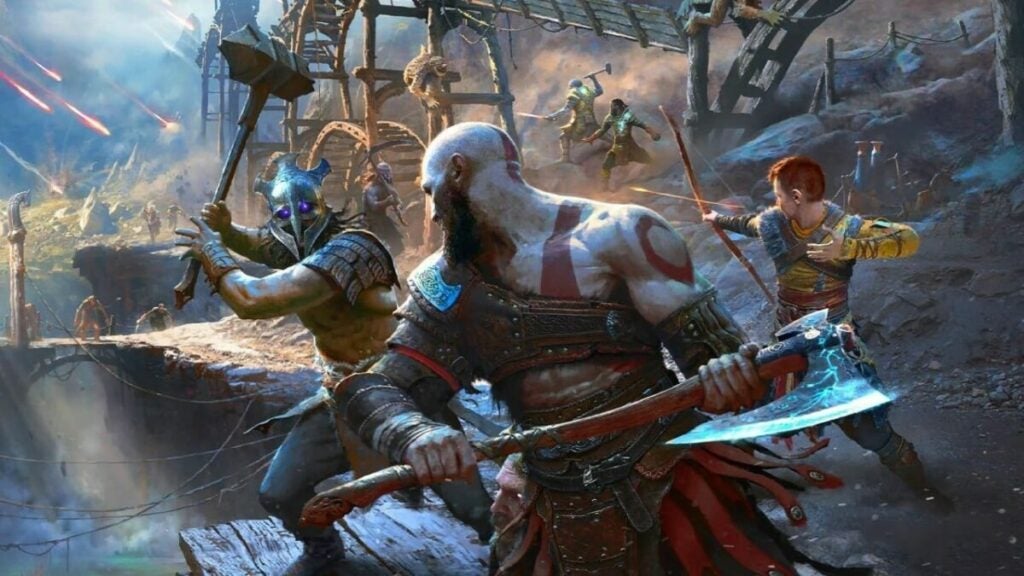
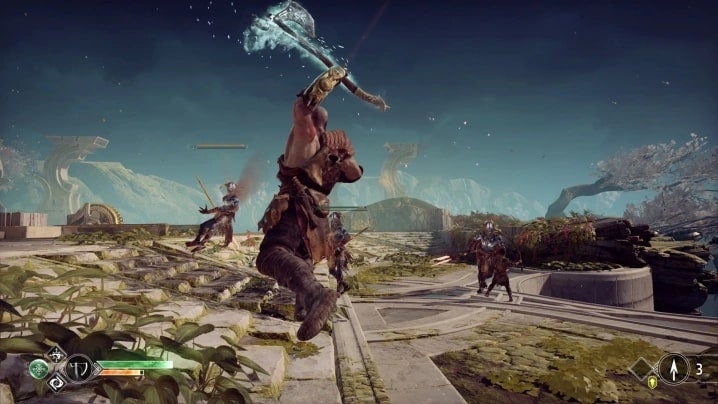
God of War: Ragnarok has created an ideal environment for battles – so make use of it. If enemies are swarming you, it might be easier to knock some of them off a cliff rather than battle each one. Or you can use the environment to dodge incoming projectiles or to lure enemies into a trap. You can also use the environment to launch powerful attacks by jumping into enemies from above.

God of War Ragnarok fighting tactics main

Make use of Atreus

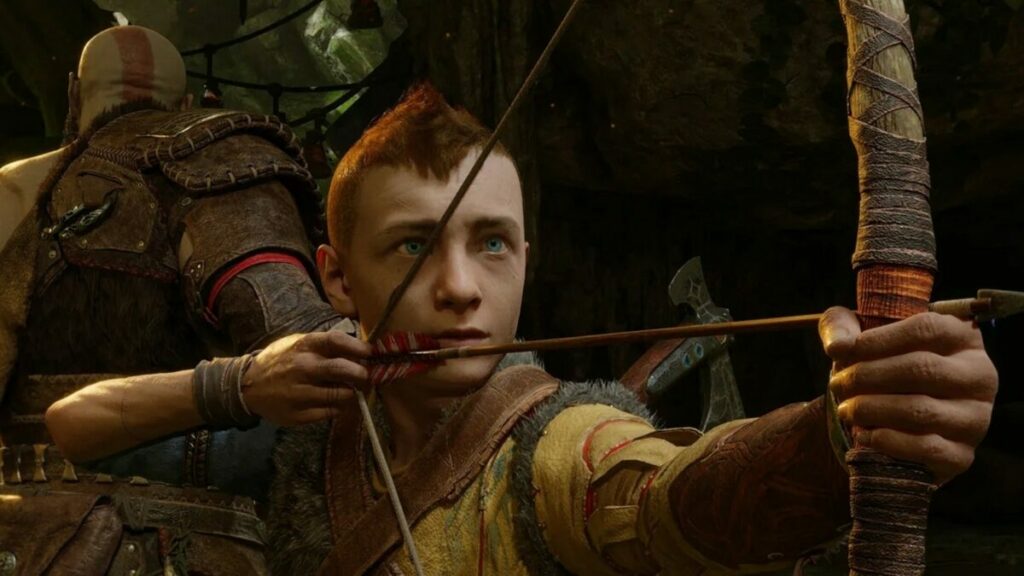
While we expect new moves for both Kratos and Atreus, Atreus will no doubt have a much more active role in Ragnarok since he’s older. As such, it’s important not to forget about him. Arrows from Atreus can stun enemies, giving you a chance to launch a strong attack with Kratos. While his stun arrows are very useful, there sure to be more interesting moves from him.

God of War Ragnarok fighting tactics main

Speed is key

Focus on speed, as it’s an important aspect of the game. When confronted with a group of enemies, get in, knock ’em down and get out. If you can deal with the weaker enemies faster, it’ll give you more time to prepare and deal with the stronger ones.

Take enemies out in an order

In some battles, you’ll find it’s easier to take out enemies in an order. For example, taking out projectile enemies first will make the rest of the fight progress easier as you’re not dealing with launched attacks such as arrows. The same goes for faster enemies; take them down before moving on to the slower but stronger foes. Leave the strongest for last, and try not to damage them until you’re ready; otherwise, they can rank up before you’re ready for them.

Use Spartan Rage at the right time

Spartan Rage can be a useful skill when used appropriately. When you use it, it’ll give Kratos a health boost. As such, using it when you’re at full health will be a waste. It’s better to save it for when your health is low.

God of War Ragnarok fighting tactics main

Don’t underestimate light runic attacks for crowd control

Light runic attacks are great for crowd control. Use one of these skills that affect multiple enemies at the same time when you feel crowded. Save your heavy runic attacks to beat down stronger enemies.

God of War Ragnarok fighting tactics main

Beat the odds and prevent Ragnarok

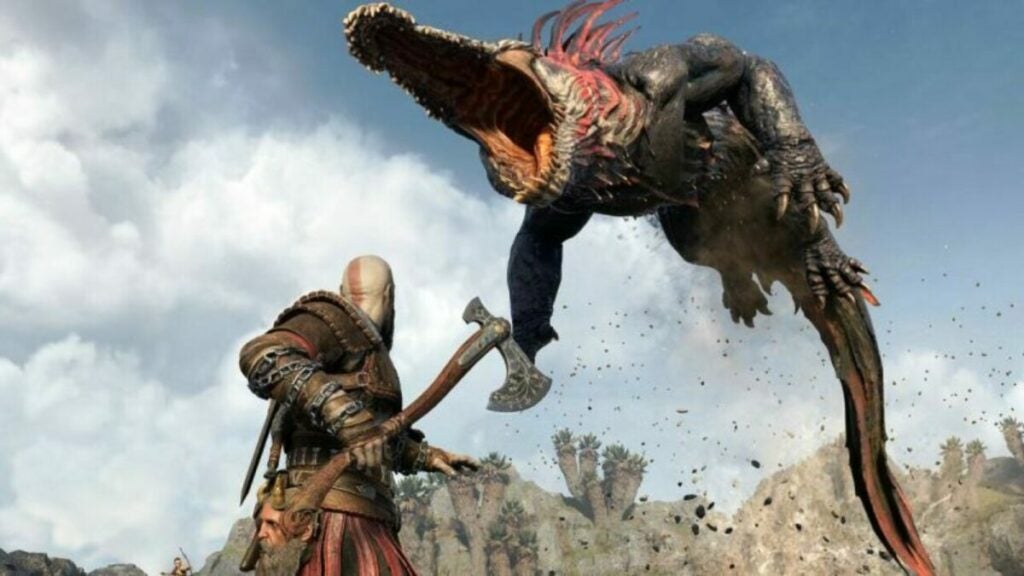
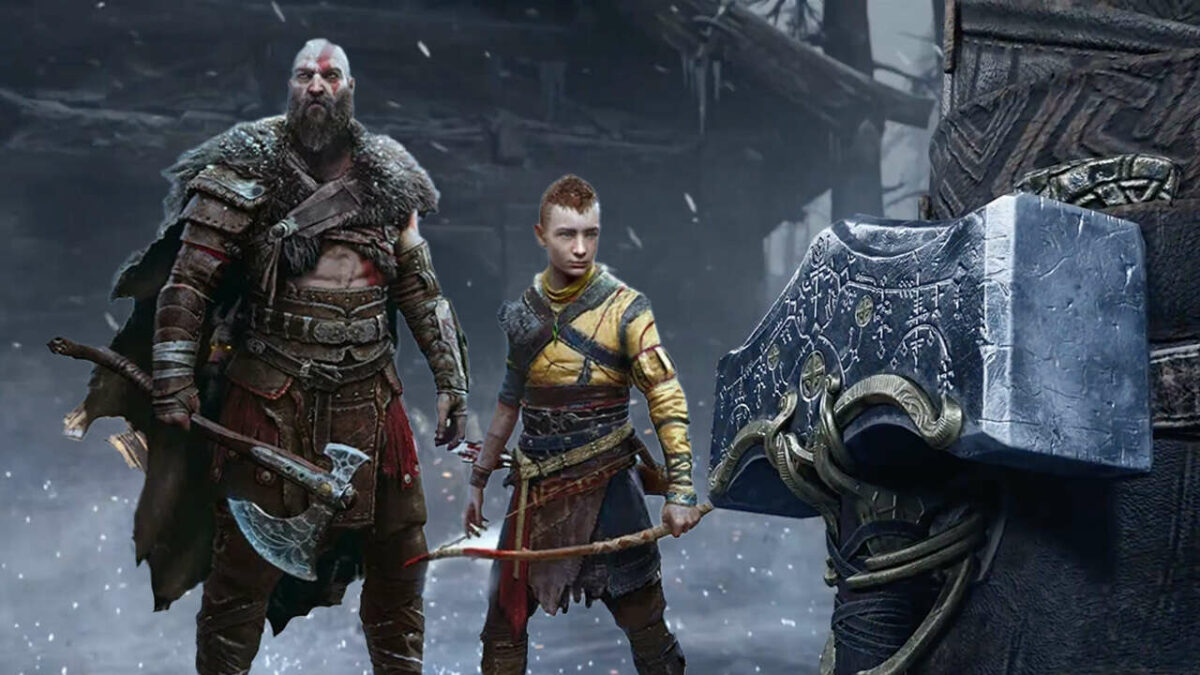
There will be many different enemies waiting for Kratos and Atreus in God of War: Ragnarok. From electric-crocodiles known as Dreki to double-sword wielding Light Elves, and add in the occasion God, you can rest assured that combat skills and strategies will be important. Use our above tactics to help you navigate the new combat system and walk away from your fights victoriously.

God of War: Ragnarok – Armor system upgrade, game leak and unique trailer

With just a few days before its release, God of War: Ragnarok has already been making headlines. As one of the most anticipated games of 2022, fans have been patiently looking forward to its release on November 9th, but there have been a few unsuspected surprises along the way.

God of War Ragnarök DOWNLOAD

The first was the unfortunate game leak that will have many fans avoiding social media over the next few weeks. While the game is only set to be officially released next week, a particular retailer jumped the gun and shipped copies of pre-ordered games ahead of schedule. 

This means that the game is already out in the open, and social media might already be flooded with gameplay footage. So, if you want to enjoy the game fresh without any spoilers, you might want to steer clear of social media for a while. The developers, Santa Monica Studio, are notably upset by this unsuspected leak and have taken to Twitter to apologize to fans and vent their own frustrations at the situation. 

In other news, the game’s combat design lead, Mihir Sheth, revealed that an armor transmogrification system will be introduced in God of War: Ragnarok. This means players can equip armor with unique perks and bonuses and change it to make Kratos look the way they want.

This is becoming a popular request across RPG games and has already been implemented in games like Marvel’s Spiderman and Cyberpunk 2077. Although we don’t know exactly how this feature will work, it’s great to know that there will be a way to give your armor a more personalized twist while still keeping the perks.

The newest quirky official trailer featuring Ben Stiller, John Travolta and LeBron James is enough to keep us entertained while we count down the last few days to the release. This will be the final entry in Kratos’s journey through Norse mythology. We saw how vital the lore of a game is with Elden Ring, and we hope the developers got it right with God of War: Ragnarok.

How to use the latest effects on your TikTok Videos in 4 steps

The popularity of the social media platform TikTok keeps growing. With this growth, the developers continually add more features to the platform. Effects are one of these features and can be a great way to enhance your TikTok videos. Unlike filters which only change the color and feel of your videos, effects give you much more freedom.

TikTok DOWNLOAD

Using effects, you can teleport yourself to a whole new world, manipulate your facial features for hilarious results, or create an entire synchronized dance crew with copies of yourself. In this article, we’ll be looking at some of the best effects TikTok has and how you can add effects to your videos.

What are the best TikTok effects?

TikTok has many different effects that you can add to your videos. From disco light effects to super bling ones and even effects that manipulate and elongate your face. There are so many different effects to choose from, but here are five of the most popular.

Green screen

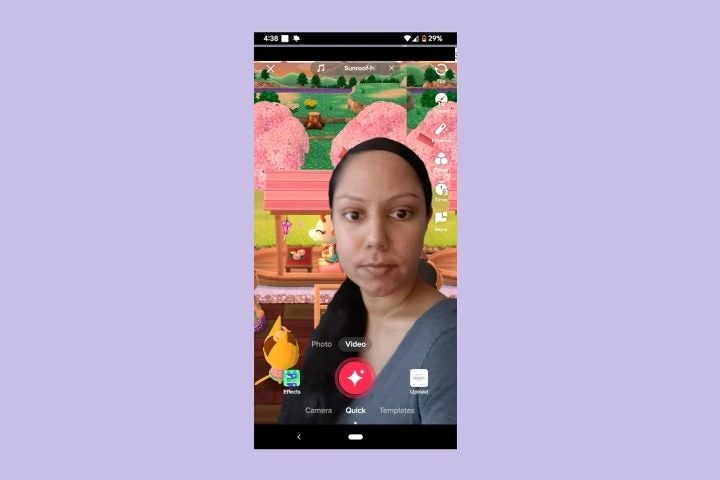
This is by far one of the most popular effects on the platform and is used frequently. The TikTok green screen effect lets users completely change their background – instantly transporting them anywhere in the world. Users can use any of the platforms’ backgrounds or upload a background image from their camera roll. 

latest effects on your TikTok Videos

Trio

This fun effect lets users create three clones of themselves. All the clones will be mirroring exactly what the user is doing. This effect is excellent when used for TikTok dance challenges, as you can easily create a choreographed dance routine with all members being completely in sync with one another.

latest effects on your TikTok Videos

Double screen effect

This interesting effect lets the user split their screen in two. It can be used to record two different outcomes to similar situations, which will then play simultaneously side-by-side. Unlike the Trio or Trisection 2 effects, each side will be able to perform different activities instead of mirroring the original. The user simply moves from one side to the other, which is great for showing two different ways to handle a situation.

latest effects on your TikTok Videos

Tear

This feature has become very popular recently and is one of the most dramatic effects on TikTok. When used, it will make it look like the user is crying – not just eyes glistening over but tears and all. When activated, the effect will make it appear that the user’s eyes are welling up with tears, and when the user blinks, the tears will start streaming down their face. This effect is best used for creative storytelling videos, but make sure to keep some tissues nearby to complete the effect.

latest effects on your TikTok Videos

Color customizer

The color customizer effect is one of the most useful, if a little boring, effects on TikTok. If you want to create great TikTok videos, you need to understand lighting and the effect it has on the colors in your video. While it’s easier to create the ideal lighting conditions when filming in a studio – it’s much more difficult to achieve at the moment.

The effect lets you increase the quality of your videos by enhancing and sharpening the colors. You can also use the slider to adjust particular hues or saturation and even use it to dull the colors of your video if that’s the look you’re going for.

How to use effects on TikTok?

Let’s take a look at how you can use any of the effects mentioned above, or the others available, to improve your own TikTok videos.

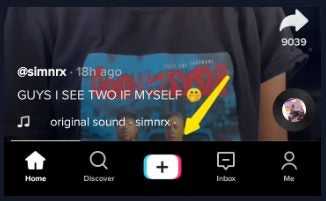
  1. Start recording your video

    Start recording your video by tapping on the ‘+’ button at the bottom center of your screen.

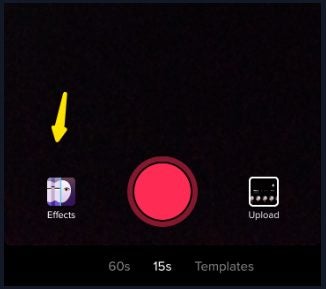
  2. Click on the ‘Effects’ tab

    latest effects on your TikTok Videos

    Before you start recording, tap on ‘Effects’ located to the left of the record button to choose from the available effects for your video.

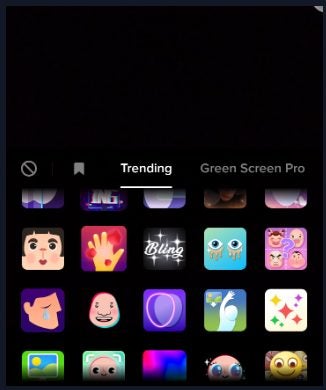
  3. Scroll through the tabs

    latest effects on your TikTok Videos

    After tapping on ‘Effects,’ you’ll see all the available options on the screen. They are also arranged according to categories to make it easier to find what you’re looking for.

    Tip: The available categories include trending, green screen pro, new, special effects, beauty and comedy.

  4. Tap on the effect you want

    latest effects on your TikTok Videos

    In the list of available options, tap on one to add effects to your video. When you’re ready, tap on the record button, and the effect will immediately be added as you record your video.

Create eye-catching videos easily with TikTok effects

As a platform that revolutionized short video content, TikTok provides users with many different ways to create fun, creative and exciting videos. Whether your focus is on humor, professional or entertainment – there’s an effect to take your video to the next level. By following the steps above, you’ll be using effects in no time.

Discord has been clearing thousands of servers and millions of accounts

The increasingly popular social media platform, Discord, recently published its quarterly safety and transparency report. This report showed some serious house-cleaning efforts made by the platform, banning and disabling thousands of accounts suspected of spam-related offenses or other actions against the platform’s rules.

Discord DOWNLOAD

In total, 55,573,411 user accounts and 68,379 servers were disabled between January and June of this year. Most of these accounts were banned for spam-related offenses, with only 1,821,721 removed for other reasons such as child safety or exploitative and unsolicited content.

This number of account removal may seem significant, but on a platform as popular as Discord, it’s essential to ensure all users’ safety. So far, this move seems to be justified, especially when looking at the number of successful appeals. Only 2% of appeals were successful after the first quarter, whereas in the second quarter, less than 1% of appeals were reinstated. This illustrates how seriously the platform takes these bans and how careful they investigate before disabling accounts to make sure the platform is safe for all users.

Discord also reported that they were able to act on 24% of reported infractions between January and March and 22% of those reported between April and June. These steady numbers show an active interest in monitoring the platform. They also stated that they welcome appeals and are more than happy to reinstate accounts if they made a mistake, or the user can provide more details they weren’t aware of. 

https://discord.en.softonic.com/articles/discord-exciting-new-features

Discord is taking an active stand in trying to create a safe environment for its users to connect and create. We’re starting to see a lot more of this on social media platforms. Even Twitter has plans to create a content moderation council to help keep the platform safe for all users. Elon Musk, the official owner of Twitter, has announced this plan.

Among its commitment to making the platform safer, Discord is also releasing new features to keep users entertained and having fun. We look forward to seeing what else the platform has in store.

YouTube brings separate tabs for Shorts, Live Streams, and videos

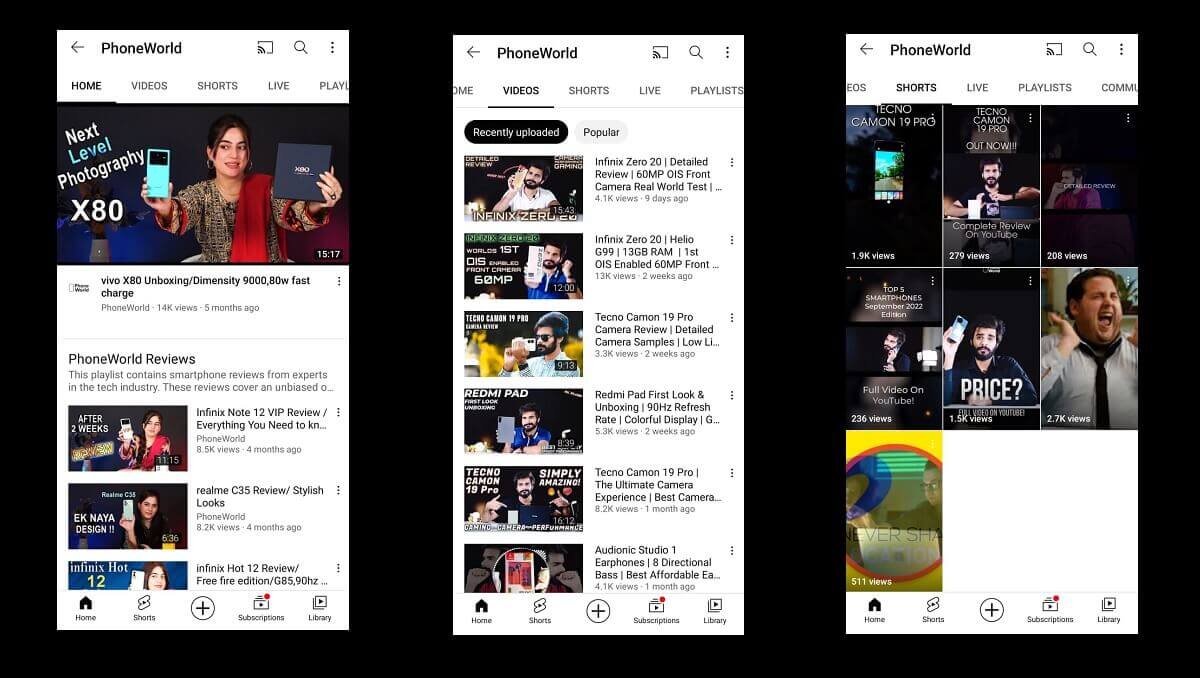
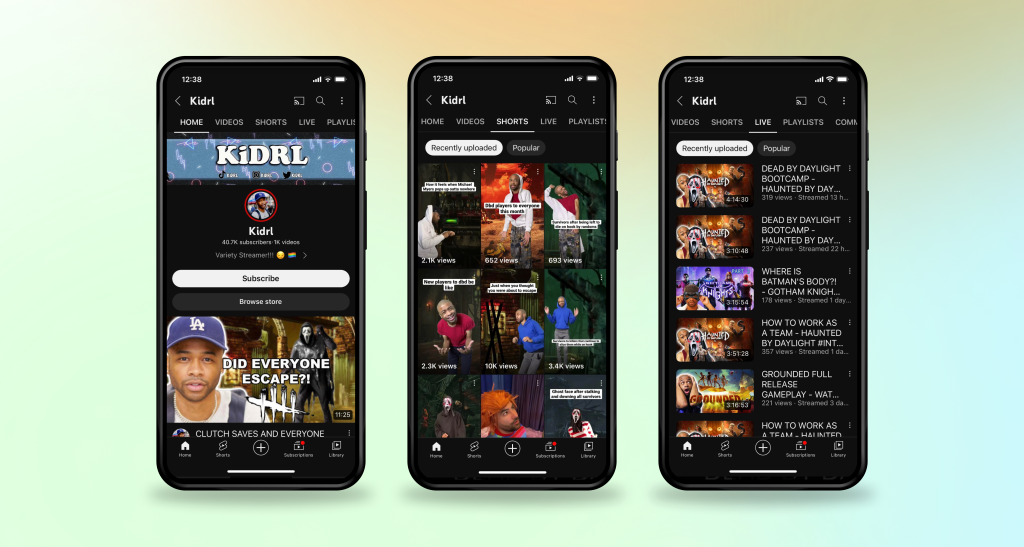
Users asked, and YouTube answered. That’s right; YouTube has made quite a few improvements to its app based on recent user feedback. These improvements should make it easier for users to find the type of content they want when checking out a creator’s channel. These improvements include separate tabs for Shorts, live streams and long-form videos. Let’s take a closer look.

YouTube DOWNLOAD

The first new feature on YouTube will be the Shorts Tab. This new tab can be found on all creator’s channels and will feature all the short-form videos and content created. If a user is watching a short from their feed and decides they want to see what other videos the creator has, they can navigate to the channel and immediately be taken to the shorts tab to see similar content.

Channels will also be receiving a live streams tab. Here, users can see all live-stream content from a particular creator. This includes current live streams, scheduled live streams, and archived live streams. You can find this on the creator’s channel by swiping through the tabs to find ‘Live Streams.’ This feature will make it easier for users to stay on top of their favorite live stream creators or easily access previous live streams if they missed them.

The regular videos tab on a channel will continue to include all long-form video content. Users will also no longer see any shorts or live streams in the video content as all of this will be moved to the appropriate new tabs. 

YouTube brings separate tabs for Shorts, Live Streams, and videos

This update may seem small, but it’ll make a big difference in how users find the content they enjoy. Not everyone enjoys 10-minute-long videos and prefers quick little bites of content. Now, you don’t have to scroll through numerous videos just to get the type of content you enjoy. You simply navigate to the channel and choose the tab that suits your preferences.

These are not the only new features, as YouTube rolled out Zoom features a while back. These tab features started rolling out on October 27th and should be visible on most devices already. If you don’t see these new tabs on the channels in your version of YouTube, make sure that the app is updated.

Marvel Snap strategies: how to increase your collection power

Fans of the Marvel universe can continue enjoying their favorite characters with the Marvel Snap card game on mobile and PC. This card game that Nuverse develops gives players a chance to collect all their favorite heroes and villains while also battling it out against real opponents in quick 1v1 matches. But many of you might wonder how to increase your collection power.

Marvel Snap DOWNLOAD

In this article, we’ll look at how to get more cards in Marvel Snap and why you need collection power to do this. Then we’ll guide you step-by-step as we look at how to increase your collection power.

How to get more cards?

Like any card game such as Magic: The Gathering Arena or Yu-Gi-Oh!Master Duel, the main focus of the game is collecting cards. With more than 150 different cards available and multiple ways to upgrade them – collecting all of them can keep players entertained for a long time.
However, in order to get new cards, you need to upgrade cards and improve your collection power or collection level (CL), as it’s also referred to. After each round, you battle against an opponent you will receive Boosters for a specific card in your deck. You then use these Boosters along with Credits to upgrade your cards which will increase your collection power. As your collection level increases, you will unlock new cards – so upgrading your existing cards is vital! 

How to increase your Marvel Snap collection power?

The only way to collect new cards is by increasing your collection power. This is part of what makes Marvel Snap so intriguing and exciting. You don’t have to spend real money to build a good deck as long as you have a solid collection power-building strategy in place. Besides, a lot of cards can only be unlocked through achieving certain collection levels – so no amount of money will give you a full collection. Let’s look at how to increase your collection level in Marvel Snap.

  1. Launch Marvel Snap

    Marvel Snap strategies

    Launch the Marvel Snap app on your computer or mobile device by clicking on the app icon in your app drawer or on your desktop.

  2. Go into your collection

    Marvel Snap strategies

    After winning a battle, you’ll receive booster points towards a card in your deck. From the main screen, tap on the ‘Collection’ button found at the bottom of your screen to the left of the ‘Home’ button.

    In your collection, you’ll see all the cards in your collection, including those not currently in your deck, as a deck is limited to 12 cards.

  3. Click on a shining card
    Marvel Snap strategies

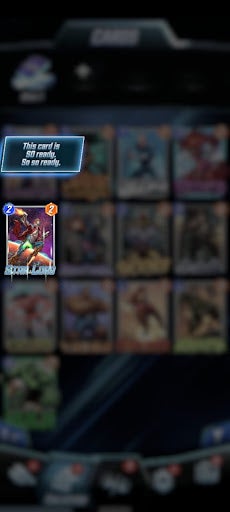
    Any cards that can be upgraded will be clearly visible with a shining sparkle around them. Tap on this card to open it up and see the costs of upgrading the card (credits and booster points).

    Tip: If you want to rank up quickly, make sure to level up your common cards first and change them out once they become uncommon. Following this strategy will leave you with a powerful and well-rounded deck. It will also raise your collection power quickly as these upgrades require fewer booster points than upgrading an uncommon card.

  4. Click on the blue square to upgrade it

    Marvel Snap strategies

    Click on the blue square in the bottom right of the screen to upgrade the card. A new screen will appear featuring the currently selected card in all its glory. Confirm that you want to upgrade it by tapping on the button.

    Tip: Remember that upgrading cards require boosters as well as credits, which are limited. This means you can only unlock a certain amount of cards per day, and then you have to wait for new daily challenges to refresh so that you can earn more credits. Even if you decide to spend money on purchasing more credits – there is also a daily cap for that to ensure fairness and steady progression through the game.

  5. Check your collection level

    Marvel Snap strategies

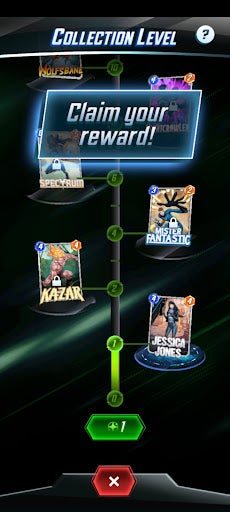
    Once you’ve upgraded a card, you’ll be taken to a new screen showing your collection level and the increase your upgrade caused. On this screen, you’ll also be able to see which card you’ll be getting next and how far you are from getting it.


Battle, upgrade, get new cards, repeat

Marvel Snap is an exciting card game that gives players a chance to collect their favorite superheroes or villains and upgrade them to create the most powerful deck and beat any opponent before you. If you need some more tips, take a look at this thread.

George RR Martin revealed his exact involvement in the Elden Ring lore

The popular adventure RPG, Elden Ring, has been making headlines since its release early this year. We all know that George RR Martin, the writer, and creator of Game of Thrones, had a role in developing the backstory, but just how involved was he? The famous writer recently opened up about his involvement, which is much more than we thought.

Elden Ring DOWNLOAD

While we know from FromSoftware CEO Hidetaka Miyazaki that George RR Martin was involved in creating the lore of the game. The man himself recently attended an interview on The Late Show with Stephan Colbert, during which he explained exactly what his role was.

He explained that he was approached by the people from FromSoftware, and they wanted him to assist with the world-building of the Elden Ring universe. Being a master of this and also enjoying it immensely, George RR Martin agreed and started on the project.

While Elden Ring plays off in its own present time, FromSoftware needed help building the backstory and history of the game. George RR Martin then created this by writing the history of what happened in the universe 5000 years before the events in the game. This also wasn’t just a broad overview but went quite in-depth into the history. This included who the characters were, who they were fighting with, what powers they had, and other intricacies that make a game great

George RR Martin revealed his exact involvement in the Elden Ring lore main (1)

Some of these details included the intricate relationships, such as those hidden in the Sellan, Ranni, and Carian bloodlines. It also included why the Glintstone helmets glow when players do the Erudition emote. It’s these backstories and attention to detail that separate great games from mediocre ones. We just wish that FromSoftware had kept some more of the lore in the final release of Elden Ring. 

Hopefully, the developer’s future plans, such as the rumored Elden Ring DLC, will dive a bit deeper into the lore and give players a chance to experience the beautiful history of the world as created by FromSoftware and George RR Martin.