Born and raised in South Africa I am the mother of two busy kids and one loving husband. Since leaving school I immediately started working and have been involved in many different industries where I learned a wide range of skills. Some of my skills range from marketing to management and even teaching special needs children, particularly those with severe developmental delays. I am a self-proclaimed holiday nut, taking any chance I can get to decorate and celebrate major holidays such as Easter, Halloween and Christmas, often planning these months in advance! I have a wide range of passions that I persue (as often as I can) such as reading, writing, bonsai, crafting, creating natural beauty products, listening to music and playing games (prefered platforms being PC and Xbox).
The Witcher just celebrated its 15th anniversary of the original game, and along with the celebration came some exciting news for fans of the series. CD Projekt Red, the developers of the series, announced that a remake is in development. Not just any remake, though, one using Unreal Engine 5. But what does this mean for fans of the franchise?
The remake is currently in the early stages of development and is being built from the ground up in Unreal Engine 5. For the most part, it’s being created by Fool’s Theory, a Polish development studio that has often given support to larger studios. The studio was also involved in The Witcher 2 and now 3, Divinity Original, Sin 2, and Baldur’s Gate 3.
The decision to build the game entirely from scratch in Unreal Engine 5 is a good call as it will keep the story in alignment with the new The Witcher Trilogy currently being worked on. Many believe this remake will help the series feel like a whole instead of just two different games.
Not only that, but it will also improve the original game, which was rather clunky. This will give old and new fans a much better experience than the original. The Witcher is one of those older games that’s difficult to go back to after all these years. This means many new players will lose out on the story’s narrative covered in the first trilogy. Therefore a remake could be just the answer!
More studios have been releasing remakes and remastered versions to draw attention to their games and excite fans. While some didn’t impress much, like GTA San Andreas, others shone out and made definite improvements in visual impact and overall gameplay, like Final Fantasy VII. Others, like The Last of Us, decided to make significant visual and audio improvements without changing too much of the game sequencing – keeping faithful to the original.
Right now, there’s not much more information, so we don’t know precisely in which direction The Witcher’s remake will go, but it remains exciting for fans of the franchise. It will also give new players a great introduction to the lore before the launch of the new Witcher trilogy.
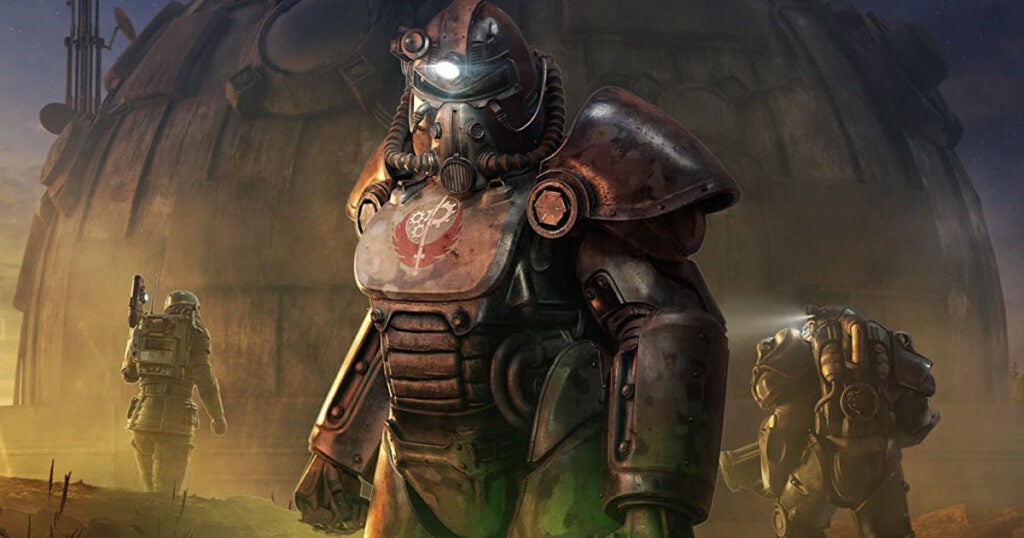
Amazon has quietly been working on a TV adaptation of Bethesda’s popular Fallout gaming franchise. Although they’ve kept everything quite secretive, they just shared a first glimpse of the Fallout TV series to celebrate the franchise’s 25th anniversary. The single teaser image has left fans excited and hungry for more information.
The image was shared on Amazon Prime’s official Twitter page, and despite giving us a sneak peek, it didn’t reveal too much. In the image, we see an open vault door with several vault dwellers standing in front of it. There seems to be another person leaving the vault with what could be a pip-boy attached to their arm. We can also see a pair of feet close to the open door, suggesting the usual battle to escape the vault.
From this image, we can see it takes place in vault 33. This is apparent from the vault number on the back of the dweller’s jumpsuits. This contradicts some of the leaked set images from earlier this year which showed vault 32. As such, there is some speculation as to whether both vaults will play a role in the series. Or if Amazon just decided to change the vault number.
Amazon first announced that they were working on a Fallout series in 2020. However, filming only began in July 2022. So far, there hasn’t been an official trailer or release date, but we’re hoping to see a premier of the show in mid-2023. This is not a confirmed date but is based on similar TV adaptations.
We know that it will star Walton Goggins from Justified and The Shield. There are some rumors that he may play a ghoul – but nothing is confirmed. The other known actor in the series is Ella Purnell, the voice of Jinx in Arcane. The writers and directors heading up the series are Geneva Robertson-Dworet and Graham Wagner. From their previous projects, they seem a good fit to head up a franchise known for portraying a heavy contrast between horror, bleakness, and absurdity.
Even with the teaser image from Amazon, we still don’t know much more. We’re eagerly awaiting any details to be confirmed and will keep you updated as the project progresses. However, from the leaked Fallout images we’ve seen, it looks to be quite exciting.
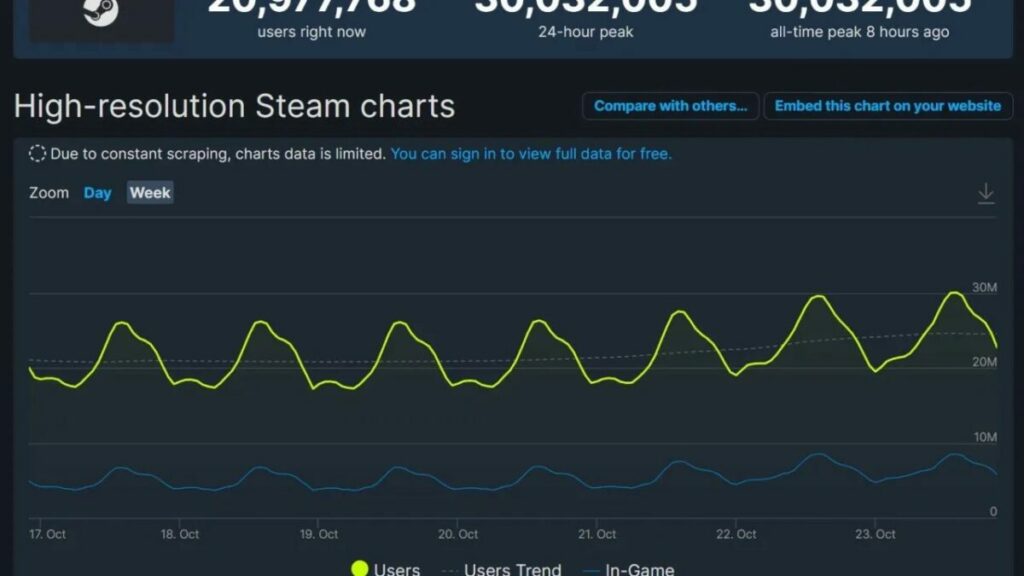
Valve’s digital video-game distribution server, Steam, initially showed a slow uptake of players on PC. This was followed by a major spike in users during the covid pandemic. Despite many believing it would end there, it didn’t, and Steam has continued to grow, setting a new record.
That’s right! This past weekend, Steam has broken all of its past records by hitting 30,012,957 players at the same time. This staggering number of concurrent players was released courtesy of Steam’s own charts. However, SteamDB confirmed the numbers were actually slightly higher at 30,032,005.
Putting this number in perspective, this is roughly the population of Ghana, a country in Africa. Ghana is also the 48th most populated country in the world. This is an impressive statistic for Steam and also shows the continued growth of PC gaming.
This sudden growth and spikes in numbers prove that PC gaming has stuck around far longer than many expected after the global lockdowns. Considering that it took the platform 14 years to grow its user base to 15 million, the concurrent user records doubled to 30 million in the span of five years.
According to the Steam charts, the most played game at the time of the record-breaking number of concurrent users was Counter-Strike: Global Offensive, with a player count of 1,050,184. This is closely followed by Dota 2 and PUBG: Battlegrounds.
With the platform working hard to add an exciting range of AAA and Indie games, as well as porting Playstation and rumors of a Nintendo Switch emulator coming to Steam Deck; we look forward to seeing what comes next for Steam.
Have you ever experienced trying to share files from your computer or mobile device only to find they’re too large to send by message or WhatsApp? Or perhaps you just got a new phone and want to clone your old one without having to download everything again? In these situations, a file-sharing app like EasyShare makes sharing files or cloning your device easy. But how does it work?
In this guide, we’ll teach you how to use EasyShare APK to quickly transfer files or clone your device.
Does EasyShare require the internet?
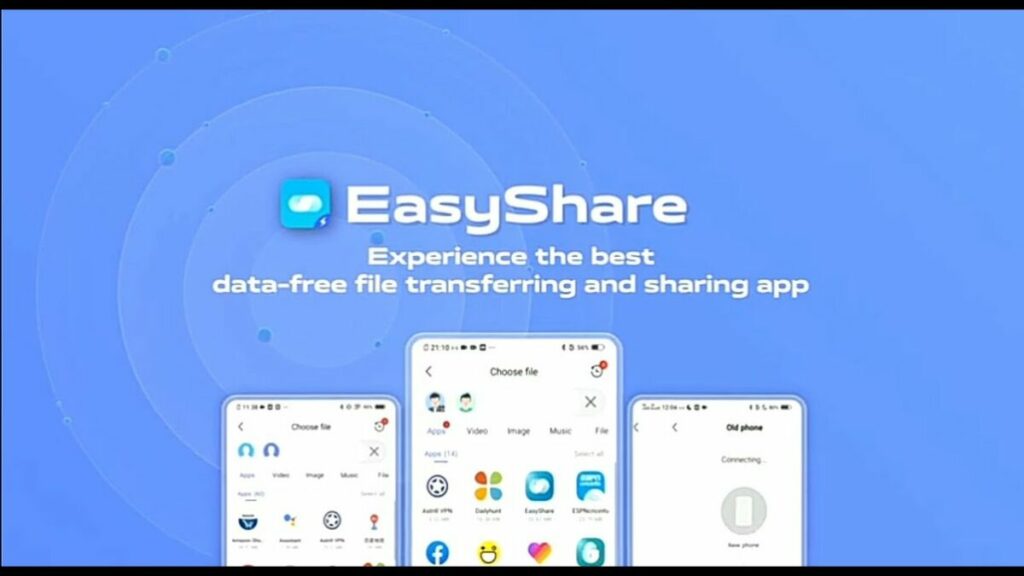
EasyShare is one of the most highly recommended file transfer apps because it’s lightweight, fast, ad-free, and it doesn’t require an internet connection. EasyShare can also use wireless LAN or Bluetooth to send files, making it extremely useful in situations where internet connectivity is unreliable or not an option. Having this flexibility is essential as it makes it possible to quickly and easily send files anywhere and anytime.
Other benefits of using EasyShare:
Transferring large files
Transferring many different file formats
Cloning your device
Fast speeds up to 40mbps ensure faster file sharing
Available cross-platform on Android, iOS, Windows and Mac
Ad-free
How to use EasyShare APK
EasyShare is a very simple and intuitive app to use. The entire process is guided by simple-to-follow options on the screen, with descriptions to avoid any confusion while using the app. There are also no ads, which makes using the application to send files even better! Let’s take a look at how to use EasyShare APK in a few simple steps.
Launch the EasyShare app
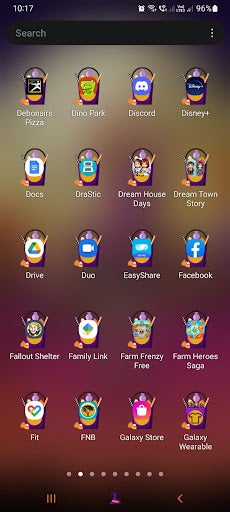
First, you’ll need to launch the app from your device. All you need to do is tap on the EasyShare icon on your main screen or in the app drawer.
Choose ‘File Transfer’
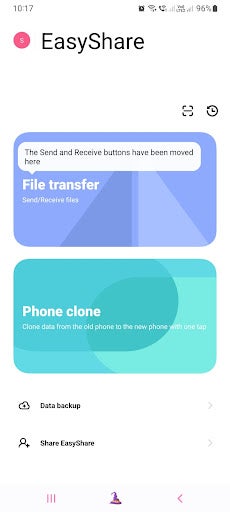
Next, you have to choose what you want to do. EasyShare has two main functions – file sharing and device cloning. For this guide, we’ll be sharing files. Tap on the ‘File Transfer’ button to send and receive files.
Tip: If you want to clone your phone, you can tap on the ‘Phone Clone’ button and follow the on-screen prompts to complete the cloning and transferring of all your device’s data to a new smartphone.
Choose ‘Send’ or ‘Receive’ and accept the permissions
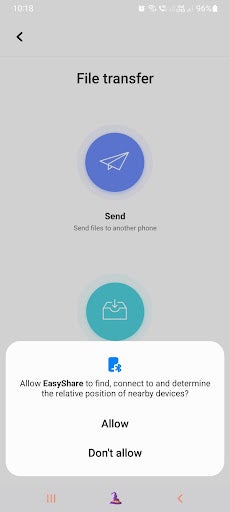
Now you’ll have to decide if you want to send files or receive them and tap on the appropriate button. In this guide, we’ll be focusing on sending files, and for this, you can tap on the ‘Send’ button. The app will request permission to access your files and accept the necessary permission to continue to the next step.
Tip: If you’re concerned about your privacy when granting permissions, make sure you only give the app access to files while it’s in use and make sure to go through their terms and conditions to understand why they need access and what they do with your data. You can always remove the permissions from within your settings after you’ve finished using the app.
Select files to share
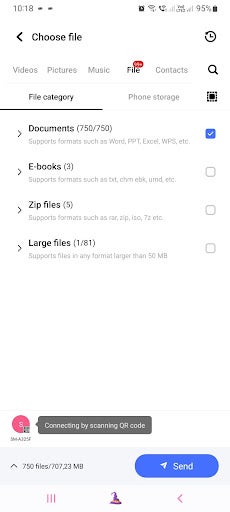
Now you need to select the files you want to share. At the top of the screen, you’ll see different tabs for the files available. These include videos, pictures, music, files, and contacts. Tap on the appropriate tab, and then scroll through to find the right files you wish to send. You can also select multiple files or entire folders. Once you’ve made your selection, tap on the ‘Send’ button at the bottom.
Scan the QR code with the other device to start the transfer
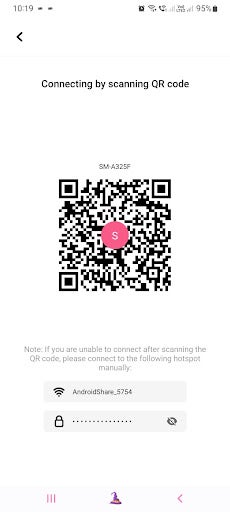
Next, you’ll be taken to a new screen with a QR code. Scan the QR code with the device you want to send the files to. Once the QR code has been scanned by the other device, the download process will begin.
Share files or clone your devices easily
EasyShare for Android is an easy way for users to share files, videos, music and more with others without being limited by file sizes or having to worry about file compression when sending through other platforms. With no ads and no internet requirements, this app will have you cloning your device quickly and easily. Follow the above instructions to start sharing files within minutes.
In the past, WhatsApp users could hide their’ last seen online’ status; however, this feature was rather limited. This feature will still show if the user was online at that moment – not the best if you don’t have the time (or energy) to respond to someone immediately. Now, they’ve finally taken this a step further.
WhatsApp already features end-to-end encryption and Meta CEO, Mark Zuckerberg, claims this provides users with greater privacy for their messages. Now they’re going a step further to prove user privacy’s importance by rolling out a new feature that lets users decide who can see their status.
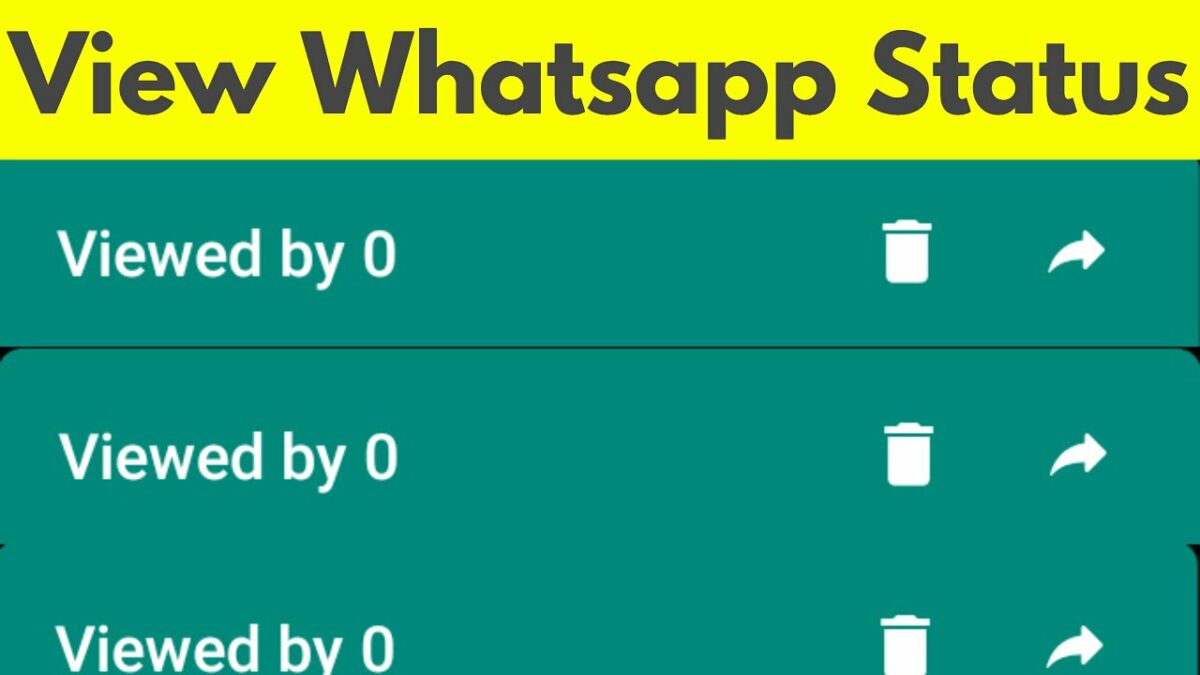
This will give users much more control over who sees their status. A feature like this was rumored about four months ago, but now it’s a reality and coming to all devices. This feature isn’t just an on-off type feature like the original ‘last seen online’ one but will give users much more options.
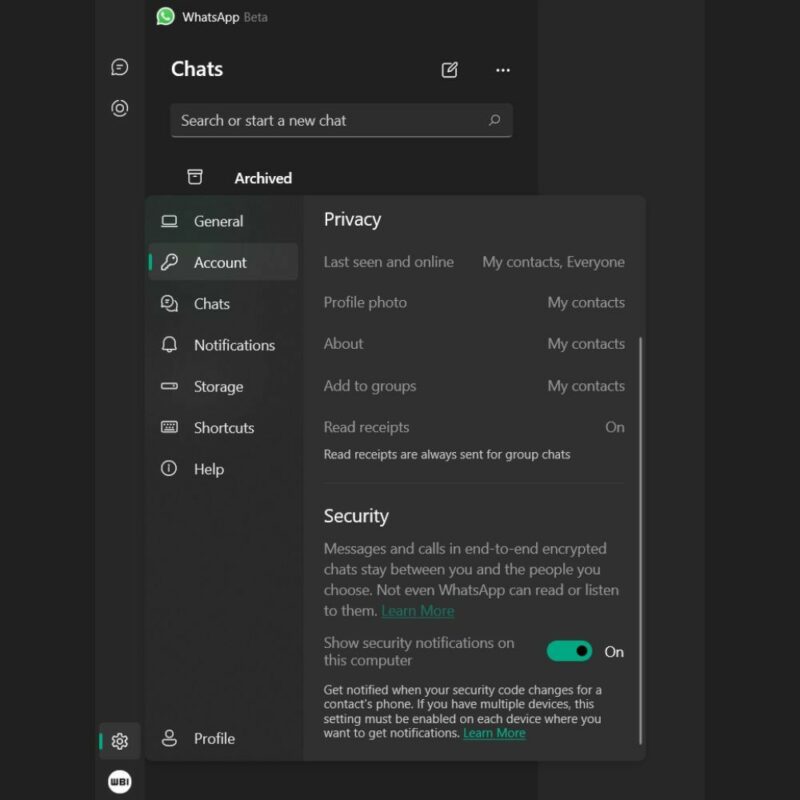
Users can decide to hide their status from everyone, their contacts only, selected individuals, or nobody (default). To enable this feature, you simply navigate to ‘Settings’ and then ‘Privacy.’ Now, you’ll be able to set control over who sees your last seen, profile photo, bio, and status information.
This is the most recent in a line of updates and new features for WhatsApp. These features include calling links and more for WhatsApp on iOS, being able to view polls on Windows, zooming in and out of photos, and much more.
Niantic recently revealed their plans for the Pokemon GO Halloween event. What better way than ringing in the spooky season with a special two-part event? Phase one of the Pokemon GO event is already underway and will continue until October 27th. Part two is scheduled from then until November 1st, and the event details have just been released.
During phase two of the spooktacular Halloween celebration, Pokemon Go players will see debuts of Pokemon wearing costumes. Players might encounter Vulpix, Ninetails, Gengar, Pumpkaboo, and Gorgeist in spooky festival clothes.
The event will also see unique timed research and special research requests. The timed requests will require tickets to activate and have various benefits, such as increased candy bonuses and more. The special research requests will give you encounters with Yamask and Galarian Yamask.
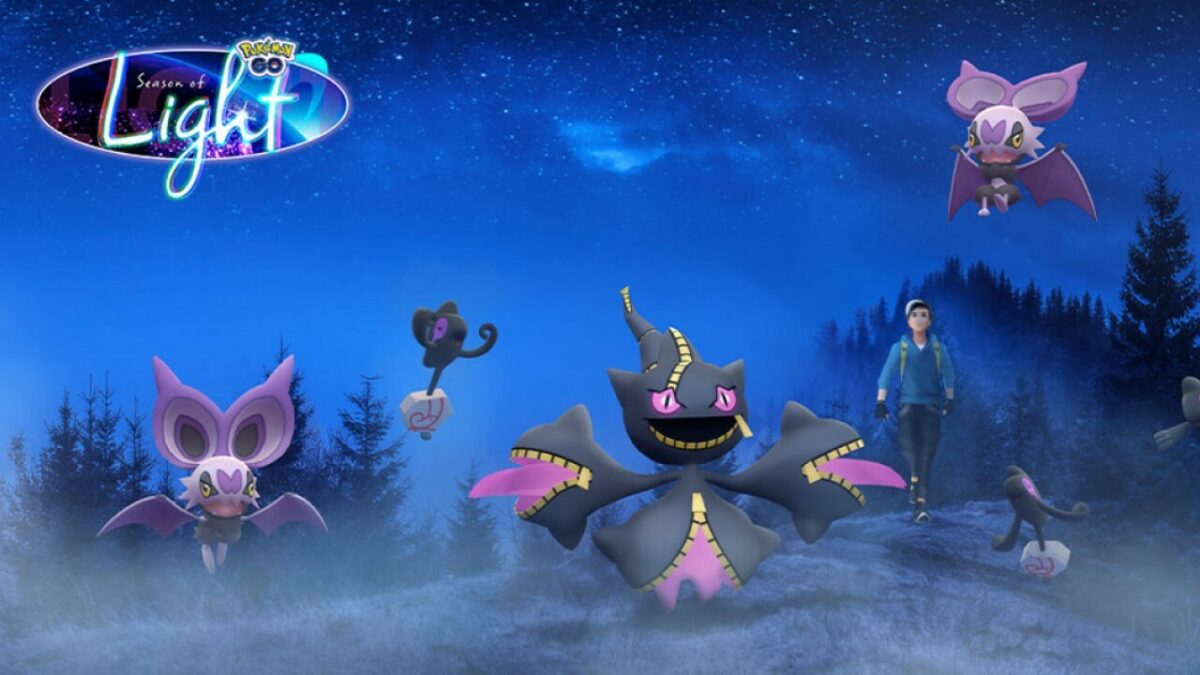
Players will also notice more encounters with ghost and dark-type Pokemon like Zubat, Haunter, Spinarak, Murkrow, Misdreavus, Sableye, Shuppet, Dusclops, and Yamask. They’ll also have a much higher chance of hatching a shiny Noibat from 7km eggs, and the chances of hatching a shiny variety will be much better than catching one in the wild.
One-star raids will feature encounters with Sableye, Purrloin, Yamask, Galariam Yamask, and Phantump. Two-star raids will include encounters with a dressed-up Gengar, Umbreon, dressed-up Drifblim, Drapion, and Phantump. Five-star raids will include encounters with Origin Forme Giratina, while mega-raids will feature Mega Banette.
This event will also feature Avatar updates, including movement being added to the Spooky pose. Some of the new Avatar items will include a Zubat headband, Dusclops costume, and headwrap.
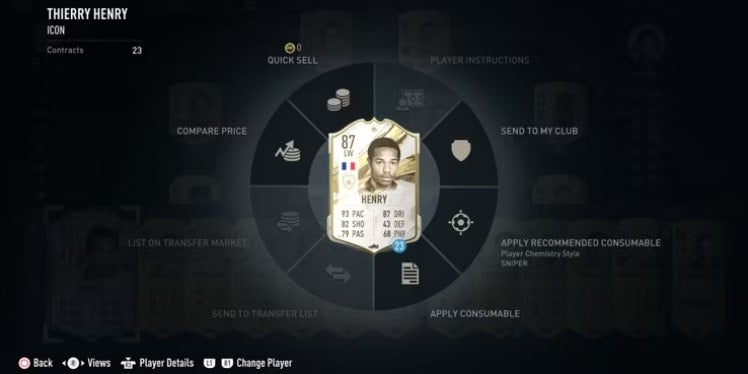
The latest Football game from EA Sports, FIFA 23, has many fans of the franchise excited. One of the game’s most popular features is the FIFA 23 Ultimate Team (FUT) mode. While this mode was available in a few of the earlier games, it’s taken to another level in FIFA 23. This mode works similar to a trading card game, and players battle against each other to build the best team. But how do you know if your cards are good? And how can you get new cards without spending too much?
We’ll take a look at some of the subtle hints that you’ve got a good card as well as how you can earn coins in the FIFA 23 to spend on more card packs to build out your deck.
How to see if you’ve got a good card?
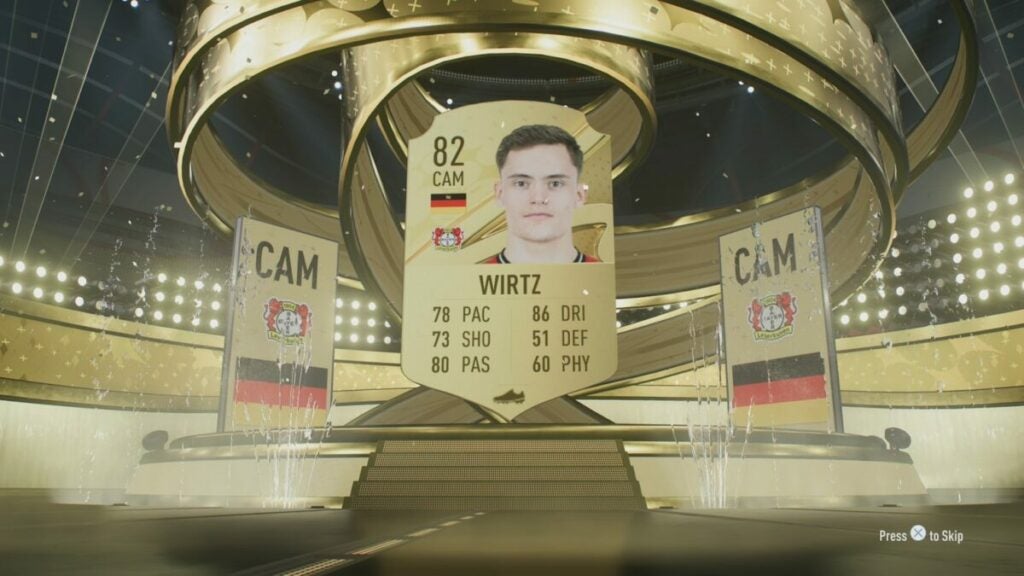
Opening packs in FIFA 23 is a game of chance. You may end up with stellar players or ones you’d rather bench. Depending on the packs you get, you may have an increased chance of getting great players. You might even get rare walkout players with an overall rating above 86. Your goal is to build the best team possible, so having a few walkout players in your hand is essential. But how do you spot these cards when opening your deck? Luckily there are a few subtle hints you can look for to know you just got a good card – before even seeing it.
Check for the fireworks
If you open a pack of cards and it contains a special card, like a FUT promo, with an overall rating above 84, there will be a firework animation just before the card is revealed. These special cards are also considered as Walkout because they are so rare. So, if you see fireworks when opening a new pack, it’s time to get excited.
Keep a lookout for the spotlights
If you open a pack and notice the back of the card darkening and spotlights appearing next to it, you can also start jumping for joy. These spotlights signal a card with an overall rating between 83 and 85. While not considered a Walkout, they are still powerful players and well deserving of a place in your deck.
Watch for a Walkout
Finally, the easiest way to see if you got a good card is to keep a lookout for a Walkout. These cards are the rarest and will always have an overall rating higher than 86. When you get this card, a short animation will play of the player walking onto the screen – hence the name.
Ways to get new cards in FIFA 23 Ultimate Team
Like with any trading card game, in order to increase your chances of building the best team, you’ll need to buy multiple packs. There are ways in the game for players to earn coins and stars, which they can spend on packs without actually spending money. These are some of the best ways to work on expanding your deck.
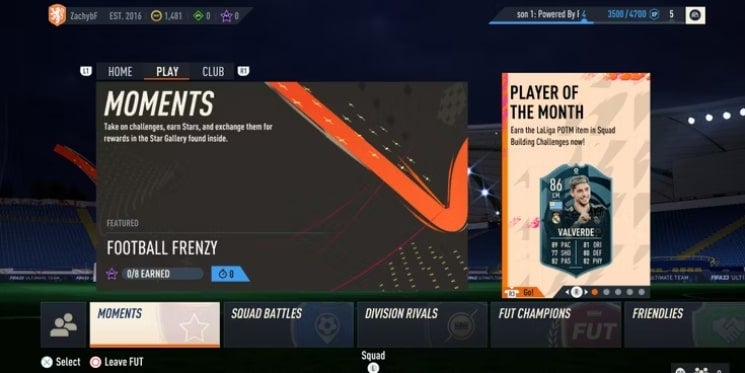
Play Moments mode
Moments is a new feature in FIFA 23 in which players have to complete specific scenarios. When successfully completing a scenario, you’ll earn stars. Once you’ve collected enough stars, you can use them to buy more player packs.
The initial scenarios in Moments mode are great for new players as they teach you the basics of the game. Seasoned players might not need this training, but the stars are well worth the grind.
Complete objectives
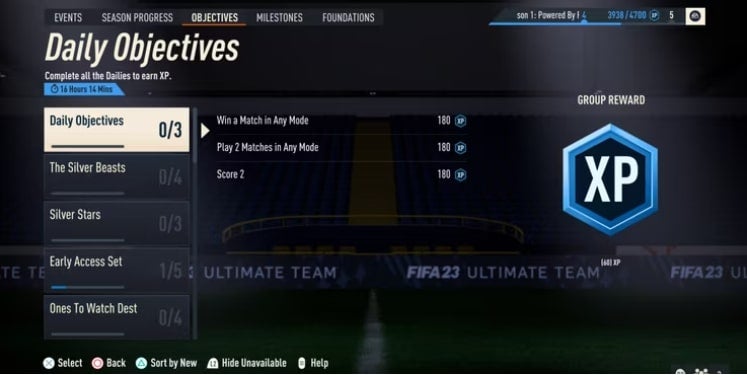
FIFA 23 FUT also has different objectives that guide players through the game but completing these also rewards the player. Completing different objectives can reward you with packs or coins to spend on cards. In the objectives menu, you’ll find many different objectives for you to work towards. Among the options, you’ll see daily objectives, milestones and more.
Complete Squad Builder challenges
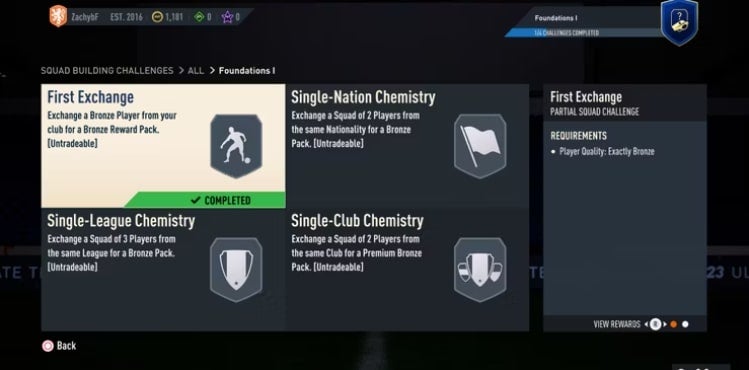
Squad builder challenges are another great way to earn character packs. At the same time, you’ll also learn more about building your team because, in FIFA 23 FUT, team chemistry plays a vital role when building the best teams. However, there is a tradeoff when doing these challenges. The challenges will outline certain objectives, like having a certain number of players from the same country in your team. Once you meet the objective, you will have to give up these players in your squad in exchange for a new character pack.
Use loaned players sparingly
Loaned players can be great early on in the game, but it’s important not to get too attached or dependent on them. These players are usually high-quality players with good overall scores, but they’re only available for a set amount of games, and once their contracts run out, you can’t renew them. As such, they’re a great option for helping you meet certain challenges and objectives early on to enable you to get more character packs and build up your team. Keep in mind that you shouldn’t build up your entire team just on loaned players, as they’re only temporary.
Experience the FIFA 23 thrill in a different way
FIFA 23 Ultimate Team is one of the most popular modes of the games. It gives players a different way to experience and enjoy the world of football. By using this list of quick and easy ways to check your players and earn coins to spend on new cards, you’ll soon be building your own dream team. For more tips and tricks to play the game, check out this useful FIFA 23 guide.
At the beginning of this year, Netflix announced its plans to start charging users for sharing accounts. This new type of subscription model was also rolled out in Latin America for testing. It seems that Netflix will be releasing this feature globally in 2023.
This new feature will require users to set a primary residence when creating an account. People who then watch Netflix from another address for more than two weeks will be charged an account-sharing fee of $2.99/month.
In the pilot program, the $2.99/month covered any two other users outside of the primary residence. For any users who decide that they want to stop sharing their accounts with users outside of their homes, there is a new Netflix profile transfer feature that will make it easier to transfer your profile to a new account.
Another point to note is that this account-sharing charge only seems applicable to those streaming Netflix on television. Viewers who stream Netflix from their smartphone, tablet, or laptop will not be charged extra. This means if you travel frequently, you can still enjoy your Netflix on the go without incurring additional account-sharing charges.
This announcement came shortly after the streaming giant shared its latest quarterly earnings. The company’s earnings have recovered and are looking much better after the subscriber slump reflected in the previous quarter.
During the same announcement, Netflix also stated that they are looking at expanding their services even more by launching their own cloud gaming service. In November, they will also launch a new ad-supported tier in selected countries that include Canada, Mexico, Australia, Brazil, France, Germany, Italy, Japan, Korea, the UK, the US, and Spain.
The possibility of charging users for sharing their accounts has been received with mixed feelings. However, in order for the service to continue providing quality content, they need to ensure all users are contributing, and at $2.99/month, it’s not that bad.
Azeroth’s citizens and World of Warcraft fans are starting to say goodbye to Shadowlands as the Dragonflight release date looms closer. The pre-expansion patches for Dragonflight will be released in two stages. Blizzard has just revealed when these releases will occur and the content contained in each patch. Let’s take a look at what that means for World of Warcraft players.
The first phase of Dragonflight’s pre-expansion will be released after server maintenance on October 25th. The second phase will be released on November 15th, followed by the full release date on November 28th. The first set of raids is also scheduled to take place on December 13th.
Blizzard has also outlined what content players can expect to see with each pre-expansion launch. After the first update, players will get to see and experience the updated talent system and an improved user interface, among other features. With the new talent system, players will start seeing talent trees being reintroduced as part of the new talent system.
Other features being introduced during the first phase include accessibility features like press and hold spell casting and more, rated solo-shuffle, and new class and race combinations.
The phase two content is what everyone’s most excited about as it releases the new Dracthyr Evoker class/race combo. Alongside this release will also be a new dungeon, starting zone, and Primal Storms event. During this event, players will have to ward off attacks from the Primalists with a bunch of new quests and other world events. This event sets the stage for the official Dragonflight launch.
As we’re counting the days to finally start experiencing the new expansion, many players are diving into the WoW classic universe before the launch. But long play queues in World of Warcraft might be a problem. Luckily there are some ways to overcome this and get yourself ready for the release of WoW Dragonflight.
Imo is a free communication application that enables users to communicate with each other in different ways. With Imo, you won’t be charged for your communications; you’ll only need an internet connection. When it comes to these types of communication apps, there are basic features such as making voice or video calls, but how can you get the most out of using Imo?
We’ll show you step-by-step how to get the most out of the Imo app for Android so that you can customize and maximize your experience using the application.
What is the difference between Imo and Imo Lite?
When searching the app store, you might come across two versions of Imo. Imo Lite was just released recently as a lightweight version of the full-features Imo. Imo Lite has a much smaller file size than the original and, when installed on your Android device, only takes up 20MB of storage. This is less than one-fifth of the full version, making it a good option for users with little storage space.
Users are still able to send messages, make voice and video calls and even upload to their Imo stories using the lightweight version; however, some of the customization features are limited to save on space and resources. One of the standout features of Imo Lite is that it performs well on slow or unstable network connections, including 2G. This makes it a useful communication app in remote areas where the internet isn’t reliable.
Imo Lite is currently only available on Android devices. It isn’t natively available on PC, but if you want to try using it on your computer, you can do so with an Android emulator. Although, it’s worth mentioning that You can still connect with the same contacts regardless if you use Imo or Imo Lite. So just because you installed Imo Lite on your mobile device doesn’t mean you also have to install the lightweight version on your PC. It will still work even if you have lite on one device and the full version on another.
How to use Imo to the fullest
Imo is more than just a basic messaging and calling app. There are so many other features that you can use as well, from customizing your home screen, ringtone, and more to creating chat rooms and even sending secret messages.
Send instant messages
Sending messages on the Imo app is easy. All you need to do is tap on the contact you wish to connect with. This will open your chat window. Now you simply start typing your message and press the send arrow when you’re done.
Voice or video call contacts
With Imo, you’re able to make both voice and video calls as long as you have an internet connection. To make a call, tap on the contact to open the chat window. At the top of the screen, next to the contact’s name, will be a blue telephone and video camera button. Tap on the telephone button to make a voice call and the video camera to make a video call.
Send files
To send files to a single contact or a group, tap on that contact or group to go to the chat window. At the bottom of the screen where you would normally type your message, tap on the three vertical dots to see more features. A window will open, showing you what else you can send. From here, you can choose to send a file, contact or share a moment.
Create a chatroom
On the main screen swipe to the right to be taken to the Live Stories section. Here you’ll be able to see all the live stories of users on Imo – whether they’re contacts or not. This is a great way to connect with new people or join chat rooms that share similar interests. To create your own chat room, tap on the ‘Create Room’ button at the top of the screen. Now you’ll be taken to a window where you need to add the details of your room, such as the name, topics and more.
Customize your profile
On your home screen, swipe left to be taken to your account details. Tap on your profile icon to make changes to your profile. You’ll be taken to a page where you can customize various features on the app. You can change your profile picture, add a motto, add a music widget or change your background.
Get communicating with this interesting app
Imo is a fun app to use when communicating with friends and family. It includes all the necessary features, such as messaging, audio, and video calling. It also has a few fun ways to customize the app and share your personality. Use our instructions above to quickly learn how to get the most out of Imo on Android.