With new operating system versions delivering improved performance and new functions, you’ll want to upgrade Windows 10 to 11 so that you don’t miss out. While you can still use the current one, it won’t be long before Microsoft no longer provides support for it.
Besides, there are so many Windows 11 features you’ll want to take advantage of. We’ll take you through the steps for upgrading first before we reveal what tools you can expect.
Open Windows settings
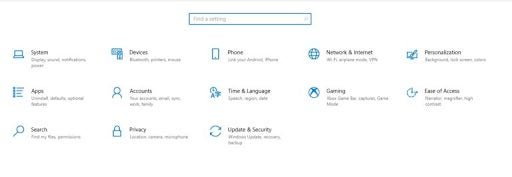
First, you’ll need to head to the start menu on your PC. There’s a search bar at the bottom where you’ll insert “Settings” and press enter. If you’ve done this several times before, you’ll see a shortcut icon for it.
Select Update & Security
There are many sections you can explore in the Windows 10 Settings section. You’ll want to look for “Update & Security”, which is generally the last option. Once you access this item, you’ll open the portal to where all the latest updates are.
Upgrade Windows 10 to 11
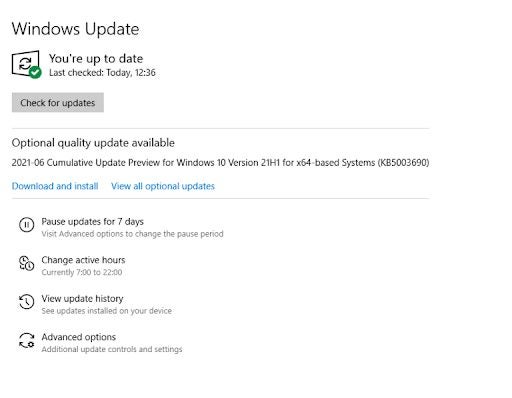
If upgrading from Windows 10 to 11 is available for you in your country for your PC, you’ll see a message stating it under the “Windows Update” section. If it’s not there, you may need to wait a bit longer.
When it is available, you can click on the update button for the Microsoft installation wizard to begin. It may take a long time for the process to complete.
A Look At Windows 11 New Features
As soon as you have the new Windows 11 upgrade, you’ll want to start using the exciting features. There are so many we’re looking forward to, so buckle up as we take you on this adventure.
Snap Layout
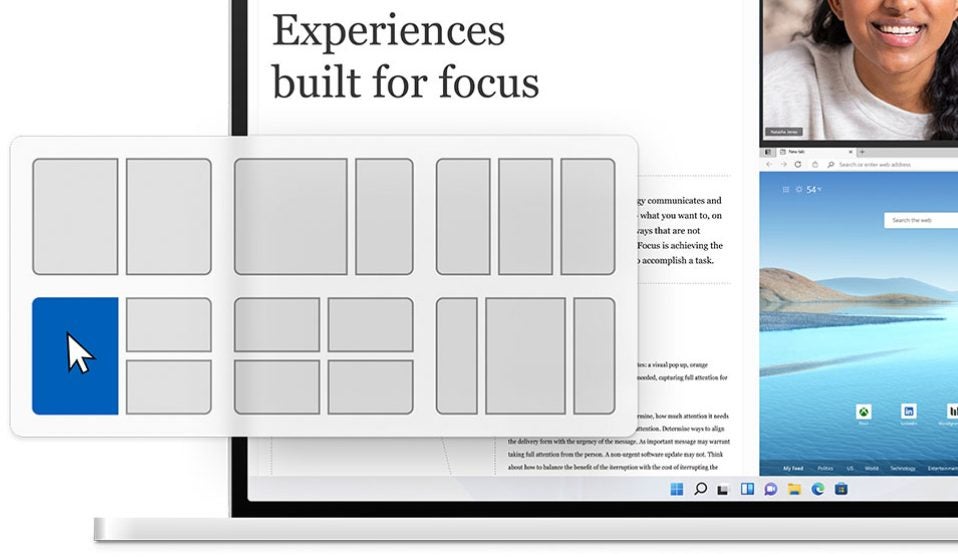
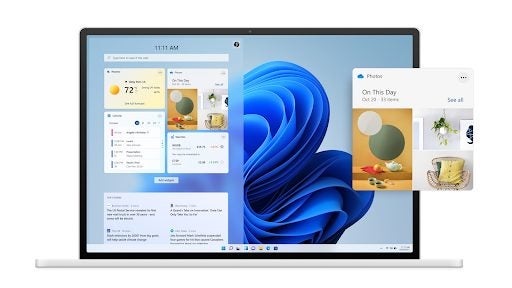
You may remember times from Windows 7 when everyone was installing fences to group specific apps together to find it easier. The new upgrade will have a Snap Layout that’s similar, but more advanced. If you’re working on multiple monitors, this tool will come in handy, letting you quickly switch to a different app.
Widgets and Themes
New themes are coming with Windows 11, giving your desktop a bright new look and functionality. As with Windows Vista, you’ll also have Widgets that’ll keep you updated on events, news, and traffic. Of course, you’ll be able to add your own Widgets from other apps.
Enhanced Gaming and Android Apps
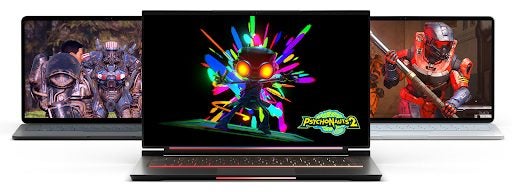
Xbox Games Pass will be part of the experience, with enhanced graphics and performance capabilities. Microsoft also announced that there will be a built-in Android emulator, where you can shop for apps that are compatible with the new operating system. There are also new tools to ensure you’re running system resources optimally.
Meet your Teams
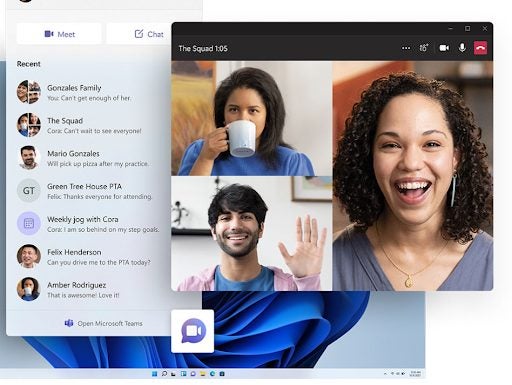
One way that Microsoft is ensuring you’re making the most of its products is by supplying you with built-in conferencing apps. Windows 11 will have Microsoft Teams pre-installed, which means you can simply open it up on your desktop and join a meeting. It’ll be interesting to see how many people switch from rivals Zoom, Skype, and Google Meet.
Open your Windows to New Features
Upgrading from Windows 10 to 11 will present a whole new world on your Microsoft PC. While we’ve highlighted some of the beneficial apps and tools coming your way, we’re sure there will be much more in time to come. We’re hoping it will be a pleasurable experience for as long as the new operating system lasts before the next massive update.
You know those games you see everywhere? You may not know what they’re called, but you’ve probably come across them at some point on social media, in forums, or somewhere else on the internet. One example is the game known as People Playground.
One of the most popular titles for streamers and YouTubers, it stands out for its crazy, fun gameplay and user-friendly format. In it, you’re in control of a gray ragdoll that resembles a crash-test dummy. Make it fly, throw it around, destroy it, etc., all in an open space where you can create anything, just like in Minecraft or Roblox. Next, we will explore more about this title and what makes it so special.
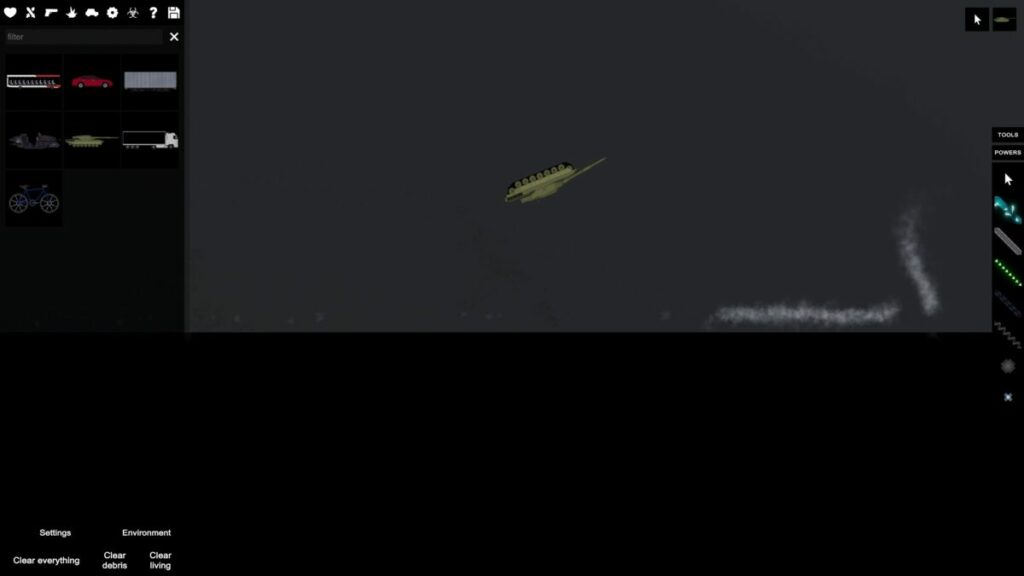
As we mentioned, the game mechanics in People Playground couldn’t be simpler. Players control a gray ragdoll that appears against a gray background with black blocks. At first glance, the map is reminiscent of video game developer tools like Unity or Unreal Engine, especially if you opt for a sidescrolling 2D game. And that’s all…literally!
Here, the player decides how the “adventure” will continue since this is a simulator/sandbox where they set the pace. There are no rules other than those made by the user with the tools in this video game. Do you want your ragdoll to fly through the air? Make it happen. Or, do you want your ragdoll to get crushed by a tank? Well, you only have to create it and watch it happen.
Use maps as your starting point
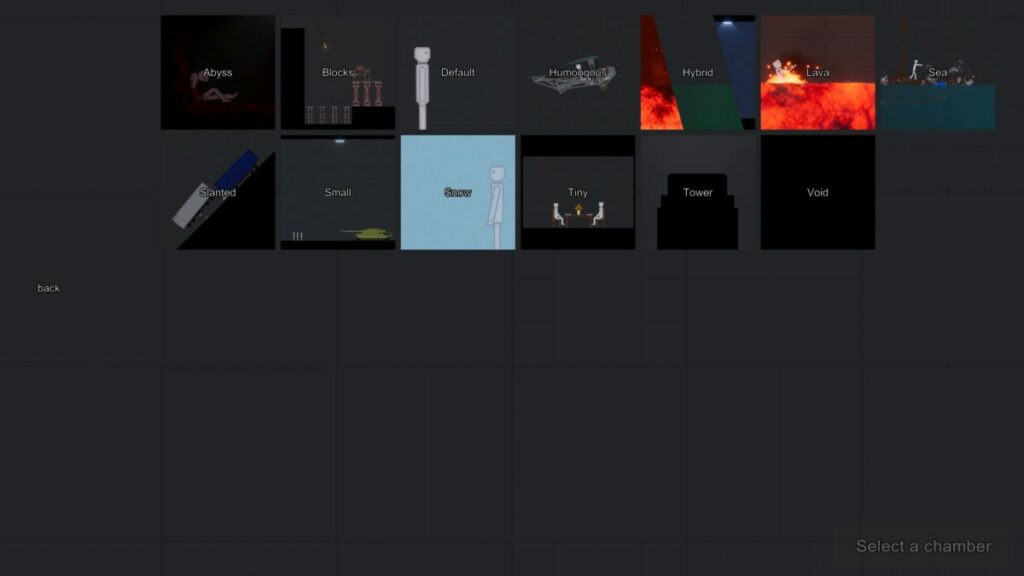
When you open People Playground on your PC, the first thing you’ll see is a window with multiple maps. Although you can do anything using the default option, the game features maps to help you achieve your goal more easily and, of course, find things faster. The maps for creating are as follows:
Abyss: This map is divided by a huge abyss that must be overcome (you can imagine how).
Blocks: A map filled with blocks to use for building insane creations with defined segments.
Default: The game’s default map, which is ideal for experimentation, and you can let your creativity do the rest (try this one first so you can master the controls, the toolbar, and everything the game has to offer).
Humongous: Big versus small, where giant takes center stage and large is powerful.
Hybrid: A combination of any maps you choose to achieve the perfect mix. Ideal for a variety of mods.
Lava: Remember that game “The floor is lava” that was popular years ago? Well it’s the same thing here: there’s lava everywhere and you’ll get burned in an instant.
Sea: While the above map is full of lava, here it’s all sea. Lots of water that you’ll have to avoid… or risk drowning.
Slanted: Going down a ramp is always rather scary (who hasn’t slipped and fallen before?) And rolling things up a ramp is pretty hard.
Small: Just as the name suggests, little takes precedence over big. The opposite of “Humungous.”
Snow: A snow-themed map where snowflakes fill the screen. Don’t forget, snow is slippery…
Tiny: In this case, small is the starting point for creations.
Tower: We created nice constructions with “Blocks,” and we can do the same with “Tower” from a massive building. Imagine jumping off the top of a skyscraper.
Void: Emptiness, the void as a concept. Nothingness. Can you picture it?
No matter which map you choose, they can all take you to the same destination. Using the toolbox, players can customize maps to end in one of these biomes. But as we mentioned, if you’re looking to create a map with fire, it’s best to go straight to that creation.
Make sure to adjust the settings
People Playground is a game where brutality is the point. The idea behind the game is to create something and use it to destroy your ragdoll. That’s all there is to it. But you can make this “character” more detailed.
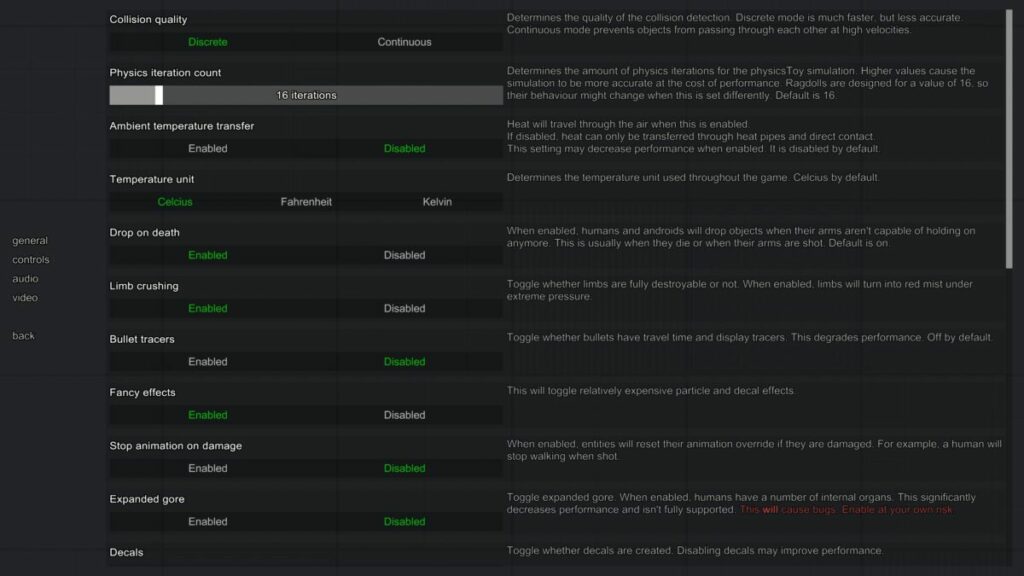
In the game settings, you can modify a number of features. For example, you can make the ragdoll collision system lighter, eliminate gravity altogether (or make it heavier), generate more intense on-screen effects, or even make characters uncrushable when they fall. There are literally dozens of options in the settings, so try experimenting with them to achieve optimal gameplay.
Game requirements
As you may imagine, People Playground is a video game that requires very few resources. Created by a single developer under the pseudonym Mestiez, this Studio Minus title runs on just about any PC from the past few years, so you’re not going to run into any problems. Here are the minimum and recommended requirements.
Minimum:
Operating system: Windows 7 SP2+
Processor: 2 GHz
Memory: 4 GB RAM
Graphics: Graphics card with DX10 (shader model 4.0)
DirectX: Version 10
Storage: 350 MB available space
Recommended:
Operating system: Windows 10
Processor: 3 GHz
Memory: 8 GB RAM
Graphics: Graphics card with DX10 (shader model 4.0)
DirectX: Version 12
Storage: 1 GB available space
In fact, the developer even includes an additional note that’s pretty clear: “This game offers enough freedom to be able to slow down any computer. The better your processor, the more you can do.” In short, the better your computer, the crazier the things you can do. (Of course, the optimization sometimes leaves something to be desired).
The community
The strong point of People Playground, in our opinion, is the community of players. This video game is similar to Minecraft in that the users make the most out of it and share their creations with others.
In People Playground we can import mods and builds from other players. That way we can explore maps that are almost impossible to solve and others where the goal is to kill all the ragdolls on the map. Just keep in mind that the map creator is the one who chooses the rules and the way to solve it.
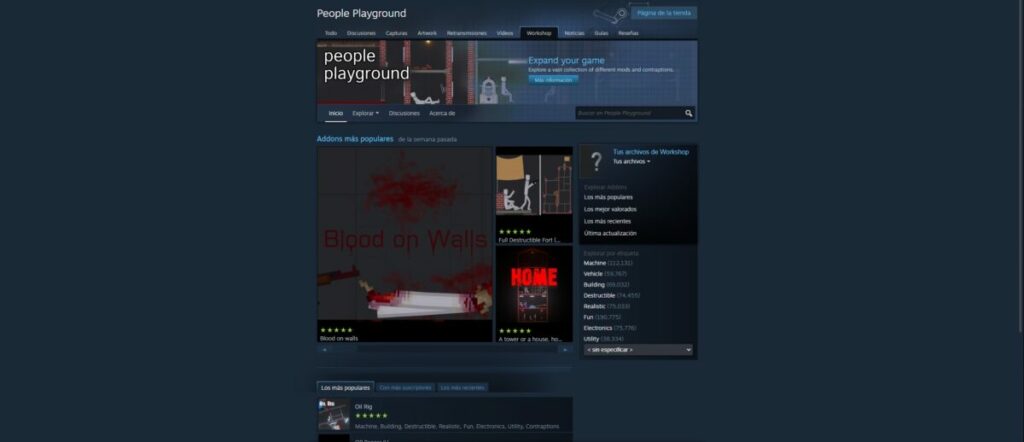
We recommend visiting the mods and creations page on the game’s Steam profile. This is the official one, validated by both the community and the platform itself. To give you an idea, there are more than half a million creations – yes, you read that correctly, more than 500,000 – grouped into different categories (including vehicles and buildings, destructible, realistic and electronic elements, and much more).
And don’t forget that you can also upload your own creations and mods to the page. If you think your map, mod, or item is worth sharing and/or playing, don’t hesitate for a second to upload it. The community will vote on how relevant it seems to them, to rank it higher or lower (yes, it will be there for anyone who wants to play it, regardless of its rank).
Wreaking havoc has never been so fun
Throwing a character off a building when the ground is covered in spikes: there’s nothing funny about this situation, but People Playground somehow makes it humorous. This simulator invites you to design the most surreal settings and elements that you can think of to torture your ragdoll.
Its mission is to make people laugh and have fun, whether playing alone or in company. Here you’ll find no story to finish or objectives to pursue, just a stick figure in the hands of an implacable God. Because that’s you: while playing this video game, you’re God, and everything belongs to you. Hmm…that could be dangerous!
PROS
Easy and effective point and click system
Gets harder with each passing night
Games are short, yet exciting and lively
Very creepy ambiance
CONS
Limited technical section (although the artistic one makes up for this)
If you quickly master the game mechanics, you’ll finish in a little over an hour
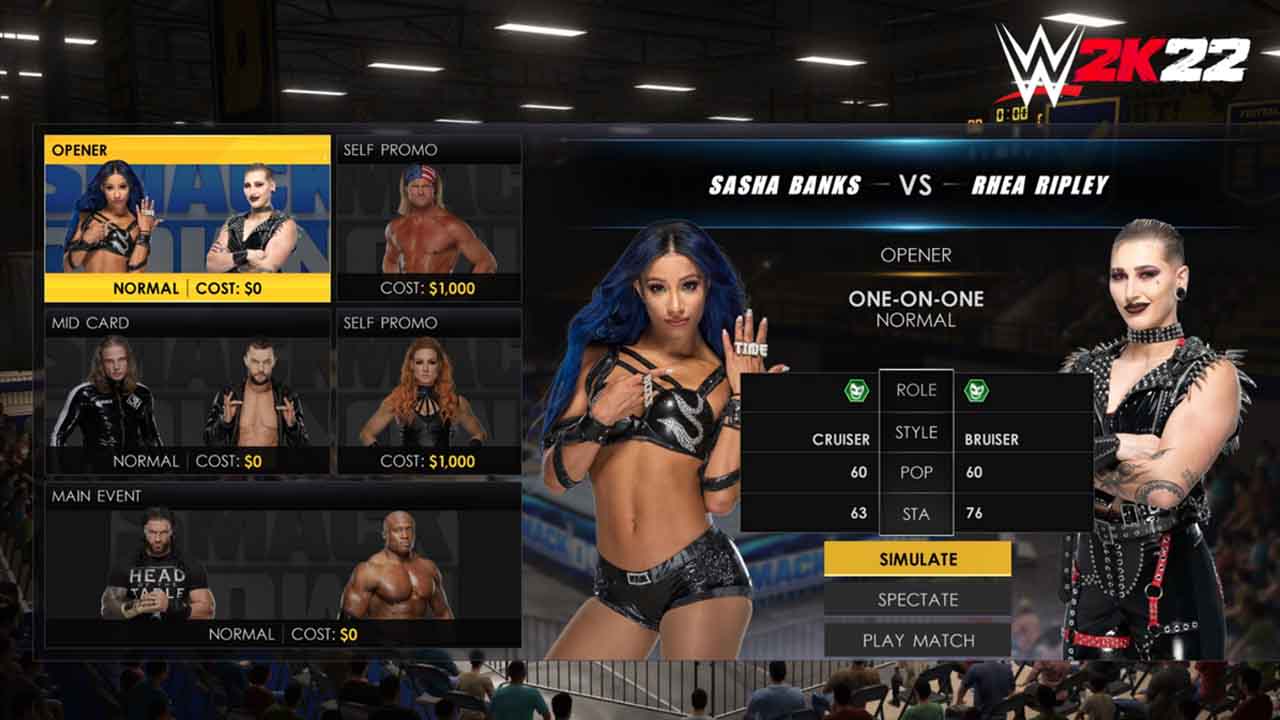
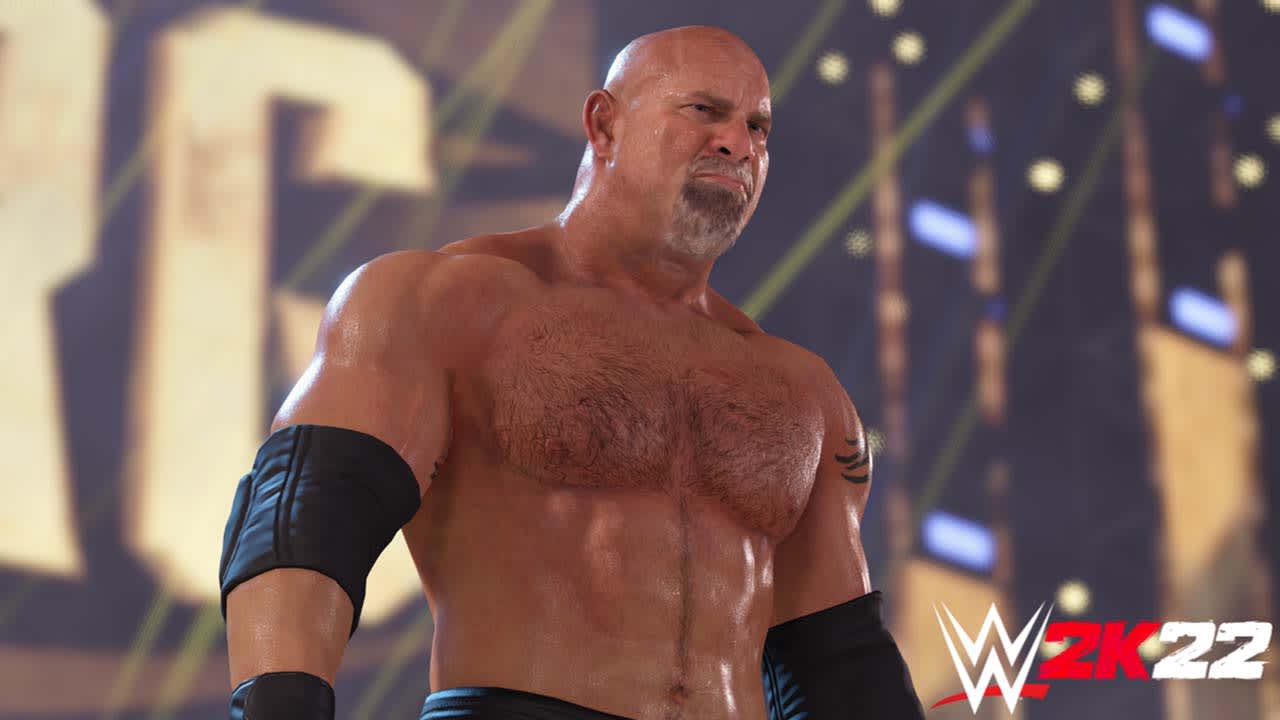
The popular WWE 2K franchise is making a comeback this year. After an erratic delivery in 2020, 2K Games decided not to release a new edition of its wrestling game in 2021, using its sabbatical year to fix all its past mistakes. And the results are nothing short of remarkable: WWE 2K22 definitely meets the quality standards we would expect of a game in the franchise.
If you’re already playing it, keep reading this article to learn 5 tricks to be king of the ring in WWE 2K22.
Master the new controls
As we mentioned, many aspects of the 2022 edition have improved. And it couldn’t have been otherwise, considering that the 2020 game was a technical disaster. That’s why the first thing they did was rebuild the game engine.
Visual Concepts, the developer of the title, redesigned all the gameplay and the animation engine from the ground up. The change isn’t huge, but the new display forces us to change our strategic approach to the game, as reflected in the controls.
Since WWE 2K22 is heavily combo based, we recommend initiating combat via simple attacks using the square or x button on Xbox. Once you’ve done a series of basic hits, then you can branch into heavy attacks or grabs with the other buttons. That way, through a sequence of light and heavy blows, you’ll be sure to inflict more damage.
As you may have noticed, this is common in fighting games, and now WWE 2K22 is applying the formula. And that brings us to our next tip: check out tutorial mode to learn how to master the new controls.
Be careful in MyFaction mode
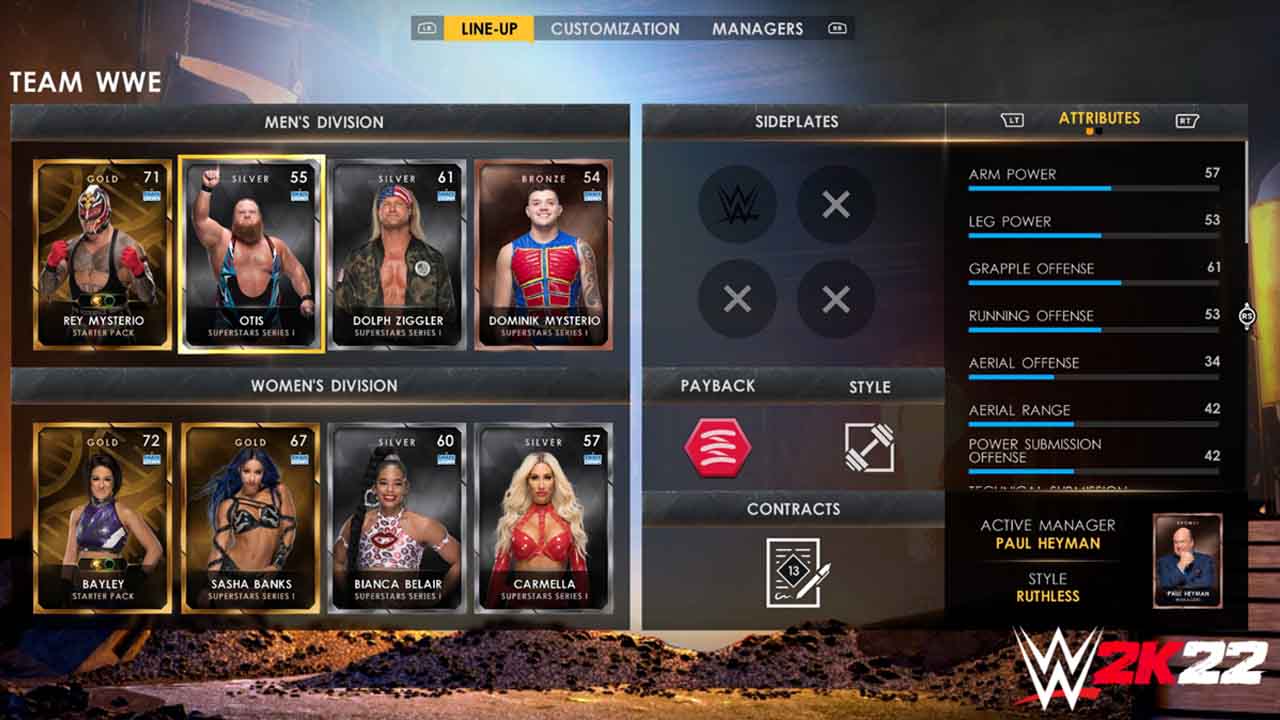
In this edition, 2K Games has added MyFaction, a game mode similar to FIFA Ultimate Team…
with all that it entails. My Faction is full of cards and items to be obtained using in-game currency as well as real money. In other words, it has the same dangerous loot box mechanism as other video games in the market.
There are three ways to obtain MyFaction points: by completing matches and challenges; by collecting MyFaction Tokens, which can be used in the Token Rewards market to unlock legend and superstar cards; and using the game’s virtual currency, which is purchased with real money.
Obviously, we recommend completely avoiding the last option and focusing on the first two, since they are the ones built into the game’s own mechanics. We know it’s hard, and these modes are designed to get you to spend money to go further in the game, but go for the missions and challenges first (by the way, it’s best to use “Evolution” cards, the fastest track to stardom and success).
Set MyGM mode for the maximum number of weeks
Sometimes complaining gets things done. WWE 2K22 players complained to the studio and publisher, begging them to bring back General Manager Mode. No sooner said than done! This time, Visual Concepts has rechristened it MyGM, but it’s essentially the same thing.
This mode lets players choose one of the five available Managers or create their own. Then they can select superstars, budgets, sponsors and stadiums, set ticket prices, sign free agents and much more. You’ll become the showrunner, but there’s a catch: it only lasts one season. Then it’s over, and you can’t continue endlessly like in Football Manager.
But here’s a tip: as WWE 2K22 lets you choose how long your championship will last, we recommend selecting the maximum duration, “50 weeks,” in the settings menu. Since MyGM is limited to a single season, you can use this option to prolong General Manager mode as much as possible.
Download the wrestlers you can’t find
Community Creations have become almost universal in WWE 2K games. Although they have been missing from some editions, they are back by popular demand in WWE 2K22, at the players’ request.
And “Community Creations” is exactly what the name suggests, that is, wrestlers created by players. Using this option, we can choose from a wide variety of combatants, but the classic superstars we miss will be available as well.
Although WWE 2K22 will be adding downloadable content, including new wrestlers, we recommend searching for them first in Community Creations. What’s more, they’re free!
Don’t skip MyRise mode
We know for a fact that people tend to skip MyRise mode in sports games, but don’t make that mistake. In WWE 2K22, MyRise has been revamped with more dialogue options, customizations for designing your wrestler, more freedom in decision making and much more.
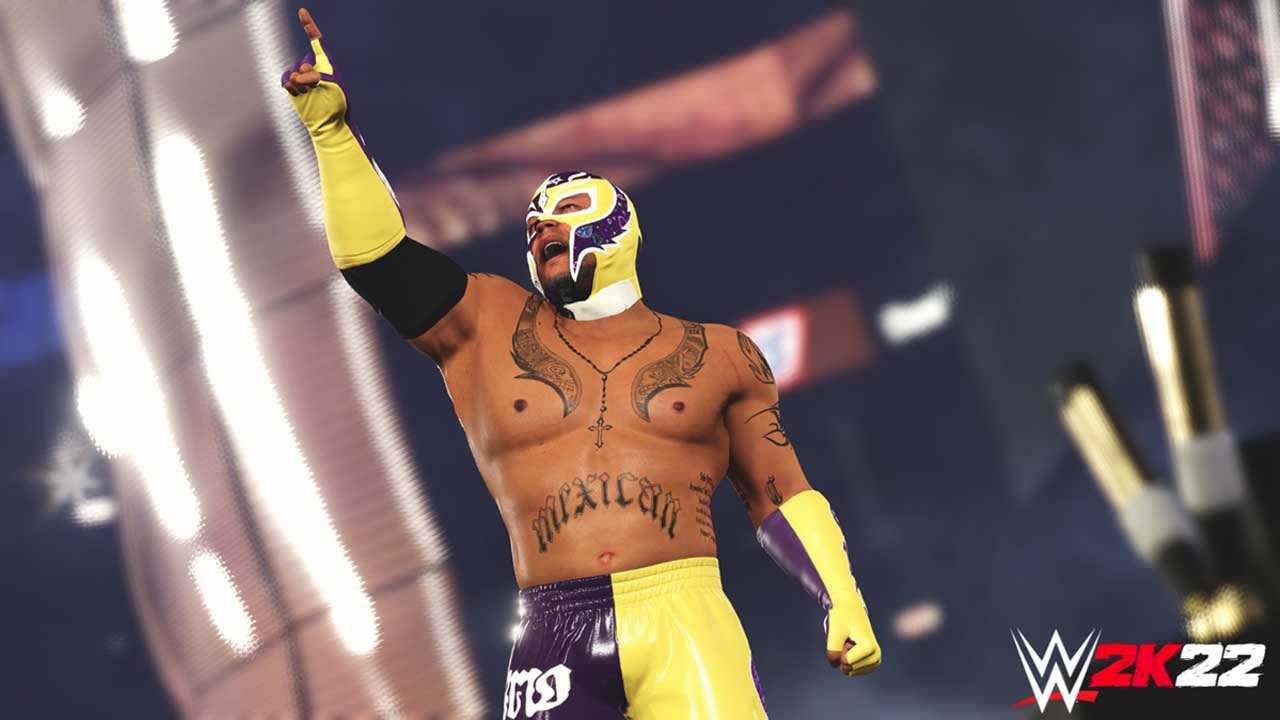
This is also the case of the Rey Mysterio Showcase, one of wrestling’s most famous characters. So, be sure to check it out. It’s fun, and you’ll unlock a number of features upon completing this mode.
Be the king of the wrestling circuit
And that brings us to the end of our top five tricks, tips and recommendations to make your journey through the WWE 2K22 universe a bit easier, either by getting the cards we mentioned or diving into MyGM or MyRise mode. The rest is up to you: get into the ring!
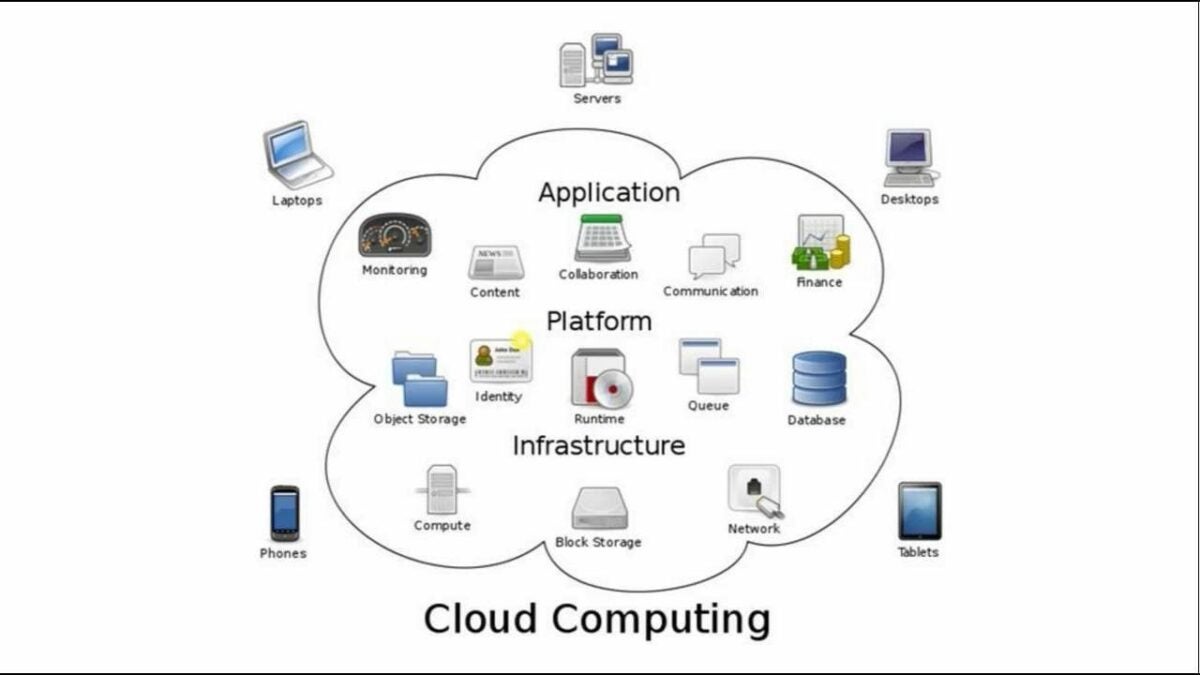
Windows 365 Cloudis a new Microsoft offering that puts your PC in the cloud. Its best feature is that you can roam all your settings from your Physical PC to your Cloud PC. These include your apps, desktop, browser history, favorites, wallpapers, and content.
You can then access them at any time on any of your devices, including your phone or tablet, whether they are Mac, Linux, iPad, or Android. So you get the power of the cloud combined with the simplicity and ease of use of your PC. Windows 365 Cloud is a hybrid computing model that will allow users all the capabilities of their PC with the power of the cloud.
It’s not aimed mainly at personal use but at the new world of remote work that arrived in the pandemic era. It will be available from August 2, 2021.
Streaming Data to Other Platforms
The Cloud PC allows users to stream all their information from the cloud to any of their devices on any other platform including Mac, Linux, iPad, or Android. You can switch from one device to the other and pick up where you left off on your Cloud PC.
Pre-Provisioning Windows 365 Cloud PC
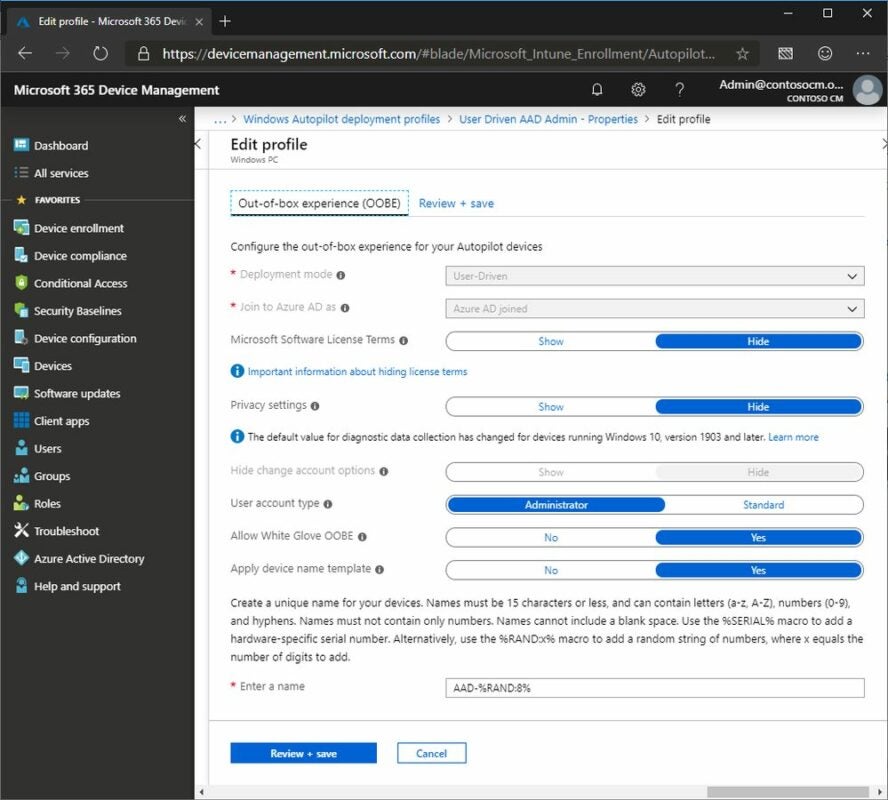
Windows Autopilot white glove pre-provisioning allows organizations to provision new devices easily. This takes them from the initial factory configuration to a state in which they are ready for productive use.
The MEM Intune Portal
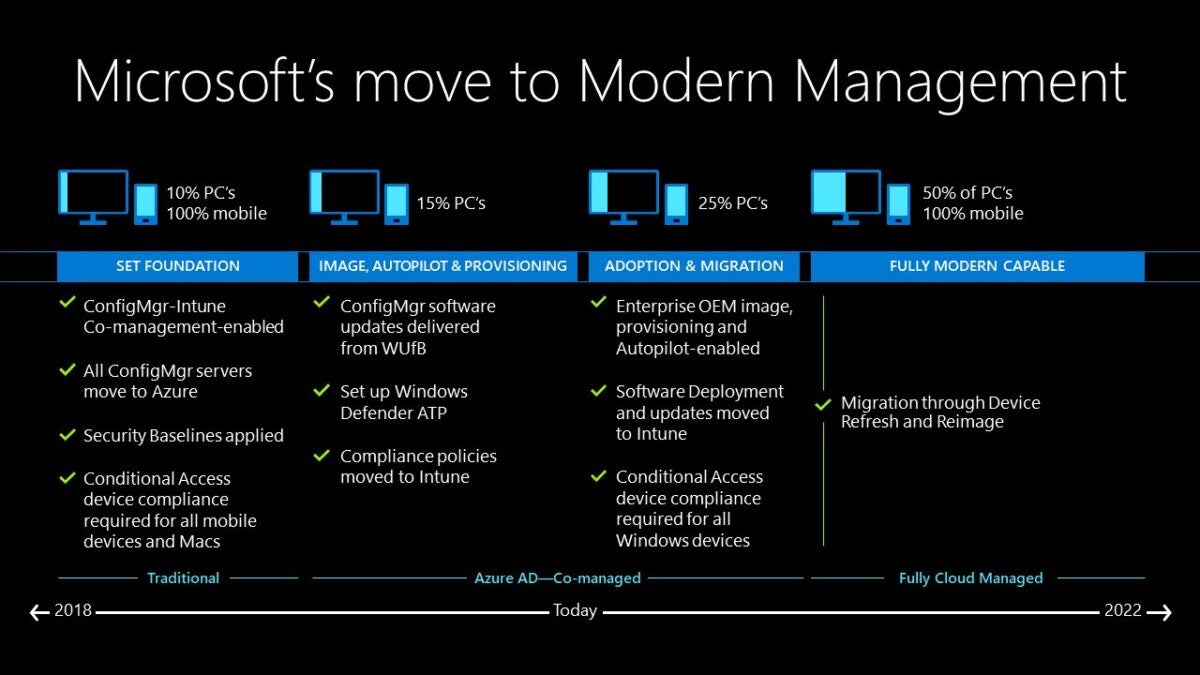
The Windows Cloud PC workloads are integrated with MEM Intune, which is part of the MEM portal itself. Windows 365 is part of the MEM Intune Portal. It can be managed with Endpoint Manager and can do the following:
– Provision virtual machines (VMs)
– Change the size of VMs
– Check the performance of VMs
– Change user settings
– Arrange network connections
– Deploy Operating System (OS) Images
– Deploy Apps
– Deploy Security and Defender policies
What it Will Mean to IT Professionals and Admins
IT professionals will find it easy to configure Cloud PCs with tools they know well, like Microsoft Endpoint Manager. They will be able to make sure their companies have an environment that is more flexible and secure and allows their employees greater ease of use from wherever they are on any of their devices. Freelancers or contractors who come into an organization can also be managed without logistical or security problems.
IT Admins will be able to manage updates and deployment of new software easily. They’ll use Windows 10 or 11 to upscale their PCs when necessary. They can set up user groups by departments like IT, Insurance, and Tax and assign Cloud PCs with high computing abilities where needed.
Is Windows 365 Cloud Secure?
Windows 365 is built based on Zero Trust Architecture. Information is stored in the cloud. Disks running on the Cloud PC are all encrypted, as is the network traffic data. Stored data is encrypted at rest. For secure logins, you can use Multifactor Authentication (MFA). You can use conditional access With Microsoft Endpoint Manager and MFA as an additional security layer.
Will There be Application Compatibility?
Microsoft guarantees that there will be application compatibility with App Assure, a service that helps customers with over 150 users troubleshoot issues they might run into with applications at no cost. It will also support business apps, including Microsoft Dynamics 365.
What Windows 365 Cloud Will Do For You
Windows 365 Cloud PC will deliver a tailor-made PC experience in the cloud. That can be accessed from any device. This will give workers and organizations much more flexibility as well as ease of working. It introduces a new way to experience Windows 10 or 11 when it’s available.
The Developers of Brave Browser Launches A New Search Engine
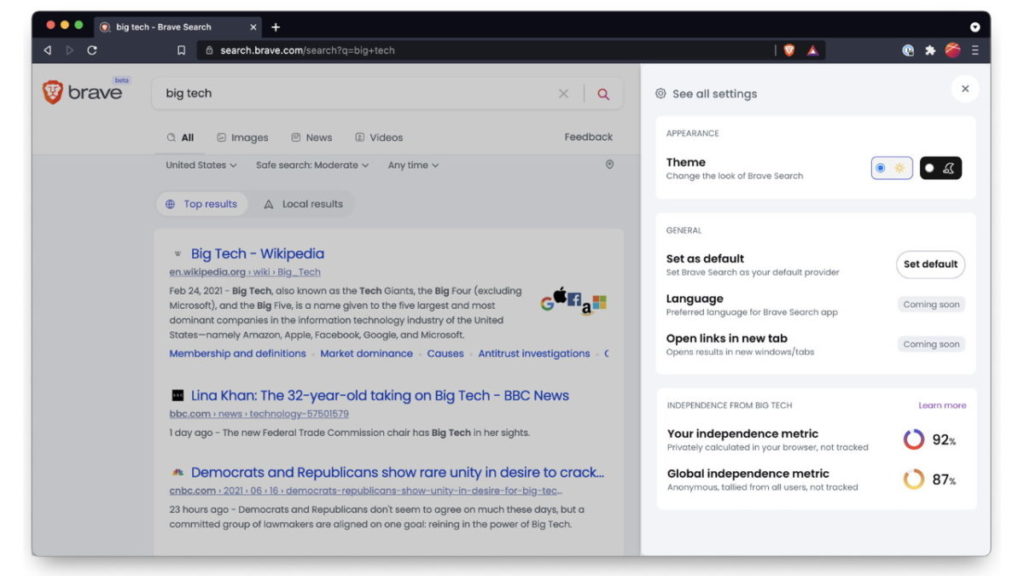
The company Brave has recently acquired a new search engine, formerly known as Tailcat. Renamed Brave Search, it uses Tailcat as the foundation for the industry’s first independent alternative to Google Search. It’ll use its own indexing system, with a primary focus on protecting your information.
Unlike its rival, Brave Search won’t collect I.P. address or store your personal data. The Brave Browser already saw a massive jump in users into the millions in 2021, with people wanting to move away from the current top guns. It’s hoping that there’ll be the same migration to Brave Search as was seen with WhatsApp to Signal earlier this year.
The company mentions that the user will always be the main priority. You won’t see adverts thrown in your face with every search you perform, and third parties won’t be able to pay for user information. What’s more, it’ll steer clear of user-intent algorithms and focus more on community-curated content.
While Brave Search will work seamlessly with the company’s browser, it’s also offering the engine to other browsers. Of course, Google has grown aware that people are moving away from engines with cookies that track behavior for third parties, and it has started phasing out this function.
Is it enough, though? Will we see fewer websites relying on the Google Search Console for ranking, and more on new privacy-protecting engines like Brave Search with open ranking systems? Only time will tell.
Mark Zuckerberg, CEO of Facebook, Hosts the First US Live Audio Rooms Test
In April earlier this year, Facebookannounced a new feature called Live Audio Rooms that will let you create professional audio content. There’s been some testing in Taiwan during May, which included some leading public figures. Recently, Mark Zuckerberg stepped up as CEO to host the first live testing for the United States.
What the live audio testing revealed is that there’s a massive focus on gaming at the moment. Zuckerberg spent a massive amount of time chatting to fellow Facebook officials about what’s trending in the gaming industry and which titles they were streaming.
Even when it came to discussing new FB features, the team analyzed a new post called “Looking for Players” that would reach out to other gamers in the community. If you’re a partnered creator on the Facebook Gaming platform, you’ll enjoy the new Fan Groups feature.
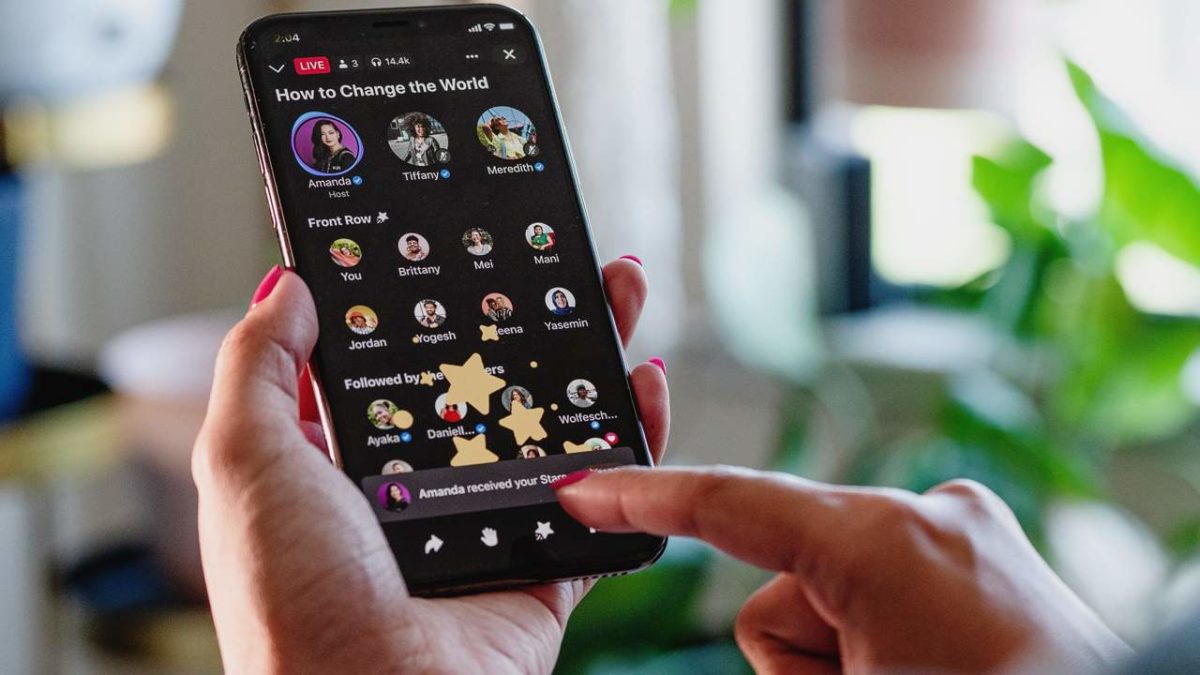
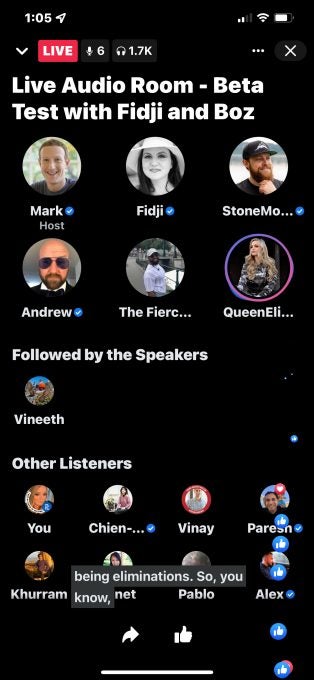
Back to the Live Audio Room testing, the platform played out much like Twitter Spaces or Clubhouse. You’ll see the event hosts at the top of the screen in adorable round icons, while everyone else will appear at the bottom. There’s also a space in the center between the two sections that showcases the top followers.
When someone is speaking, a glowing ring will appear around the icon. One of the FB badge features that appears is a blue tick by a verified profile. All in all, Facebook seems to have brought a decent live meeting area to challenge its competitors.
With Windows 10 reaching its 6th anniversary, it seems that Microsoft has finally decided to launch a new version and shelf the old one. After the announcement that the developer will no longer provide support after October 14, 2025, speculation continues to rise that we’ll see Windows 11 by the end of 2021. Nicknamed Sun Valley, we may hear more about the launch at an event towards the end of this month.
The Windows 10 end of life will appear after ten years of active service. We’re expecting a massive update for it later this year for those who aren’t ready to migrate to Windows 11. However, we’re unsure how many of the new operating system’s features will be included in the predecessor.
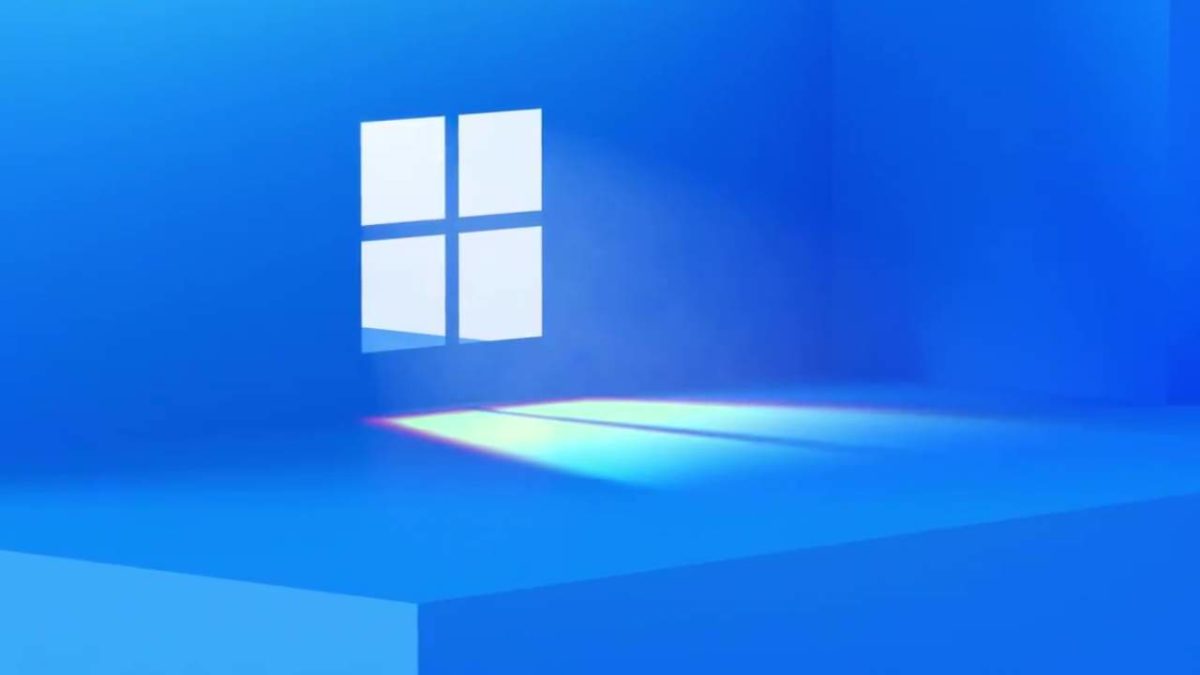
Of course, the tech world is abuzz with all the Microsoft easter eggs hinting at the launch of Windows 11. There’s the event that starts at 11AM ET, a window with the shadow of the number 11 on it, and a teaser video that’s 11 minutes long. We’re actually surprised there are only three hints at this stage and not 11.
While there’s no confirmation on the expected features, we’ve caught wind of some rumors. The most significant change will be a new user interface with loads of new icons. There’s also talk of rounded corners on windows to make them seem softer and more friendly. We’ll keep you updated if we hear about any changes to the core mechanics.