Convert eBooks with Mac eBook Converter

If you want to read an eBook on your iPad, Kindle, Sony Reader or Nook Reader but it’s in the wrong format, then a simple tool called Mac eBook Converter can convert them. Mac eBook Converter converts between ePub, PDF and Mobi formats so that you can read your books anywhere. It doesn’t have the slickest interface, but Mac eBook Converter converts to just about any format.

Here’s how to convert eBooks with Mac eBook Converter.

Continue reading “Convert eBooks with Mac eBook Converter”

How to play EA Sports Cricket on PC

EA Sports Cricket is one of the most realistic cricket games on PC although if you’re new to the game, learning how to control your player can be difficult. EA hasn’t been very quick at updating EA Sports Cricket unlike with FIFA. EA Sports Cricket 2007 was the last and most recent installment of the popular cricket series and gives you more control over the types of shot you want to play.

Here are the keyboard controls to play EA Sports Cricket.

Continue reading “How to play EA Sports Cricket on PC”

Ford shows how to control Spotify via your car

At the MWC 2013, Ford demonstrated how its Applink technology can be used to control music streaming app Spotify on your mobile device. Applink allows Ford cars to communicate with a number of different apps simply by connecting the car and the mobile with a USB device.

Controlling Spotify is one thing but Ford envisage a future where your Facebook wall updates and Twitter mentions are read out to you while you drive. Imagine that while the kids fight in the back, your partner shrieks at you for taking another wrong turning and yet another driver in front cuts you up – the possibilities are both endless and frightening.

How to share a screen in Skype

Did you know that as well as make video calls, you can also share your screen with Skype? Screen sharing is particularly useful if you need a friend to help with some trouble shooting on your computer or if you’re having a business meeting. Screen sharing works fairly well on Skype although it does use more bandwidth. If you experience screen freezes or the screen sharing responds slowly, try deactivating video calling if you’re in a video call.

Continue reading “How to share a screen in Skype”

Claim free Skype credit from MSN

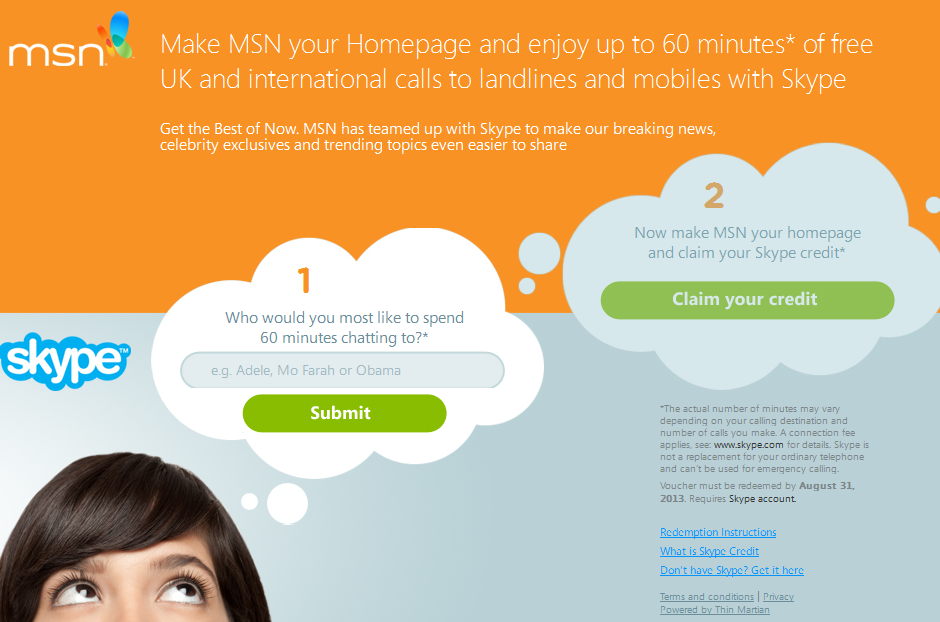
If you’re a Skype user in the UK or Ireland, MSN has teamed up with Skype to offer you 60 minutes free Skype credit. All you have to do is suggest who you would like to spend 60 minutes chatting with and change your homepage to MSN.

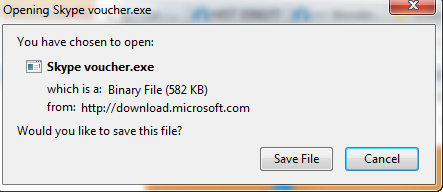
Enter the name of the person you would like to chat to in Box 1 and then download the .EXE download that you’re offered in Step 2.

Users in the UK and Ireland will then have their homepage set to MSN with a redemption code which you can find out how to redeem here. It’s not worth trying if you live outside of these countries by the way – you’ll just receive this message:

Click here to get started with the giveaway.

How to disable third party cookies

With the news that Firefox 22 will disable 3rd party cookies by default, you may be wondering how to do the same in your browser. Third-party cookies are those usually left by advertisers in your browser so that they can track and learn from your surfing habits when you’ve left the site.

If you’re not comfortable with this, or you’d rather just block them, here’s how in Firefox, Chrome and Internet Explorer.

Continue reading “How to disable third party cookies”

Mac app of the week: Origin for Mac

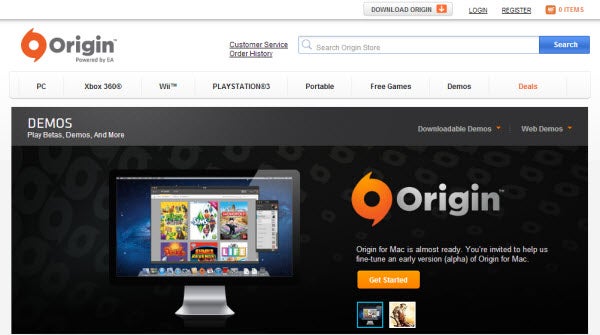
Origin for Mac has been out for a few weeks now and if you haven’t taken a look, you’re missing out on some great EA games that are finally available for Mac. Origin for Mac is Electronic Art’s gaming platform that allows you to buy and download EA games in the same way as Steam. Origin for Mac was launched in Alpha in North America and the United Kingdom in January but was given a full release in February 2013.

At the moment there are 48 games to download including The Sims 3 (plus expansion packs), Harry Potter and Star Wars with the new SimCity expected to launch next month. There is no sign of FIFA 13 for Mac yet however and no word from EA on whether it will be released. But if you like EA games and prefer to buy digital copies of games instead of buying them at the shops, you need Origin for Mac.

Download Origin for Mac

How to install Slender: The Arrival on Mac

The sequel to SlenderSlender: The Arrival – is currently available in beta for Windows but Mac users have to wait until the game is officially released on March 26th to try it for themselves.

However, thanks to a magical free tool called Wineskin, you can install Slender: The Arrival on your Mac right now. Here’s how to install Slender: The Arrival on your Mac in 10 easy steps.

Continue reading “How to install Slender: The Arrival on Mac”

Download the latest Java for Mac update

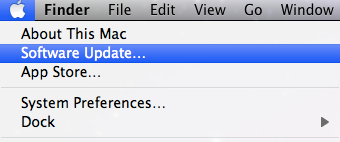
Apple has released an important Java for Mac update after it discovered Chinese hackers have managed to exploit yet another vulnerability in the Java plug-in. The Java update patches the security hole and you can install it by running System Update in OS X.

However, if you’re having problems updating, you can download the updates and install them manually. Remember that there are two versions of Java depending on which version of OS X you are using – one for Snow Leopard and one for those using Lion or above.

Download Java for OS X Snow Leopard 10.6.8

Download Java for OS X Lion 10.7+

If you’re sick and tired of the constant security vulnerabilities with Java for Mac, here are some reasons why maybe you can live without it altogether.

Download videos on Mac with these RealPlayer alternatives

Mac users may have noticed problems when trying to download videos using RealPlayer, a lot of which can be attributed to confusion between RealPlayer Gold and RealPlayer SP. Despite all the confusion, however, RealPlayer downloader for Mac stopped working altogether after numerous incompatible updates to the software and to Mac’s OS X. Fortunately, there are video downloading alternatives for Mac which work much better than RealPlayer to help you download videos. I’ll go through three alternatives below.

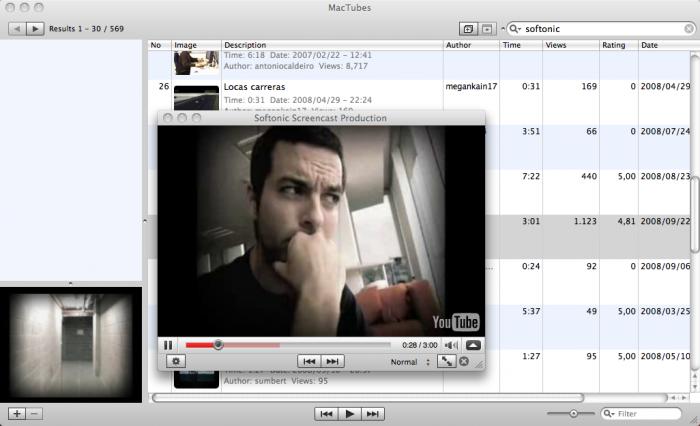
MacTubes

MacTubes lets you download YouTube videos onto your Mac, a function which never worked with RealPlayer downloader. MacTubes downloads YouTube video files directly to your desktop, where you can create playlists based on what you’ve downloaded or what videos you’ve searched.

If you’d rather not download Youtube videos but still want the convenience of watching them from your desktop, MacTubes also functions as a handy YouTube player that lets you create playlists and subscribe to video channels to watch directly from your desktop.
MacX YouTube Download

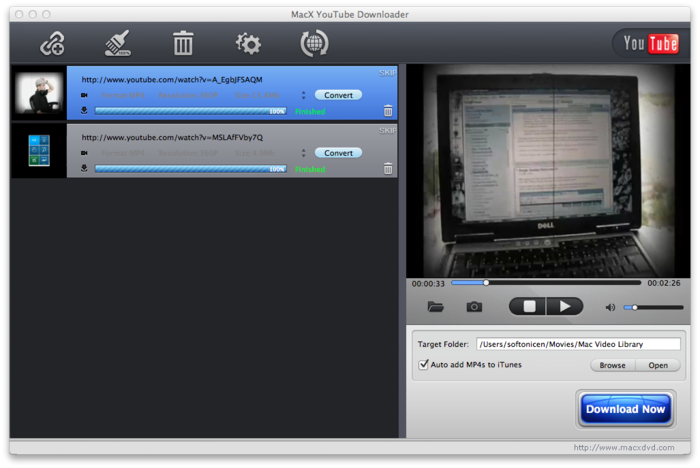
Designed specifically for Macs, MacX YouTube Download works as a separate, YouTube-only browser window. You can download YouTube videos and save them as FLV, MP4, AVI, MP3 or HD  files. All you have to do is search for a video in the browser window and hit the ‘Download Now’ button in the bottom-right hand corner of the screen.

The ‘Preferences’ option in the top-left hand corner of the screen lets you specify where you want to save files, in which format you want to save them (and in HD where possible), and also checks for automatic updates.
Flash Video Downloader

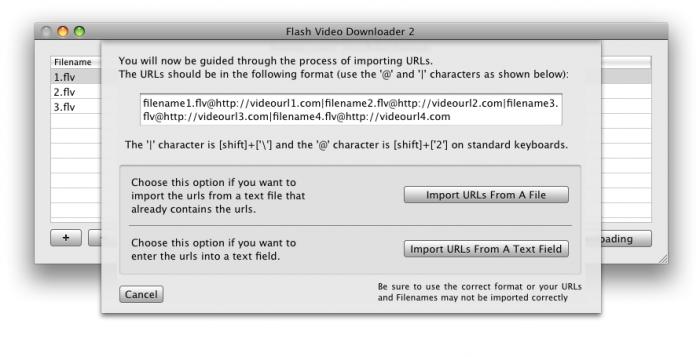
If you plan on downloading a lot of content, Flash Video Downloader is an easy-to-use and powerful tool that downloads videos from almost any Flash streaming site, including those that require a log-in or have video advertisements. The only requirement of using the tool is that the video be set to Autoplay, meaning that the video must be streaming as its being downloaded. This tool is good if you’re really eager to download videos, as the maximum batch download rate is five videos at one time.
Do you use any other software to download videos on your Mac?