Beginner’s guide to Monster Hunter: World

Whether you’re a veteran Monster Hunter player or new to the series, here are a few tips to help you get started with Monster Hunter: World.

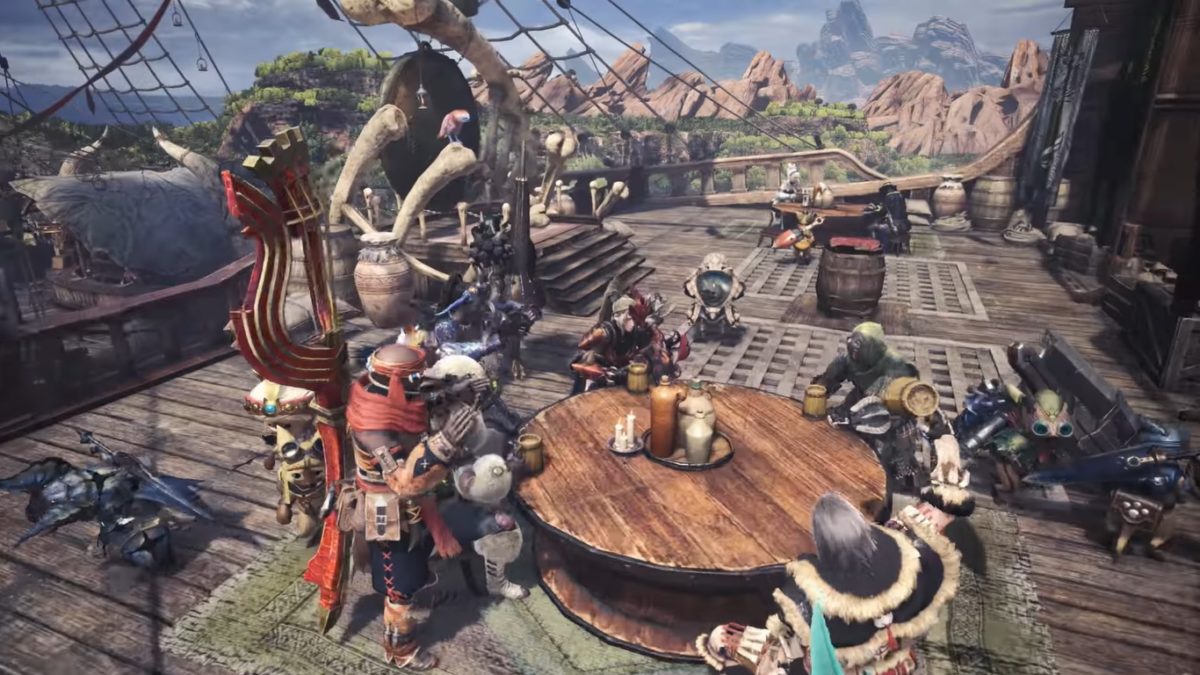
With Monster Hunter: World recently being brought to PC, a lot of new players have been struggling to get a grasp on the game. Whether you’re a veteran Monster Hunter player or new to the series as a whole, here are a few tips to help you get started:

Understanding the gameplay and environment

If you’ve never played a Monster Hunter game before, then the gameplay might be a little confusing to start out with. It’s easy to see that this game is a third-person action RPG about hunting monsters, but it’s a little more complicated than that.

Something that can be a surprise to many new players is how the environment interacts with the combat of this game. If you’re used to games where the enemies have a consistent combat cycle, then Monster Hunter will be a big change for you. While many monsters are set to act in a particular pattern, these patterns can change a bit, and the environment can be affected heavily by your combat. This can cause some interesting things to occur, such as having you and the monster be healed by a certain plant, or being able to trap a monster inside of a field. The weather and daylight can also change while on a mission, which can affect other aspects of combat as well.
Monster Hunter: World

Another main gameplay element is crafting new armor and weapons from their trees (which work like skill trees, though they are mostly just stronger versions of the previous type) in order to make better ones. You gain materials for these from defeating monsters and completing quests.

Choosing your weapon

Something that can be really overwhelming for new players is picking out their first weapon. Each weapon has its own playstyle, and some are more complicated than others. Since these weapons are essentially this games version of “classes”, it would be good to try out a few before fully deciding on which one fits your playstyle the best. Here is a little about each one to help you decide:

  • Long Sword: A fairly mobile weapon compared to some of the heavier ones, the long sword features a number of dodging moves that can be really helpful in a pinch. The weapon also has some range which can be useful to keep yourself at a distance.
  • Great Sword: A slow but powerful weapon that limits mobility, which can make combos a little difficult. This weapon is best used for its charged attacks which are devastating, but require good positioning.
  • Dual Blades: Probably the fastest melee weapon in the game, using dual blades is all about pure unstoppable offense. You want to attack as much as possible in order to transform into your demon form and later, an archdemon form. These forms will increase your power and speed even more, so you essentially build up damage as you attack.
  • Sword and Shield: The recommended weapon for beginners. The shield can be used for blocking, which not all weapons have. On top of this, its attacks are fast and you can use items while your weapon is out.
  • Switch Axe: A combo based heavy axe that can switch into a sword to unleash large amounts of built up damage.
  • Charge Blade: Basically the reverse of the Switch Axe. Players start with a sword and shield and charge up a gauge that can be unleashed by switching to a heavy axe form.
  • Hammer: This weapon is stereotypical: “incredibly slow but massive damage.” You sacrifice mobility and speed for huge amounts of blunt damage that can stun enemies at a close range.
  • Hunting Horn: A more supportive weapon. This weapon plays similar to a bard, where you play songs to strengthen yourself and allies. But don’t let the “support” concept fool you, this horn can still do a lot of damage.
  • Lance: One of the few weapons to have a shield. It’s very safe because of how long the lance is, on top of this. It’s more about slow defense damage than large amounts of it.
  • Gunlance: A slow but powerful version of the lance (and shield) with a gun at the end. One of the more powerful defensive weapons, with large amounts of ranged damage.
  • Insect Glaive: One of the more complex weapons. It allows you to summon a companion called a Kinsect that gives you different buffs and heals, while you fight with a fast polearm.
  • Bow: One of the few ranged weapons in the game. Bows use different coats to deal different types of damage (such as poison). They are also able to charge their shots for heavier damage, in exchange for the slow charge time.
  • Light Bowgun: The most versatile of the ranged weapons, the light bowgun essentially lets you use a variety of damage types with its primary ammo, as well as some traps with its secondary ammo. It’s one of the most mobile ranged weapons as well, considering how light it is.
  • Heavy Bowgun: Similar to the light bowgun, but deals more damage in exchange for low mobility and high recoil.

Be sure to check out the training area to practice with whatever weapons you want to try out. This will help you get a feel for them and learn their controls.

Save frequently

There is no autosave for this game, so you’ll be sad if you expect it to save for you.

Monster Hunter: World Download Now ►
8

Use the multiplayer

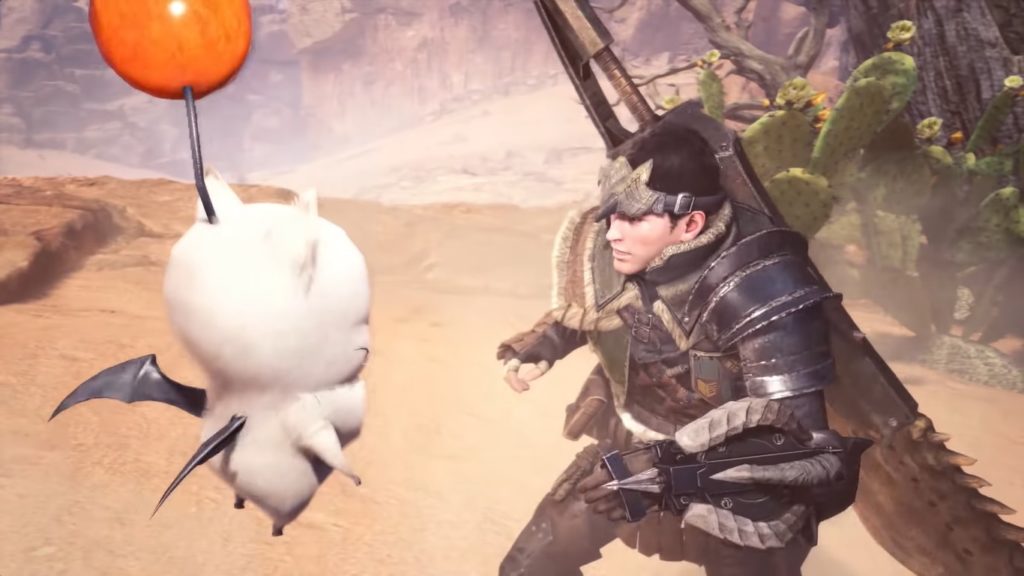
While solo players get to use an adorable Palico to fight with them, taking down monsters with your friends can be just as fun. In fact, the multiplayer can really help you progress when you’re struggling, and can be really enjoyable. The best way to use the multiplayer is by having a Squad with your friends (which essentially works like a small clan or guild). If you have a lot of friends who you want to play with, then using the Squad feature is the easiest way to manage your multiplayer experience.

Eat before going out on missions

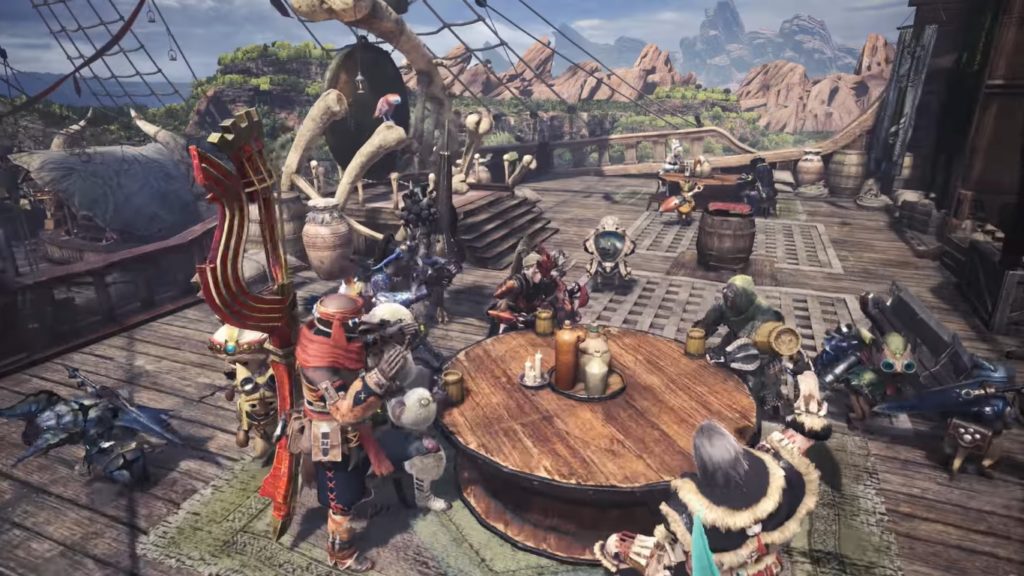
You’ll receive buffs by eating before every mission, which are incredibly useful. These are particularly necessary for later missions in the game when the enemies start to be hard without proper preparation.
Monster Hunter: World

Don’t be afraid to follow the tutorials

Monster Hunter: World features a large amount of tutorial information. You can look up any information you’ve already read through later, and if you forget something then don’t be afraid to go back and check it. This will help optimize your experience so you never feel lost on what to do!
Overwolf will change the way you play games online

Overwolf is a gaming extension platform. Discover why pro gamers love it.

One of the biggest struggles while gaming is not being able to use third party resources without switching screens or minimizing your game. While gamers with dual screens don’t usually have this issue, but not everyone has that luxury. For most people, using things like web browsers, WhatsApp, or other applications require you to stop your game temporarily and move to a different screen. Non-gaming computers can also find these additional applications to be overwhelming, and can slow down the game itself. This is where Overwolf comes in.

WhatsApp Free Download
8

What is Overwolf?

Overwolf is a gaming extension platform. It housing a variety of apps that add overlays and functionality to games that they didn’t previously have. It’s similar to how many games innate addon functions work. A good comparison would be addons in World of Warcraft. These addons are created by third parties, and the game allows them to edit overlay functionality without Blizzard needing to do it themselves. This way, there are numerous possibilities for overlay functions, based off fan creation.

Overwolf works similar to this by allowing applications to change the overlay of a game that doesn’t innately feature addons like World of Warcraft does. The only difference is that Overwolf’s applications only affect the Overwolf overlay featured on top of the game, rather than World of Warcraft changing the UI itself. This works especially well for competitive online games that don’t have customizable overlays, like Heroes of the Storm, or League of Legends.

7
League of Legends Download Free ►
8

Why do eSports teams use it?

The main appeal of Overwolf is that it allows you to use other applications without minimizing your gaming browser. This means that streamers can use it to interact with their Twitch fans, and eSports teams can use it to interact with each other in ways that a game might not let them by itself.

Because Overwolf only affects the overlay of game, and not the actual gameplay, there are no concerns for cheating or affecting the game itself in some way. This means that eSports teams can use it without worrying about being accused of cheating with a third party extension, but they can also do things that they would normally have to minimize the game browser for. They may want to interact with their fans, or be reminded of important game information when it’s necessary (such as being reminded of an enemy hero’s ability in Heroes of the Storm that they may have forgotten in the moment).

Overwolf changes the gaming experience from being exclusively focused on the game itself. The application can be used for numerous activities, and can really enhance the experience of gaming. It’s no wonder that eSports players are taking advantage of this useful tool, instead of relying on background applications that they would need to switch screens to view.

Top 6 apps for vegans and vegetarians

Most cooking apps aren’t geared towards vegans or vegetarians, which can be a little problematic for people who prefer that kind of diet. Many of those apps feature only a few recipes that could be vegetarian, and even fewer vegan ones. Luckily, our Softonic Solutions community has put together a list of the 11 best apps to try if you’re vegan. Here are a few of our favorites:

Veganagogo

Veganagogo is great for people who want something simple and easy to make. If you’re not the best chef, and are just trying to find something easy to make that fits your dietary preferences, then this app is perfect for you.

Veganagogo: Vegan Travel Download Now ►
7

Epicurious

This app is filled with unique recipes that you probably won’t find elsewhere. Definitely worth checking out if you’re interested in something unique to add to your cooking repertoire. Additionally, it features non-vegan dishes as well if you still eat meat, or have friends you would like to cook for who do.

Epicurious Download Free ►
7

HappyCow

Unlike the other apps on this list, HappyCow is actually based around helping you find vegan restaurants, rather than recipes themselves. While they do have some vegan and vegetarian recipes, this app is best used when trying to find places around you that might serve for a vegan diet.

HappyCow Vegan / Vegetarian Restaurant Guide Download Now ►
7

Allrecipes Dinner Spinner

Allrecipes is a great website for anyone who is looking for more recipes in general. They provide hundreds of recipes in all different kinds of cooking categories, including vegan and vegetarian. They are great for their versatility, especially if you’re someone looking to transition to a vegan diet from a meat-based one through a slow process.

Allrecipes Dinner Spinner Download Free ►
7

Green Kitchen

This app has a great interface for those who are looking for something simple and easy to follow. It categorizes each recipe, so you can easily find whether something is vegetarian, vegan, gluten-free, or raw.

Green Kitchen Download Now ►
7

I’m Hungry: Vegetarian Recipes

One of the best apps for people who are new to vegan/vegetarian diets and want to transition from a meat-eating diet, or who just want to incorporate more plant-based meals into their diet.

Solutions community member William Lopez vouches for it, saying I’m Hungry is a “really great starting place if you are new to being a vegan or vegetarian.” And Andy Wang says, “The recipes vary from the very simple to the overly complex, so chefs of all levels are able to take advantage of new recipes or just new takes on old recipes.”

I'm Hungry: Vegetarian Recipes Download Now ►
7

If you found this useful and are looking for more recipe apps, don’t forget to head over to our Softonic Solutions page.

Top 5 Minecraft clones

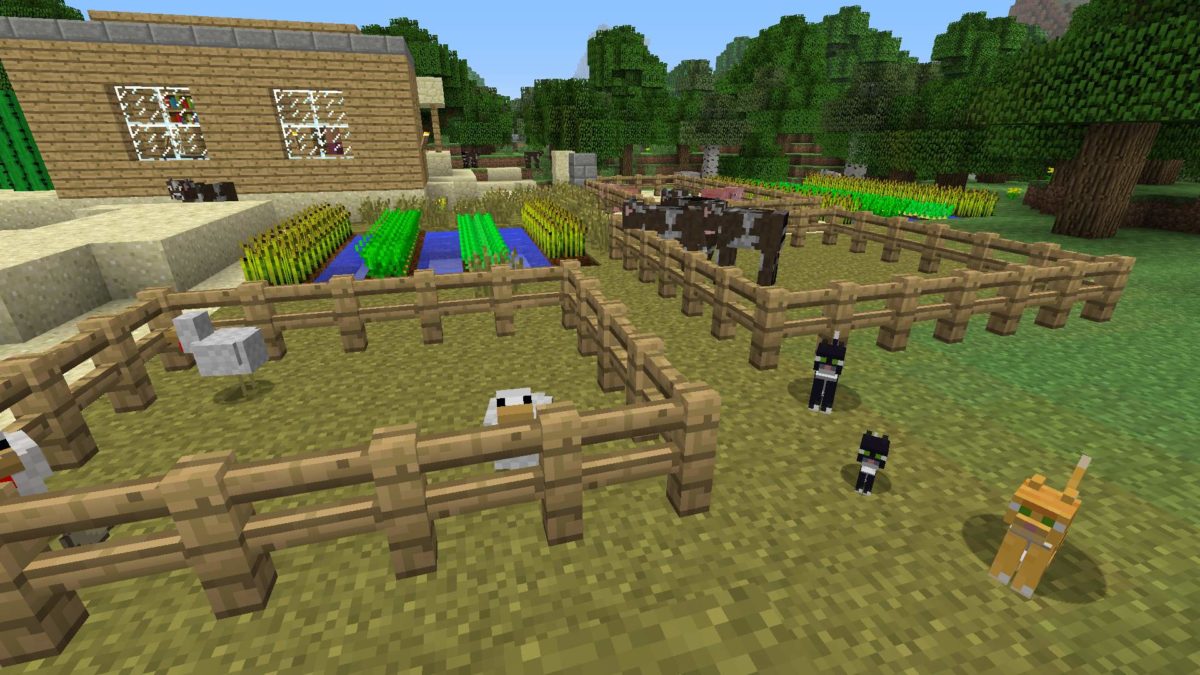
When Mojang first created Minecraft, there was no way they would be able to predict the success it had. This success eventually inspired other game creators to make their own take on sandbox builders. Some of these have even reached their own levels of fame, while some haven’t seen much of the spotlight. We’ve gathered five of the best Minecraft clones out there that any fan of Minecraft would love:

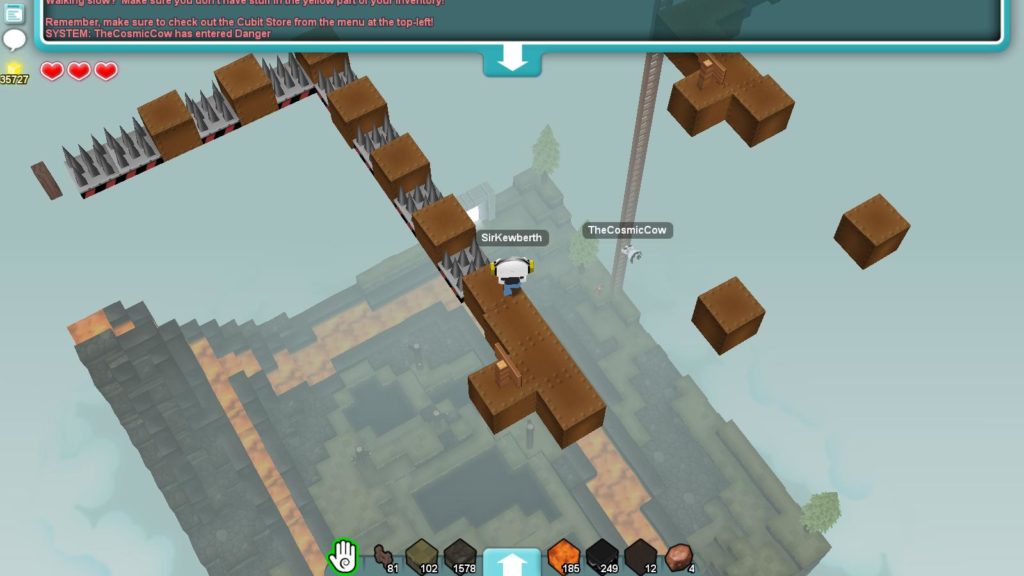
5. Cubic Castles

Cubic Castles features a more rounded block shape for its building, while retaining much of the building process that Minecraft has. The game is also a bit more action-oriented and features some traditional MMO mechanics. It’s a refreshing take on the Minecraft clone genre.

Cubic Castles Free Download ►
8

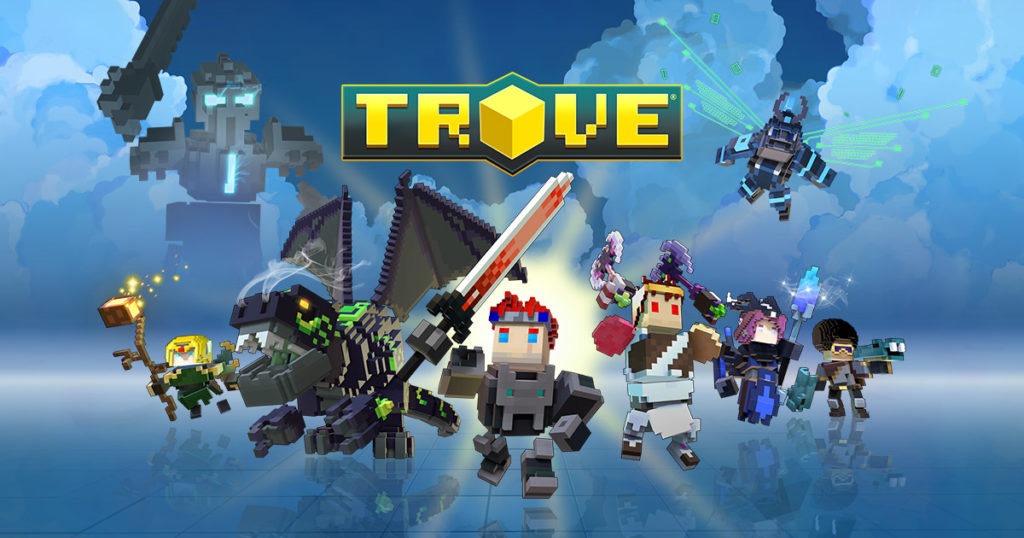
4. Trove

TroveTrove is a more combat-oriented version of Minecraft than most of its clones. This game is an MMORPG with unique character classes, while retaining the sandbox building of its original inspiration (Minecraft). Fans of MMOs and Minecraft will love the combination that Trove has created.

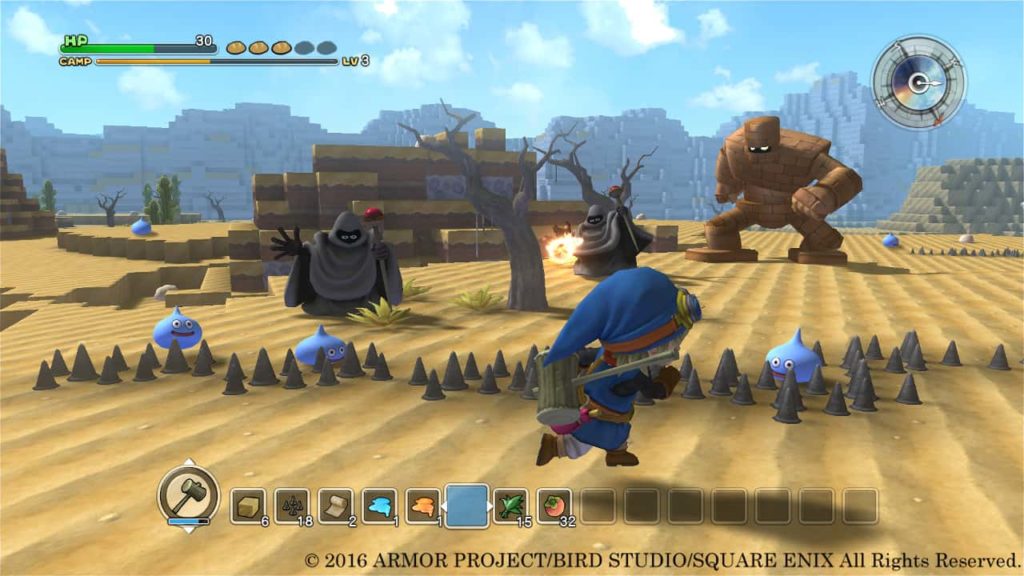
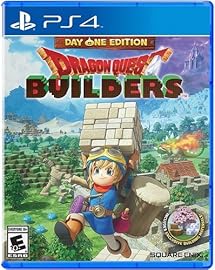
3. Dragon Quest Builders

Dragon Quest Builders

Longtime fans of the Dragon Quest franchise will love this spin-off. The art style is adorable and reminiscent of many modern Dragon Quest games. The game is somewhat of a cross between a city-builder, a tower defense game, and a Minecraft-eque sandbox builder. This combination creates a versatile and memorable game.

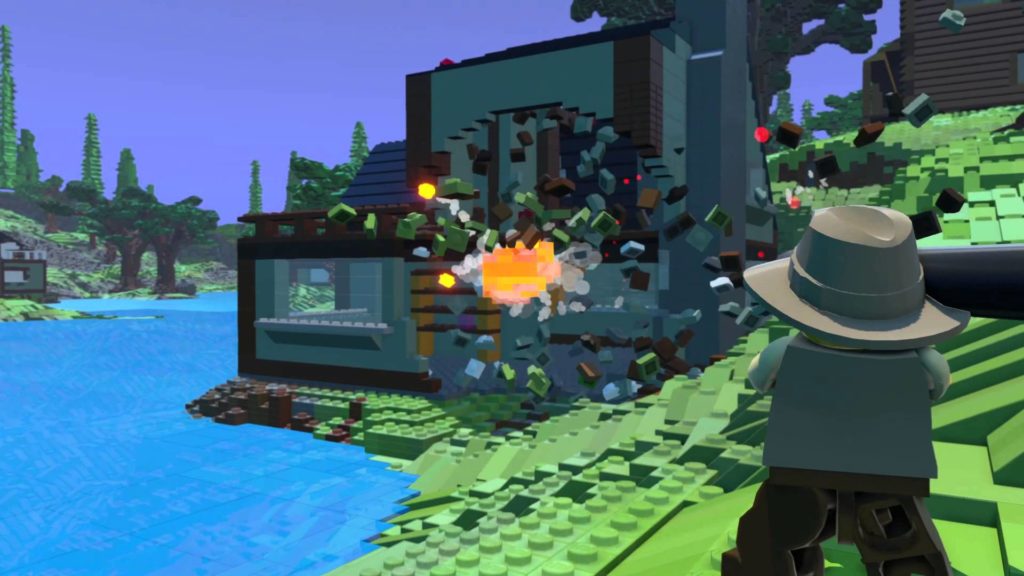
2. Lego Worlds

Lego Worlds

LEGO has created some of the funniest and most memorable game adaptations of movies. With such success, it is no wonder they’ve created a game that is based around their actual product: LEGOs. This combination of LEGOs and Minecraft is just as natural and well done as you would expect it to be.

LEGO Worlds Download Now ►
7

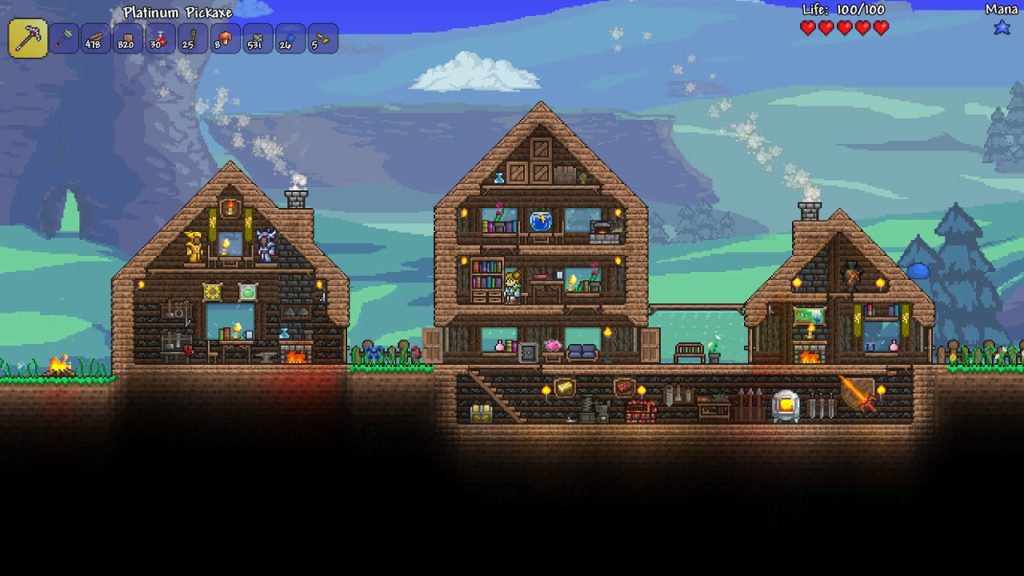
1. Terraria
Terraria

Often referred to as the “2D Minecraft”, Terraria has more to offer than what people give it credit for. It has the same sandbox building mechanics as Minecraft, but features a large variety of unique features, such as having different NPCs to help you out. There are also more biomes and enemies than in Minecraft, making the game a great and refreshing experience.

Terraria Download Now ►
7

Want to find more Minecraft-like games? Head on over to Softonic Solutions, where our community created an entire list of 22 games similar to Minecraft! If we’re missing your favorite, share it with Solutions!

The first video game console for dogs

Dogs are more intelligent than we sometimes give them credit for. Despite this, there has been very little technology created to stimulate a dog’s mind. A lot of their toys and games are based on their physical ability (like playing fetch or chewing on a bone), rather than their mental ability. That is until CleverPet Hub.

Dog Rescue Download
8

CleverPet is a video game console created by neuroscientists as a way for dogs to entertain themselves when their owners aren’t home. The game system has puzzles specifically designed for your dog to solve. It uses a variety of behavioral and neurological functions to help your dog get invested into its games. As your dog gets better at these games, they start to get more difficult and complex. This challenge is not only mentally stimulating for your dog, it’s also entertaining!


The device can be used while you’re at home with your pup, but is primarily made as a way to keep your dog entertained while you’re gone. As such, it is completely self-functioning. There is an app you can set up specifically for scheduling the game to start on its own, and check on how well your dog is doing. It also is a great way to make sure your dog gets some treats while you’re away.

CleverPet Download Free
8

The neuroscientists behind this game console have put in a lot of research, and it really shows with the final product! Each step of the game is teaching your dog different cognitive functions. Early puzzles focus on basic conditioning, while later puzzles will even have color matching. If you have a dog and you’re not home very often, then this game console is definitely worth considering!

Top 5 YouTube channels for film buffs

Thanks to YouTube, film criticism has never been more accessible. Here are our picks for five channels worth following.

There was a time when film criticism appeared only in newspapers. Maybe you’d catch it on TV. Thanks to YouTube, film criticism has never been more accessible. Not only that, but this commentary can vary from comedic to deeply analytical or anywhere in-between. Here is a list of some of the best channels to check out for film critics:

Top 5 YouTube channels for film buffs

CinemaSins

CinemaSins is probably the most popular YouTube channel on this list, and for a good reason. While they tend to be a bit nitpicky, their humorous take on deconstructing film can be appreciated by every film viewer. Whether you hate a movie or love it, you can still find amusement with CinemaSins calling out some of their choices in regards to the film.

RedLetterMedia

RedLetterMedia is widely known for their “Phantom Menace” review, and their way of approaching film criticism through comedy. They tend to focus on discussion of films and film topics in a comedic approach. Their comedy can be pretty dark compared to the others on this list, so be warned if that’s not your style. (Seriously, it’s dark.)

Lindsay Ellis

Formerly known as the “Nostalgic Chick”, from the once popular “Channel Awesome,” Lindsay Ellis has evolved into a film reviewer who uses an academic approach to looking at film. She’ll often give a detailed explanation of a film’s history, and then explore what’s successful about and what isn’t and why. All this with some light humor thrown in. She is definitely for people who like to see a detailed analysis of film.

FilmJoy

FilmJoy features a combination of the comedy one might see in something like CinemaSins and RedLetterMedia, with the analytical approach of YouTubers like Lindsay Ellis. Most popularly known for its series “Movies with Mikey”, his YouTube channel features a variety of approaches to film viewing and critiques.

ScreenJunkies

ScreenJunkies works more like its own television program, rather than a YouTube channel. It hosts various shows and parodies that discuss or comment on movies and television. They are probably most well-known for their “Honest Trailers” series, where they poke fun at movie trailers, but they have a wide variety of programing.

The world of YouTube film critics is larger than some might expect. Some of the best ones are popular already, while others are hidden gems. Hopefully, this list helped you find a few more channels to check out!

How to adjust your Facebook ad settings


Most people know that Facebook collects data from your profile in order to create ads specifically for you. However, sometimes they don’t always get this information right, and you might be seeing many ads that you’re uninterested in, or uncomfortable with seeing. Or perhaps you’re simply interested in learning how the Facebook ad process works. Below we’ve explained exactly how to manage your Facebook ad settings, and how these settings work in general.

How to set up your Facebook ad settings

Getting to ad settings on PC

The first thing you’ll want to do is get to the ad settings page. You can do this by logging in and pressing the down carrot in the upper right corner and clicking on “Settings” from the drop-down menu. From here you should see “Ads” near the bottom of the left side column.

Getting to ad settings on mobile

The ad settings page works the same way on mobile, but the directions to get there are a little different. After opening the app and logging in, you can press the three lines on the bottom right-hand side to open a new screen. At the bottom of this screen, you should see a drop-down menu titled “Settings & Privacy.” From there, click on “Settings” and about halfway down the next page you should see “Ad Preferences.”

Setting your preferences

Facebook divides your preferences into five categories:

Your interests

In this category, you can choose what topics you would be interested in seeing ads for. While you won’t exclusively get ads for these topics, Facebook will try to make sure that most of the ads you see are in your interests.

Advertisers you’ve interacted with

This section shows which ads and apps that Facebook has seen you use. With this, they assume that these brands and apps are ones that you are interested in. You can remove brands and apps that you’re not interested in (maybe you accidentally opened an ad you didn’t care about, or you no longer use the app that they show)

Your information

This is the information that advertisers can see based off information that you’ve provided to Facebook. This category is divided into two sections: “About you”, and “Your categories”The “About you” section details lets advertisers see certain information that you’ve detailed in your “About me” section of Facebook. From here you can prevent advertisers from seeing your relationship status, employer, job title, and education, or continue to let them see these.

The “Your categories” section details what categories Facebook has put you in for advertisers based on information they’ve collected via your posts and contacts. You might be in a category of people whose birthdays are in May, or you might be in the category of people who have a smartphone if you use their mobile app. A commonly noticed category is your political view (divided into “very conservative”, “conservative”, “moderate”, “liberal”, and “very liberal”), which Facebook categorizes you into based off your posts. You can remove yourself from categories you don’t feel comfortable being a part of, or that you don’t want advertisers to see.

Ad settings

This category is a little confusing compared to the others. It’s divided into three sections: “Ads based on data from partners”, “Ads based on your activity on Facebook Company Products that you see elsewhere”, and “Ads that include your social actions”

“Ads based on data from partners” is asking if you’re comfortable with Facebook collecting data from partner companies to show ads based on what you do on their sites as well, such as AdEspresso and 4C.

“Ads based on your activity on Facebook Company Products that you see elsewhere” is asking you if you’re comfortable with Facebook collecting information from products that it owns elsewhere.

“Ads that include your social actions” is asking who you feel comfortable with seeing your social actions. If you like a Page that runs an ad, then your friends might see that ad, unless you change these settings.

Hide ad topics

Here you can choose topics that you’re uncomfortable with viewing, and how long you’d like to turn those types of ads off for. One example of ads you might not appreciate seeing are alcohol-related ads when you’re a recovering alcoholic or uninterested in alcohol in general.

As you can see, Facebook keeps track of a lot to try and show you the ads they feel you will enjoy the most. By updating these settings, you can optimize your Facebook experience so it’s not littered with ads that you’re uninterested in.


Everything we know so far about Super Smash Bros. Ultimate

When Super Smash Bros. Ultimate was first announced a few months ago, all we really knew was that they planned to bring everyone back who was ever featured in a Super Smash Bros. title.

Afterward, we got a glimpse of what the game will truly be like when they invited professional Super Smash Bros. competitors to publicly fight with a demo of the final game. Even more recently, however, Nintendo had some more things to announce at the popular fighting game event, EVO. Here’s everything we know so far about this much-anticipated game:

An ever growing roster

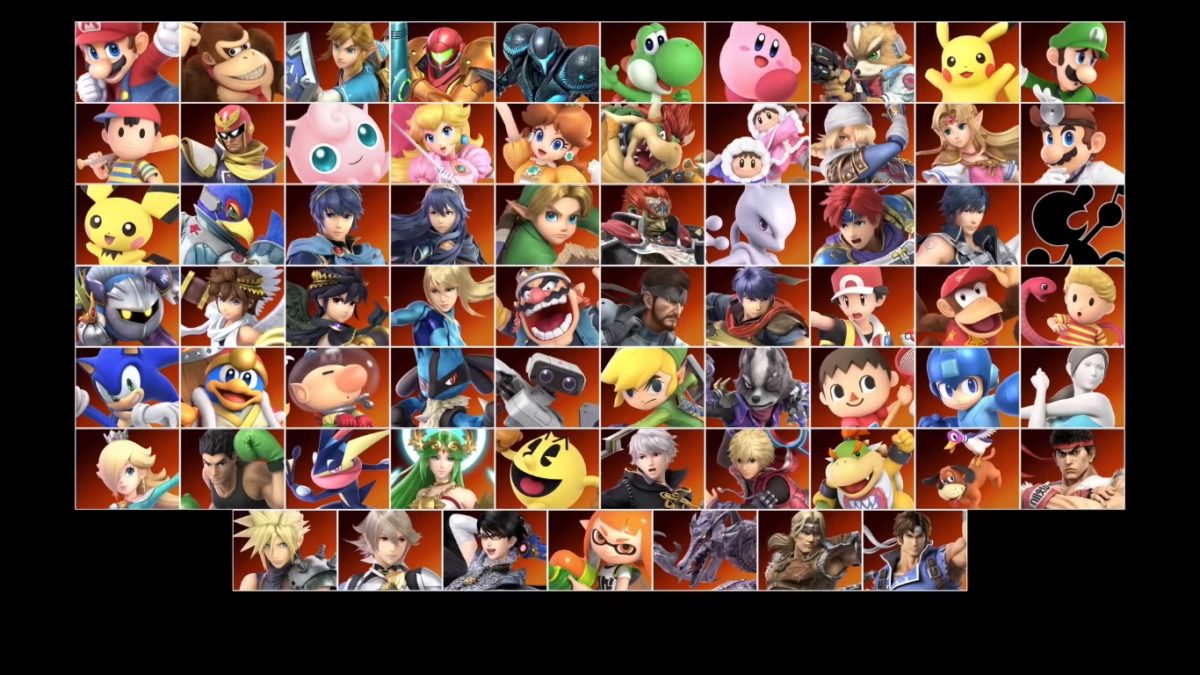
The first trailer for Super Smash Bros. Ultimate announced that we would see all 65 previous characters returning, along with three new competitors: Inkling, Daisy, and Ridley. While it was unclear at first if this was all we’d see, Nintendo has recently announced a whole new set of characters as well! Simon Belmont and King K. Rool are being added to the roster as new fighters, while Dark Samus, Chrom, and Richter are being added as “Echo Fighters,” a new category for Smash characters that are echoes of other fighters.

There have been a few changes to some of the returning characters, but most of them have not had many. A common change has been to certain characters’ Final Smashes, as well as updating many of the characters outfits and skins. There are a few important gameplay changes for some characters, however, such as Pokémon Trainer being able to switch Pokémon without a delay. It’s also likely we’ll see more characters added to the roster throughout the next few months.

New stages and music

While not every stage has been revealed yet, we know that there are going to be 103 stages from the start! Almost double the amount the previous game had.

Each stage also features a Battlefield and Final Destination mode, which lets you play it as versions of those maps instead. You can even leave the stage as is, but turn off the stage hazards, if you don’t want to worry about some of the crazy things that these stages can do. Along with this, there is now a “Stage Morph” feature, which lets the stage change around you into an entirely new one.

The best part of these new stage updates is that all stages now allow for 8-player mode as well. And with over 800 tracks of music, you can listen to anything you want while playing on your favorite stages.

Ruleset, tournament, and game mode updates

The game’s rule selection and tournament setup have been updated to include a much larger amount of flexibility and customization. You’re now able to create specific rulesets so that it’s easy to play the way you and your friends like to whenever you want. Along with this, stage selection has been moved to before fighter selection, and there are specific rulesets you can make for how stage selection is done (such as letting the loser of a previous match select the next stage).

Along with a new ruleset feature, Super Smash Bros. Ultimate also has an updated tournament mode. While tournaments were available in older titles, the tournament mode in this game is more structured and customization than any before.

Some additional game modes have been added as well such as Squad Strike. This mode lets you do 3-vs-3 or 5-vs-5 matches with specific rulesets. There has also been a single player mode and additional content hinted at, but yet to be revealed.

Additional devices and release date

Along with the game itself, Nintendo has announced a number of supportive gadgets in honor of the new game. There will be a GameCube adapter specifically made for the Switch, along with new Super Smash Bros. GameCube controllers!

The current release date is set to be December 7 of this year. Pre-orders are available now, so make sure to pick it up as soon as you can!

The best 3D platform games for your phone

Platform runners are some of the best to play on the go. They typically don’t have an intense storyline, but instead have an entertaining and fast-paced gameplay that’s perfect for when you need some time to relax. It can be a bit of a challenge to sort through all of these games though, to find which one is the best for you. Thankfully, our Softonic Solutions community has compiled a fantastic list of 3D platformers you can play on the go. Here are some of the best choices:

5. Sonic 4 Episode II

Sonic games are some of the best side-scrolling platformers that transition perfectly to mobile. This game is no exception, and if you’re a fan of the series, than this game is a great one to check out. It’s a little different than most of the runners on this list, as its stages are a little more varied, which can be exciting if you like some variety in your games.

Sonic 4 Episode II Download now ►
10

4. Temple Run 2

Temple Run is probably one of the most iconic mobile games of all time. And it’s no surprise that this game’s sequel is just as impressive. It’s one of the most addicting games of all time that never gets old!

Temple Run 2 Free Download ►
8

3. Minion Rush

If you’re a fan of minions than you probably already have this game. Not all movies make great game adaptations, but “Despicable Me” is not one of those. Minion Rush is similar to Temple Run, but a bit more goofy. Definitely worth checking out if you want a good laugh while you play!

Despicable Me: Minion Rush Free Download ►
8

2. Sonic Dash

Unsurprisingly, Sonic the Hedgehog has another great mobile game. Like the other games on this list, Sonic Dash is an endless runner that is reminiscent of Temple Run. This means you can play it with only a few moments to spare, or all day! Either way, this game sets itself apart from the other endless runners by featuring many Sonic classics, such as Tails and Shadow, along with boss battles against the iconic Eggman and Zazz.

Sonic Dash Free Download►
8

1. Subway Surfers

If you’ve ever played a Jet Set Radio game, then you will find this game to be very familiar. You surf on subway rails as you graffiti the subway walls and stops, while trying to avoid an inspector who’s investigating you.

Subway Surfers Free Download ►
8

All of these games are available for both iOS and Android. If you’re still looking for more games, be sure to check out our Softonic Solutions page! They have reviews and lists for so many games, you’ll be sure to find what you’re looking for!

How to set up your Twitch stream on PC

For a long time now, Twitch has been one of the best ways to stream online. Unfortunately, it can be a bit confusing to setup your Twitch account to be ready for streaming. Here is a step-by-step process on how to do this:

1. Choose broadcasting software and download it

You’ll need to download software to record your screen and audio to upload it to Twitch. One of the most commonly used is Open Broadcaster Software (OBS). OBS is free and incredibly useful. It may be a bit complicated at first, but once you understand it, you can stream practically anything with it.

Open Broadcaster Software Free Download ►
8

2. Create your Twitch account and locate your Stream Key

To get to your Stream Key, you have to go to your Dashboard. Then click on Channel under the Settings tab on the left-hand side. Then you should be able to copy your Stream Key.

3. Prepare your broadcasting software

The first thing you have to do is find where your Stream Key has to be copied to. In OBS, this is under the Stream tab. Next, you’ll need to prepare to capture the audio and display of your game. If you are using OBS, you can do this by creating a new scene and then using the built-in game capture. If you’re playing a game through a browser or an unrecognized engine, then you can do a window or display capture, along with an audio input and output capture.

10

4. Decide if you want to use stream add-ons

If you’ve been on Twitch for a while, then you have probably noticed that many streamers have their chat logs visible in their stream. Some also have music overlay, and many have a donations section. These features and many more are actually not part of Twitch itself, but are usually add-ons from a third party. A popular choice for these is Streamlabs, as they are able to do pretty much anything you could want for a stream. Whether you decide to use add-ons is ultimately up to you, but either way, it’s something to consider.

Streamlabs Download Now ►
8

5. Start streaming!

That’s all you need! While you may need to consider a few things, such as which broadcasting software to use, this is all you need to start sharing your games with the world.