Windows users have plenty of options when it comes to taking screenshots of the desktop, applications, games, or anything else they see on the screen.

The built-in screen capturer for Windows, for example Windows 11’s Snipping Tool — provides a good but basic experience. These tools support popular capturing options, such as capturing a program window or the desktop, but they lack advanced features.
Consequently, Windows users are looking for better tools. Third-party applications include image editors, more screen capturing options, better sharing options, or better post processing of images.
One of the best screenshot tools for Windows, the free open source application ShareX, is now available in a new version that improves it even further.
ShareX open source screen capturing for Windows
ShareX, for those who did not come across the name before, is one of the most popular choices when it comes to extending Windows’ screenshot functionality.
The application supports all screenshot modes of the built-in Windows tool and then some. Additional capturing options include taking screenshots of scrolling windows, recording the screen, auto-capture, multi-monitor support, and text capture using OCR.
Take the regional screen capturing feature, as an example. Instead of providing just an option to capture a region, ShareX supports light and transparent regional captures.
Auto capture is another handy feature. It allows you to repeat screen captures in specified intervals. Use it to capture a window or region repeatedly, without having to repeat the process actively each time.
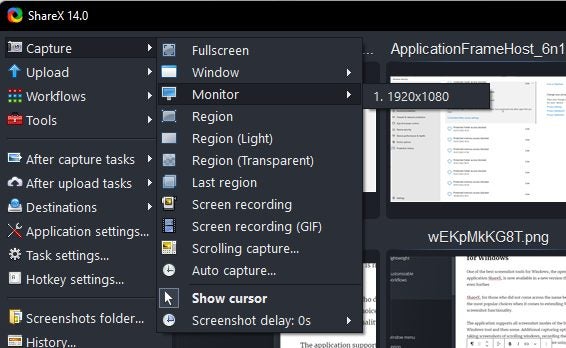
Automation and shortcuts are one of the application’s strong features. Use the Windows menu to capture any open program window, without activating it first. The same is true for capturing content on different monitors; every option is just a click or two away in the program.
It goes without saying that ShareX supports keyboard shortcuts for all major operations.
Scrolling capture takes screenshots of entire webpages and application windows with scrollbars. The feature is a bit more complicated, as it is necessary to give ShareX cues regarding the scrolling.
OCR capturing, the OCR stands for Optical Character Recognition, captures any text on the screen, so that it can be copied or edited. ShareX 14.0 made the program’s OCR feature better, as it is now possible to use it without active Internet connection on Windows 10 and 11 devices.
The screen recording functionality requires the free application ffmpeg, which ShareX downloads on user request. Once that is out of the way, screen recording supports mp4 and gif captures.
ShareX post processing
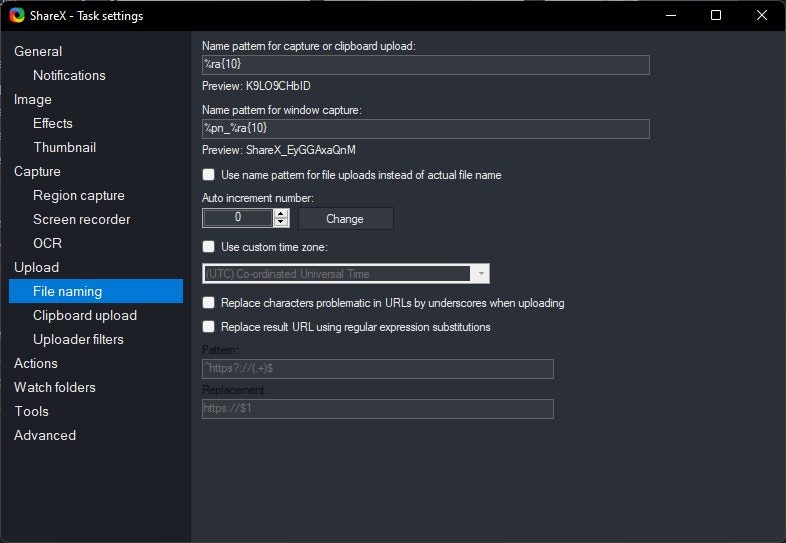
ShareX saves screenshots and captures to the local system by default. Options to upload screenshots directly after capturing to image or file hosting sites are supported. The same is true for text captures, which may be uploaded to text hosting sites.
Images may be uploaded to services such as Google Photos, Twitter, Photobucket, Flickr, or Imgur directly. Text uploading supports Pastebin, GitHub Gist and others, and file uploaders support Dropbox, Google Drive, OneDrive, and dozens more.
Post processing options do not end here though. ShareX supports a whole bunch of after capture and after upload tasks that automate certain processes.
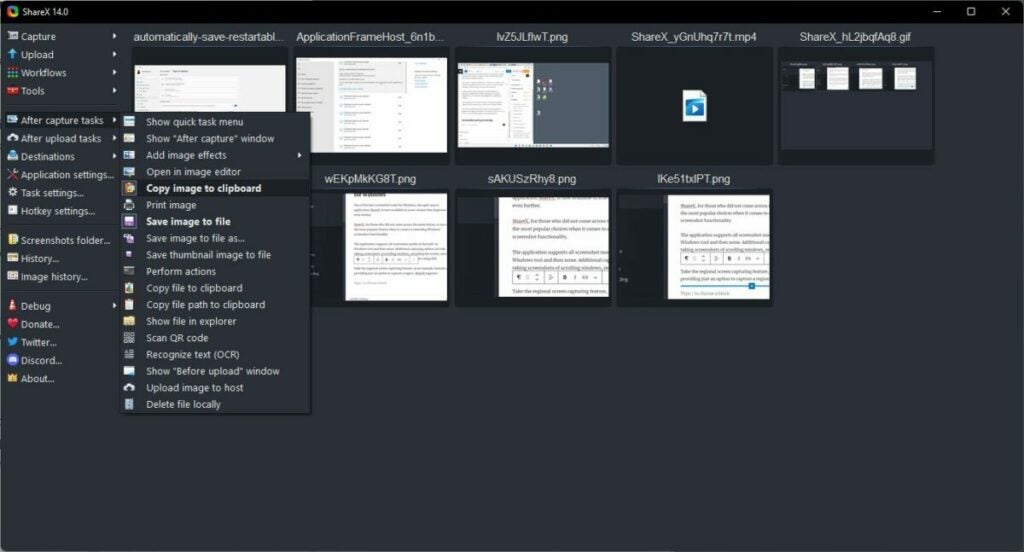
After capture defines automatic actions that the program executes whenever you take a new screenshot or record the screen. Options range from opening the image in an image editor, over copying it to the Clipboard or saving a thumbnail file of the image.
After upload, similarly, defines tasks that ShareX executes after file uploads. It may open the URL for you in the default browser, copy the address of the uploaded file or image to the Clipboard, or create a short version of the URL for easier sharing.
Other features
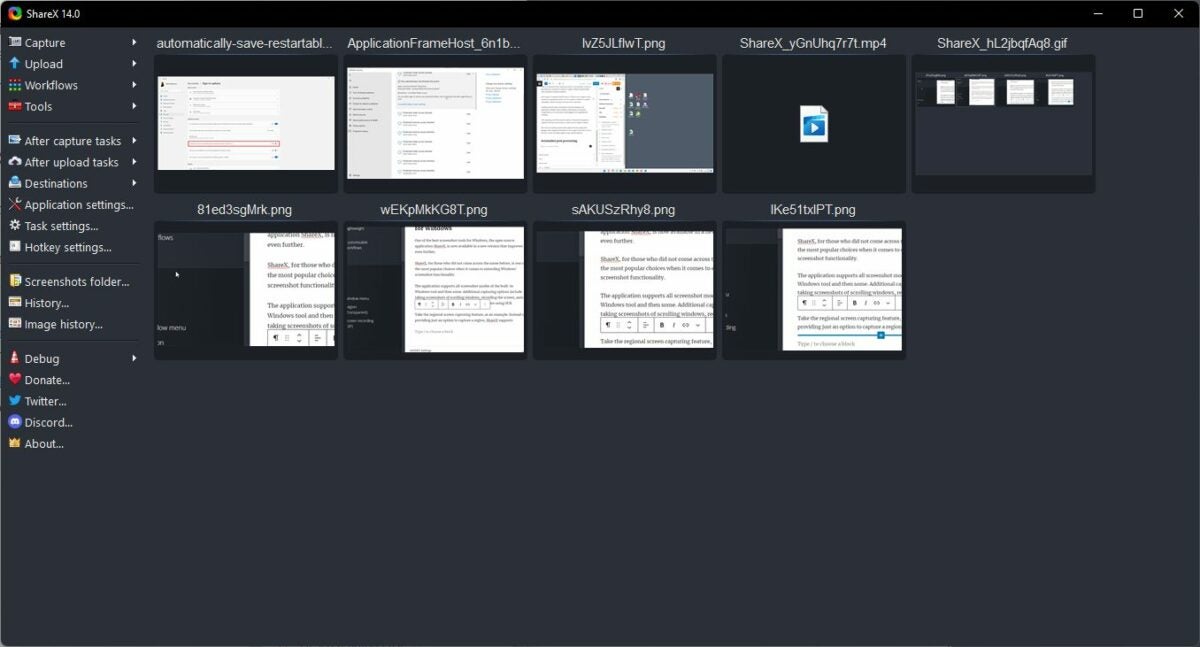
ShareX displays thumbnails of previously captured images and videos in the interface on start. It is a useful feature to open or interact with previous captures, without having to open the directories of the files.
Image history and history provide even better access to past captures. The application lists captures in chronological order and includes a search filter to find content quickly.
The Tools section includes more than a dozen tools, including a color picker, image splitter and combiner, image effects, or a video converter.
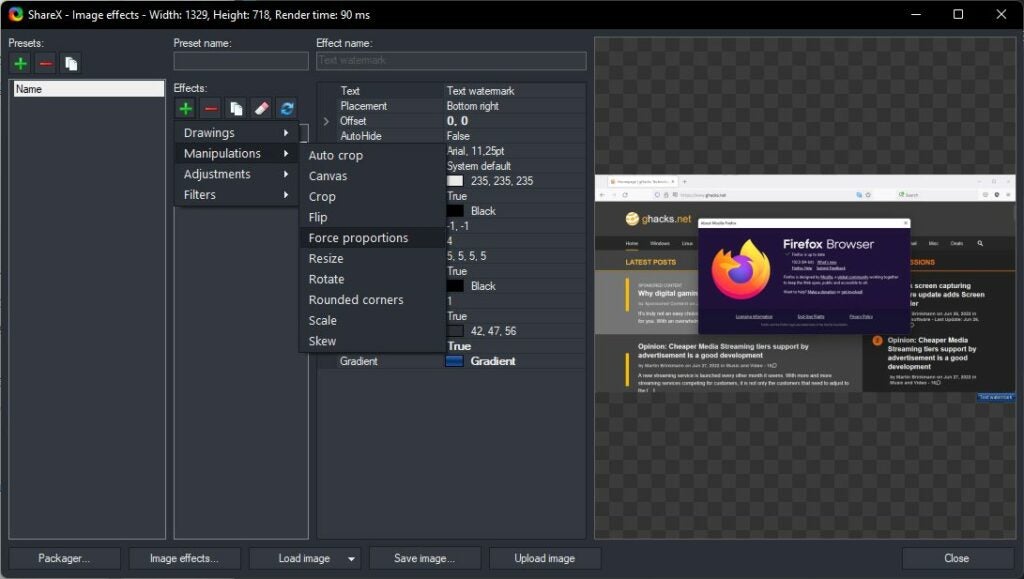
These tools are powerful. Take the image effects tool as an example. It supports dozens of options, such as adding watermarks to images, adding borders or backgrounds, applying a sharpening filter, or resizing the image.
Individual filters or groups of filters may be saved as presets, which may then be executed whenever they are needed with just a few clicks.
ShareX 14.0
ShareX 14.0 is the latest version at the time of writing. It introduces several useful new features and improvements to the screenshot tool, including:
- Offline OCR capturing support on Windows 10 or newer.
- Option to capture screens with bigger cursor sizes.
- Zoom support in the built-in image editor.
- Hotkey support for the image viewer.
- Lots of history window improvements, including find as you type functionality.
- Custom image uploader improvements
You may check out the full release notes on the official website.
Verdict
ShareX is a powerful screenshot and screen recording tool for Microsoft Windows devices. It supports more screen capturing options than the default Windows tools, but does not sacrifice speed or usability for the extended functionality.
Automation is another key feature of ShareX. It is easy to create workflows that save you a dozen or more clicks using the built-in automation options.
All in all, it is as good as it gets when it comes to screen capturing tools for Windows.
