Understanding VoIP: Basics and Benefits of Using in 2024

A key component of running a successful business is maintaining open lines of communication both internally and with outside parties. Traditional landlines, with their tangled wires and excessive phone costs, are a thing of the past. VoIP, or Voice over Internet Protocol, allows you to make phone conversations over your Internet connection. You get access to flexible calls, extensive capabilities and crystal-clear audio.

If you own a business and want a better way to interact with your employees, you should look into this popular business phone service.

This article answers your question of: what is VoIP and how does it work? How can you locate the finest VoIP provider to make calls without using a physical landline?

What is VoIP?

VoIP is becoming the standard for contemporary business communications. Making phone calls using an Internet connection is a well-established technological feature. Since it was first created in 1995, it has become more stable and reliable as the Internet has grown. It has also become the preferred choice for businesses upgrading their phone systems. So, what is VoIP exactly?

The term “Voice over Internet Protocol” (VoIP) refers to a method of making phone calls that uses your existing local area network (LAN), wide-area network (WAN) or other infrastructure to transmit digital data packets over the Internet instead of the more conventional circuit-switched network.
VoIP utilizes the real-time protocol (RTP) to guarantee the timely delivery of these packets. Connecting to VoIP via an Ethernet wire or a fast WiFi network is possible.

People choose VoIP over traditional phone lines because it allows them to make long-distance calls even when they don’t have a phone service.

No additional copper wiring is required if you have access to the Internet. As a result, people can telecommute to the workplace or work remotely from their homes.

How does VoIP work?

Virtual private networks (VoIP) allow regular phone calls to be converted into data packets and sent over the Internet instead of through mobile networks or landlines. It does its job by digitizing your voice’s analog impulses before sending them over your fast Internet connection. 

VoIP systems allow you to make and receive calls via your existing Internet connection rather than a dedicated phone line. A versatile and reasonably priced business phone solution is the end product.

Small data packets carry the conversation during phone calls. In just a second, these data packets can be transmitted all around the globe through the Internet. When you use Internet telephony, the packets go from your phone to a VoIP provider.

With VoIP, the phone company is completely bypassed. You can use VoIP anywhere with a broadband Internet connection, whether DSL, cable or fiber. Compared to the old analog phone system, it’s a vast improvement.

How does VoIP work? 

Let us explain it to you:

  1. Within your LAN, your phone connects with your router or switch.
  2. Your IP phone will communicate with your VoIP provider to make the call when you dial a number.
  3. With a VoIP service, your IP phone can make calls and send and receive data packets.
  4. The sound you hear on your VoIP phone is a conversion of these digital signals.

If you wanted to use VoIP over twenty years ago, you had to shell out a pretty penny for some proprietary gear. It is now possible for VoIP to work thanks to open standards like Session Initiation Protocol (SIP). SIP ensures compatibility between regular phones, conference phones and VoIP applications.

VoIP vs. Landline — What’s the Difference

Traditional landline phones carry audio signals over separate copper lines using the antiquated Public Switched Telephone Networks (PSTN). 

Despite its lack of bells and whistles, landlines nonetheless provide reliable service thanks to private branch exchange (PBX) technology, even when the power goes out. 

Due to the need for expert installation and specialized infrastructure, traditional phone systems are more expensive than VoIP.

Voice over Internet Protocol (VoIP) uses the current state of the Internet to transport audio data packets dynamically over broadband connections. With VoIP systems, businesses can enjoy substantial cost savings, mobility through remote access and handy calling capabilities.

The dependability and quality of your VoIP calls can change depending on your Internet speed and the provider you choose. Service interruptions can also occur due to power outages and network jitter.

With the correct procedures and a dependable VoIP provider, VoIP issues are simple to resolve.

Despite some problems, Voice over Internet Protocol (VoIP) is still the way to go for telecommunications. VoIP phone systems are far less expensive than comparable mobile phone deployments. In general, enterprise-focused features like analytics, customer relationship management and software integration should be included in modern mobile phones, even though they may have many of the same capabilities as VoIP phone systems.

What is a VoIP service?

The companies that supply VoIP services are known as VoIP service providers. Usually, clients pay a monthly fee to use their VoIP devices and equipment. Businesses and homes alike can use a VoIP system through a service provider.

VoIP is much more than simply a voice call technology; as a result, VoIP service providers provide a wide range of additional communication features, including SMS and instant messaging, emailing, call management, SIP compatibility and more. These days, VoIP companies offer a whole suite of services to meet all business communications needs. In addition, VoIP hosts facilitate the integration of pre-existing software with VoIP services, including customer relationship management (CRM), cloud, help desk and e-commerce platforms.

An all-encompassing VoIP provider becomes your company’s technical partner because VoIP assistance has expanded to encompass all parts of business communications.

Businesses can benefit from starting a VoIP business partnership since it helps them maintain unified communications with their clients and customers. Voice over Internet Protocol (VoIP) calls are substantially cheaper than traditional phone networks. Their advanced features provide infinite call alternatives through a reliable Internet connection. That’s what makes the VoIP alternative better. Companies looking to optimize their communication systems need to understand what is VoIP service.

What are the benefits of VoIP?

What is a VoIP phone used for and what are the real benefits that make it superior to conventional phone systems?

1) Affordable Call Rates and Additional Savings

Reducing communication expenses is a significant motivator for companies to adopt VoIP phones. Virtual private phone systems are inherently more cost-effective than traditional landline phone systems.

To start with, there is a significant decrease in the call rates. A VoIP subscription from most providers will include unlimited local calls and significantly discounted international minutes. Contrast this with the potentially $50+ monthly cost of a PBX line with the $30+ monthly cost of a VoIP subscription. And there is more. If you want to use a landline PBX phone, be aware that you will still be subject to your telecom provider’s usual call fees.

Secondly, compared to wired alternatives, VoIP systems’ installation and maintenance costs are significantly lower. In most cases, VoIP service providers for businesses offer a discount on phones that can use their service. In addition, they handle the technological aspects of the phone.

2) Automated and Optimized Processes

Since VoIP calls take place via the Internet, a great deal of digitization and automation is possible, which, in turn, simplifies things for everyone on the team.

VoIP services do not impose this restriction, unlike landlines, which only allow one phone number per user. Thanks to modern technology, you can now simultaneously process numerous requests from different phone lines.

You may save money, train your staff better and break records for revenue with the help of VoIP telephony software solutions, which offer a wide range of functions.

The most used automation features are intelligent voice response (IVR) flows, ACD (Automated Call Distribution), skill-based call routing, smart power, predictive dialing and business hour settings. 

Keep up a consistent level of service with the support of real-time dashboard analytics, agent reporting and call monitoring. 

Operators may speak with clients more efficiently with scripts and call note-taking, and any CRM or tool you require for your business can be connected with the help of API. 

3) Complete Portability

With VoIP, you can make and receive calls from your device. Your company’s phone lines are no longer limited to landlines when you use VoIP. Desk phones are superfluous.

Your mobile device, computer or tablet may make and receive VoIP calls. Another advantage of VoIP is that national boundaries do not obstruct it. As long as you have access to the Internet, VoIP can be used from anywhere in the globe. This allows you to effortlessly bring your office with you wherever you go.

4) More Call Features

One should not mistake VoIP for a standard phone system. With VoIP, you receive a lot more than with regular phone calls. Voice over Internet Protocol (VoIP) enables users to multitask by allowing them to communicate using multiple tools simultaneously.

Imagine you are answering a phone call. You can learn who called and why by reading a transcript of their message in your inbox while you wait. Meanwhile, you can easily share a critical voicemail with any of your coworkers by tapping a screen or clicking a button. You can connect your VoIP service with essential business communication apps, such as customer relationship management (CRM) systems or even send SMS messages. Unlike conventional phone systems, VoIP comes with a plethora of automation options. These include intelligent call answering, advanced call forwarding and transfer, auto help, conference calling, hot desking and monitoring and logging of calls. VoIP offers the flexibility and scalability necessary for a complete unified communications system.

What are the drawbacks of VoIP?

Now that you know what is a VoIP phone system you need to learn that VoIP phones have their drawbacks:

  • Limitations on performance. Voice over Internet Protocol (VoIP) phones are vulnerable to bandwidth limitations and need a constant Internet connection. Calls may be delayed or even dropped if there isn’t enough bandwidth to prevent latency. People also can’t use VoIP phones to make calls if the company’s power or Internet goes out.
  • Emergency calling. It might be challenging for 911 operators to direct calls from VoIP phones to the correct emergency call center because IP addresses do not provide the precise location of callers. The Federal Communications Commission has mandated that VoIP operators implement Enhanced 911 (e911), and they can turn to third-party suppliers to help them fulfill this obligation.
  • Vulnerable to Cyber attacks. Cyber attacks can compromise it because it is an online service. Eavesdropping and denial-of-service attacks are just two of the many security threats. Nevertheless, safe software and dependable service providers take precautions to prevent these vulnerabilities.
  • The need to re-train your staff. The learning curve for transitioning to a VoIP service will be higher if your team is accustomed to using landlines in-house. You must answer your employees’ question, ”What are VoIP phones used for?” You may easily guide your trainees through the new system using features like warm transfers, real-time dashboards, call whispering and call monitoring. 

How to use VoIP services?

A VoIP business phone provider is required to make a VoIP call. You should also have a high-bandwidth Internet connection. 

How to use VoIP service? You can use any of these devices to make a VoIP call:

  • You can use your current phone handset. An analog telephone adapter (ATA) can link this to the VoIP network and assign it an IP address. The ATA is a convenient alternative to plugging your phone directly into an electrical outlet.
  • An IP phone. As far as the eye can tell, this is just another analog phone. A charging cradle, which features buttons, is compatible with the handset. On the other hand, the IP phone uses an RJ-45 connector rather than an RJ-11 one. This means it is not compatible with phone connectors but with the ethernet ports on your router. Some VoIP companies may provide you with a complimentary phone handset at certain times of the year.
  • Your computer. An app that supports VoIP calls is required. A sound card, headset or microphone/speakers are also needed. Additionally, you’ll require some Internet connection, be it WiFi or an ethernet cable. Apps for Windows and Mac are available from most popular VoIP providers.
  • Your cell phone. As before, you’ll need the correct app and access to wifi. Alternatively, you may use a 4G or faster mobile data plan. You can get VoIP apps for any smartphone, including iOS and Android.

3 Best VoIP providers

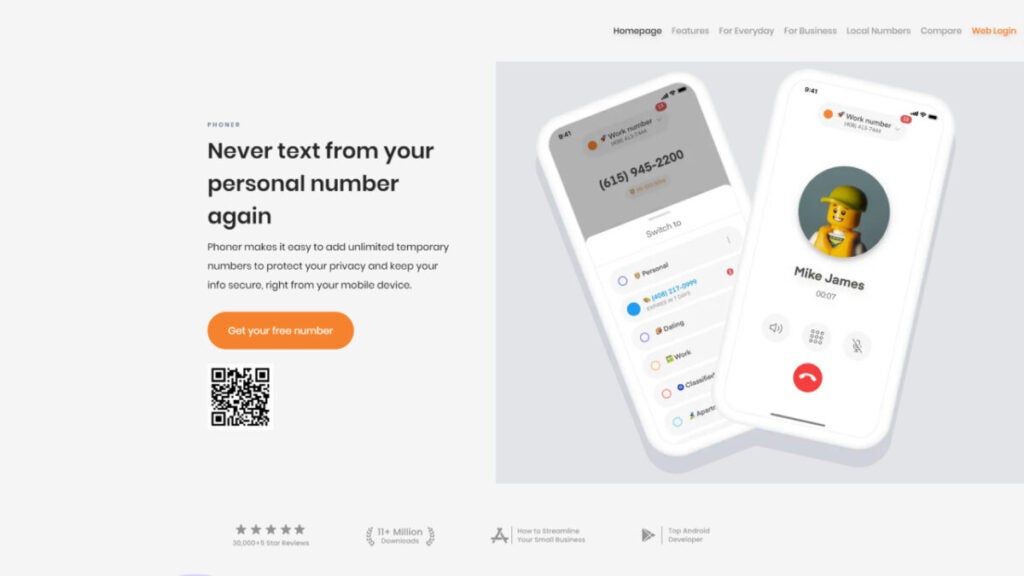
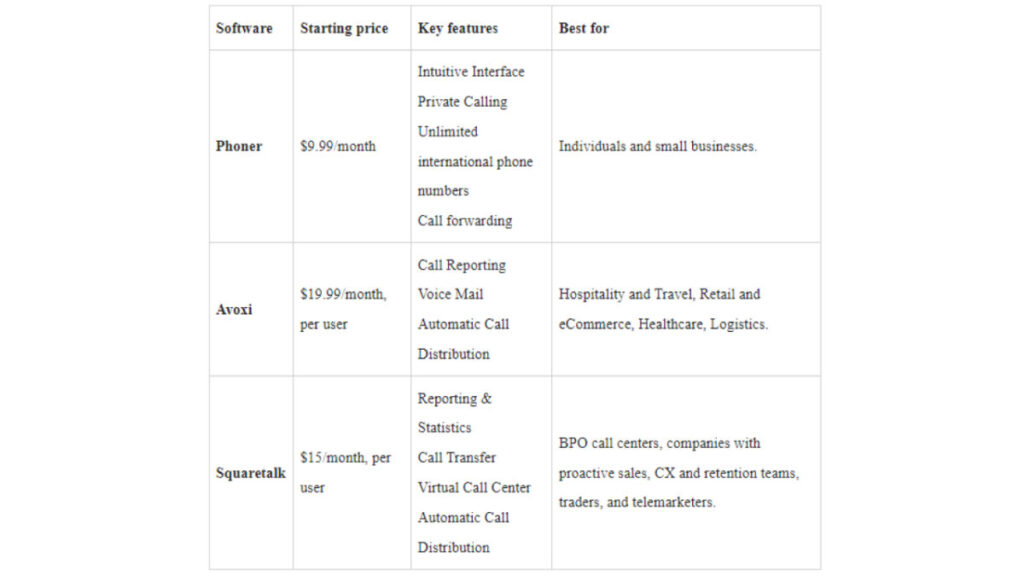
Provider 1. Phoner
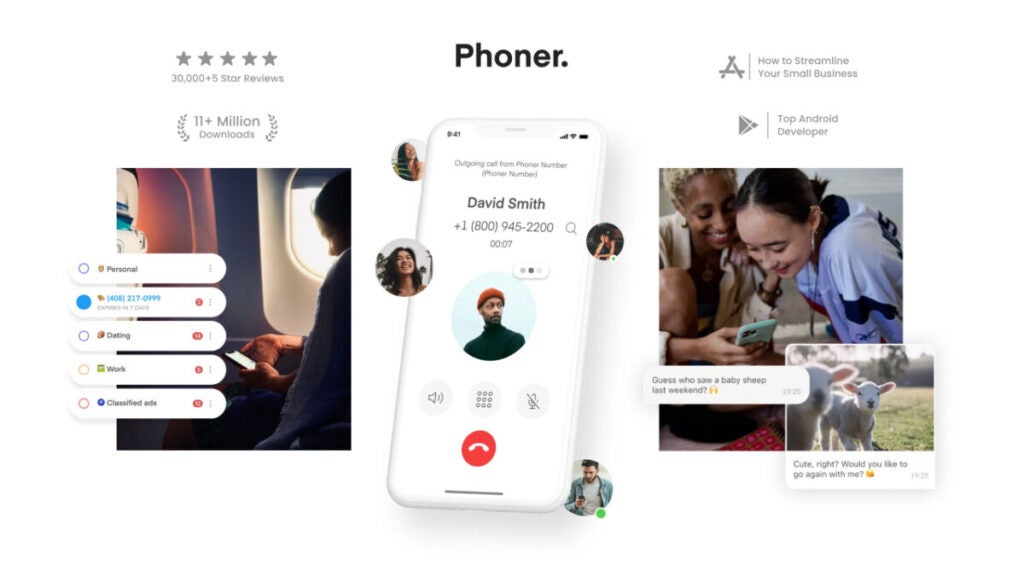
Best pick for: Most people, startups and small companies agree it’s the best VoIP phone service.

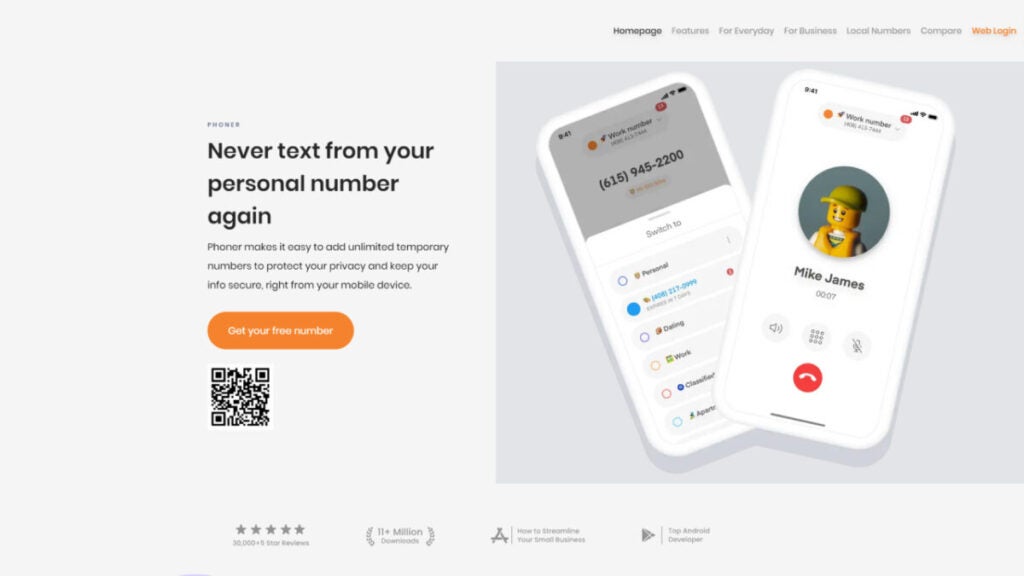
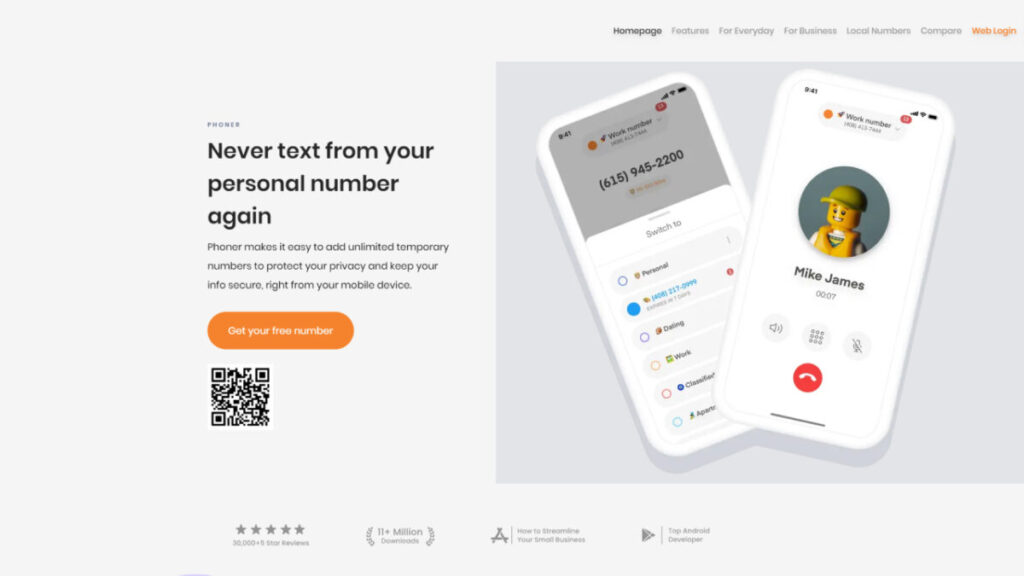
If you use the Phoner VoIP phone system, you can always keep your phone number to yourself, whether for running a business, shopping online or going on dates. Once you add your new number to Phoner, you can start making calls in the US and abroad. This VoIP company doesn’t have any new deals or carriers. Your current desktop and mobile devices can connect and sync with everything. You can make as many foreign calls as you want. The provider offers many virtual phone numbers, each with its own area and country codes.

Users like Phoner because it is easy to set up, doesn’t cost a lot of money and can be used for various personal and business uses. Even though some reviews point out small bugs, most users have had a great experience with it. You can get Phoner here and enjoy all of its perks.

Pricing: 

Phoner VoIP phone service offers two pricing plans: 

  • Monthly – $9.99/month
  • Yearly – $69.99/year

Reviews: 

Trustpilot: 4.7/5 (300+ reviews)

Pros:

  • Pleasant, easy-to-navigate design
  • Reliable quality of phone calls
  • Ad-supported tier
  • Reasonable prices
  • Disposable numbers
  • Voice call recording
  • Message encryption
  • Support on Desktop, Android and iOS

Cons:

  • Not many extra features
  • Best for simple tasks

Provider 2. Squaretalk
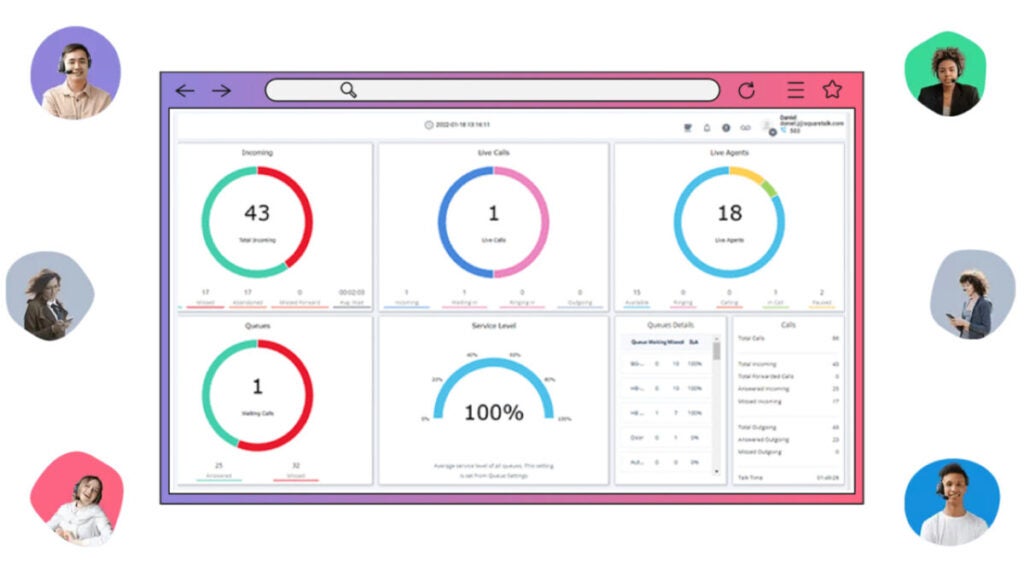
Best pick for: Traders, telemarketers, insurance agents, financial advisers, BPO call centers, proactive sales teams, customer experience and retention teams.

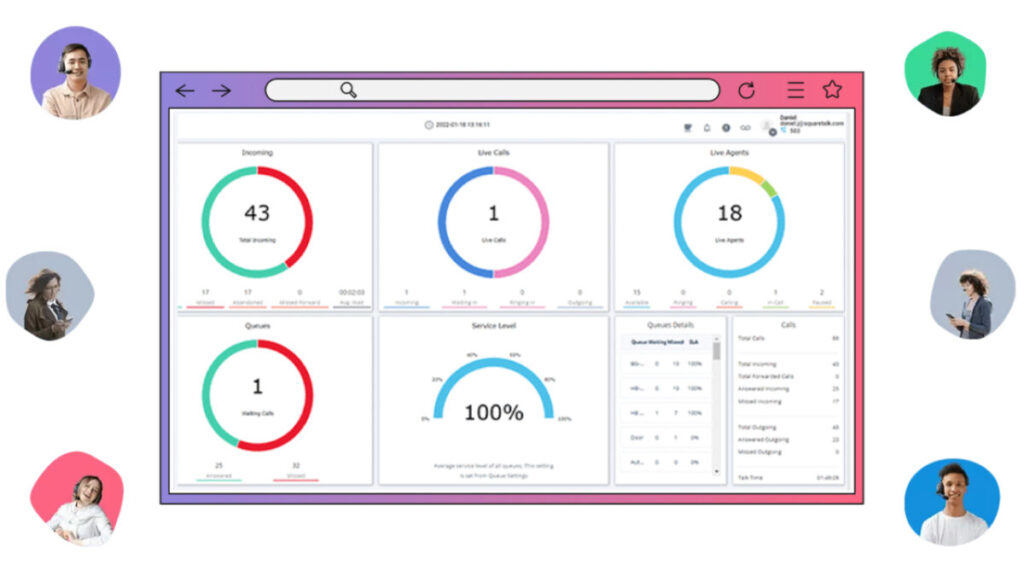
Automating and integrating things is more manageable with Squaretalk, a flexible VoIP company. Because it’s simple to use, you can focus on other parts of running your business.

A cheap, expandable and easy-to-use communications business phone system can give your sales and phone support staff the tools they need to be productive no matter where they are or what route your clients choose. Whether you use Zoho, Salesforce or another well-known CRM, the VoIP phone system’s built-in interfaces and custom API will make the process easy.

Pricing:

  • Standard – $15/user per month, billed annually 
  • Professional – $30/user per month, billed annually

Reviews:

Capterra 4.8 (72)

Pros:

  • Good customer support
  • Cost-effectiveness
  • ​​Fast connection
  • Auto-dialer
  • SMS Messaging
  • Call list management

Cons:

  • Expensive for some users
  • Mobile app issues
  • Learning curve

Provider 3. Talkdesk

Best pick for: The best VoIP service provider for incoming and outbound call centers.

Talkdesk’s business VoIP phone service is flexible and lets you set up almost all the features a contact center needs. Talkdesk helps people in different areas communicate better by putting all its users on one platform. Thanks to the desktop and mobile tools, team members can check their voicemails and call from any device.

Talkdesk’s best feature is the CX Cloud platform, which was made for incoming and outgoing talks. Interactive analytics driven by AI and virtual agents are used to improve customer service to a whole new level. VoIP services enable intelligently routing calls, handling call queues and reporting on agent call metrics.

Pricing:

  • CX Cloud Essentials: $75 per user/month
  • CX Cloud Elevate: $95 per user/month
  • CX Cloud Elite: $125 per user/month
  • Experience Cloud packages: Contact Talkdesk to get info about pricing

Reviews:

Capterra 4.5 (721)

Pros:

  • Excellent quality of calls
  • Easy integration with Salesforce
  • Easy to use
  • Incredible flexibility in IVR
  • Good Support team

Cons:

  • Issues with the reporting functionality
  • Hard to use without a reliable Internet connection
  • Bad data interpreting

Summing up

Picking a VoIP service is a crucial business choice. Now that we’ve answered the question of what is VoIP and how does it work, you have to choose your VoIP provider wisely. Check out several VoIP companies based on their calling plans and prices, how flexible and customizable their service is, how well they work with mobile devices, how well they support their clients, the quality of their voice and video output and whether they integrate with other business tools. Pick the best VoIP provider for your business by considering your needs. Good luck!


Analysis of Mario vs. Donkey Kong, a remake made with love and enthusiasm

If you like Mario and Donkey Kong games, but want to try a completely different approach from what we’ve seen in these past two decades…

When they announced Mario vs. Donkey Kong in a Nintendo Direct last year, I was glad. I hadn’t played the original game from 2004 developed for Game Boy Advance, so a remake for Switch sounded good.

Mario vs. Donkey Kong DOWNLOAD

With the Nintendo Switch 2 grabbing headlines without even being announced yet, Nintendo has the obligation to continue nurturing the game catalog of its current generation. With one eye on 2025, but remembering that they have to keep selling consoles and games this 2024.

And that’s where completely new games come in, such as Princess Peach: Showtime!, which is coming out on March 22nd and has got us all excited; or the game we’re focusing on today, Mario vs. Donkey Kong, a remake that comes 20 years after its original.

A game that starts from a very curious premise

Mario vs. Donkey Kong belongs to a curious lineage of Mario platform games, almost an alternative history of what the games would be like if the revolutionary Super Mario Bros. of 1985 had never existed.

In these games, the original Donkey Kong arcade serves as the template: Mario has a limited set of movements and much less momentum, and he runs back and forth in narrow single-screen levels filled with puzzles.

After Mario vs. Donkey Kong, the series mutated again into something else, a sort of automatic platformer for Nintendo DS consoles where the player controlled Mario’s mechanical toys called “Minis” with the stylus. The overarching theme is that Mario vs. Donkey Kong marks the debut of these Minis.

A story that continues to work and puzzles that are very well thought out

The premise is that Kong, eager for trouble, has raided Mario’s toy factory and stolen a sack full of the cute mechanical plumbers.

In each of the themed levels, Mario must individually rescue six of the toys and then bring them back to a toy chest before facing off against Kong in a boss battle.

After Super Mario Bros. Wonder perfectly captured the delights of 2D Bros. games, the precise and limited gameplay of Mario vs. Donkey Kong requires a slight adjustment.

Mario has a few useful moves – he can jump higher from a handstand or from a direction change by sliding – but controlling the plumber in a 2D platformer without a jump button or wall kick is like playing with one hand tied behind your back.

Mario vs. Donkey Kong isn’t about acrobatics. It’s a cerebral platformer where figuring out the route to the goal – whether it’s a Mini in its capsule or a key that needs to be taken to a closed door to reach the next screen – is as important as making the jumps.

The game constantly introduces new mechanics and types of enemies, although “enemy” is a somewhat misleading term, as most of them serve some other function in each level’s locking system: they often serve as moving platforms.

In Mario vs. Donkey Kong, you can stand on the heads of most enemies, as well as pick them up and throw them, as in Super Mario Bros. 2. There are color-coded switches that activate and deactivate platforms, walls, and stairs; springs that can move around the level to reach higher points; teleporting blocks, floating Shy Guys that can become platforms, and much more.

A single way to beat the levels, which can be challenging for certain players

There’s no room for improvisation here, as there’s only one solution for each level. Mario vs. Donkey Kong isn’t easy as the game progresses, for many reasons: tight timings, precise jumps, only one solution to the puzzles…

Fortunately, one of the main features of this new version for Switch is the “Casual” gameplay style, which removes the time limit and adds mid-level checkpoints, to which Mario returns in a bubble if he runs out of lives.

If you’re going to play with the little ones or you don’t enjoy suffering while playing, there’s nothing to lose by activating this mode as far as solving puzzles in Mario vs. Donkey Kong is concerned, and it makes the game much less irritating and repetitive. There are also new modes for two players and time trials.

The game has also been enriched with two new “worlds,” or sets of levels, expanding it from six to eight worlds. These levels are notably well-designed, with some clever additions to the game’s toolbox, such as the icy surfaces of Slippery Summit; they are more challenging and played more smoothly than the original levels.

Mario vs. Donkey Kong DOWNLOAD

Even with these additions, Mario vs. Donkey Kong isn’t a very long game, lasting between 5 and 10 hours, although it’s longer than it initially appears, with additional “Plus” levels for each world unlocked after defeating the final boss.

If you enjoy Mario and Donkey Kong games but want to try a completely different approach from what we’ve seen in the past two decades, Mario vs. Donkey Kong is a game that could be the ideal candidate to end up in your Nintendo Switch library.

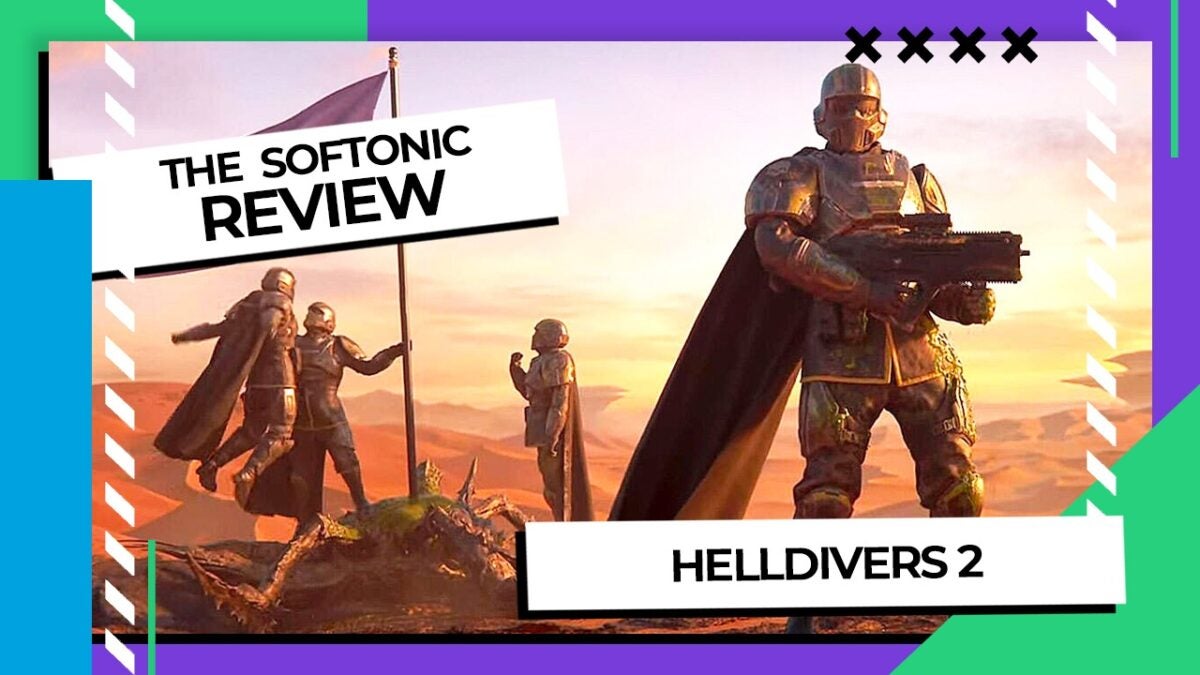
Helldivers 2: Softonic’s review

“Helldivers 2 is much more of a game than we thought. A title that, once again, seemed minor when compared to the big-budget productions…”

Lately, Sony has been characterized by something that quite amazes me: they give us sequels with huge budgets, but clearly they’re conservative, repeating concepts; then they provide us with games that are true gems in gameplay, with original and innovative approaches that in a way revolutionize already established genres. That happened with Returnal, and now it’s happening with Helldivers 2.

Buy Helldivers 2 BUY ON AMAZON

What seemed like a minor release has turned into a phenomenon that, in fact, has been giving developers headaches as they struggle to fully meet the enormous demand the game requires in terms of servers.

And how did they achieve such magic? With a simple storyline, a sense of humor very characteristic of the company, and gameplay so good that it’s impossible not to want to keep playing. And all this with hardly any microtransactions, but which do slightly influence the way of playing.

It’s not the first installment, but it’s practically a new game

Arrowhead the company behind Helldivers 2, and it must be said that the game has all the ingredients of the company’s previous installments/games: lots of action, cooperative multiplayer components, and above all, a rather dark sense of humor.

What other games has Arrowhead made? The Magicka series and the first installment of Helldivers. Interestingly, all three games offer plenty of action, gameplay with many innovations that make each game different, and a top-down perspective reminiscent of Diablo. Not to mention their peculiar sense of humor that doesn’t make you laugh out loud, but where you recognize the references that make you smile.

With Helldivers 2, we’re already going to see the first difference compared to previous games: we’ll be able to choose between third-person or first-person perspective when aiming. This change of perspective allows us to experience the action up close and personal, immersing us fully in the massive battles we’ll face in the game. But let’s not get ahead of ourselves.

We can’t help but talk about a storyline that unabashedly criticizes all messages of the American lifestyle, in a way that reminds us entirely of Paul Verhoeven’s movie, Starship Troopers. A movie that, in fact, has become fashionable again thanks to the game and is perfectly reflected in this sequel, albeit with a much darker and more direct sense of humor.

Gameplay: the important thing

That Helldivers 2 has a unique storyline and sense of humor is something to consider, but what about the gameplay? Exceptionally good. We’re dealing with a game that falls within the “shooter” genre, meaning shoot everything you can. In this case – and for now – these can be “bugs” or “robots” that, judging by their designs, clearly correspond to what we’ve seen in two very specific series: Starship Troopers and Terminator. These two are currently our main threats.

The game itself has 7 different difficulty levels, and I can already tell you that while the first two levels you’ll be able to pass solo without any problems, from level 3 onwards you’ll need to play cooperatively, and that’s where the real fun begins: playing with friends or strangers to get the most out of the game.

And this is what has led to several delays with the game because we wanted to test advanced difficulties (we’ve reached difficulty 5) to see how the game scales, and this is easy to say: it’s absolute madness. Bigger bugs, Terminators reminiscent of the movies but also of the great armor of Warhammer 40,000.

Because it’s true that the game offers greater challenges, but they’re impossible to pass without a squad, and they’re impossible to pass if you don’t upgrade your ship and arsenal to have more powerful weapons, special attacks to perform, and access to some advantages (like bringing a drone to help us finish off the enemy).

Although the basic goal of the game is to eliminate all enemies we can, this doesn’t imply that it’s the only thing to do in each mission. We have a great variety of secondary missions within each map. And not only that, you also have the pressure of time because many of these objectives have to be completed within 40 minutes, both the main objective and the secondary ones.

When we’re inside each of the missions, we’ll have a pretty clear idea of the main objectives, but not so much the secondary ones, which are small sub-missions we’ll encounter on each map, ranging from destroying bases to firing a ballistic missile to eliminating enemy nests.

Why are secondary missions and additional difficulties important? Because that way, we’ll earn the game’s official currency, and this official currency allows us to buy new armor, gestures, weapons, and premium credits, enabling us to advance in our missions and face higher difficulty missions, which will allow us to simultaneously increase our arsenal while having fun fighting non-stop.

Not everything is perfect: two points that haven’t convinced me

I can’t deny that I’ve enjoyed the game tremendously and that it constantly invites you to continue thanks to the gameplay and the technical aspects, which I’ll talk about next. However, I can’t help but mention two points that, at least for me, have seemed controversial. The first one is practically solved, but the second one is a bit more tricky.

The first issue is with the matchmaking, which until a few days ago (literally) caused a lot of problems. This has caused me quite a bit of frustration. Not only because of the fact that I couldn’t enter the game on multiple occasions, but also because finding a group was practically impossible until last weekend when a series of patches finally solved most of the issues, although we still occasionally have problems accessing the game. And as I mentioned, from certain difficulties, it’s not possible to progress in the game. Or at least, not at an adequate speed.

The second controversy for me is more contentious, and it’s the way we acquire weapons. This is done through a variation of the battle pass, something more than common in almost all games nowadays. However, usually in console games, this tends to be more aesthetic, but not in Helldivers 2, as the premium battle pass includes a series of weapons that are not just variations but we have found that they offer better performance for many missions.

However, we’ll need quite a few coins to unlock these weapons. Nevertheless, as soon as we use them, we’ll see that eliminating enemies is not as complex as with the normal weapons.

An outstanding technical section

It’s not difficult to come across games nowadays with outstanding technical aspects. Today’s consoles offer extraordinary performance, making almost all games look spectacular. Helldivers 2 has something more than most games.

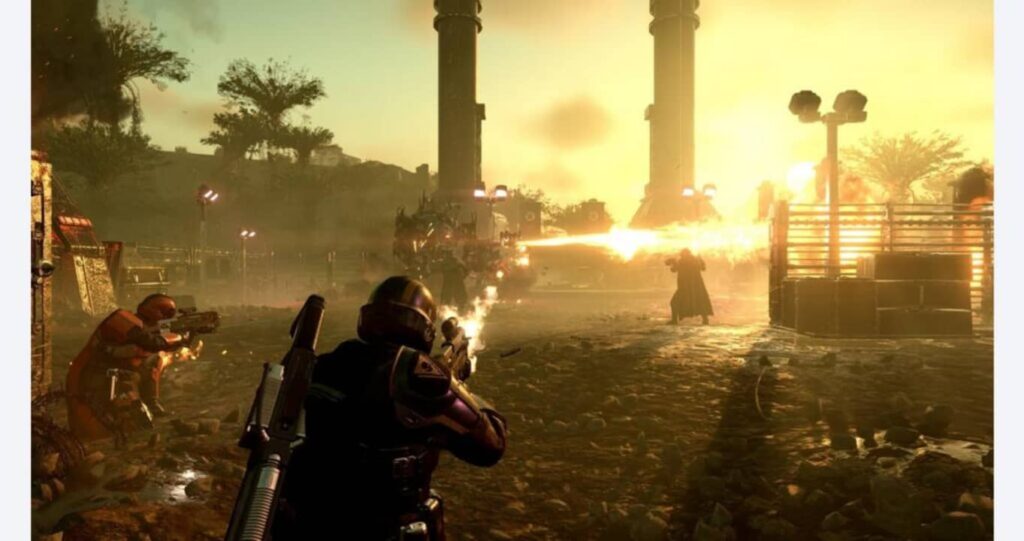
Apart from having magnificent map design, multiple technical effects that make the missions believable, as well as enemies that constantly surprise you with their size, ferocity, and especially their aggressiveness. With each battle, you truly feel like you’re in the midst of a fray where survival depends on your ability to have the right weapons and skills. But all this couldn’t survive without a technical aspect that, for me, stands out above all others: the sound.

Because the sound in Helldivers 2 is practically the glue that makes everything work like clockwork. From the melodies (although TikTok montages should have their own category) that can only be considered an integral part of motivation, to the random comments of the soldiers at the moment of “defending democracy” or when, after firing a weapon relentlessly, we can hear a soldier’s psychotic laugh.

Helldivers 2 is pure fun

Helldivers 2 is much more of a game than we thought. A title that, once again, seemed minor if we compare it with today’s big-budget productions, but it proves that gameplay and fun are always the most important in this sector.

Gameplay, graphics, story, and above all, sound come together in such a way that you can spend hours defending “managed democracy” just to reach the next level of difficulty where you know you’re going to get crushed.

Buy Helldivers 2 BUY ON AMAZON

In these conclusions, we can’t ignore what was mentioned earlier about the premium pass that opts to give us some advantage in combat. Hopefully, this will change with future premium passes, and we’ll simply find purely aesthetic aspects.

But even with this small blemish, we have to recommend this title because it manages to keep us hooked on every mission. We can’t stop playing.

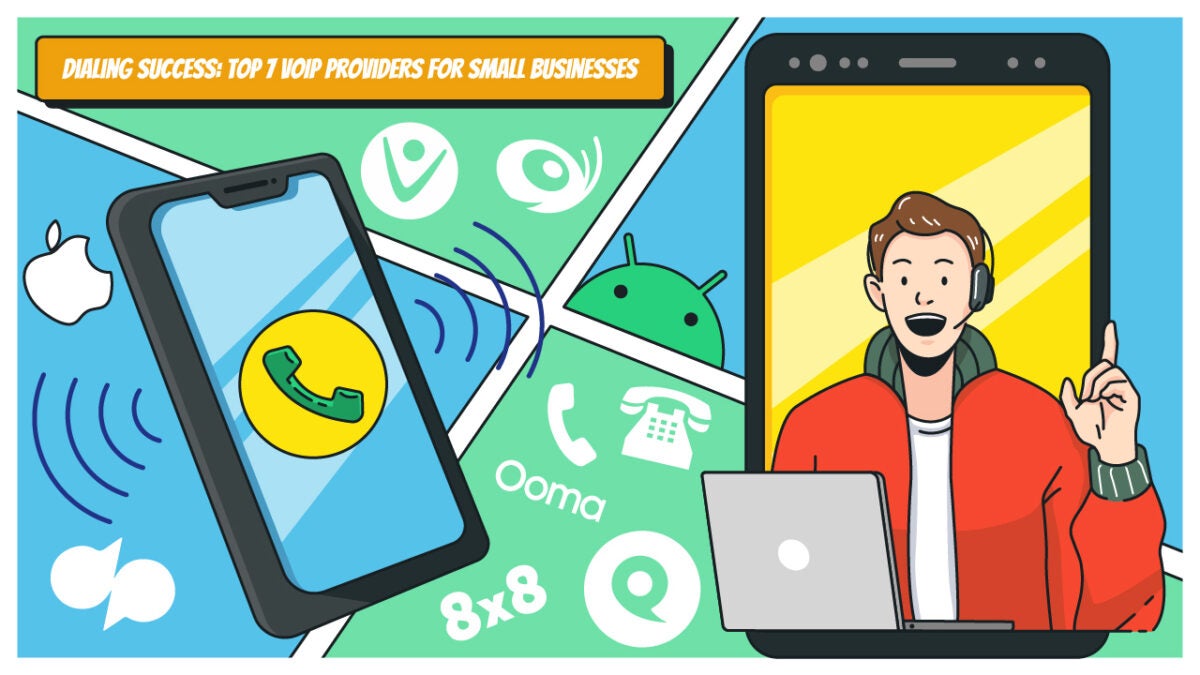
Dialing Success: Top 7 VoIP Providers for Small Businesses

Find out the in-depth review of 7 best VoIP providers for small business in 2024 based on pricing, use cases, pros and cons. Click here.

More than any other form of business, small businesses rely on communication infrastructure. Why? In the beginning, all it takes is a few bad reviews caused by missed calls to ruin a company. 

Your company can benefit significantly from a trustworthy business VoIP system (like Phoner VoIP Business lines) offering steady, high-quality calling and some extra features. But how can you find the one that is just right for you? 

Compared to analog desk phones or traditional phone lines, the top business (VoIP) phone system for small businesses offers many call management options at a cheaper cost. A phone system provides more than just regular mobile phone calls; it also integrates third-party apps that allow video conferencing, instant messaging and electronic faxing—all at no extra cost. Pricing can vary by provider, plan and included features.

We have researched and compared the seven most popular VoIP phone systems for small business providers, their features, prices and customer reviews to help you choose the ideal service for your company’s phone needs.

How to choose the best VoIP provider

If you own a small business, there are a lot of things you will require when selecting a VoIP phone system:

  • A free local phone number. Getting your first local business phone number should be inexpensive, mainly because a business phone system is an investment.
  • Virtual business phone numbers. Having more than one number can be helpful for small enterprises. You can’t reach clients all around the world without them. 
  • iOS and Android applications. Use mobile apps to carry your small company VoIP phone system with you at all times. 
  • Variety of languages. Setting up and receiving welcome messages in several languages is another way a professional small company VoIP phone system may help your customers and employees. When you’re unavailable to answer the phone, you can still leave a greeting for callers to hear on your voicemail or through a VoIP service
  • Voicemail transcripts. When retrieving information from audio messages isn’t practical, there are situations when transcripts are the next best option. Having them transcribed from voicemail makes them more accessible. 
  • Messaging. Verify you can use channels like SMS text messaging for follow-up and cross-use. 
  • Office hours. Calls will be forwarded to voicemail if received outside your specified business hours. 
  • Call forwarding. Effortlessly include other team members in your phone conversations by forwarding business calls to them. 
  • Recording phone calls. Call recording is a great way to keep track of crucial details, enhance call monitoring and make training much more accessible. 
  • Cost. We understand that money is a significant concern for many small company owners and operators. The viability of a VoIP business phone system for your organization can be determined by looking at their pricing and plans.
  • Consistent reliability. One of the most important considerations is the reliability of the VoIP phone system, which refers to the consistency and quality of its calls. Your company will likely hit a wall and remain there if you don’t have stable calls.
  • Customer phone support. If a company strays too far from providing professional, attentive phone support, it should be seen with suspicion.

Provider #1: Phoner App

Best pick for: An easy-to-use and inexpensive VoIP phone service for a standard second business or personal phone number. It’s the top small business VoIP phone solution for startups, small companies, real estate brokers, freight delivery services and more.

Whether conducting business or making online purchases, Phoner is the best phone system to keep your number private. Conveniently share private photos and messages with anyone. Plus, Phoner offers a desktop app. You can start making business calls locally and internationally when you connect your new number. One of the main advantages is that this VoIP service provider does not include any additional carriers or contracts. Also, you can keep all your current desktop and mobile devices in sync and get unlimited calling to international numbers. A wide range of virtual phone numbers are available, each with distinct area and country codes.

Pricing: 

Phoner VoIP phone service offers two pricing plans: 

  • Monthly – $9.99/month
  • Yearly – $69.99/year

Reviews: 

Trustpilot: 4.7/5 (300+ reviews)

Pros:

  • Private VoIP calls
  • Pleasant, easy-to-navigate design
  • Unlimited international phone numbers
  • Reliable quality of phone calls
  • Ad-supported tier
  • Affordable prices
  • Disposable numbers
  • Voice calls recording
  • Message encryption
  • Support on Desktop, Android and iOS

Cons:

  • Not many extra features
  • Best for simple tasks

Overall experience:

Users highly regard the Phoner VoIP phone system for its user-friendly setup process, affordable pricing and adaptability to various personal or commercial needs. Although some reviews indicate minor bugs, the overall user response has been highly positive. Enjoy all the benefits of Phoner by downloading it here.

Provider #2: Dialpad

Best pick for: Small businesses that want to start using VoIP phone systems but don’t know how to do it.

If you own a small business with a tech-savvy staff that wants to optimize customer service delivery through automation, Dialpad VoIP service provider is the way to go. Virtual assistants, live coaches, conversation summaries and sentiment analysis are a few of the intelligent features of the AI-powered business phone system.

You can stay focused on the discussion while Dialpad’s built-in AI transcribes it, tracks action items and takes notes—even if you’re handling a large volume of calls. You may simplify workflows and offer personalized client experiences with artificial intelligence (AI) solutions available on all Dialpad plans.

Pricing: 

  • Standard – $23 per user/month
  • Pro – $35 per user/month
  • Enterprise – Contact Dialpad to get more info

Reviews: 

Capterra 4.3 (511)

Pros:

  • Built-in AI features
  • Offers international SMS
  • Robust messaging tools
  • Real-time analytics and reporting
  • Web and chat support
  • Automatic spam call detection

Cons:

  • Up to 10 meeting participants
  • No phone extensions to Enterprise accounts
  • Limited app integrations

Overall experience:

Companies looking to simplify business communications with AI technology will find Dialpad VoIP provider an outstanding UCaaS and business phone system option. Even individuals without experience with unified communications systems will find the platform’s sleek, user-friendly layout helpful. Having multiple avenues for customer assistance is a huge plus for businesses. 

Provider #3: Vonage

Best pick for: Small businesses or individuals who wish to tailor their business VoIP system plans according to the advanced features and integrations they require.

Using Vonage’s business VoIP system and unified communications platform, you can make and receive voice calls, video calls and text messages from any computer or mobile phone. However, your team will need to switch to one of their more expensive plans to use features like auto-attendant and call recording.

While this small business VoIP system may lack in-app functionality, it provides specific third-party app connectors. In addition to upgrading your plan to gain access to CRM connectors like Salesforce, you will be charged extra each month for most of these features.

Pricing: 

The cost of Vonage is proportional to the number of subscribers. For groups of one to four users: 

  • Mobile – Starts at $19.99 
  • Premium – Starts at $29.99 
  • Advanced – Starts at $39.99 

Reviews: 

Capterra 4.1 (303)

Pros:

  • Intuitive desktop and mobile app
  • Customizable monthly plans
  • US and Canada free unlimited calls 
  • CRM integrations
  • Auto-attendants
  • Call recording 
  • Call button for website
  • Monitoring and recording
  • Reporting

Cons:

  • Only one-year contracts for new accounts
  • Features like extensions and toll-free numbers have monthly charges
  • Access to tech support is not free 

Overall experience:

Users say Vonage is a dependable business phone system with great VoIP and UC advanced features. Companies looking to simplify business communications with a large audience base will find it suitable due to its extensive set of superior call management tools. Teams needing an easy-to-use team messaging solution would appreciate its fundamental cooperation capabilities. 

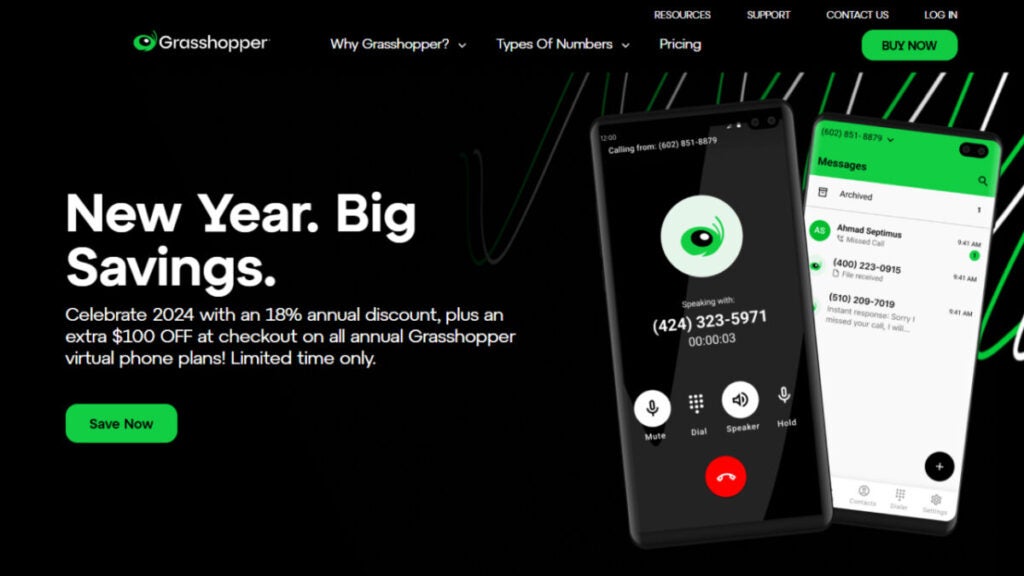
Provider #4: Grasshopper

Best pick for: One of the most reliable business phone systems for small firms with mobile employees spread across and wanting various phone numbers for unified communications. 

Regarding business VoIP services, Grasshopper is among the most often used ones. Since Grasshopper is a mobile-designed platform, you won’t ever need to buy new hardware because it is compatible with your current devices.

You can have their True Solo plan for as little as $14/month. Unlimited business texting, personalized greetings and call forwarding are all part of that plan and Solo Plus (which is ideal for small enterprises). 

In addition to offering toll-free and vanity numbers, you can port your current number to the phone system. The fact that this small business VoIP phone system provides toll-free vanity numbers is another one of its standout features. When you sign up, you can select a local or toll-free vanity number or even port your existing number. Grasshopper can generate a random number, or you can modify an existing one.

Pricing: 

  • True Solo – $14 per month
  • Solo – $28 per month 
  • Partner – $46 per month 
  • Small Business – $80 per month

Reviews: 

Capterra 4.3 (338)

Pros:

  • Call transfers
  • Simultaneous call handling
  • Incoming call control
  • Detailed call reporting
  • Free trial
  • Unlimited users for a fixed monthly fee
  • Live receptionist and expert phone greeting enhancements
  • Bundled toll-free numbers

Cons:

  • Not enough third-party app integrations
  • No video calling and team chat
  • Lack of advanced calling features like IVR and call recording

Overall experience:

An excellent option for startups and small businesses seeking to establish their reputation, this VoIP provider offers a full business phone line to take you wherever you go.

After reviewing Grasshopper’s functionality and feature set, users come to the conclusion that it provides a full suite of virtual phone services well-suited to home-based enterprises and freelancers.

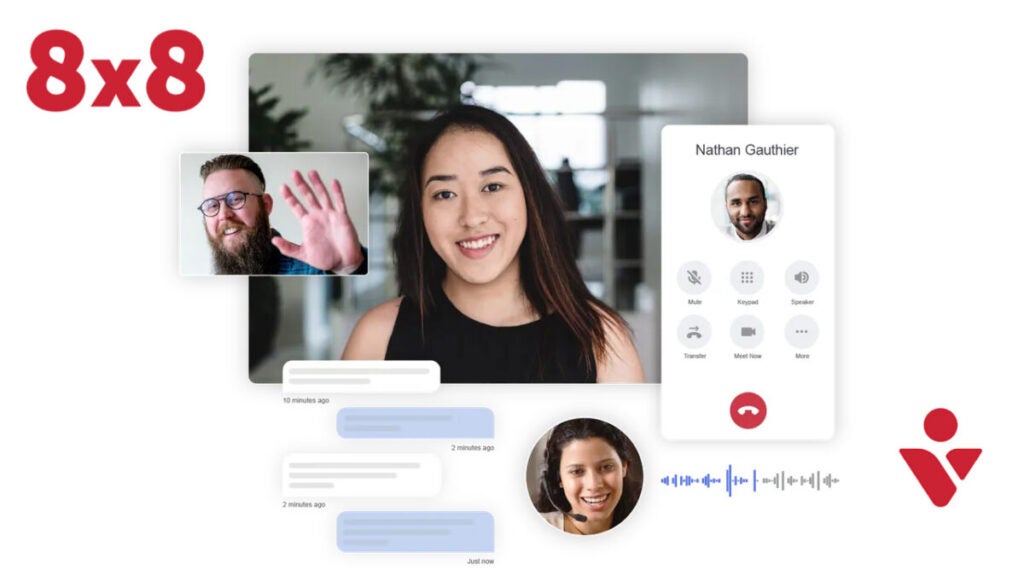
Provider #5: 8×8

Best pick for: Small businesses in need of a reliable and adaptable business VoIP service.

8×8 is one of the business phone systems with basic auto-attendants and team messaging, plus unlimited calling in the US and Canada with every plan. Unlike traditional phone lines, this business VoIP phone system allows you to access more countries for unlimited international calls, interactive video conferencing and live streaming with an upgraded subscription.

If your company frequently hosts webinars, conference phone calls and sales demos, 8×8 might be the ideal VoIP service for your group. But the calling and texting capabilities that are essential for most businesses are missing. Upgrading is required before you can even receive MMS or SMS messages.

Pricing: 

  • X2 – $28 per user/month
  • X4 – $57 per user/month
  • X6 – $85 per user/month
  • X7 – $110 per user/month
  • X8 – $140 per user/month

Reviews: 

G2 4.0 180 reviews

Pros:

  • Unlimited users (but you’ll pay for each user)
  • Works across mobile, desktop and web app
  • Encryption for added security
  • 24/7 customer phone support
  • Free unlimited calling in the US and Canada
  • Team messaging
  • SMS, MMS and team chat
  • Voicemail transcriptions 
  • Supervisor analytics 

Cons:

  • More expensive the more employees you have
  • You will need to buy your own VoIP hardware in addition to the subscription payment, which only covers software
  • Slow technical support (according to customer reviews)

Overall experience:

Your business can get some of its difficulties fixed with the help of the contact center’s business phone lines. Because you can answer client inquiries through phone, email, chat and social media simultaneously, client interaction is simplified. Users may improve their decision-making and service delivery using its reporting features, which provide vital insights into client interactions and agent efficiency.

The fact that businesses can scale up or down staff without halting operations is another considerable advantage. Additionally, companies can save time and reduce operational errors because of its compatibility with various systems. 

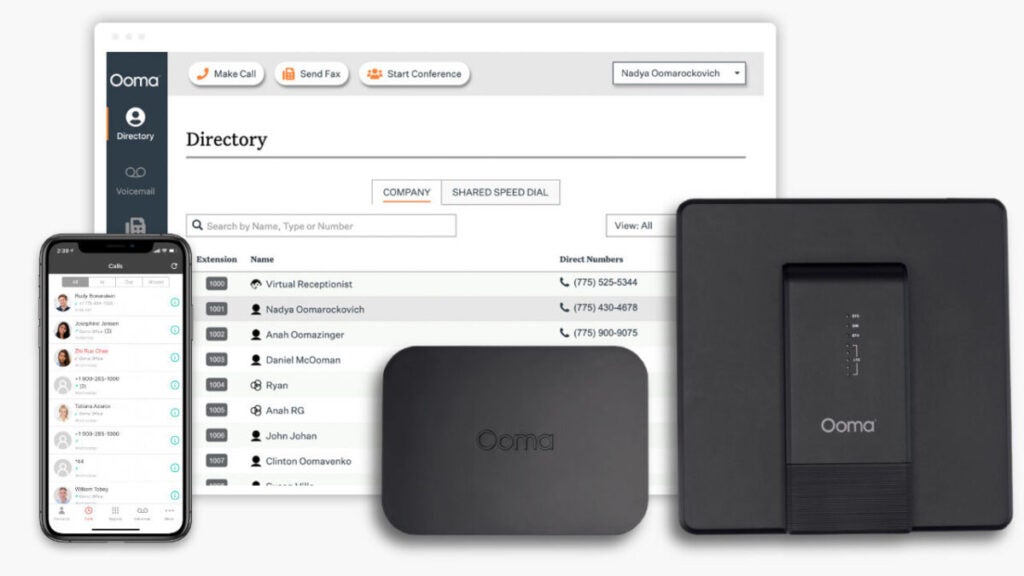
Provider #6: Ooma 

Best pick for: Ooma Office is one of the best business phone systems for companies of all sizes and sectors.

Ooma is a voice-over IP provider that offers a business phone system for improving the administration of incoming calls. A virtual receptionist is available to direct callers and  additional perks include  the ability to have incoming calls forwarded to other phone lines in a “ring group” until an agent picks up.

Plans include unlimited domestic and international calling to the United States, Canada, Mexico and Puerto Rico. However, with Ooma’s regular service, you can only make and receive calls using compatible VoIP desk phones or the Ooma app for Android or iPhone. If you want desktop software that lets you effortlessly navigate to your VoIP phone system while working on your computer, you must upgrade your plan.

Voicemail transcriptions and call recording are two essential capabilities that can be unlocked by upgrading, even though these are standard features offered by other carriers.

Pricing: 

  • Essentials – $19.95 per user/month
  • Pro – $24.95 per user/month
  • Pro Plus – $29.95 per user/month

Reviews: 

Capterra 4.5 (170)

Pros:

  • Base plan with 50+ standard call features
  • Free number porting
  • Affordable toll-free calling plans
  • Unlimited calling in the U.S., Canada, Mexico and Puerto Rico
  • Company directory
  • One conference bridge per user
  • Call blocking
  • Virtual extensions

Cons:

  • The desktop app is limited to Pro and Pro Plus accounts
  • Outdated interface
  • Not the best video conferencing 

Overall experience:

Due to its affordable phone system packages and free residential plan, Ooma is highly recommended for small enterprises and solopreneurs. Its remarkable scalability is a significant plus. Moving business communications to the cloud has never been easier.

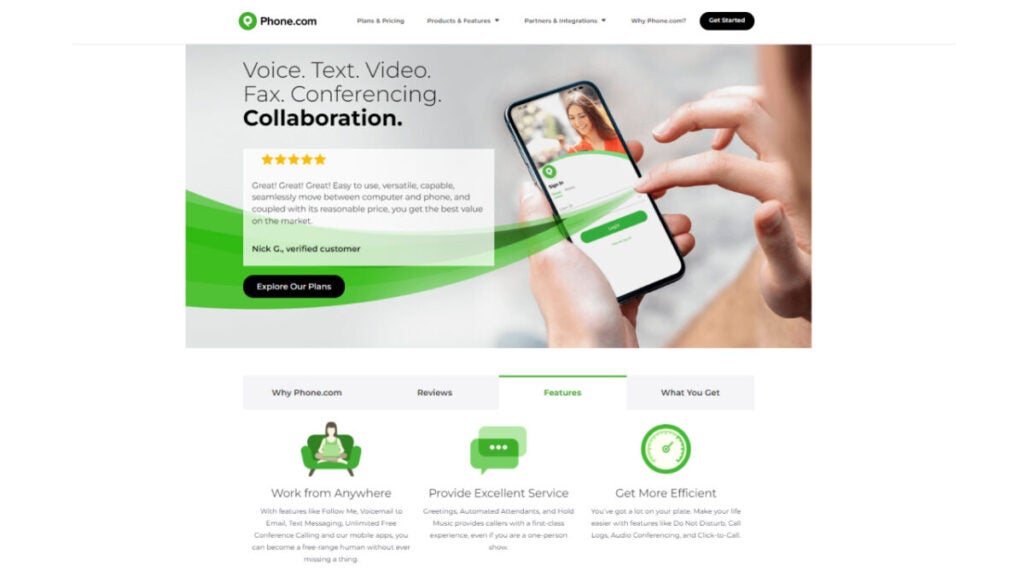
Provider #7: Phone.com

Best pick for: If your small business has low or seasonal call volumes, Phone.com is the perfect VoIP phone solution for you. 

If you’re looking for a simpler communication method, try Phone.com, a simple VoIP service. Although it lacks the functionality offered by some of its rivals, its starting price of $14.99 per user per month makes it a potentially ideal choice for small enterprises just starting out.

This phone system is easy to test because it is HIPAA compliant, integrates with many other services and has a 30-day money-back guarantee.  

Paying annually unlocks 15% off your Phone.com bill, while paying monthly does not save you any money. Phone.com provides round-the-clock help and has an intuitive system perfect for startups as well as  growing companies.  

Pricing: 

  • Basic – $14.99 per user/month
  • Plus – $21.99per user/month
  • Pro – $31.99 per user/month

Reviews: 

Capterra 3.8 (65)

Pros:

  • 500 pooled minutes
  • One number per account
  • Video conferencing with up to 10 participants
  • Mobile and web apps
  • 50 standard voice features
  • Mix metered and unmetered plans
  • All plans include standard voice call features
  • Calls to the U.S., CA, Italy, Israel and the U.K. included in all plans

Cons:

  • Depends on Zapier for app integrations
  • International calling requires a $200 prepayment
  • Basic and Plus users have to pay an extra $8 monthly for call recording

Overall experience:

This small business VoIP phone system’s services and customizable subscription plans make it a budget-friendly option for small enterprises. To save money and meet the needs of each team member, choose between unlimited and metered plans. Reviewers at Phone.com have nothing but praise for the app’s robust feature set and user-friendliness. 

In Summary

Small businesses can significantly benefit from VoIP phone systems because of their scalability, affordability, portability and many enhanced features.

Being the boss of a small firm can be challenging. There is a lot to accomplish with the limited crew you have. Even with a VoIP system, you may only be able to handle some of the calls that come in.  So, to be effective, think about your company’s  structure  before deciding on a provider. Many factors should be considered, such as your number of employees, the devices you use (and whether they are business or personal property) and your preference for phone calls or texts.

When it comes to VoIP for small enterprises, Phoner stands out in a crowded industry. Scaling enterprises needing a comprehensive phone solution can benefit greatly  from its affordable pricing and excellent feature set. 

Analysis of Suicide Squad: Killing the Justice League, the game of the moment

In favor of Rocksteady, I have to say that the gameplay is rock solid and that we’ll have new content almost immediately, but…

One year of delay, a lot of negativity, and the fact that a studio like Rocksteady Studios has decided to make a game as a service. Factors that have played heavily against this game.

Suicide Squad: Kill the Justice League DOWNLOAD

Because Suicide Squad: Killing the Justice League is a very fun game, with refined gameplay as only Rocksteady Studios knows how to do, and with four characters and a storyline that leave you breathless. Interestingly, the worst part is the loot game aspect.

Yes, it is a looter game – or as we call them here, a game as a service – similar to other games like Destiny 2, The Division 2 or the incomparable Warframe. Is it a bad thing? Not necessarily, after all, Diablo IV is another game as a service, but within the realm of ARPGs.

I repeat, it is a very fun game and certainly surpasses its closest competitors that everyone has now forgotten and yes, they were looter games and superheroes. We are talking about Marvel Avengers and Gotham Knights.

But let’s go step by step, because, as I said before, this game is from Rocksteady and if there’s one thing Rocksteady knows how to do, it’s giving us a memorable story and, above all, great gameplay.

Kill the Justice League?

The argument is, at the very least, astonishing. Because it is true that we have already had two movies about the X Special Force commanded by Amanda Waller (or rather, blackmailed). This is fully reflected in the game: there are four members of the Suicide Squad: Harley Quinn, Deadshot, King Shark, and Captain Boomerang. And their mission is undoubtedly suicidal, because it is to end the Justice League. That’s something.

With this premise we start, but throughout the game we will meet new characters, we will remember old Arkham stories, since the game directly links to the events of Arkham Knight and Rocksteady guides us through a story where we will have old acquaintances like Riddler, along with new DC characters who were in Metropolis instead of Gotham

Without revealing too much of the plot, I have to say that there have been moments that have surprised me, moments when I have laughed, and above all moments when I have grown fond of the four misfits who are the heroes of the game.

A Looter Game, but understood by Rocksteady

It is true that so-called Looter Games have a very bad reputation and when Rocksteady said what they were going to do, many were shocked. In fact, the first extensive gameplay video led many to think: what has Rocksteady done? Yes, there were prejudices about what the developer had created. Although the game remains a looter game, it must be said that it would be a Rocksteady version. And this is not all the good that one would expect.

The best thing about this Suicide Squad is precisely the company’s strong point: the plot. The development of the story with missions is where Rocksteady’s hand is greatly appreciated.

All of the main missions follow the main plot very well and put you in context, as they reference the other games. In fact, one of my best moments playing was feeling hunted by Batman. It’s one of the first scenes where Rocksteady surprises us, although not the only one. There are more moments like this as the game progresses, but it’s better if I don’t reveal too much about the main storyline.

Suicide Squad: Kill the Justice League DOWNLOAD

On the other hand, Rocksteady’s gameplay is very different from what we saw in Batman. There is no truce here and it invites us to a number of important innovations for a game where long-range combat predominates. Shield generation, targeting systems, and most importantly, movement systems have been treated with care and in a very different way depending on the character.

In my case, for example, I love Tiburón and Boomerang, but each of them offers you very different possibilities to defeat enemies with excellent gameplay.

What doesn’t fit us? The side missions that are used to level up and that correspond more to looter games. Getting better equipment, leveling up, having more skills. This is where Rockstar has tried – and in my opinion has not succeeded – to adapt some of the side missions from the Arkham games. Because in the end, they are basically defending a point or killing a limited number of hordes in three waves. The only real difference is the characters we face it with.

If I look at other games of the genre, such as The Division 2, the number of elements is varied and also, as it is mixed with factions, you don’t have that feeling of repetition as acute as in this game. Still, I have to say that this repetitiveness is somewhat less than what we have seen in two games that would be its cousins, which are none other than Marvel Avengers and Gotham Knights

However, in this case, when the other members of the Suicide Squad are controlled by bots, we can’t complain, because they really help us with their very different skills and do it efficiently. Yes, the AI is good and it’s something that will be very important in the Endgame, where the game makes several beginner mistakes

The Endgame… What Endgame?

When you start analyzing a looter game after having tried a few, there are always two aspects you must take into account: how to reach the endgame and the endgame itself. In the case of Suicide Squad, the entire campaign, as well as the side missions, is nothing more than the framework that leads you to the endgame, that part that you must enjoy continuously and that has enough challenges to attract you.

Just like Destiny, just like The Division or just like MMOs, which ultimately is the same type of game, but with different rules.

And this is where Suicide Squad fails miserably. Because the endgame is basically to do a series of raids (which are nothing more than the same type of missions, but in a different setting). It is true that playing them at the beginning is fun because the gameplay is top-notch and, in addition, there is an incentive: a specific squad move that you have to unlock. But, obviously, this has a limit. The repetition of the same missions, after a few hours of gameplay, becomes tedious.

Suicide Squad: Kill the Justice League DOWNLOAD

And yes, it is true that improvements are coming almost immediately, but considering that the game was delayed for a whole year, we expected to have at least one “dungeon” to be able to play it. And even more, we expected an efficient matchmaking system that would put you with other teammates to play.

Why doesn’t it work? Because of a mistake already made by another game: Marvel Avengers. And that is that you cannot repeat characters, this absolutely limits random matchmaking for some missions and, therefore, you will have to play them solo. The only good thing is that in this game, the bots, as I have already said, have a very good AI.

And the artistic section?

Technically, we are clearly facing a next-generation game. Metropolis is extremely detailed, the different characters are not only believable, they have great performances (seriously, Harley Quinn has absolutely brilliant moments) and when it comes to the number of enemies on screen, it’s overwhelming.

In addition, I have loved everything related to that Justice League corrupted by Brainiac. Not only because we notice it in the graphic section, but also because we notice it in voices, in their expressions, giving us some of the best moments in the technical section.

And the best part of it all: no drop in frame rate. At least in the PS5 we tested, where the game remains smooth at all times.

Suicide Squad: Killing the Justice League: great ideas if it weren’t a looter game

Suicide Squad: Killing the Justice League is a game that I was eagerly waiting for and, truthfully, it has not disappointed me at all in everything that has been the single-player campaign. It is true that you can play it with friends, but it can also be considered a single-player game with several bots accompanying us. Its storyline, characters, and gameplay have captivated me… but it is a looter game

And this implies comparing it to other games of the genre. It has good ideas, it has the potential to see what is coming in the future, but not having even a dungeon in the base game and limiting it to doing missions in another setting, but the same missions, is not what can be considered a good looter game.

Suicide Squad: Kill the Justice League DOWNLOAD

In favor of Rocksteady, I have to say that the gameplay is rock solid and we will have new content almost immediately, but it has a lot of competition in this sector and once finished, I can only wait. In a market with so many games, it may not be enough to go back to it when the first content arrives.

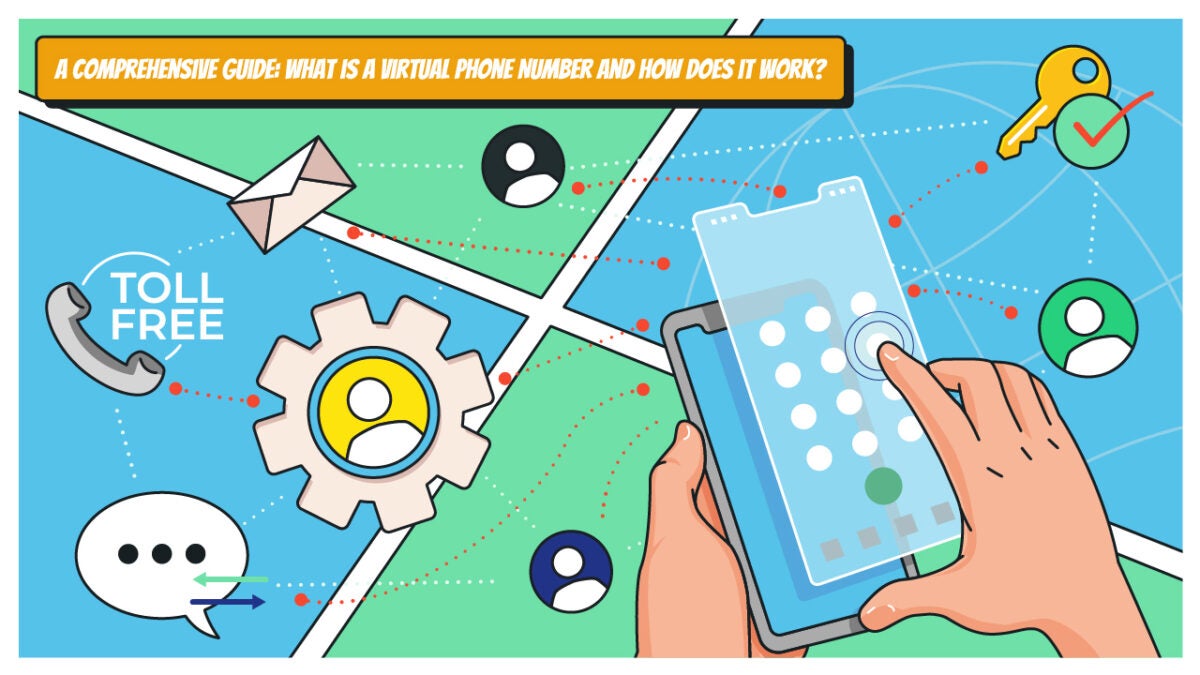
A Comprehensive Guide: What is a Virtual Phone Number and How Does it Work?

Find out what virtual phone number is, how does it work, why you need one, and the list of top providers. Click here.

Imagine a phone number that isn’t tethered to a physical device or location, providing flexibility, privacy and a host of customizable features.

In this article, we unravel the intricacies of virtual phone numbers, delving into their functionality, how they work, their types and the transformative impact they have on personal and business communications.

Buckle up as we embark on a journey into the realm of virtual telephony, where the traditional phone line takes a back seat to a more dynamic and adaptive mode of connection.

What is a Virtual Phone Number?

A virtual phone number, like one from Phoner, is typically hosted and managed by a service provider in the cloud. It is not directly associated with a physical telephone line or device.

Virtual phone numbers can be used to make and receive calls, send and receive text messages and perform other communication functions, similar to traditional phone numbers. Popular examples of virtual phone number providers are Phoner, Google Voice, etc.

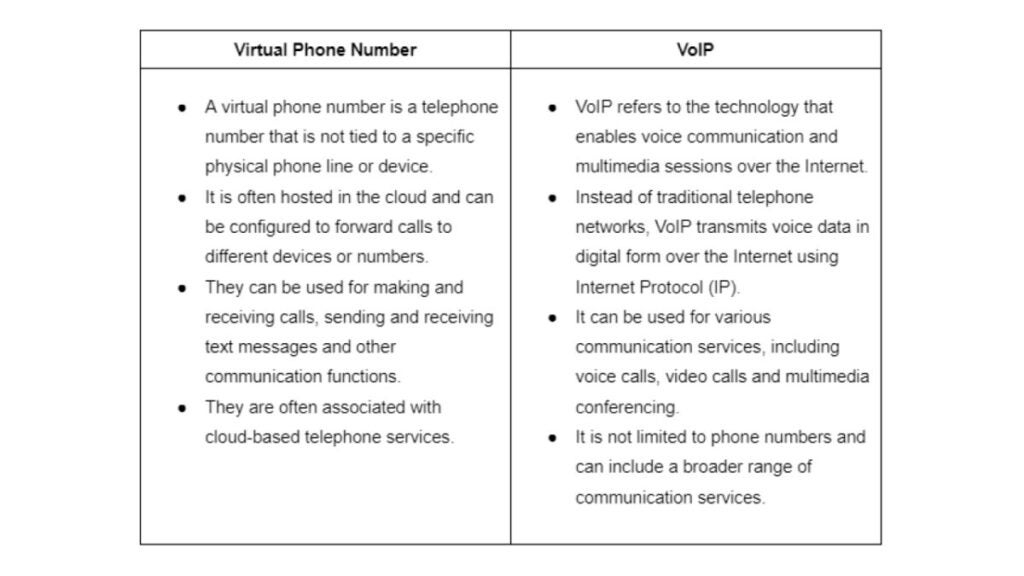
However, it’s a popular misconception to confuse virtual phone numbers with VOIP and cell phone numbers. Thus, we’ll shed more light on these terminologies.

Virtual Phone Number vs VOIP 

Here are the main differences:

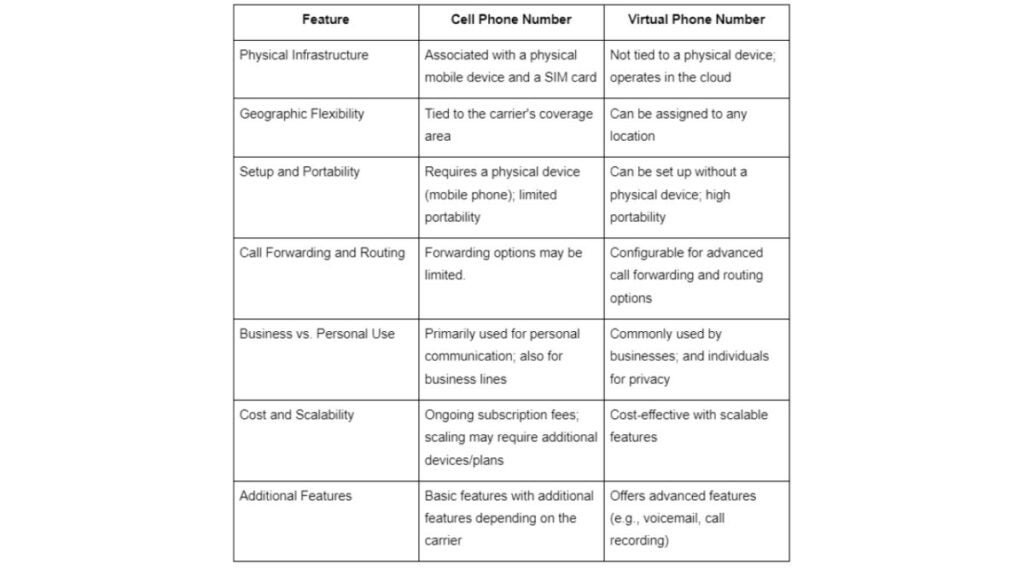
Now let’s do a comparison between a virtual phone number and a cell phone number:

Virtual Phone Number vs a Cell Phone Number 

Here’s a tabular representation of the differences between a Virtual Phone Number and a Cell Phone Number:

What’s next? We’ll delve a bit into the technicality of how a virtual line works. 

How Does a Virtual Phone Number Work?

Have you ever wondered how virtual numbers work? Let’s shed more light on that for a more in-depth understanding: 

1. Number Provisioning

Obtain a virtual phone number from a service provider, either via an app or web-based provider. You can then give out this number to prospective callers or make outgoing calls at will. 

2. Call Routing 

When a call is initiated, the call is first directed to a cloud-based or provider-managed system that makes routing decisions. Calls are forwarded to the designated device associated with the virtual phone number, whether it’s a phone, computer or other endpoint.

3. Management

Users manage their virtual phone numbers through a web portal or app, accessing features like voicemail, call recording and text messaging. They can pick up or reject incoming calls via this platform. 

4. Global Accessibility and Security

Virtual phone numbers offer global accessibility and security measures such as encryption to protect user data and communications.

Many virtual phone services employ protocols like Secure Sockets Layer (SSL) or Transport Layer Security (TLS) to encrypt voice and data traffic.

Types of Virtual Phone Numbers

There are so many types of virtual phone numbers, but here are the most prominent ones –  local, toll-free, landline and mobile. 

Type 1: Local

With this type, a virtual phone number provider offers phone digits associated with a specific geographic area or locality but is not tied to a physical line at a specific address. These numbers are assigned with a specific area code, often corresponding to a particular city or region. This allows businesses to create a local identity in that area and connect better with residents.

Businesses and individuals often use local virtual phone numbers to establish a local presence in a particular city or region without having a physical office or phone line in that area.

Type 2: Toll-free 

A toll-free virtual phone number is a telephone number that allows callers to reach a business or individual without incurring any charges for the call. Instead of the caller paying for the call, the business that owns the toll-free number covers the cost. Toll-free numbers typically start with specific area codes such as 800, 888, 877, 866, 855, 844 and 833.

Type 3: Landline 

Virtual landline numbers mimic the appearance of local landline numbers, featuring an area code and an eight-digit sequence. 

This proves particularly advantageous for internal communication within an organization, facilitating the redirection of calls to different devices and enabling seamless workflow across diverse locations. 

Notably, numerous sales organizations and small businesses opt for virtual landline numbers, presenting them as their primary office contact for enhanced professionalism and flexibility.

Type 4: Mobile 

A virtual mobile number has similar digits to a regular mobile number. In business, it’s often given to field agents to call customers. These agents use virtual mobile numbers to make work-related calls from fields, enabling them to have distinct communication lines for work and personal calls. 

These are cloud-based and don’t rely solely on a particular device or SIM card but can be accessed from most internet-enabled gadgets. Many CRMs integrate with virtual mobile numbers. 

Key Features of Virtual Phone Numbers 

Some specific features are general to virtual phone numbers, including: 

1. Text Messaging (SMS) 

This feature enables users to send and receive text messages using the virtual phone number. For businesses, the ability to send text messages can be valuable for customer communication, appointment reminders, order updates or other transactional messages. 

2. Call Routing 

Call routing is a capability that enables the automatic redirection or forwarding of incoming calls based on predefined rules or criteria. 

This feature ensures that calls are directed to the right destination, improving efficiency and providing a better experience for callers. 

Call routing allows users to establish criteria for directing incoming calls. Common criteria include time of day, location and caller’s input. 

3. Interactive Voice Response (IVR)

Interactive Voice Response (IVR) is a technology that enables automated interaction with callers through the use of pre-recorded voice prompts and the recognition of keypad inputs. 

IVR systems are designed to guide callers through a series of options, allowing them to interact with the system and access information or services without the need for human intervention. It’s a salient requirement by businesses with a large consumer base as it reduces the need for in-person customer service agents. 

4. Call Forwarding 

Call forwarding is a feature that allows calls made to a virtual phone number to be redirected or forwarded to another designated phone number or device. The user, who owns the virtual phone number, sets up call forwarding rules through the service provider’s interface. This can often be done via an online dashboard or mobile app.

5. Local Number 

The Local Presence feature allows individuals or businesses to obtain a virtual phone number with a specific local area code, even if they are not physically located in that geographic area. That is, users can choose a virtual phone number with an area code that corresponds to a specific city or region.

For example, if a business is based in New York but wants to establish a local presence in Los Angeles, it can acquire a virtual phone number with a Los Angeles area code (e.g., 213 or 310).

6. Call Screening

Call screening is a feature that allows users to review or “screen” incoming calls before deciding whether to answer, send them to voicemail or take other actions. This feature provides users with additional control over their incoming calls and helps filter unwanted or spam calls.

When a call comes into the virtual phone number, the user’s device or application displays information about the incoming call, such as the caller’s number and, if available, the caller’s name.

7. Analytics and Reporting 

The feature of analytics and reporting in the context of virtual phone numbers involves the collection and presentation of data related to the usage and performance of the phone number. 

Here’s a more detailed explanation. It shows the geographic location of incoming calls, helping businesses understand their customer base.

Benefits of Using a Virtual Phone Number 

There are multiple benefits to using a virtual phone number, these entail: 

1. Professionalism 

Using a virtual phone number enables businesses to project a more professional image to their customers and clients. 

Instead of relying on a personal local phone number for business, organizations can have a dedicated virtual phone number that is specifically associated with their business. This allows consistent branding, reinforcing the business identity whenever customers see or use the provided contact number.

2. Privacy

Individuals often use virtual phone numbers to maintain personal privacy. By using a separate virtual number for business, online services or public communication, individuals can safeguard their personal phone numbers from unwanted solicitations or potential privacy breaches.

For entrepreneurs and small business owners, virtual phone numbers provide a clear separation between business and personal communication. 

3. Cost-Effectiveness

Virtual phone numbers transmit over the internet rather than traditional phone networks. This can lead to significant cost savings, especially for long-distance and international calls. Many VoIP providers offer competitive rates or even include unlimited calling in their plans.

4. Remote Work Enablement 

Remote employees can use virtual phone numbers on their mobile devices or computers, providing flexibility in communication while working from various locations. Remote workers can receive business calls on their mobile phones or home office phones seamlessly. 

5. Business Continuity 

Virtual phone numbers help to maintain seamless operations despite disruptions. Virtual phone numbers enable this by offering a unified, cloud-based communication solution. 

Your workforce, irrespective of location, can access consistent business lines, forward calls to any location and collaborate through features like conference calling. 

This adaptability ensures uninterrupted communication, supports remote collaboration and enhances overall business resilience, mitigating the impact of unforeseen challenges on daily operations.

6. Improved Employee Productivity 

It enhances employee productivity by enabling a workforce to stay connected, collaborate effectively and maintain professionalism while communicating. It provides a centralized location to access voicemail, conduct conference calls and manage messages from anywhere.

How to Get a Virtual Phone Number: Step-by-Step Process with Phoner App

For a realistic example, let’s consider how to get a number from one of the best virtual phone service providers: the Phoner app. Here’s a step-by-step guide to getting started: 

1. Download and Install Phoner 

  • To begin, visit the App Store to download the Phoner app if you’re using an iOS device or the Google Play Store for Android devices. 
  • In the search bar, look for “Phoner” to find the application.
  • Download the Phoner app and follow the on-screen instructions to install it on your mobile device.

This step establishes the initial connection with the Phoner application, allowing you to proceed with creating an account and obtaining a virtual phone number.

2. Open the Phoner App

Once downloaded, locate the Phoner app icon on your smartphone’s home screen or app drawer and tap on the icon to launch the application.

3. Sign up or Log in

If you are a new user, you can immediately get started without having to sign up. However, it is a good idea to add an email and password for account recovery in the future. To do this, tap on Settings -> Set up Account. 

4. Choose a Phone Number 

After signing in to the Phoner app, you will likely be prompted to choose a virtual phone number. The app will present you with a list of available numbers, which may include local numbers, toll-free numbers or even international numbers.

Browse through the options and select the virtual phone number that best suits your needs or preferences. 

5. Customize Settings 

Explore the app’s settings to customize features such as voicemail, call forwarding and text messaging preferences. Phoner offers additional features that you can configure based on your needs.

6. Use Virtual Number 

Once you’ve set up your virtual phone number, you can start using it to make and receive calls, send and receive text messages and use any additional features provided by the Phoner app.

7. Manage Multiple Numbers 

Phoner allows users to manage multiple virtual phone numbers within the app. If needed, you can acquire additional numbers and switch between them as needed. 

Summary 

Having an in-depth understanding of what a virtual phone number is helps you make the right choice. With a range of benefits, virtual numbers provide the possibility your business desires for better communication and a more collaborative workforce. 

Prioritize factors like usability, support, trials, call quality, storage, offline use and compliance for a tailored selection that aligns with your unique requirements for choosing a virtual phone number. The steps to getting a virtual phone number with Phoner that are provided in this article guarantee that you get the best from your purchase.

A Deep Dive into the 8 Best VoIP Services in 2024

Find out the in-depth review of 8 best VoIP providers based on pricing, use cases, pros and cons. Click here.

Phone calls are still crucial when a company wants to contact its clients and associates. This, however, does not obligate your business to continue using an old-fashioned analog phone system. There are several reasons why modern VoIP systems have mostly supplanted traditional phone systems. Video calling, SMS support, instant messaging and interaction with other business software like your CRM system are just a few of the capabilities that Voice over Internet Protocol (VoIP) offers over analog PBX systems, in addition to lowering expenses for business communications. Unified communications as a service (UCaaS) is sometimes used for solutions that combine various channels in this way.

Research from Global Market Insights, Inc. estimates that the VoIP market will be valued at $55 billion by 2025, making it a significant player in the industry. As a business owner, it’s up to you to carefully compare the different VoIP phone services you can access.

We tested and graded many VoIP service providers from around the industry to assist you in navigating this plethora of possibilities. 

We only recommend trustworthy and easy-to-use VoIP services in this article. Their plans are adaptable to any budget and offer first-rate phone support to get your new VoIP service up and running quickly. 

How to choose the best VoIP provider

In this article, we will go over some of the most crucial factors to think about when comparing VoIP services:

  • Required expenses. Finding the best service for your needs will largely depend on your budget. When choosing a VoIP provider, it’s essential to consider more than just the price. Other variables like service quality, customer phone support and service plan alternatives should also be considered. 
  • Basic VoIP features. The platform you choose should offer all the required VoIP phone system features and capabilities. VoIP features include automated attendant, video conferencing, voicemail-to-text, softphone, business text messaging, call recording, analytics and more.
  • Customer service. You rely on your VoIP providers for crucial contacts with customers and coworkers. Therefore, it is vital to address any issues promptly. To provide round-the-clock help, several VoIP solutions outsource customer service during peak business hours. 
  • Third-party integrations. A VoIP phone service’s built-in third-party connectors are one of its main advantages. Designed to be the backbone of your everyday business voice communications, VoIP services often integrate with other apps you use. 
  • Minimum and maximum call volumes. Before you can even consider selecting a VoIP provider, you must thoroughly understand your company. Are you more used to fielding outgoing VoIP calls or incoming ones? How many employees are taking/making voice calls from business phone numbers at the same time? How long do the calls last? Your responses to these questions will be critical when deciding on a provider and a plan.
  • VoIP safety. VoIP service is vulnerable to specific system vulnerabilities because it runs across the internet. That means there is a technological risk of interception or compromise involving your data. The importance of finding a VoIP phone system that goes above and beyond to safeguard consumer data cannot be overstated.

3 Best VoIP providers: a quick pick

Provider #1: Phoner

Best pick for: A low-cost, user-friendly alternative to a traditional second business phone number. It’s the best VoIP phone service for individuals and small businesses.

With the Phoner VoIP phone system, you can avoid ever sharing your phone number whether running your business, buying online or going on dates. Send private photographs and texts to anyone. You can start making calls locally and abroad with your new number when you add it to Phoner. There are no new carriers or contracts with this VoIP provider. Everything syncs up with your existing desktop and mobile devices. You get a limitless amount of international calling. A wide range of virtual phone numbers are available, each with distinct area and country codes.

Pricing: 

Phoner VoIP phone service offers two pricing plans: 

  • Monthly – $9.99/month
  • Yearly – $69.99/year

Reviews: 

Trustpilot: 4.7/5 (300+ reviews)

Pros:

  • Pleasant, easy-to-navigate design
  • Reliable quality of phone calls
  • Ad-supported tier
  • Reasonable prices
  • Disposable numbers
  • Voice call recording
  • Message encryption
  • Support on Desktop, Android and iOS

Cons:

  • Not many extra features
  • Best for simple tasks

Overall experience:

Users highly regard the Phoner VoIP phone system for its user-friendly setup process, affordable pricing and adaptability to various personal and commercial needs. Although some reviews indicate minor bugs, the overall user response has been highly positive. Enjoy all the benefits of Phoner by downloading it here.

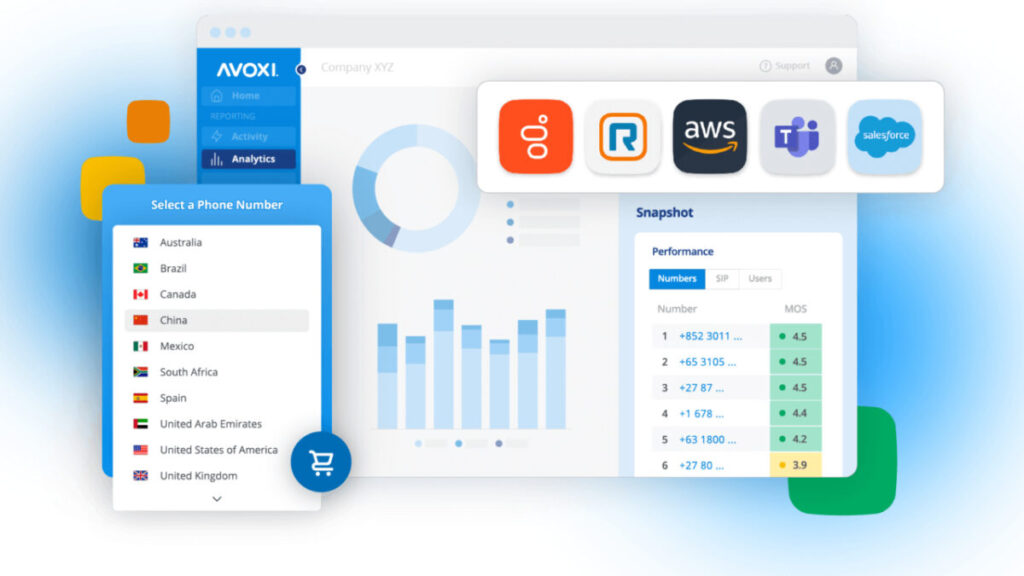
Provider #2: Avoxi

Best pick for: This is a great VoIP provider option for BPO, logistics, healthcare, retail, hospitality and travel.

You can quickly and cheaply build the AVOXI system on the AVOXI Platform. AVOXI is a VoIP phone service with automated call distribution, skills-based routing, personalized call queuing, VIP experiences and queue callback—among many other routing possibilities. Customers can be sure their voice calls will go off without a hitch when they pair their business with AVOXI’s dependable and high-quality VoIP services.  

Pricing:

  • Free plan available 
  • Contact – $19.99 per user
  • Engaged Enterprise – $39.99 per user

Reviews:

Capterra 4.8 (53)

Pros:

  • Customer support
  • IVR/voice recognition
  • Real-time analytics
  • Automatic call distribution
  • Computer telephony integration
  • Easy setup

Cons:

  • No mobile apps or IP desk phones 
  • Limited features
  • Upgrade issues
  • Time constraints

Overall experience:

Avoxi VoIP phone system enables low-cost, real-time cross-border communication with exceptionally high call quality. Undoubtedly, it’s one of the top VoIP providers. All the necessary features for managing your IPBX and DID numbers are at your fingertips!
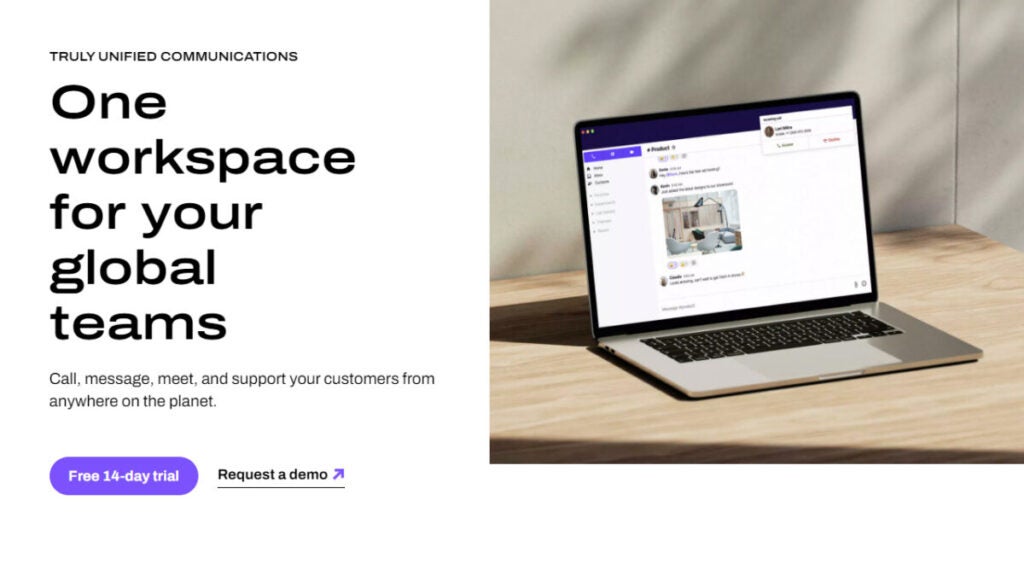
Provider #3: Squaretalk

Best pick for: Traders, telemarketers, market researchers, insurance agents, financial advisers, BPO call centers, proactive sales teams, customer experience retention teams and more can benefit from using Squaretalk VoIP service.

Squaretalk simplifies automation and integrations and is a flexible VoIP provider. It’s easy to use, allowing you to focus on the other aspects of running your company.

You can give your sales and phone support staff the tools they need to be productive no matter where they are or what channel your clients choose with an affordable, scalable and user-friendly communications business phone system. 

Whether you use Zoho, Salesforce or another popular CRM, the VoIP phone system’s native interfaces and custom API will make the process a breeze.

Pricing:

  • Standard – $15/user per month, billed annually 
  • Professional – $30/user per month, billed annually

Reviews:

Capterra 4.8 (72)

Pros:

  • Good customer support
  • Cost-effectiveness
  • ​​Fast connection
  • Auto-dialer
  • SMS Messaging
  • Call list management

Cons:

  • Expensive for some users
  • Mobile app issues
  • Learning curve

Overall experience:

People love using the interface of this business phone system. It’s easy to understand use and they have excellent customer service. The staff at Squaretalk VoIP are always there to help users whenever they encounter any problems or questions. If you choose to collaborate with Squaretalk VoIP phone system, they will promptly address any issues.

Provider #4: CommPeak VoIP Service

Best pick for: The VoIP telephone service is a perfect option for retailers and service providers with call centers that handle many calls and need more business phone numbers. International companies of all sizes and call targets, from small businesses to substantial IT companies.

CommPeak is one of those VoIP providers that offer an excellent connection for calls made from anywhere in the world. Enjoy features like a global network of 10 points of presence (PoPs), connectivity through regional providers, round-the-clock assistance, and direct dial numbers for local presence worldwide. With scalable bandwidth, teams of any size can maintain high-quality audio even when many calls run simultaneously. You can gain more audience reach, save money on international calls and plan budgets down to the last detail with transparent per-second billing. The software offers exclusive deals for high-volume traffic.

Pricing:

  • Free trial available
  • Contact CommPeak to get info about pricing

Reviews:

Capterra 4.8 (57)

Pros:

  • Simple to use
  • Excellent call quality, reliability
  • Call list management
  • Call recording
  • Mobile access
  • Online voice transmission

Cons: 

  • Customer service
  • Learning curve
  • Does not support many apps

Overall experience:

Reviews from satisfied customers indicate that CommPeak’s VoIP phone service technology consistently displays exceptional clarity and reliability during contact sessions, meeting or exceeding call quality criteria. Users get better experiences because the reliable phone system enables constant and faultless connection. Keeping track of everyone and making sure you’re communicating with the correct people at the right times can be tricky with a vast, ever-growing list of contacts. But when you use CommPeak, you’ll have access to a powerful contact management system.

Provider #5: Talkdesk

Best pick for: For both incoming and outbound call centers, this is the best VoIP service provider.

The flexible commercial VoIP phone service from Talkdesk lets you implement practically every feature required in a contact center. By bringing together users on one platform, Talkdesk improves communication across departments. Thanks to the desktop and mobile apps, team members can access voicemails and make calls from any device.

The CX Cloud platform, developed for both inbound and outbound calls, is Talkdesk’s strongest suit. It relies on virtual agents and AI-powered interactive analytics to take customer service to the next level. Intelligent call routing, call queue management and agent call metrics reporting are all features of VoIP services.

Pricing:

  • CX Cloud Essentials: $75 per user/month
  • CX Cloud Elevate: $95 per user/month
  • CX Cloud Elite: $125 per user/month
  • Experience Cloud packages: Contact Talkdesk to get info about pricing

Reviews:

Capterra 4.5 (721)

Pros:

  • Excellent quality of the calls
  • Easy integration with Salesforce
  • Easy to use
  • Incredible flexibility in IVR
  • Good Support team

Cons:

  • Issues with the reporting functionality
  • Hard to use without a reliable internet connection
  • Bad data interpreting

Overall experience:

Talkdesk VoIP phone service is widespread across several areas, including finance, marketing and sales. It has been used extensively, improving sales response time and activity visibility in many companies. Customer relationship management automation can start immediately if the conversation with a prospect is timed and measured correctly. With TalkDesk VoIP phone provider, your team will have a lot more time to work on different tasks.

Provider #6: Ring Central

Best pick for: It’s an ideal VoIP service provider for businesses of all sizes.

RingCentral VoIP phone service has consolidated many communication channels into one interface, with dashboards that can display all of them simultaneously or independently. When it comes to running your day-to-day operations, the dashboard is really helpful. Companies have been able to eliminate desk phone calls entirely as a result, allowing for more space on workstations.

With incoming virtual numbers in over 105 countries and coverage in over 45 countries, the RingCentral phone system has a vast global reach. Additionally, several speech prompts, including multilingual interactive voice replies (IVRs) (automated, interactive phone menu systems) and VoIP settings, are available to organizations in eighteen languages.

Pricing:

  • Essentials: $32.99 per user/month
  • Standard: $40.99 per user/month
  • Premium: $47.99 per user/month
  • Ultimate: $62.99 per user/month

Reviews:

Capterra 4.3 (1177)

Pros:

  • Inbound virtual numbers in more than 105 countries
  • Multilingual IVRs available in 18 languages
  • More than 300 integrations with business applications
  • User friendly 
  • Easy to set up
  • Auto call recording

Cons:

  • Higher prices than some competitors
  • Inconsistent customer support

Overall experience:

RingCentral VoIP phone service has consolidated many communication channels into one interface, with dashboards that display all of them simultaneously or independently. When it comes to running your day-to-day operations, the dashboard is really helpful. Companies have been able to eliminate desk phone calls entirely as a result of this benefit, allowing for more space on workstations.

With RingCentral MVP, all the essentials for efficient communication are in one convenient app you can use on your PC. You may check and reply to incoming phone calls, business SMS, faxes and IMs from other users, all from one convenient interface.

Provider #7: Nextiva

Best pick for: Nextiva is great for companies needing an advanced VoIP phone service with capabilities like video conferencing, call recording, a mobile app and reliability.

Nextiva is one of the cloud VoIP services with an impressive 99.99% uptime guarantee. Nextiva’s VoIP solutions offer more communication methods, including video conferencing and messaging. You may easily create call routing flows with Nextiva’s Call Flow Builder, a drag-and-drop tool. The ability to record and track calls in real-time makes evaluating agents’ work and spotting trends simple.

If any problems occur, Nextiva’s support team is there 24/7 to help. Remember that there is an extra fee for the contact center and business phone services.

Pricing:

  • Essentials: $25.95 per user/month
  • Professional: $30.95 per user/month
  • Enterprise: $40.95 per user/month

Reviews:

Capterra 4.6 (664)

Pros:

  • Affordable price
  • Reliable call quality and uptime
  • Intuitive interface
  • 99.999% uptime
  • Extensive international calling

Cons:

  • Limited international calling options
  • Learning curve

Overall experience:

Every time you need to change how the calls are routed, Nextiva support is simple to reach. Using the business VoIP service, you may quickly and easily set up call forwarding to voicemail in case of emergencies or bad weather.

Provider #8: Dialpad

Best pick for: Sales organizations of any size can use Dialpad.

Dialpad offers business VoIP phone service that could be a good fit for small and large businesses. The user-friendly desktop and mobile interface of Dialpad VoIP allows you to do more than make phone calls – it also lets you exchange instant messages, host video conferences and more.

With Dialpad’s call forwarding to mobile services, your staff can always stay connected. While the Standard plan does provide integration with Google and Microsoft, more complex features, like single sign-on (SSO) providers, are available in higher-tier plans. You can only get unique business phone numbers as extras, like local or toll-free.

Pricing:

  • Standard: $23 per user/month
  • Pro: $35 per user/month
  • Enterprise: Contact Dialpad

Reviews:

Capterra 4.3 (511)

Pros:

  • Great sound quality
  • Responsive support team
  • Voice AI
  • Easy to use
  • Integration with Google Contacts 

Cons:

  • Pricing
  • Not all Bluetooth or wireless headsets play well with Dialpad

Overall experience:

In addition to letting users make and receive calls, Dialpad Talk IP phone service also allows them to monitor a wide range of key performance indicators, auditing each encounter and ensuring consistent, high-quality service.

Dialpad Talk’s Voice AI is the most impressive feature – it helps to determine the call’s subject and guides users in analyzing every conversation.

In Summary

Many alternatives are now available among VoIP providers, catering to both large and small businesses. There is a solution to suit your needs, whether you’re searching for an affordable alternative like Phoner, a robust and scalable solution for big companies like SquareTalk or a feature-rich communication system like RingCentral.

Before you choose a VoIP service, take stock of your actual requirements. For instance, if you want to have informal conversations with a small group of individuals, you might find that a budget option gives you what you need at the lowest possible price. With more advanced features included, the more expensive plans are worth considering if you want to use your VoIP business phone system for professional or commercial purposes, particularly with many individuals and on a frequent basis.

Virtual phone services will adapt to new technology that comes out. They influence the future of international cooperation and corporate processes while altering how we communicate.

We hope this guide helps you make an informed decision by covering all the essential factors, such as reliability, price, features and customer service.

Analysis of Ghostrunner 2, the cyberpunk game that doesn’t go by 2077

Video games have seen a growing number of cyberpunk games over time, especially in the last decade. And Ghostrunner 2 says that…

The cyberpunk trend is not exclusive to recent years, let alone to CD Projekt Red and their Cyberpunk 2077. Since the 1970s, this genre has captivated readers and cinephiles. And in recent years, it has also captured the hearts of gamers, thanks.

Ghostrunner 2 DOWNLOAD

Video games have seen a growing number of cyberpunk titles over time, especially in the last decade, where several companies have decided to try their luck. Some games have been failures, while others have been so well-received that they have even spawned sequels. Such is the case with Ghostrunner 2.

Without further ado, let’s dive into the review of a game that launches today, October 26th, worldwide. We’ve had the opportunity to play and complete it a week before its official release.

The city is ours, the katana too

Ghostrunner 2 is a first-person action platformer game developed by One More Level (and published by 505 Games), set in a cyberpunk dystopia where you must slice, slide, and jump wildly through a megalopolis and its surroundings to thwart a growing terrorist uprising.

You play as Jack, a Ghostrunner or cybernetic ninja suffering from amnesia. Due to your actions in the previous game, the city is now grappling with a massive power vacuum. Various emerging factions are vying for control, including a newly formed group of Ghostrunners believed to have been disbanded. They view you and your group as tools of their oppression.

In the extras menu, there’s a handy summary of the events from the previous game, but the game itself provides enough context for you to catch up, even if you skip it.

Ghostrunner 2 DOWNLOAD

The story of this game starts with a refreshing premise that suggests the fall of a ruthless dictator isn’t immediately followed by rainbows and sunshine: finally, a bit of realism.

Some defectors from the old regime join the cast of supporting characters from the first game, and the tensions between the groups now trying to work together create intriguing drama. However, many of the characters lack personality. Don’t be too hard on yourself if you end up skipping the dialogues because they are weak.

However, the Ghosrunners’ enemy faction doesn’t have that problem, as their overly dramatic rhetoric and displays of aggression keep the events engaging.

A wonderful gameplay experience, but one that can become overwhelming

If there was one thing Ghostrunner 1 did well, it was turning simplicity into a fantastic gameplay experience, especially for keyboard and mouse users like me. However, as the game progresses, the number of keys and buttons we have to press keeps growing.

In the first game, powers and actions struck a perfect balance between difficulty and simplicity. In this sequel, in an attempt to make it a bit more complex, it has crossed the line from challenging to confusing. More than once, you’ll find yourself wondering, “Which button was I supposed to press?”

Because every sequel is expected to be “more and better,” Ghostrunner 2 ends up being very confusing as the game progresses. It introduces mechanics that we barely use on a single screen. Yes, learning something new only to barely use it is a very bad idea.

I wish One More Level had stuck to the gameplay of the first game and focused on more pressing improvements (platforming sections tend to have issues, and some scenarios haven’t been worked on much). But overall, the game is quite enjoyable.

An artistically delightful game with powerful graphics

Visually, Ghostrunner achieves the cyberpunk aesthetic admirably and does a great job of making the environment feel like a real city rather than a ninja’s playground.

It hides a lot of collectible items in small side routes that can provide you with new weapon skins or background lore to explore, and the missions will tell you how much you have left to find upon completion.

The game lasted me 10 hours, having died a few hundred times. But the desire to replay and improve my times and deaths is remarkable. That’s why we can view it as if it were a hack & slash, aiming for the perfect score in terms of time, collected resources, and deaths.

Ghostrunner 2 is a fantastic action platformer that offers plenty of spectacle, challenges, and fun. I’m eager to see what the series has in store for us because, believe me, there will be a third part. I would give it a 6.5 if this magazine assigned scores.

The game is released today, October 26th, for 39.99 euros on PC, PlayStation 5, and Xbox Series X|S.

Ghostrunner 2 DOWNLOAD

Assassin’s Creed Mirage is the best thing that has happened to the saga in years

We analyze the latest Ubisoft game, one of the most anticipated for being the most faithful title to the originals in 15 years of the franchise. Is Mirage up to the task?

After finishing Assassin’s Creed Valhalla just in time to write the review hours before the embargo lifted, my exhaustion was total. Valhalla was a completely disproportionate and enormous game that required almost 100 hours to complete.

Along the way, many interesting stories got lost in a sea of missions and tasks that seemed never-ending. The game, which premieres tomorrow on October 5th, is a demonstration that at Ubisoft, they still remember players like me.

-22%
Assassin's Creed Mirage

From: Instant Gaming

€38.98 €50

Buy

I’ve always liked the Assassin’s Creed series, but over time, approaching a new one has given me a certain sense of apprehension. Mainly because installing one is equal to dedicating, at the very least, 50 hours to it.

And I don’t have 50 hours to play, even with my dedication to this business. And that’s where Mirage proves that good things come in small packages: all the essence in a little liquid.

A story we’ve seen a thousand times… and it works

In AC Mirage, you play as Basim, a clever street thief with nightmare visions, seeking answers and justice. After a deadly act of revenge, Basim flees Baghdad and joins an ancient organization: The Hidden Ones.

For those unaware, Assassin’s Creed Mirage was initially conceived as an expansion of Valhalla. That’s why the protagonist of our story is Basim, an assassin we already saw in the Viking titles.

However, as the development of the DLC progressed, Ubisoft realized that the story could be explored enough to make it a standalone game. A standalone game, as the English say.

And you have no idea how glad I am about this decision. Mirage is a compact game, with a simple and clear story, reminiscent of the original games. A big bad guy, several helpers, and an organization ready to deliver justice among the masked ones.

There’s nothing new, and that’s not a bad thing. Quite the opposite, it’s wonderful. It’s like going back to 2010, turning on the PS3/Xbox 360, making yourself a glass of hot chocolate, and enjoying the parkour and backstabbing assassinations with the hidden blade.

Everything feels familiar, but it’s in the midst of 2023. With all the good and very little bad.

Graphically powerful and with a stunning depiction of Baghdad

I played it on the PS5 version with Performance mode (Quality mode doesn’t run as smoothly as it should), and I can say it plays wonderfully, both in terms of smoothness and visual quality.

It’s not as breathtaking as Assassin’s Creed Valhalla, but that’s due to the landscapes: the lush English countryside and snow-covered mountains of Norway don’t evoke the same impact as the brown and less colorful Baghdad.

Nevertheless, wandering the streets of Baghdad is filled with more mystery, magic, and charm than 99% of Valhalla’s map. There’s no filler here; the city feels alive, and it shows.

For this game, Ubisoft’s team has recreated a large and faithful Baghdad (filled with fascinating historical information and documentation; you genuinely learn while playing this game if you’re curious) accompanied by a few smaller surrounding towns. This way, you don’t feel confined, yet it doesn’t overwhelm you; it’s a perfect size, at least for me.

Climbing bell towers, towers, and other places to synchronize Basim with the city becomes addictive: there are only about 20 towers to climb, making exploring the entire map an achievable and enjoyable challenge. Because I would define the game as enjoyable.

Is it the best Assassin’s Creed in a decade?

For many people, the best modern Assassin’s Creed is Origins, a return to the series’ roots that introduced more realistic and modern combat mechanics. And I won’t argue against that. I’ll give my opinion instead.

For me, Assassin’s Creed Mirage is the best AC game I’ve played in 10 years. And I say this as someone whose favorite is Black Flag (I have a passion for pirates and sea shanties, what can I say).

With Mirage, I’ve rediscovered the joy of being an assassin. Exploring every corner, stealing from a rich person’s grand mansion, sneaking into a mighty fortress, and meticulously studying the route of the Caliph’s patrol – all of these experiences have rekindled my love for the series.

With Mirage, I’ve once again felt like an assassin who enjoys their work: liberating the oppressed people from the wicked who only seek to exploit the weak. And that, for me, is what makes Mirage a wonderful game.

-22%
Assassin's Creed Mirage

From: Instant Gaming

€38.98 €50

Buy

The Crew Motorfest is everything we wanted… and a little more

Ubisoft has just launched the long-awaited The Crew Motorfest and we have been with it for several days. Is it worth buying it? Keep reading because…

For automotive enthusiasts, today is a big day. Today, September 14, 2023, is the official launch day of The Crew Motorfest, and we, who have been playing it for several days, can assure you that it’s everything it promised to be. And a bit more.

The Crew MotorFest DOWNLOAD

Ever since we saw the first trailer, the comparison with the revered Forza Horizon has dominated all the covers of the specialized press. And it’s understandable; the new Motorfest resembles Horizon from the very beginning to the very end.

The thing is, this isn’t a bad thing. Not at all, it’s fantastic: being compared to the best arcade racing game in the industry is always great news. Especially when you have a couple of aces up your sleeve, as the new The Crew Motorfest does.

A beautiful and powerful car game where driving and having fun is everything

In essence, The Crew Motorfest is an open-world racing game, much like the recent Lego 2K Drive and the mentioned Forza Horizon 5. Despite all the different types of vehicles and special events in Motorfest, most of the game involves driving fast and exotic cars on a beautiful Hawaiian island at ridiculous speeds.

And yes, there’s hardly an original bone in its body, and you’ll notice influences from many other games.

Street races with nitrous are reminiscent of Need For Speed: Unbound, taking off in an airplane and soaring through the blue skies is akin to GTA 5, and taking photos on a cliff with great views is 100% Forza Horizon 4.

The playlists are everything… and they’re pretty good

The Crew Motorfest is divided into “playlists,” which are thematic sets of events. In this sense, it sounds like any other modern racing game, but here the game lists have their own flavor and can be tackled in the order you choose, as long as you can afford the car to unlock them.

Some playlists are straightforward, like classic drift tests in a Fast and Furious-style Japan, while others are incredibly appealing, like off-road forest stretches and mountain biking, or they come with charisma, like the Donut Media-endorsed showdowns where you’ll discover who’s faster in a Ferrari or a Lamborghini.

Others are clever, like the retro playlist that adds appropriate screen filters for the decade with cars from the ’50s to the ’80s, complete with a licensed soundtrack that includes Blondie and Bill Haley and his Comets.

From the car to the plane, passing through the jet ski

It’s incredible how many compelling disciplines are available in one place. The planes have two control modes, allowing novices to tilt and experts to roll freely.

Both boats and planes are affected by visible crosswinds. You can even drive last year’s Red Bull F1 car, managing its tires in closed-circuit races. The Red Bull car cannot suffer visible damage (and most cars have very mild damage), but you can play authentic destruction derbies online, with impressive deformation technology. It’s brutal.

Graphically, it’s beautiful. It’s not photorealistic, but rather stylized and idealistic, although all visual elements are realistic to some extent. The lighting is impressive, the physics of fabrics is incredible when you knock down an awning, and almost everything in the environment can be crushed or destroyed.

Hit a trash can, and the wooden slats will become misaligned. Hit it from below, and the top part will fall off. Although the usual problem persists, where circuit obstacles are so fragile that they reduce the difficulty of driving, few games have managed to combine this level of detail with truly epic draw distances and gameplay versatility.

From boat to racetrack, from the sky to off-road terrain… the game world is truly your playground, and that’s something even Forza Horizon 5, as good as it is, can’t quite match.

A racing game where driving is either too easy or impossible

Car handling is disappointingly loose for the most part, which is a shame if you want to have ultra-precise time trial sessions, although some types of vehicles respond well enough to be taken relatively seriously.

With driving aids disabled, cars tend to oversteer a lot and have difficulty drifting. That’s fine when you’re playing solo, but when you race online and see everyone disappearing down the road, playing with stability assistance and traction control makes The Crew Motorfest truly come to life.

It’s not so serious to play like a simulator but rewards smart track reading. Success depends more on reading the road and the race than on textbook cornering technique.

And although you can rewind at any time (and you will), with basic traction aids enabled, you may hardly need to rewind, making everything much more fun. My advice is to play it like a pure arcade racing game.

And now go buy it, it’s the best racing game of 2023 by far.

The Crew MotorFest DOWNLOAD