Paint Tool SAI review: not like Photoshop in the best way

No Paint Tool SAI review is complete without breaking down its core features and comparing it to rival programs. Let’s learn all about this digital art program from its surprisingly small size to its even more surprising capabilities.

PaintTool SAI Download Now
Download Now

What is Paint Tool SAI?

Systemax first launched this software in 2008, but it still clocks in at just 2 MB. The raster graphics painting and editor software works on Windows PC running 2000 or later. Updates to the base program require Windows Vista or later instead.

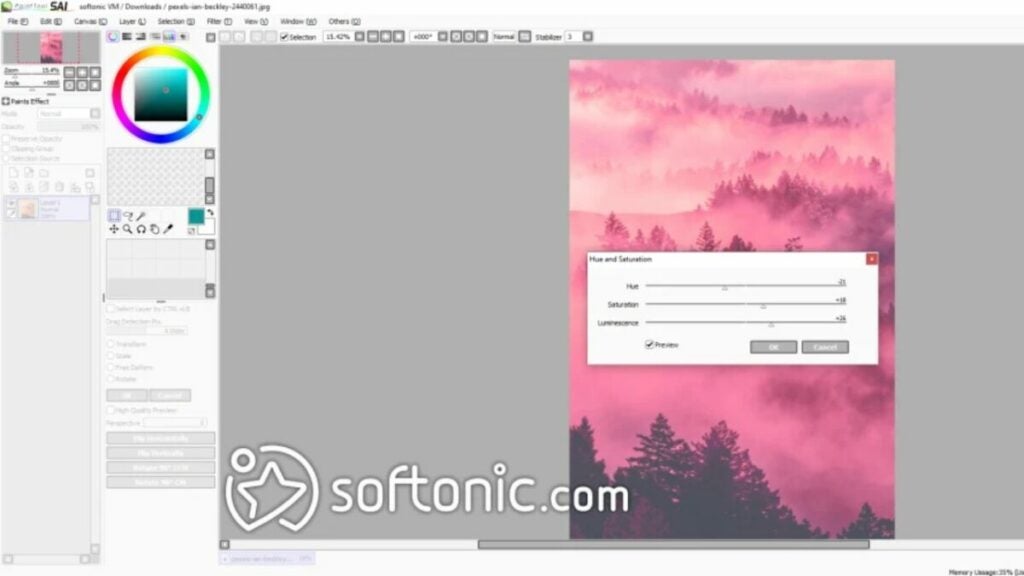
The program allows users to draw and develop layers using various tools to create digital art. Though mainly focused on painting and drawing, SAI does provide some image editing with Brightness/Contrast and Hue/Saturation adjustments.

Is Paint Tool SAI free?

While free to download, Paint Tool SAI is not totally free. It requires a one-time payment of $50.81 USD or 5500 JPY for a software license after a trial period of 31 days. However, after this purchase, you’re good to use the program as you see fit.

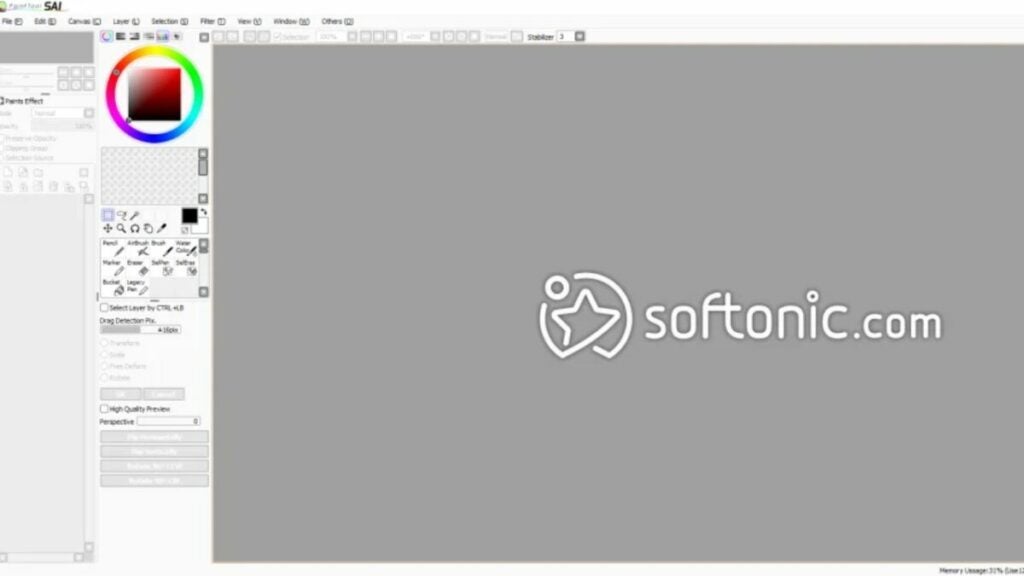
image of the Paint Tool SAI user interface

Simple interface and small size

Due in part to its no-frills UI, Paint Tool SAI maintains a very small digital footprint. No rival program comes close to its size of just 2 MB. What’s more: it only requires 128 MB of RAM to operate. If you are editing and creating on a lower spec piece of hardware, this program may be the best option for you.

Other competitors, as reviewed below, take up significantly more space or require more RAM to operate.

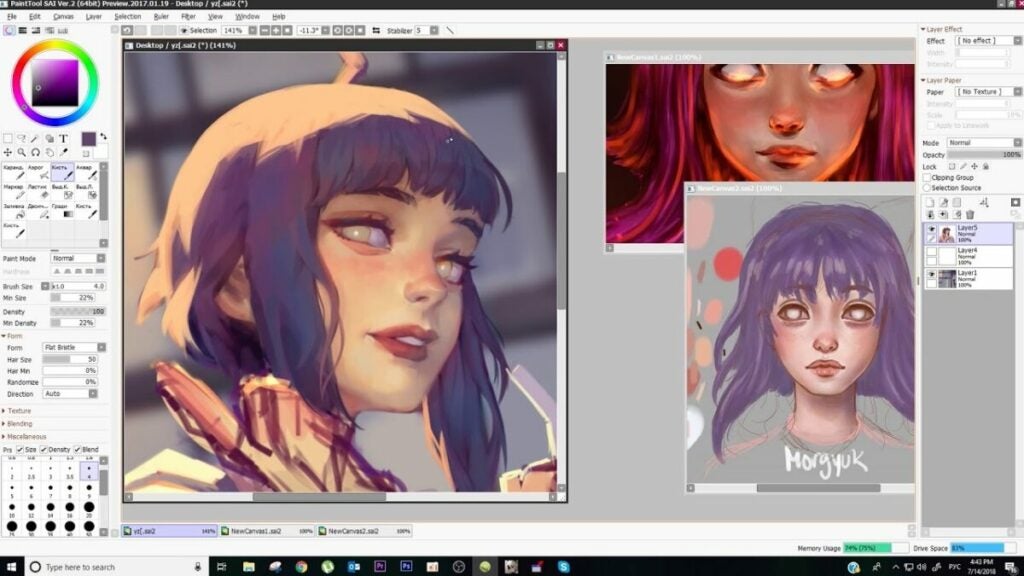
image of art for Paint Tool SAI review

Key features for a Paint Tool SAI review

As you can see in the image above, this program is not limited in scope when it comes to artist imagination. YouTuber Mirey’s showcased the program’s features in a Paint Tool SAI review for a commission. As with any kind of digital art creation software, SAI includes all of the features you’d need to do so.

Here is a list of key features that stood out for this Paint Tool SAI review:

  • Full digitizer support
  • Anti-aliased drawings
  • Data protection for layer tools
  • Airbrush and brush
  • Able to adjust color luminescence and saturation
  • Able to view small versions of drawings
  • Intel MMX technology support
  • Selection and drag tools
  • Can move and lock layers
  • Touch-sensitive pencil tool
  • Large color spectrum
  • Very lightweight software in terms of required hardware specifications

Perhaps the best feature is how Paint Tool SAI empowers you to draw with a digital pen. Illustrating using mobile devices or tablets allows artists to feel more free and uninhibited while creating animations like cartoons or anime.

image of Paint Tool SAI review rival logos

Paint Tool SAI review: competitors

Adobe Photoshop

This program is significantly more powerful than Paint Tool SAI, but that’s by design. Paint Tool SAI is focused on drawing and painting while Adobe Photoshop can do far more. It features more format types, text layers, shape tools, gradients, transparency, and lots more. It is ~710 MB in size with a required 8 GB RAM minimum to operate.

Photoshop also offers better image editing options than Paint Tool SAI. However, it costs significantly more as a one-time purchase. The monthly subscription fee for just Photoshop is $20.99 USD per month or $19.99 USD per month for Lightroom and Photoshop with 1TB of storage.

Adobe Illustrator

This program has some of the same issues as Photoshop regarding price. Though a powerful program, Illustrator is $20.99 USD per month, so users will hit the comparable price of Paint Tool SAI quickly. However, it offers better versions of all of the illustrating capabilities than Paint Tool SAI.

If cost is not an issue for you, then you may consider Adobe Illustrator instead. It is ~1.76 GB in size and requires at least 8 GB of RAM to operate.

Gimp

This open-source raster graphics editor is free-to-use having debuted all the way back in 1998. While Paint Tool SAI is fantastic in some areas and lacking in others, GIMP is more well-rounded overall. It is also available for macOS, Linux, and Windows PCs.

Many users consider GIMP one of the best free tools available thanks to features like color mixing, layering, gradient features, and more. If you want a real contender against Paint Tool SAI, consider giving GIMP a try — especially if you don’t have a Windows operating system. It clocks in at 250 MB in size and recommends at least 128 MB of RAM to run.

Krita

Similar to GIMP, Krita is more well-rounded than SAI when it comes to the services offered. The biggest benefit Krita offers is a more intuitive interface. It also features HDR editing support, mirroring tools, PSD compatibility, and a more robust color palette.

It is also free and open-source as developed by the Open Source Raster Graphics Library project. Krita requires at least 2 GB of RAM and 300 MB of storage space.

Canva

Many people may be familiar with the originally browser-based editor known as Canva. It has a free option available to all with an intuitive interface, thousands of templates, an image cropper, various pay structures for paid subscriptions, and more.

However, it does lack things like full digitizer support and tools that make drawing with a tablet more natural. This may be due to the fact that Canva focuses more on design for things like social media posts, posters, and other graphics vs. creating digital art.

When using the desktop or mobile app, Canva recommends that you have at least 150 MB of storage space free. For the desktop app, Canva requires 1 GB of RAM minimum on Windows and 2 GB of RAM on Mac.

image of the UI for the Paint Tool SAI review

Verdict on Paint Tool SAI review

Though not the most robust program for creating digital art, Paint Tool SAI remains one of the most lightweight options out there. If you want to paint, draw, or otherwise create art, it is fantastic. Download Paint Tool SAI for free and try it out yourself.

However, if you are looking to make collages or edit photos, you should consider other programs.

PROS

  • Not very taxing on hardware so it’s great for lower spec setups
  • Great option for use with a tablet
  • No frills interface
  • Includes linework layers to reduce the amount of manual linework required
  • Very affordable when compared to some alternatives

CONS

  • Only available in English and Japanese with German translation
  • May lack the variety of tools that other similar (but usually more expensive) programs have
  • Only dedicated support is via email at support@systemax.jp

Developer: Systemax Software Development

Publisher: Systemax Software Development

Top Features: Full digitizer support, low hardware footprint, and great for tablets

Platform Reviewed: Windows PC

All about Spotify: what it is, how to use it, Free vs. Premium

Spotify is one of the leading music apps used by millions around the world. You can enjoy endless streaming with a selection of over 50 million songs. It includes personalizing your own playlists and exploring new music by searching for new artists, songs, albums, and podcasts.

Spotify DOWNLOAD IT
9
Latest Spotify features

Podcast subscription

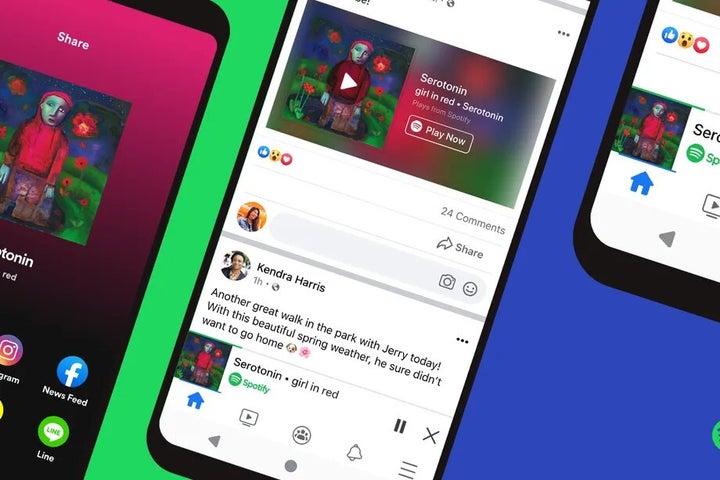
In an effort to show Apple who’s the best, Spotify added its own Podcast subscription model. The best part is that it doesn’t take any royalties from the content provided, making it more rewarding to make podcasts. Also, there was a partnership with Facebook that would make these podcasts available in mini-players on the platform.

Spotify’s New Podcast Subscription To Rival Apple READ MORE
Latest Spotify features

“Car Thing” voice command feature

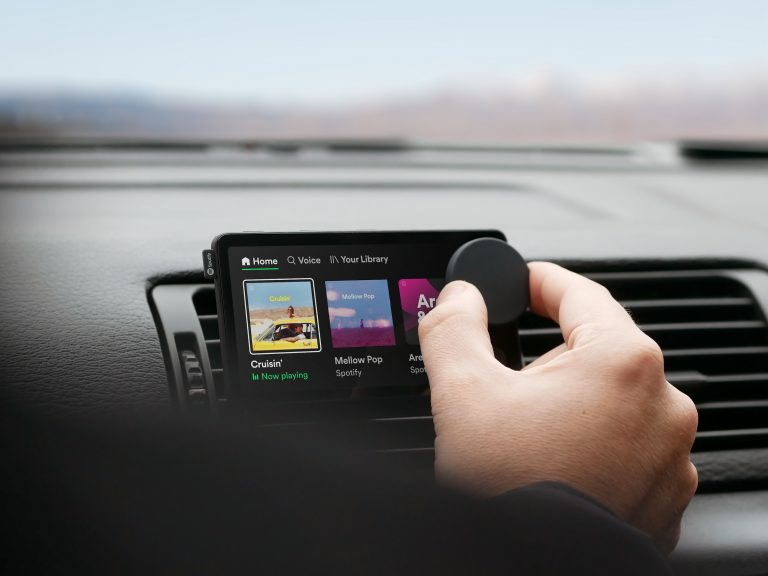
If you enjoy singing songs in your car, then you may want to check out Spotify’s Car Thing. While it was free when it launched, it now only works with Spotify Premium accounts, and you have to buy the gadget. You’ll be able to access your library of tunes and podcasts while driving.

Spotify Launches In-car Voice Command “Car Thing” READ MORE
Latest Spotify features

Improved audiobook features

You may already know that Spotify already has some audiobooks available. However, it wants to compete with the likes of Amazon Audible for the ranks of best audiobook provider. You’ll not only see new listings but there will be a new design and functionality to make the experience more enjoyable.

Spotify is ramping up its audiobook operation READ MORE
Latest Spotify features

Spotify and NFTs

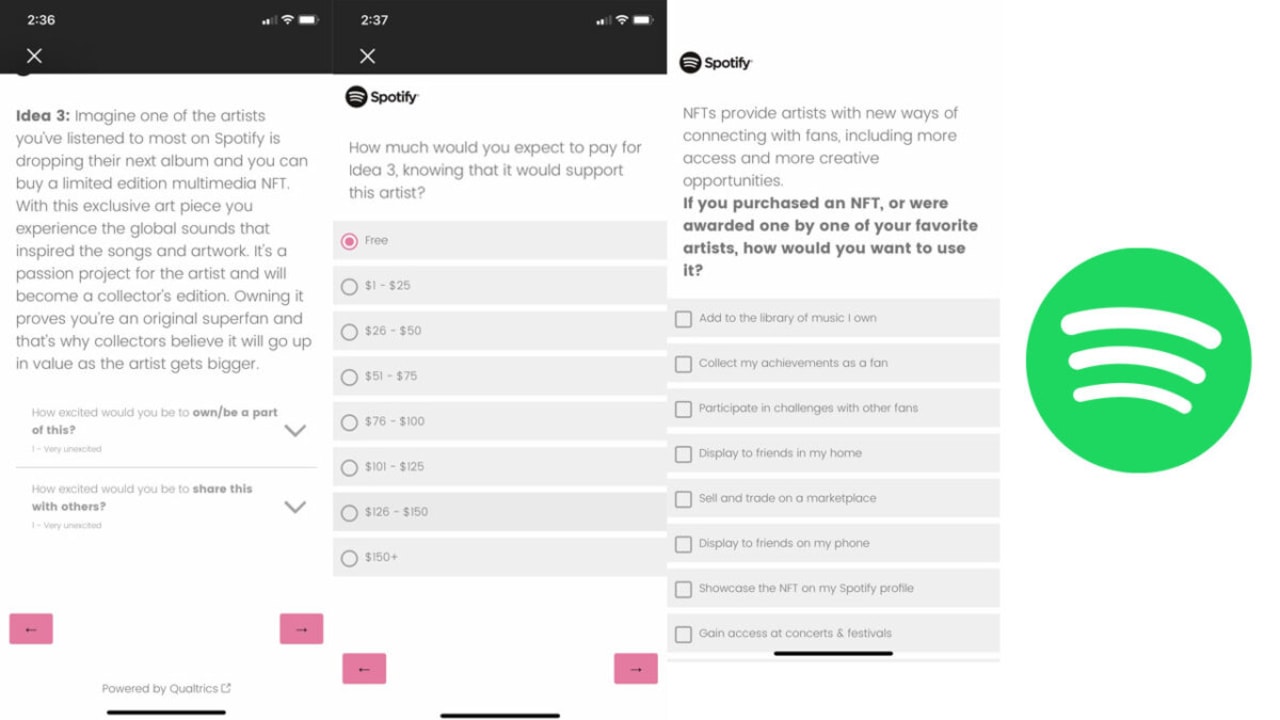
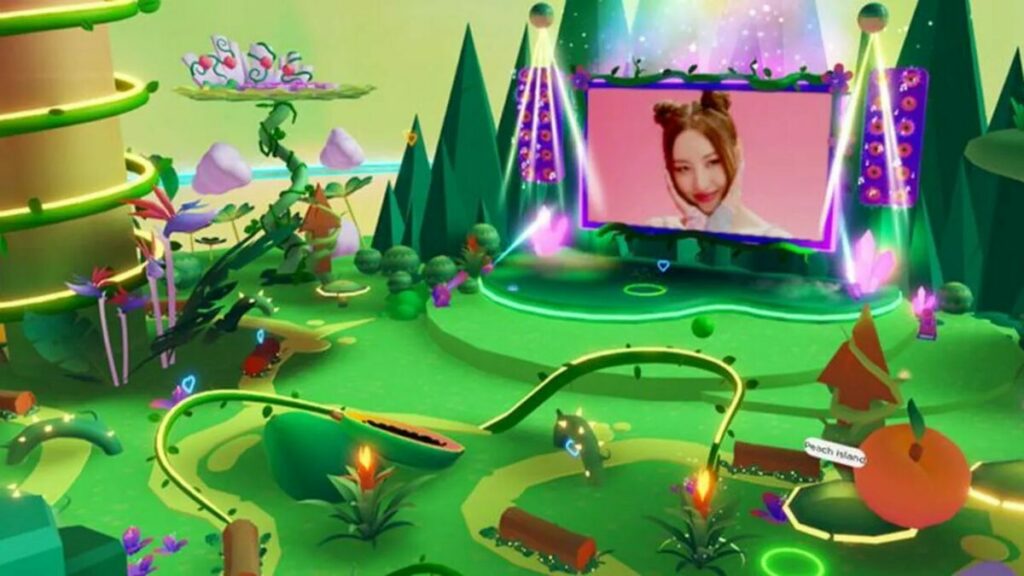
Gamers will know that Spotify Island appeared on Roblox recently. That was only the first step in experimenting with the Metaverse and Spotify’s testing with NFTs. Keep a lookout on their pages and your devices for possible NFT tokens available for anyone using cryptocurrencies.

You might start seeing NFTs on Spotify READ MORE
Latest Spotify features

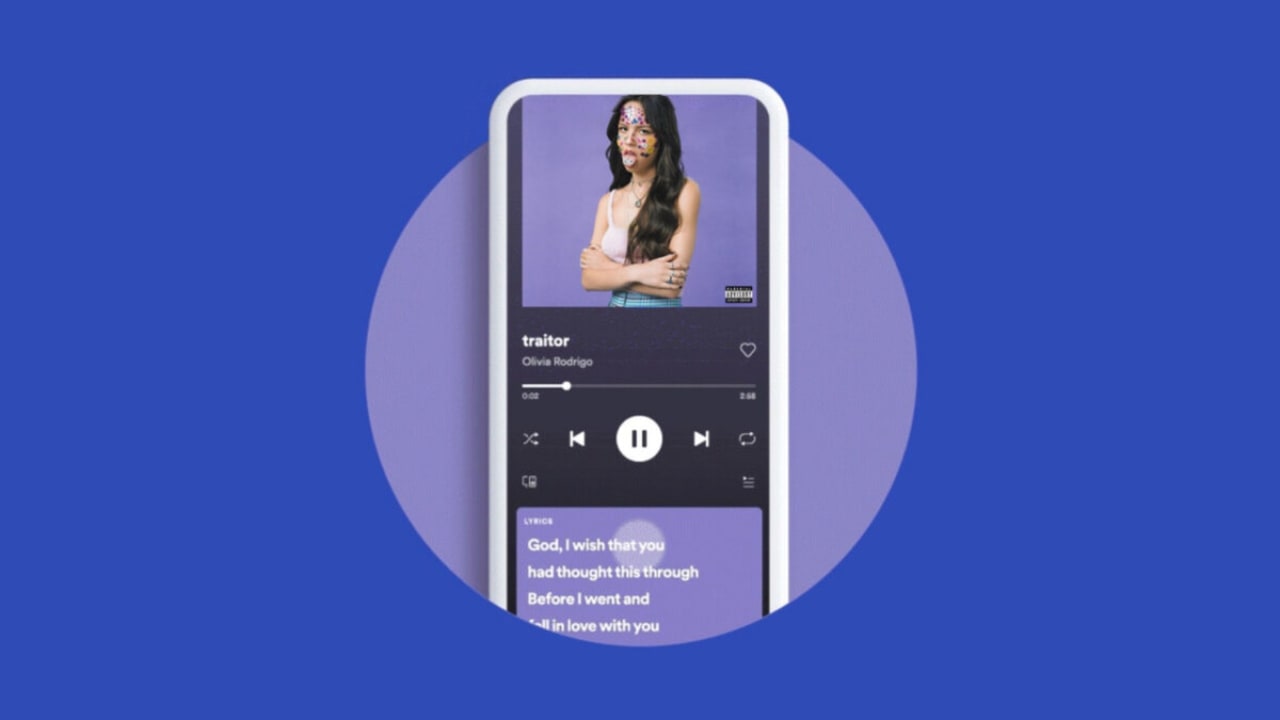
Song lyrics

Want to sing along to the song, but you don’t know the words? Spotify has a new song lyrics features that will display the words on your device. Just head to the Now Playing section and watch as the words scroll up your screen to the tune.

Spotify offers lyrics for your favorite songs READ MORE
Latest Spotify features

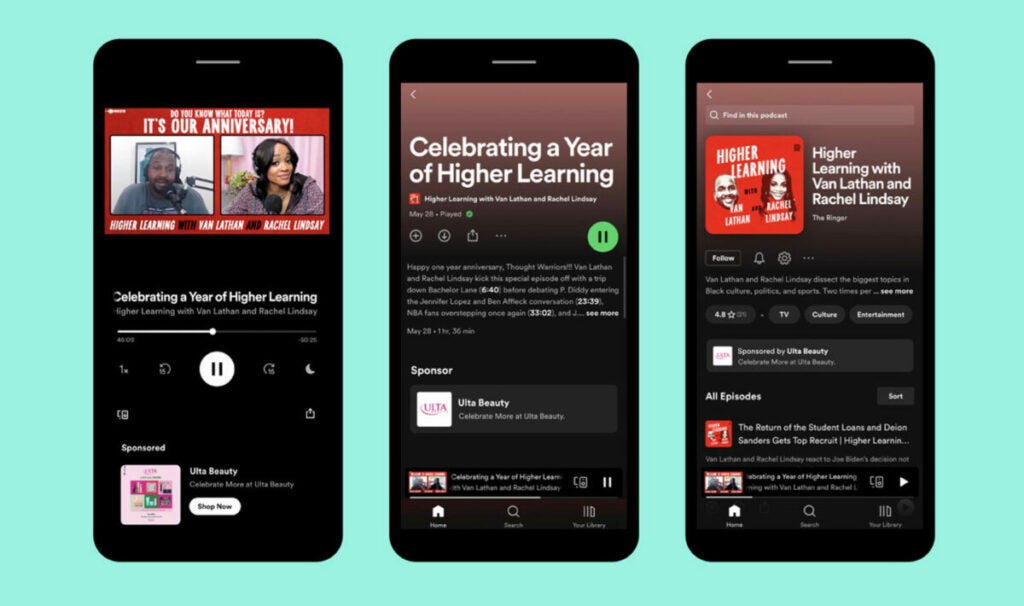
Call-to-Action Cards

Since Podcasts are now so popular on Spotify, the streaming platform made a new feature called Call-to-Action Cards for advertisers. While you’re listening to your favorite talk show, you’ll see small flashcards appear beneath the listening panel. If you see an ad that catches your attention, you can just tap on the button. 

Latest Spotify features

Choice of billing options

One of the latest features you may see soon on your Spotify app for Android is a choice to pay for your premium subscription via Google Play or Spotify itself. You’re no longer restricted to only one option. It gives you more choices so that you have the freedom and flexibility to pay as you wish.

Latest Spotify features

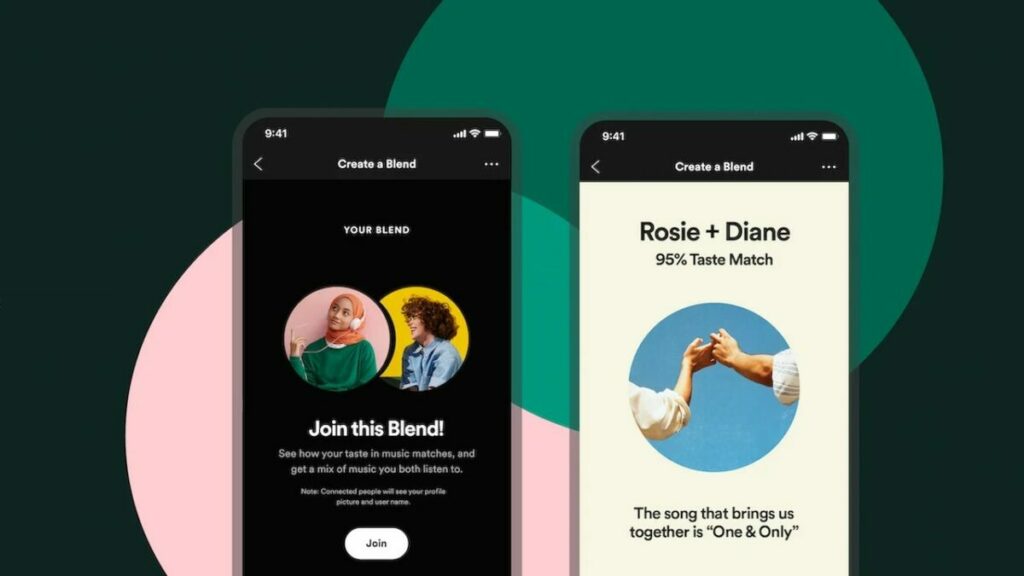
Updating Blend

In 2021, Spotify created the Blend feature where you can listen to shared music tastes in a group with a mixed playlist. There will be new updates to this tool in 2022, with more options for blending music in a group, while you can also listen to the playlists of your favorite artists. 

Latest Spotify features

Featured Curators

Spotify wants its top users to be heard, which is where Featured Curators come in. Not only will you see playlists that Spotify creates, but it will showcase lists from the top curators on the platform. Now you can hear what they are listening to, whether it’s podcasts or music.

Latest Spotify features

How does Spotify work?

Listening to music and podcasts is super easy with just a few simples steps: 

  • Sign-up on the Spotify website. If you use your Facebook account to sign-up, connect with friends to share music and listen to what they’re listening to. 
  • Choose your specific Spotify plan. If you are happy with ads, try out the free version. If you would like a music experience with full access without interruptions, choose one of the Premium plans that best suits your listening needs. 
  • Download the app for your Android, Apple, or desktop device. 
  • Sign in with your details and enjoy the musical journey. 

The more music you listen to, the more the app recognizes what you like, so it will start recommending similar songs and artists. By discovering new music all the time, your Spotify playlist will never become overplayed.

Is Spotify free?

Yes, Spotify, with its basic functions, is completely free. You have full access to all music and podcasts, but there are paid adverts; you are unable to listen to music while offline, and you can’t download any music. 

If this is not for you, enjoy an upgrade to Spotify Premium. They offer a three-month free trial so that you can hear what it’s all about. 

What is Spotify Premium, and what does it include?

Spotify Premium is an upgraded version of the basic free music app. You can listen to high-quality music with:

  • No advert inteuptions, 
  • Unlimited skips between songs, 
  • Downloading music for offline, 
  • And travel abroad without losing your favorite songs. 

Spotify Premium plans and pricing: is it worth it?

Let’s take a moment to look at the various plans and what they entail.

  • Premium Individual: For $9.99 per month, enjoy Premium features for one account.
  • Premium Student: Enjoy 50% off Premium as a student for up to four years. For $4.99 for this plan, enjoy SHOWTIME and Hulu’s ad-supported plan as a free bonus. 
  • Premium Duo: For a couple, friends, or co-workers, get two independent accounts for $12.99 per month. Plus, enjoy access to a combined playlist with recommendations based on your music tastes with Duo Mix.
  • Premium Family: If you are a family that loves music, Premium Family offers six separate Spotify accounts for $15.99 per month.

For young children, the Family Plan offers singalongs and playlists specifically created for children. It comes with an explicit filter to protect the younger members of the family from explicit content. You’ll enjoy a Family Mix playlist created with a combination of everyone’s music. 

How to use Spotify, the definitive guide

Now that you have chosen the right plan for you, let’s dive into the definitive guide for using Spotify to create playlists, how to follow and share with others, and how to modify your searches for better-recommended content.

The basics

Spotify has two subscription types: one is free with ads, and the other is a Premium subscription for $9.99 per month. Included in the subscription price are offline playback (when you don’t have a data connection), no ads, and higher sound quality playback. If you’re a student, Spotify is offering a Premium account for $4.99.

spotify sign up

There are two ways to sign up for Spotify. The first is to use your Facebook account, which will post the music you listen to in your feed. The second is by creating a username and password through the website.

Once you sign up, you’re asked to download the desktop app. The app functions the same whether you’re on a PC or Mac. The “Welcome Screen” has the option to disable sharing to Facebook. If you’ve ever used iTunes or Amazon Music, the interface of Spotify is easy to understand. The area you’ll use the most is the Main sidebar on the left, which holds the app’s go-to functions.

The main section promotes music by Spotify so it’s a good place to start if you don’t know what you want to listen to.

spotify disable facebook sharing

Mobile apps

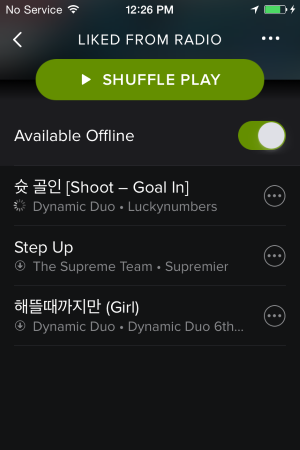
There are different restrictions for Spotify’s mobile apps. For Android, iOS, and Windows phones, you can listen to music on Shuffle mode, but you can’t play specific songs unless you have a Premium account. You also only get to skip a song six times per hour, and are subjected to ads between songs.

spotify ios

Alternatively, on tablets, you can listen to specific songs. You still have ads and other free subscription limits, but you’re able to listen to specific songs rather than just shuffle mode.

If you’re using Spotify Premium, you can also use Spotify Connect. This feature lets you play Spotify through supported devices like speakers or your laptop and use the app as the remote. If you use Spotify on Android, Google Now can show cards with your favorite playlists and new recommendations. Spotify also added Shazam support for premium subscribers. Connecting Shazam to Spotify will create a “My Shazam Tracks” playlist so you can listen to newly discovered music.

If you’re a PlayStation 3 or 4 owner, Spotify is available for download. You can play your favorite music inside supported games.

Download Spotify: Android | iOS | Windows Phone 7

Start playing music

If there’s a specific artist you want to listen to, enter it in the search bar. If that artist’s music is available, then you’ll be able to play it. In the free account, the basic quality of streaming works perfectly fine. Premium subscriptions stream at higher quality, but you probably won’t notice. While Spotify’s library is big, it doesn’t contain every single song or artist. A notable band that’s missing, for example, is The Beatles.

spotify search

You can save albums or songs to the Your Music section, making it easier to go back and listen again.

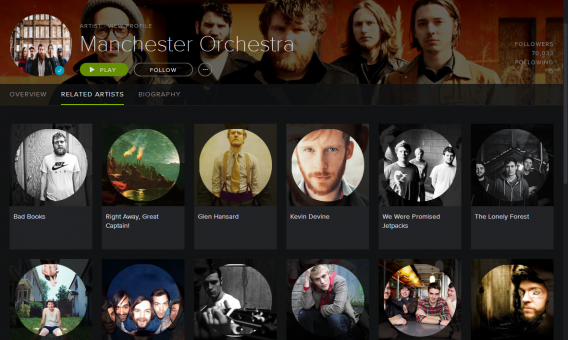
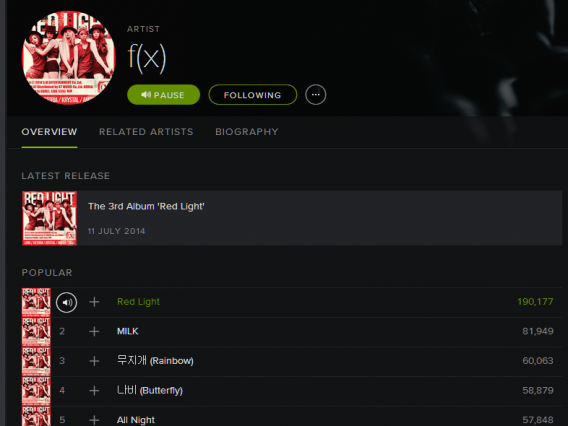
On the artist page, there is a section for Related Artists, which is a great way to discover more music. When you first start using Spotify, it might be a good idea to follow your favorite musicians. It will help in getting more recommendations.

spotify artist page

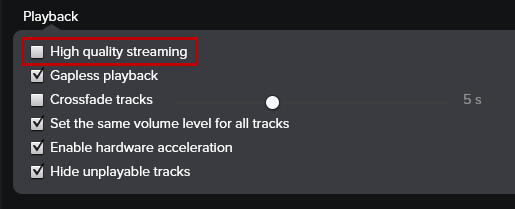
If you have Spotify Premium, you should immediately turn on High-Quality Streaming. Under Preferences, the section for Playback has the option to turn on high-quality streaming.

spotify high quality streaming

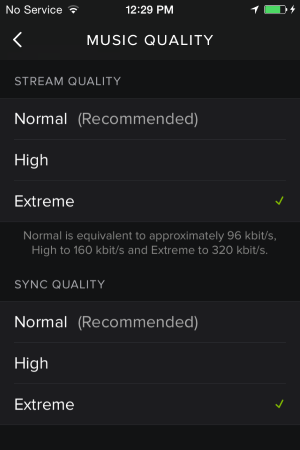
This option is also available in the mobile apps under Music Quality. The different quality levels are set as Normal (96 kbits/s), High (160kbits/s), and Extreme (320 kbits/s). Be aware that the higher bitrates use more data.

spotify ios music quality

Create playlists

spotify playlist

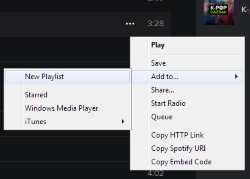
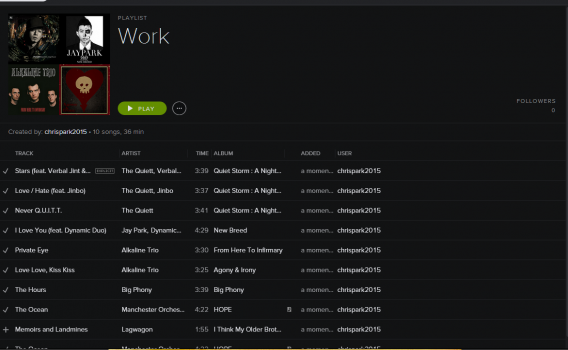
You may want to make a personalized playlist to fit certain moods, like when you’re working or exercising. Making playlists is simple: find the song you want, and either right-click on the song or click on the three-dot options menu.

If you create a playlist first, you can drag-and-drop the song to that specific list on the left sidebar. If you want to save a playlist offline, you will need a Spotify Premium account.

You can also make collaborative playlists that friends can contribute to, something that may be great for trips or events. Right-click on the playlist and select Collaborative Playlist. Now you can send the link to the playlist to your friends. Another option is to make the playlist Secret so only you can view it.

spotify playlist

You can also create playlists through the mobile app, but the process requires a lot of different menus. It’s easier to create playlists in the app and sync them with your device.

spotify playlist ios

Local files

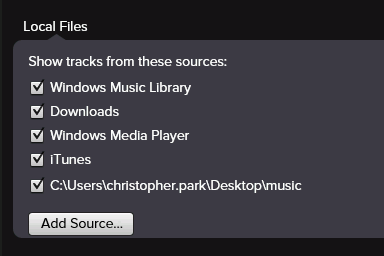
Spotify can also import local files from your computer. Go to Edit and then Preferences. Scroll down and you’ll see the section for Local Files.

spotify local files

Spotify will automatically import music from iTunes and Windows Media folders. If you have music stored somewhere else, you can use Add Source to import your songs. Unfortunately, you don’t get extended artist information. Local files serve as a simple media player in the app.

One nice feature is the ability to sync your local files with the mobile app so that you can use offline playback, but you’ll need the Premium account to do that. If you’re going to sync with iOS, you can either connect to the computer through USB or sync via Wi-Fi if both devices are on the same wireless network.

Modify search for more relevant results

Searching in Spotify works well if you’re looking for broad results, but common terms will have irrelevant hits. Add modifiers like “artist: (artist name)” for specific musicians and “year: (range of years)” for specific results. Spotify will also recognize “And,” “Not,” and “Or” in search queries.

Follow Spotify bands or friends

If your friends are on Spotify, ask for their username and follow them. You’ll see updates in the right sidebar of what they’re listening to. You can also follow bands or bands to discover more music. The bands you follow will be displayed under Your Music and Artists.

spotify related artists

You can use a search modifier to look for friends on Spotify too. Use Spotify:user:[username] in the search box.

Listen privately

spotify private

If you don’t want your Spotify activity shared, you can start a Private Session. Click on your user name in the upper right corner and click on Private Session. This action only works as long as the app is open. If you restart the app, then the private session will be turned off.

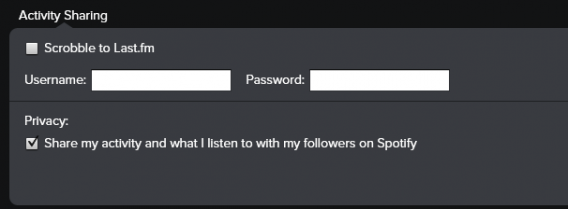
If you want to make all your Spotify activity private, go to Preferences and the Activity Sharing section. Uncheck Privacy to stop sharing activity on Spotify.

spotify activity sharing

Create a Spotify Radio station

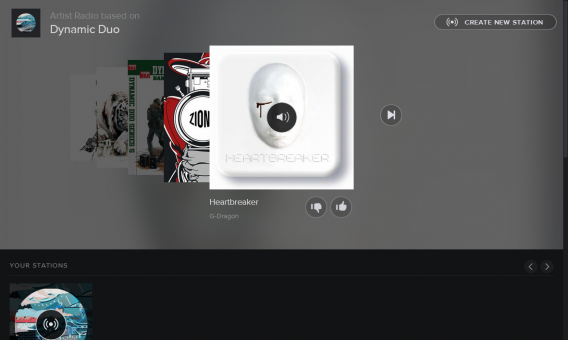
The Radio feature creates playlists based on an artist, song, music genre, or mood. While it probably won’t have all your favorite songs at first, it’s a good way to curate a great playlist.

You can choose from the recommended stations, or create your own by clicking on Create New Station and entering information about the music you want.

create radio station

Spotify’s search engine does a decent job at finding relevant music, but it works best for mainstream popular music. To improve the results, you’ll need to like or dislike songs, and the station will better personalize the station.

Add apps

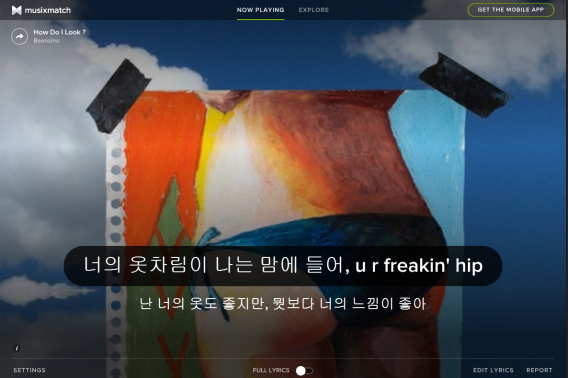
Spotify apps add another way to find new music or expand the functionality of the desktop app. A lot of the apps are playlists or discovery engines, but there are also apps to show you when bands are on tour, get song lyrics or even karaoke. The most relevant apps are probably scrobbling apps like Last.fm, which keep track of the music that you’ve listened to in the app. Musixmatch is integrated with Spotify on the desktop so you can get lyrics whenever you want.

spotify musixmatch

If you want to delete an app, right-click on its name and the option Remove will appear.

Create Spotify playlist group folders

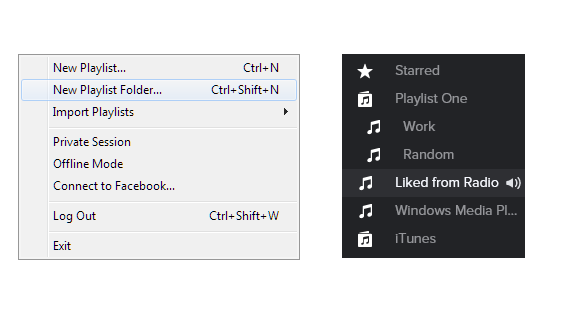
Since most functions of Spotify are in the left sidebar, it can quickly become flooded with apps and playlists. One solution is to combine playlists within a Playlist folder. Go to File and select New Playlist Folder. Name your playlist and then drop-and-drag playlists into the folder. Hover the mouse over the folder icon and it will become an arrow. When you click on it, your saved playlists will display.

spotify new playlist folder

You can also create dividers within the playlist area to separate playlists by creating an empty playlist. Using “-” and Spotify will create a divider that you can drag-and-drop where you want.

Share with your friends

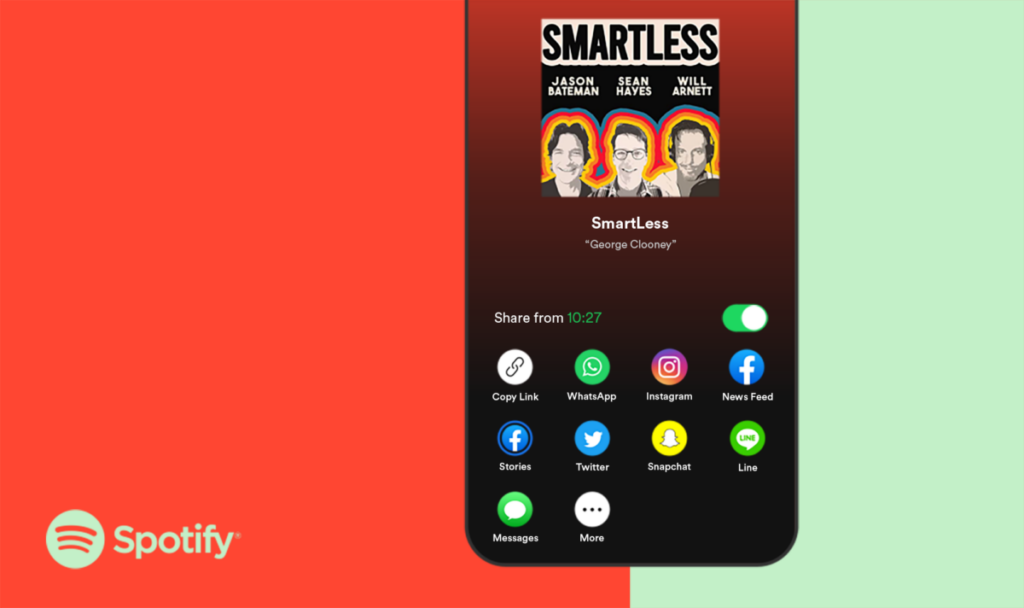
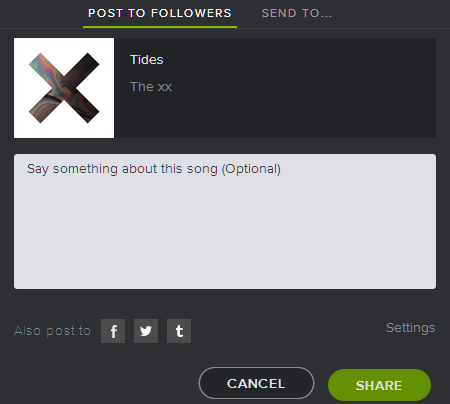
If you find a great song or create a special playlist, you can share it on other social networks like Facebook, Twitter, or Tumblr. You can also post within Spotify or send it directly to a friend on Spotify. Sharing is simple, right-click on the track or playlist and you will see the Share. If you signed up to Spotify with Facebook, you can share without any added steps. For Twitter or Tumblr, you’ll need to add your login information.

Send To… will send a message directly to your friend.

spotify share

Another way to share through a messenger app or email is to drag the song from Spotify into the text field. This will create a link that opens the song for your friends.

Embed or link Spotify songs on other sites

spotify embed options

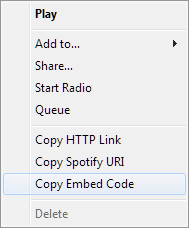
Spotify has two ways to link from Spotify to other sites. To get the codes, right-click on a track and you will see the different options.

The first is a hyperlink. There are two different ways to link: through a website URL or a Spotify URI. The website link (example: http://open.spotify.com/track/0txZeFLQXDo0RSEubMr12b) will open a browser and then redirect to open the app. This is best for sharing when directly messaging a friend. The Spotify URI (example: spotify:track:0txZeFLQXDo0RSEubMr12b) will open Spotify directly.

You can even link to a specific part of a song by using the Spotify URI. Take the URI and add “#[Time]” to the end.
Example: spotify:track:0txZeFLQXDo0RSEubMr12b#1:00 will take you to the one-minute mark in the song.

The embed code is designed to display a player within a webpage to play inside a page. Embedding songs feature is tailored for websites so people can quickly preview a track that’s available on the service.

Mute ads in Spotify free subscription

The free subscription plays ads between songs. There’s no way to skip them but there are ways to mute the ads until they are finished playing. Windows has Blockify. It will mute ads and can play your MP3s instead. For Mac, try Spotifree. Download the app and move it into your Applications folder.

Overwhelming at first

Spotify’s main goal is to get music in your ears. Using the free version of Spotify is good for casual listeners who enjoy background music on their computer, but it’s less useful with the mobile app, which benefits quite a lot from the $9.99 Premium subscription. While the most useful feature of the paid subscription is ad removal, the ability to stream in higher quality and save music for offline playback is nice.

spotify f(x) red light

Once you’ve spent hours curating your music within Spotify, you probably won’t want to leave because you’ll have everything set up. The app is easy to use and the only real drawback is that more obscure music isn’t available in Spotify’s music library. While that problem is easily resolved with local files, it may not be reason enough to join if you already have another solution.

More about Spotify

If you’d like to know more about Spotify, here are some of our most popular guides:
SBK 22 Review | Two-wheel super racing

SBK 22 is a motorbike racing game based on the real-life Superbike World Championship, featuring the same teams, liveries, and racers. It was developed and published by Milestone S.r.l., with a release day of September 15, 2022. You can play a solo career with a character you create or head to the online multiplayer arena to challenge other players.

Straight off the bat, I want to tell you that this game isn’t easy, especially if you’re a newcomer to this genre or type of gameplay. Motorbikes are more challenging to control than racing cars, which means you’re more likely to wipe out on the track. If you want to know how well I did and what to expect, stay tuned for more details in my SBK 22 review.

Are you the new champion for SBK 22?

It’s been a long time since we’ve seen a decent SBK game, and now there’s a new one on the market. SBK 22 presents many of the features you’ll find in similar racing games. Here’s a small disclaimer: while I’ve played a few motorbike games in the past, I much prefer ones with cars, such as Need for Speed and Formula 1. My review comes from someone with little experience with the motorbike racing scene — as you’ll be able to tell below.

Starting your SBK 22 career

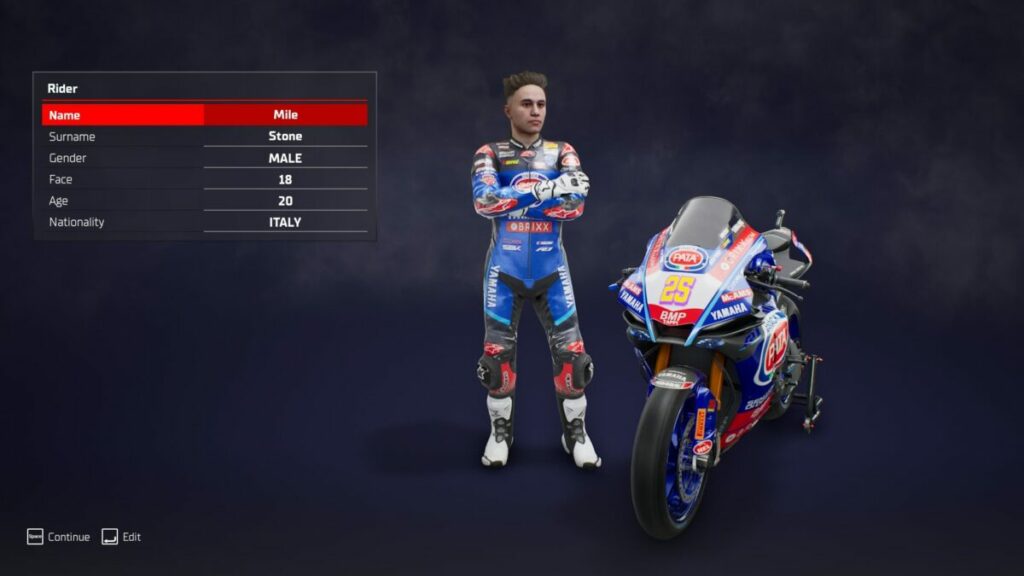
It’s time to begin your career as an SBK 22 racer. Before you head to the main screen, you have a chance to change your character’s appearance and bio. It’s the same details that will go with you into the Career mode, so choose wisely. Once you’re done, the main dashboard loads with several options. The main story campaign is the Career section.

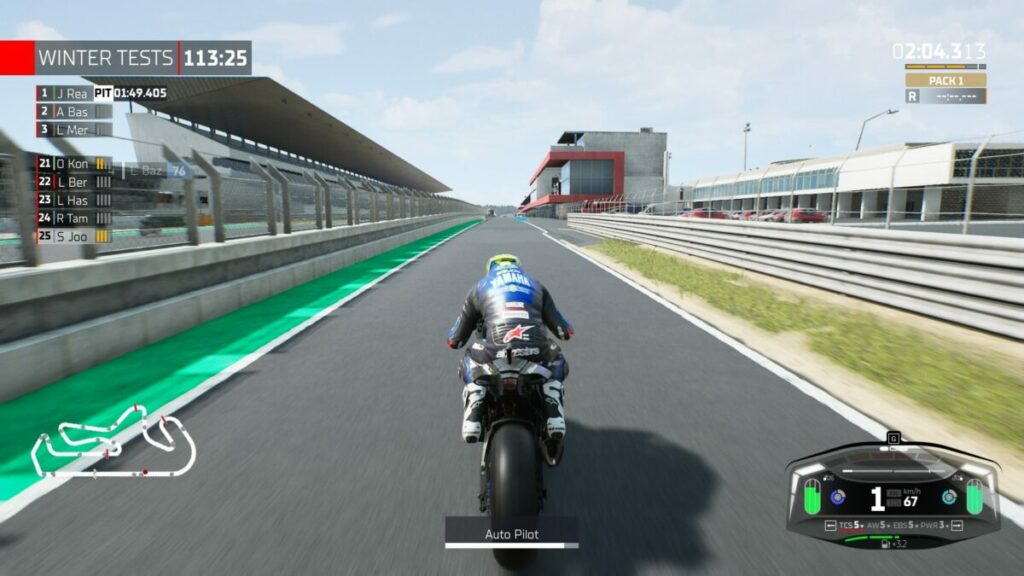
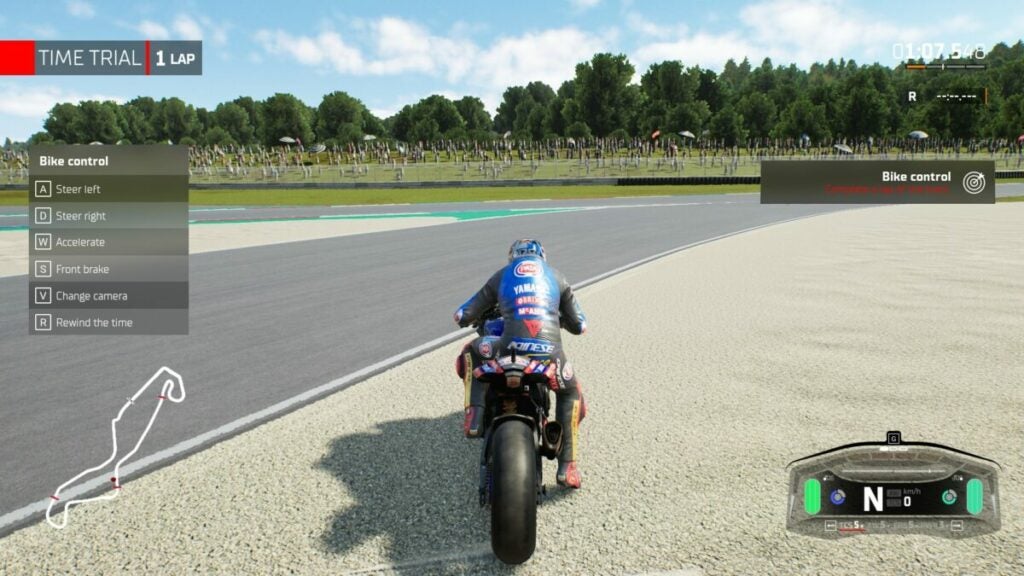
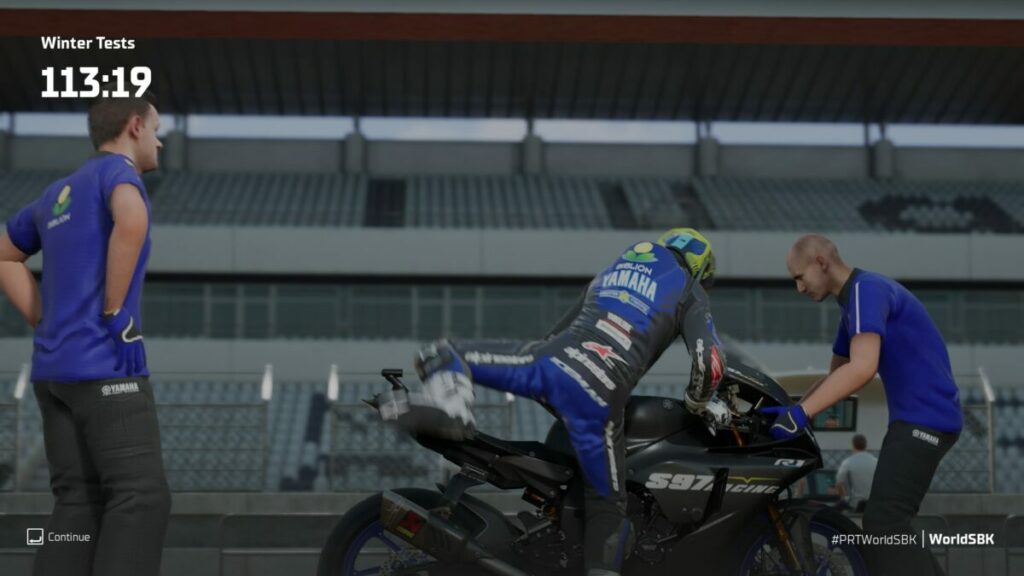
SBK 22 review

Factories and teams

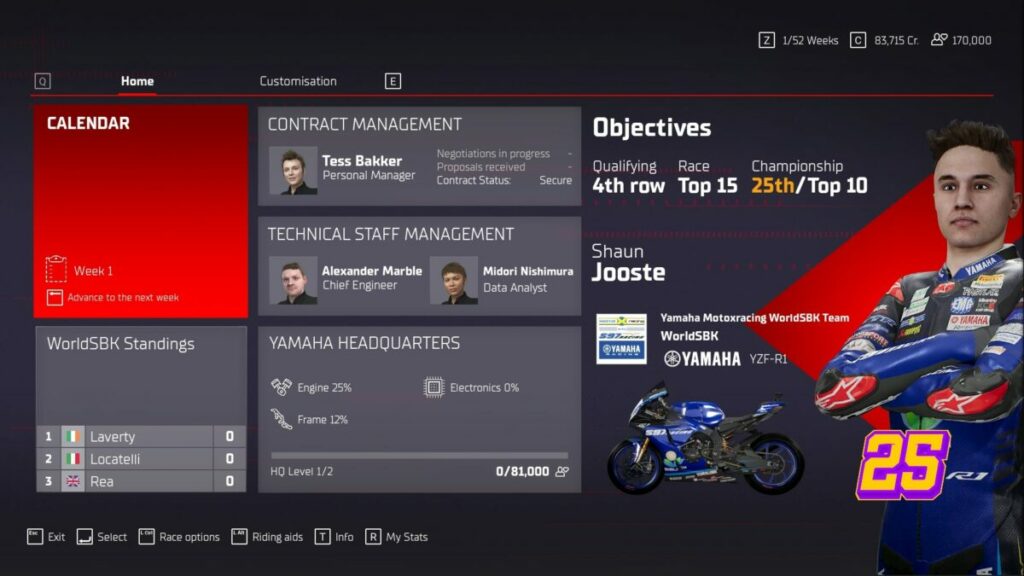
You’re almost ready to head out and hit the SBK 22 track with winter testing. First, you’ll need to decide which factory to join. Also, the game asks you which team you want to be part of. They’ll sponsor you with a motorbike to get started. From there, you’ll have several contracts available, each with different goals and financial rewards.

SBK 22 review

Carving your path towards becoming champion

With all these options selected, you’re ready to start your SBK 22 career. You can make some changes at the factory or skip weeks until you enter an event. There are testing weekends to get your bike right, and other weekends host the races.

When you’re ready, you’ll head to the actual track to start practicing and qualifying for the race. You’ll need to set the fastest times to start up front. You earn points for your position at the end of the race, which tallies up to the final championship points.

SBK 22 review

Online racing lobbies

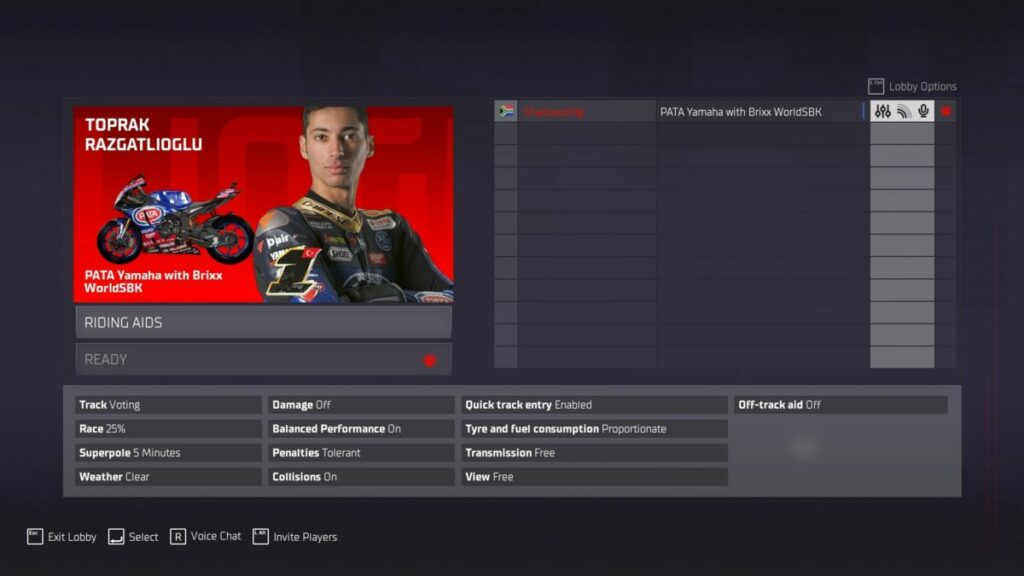
If you want to take a break from the SBK 22 career mode, you can play online races against other players. Your first option is to join a lobby that already exists. Alternatively, you can create a lobby for others to join. At the time of this review, it was too early for the multiplayer section to be active, so I was unable to join anyone in an online race.

SBK 22 review

How many stages are there in SBK 22?

There are 12 rounds in SBK 22 in different locations, while there are 24 racing spots available. It’s challenging to put a time for how long it will take you to complete the career mode. If you practice, qualify, and race for each level, one stage can easily take you over an hour to complete, if not more.

SBK 22: Racing around the track

Here comes the tricky part of my SBK 22 review. Since I’m more of a car racer, learning how to race motorbikes for the first time was challenging. The developer definitely didn’t design the game for newbies. It’s time to share my gameplay experience with you.

SBK 22 racing lessons

Before you head to the Career or multiplayer sections, SBK 22 asks you if you’d like to play the tutorial to get the hang of the controls. There are beginner and advanced training areas. Besides showing you how to play, you’ll also receive tips for cornering and braking at high speeds.

I wasn’t able to complete the tutorials. I struggled with how the bike handled on the track and failed the second lesson. It required me to stay on the line and finish within a time limit, which I finally succeeded in doing after an hour of trying. 

When I told it to continue, it replayed the lesson instead and wiped my tick from the board. Infuriated that it didn’t want to acknowledge my success, I rage quit the tutorial.

SBK 22 review

Hitting the track, literally

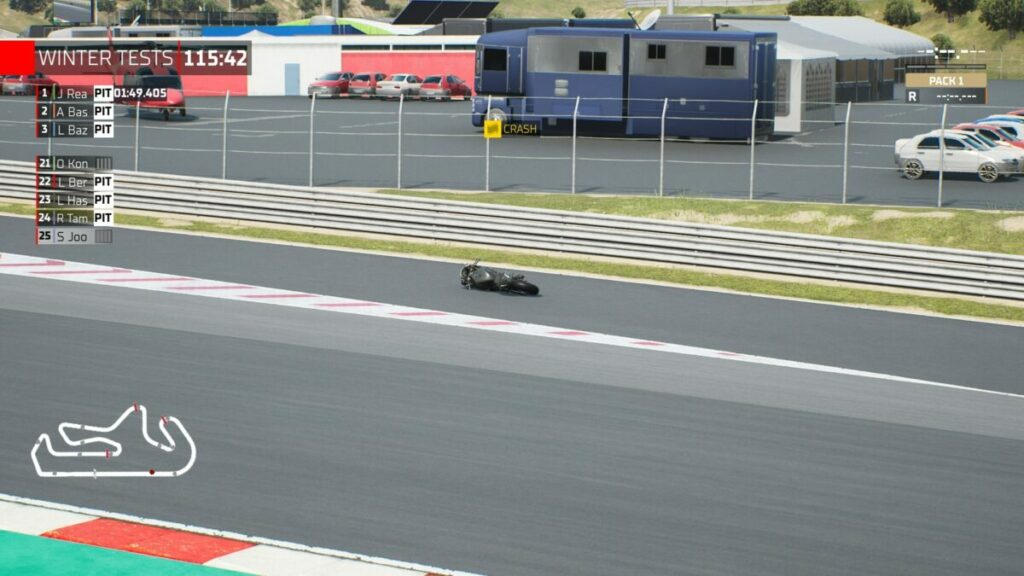
I was able to play the Career mode without completing the tutorials. It’s clear the lessons are there for a reason, as I ended up wiping off the track several times. The issue is with the braking and cornering; well, for me anyway.

Even if I start applying both front and rear brakes long before the blue indicator line turns red, I still manage to turn into the corner and crash off the track. I swear, I could start braking from the other side of the country, and I would still fail to take a sharp corner.

Hyperboles aside, I’m used to F1 cars responding as I like when I hit a corner. You brake and slow down, aim for the apex, and then hit the throttle as soon as you exit. Not with SBK 22. You brake, and brake, and brake, and eventually release the brake so you can corner…just to keep going ahead off the track. Your character leans to the side like he’s cornering for his life, and yet you still go off.

SBK 22 review

Gameplay assists

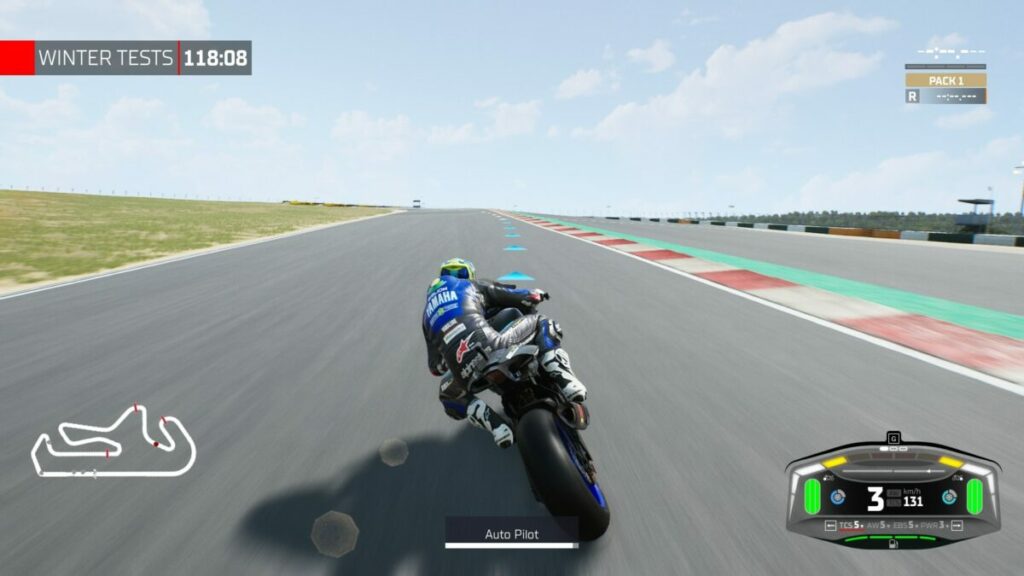
You would think the gameplay assists would be of some help in SBK 22. While it has a setting for using both brakes simultaneously with one button, you’ll still need to brake long before you reach the corner. The on-track line indicator is useless, as you need to brake ages before it tells you if you want to make the corner. If you wait until it turns yellow, it’s too late.

SBK 22 review

Keyboard vs controller

Using the controller for SBK 22 was easier for me. It allowed me to use the triggers to control how much throttle I wanted to apply, which you can’t do on a keyboard. Racing games in general perform better with a controller. However, nothing helped me perfect those corners unless I was crawling like a snail and losing valuable time.

Setting up your bike in SBK 22

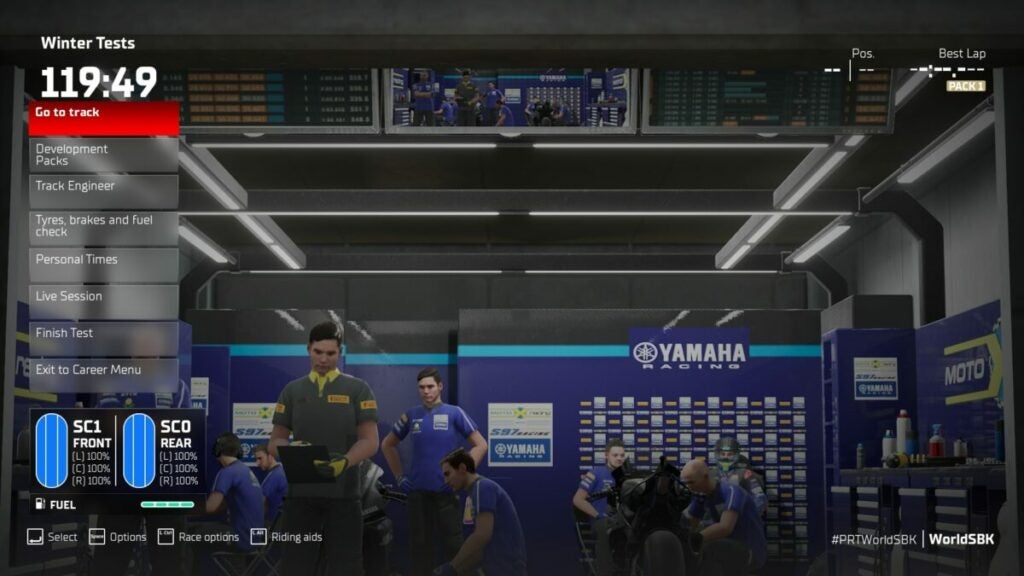
When you’re in the pits/garage or at your factory, you can make minor adjustments to your bike. Since I know nothing about superbikes or what changes to make, I steered clear of it. Veterans of motorcycle racing will have an easier task of establishing a winning setup, so it’s clear this game isn’t made for beginners.

SBK 22 review

Climbing the ranks

The objective of SBK 22 is to collect as many points on race weekend and rise in the championship ranks. You can restart the weekend or event as many times as you like. If you crash, you can use a rewind button to go back and try the corner again. At least you can keep trying until you’re satisfied with the results.

SBK 22 review

Games like SBK 22

There are many other racing games I can recommend over SBK 22, mostly where they don’t involve motorbike track racing. F1 2022 is on the top of my list to get, which was released in July this year. If you enjoy some offroad action, try MX vs. ATV Reflex for a change of pace. At the moment, I’m obsessed with Need for Speed: Heat and unlocking more cars and accessories.

SBK 22 PC requirements

If you want a decent run in SBK 22, you’re going to need a high-performing graphics card to handle the visuals and effects. You’ll also need quite a bit of storage, but I wouldn’t say it’s a lot. Playing it on Windows 11, I didn’t experience any lag in performance.

  • OS: Windows 10
  • Processor: Intel Core i7-6700 (4 * 3400)/ Ryzen 5 3550H (4 * 2100)
  • Graphics: Radeon R9 390X (8192 VRAM)/GeForce GTX 1660 Ti (6144 VRAM)
  • DirectX: Version 11
  • Memory: 8 GB RAM
  • Storage: 12 GB

Realistic visuals and sounds

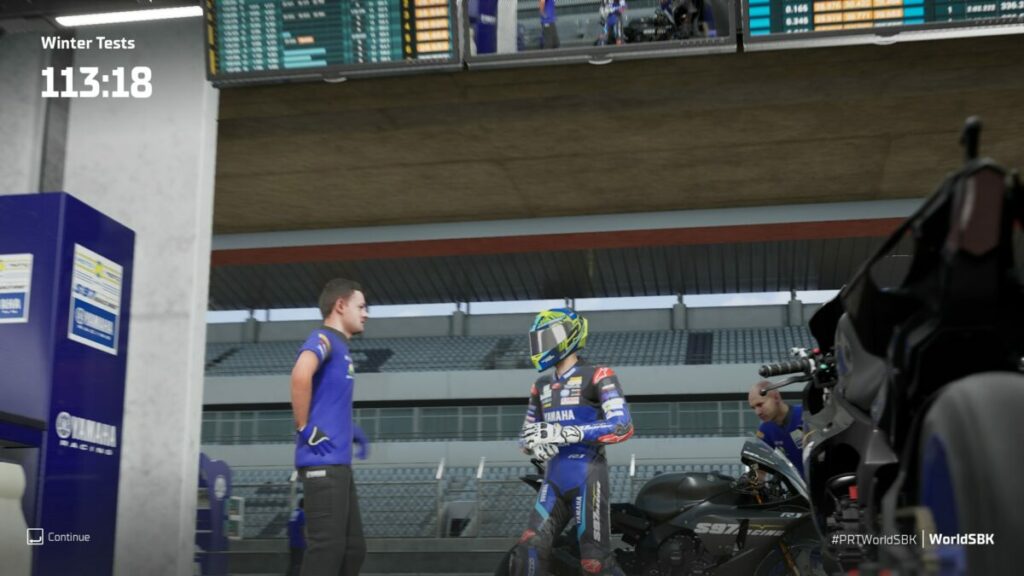
The one element of SBK 22 you’ll probably not pay much attention to while racing is the surrounding environment. If you can peel your eyes away from the track for a moment, you’ll discover how many details there are. Even the garage and factory have beautiful visuals.

Realistic visuals and liveries

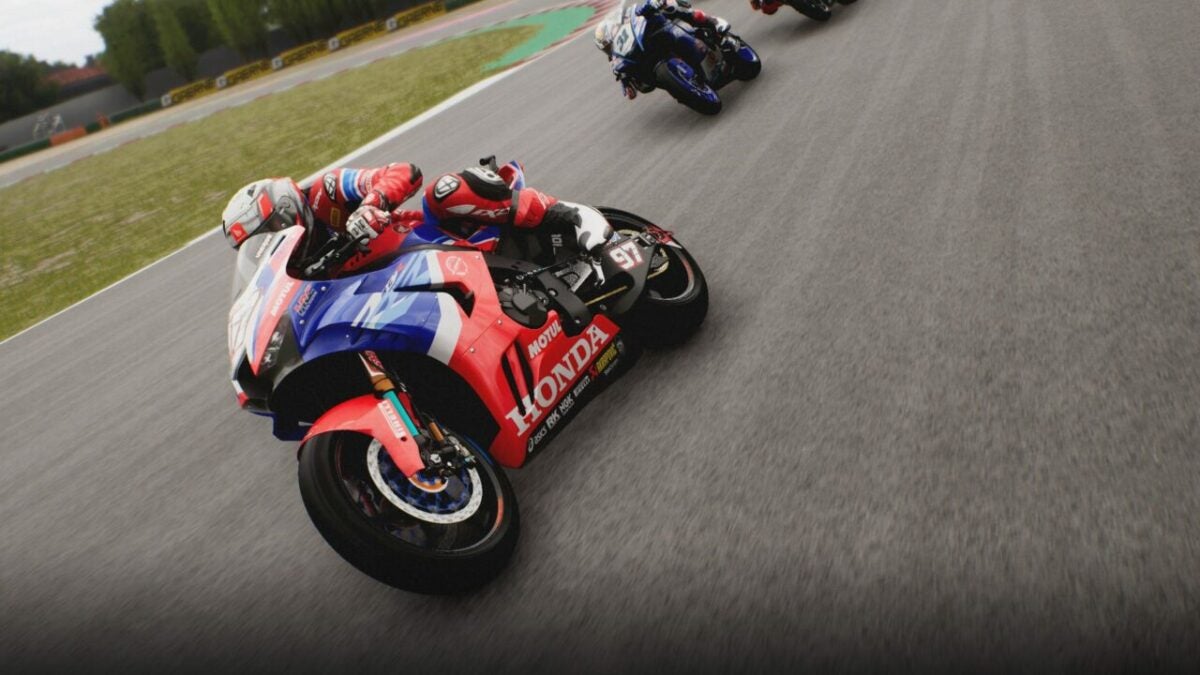
Where SBK 22 outshines the competition is with the liveries and visuals. It will look like you’re on a real superbike, racing down the track with the fans adoring you. Even the racers look pretty good, in the factory and on the bike. 

SBK 22 review

Beautiful tracks and environments

The tracks and buildings also look spectacular in SBK 22. You might want to pull over to the side and just spend time admiring how much work the developers put into the game. There are even dirt run-off areas for when you go off the track, which you’ll do plenty of. Even crashing presents realistic visuals.

SBK 22 review

Roaring sounds

Fans of the real SBK 22 championships will love the sound of the engine around the tracks. You’ll hear it rev high and low as you take corners and speed on the straights. The pits also have accompanying realistic sounds, while you wait anxiously to get back on the road.

SBK 22 review

Final Verdict of SBK 22

As you can tell from my SBK 22 review, I have mixed emotions about the racing game. On the one hand, I want to enjoy it as much as the Formula 1 series. The excitement of winning the championship is there, but there’s just too much frustration. I feel like I need training wheels just to get the hang of slowing down and turning bikes into corners. If you’re used to motorbike games, you’ll undoubtedly enjoy the bikes and tracks.

There are other games I’ve reviewed that I enjoyed more, which you can see on my Shaun M Jooste Softonic page. You’ll also see guides and news listed there. My favorite games I’ve reviewed so far are Metal Hellsinger, Mirror Forge, and Dune: Spice Wars.

Pros

  • Based on real tracks and racers
  • Presents realistic graphics and physics
  • Career provides a progressive experience
  • Stunning sounds and effects

Cons

  • Handling can be challenging even on easy
  • Tutorial doesn’t really help
  • Not for newcomers to the motorbike racing scene

Developer: Milestone S.r.l.

Publisher: Milestone S.r.l.

Game Modes: Single-player, Multiplayer

Platform reviewed: Windows 11 – Steam

Return to Monkey Island review | Puzzle adventure fun

Return to Monkey Island is a point-and-click adventure game that sees the return of Guybrush Threepwood. Developed by Terrible Toybox and published by Devolver Digital, it launched on September 19, 2022. The story continues years later with the pirate hero setting sail again to the mysterious island.

Return to Monkey Island DOWNLOAD

With a similar but different art style and upgraded visuals, you’ll uncover clues to solve puzzles and help some friends along the way. The gameplay is easy with a few nostalgic elements from the previous five games. Stay tuned as I take you on a swashbuckling adventure in this Return to Monkey Island review.

Return to Monkey Island: The hero is back

Let’s start with my favorite part of all games: the story. Return to Monkey Island Island continues from the first five games, years later after Guybrush Threepwood defeated the zombie pirate LeChuck once again. It’s time to see how our hero has been faring.
The tale of a father

Return to Monkey Island starts with two children running around and investigating a small island. Eventually, they reach an aged Guybrush Threepwood. One of the boys is his son, and he wonders why his father never discovered the secret of the mysterious island.

It’s then that Guybrush decides to tell him another story, one where he returned to Monkey Island to finally discover its secrets. While he’s narrating the tale, you’ll see them now and again in the park as they discuss plot elements.

Return to Monkey Island review

Heading back to Monkey Island

After Guybrush’s last adventures before the Return to Monkey Island, he ended up on Melee Island. Elaine Marley, the love of his life, has turned away from governing the island, and our hero doesn’t know what to do with himself. That’s when he discovers LeChuck and his zombie horde have a ship that’s heading back to Monkey Island.

Determined to discover the island’s secrets first, Guybrush embarks on a plan to get there. You’ll spend the first part of the game working out how to reach the island, before spending time on a ship on your way there. When you return to Monkey island, that’s when the real adventure begins.

Return to Monkey Island review

Finding Trivia cards

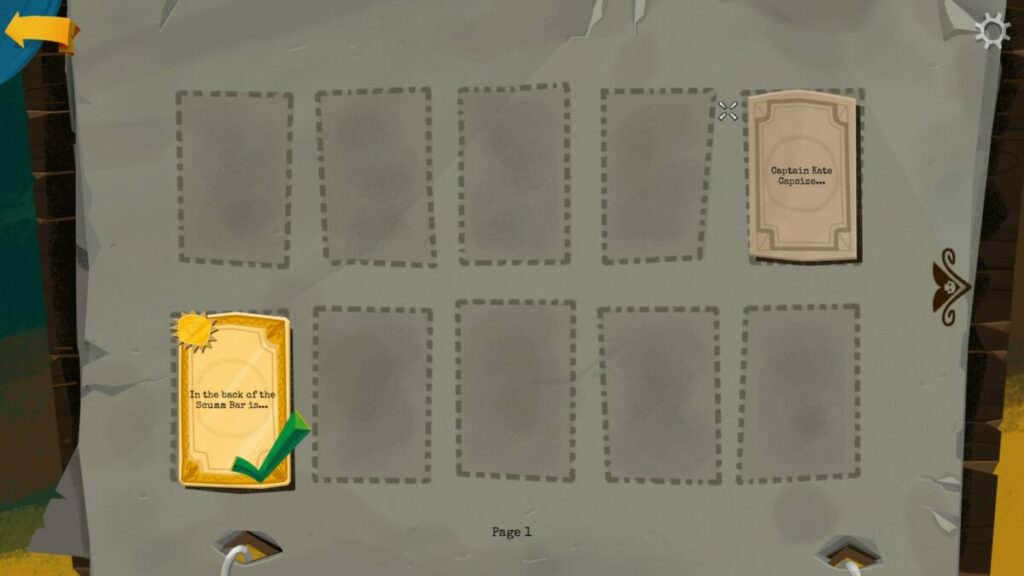
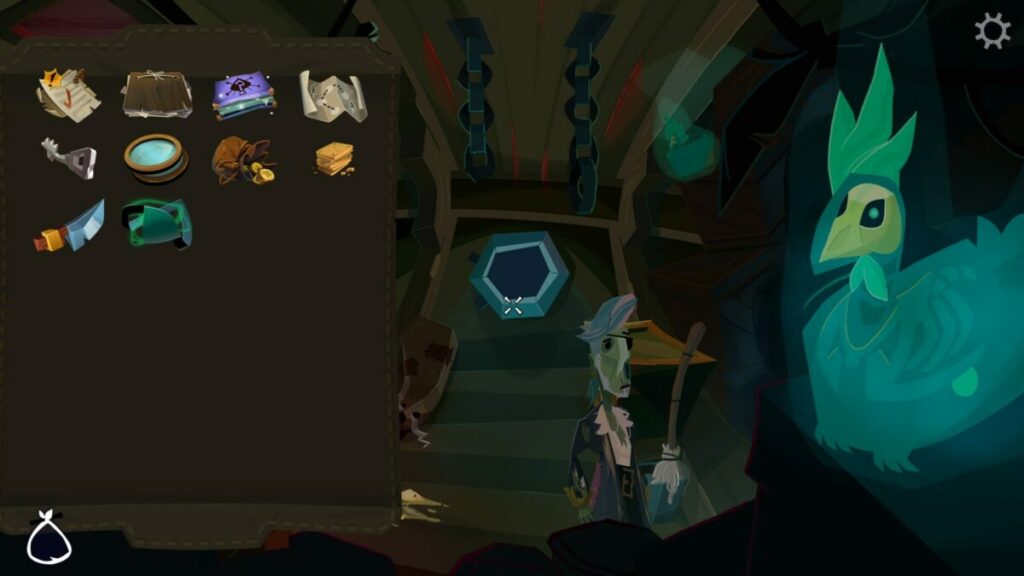
What’s the fun of playing a game if you don’t learn anything? As you play Return to Monkey Island, you’ll discover Trivia Cards along the way. They ask you multiple choice questions, and you’ll get a tick if you answer correctly. For some reason, getting it wrong makes the card vanish, so be careful

Return to Monkey Island review

Scrapbook memories

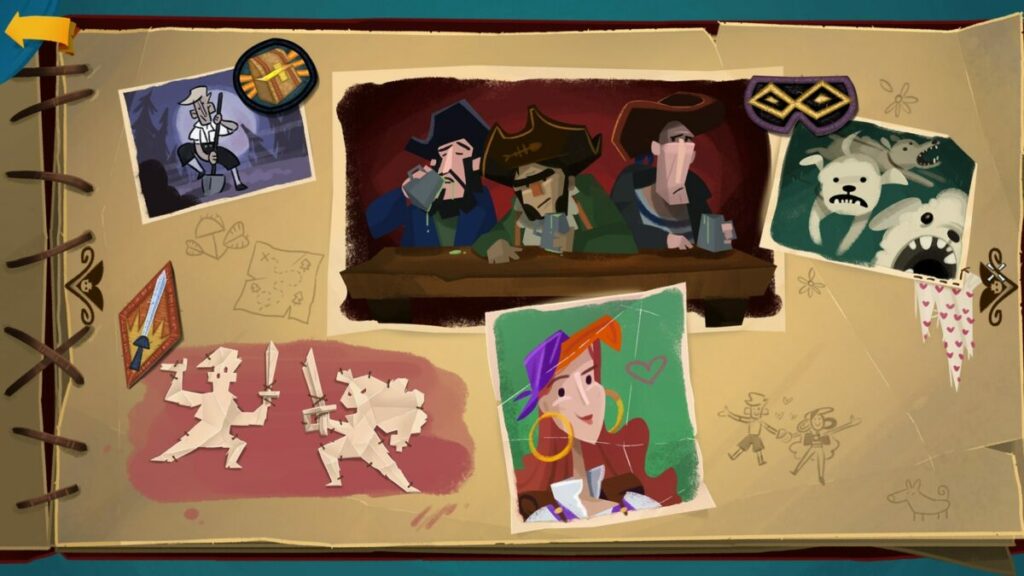
There’s a special treat for newbies to the series and those who’ve played the previous games. The main menu of Return to Monkey Island has a scrapbook section. When you click on it, you open a book with memories from the former titles. Selecting images will have Guybrush explaining what happened in each adventure.

Return to Monkey Island review

How does it take to play Return to Monkey Island?

Do you just want to complete the story, or is collecting every trivia card and exploring every part of the islands important to you? If you’re in the former group, Return to Monkey Island will take about 7 to 9 hours to play. Should you want to play the game to completion, you’ll see about 11 to 13 hours of gameplay. It also depends on how long it takes you to solve the puzzles.

Finding answers in Return to Monkey Island

That’s as much as you need to know about the story elements for Return to Monkey Island. Now, I’m going to explore some of the gameplay mechanics. Veterans of the series will quickly see how alike it is to previous titles.

Return to Monkey Island tooltips and hints

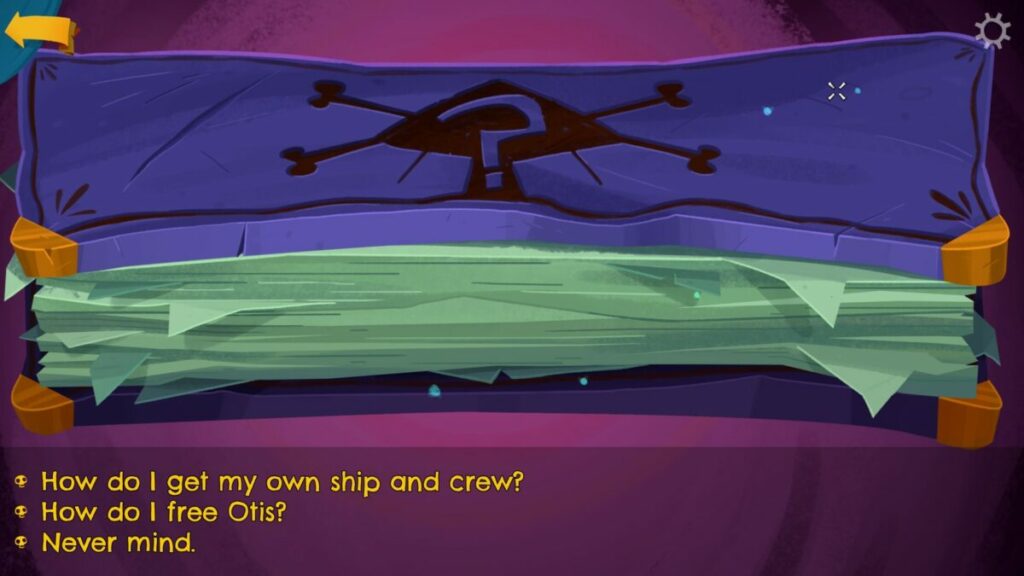
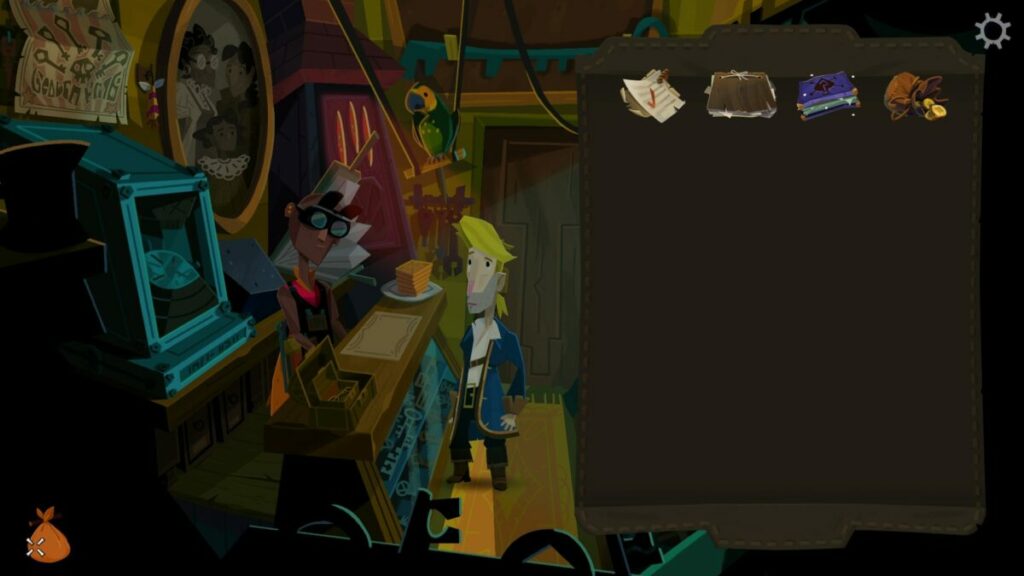
If you’ve never played a game in this series, Return to Monkey Island might scare you a bit at the start. It requires you to think and determine what to do next, even when it looks like there’s nothing left to do. Fortunately, you’ll see tooltips now and again when hovering your cursor over items. Also, you’ll have a hint book to guide you.

What I love about the hint book is that it doesn’t outright give you the solution. You’ll select a question, then keep selecting more questions until you reach the answer at the end. Return to Monkey Island wants you to try and find the solution on your own before telling you what to do.

Return to Monkey Island review

Pointing and clicking

The main way you’ll play Return to Monkey Island is by pointing and clicking at shops and items. If you’re using a controller, you can simply move the left stick to run around. Using a keyboard and mouse requires you to click on the screen where you want to walk, much like in Diablo III.

Return to Monkey Island review

Puzzles and clues

The essence of Return to Monkey Island is finding clues to your next actions. Guybrush will always have an overarching quest, such as reaching the island. However, there are small steps along the way you’ll have to complete first. When you reach an obstacle to a mission, you’ll need to work out how to overcome it.

Return to Monkey Island review

Traversing the map

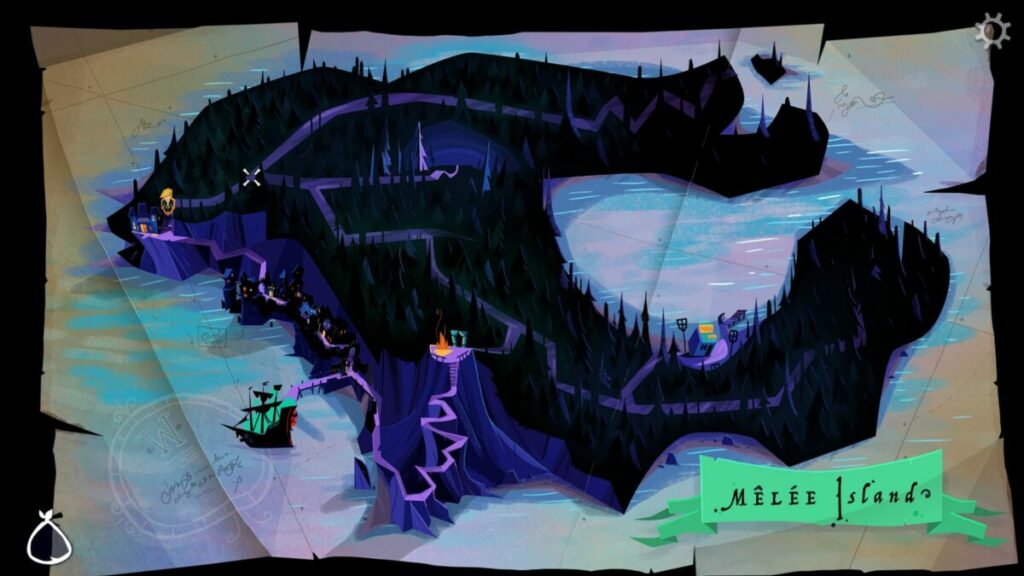
While you’ll mostly travel between various scenes, there is a way to fast travel in the game. There are locations where the island’s map opens, which is when you can move Guybrush to different areas. It’s the best way to get to where you want to be quick so you don’t waste time.

Return to Monkey Island review

Helping others

Sometimes, progressing in Return to Monkey Island means helping others when they need it the most. Some quests require you to help NPCs with fetching items or doing something for them. I recommend you perform these menial tasks, as they usually result in a reward that will help you with a future puzzle.

Return to Monkey Island review

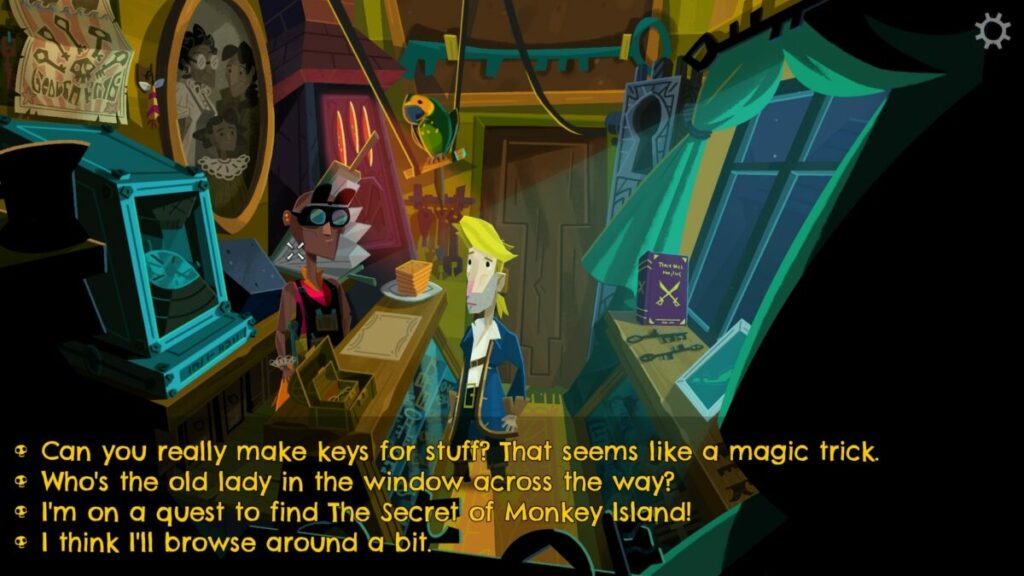
Searching everywhere and speaking to everyone

Here’s a quick tip for you. I know this Return to Monkey Island is meant to provide a detailed overview of the game, but I feel this will help you if you’re stuck without going to the hint book. Don’t skip areas or chats with NPCs. Otherwise, you may end up standing for a long time wondering what to do next.

Search every location to death and talk to all characters. There’s always something that will help you continue with your tasks, even if you don’t know it yet.

Return to Monkey Island review

Games like Return to Monkey Island you’ll enjoy

Obviously, any former games will be like Return to Monkey Island, such as The Secret of Monkey Island and The Curse of Monkey Island. Some other games with similar mechanics or gameplay are Day of the Tentacle Remastered, Full Throttle Remastered, and Gemini Rue.

Be sure to check out our full list of games like Monkey Island.

PC requirements

Return to Monkey Island doesn’t have demanding requirements relative to some of the latest AAA games I’ve been seeing. As long as you have the graphics card, memory, and storage sorted, you should be fine. It plays wonderfully on Windows 11 without any performance issues.

  • OS: Windows 10
  • Processor: AMD FX-4300 (4 * 3800) / Intel Core i3-3240 (2 * 3400)
  • Graphics: Radeon HD 7750 (1024 VRAM) / GeForce GT 640 (2048 VRAM) 
  • Memory: 8 GB RAM
  • Storage: 4 GB 

Return of casual and exciting music and visuals

Every past game has had slightly different visuals and sound components, making them unique. Return to Monkey Island has a very different art style while retaining similar themes and appearances. Let me explain in more detail.

Stellar art and visuals

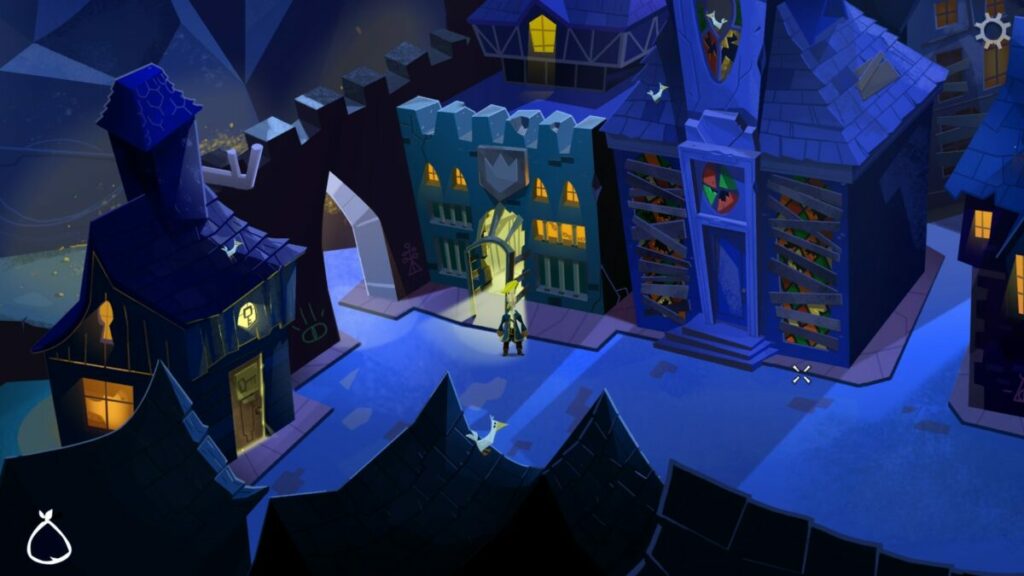
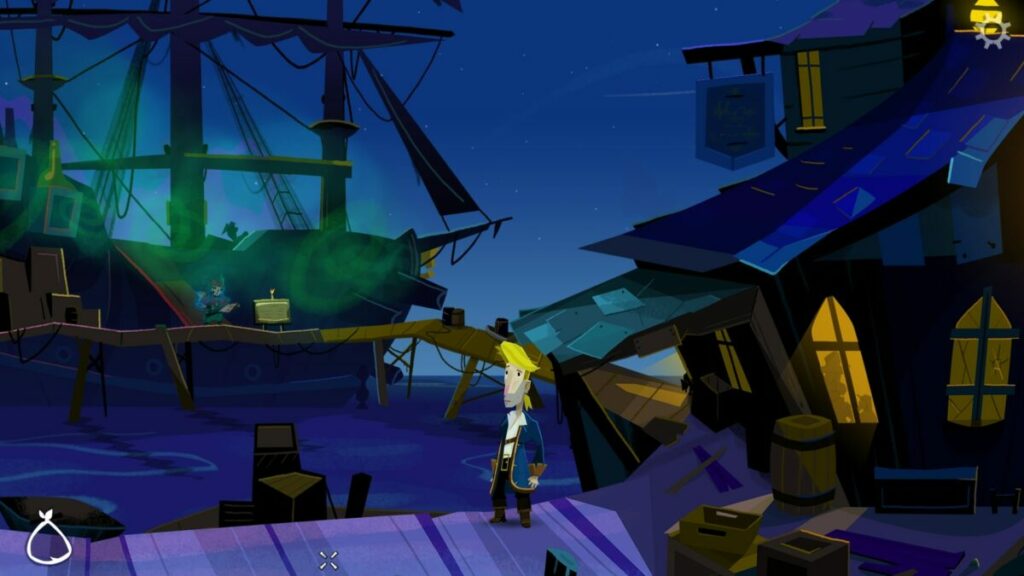
Return to Monkey Island has a mostly 2D appearance, but you can move back and forward on the screen, too. Instead of the cartoonish or animated graphics we had before, you’ll see a new style that’s hard to describe. It definitely looks like a Monkey Island game, but body parts and items look like stickers on a scrapbook page.

Return to Monkey Island review

Beautiful scenes in Return to Monkey Island

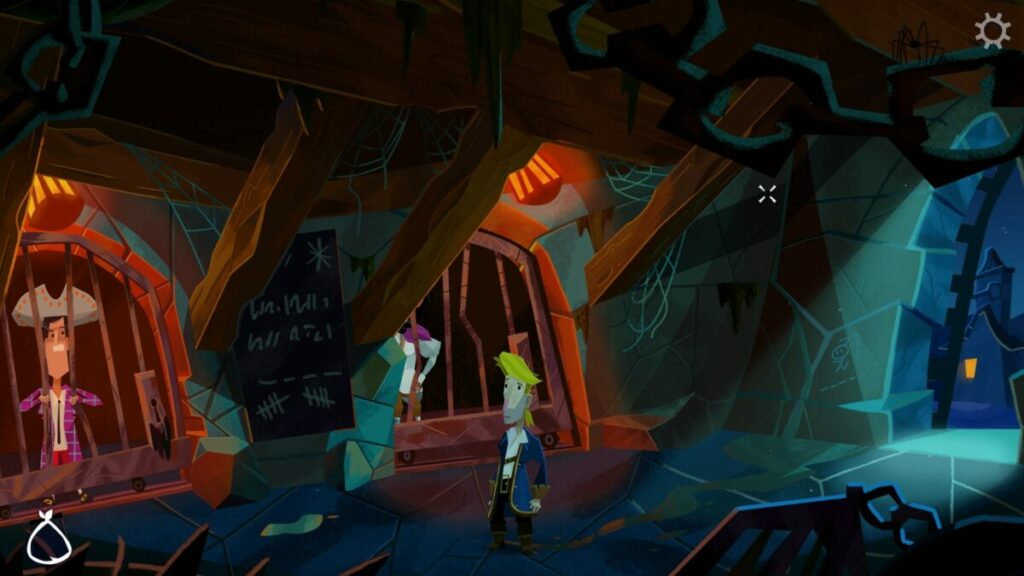
Even with this style, there are impressive scenes on the various islands. You’ll love exploring all of them to see what you’ll stumble on next. Even the items you’ll find in stores and buildings are fascinating.

Superb voice acting and music

The brilliant voice acting returns in the series, and you’ll hear everyone talking to each other to save your eyes from reading. Even the scrapbook memories have audio, with is excellent. You’ll have different music for various scenes, changing every time you enter a new one.

Return to Monkey Island review

Final Verdict of Return to Monkey Island

Return to Monkey Island is a fun adventure game that mixes a bit of the old with the new. The story will have you hooked, but you’ll spend more time on puzzles than actually following the plow. There may be times when you’re hunting around forever for the next clue, and the hint book may be your only way out. Still, it’s a masterpiece fans of the series will love.

I have plenty of other games I’ve reviewed that you may enjoy. Have a look at my Shaun M Jooste profile on Softonic for other guides, articles, and gaming news. Specifically, check out Mirror Forge, Metal Hellinger, and Dune: Spice Wars reviews.

Pros

  • Excellent storyline with engaging quests
  • Beautiful scenes and visuals
  • Challenging puzzles
  • Plenty of areas to explore
  • Helpful hint book
  • Scrapbook takes you back to previous games

Cons

  • Some areas feel impossible to solve without a hint

Developer: Terrible Toybox

Publisher: Devolver Digital

Game Modes: Single-player
Platform reviewed: Windows 11 – Steam

Hard West 2 review: What if demons plagued the Oregon Trail?

If ghosts and demons found themselves in a Spaghetti Western, it would be Hard West 2. The game brings together XCOM: Enemy Unkown style turn-based combat with RPG elements similar to Dragon Age: Origins. But it all takes place in a western-style, locomotive-powered world in Oregon.

Quick shooting outlaws, Native American tribes, and settlers all fall victim to a Ghost Train led by a demon named Mammon. It’s up to Gin Carter and his gang of spiritual-ability wielders and bullet slingers to set things right.

Hard West 2 background

The original studio behind Hard West is CreativeForge Games out of Poland. Another development studio called Ice Code Games (also Polish) produced this sequel title. As such, players familiar with the original game should expect changes in tone, style, writing, and combat mechanics.

New players should be able to drop into this hand-painted world of ghouls and flying bullets fairly easily. The three game modes (easy, hard, and nightmare) allow you to tailor your turn-based gameplay experience.

Setting & tone

While lots of supernatural things occur in Hard West 2, the game never feels very eldritch or spooky even. The atmosphere is ghostly, at times, but overall, the game feels more Western than Ghost Story (if you want a genre).

Hard West 2 story

The original game had a less straightforward story than its sequel. Fans of the unique narrative devices and non-linear story in Hard West may find Hard West 2’s pivot into linear story-telling a bit jarring. However, others may find the straightforward objective-based narrative easier to grasp.

It all revolves around Gin Carter — a generic feeling, gambling outlaw with big ambitions. He gathers his haphazard “posse” or group to fight Mammon and potentially help others in the world.

How long to beat Hard West 2

This title is an RPG, so your decisions can affect your gameplay to some degree. However, the base campaign is fairly straightforward and can be completed quickly even at a leisurely pace.

  • Main campaign: ~19 – 23 hours
  • Main campaign with side quests: ~22 – 25 hours

Hard West 2 performance

The game runs very smoothly even on older hardware. The overworld can tend to lag if you try to move the camera while also moving units. But overall, the game does not stutter or lag.

Combat can get a bit overwhelming from a visual perspective, but this is not reflected in gameplay performance.

Hard West 2 gameplay & functions

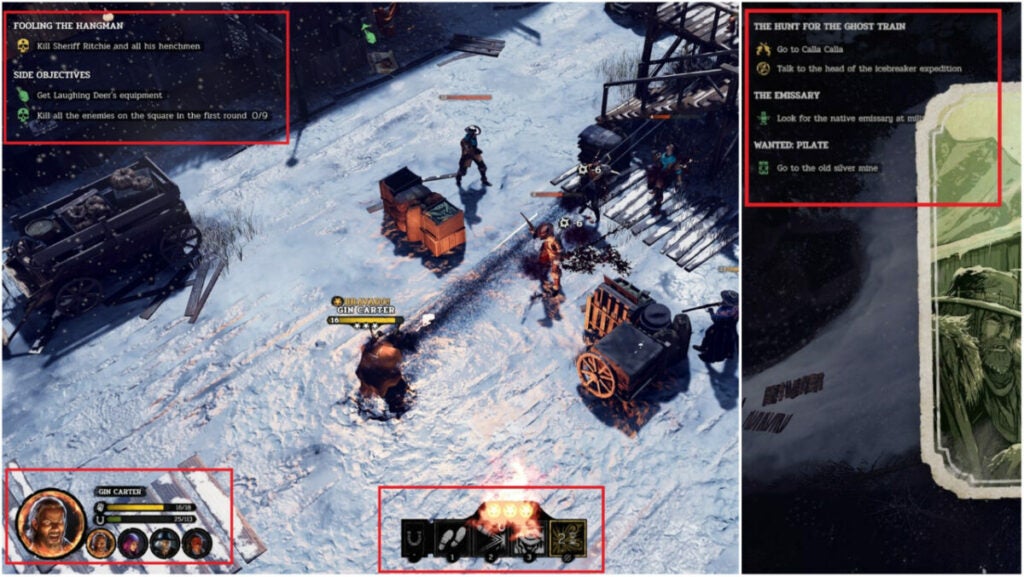
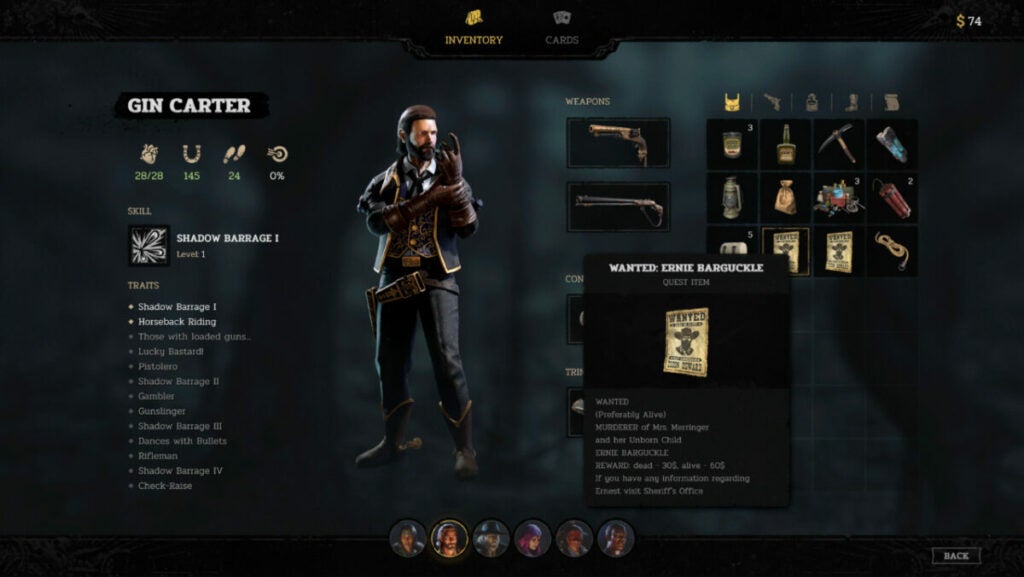
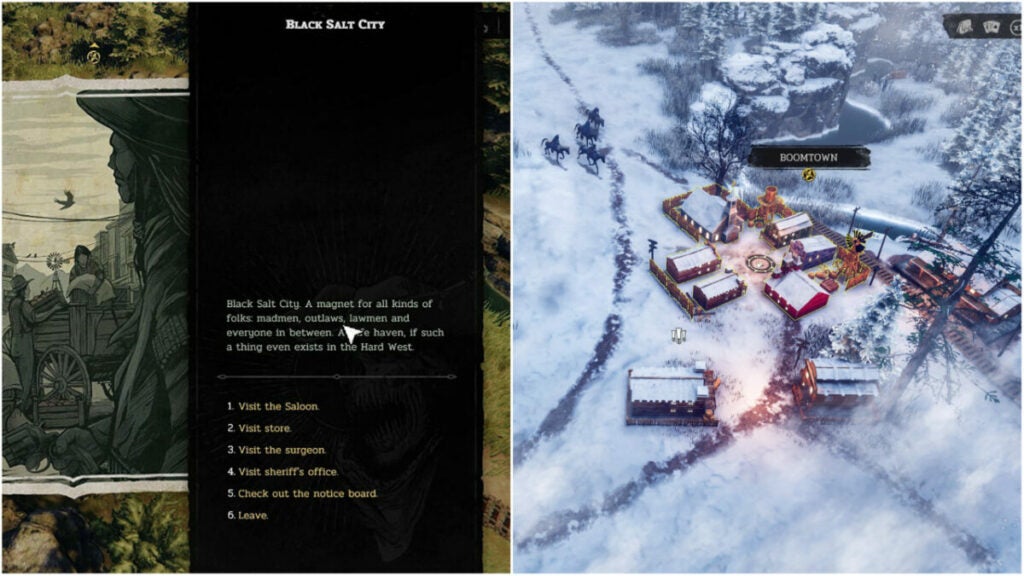
This title includes a very simple UI with Inventory, Cards, and not much else. The Overworld and combat UI have a running Quest list for reference in the top left. Each character icon can be found in the bottom left with the action hub in the bottom center of the screen.

This simplicity helps the world feel more engaging and makes it easier for players to disappear into the game.

Though there is not much in the way of character customization, trinkets and cards help flesh out this aspect of the game.

Cards & trinkets

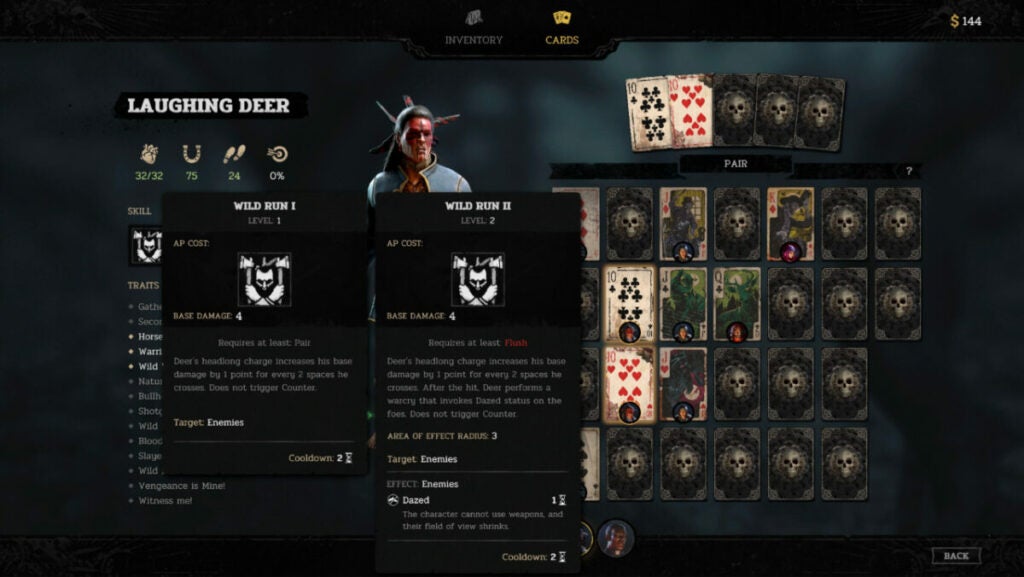
RPG veterans will instantly know how trinkets work as they are like accessories in other titles. These items grant characters additional stat boosts such as increased hit points, speed, or luck capacity. The cards, however, play a more integral role in a character’s combat prowess.

For instance, in the above image, you can see that Laughing Deer requires a Pair for his “Wild Run” ability. But a Flush will empower “Wild Run” even more. Each character gets unique abilities based on which cards you equip on top of the basic boosts such as additional hit points, luck, speed, etc.

Key mechanics

  • Companion Loyalty Points: the character screen will show a person’s abilities and stats, but also what their closeness level is with Gin. Having better relationships with people can give them new abilities or buffs.
  • Ability Points: players familiar with turn-based titles will know that ability points are how you do things in fights. Typically, each character has just 3 ability points and things like attacking, moving, or using items take between 1 and 3 points each.
  • Bravado: the Bravado system lets players chain kills by refreshing all ability points spent upon slicing down an enemy. It’s crucial to accomplishing certain side or main objectives.
  • Luck: this system featured heavily in Hard West 2, but feels like an afterthought now. If characters miss shots, they gain Luck that can be used later on to increase hit or crit chance on enemies.
  • Combat vs. Charisma: since this is an RPG, players sometimes have the option of simply talking their way into or out of a situation instead of fighting. Though the occurrences are fewer or depend on companion loyalty points, it’s a nice option to have when you do.
  • Sidequests & Bounties: as with other RPGs, Hard West 2 features many optional sidequests. This includes hunting down other outlaws — usually for money or loot.
World, sound, & character design

World design: Familiar without feeling stale

Fans of the Western genre will appreciate all of the references and easter eggs found throughout the game. But the developers also did a wonderful job making the world feel desolate while still possible to survive. The characters surviving off the land are hardened, but not crass. They work hard and they’re rough around the edges.

Each shack you discover or town you encounter feels original. In fact, these supplementary characters can often feel more real than the playable characters.

Sound design: Inoffensive music with great effects

All games with weapons should feature satisfying noises such as bullet drops, shots firing, etc. Hard West 2 makes Bravado streaks feel ultra worth it with great sound effects. The combat music hums in the background with all of the focus on character action.

However, everything else in the game feels like an afterthought. There is not much in the way of music or Overworld sound effects such as whistling, wind, or even a cheeky hawk call.

Character design: Out of touch with reality but in touch with the game’s world

The playable characters in Hard West 2 fit the setting and tone very well. Quest-giving NPCs are usually just talking heads with painterly-style avatars. Enemy types do become very familiar over time, but combat doesn’t become boring as a result. The biggest issue with characterization is with Lazarus, Laughing Deer, Cha’lish, Flynn, and the combatants known as the Shadow Dancers.

Flynn’s voice lines vacillate from peculiar and unfitting to dark and edgy for seemingly no reason. She will say “Smart!” when you move her somewhere. Gin’s characterization is also a bit by-the-book. He’s like Dutch from Red Dead Redemption 2 with less personality.

In the same vein, Cha’lish, Laughing Deer, and the Native American enemies have stereotypical writing with lackluster voicework. Though the character backstories are interesting, this can distract players and sap them out of the Hard West 2 world.

Some players may also find that Lazarus falls under the “Magical Minority” trope where a person of color (usually a Black or African American person) is connected to the supernatural or acts as a magical guide for the main character.

Verdict: Hard West 2 is fun if you can look past some…quirks

For the full price of $29.99 USD, Hard West 2 feels like a solid value if you want a turn-based RPG. The setting of the weird, ghostly West is quaint, but never feels truly lived in. Despite this, the combat will keep you coming back for more.

The attention to detail in the Overworld, unique weapon designs, and other elements like Flynn’s hypermobility or Cha’Lish’s spirit distraction ability invigorate the experience.

PROS

  • Fans of games like XCOM 2 will appreciate the addictive turn-based combat and unique character abilities.
  • The RPG elements, while simplistic, feel rewarding all the same.
  • Discovering things across the Overworld injects a fun variety into the text-based character interactions.
  • The inventory system is refreshingly simple and there are many opportunities to find stores balanced with scavenging money and resources.

CONS

  • The representations of women and Native Americans are not as nuanced as they should be. Lazarus may also fall under the trope of the “magical minority” for some.
  • Fans of the original game may not appreciate how diminished the Luck system has become in favor of the Bravado system.
  • Missions can feel very feast or famine in that, if you do not set up the dominos to fall all at once, you can snowball quickly into failure.
  • The battle UI is not always clear between moving and attacking. Much of this confusion comes down to awkward camera angles.

Developer: Ice Code games

Publisher: Good Shepherd Entertainment (formerly Gambitious Digital Entertainment)

Game Modes: Single-player
Game Engine: Unity
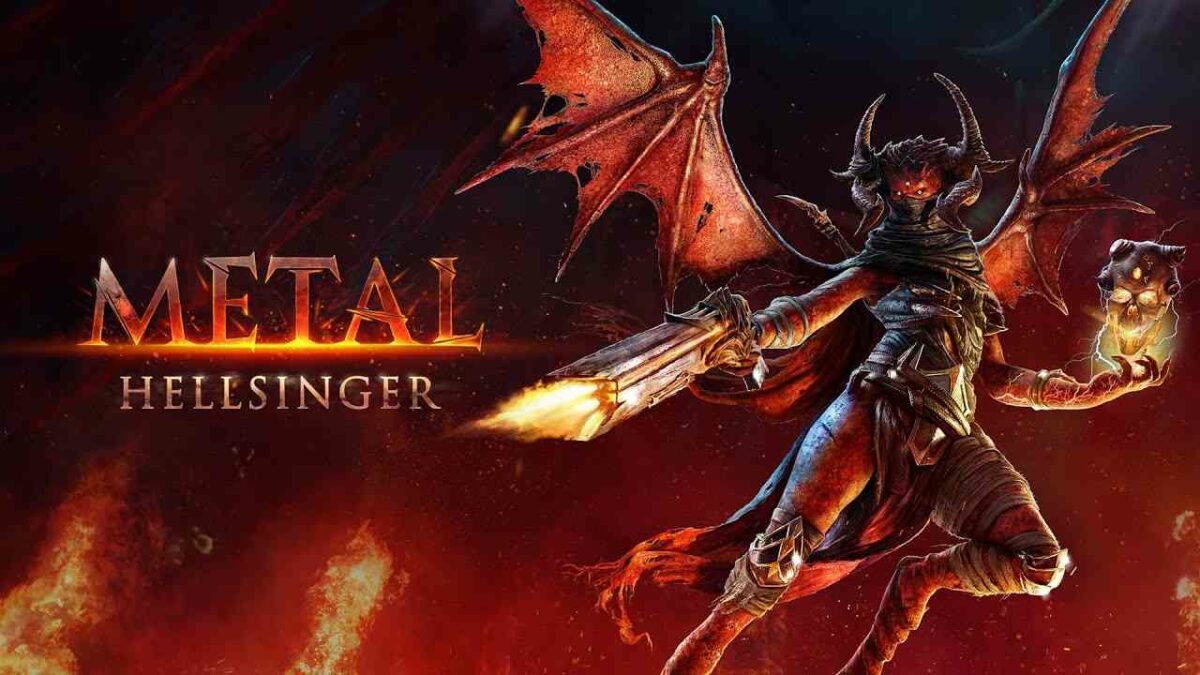
Metal Hellsinger review | Dark musical action

Metal Hellsinger is a first-person shooting rhythm game developed by The Outsiders and published by Funcom on September 15, 2022. It features a human-demon hybrid called “Unknown” who’s lost her voice after being locked in the deepest bowels of hell. With music, magic, and mayhem on your side, you’ll face every demon in hell as you plan your escape.

Metal Hellsinger DOWNLOAD

With eight levels of hell to surpass, there are Torment levels on each stage for unlocking sigils. You’ll amass unholy weapons along the way, while you also unleash demonic powers. It’s an intense game where attacking at the right time of the beat is crucial. Stay tuned for more details in this Metal Hellsinger review.

Metal Hellsinger: A story of hell and chaos

Have you ever wanted to take a journey into the heart of hell and destroy every demon in your path? You’ll find such a story in Metal Hellsinger, but with the Unknown taking vengeance on those who locked her up. Let’s take a closer look at the campaign.

Revenge and music

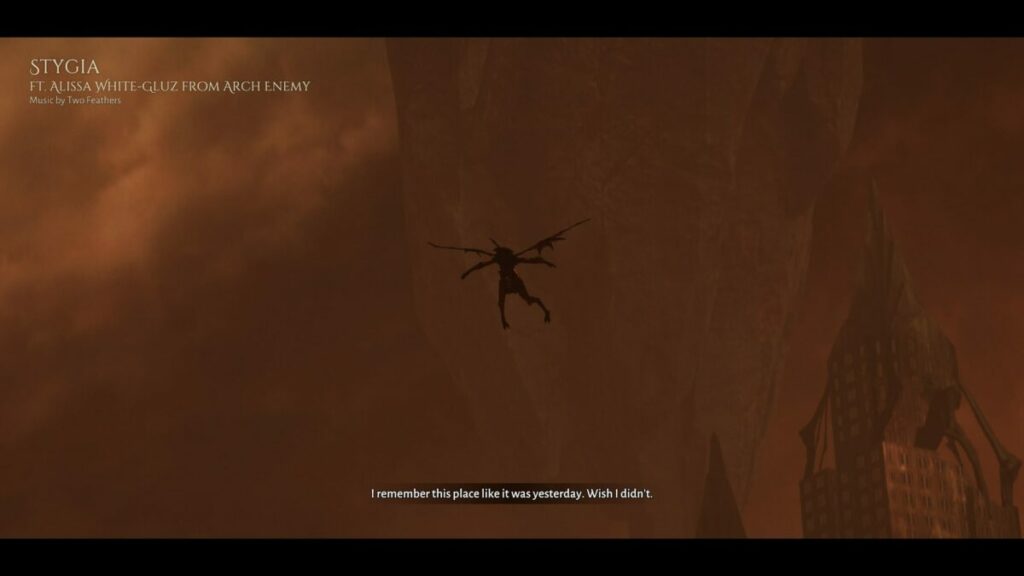
Unknown has a powerful voice, one that could seduce and destroy at the same time. Unfortunately, the Red Judge decided to remove her ability to sing while locking her in the darkest pits of hell. What the demons don’t know is that you have other abilities you can use while you seek to reclaim your power.

Music drives your power, which is why you’ll kill to the beat of songs for perfect kills. It burns in the souls of your weapons, slaying any enemies that stand before you. The more you kill, the more powerful you become.

Metal Hellsinger Review

A bestiary of demons

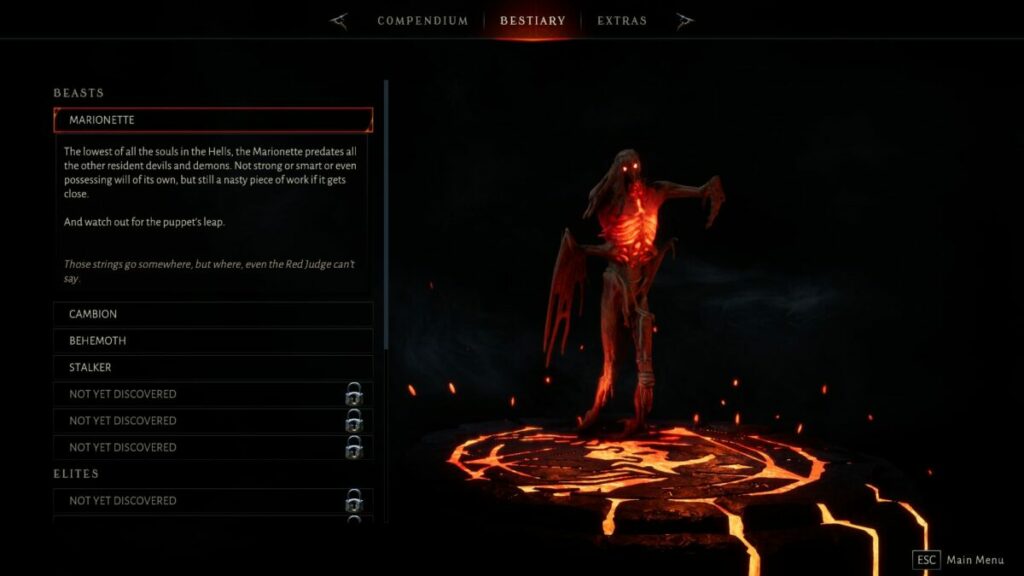
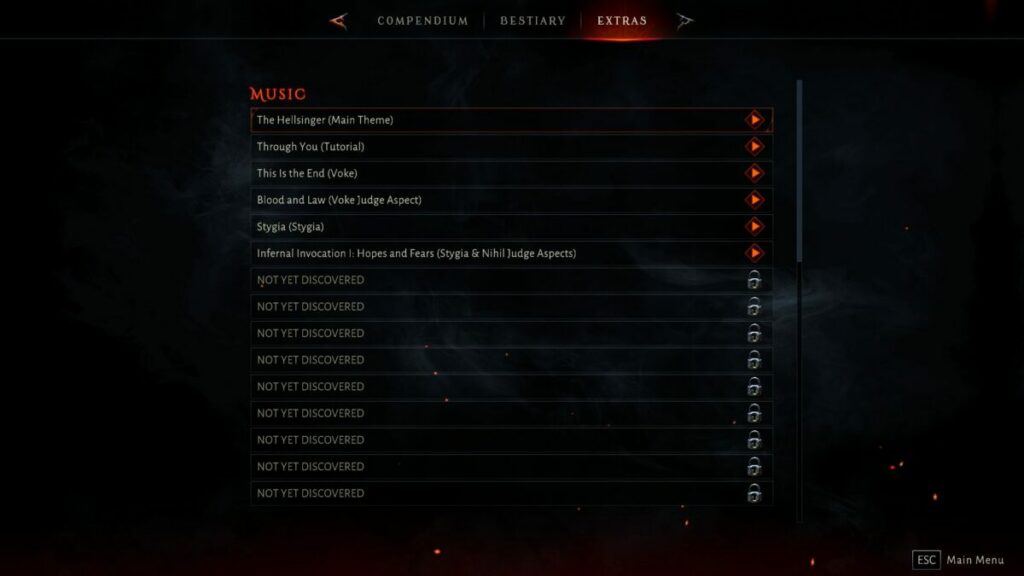
One element of Metal Hellsinger that I love is the bestiary. There are hordes of demons to find and defeat, which unlocks them in your lore book. You can view and read more about them, completing your collection. It’s an honor when you finally have the heads of all bosses in your book.

Facing the Red Judge

All good, and evil, things must come to an end. You’ll traverse every level in hell, each with a different element. It’s all in an effort to face the Red Judge and make it pay for what it did to you. Do you have the strength to defeat all its minions for a final confrontation?

Metal Hellsinger Review

Unlock your Torment

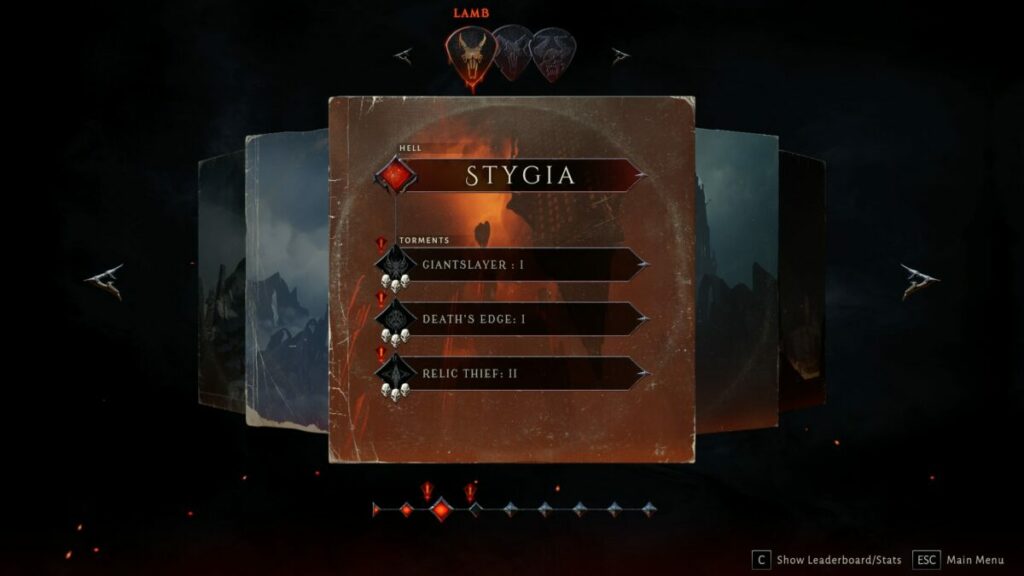
With every stage in hell you complete, there are Torment levels to enjoy. These stages will test your skills and determination as you compete against the clock against specific demons in an arena. If you succeed, you’ll receive powerful sigils to help you on your dark quest.

Metal Hellsinger Review

How long does it take to play Metal Hellsinger?

The easy answer is that it will take you at least 4 hours to complete all levels of Metal Hellsinger if you quickly master the stages. However, many of them are really challenging, and this doesn’t include the Torment areas. If you’re a completionist, it can take you anywhere between 6 to 8 hours.

Killing to music in Metal Hellsinger

You now have the basic concept of what Metal Hellsinger is all about. It’s time to get into the grittier part of my review, detailing the mechanics and what you’ll find in each level. As a bonus, you might even learn how to master the game with some tips.

Learn how to play Metal Hellsinger

An important aspect of any intense game like Metal Hellsinger is having a tutorial. Fortunately, the narrator, Troy Baker, is quick to add some tips on how to play with snide comments to match. You’ll also receive on-screen explanations for abilities and weapons whenever you encounter them for the first time. If you forget, the Codex has detailed explanations of each skill, spell, and weapon.

To the beat of the music

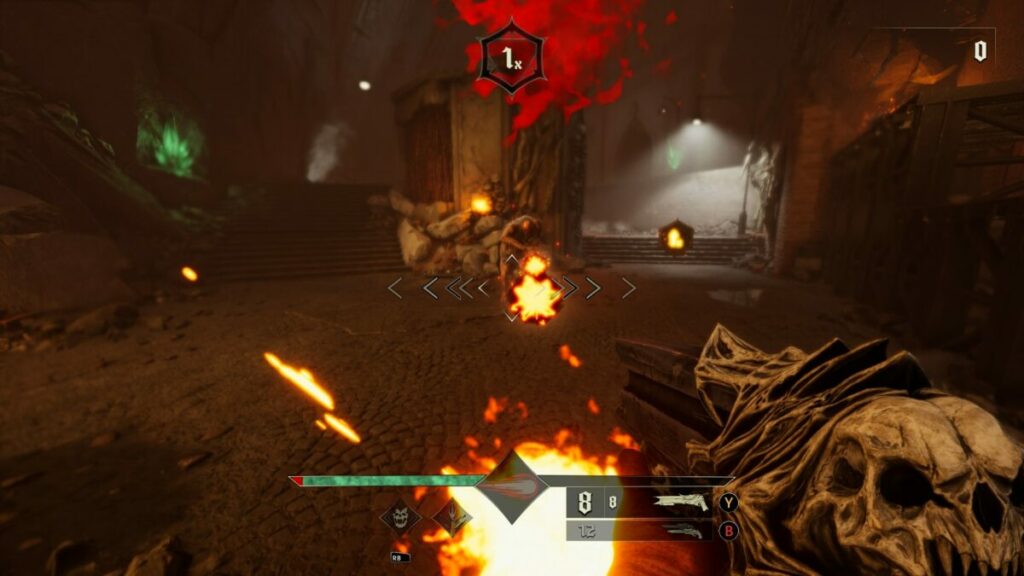
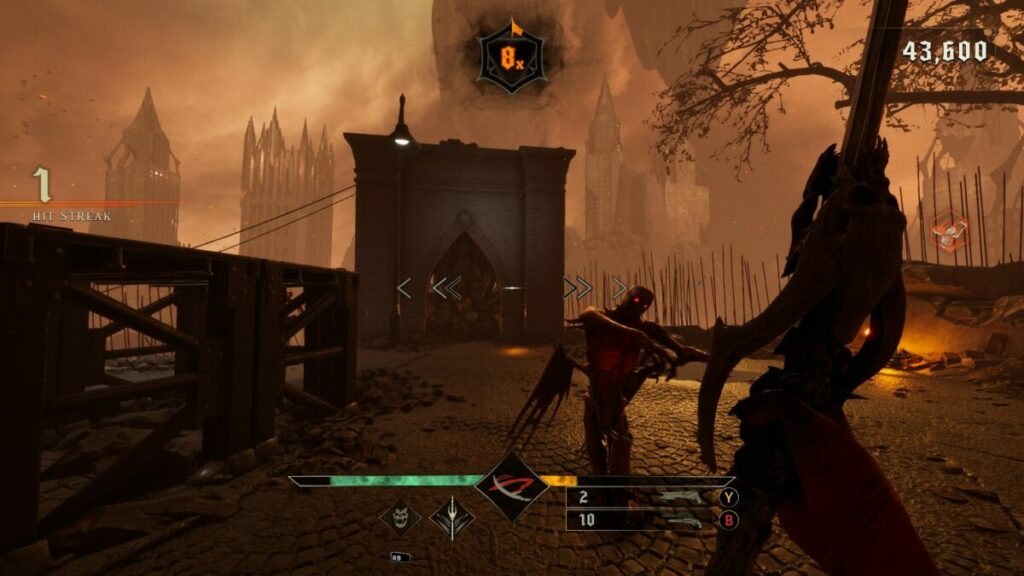
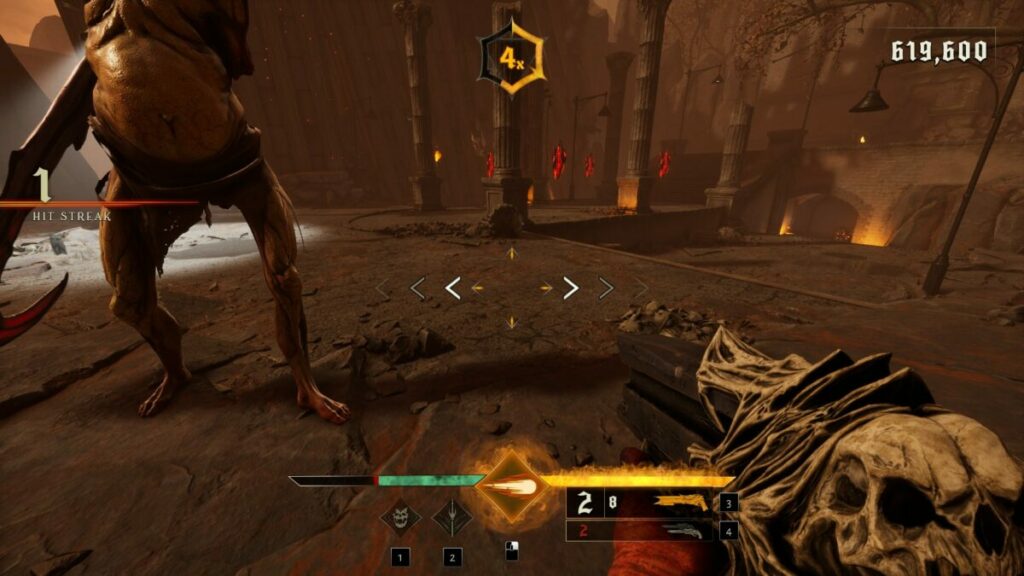
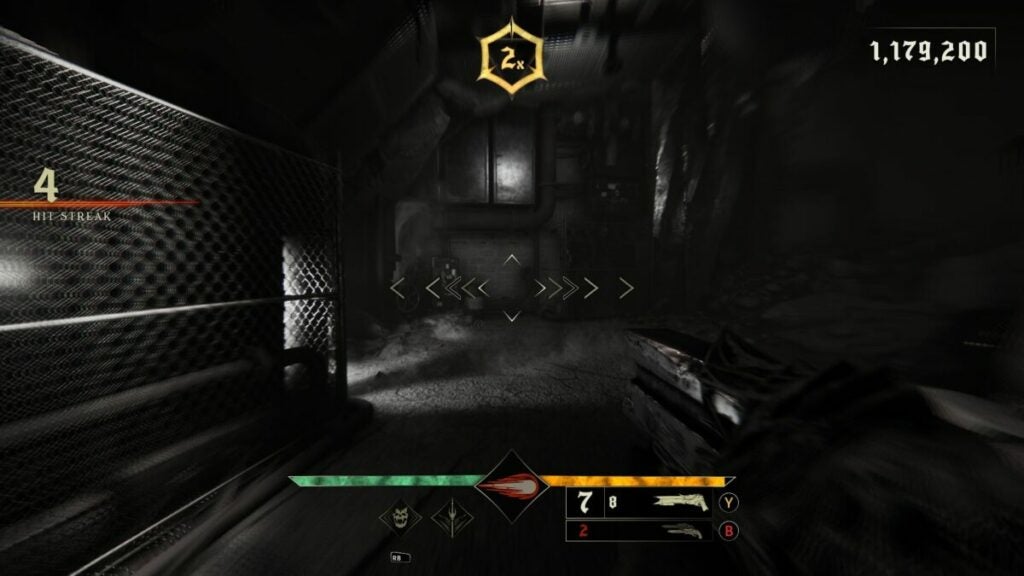
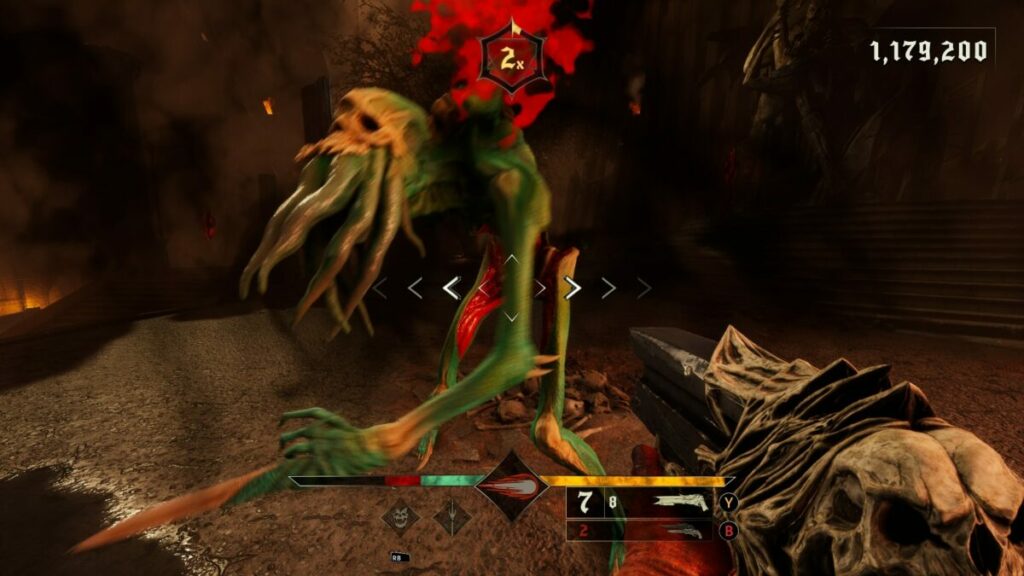
Here’s the crux of Metal Hellsinger. In the center of the screen is your aiming cursor, and on either side there are arrows. They’ll flicker to the beat of the music, which is important for defeating the demons. If you manage to hit or shoot exactly when it reaches the middle, you’ll have a perfect strike.

These attacks are more powerful when you get them right, which means you won’t have to work too hard in killing your foes. I find it helps to tap your foot to the beat of the music and strike on every tap where possible. Some weapons can only shoot on every second tap, plus you need to account for reloading.

Metal Hellsinger Review

Finding new weapons with demonic power

As you progress through every level of hell in Metal Hellsinger, you’ll discover new weapons with different powers. You’ll need to get those perfect hits to fill the power meter. As soon as you see it’s ready, you can unleash it on your enemies, but you’ll need to make sure you do so at the right time against the right opponent. Don’t waste them on minions unless you need to.

Metal Hellsinger Review

Fury and health in Metal Hellsinger

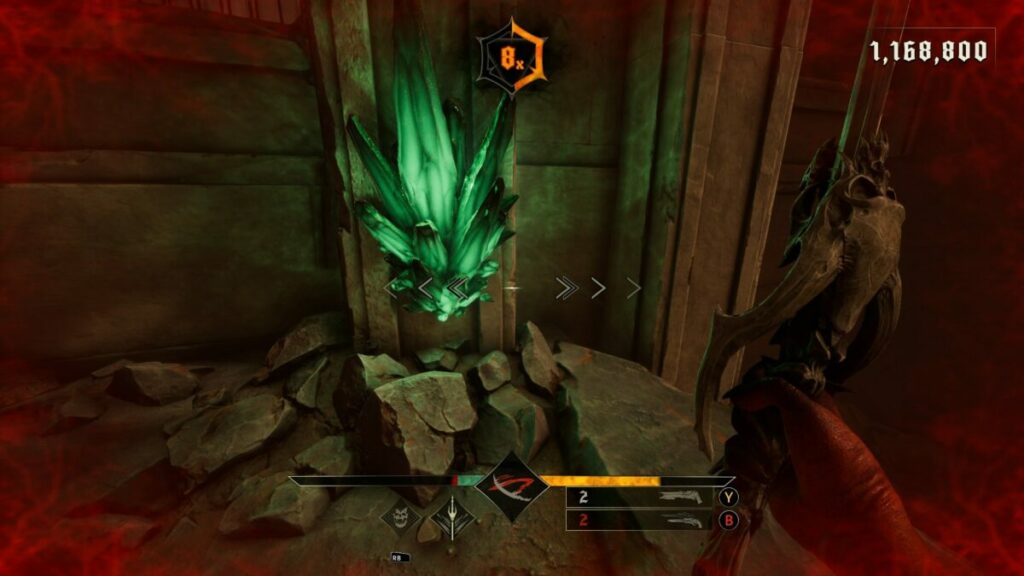
Staying alive is essential in Metal Hellsinger. Well, as alive as you can be in the pits of hell. While enemy attacks will reduce your health, there are two ways you can refill it. Green crystals replenish your health bar quickly, but there aren’t many of them. You’ll need to kill demons while they’re stunned for more.

While you fight and defeat enemies, you’ll unlock fury for your weapons. It’s essential that you get as many perfect strikes as you can to fill the meter as quickly as possible, especially for the boss battles. 

Metal Hellsinger Review

Unlocking and attaching sigils

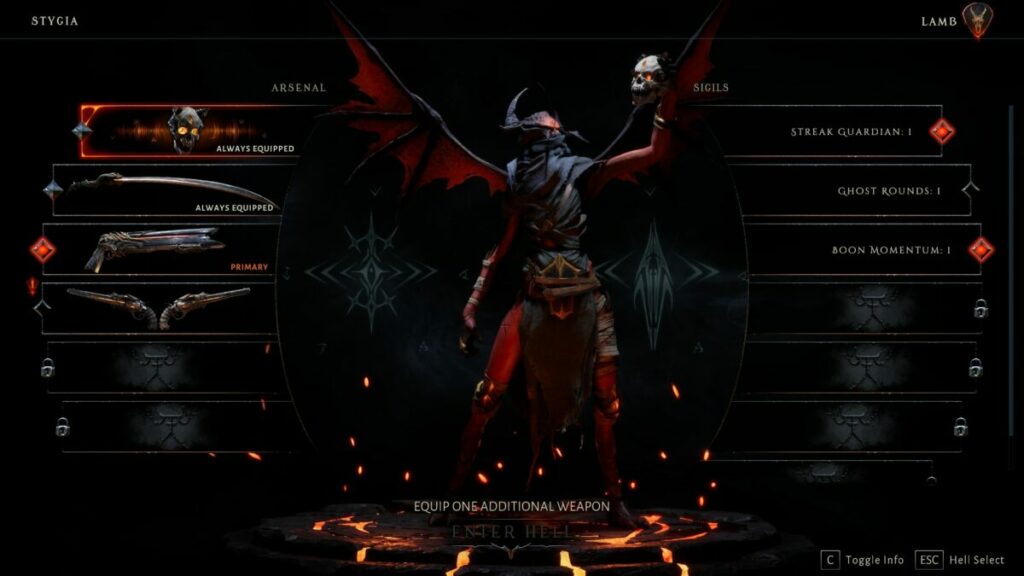
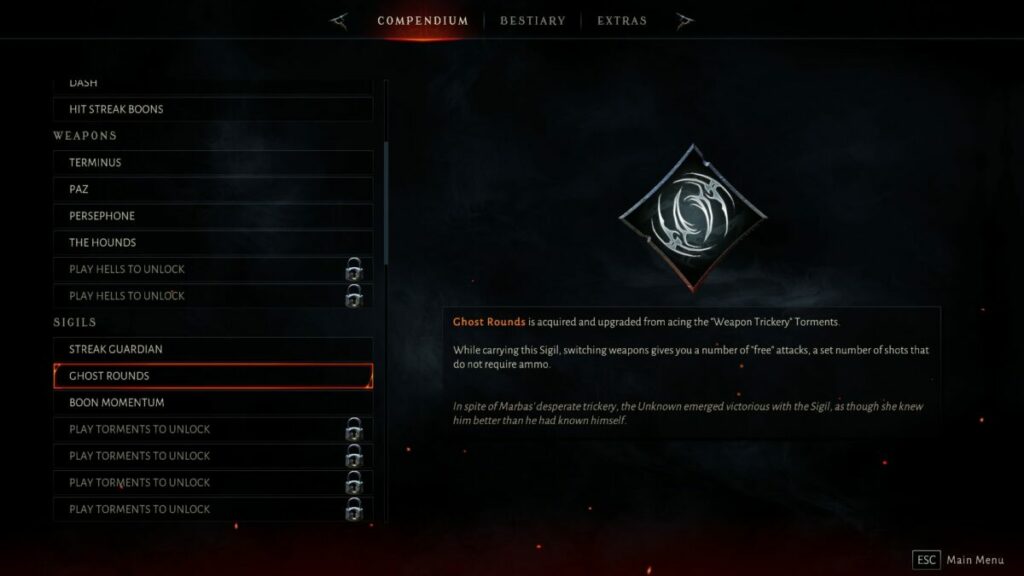
Sigils are unique and powerful objects in Metal Hellsinger that you can attach to the Unknown on the loadout screen before each level. You can only acquire them in the Torment levels. I suggest you complete them as soon as you finish a stage, as it will help you progress through the other levels more quickly.

Metal Hellsinger Review

Facing bosses and minions

The objective of each level is to battle all the elemental minions until you reach the boss at the end. The boss may be powerful, but it’s usually surrounded by more lower-level demons. They’ll help in keeping your fury and health high, giving you more time to defeat the boss. Once you win, their heads are added to your bestiary.

Metal Hellsinger Review

Games like Metal Hellsinger

The game that Metal Hellsinger reminds me the most of is BPM: Bullets Per Minute. In terms of demonic shooters, you’re looking at titles like Doom Eternal, and Quake 4. If you just like dark games in general, Cult of the Lamb is a fun title to try. 

PC requirements

With all the action on the screen with the impressive visuals and sound, don’t expect low PC requirements for Metal Hellsinger. It needs quite a bit of storage and memory, as well as a decent graphics card. With the right settings, you won’t experience lag.

  • OS: Windows 10
  • Processor: Intel® Core™ i7-6700K / AMD Ryzen™ 5 1500X
  • Graphics: NVIDIA® GeForce® GTX 1060 / AMD Radeon™ RX 5700
  • Memory: 8 GB RAM
  • Storage: 15 GB 
  • DirectX: Version 11
  • Other details: 60 FPS in 1080p

Dark and gritty music and graphics

In the final part of my reviews, I love to look at the graphics and sound elements. It’s a nice way to end off my thoughts. Since you’re killing to the beat of the music, the sound and visuals are essential aspects of Metal Hellsinger.

Stunning level designs

Every stage in Metal Hellsinger looks absolutely gorgeous. Sure, you’re in the pits of hell, but that doesn’t mean it can’t look beautiful at times. What I enjoyed the most is the different elements you’ll encounter. It’s not all fire and brimstone. You’ll also find snow, ice, metal, and more.

Metal Hellsinger Review

Impressive beasts and weapons

The demon and weapons designs are just as stunning. There are times when you find a new powerful weapon, look at it and say, ‘Oh yeah!’ before heading out to slaughter. It’s those moments when you unleash their abilities that you truly admire their beauty and power.

Metal Hellsinger Review

Extravagant soundtrack and narration

The developer went all out went it came to the music and narration. Not only do you have the actor Troy Baker doing the talking while you fight, but you may recognize some of the artists. Names include System of a Down, Dark Tranquility, and Soilwork. Sadly, there’s no Disturbed.

The best part is that the developers thought of content creators like me who want to show Metal Hellsinger gameplay. They did their best to make sure you don’t get copyright hits when the music plays in your videos.

Metal Hellsinger Review

Final Verdict of Metal Hellsinger

As you can tell from my detailed Metal Hellsinger review, I really love the game. It’s not just about the fantasy and horror elements that I love as an author in these genres. The music and action drive you further into each level, and you really don’t want to set down the controller. Of course, it also speaks to my love for music as a rock guitarist. You definitely need to play this game.

This isn’t the only game I’ve loved and reviewed. You can check out my Shaun M Jooste profile for more articles, guides, and news. I want to redirect you to the Mirror Forge, Dune: Spice Wars, and Two Point Campus reviews, as I loved sharing my opinions on those games.

Pros

  • Brilliant storyline and modes
  • Intense action on every level
  • Gorgeous environment and creature designs
  • Incredible soundtrack
  • Comedic narration
  • Fun musical gameplay action

Cons

  • Flickering lights may hurt your eyes

Developer: The Outsiders

Publisher: Funcom

Game Modes: Single-player, Story, Torment

Platform reviewed: Windows 11 – Steam

Total War: Warhammer III Champions of Chaos DLC: fun for the whole chaotic family

No stranger to Total War: Warhammer III, the Champions of Chaos DLC offered new challenges to add to our consideration of the overall game review. Our original expert review covers the base game extensively from core mechanics to every playable faction.

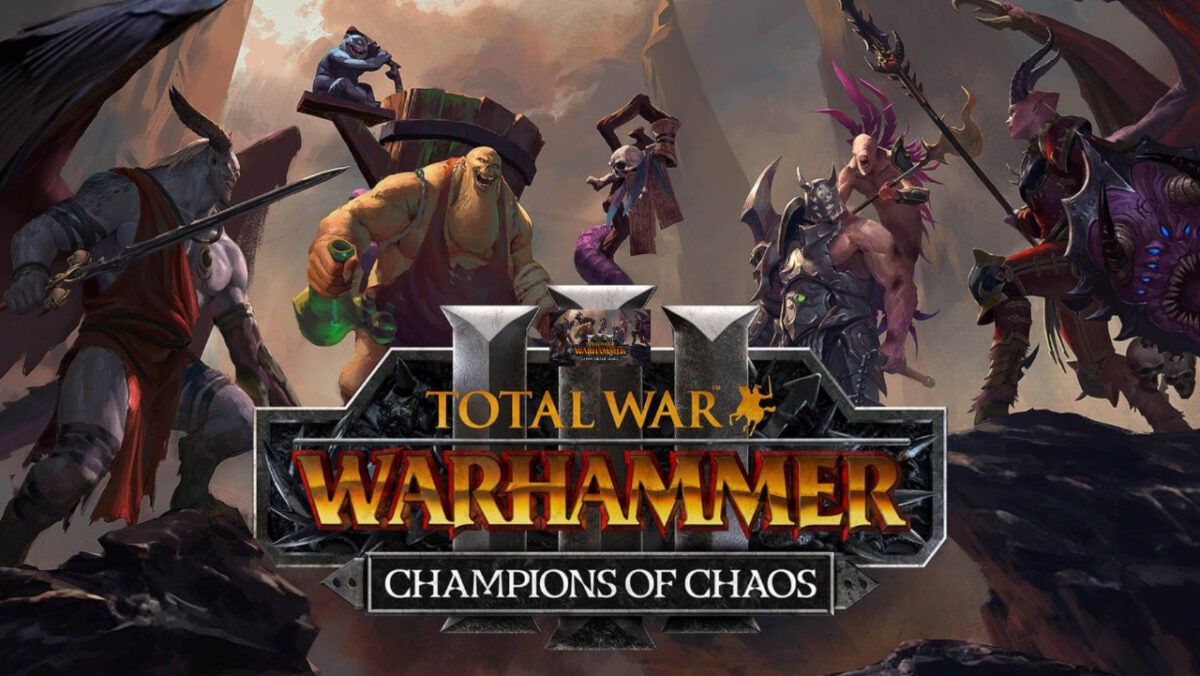
But the DLC takes it to a new level for lore heads by adding new faction lords: Valkia, Festus, Azazel, and Vilitch. Each one serves a ruinous God and fights to conquer fortresses until everyone else serves them, too. But is this DLC worth the commitment?

Total War: WARHAMMER III - Champions of Chaos DOWNLOAD

Let’s review what the DLC adds, the characters, and how it affects the gameplay experience.

Total War: Warhammer III background

Our full review goes very in-depth into the lore behind the game with the death of the bear god Ursun. The game retains the same playable factions with their various leaders including the original representatives of the four ruinous Gods:

  • Kairos Fateweaver (Tzeentch)
  • Skarbrand (Khorne)
  • N’kari (Slaanesh)
  • Ku’gath Plaguefeather (Nurgle)

The Champions of Chaos DLC merely adds more flavor to the base campaign and some new combat mechanics and skill tree options.

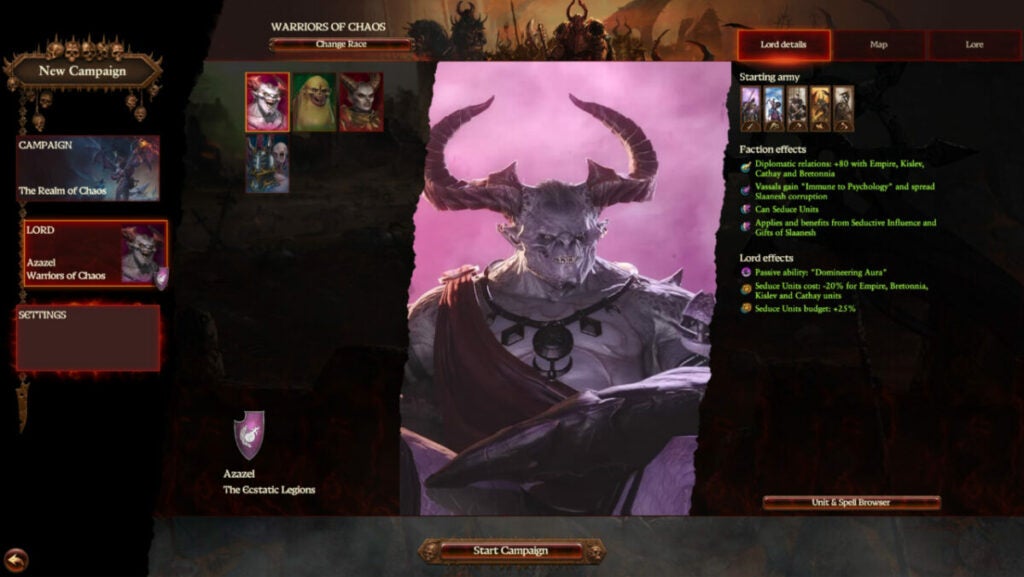
image of Azazel in Total War: Warhammer III Champions of Chaos DLC

Champions of Chaos story:

Instead of following the plot of the campaign in the base game, the DLC switches things up. On the same map, it pits the four legendary lords in a conquest of the land of Zanbaijin as they harvest souls for their chosen God.

Finding the legendary city will prove their loyalty to make them the ultimate champion. Yeah, sure, okay — because the Ruinous Gods are known for honoring whatever promises they make to people.

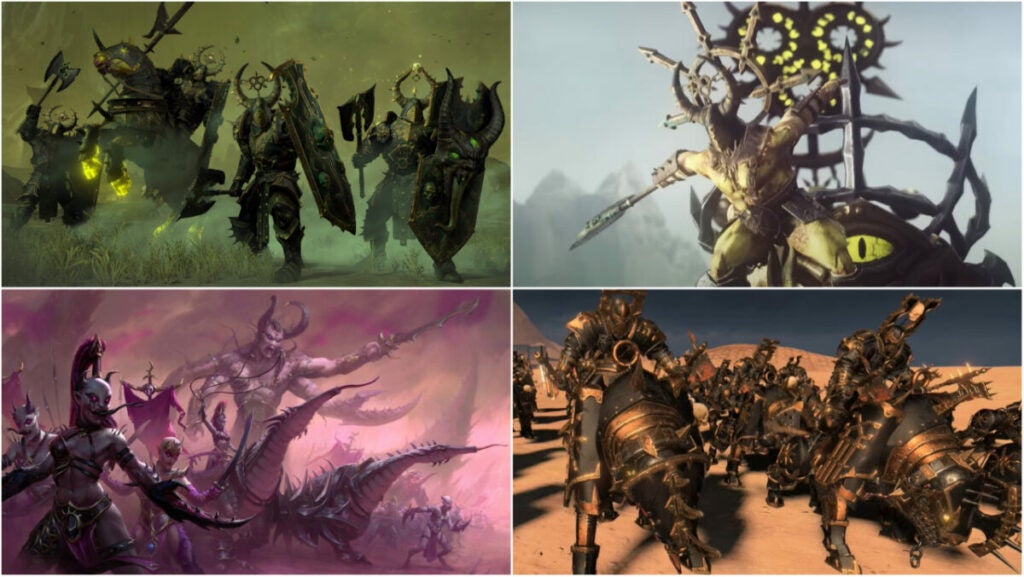
images of new units in Total War: Warhammer III Champions of Chaos DLC

Champions of Chaos unit additions of note

The DLC tosses many new units into the pot across all disciplines. While many share similar designs and stats, the versions for each faction maintain the traits and abilities of the God they serve. For instance, Khorne’s units will tend to have higher attack damage while Tzeentch’s version has a barrier.

The biggest differences surround the abilities and passives they’ll have. But in general, the chosen units added and their descriptions are as below:

Chaos Warshrine (different abilities and traits based on faction)

  • a support monster that acts primarily as a vehicle and bullet sponge
  • siege attacker
  • can fear troops, encourage allies, and gain resistance as enemies die near it
  • “Favour of the Ruinous Powers” adds +10 leadership to any unit in its proximity

Sibilant Slaughtercade (Slaanesh Regiment of Renown)

  • features poison attacks, useful flanking bonuses, and high mobility
  • “Soul hunters” provides damage buffs with kills
  • anti-infantry unit with vanguard deployment
  • armored and shielded

Bilious Thundergruff (Nurgle Regiment of Renown)

  • chaos giant with poison attacks and terror
  • features a unique gas-based ability that functions as a vortex spell. It damages nearby units while also reducing armor that jumps to a total of 5 units nearby

Knights of the Brazen Throne (Khorne Regiment of Renown)

  • armor-piercing
  • frenzy
  • causes terror and fear
  • anti-infantry unit with high armor and powerful charge

Severed Claw Aspiring Champions (Tzeentch Regiment of Renown)

  • barriered, armor-piercing unit useful against large units
  • only 16 in a unit
  • feature melee attacks and magic attacks
  • “Encourage” ability provides +8 leadership to nearby units

Chosen of Slaanesh

  • armored and shielded sword infantry unit
  • features Slaanesh buffs “Immunity to psychology”, 10% physical resistance, and “Strider”
  • Hellscourge version adds more defense, charge defense, and charge reflection

Chosen of Nurgle

  • armored and shield axe infantry with poison attacks and damage reduction
  • tank version has higher health and melee defense with just 23 speed
  • “Great Weapon” version wields a Great Axe, is armored, and armor-piercing

Chosen of Khorne

  • armored and shielded axe infantry unit with frenzy
  • includes fire damage but lacks armor-piercing
  • high health for excellent front-line defense
  • the dual weapon version is more focused on damage over the defense with a bonus against infantry

Chosen of Tzeentch

  • armored, shielded, and barriered sword infantry unit with magic attacks
  • “Halberd” version adds anti-large attacks along with a charge defense ability

Warhammer 3 Champions of Chaos Faction differences

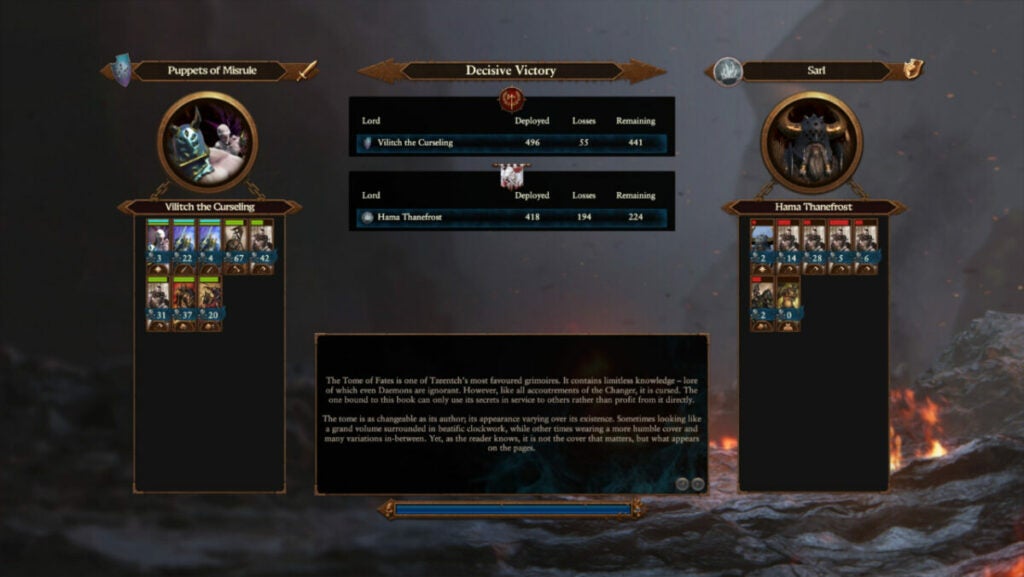
image of Vilitch's victory screen in Total War: Warhammer III Champions of Chaos DLC

Tzeentch & Vilitch the Curseling

Vilitch, a jealous twin turned worm-with-mouth grafted onto the now mindless body of his brother thanks to Tzeentch, has hybrid abilities. He can cast spells while also dishing out damage with melee attacks. He’s a bit of a warlock as he excels at fighting alongside units on the front line while also casting spells.

He leads the Puppets of Misrule and his abilities include:

  • “Fires of Change” – includes all spells associated with Tzeentch
  • “Paragon of Change” – this regenerates barriers on nearby friendly units
  • “The Twisted Twin” – adjusts buff based on which twin is fighting. When playing as Vilitch, you get additional spell mastery. When playing as T, you get enhanced melee damage and defense. The effects increase the longer you are in a specific mode
  • “Vessel of Chaos” – returns barrier points as you cast
  • lacks armor-piercing attacks but allied forces receive Winds of Magic benefits
  • has a barrier to enhancing toughness and facilitating infantry domination
  • can convert some battle losses into Souls
  • vassals receive barrier hit points
  • capable of stealing +15% of other Lords’ experience
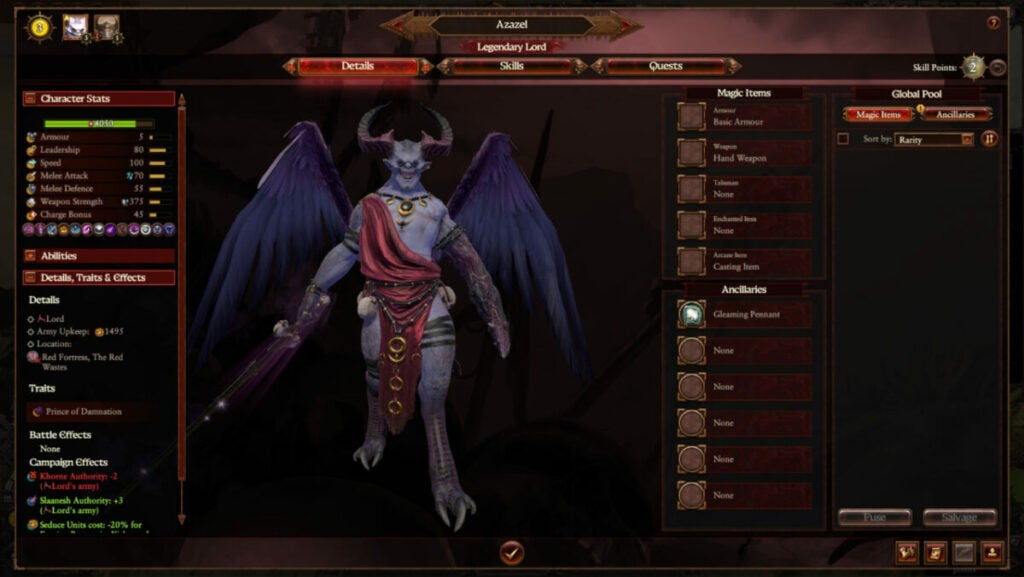
image of Azazel in Total War: Warhammer III Champions of Chaos DLC

Slaanesh & Azazel, Prince of Damnation

This legendary lord thinks very highly of himself despite being a total glass cannon. With just five armor, his capable melee attacks and spellcasting require more finesse. But he can fly…

He leads the Ecstatic Legion and his abilities include:

  • “Temptator” – reflects melee damage and boosts damage resistance
  • “Demonblade” – boosts base weapon damage, but also lowers enemy morale and leadership buffs with the “Discouraged” trait
  • “Lore of Slaanesh” – includes all spells associated with Slaanesh
  • “Domineering Aura” – further demoralizes enemies by reducing melee attack and defense. Increases in intensity the longer there are troops being discouraged or afraid
  • can cause both terror and fear in enemy troops
  • the only demon among the legendary lords
  • +80 diplomatic relations with Cathay, Empire, Bretonnia, and Kislev
  • can seduce enemy units before battle
  • vassals obtain “Immunity to Psychology”
image of Nurgle in Total War: Warhammer III Champions of Chaos DLC

Nurgle & Festus the Leechlord

Festus could best be described as a wizard when it comes to his combat stats. He isn’t the most robust chaos lord with low armor stats and spell-casting abilities. However, he does have enhanced melee damage, though, to get out of some sticky situations.

He leads the Fecundites and his abilities include:

  • “Healing Elixirs” – heals Festus and any nearby units while active (constantly active when selected)
  • “Harbinger of Pestilence” – damages enemies within close proximity continuously unless/until you switch back to Healing Elixirs
  • “Pestilent Potions” – useful damage debuff against enemies that provides toughness to up to five friendly units up to 100 meters away
  • can be played as a more support classes character with healing or as a damage booster to help troops take out enemies more quickly
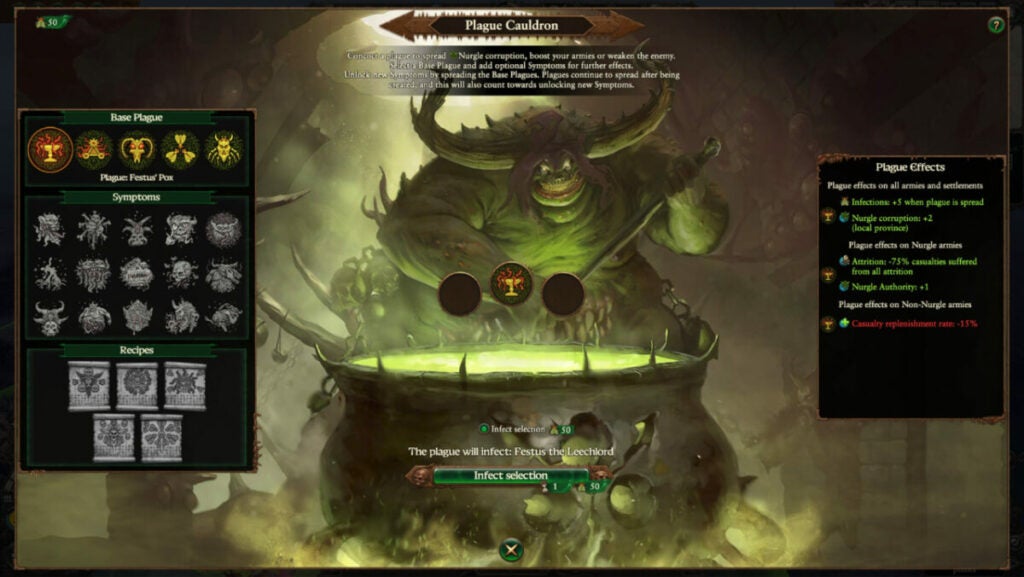
  • plague brewing abilities and +three turn plague duration with local armies
  • vassals obtain poison attacks
image of Valkia in Total War: Warhammer III Champions of Chaos DLC

Khorne & Valkia the Bloody

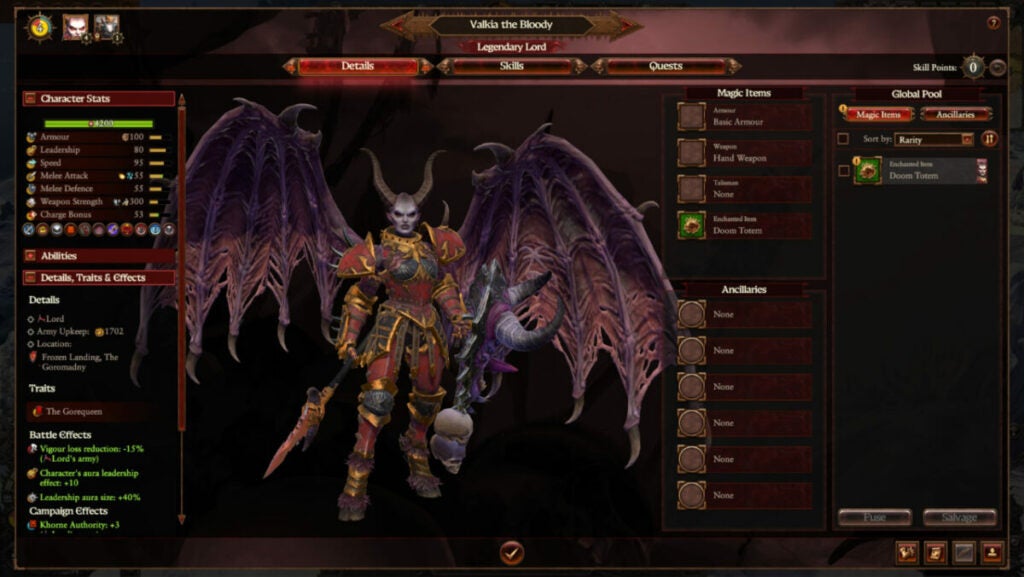
Think of Valkia as the ultimate barbarian. Her melee-based abilities pack a punch with solid stats all around. She’s best played as a frontline commander who occasionally dives into battle leveraging her invulnerability power.

She leads the Legion of the Gorequeen and her main abilities include:

  • can use Bloodletting and Frenzy
  • “Spear Slaupnir” – a wind spell useful against infantry
  • “Demon Shield” – makes Valkia invulnerable for 13 seconds
  • “Scarlet Armor” – reduces enemy armor along with their armor-piercing abilities
  • “Gaze of Khorne” – bestows additional buffs to her including leadership aura, base damage, and armor-piercing abilities
  • she can fly
  • bonus damage versus large targets
  • additional magical damage on her melee attacks
  • receives +50% souls when sacrificing captives
  • vassals also gain Frenzy
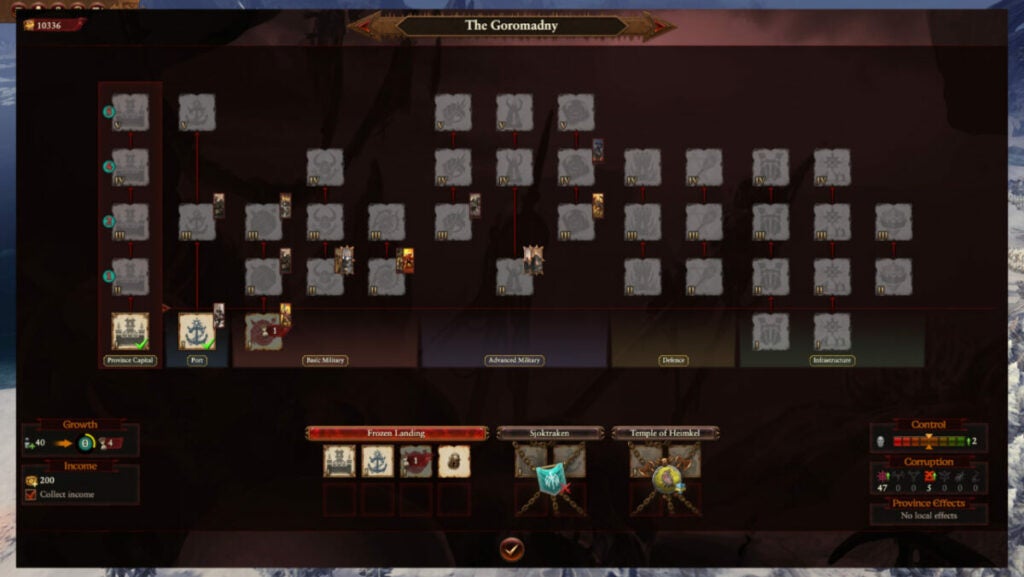
image of settlement structure UI in Total War: Warhammer III Champions of Chaos DLC

New mechanics in Champions of Chaos: gifts of chaos, warbands, & dark fortresses

Vassals & dark fortresses

Upon encountering villages or controlled outposts, you can defeat the reigning powers and establish a Dark Fortress region. This grants whatever Norscan faction you overtook as a permanent vassal acting in your stead. As long as you maintain dominion over their lands, they will follow you.

This, naturally, puts importance on establishing more fortresses and taking over regions. You also need to build structures, but this can be automated if you want it to be.

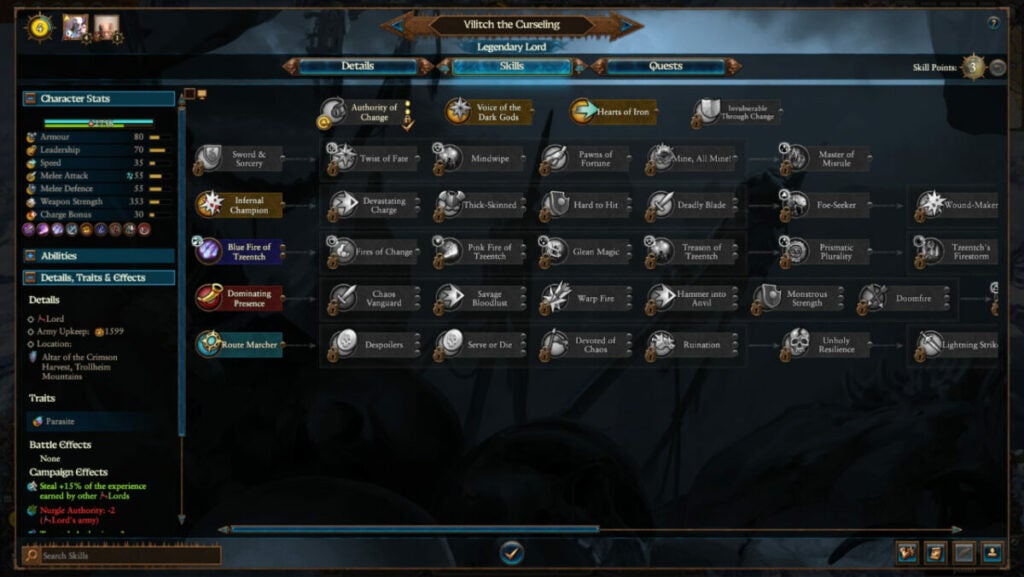
image of skill tree UI in Total War: Warhammer III Champions of Chaos DLC

Warband upgrades & skill trees

As a Champion of Chaos, players will be able to recruit forces upon capture instantly. They can be from nearby provinces or rewarded to them from Chaos Gifts. That means that Marauders can receive the mark of Chaos and ascend to Chaos Knights if desired. You can also dedicate them to a specific God.

Each champion also features customizable skill trees as pictured above.

image of chaos gift UI in Total War: Warhammer III Champions of Chaos DLC

Chaos gifts

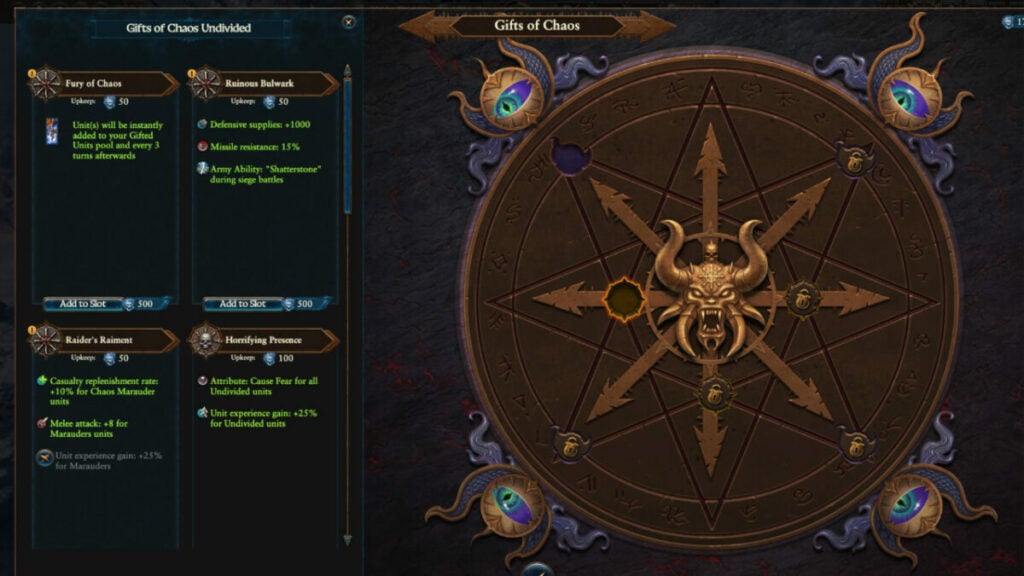
As you grow your power and sacrifice souls to your Ruinous God, you’ll receive gifts of chaos. These boons require Souls in exchange but can offer great power and benefits. Gain souls by winning battles and you can even obtain demonic reinforcements.

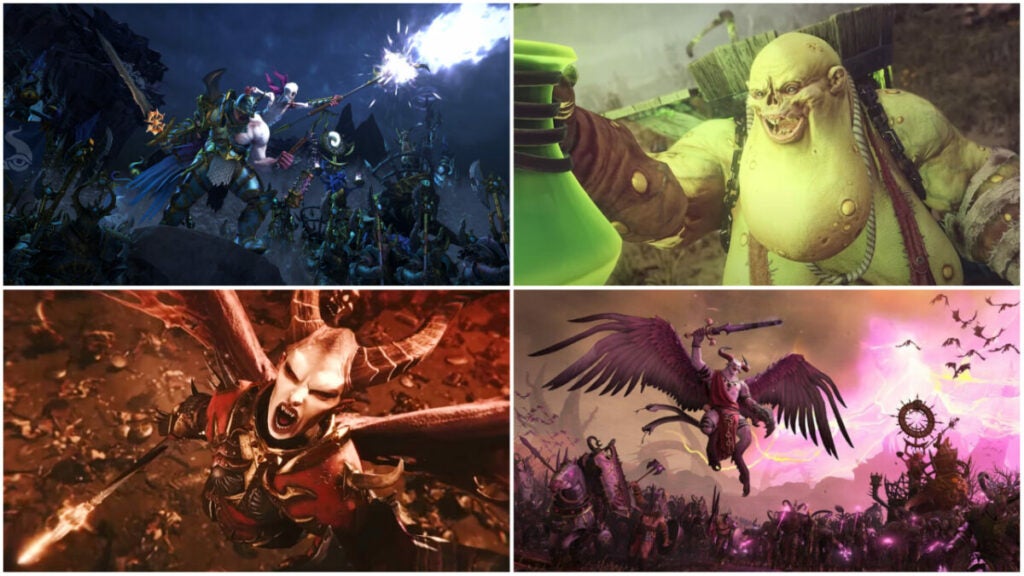
images of legendary lords in Total War: Warhammer III Champions of Chaos DLC

Verdict: Chaos makes everything better

Die-hard fans of the Warhammer series will love the additional lore the Champions of Chaos DLC provides. Newbies might also appreciate the truncated campaign and useful tutorial tips. Checking out Total War Warhammer’s beginner tips might help, too.

More casual players may not get as much out of the additional Ruinous God champions. However, it’s just $15.99 USD full price, so it’s not too much of an investment if you just want to check it out.

PROS

  • Makes the game even more accessible for new players
  • Excellent for fans of Warhammer lore and the various legendary lords
  • New campaign may run faster than the Ursun-focused campaign in the base game
  • Playable in the Immortal Empires campaign

CONS

  • Cluttered UI suffers from the same issues as the base game
  • Cost may turn some less-hardcore players away from the DLC
  • Players focused on expansion may struggle with DLC gameplay that’s more centered around fortress captures
  • Some of the “new” units appear more like reskinned versions of units in the base game – test

Developer: Creative Assembly

Publisher: Sega

Game Modes: Single-player & multiplayer

Game Engine: Warscape Engine

Rollerdrome Review | Fast shooting Action

Rollerdrome is a third-person skater-shooting game set in a post-apocalyptic future. Roll17 developed it with Private Division as the publisher, released on Aug 16, 2022. It features tricks you pull off on your rollerblades while shooting away at opponents in the arena. 

Rollerdrome DOWNLOAD

In between matches, you learn that the Matterhorn corporation behind the event is up to something. It’s a mixture of exploring the mysteries while remaining alive for as long as possible. Read more about what the game is about in this exciting Rollerdrome review.

A malicious corporation in Rollerdome

Welcome to the Hunger Games on rollerblades. As much as there’s a focus on the action and shooting, Rollerdrome actually has a background story that will keep you intrigued. It will make you want to complete the levels quickly to see what happens next.

A dark and twisted future

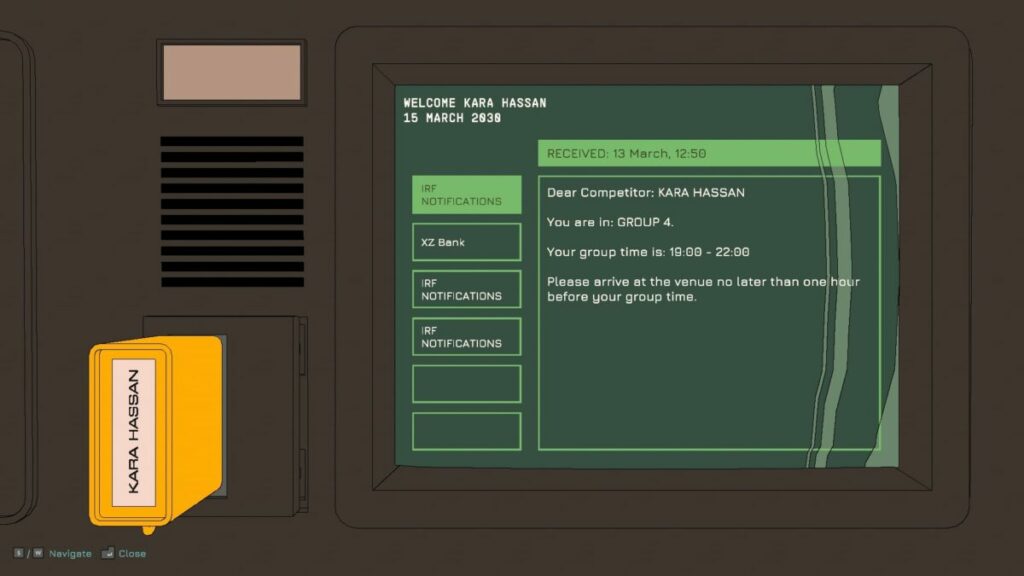
Rollerdrome is set in 2030 in the not-so-distant future. Massive corporations have taken over, and the world is a complete mess. To keep the populace happy and entertained, they’ve created huge arenas where champions compete for life or death. Humans either face other humans or against bots that spawn.

Rollerdrome review

The Colosseum with rollerblades

The science fiction game takes us to a future that’s much like the past. Imagine Colosseum environments where the crowds watch as you destroy anyone that comes before you. The trick is that you need to do so on rollerblades, as running around on your feet is simply boring.

Rollerdrome review

Mystery and intrigue

The corporation behind the entire event is called Matterhorn. The reason why this is important becomes more relevant later in the story. While I won’t spoil too much for you, suffice it to say that the company has some secret plans that you discover, putting you in a difficult situation. Somehow, you need to keep skating and surviving so you can stop them.

Rollerdrome review

Multiplayer leaderboard

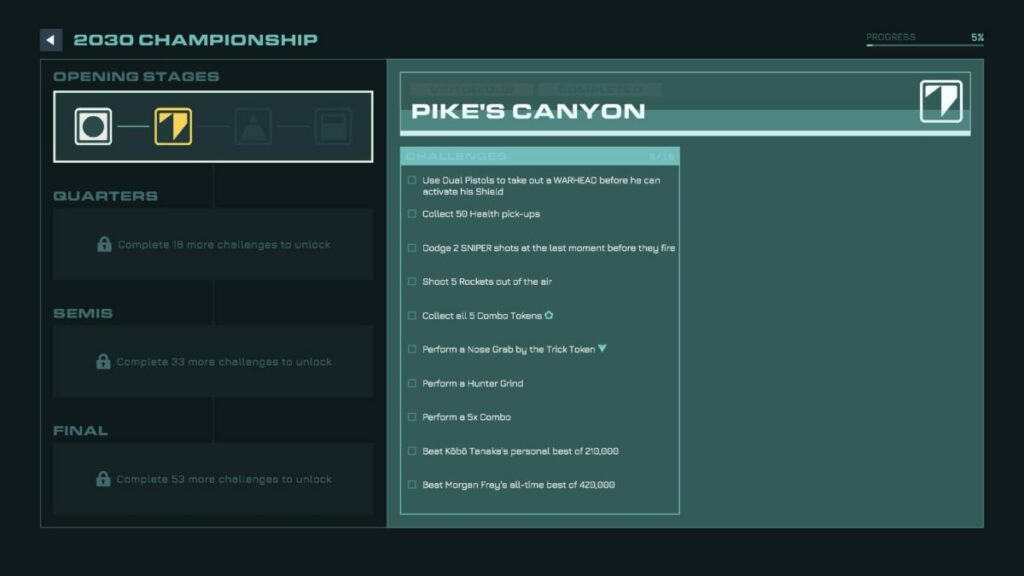
Once you progress further into Rollerdrome, you’ll unlock a mode where you can challenge other players for the top scores. You won’t ever see them, so it’s not a PvP multiplayer mode. Instead, you’ll complete maps and then compare your points with others on the leaderboard.

How long to play Rollerdrome?

If you manage to master the gameplay mechanics and proceed quickly through the 12 levels in Rollerdrome, it will take you about four hours to complete the game. Gamers like me that want to collect every token and complete every challenge can expect anywhere up to six hours. Once you unlock the multiplayer leaderboard mode at a later stage, the game time possibilities are endless.

Rollerdrome shooting and skating action

I’ll leave the rest of the Rollerdrome story elements for you to work out. I’m eager to get to the gameplay aspects, as that’s where all the action is. It’s also the only exciting segment.

The tutorial for Rollerdrome

When you venture into Rollerdrome, your champion needs to qualify to take part in the tournament. In other words, you’ve entered the tutorial. The game shows you the essential controls and what you need to do to survive. It’s effective, and it won’t be picky about small things you do wrong. 

Rollerdrome review

Skating around the Rollerdrome arena

Here’s the fun part. As soon as you press up on your controller’s left stick, your champion starts skating. You don’t even need to hold it in, as the character continues on her own. From there, you can turn left and right as needed, making your way around the various arenas.

The maps have different layouts, mostly consisting of ramps and hills. There are also glass windows meant to keep you in, but you can break through them for the fun factor. However, it’s clear the audience must be watching from home, as there’s no one in the grandstands. It’s probably safer that way with bullets flying everywhere.

Rollerdrome review

Shooting enemies and missiles

That brings me to the next part of my Rollerdrome review. You don’t only skate, but you’ll also have to shoot enemies that appear in the arena. They teleport in, and you’ll have to clear all of them to complete the level. There’s a slight penalty for how long you take to do so, so you need to kill them quickly.

Rollerdrome makes the shooting action intensely fun. It’s the most enjoyable part of the game. After you ramp up in the air, you can slow down time to aim and kill enemies from the sky. If you run out of ammo, just perform a few tricks to restock. You also need to watch out for missiles heading your way, which you can target and blow out of the sky or redirect back to the enemy.

I should spend a moment explaining some of the enemy types you’ll encounter. First, you’ll see brawlers who wait on the arena floor to bash your head in. Then there are the long-range snipers trying to kill you from afar. Later, you’ll see more advanced opponents, such as massive mech units and guys with rocket launchers. Luckily, you’ll get better weapons at later stages.

Rollerdrome review

Perform tricks without failing

Another enjoyable element of Rollerdrome is that there’s little chance you’ll fall on your face when performing a trick. Tony Hawk, eat your heart out. Even if you’re spinning in the air when you meet the ground, your hero automatically adjusts so as not to crash. This feature keeps the action going and avoids frustration with all the enemies around you.

If you really want to show off, you can dodge a bullet at the last moment while pulling off a trick in the air. It’s the most satisfying movement in Rollerdrome I’ve experienced so far. I jumped up a ramp, spun around and held my blades to restock my ammo, and then dodge a sniper bullet as I came back down. The moment was epic, and I even received a trophy/achievement for it.

I bet if I was trying to do that intentionally, I would have failed.

Rollerdrome review

Various missions and challenges

The stages in Rollerdrome aren’t simply about skating around the arena and shooting enemies. That’s right; there’s more. Every map has specific challenges for you to complete. Future levels and arenas require that you complete a certain number of these tasks to unlock them. One element to look out for is a blue or orange token, which is usually part of the objectives. You’ll need to ramp up or perform a trick to obtain it.

Rollerdrome review

Exploring the bases

When you’re not skating around on Rollerdrome, you’ll be in your locker room or within the base of the arena. There are items lying around for you to explore, which is where the story element comes in. You’ll be investigating what the corporation is up to and making a plan to stop them.

Rollerdrome review

Alternatives to Rollerdrome

It’s quite obvious from the start that Rollerdrome is much like a Tony Hawk Pro Skater game, just with blood and mayhem. In a way, it’s also like Tron Bike Stunt Racing 3d Stunt Bike Racing with the action and destruction. Put Quake Champions on rollerblades, and you get a general idea.

Rollerdrome PC requirements

If you want to enjoy all the action, bullets, and chaos that will ensue in Rollerdrome, you’ll need a computer with decent specs. It doesn’t take up too much space, but it’s the memory and graphics card that are important. Here’s what you’ll need:

  • OS: Windows 10 64-bit
  • Memory: 4 GB RAM
  • Processor: Intel Core i5-2125/AMD A12-9800
  • Storage: 4 GB
  • Graphics: GeForce GT 630/Radeon HD 6770/Intel Iris Pro 580

Basic graphics and pumping sounds

After I played the game for a few hours and before I wrote my Rollerdrome review, I went to have a look at what some other players and reviewers were saying about it. I was shocked to see that most of them love the graphics while not enjoying the gameplay. I’m clearly a different type of gamer, as my opinion is the other way around.

Cartoonish graphics with complex environments

I wasn’t all that impressed with the graphics. It’s basic at best, with a 3D cartoonish layout that seems to try and be like the good old days of gaming. I feel more could have been done to make Rollerdrome look spectacular. Just making different, huge maps with destruction everywhere doesn’t do it for me. 

Rollerdrome review

Interesting characters and opponent designs

The one element of the visuals that wasn’t too bad was the character and enemy designs. Sure, there’s a lot of copy and paste, unfortunately. Still, the developer put some thought into what each type of enemy should look like, even if they usually look the same on different maps. You’ll know a sniper when you see it, in other words.

Fast-paced music to match the action

The music was enjoyable, and it makes you want to tap your foot while skating around the arena and blasting at enemies. It matches the comic art style of the game while making your heart beat with every note. Also, yay for voice acting, which was delivered beautifully.

Rollerdrome review

Final Verdict of Rollerdrome

Rollerdrome is actually an enjoyable game. I didn’t want to put my control down at the end and longed for more. Sure, there’s the Out for Blood mode where you can compete with leaderboards, but I really enjoyed the missions. Once you get past the unimpressive comic graphics, you’ll love flipping in the air, pulling tricks, and shooting weapons.

However, it’s back to Ikonei Island: An Earthlock Adventure for me, which has me hooked. Mirror Forge is set to expand on the demo that’s currently available, and I also want to spend some more time with the mobs on Minecraft. See you next time, and be sure to check out my other Softonic articles.

Pros

  • Skate, jump, dodge, and shoot
  • Intense, fun action
  • Several challenging levels
  • A new take on the skating genre
  • An intriguing storyline

Cons

  • Graphics aren’t that impressive
  • No PvP multiplayer mode

Developer: Roll17

Publisher: Private Division

Game Modes: Campaign, multiplayer leaderboard

Platform reviewed: Windows 11 – Steam

Ikonei Island: An Earthlock Adventure Review | Crafting fantasy tale

Ikonei Island: An Earthlock Adventure is a crafting adventure game by Snowcastle Games that went into Early Access on Aug 18, 2022. It entails you and your crew landing on an island where you’ll need to survive. However, there are strange creatures and pirates around, so you’ll have to form a base.

There are many aspects of Ikonei Island: An Earthlock Adventure you’ll love. It’s more than just a simple crafting game. With a touching story and adorable characters, it will have you playing for several hours. Let’s jump straight into the review so you can see what’s available during the current Early Access version.

Ikonei Island welcomes you to stay

Welcome to Ikonei Island: An Earthlock Adventure! Earthlock is an RPG title published by the same company that launched in 2018. There were also comic books made available on Steam as DLCs to go with the game, and you can purchase an entire bundle that includes everything, with Ikonei Island also in the mix.

Here’s what to expect with regards to the story in Ikonei Island: An Earthlock Adventure.

Save Ikonei Island

You and your friends are sailing on the ocean when, lo and behold, a storm causes you to crash on an island that you swore wasn’t there before. There are four characters you can choose between, but I stuck with the Hogbunny. Sadly, there’s no multiplayer available as yet during Early Access, so my children and I took turns exploring the game.

It won’t be long before you realize the reason you can see the mysterious island. Pirates and foul creatures have destroyed eight shrines, which hide the land and protect it from storms and villains. You’ll need to find a way to restore the beautiful Ikonei Island to its former glory.

Ikonei Island An Earthlock Adventure

Finding your way around the island

The first element of Ikonei Island: An Earthlock Adventure you’ll encounter is exploration. With nothing to help you leave the island, you need to find routes around the island that are safe. There are different zones, while you’ll start with the beach to gather essential resources. Fortunately, you have a stunning map to guide you.

The map updates every time you discover an important item that you’ll need to upgrade or repair later. There’s also key information on locations when you hover your pointer over them. You can see the name, what items are required, and the reward you’ll receive.

Ikonei Island An Earthlock Adventure

A froggy mission

One of the earliest tasks you’ll have in Ikonei Island: An Earthlock Adventure is catching frogs and placing them on pedestals. When you do so, they’ll speak to you and explain what happened to their homeland. You’ll also receive missions to help upgrade the various zones with tips on how to succeed.

Ikonei Island An Earthlock Adventure

Meeting characters and creatures

There are other helpful NPCs on Ikonei Island to meet. Some of them will join your camp and help you with crafting items. They have unique skills, but you’ll have to establish workshops for them at your base. However, you’ll need to complete an initial set of missions for them first before they’ll accompany you.

Ikonei Island An Earthlock Adventure

How long to play Ikonei Island: An Earthlock Adventure?

It’s surprising how much time Ikonei Island: An Earthlock Adventure takes from your day when you’re not paying attention. It took me about 8 hours to reach the final zone, and that’s not including repairing the shrine and unlocking the tameable creature. The game will easily take you somewhere between 8 and 15 hours to complete.

Making a home in Ikonei Island: An Earthlock Adventure

Running around Ikonei Island and meeting the locals is only part of the fun in this Earthlock adventure. While the game is easy to learn, there are some challenging puzzles along the way. Let’s take a look at some of the gameplay mechanics.

Learning how to play Ikonei Island: An Earthlock Adventure

Right off the bat, the game shows you how the basic controls work and what you need to do. While the frogs play an essential role with their in-game tutorials, you’ll also see tooltips and descriptions appear for items and buildings. Still, the frogs play key parts whenever there’s something new to learn.

Easy controls

The controls for Ikonei Island: An Earthlock Adventure are easy to master. As the game suggests on the main menu, it works much better on a controller than keyboard and mouse. There are no complicated button combinations, and you can quickly switch between various items.

Ikonei Island An Earthlock Adventure

The inventory bar

You’ll notice there’s an inventory bar at the bottom of your screen. Now, in most games that have this, you need to go into your inventory and swap items for what you’d like to see there. To save you time, you only need to press the triggers to toggle between each line in your bag. It’s a game mechanic I wish other developers had thought of.

Ikonei Island An Earthlock Adventure

Collecting resources and dropping items

When you first play Ikonei Island: An Earthlock Adventure, you’ll have limited space in your bag. Once you defeat pirate bases, you’ll discover chests that add lines to your inventory. It will help you collect more resources for later upgrades and farming.

If you need more space, you can drop items you don’t need on the floor or sell them at your base. The dropping mechanic asks you to choose where you want to throw the items. However, sometimes I wish there was a quick-drop system, especially when surrounded by enemies.

Ikonei Island An Earthlock Adventure

Buildings, crafting, and upgrades

Once you establish your base, there will be platforms to create workshops. You need them for the main NPCs you’ll meet who need the building for their crafts. They’ll provide you with blueprints, or you can buy resources you really need and don’t feel like finding them.

The blueprints are essential for crafting. With the resources you’ll find, you need to head to the crafting station, smelter, cutter, or loom to make items. Without the blueprints for these crafting tables, you’ll be stuck. At a later stage, you can upgrade the workshops for more plans.

You also have access to a tent, which serves as your home. Once you enter, you’ll have a lovely space to place beds, sofas, and other furniture you unlock along the way. While it may not seem like much, I hope Ikonei Island: An Earthlock Adventure upgrades to include a more impressive building in the time to come.

Ikonei Island An Earthlock Adventure

A farmer’s life

Another game mechanic you’ll need to become used to is farming. There are plenty of plants around Ikonei Island, which provide you either with seeds or resources. With the hoe in hand, you can basically farm on any fertile land you find. The process consists of planting, watering, pollinating, and then harvesting.

While you may not feel like performing these tasks, some of the crops are essential for upgrading buildings or completing tasks. It’s best to farm when you’re not out adventuring, though. The plants will need your attention, and they grow rapidly.

Ikonei Island An Earthlock Adventure

Making money on Ikonei Island

The blueprints and other items that the NPCs sell will cost you Frogboy coins. If you end up with doubloons or items you don’t need, you can drop them in a chest at your base. By the next morning, they’re sold for the price indicated, and the money ends up with you. Resources respawn eventually, so don’t be shy to sell them if you need some coins.

Time to fight

It wouldn’t be an adventure game without some pirates and fighting. There are two types of combat in Ikonei Island: An Earthlock Adventure. The first involves swinging your weapon at foul creatures you find along the way. For the second, you need to stealthily move past the pirate crew at their bases, find canons, and shoot the captain.

Creatures are usually easy to fight once you learn how they move and attack. You can hit projectiles back at them, or just keep slashing to hold everyone at bay. Just don’t be seen by the pirate crew, or you’ll have to start over.

Ikonei Island An Earthlock Adventure

Taming the wild

One of the most adorable aspects of Ikonei Island: An Earthlock Adventure (and the main reason my children wanted to play) is that you can tame specific creatures. Once you rescue them from the pirate base, you can tame one of them to join you. Each one has a unique ability that you’ll need, and you can upgrade them to make them more powerful. 

To tell you what each one does and where you’ll need them is an entire guide on its own. The only aspect I don’t like is that they sometimes get in your way when you want to collect an item. Sure, you can send them home, but then you need to summon them again when done. Still, being able to bond with them and then play as the creature is utterly entertaining.

Ikonei Island An Earthlock Adventure

Games like Ikonei Island: An Earthlock Adventure

While Ikonei Island: An Earthlock Adventure is incredibly unique in its own way, there are some games that share a few of the elements. For example, the inventory bar and crafting are certainly similar to Minecraft

With regards to the gameplay and visuals, you have something more akin to Portal Knights and My Time at Portia. I share the same fondness for these games as I now do with Ikonei Island.

PC requirements

Despite how many hours Ikonei Island takes with all the content, the requirements for this Earthlock adventure aren’t high. Also, I didn’t experience any lag or performance issues on Windows 11. Here’s what you’ll need as minimum requirements at this stage of Early Access:

  • OS: Windows 7 or higher
  • Processor: Intel i3
  • Memory: 4 GB RAM
  • Storage: 6 GB 
  • Graphics: NVIDIA GeForce GTX 750
  • DirectX: Version 10

The Roadmap for Ikonei Island: An Earthlock Adventure

The Roadmap for further development of Ikonei Island has some promising upgrades. While you can only play solo at the moment, they’re working on a multiplayer mode where the entire family can play. There will also be upgrades to the buildings and creatures. While it’s available on PC and gaming consoles, I would love to see a mobile version of it in the future.

Ikonei Island An Earthlock Adventure

Stunning effects and environments

What would Ikonei Island be like with bad visuals or effects? I don’t know, as I found the graphics and sound to be outstanding in this crafting adventure game. Here’s what I liked the most about them.

Beautiful environments and biomes

The various zones and biomes in Ikonei Island: An Earthlock Adventure are gorgeous. I love how the resources are linked to each region. Once you repair the shrine, you’ll feast your eyes on the beauty of the land. You’ll need to upgrade each zone to five stars to fully enjoy the view.

Ikonei Island An Earthlock Adventure

Gorgeous character and creature designs

Each character and creature has a stunning fantasy design that I loved. The hogbunny character is my favorite, and we need more like these during the Early Access development. I also enjoyed the effects of each tameable creature; they look so beautiful, especially when fully upgraded.

Ikonei Island An Earthlock Adventure

Soothing music and animated sounds

I can look past the lack of voice acting when I consider the soothing music in the background while adventuring on Ikonei Island. If I encounter trouble, the track changes to heavy drums and action. Each creature also has its own sound effects with every action. It shows how much effort the developers went to in making it a fun game to look at and listen to.

Ikonei Island An Earthlock Adventure

Final Verdict of Ikonei Island: An Earthlock Adventure

If I continue discussing features in Ikonei Island: An Earthlock Adventure, I fear this review will never end. It’s an outstanding game, and it’s a treasure hove for gaming guide writers like me. We could spend hours writing guides for a title like this, and continue playing for as long as our heart desires. Of course, once you save the island and built all there is to build, it’s probably best to move on to a new game. All in all, we need more games like this from Snowcastle Games.

There are some other titles I’ve enjoyed and reviewed. Be sure to check out Mirror Forge on the horror side of life, Dune: Spice Wars for fantasy RTS action, and Two Point Campus for casual strategy.

Pros

  • Incredible storyline
  • Plenty of fascinating creatures
  • Tameable animals
  • Impressive resources and crafting
  • Addictive gameplay
  • Gorgeous visuals and effects

Cons

  • Tamed creatures get in your way sometimes
  • Needs an easier item drop mechanism

Developer: Snowcastle Games

Publisher: Snowcastle Games

Game Modes: Single-player

Platform reviewed: Windows 11 – Steam

Hostlight Review | Entertaining light puzzle

Hostlight is a puzzle adventure game, developed by ESDIP_GAMES and published by Selecta Play. It was officially launched on July 22, 2022. The main theme revolves around ascending a tower by completing levels filled with colors and light. As you progress up the tower, the puzzles become more challenging, testing your brain to the limits.

Hostlight DOWNLOAD

This casual game will have you busy for hours as you work out how to align beams, mirrors, and other items. You’ll also learn how to mix colors using light, so there’s a small level of education involved. It’s entertaining, and you won’t want to stop once you start. Welcome to my Hostlight review.

Rising in the Hostlight tower

Let’s start with the basics. Hostlight has a small story element, that is — you’re a character trying to get to the top of the tower. While your motivation isn’t known, you’re surely determined to get there. You’ll also have some help along the way.

Meet your robotic host

While Hostlight could have gotten away with simply giving you tooltips for how to play, the developers decided to put in some extra work. You’ll meet a floating robot on the first level that’s happy to help you on your journey. Once you have the basics down, it will head back to doing maintenance.

As you ascend the tower, you’ll see why the bot is so busy with maintenance. Many of the platforms have fallen over, making the puzzles more challenging. However, the robot is always ready to come and tell you about new ways you can solve them.

The rising tower

The primary goal of Hostlight is to reach the top of the tower. Perhaps you were a wayward wanderer that stumbled upon the magnificent structure called the Needle. While I don’t want to spoil it for you, all I’ll say is that the robot and puzzles do start giving you more details about the building and why you’re ascending it.

Hostlight review

A play on colors and light

I love colors, specifically in light, and how they combine to form rays of new colors. Hostlight feeds my joy by letting you manipulate the primary colors to create secondary ones. It’s an epic journey with puzzles where you learn how to mix them, following the lines and displays before you.

Hostlight review

How many levels are in Hostlight?

At the moment, there are just over 20 levels in Hostlight. It took me about ten minutes for the first two levels, but then the third level took me almost just as long as the two together. Every level becomes increasingly more challenging and longer to play, and you’ll easily rack up to 8 hours or more, depending on how quickly you solve the levels.

Hostlight review

Solving puzzles in Hostlight

You now have a rudimentary overview of Hostlight, and I’m sure you can tell I like the game a lot already. Next up, I want to cover the primary gameplay elements so you can see what playing the game is like. I may even give you some tips and tricks along the way.

Learning how to play Hostlight

Your friendly robot will always be around to show you how new items work on different levels. You’ll never reach a point where you discover a new object and wonder what it is and how to use it. Besides appearing to help you, there are also noticeboards on the stages that give you hints as to how it works. From there, you need to solve the puzzles with only your brain power.

Hostlight review

Moving light beams

So, the main gameplay mechanic in Hostlight is moving beams of different colors onto spots that power pedestals via cables. Once you place the correct color, the game releases a puzzle piece for the central elevator. There are four types of beam spotlights: completely fixed, vertical movement only, horizontal movement only, and free movement.

Herein lies the one and only gripdI have with Hostlight. When using the keyboard to move the beams, you have to wiggle up and down or left and right until the light finally lands on the designated spot. There’s no smooth movement as with the controller, so you may need to juggle around until you get it where it needs to be. Even just a light tap can send it too far to the other side.

Hostlight review

Using mirrors and refractors

A fun element that appears in one of the early levels is working with mirrors. You need to shoot the beam onto one of them, and then head up to turn them so the light lands where it should. There are also different types of mirrors that work like the spotlights, with limited and free movements.

Later, you’ll meet what I’m calling refractors, as they refract the light at different angles. It’s certainly more complicated than mirrors, as the lights enter on one side, combine in the center, and then exit on the other side. You’ll need to find the right angle for the beam to land where it should.

Hostlight review

Manipulating and combining light

I mentioned primary and secondary colors before. There will be times when you need cyan, magenta, yellow, or white light. If you look closely at the platforms holding the hidden puzzle pieces, you’ll see they have color charts to show you what to mix to get specific colors. By the fourth level, you shouldn’t need those anymore, as you’ll be used to the process.

Solving the puzzle

Here’s how you complete levels in Hostlight. You know those puzzle pieces I mentioned that you find when beaming the lights? They belong in the elevator with yellow light in the center of the level. Once you place all of them there, you’ll need to align them to match the shadow on the floor.

It can be tricky at first, but you’ll quickly get the hang of it after a few levels. There are six directions you can turn each piece. The game even lets you highlight only that piece’s shadow on the floor so the other shadows don’t confuse you.

Hostlight review

Similar games to Hostlight

There are a few games I can think of that have similar casual elements to Hostlight. The one that springs to mind the most is Real Myst with its puzzle elements. If you’re looking for a more recent entry, then Recursive Ruin is probably the closest in magnitude. Two Point Campus has the same casual game style, but you won’t deal with puzzles.

PC requirements for Hostlight

Fortunately, Hostlight isn’t too demanding when it comes to PC specs. While you’ll need at least Windows 10, it plays perfectly well on Windows 11 without any performance issues. The requirements for the graphics card aren’t too high, either. 

  • OS: Windows 10
  • Processor: Intel i5 6400 | AMD Ryzen 5 1600
  • Memory: 16 GB RAM
  • Graphics: Nvidia GTX 1050ti | AMD RX 570
  • Storage: 8 GB

Bright colors and relaxing sounds

I’ve already mentioned these elements a few times, but the graphics and sound need a special place for some well-deserved attention. Let’s see how beautiful Hostlight is to look at and listen to.

Gorgeous environments

The developers of Hostlight weren’t shy to add gorgeous environments to each level. From the first-person perspective, you’ll behold beautiful walls, dilapidated ruins, and massive platforms that make you feel as small as an ant. They truly went all out to make it a lovely game to look at while playing.

Hostlight review

Stunning visuals with light and color

The lights and colors are obviously the focal points of the game. Hostlight portrays them beautifully, and they become more than puzzles. You’ll love looking at how the lights and colors play across your screen on the various platforms. Of course, you’ll also be scratching your head in confusion in the later stages.

Hostlight review

Soothing sounds and music

Soft humming sounds and background music complements the casual nature of the puzzle game. You won’t hear any thumping music pressuring you to complete the level before you die. Thankfully, there’s voice acting in the game, and you’ll enjoy listening to your robot companion chat with you.

Final Verdict of Hostlight

Hostlight is a splendid game that I can easily sit back and enjoy for several hours. Even with the puzzles becoming really difficult at a later stage, it’s still enjoyable trying to wit them out and complete the level. There’s a sense of satisfaction when you win and ascend the tower, especially when you reach the end. It’s worth buying if you love puzzle games.

I’ve mentioned some alternatives earlier, and you’re welcome to read my Two Point Campus and Recursive Ruin reviews for more details.

Pros

  • Fun puzzle elements
  • Gorgeous environments
  • Play with lights and colors
  • Handy guides along the way
  • Tests your thinking power
  • Easy to master

Cons

  • Aligning beams on the keyboard can be challenging

Developer: ESDIP_GAMES

Publisher: Selecta Play

Game Modes: Single Player

Platform reviewed: Windows 11 – Steam