Classic 90s games for your Android and iPhone

So you’ve got a good selection of new games on your consoles, PCs and mobile devices. But you don’t always feel like playing them. In fact, sometimes all you want to do is to step back in time with some of the greatest games from the past.

Luckily for you, some of your favorite childhood classics have been recreated for Android and iOS and are now available in the Google Play and App Stores. Today, we’ve got a list of some of the best classic 90s games currently available for download on your mobile device.

Come along for the ride as we review the 90s games that work best on Android phones and tablets, iPads and iPhones.

Reliving the golden age of graphic adventure

The adventure game is a genre that saw its glory days in the 1990s, with awesome titles from LucasArts and Sierra. But they weren’t the only ones that did this type of game well, as the following titles demonstrate.

Broken Sword
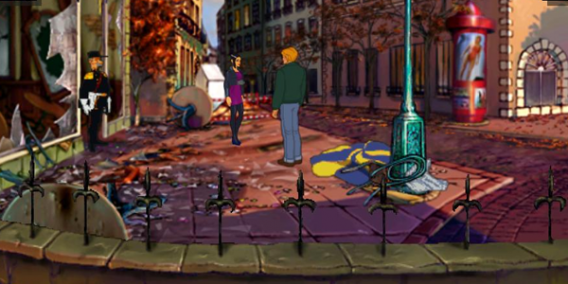
A classic adventure game from 1996, Broken Sword lands on your tablets and phones with a remastered version: better graphics, superb voice talent and controls that are really well adapted to touch screens.

Download Broken Sword: Director’s Cut for Android

Download Broken Sword: Director’s Cut for iPhone

The Last Express

This adventure, with shades of an Agatha Christie novel, is less famous than George Stobbart’s legendary Broken Sword, but that doesn’t meant it’s not just as good. It’s got awesome gameplay, story and technique and even after 15 years, its graphics continue to delight us.

Download The Last Express for Android

Download The Last Express for iPhone

Fast-paced driving

These days we’ve got super-realistic driving simulators, but back in the 90s, the crazier the game, the better. The following games are great examples of this.

Carmageddon

In this racing game (which isn’t for the delicate gamers among you), coming first is as important as getting points. But how do you get points? Well, by doing stuff that’s, let’s be honest, pretty gruesome. Even so, Carmageddon is still one of our favorite guilty pleasures.

Download Carmageddon for Android

Download Carmageddon for iPhone

Crazy Taxi
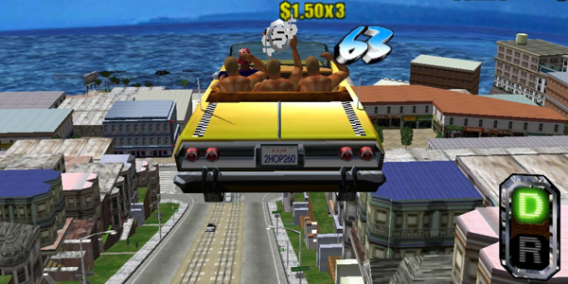
There may be less violence in Crazy Taxi, but it’s just as mad. The Android version is a faithful adaptation of the speeding taxi game for Dreamcast.

Download Crazy Taxi for Android

Download Crazy Taxi for iPhone

The classic platformers

We’ve already seen that the platform genre is well suited for mobile devices. And yes, we like the new ones, but we still enjoy the classics!

Sonic The Hedgehog

The 90s king of the platforms (with permission from Mario) has got to be Sonic, and returning to the first adventure of the series on Android and iPhone is an absolute joy. Thanks to its latest incarnation, there’s a new mode that now lets you play with your friends.

Download Sonic The Hedgehog for Android

Download Sonic The Hedgehog for iOS

Prince of Persia
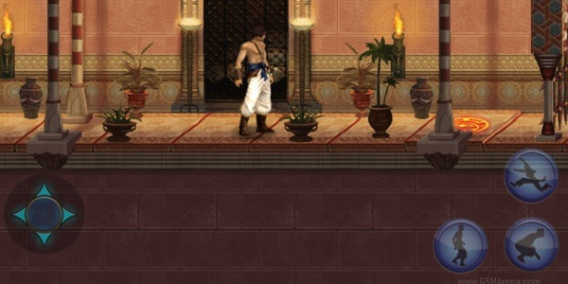
Another classic that debuted in the early 90’s is Prince of Persia. Ubisoft has revisited the title on Android with a new design and more modes but it’s still the same spellbinding gaming experience.

Download Prince of Persia for Android

Oldskool RPGs

Final Fantasy IV
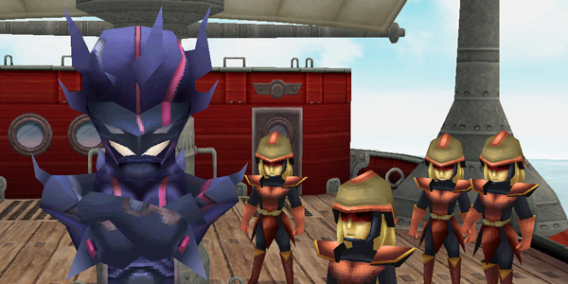
For many, FFIV is the high point of the Square series, and that’s why the company didn’t hesitate to launch it on mobile as soon as they had the opportunity. Join the heroes in an epic story full of excitement, adventure and fantasy in glorious 3D graphics.

Download Final Fantasy for Android

Download Final Fantasy for iPhone

Chrono Trigger

Chrono Trigger is another classic RPG franchise that you can now play from the comfort of your smartphone. The original came out in 1995, but the years have been kind, so it’s as enjoyable now as it ever was.

Download Chrono Trigger for Android

Download Chrono Trigger for iPhone

But wait – there’s more!

Games from the 90s are so successful on Android and iPhone that they’re not going to stop producing them any time soon. The next blockbuster to hit our phones will be the well-known Dungeon Keeper, but we’d bet that there’ll be many more before the year is out.

Which 90s games would you like to see on your phone?

Original article written by Maria Baeta published on Softonic ES.

5 free alternatives to Photoshop

Did you know that you can no longer buy a copy of Photoshop and instead have to subscribe to a new service, called Creative Cloud, on a monthly basis?

We don’t think people will offer much resistance – Photoshop (and the other Creative Suite programs, like Illustrator and Dreamweaver) were expensive and complicated. Add in these changes to the licensing setup and Photoshop is now completely out of reach for lots of users.

For those of you who are looking for something different, we’ve put 5 alternatives to Photoshop to the test.

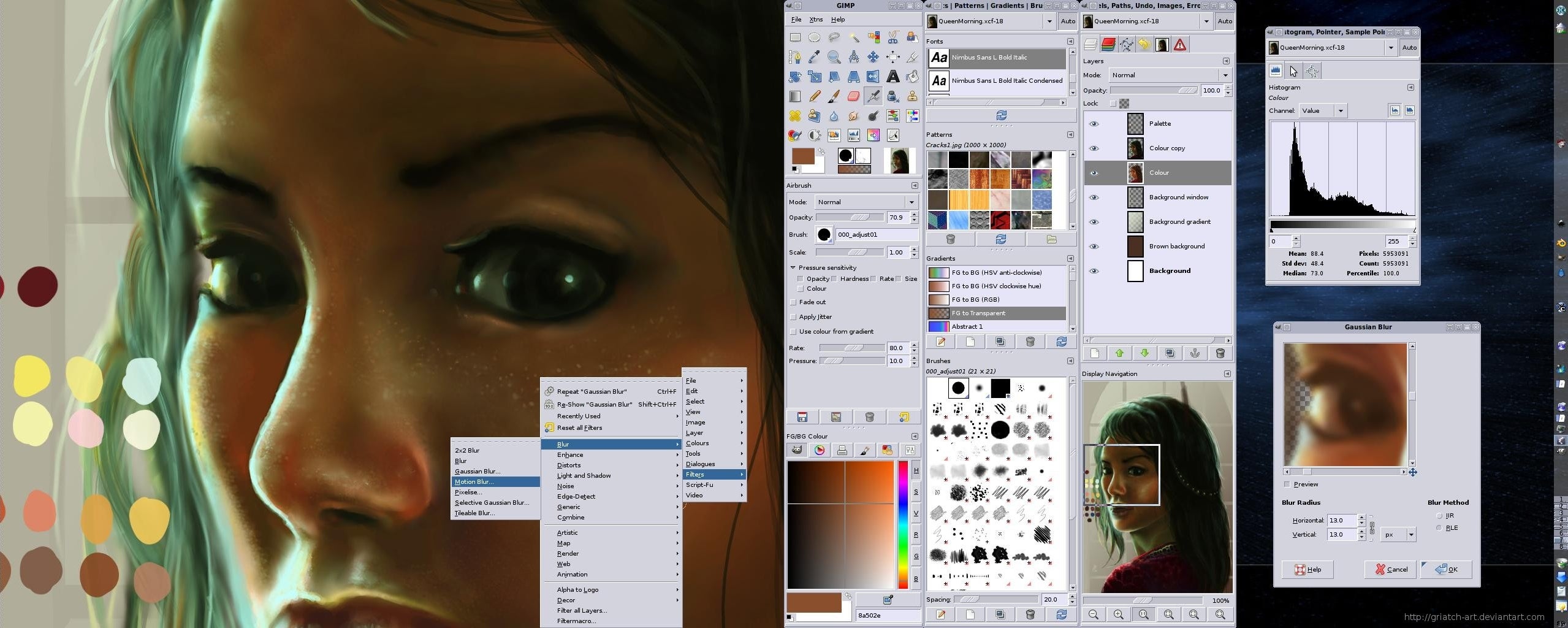
GIMP – less professional, but effective

GIMP has been around for years and is mentioned every time people talk about Photoshop alternatives. This software is comprehensive, works well with layers and has an impressively complete toolbox. It looks a little less professional, and some users will lament the long start-up time, but when it comes to the basics, GIMP does almost as well as Photoshop. The only serious aspect that you might miss is Photoshop’s content-aware feature, something discussed by Adobe here.

Read our full review of GIMP

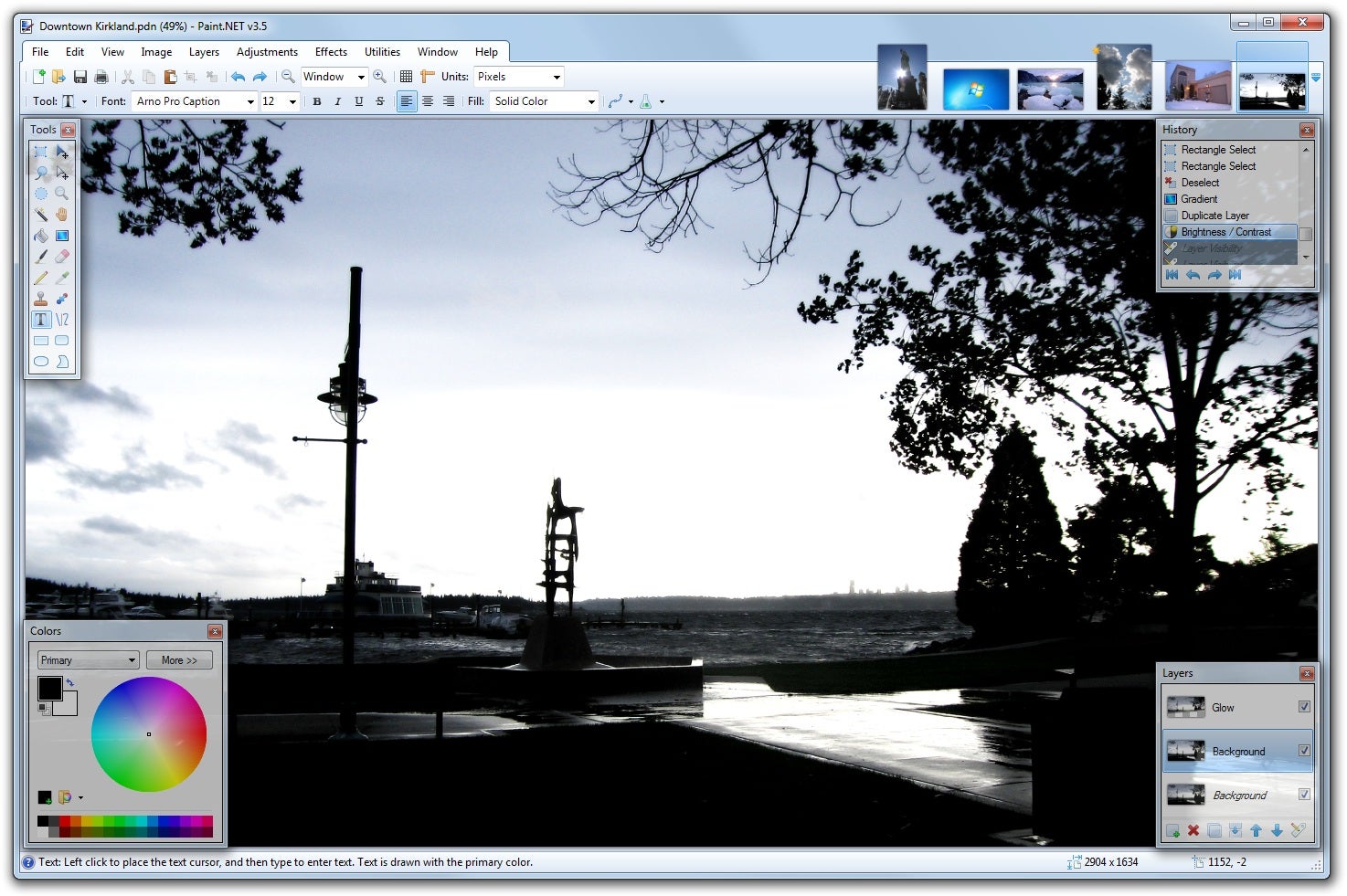
Paint.NET – simple and user-friendly

Paint.NET is a much simpler program than GIMP, but will still take care of any basic tasks you might require. It works with layers, which makes it much easier to manipulate images and create nice creative items, like digital collages. We like the tab feature the software offers, which makes it easier to switch between projects. This is essential if you’re trying to tackle any larger jobs.

Read our full review of Paint.NET

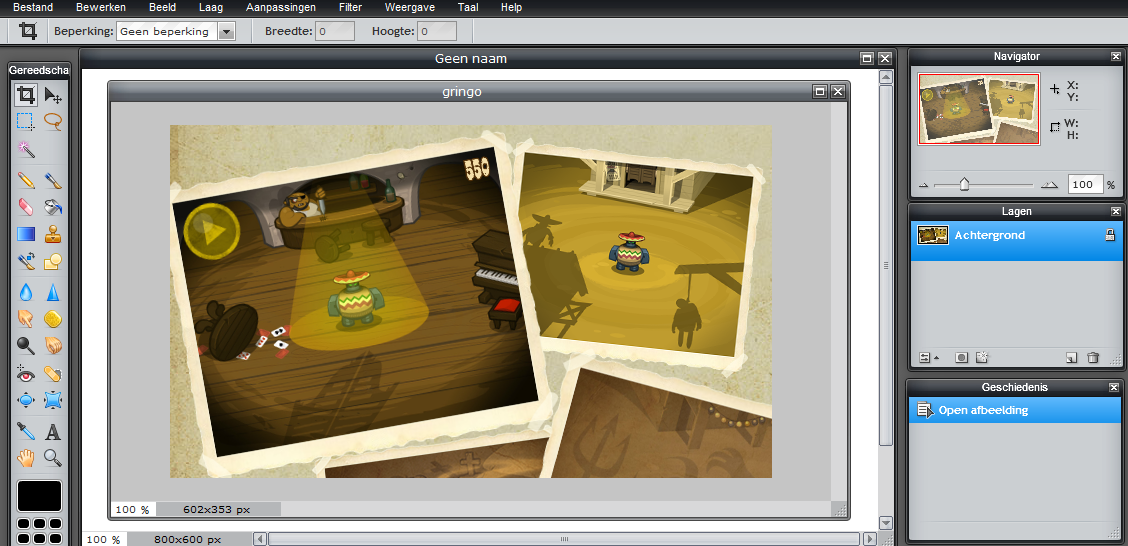
Pixlr.com – a powerful online editor

Online software isn’t everyone’s first choice, but don’t be fooled – there are some really good apps out there. Pixlr.com offers a combination of basic and advanced editing features, but you’ll find the most useful features here. The editor is pretty powerful, letting you quickly apply filters, create collages or digital drawings. Gradient is a tool that’s not always offered by alternative editing programs, but Pixlr.com does. It will let you create perfect backgrounds for lots of projects, including posters and games. It’s also worth noting that Pixlr.com supports some of the most common image editing keyboard shortcuts, making using it even easier.

Go to the Pixlr.com website

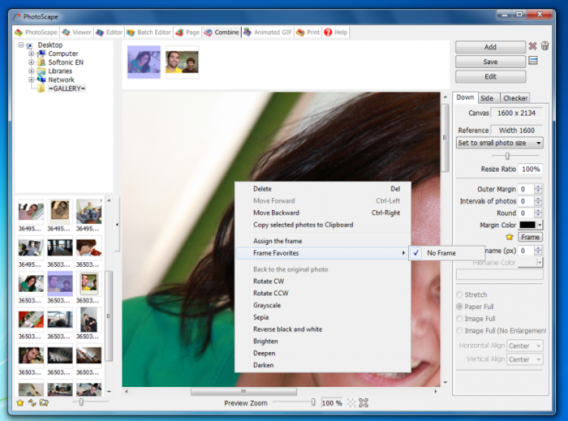
Photoscape – the favorite of many

Photoscape is a feature-packed image editor that’s one of the most popular image editing programs on Softonic. And not without good reason, either. Not only does it offer all the basic image editing tools, allowing you to get make your photos look as good as possible, it also offers more advanced features that let you correct serious issues and make substantial edits. Our favorite? The old Photoshop basic – the clone feature. This tool allows you to “clone” one part of a photo or image and copy it to another part of the same picture. This allows you to do everything from correcting facial blemishes to editing a person or thing out of a photo completely!

Read our full review of Photoscape

Photofiltre – a compact, user-friendly photo editor

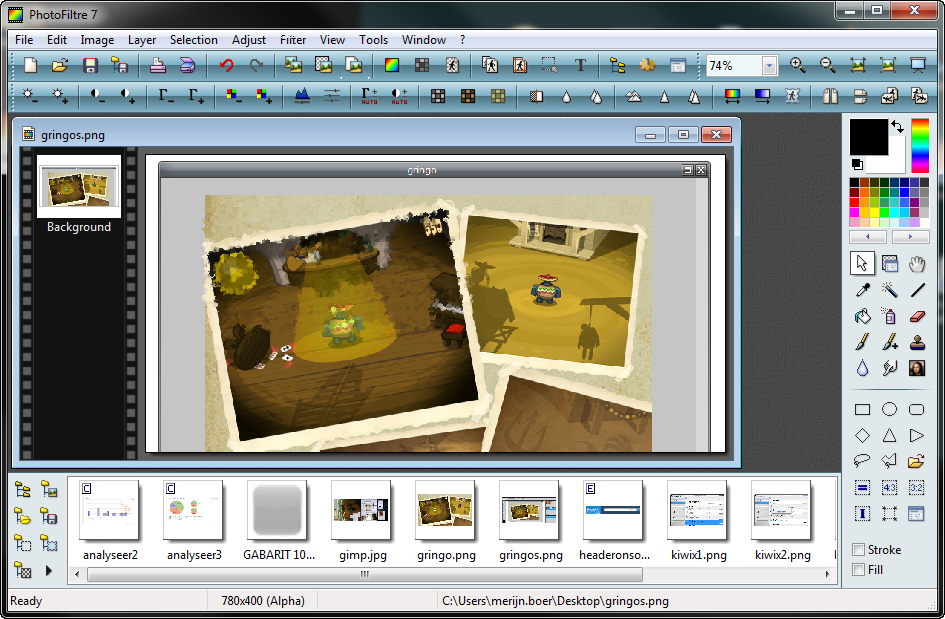
Photofiltre is a tiny 8MB program, that packs a lot of power into an app that takes up very little space on your hard drive. Just keep an eye out for the optional Ask toolbar during the installation process, and uncheck the option to install it. Once you have Photofiltre installed, you’ll see a dated-looking interface that nonetheless offers a good range of tools. The variety of tools and buttons, along with the full-screen lay out, takes a little getting used to, but once you’ve mastered it, you’ll really be able to harness its power.

Read our full review of Photofiltre

Obviously, this is just a short list of alternatives. There are a huge number of image editors, and, depending on what you need, you’re sure to find the perfect one for you. If you don’t think it is any of the above, also take a look at Google’s photo software, Picasa, vector editor Inkscape and good all-rounder, Photo! Editor.

What’s your favorite photo editor?

[Originally published May 13, 2013]

Recover deleted data: software that recovers photos, music, and videos

With the right software, you can recover deleted photos, music, videos, and documents. These special programs search USB flash drives, memory cards, and hard drives to recover data and restore files as best as possible. We’ll show you the best software programs for recovering lost data.

Free software

Undelete 360 – filters and batch processing

The free Undelete 360 program recovers and restores files from hard drives, USB flash drives, floppy disks, and memory cards. Filter and preview functions help sorting the search results. A function for batch processing organizes large numbers of recovery tasks. Unfortunately, in our tests Undelete 360 couldn’t recover any of our files.

These file formats can be restored with Undelete 360: DOC, XLS, RTF, PDF, PPT, MDB, HTML, CSV, TXT, PAS, CPP, EML, AVI, MP3, WAV, WMA, MPG, MOV, ASF, JPEG, JPG, PNG, BMP, GIF, TIF, TGA, EML, RAW.

Undelete 360 can handle files deleted from these data storage types: Hard drives, SD memory cards from digital cameras, USB drives.

Undelete 360 supports these file systems: NTFS, NTFS5, FAT12, FAT16, FAT 32.

Recuva – the all-rounder

Recuva is the star among the free programs for recovering your data. This freeware recovers accidentally deleted files as well as files from formatted disks, deleted emails, and unsaved Word documents. In addition, Recuva can also work in reverse to delete data that the user wants to completely remove. The recovery software is easy to use and the results are good. Recuva Portable also supports USB flash drives.

These file formats can be restored with Recuva: JPG, PNG, RAW, GIF, JPEG, BMP, MP3, WMA, OGG, WAV, AAC, M4A, DOC, XLS, PPT, ODT, ODS, PDF, DOCX, XLSX, PPTX, AVI, MOV, MPG, MP4, FLV, WMV, ZIP, 7Z, RAR, BZIP2, GZIP, TAR, WIM, XZ, UDF and more. In addition, it can recover deleted emails from Thunderbird, Outlook Express and Windows Live Mail.

Recuva recoveres deleted files from the following data storage types: Hard drives, USB sticks, SD memory cards.

Recuva supports these file systems: NTFS, FAT, exFAT.

Paid tools

7-Data Recovery Suite – this freeware supports many file formats

With the free and complete 7-Data Recovery Suite, you can recover files the user deleted including photos, videos, music files, and office documents, from a PC. The software works fast and is easy to use. In our test, the free version of 7-Data Recovery Suite found and restored all of our deleted files. The free version only lets the user find the files. To actually restore the files from their digital grave, you have to buy the full version.

These file formats can be restored with the free version of 7-Data Recovery Suite: MAX, ANI, AI, BMP, CDR, CLK, CMX, CRW, CUR, DWG, DXG, DXF, EPS, FH11, GIF, ICO, JPG, JPEG, PNG, PSD, PSP, QPW, SHW, TIF, DOC, HLP, HTM, HTML, MOF, MPP, ONE, PDF, PPT, PUB, RTF, TTF, VSD, WPD, WPG, XLS, 3DS, CAB, CHM, CSL, GZ, LZH, RAR, TAR, ZIP, 3GP, ASF, AU, AVI, MID, MOV, MP3, MP4, SWF, WAV, WMF, DBX, PST, ADP, MDB.

The free version of 7-Data Recovery Suite supports these data storage types: DE HDD, SATA HDD, SCSI HDD, FireWire HDD, SSD, USB HDD, External HDD, Hardware RAID, Floppy drives, USB flash drives, Compact flash cards, Secure Digital cards, Memory cards/Memory sticks, Micro cards, Zip drives, iPods.

The free version of 7-Data Recovery Suite supports these file systems: exFAT, NTFS5, NTFS, FAT32, FAT16, FAT12.

RS FAT Recovery – includes a sophisticated search feature

For a large number of deleted files, RS FAT Recovery provides a sophisticated search function and a practical preview of your disk image. As your files are found, the software creates a restore list and immediately begins restoring the files. In the test, the software was able to correctly restore almost all of the files. However some image files were corrupted. The demo version has all the features of the full version, but doesn’t restore the deleted data. For the restore feature, the user has to sign up for the paid version.
These file formats can be restored with RS FAT Recovery: No information from the manufacturer.

RS FAT Recovery restores deleted files from these data storage types: No information from the manufacturer.

RS FAT Recovery supports these file systems: FAT, FAT 32.

Formatted SD Card Recovery Pro – for almost all SD cards and cameras

Formatted SD Card Recovery Pro lets you restore deleted files from a SD card, mobile phone or hard drive. The software supports all popular file types and countless SD card and camera brands such as Nikon, Canon, and Kodak. Other file types such as office documents or system files can’t be restored using Formatted SD Card Recovery Pro. It also couldn’t handle large amounts of data. The free trial version displays deleted files that have been recovered. To recover the files, you have to buy the full version of Formatted SD Card Recovery Pro.

These file formats can be restored using Formatted SD Card Recovery Pro: PNG, TIFF, INDD, JP2, PSD, Paint Shop Pro Image File (PSP), Mamiya (MOS), Picture File (PCT), DV, M4V, 3G2, M4B, AVCHD Video File (MTS), Divx Encoded Movie File (DIVX), Matroska Video File (MKV), MOI Video File, OGG Media Player (OGM), Video Object File (VOB), 3G2, ASX, M4P, RPS, AIFF, MIDI, M4A, AU, OGG, WMA, RM, Real Audio (RA), SR2, ARW, SRF, NEF, NRW, CR2, CRW, ORF, MRW, K25, KDC, DCR, RAF, PEF, X3f, ERF, RAW, MEF, MOS.

Formatted SD Card Recovery Pro can recover files from these data storage types: SD cards, SDHC cards, microSD cards, MMC cards, xD cards, miniSD cards and CF cards, hard drives, mobile phones, MP3 players.

These file systems are supported by Formatted SD Card Recovery Pro: FAT12, FAT16, FAT32, NTFS, ext2, ext3, ext4, exFAT, BeFS, BSD disklabel, CramFS, HFS, HFS+, HFSX, JFS, btrfs, LUKS, RAID, LVM, LVM2, Linux Swap, Mac partition map, NSS, ReiserFS, Sun Solaris i386 diskabel, UFS, UFS2, XFS, SGI.

All recovery tools were tested by the Softonic Editorial team. The information on file formats, file systems, and storage media was taken from the manufacturer web sites.

Original article published on Softonic DE.

Infographic: The evolution of vehicles in GTA

Vehicles have always been a huge part of Grand Theft Auto, and Rockstar has developed its own world of cars, motorbikes, planes and more. We decided to look at how some of our favorites over the years have developed.

Created by our graphics editor Abel, you can see how five iconic GTA vehicles have developed over the years, from GTA’s 2D roots up to the latest models in GTA V.

Click here to download the full size version of The evolution of GTA vehicles infographic.

What’s your favorite Grand Theft Auto vehicle?

Video: watch three in-game GTA V ads

Like its predecessors, as well as action, Grand Theft Auto V features ruthless social satire. Now you can see some of this in a selection of advertisements from the game. Watch the video below.

The adds are for the TV networks CNT and Weasel, Rockstar’s dig at the Fox network, as well as an energy bar called Ego Chaser. The Ego chaser ad is most interesting, as it shows us lots of the sports that we’ll be able to play. Base jumping, swimming, BMX, quad bikes, Jet skiing and the return of the triathlon event, last seen in GTA San Andreas.

Default player


brightcove.createExperiences();

In GTA IV you could sit down and watch TV, so the CNT and Weasel ads suggest you’ll be able to relax in front of your TV in the game, while relaxing in front of your TV in your house.

GTA V comes out in just over a week, and we’ll be bringing you much more in the run up to its release.

The top 5 file managers for Android

Android phones are flexible when it comes to managing files, but as many Android users already know, the file manager that comes with Android devices doesn’t always work perfectly (and older models won’t even have one!).

Thankfully, there are plenty of options out there to compensate for the shortcomings of Android’s built-in file manager. The question: which ones are the best? To help you figure out, we’ve selected five of our favorite applications to manage files on your Android device. It’s part of our excellent series, Basic Tips for Android!

Now, all you need to do is choose the one which is best for you!

File Expert

If you need a file manager with advanced options, this is the program for you. The main advantage of File Expert is its connectivity: you can access the files from a PC or a WiFi connection. It also lets you upload files via FTP.

EStrongs File Explorer

Although visually a bit sloppy, the EStrongs File Explorer has everything a good file manager should have. Moreover, it allows you to synchronize accounts with popular web storage services like Dropbox, Google Drive, or SkyDrive.

OI File Manager

OI File Manager does virtually everything that Windows Explorer does on your PC. It can copy, rename, move, delete and even send files via your favorite email service. With clear icons and good usability, it’s a great option for your Android.

Astro File Manager

Astro File Manager is one of the veteran file managers available on the market. If you are after a stable application, even on older phones, this is a great option. Its main strength is its backup function.

AndroZip File Manager

This is one of the most basic (and popular!) managers on our list. The AndroZip File Manager has the reputation of being a great manager for fully compressed files. If you usually work with archives like ZIP, RAR, GZIP, TAR, BZIP2 or others, then this is the app for you.

Do you use any file manager apps for Android? Tell us in the comments below!

Check out more great tips for getting the most from your Android device here.

Original article written by Felipe Pessoa, published on Softonic BR.

Viber vs Skype: Which is the best?

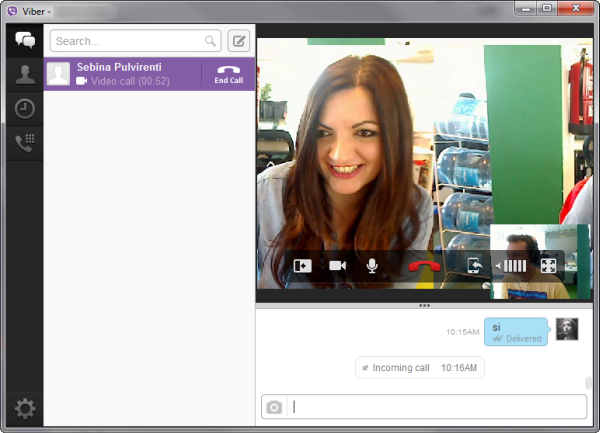
Viber is an app for smartphones that allows friends to contact one another. It attempts to be a phone replacement by allowing you to communicate through the app, even if friends aren’t using it. Now Viber has released on PC and Mac, but it still requires a smartphone account before you can use it. By using 3G or WiFi, you can communicate through messages or VoIP calls for free with friends who use the app .

But the release of Viber on PC and Mac signals its entry into the domain of Skype, arguably the king of VoIP calls on PC, Mac, and smartphones. With Microsoft’s acquisition of Skype, it acts as the replacement of Windows Live Messenger and will add millions of users. Viber was primarily a smartphone app and is only now being offered on desktops with its video calling feature in beta. There is room for growth from Viber, especially since people are looking for Skype alternatives.

How does Viber contend against Skype?

Registration and pricing

Viber

To use Viber, you have to register your phone number to receive a code  in order to activate the app. If you don’t have a phone number, then you can’t use Viber. Once you register and install Viber on PC or Mac, it will import your contacts from your phone rather than act as a standalone program. Viber is still free, but only if you are willing to register your phone number.

Skype

Skype is also a free service for making calls to other Skype members. To call landlines or phone numbers, you need Skype credit. The price per minute for calling phone numbers differs depending on location, but it is generally cheaper than carrier long-distance charges.

Winner: Skype

The fact that Skype is free to register makes it a better option. Required phone registration is a deal breaker with Viber.

Video Calls

Viber

Viber’s video calling feature is still in beta and hasn’t been optimized. Video calling is also only possible on PC or Mac, not smartphones.

Skype

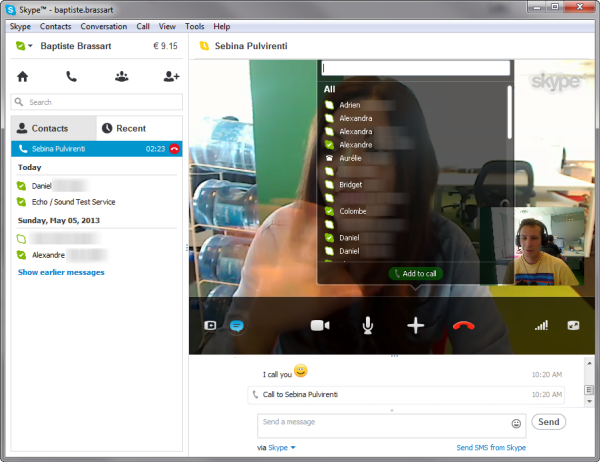
Skype has integrated video calling across all its platforms. You can make video calls from PCs and smartphones and even communicate from PC to smartphone. With a broader install base, Skype has more users and better functionality with its video calls.

Winner: Skype

Skype allows video calling with all its apps and desktop versions. Viber is still developing its video calling, but Skype’s installation base is much larger.

Call Quality

Viber

Since video calling is still in beta, there were issues when testing. There were problems with video quality and audio wasn’t clear. Even with a high-speed data connection, these problems still persisted. Using the phone app also led to some issues with audio quality.

Skype

Skype has obviously spent a lot of time optimizing video calling and it showed during tests. While the data connection played the biggest part in quality, Skype was smoother and was less laggy. Calling with voice wasn’t a problem either with great quality audio from both PC and smartphones.

Winner: Skype

Skype has had a lot of time to work on the backend of the service to provide great quality video and audio calls and it shows. If there’s ever a problem, it is likely related to your data connection.

Pricing

Viber

Viber is free, which is great, but only to other Viber users. If you make a call through Viber to a non-Viber user, you are charged the normal fee from your carrier.

Skype

Skype to Skype user calls are free regardless if they are on a computer or smartphone. You can also load Skype Credit to your account to call landlines and other mobile phone numbers for a per-minute charge. Generally this cost is low, allowing you to call friends in other countries without breaking your wallet.

Winner: Skype

Skype once again wins against Viber. Viber does allow to call non-Viber users, but you are subject to carrier charges. Skype also allows you to call regular phone numbers with a cost, but it is cheaper than what providers normally charge.

Installation Base

Viber

Viber is available on popular smartphones operating systems and even includes versions for Nokia Symbian and Bada. The new desktop client is a great way to keep talking with friends without having to hang up and call back.

Skype

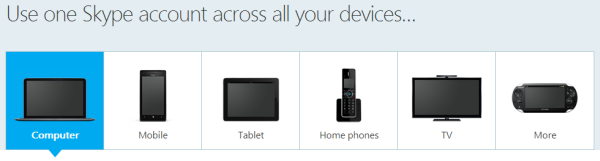
Even with Viber available on many mobile operating systems, Skype easily defeats it with support beyond smartphones and PC/Mac to include tablets, TV, and even the PlayStation Vita. Microsoft’s push for Skype as the primary messaging service for Windows will increase its user base, creating an even larger ecosystem. Skype will also be integrated into Outlook.com giving you a web-based option for communicating with contacts.

Winner: Skype

Skype’s growth outside of mobile devices shows that there is more widespread acceptance of the service. With almost any digital device you own, Skype will probably be supported.


Skype still dominates

Viber may be treading into Skype’s territory, but it doesn’t have the infrastructure to compete. With Microsoft pushing Skype into many products, its dominance will continue. Until Viber can introduce something new or different, users have little reason to leave Skype.

If Viber can get video calling support onto smartphones, allow registration without phone numbers, or drastically offer something more beneficial than Skype, then maybe it has a chance . But as of right now, if you’re a Skype user, there isn’t a reason to leave.

4 Alternatives to Hotspot Shield

It can be really frustrating when you want to watch a video on YouTube, only to receive a notice saying that viewing is region-restricted for your country. The same goes for accessing other websites available only to certain countries.

Luckily, there are tools like Hotspot Shield which create a Virtual Private Network (VPN) and allows access to geo-restricted websites.

If you’re interested in viewing content from countries other than the US, or are just looking for a comparable alternative to Hotspot Shield, there are a ton of great tools that’ll let you view the content you want, no matter where you are.

Cyberghost VPN

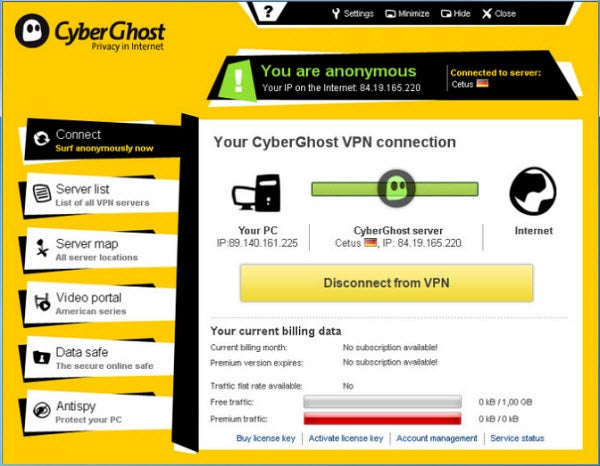
Cyberghost VPN is a nice alternative that lets you access region-restricted online services, as well as browse anonymously online. There is a free VPN package available for download on the developer’s website that includes up to 1 GB of traffic per month, as well as access to free servers. There are also other monthly paid plans if you want less wait time and more server availability.

UltraSurf

UltraSurf is well-known as a tool to browse the web anonymously, but it can also help you view sites that are otherwise restricted based on your location. Simple to install and use, UltraSurf  is a tool for Internet Explorer that works automatically on startup. You can also use it on Firefox, thanks to the handy UltraSurf Firefox Tool.

TunnelBear

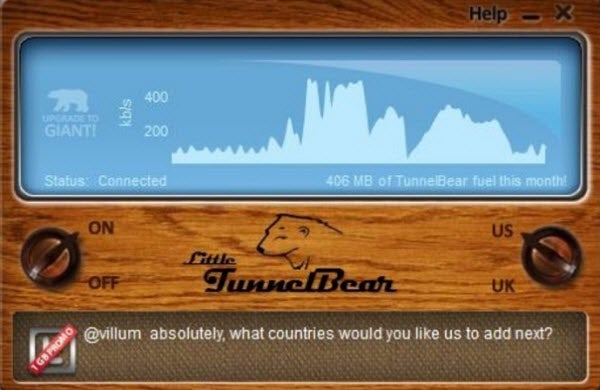
Much like Hotspot Shield, TunnelBear enables users to view region-restricted web content securely. By creating an encrypted connection between your computer and a server in the country you want to connect to, TunnelBear essentially lets you experience online content as if you were viewing it from another country. TunnelBear is available in three pricing plans, one of which is free and gives you up to 500MB of free data per month via the developer’s website.

ExPat Shield

ExPat Shield is essentially Hotspot Shield for users who want access to UK-specific content from outside of the United Kingdom. It does this by connecting your IP address to a UK IP. Installation of ExPat Shield can be a bit arduous, but the surfing speed is pretty impressive. In addition to offering simple VPN connectivity, ExPat Shield also has an anonymous browsing option.

If you’re looking for a few more options for streaming video content, there are even more browesr add-ons and tools you can use.

The best apps for quick and easy photo editing

If the images in your photo album are dull and boring, maybe it’s time to spice them up! You don’t need to be a Photoshop guru or known all GIMP menus by heart; there are dozens of easy photo editing tools – available for free or in trial versions – that help you apply eye-catching effects to your images without requiring any experience in photo editing.

Want to add a Polaroid effect to your photo, or turn it into a pencil sketch? What about a pop-art effect like a painting by Andy Warhol? With this collection of apps to edit and retouch images, the only limit is your imagination!

eezPix – photo editing for everyone

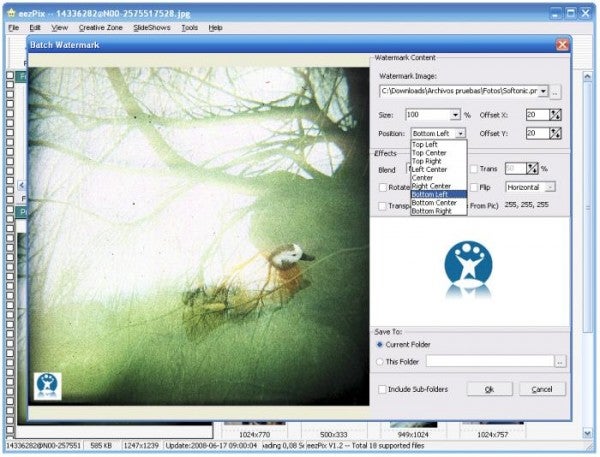
eezPix is an easy-to-use, yet complete photo editor that includes all the tools you need to work with your images: adjusting brightness and contrast, converting from one format to another, adding a frame  or inserting a watermark are some of its possibilities.

All the effects included in eezPix are highly customizable. In addition to that, the program supports working in batches – adding the same effect to multiple images at the same time.

Tint Photo Editor – make color stand out

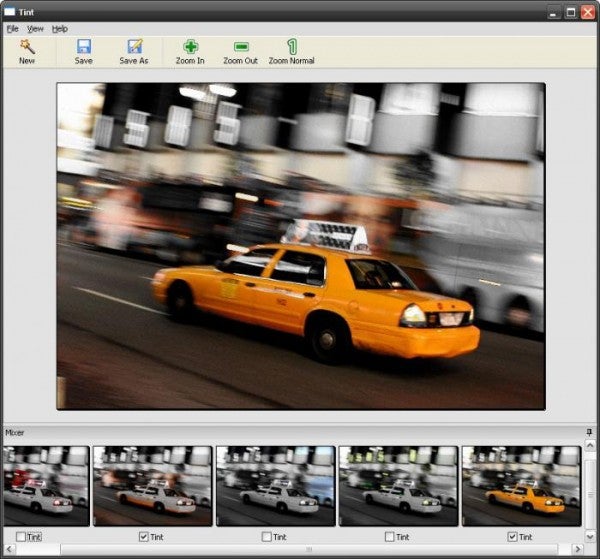
Tint Photo Editor is a photo retouching tool that specializes in one single effect, but does it really well. It highlights one color in your image while keeping the rest in black and white, thus achieving an impressive result.

Again, it’s very easy to use. Tint Photo Editor analyzes your image in search for all the colors used in it. All you need to do is choose which one you want to emphasize.

Continue reading “The best apps for quick and easy photo editing”

Análisis de Song of Horror: El primer gran juego de terror de la década

Song of Horror es uno de los mejores juegos de terror de los últimos años. En noviembre de 2019, cuando reseñé las dos primeras entregas, mis impresiones fueron positivas, pero prefería esperar a completar la saga al completo para comprobar si sus novedades se sustentaban. Pues bien, no sólo aguantan sino que ahora me costará volver a otros títulos del género; hacía tiempo que no sufría tanto.

Song of Horror apareció en Halloween del año pasado en forma de aventura episódica, aunque ahora puedes comprar el juego completo si así lo prefieres. Es un juego de terror moderno pero con raíces clásicas, tanto en el mundo de los videojuegos como en el mundo literario. Por un lado, tenemos múltiples personajes controlables (como en Alone in the Dark), cámaras fijas como en Resident Evil, acertijos complicados y una amenaza temible que recuerda un poco a Silent Hill. En el lado literario, tenemos descensos hacia la locura, amenazas primigenias y mansiones encantadas, al más puro estilo Poe, Lovecraft y M.R. James, respectivamente. Con este batiburrillo de influencias, es normal pensar que Song of Horror será 0% original. Al contrario: esta aventura tiene suficientes ingredientes únicos que la convierten en una nueva referencia.

Por ejemplo, aunque puedes elegir personajes y vivir diferentes experiencias, como en los Alone in the Dark de antaño, Song of Horror va más allá e introduce muerte permanente para sus protagonistas. Si el héroe o heroína que estás controlando cae a manos del terror, ya está, despídete del personaje porque no lo verás más, ni a él o a ella ni sus habilidades que podrían haberte ido bien más adelante. Si muere todo el plantel antes del final… se acabó, tendrás que volver a empezar.

Esta mecánica me produjo mucha tensión cuando probé el primer par de episodios. Al principio no me lo tomé en serio. Creí que quizás, siendo muy pesimista, se me moriría el primer personaje y poca cosa más. Pero de repente ya iba por el tercer personaje (de cuatro). Esa valentía ignorante se evaporó y me poseyó un miedo nervioso y tembloroso.

La buena (o mala) noticia es que esta tensión no sólo sigue en siguientes episodios sino que se acumula. Los episodios 2 y 3 añaden suficientes personajes nuevos / vidas extras como para sentirte aliviado al ver tu plantel renovarse. Pero los dos episodios finales hacen algo muy inteligente: añadir muy pocos personajes al plantel. Teniendo en cuenta que la dificultad de estos dos últimos episodios es brutal (el quinto es un no parar de sustos y gritos), el clímax de Song of Horror es lo más cercano a una pesadilla virtual. Tras acabar la aventura, exhalé el mayor suspiro del universo.

Estos personajes no solo son vidas extras. Cada uno tiene su trasfondo, su motivación, sus fortalezas y sus fobias. Añaden mucha rejugabilidad a Song of Horror. Además, conforme avanza la investigación descubres más cosas sobre ellos, te acabas encariñando y jugarás con más precaución para que no mueran por tu culpa.

El segundo gran as bajo la manga de Song of Horror tiene el genial nombre de la Presencia. Se trata de una IA tan dinámica como impredecible que deja en cueros tanto al Mr. X de Resident Evil 2 Remake como al reciente de Némesis de RE 3 Remake. No hay enemigos al uso en Song of Horror sino que te enfrentas a una fuerza extraña, sobrenatural, que bien podría haber salido en algún relato lovecraftiano.

La Presencia se manifiesta de dos formas: con sustos que no afectan a la jugabilidad, pero sí a tu pobre corazón, y con secuencias no-guionizados en donde sí que tienes el control y, si fracasas, reducirá la cordura de tu personaje. Para ambos casos, la IA parece aprender e intentar descubrir cómo asustarte.

Cada personaje tiene su arma, objeto o habilidad para vencer a la Presencia, pero todos comparten un recurso común y básico: los oídos.

Antes de abrir ciertas puertas, podrás pegar tu oreja para tratar de descubrir si la Presencia se oculta al otro lado. Es una mecánica que requiere paciencia y calma. Aunque parezca muy simple de usar, he pecado de olvidarme de ella en momentos que tenía prisa, o en los que temía estar siendo perseguido. Lo he pagado muy caro.

Hace medio año, consideré la Presencia un enemigo aterrador. Ahora, lo he elevado a uno de los mejores monstruos del género. Su letalidad aumenta episodio en episodio. Las estrategias que te funcionaban en el episodio 1 apenas te funcionarán en el episodio 2 y serán historia en el episodio 3. Y lo que aprendas en el episodio 2 casi de nada te servirá en el episodio 4. Por curiosidad, volví a empezar el juego tras acabarlo para comprobar si realmente la Presencia es aleatoria. Confirmo: aunque siempre hará lo mismo en cada partida, el momento, la forma y la intensidad siempre son diferentes.

Pero la Presencia no solo funciona a nivel jugable; es una genial adaptación del terror literario clásico. Es un misterio reptante, imposible de entender, que hace contigo lo que le place. Juega contigo de la misma forma que los Primigenios jugaban con Henry Armitage, Randolph Carter u otros personajes de Lovecraft.

Finalmente, Song of Horror supera la gran prueba de todo juego episódico: la calidad se mantiene hasta el final. Con este tipo de juegos, siempre existe el miedo de que los últimos episodios sean más cortos, o se noten las prisas de la desarrolladora. Song of Horror se ríe de estos miedos. Cada episodio tiene nuevas mecánicas, localizaciones, personajes… y la conclusión, que ocurre en un manicomio genialmente recreado, es memorable y emocionante.

Espero que Song of Horror sea el Amnesia de esta nueva década. Deseo que los próximos juegos de miedo tomen nota de esta tremenda aventura, que exploren o potencien la idea de personajes realmente mortales o amenazas realmente impredecibles. Mi corazón no lo agradecerá, pero mi ansia enfermiza por asustarme estará encantada.