Series: The best PC games for…

There are hundreds of different gamers playing hundreds of different games, each with a different level of dedication, interest and reason for playing.

In this ‘The best PC games for…’ series, we take you through some of the best PC games for any situation you may find yourself in, from playing particular themes, to playing with different people, to playing when you’re in a certain mood.

Check out our series below, where we’ll add links to new articles as they appear!

Do you have a favorite game for these situations?

Third-party Snapchat apps to save Snapchat photos

As images continue to dominate social networks, many third-party Snapchat apps have emerged to help users save their fleeting Snapchat images.

Although it’s not a traditional social network, Snapchat has added features that make it more than just a 10 second glimpse into someone’s life. Adding ‘Snapchat Stories’ lets contacts see a photo for up to 24 hours, and for what’s become a legitimate form of communication, especially among teenage users, 24 hours may not be a long enough time frame for its growing use as a pseudo social network.

Default player


brightcove.createExperiences();


For those who see value in keeping fun or entertaining Snapchat photos from friends (and prefer an easier method than taking screen shots), there are plenty of third-party apps for iOS and Android that let you to download and save Snapchat photos to your phone.

Note, to use all of these apps, you must log in with your Snapchat username and password.

ANDROID

UPDATE (30-01-2014): Google has removed some of these third-party apps from Google Play citing a violation of the Play Store’s policies.

SnapCapture for Snapchat

SnapCapture for SnapchatAs one of the most popular Android solutions for saving Snapchat images, SnapCapture is a very basic but useful app. It does nothing more than save your Snapchat images to either the in-app gallery, or to your device’s photo album. Like most Snapchat saving apps, you have to open the images in SnapCapture before opening them in Snapchat if you want to save them. Unfortunately, you can only save images for free during the 7-day trial before you’re forced to pay for an upgrade.

SnapSave for Snapchat

SnapSave for SnapchatSnapSave (no the same as the iOS version) works in the same way as SnapCapture, letting you either save unopened images and videos, or view them as many times as you’d like within the app. Images from someone’s story, on the other hand, will be automatically saved in your photo gallery. Another big difference between saving single snaps or stories? Users will be notified when you view a story, but you can choose whether or not you want the user to know that you’ve viewed a regular snap. Again, after the first 25 images, you must purchase an upgrade to continue using the app.

SnapChat Save Pics

SnapChat Save PicsSnapChat Save Pics works in almost the exact same way as SnapSave: automatically save stories, view or save images and videos, and only notify the user that the image was been viewed if you want. The biggest difference? SnapChat Save Pics is completely free, with no upgrade needed to save more than a set number of images.

iOS

Snap-hack Pro for Snapchat

Snap-hack proThere’s both a pro and a lite version of this app, but the pro version has proven more popular among users thanks to some cool features. It’s the app that functions most similarly to Snapchat, not only letting you save Snapchat images to your iPhone, but also letting you take pictures within the app and add stickers and effects not available in Snapchat. If you’re looking to do a little more than just save photos, Snap-hack Pro is a good option.

SaveSnap for Snapchat

SaveSnap for SnapchatThe app is simple, but one of the nicest looking ones on the list, doing exactly what you’d expect: it lets you save any Snapchat photo or video to your camera roll by opening it first in SaveSnap. The (dangerous) standout feature of the app is letting you share photos directly to Facebook, Twitter, Instagram or email. SaveSnap lets you save a limited number of snaps before requiring an upgrade.

Snap Save for Snapchat

Snap Save for SnapchatNot to be confused with the previously named SaveSnap, Snap Save is another run of the mill option for saving photos and videos from Snapchat. It doesn’t have any outstanding features, but it does separate individual photos and stories into categories, even letting you view snaps that have been cleared from your Snapchat feed, as long as they’ve been cached in the app. Again, you must pay for unlimited photo saving.

As Facebook’s growth continues to decline and Instagram surpasses expectations as the fastest growing social network, it’s become apparent that a combination of photo-sharing and mobile platforms is a key ingredient to the modern social network. Apps like Snapchat, which is massively popular with teens, quick, instant and, most importantly, strictly visual, is further proof of this platform’s success. Even more add-ons to enhance the experience are are emerging, like LaterSnap, which lets you send images from your camera roll via Snapchat.

Of course, at its core, it’s still meant to be a fleeting photo-sharing app that lets users exchange photos instantly, but if 10 seconds just isn’t enough, there are plenty of third-party apps that can help you save those memories.

RELATED STORIES

The best PC games for…mods

Let’s kick off our “The best PC games for…” series by showing you some of the most customizable computer games.

If you get bored easily and like to change up your gameplay, you’re likely into mods, amendments for certain PC games that can change the entire game with a couple of free downloads and a few clicks.

Mods are perfect for changing the face of a character you don’t like, discovering new landscapes, and enjoying the game in ways that even the original creators couldn’t have imagined. Here, we show you 5 great games that let you use mods to get an entirely new gaming experience.

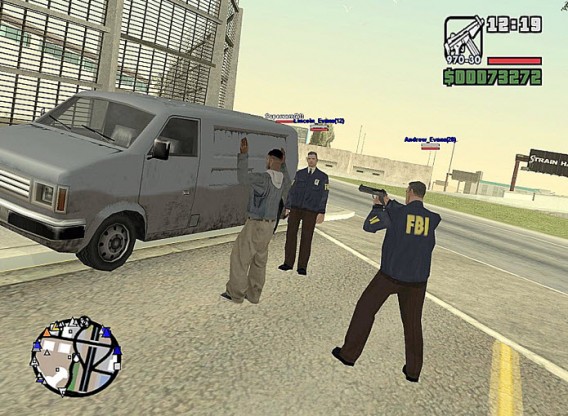
Grand Theft Auto: San Andreas

GTA San Andreas This GTA is, on its own merits, a favorite in the series for many users, even more so than the excellent fifth installment. The reason?  The story and characters are tremendously charismatic, along with some really fun missions. Add to this an almost infinite number of possibilities for customizing gameplay on PC using mods, and its not hard to understand why.

GTA San Andreas mods are easily manageable with Mod Installer, letting you change anything from a relatively simple aesthetic improvement, such as more vehicles or a snow scene, to amazing changes in gameplay. Yup, with minor free modifications, you can enjoy multiplayer mode, be attacked by zombies, or experience (almost) anything else you can think of.

GTA San Andreas San Andreas gets multiplayer thanks to an excellent mod

Grand Theft Auto IV

GTA San Andreas is a great game, but unfortunately, the graphics look dated. Luckily, GTA IV, the next in the series, also has plenty of mods that let you fine tune it to your liking.

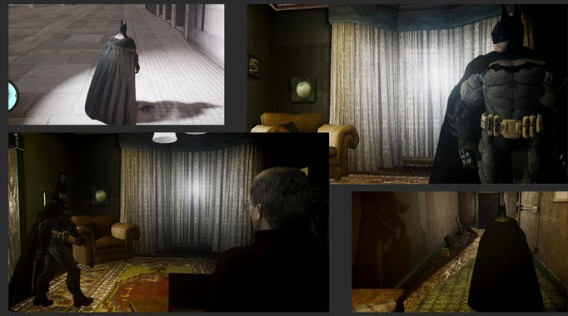
Undoubtedly, the one you’ll notice most is the one that turns your adventures with Niko Bellic into those lived by Carl Johnson in San Andreas. But this isn’t the only one that deserves our attention: elephants, superheroes, and third person views are all on the list too.

GTA IV BatmanBatman Arkham Origins? No, it’s GTA IV with a fantastic mod!

The Sims 3

The Sims 3

Since the first generation of Sims, which debuted in 2000, the game has been famous for having endless ways to play. This not only includes multiple expansions, but mods as well.

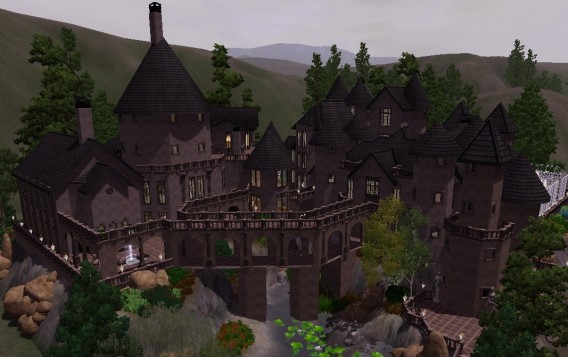
This hit a peak with The Sims 3, which hid thousands of ways to tease them out. You can, as always, change your characters’ outfits to fit with the latest fashion or look like your idols, as well as being able to enjoy entirely new neighborhoods. Going even a little bit further, you can also modify any animation, action or aspect of the game that doesn’t quite suit you.

The question will be if The Sims 4 can support mods as well as the other games in the series.

Harry Potter in the Sims 3Harry Potter fans can recreate their favorite series in The Sims 3 by installing modifications

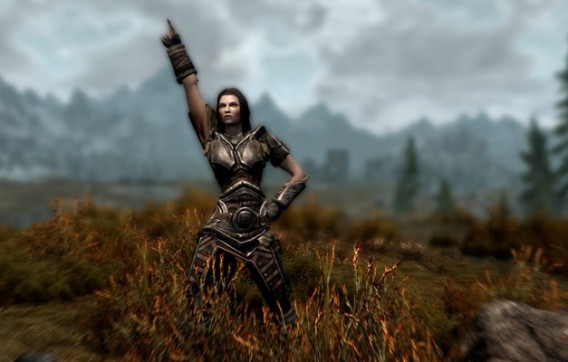
The Elder Scrolls V: Skyrim

The Elder Scrolls V

One of the great incentives to play Skyrim on PC, in addition to the improved graphics (provided you have powerful machine), is its great mod community. Are you bored with the fantasy theme? Are you sick of always using the same armor?

Skyrim can meet any of your aesthetic or gameplay fantasies – it’s a game that has mods that can alter the game in both aspects. You can even experience something as unexpected as riding on the back of a My Little Pony. If you think we’re exaggerating, follow this link to see how much fun you can have with the game. Even if the mod you want is not on the network, you can always create your own with the Skyrim Creation Kit.

The Elder Scrolls VIf you like to dance, there’s a Skyrim mod for that too

Minecraft

Minecraft

We couldn’t write this piece without mentioning Minecraft, the king of all mods. Born as an indie project, this Mojang game has grown in both community and options, most of them made ​​by users themselves.

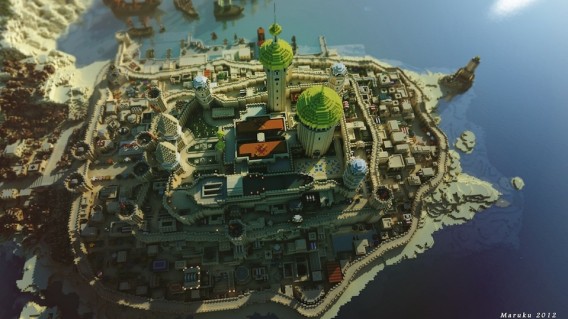
Minecraft can’t be explained. It’s a living thing, and it’s built on the fly so that each game is unique. Play using a World of Warcraft map, with a cubic version of Far Cry 3, with a particular version of Zelda, or if you’re a Game of Thrones fan, in Westeros itself. With Minecraft, anything is possible. Even more importantly, installing it is easy when you use an application like Modloader for Minecraft.

Game of Thrones in Minecraft

Game of Thrones fever has even reached Minecraft thanks to the work of users

The limit? Your imagination!

These five games have some of the largest modding communities, but they’re not the only ones offering this feature. Think of any PC game and we’re sure you’ll be able to change some of its options or expand the boundaries of its universe. Give it a try!

If you like this article, check out the rest of our ‘The best PC games for …’ series!

5 alternatives to iPhoto

People who like iPhoto are few and far between: it’s heavy going, slow to use, and has a habit of ‘appropriating’ any photos that you use it with. It’s good to know, so, that there are some good alternatives out there!

The OS X operating system offers a rich default software package. In fact, it meets virtually every basic need the average computer user has, all without needing to install additional programs.

But, nestling amid an array of good programs such as Safari, Mail and GarageBand, you’ll also find Apple’s Achilles Heel – iPhoto.

That said, it’s not a complete disaster, it’s simply not up to the standard of its fellow apps. And it never really has been.

So, even if you do love iPhoto, here are 5 alternatives that might just be worth a look.

Aperture, a complete and professional package

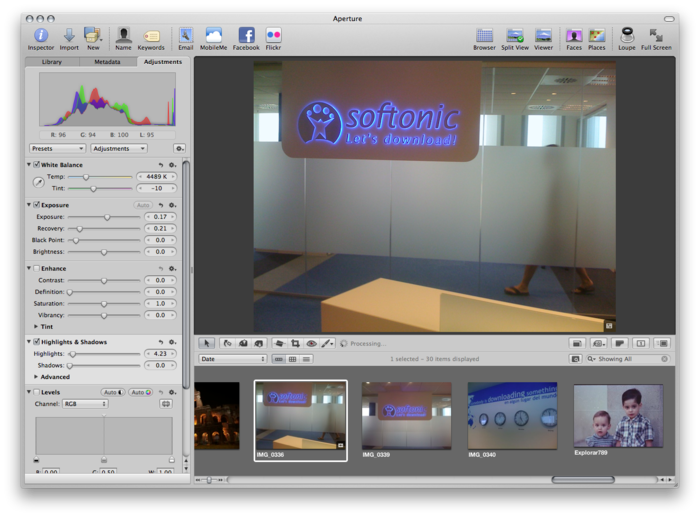
apertureAperture is iPhoto’s big sister. It’s not a simple program to use, but it is targeted at a professional audience. It has a lot to offer, both from the point of view of managing your library, as well as touching up images.

The non-destructive editing allows high level, accurate operations. If you come from an iPhoto background then importing the old library is easy. The two programs are able to communicate with each other perfectly – this means they’re both able to use a shared library.
Aperture

Aperture lets you create presentations, organize your photos using faces and places (like iPhoto) and it’s optimized for retina displays. It’s the right choice for those who are serious about working with their photos, but for everyone else, it’s might be overkill.

Lyn, a paragon of virtue
LynLyn is one of the various programs available for managing digital photos that’s better suited to the Mac platform.

It has everything you need: a user-configurable explorer, geotagging, metadata management (essential for professionals), a non-destructive editor, batch processing and excellent sharing options.

Not only that, but it’s also compatible with iPhoto, Aperture, and Lightroom libraries, so the transition from using one of these programs to using Lyn is trouble-free. The interface isn’t as esthetically appealing as that of Aperture, for example, but it’s clean and easily navigable.
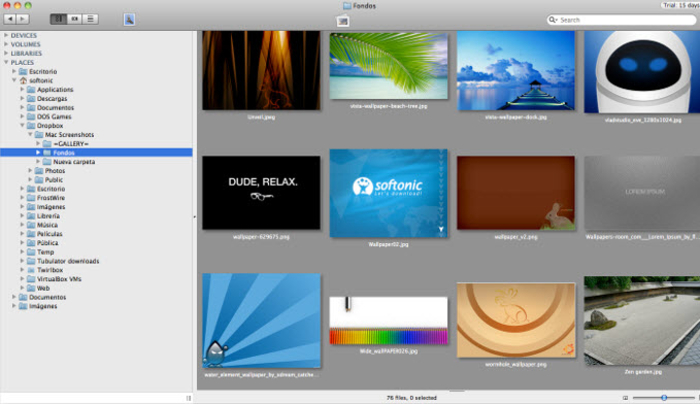
Lyn

The program is lightweight but supports all popular formats, including JPEG, TIFF, JPEG 2000, PNG, TGA, RAW, HDR, OpenEXR, PPM and animated GIFs. The complete list of compatible formats can be found on the publisher’s website.

It’s perfect for anyone who wants to have their user photo library ordered like a professional (although it doesn’t of course provide such a rich collection of tools as Aperture does).

Picasa, a great free solution

picasaWhen it comes to managing images on your computer, then Picasa is unbeatable. Importing the images is a fully automated process: all you have to do is choose whether the application should search for photos in certain specific folders or on the whole of your Mac, and then sit back and wait.

The system puts the photos in chronological order, but once the scan has finished, you can create folders, use tags, categorize by collection and share your Picasa Web Albums. You can also create collaborative albums.
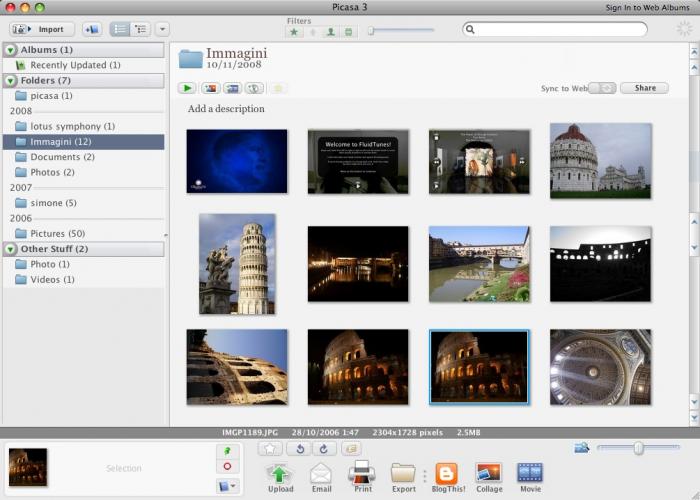
picasa

Picasa also offers some basic tools for touching up images as well as some other effects – the quality is ok, but nothing special. The interface is a bit confusing, but remains functional. It’s the right choice for those that don’t want to waste any time and who don’t need anything too elaborate. It supports the RAW format offered by many cameras.

Lightroom – Photoshop’s deputy

adobe-photoshop-lightroomAdobe has managed to infuse the power of Photoshop into Lightroom, merging the simplicity and sense of logic that you’d expect from a high-level photo management application.

The editing tools are very advanced. Worthy of particular mention are Upright, which straightens skewed images with a single click, and the Advanced Touch-up Brush, which works in a similar way to the Clone stamp tool in Photoshop, correcting imperfections and mistakes, but in a far more automated way.
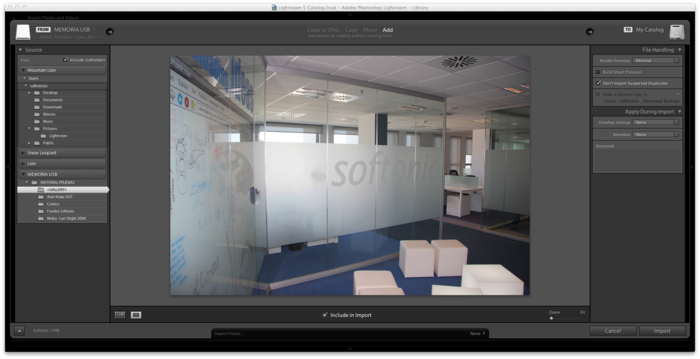
Adobe Photoshop Lightroom

Another very nice feature is the ability to turn color photos into black and white photos. The photo undergoes a process that’s more than simple desaturation, which would leave the shot flat and without character; instead, Lightroom lets you to add data via eight color channels. The result is an intense black and white photo that exudes vibrancy.

The application runs well, even when dealing with very large photo libraries, it supports geotagging and lets you create beautiful albums from templates. It’s a professional tool, but less complicated than Aperture. A little gem.

Pixa the bold
PixaThe Pixa interface is in true Mac style, and is well organized thanks to a predominantly automated workflow that allows you to add images to your library or share them in a few simple clicks.

The Auto-tagging feature saves the tedious job of tagging photos in order to find them easily, because it automatically adds attributes to the images. The Live folder, however, is a smart folder that lets you group your photos how you want to, but without moving them from their original locations on your Mac.
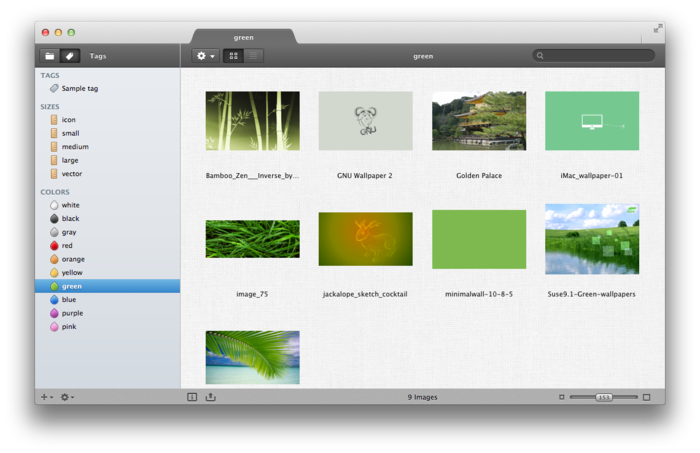
Pixa

Exporting using the conversion presets makes it very easy to share images. Pixa is a program that’s perhaps less rich than the previous ones we’ve discussed, but it has more original features. It’s one for the more daring among you!

What do you think of iPhoto? Can you suggest any other alternatives?

Broadcast your Minecraft games live through Twitch.tv

You can now broadcast your Minecraft game live. With version 1.7.4, Minecraft adds the ability to transmit the game live via streaming. It’s easy!

What you need to broadcast your Minecraft games

  • Minecraft version 1.7.4 or higher
  • A Mojang account
  • A high-speed internet connection

If version 1.7.4 isn’t yet available for you, create a new profile in the Minecraft launcher and check the “Enable experimental development versions (“snapshots”)” option and select version 1.7.4 or higher.

Minecraft Launcher

1. Create an account on Twitch

To broadcast games live, Minecraft is connected to the Twitch.tv servers, a free video game streaming service.

You can create an account in less than a minute if you connect through Facebook, otherwise you can fill in the standard form. Then click on the “Sign Up” button.

Twitch Free download
8

Twitch.tv sign up

2. Link the Twitch account to your Mojang profile

Once you’ve signed up to Twitch.tv and confirmed your account, you need to connect it to your Mojang profile. If you have a classic Minecraft account, you might not know what I mean.

Once it’s identified on Mojang, you’ll see that there’s a new option on your profile to connect your Twitch.tv account with the Mojang one.

Mojang Settings

Start the connection process by clicking on the link. A Twitch.tv window will open to confirm the connection between the two accounts:

Mojang Twitch.tv

Authorize the connection. If everything’s gone well, this is what you’ll see on your Mojang profile:

Twitch connected to a Mojang account

3. Define the broadcast options on Minecraft

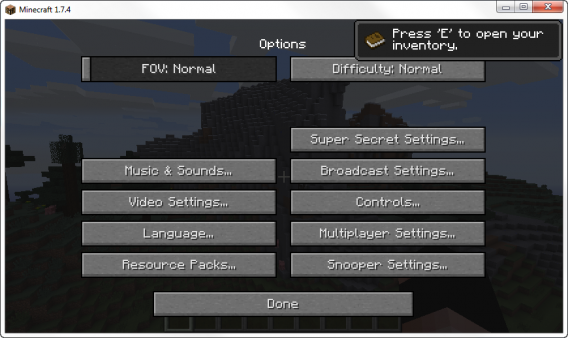
Minecraft (1.7.4 or higher) will now open – go straight to the options. You’ll see that there’s a new menu called “Broadcast settings”:

Minecraft broadcasting

Use the options to define the quality of broadcast and the server through which you want to stream your video. Please note that the video quality also depends on the power of your PC and the speed of your connection.

Minecraft broadcasting

4. Press F6 to transmit live

Once you’re in Minecraft, press F6 to start streaming. Two icons will appear in the top right corner of the screen, which’ll tell you that the video is being broadcasted and the microphone volume (you can deactivate it in the menu options).

Minecraft broadcasting

The video will appear on your Twitch.tv channel. You can share it on Facebook and other social networks, and viewers can chat with you in real time.

Welcome to The Truman Minecraft Show

Being able to transmit their adventures helps overcome one of the biggest issues for Minecraft players: loneliness. It’s also a great way to share knowledge, construction techniques and survival with a wider community.

20 best free games for Windows 8

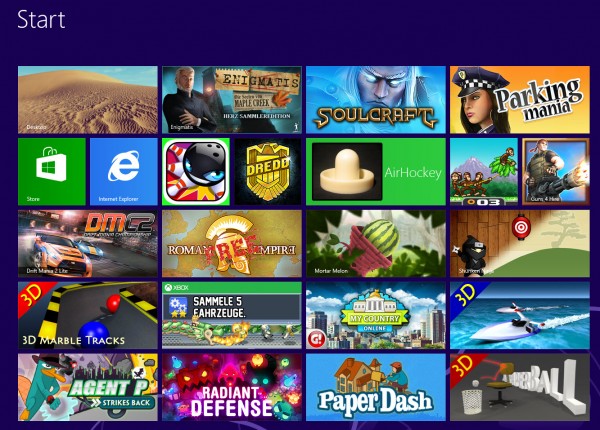
At first, there were only a few games for Windows 8, but half a year later, things are very different. Whether you’re looking for shooter, platformer, or realtime strategy game, there are lots on offer and among the (unfortunately) large number of bad games, you can find some real gems. Below is a list of games for Windows 8 that are just waiting to be played.

Windows 8 Games

Jetpack Joyride

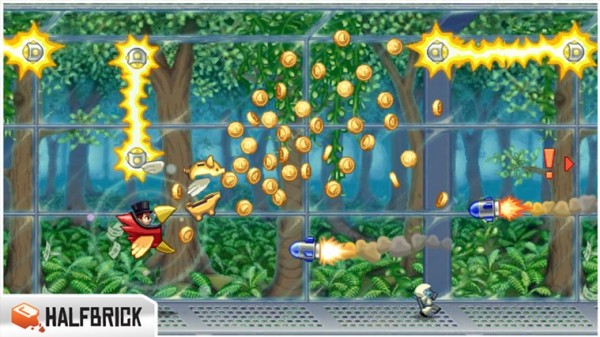
In Jetpack Joyride, you use your jetpack to run and fly nonstop through a never ending landscape. Just like other endless runner games, the only difference is in the obstacles and gold coins you find along the way. Great graphics and a catchy soundtrack make for a light-hearted game that’s not too difficult.

Jetpack Joyride on Windows 8

Judge Dredd vs. Zombies

In Judge Dredd vs. Zombies, you have to defend Mega-City One from a zombie attack. Using different weapons, you clean out zombies from different areas over the various levels of the game.

Judge Dredd vs Zombies on Windows 8

Roman Empire

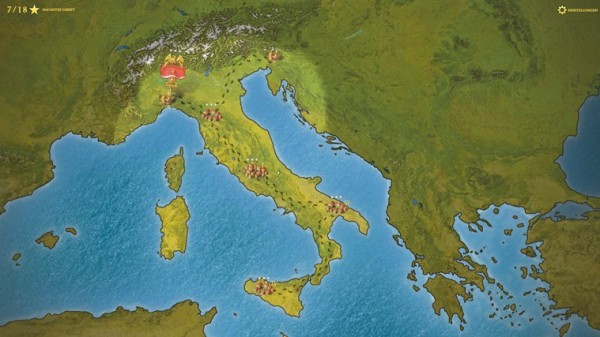
In Roman Empire, you take on the role of power-hungry Caesar. Your goal? To conquer Europe. You’ll have to vanquish neighboring villages, create alliances and make spur of the moment decisions.

Roman Empire on Windows 8

Monkey Flight

Fans of Angry Birds will enjoy Monkey Flight. Helped by special objects, the aim is to launch the monkeys so that they pick up the floating fruit.

Monkey Flight on Windows 8

Mortar Melon

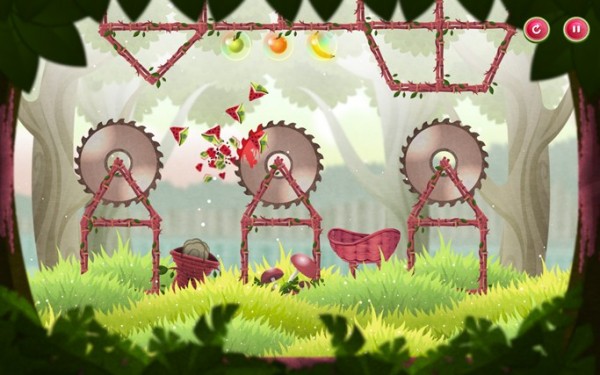
In Mortar Melon, the aim is to throw watermelons from the left edge of the screen into a randomly positioned basket. This becomes more difficult when obstacles like rotating blades are added to the mix and the difficulty increases with each level.

Mortar Melon in Windows 8

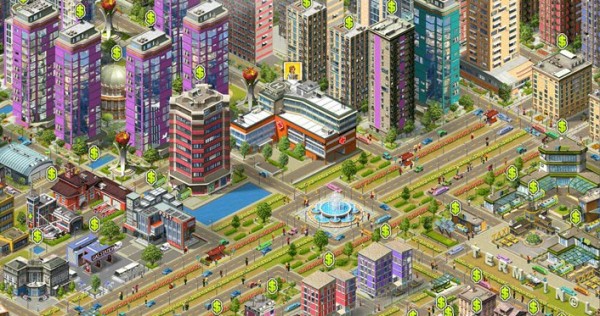
My Country

In this copy of SimCity, your mission is to build a bustling metropolis. You’ll have to build and place various buildings, roads, and other utilities to create the necessary infrastructure. If the people are happy, revenues will increase and your building plans will be safe, but if you don’t manage to organize the construction well, you’ll find that building flies out of control.

My Country on Windows 8

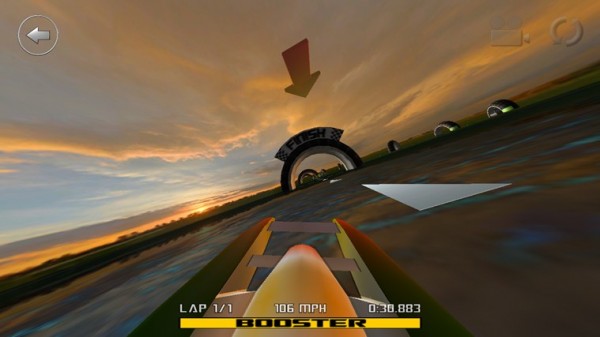
3D Boat Race

3D Boat Race lets you compete on the water in high speed boats. Arch-shaped goals show you the route to the finish.

3D Boat Race on Windows 8

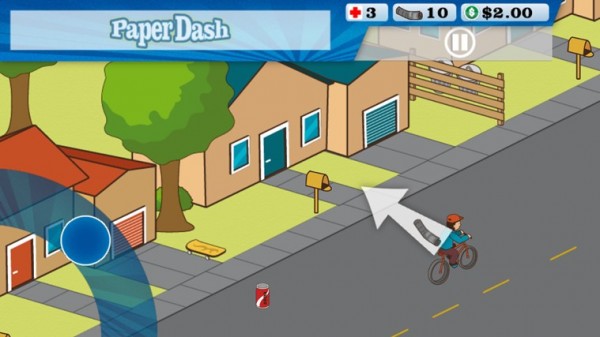
Paper Dash

This game is a remake of the classic, Paperboy. The main character is a paperboy and you need to steer him around the obstacles that he’ll find on his route.

Paperdash on Windows 8

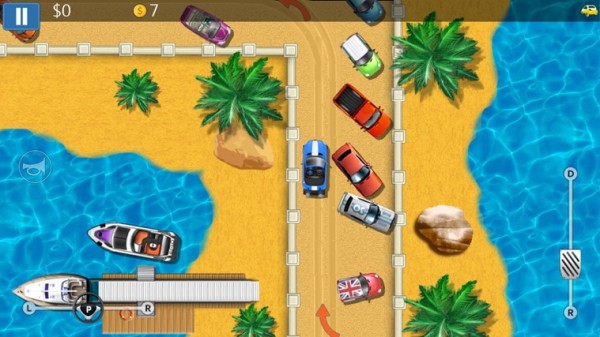
Parking Mania

The noble art of parking is recreated in Parking Mania. The aim is to park your car in a particular space. Just as in real life, however, this isn’t always easy – there’s little room to maneuver and the best spots are already occupied by other cars. Along the way, you pick up coins and other bonuses.

Parking Mania on Windows 8

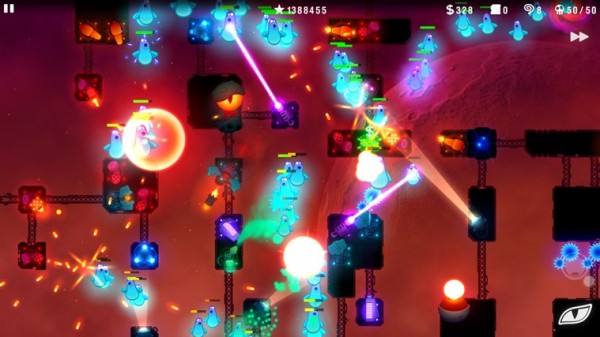
Radiant Defense

This is a colorful tower defense game. In your role as commander of a space station, you have to defend it against external attacks. Slow down your opponents by positioning defensive towers and walls.

Radiant Defense on Windows 8

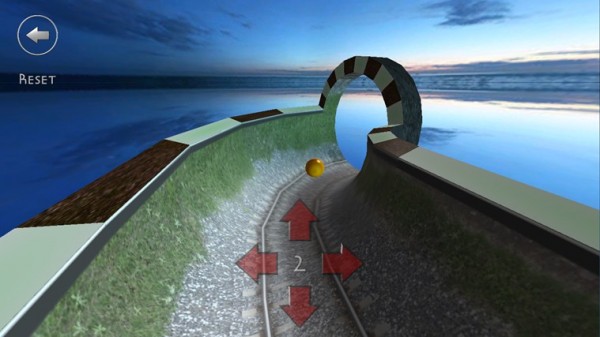
3D Marble Tracks

3D Marble Tracks is an interesting mix of mini golf, bobsled racing, and billiards. You’re going to need a lot of patience and a steady hand to get to the end!

3D Marble Tracks on Windows 8

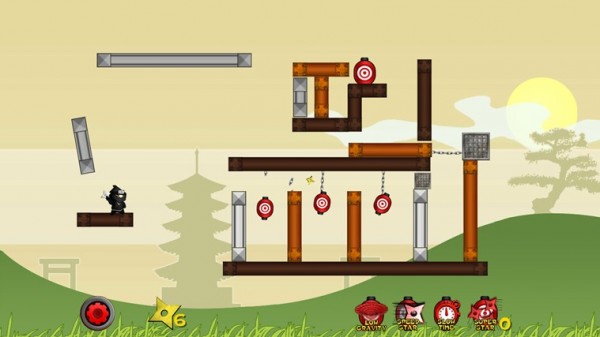
Shuriken Ninja

In this puzzle, you play the part of a ninja. Use your shuriken stars and throw them to create chain reactions so that they hit several targets at once.

Shuriken Ninja on Windows 8

SoulCraft

This time we have an action-packed role-playing game full of sinister characters. In Soulcraft, you fight your way through a colorful fantasy world as an angel, demon, or human being, building up your character by gaining experience in combat, weapons, and objects.

SoulCraft on Windows 8

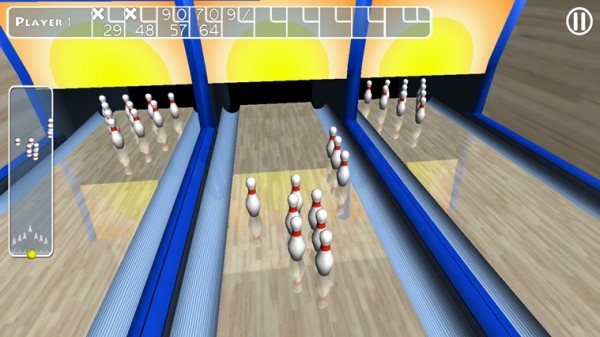
Trick Shot Bowling

Trick Shot Bowling is a classic bowling game where you can choose to play against the computer or real opponents. Decide for yourself where to aim and how hard to bowl the ball so that you can create a particular effect.

Trick Shot Bowling on Windows 8

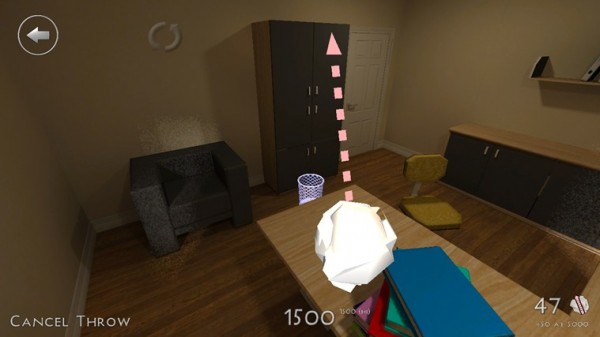
3D Paperball

Throwing a screwed up ball of paper helps to release tension. In 3D Paperball, these paper balls are virtual ones and you can show off your basketball skills by hitting the trash can in various different scenarios.

3D Paperball on Windows 8

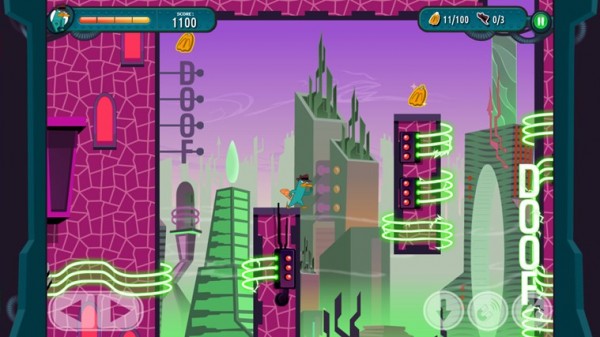
Agent P Strikes Back

This fun adventure stars Perry the Platypus, a character from the animated series Phineas and Ferb. The idea of the game is simply to jump between platforms and defend yourself against a series of animals that Dr. Heinz Doofenshmirtz has released to wreak havoc.

Agent P Strikes Back on Windows 8

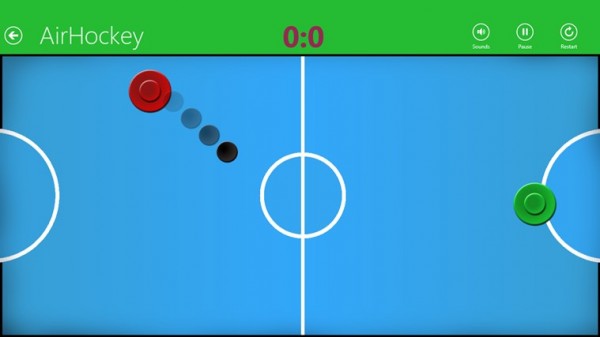
AirHockey

A good game for two people, AirHockey is classic game room entertainment. In Windows 8, the floating discs you play with become touch-sensitive controls.

Airhockey on Windows 8

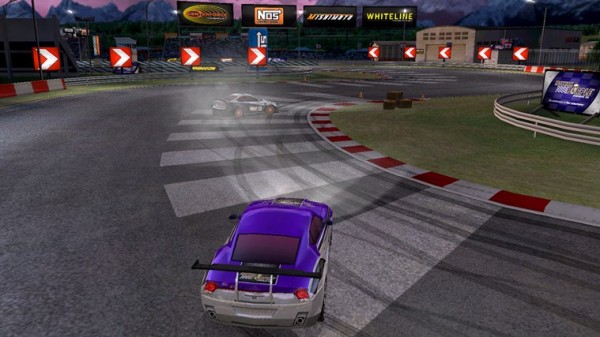
Drift Mania Championship 2

Drift Mania Championship 2 is a fun racing game with good graphics and a catchy soundtrack that makes full use of the motion sensors built into your tablet.

Drift Mania Championship 2 on Windows 8

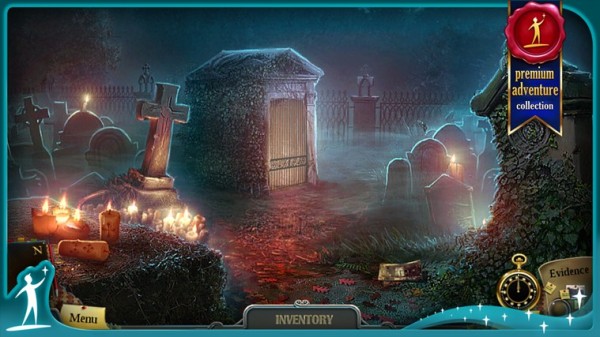
Enigmatis: The Ghosts of Maple Creek

The idea behind this game is a mystery and your job is to find the hidden objects and clues in the scene. The graphics are very good and full of details. The soundtrack also helps create an eerie and unsettling atmosphere.

Enigmatis: The Ghosts of Maple Creek on Windows 8

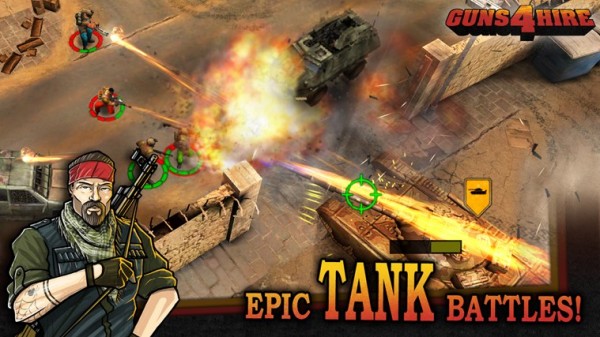
Guns 4 Hire

In this fast-paced action shooting game, characters are armed to the teeth. The control system is similar to that of Command & Conquer.

Guns for Hire on Windows 8

What do you think are the best games for Windows 8?

Original article by José María López on Softonic ES.

Alternatives to Clash of Clans on Android

After a long wait, you can finally download Clash of Clans for Android! If you were first in line when the game was released, however, you might be a little bored already. If you’re looking for something new, you’re in luck! Below, we give you a list of 7 excellent alternatives to Clash of Clans on Android!

Castle Clash

Castle Clash stands out from other games that look like Clash of Clans because it introduces some interesting modifications to the well-known CoC formula. After a successful attack, individuals on the battlefield don’t actually die, and can be used again in combat. In addition, units stationed at the base are able to help defend it. These rules seem pretty standard in other games, but not in Clash of Clans. Castle Clash doesn’t follow CoC 100%, but we’re okay with that.

Battle Dragons: Strategy Game

The game mechanics in Battle Dragons are very similar to Clash of Clans, but it doesn’t copy the rest of the game too closely. The game doesn’t follow the graphics or menu placement of CoC and, as the name of the game suggests, the main characters are dragons. It’s a good choice, as it gives developers a huge range of options to create even better, more powerful, and more beautiful dragons.

Jungle Heat

Jungle Heat appeals to lovers of military games. The action takes place in the jungle, raw materials are gold and crude oil, and the goal is to expand the base and buy futuristic arsenals of weapons. The graphics are nice and colorful, but it has its own style. The gameplay is very similar to that of Clash of Clans.

Clash of Lords

Clash of Lords is another game that draws in handfuls of Clash of Clans fans. The game and menu placement are very similar to the original. Images appear more three-dimensional and polished than other CoC clones, but of course this is a matter of individual preference. To be honest, it’s difficult to identify one element that distinguishes Clash of Lords from other similar games!

Greed for Glory: War Strategy

Greed for Glory: Strategy War is the only game in this compilation which features fully three-dimensional graphics that let you freely rotate and zoom in on the village. This gives you a better view of the battlefield during battle, but the graphics aren’t very refined. Greed for Glory has a kingdom instead of a clan and the atmosphere of the game is, therefore, more “medieval,” with a touch of fantasy, magic and, of course, dragons!

Clans Clash: League of Shadows

Clans Clash: League of Shadows has the most atmospheric graphics. They introduce their own style of mystery by using darker, dirtier colors. It will appeal to those who have had enough of the gaudy, candy colors in other games similar to Clash of Clans. The aesthetics are Steampunk style, or the alternative version of reality in which technology has developed rapidly, and the nineteenth century has many modern inventions. All this is mixed with fantasy in which there are orcs, goblins, and other fantastic creatures. The gameplay and mechanics of the game are very similar to that of Clash of Clans.

Throne Wars

Throne Wars is a game for those who are getting a little bored with games too similar to Clash of Clans. Throne Wars gameplay differs greatly from games like CoC. It involves developing a village, improving buildings, fighting with other players, and creating clans. In Throne Wars, we also have to develop more than one village. It’s the only game that’s played in portrait mode, or vertically. If you want to try something other than an exact copy of Clash of Clans, Throne Wars is well worth the download.

These seven games can be divided into two groups. The first is games that are very much like Clash of Clans, which include Jungle Heat (the only difference is a more military appearance) and Clash of Lords. All other games mentioned are trying to add something to make them stand out from the rest: Castle Clash is about battlefields and defending settlements; Battle Dragons is all about dragons; Greed for Glory is the only one presented in full 3D; and Throne Wars is the most distinct from the rest – graphics, vertical arrangement of the game, and more complex gameplay. In short, there’s something for everyone!

What’s your choice when you want a change to Clash of Clans on your Android phone?

Winamp is dead: 5 things we miss already

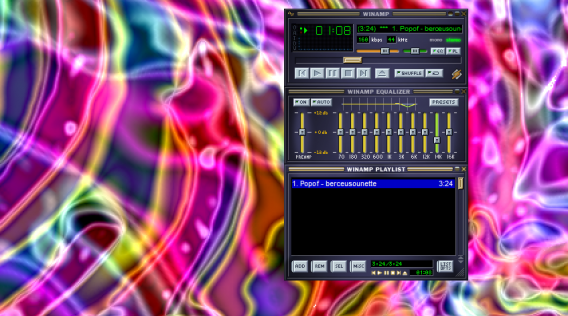
Winamp media player is no more after AOL decided to close the company on December 20, 2013, saying goodbye to 15 years of good and loyal service to the public.

For the millions of people who used this player, whose glory days were in the 90s, it’s time for some meditation. Before finally drawing a line through Winamp, here are 5 things that only true fans of Winamp will understand.

The questionable skins

Personalizing the audio player with customizable skins was, on paper, an excellent idea, and the creativity of Winamp community members knew no bounds.

In the late 1990s, download sites even provided special sections dedicated to the NullSoft audio player. From football teams to race cars, landscapes to futuristic imagery, the choices were endless.

Here’s a small selection of “skins” from the past that you’ve probably already seen online.

Winamp for Windows

99% of Winamp skins looked…questionable

Psychedelic view modes

There’s no doubt that the “View” mode was the first thing that all Winamp fans proudly showed their friends and relatives, back in the days when animations moving in time to the music was kind of a big deal. 

Like all other Winamp users, there’s a good chance that you stayed glued to your screen at least once, trying to guess what the psychedelic sound waves would do next.

Winamp for Windows

Trippy…

The miniature player

Winamp was the mark of the MSN generation, who spent ages configuring eMule and Kazaa to settle down for hours in chat rooms, playing Minesweeper, and listening to their favorite radio station on Winamp. These people will always remember the Winamp “mini-player”, the tiny bar that controlled the majority of the music player’s options. We also remember that the “Minimize,” “Reduce,” and “Maximize” Winamp buttons were anything but clear.

Winamp for Windows

One wrong click and the mini-player wasn’t so mini

Featherweight player

Some faithful Winamp users unwisely decided to download the first versions of iTunes to try. They quickly discovered that iTunes cost patience as well as money. To download iTunes using a 56K connection, it took at least thirty minutes, time which, in those days, would be deducted from your 20-hour monthly package.

Many users can testify that opening iTunes for the first time was a shock in more ways than one. It was significantly slower than the very light Winamp, and iTunes quickly ended up in the trash. The most savvy Winamp users always maintained an aversion to iTunes. Now that Winamp’s on the way out, the most similar replacements would probably be AIMP or foobar2000.

The legendary jingle

“Winamp: it really whips the llama’s ass”. Sound familiar?!? This jingle was the catchphrase of a generation. How many of us have joyfully repeated the jingle, despite not being sure what it really meant! If you’re interested, the llama is the mascot of Winamp’s original developer, Nullsoft.

Despite the closure, all is not lost for fans of Winamp- you can still install the media player until 20 December. After this date, no updates will be released but users can keep Winamp as the default media player on their PC.

What’s the first thing that comes to mind when you think of Winamp?

You may also be interested in:

If you like Candy Crush Saga, you’ll love these games

The concept of Candy Crush Saga makes it an addictive game, but it’s really easy to get bored with how it looks, the limitation on lives, and all of those annoying Facebook notifications. This made me wonder: are there any games similar to Candy Crush Saga that could eliminate some of these issues? It turns out, there are quite a few.

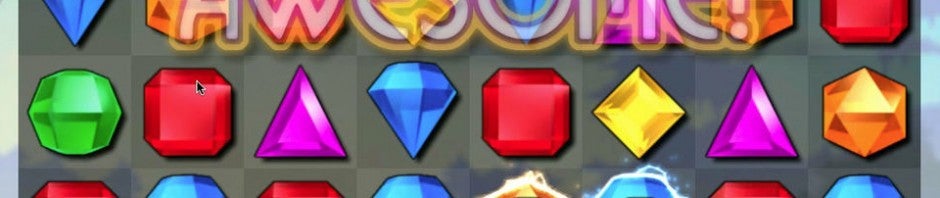
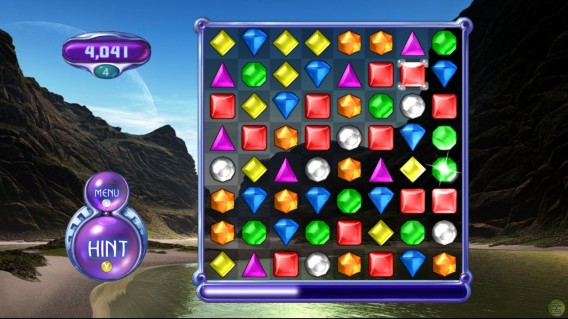
Bejeweled…where it all started

Candy Crush Saga’s mechanics are pretty much a carbon copy of Bejeweled (PopCap Games, 2001), a game that began in flash format and has, over the years, ended up with versions and sequels for all platforms.

If you want to play on your computer, we recommend the most recent installment, Bejeweled 3 for Windows or <Mac, as well as well as the original, theBlitz and the Twist versions. The gameplay is the same in all; the only things that differs are the game modes and the technical specs.

If you’d prefer to play on your mobile, there are versions for almost every device, from the original Bejeweled for Blackberry, to Bejeweled 3 for Symbian, as well as Blitz versions for iPhone and Android, or LIVE for your Windows Phone.

If you don’t want to download anything, stick with <Bejeweled 2 or Blitz for your browser, which is also available on Facebook.

The daddy of Candy Crush Saga has dozens of versions and spin-offs

The charm of “kawaii”

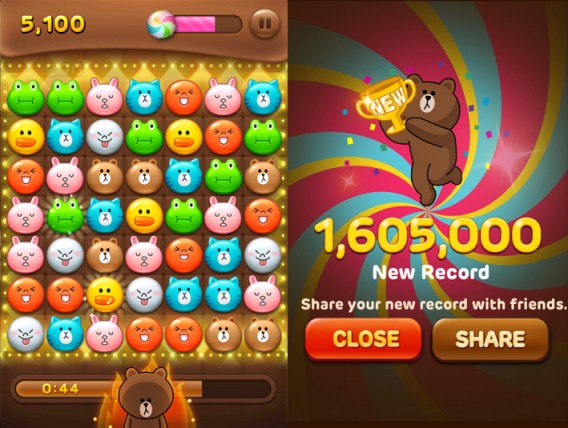
If there’s anyone who knows how to make pretty and colorful games, it’s the Japanese. LINE Pop (Android/iOS), for example, is a Bejeweled clone from Naver, the company responsible for the messaging service LINE.

LINE Pop (available on Android and iPhone) has the gameplay we’re familiar with, but it’s crammed full of charismatic characters we know from the LINE stickers; instead of candy or jewels, you have to line up Brown, Cony, Moon and Sally to make them disappear.

The downside of LINE Pop is that you have to install LINE to play, as well as staying connected to the internet. And yes, the “lives” system is alive and kicking.

LINE Pop…even more adorable than Candy Crush Saga?

Puzzles and more

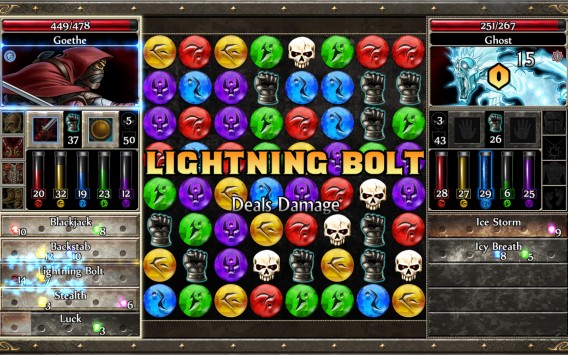
Some games use puzzles to give you an excuse to play more. This is the case with the Puzzle Quest series, where you collect pieces to defeat enemies.

Puzzle Quest, a mix of a puzzle and an RPG, has had two installments in the main series (download the first for Windows), as well as a spin-off with a galactic theme (also available on Windows).

Puzzle Quest has become another classic

Another very similar game that’s just made it across the pond is called Puzzle & Dragons (Android/iOS), a game whose potential success we’ve already speculated about.

Same, but different

There are also games out there which aren’t complete clones of Candy Crush Saga, meaning there’s more to the game than just joining three or more pieces of the same color to clear the board. These games have features in common that will keep you equally as occupied!

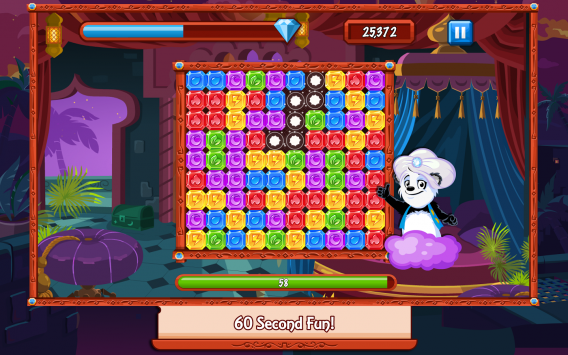
One type of similar game requires you to remove areas of the same color as quickly as possible. Although it’s not the first of its kind, the current favorite is Diamond Dash (you can play it on Facebook, iPhone and Android).

Diamond Dash: a game about pandas and gems!

There are also games where you match pieces of the same color that are adjacent to each other. The most famous of these games is Dots: A Game About Connecting (download it for iPhoneand Android), which bases its success on a more minimalist aesthetic – in fact, it really couldn’t be further from Candy Crush Saga’s sugary overdose.

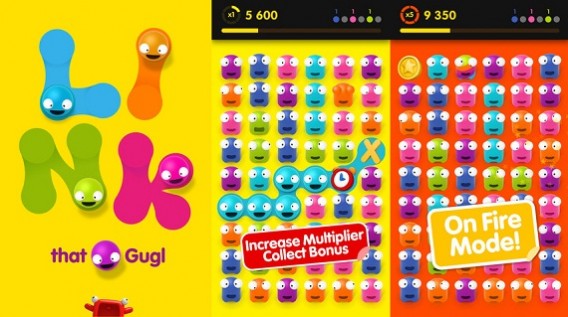
A similar game based on joining adjacent pieces is Link That Gugl (available on iPhone), which is much more colorful and has many more modes than Dots.

Link That Gugl: Dots’ party animal brother

A game genre that never gets old

It’s pretty obvious that Candy Crush Saga isn’t a ground breaking game; it’s simply been able to successfully combine classic gameplay with social elements and cross-play, a match made in candy-colored heaven.

A large part of its success has been a combination of hitting the market at the right time, along with some smart advertising – it looks like it’s offering something new (even though we’ve actually seen it before).

Do you know any more games like Candy Crush Saga?

RELATED ARTICLES:

iPad apps to create music

Creating music on iOS devices is easier than ever. The number of apps constantly grows and the apps aren’t limited by the genre. As the iPad has evolved over time and the accessories that the device can support for recording and output during performance, it’s a tool that many musicians have found very useful. From the causal to professional music creator, this list of apps can help you make music that you can share.

There are definitely more apps catered to electronic musicians rather than customary guitar and drums. These are a sample of what’s available in the App Store. Keep in mind though, some of these apps are expensive or use in-app purchases to expand the library of tools.

GarageBand

The first party music app is still the most popular among amateur musicians. It’s also a great tool to create demos for songs. The free app (but with in-app purchase) has different instruments to use. The multi-touch gestures are used to record piano, guitar, and drums. If manually recording tracks is too time consuming, then you can use Smart Instruments to manipulate blocks of music.

Guitarists have a particular advantage because Garageband can record directly into the app if you have the right accessories. As a first party app, you can always expect the app to be updated. Certain features like 32 tracks are locked to newer devices and an in-app purchase may be necessary if you want the complete set of instruments and sounds.

Traktor DJ

If you are interested in learning how to DJ, then Traktor DJ is the best tool for you. The app is from Native Instruments who develop professional DJ software. By accessing your iTunes music library, you can use your music when creating mixes. Even though you’re not creating truly original music, the skill involved in manipulating music is important.

Learning all the features of Traktor DJ will take some time, but mastering the app will likely help you polish your skills when it comes to working as a DJ. The $19.99 price might make you wary, but it’s worth the investment.

Tabletop

A little like GarageBand, Tabletop is a freemium music creation app. Unlike GarageBand which focuses samplers, mixers, effect, and sequencers. Supported with in-app purchases for new “gear” it’s great for a mix-and-match of digital sources. It’s likely that some experience with synthesizer and electronica creation tools is necessary to understand all the facets of Tabletop.

Tabletop is directed at musicians who have knowledge of using these tool and the amateur may be overwhelmed.

Aurora Sound Studio HD

Bridging the amateur and experienced musician, Aurora Sound Studio HD uses pattern-based sequencing to create music. In simple mode, you can pick and choose placement of notes and the app makes sure it’s in tune. Advanced users can access advanced modes to edit sound in real-time. A nice feature is that the app can record instruments through the microphone to use in song creation.

Supporting 14 instrument tracks, 3 effects per track, and 9 overall effects on the surface, Aurora Sound Studio HD might be the best starting point to use the iPad to create music. The app is more expensive at $39.99 so there’s a big decision to make before purchasing the app.

Creating a full band sound through apps is a little limited, but GarageBand is the best bet. DJs and electronic producers have the best options because a lot of apps are designed to use samples, sequencers, and MIDI tools. Starting with GarageBand is the best option for the novice music creator but once you’re familiar with creating music you can move on to a more advanced app.

[Original article from June 2011]

Add me on Google+