
Every summer, I end up in the same mess: six tabs open, flights on one side, hotels on the other, maybe a rental car thrown in for good measure, while I try to balance dates, budget, and that very real urge to disappear for a few days without wrecking my bank account.

And then it happens. You spot an offer that looks decent, leave it for a bit, come back when you’re almost ready to book, and the price has gone up.
Avast SecureLine VPN can help with that. By letting you change your virtual location while you search for travel, it gives you a practical way to compare flight and hotel prices from different places and, sometimes, pay less this summer.
That sense that prices move around for no reason isn’t always about rooms filling up or your departure date getting closer. A lot of the time, dynamic pricing systems are at work behind the scenes, factoring in where you’re connecting from and how much those platforms think someone like you is likely to pay for the exact same seat or room.
So a little extra help goes a long way. Tools like Avast SecureLine VPN make it simple to switch your virtual location, which can help you push back, legally, ethically, and technologically, against geolocation-based price discrimination and keep a bit more control over your holiday budget.
If you’ve ever wondered why this happens, and how to compare prices without turning the whole thing into a chore, keep going.
How does geolocation affect the price of flights and hotels?
The travel industry has spent years tuning its dynamic pricing systems, and most of the time that doesn’t work in the consumer’s favor. Airlines, hotel aggregators, comparison sites, and car rental platforms rely on automated systems that process hundreds of variables in real time for one very simple reason: to squeeze as much profit as possible out of every search.
One of the biggest variables is the estimated buying power of the place you’re searching from. If you land on a booking site from a medium- or high-income country like Spain, France, or Germany, the algorithm may assume you’re more likely to pay a higher price than someone looking at that same ticket or room from a market with lower average income or less local demand.
Looked at plainly, it’s unfair. Because it is. But once you know how it works, you’re already in a better position to compare more carefully and avoid paying extra without even noticing.
How travel websites know exactly where you are
Every time your device connects to the internet, your internet service provider, or ISP, assigns it an IP address. That string of numbers works a bit like a digital license plate. It publicly reveals fairly specific location data, including the country, the region, and sometimes even the city you’re browsing from.
Travel platforms can read that IP address almost immediately and figure out where the search is coming from. From there, the fares you see may be adjusted based on that geographic signal. You don’t have to sign in or fill out a single form for this to happen. Your location is already part of the connection.
Does incognito mode help you find cheaper flights and hotels?
A lot of travelers and online shoppers still believe that opening an incognito window or clearing cookies helps lock prices in place. On some level, it sounds reasonable. After all, you’re stopping the site from seeing that you’ve searched for the same route three times in the last hour.
But those are two different things.
Incognito mode helps your browser avoid storing local history and cookies on your own device, but it doesn’t touch the variable that geo-pricing actually depends on: your location. If your IP address stays the same, the platform still knows where you’re browsing from.
So yes, the only tool here that changes the root variable, your IP address, is a VPN. If that IP stays the same, the geo-pricing system stays in place too, even if you clear cookies or open twenty incognito tabs in a row.
How a VPN can help you find cheaper flights and hotels
A VPN, or Virtual Private Network, creates a secure, encrypted tunnel between your device and an outside server run by the provider. Once it’s turned on, your internet traffic travels privately to that server, which can be located in almost any part of the world.
That changes what travel sites see. Your real IP address, the one tied to your home or mobile connection, gets hidden and replaced with the IP of the server you picked. If you’re physically in Madrid but browsing through a server in Mexico or India, the platform may read you as a local user in one of those countries. That’s where price comparison starts to get a lot more interesting.
Simulate searches from lower-cost markets
If you connect through servers in countries with lower overall purchasing power, you may sometimes see lower base fares on international routes. It won’t happen every single time, but it’s worth testing because the difference can be pretty noticeable on long-haul flights or holiday packages.
Access domestic offers and local fares
Many regional airlines run discounts aimed at residents of their own country, or at least at searches made from that market. With a VPN, you can make the site think you’re there and check whether local fares show up that weren’t visible when you searched from Spain.
Avoid inflated exchange rates
There’s another practical angle too. When you change your virtual location, you can often view the offer in the local currency of the country it’s being sold from. In some cases, that helps you dodge those artificially inflated conversions certain international travel portals apply.
How to use a VPN to hunt for summer deals
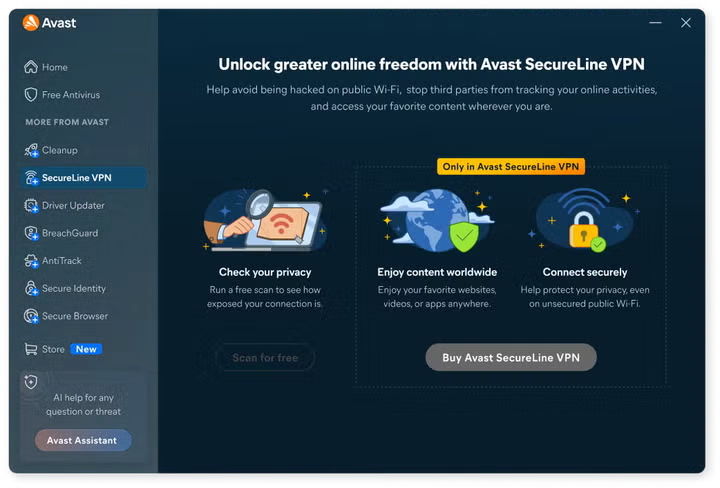
For a lot of people, comparing properly is half the trip sorted already. The good part is that you don’t need to know anything about cybersecurity to do it. This is where Avast SecureLine VPN can be useful, helping add an extra layer of privacy and flexibility while you search.
1. Open an incognito window
Start there. It’s a simple way to keep cookies and leftovers from earlier searches from muddying the results. It won’t fix geolocation by itself, but it does give you a cleaner browsing session.
2. Turn on the VPN in a specific location
Pick a country, for example the destination itself or a market with a lower average income. The point is to see how prices change when the platform believes you’re searching from somewhere else.
3. Compare prices and note the results
Run the same search for a flight, hotel, or holiday package and write down the prices you get. The difference for the exact same product can be surprisingly big when the only thing you change is the virtual location.
4. Close, switch countries, and repeat
Then close the window, choose a different VPN location, open a new incognito tab, and run the search again. That lets you compare several markets without mixing old sessions or leftover browsing signals.
Why does Avast SecureLine VPN help you search better and travel more safely?
If you’re going to use this strategy, not all VPNs feel the same in practice. For travel searches, it helps to have a broad network of servers around the world and speeds that hold up well, because flight and hotel comparison sites tend to load a lot of content, and flaky connections get old very quickly.
Avast SecureLine VPN, developed by Avast, a leading cybersecurity company, works for both sides of the equation: protecting your everyday privacy and helping you stretch your travel budget without making the whole process feel technical or tedious.
- Global server network: it lets you “teleport” your connection to many locations across dozens of countries. That’s handy when you want to compare the price of the same flight or hotel room from several different markets.
- Optimized speeds: it includes high-performance servers, so heavier websites, including flight, hotel, and car rental comparison platforms, load properly and without interruptions while you run repeated checks.
- Strong encryption: beyond the possible savings, it helps add a layer of protection when you buy tickets or book accommodation on public Wi‑Fi, such as the networks in cafés, airports, or train stations.
Discover the savings without commitment
Saving a few euros on your holiday shouldn’t mean paying for something blindly first. That’s why you can test how this works for yourself through the trial conditions listed on Avast’s official website.
Avast SecureLine VPN includes a free trial, so you can try its privacy and location-changing features without taking a risk. That gives you room to see whether it actually fits the way you search, compare, and book before you decide.
If you’d like to spend less on flights and hotels without giving up your privacy, download Avast SecureLine VPN and get your bookings lined up with greater confidence
