Google Workspace with Gemini is here with a pitch that lands at the right time. For a lot of teams, project management has turned into a slow administrative grind. This walkthrough follows a simple scenario: a team takes a rough idea and turns it into a brief, a budget, a deck, and a meeting recap inside Google Workspace with Gemini in about 10 minutes. Think back to the last strong idea that came up at your company, inside your team, or during a quick client collaboration. Getting from that first spark to something polished, shareable, and solid enough to stand behind usually takes days. Sometimes it stretches into weeks.
The problem usually isn’t talent. It’s scattered work. A good idea starts losing steam when the team has to deal with disconnected tools, mismatched formats, and file versions nobody feels comfortable calling final. That’s when something harder to get back starts slipping away: the energy the project had at the beginning.
What really wears people out isn’t one huge task. It’s the accumulation of small annoyances that keep showing up. You draft in one app, export the file, ask for feedback by email, build a spreadsheet from the ground up, piece together a presentation by copying data into slides, and somewhere in the middle you start chasing missing edits through long message threads. You don’t have to accept that as the default anymore.
Why does a good idea stall before it even starts?
That older workflow is still everywhere, but it’s harder to defend now. Professionals, freelancers, small businesses, large departments, and students all run into the same thing: too many manual steps for work that should be fairly simple. If your day depends on bouncing between tabs just to rebuild the context around a project, a lot of your time is going to low-value chores.
The same bottlenecks show up often enough that you can almost call them in advance:
- writing a first draft from a blank page;
- exporting and forwarding files to get approvals;
- creating quotes or budgets without any starting structure;
- building presentations by copying and pasting information;
- reviewing multiple versions of the same document without knowing which one is the source of truth;
- digging up decisions that got buried in email threads or chat messages.
The bigger cost isn’t only the minutes that disappear. It’s the broken train of thought. When an idea gets interrupted at every stage by the wrong tool or by manual handoffs, the project stops moving as one continuous piece of work. It starts feeling like a series of tiny stops and starts. Like driving with the parking brake halfway up. You’re moving, sure, but you’re burning far more effort than you should.
And it’s worth saying plainly, adding more software doesn’t always help. Quite often it does the opposite. If every new need gets its own app, you end up with a crowded taskbar and a team that’s constantly building manual bridges between platforms. For many people, the better answer isn’t more tools. It’s bringing the work back into one connected system.
Why are teams still so vulnerable to digital fragmentation?
A lot of people still treat these delays as normal, just part of how work goes. They shouldn’t. Locking your front door on the way out is a preventive habit you barely think about. Keeping work organized so context doesn’t disappear should be that kind of habit too, not something reserved for highly technical teams.
And this isn’t only a big-company problem anymore. A small business, a sales group, a marketing team, or an independent professional can run into the same drag when information lives in separate documents, emails, meetings, and spreadsheets that don’t talk to each other. When that happens, every new project feels like it starts from near zero, even when the materials, numbers, and prior conversations are already there.
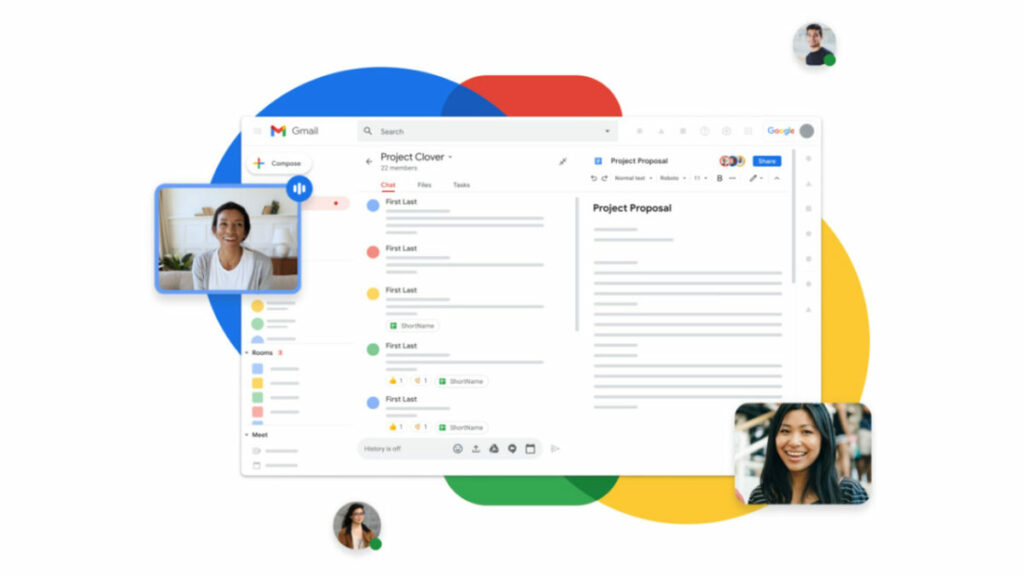
Fixing that doesn’t require a complicated rollout or advanced technical skills. If your setup is connected properly, a few straightforward steps can turn an abstract idea into a brief, a budget, a presentation, and a meeting with clear decisions, all without leaving the same workspace.
How can Google Workspace with Gemini turn a blank canvas into a professional deliverable in 10 minutes?
To show what that change looks like in practice, let’s use a very familiar scenario with Google Workspace with Gemini. The setup is deliberately simple. A team has to launch a fast-turnaround digital marketing campaign for a new consulting service. There are no ready-made templates, no structured dataset, and no base document waiting to be filled in. Just a clear goal and 10 minutes on the clock.
That matters because it feels like real work. Not a lab demo. Not one of those polished examples no one would ever recreate on an actual Tuesday afternoon. It’s a standard project that calls for writing, information organization, budgeting, presentation building, and a record of final decisions. That’s where Google Workspace with Gemini starts to look useful. It doesn’t add one more layer on top of the process. It links those tasks into a single flow.
Minutes 0-2 | The initial spark: from abstract concept to structured brief
- Tool: Gemini in Docs
Opening a blank document is often where the first drop in momentum happens. That’s the point where someone has to sort through objectives, define the scope, justify the project, and come up with a workable structure. With Gemini in Docs, that opening step looks very different.
The process starts with a prompt bar at the bottom of your screen, alongside a few rotating quick-start suggestions (like “Draft a project brief…” or “Write a professional email…”), where you can type commands, match your brand’s writing style, or query your other Drive files without leaving the page. From there, all you need is a direct natural-language prompt: “Create a detailed project brief for the launch of a digital marketing campaign focused on technology consulting services, including SMART goals, target audience, and main phases.”
A few seconds later, the AI gives you a structure you can actually work with. It isn’t filler text padded out to look busy. It reads the business context, suggests concrete metrics, proposes sensible audience segments, and lays out an early timeline the team can use right away.
As Gemini writes, the team can already start working inside the file. Two teammates open the same link. One comments on the conversion goals. Another tightens the audience definition. In less than 120 seconds, the idea has moved from rough intuition to a formal working document.
Minutes 2-4 | Full centralization: organizing context intelligently with Drive projects
- Tool: Gemini in Drive (Drive projects)
One good document won’t help much if everything else ends up scattered through local folders, inboxes, and side conversations. So the next move is to create a shared space in Drive projects, which goes much further than a standard shared folder.
Drive projects can pull together files, relevant Gmail messages, assigned tasks, and quick Google Keep notes inside the same conceptual workspace. That changes more than it sounds like it would. You’re not only tidying materials into one place. You’re building a shared context the AI can read and use.
Once Gemini is open in the side panel inside that Drive project, the assistant is no longer working from a generic blank slate. Rather than answering from broad public information or from a single isolated prompt, Gemini can take in the documents stored there and start working with them right away.
That opens the door to very specific questions, like these:
- “What were the main agreements we reached by email with the design vendor for this campaign?”
- “Summarize the outstanding tasks assigned yesterday.”
The answer comes back without anyone digging through attachments or rebuilding a conversation by hand. Gemini can review linked emails and project documents, pull out the relevant points, and return them almost immediately. Knowledge that used to sit in separate places becomes unified, usable, and easy to reach.
Minutes 4-6 | Taking control of the numbers: automated budgets and predictive analysis
- Tool: Gemini in Sheets
A project doesn’t feel ready until the financial side makes sense. For plenty of people, though, opening a spreadsheet still means trying to remember formulas, fixing formatting, and building tables from scratch. Gemini in Sheets lowers that barrier quite a bit.
The prompt can be just as direct as it was in Docs. In the Sheets side panel, you can ask: “Generate a detailed budget model for a €10,000 digital marketing campaign, broken down by channel (Paid Media, SEO, Content, Events), and include columns for estimated cost, actual cost, and variance.”
Gemini understands the financial structure and builds the table with formatting, formulas, totals, and percentages already in place. That clears away a lot of the mechanical setup, which means the team can spend its time sooner on investment choices and the logic behind them instead of on table construction.
And it goes past template building. The same generation, workflow automation, and predictive analysis features also help with interpreting data and creating visualizations from natural-language instructions. That shortens the jump from isolated numbers to decisions people can act on.
Minutes 6-8 | High-impact presentation: a commercial deck in one step
- Tool: Gemini in Slides + one-shot generation
A strategy and a budget still need a visual story people can follow, whether you’re presenting to leadership, a client, or your own team. That’s where Google Slides comes in. The difference here is that you don’t have to build the deck one slide at a time from zero.
The request comes through Gemini’s side panel using a prompt with real context behind it. The instruction is clear: “Generate a 5-slide commercial presentation based strictly on the project brief stored in Drive and the budget data in Sheets. Use a professional tone and structure the content as: Introduction, Goals, Channel Strategy, Budget, and Next Steps.”
Because the integration is native, Slides can read the work already done in the previous steps without any manual copying or pasting. Gemini processes that material and produces a complete presentation that looks clean, polished, and aligned with your company’s visual identity. It also writes summary copy that explains the project clearly.
There’s another detail here that matters in normal day-to-day work. The output isn’t frozen. The slides stay fully editable, with vector elements, text boxes, and charts linked directly to the source spreadsheet. If a number changes or the messaging needs another pass, you can adjust it whenever you want.
Minutes 8-10 | Alignment and wrap-up: Meet, Chat, and automated notes
- Tool: Gemini in Meet and Chat + “Take notes for me”
Even with the materials ready, there’s still one step every project needs: people have to get aligned. The team starts a quick video call in Google Meet and shares the link right away through Google Chat so approvals can happen while the project still has momentum.
In a typical meeting, someone gets stuck taking notes, which means they aren’t really in the discussion the whole time. The other common outcome is worse: the call ends and nobody has a clear record of what was decided or who owns the next move. To avoid that, the team turns on “Take notes for me.”
During those final two minutes, the group reviews the slides on a shared screen, talks through the last budget details, and formally assigns who will coordinate with the outside agency. Meanwhile, Gemini can listen, process the conversation, and draft detailed meeting notes in real time.
As soon as the call ends, the system can automatically create a Google Docs file inside the project folder. That file includes an executive summary of the discussion, the decisions that were approved, and a clear action list with the names of the people responsible. No one had to stop and type out the agreement.
Optional creative polish | How Google Vids fits into the workflow
If the team wants to add one more layer to how the project gets presented internally, there’s another useful piece here. Google Vids brings AI video creation directly into the workflow and makes it possible to turn the original brief into an audiovisual asset very quickly.
The logic stays the same: work from what’s already there instead of starting over. Feed in the brief and Google Vids can generate a storyboard, pick stock clips, and assemble a short explainer video about the campaign in seconds. For some teams, that multimedia step can change how a proposal lands.
Why does a truly connected suite work better?
The speed in the example above stands out, sure. The more interesting part is where that speed comes from. The shift isn’t simply that the AI writes fast. It’s that the whole system operates as one unified work environment. Compared with other setups where you have to pay for third-party assistants, move text between tools, reformat files, and patch over compatibility issues between vendors, Google Workspace with Gemini works as one continuous system.
The key piece is shared context. When you call on Gemini from the side panel in Gmail, Docs, Sheets, Slides, Drive, Meet, Chat, or Vids, the AI isn’t starting from zero. It knows which document you’re editing, which numbers are open, and which emails went back and forth with your team that same morning.
That cuts down friction fast. You don’t have to write long prompts explaining who you are, what the project is, or where the relevant material lives. The system can pull information directly from authorized company files and use it with enough context to save time and reduce mistakes.
You still keep real-time collaboration too, and that’s one of the strongest parts of Google Workspace with Gemini. The AI assistant isn’t there to replace judgment. It clears space for it. While Gemini handles formatting, calculations, layout work, and summaries, the team can spend its attention on strategy, sharper ideas, better proposals, and actual decisions. Work that used to take days of emails, review loops, and chained meetings can now happen in one focused session.
Which features in Google Workspace with Gemini have the biggest direct impact?
Look at the tools one by one and the pattern becomes pretty clear. Each feature removes a different source of friction in the process. That’s where the productivity lift comes from.
Gemini in Docs
- Key AI feature: Help me write.
- Direct impact: gets you past blank-page paralysis and produces detailed structures and project briefs in seconds.
Gemini in Drive
- Key AI feature: Drive projects as a contextual workspace.
- Direct impact: pulls files, emails, and tasks into one place, creating a shared knowledge base for the team and for the AI.
Gemini in Sheets
- Key AI feature: generation and predictive analysis.
- Direct impact: builds automated cost templates and creates data visualizations from natural-language instructions.
Gemini in Slides
- Key AI feature: one-step deck and presentation creation.
- Direct impact: lays out editable slides directly from text documents and existing data.
Gemini in Meet
- Key AI feature: “Take notes for me”.
- Direct impact: listens to business calls and automatically creates detailed summaries and task assignments.
Google Vids
- Key AI feature: native AI video creation.
- Direct impact: turns concepts and text briefs into explainer videos that are ready to watch and share right away.
Is Google Workspace with Gemini secure for business data and confidentiality?
AI at work can’t run on speed alone or on demo appeal. A lot of purchase decisions come down to a much more grounded question: what happens to trade secrets, financial data, strategic plans, or customer information when AI tools enter the workflow?
That concern is reasonable. Plenty of companies and independent professionals hesitate because they worry their documents could be exposed, leak outside the work environment, or end up training public general-purpose AI models. That worry by itself can stop modernization before it gets going.
With Google Workspace with Gemini, this control layer is part of the offer. Its enterprise infrastructure is built around strict privacy and regulatory compliance standards, so the information being processed, whether that’s Gmail messages, Sheets budgets, Docs ideas, or Meet conversations, stays under the organization’s control.
Some of the main safeguards include:
- your private data, company documents, and prompts are not used to train Google’s public AI models without your explicit consent;
- AI interactions run within the privacy boundaries of your Google Workspace account;
- information does not leave your organization’s controlled environment;
- the platform complies with standards and certifications such as GDPR in Europe, HIPAA for healthcare, and SOC 2/3.
Put simply, the workspace is meant to function like a secure digital vault. For any company that needs to analyze financials, prepare plans, or share sensitive material, that security layer isn’t a bonus feature. It’s the baseline requirement for bringing AI into everyday work with confidence.
How can Google Workspace with Gemini redefine day-to-day work?
The market has very little patience now for inefficiency that hides in plain sight. This isn’t only about the number of hours something takes. It’s about how fast you can turn an idea into something useful for your team, your client, or your business. Staying stuck in digital fragmentation, hopping between disconnected apps, rebuilding formats, and chasing approvals across channels, means accepting a cost that can now be cut down a lot.
Productivity today shouldn’t be judged by how many hours disappear into administrative friction. A better measure is execution. Gemini, paired with Google Workspace’s collaboration tools, changes the shape of the process because it gives the work its continuity back. What used to take several days, a handful of meetings, and constant file coordination can now be handled in as little as 10 minutes with a level of reliability that gets your attention.
So the question isn’t whether some tasks could move faster. They can. The question is how much longer it makes sense to keep doing them the old way. The step itself is well within reach. You don’t need a separate infrastructure or a whole new system to learn. You need to make better use of a connected environment built for writing, calculating, presenting, meeting, and closing decisions without breaking the flow of work.
If you want to try it with your own team, the next move is straightforward. Take a real idea, not a lab exercise, and push it from the first brief to the final presentation inside Google Workspace with Gemini. That’s the fastest way to see which parts of your process still depend on repetitive manual work and which ones you can handle today with more speed, less friction, and no complicated setup. Discover Google Workspace with Gemini.
