
Microsoft released a new stable version of the company’s Edge web browser. Edge 105 is a security and feature update that is already available.
Microsoft Edge, which uses the same core as the Google Chrome web browser, shares some of the vulnerabilities with Google’s Chrome browser. The core, called Chromium, is open source, and available to all developers and organizations.

For example, browsers such as Vivaldi, Brave or Opera use Chromium as the source.
Both Google and Microsoft modify the Chromium core to introduce custom features and services. It is common that vulnerabilities are exclusive to one of the browsers, but many vulnerabilities are shared.
In the case of Microsoft Edge 105, only one of the security issues is Edge-specific. The remaining 14 vulnerabilities are shared among all Chromium-based browsers, including Chrome.
To put this into perspective, Google patched 24 different security issues in Chrome 105 when it released it on August 30, 2022.
The 14 core security issues fixed in Edge include a critically rated vulnerability, filed under CVE-2022-3038, and several security issues rated as high.
The sole Edge-specific vulnerability is a remote code execution vulnerability, and rated low.
How to download Edge 105
Microsoft Edge installations update to a new version of the web browser automatically after release; this may take hours or even days, depending on the rollout.
Edge users who want to speed up the process may do the following to expedite the installation:
- Load edge://settings/help in the browser’s address bar. You may also select Menu > Help > About Microsoft Edge.
- The page that opens displays the current version. Edge runs a check for updates and will install any update that it finds.
- A restart is required to complete the process.
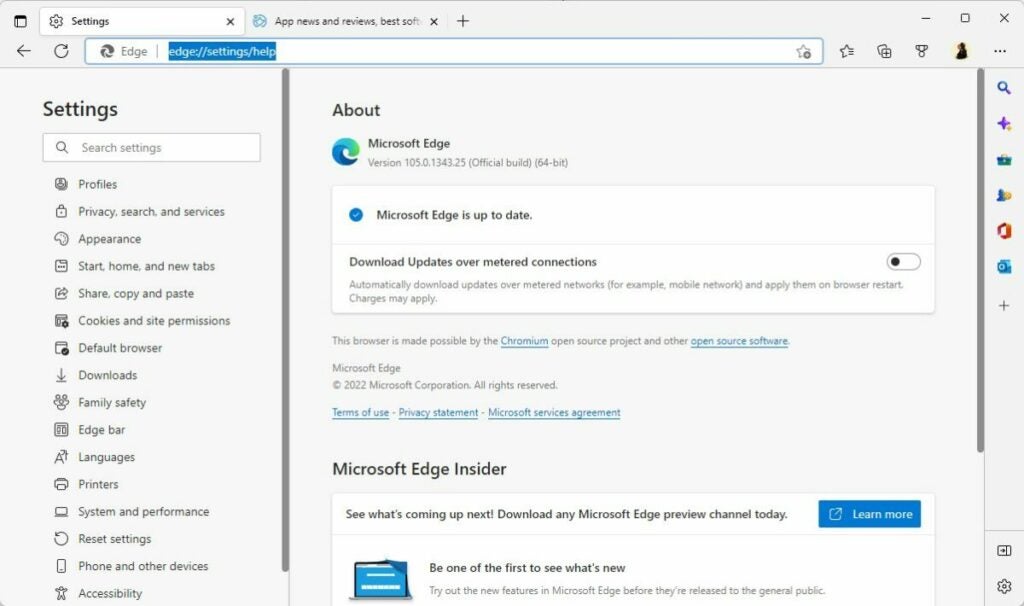
New and existing users may download the latest version of Microsoft from the official Edge website or a trusted source, such as Softonic, as well.
Edge may be installed over existing installations, or installed for the first time on a compatible system.
Microsoft Edge 105: the changes
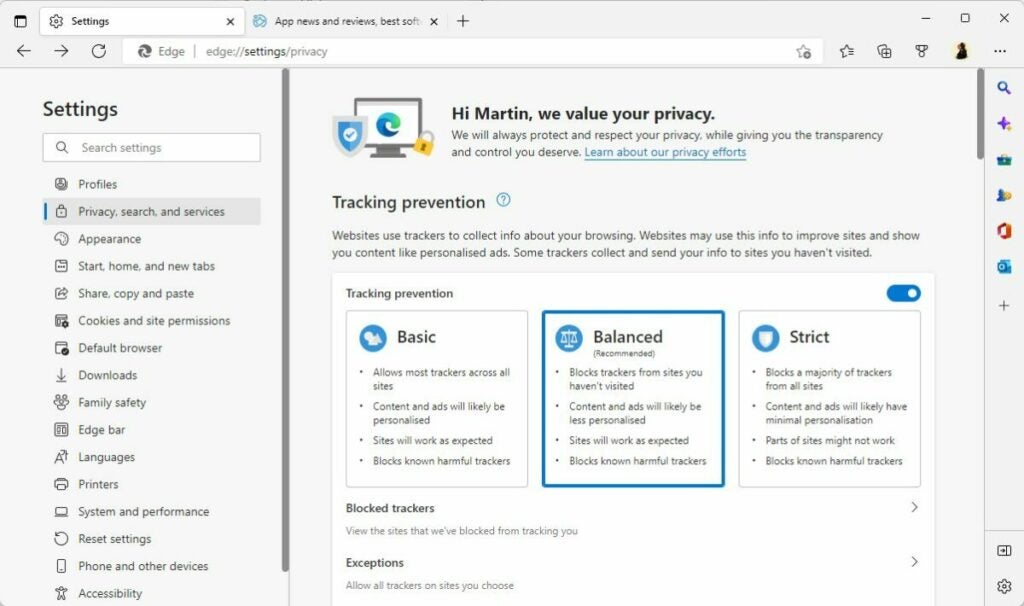
Microsoft Edge is a security update first and foremost. Although that is the case, Edge 105 includes other changes that are important.
The browser’s enhanced security mode supports WebAssembly for 64-bit Windows operating systems now. Microsoft plans to roll out the feature to other systems Edge is available in the future. For now, it is a feature exclusive to Edge running on 64-bit Windows devices.
Enhanced Security Mode is not enabled by default, but it can be enabled with just a few clicks.
Edge applies additional security protections to websites visited in the browser, if the mode is active. The protections limit certain attack vectors to improve user security while using Edge.
Here is how you configure Enhanced Security mode in Edge:
- Select Menu > Settings > Privacy, search, and services, or load edge://settings/privacy directly in the browser’s address bar.
- Scroll down to the Security section on the page that opens.
- Locate the “Enhance your security on the web section”.
- Toggle the feature to On, and select one of the three available options:
- Basic — adds security mitigations to sites that are not visited often.
- Balanced — adds security mitigations to sites that are not visited frequently.
- Strict — adds security mitigations to all sites.
Some sites may not work correctly anymore after enabling the security mode. There are options to add sites to a blocklist to disable the mode for these specifically.
In short, it is a good idea to start with basic or balanced, to avoid site breakage.
The remaining changes, for the most part, are of interest to organizations only.
Microsoft improved the cloud site list management experience for Edge’s Internet Explorer Mode. Generally speaking, it is giving administrators more control over lists used in IE Mode.
Edge 105 Stable includes new policies, which are mostly useful to administrators as well. These policies add options to Edge to disable certain features in company networks and on company devices.
Closing Words
Microsoft Edge 105 Stable is an important security update, which users of the browser should install as soon as possible. In general, it is a good idea to install security updates right after release to protect devices and applications against potential attacks targeting these vulnerabilities.
