Google Chat adds one of the most used functions in WhatsApp

Google Chat has launched a feature to record and send voice messages, similar to WhatsApp and other messaging apps. The feature was already announced last year, although it is currently only available for Google Workspace paid accounts.

Google Chat DOWNLOAD

When opening a conversation in Google Chat for Android and iOS, you will see that the gray send icon located next to the photo/gallery button has been replaced by a microphone. The function takes a prominent place in the user interface, instead of being located in the left “more” menu.

After touching the icon, the recording will start without the need to keep the microphone pressed. According to Google, a “live waveform visualizes your voice” along with a timer, allowing you to play the recording before sending it or delete it to try again.
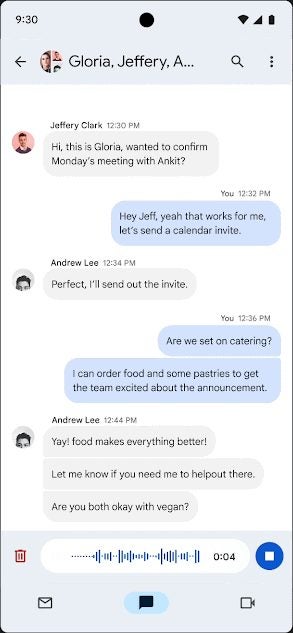
The sent voice message will appear in direct messages, group chats, and Spaces as a waveform hosted in a pill-shaped container. Other users of Google Chat will be able to quote, react, and reply to it like any other chat message. Google says it will “enable voice message transcription in the coming months”.

The recording is currently available on mobile and will have “web support soon”. At launch, Google Chat voice messages will be available progressively for Workspace Enterprise Essentials, Enterprise Essentials Plus, Enterprise Standard, and Enterprise Plus. Free accounts and cheaper ones will not benefit from this feature for now.

Google Chat DOWNLOAD

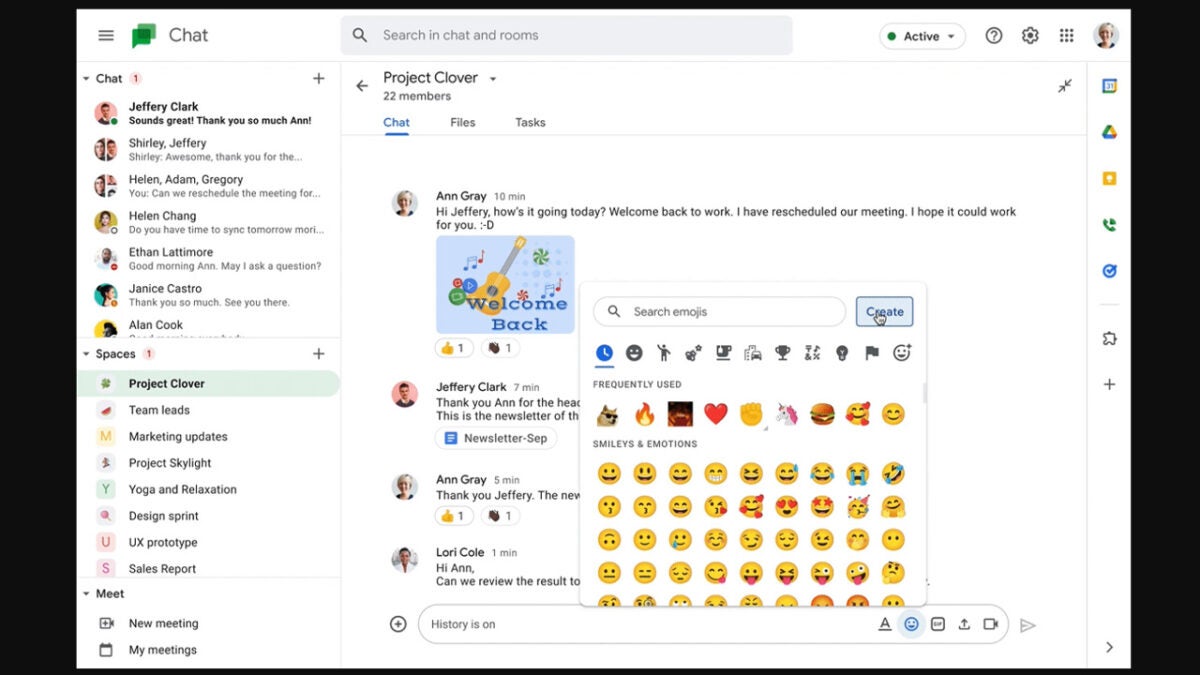
Google Chat is getting custom emojis

Google Chat is the search giant’s messaging app for its Google Workspace productivity suite. It is kind of like Google’s version of Slack, which helps facilitate communication between coworkers and colleagues while also allowing users to send personal messages too. In this regard, we can today bring you the news that will lean more toward those more personal messages, but that may end up creeping into work messages too, even if they are not appropriate. Google Chat is getting custom emojis.

Google Chat Download Now

Google is giving Chat users the ability to create and send their own customized emojis. Users will be able to send these to both personal and professional colleagues, although we would advise restraint before you go sending anything too outlandish to your coworkers.

In the Google Workspace blog post announcing the move, the Google Chat team announced that it is launching this new feature, which was announced at Google Cloud Next ’22 because:

“Emojis are a great way for people to express themselves in Google Chat.”

Adding that they are:

“Excited to announce that we’re making emojis even more expressive and personalized by allowing people to create custom emojis.”

The new custom emoji feature will be available to all users in organizations that are using Google Chat, although admins will be able to set organizational guidelines and even set special “emoji managers” who can moderate all custom emojis and even delete those that do not adhere to the organization’s guidelines.

Google Chat’s custom emojis will start rolling out on October 24 and will see availability being staggered up until November 30. It will become available for Google Workspace customers as well as legacy G Suite Basic and Business customers. It will not be launching for personal Google Accounts.

In other Google Chat news, the search giant is taking extra care to protect Chat users from phishing attacks.

Google is killing the Hangouts Chat app

Over the years, in a bid to grab some of the success Facebook and WhatsApp have enjoyed, Google has unleashed a wide variety of social networks and chat apps. Many of them, however, such as the likes of Google+ and Google Duo, are no longer here. It now looks like another of Google’s communication apps is destined for the scrapheap as the internet search giant has announced that Google Hangouts is on the way out. Let’s explore the story a little further.

Google Chat Download Now

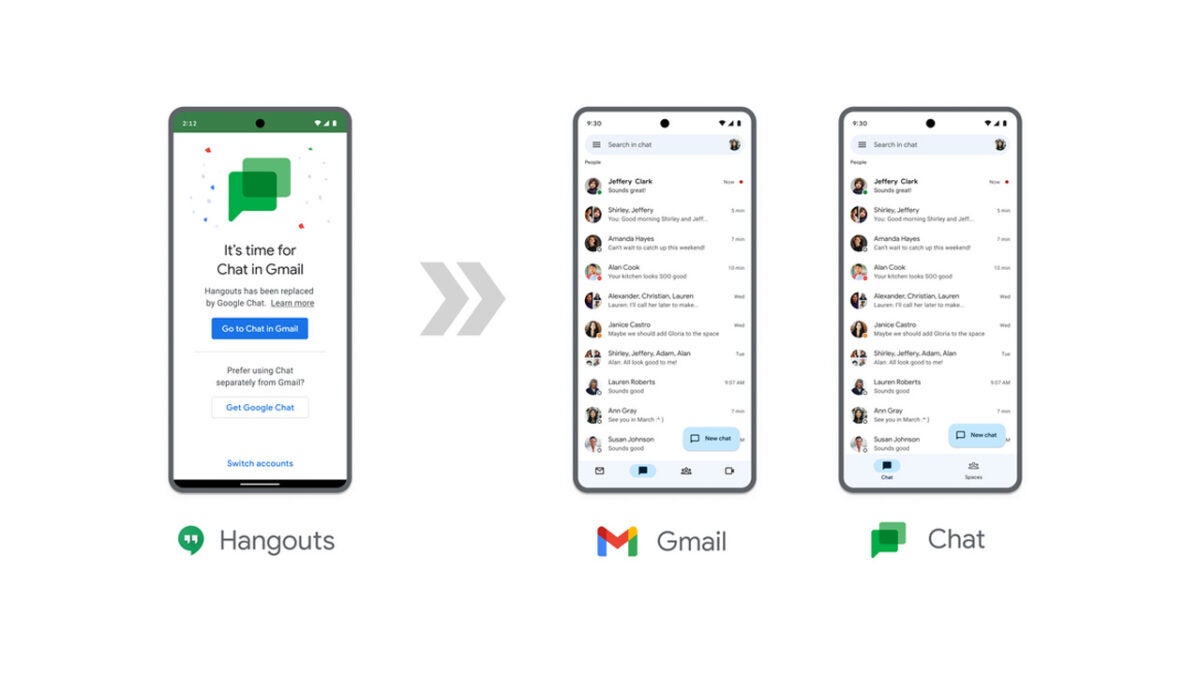
For starters, Google isn’t calling this discontinuation of Google Hangouts but rather an upgrade. This is because Google is pushing Google Hangouts users towards towards Google Chat instead, complete with what Google calls its modern features and better integration with other Google Workspace apps and products.

In the detailed blog post announcing the move, Google said that the move was about offering a better way to collaborate. The blog post states:

“Moving to Google Chat opens up new and better ways to connect and collaborate. For example, users can edit Docs, Slides or Sheets with side-by-side editing, making it easier to collaborate while continuing the conversation.”

So, what does this mean? Does it mean that Google Hangouts is another failed messaging and communication app from Google? Well, not exactly. In fact, there are still plenty of Gmail users who are happily texting and chatting with their friends via Google Hangouts. If you are one of these faithful Google Hangouts users, then the news is that Google Hangouts will continue to be usable until November 2022.

Even then, however, the news isn’t all bad as Google has confirmed that it will warn users at least one month in advance of Hangouts going offline and that all existing Hangouts conversations will safely move across to Google Chat before Hangouts gets the chop.

As well as the post announcing the move from Hangouts to Chat, Google has also put together a factsheet that goes through the migration process in detail as well as laying out all the differences that exist between the two apps. To ne fair, they are pretty similar, but Google Chat is the superior app, which is why Google is choosing to stick with it over Hangouts. You can access that factsheet here.

If you are a cybersecurity-conscious person then you will be happy with this news as Google has recently moved to help protect Google Chat users from phishing attacks.

Google moves to protect Google Chat users from phishing attacks

Phishing attacks are one of the most common forms of malware we see today. They boil down to the simple act of trying to get you to click a link a false link and download an infected file to your device. On top of that simple end goal, scammers and attackers can add on layers of complexity, distraction, and deception, all to try and get you to click that link. In recent weeks we’ve seen these types of attacks flashing up as ads on major crypto websites and even malware hiding in false job offers. They are a big problem, which is why Google is moving to protect Google Chat users from this type of attack.

Google Chat Download Now

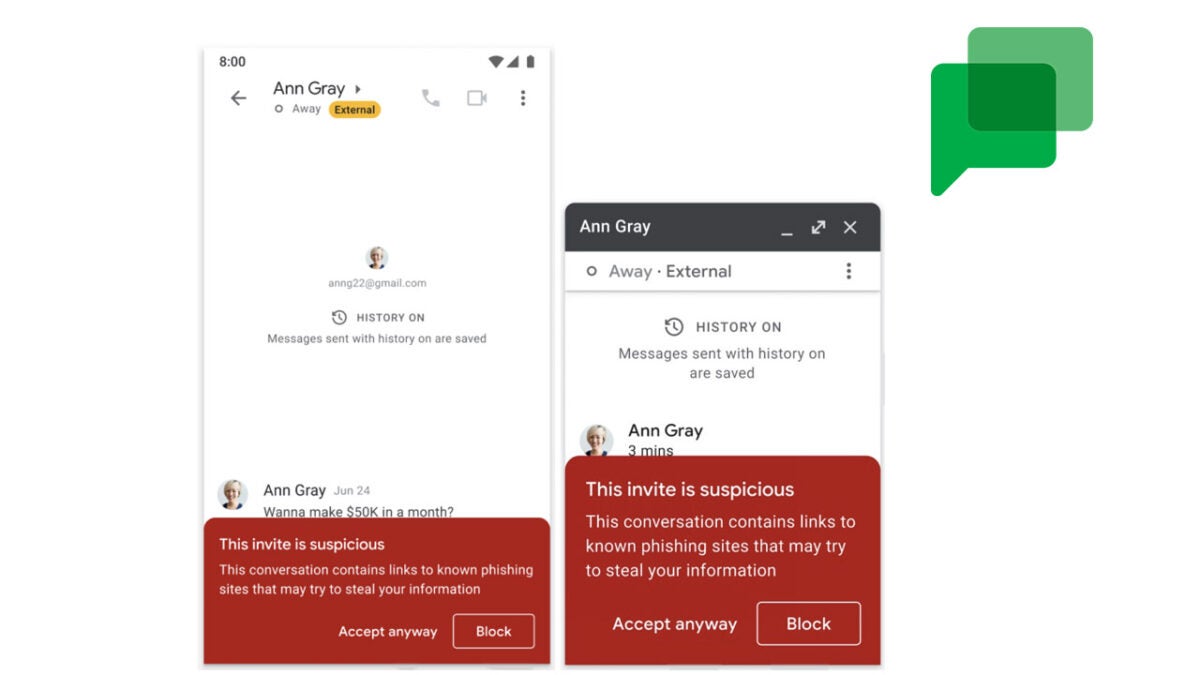
If you are a Gmail user, you will be familiar with the banner that displays on emails any time they are sent from suspicious recipients or recipients outside of your organization. You also see something similar in Google Drive when somebody shares a file with you from a personal account. This is to prevent you from downloading something from an outside source without thinking. Google is now adding this functionality to Google Chat too.

Google Chat is the text chat app that comes as a part of the Google Workspace ecosystem. This means that its primary function is to work as a chat app between colleagues in an organization, but like with email, it is also open to receiving messages from outsiders. That is why this is an important update from Google that should boost the data security of companies using Google Workspace.

Try to think of all the times you receive and download files from colleagues at work. Now think about if an infected file was sent by a malicious actor in a message that looked exactly the same as all those other messages you receive. Sure, you might catch most of them but the chances of one or two getting through are much higher than they would be if these types of messages were flagged. It makes perfect sense for Google to introduce these banner warnings to Google Chat.

These security updates to Google Workspace aren’t the only developments to come to the Google Workspace ecosystem in recent weeks. As Google attempts to lure Microsoft Office users over to its own productivity suite, it has recently upgraded Google Docs with some productivity-boosting features that are definitely worth checking out.

Google is bringing back an uncomfortable feature to Google Chat

Working from Home very much feels like a new type of normal. The Covid-19 pandemic forced many of us to log on to work at home and now many of us don’t want to give up the added convenience it offers. However, if your job uses the Google Workspace ecosystem you may start to squirm a little when you hear about an old feature that the internet giant looks set to reintroduce to Google Chat.

Google Chat Download Now

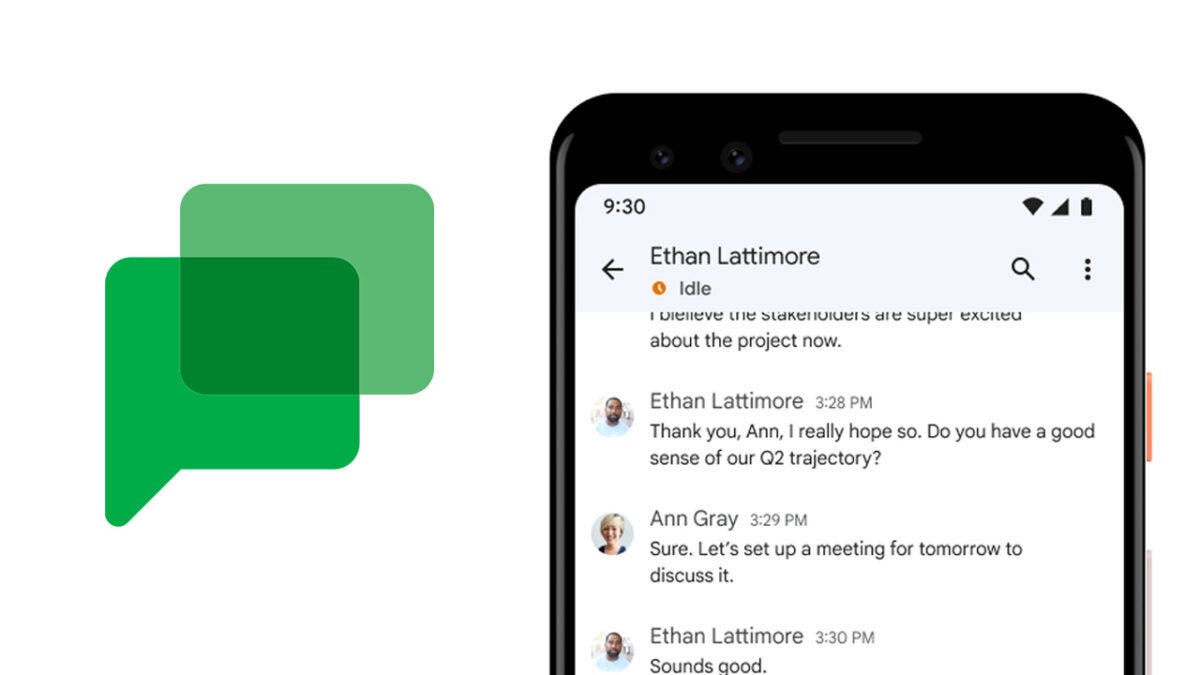
You will probably remember older messenger apps like MSN Messenger having availability status updates that would tell other users whether you were present on your device or not. These would include automatic statuses like Active or Away. Well, it now looks like Google is going to bring back something similar to Google Chat in the form of the Idle icon.

Google announced the update in a recent Google Workspace blog post. When it rolls out to users, anybody who has been inactive in Gmail or Google Chat for five minutes or more will get an Idle icon displayed just under their names. Rather than this feature being introduced to help bosses spy on their employees, Google says it is to make it “easier to determine the best time to connect with your colleagues.” Either way, if you are a bit of a slacker at work you will have to move your mouse at least once every five minutes if you don’t want to show up as Idle.

This marks another update to the Google Workspace ecosystem that sees Google attempting to catch up with Microsoft’s Office productivity suite. Microsoft Teams has had these status availability icons active for a long time now already. With more and more people working from home, it is clear that there is a battle going on between the software giant to try and gain as much of a share of that business as possible. We recently reported that Google Docs was also getting some productivity-boosting features designed to attract the attention of businesses and offices. As already mentioned, however, Google has a lot of catching up to do in that respect but is clearly taking the mission seriously.

Google also recently gave Google Docs two new team-focused features.