 Ultrasurf is a freeware program designed to evade internet censorship that exists in some countries. In this post I’ll explain how it works, and what Ultrasurf can and can’t do.
It’s a standalone .exe file – so you can run it from a USB stick without installation.
When it’s running, you access sites through Ultrasurf’s own servers. This can make browsing slower, but this seems to be the price to pay for avoiding online censorship and filtering.
Tag: app-subdomain-redirection:ultrasurf
How to use UltraSurf with Firefox
Hiding your IP address while you’re browsing the internet is a good move for anyone wanting an additional level of privacy online.
UltraSurf is a simple tool that’s perfect for doing this when you’re using Internet Explorer. It will help ensure security while you’re shopping or banking by encrypting your personal information – your IP address gives information about you to third parties. UltraSurf is a great portable tool for people who don’t want third parties to be able to view this information, as well as those who want to access websites that are blocked in their locale.
If you prefer Firefox to Internet Explorer, though, there’s an add-on just for you. It’s called UltraSurf Firefox Tool.
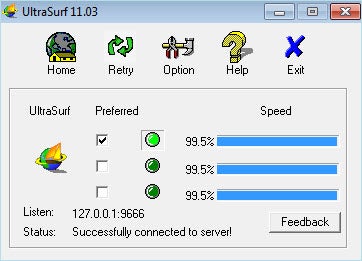
All you have to do to use UltraSurf on Firefox is download both UltraSurf and the add-on for Firefox. If you’re currently running Firefox, you may need to restart befure UltraSurf will work.
Besides being able to hide your IP from third parties, UltraSurf can also automatically delete cookies and browser history every time you close it, an extra level of security that users are sure to appreciate.