Microsoft now allows Windows 11 to be installed on older hardware, but washes its hands of it

Microsoft has relaxed the restrictions for installing Windows 11, allowing its use on devices that do not meet the minimum requirements. However, the company warns about possible stability issues, lack of official support, and limited updates in this case. The measure contrasts with a recent publication where Microsoft insisted that the TPM 2.0 module was mandatory. Despite the warnings, instructions are also provided to revert the installation in case of unexpected problems. One of the most controversial points has been the possibility of bypassing the system requirements through a registry tweak, a […]

Microsoft has relaxed the restrictions for installing Windows 11, allowing its use on devices that do not meet the minimum requirements. However, the company warns about possible stability issues, lack of official support, and limited updates in this case. The measure contrasts with a recent publication where Microsoft insisted that the TPM 2.0 module was mandatory. Despite the warnings, instructions are also provided to revert the installation in case of unexpected problems.

Windows 11 DOWNLOAD

One of the most controversial points has been the possibility of bypassing system requirements through a registry tweak, a practice widely known by users. Although Microsoft confirms that installation on unsupported hardware is possible, it emphasizes that users should be prepared to face compatibility issues. To assess if a PC meets the requirements, the “PC Health Check” app, integrated into Windows 10, can be used.

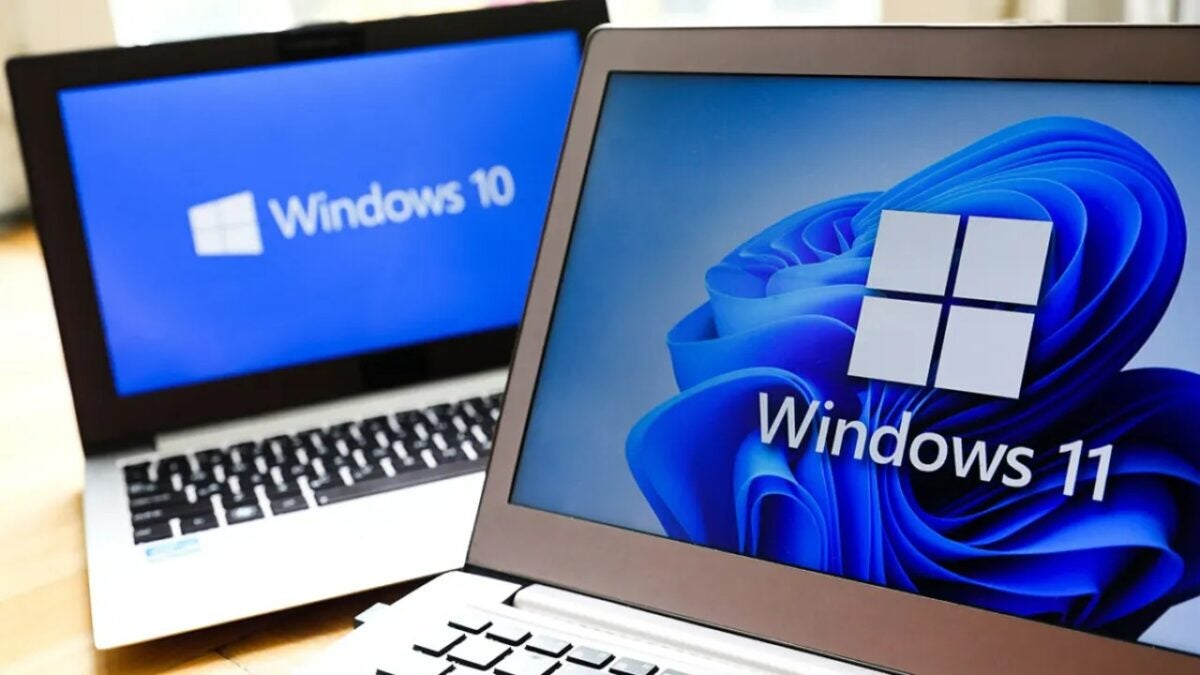
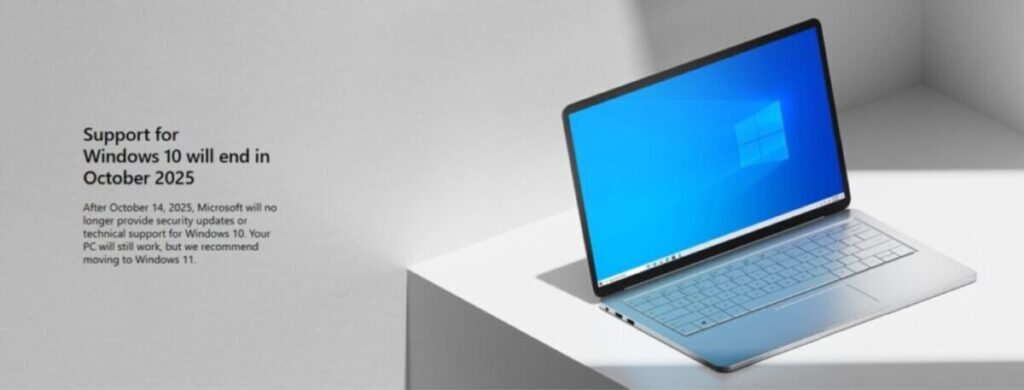
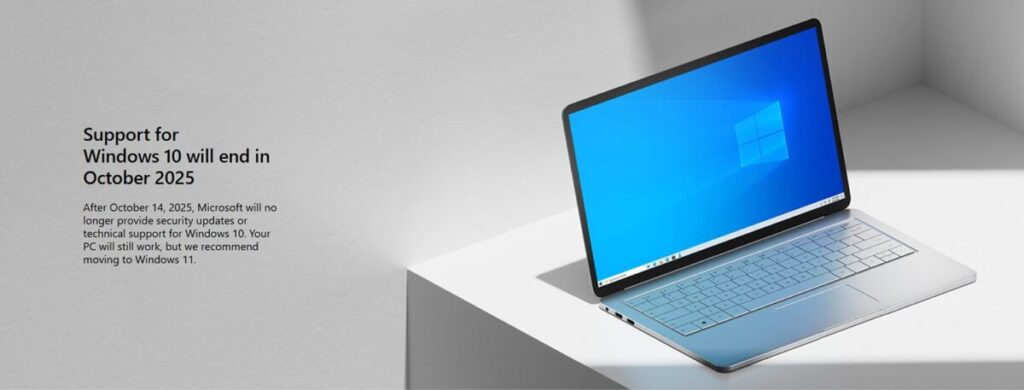
And the fact is that there is less than a year left until the end of support for Windows 10, which will occur in October 2025. Currently, 61.82% of Windows users are still on Windows 10, making mass transition difficult, especially in environments like schools and offices with limited budgets. The reality is that not all users can adapt to the requirements, even if they are technically valid.

Microsoft reinforces its stance with a notice on the desktop and in the settings panel for those using incompatible hardware, including a message that voids any warranty in case of failures. Additionally, these installations will not be entitled to updates, not even security updates, which could leave users in a vulnerable situation.

For those who venture with Windows 11 and wish to return to Windows 10, the company allows the change during the first 10 days. However, the safest option remains upgrading the hardware, or considering alternatives such as adding a TPM chip or exploring open-source operating systems like Ubuntu.

Windows 11 DOWNLOAD

4 tricks when installing Windows 11 that will make your life easier

Have you already moved on from Windows 10? While upgrading to Windows 11 represents a more than notable improvement, there are less obvious adjustments that further optimize the user experience. With very versatile features that facilitate everything from account management and the removal of unnecessary software, to network installation and improved data access, Windows 11 allows you to do almost anything when installing it, benefiting you whether you are a casual user or a more advanced one. Below, we share four impressive tricks when installing or upgrading to Windows 11 that can make your day a […]

Have you already left Windows 10 behind? Although upgrading to Windows 11 represents a more than notable improvement, there are less obvious settings that further optimize the user experience. With very versatile features that facilitate everything from account management and the removal of unnecessary software, to network installation and improved data access, Windows 11 allows you to do almost anything when installing it, benefiting you whether you are a casual user or a more advanced one.

Below, we share with you four impressive tricks when installing or updating Windows 11 that can make your day-to-day easier.

Install Windows 11 without a Microsoft account

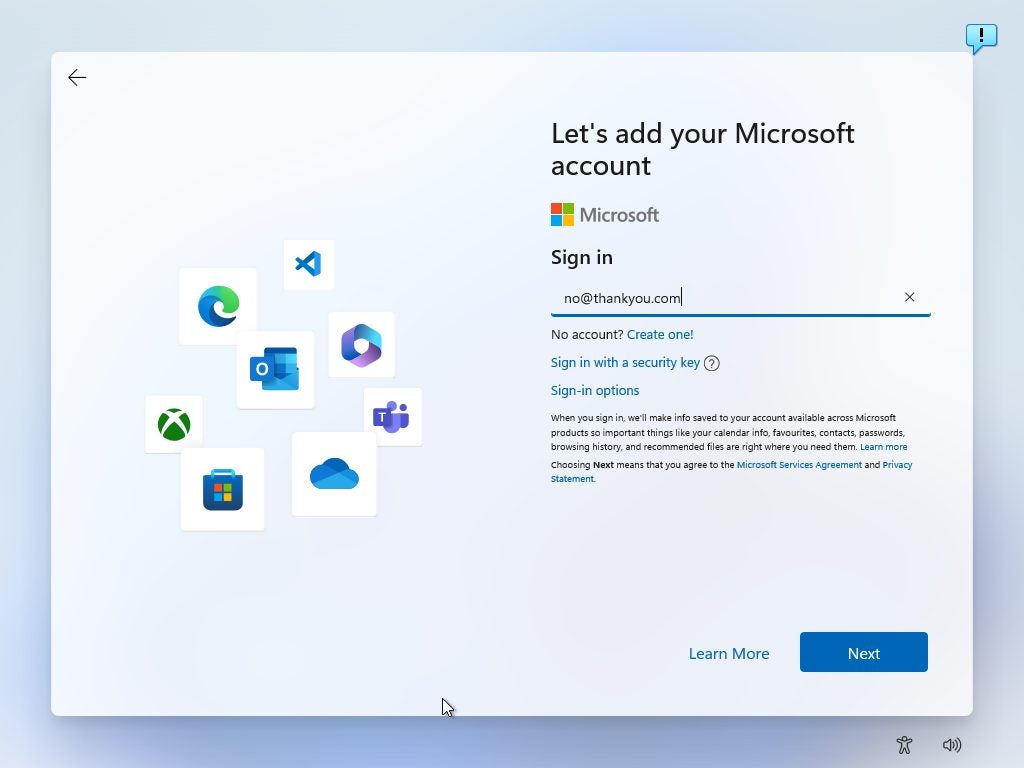
Microsoft increasingly promotes the use of online accounts in Windows 11, especially in the Home version, where users are required to sign in with a Microsoft account. However, if you prefer not to create one just to use your PC, you can skip this step and use a local account. To do this, start the command console with Shift + F10 during installation and type the command oobebypassnro, which allows you to restart the installation and bypass the need for a Microsoft account.

Another option is to use the Rufus tool to create an installation USB that allows local accounts from the start. In the case of Windows 11 Pro and Enterprise, the installation allows you to choose an offline account by selecting the setup for “work or school” and then choosing “join a domain instead.” With these alternatives, you can install Windows 11 without relying on Microsoft credentials, thus giving you greater privacy.

Perform network installations with PXE and iVentoy

If you need to install Windows 11 on multiple computers, the PXE (Preboot Execution Environment) method along with the free tool iVentoy allows you to perform network installation quickly and easily, without the need for USB drives or DVDs. PXE sets up a local server on the network, from which any compatible computer can download the Windows 11 installation image and execute it. With iVentoy, you only need to configure one PC as a server on the network; when it boots in network mode, any other computer will be able to locate the Windows 11 image and start the installation automatically.

This method can be very convenient for small offices or in environments where multiple devices require the same operating system. Additionally, it allows installing Linux systems via PXE, making iVentoy a versatile tool for managing multiple installations centrally, saving time and resources.

Windows 11 DOWNLOAD

Avoid bloatware in Windows 11 installations

“Bloatware,” or pre-installed software, is a problem that Microsoft (like other companies) introduces in Windows 11, filling devices with applications and programs that consume resources without always being useful for the user. This can reduce system speed and performance, taking up space and running unnecessary background processes.

To avoid the automatic installation of this software, it is recommended to select the “English (World)” option in the time and currency format during the initial installation process. This setting prevents the system from including unwanted applications, resulting in a cleaner and more efficient system. Although some pre-installed programs may be useful, most users quickly find that removing them helps optimize the overall performance of their computer and improve their experience in Windows 11.

Improve access to units with a developer unit

For experienced users who want to maximize data access speed, Windows 11 offers the option to configure a developer drive with the ReFS file system, designed for environments that handle large amounts of data. This setting significantly improves performance in file management, which is ideal for those who need quick and smooth access to their storage drives. To enable this option, a computer with at least 8 GB of RAM is required, although 16 GB is recommended, along with 50 GB of free space.

Once it is verified that the version of Windows 11 is compatible, you can enable this setting in System > Storage > Advanced storage settings and select “Create a developer drive” in the disks and volumes section. Although it is aimed at developers, this setting benefits any user who wants to optimize the performance of their drives in Windows 11.

Windows 11 DOWNLOAD

A serious bug in the latest Windows 11 update steals almost 9 GB of storage space from you and doesn’t let you recover it

The Windows 11 24H2 update is turning out to be more problematic than expected for many users. Although it includes several improvements and new features, the update has also brought with it several quite annoying bugs that are affecting user experience, such as a series of blue screens related to running video games on PCs with Intel drivers, as well as the sudden disappearance of the mouse cursor. One of the most serious issues that has appeared with this update is the creation of a huge cache folder during the installation process, according to reports […]

The 24H2 update of Windows 11 is proving to be more problematic than expected for many users. Although it includes several improvements and new features, the update has also brought with it several rather annoying bugs that are affecting the user experience, such as a series of blue screens related to running video games on PCs with Intel drivers, as well as the sudden disappearance of the mouse cursor.

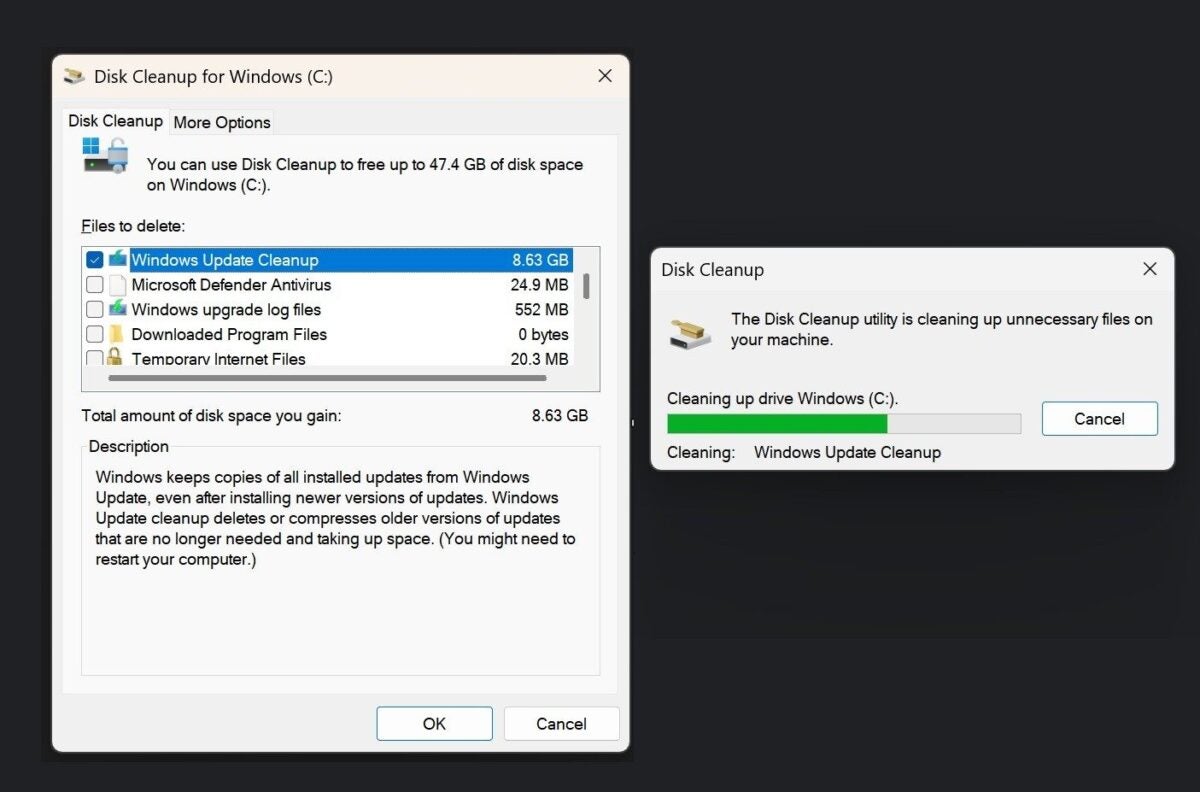
One of the most serious problems that has emerged with this update is the creation of a huge cache folder during the installation process, as reported by Windows Latest. This folder, which can reach a size of 8.63 GB, cannot be deleted in any way, something that has surprised many users because it is not at all usual.

According to Microsoft itself, Windows always generates a temporary cache during updates, but on this occasion, there is an error that prevents it from being automatically deleted after the installation is complete.

The space occupied by the cache folder cannot be deleted even with the Windows Disk Cleanup – Windows Latest

Several users have attempted to manually delete this cache using tools like Disk Cleanup or the Windows Control Panel, but without success. “I tried cleaning several times, even tried SFC Scannow but it did nothing. I guess it’s a bug that will be fixed,” comments one of the users in the Microsoft Feedback Hub. Another adds: “Even after using the Disk Cleanup utility, it still shows that they have not been cleaned.”

For its part, Microsoft has acknowledged the issue and assures that it is working on a patch that will fix this problem in a future update. In the meantime, the recommendation is to leave the cache as it is, since it is not worth reinstalling Windows just to delete these temporary files.

Windows 11 DOWNLOAD

If you still had doubts about whether to update to Windows 11, these new changes will completely clear them

Microsoft has taken an important step to improve energy efficiency in Windows 11, with the aim of extending the battery life on devices that use its operating system.

Windows 11 DOWNLOAD

Through the latest preview version, build 27686 of the Canary Channel, several optimizations have been introduced to reduce power consumption, especially on laptops running this version. “We have made optimizations to improve battery life on devices running Build 27686+ on the Canary Channel,” Microsoft explains in a blog post.

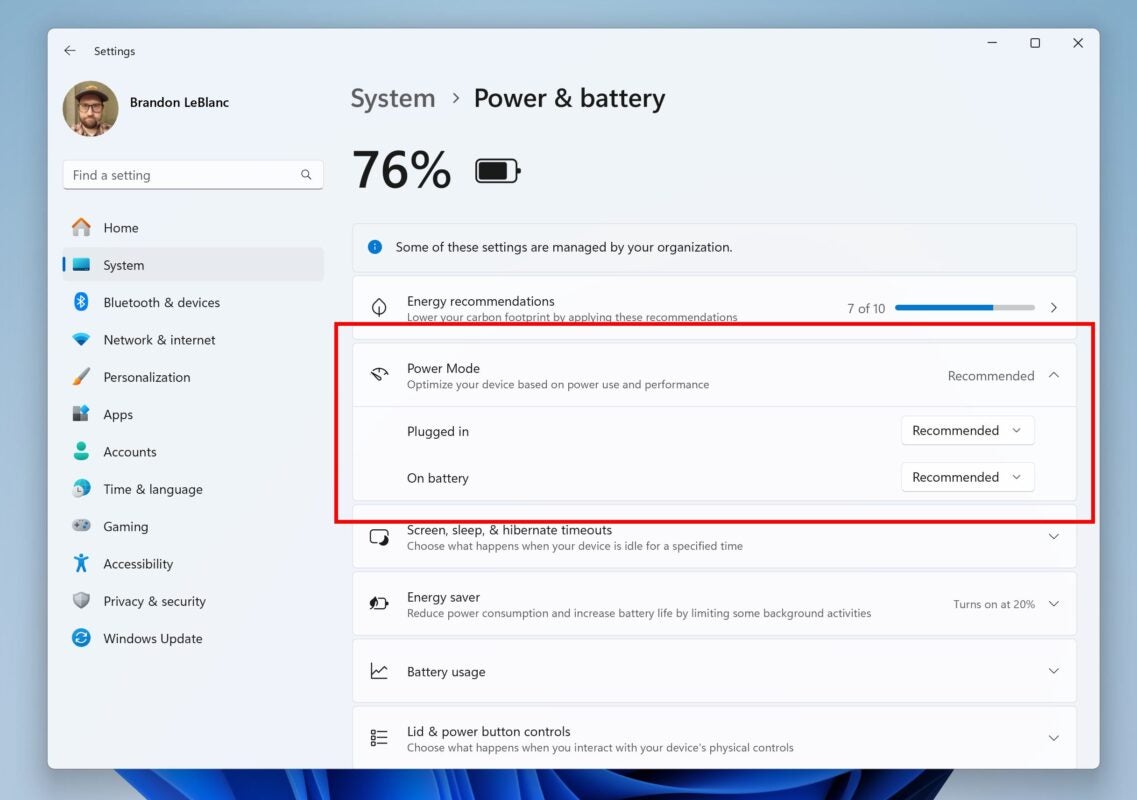
In addition to these improvements, Microsoft has added a new feature in Windows 11 that allows users to set different power modes based on the device’s state. Thanks to the new build, it is now possible to configure the laptop to operate in “Best performance” mode when connected to power and in “Best energy efficiency” mode when running on battery.

“We are starting to roll out improvements in Settings > System > Power & battery, including the ability to configure power mode both when the PC is plugged in and when it’s on battery, along with some other improvements in the user interface of the page,” the company stated.

Windows 11 DOWNLOAD

Microsoft will stop bothering you to update to Windows 11

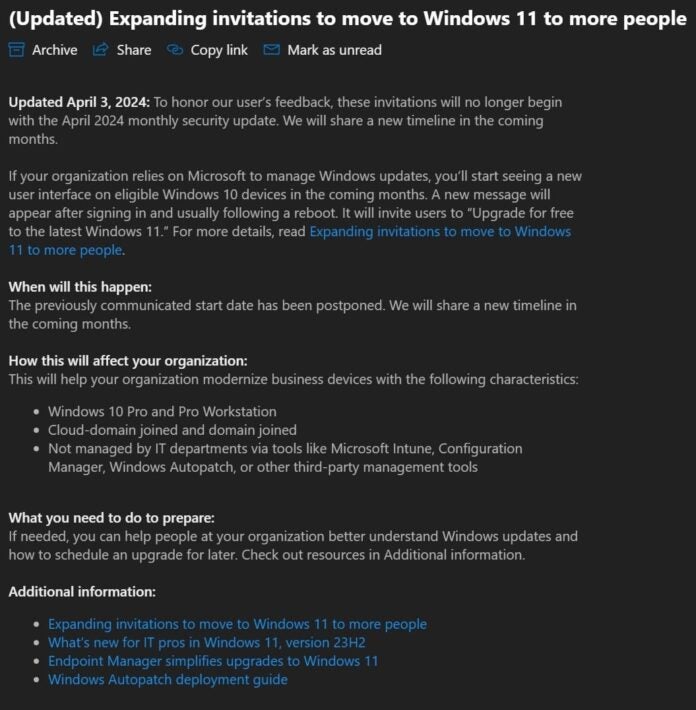
Microsoft has decided to “relax” and not pressure users of Windows 10 to upgrade to Windows 11. The company has made this decision after receiving numerous criticisms from the community, as reported by Windows Latest.

Windows 11 DOWNLOAD

Until now, Microsoft used full-screen pop-ups, urging users to switch operating systems, but now it has announced that it will stop doing so starting from the next monthly security update. Although it has not been confirmed if this pause will be permanent, Microsoft plans to share a new schedule in the coming months.

These ads mainly affected Windows 10 Home users, but some Pro and Business users also saw them when restarting their computers. This pause comes at a crucial time, as the end of support for Windows 10 is scheduled for October 14, 2025. However, Microsoft has assured that they will release one last major update for Windows 10 before that date.

The pause in ads affects Windows 10 Pro and Pro Workstation devices, as well as devices not managed by IT departments through tools. Microsoft clarified the difference between managed and unmanaged devices, indicating that only those managed through tools like Microsoft Intune, Configuration Manager, or WSUS are considered managed.

Windows 11 DOWNLOAD

Are you still using Windows 7? We’re sorry, you have to switch to Windows 10 now

Hello, good day, did you ask someone to break the glass that connects you with reality and makes you see time in an erroneous way? Well, that’s what we’re here for, to tell you that Windows 7 was born in 2009, fifteen years ago. To give you an idea of what we’re talking about, there is more time between today and the release of Windows 7 than there was between Windows 95 and Windows 7. No, it wasn’t born yesterday. And it’s time for you to change your mindset. Literally.

Windows 11 DOWNLOAD

And…now what?

Basically, developers on Windows have started to abandon support for Windows 7, and if you have any issues while using it, it is likely that no one will help you. Don’t worry: upgrading to Windows 10 is completely free… although you will encounter a problem soon, because on October 14, 2025, ten years after its release, support will also be discontinued.

So, what’s the solution? Well, possibly upgrading to Windows 11 completely, although you may have to retire your decade-old computer for that. Yes, don’t worry about the expense: any laptop, no matter how basic it may seem, will be an incredible improvement compared to what you had before because everything has evolved enormously in the last fifteen years.

Probably switching to a system like Windows 11 after years with Windows 7 is going to be a little shock, but we assure you that all the changes are for the better once you get used to them, from virtual desktops to a unified notification system to see them all in one place, or an easier way to organize your windows for multitasking.

But let’s say you flatly refuse to change your old Windows 7. You can, but you will face several problems: apps will stop updating, the operating system will be vulnerable to risks, and there will be no one on the other side to help you. At least switch to Windows 10, and then we’ll see what happens. Take a friend’s advice.

Windows 11 DOWNLOAD

Windows 11 Snap Layouts and Groups

The new AI feature for Windows 11 puts your data on a silver platter for hackers

On May 20th, Microsoft introduced Recall, an exclusive feature of Copilot+ for PC. This promising tool gives the computer a “photographic memory,” allowing it to revisit any previously accessed application or file. However, despite Microsoft’s efforts to explain its functionality and privacy measures, some prominent voices in the industry are not convinced of its security.

Windows 11 DOWNLOAD

Kevin Beaumont, a cybersecurity expert, has published an article on Medium where he analyzes Recall in-depth and states that this feature makes stealing everything you have seen or written on your computer alarmingly easy. Although Beaumont finds the idea behind Recall interesting, he warns that the feature lacks “incredibly careful communication, cybersecurity, engineering, and implementation.”

The system works by taking screenshots of everything that happens on the computer every few seconds, processing them with OCR (optical character recognition), and storing them in a plain text (unformatted) database in the user’s folder. This means that, although the data is encrypted on the device, it is not immune to attacks if hackers obtain the user’s credentials. Beaumont emphasizes that “they have tried a lot of things, but none of them work correctly in the real world due to loopholes that a plane can pass through.”

In addition, Beaumont created a website able to process the Recall database and instantly search for anything in it, although he has decided to postpone the project until Microsoft improves the security of the feature. Beaumont points out that “the cyber community, in general, will have a lot of fun with this when it is widely available.”

One of the biggest issues with Recall is that it stores every user interaction, including text from applications, visited websites, and more, with some minor exceptions like Microsoft Edge’s InPrivate mode. Conventional data deletion does not remove them from Recall, as they remain in the database until manually overwritten.

Microsoft Defender, although effective in detecting malware, may not be enough to protect the Recall database before it was compromised. Beaumont recommends that Microsoft temporarily remove Recall and review its implementation. Currently, Recall is available in the Windows Insider program’s preview release channel, and its release is expected alongside the first PC Copilot+, such as the new Surface Pro and Surface Laptop.

Windows 11 DOWNLOAD

Microsoft doesn’t know what else to do to get you to update to Windows 11

Microsoft is desperate. Recently, the company has implemented various tactics to persuade users to migrate from Windows 10 to Windows 11, their latest operating system. Among the most recent tactics, Microsoft has updated its official support page to highlight the disadvantages of sticking with Windows 10 compared to the advantages of Windows 11.

Windows 11 DOWNLOAD

Microsoft’s new strategy is not trivial, as the reception of Windows 11 has not been as expected by the company since its launch in October 2021. Despite Microsoft’s high expectations, many users still prefer Windows 10 and resist the change: current statistics show a Windows 11 adoption rate of only 26% five years after its launch, compared to 85% for Windows 10.

Now, Microsoft emphasizes that support for Windows 10 will end in October 2025, after which no security updates or technical support will be provided, leaving the system vulnerable to malware and other threats. This company’s strategy aims to raise awareness among users about the risks of continuing to use Windows 10.

In addition, Microsoft highlights the advantages of Windows 11 in areas such as data backup and restoration. However, personal user preferences are not addressed, such as familiarity with the Windows 10 interface or the inclusion of advertising in the Start menu.

For those who prefer not to upgrade to Windows 11, Microsoft offers the “Extended Security Updates” (ESU) program, which extends security updates for Windows 10, although at a significant cost. The price for businesses is 61 dollars per device for the first year after the end of support, increasing to 122 dollars the second year and 244 dollars the third year; figures that represent a considerable financial burden for companies with many devices.

Currently, the prices for the ESU program for personal accounts have not been detailed, but it is estimated that they can continue using Windows 10 until the end of 2028 if they accept these additional costs.

Windows 11 DOWNLOAD

Microsoft ya no sabe qué más hacer para que actualices a Windows 11

Microsoft está desesperada. Recientemente, la compañía ha implementado diversas tácticas para persuadir a los usuarios a migrar de Windows 10 a Windows 11, su último sistema operativo. Entre las tácticas más recientes, Microsoft ha actualizado su página de soporte oficial para destacar las desventajas de continuar con Windows 10 en comparación con las ventajas de Windows 11.

Windows 11 DESCARGAR

La nueva estrategia de Microsoft no es baladí, ya que la recepción de Windows 11 no ha sido la esperada por la compañía desde su lanzamiento en octubre de 2021. A pesar de las grandes expectativas de Microsoft, muchos usuarios siguen prefiriendo Windows 10 y se resisten al cambio: las estadísticas actuales muestran una tasa de adopción de Windows 11 de tan solo el 26% cinco años después de su lanzamiento, frente al 85% de Windows 10.

Ahora, Microsoft enfatiza que el soporte para Windows 10 finalizará en octubre de 2025, tras lo cual no se proporcionarán actualizaciones de seguridad ni soporte técnico, dejando al sistema vulnerable a malware y otras amenazas. Esta estrategia de la compañía pretende así alarmar a los usuarios sobre los riesgos de seguir utilizando Windows 10.

Además, Microsoft resalta las ventajas de Windows 11 en áreas como la copia de seguridad y restauración de datos. Sin embargo, no se abordan las preferencias personales de los usuarios, como la familiaridad con la interfaz de Windows 10 o la inclusión de publicidad en el menú Inicio.

Para aquellos que prefieren no actualizar a Windows 11, Microsoft ofrece el programa de “Actualizaciones de seguridad ampliadas” (ESU), que extiende las actualizaciones de seguridad para Windows 10, aunque a un coste significativo. El precio para las empresas es de 61 dólares por dispositivo durante el primer año posterior al fin del soporte, aumentando a 122 dólares el segundo año y a 244 dólares el tercero; unas cifras que representan una carga financiera considerable para las empresas con muchos dispositivos.

Actualmente, no se han detallado los precios del programa ESU para cuentas personales, pero se estima que puedan seguir utilizando Windows 10 hasta finales de 2028 si aceptan estos costes adicionales.

Windows 11 DESCARGAR

Windows 11 will not have a watermark, it was a hoax

Perhaps Microsoft could put a watermark on Windows 11 somewhere to promulgate this warning about AI Explorer, but it wasn’t true.

Fears about the Windows 11 watermark for PCs that do not meet the AI Explorer requirements were unfounded, clarifies a famous insider who often accurately leaks the new Windows steps.

Windows 11 DOWNLOAD

It is rumored that the next big feature of Windows 11 will be AI Explorer – in fact, it is strongly rumored – and recently there has been some controversy about how it could be implemented in the operating system.

The reason has been a recent Twitter post by the well-known Microsoft leaker Albacore, who has unearthed clues in the Windows 11 code that suggest that AI Explorer checks PC system components and notifies if they do not meet the requirements for the AI feature.

It will only notify us within the AI Explorer itself

Some interpreted it as a hint that maybe Microsoft could put a watermark on Windows 11 somewhere to enforce this warning, but Albacore just tweeted again to clarify that it will definitely not be the case.

As you can see, the author of the leak clearly states that any warning about the system not meeting the necessary requirements would be placed exclusively in the AI Explorer interface itself.

This means that you would open the AI Explorer application (it will be a standalone application, not to be confused with File Explorer), and it would simply present you with that information (“you cannot run this” essentially).

Windows 11 DOWNLOAD

As Albacore says, there would be no notice throughout the operating system indicating it, such as a watermark or other notice in the general Windows 11 interface. This would be limited only to the Windows 11 app, so it wouldn’t bother you if you never go near it.