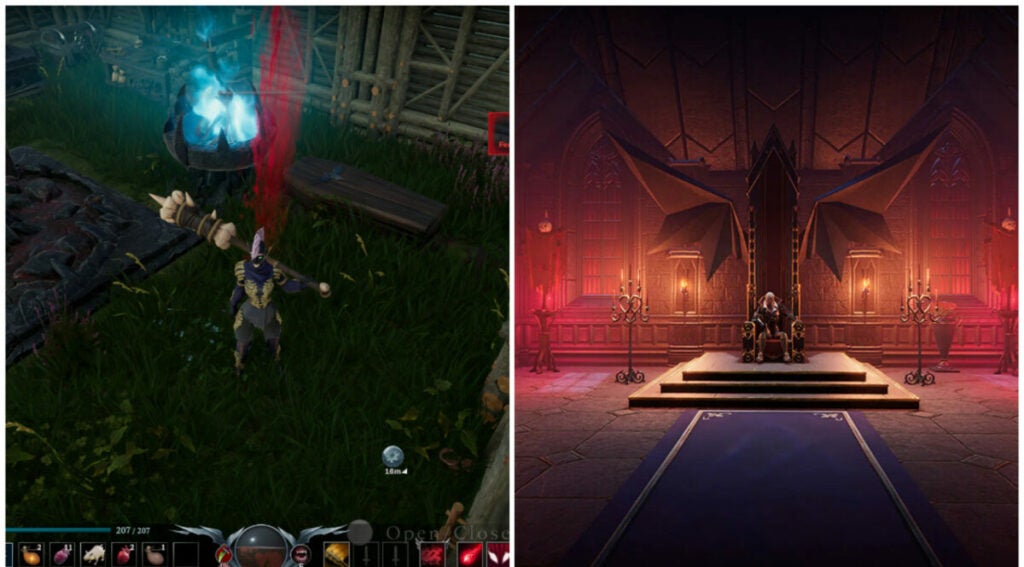
Hard West 2 review: What if demons plagued the Oregon Trail?

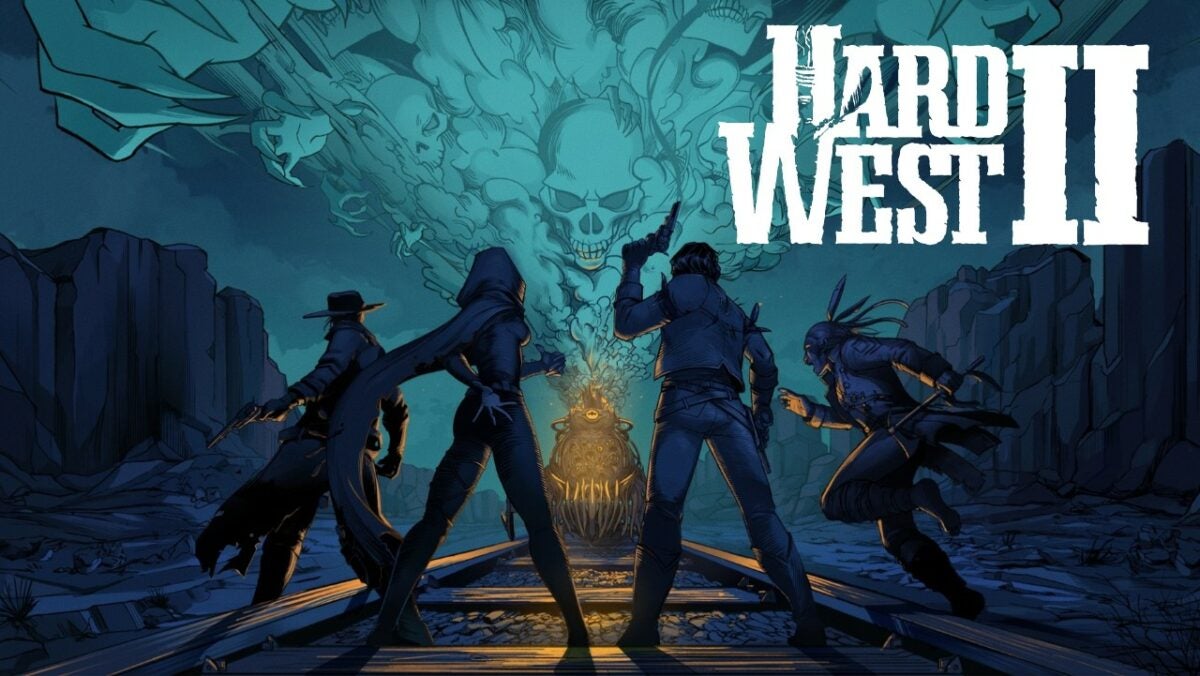
If ghosts and demons found themselves in a Spaghetti Western, it would be Hard West 2. The game brings together XCOM: Enemy Unkown style turn-based combat with RPG elements similar to Dragon Age: Origins. But it all takes place in a western-style, locomotive-powered world in Oregon.

Quick shooting outlaws, Native American tribes, and settlers all fall victim to a Ghost Train led by a demon named Mammon. It’s up to Gin Carter and his gang of spiritual-ability wielders and bullet slingers to set things right.

Hard West 2 background

The original studio behind Hard West is CreativeForge Games out of Poland. Another development studio called Ice Code Games (also Polish) produced this sequel title. As such, players familiar with the original game should expect changes in tone, style, writing, and combat mechanics.

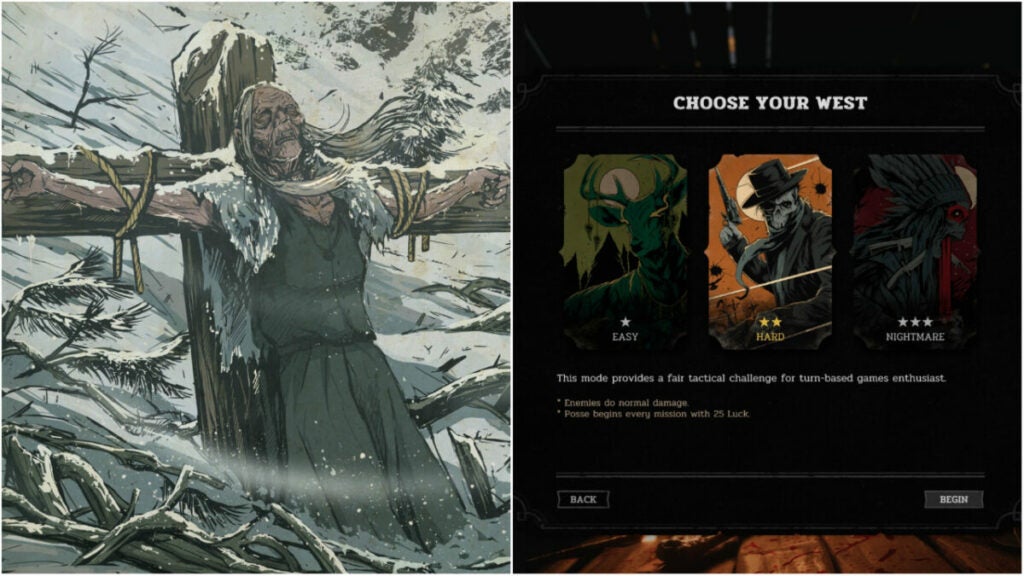
New players should be able to drop into this hand-painted world of ghouls and flying bullets fairly easily. The three game modes (easy, hard, and nightmare) allow you to tailor your turn-based gameplay experience.
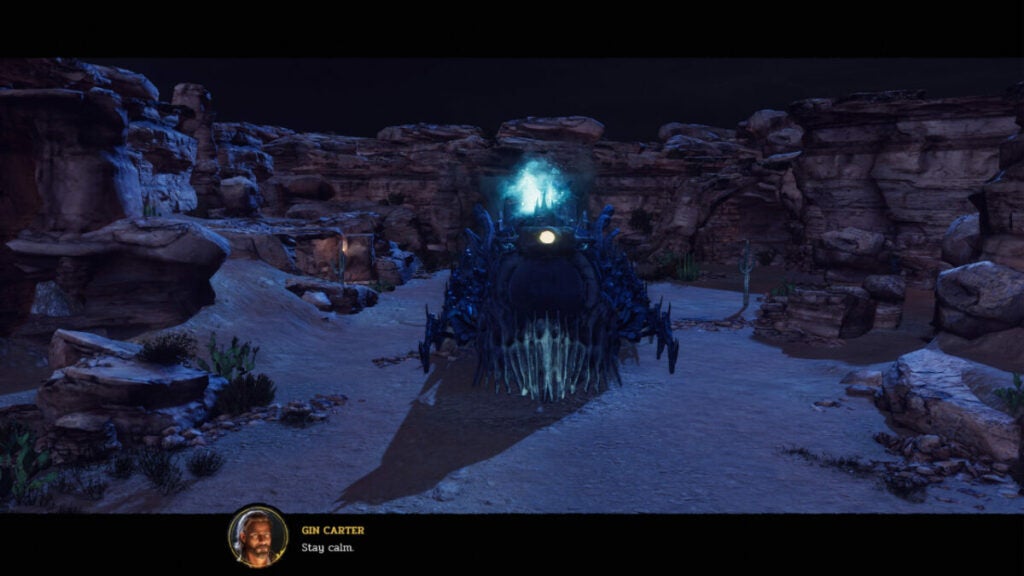
Setting & tone

While lots of supernatural things occur in Hard West 2, the game never feels very eldritch or spooky even. The atmosphere is ghostly, at times, but overall, the game feels more Western than Ghost Story (if you want a genre).

Hard West 2 story

The original game had a less straightforward story than its sequel. Fans of the unique narrative devices and non-linear story in Hard West may find Hard West 2’s pivot into linear story-telling a bit jarring. However, others may find the straightforward objective-based narrative easier to grasp.

It all revolves around Gin Carter — a generic feeling, gambling outlaw with big ambitions. He gathers his haphazard “posse” or group to fight Mammon and potentially help others in the world.

How long to beat Hard West 2

This title is an RPG, so your decisions can affect your gameplay to some degree. However, the base campaign is fairly straightforward and can be completed quickly even at a leisurely pace.

  • Main campaign: ~19 – 23 hours
  • Main campaign with side quests: ~22 – 25 hours
Hard West 2 performance

The game runs very smoothly even on older hardware. The overworld can tend to lag if you try to move the camera while also moving units. But overall, the game does not stutter or lag.

Combat can get a bit overwhelming from a visual perspective, but this is not reflected in gameplay performance.
Hard West 2 gameplay & functions

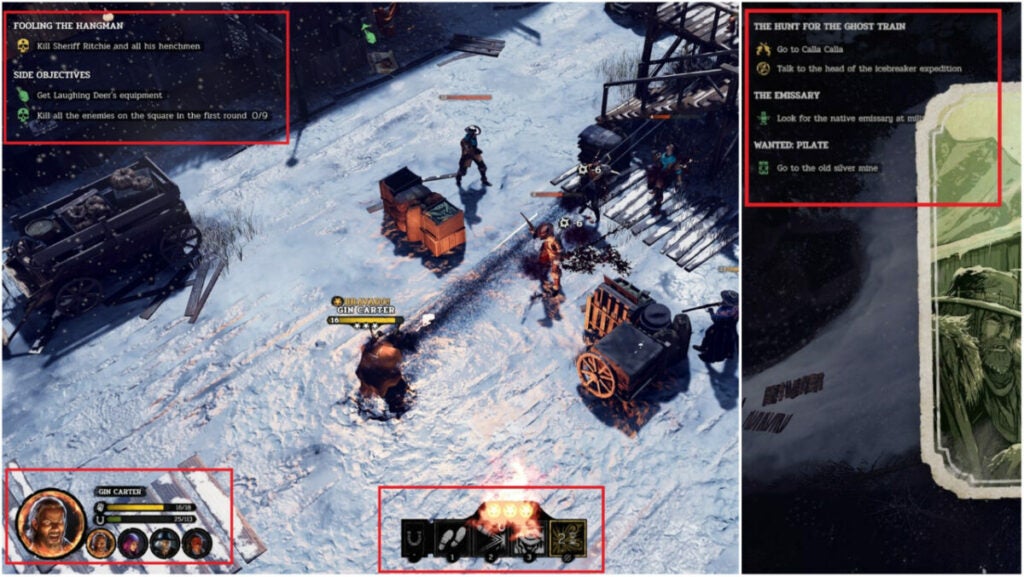
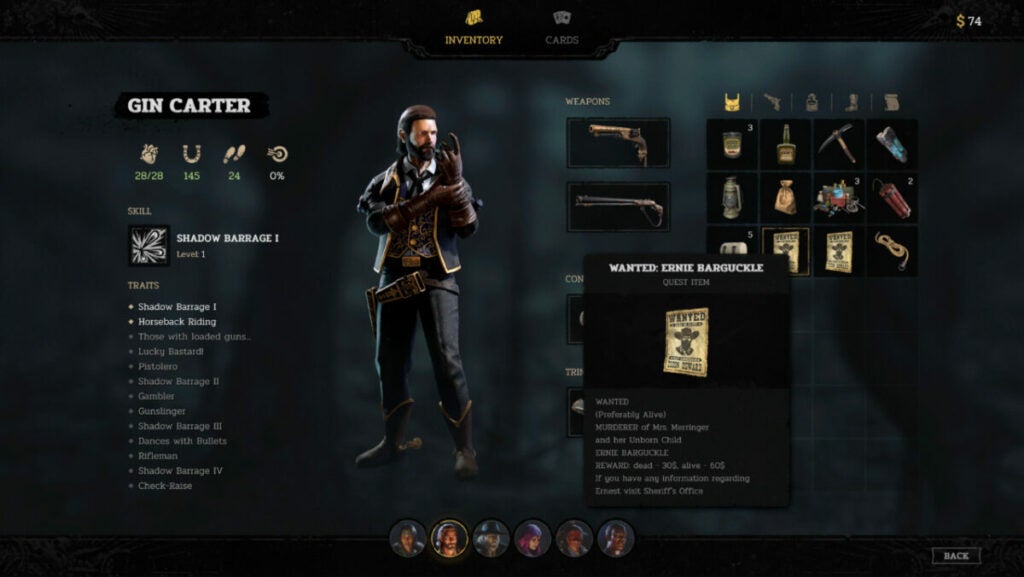
This title includes a very simple UI with Inventory, Cards, and not much else. The Overworld and combat UI have a running Quest list for reference in the top left. Each character icon can be found in the bottom left with the action hub in the bottom center of the screen.

This simplicity helps the world feel more engaging and makes it easier for players to disappear into the game.

Though there is not much in the way of character customization, trinkets and cards help flesh out this aspect of the game.
Cards & trinkets

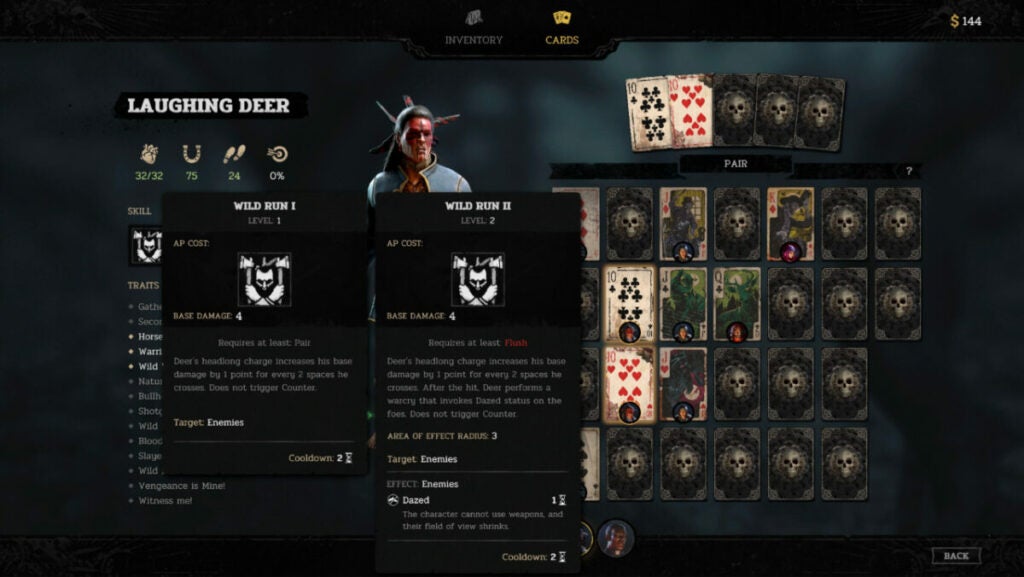
RPG veterans will instantly know how trinkets work as they are like accessories in other titles. These items grant characters additional stat boosts such as increased hit points, speed, or luck capacity. The cards, however, play a more integral role in a character’s combat prowess.

For instance, in the above image, you can see that Laughing Deer requires a Pair for his “Wild Run” ability. But a Flush will empower “Wild Run” even more. Each character gets unique abilities based on which cards you equip on top of the basic boosts such as additional hit points, luck, speed, etc.
Key mechanics

  • Companion Loyalty Points: the character screen will show a person’s abilities and stats, but also what their closeness level is with Gin. Having better relationships with people can give them new abilities or buffs.
  • Ability Points: players familiar with turn-based titles will know that ability points are how you do things in fights. Typically, each character has just 3 ability points and things like attacking, moving, or using items take between 1 and 3 points each.
  • Bravado: the Bravado system lets players chain kills by refreshing all ability points spent upon slicing down an enemy. It’s crucial to accomplishing certain side or main objectives.
  • Luck: this system featured heavily in Hard West 2, but feels like an afterthought now. If characters miss shots, they gain Luck that can be used later on to increase hit or crit chance on enemies.
  • Combat vs. Charisma: since this is an RPG, players sometimes have the option of simply talking their way into or out of a situation instead of fighting. Though the occurrences are fewer or depend on companion loyalty points, it’s a nice option to have when you do.
  • Sidequests & Bounties: as with other RPGs, Hard West 2 features many optional sidequests. This includes hunting down other outlaws — usually for money or loot.
World, sound, & character design

World design: Familiar without feeling stale

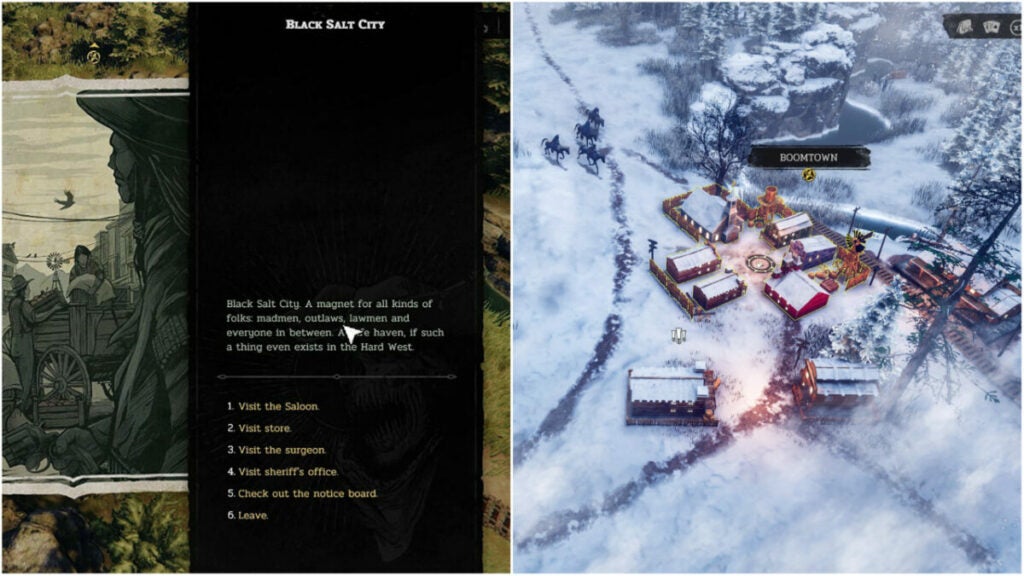
Fans of the Western genre will appreciate all of the references and easter eggs found throughout the game. But the developers also did a wonderful job making the world feel desolate while still possible to survive. The characters surviving off the land are hardened, but not crass. They work hard and they’re rough around the edges.

Each shack you discover or town you encounter feels original. In fact, these supplementary characters can often feel more real than the playable characters.

Sound design: Inoffensive music with great effects

All games with weapons should feature satisfying noises such as bullet drops, shots firing, etc. Hard West 2 makes Bravado streaks feel ultra worth it with great sound effects. The combat music hums in the background with all of the focus on character action.

However, everything else in the game feels like an afterthought. There is not much in the way of music or Overworld sound effects such as whistling, wind, or even a cheeky hawk call.

Character design: Out of touch with reality but in touch with the game’s world

The playable characters in Hard West 2 fit the setting and tone very well. Quest-giving NPCs are usually just talking heads with painterly-style avatars. Enemy types do become very familiar over time, but combat doesn’t become boring as a result. The biggest issue with characterization is with Lazarus, Laughing Deer, Cha’lish, Flynn, and the combatants known as the Shadow Dancers.

Flynn’s voice lines vacillate from peculiar and unfitting to dark and edgy for seemingly no reason. She will say “Smart!” when you move her somewhere. Gin’s characterization is also a bit by-the-book. He’s like Dutch from Red Dead Redemption 2 with less personality.

In the same vein, Cha’lish, Laughing Deer, and the Native American enemies have stereotypical writing with lackluster voicework. Though the character backstories are interesting, this can distract players and sap them out of the Hard West 2 world.

Some players may also find that Lazarus falls under the “Magical Minority” trope where a person of color (usually a Black or African American person) is connected to the supernatural or acts as a magical guide for the main character.

Verdict: Hard West 2 is fun if you can look past some…quirks

For the full price of $29.99 USD, Hard West 2 feels like a solid value if you want a turn-based RPG. The setting of the weird, ghostly West is quaint, but never feels truly lived in. Despite this, the combat will keep you coming back for more.

The attention to detail in the Overworld, unique weapon designs, and other elements like Flynn’s hypermobility or Cha’Lish’s spirit distraction ability invigorate the experience.

PROS

  • Fans of games like XCOM 2 will appreciate the addictive turn-based combat and unique character abilities.
  • The RPG elements, while simplistic, feel rewarding all the same.
  • Discovering things across the Overworld injects a fun variety into the text-based character interactions.
  • The inventory system is refreshingly simple and there are many opportunities to find stores balanced with scavenging money and resources.

CONS

  • The representations of women and Native Americans are not as nuanced as they should be. Lazarus may also fall under the trope of the “magical minority” for some.
  • Fans of the original game may not appreciate how diminished the Luck system has become in favor of the Bravado system.
  • Missions can feel very feast or famine in that, if you do not set up the dominos to fall all at once, you can snowball quickly into failure.
  • The battle UI is not always clear between moving and attacking. Much of this confusion comes down to awkward camera angles.

Developer: Ice Code games

Publisher: Good Shepherd Entertainment (formerly Gambitious Digital Entertainment)

Game Modes: Single-player

Game Engine: Unity
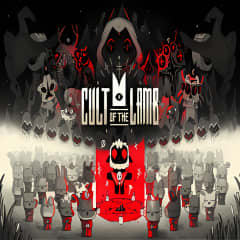
Cult of the Lamb review: cult violence but make it cozy core

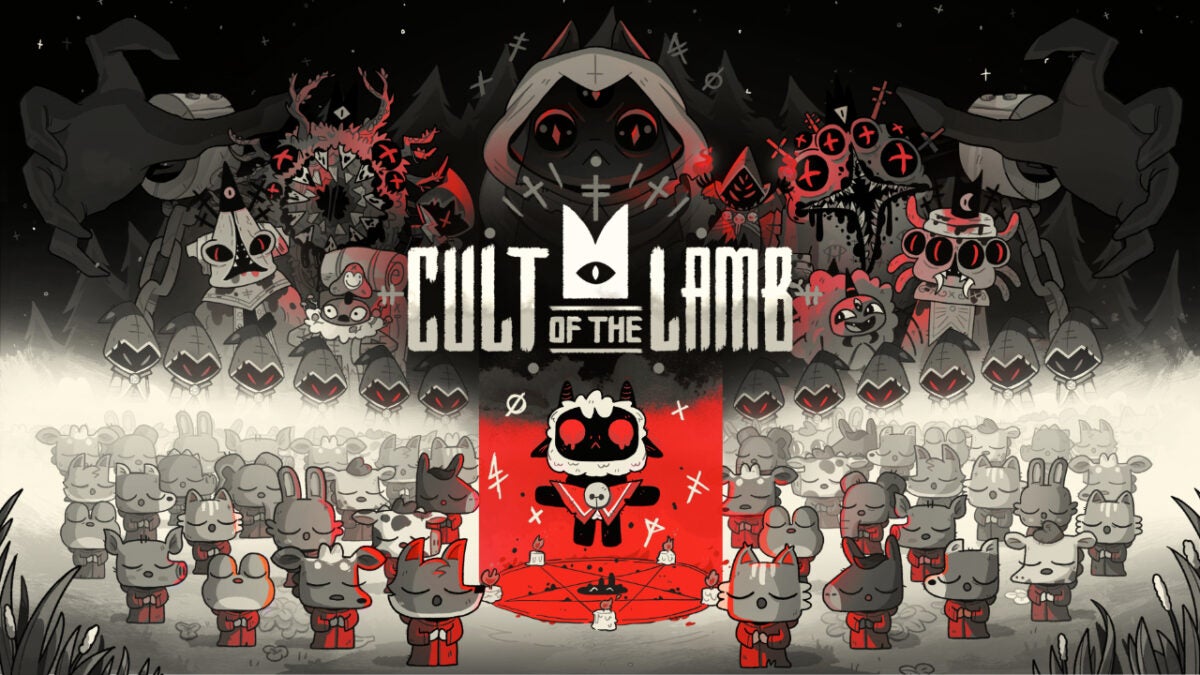
That’s right – Cult of the Lamb takes all the difficulty of a rogue-like and pairs it with cutesy characters, base-building, and sim-like mechanics. The art style and soundtrack give the game unique appeal, but there’s more behind the would-be sacrificial main character than meets the eye.

Cult of the Lamb DOWNLOAD

Let’s dive into the game to see why Cult of the Lamb might appeal to more than just fans of games like Binding of Isaac.

Story, setting, & tone

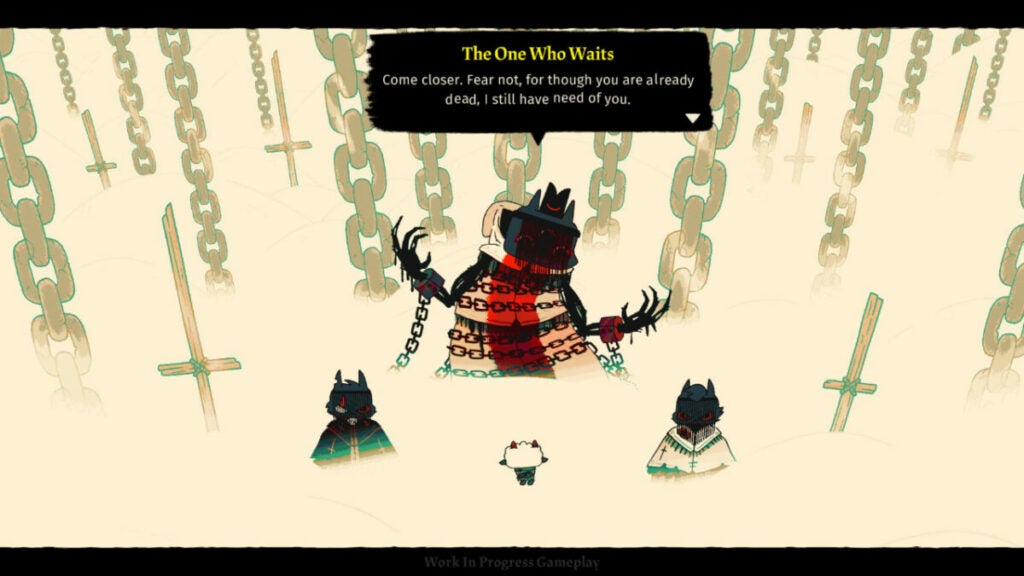
The setting of this game is very simple in that it’s established from the beginning moments of the game. You are a sacrifice to other-worldly gods for something called the “Old Faith.” Except, you aren’t quite sacrificed; instead, something calling itself “The One Who Waits” revives you at the cost of creating a cult in its name.

To that end, you roam around various areas controlled by Old Faith followers, recruiting people to your cult and slaying heretics. This may not have Warhammer levels of lore, but the game establishes its story much more by “showing” than “telling.”

Characters, though their existences seem bleak, have personality and a certain whimsy about them. The pairing of this levity with darkness keeps the narrative from feeling too overbearing or simplistic.

image of The One Who Waits in Cult of the Lamb

Cult of the Lamb performance

Massive Monster built this game on the Unity engine, so it runs very smoothly. The only hiccup I encountered was when I first loaded into the game. It did not natively detect my monitor’s aspect ratio and I had to set it manually. In the grand scheme of things, however, this is not a deal-breaker.

Most computers should be able to run it well along with the consoles on which it is available:

  • Nintendo Switch
  • Xbox One
  • Xbox Series X/S
  • PlayStation 4
  • PlayStation 5

Cult of the Lamb gameplay and functions

Since Cult of the Lamb is rogue-like, players do “runs” or attempt to beat the game until they run out of life. When that happens, they must start all over at the beginning of the game. However, as you progress through the game, you’ll get more powerful spells, weapons, and other perks. This can help you progress through the game.

But the other facet of Cult of the Lamb is the cult management simulator aspect. The player must take care of their “flock” so to speak, by feeding them and providing for them regularly. However, this works to your advantage as your followers can aid you in battle.

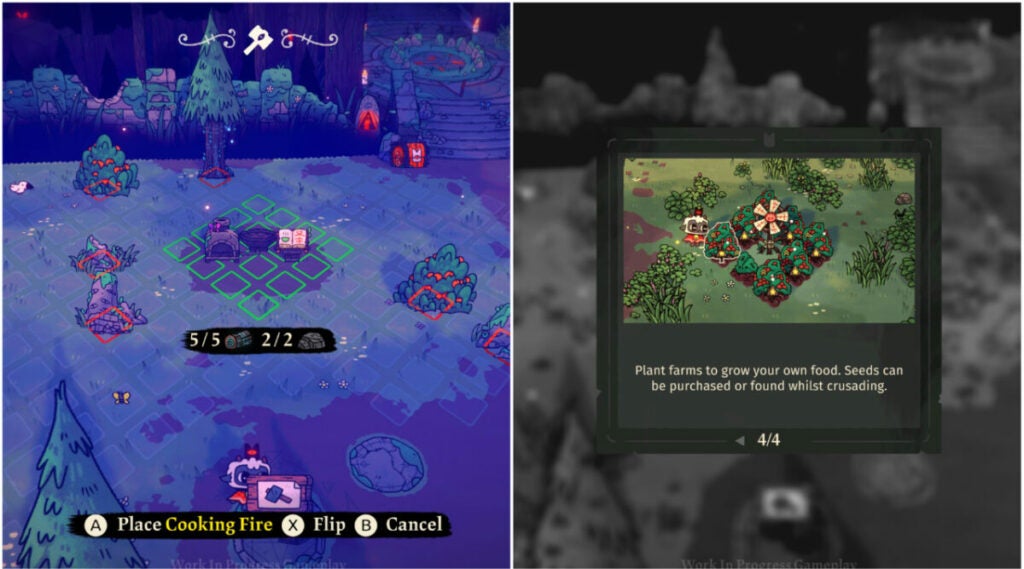
image of base building in Cult of the Lamb

UI and interface

The UI for this title is uncluttered and straightforward. As with most rogue-likes, it’s best played with a controller. This might make the building aspects a bit cumbersome for players used to the freedom of a mouse and keyboard, but Cult of the Lamb smartly approaches this challenge.

As you can see above, players can place their structures in set places. The red squares indicate occupied spaces (by resources in this case) while the green spaces indicate buildable land.

When it comes to combat and inventory, there is a simple radial menu players can access that displays whatever items they are using at the time. You can upgrade or swap out your weapons and spells/curses throughout the game as you discover them.

Control schema

Cult of the Lamb offers multiple control schemas for different playstyles. The default is a fairly standard setup, but you can customize it if desired. Again, this game is experienced best with a controller.

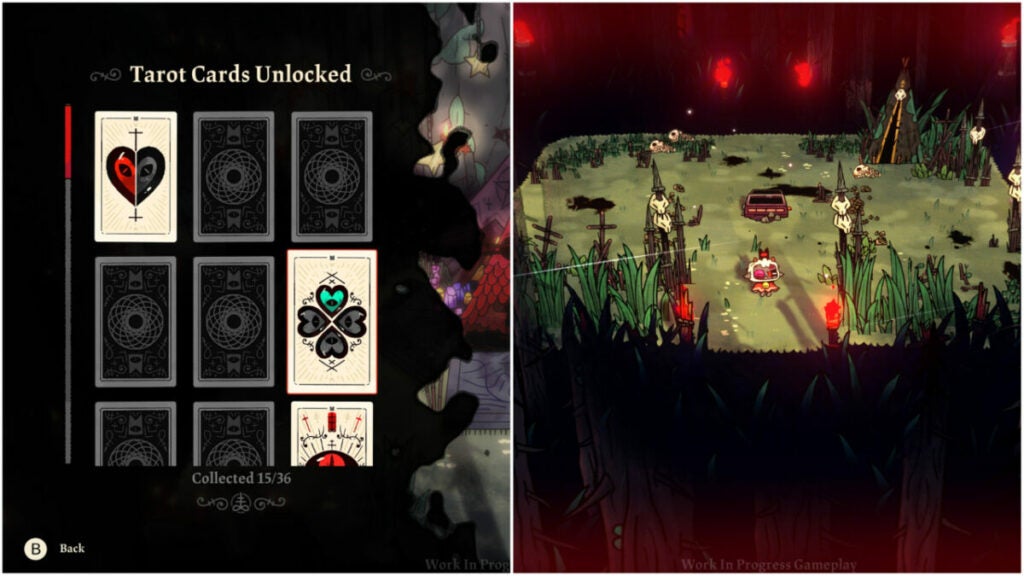
image of combat and Tarot Cards in Cult of the Lamb

Key mechanics & combat

Players have three core mechanics for combat:

  • attack
  • dodge roll
  • unleash curse

The enemies are very mobile from the very beginning of the game, so you’ll need to learn how to time your dodges. The penalty for missed attacks can also be pretty punishing if you don’t time things right. In that vein, the game rewards players who take the time to learn enemy movements and tactics.

Beyond that, there are the Tarot Cards players can unlock as seen above. These provide buffs such as additional hearts, damage modifiers, and more. If you played Hades, think of it as the buffs you get from the various gods in the game.

image of Old Faith gods in Cult of the Lamb

Cult of the Lamb world, sound, & character design

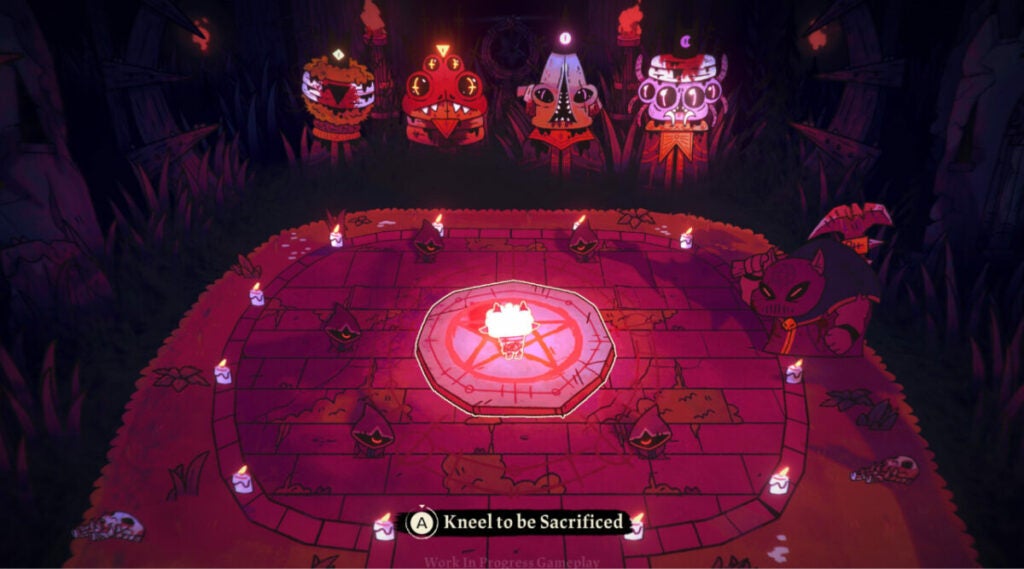
It isn’t often that you get a beautifully colorful world with such a dark mission in a game. After all, you are running around as an inter-dimensional god-powered prophet slaying non-believers and recruiting followers at any cost. But you’re such a darn cute little innocent lamb!

Therein lies the crux of the game’s core design intent.

Sound design: pivotal to the experience

Many early reviews have raved about the phenomenal soundtrack in Cult of the Lamb. It’s almost a requirement of any good rogue-like game at this point since players spend a great deal of time exploring the game world. Though the game is procedurally generated, it ultimately has players treading similar ground.

The soundtrack keeps things fresh and provides adrenaline boosts in key moments during big fights. It can also set the atmosphere while you are constructing your cult camp. See if you can identify musical motifs for different characters.

The characters speaking different languages is another detail that can’t be missed. It adds to the feeling that these are real people in a real-world dealing with…terrifying cult monsters.

image of characters in Cult of the Lamb

Character design: behind those cute smiles are sharp fangs

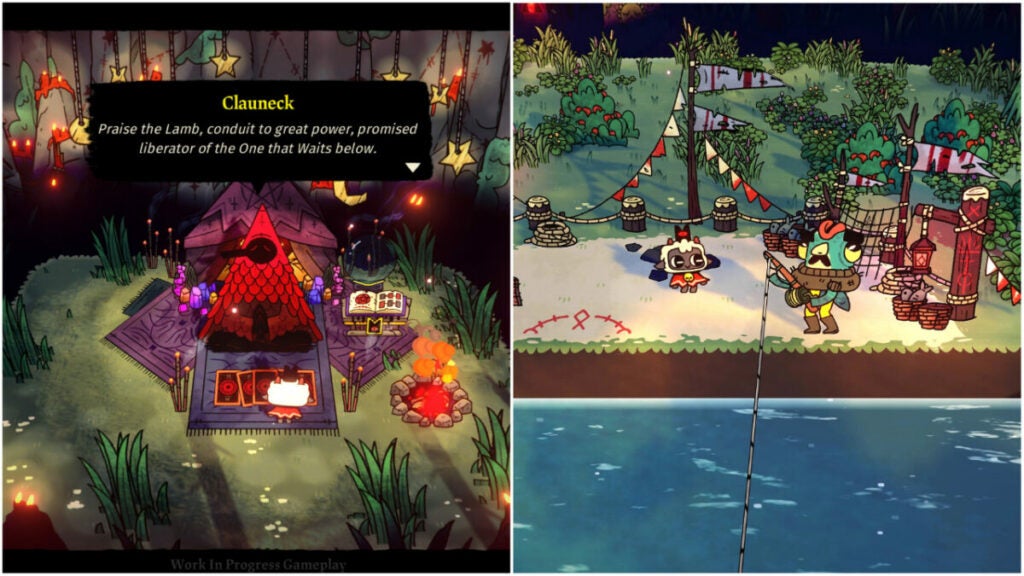
Despite being an adorable farm animal, the protagonist is a murder machine. Every character exudes this juxtaposition in Cult of the Lamb. There is always just something a bit off about many of the characters that the player meets. Clauneck, for example, seems welcoming and helpful. But why is this dude chillin’ in a forest infested with zealous cultists handing out buffs?

The Old Faith gods are also quite the sight. They invoke classic themes of horror like spiders, eldritch creatures, and more. Again, there is a juxtaposition to the player character (a lamb) who will one day defeat them. And that requires followers.

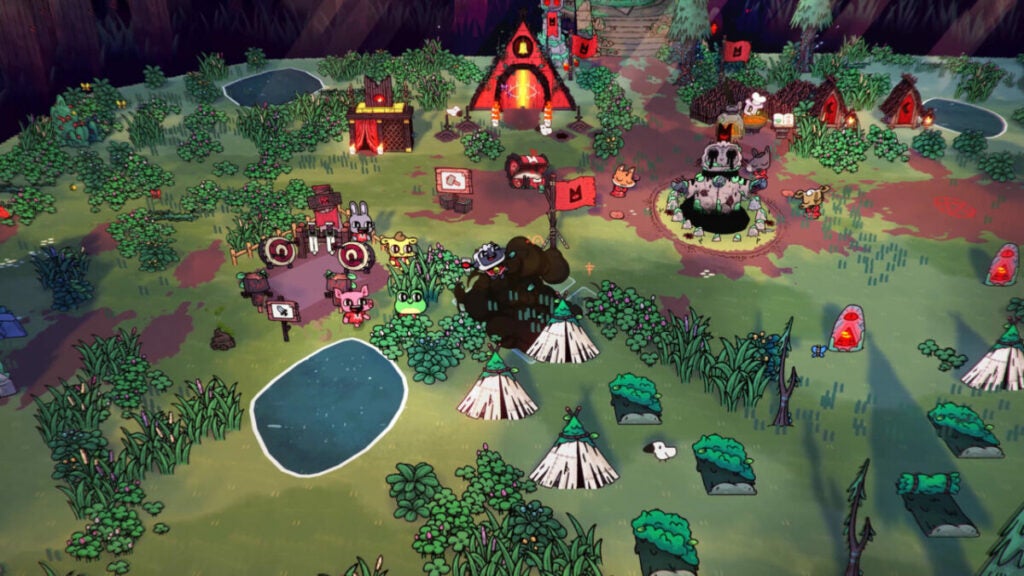
Part of the fun of the game is playing with how you build your base and care for those followers. You can also customize them, give them unique names, and deal with various positive and negative traits.

World design: a lived-in, beautiful disaster

Though there isn’t a dedicated overworld, Cult of the Lamb still has a lot to offer in terms of world design. The individual encounters, while simple in their setups, keep things interesting with different set dressings, enemies, and obstacles.

The cult camp you can create is also highly customizable. Though a bit flat, the character that your followers bring to the space does a ton of work to make things feel more chaotic (in a good way).

This, in tandem with the four different areas of the Old Faith realm, offers the player lots of variety to experience. Overall, the whimsy, color, and richness of the world design help the characters feel all the more real.

image of the overworld in Cult of the Lamb

Verdict: Cult of the Lamb is great for any gamer

Cult of the Lamb really does have something for everyone. Fans of games such as Valheim or even The Sims will appreciate the base-building and follower monitoring mechanics.

The combat may prove a bit frustrating at times, but this game is meant to be played over and over again. Ideally, you will get farther each time you play it. And with a game so easy to pick up and put down, it’s simple to do just that.

PROS

  • Fantastic art style
  • Incredible soundtrack
  • Straight-forward control schemas
  • In-depth tutorial system
  • Great replayability thanks to procedurally generated maps and customizable builds in each run

CONS

  • Useful, but limited accessibility features
  • Rogue-likes aren’t for everyone
  • Fans of keyboard and mouse sim games may find the controller more cumbersome

Developer: Massive Monster

Publisher: Devolver Digital

Game Modes: single-player

Engine: Unity

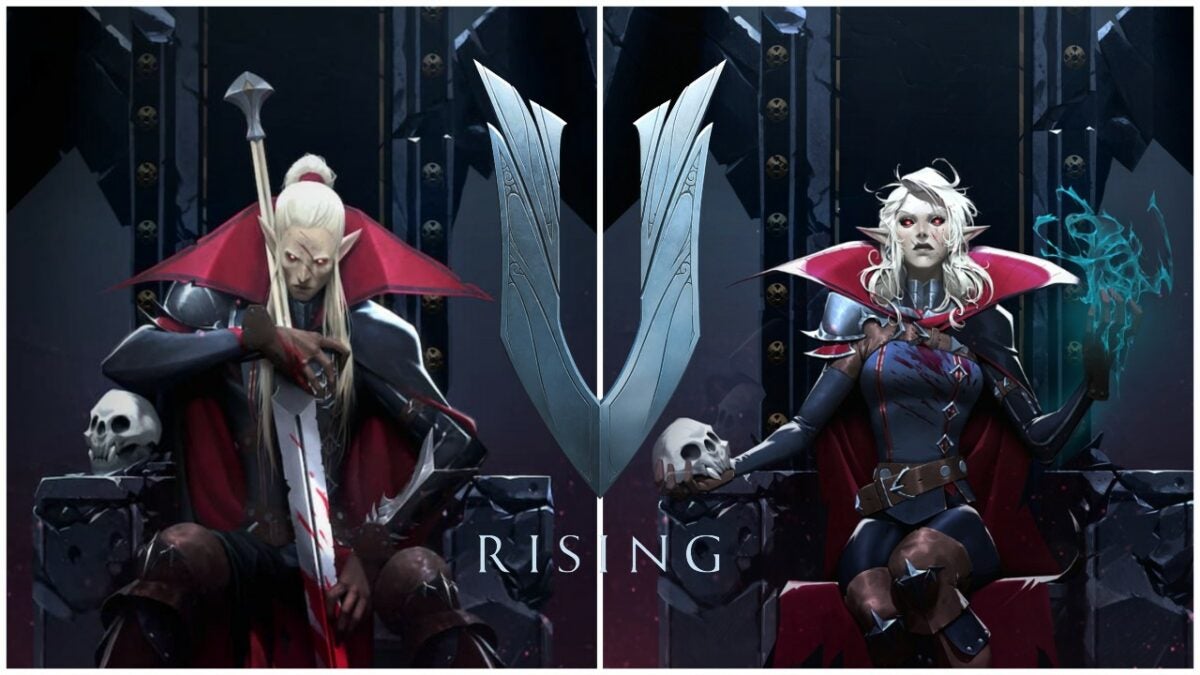
V Rising review: what if vampires were the “good guys”?

Saying something is Diablo but better” is a tall, over-simplified order, but V Rising really does deliver on it. The vampire-centric game has elements of base building, combat, bounty hunting, survival games, and loads more. The camera movement, top-down orientation, and abilities even make the action RPG a bit MOBA-like. It has also been likened to recent indie darling Valheim -another indie game with base building.

As it has something for everyone, it may also not be successful in pleasing hardcore fans of one particular genre. So let’s break down V Rising for its story, mechanics, performance, and design to see how it stacks up to the excitement around the latest title from Stunlock Studios.

V Rising Download Now
V Rising

V Rising background

Stunlock Studios, the development company behind this game, doesn’t have too many games under its belt. Only founded in 2010, the Skövde based studio released their first game Bloodline Champions for Windows PC in 2011. Their subsequent titles, Battlerite and Battlerite Royale, were both MOBA-like in nature.

Chinese megacorporation Tencent took a controlling share in the company in 2021, but V Rising began to gain traction thanks, in part, to Early Access. To date, more than 1,000,000 players have logged into creating their castles and challenging daywalkers.

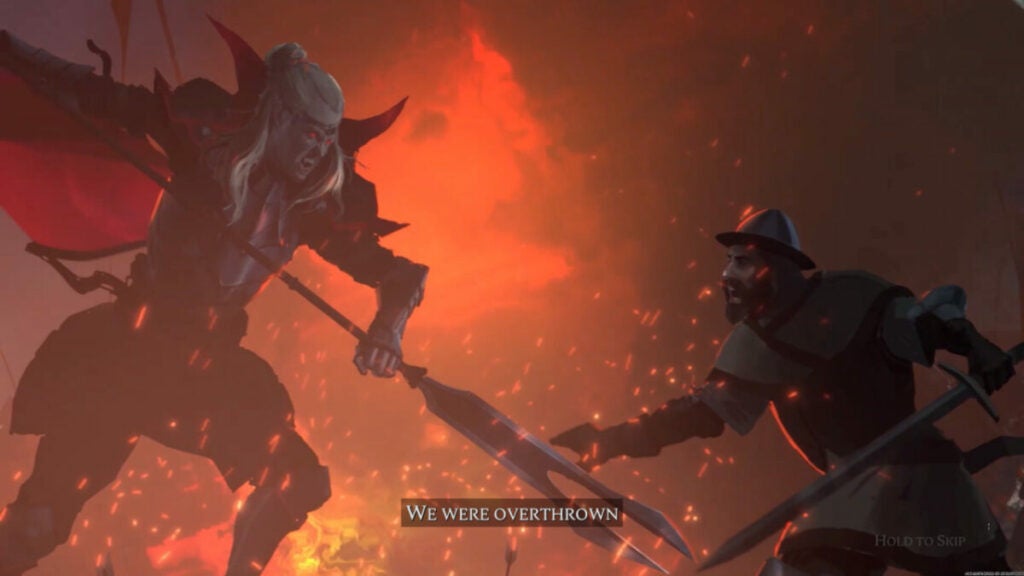
image of vampire and human fighting from V Rising

Setting & tone

“Awaken as a weakened Vampire after centuries of slumber in a world full of danger. Stripped from your unholy powers and starving for blood – you must hunt to regain your strength and fight for survival.” That’s what developer Stunlock Studios sets players up with for V Rising. But they also pose the question “will you become the next Dracula?”

That said, the open world-game takes place in a gothic era countryside. Animated skeletons stalk the night along with bandits, treants, vampires, and all kinds of creatures. Vardoran, the name of the in-game world, doesn’t seem a very hospitable place for anyone.

V Rising story

The basic setup of the story is a weakened vampire slowly regaining its power. However, Stunlock Studios gives players a decent amount of agency as they choose what path to follow. You can become a diplomat or a total, bloodthirsty count or countess. You can even simply convert humans to worship and serve you.

Beyond that, you’ll just have to play and see for yourself what unfolds based on your choices in the dangerous locales around Vardoran.

How long to beat V Rising

V Rising does not have a strictly linear story like in Sifu or Ghostwire: Tokyo. As such, the time it takes one player to “beat” V Rising may differ wildly from any other. Game producers said that the Early Access version of the game provided 40 – 60 hours of content.

In addition, some closed beta players said that they spent ~80 hours in the game. For now, expect to dump a decent chunk of time into this game — especially if you’re playing with friends.

image of  V Rising gameplay

V Rising performance

As with all new games from smaller studios, V Rising has had some hiccups in terms of performance. However, the relatively stable Unity engine keeps things moving fairly smoothly. The game also does not have platforming or jump mechanics outside of prompted “jumps” where your character flips down a small ledge.

With an impressively small footprint of just 6 GB, the game delivers much more than it costs in terms of monetary price and storage. That said, some players will encounter specific glitches. For instance, V Blood bounties will sometimes not spawn where they are meant to.

The “Unstuck” feature available to players in the “Esc” menu is one solution for this. Using this feature revives players at their coffin or a discovered waypoint with their equipment. Sadly, you do lose the rest of your inventory and will have to backtrack to fetch it if you use this feature.

V Rising gameplay & functions

Loot features heavily in the game but it serves more of a crafting purpose than anything else. For instance, players get their first unique set of armor very early in the game as part of the base tutorial. You have to upgrade your armor to unlock more features for your castle.

These integrated crafting tutorials may feel a bit unnecessary for seasoned players of RPGs, but it doesn’t hold your hand entirely. The freedom to travel wherever you want (sun damage pending) is very freeing. Pro-tip: spend any more than 3 – 5 seconds in the sun and you will rapidly begin to take tons of damage. You’ll likely be killed within mere moments, so keep to the shade of trees if you have to travel in the daytime hours.

By far, though, the biggest feature of the game is the V Blood system. Unique characters in the world are known as “V Blood” people from whom your vampire can attain new abilities. This can be as simple as learning to make leather to getting a fantastic new ability or animal form.

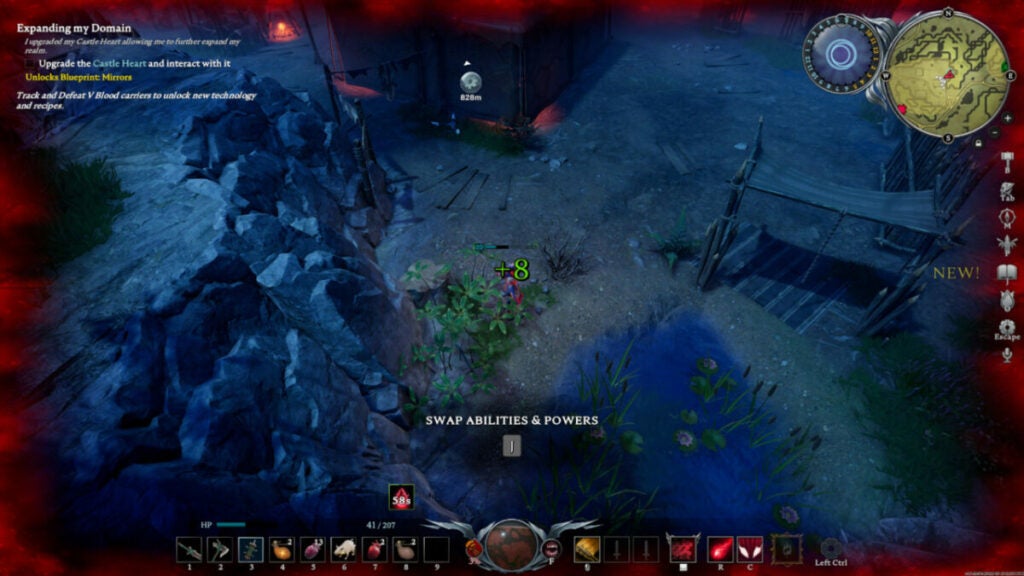
image of  V Rising UI

UI and interface

Fans of games like Diablo will find the overall UI setup familiar enough. Despite this, it can start to feel cluttered often. Let’s break down the basic elements of the UI:

  • Blood gauge – in the center of the lower bar and displays how much blood you have and what your current blood type is along with what bonus it offers.
  • Inventory hot bar – located in the same lower bar, this 9-item hot bar lets you switch between weapons or items by pressing numbers 1 – 9 on your keyboard.
  • Special abilities – your abilities are on the lower bar on the right-hand side. As you grow in power and take down V Blood bounties, you’ll gain new abilities.
  • Mini-map – located in the upper right-hand corner, the mini-map is okay, but players will often need to refer to the full-sized map for better context and waypoint management.
  • Objectives – these are displayed in the upper left-hand corner of the screen.
  • Right-hand side hotkey bar – the greyed-out buttons on the right side of the screen have things like a Journal, Inventory, etc.
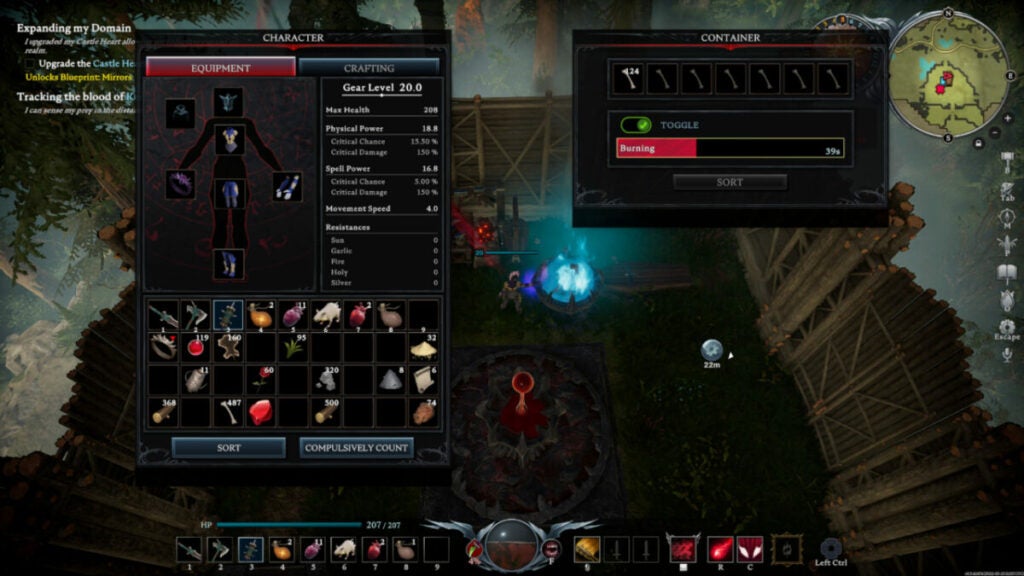
  • Inventory screen – this screen with your character equipment, inventory, and crafting options pops up on the left side of your screen when you press “Tab”.
  • Crafting or item window – this screen pops up on the right side of your screen when you use “F” to interact with an item such as a Furnace, Blood Altar, etc.

Control schema

Gamers familiar with top-down camera titles like Divinity: Original Sin 2 or Grim Dawn will recall the top-down camera angle. While you use W, A, S, and D to move, the right mouse button moves your camera around in the default control schema. Of course, players can customize these to their preferred setups.

Key mechanics

The game features many different abilities, animal forms, and mechanics that can greatly impact how you experience the game world. For instance, when in your wolf form, other wildlife will not attack you.

In your humanoid form, many animals will instantly become aggressive toward you. Being in your wolf form also grants you increased movement speed. However, you will still take damage from the sun if you stay in it for too long.

That’s really the main mechanic outside of your general RPG combat and base building: staying out of the dang sun. As mentioned earlier, you will be burnt to a crisp within seconds if you don’t get into the shade of a tree during sunlight hours. Your castle can also utilize Mist Braziers to block out sunlight before you can build roofs.

Pro-tip: in-game night hours are from 7 PM to 9 AM while daylight hours are from 10 AM to 6 PM.

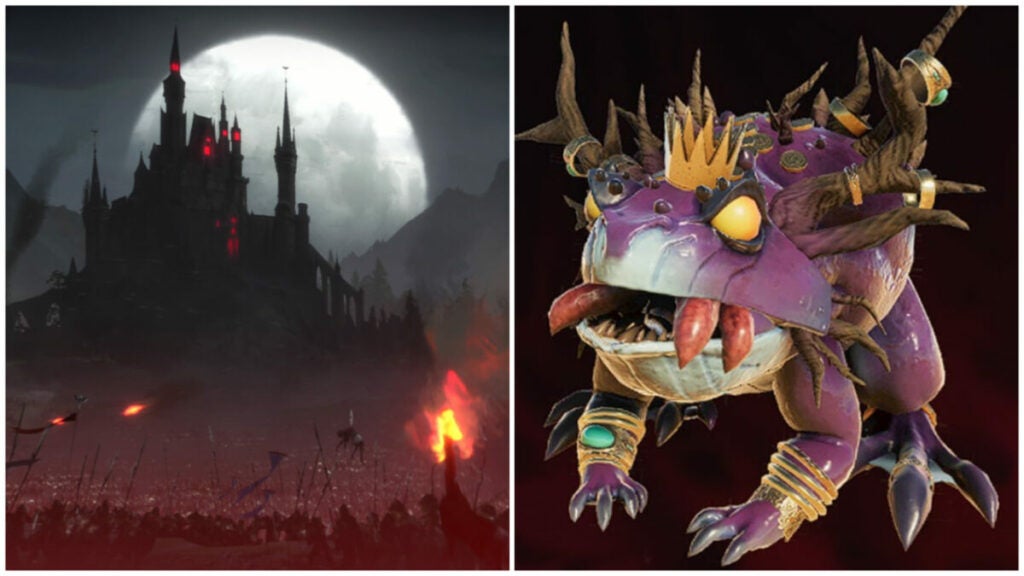
image of a castle under siege and a frog boss in V Rising

World, sound, & character design

World design: An open world where you can’t climb walls

Due to the simplicity of the map design, players cannot do things like slide down or climb rock faces. This isn’t a huge problem, but having to run around short rock facades that you could easily climb in real life does not feel rewarding.

Only after you gain new animal forms and abilities can you easily traverse the terrain. Of course, some players may enjoy this facet of the game as it presents just one more challenge in the journey toward becoming a full-fledged, powerful vampire again.

In terms of the foliage, stones, and water, the map feels organic. The forests flow from one area to the next with small streams or lakes dotted around. There are deserted cemeteries, small villages, bandit camps, mines, caves, and more.

Sound design: Solid and atmospheric

Like games such as Minecraft, music and sound effects can play an integral part in games with base building mechanics. Without any music, the crafting and resource gathering may become monotonous. Without sound effects, your character is liable to get ambushed often. Luckily, the V Rising developers considered both of these factors.

The soundtrack sets the tone well while also alerting players to specific scenarios with consistent musical motifs. Unique monsters such as Treants have their own attack noises and combat music will play and then fade as your player enters or exits combat.

image of character creation in V Rising

Character design: Limited but fun

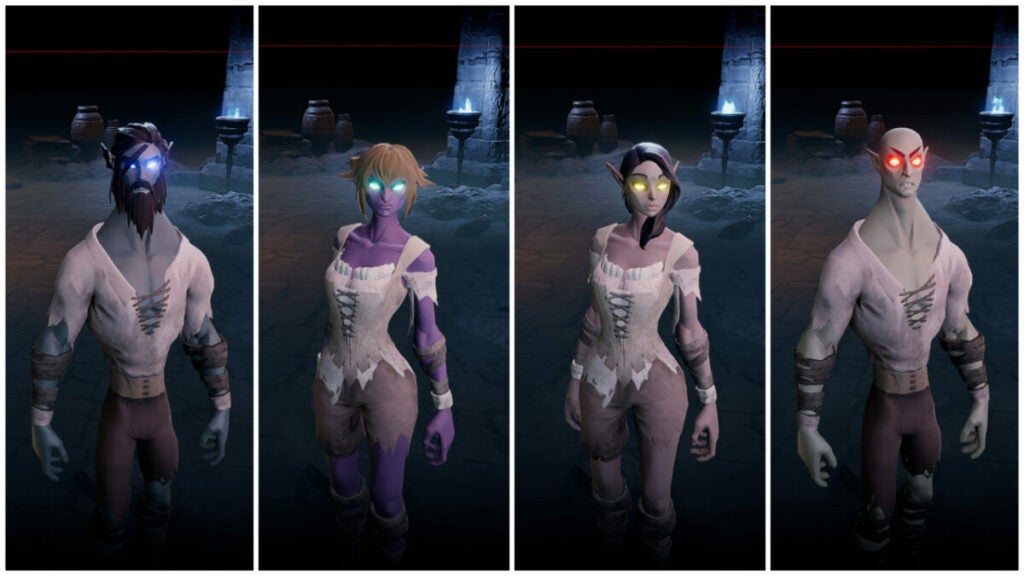
The depth of variation in V Rising when it comes to creating your base character isn’t very deep. You can’t adjust eye width and head size or select body types. However, you can still create a sinister-looking monster or a rather normal-looking nightstalker. Armor selections as the game progress can further help you customize your look.

Other character design for skeletons, creatures like wolves and bears, as well as bandits is fairly straightforward. However, the art style that falls somewhere between stylized cartoon and 3D cel-shaded strikes a perfect balance of quirky and easy to enjoy.

image of player characters in castles in V Rising

Verdict: Get this game!

V Rising is the perfect game for people who need something to disappear into for a while. If you’re in a bit of a gaming slump, pick this up. If you need a break from competitive gaming like League of Legends or Overwatch, pick this up. Need to forget about the real world for some time? This game is perfect for that.

The crafting and resource gathering can become a bit tedious or repetitive at times, but that doesn’t detract too much from the main gameplay loop. Gathering powers and challenging yourself with new V Blood victims never gets old.

Download V Rising today to start reclaiming your vampiric prowess.

PROS

  • Fun gothic aesthetic with classic vampire designs
  • Challenging boss fights and unique abilities for everyone
  • Satisfying castle building and upgrading
  • Loads of replay potential
  • Custom private servers are available
  • Developers quick to apply fixes

CONS

  • Resource gathering and crafting can get tedious
  • Sun mechanic may turn off some players
  • Inventory management is a bit cumbersome
  • Enemies can glitch such as V Blood bounties not spawning where they should

Developer: Stunlock Studios

Publisher: Stunlock Studios

Game Modes: Singleplayer and multiplayer

Game Engine: Unity
signNow review: Best eSignature app for small businesses

If you need an eSignature program that gives you more bang for your buck, signNow might just be the app for you. Acquired by PDFfiller in 2017, signNow offers more features than ever before. Though it rose to prominence thanks to its eSignature feature, the program can benefit your company in new ways.

Cloud-based e-signature: signNow DOWNLOAD

Let’s take a look at the key features of signNow, its history, and its competitors to see what it’s all about.

What is signNow?

signNow offers cloud-based electronic signature services. The SaaS platform lets people and businesses engage with and manage documents using any computer with an internet connection.

The app serves many platforms including Windows and Mac devices. It’s also available for Android, iPad, and iPhone devices as it uses the device’s camera, email, or your Dropbox account for your signature.

The app aims to improve many aspects of business such as:

  • Workflow automation and robotic process automation
  • Contract management and negotiation
  • Document generation and PDF editing
  • Utilizing advanced analytics
  • Payment streamlining
  • Offering mobile-first web forms
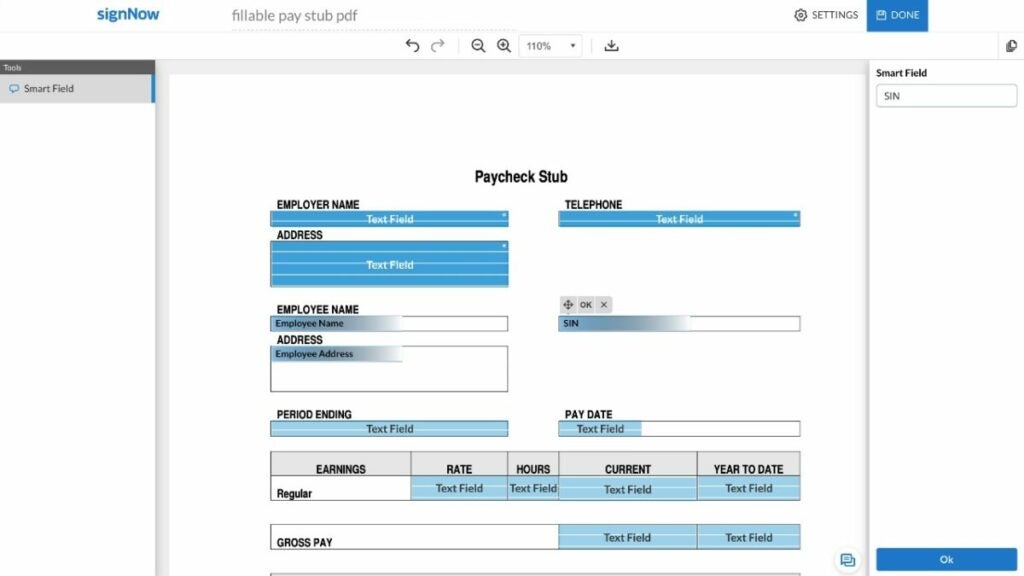
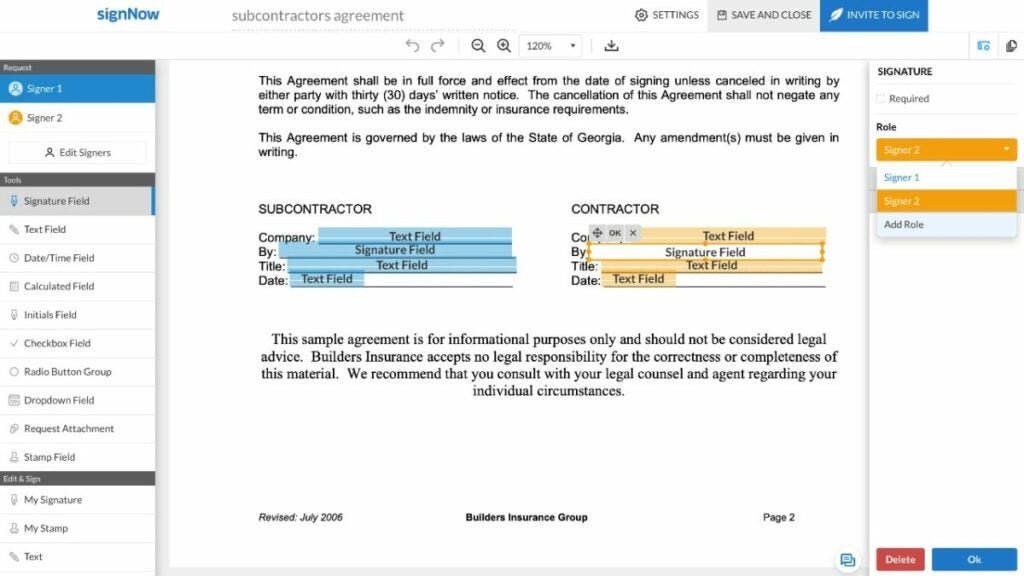
image of the signNow UI

Key features in signNow

signNow features all kinds of important elements that keep your information safe while still providing excellent service. Chiefly, it includes the following features:

  • Conditional, actionable, formula, and template fields
  • Sending documents for eSignature
  • Adding fillable fields in PDF files
  • Field validation
  • PDF editing and annotations
  • In editor comments
  • Sending documents using links
  • Recipient attachments

The company primarily serves its eSignature functionality under the product umbrella of airSlate — a direct competitor to programs like DocuSign with more features than just eSignature now.
Is signNow free?

While the mobile version has a free trial for 7 days, signNow for business starts at $8 USD per month per user with the option of monthly or annual billing. This ranges up to $50 per user per month with a minimum of 5 users for their Business Cloud service.

Of course, the higher tiers have more tools and capabilities, as well as a free trial option which the lower tier offerings lack.

  • $8 USD per user/per month – up to 10 users, basic fields, mobile app, threat protection, and document sending
  • $15 USD per user/per month – all listed features plus bulk sending, reminders and notifications, branding, and signing link invites
  • $30 USD per user/per month – all listed features plus payment requests, conditional documents and fields, calculated fields, and signer attachments
  • $50 USD per user/per month – the enterprise level tier withs lots of additional features such as phone support, HIPAA compliance, Kiosk mode, and more
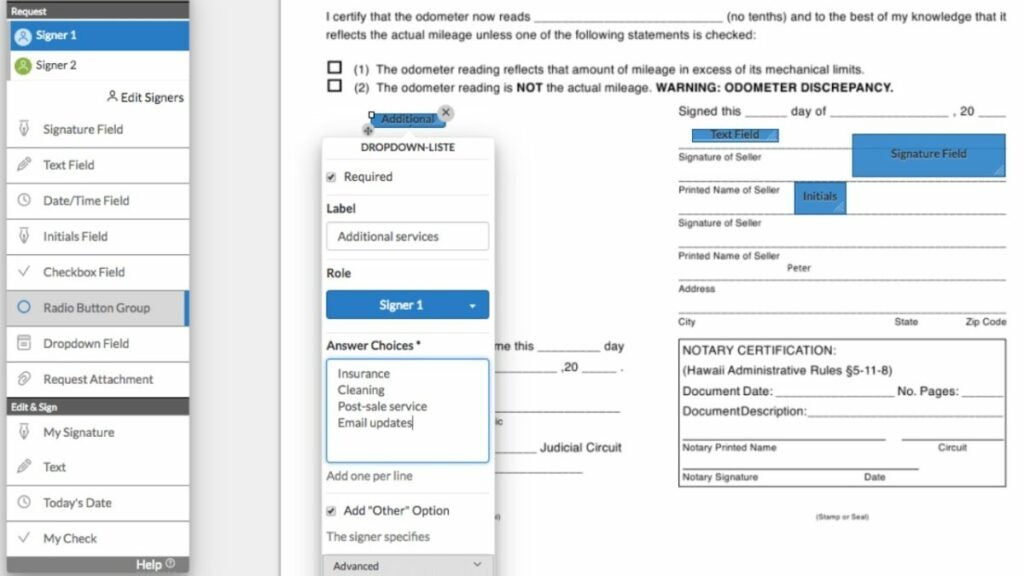
image of the signNow UI

Other signNow elements

Thanks to the additional programs like PDFfiller controls, signNow can integrate with more programs than before. In fact, the image above is how the app integrates with Microsoft Word. When it comes to competing with programs like Adobe, that counts for a great deal.

Beyond that, this program offers a mobile-ready private eSignature solution — something vital in today’s digital ecosystem. The access to 85,000 state-specific legal forms doesn’t hurt either. It ensures that your contracts, payments, and documents will be safe and accurate.

image of signNow competitor logos

signNow Competitors

HelloSign

HelloSign bills itself as the easiest way to do eSignature with “little to no training required”. It offers many of the same services that signNow does with the following price structure:

  • $15 USD – single user, unlimited signature requests, 5 templates, audit trail, signer fields, mobile app, multiple languages, reminders and notifications, and template links
  • $24.99 USD – single user plan with all listed features plus 3 TB storage, mobile offline folders, priority chat support, sending files up to 100 GB, document watermarking, and file recovery within 180 days
  • $25 USD per user/per month -for 2 to 4 users with all listed features plus 15 total templates, SharePoint integration, bulk send, branding, team features, Salesforce integration, and more
  • Premium – enterprise level plan that starts at 5 users with unlimited templates, data validation, multi-teams, performance dashboards, single sign-on, and more

While HelloSign has a free trial like signNow, it lacks some features that airSlate and signNow offer such as conditional fields, recipient attachments, PDF editing, and more. User reviews cite concerns over team control and poor integration, as well.

eversign

First off, eversign has a free option — an obvious win over signNow by airSlate. Many users also report loving the simplicity of eversign’s UI in comparison to DocuSign or signNow. This program has the following price schema:

  • Free – 5 documents per month, 2 SMS credits, 3 API documents
  • $9.99 USD per user/per month – unlimited documents, 10 SMS credits, 10 API documents, 3 templates, 1 team member, premium support, and app integrations
  • $39.99 USD per user/per month – all listed features plus in-person signing, and additional templates, API documents, and SMS credits
  • $79.99 USD per user/per month – all listed features plus branding and additional templates, API documents, and SMS credits
  • Custom – a tailored solution for your needs

However, eversign does not handle contracts that need multiple signatures well. In addition, users will have to potentially pay more to gain access to more features in comparison to signNow’s payment tiers.

DocuSign

Many large companies opt for DocuSign thanks to its familiar UI and suite of solutions. signNow may offer more integrations now, but DocuSign has more than 350 integration options. Users have also reported preferring DocuSign’s support system thanks to paid support plans. The app has the following price structure:

  • $10 USD per user/per month – single user, audit trail, mobile app, reusable templates, document sending, reminders and notifications, and integration with many programs
  • $ 25 USD per user/per month – up to 5 online users with all listed features plus comments, team reports, shared templates and documents, branding, and in-person eSignatures
  • $40 USD per user/per month – up to 5 online users with all listed features plus single click consent, payment collection, SMS authentication, bulk send, PowerForms, signer attachments, and additional field types
  • Enhanced Plans – comparable enterprise level plans with tons more features

While DocuSign has those benefits, it does differ from signNow in key ways. For instance, certain features such as sending documents via hyperlink or PDF editing cost extra. Other features, such as actionable fields, are not functions offered in DocuSign.

Adobe Acrobat Sign

Adobe products such as Photoshop have that big name brand factor going for them. They also tend to have very slick UI design. However, as is common with products backed by a powerful corporation, the software may be more powerful than some users require. Adobe Acrobat Sign has the following price schema:

  • $12.99 USD (Standard) per user/per month – Windows integration, reminders and notifications, send and collect an unlimited number of signatures, PDF editing, conversion, and exporting, and many other features
  • $14.99 USD (Pro) per user/per month – adds turning scanned documents into PDFs, PDF creation and validation, redaction capabilities, document version comparison, and more

In comparison, Adobe Sign lacks template and actionable fields, PDF annotations and editing, and in editor comments. Many users also cite the price as being a bit high for their needs if they are a smaller business or individual.

image of the signNow UI

Verdict: a solid choice for eSignature

signNow offers a great deal for users who are willing to pay for one of the tiers. The fact that it integrates easily with Microsoft Word and allows for contract management across multiple platforms and devices is fantastic.

However, the lack of a free option may be a barrier to entry for some would-be users. And other reviews have reported that the UI can feel cluttered or non-intuitive to beginner users or in comparison to rival apps.

Looking to try a new eSignature process for your small business? Try the signNow free trial to see if the base plan works for your needs.

PROS

  • Integrates with many popular programs
  • Includes a team collaboration feature
  • Users can add fillable test fields to any place in a document
  • App features two-factor authentication and password protection
  • Easier multiple document e-signature management
  • Multiple platform options

CONS

  • No free option (only a free trial)
  • Lackluster customer support
  • Doesn’t have signature tracking
  • Certain features may not be available on all platforms
  • Some users prefer the UI of other programs to signNow’s UI
  • Potentially long load times

Developer: Chris Hawkins and Andrew Ellis

Publisher: PDFfiller (previously Barracuda Networks)

Top Features: eSignature, program integration, field addition and manipulation

Platform Reviewed: Windows PC

Gacha Redux review: fun and free-to-play character creator

Anyone who loves Gacha games probably knows what Gacha Redux is – or at least Gacha Life. With similar features to popular titles like Genshin Impact, Raid: Shadow Legends, Gacha Studio, and even Roblox, Gacha Redux has one thing that makes it stand out — that it is completely free.

Let’s review the game’s performance, key features, and customization options to see how it compares to other games like it.

Gacha Redux Download
Download

What is Gacha Redux?

This free-to-play Gacha game lets users interact with characters and virtual items. Gacha Redux originated as a modded Gacha Life – a Sims-like or Animal Crossing-type game where players customize characters. Customization options include:

  • Weapons
  • Hairstyles
  • Clothing items
  • Facial features
  • Poses

But the original game also included mini-games, studio mode, and life mode. However, it required some monetary investment in that it is free to play but users must use Gems to purchase things in-game. Gacha Redux does not require in-game purchases to get things from the shop.

Is Gacha Redux free to play?

Gacha Redux is 100% free-to-play and allows users to totally customize multiple characters entirely for free. This is where it differs from traditional Gacha titles.

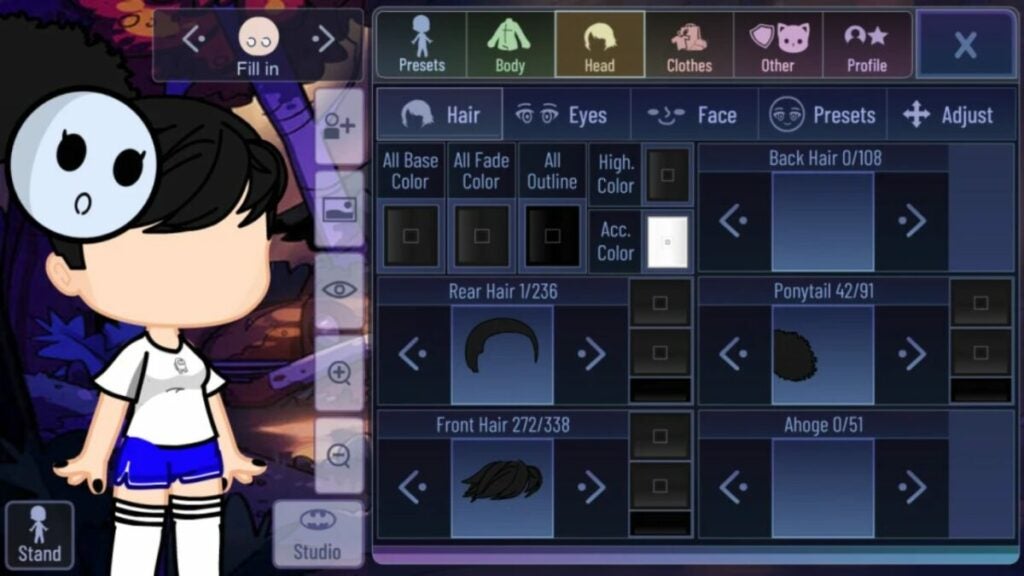
image of Gacha Redux character creation screen

Key features in Gacha Redux

Despite the game having a very specific functionality, its features are an inch wide and a mile deep. There are literally thousands of customization options to choose from. As a result, filling up the 10 allotted character slots is an easy thing to do very quickly.

But that presents another possibility for users in the form of roleplaying.

Customizable character options

The game, like other Gacha titles, features an anime-inspired animation design. It also features tons of hairstyle options for base hair, bangs, ponytails, ears, ribbons, and more.

There are just as many eye customization options with all the clothes and accessories you could possibly want. Want a pirate hook for a hand? Easy. A plague doctor mask? No sweat. Users can also choose from many detailed backgrounds, as well.

YouTuber MBPhiitsLayschipher showcases the various customization options very well in one of her videos.

Roleplaying possibilities

Many users use Gacha Redux to create what are commonly referred to as “OCs” or “original characters”. These can be used for roleplay across a variety of genres and mediums.

Gacha Redux Club logo

Gacha Club Studio

In previous versions of the mod, Gacha Club Studio crashed causing many players to lose their characters. However, Dellt Dev has revamped it to ensure this doesn’t happen again. It contains all of the following features:

  • Thousands of hairstyles, clothing options, weapons, and more
  • Up to 10 customizable characters with more than 600 different poses
  • Pets and other objects
  • Studio Mode where up to 10 characters can be on screen and talk to each other with text boxes or use a narrator for story-telling scenarios
image of Gacha Redux logo

Latest updates to Gacha Redux

The developer Dellt Dev updated the game earlier in 2022 adding a host of new features including:

  • A dark vaporware UI theme
  • New cloth shades
  • Updated body shades, hairstyles, and eye options
  • A new bellybutton option
  • New shirts with new shade options
  • Jackets with new shade options
  • New sleeve options
  • New pants and skirt options
  • Oversized shirts
  • High waist pants
  • New shoe options
  • New accessories like goggles, antlers, and hats
image of Gacha Redux custom characters

Verdict: middling performance for a great app

Gacha Redux is a fantastic mod for the base game Gacha Life and a great addition to Gacha Studio Club. Many users even recreated their favorite characters like Goku from Dragon Ball Z as seen above.

However, the app performance is a bit inconsistent since just a single developer operates and updates it. Still, for fans of the Gacha genre or people with roleplaying friend groups, this title is a great option to create custom characters online.

Download Gacha Redux today to start creating your own unique characters!

PROS

  • Familiar gameplay to other Gacha titles
  • Free customizations and store items
  • Unique UI
  • Thousands of combinations
  • Great for roleplaying

CONS

  • Difficult installation for some
  • Limited cosmetic item selection
  • Less consistent program performance
  • Lack of robust support

Developer: Dellt Dev

Publisher: Lunime

Top Features: totally free-to-play Gacha game

Platform Reviewed: Windows PC

Droidkit review: a reliable Android data recovery app

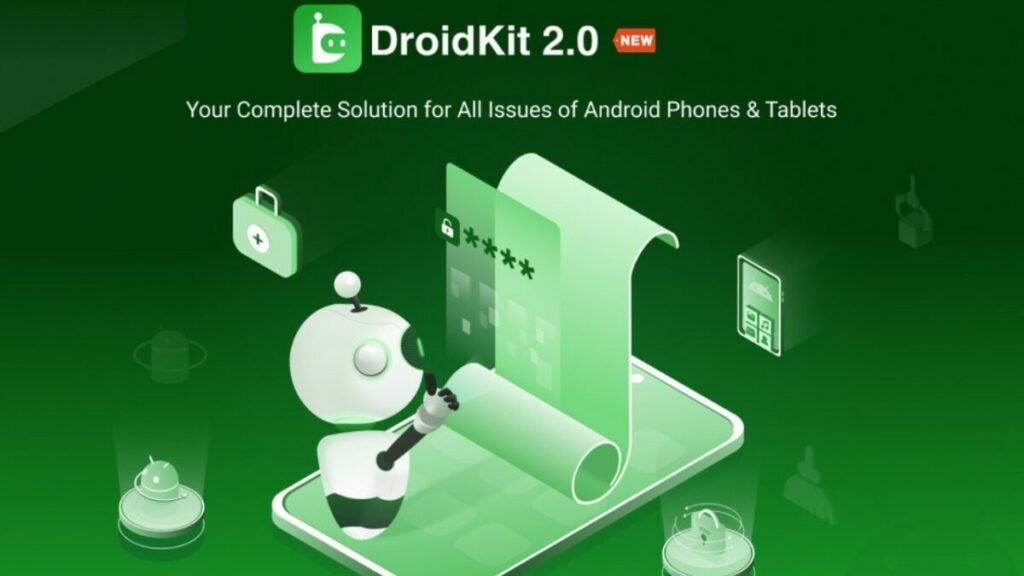
iMobie Inc., the publisher of the useful Droidkit program, recently updated the software to version 2.0. It features all kinds of new tools across its 8 offerings from data recovery to data management and more.

Let’s break down the key features of the program, what it costs, and see how the updated version compares.

Droidkit Download
Download

What is Droidkit?

Droidkit is a licensed data recovery program from iMobie Inc. for Android devices. It is helpful with data management and extraction, as well. The software runs on a freemium model with various tools valued at different prices.

How much does Droidkit cost?

While there is a free option, iMobie offers the program for a starting rate of $15.99 USD. However, in order to have access to the full suite of tools, users could spend up to $269.92 USD for a 1-year plan across 5 devices.

The company often offers discounts such as the full suite for as low as $80 USD for the same plan above that costs almost $300 USD. The cost really depends on which features you need for your device.

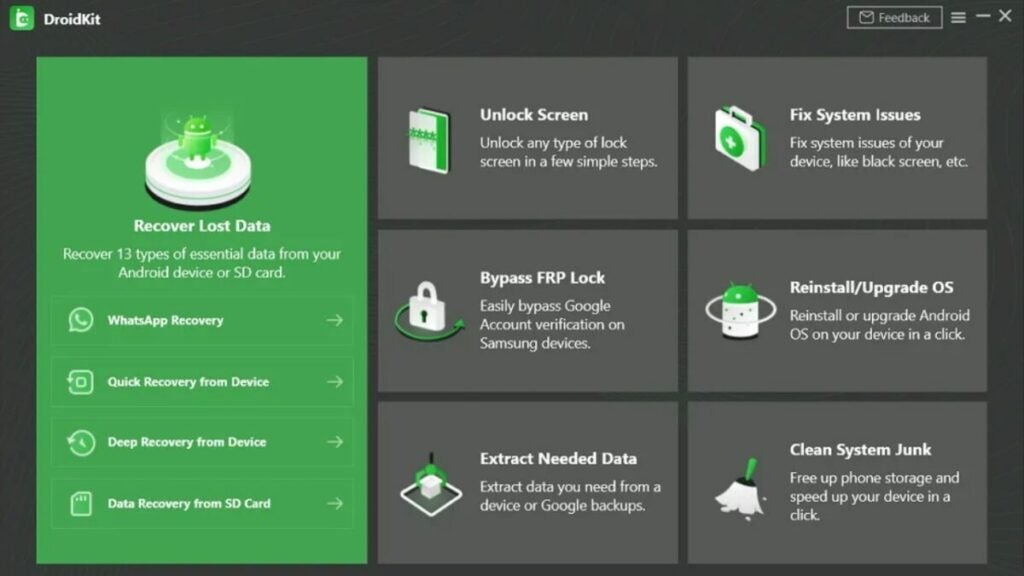
image of the Droidkit user interface

Key Droidkit features

Lost data recovery and data extraction

Retrieving lost data becomes a simpler task with Droidkit’s two modes: Quick and Deep Recovery Mode. For quick data recovery of specific sections, opt for Quick Recovery Mode. If you need a more thorough option, Deep Recovery Mode fully scans your device. However, it does require users to “root” their device first.

In order to prevent data loss, Droidkit enables users to easily extract file types to external storage backups including WiFi photos, WhatsApp messages, call logs, calendars, and more.

Lock screen removal and FRP lock bypass

Though lock screens keep your information safer, they can also be a pain if you forget your password or code. If you find yourself locked out of your device, Droidkit can remove any lock from passwords to PINs to fingerprints and facial recognition. This feature extends to Samsung, Huawei, Sony, and other major brand devices.

Bypassing FRP locks is only available on Samsung devices. However, Droidkit does allow users to bypass all Google FRP locks in order to reset it. Be sure to back up data before doing this as it can erase the device information.

Cleaning system junk

Data management is a daily task for most technology users. Whether they are documents, images, videos, or other file types, everyone is managing some kind of data. But sometimes, things pile up and waste precious storage space on your phone.

Droidkit addresses that with the “Clean System Junk” feature. It clears up duplicate files, cache files, shuts down background apps, and more.

System issues fixes, reinstalls, and upgrades

A black screen. An unexpected update. A battery that won’t charge. Error reports. Device freezing or boot loops. There are lots of problems that users can encounter with Android devices. Droidkit aims to address them quickly and easily with its “Fix System Issues” feature.

Users can also upgrade or reinstall their device OS with a few simple clicks, too. This can help with system slowdowns, system crashes, errors, black screens, or stuck devices.

image of the Droidkit logo and the version 2.0 program

Updates in 2.0

The latest update to Droidkit came earlier in 2022 bringing lots of new features including:

  • Italian language support
  • More intuitive and quicker screen unlocking
  • Data management for more Android data control for users to manage up to 13 types of data including messages, images, music, and more
  • Improved system fixing capabilities
  • FRP lock bypass for Android 11 and 12
image of a Samsung Galaxy S22 and the Droidkit logo

Verdict: a solid, reliable data recovery tool

If you have an Android device such as a smartphone or tablet with data loss, Droidkit offers a great option to recover that data. The 8 core offerings it has a range in utility and price, so you can customize the plan you need.

Users looking for more robust data management tools will not find them in Droidkit. But the 60-day money-back guarantee offers nice peace of mind for would-be users looking to move up from the free version.

Pros

  • Great all-around tool and device kit
  • Custom plans available
  • Lets you recover valuable files
  • Removes FRP locks and lock screen passwords
  • Allows for quick system fixes
  • 24/7 customer service
  • 60-day money-back guarantee
  • Instant activation
  • Teacher and student discounts

Cons

  • Only for Android devices
  • Free version offers a more limited toolset
  • Can seem costly if you don’t fully utilize the toolset

Developer: iMobie Inc.

Publisher: iMobie Inc.

Top Features: Data recovery, lock screen reset, and system fixes

Platform Reviewed: Android Samsung Galaxy S20 phone

3utools review: free all-in-one iOS device manager

3uTools offers a free way to manage your data across iOS devices. When it comes to Mac hardware, finding high-quality third-party software that’s also compatible and free to use can be difficult. In addition, finding something that further adapts Mac’s data privacy features isn’t easy either.

If you want more control over your data or if you want to jailbreak your device, the free software program 3uTools is a great option. Let’s review it based on features, issues, and competitors.

3uTools Download Now
Download Now

What is 3uTools?

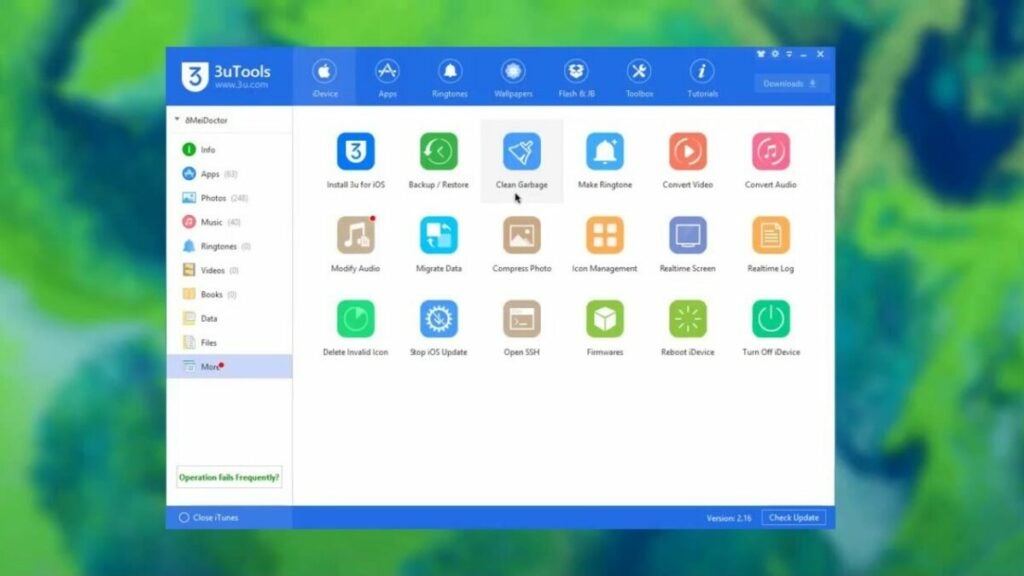
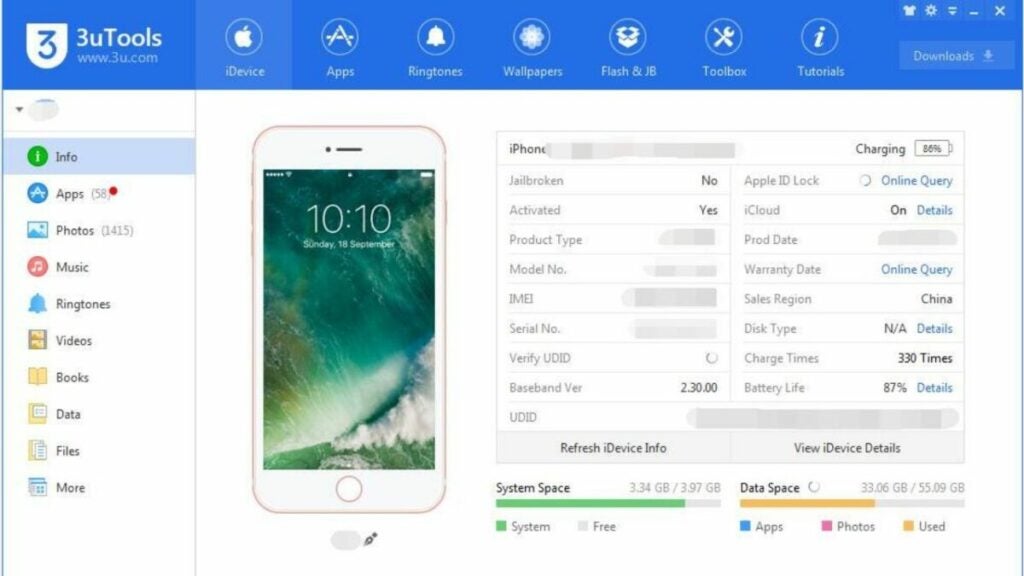
This app serves as a free iOS file manager, but it has other features, too. On top of helping you organize your data, you can make use of its virtual location service. You can even use it to back up or restore data. Thanks to its robust suite of features, it is an all-in-one iOS manager.

image of the 3uTools interface

What are 3uTools main features?

Device customization

Everyone loves to have a custom phone wallpaper of their significant other, pet, or favorite superhero, right? Instead of endlessly scrolling through images to find one or finding a ringtone, 3uTools keeps you organized. It’s also very easy to convert audio and video files, compress photos, and even make ringtones.

You can view your device’s images, apps, music, videos, ringtones, and other files using the software’s UI. Consider it an alternative to the App Store. The program also facilitates sharing of files between iOS devices like computers and iPhones, as well.

File management

Not only can 3uTools backup and restore data files on iOS devices, but it can also help you maintain your phone’s storage. Simply clean up old junk files to instantly add more space for music, TikToks, and more.

While you can customize the data backup, it does have its limitations. You cannot back up the following data types:

  • iCloud photos
  • “Health” reports
  • “Active History” information
  • iTunes media
  • touch ID settings
  • “Keychain” content
  • Apply Pay data

Connectivity and virtual location mode

This program lets you connect portable devices to your computer via WiFi network or USB cable. However, the lightning cable offers the best connection. But perhaps more exciting is the program’s virtual location mode.

It allows you to imitate a different location on your device that allows for unlocking region-specific content. It’s easy to engage the mode and then restore your true location in the UI. Just remember that you’ll need to manually type in the longitude and latitude of your virtual location.

Real-time event log

This unique feature lets users record any and all behaviors and/or operations on their devices. While this may not seem like a useful feature on the surface, however, anyone concerned about hacking can benefit from it.

Additional features

Some features don’t fall into one category but are still worth mentioning such as:

  • iCloud lock
  • SHSH backups
  • baseband upgrades and downgrades
  • DFU mode
image of the 3uTools jailbreak tab

3uTools Jailbreaking features

“Jailbreaking” an iPhone means that you modify the device in a way that removes any restrictions placed by the manufacturer, Apple. Users opt for this to use software that might not normally run on iOS devices.

3uTools offers an easy way to do this with the “Flash & JB” tab in the UI. You don’t need to be a developer to jailbreak your device anymore! It may also help you to avoid data loss or other issues when jailbreaking your iOS device.

Is 3uTools safe?

Though many third-party apps can carry suspicious or even malicious code in them, 3uTools is a tried and true software program. It is not malware, so it will not install harmful things onto your Apple products.

The company offers troubleshooting via Twitter, forums, and email. There are even many tutorials on their website on program features, as well as general Apple tutorials for their many products.

Verdict

As far as free programs go, 3uTools is an excellent bang for your non-existent buck. You get tons of features in a straightforward and easy-to-use UI from a company that provides troubleshooting and consistent updates.

PROS

  • Intuitive and no-nonsense interface
  • Normal and advanced modes
  • Jailbreak and flash activation
  • Virtual location mode
  • No in-app advertisements

CONS

  • Lacks cross-platform capabilities
  • somewhat limited data backup file types

Developer: 3uTools

Publisher: 3uTools

Top features: device management

Platform reviewed: iOS